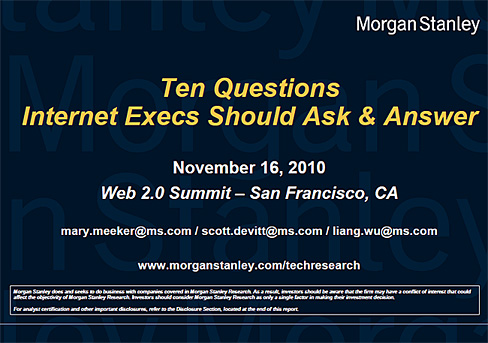
10 questions every Internet Exec needs to ask and answer
— from Morgan Stanley by Mary Meeker; original resource from George Siemens

Question Focus Areas

  1. Globality
  2. Mobile
  3. Social Ecosystems
  4. Advertising
  5. Commerce
  6. Media
  7. Company Leadership Evolution
  8. Steve Jobs
  9. Ferocious Pace of Change in Tech
  10. Closing Thoughts

The YouVersion Bible: 2 years, 10 million downloads, 0 advertising. — from thenextweb.com by Brad McCarty
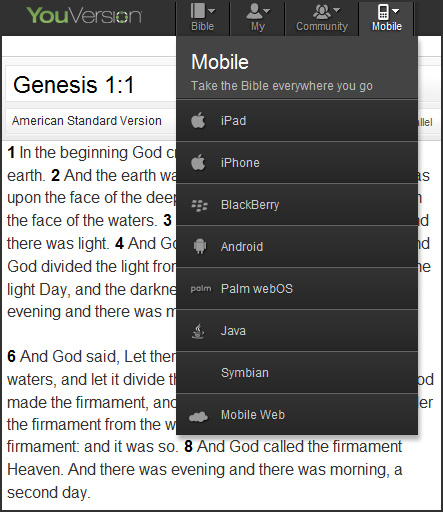
YouVersion -- take the Bible with you wherever you go

It isn’t often that we’ll talk about religion, politics or things that can otherwise start arguments that don’t count as fanboyism. However, when a service gains 10 million downloads without ever advertising, that’s a pretty strong social media story in our book.

YouVersion is a simple thing – a bible. It can be downloaded to a number of different platforms, it’s available in a myriad of translations and has a community that surrounds the application and the website. Presently, the app gets downloaded at the rate of over 1 million new users every month and has kept itself in the top 5 download apps for the Reference category of the App Store.

So how does YouVersion manage things? The power of people, it seems. The company credits its success greatly to the social sharing of the YouVersion community…

Tagged with: • •  

From DSC:
Below are some notes and reflections after reading Visions 2020.2:  Student Views on Transforming Education and Training Through Advanced Technologies — by the U.S. Department of Commerce, U.S. Department of Education, and NetDay

Basic Themes

  • Digital Devices
  • Access to Computers and the Internet
  • Intelligent Tutor/Helper
  • Ways to Learn and Complete School Work Using Technology

Several recurring words jumped off the page at me, including:

  • Voice activation
  • A rugged, mobile, lightweight, all-convergent communications and entertainment device
  • Online classes
  • Interactive textbooks
  • Educational games
  • 3D virtual history enactments — take me there / time machine
  • Intelligent tutors
  • Wireless
  • 24x7x365 access
  • Easy to use
  • Digital platforms for collaborating and working with others on schoolwork/homework
  • Personalized, optimized learning for each student
  • Immersive environments
  • Augmented reality
  • Interactive
  • Multimedia
  • Virtual
  • Simulations
  • Digital diagnostics (i.e. analytics)
  • Wireless videoconferencing

Here are some quotes:

Math and reading were often cited specifically as subjects that might benefit from the use of learning technologies. (p. 5)

No concept drew greater interest from the student responders than some sort of an intelligent tutor/helper. Math was the most often mentioned subject for which tutoring help was needed. Many students desired such a tutor or helper for use in school and at home. (p. 17)

…tools, tutors, and other specialists to make it possible to continuously adjust the pace, nature and style of the learning process. (p.27)

So many automated processes have been built in for them: inquiry style, learning style, personalized activity selection, multimedia preferences, physical requirements, and favorite hardware devices. If the student is in research mode, natural dialogue inquiry and social filtering tools configure a working environment for asking questions and validating hypotheses. If students like rich multimedia and are working in astronomy, they automatically are connected to the Sky Server which accesses all the telescopic pictures of the stars, introduces an on-line expert talking about the individual constellations, and pulls up a chatting environment with other students who are looking at the same environment. (p.28)

— Randy Hinrichs | Research Manager for Learning Science and Technology | Microsoft Research Group

From DSC:
As I was thinking about the section on the intelligent tutor/helper…I thought, “You know…this isn’t just for educators. Pastors and youth group leaders out there should take note of what students were asking for here.”

  • Help, I need somebody
  • Help me with ____
  • Many students expressed interest in an “answer machine,” through which a student could pose a specific question and the machine would respond with an answer. <– I thought of online, Christian-based mentors here, available 24x7x365 to help folks along with their spiritual journeys


RockMelt -- a new browser for the Net

Tagged with: • • • •  

The New Social Learning – a good review — from elearndev.blogspot.com by Brent Schlenker and Sumeet Moghe

.

.
Tagged with:  

Kosmix.com

.

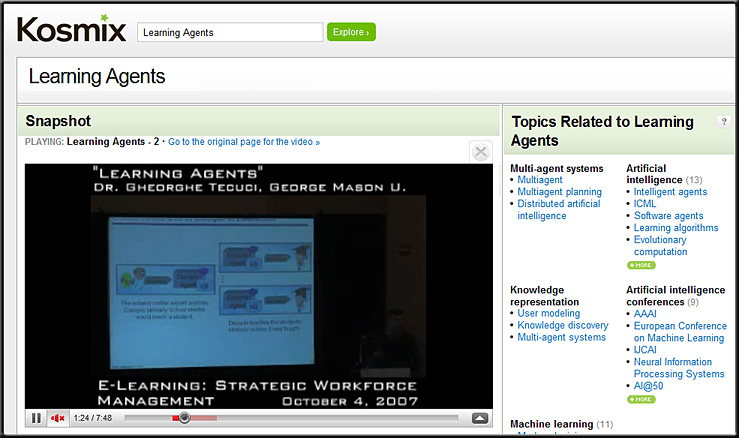
Kosmix.com -- Learning Agents

From DSC:
I love the quote at the end…“Chance favors the connected mind.”

.

.

.

Originally saw this at the Engaged Learning blog
A World to Change — Stephen Downes at the Huffington Post

An island no more: A game-changing application suite for LMS — from CampusTechnology.com by Trent Batson

…a “Google Analytics” for the LMS.

…perhaps the most revolutionary aspect of plugjam, allowing both students and teachers to intelligently search open educational resources (OERs) maintained by Merlot and 10 colleges and universities through the new OER Global Consortium inspired and supported by MERLOT, including Johns Hopkins, MIT, Notre Dame, The Open University, Universidad Politecnica de Madrid, Stanford University, Delft University, University of Massachusetts Boston, The University of Tokyo, and Yale University. Other institutions offer additional OERs, such as Carnegie Mellon, Rice, and others.

…essentially allowing faculty and students to create a portal with a live instantiation of the LMS interface on the same page as social software and other functionalities, literally putting your LMS into the social Web.

…

Why is all this important? The campus book library of 10 years ago has changed radically: It is now augmented (and perhaps surpassed) by the library on the Web, more easily searched, portable to any Web site, and potentially a broader-based, more up-to-date set of resources than was ever available before to the campus community. With many more Web academic resources becoming available everyday and the LMS, with plugjam, capable of becoming its own “lending library,” each course can be content-rich beyond imagination.

Top 100 Tools for Learning 2010: Final list, presentation and more — from Jane Knight

Yesterday I finalised the Top 100 Tools for Learning 2010 list.  Many thanks to the 545 people who shared their Top 10 Tools for Learning and contributed to the building of the list.   Although this list is available online, I also created this presentation which provides the information as a slideset – embedded below.

My Photo

Jane Hart, a Social Business Consultant, and founder
of the Centre for Learning & Performance Technologies.
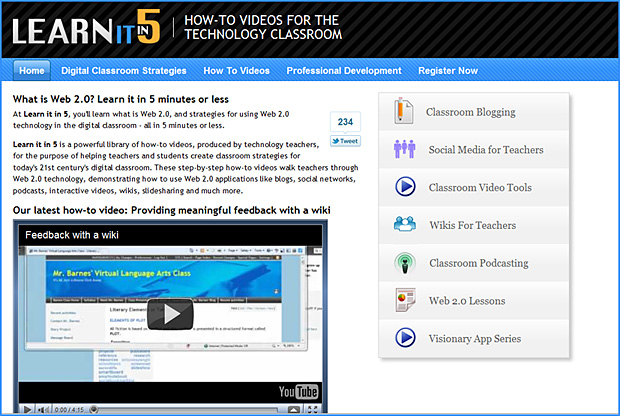

Learn IT in 5

RSA Comment with Sir Ken Robinson - October 2010

.

© 2025 | Daniel Christian