From DSC:
I used to be able to bring up Firefly on the web and use it “free” of charge — I didn’t have to go purchase tokens or credits. (I was actually paying for the Adobe Creative Cloud Pro suite of tools…so it wasn’t really free.)

But the other day I was trying to figure out what the latest pricing is at Adobe with that suite of tools and the use of credits for AI-based features. They say Adobe Creative Cloud Pro users get 4000 credits a month. Well, I have that suite and I’m still getting prompted to purchase credits. Firefly for individuals runs from $9.99 (2,000 credits/month) to $139.91 per month (50,000 credits per month). Not inexpensive, right? Below are other items along these lines.


The Era of Affordable AI Is Over. What Comes Next? — from builtin.com by Ameya Kanitkar
AI providers are shifting to usage-based billing for their services. AI fluency is more important now than ever to make the most of your tools to avoid unnecessary spending.

Summary: The era of cheap, flat-rate AI is ending as providers shift to usage-based billing. Every prompt now carries a direct cost, turning casual use into major budget risks, as seen when Uber depleted its 2026 AI budget in four months. Leaders must now track real-time value and token efficiency.

For a brief window, companies had access to the most transformative technology in a generation at the cost of a streaming subscription. Tools like ChatGPT put AI within reach of anyone with a browser and time for experimentation, while GitHub Copilot came in at just $10 a month, with token costs remaining relatively low. In the beginning, experimentation felt cost-effective, easy and relatively low-risk. 

But that era is ending, and the bill is coming due faster than a lot of enterprise leaders anticipated. 


The Fable of AI in Education — from downes.ca by Stephen Downes
Marc Watkins, Rhetorica, Jun 17, 2026

Tokenomics will be a hot topic of discussion on university campuses because, as Marc Watkins notes in this article, there is no realistic path forward to providing all students with access to advanced AI.


From this posting on LinkedIn.com from Dr. Nick Jackson:

And now there is a third layer emerging. Institutions are waking up to a systems-level question they are likely not remotely prepared for. Who pays for AI? How are budgets managed when there are unclear token consumption pricing models? How is AI procured? Who decides what tools get used and by whom and who gets access and at what level?

.


Christian: Could this be a part of our future learning ecosystems?


From DSC:
Could this be a part of our future learning ecosystems? Education as a personalized content feed.


Coursera wants users to learn through shorter, faster content  — from digitaltrends.com by Moinak Pal
Coursera wants online learning to feel more like TikTok
.

Online learning platform Coursera is taking a page straight out of TikTok’s playbook. The company has launched a new AI-powered feed designed to serve short-form educational content in a scrollable, personalized format, signaling a major shift in how digital learning platforms may try to keep users engaged.

The feature introduces bite-sized video lessons, clips, and explainers curated through artificial intelligence based on a user’s interests, learning habits, career goals, and previous course activity. Instead of committing to hour-long lectures or full certification programs upfront, users can now discover short educational snippets designed to make learning feel more casual, accessible, and addictive.

Users scroll through a feed of short educational videos and AI-curated learning moments covering topics ranging from coding and business to AI, productivity, data science, and personal development.


Pinpoint, Explained — from wondertools.substack.com by Jeremy Caplan
A guide to Google’s free tool, now open to all
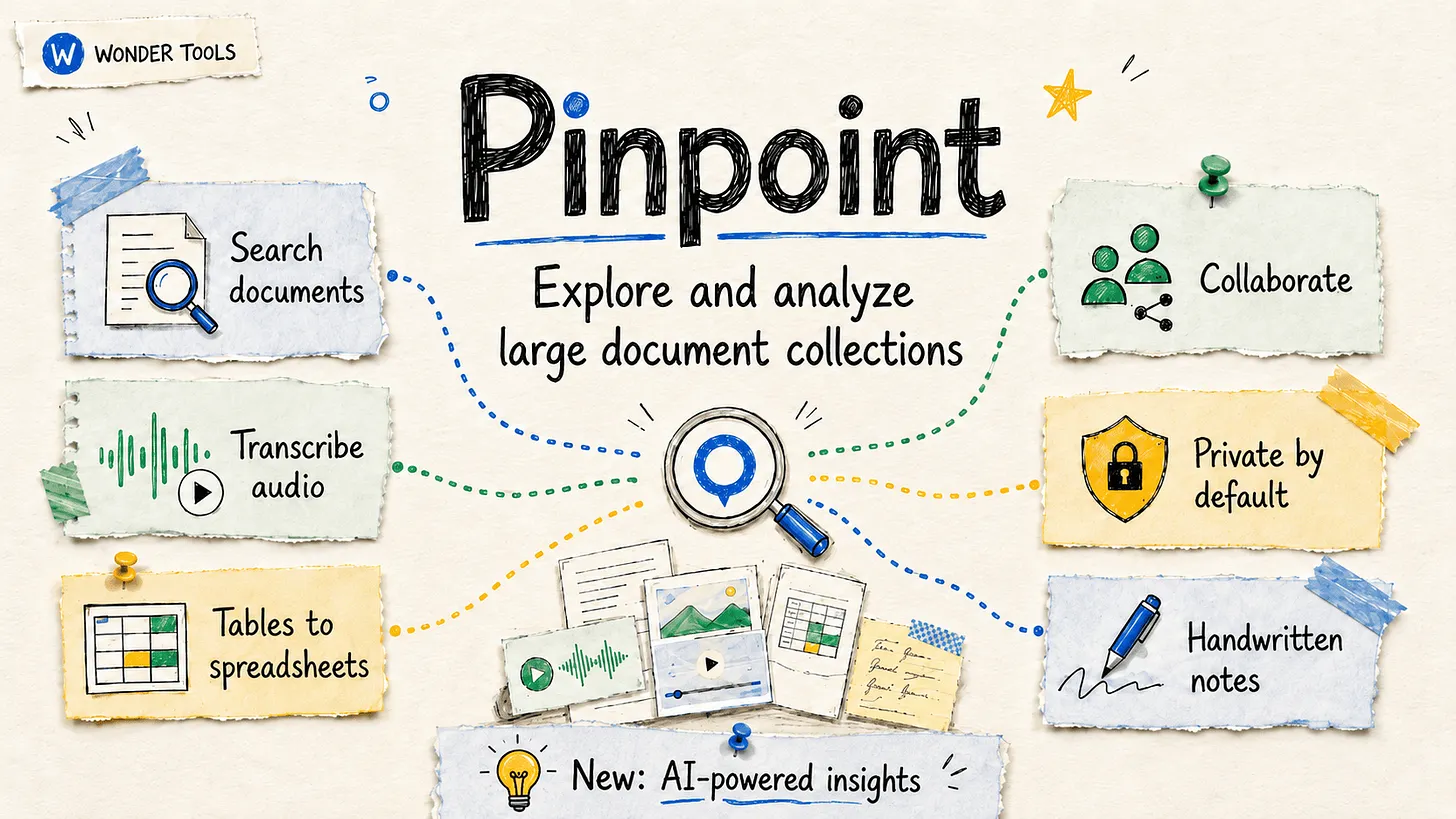

.Jeremy prompted ChatGPT to generate illustrations in his post.

.


Learn about Pinpoint— from support.google.com

Pinpoint is an AI-powered research platform designed to help journalists and academics analyze large collections of documents. With Pinpoint, you can:

  • Analyze massive collections: Easily search, filter, transcribe and organize thousands of documents, including PDFs, images, and audio files.
  • Leverage generative AI: Use Gemini’s capabilities to answer research questions together with supporting evidence found in your documents.
  • Foster collaborative research: share your work with colleagues and tackle large scale projects as a team. You can also publicly share – supporting community-driven research.

For assistance with Pinpoint, please consult our Community Forum or you can contact our support team.


LinkedIn Grad’s Guide 2026: Starting your career in the AI era — from linkedin.com by Gianna Prudente
To help you head off in the right direction, we’ve identified where those starting their careers are finding opportunity, based on data from millions of LinkedIn member profiles.

While all of this is happening, colleges are still catching up. Many students are graduating without having spent much time learning how AI actually fits into day-to-day work — even as employers seek out those exact skills.

“Colleges are moving into an era of, we’ll let the faculty decide, which leads to a very uneven experience for students because some faculty are really into AI and other faculty are not,” says Jeff Selingo, a higher education strategist. “Employers are the same; they don’t really know how to act around early careers.”

Taken together, new grads are entering a uniquely challenging environment: fewer traditional entry points, slower turnover and a workplace that’s evolving faster than the systems preparing people for it.

.


I knew my writing students were using AI. Their confessions led to a powerful teaching moment — from theguardian.com by Micah Nathan
The problem wasn’t just the perfectly polished, yet mediocre prose. It’s what’s lost when we surrender the struggle to translate thought into words

For a few moments, all was quiet except the classroom’s ticking radiators. Then, a teary-eyed confession: one of the ostensible authors said she only used AI because she was scared of looking stupid, of being criticized for bad writing. She said she loved writing stories and hated having used AI. But she couldn’t stop herself, recounting a sequence similar to an addict’s descent: at first she fed her story into AI for a grammar check, it suggested line edits and she accepted, then it asked if she wanted structural edits, then it offered to rewrite the entire piece.

The other would-be author admitted he had never written a short story before and he had an idea but didn’t know where to start. I asked him why he didn’t reach out to me for help. He shrugged.

One of the other students raised her hand, saying she didn’t understand why it was bad for AI to write stories as long as the stories are based on their ideas. More students spoke: one wanted to know how using AI was any different from using a human editor. Another wanted me to answer why, at a university that launched one of the world’s first AI research programs in 1959, were we even having this debate? Isn’t AI meant to make everyone’s life easier? Less stressful? Isn’t the point of AI to free humans from the tedium of rote tasks?

The conversation that followed their confessions was one of the most productive teaching moments of my eight years at MIT. Writing, I told them, isn’t supposed to be easy, and of course it can be tedious but that doesn’t make it rote. Writing isn’t just the production of sentences – it’s the training of endurance by way of sustained attention. It’s a way of learning what one thinks by attempting to say it. 


This $10K AI School Promises to Future-Proof Your Career — from builtin.com by Matthew Urwin
Khan Academy, TED and ETS are starting a new program to equip students and professionals with the skills to thrive in an increasingly AI-driven economy. Here’s what you need to know.

Summary: The Khan TED Institute is a higher-education program that will teach students and workers how to use AI through interactive learning. The program’s AI-centric curriculum is an unproven approach, though, casting doubt on whether it will actually improve learning outcomes and career prospects.


Want Students to Build a Healthier Relationship With Technology? Start With The Arts — from techlearning.com by Adrianna Marshall
Arts classrooms demonstrate what technology integration at its best can look like
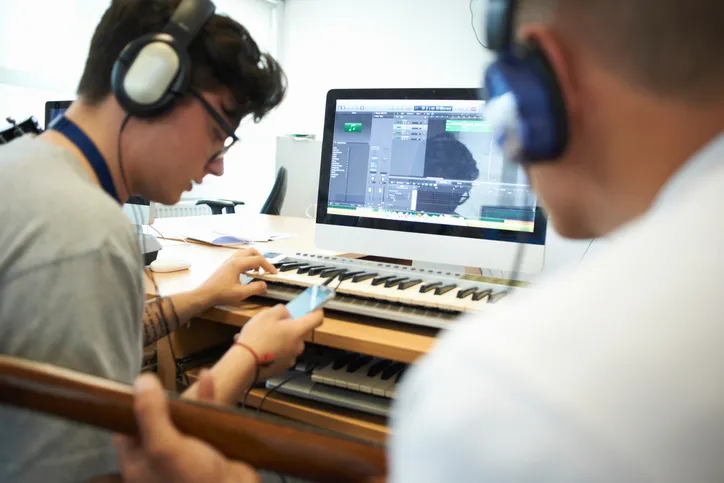
But at a moment defined by rapid AI adoption and ongoing debates about screen time, the argument for protecting and investing in arts education needs to take on a new tone. The arts continue to be one of the most effective places in school for students to build healthier, more intentional relationships with technology.

In short, in the age of AI, we need the arts more than ever.

Digital composition software, notation tools, and recording platforms allow students to experiment, revise, and refine their ideas in ways that would have been far more time-consuming a decade ago. Students can layer tracks, hear immediate playback, annotate their own scores, and collaborate across devices. The same is true in other contexts besides music; in visual arts, for instance, a variety of digital drawing and painting platforms enable students to practice with new mediums, styles, and techniques without having to worry about supplies or messes. But in either case, the core intellectual work of looking and listening critically, understanding structure, and making aesthetic choices remains entirely human and part of the learning.


From DSC:
I agree. At one of my previous positions, I spent 10 years supervising a digital studio — helping professors and students use a variety of applications to create things. The applications were from Adobe, Apple, and a variety of smaller vendors. The deliverables could be graphics, edited soundtracks, music, videos, flyers, posters, collages, edited photographs, presentations, websites, and more. I longed for people to discover the power of multimedia to communicate their messages, tell stories, stir emotion, powerfully engage themselves (and others), and unleash their creativity.

There were several obstacles to our digital studio being more impactful at that institution. It was under the IT department, not the academic side of the house. It was in the basement of the library, where few students and faculty traveled. During those years, it was highly uncommon for faculty members to require multimedia-based assignments — so many students had to WANT to develop these skills on their own time. The majority of students didn’t see the value in developing the types of digital skills that we were trying to build…or they didn’t have the time.


Also relevant/see:


Make learning accessible to all in higher education — from The Times Higher Education

When accessibility is placed at the heart of teaching and learning, rather than treated as a bolt-on, every student benefits. This week’s spotlight guide offers advice on designing universally accessible learning, in-person and online. Find out how to ease the burden of disability disclosure with universal design for learning, better support neurodivergent students and students with hearing or vision issues, design more accessible assessments and ensure digital tools work for all.


Hidden in Plain Sight: How Microschools Can Unlock the Power of Public Libraries — from microschoolingcenter.org by Tiffany Blassingame & Erin Flynn

The Library as a Learning Campus
Many microschool founders are wrestling with the same core challenge: how do you provide students with enriching, hands-on experiences when you’re working with a small team and a lean budget? Erin’s answer is deceptively simple — walk through the library’s front door.

Modern public libraries are far more than book repositories. Most educators walk past an entire ecosystem of free resources without realizing what’s available. Need printing, computers, or digital tools? Libraries offer them at little or no cost. Looking for hands-on science programming? Many branches host makerspaces and science stations built for exactly that kind of exploration. Need a space to hold a small class, workshop, or seminar? Bookable collaboration rooms are often just a phone call away.

Beyond the physical infrastructure, libraries frequently offer life skills programming — resume writing, financial literacy, job readiness — that can support the families surrounding a microschool, not just its students. And in some branches, social workers are embedded on site, providing the kind of wraparound support that few microschools could ever access on their own.

Libraries are also deeply invested in expanding their community reach. A microschool brings exactly the kind of engaged, mission-driven partnership that many branches are actively seeking. The relationship benefits both sides from day one.


Across the divide: reimagining faculty-staff collaboration in higher education — from timeshighereducation.com by Saskia van de Gevel
Academic units do best when they harness different viewpoints – from field scientists and curriculum designers to extension professionals – to drive innovation and relevance. Saskia van de Gevel offers proactive advice

Universities are not sustained by individual leaders or isolated units. They are sustained by teams of people who bring different kinds of expertise to a shared mission. When faculty and professional staff collaborate as genuine partners – aligned around outcomes, clear about roles and committed to mutual respect – institutions become more resilient, innovative and effective.

Also from timeshighereducation.com, see:

Again, we don’t send them 200 CVs. We might send 20, but they’re meticulously shortlisted. The employer saves time, the student feels they are being taken seriously and trust builds quickly on both sides.

And because we work closely with employers, we learn something universities often struggle to find out early enough: what the market is asking for now.

What academics need to know: we can’t do this without you
If I could say one thing to academic colleagues anywhere, it’s that employability can’t sit next to the curriculum. It has to live with it.


Jim VandeHei’s note to his kids: Blunt AI talk — from axios.com by CEO Jim VandeHei
Axios CEO Jim VandeHei wrote this note to his wife, Autumn, and their three kids. She suggested sharing it more broadly since so many families are wrestling with how to think and talk about AI. So here it is …

Dear Family:
I want to put to words what I’m hearing, seeing, thinking and writing about AI.

  • Simply put, I’m now certain it will upend your work and life in ways more profound than the internet or possibly electricity. This will hit in months, not years.
  • The changes will be fast, wide, radical, disorienting and scary. No one will avoid its reach.

I’m not trying to frighten you. And I know your opinions range from wonderment to worry. That’s natural and OK. Our species isn’t wired for change of this speed or scale.

  • My conversations with the CEOs and builders of these LLMs, as well as my own deep experimentation with AI, have shaken and stirred me in ways I never imagined.

All of you must figure out how to master AI for any specific job or internship you hold or take. You’d be jeopardizing your future careers by not figuring out how to use AI to amplify and improve your work. You’d be wise to replace social media scrolling with LLM testing.

Be the very best at using AI for your gig.

more here.


Also see:


Also relevant/see:


AI and the Work of Centers for Teaching and Learning — from derekbruff.org by Derek Bruff

  • Penelope Adams Moon suggested that instead [of] framing a workshop around “How can we integrate AI into the work of teaching?” we should ask “Given what we know about learning, how might AI be useful?” I love that reframing, and I think it connects to the students’ requests for more AI knowhow. Students have a lot of options for learning: working with their instructor, collaborating with peers, surfing YouTube for explainer videos, university-provided social annotation platforms, and, yes, using AI as a kind of tutor. I think our job (collectively) isn’t just to teach students how to use AI (as they’re requesting) but also to help them figure out when and how AI is helpful for their learning. That’s highly dependent on the student and the learning task! I wrote about this kind of metacognition on my blog.

In the same way, when I approach any kind of educational technology, I’m looking for tools that can be responsive to my pedagogical aims. The pedagogy should drive the technology use, not the other way around.


How Your Learners *Actually* Learn with AI — from drphilippahardman.substack.com by Dr. Philippa Hardman
What 37.5 million AI chats show us about how learners use AI at the end of 2025 — and what this means for how we design & deliver learning experiences in 2026

Last week, Microsoft released a similar analysis of a whopping 37.5 million Copilot conversations. These conversation took place on the platform from January to September 2025, providing us with a window into if and how AI use in general — and AI use among learners specifically – has evolved in 2025.

Microsoft’s mass behavioural data gives us a detailed, global glimpse into what learners are actually doing across devices, times of day and contexts. The picture that emerges is pretty clear and largely consistent with what OpenAI’s told us back in the summer:

AI isn’t functioning primarily as an “answers machine”: the majority of us use AI as a tool to personalise and differentiate generic learning experiences and – ultimately – to augment human learning.

Let’s dive in!

Learners don’t “decide” to use AI anymore. They assume it’s there, like search, like spellcheck, like calculators. The question has shifted from “should I use this?” to “how do I use this effectively?”


8 AI Agents Every HR Leader Needs To Know In 2026 — from forbes.com by Bernard Marr

So where do you start? There are many agentic tools and platforms for AI tasks on the market, and the most effective approach is to focus on practical, high-impact workflows. So here, I’ll look at some of the most compelling use cases, as well as provide an overview of the tools that can help you quickly deliver tangible wins.

Some of the strongest opportunities in HR include:

  • Workforce management, administering job satisfaction surveys, monitoring and tracking performance targets, scheduling interventions, and managing staff benefits, medical leave, and holiday entitlement.
  • Recruitment screening, automatically generating and posting job descriptions, filtering candidates, ranking applicants against defined criteria, identifying the strongest matches, and scheduling interviews.
  • Employee onboarding, issuing new hires with contracts and paperwork, guiding them to onboarding and training resources, tracking compliance and completion rates, answering routine enquiries, and escalating complex cases to human HR specialists.
  • Training and development, identifying skills gaps, providing self-service access to upskilling and reskilling opportunities, creating personalized learning pathways aligned with roles and career goals, and tracking progress toward completion.


AI working competency is now a graduation requirement at Purdue [Pacton] + other items re: AI in our learning ecosystems


AI Has Landed in Education: Now What? — from learningfuturesdigest.substack.com by Dr. Philippa Hardman

Here’s what’s shaped the AI-education landscape in the last month:

  • The AI Speed Trap is [still] here: AI adoption in L&D is basically won (87%)—but it’s being used to ship faster, not learn better (84% prioritising speed), scaling “more of the same” at pace.
  • AI tutors risk a “pedagogy of passivity”: emerging evidence suggests tutoring bots can reduce cognitive friction and pull learners down the ICAP spectrum—away from interactive/constructive learning toward efficient consumption.
  • Singapore + India are building what the West lacks: they’re treating AI as national learning infrastructure—for resilience (Singapore) and access + language inclusion (India)—while Western systems remain fragmented and reactive.
  • Agentic AI is the next pivot: early signs show a shift from AI as a content engine to AI as a learning partner—with UConn using agents to remove barriers so learners can participate more fully in shared learning.
  • Moodle’s AI stance sends two big signals: the traditional learning ecosystem in fragmenting, and the concept of “user sovereignty” over by AI is emerging.

Four strategies for implementing custom AIs that help students learn, not outsource — from educational-innovation.sydney.edu.au by Kria Coleman, Matthew Clemson, Laura Crocco and Samantha Clarke; via Derek Bruff

For Cogniti to be taken seriously, it needs to be woven into the structure of your unit and its delivery, both in class and on Canvas, rather than left on the side. This article shares practical strategies for implementing Cogniti in your teaching so that students:

  • understand the context and purpose of the agent,
  • know how to interact with it effectively,
  • perceive its value as a learning tool over any other available AI chatbots, and
  • engage in reflection and feedback.

In this post, we discuss how to introduce and integrate Cogniti agents into the learning environment so students understand their context, interact effectively, and see their value as customised learning companions.

In this post, we share four strategies to help introduce and integrate Cogniti in your teaching so that students understand their context, interact effectively, and see their value as customised learning companions.


Collection: Teaching with Custom AI Chatbots — from teaching.virginia.edu; via Derek Bruff
The default behaviors of popular AI chatbots don’t always align with our teaching goals. This collection explores approaches to designing AI chatbots for particular pedagogical purposes.

Example/excerpt:


Beyond Infographics: How to Use Nano Banana to *Actually* Support Learning — from drphilippahardman.substack.com by Dr Philippa Hardman
Six evidence-based use cases to try in Google’s latest image-generating AI tool

While it’s true that Nano Banana generates better infographics than other AI models, the conversation has so far massively under-sold what’s actually different and valuable about this tool for those of us who design learning experiences.

What this means for our workflow:

Instead of the traditional “commission ? wait ? tweak ? approve ? repeat” cycle, Nano Banana enables an iterative, rapid-cycle design process where you can:

  • Sketch an idea and see it refined in minutes.
  • Test multiple visual metaphors for the same concept without re-briefing a designer.
  • Build 10-image storyboards with perfect consistency by specifying the constraints once, not manually editing each frame.
  • Implement evidence-based strategies (contrasting cases, worked examples, observational learning) that are usually too labour-intensive to produce at scale.

This shift—from “image generation as decoration” to “image generation as instructional scaffolding”—is what makes Nano Banana uniquely useful for the 10 evidence-based strategies below.


4 Simple & Easy Ways to Use AI to Differentiate Instruction — from mindfulaiedu.substack.com (Mindful AI for Education) by Dani Kachorsky, PhD
Designing for All Learners with AI and Universal Design Learning

So this year, I’ve been exploring new ways that AI can help support students with disabilities—students on IEPs, learning plans, or 504s—and, honestly, it’s changing the way I think about differentiation in general.

As a quick note, a lot of what I’m finding applies just as well to English language learners or really to any students. One of the big ideas behind Universal Design for Learning (UDL) is that accommodations and strategies designed for students with disabilities are often just good teaching practices. When we plan instruction that’s accessible to the widest possible range of learners, everyone benefits. For example, UDL encourages explaining things in multiple modes—written, visual, auditory, kinesthetic—because people access information differently. I hear students say they’re “visual learners,” but I think everyone is a visual learner, and an auditory learner, and a kinesthetic learner. The more ways we present information, the more likely it is to stick.

So, with that in mind, here are four ways I’ve been using AI to differentiate instruction for students with disabilities (and, really, everyone else too):


The Periodic Table of AI Tools In Education To Try Today — from ictevangelist.com by Mark Anderson

What I’ve tried to do is bring together genuinely useful AI tools that I know are already making a difference.

For colleagues wanting to explore further, I’m sharing the list exactly as it appears in the table, including website links, grouped by category below. Please do check it out, as along with links to all of the resources, I’ve also written a brief summary explaining what each of the different tools do and how they can help.


Seven Hard-Won Lessons from Building AI Learning Tools — from linkedin.com by Louise Worgan

Last week, I wrapped up Dr Philippa Hardman’s intensive bootcamp on AI in learning design. Four conversations, countless iterations, and more than a few humbling moments later – here’s what I am left thinking about.


Finally Catching Up to the New Models — from michellekassorla.substack.com by Michelle Kassorla
There are some amazing things happening out there!

An aside: Google is working on a new vision for textbooks that can be easily differentiated based on the beautiful success for NotebookLM. You can get on the waiting list for that tool by going to LearnYourWay.withgoogle.com.

Nano Banana Pro
Sticking with the Google tools for now, Nano Banana Pro (which you can use for free on Google’s AI Studio), is doing something that everyone has been waiting a long time for: it adds correct text to images.


Introducing AI assistants with memory — from perplexity.ai

The simple act of remembering is the crux of how we navigate the world: it shapes our experiences, informs our decisions, and helps us anticipate what comes next. For AI agents like Comet Assistant, that continuity leads to a more powerful, personalized experience.

Today we are announcing new personalization features to remember your preferences, interests, and conversations. Perplexity now synthesizes them automatically like memory, for valuable context on relevant tasks. Answers are smarter, faster, and more personalized, no matter how you work.

From DSC :
This should be important as we look at learning-related applications for AI.


For the last three days, my Substack has been in the top “Rising in Education” list. I realize this is based on a hugely flawed metric, but it still feels good. ?

– Michael G Wagner

Read on Substack


I’m a Professor. A.I. Has Changed My Classroom, but Not for the Worse. — from nytimes.com by Carlo Rotella [this should be a gifted article]
My students’ easy access to chatbots forced me to make humanities instruction even more human.


© 2025 | Daniel Christian