Challenges Seen in Moving to Multimedia Textbooks — from edweek.org by Katie Ash
Supporting the use of multimedia-rich and interactive textbooks in K-12 will require much more digital bandwidth

“Right now, as long as all we’re doing is PDF files, the bandwidth and infrastructure in Virginia isn’t going to be a problem,” says Lan W. Neugent, the assistant superintendent of technology, career, and adult education for the Virginia Department of Education.

“But we’re going to see books become multimedia extravaganzas,” he says, “and the minute that happens, then suddenly the bandwidth is going to be pitiful.”

Post Modern Pedagody - Digital Content and Tools -- Don't Leave Home Without It -- from K12 Inc. on 10-28-10.

I particularly like the last slide of this presentation; it asserts that:

Clayton Christensen, a Harvard Business Professor writes in his book titled, “Disrupting Class” that, “Like all disruptions, student-centric technology will make it affordable, convenient, and simple for many more students to learn in ways that are customized for them.” (p. 92)

Based on trends Christensen points to research which points out that, “In the subsequent six years, technology’s market share will grow from 5 percent to 50 percent. It will become a massive market. And based on further business forecasts, 80 percent of courses taken in 2024 will be online in a student-centric way.”

Also see:

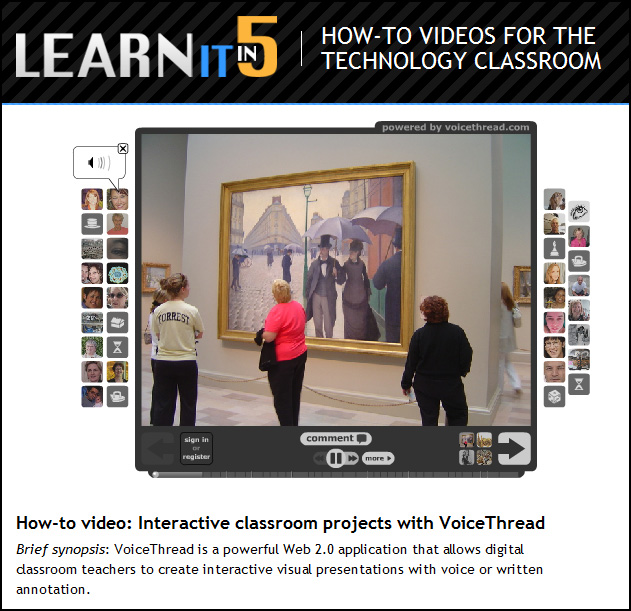
A great example of VoiceThread in action (involving Art History)

Digital and Media Literacy: A Plan of Action — by Renee Hobbs

The Knight Commission Recommendation
The Heritage of Digital and Media Literacy
Meeting the Needs of All
Where Learning Occurs
Learning and Teaching: What Works
Issues to Consider When Implementing Digital and Media Literacy Programs
A Plan of Action: 10 Recommendations
Who Should Do What
Conclusion: Imagining the Future

Ten steps for better media literacy skills — from eSchoolNews.com by Meris Stansbury
New action plan calls for educators, community leaders to promote media literacy education

Innovation? Yes, Please! — from blog.futureofed.org by Jesse Moyer

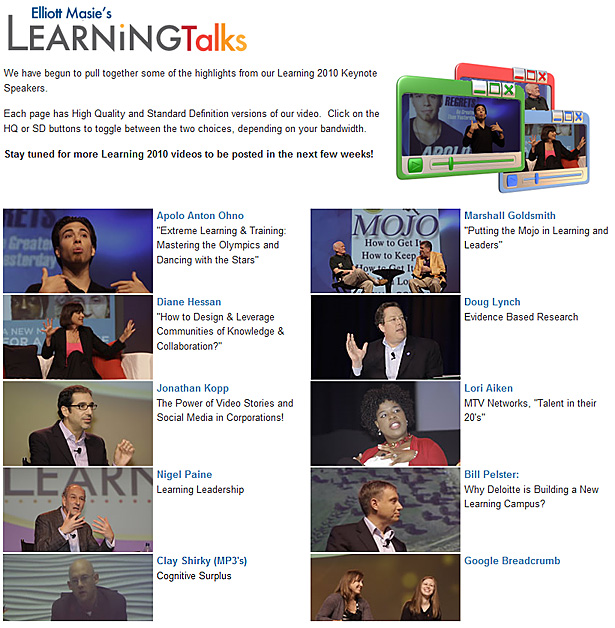
Elliott Masie launches LearningTalks – Free Video Talks on Learning

We are pleased to announce the launch of LearningTalks – a series of short, free, video interviews on learning.  This project of The MASIE Center is modeled after the valuable TED Talks, and begins with the release of over 40 segments from Learning 2010. There are interviews with Apolo Ohno, Marshall Goldsmith, Learning Leaders from JCPenny, Yum! Brands, CNN and Peace Corps and many more.

These 3 to 9 minute learning segments are now live at:
LearningTalks – http://www.learningtalks.com

.

Learning Talks from Elliot Masie

Cutting the Pay TV Cord, Chapter 5: Unlimited Internet TV — from Phil Leigh

philblueheadshot

In short, often there is no reason why modern flat panel TV screens cannot function as giant monitors for up-do-date computers.

Thus a growing number of us are attaching computers to our TVs.  The trend is especially prevalent for WiFi enabled computers because they can connect over a home network and thence to the Internet. In such configurations computers – commonly dedicated laptops – function as Internet gateways for televisions. They transform TVs into dual function devices normally controlled from a comfortable viewing distance with ordinary TV remote units.

Also see:

The Pivot to Digital Learning: 40 Predictions — from Tom Vander Ark, Partner, Revolution Learning — via EdNet Insights

From DSC:
That posting includes predictions for changes that we’ll see in the next 1, 5 and 10 years…with some excerpts below:

3. Lingering budget woes will cause several districts and charter networks, particularly in California, to flip to a blended model, with a shift to online or computer-based instruction for a portion of the day to boost learning and operating productivity.

9. The instant feedback from content-embedded assessment, especially learning games, simulations, virtual environments, and MMOs (massively multiplayer online games), will be widely used in formal and informal learning and will build persistence and time on task.

10. Adaptive content will result in more time on task (in some cases, two times the productive learning time over the course of a year), and better targeted learning experiences will boost achievement, particularly among low-income and minority students.

11. Comprehensive learner profiles will gather keystroke data from learning platforms, content-embedded applications, as well as after-school, summer school, tutoring, and test prep providers. Students and families will manage privacy using Facebook-like profiles.

12. Most learning platforms will feature a smart recommendation engine, like iTunes Genius, that will build recommended learning playlists for students.

18. All U.S. students will have access to online courses for Advanced Placement, high-level STEM courses, and any foreign language (this should happen next year, but it will take us five years to get out of our own way).

23. Second-generation online learning will replace courseware with adaptive components in a digital content library (objects, lessons, units, and sequences).

27. Most high school students will do most of their learning online and will attend a blended school.

28. More than one-third of all learning professionals will be in roles that do not exist today; more than 10% will be in organizations that do not exist today.

29. The higher ed funding bubble will burst, and free and low-cost higher education alternatives will displace a significant portion of third tier higher education (emphasis DSC).

37. There will be several DIY High options—online high schools with an engaging and intuitive merit badge sequence that will allow students to take ownership of and direct their own learning. They will still benefit from adult assessment, guidance, and mentorship but in a more student-directed fashion.

The 2011 NMC Summer Conference includes four themes:

Threads in these themes include, but are not limited to, the following:

  • Emerging uses of mobile devices and applications in any context
  • Highly innovative, successful applications of learning analytics or visual data analysis
  • Uses of augmented reality, geolocation, and gesture-based computing
  • Discipline-specific applications for emerging technologies
  • Challenges and trends in educational technology
  • Projects that employ the Horizon Report or Navigator in any capacity

.

  • Challenge-based learning
  • Game-based learning
  • Digital storytelling as a learning strategy
  • Immersive learning environments
  • Open content resources and strategies
  • New media research and scholarship
  • Challenges and trends in new media and learning

.

  • Fostering/Supporting/budgeting for innovation
  • Supporting new media scholarship
  • Collaboration as a strategy
  • Learning space design, in all senses of the words
  • Use, creation, and management of open content
  • Experiment and experience; gallery as lab, lab as gallery
  • Challenges and trends related to managing an educational enterprise

.

  • Designing for mobile devices in any context
  • Social networking — designing, monitoring, maximizing social tools
  • Experience design
  • Creating augmented reality
  • Creating the next generation of electronic books
  • Optimizing digital workflows
  • Strategies for staying current with new media tools

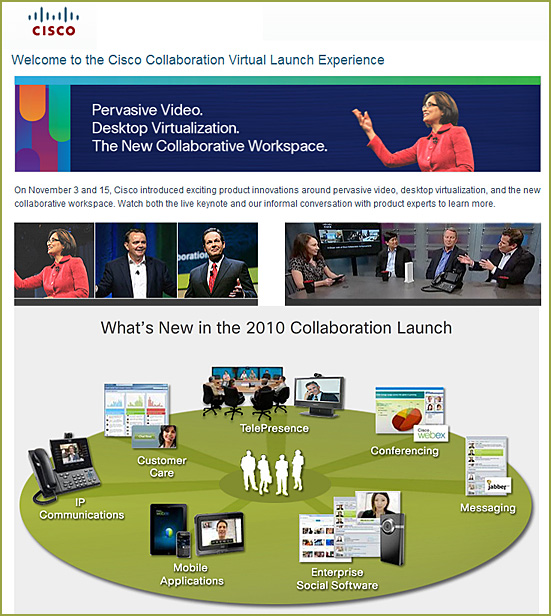
Cisco Product Announcements and Demonstrations

Also see:

  • What is the New Workspace? — from Cisco by John Gaudin
    Take wikis, videos, phone calls, document sharing, same time editing, application sharing, messaging, conferencing, workflow, think of all aspects of your work and imagine it digital and integrated with any other tool you’d use, accessed from any device regardless of operation system and location.  Is your workspace really the device you’re on, or is it what that device ultimately connects into and enables you to do?

From DSC:
Below are some notes and reflections after reading Visions 2020.2:  Student Views on Transforming Education and Training Through Advanced Technologies — by the U.S. Department of Commerce, U.S. Department of Education, and NetDay

Basic Themes

  • Digital Devices
  • Access to Computers and the Internet
  • Intelligent Tutor/Helper
  • Ways to Learn and Complete School Work Using Technology

Several recurring words jumped off the page at me, including:

  • Voice activation
  • A rugged, mobile, lightweight, all-convergent communications and entertainment device
  • Online classes
  • Interactive textbooks
  • Educational games
  • 3D virtual history enactments — take me there / time machine
  • Intelligent tutors
  • Wireless
  • 24x7x365 access
  • Easy to use
  • Digital platforms for collaborating and working with others on schoolwork/homework
  • Personalized, optimized learning for each student
  • Immersive environments
  • Augmented reality
  • Interactive
  • Multimedia
  • Virtual
  • Simulations
  • Digital diagnostics (i.e. analytics)
  • Wireless videoconferencing

Here are some quotes:

Math and reading were often cited specifically as subjects that might benefit from the use of learning technologies. (p. 5)

No concept drew greater interest from the student responders than some sort of an intelligent tutor/helper. Math was the most often mentioned subject for which tutoring help was needed. Many students desired such a tutor or helper for use in school and at home. (p. 17)

…tools, tutors, and other specialists to make it possible to continuously adjust the pace, nature and style of the learning process. (p.27)

So many automated processes have been built in for them: inquiry style, learning style, personalized activity selection, multimedia preferences, physical requirements, and favorite hardware devices. If the student is in research mode, natural dialogue inquiry and social filtering tools configure a working environment for asking questions and validating hypotheses. If students like rich multimedia and are working in astronomy, they automatically are connected to the Sky Server which accesses all the telescopic pictures of the stars, introduces an on-line expert talking about the individual constellations, and pulls up a chatting environment with other students who are looking at the same environment. (p.28)

— Randy Hinrichs | Research Manager for Learning Science and Technology | Microsoft Research Group

From DSC:
As I was thinking about the section on the intelligent tutor/helper…I thought, “You know…this isn’t just for educators. Pastors and youth group leaders out there should take note of what students were asking for here.”

  • Help, I need somebody
  • Help me with ____
  • Many students expressed interest in an “answer machine,” through which a student could pose a specific question and the machine would respond with an answer. <– I thought of online, Christian-based mentors here, available 24x7x365 to help folks along with their spiritual journeys


Sketch C#

— item originally seen at Stephen Downes blog

© 2025 | Daniel Christian