The 2011 NMC Summer Conference includes four themes:

Threads in these themes include, but are not limited to, the following:

  • Emerging uses of mobile devices and applications in any context
  • Highly innovative, successful applications of learning analytics or visual data analysis
  • Uses of augmented reality, geolocation, and gesture-based computing
  • Discipline-specific applications for emerging technologies
  • Challenges and trends in educational technology
  • Projects that employ the Horizon Report or Navigator in any capacity

.

  • Challenge-based learning
  • Game-based learning
  • Digital storytelling as a learning strategy
  • Immersive learning environments
  • Open content resources and strategies
  • New media research and scholarship
  • Challenges and trends in new media and learning

.

  • Fostering/Supporting/budgeting for innovation
  • Supporting new media scholarship
  • Collaboration as a strategy
  • Learning space design, in all senses of the words
  • Use, creation, and management of open content
  • Experiment and experience; gallery as lab, lab as gallery
  • Challenges and trends related to managing an educational enterprise

.

  • Designing for mobile devices in any context
  • Social networking — designing, monitoring, maximizing social tools
  • Experience design
  • Creating augmented reality
  • Creating the next generation of electronic books
  • Optimizing digital workflows
  • Strategies for staying current with new media tools

AR Immersion 2010 Video: Keynote: The Past, Present and Future of TI

Tagged with: •  

From DSC:
Below are some notes and reflections after reading Visions 2020.2:  Student Views on Transforming Education and Training Through Advanced Technologies — by the U.S. Department of Commerce, U.S. Department of Education, and NetDay

Basic Themes

  • Digital Devices
  • Access to Computers and the Internet
  • Intelligent Tutor/Helper
  • Ways to Learn and Complete School Work Using Technology

Several recurring words jumped off the page at me, including:

  • Voice activation
  • A rugged, mobile, lightweight, all-convergent communications and entertainment device
  • Online classes
  • Interactive textbooks
  • Educational games
  • 3D virtual history enactments — take me there / time machine
  • Intelligent tutors
  • Wireless
  • 24x7x365 access
  • Easy to use
  • Digital platforms for collaborating and working with others on schoolwork/homework
  • Personalized, optimized learning for each student
  • Immersive environments
  • Augmented reality
  • Interactive
  • Multimedia
  • Virtual
  • Simulations
  • Digital diagnostics (i.e. analytics)
  • Wireless videoconferencing

Here are some quotes:

Math and reading were often cited specifically as subjects that might benefit from the use of learning technologies. (p. 5)

No concept drew greater interest from the student responders than some sort of an intelligent tutor/helper. Math was the most often mentioned subject for which tutoring help was needed. Many students desired such a tutor or helper for use in school and at home. (p. 17)

…tools, tutors, and other specialists to make it possible to continuously adjust the pace, nature and style of the learning process. (p.27)

So many automated processes have been built in for them: inquiry style, learning style, personalized activity selection, multimedia preferences, physical requirements, and favorite hardware devices. If the student is in research mode, natural dialogue inquiry and social filtering tools configure a working environment for asking questions and validating hypotheses. If students like rich multimedia and are working in astronomy, they automatically are connected to the Sky Server which accesses all the telescopic pictures of the stars, introduces an on-line expert talking about the individual constellations, and pulls up a chatting environment with other students who are looking at the same environment. (p.28)

— Randy Hinrichs | Research Manager for Learning Science and Technology | Microsoft Research Group

From DSC:
As I was thinking about the section on the intelligent tutor/helper…I thought, “You know…this isn’t just for educators. Pastors and youth group leaders out there should take note of what students were asking for here.”

  • Help, I need somebody
  • Help me with ____
  • Many students expressed interest in an “answer machine,” through which a student could pose a specific question and the machine would respond with an answer. <– I thought of online, Christian-based mentors here, available 24x7x365 to help folks along with their spiritual journeys


I posted this a while back on my archived website, but I was looking at the topic of augmented reality again, and wanted to post this (quasi) “oldie but goodie”! (As if something posted in the last year or two can now be old…man o’ man…)

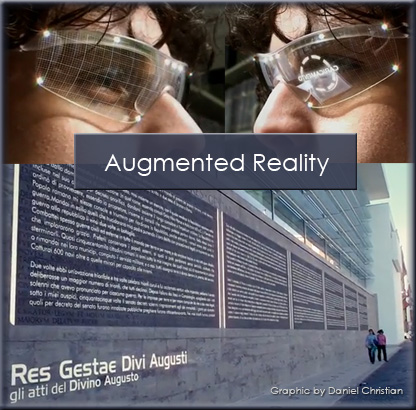
Augmented Reality - The Future of Education ( Ara Pacis ) - HD version

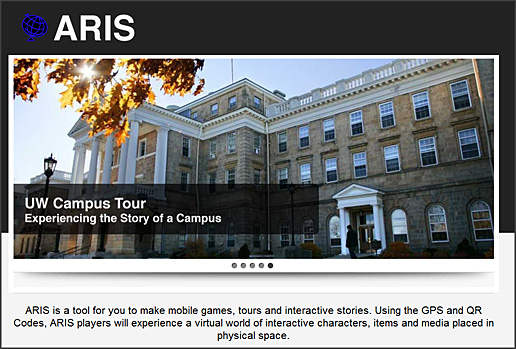
http://arisgames.org

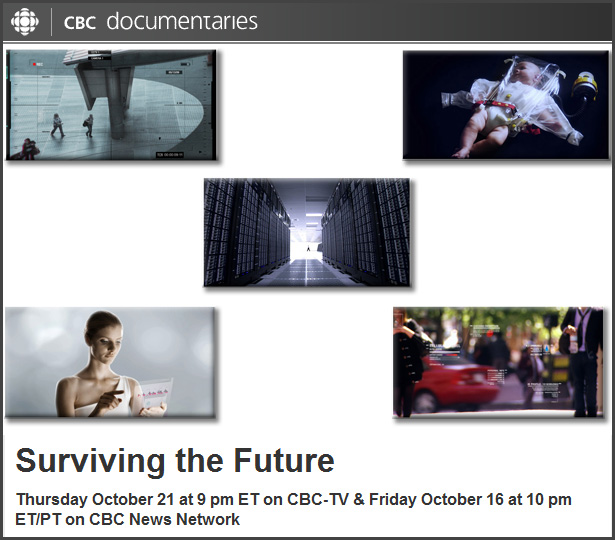
Surviving the Future

From biotech visionaries growing new body parts, to in vitro meat, from a global sensor web that monitors the health of the earth’s biosphere, to a massive effort to reverse-engineer the human brain, Surviving the Future takes a disquieting and astonishing look at some of science’s most radical new technologies.

The film also takes a hard look at the ‘new normal’ of the climate crisis, as we balance our desire to be environmentally responsible—to ‘do the right thing’—and still participate in the consumer economy that is, for better or worse, the basis of our society.

Surviving the future is an unsettling glimpse into the human psyche right now, as our culture staggers between a fervent belief in futuristic utopian technologies on the one hand, and dreams of apocalyptic planetary payback on the other.

Thought provoking and visually stunning, Surviving the Future looks at the stark and extreme choices facing our species as we prepare ourselves for the most challenging and consequential period in our history.

From DSC:
These are some of the things I was alluding to in my post here…I’d be more comfortable with many of these things if the state of the heart were in better condition.

Augmented reality and mobile learning — from interactyx.com by Jeff Roth

Let me pose this scenario:

Every day, you walk down the same street. You walk past the buildings, see the crowds and yawn.  But on this day, you decide to use your smartphone and look down on the screen. At that moment, you see animation, tweets from people in the area, and you can respond. Interactivity meets reality. Social meets real time visibility.  Engagement, enlightenment and excitement in an instance.

You wonder to yourself, can this work in the e-learning world?  Specifically, m-learning? Can an app for the smartphone superimpose learning in a location or locations?  Would it be possible to create a 3D environment in a real environment with people interacting? If yes, what would it be called?

Augmented Reality and it is happening as we speak…

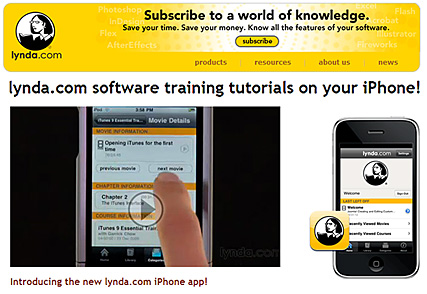
We use Lynda.com and the feedback has been excellent. Back in 1997, I took a 1-day seminar from Lynda Weinman out at SFSU’s Multimedia Studies Program. I learned more from her in a few hours then I have in many courses. She knows how to make things very understandable…and she’s a great teacher. If she doesn’t know the topic, she selects people who know how to explain that topic in easy-to-understand terms.

So when I saw this item — Connect@NMC: Panel Discussion Led By Laurie Burruss of Lynda.com – Implementing Lynda.com Campus-Wide — I felt that I should pass it along.

.

Museum of London's augmented reality app

Resource originally from dontwasteyourtime.co.uk

Tagged with: •  

Augmented reality takes hold in classrooms — from eSchoolNews.com by Laura Devaney
Educators say enhanced learning experiences can lead to engaging lessons; augmented reality overlays digital images and information on real-world settings.

Augmented reality overlays digital images and information on real  world settings.

A small but growing number of schools across the nation are turning classroom lessons into engaging experiences with augmented reality (AR), a technology that overlays digital information on top of real-world surroundings as viewed through a smart phone or other handheld, GPS-enabled device.

Proponents of the technology in education say augmented reality differs from virtual reality in that while virtual reality aims to replace a person’s perception of the world with an artificial world, augmented reality enhances a person’s perception of his or her surroundings.

The Augmented Reality Development Lab (ARDL), from virtual reality developer Digital Tech Frontier, lets users display relevant information at the appropriate time and location during an AR experience, which results in virtual 3-D objects appearing in the real world.

Also see:
http://virtualrealitydevelopmentlab.com/

Zooburst — from eduTecher

ZooBurst is a digital storytelling tool that is designed to let anyone easily create their own customized 3D pop-up books. This is a wonderful way to practice and teach writing as well and it is incredibly cool as well. All you need is a web cam to turn on the augmented reality features that are really awesome. A great site for young writers.

zooburst.com

2010 Horizon Report: K-12 Edition

Executive Summary

  • Key Trends
  • Critical Challenges
  • Technologies to Watch
  • The Horizon Project

Time-to-Adoption: One Year or Less

  • Cloud Computing
  • Collaborative Environments

Time-to-Adoption: Two to Three Years

  • Game-Based Learning
  • Mobiles

Time-to-Adoption: Four to Five Years

  • Augmented Reality
  • Flexible Displays

Augmented reality videos -- how can we apply this to education?!

More augmented reality videos — from elearning blog don’t waste your time

“Continuing my thoughts and readings on the use of Augmented Reality in education, here are some examples of how commercial organisations are using it in their marketing. It’s only a short hop from a selling to educating perspective, so let’s start thinking about it and working towards it, yes?”

From DSC:
Man oh man…you talk about engagement! Can you imagine such technologies working with educational-related content on a wall-sized, multi-touch, interactive display?! This is mind-blowing.


Augmented reality explained by Common Craft

Tagged with:  
© 2025 | Daniel Christian