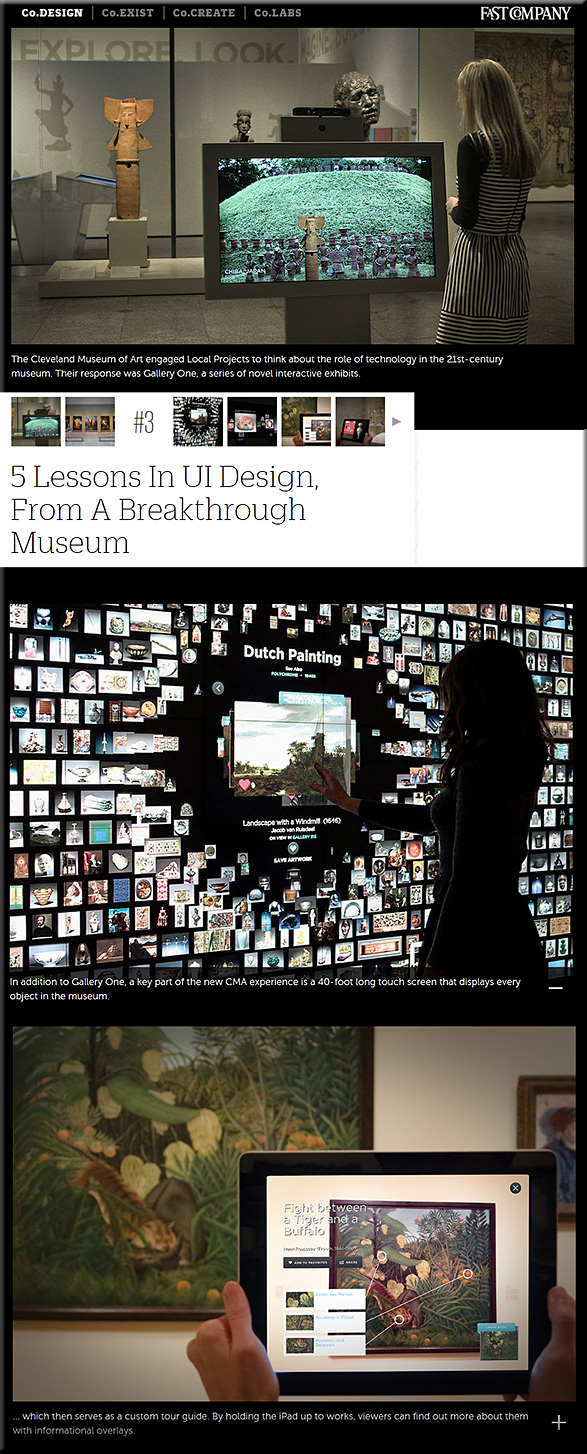
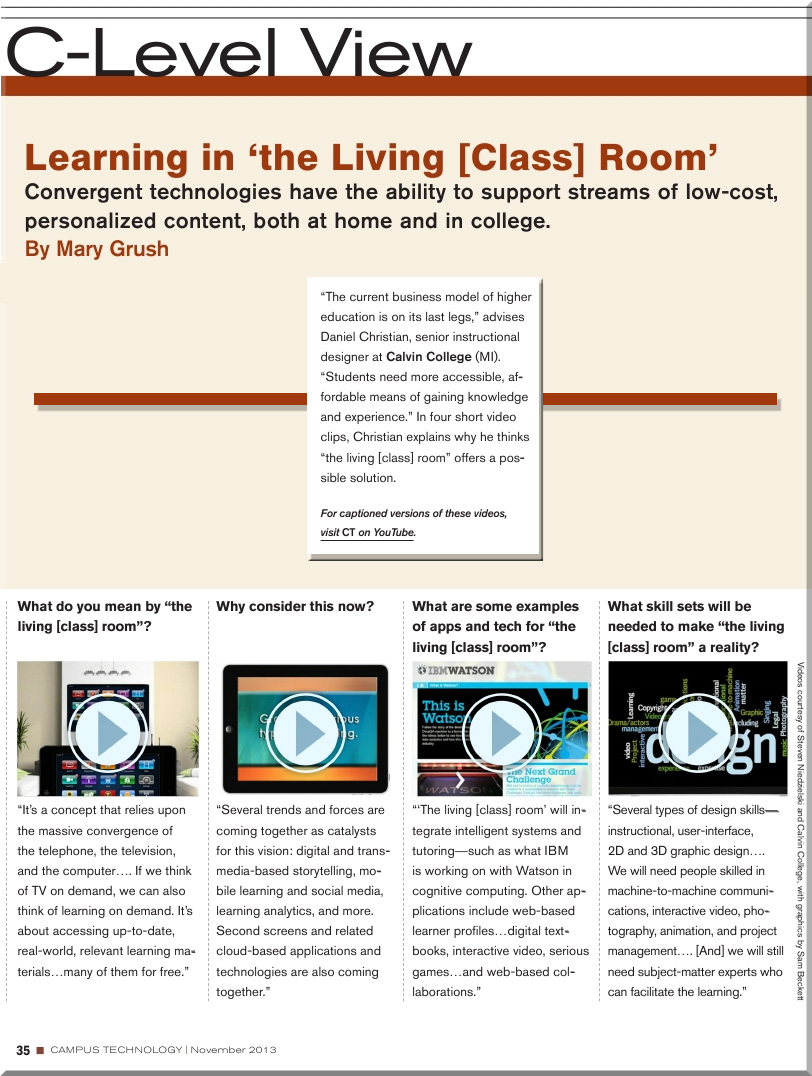
“Learning in the Living [Class] Room” — as explained by Daniel Christian [Campus Technology]

Learning from the Living [Class] Room  — from Campus Technology by Daniel Christian and Mary Grush; with a huge thanks also going out to Mr. Steven Niedzielski (@Marketing4pt0) and to Mr. Sam Beckett (@SamJohnBeck) for their assistance and some of the graphics used in making these videos.

From DSC:
These 4 short videos explain what I’m trying to relay with a vision I’m entitling, Learning from the Living [Class] Room.  I’ve been pulse checking a variety of areas for years now, and the pieces of this vision continue to come into fruition.  This is what I see Massive Open Online Courses (MOOCs) morphing into (though there may be other directions/offshoots that they go in as well).

After watching these videos, I think you will see why I think we must move to a team–based approach.

(It looks like the production folks for Campus Technology had to scale things way back in terms of video quality to insure an overall better performance for the digitally-based magazine.) 


To watch these videos in a higher resolution, please use these links:


  1. What do you mean by “the living [class] room”?
  2. Why consider this now?
  3. What are some examples of apps and tech for “the living [class] room”?
  4. What skill sets will be needed to make “the living [class] room” a reality?


Alternatively, these videos can be found at:


DanielSChristianLearningFromTheLivingClassRoom-CampusTechnologyNovember2013

.


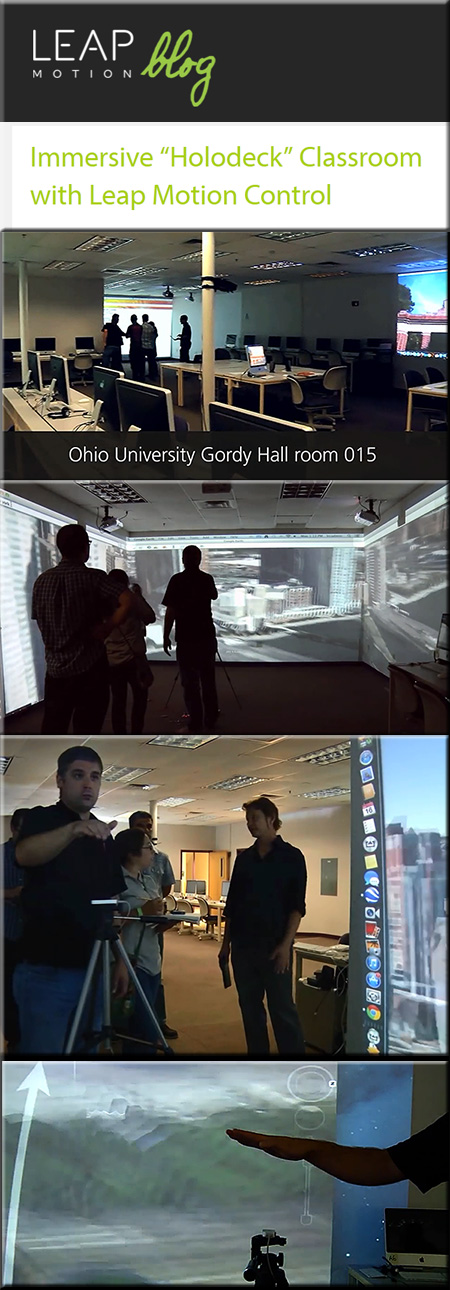
HolodeckClassroomWithLeapMotion-October2013

From DSC:
I’d like to thank Mr. Cal Keen, an incredible technologist
and a great person from Calvin College, for this resource.

.

Also relevant/see this item from educationdive.com:


FROM THE CAMPFIRE TO THE HOLODECK
Author: David Thornburg
Release Date: Available now
Price: $21.64 (Hardcover)

With “From the Campfire to the Holodeck: Creating Engaging and Powerful 21st Century Learning Environments,” award-winning futurist and educational consultant David Thornburg sets out to provide schools with a guidebook for transitioning from traditional classrooms and lecture halls to the immersive, student-centered, technologically driven learning experience of tomorrow. That’s where the title comes in, if you haven’t picked up on it yet, as it takes teachers from being the “sage on the stage” dictating everything to students to being the “guide at the side,” facilitating the experience.


 Addendum:

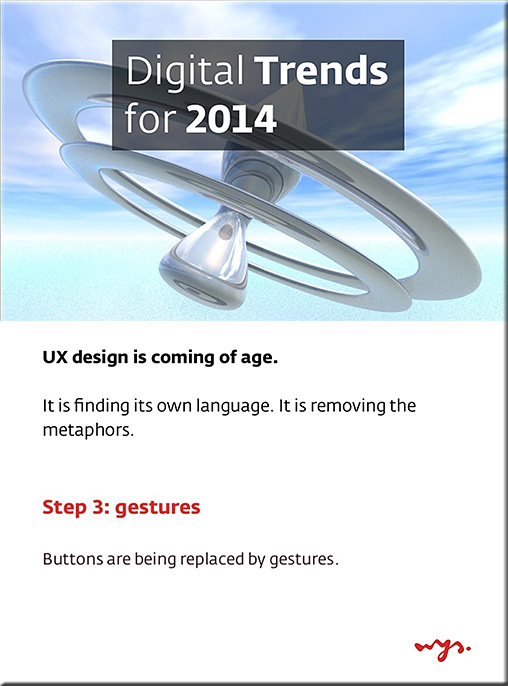
DigitalTrendsFor2014-from-WijsDigitalAgency-Oct2013


From DSC:
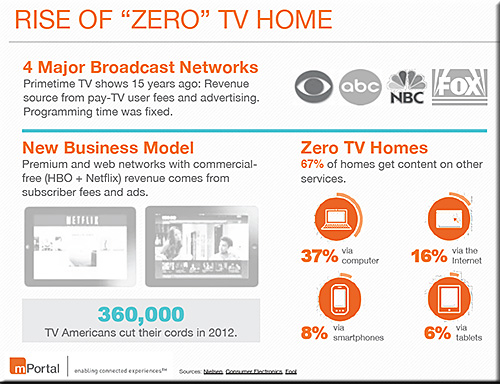
The massive convergence of the telephone, the television, and the computer continues.  How that media gets to us is also changing (i.e. the cord cutting continues). 

What types of innovative learning experiences can be crafted as “TV” becomes more interactive, participatory, and engaging? What happens if technologies like WebRTC make their way into our browsers and we can videoconference with each other without having to download anything?

What doors open for for us when Google, Apple, or an Amazon.com delivers your “shows” vs. NBC/ABC/CBS/etc.?

 The items below cause me to reflect on those questions…


.

Streaming devices lead the way to Smart TV — from nytimes.com by Brian Stelter

Julia Yellow


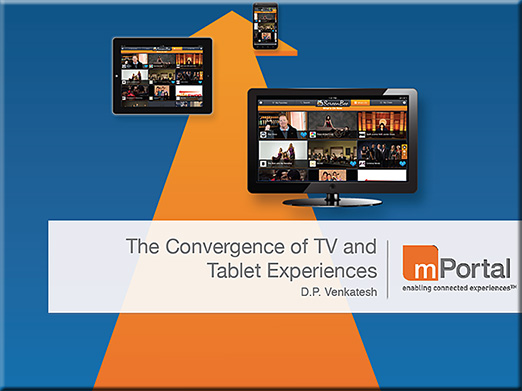
ConvergenceTVTablet-DPVenkatesh-Aug2013


ConvergenceTVTablet2-DPVenkatesh-Aug2013


.

Is Google ready to buy its way into TV with an NFL deal? — from allthingsd.com by Peter Kafka

Excerpt:

Here’s a fun combination to ponder: The world’s most powerful media company and America’s most popular sport.

That could happen if Google buys the rights to the NFL’s Sunday Ticket package, the all-you-can-eat subscription-TV service currently owned by DirecTV.


Cord Cliff Coming: What happens to TV when Netflix streams live events? — from allthingsd.com by Ben Elowitz, CEO, Wetpaint


 Addendums on 8/22/13:


The tv of tomorrow and the living room of the future

by beutlerink.
Explore more infographics like this one on the web’s largest information design community – Visually.


From DSC:
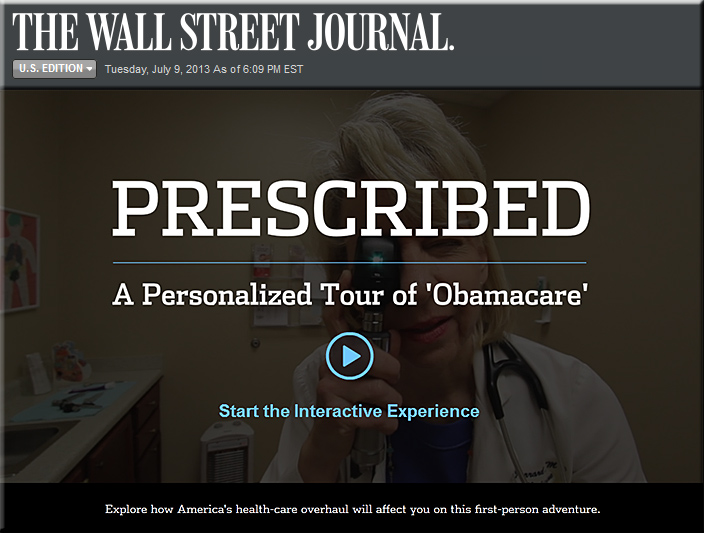
First, take a look at this interactive video from the Wall Street Journal:

.

WSJ-interactive-video-Obamacare-7-9-13


For further information on that video, you can also see:

  • ‘Obamacare’ Made Easy to Understand — from /live.wsj.com
    David Wessel discusses a new WSJ.com interactive video that helps viewers better understand the Affordable Health Care Act as well as its slate of rules and penalties.


WSJ-interactive-video-Obamacare2-7-9-13

.

From DSC:

Excellent, creative use of technology!   Lifelong learners of the world, let me hear some noise!  Your learning futures just got much more interesting, dynamic, and interactive! 

You will be given more choice and more control than you’ve ever had before. You will be able to interact with digital videos, drill down, take some rights turns and come back again, and more.

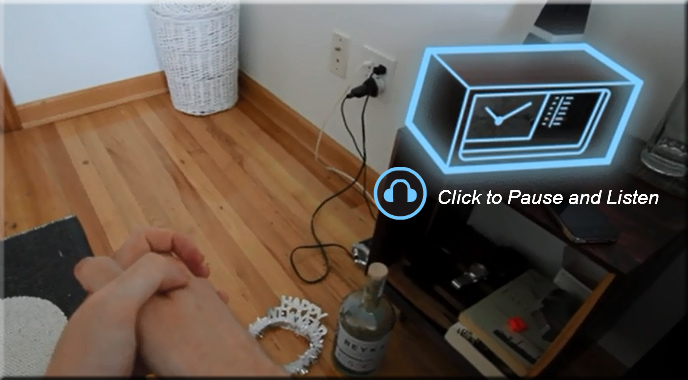
For example, during the WSJ video, you can click on the radio within the digital video in order to “drill down” and listen to more about a certain topic — while the main presentation “holds on”…


WSJ-interactive-video-Obamacare3-7-9-13


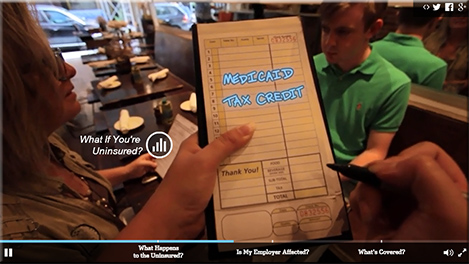
…you can jump ahead to the next marker…pause…rewind…click to get some further text-based information/details on a topic of interest:


WSJ-interactive-video-Obamacare4-7-9-13


…and more. In other words, you have more choice, more control in your learning experience. This, at minimum, is a piece of online learning’s — and digital video’s — future.

But I hear you saying, so what? Flash has been doing this for a while now.  And that, my friends, is the only downside I see in this implementation from the WSJ — it was done using Flash. 

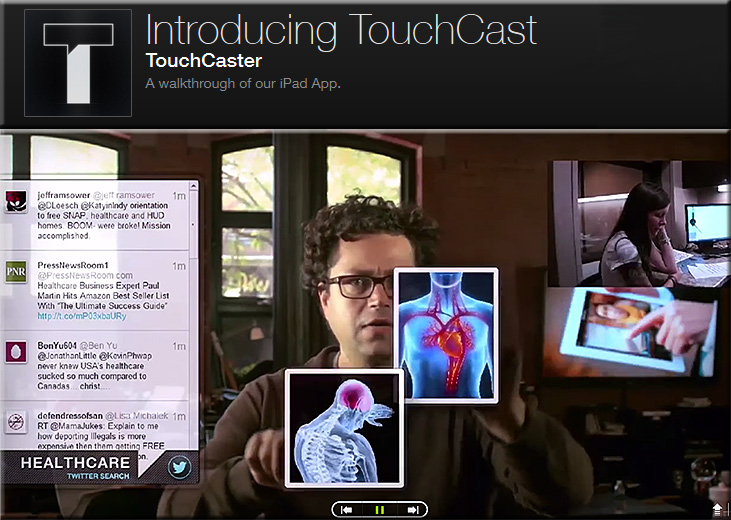
As Flash won’t fly on iOS-based devices, an HTML5-based solution needs to come into the picture…and this is where Touchcast shines!

.


Touchcast-July2013


As Paul Sawers explains, you can add interactive, browsable layers onto your video and deliver it in an HTML5-based format.


d11 730x547 TouchCast for iPad brings the future of the Web to video authoring with interactive browsable layers

.

An excerpt from Paul’s article:

Things start to get really interesting with video apps (vApps). TouchCast lets you create videos that are layered with live Web pages, video clips, maps, Twitter streams and other facets of the digital world. “We’re actually claiming that this is the future of the Web,” says Segal, TouchCasts’s CEO.

Indeed, TouchCast’s vApp library is ‘open’, so developers can create and customize their own vApps.


Bottom line:
“Digital textbooks” will never be the same again (not to mention learning modules, transmedia, ads, presentations, digital storytelling, and more)!


Also see:


The New Storytelling Frontier — from huffingtonpost.ca by Katherine Brodsky

Excerpts (emphasis DSC):

Long gone are the days of static content. Consumers are looking for more and transmedia storytelling offers an increasingly popular approach for creating property-based universes. Transmedia content itself is also evolving. It’s becoming more dynamic, more interactive, offering greater opportunities to engage audiences with creative user-generated content that adds to the storytelling experience. It is becoming more communal.

…

Although traditional models allow for greater control of content, strategies that can engage fans more actively and allow them to express themselves and even contribute to the development of a show, get them more involved and, ultimately, more willing to buy in.


From DSC:
As the use of storytelling is a powerful tool for learning, I can’t help but wonder…

  • What might be some creative possibilities arising from the developing world of transmedia that students and/or educational organizations could develop?
  • In what ways could we build more interactivity and social networking into our “digital textbooks” and mobile-based applications?
  • Would transmedia-based content help maintain interest, engagement, attention?
  • Would it help establish longer term memories/recall?
  • How might it help build students creativity and foster more experimentation/play/participation?
  • What roles might students play? (Writer, videographer, sound designer, actress, programmer, game designer, project manager, entrepreneur, etc.)
  • What tools and skills would students need to create their own transmedia-based experiences?
  • What new forms of storytelling might evolve from these efforts?
  • Could transmedia work its way into blended learning models?
  • Are new opportunities for immersing oneself in a particular subject matter becoming more available through transmedia-based experiences?
  • Could streams of content be wrapped in transmedia-based experiences?


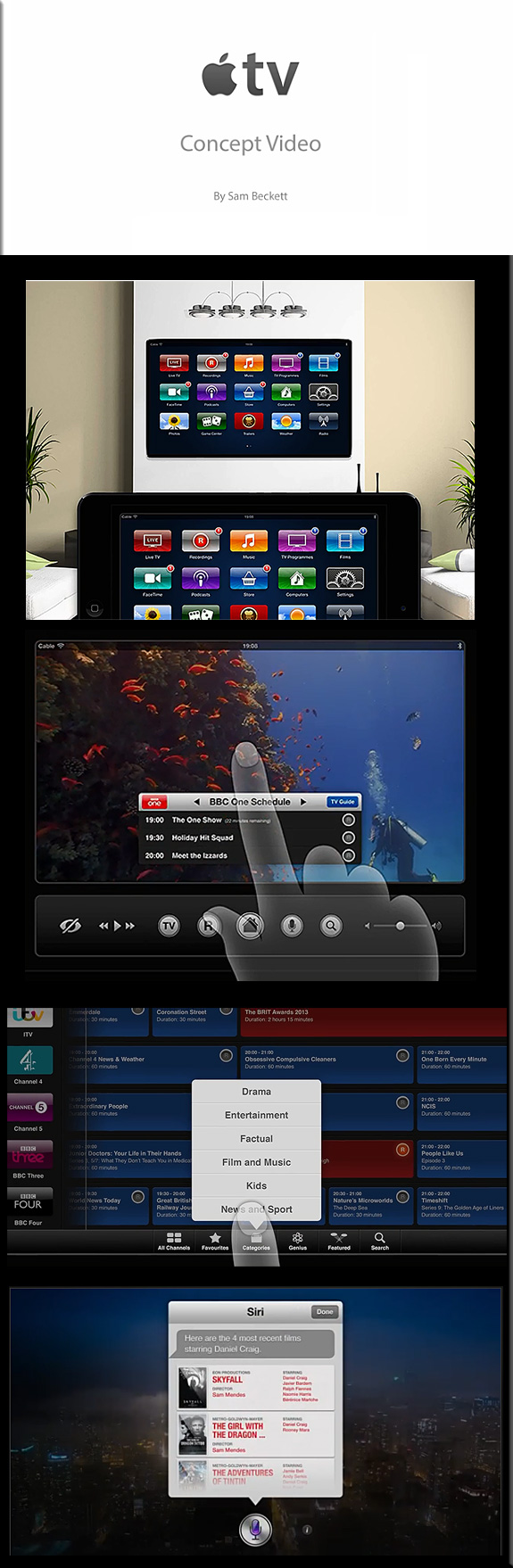
Heads up Jony Ive! You need to see this brilliant concept for the Apple TV! Superb work by Sam Beckett!

BrilliantTVConceptBySamBeckett-May2013


.

From DSC:
Now picture this from the educational standpoint — and what MOOCs could morph into.  The foundation for some serious learning power (from the living room) seems to be developing!

Streams of content/learning channels/cloud-based applications that each of us can create and make available.

Voice recognition, learning analytics, machine-to-machine communications, transmedia and more!  Wow!


.


The Living [Class] Room -- by Daniel Christian -- July 2012 -- a second device used in conjunction with a Smart/Connected TV


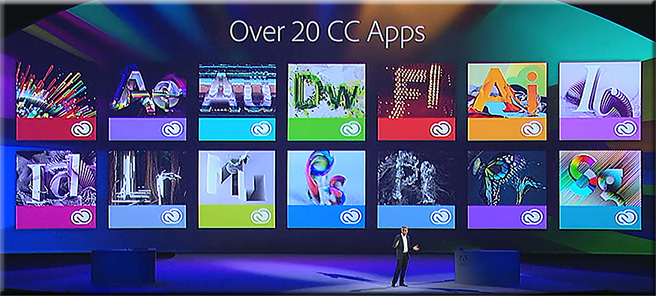
Watch a replay of today’s Adobe MAX 2013 keynote.
Even if you can’t join us in person, you can still connect with the Adobe community. Watch the Adobe MAX 2013 keynotes live from Nokia Theatre L.A. LIVE. We’ll explore the creative evolution – how to use the latest tools to give shape to ideas, and what are the trends that will shape how you’ll work in the future.

A Creative Evolution
Monday, May 6, 9:30-11:30 a.m. PDT

The process of where and how we create is dramatically changing thanks to major advancements in technology, and there has never been a more exciting time. Join Adobe CEO Shantanu Narayen, Adobe’s SVP and GM of Digital Media David Wadhwani, and a collection of Adobe visionaries across digital photography, web design, illustration, video and more as we unveil brand new creative workflows and capabilities. We’ll take a look at the present and set our sights on the endless possibilities in our creative future.
.

Over20CreativeCloudApps-AdobeMaxMay62013

.

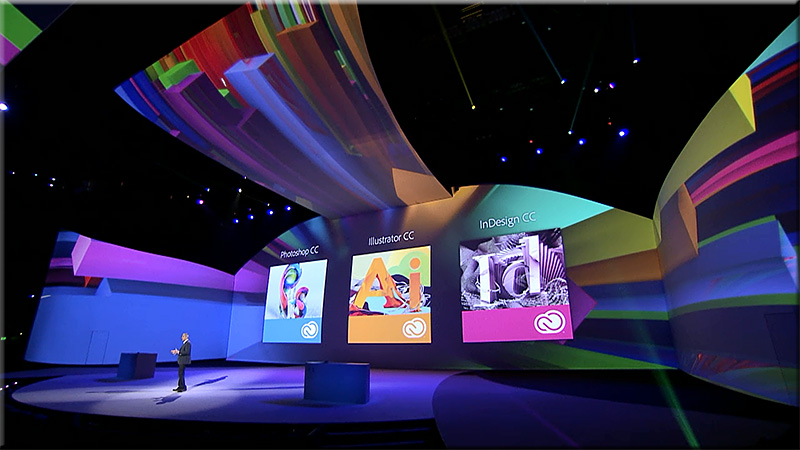
AdobeMax-May62013

.

Join us tomorrow at 10 a.m. PDT to watch the keynote – Community Inspires Creativity – live.

Tagged with: •  

The folks needed to create the next generation of learning: Computers can’t touch this. [Christian]

From DSC:
What we need is a major hackathon — or an organization with deep pockets — that can bring together folks from a variety of disciplines including:

  • Subject Matter Experts
  • Instructional Designers
  • Cognitive Psychologists
  • Computer Scientists and/or those exerienced with learning analytics/data mining, Artificial Intelligence (AI)
  • Those gifted in film/media/videography/photography
  • Great storytellers/writers (including writing for transmedia-based learning experiences)
  • Folks who can create engaging, educational games
  • Designers
    • Web
    • Graphic
    • Interface
    • User experience
    • User interaction
    • Those gifted in creating multimedia-based content
  • Musicians
  • Human Computer Interaction (HCI) experts
  • Mobile learning experts
  • Those knowledgeable with second screens/M2M communications
  • Animators
  • Illustrators
  • Social media experts
  • Accessibility experts
  • Researchers
  • Those gifted in creating augmented reality-based apps
  • Legal/copyright experts
  • & others

We need for these specialists to collaborate in order to create the next generation of learning.  Anyone who can bring these skillsets together and experiment with creating materials will have significantly contributed something to the current generations and to future generations! 

And, in the words of M.C. Hammer,  computers “can’t touch this!”  Why? Because “learning is messy!”

What fields did I miss?
Please leave your thoughts and
feedback in the comments section.


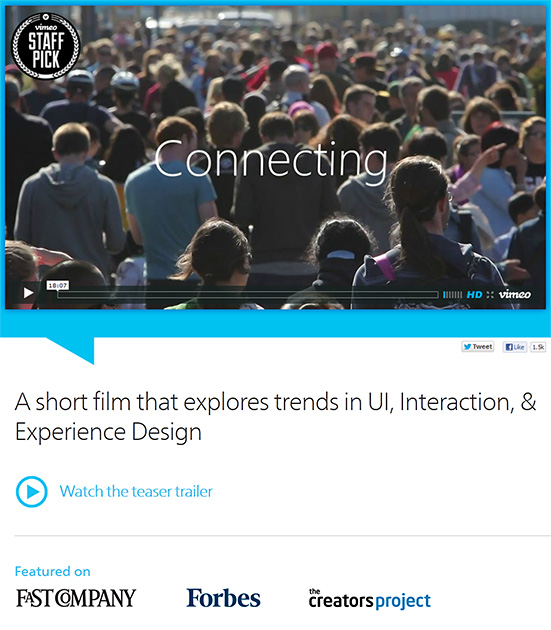
Connecting: A short film that explores trends in UI, Interaction, & Experience Design — from connectingthefilm.com with thanks to siobhan-o-flynn for scooping this!

.

ConnectingShortFilmApril2013


Description:

The 18 minute “Connecting” documentary is an exploration of the future of Interaction Design and User Experience from some of the industry’s thought leaders. As the role of software is catapulting forward, Interaction Design is seen to be not only increasing in importance dramatically, but also expected to play a leading role in shaping the coming “Internet of things.” Ultimately, when the digital and physical worlds become one, humans along with technology are potentially on the path to becoming a “super organism” capable of influencing and enabling a broad spectrum of new behaviors in the world. Available with Chinese, French, Spanish,German, Korean, Portuguese, and Japanese subtitles at on YouTube.

My reflections on “MOOCs of Hazard” – a well-thought out, balanced article by Andrew Delbanco


From DSC: Below are my reflections on MOOCs of Hazard — from newrepublic.com by Andrew Delbanco — who asks:  Will online education dampen the college experience? Yes. Will it be worth it? Well…


.
While I’m not sure that I agree with the idea that online education will dampen the college experience — and while I could point to some amazing capabilities that online education brings to the table in terms of true global exchanges — I’ll instead focus my comments on the following items:


1) Massively Open Online Courses (MOOCs) are recent experiments — ones that will continue to change/morph into something else.
They are half-baked at best, but they should not be taken lightly. Christensen, Horn, Johnson are spot on with their theories of disruption here, especially as they relate to innovations occurring within the virtual/digital realm.  For example, the technologies behind IBM’s Watson could be mixed into the list of ingredients that will be used to develop MOOCs in the future.  It would be a very powerful, effective MOOC indeed if you could get the following parties/functionalities to the table:

  • IBM — to provide Watson like auto-curation/filtering capabilities, artificial intelligence (AI) capabilities, as well as data mining/learning analytics expertise, joined by
  • Several highly-creative firms from the film/media/novel/storytelling industry, who would be further joined by
  • Experts from Human Computer Interaction (HCI)/user interface/user experience design teams, who would be further joined by
  • Programmers and interaction specialists from educational gaming endeavors (and from those who can design simulations), joined by
  • Instructional designers, joined by
  • The appropriate Subject Matter Experts who can be reached by the students as necessary, joined by
  • Those skilled in research and library services, joined by
  • Legal experts to assist with copyright issues, joined by
  • Other specialists in mobile learning,  3D, web development, database administration, animation, graphic design, musicians, etc.

It won’t be long before this type of powerful team gets pulled together — from some organizations(s) with deep pockets — and the content is interacted with and presented to us within our living rooms via connected/Smart TVs and via second screen devices/applications.

2) The benefits of MOOCs
  • For colleges/universities:
    • MOOCs offer some serious marketing horsepower (rather than sound pedagogical tools, at this point in time at least)
    • They are forcing higher ed to become much more innovative
    • They provide great opportunities to build one’s personalized learning networks, as they bring forth those colleagues who are interested in topic A, B, or C
    • They move us closer to team-based content creation and delivery
      .
  • For students:
    • They offer a much less expensive option to go exploring disciplines for themselves…to see if they enjoy (and/or are gifted in) topic A, B or C
    • They provide great opportunities to build one’s personalized learning networks, as they bring forth those colleagues who are interested in topic A, B, or C
    • They provide a chance to see what it’s like to learn about something in a digital/virtual manner

3)  The drawbacks of MOOCs:
  • MOOCs are not nearly the same thing as what has come to be known as “online learning” — at least in the higher ed industry. MOOCs do not yet offer what more “traditional” (can I say that?) online learning provides: Far more support and pedagogical/instructional design, instructor presence and dialog, student academic support services, advising, more student-to-student and student-to-faculty interaction, etc.
    .
  • MOOCs are like drinking from a firehose — there are too many blogs/RSS feeds, twitter feeds, websites, and other resources to review.

4) It would be wise for all of us to be involved with such experiments and have at least a subset of one’s college or university become much more nimble/responsive.


Also see:

From DSC:
After briefly reviewing the Infographic: The intricate anatomy of UX design (from fastcodesign.com by Mark Wilson) which “attempts to tackle the relationship between UX and all other aspects of design,” two thoughts immediately came to my mind:

  1. To me, this is why intuition and a sense of keeping things simple (less is more) are so important.
    .
  2. It’s a miracle that things lined up so that someone like Steve Jobs not only had so many of these design-related skills, but also the business skills — and opportunities — to persuade others to bring those ideas to fruition. Had he not grown up where he did…and had he not been mentored by whom he was mentored…and had he not met those he met…I wonder…how many of his ideas would have ever come to fruition?
    .


Also see:


From DSC:
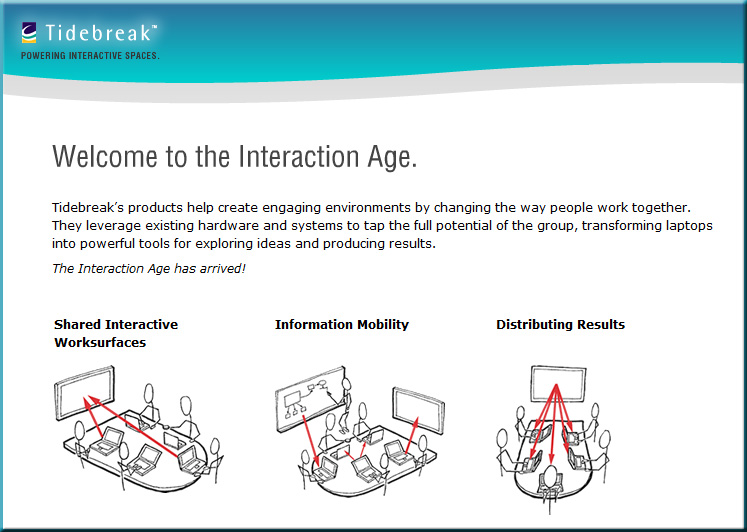
As a team of us have been charged with putting together a new collaborative workspace/conference room, I’ve been thinking about some ideas for a new type of interface as well as some new types of Human Computer Interaction (HCI) to be used in group collaboration/web-based collaboration.  I was thinking it would be good to not only display files from various devices but also to be able to share files/URLs/other resources with each other.  (Some type of storage device that processes files — and scans them for viruses would be needed in addition to a large display or an interactive multitouch surface/wall.)

People within the same room could contribute files/items to a variety of “areas” — and so could others who joined in via the Internet.  Here’s what I had wanted to be able to do and I had pictured in my mind:


New-types-of-collaboration--DChristian-2-1-13


ADDITIONAL NOTES:
.

  • People could select which files/URLs/resources that they wanted to contribute
    .
  • People could select which files/URLs/resources that they wanted to download to their own devices (during and after the meeting)
    .
  • Could be powerful in the next generation of our Smart Classrooms as well as in corporate training/learning spaces
    .
  • Could be powerful in the what I’m envisioning in “Learning from the Living [Class] Room”
    .
  • Could be powerful in conference room situations
    .


 It’s very similar to what Tidebreak has created/envisioned in their product lines.
Check out their innovative work/products/concepts!


Transforming learning spaces: 3 big ideas — from Tidebreak


Also see:


Tidebreak-Jan2013


8 next-generation user interfaces that are (almost) here — from hongkiat.com by Michael Poh

30 compelling examples of visual storytelling on the web — from dtelepathy.com by Jessica Moon

Excerpt:

Storytelling is a powerful approach that can, when done right, compel users to convert more effectively than what any amount of optimization, crazy visual callouts, or awesome interactive elements can do otherwise. Much like how we expect to see a moral at the end of a book, we expect to find a purpose at the end of a site with a storytelling experience. When the path to the “moral of the story” (or conversion point, to be more specific) is laid out clearly in front of our users’ eyes, the rest of the work lies simply in convincing them that the purpose is really worth grabbing on to… which is great since with storytelling, a user is normally in the mindset of learning more about what the story has to offer. So take a look at the examples below and experience how their visual storytelling compels you to continue scrolling down their pages!

© 2025 | Daniel Christian