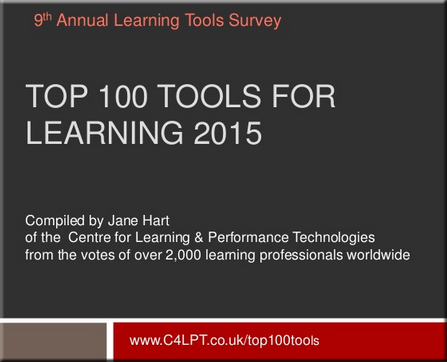
Here are the Top 100 Tools for Learning 2015 — from c4lpt.co.uk by Jane Hart


TopTools-2015-Hart


Excerpt:

Over 2,000 learning professionals from around the world from both education and enterprises contributed to the 9th Annual Survey of Learning Tools. Very many thanks to all those who took the time to complete the online form, write a blog post, send me an email or tweet me their selection.

I have now compiled the Top 100 Tools for Learning 2015, updated the Top 100 Tools for Learning website and prepared a slideset, which I have hosted on Slideshare and embedded below.

For the 7th year running Twitter is the  No 1 tool on the list, although this year it is very closely followed by YouTube, and once again, the list is dominated by free online tools and services. I can also see some interesting new trends in the tools that are being used for both personal learning and for creating learning content and experiences for others, and I will provide my analysis shortly. In the meantime, beneath the presentation, you will find a summary of the new tools on the list and the big movers up the list.


Augmented reality expert explains how AR will help humanity — from engadget.com by Devindra Hardawar; with thanks to Woontack Woo for his Paper.li piece on this

Excerpt:

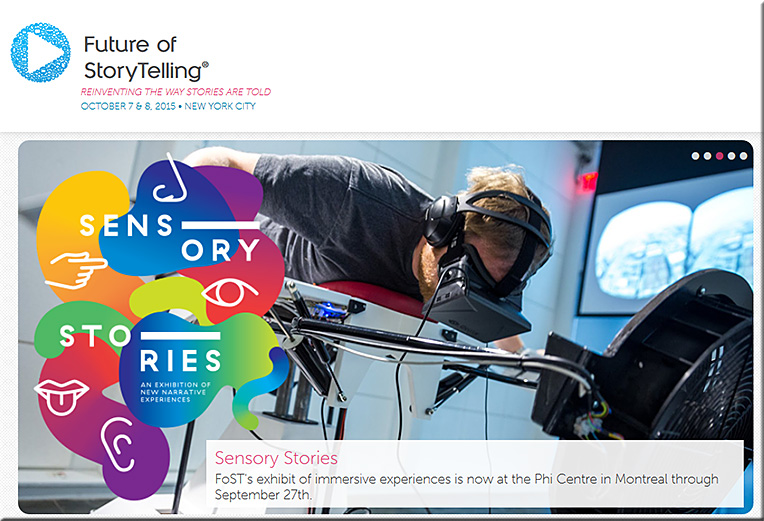
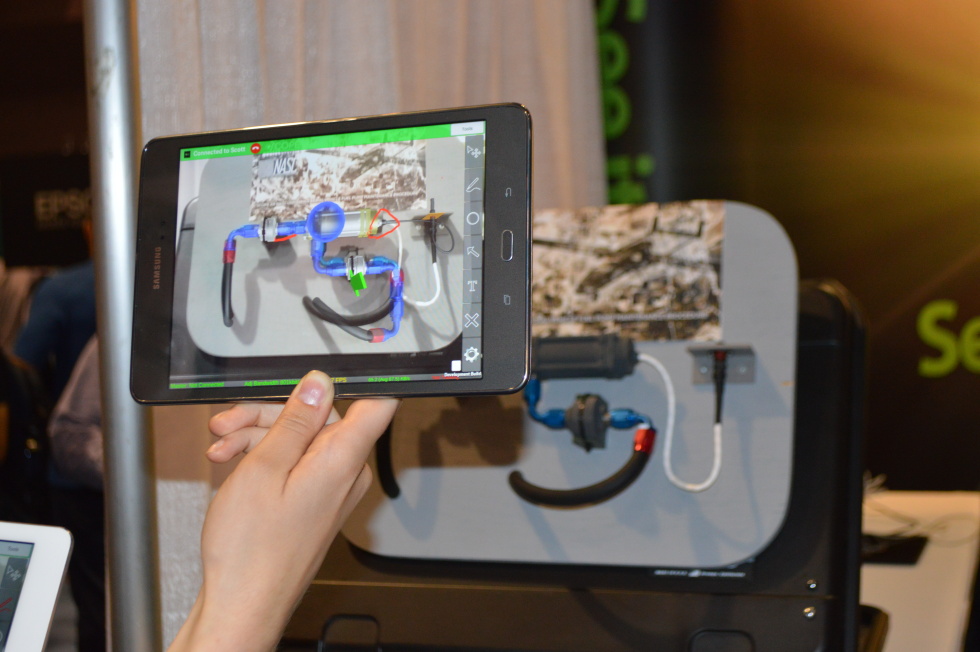
We’ve been hearing and seeing plenty about augmented reality these days — from Microsoft’s HoloLens to the mysterious Google-backed startup Magic Leap — but aside from the gee-whiz factor, its benefits can sometimes feel almost as illusory as virtual images. Gaia Dempsey, managing director of DAQRI, which makes an AR-enabled smart hard hat, offers up a strong case for why augmented reality is more than just hype. In a new video for the upcoming Future of Storytelling Summit (which also produced the stunning video of animation legend Glen Keane drawing in VR), Dempsey explains how AR could fundamentally change the way we learn and experience the world. For example, it’s one thing to be told how the mechanics of a clock works in text or video, it’s an entirely different experience to be able to manipulate a moving set of clock gears in three dimensions.


Also see:

  • Gaia Dempsey – Knowledge Transfer: The Promise of Augmented Reality
    2015 Future of StoryTelling Summit Speaker: Gaia Dempsey
    Managing Director, DAQRI International
    Apply to attend: fost.org

    We understand our world through stories. That layer of narrative locks in our experiences, teaching us to remember what we’ve observed. Gaia Dempsey, through her work at DAQRI, has learned that augmented reality doesn’t change that—it just emphasizes it. By applying digital information over the real world, augmented reality allows us to break up what we see into new spaces and interact with them in a new way. Imagine looking at a toolbox and seeing a floating explanation of every tool inside it; or a complex panel of controls overlaid with instructions for exactly how to interact with it, step by step. It’s an incredible new way to learn, to communicate, and to engage. Dempsey will discuss how augmented reality is developing and where it’s heading at this year’s FoST.


Also see:

FOST-2015


From DSC:
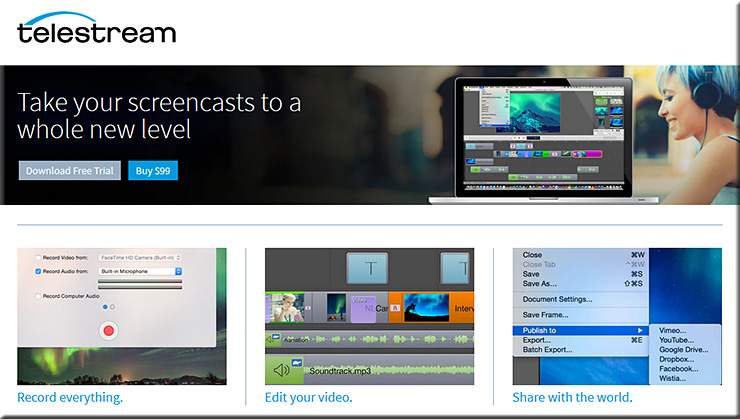
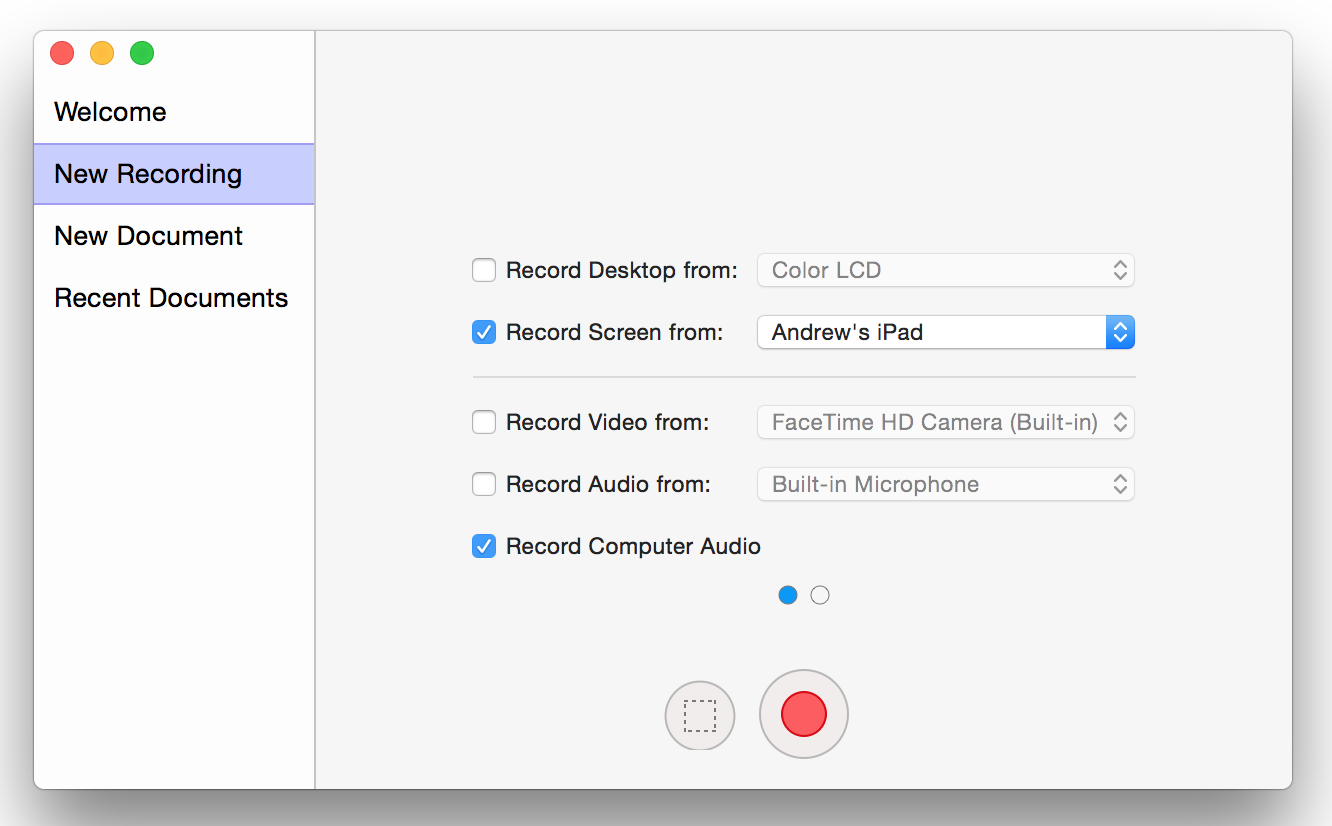
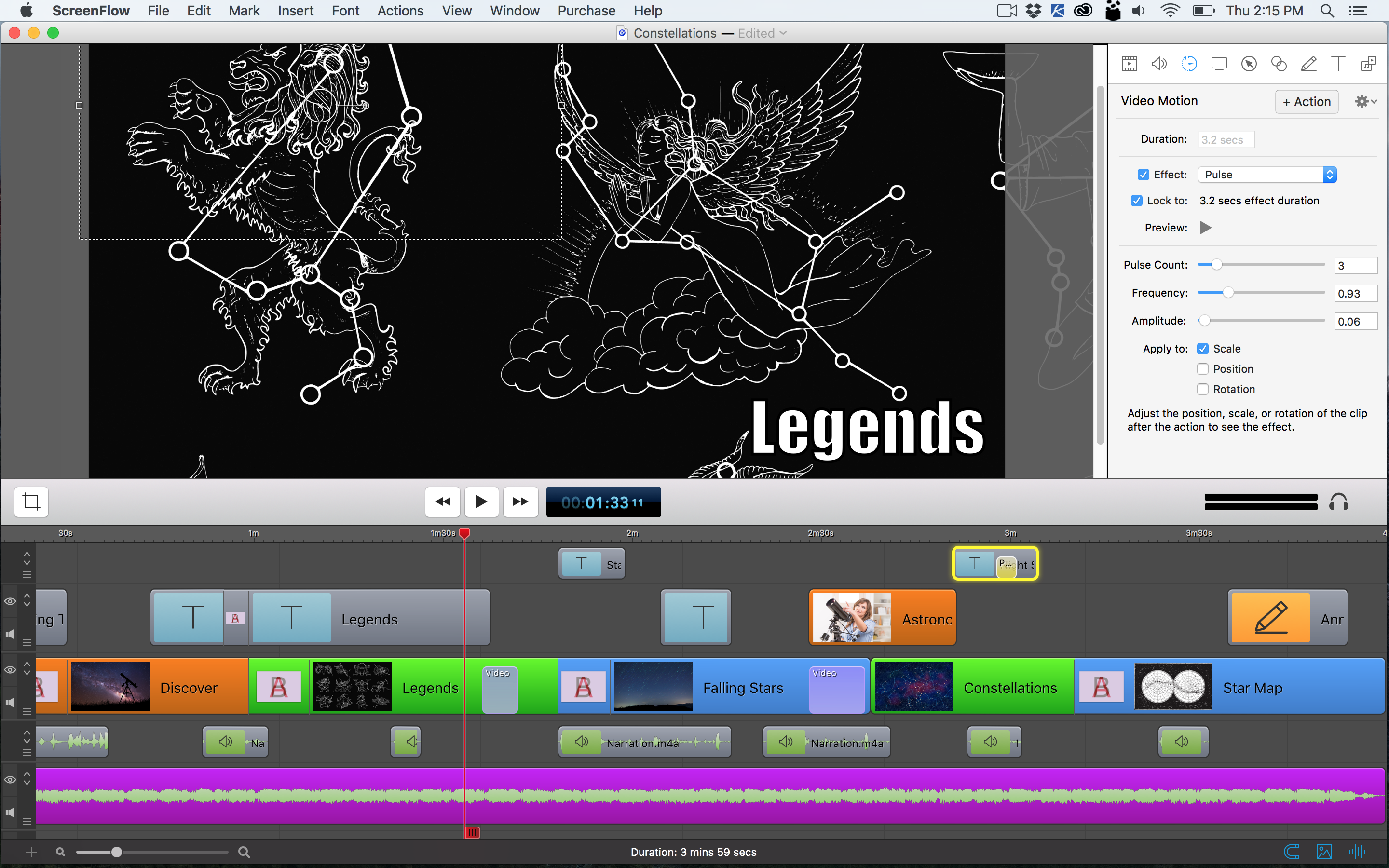
Right upfront, I want you to know that I am not being paid for this posting. Rather I want to pass along some valuable information for those folks out there who want a powerful screencasting and video editing tool for the Mac. You should check out ScreenFlow from Telestream.net.  The tool can record your desktop, your iPhone, and/or your iPad as well as can record audio from multiple sources.

ScreenFlow-Telestream-2015


From their website:

Screenflow is award-winning, powerful screencasting & video editing software for Mac that lets you create high-quality software or iPhone demos, professional video tutorials, in-depth video training, and dynamic presentations.


http://www.telestream.net/screenflow/images/screenshots/HighestQualityRecording.png


The timeline-based editor reminds me of the editing interface within iMovie 6 (one of the most intuitive interfaces I’ve seen in iMovie throughout the years). In our Teaching & Learning Digital Studio at Calvin College, the feedback from clients has been very positive.


http://www.telestream.net/screenflow/images/screenshots/PowerfulEditingTools.png


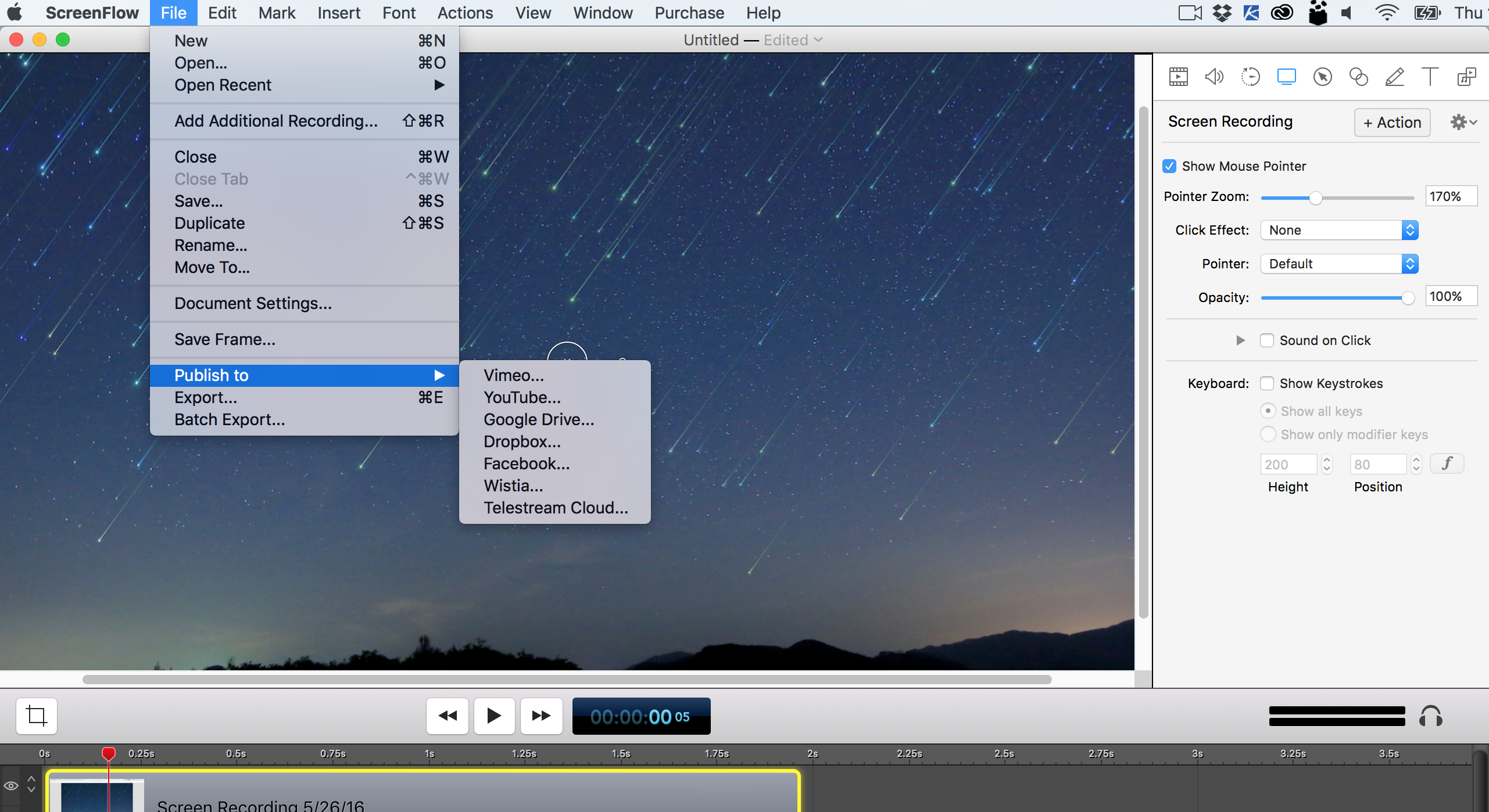
And you can export your creation to multiple outlets:


http://www.telestream.net/screenflow/images/screenshots/MorePublishingOptions.png


It’s a solid tool; check it out.


AdobeCreativeCloud2015


Some resources on this announcement:

  • Adobe Unveils Milestone 2015 Creative Cloud Release — from adobe.com
    Excerpt:
    At the heart of Creative Cloud is Adobe CreativeSync, a signature technology that intelligently syncs creative assets: files, photos, fonts, vector graphics, brushes, colors, settings, metadata and more. With CreativeSync, assets are instantly available, in the right format, wherever designers need them – across desktop, web and mobile apps. Available exclusively in Creative Cloud, CreativeSync means work can be kicked off in any connected Creative Cloud mobile app or CC desktop tool; picked up again later in another; and finished in the designer’s favorite CC desktop software..

  • Adobe updates Creative Cloud in milestone 2015 release — from creativebloq.com
    Powerful updates to Photoshop CC, Illustrator CC, Premiere Pro CC and InDesign CC; new mobile apps for iOS and Android and more. Here’s everything you need to know.

  • Adobe launches Adobe Stock, included in Creative Cloud, as well as a stand-alone service — from talkingnewmedia.com by D.B. Hebbard
    Pricing for CC customers is $9.99 for a single image; $29.99 per month for 10 images monthly; and $199 per month for 750 images monthly
    Excerpt:
    [On 6/15/15] Adobe has launched Adobe Stock, its new stock photography service. It is now included in CC and will appear as one of the five top menu items in the CC app (Home, Apps, Assets, Stock and Community). Many will have noticed the update to the app that came through yesterday.
    .
  • Adobe launches radical new stock image service — from creativebloq.com
    Excerpt:
    Adobe has launched Adobe Stock, a new service that simplifies the process of buying and using stock content, including photos, illustrations and vector graphics. Part of the milestone 2015 Creative Cloud release announced this morning, Adobe Stock is a curated collection of 40 million high-quality photos, vector graphics and illustrations. The aim? To help creatives jump-start their projects.
    …
    Photographers and designers can also contribute work to Adobe Stock. Adobe says it will offer industry-leading rates, while giving creatives access to a global community of stock content buyers.
    .
  • Adobe Illustrator CC is now 10 times faster — from creativebloq.com
    .
  • The best new features in Adobe Photoshop CC — from creativebloq.com

Adobe Photoshop CC


Do you see what I see? Smart glasses, VR, and telepresence robots — from arstechnica.com by Megan Geuss
Heightened reality will hit industry and gaming before it changes anyone’s day-to-day.


Oculus VR unveils the version of Oculus Rift you’ll actually buy — from mashable.com by JP Mangalindan

Excerpt:

Oculus VR finally debuted the long-awaited consumer version of Oculus Rift, the virtual reality headset, at a media event in San Francisco on Thursday [6/11/15].

“For the first time we’ll finally be on the inside of the game,” Oculus CEO Brendan Iribe said onstage. “Gamers have been dreaming of this. We’ve all been dreaming of this for decades.”

Oculus Touch


Virtual reality apps market set to explode — from netguide.co.nz by

Excerpt:

Augmented Reality (AR) apps in the mobile games market will generate 420 million downloads annually by 2019, up from 30 million in 2014, according to Juniper Research’s research titled Augmented Reality: Consumer, Enterprise and Vehicles 2015-2019.

The emergence of Head Mounted Devices (HMDs) used in the home, such as Microsoft’s Hololens, will bring a surge in interest for AR games over the next five years, according to Juniper.

For the time being however, most AR downloads will occur via smartphones and tablets.


What the Surreal Vision acquisition means for Oculus — from fortune.com by  John Gaudiosi
Oculus now has the technology to blend augmented reality with virtual reality.

Excerpt:

Oculus VR last week acquired Surreal Vision, a company creating real-time 3D scene reconstruction technology that will allow users to move around the room and interact with real-world objects while immersed in VR.


Microsoft pulls back curtain on Surface hub collaboration screen — from by Shira Ovide

Excerpt:

Microsoft announced on Wednesday [6/10/15] the price tag for a piece of audio-visual equipment that it first showed off in January. Surface Hub, which will cost up to $20,000 for a model with an 84-inch screen, is like the merger of a high-end video conference system, electronic whiteboard and Xbox.

The product plunges Microsoft headlong into competition with Cisco and other traditional providers of conference room audio-visual systems.

Microsoft is pitching Surface Hub as the best audio-video conference
equipment and collaboration tool a company can buy. It costs up to $20,000.
[From DSC: There will also be a $7,000, 55-inch version].


Bluescape launches new hardware program with MultiTaction, Planar Systems, and 3M — from Bluescape
Bluescape Showcases MultiTaction’s and Planar’s Interactive Displays Running Its Visual Collaboration Software at Booth #1690 at InfoComm 2015

Excerpt:

SAN CARLOS, CA–(Jun 15, 2015) – Bluescape, a persistent cloud-based platform for real-time visual collaboration, today announced the new Bluescape Hardware Program. Companies in the program offer hardware that complements the Bluescape experience and has been extensively tested and validated to work well with Bluescape’s platform. As collaboration spans across an entire enterprise, Bluescape strives to support a range of hardware options to allow an organization’s choice in hardware to fit different workspaces. The first three companies are market-leading interactive display vendors MultiTaction, Planar, and 3M.
…

MultiTaction, a leading developer of interactive display systems, offers advanced tracking performance that identifies fingers, hands, objects, 2D bar codes and IR pens. The unparalleled responsiveness of MultiTaction’s systems scales to an unlimited number of concurrent users and the displays are highly customizable to fit any existing corporate space. MultiTaction’s advanced interactive hardware combined with Bluescape’s software allows teams to connect content and people in one place, enabling deeper insights, meaningful innovation, and simultaneous collaboration across global time zones.


BlueScape-2015


GoPro goes 360-degrees with new VR array — from zdnet.com by Adrian Kingsley-Hughes
Summary: Think that having one GoPro camera attached to your car, helmet or skateboard is cool. How about an array of 16 GoPros that can capture 3D video?

001.jpg


StereoLabs announces huge hardware breakthrough: Human vision — from zdnet.com by Greg Nichols
Summary: Earlier this month, a Bay Area startup called ?StereoLabs quietly introduced the first affordable high definition stereo camera. This is a big deal, and autonomous machines will never be the same. Here’s why.


zed-3d-scanner-in-hands.jpg


Expeditions – Google Offers Immersive Learning — from digitalbodies.net

Excerpt:

Immersive learning is about to get a lot more real this fall with Expeditions – the new Google tool which will allow teachers to take students on virtual trips using the Google Cardboard viewer. Google reported that over 1 million devices are already in the hands of users from all ages. According to the announcement:

From the Expeditions app on their tablet, a teacher is able to send synchronized three-dimensional 360° panoramas to each student’s Cardboard viewer, pointing out areas of interest in real time and instantly pausing the trip when needed.

Expeditions will work to combine three things: a software platform, immersive virtual reality content and Android and iOS devices.


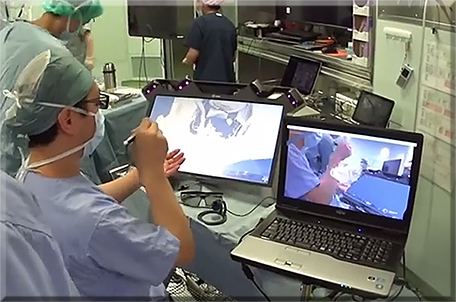
World 1st Holographic Patient-Based Augmented Reality Surgical Navigation — from youtube.com as posted by Maki Sugimoto

.


HolographicSurgery-Spring2015


MIT’s Humanoid Robot Goes to Robo Boot Camp — from wired.com


Top Emerging Technologies – The Internet Of DNA Or Human Beings — from wtvox.com


New ‘deep learning’ technique enables robot mastery of skills via trial and error — from newscenter.berkeley.edu by Sarah Yang

Excerpt:

BERKELEY — UC Berkeley researchers have developed algorithms that enable robots to learn motor tasks through trial and error using a process that more closely approximates the way humans learn, marking a major milestone in the field of artificial intelligence. They demonstrated their technique, a type of reinforcement learning, by having a robot complete various tasks — putting a clothes hanger on a rack, assembling a toy plane, screwing a cap on a water bottle, and more — without pre-programmed details about its surroundings.


And for some upcoming innovations:


Addendum on 6/1/15:


Work time pie chart with TouchJet touchscreen


Google has shipped over 1 million Cardboard VR units — from techcrunch.com by Darrell Etherington

Excerpt:

Google revealed today that Cardboard has quietly become the leading VR platform in terms of platform reach – over 1 million Cardboard units have shipped to users so far, a 100 percent increase on the 500,000 milestone it announced in December last year.

Cardboard’s progression is a testament to Google’s approach, which favors simplicity and low barriers to entry instead of freaky real verisimilitude and expensive, high-powered hardware. Google first revealed Cardboard at last year’s I/O event, throwing it out there almost as an afterthought and a seeming subtle dig at Facebook’s high-priced acquisition of Oculus VR.



Google’s Project Brillo is an OS for the home — and a lot more — from computerworld.com by Zach Miners

Excerpt:

Google has made a big play for the Internet of Things, announcing a new OS on Thursday that will connect appliances around the home and allow them to be controlled from an Android smartphone or tablet.

Dubbed Project Brillo, it’s a stripped down version of Google’s Android OS that will run on door locks, ovens, heating systems and other devices that have a small memory footprint, and allow them to communicate and work together.


Google takes another shot at mobile payments with Android Pay — from techcrunch.com by Kyle Russell

Excerpt:

At its I/O developer conference today, Google announced Android Pay, a new payments solution native to its mobile operating system. In addition to making it easier to pay at a merchant’s point of sale via NFC, the new system lets merchants integrate payments directly into their apps for selling physical goods and services using an Android Pay API rather than integrating a third-party provider like Venmo or PayPal.


Google launches Android M preview with fingerprint scanner support, Android Pay, improved permissions and battery life
— from techcrunch.com by Frederic Lardinois

Excerpt:

As expected, Google today announced the developer preview release of the next version of Android at its I/O developer conference in San Francisco. With Android M (which will get its full name once it’s released to users), Google focuses mostly on fit and finish, but the company also added a number of new features to its mobile operating system. It’s no surprise that Android M won’t feature any major new design elements. The last release, Android Lollipop, introduced Google’s Material Design language, after all, and there are still plenty of developers who haven’t even migrated their apps over.


Android M will be able to give you contextual info about what’s happening in your Android Apps — from techcrunch.com by Frederic Lardinois

Excerpt:

Google Now has long helped Android users get timely information about local traffic, movies that are playing locally and other information based on their commutes, browsing history and other data. With Android M, which Google announced today, the Now service is getting even smarter and more contextual. When you tap and hold the home button in Android M, Google will grab the information from the application you are using at that moment and Now will try to give you the right contextual information about what you are looking at in that app. Google Calls This ‘Google Now on Tap.’


Chromecast gets autoplay, queuing, second screen and multiplayer game powers — from techcrunch.com by Darrell Etherington

Excerpt:

Google’s Chromecast is a quiet little media secret agent turning the search giant into a big time home entertainment player. All told, users of Cast-enabled software have hit the little button to put their small-screen content up on the big screen a total of 1.5 billion times in the U.S. alone, and Chromecast floats other Google boats, too – users increase their YouTube viewing time by 45 percent on average once they start using the device, for instance.

Chromecast (and Cast-enabled devices, including the Nexus Player and the Nvidia Shield) is about to get more powerful, thanks to a handful of new features announced at I/O this year. These new abilities turn the streamer into a much more robust media device, making it easy to see how Cast could underpin the home theater or media room of the near future. Here’s what Chromecast developers and users can look forward to coming out of this year’s show:


Google Play gets more family-friendly with content ratings, filtering by age and interest — from techcrunch.com by Sarah Perez

Excerpt:

In April, Google announced a new developer-facing program called “Designed for Families” which allowed mobile app publishers the option to undergo an additional review in order to be included in a new section focused on kids’ apps within Google Play. Today, the company officially unveiled that section — or sections, as it turns out — at its I/O developer conference.

Parents searching Google’s mobile app store will now be able to tap on a new “Family” button indicated with a green, smiley faced star icon in order to find the family-friendly content across apps, games, movies and TV homepages.

There’s also a “Children’s Books” button on the Books homepage, where parents can also filter the selection by age range and genre.


Google’s new Cloud Test Lab lets Android developers quickly test their apps on top Android devices for free — from techcrunch.com by Frederic Lardinois

Excerpt:

Google launched a new project at its I/O developer conference today that will make it easier for developers to check how their mobile apps work on twenty of the most popular Android devices from around the world. Sadly, the service will only roll out to developers later this year, but if you are interested, you can sign up to join the pilot program here.

It’s no secret that the diverse Android ecosystem makes life harder for developers, given that they can’t simply test their apps on a small number of popular devices and assume that everything will run smoothly for all users. Most developers keep a few phones and tablets handy to test their apps on, but few have access to a wide variety of recent devices to test every revision of their apps on.
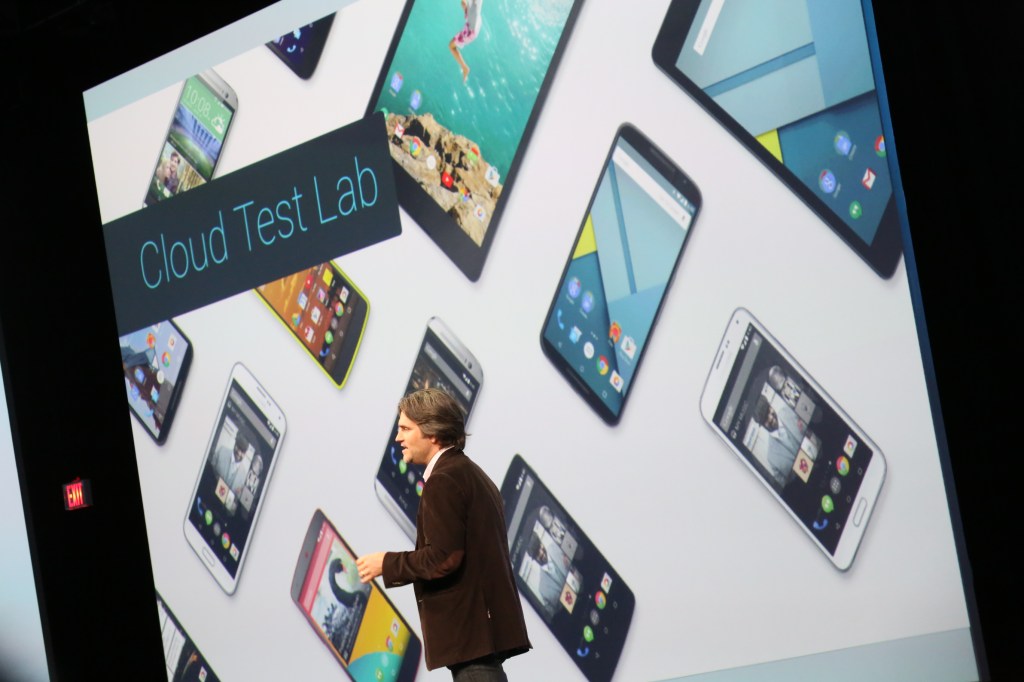
 

google-io-20150241


Google Photos breaks free of Google+, now offers free, unlimited storage — from techcrunch.com by Sarah Perez

Excerpt:

Google officially announced its long-rumored revamp of its photo-sharing service, Google Photos, at its I/O developer conference in San Francisco today. The killer feature? Users can now backup up full-resolution photos and videos – up to 16MP for photos and 1080p for videos – to Google’s cloud for free. The service will roll out to Android, iOS and web users starting today, the company says.

The free storage option makes more sense for those with point-and-shoot cameras, and lets you keep a copy of your photos that’s good for your typical printing and photo-sharing needs. However, those with DSLR cameras or who want to store their photos and videos in their original sizes can choose a different plan which taps into your Google Account’s 15 GB of free storage. This is what was available before, and you can add to your storage quota as needed for a fee.


Android developer news from Google I/O 2015 — from lynda.com by David Gassner

Excerpt:

The keynote featured a smorgasbord of new technologies and additions/improvements to existing platforms. A stream of presenters followed each other across the stage, each talking about what was new for 2015. They covered Android, Chrome, and Chromebooks, virtual reality, 360-degree camera arrays, a stripped-down version of Android for the internet of things, and many other geeky new toys. Here’s what’s coming to an Android device or Android developer workstation near you.

Google I/O 2015: How context is slowly killing off the mobile app menu — from zdnet.com by Kevin Tofel
Summary: Google’s new Now On Tap feature, coming with Android M, shows a future where you don’t hunt through home screens and menus to find an app. The right apps come to you.


From DSC:
Someone in your organization needs to be getting up to speed on sensors and machine-to-machine communications — and looking for potential applications.  This goes for schools, colleges, universities, and corporate training departments as well. Already such technologies are being applied within museums, art galleries, and for self-guided tours.

Is that student, teacher, professor, or trainer not around to talk about their poster, project, or artwork hanging in the hallway?  Why not use an app like Locly along with Estimote beacons to allows visitors to hear what they had in mind?


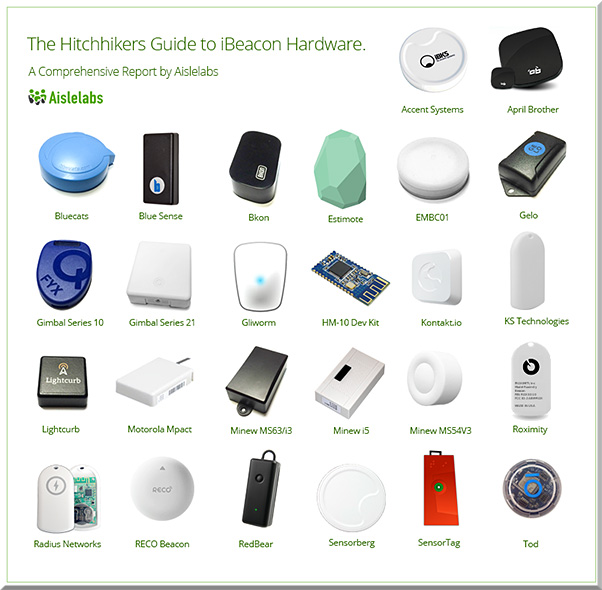
The Hitchhikers Guide to iBeacon Hardware: A Comprehensive Report by Aislelabs (2015) — from aislelabs.com

Excerpt:

In this report we examine 26 different iBeacon hardware vendors, including Estimote, Kontakt, and Gimbal. Over the past nine months, we have stress tested the beacons under many conditions examining every aspect of them. This is the most comprehensive report of its kind, covering every major beacon manufacturer, and providing an independent benchmark of each.


HitchhikersGuideToiBeaconHW-May2015


 Addendum on 5/6/15:


Virtual Field Trip Apps and Websites — from graphite.org

Excerpt:

Field trips get students out of the classroom and into the world, discovering new things, and learning in authentic environments. But for many schools and students, they’re an unfortunate rarity. Thankfully there are tech tools that can bring places and experiences fostered by field trips to the classroom. These tools feature digitized collections of artifacts from museums, high-res imagery of places across the globe, and tons of engaging resources students can comb through to learn something new.


Addendum on 5/11/15:


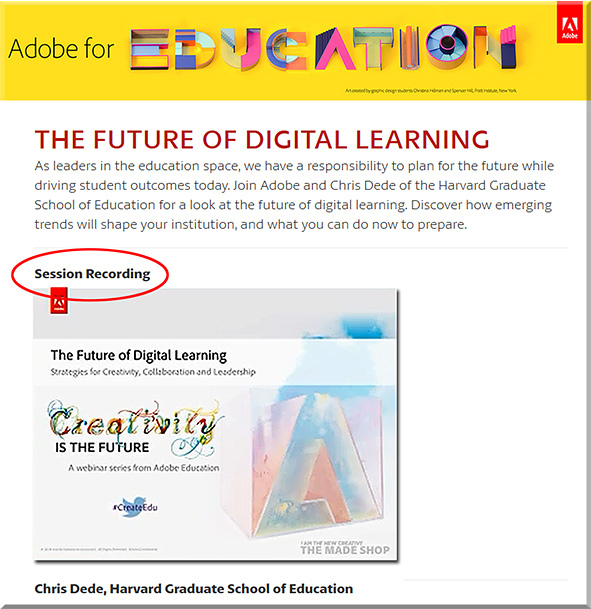
FutureDigitalLearningDede-Adobe-April2015


From DSC:
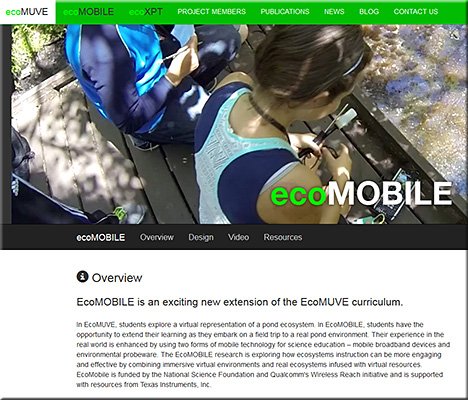
Chris uses ecoMOBILE and ecoMUVE to highlight the powerful partnerships that can exist between tools and teachers — to the benefits of the students, who can enjoy personalized learning that they can interact with.  Pedagogical approaches such as active learning are discussed and methods of implementing active learning are touched upon.

Chris pointed out the National Research Council’s book from 2012 entitled, “Education for Life and Work: Developing Transferable Knowledge & Skills in the 21st Century” as he spoke about the need for all of us to be engaged in lifelong learning (Chris uses the term “life-wide” learning).

Also, as Chris mentioned, we often teach as we were taught…so we need communities that are able to UNlearn as well as to learn.


ecomobile-april2015


Also see:


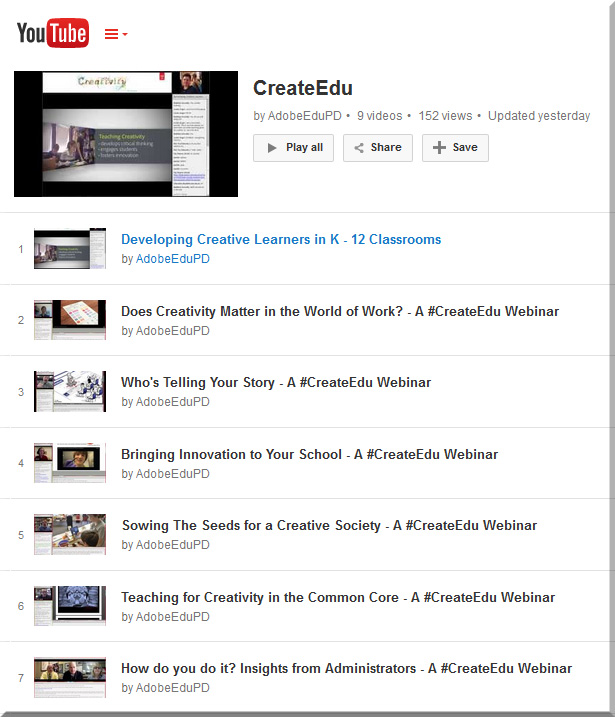
AdobeCreate-YouTubeChannel


3 big data science trends that will change business software — from diginomica.com by Phil Wainewright
The appliance of big data science to enterprise applications and data is driving rapid innovation in the business software market. Watch these three trends. 


From DSC:
Are we developing our students to be able to ride these waves?


Also see:


From DSC:
The articles below illustrate the continued convergence of multiple technologies and means of communication. For example, what we consider “TV” is changing rapidly. As this space changes, I’m looking for new opportunities and affordances that would open up exciting new approaches and avenues for educationally-related learning experiences.


Hootsuite and Tagboard team up to power social TV workflow — from adweek.com by Kimberlee Morrison

Excerpt (emphasis DSC):

More and more TV viewers are engaging with second screen devices while they watch broadcasts. A new partnership between Hootsuite and Tagboard hopes to bridge the gap between television and second screen social experiences.

Tagboard is a social media aggregation and curation platform that allows users to manage incoming social media posts for display, either on television broadcasts, or on screens at live events, and Hootsuite is a social media campaign management program. Their partnership enables integration for mutual users for real-time engagement.


Capture social content on display and TV with Hootsuite and Tagboard — from blog.hootsuite.com

Excerpt:

Adding social content to live TV broadcasts and sports games is a proven way to capture and keep your audience’s attention.

But the process isn’t that easy. For one, digital teams need to ensure that they review each piece of content (to keep it safe for the big screen), and this can create complicated and slow social media workflows.

To help streamline this process, Hootsuite has integrated with Tagboard, an innovative social media display tool, to provide an easy way to capture social content and incorporate it into on-air broadcasts, live event screens, or on digital platforms.

With the Tagboard app for Hootsuite, your team can put relevant and timely social content on air within seconds—when it matters most to the viewer.

KUSA Weather Touchscreen 2 women anchors.png


Introducing the Tagboard App for Hootsuite — from blog.tagboard.com
Social TV is easier than ever with Tagboard’s new app for Hootsuite


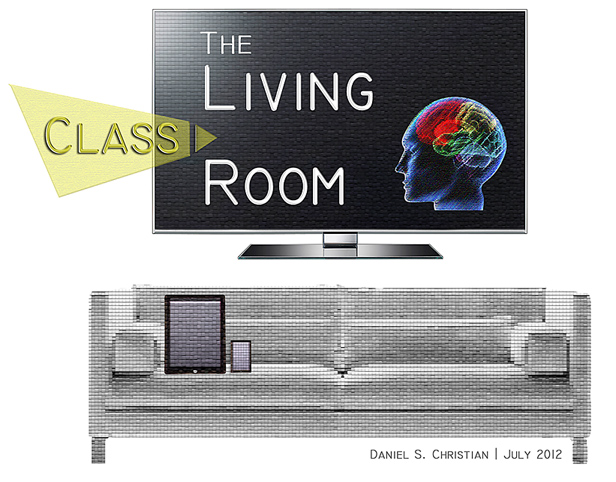
The Living [Class] Room -- by Daniel Christian -- July 2012 -- a second device used in conjunction with a Smart/Connected TV


Augmented Reality can be a reality in your art classroom — from theartofed.com

Excerpt:

Last fall, I attended a technology conference where I went to a session on augmented reality technology (AR) and how it can be used in the classroom. I was blown away by the possibilities of this tech concept and its ability to modify our students’ current reality into a compelling, virtual experience of interactive information.

AR in your Art Classroom
There are dozens of AR apps, programs and resources out there that can help encourage curiosity and inspire critical thinking and intense creativity in your students. Here are a few augmented reality options that you can start infusing into your art curriculum.

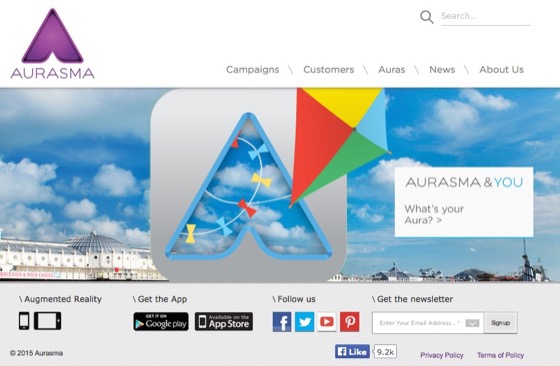
Aurasma

ARPhoto#2


Jaunt VR wants to (virtually) change the way we travel — from cntraveler.com
Gaming is just the beginning. The real future of virtual reality lies in hacking the global travel experience.


52 of the best apps for your classroom in 2015 — from list.ly by Terry Heick


Adobe’s Slate is  a [new] visual storytelling app for the iPad — from techcrunch.com; also an article at CampusTechnology.com on this app


The top 50 apps for creative minds — from theguardian.com
Our pick of the best tablet and smartphone tools to enable you to make video, music, art and more


[Microsoft’s] Sway is now collaborative—create and edit together with others!

Excerpt:

When we announced Sway, we knew that people would want to work on standout class projects, eye-catching business reports, engaging vacation recaps, or more, together—it’s the way things are done now, right? But Sway up until now has been a tool for individual authors to create polished content in a new and interactive way to share with their audiences. However, we know you’ve asked for shared editing in Sway in our feedback channels (such as UserVoice), and that Office has delivered real-time editing and collaboration features for years, allowing people to work together to share their collective ideas. On top of that, we can’t tell you how many times that we on the Sway team have said to each other, “I wish I could work on this Sway with you!” So now we’re rolling out co-authoring in Sway!


Microsoft debuts Office Lens, a document-scanning app for iOS and Android — from techcrunch.com by Sarah Perez

Excerpt:

Microsoft [on 4/2/15] launched Office Lens, a mobile document scanner app that works with OneNote, for iOS and Android smartphones. The app, which allows users to snap photos of paper documents, receipts, business cards, menus, whiteboards, sticky notes and more, was first launched a year ago as an application designed only for Windows Phone devices.


5 free (or low cost) tools for Flipped Learning— from Campus Technology’s April/May 2015 edition

  • Doceri
  • Explain Everything
  • Office Mix
  • Screencast-O-Matic
  • Verso


AppStudio for ArcGIS — with thanks to Dr. Jason Van Horn (Associate Professor Geology, Geography & Env Studies at Calvin College) for this resource
Your mobile mapping apps, built in a snap

Excerpt:

AppStudio for ArcGIS is a groundbreaking tool in the GIS app revolution. It lets you convert your maps into beautiful, consumer-friendly mobile apps ready for Android, iOS, Windows, Mac OS X, and Linux, and publish them using your own brand to all popular app stores – no developer skills required.


Moodle Mobile 2 is coming: updated look and feel of the application, transition to Ionic Framework — from moodlenews.com

Excerpt:

A few weeks ago Juan Leyva introduced a demo site for Moodlers to check out the 2nd version of Moodle Mobile the ever improving official mobile application for the learning management system. The major changes include a shift to Ionic framework which will greatly enhance the developers’ ability to focus on new features development.


Some of the best storytelling apps for elementary students — from educatorstechnology.com

Excerpt:

The apps below are particularly useful for elementary students but they can also be used with other age groups. Elementary teachers often complain about the paucity of apps that are kids appropriate compared with apps for other age groups. So we thought it would be useful to create a section in this blog devoted entirely to apps specifically curated for elementary teachers. After we have covered math and writing apps, today’s post features some very good iPad storytelling apps to use with young kids. You can use these apps to help kids develop a wide range of basic literacy skills that include: writing, reading and speaking.


5 great writing apps for elementary students — from educatorstechnology.com

Excerpt:

The selection we curated for you today contains some  useful iPad apps to use with elementary students to help them with their writing. Some the things your kids will get to learn from these apps include: learning how to write letters, learning phonics and spelling, composing syllables by combining vowels and consonants, and several other basic literacy skills. Some of these apps also include tracking features which allow teachers and parents to keep updated about the progress of their kids.


Addendum on 4/8/15:

Addendum on 4/9/15:

Addendums on 4/13:15:

  • Six ways to make movies on a smartphone — from quib.ly by Laura Celada
    Excerpt:

    Have you tried using mobile devices to make movies? Film-making is such a great way for your children to express themselves and nurture their creativity and imagination. We’ve selected the most powerful apps and programs that can even the least techy kids become creative moviemakers.
    None of these require any special equipment, just a tablet or a smartphone. Children can take videos, edit their work and make professional quality movies on the go. Check out the list below and bring out the Spielberg in them. Maybe next year you and your little thinker might be walking down the red carpet…
    .
  • Nice for Every Device: 15 Tech-Agnostic Tools — from edsurge.com
    Posting included tools for:
    Student Response Systems
    Student Collaboration Activities
    English Language Arts/Social Studies
    Math/Science
  • 80 Twitter Tools for Almost Everything — from hongkiat.com


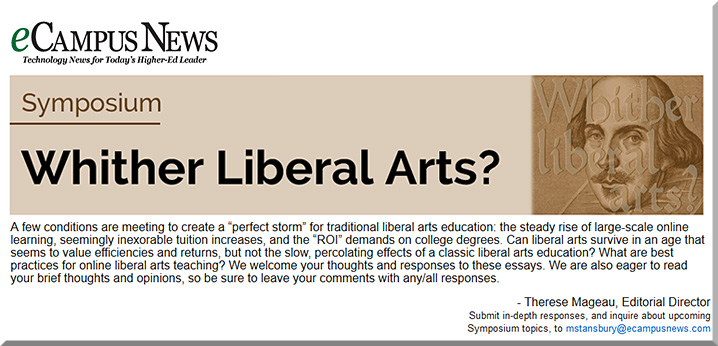
WhitherLiberalArtsSymposium-eCampusNewsSpring2015


Liberal arts education is unique in its ability to develop independence of thought, to nurture wisdom, and to build both a deep empathy for others and broad context for decision making in uncertain situations.

— Gunnar Counselman


8 steps to 7 billion liberal arts degrees — from ecampusnews.com by Gunnar Counselman, the founder/CEO of Fidelis Education, a Learning Relationship Management (LRM) System.

Excerpt (emphasis DSC):

So being on the offensive about the liberal arts means reframing the conversation from a defense for the 40M people who participate in it today. Being on offensive means abandoning all tendency toward Ludditism and instead getting creative about using technology to scale effective learning in the liberal arts and pure sciences to the other 99.6 percent of people on the planet. And being on the offensive means we must stop worrying about jobs. There will be many more jobs educating 99.6 percent of the world’s population than there are educating the .4 percent (the percentage of the world population currently receiving a liberal arts degree), no matter how efficient we become with technology.

…

Let’s observe the ingredients of liberal education as they are today at places like Middlebury, Smith, Sarah Lawrence, and Union, honors programs at state universities, then imagine what it would look like scaled to 7 billion people.

…

This analysis makes it clear that liberal education is a relationship-generation machine built around personalized content. So our technology has to be a relationship-management machine, purpose-built to make sure that every single person in a learning community has peers, mentors, and advisors to collaborate to build strong learning pathways of content.


From DSC:
Though Gunnar likely has his LMS-influenced lenses on while sharing his thoughts here (as I often have my tech-tinted lenses/perspectives on as well), he still makes some valid points.  Those who support the liberal arts need “to stop hunkering down in a defensive posture. It’s time to go on the offensive…” he asserts.  I would second his thought that we need to creatively employ technology to help the liberal arts thrive in the 21st century.

In fact, I’m beginning to wonder more and more if online/digitally-based learning will turn out to be the very thing that saves the liberal arts as we make our way through the 21st century.  Getting a liberal arts degree at $5K a year is one thing.  Getting it at a price tag of $25K-$50+K per year is another thing.  When prices rise like that, expectations change.  The expectations of a solid ROI come to mind much more as the prices increase (and I would even use the word requirements for many of us now, not just expectations). 

If we want the liberal arts to continue to exist outside the top 5% of the income earners out there, we must find ways to bring the prices down again. The best way I know to do that is to go online — at least in part.  Setting up a new server or asking one’s vendor(s) to allocate more storage, bandwidth, applications, user accounts, etc. is far cheaper than maintaining physical campuses or developing new buildings on campuses across the land.  And you can still have excellent relationships, interactions, and communications via online/digitally-based means.

Also see:

 
© 2025 | Daniel Christian