We’ve got to stop meeting like this! – Guest post by Jay Cross — from litmos.com

Excerpt:

You can re-jigger your meetings to make them relevant, challenging, and fun by adopting an approach that is revolutionizing secondary school learning.

It’s called Flipping the Meeting. Flipped meetings focus people’s face-to-face time on working with one another to solve problems. You prepare in advance at your own pace with resources framing the business issue. When people convene, they spend their time collaborating to solve a problem. Conversations cross-fertilize ideas and fuel learning. In the flipped meeting, you focus on making the decision before the bell goes off.

Two teachers pioneered the philosophy of flip starting back in 2007. Students read their homework before class and use the classroom for discussion, not presentation. Grades go up, as does retention. Millions of students have signed up for flipped instruction through The Khan Academy. This is the same philosophy that underlies the Flipped Meeting. Be prepared to be inspired and listen to the founders of the flip…


From DSC:
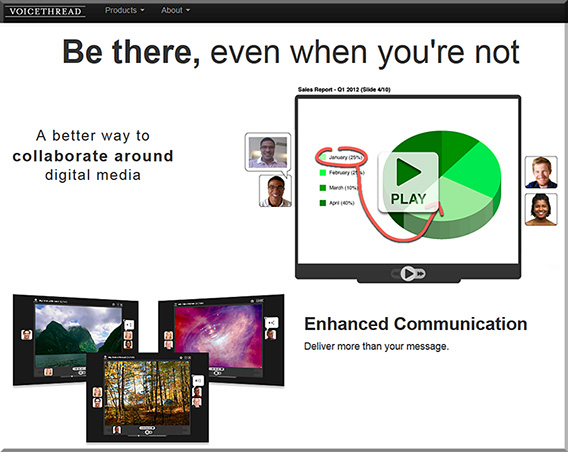
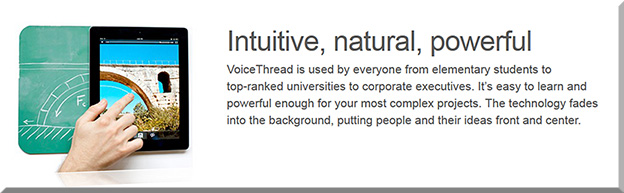
Piggybacking on what Jay is saying in that piece re: “Flipping the Meeting”, I wonder if tools like VoiceThread could also help obtain peoples’ thoughts and perspectives prior to holding a meeting — and to do so per what works for each individual’s schedule.


VoiceThread-April2015


VoiceThread2-April2015


VoiceThread is a cloud application, so there is no software to install. The only system requirement is an up-to-date version of Adobe Flash. VoiceThread will work in any modern web browser and on almost any internet connection.

Creating
Upload, share and discuss documents, presentations, images, audio files and videos. Over 50 different types of media can be used in a VoiceThread.

Commenting
Comment on VoiceThread slides using one of five powerful commenting options: microphone, webcam, text, phone, and audio-file upload.

Sharing
Keep a VoiceThread private, share it with specific people, or open it up to the entire world. Learn more about sharing VoiceThreads.


From DSC:
Consider using one or more of the following tools to take your flipped classroom — and your learners’ understanding — to the next level via the creation of interactive videos.


Touchcast
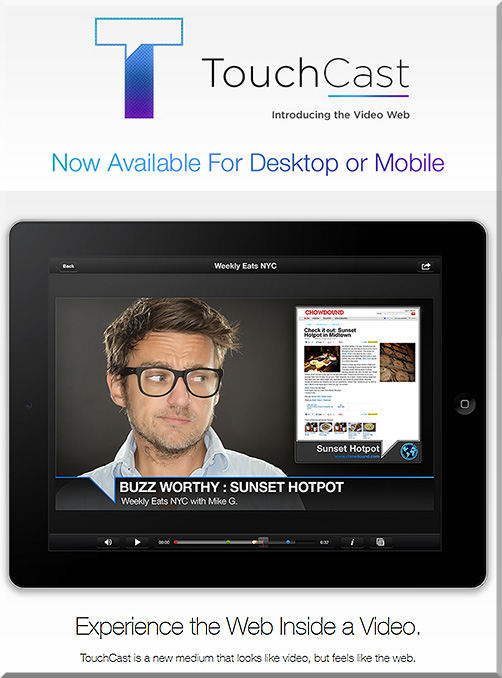
Video and the web are coming together. Experience both like never before with TouchCast- a new medium that looks like video, but feels more like the web.


Touchcast-April2015


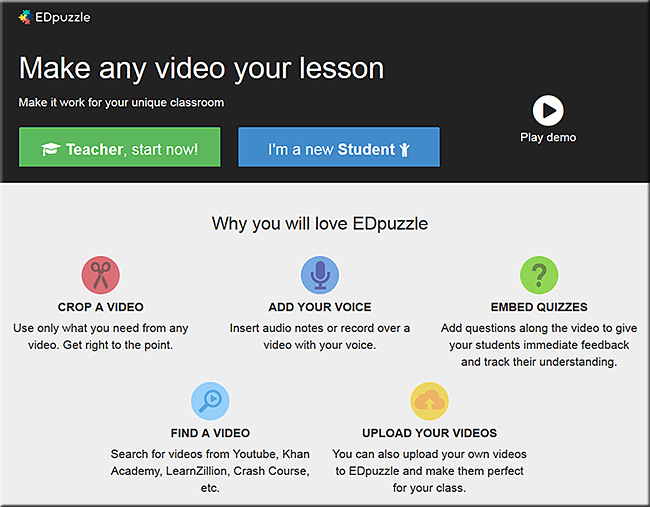
edpuzzle.com — a nice example of their product can be seen in their video entitled, The flipped classroom in 90 seconds


EDpuzzle-April2015


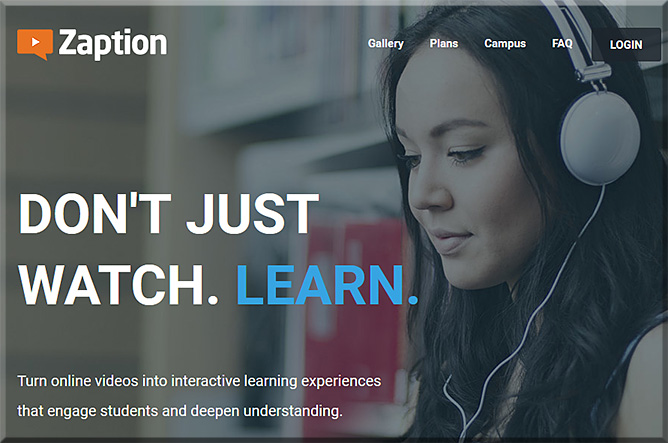
Zaption – Interact & Learn with Video Lessons
Don’t just watch. Learn! Zaption makes online video interactive and engaging for students and drives deeper learning.


Zaption-April2015


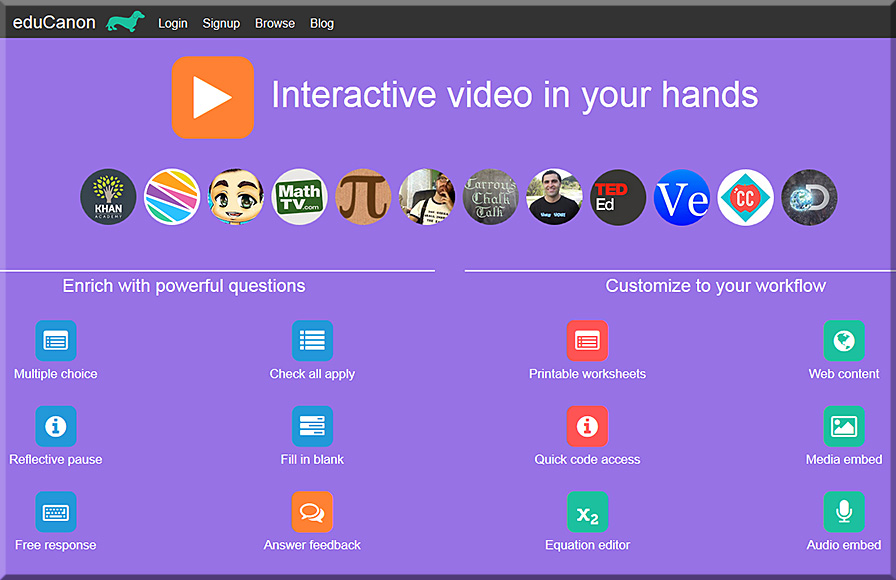
eduCanon
eduCanon is a free tool to embed rich, dynamic questions with explanations inside video. Use video to differentiate & engage. Promote self-paced learning with pause & rewind. Prevent skipping content not yet watched.


eduCanon-April2015


YouTube with new “Cards”:
Make your videos even more interactive with cards [3/16/15]

Excerpt:

As a creator, you’ve probably been using annotations to engage with your viewers for years. But one of the things you’ve told us is that you need more flexibility with the info you share through annotations, and—most importantly—you need it to work across screens and especially on mobile. That’s why today we’re introducing cards.

You can think of cards like an evolution of annotations. They can inform your viewers about other videos, merch, playlists, websites and more. They look as beautiful as your videos, are available anytime during the video and yes, they finally work on mobile.

Right now, you can choose from six types of cards: Merchandise, Fundraising, Video, Playlist, Associated Website and Fan Funding. You’ll find a new “Cards” tab in your Video Editor to create and edit them at any time.


 Addendum on 4/7/15:


Addendum on 4/23/15:

Also see:

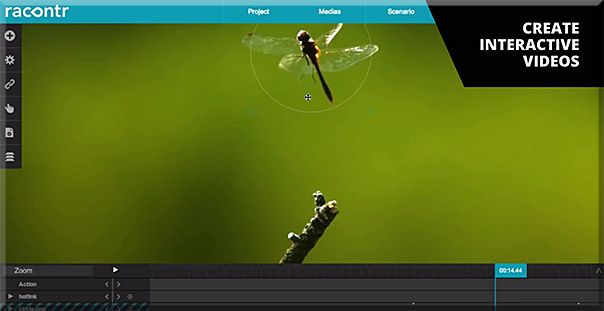
Racontor-April2015-interactivevids


MIT study shows how educational videos could be better — from bostinno.streetwise.co by Clinton Nguyen

Excerpt:

Subgoal labeling turned out to be a big success for users, and that mode of thinking transferred to newer tasks beyond the initial one.

“Immediately [after the first task], we asked people to attempt another problem, and we found that the people who got the subgoal labels attempted more steps and got them right more often, and they also took less time,” said Mark Guzdial, a professor at Georgia Tech who’s who’s had a hand in similar research for the past five years.

“When we asked them to try a new problem that they’d never seen before, 50 percent of the subgoal people did it correctly, and less than 10 percent of the people who didn’t get subgoals did that correctly,” he said.


Tips for choosing and using educational videos in your classroom — from edtechreview.in by Prasanna Bharti

Excerpt:

No matter if you are an expert of technology or novice, there are a lot of ways by which you can use technology easily in teaching to make lecture more interesting and engaging, one of the best way is to use educational videos. However, you need to be thoughtful before choosing and using them.


Items on Meerkat* and Periscope*

Hashtag automatically uploads users’ Meerkat* posts to YouTube — from springwise.com
Meerkat users can now add #Katch to their Twitter posts and the service will automatically record their livestreams and post them on YouTube.

Excerpt:

One of the major successes of this month’s SXSW festival was Meerkat — a live streaming app which enables users to create and broadcast video footage in the moment. Videos are shared with the world, live, via the user’s own Twitter account, before disappearing forever into the ether of internet-past. That was until hacker Tarikh Korula launched #Katch, a simple hashtag which enables Meerkat users to auto upload their livestreams to YouTube, immortalizing them forever.


Want to save Meerkat* videos to YouTube? Katch’s hashtag wants to help — from mashable.com by Adario Strange


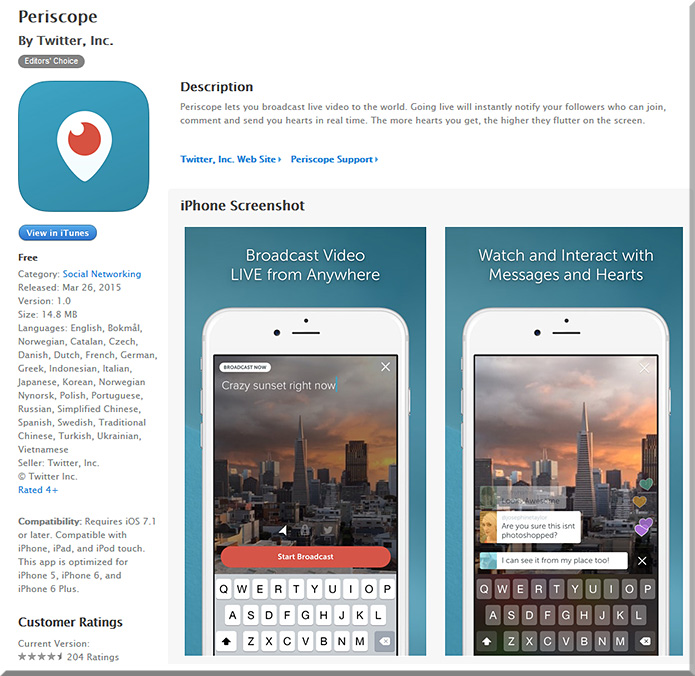
Twitter launches its own live video streaming app, Periscope — from talkingnewmedia.com by D.B. Hebbard
Periscope, which streams live video to your Twitter feed, launches a couple weeks after competitor Meerkat entered the App Store

* Meerkat and Periscope are tools to Tweet live video
 

periscope-march2015


Sharing TV Clips Socially (and Legally) with Whipclip — from adweek.com by Adam Flomenbaum

Excerpt (emphasis DSC):

Whipclip – an app that lets viewers splice and share (legally) TV clips – has launched today, and has secured partnerships with major broadcast networks, including Comedy Central, ABC, CBS, FOX, VH1, A&E and Lifetime, Bloomberg, OWN and truTV. In December, we wrote about the company raising $20 million to launch the service.
…
“The days of awkwardly holding your phone up to the TV to record and share your favorite moments may be coming to an end. Whipclip enables users to find and create their favorite TV and music clips and share them intimately with their closest friends or broadly across their entire social network,” said Richard Rosenblatt, co-founder, Chairman and CEO of Whipclip. “Not only benefitting the users but also providing the content owners with a viral user driven method to find new audiences.”

* From DSC:
What if we were talking about lectures on the TV…
what new affordances might there be?


Wipster and Adobe Voice — from markdubois.info by Mark DuBois

Excerpt:

I have been experimenting with the Wipster application for a few weeks. Essentially, this is a site where you post a video for others to review and approve. They can add comments in the video (as it plays). Although the service is not free, I am finding this to be very helpful for work I am doing with our student chapter of Web Professionals as well as within various courses I teach. What I find most beneficial is the use of Adobe Voice to generate short videos on a topic and then seek feedback via Wipster.


Also, though this isn’t just about video, I’m going to include it here anyway:

Sharing our inspiration from the Learning Technologies conference with links to all our liveblogs — from joitskehulsebosch.blogspot.com

Excerpt:

Sibrenne and myself arrived last Friday at Rotterdam airport with a head full of inspiration from the Learning Technologies conference and fresh air from our walk along the Thames. In this blogpost we compile some reflections and provide links to all our liveblogs, so that you may choose which ones to read. Something which struck us when we reflected on all different sessions.
…
If you’d like to read our liveblogs, choose one or several of the 13 liveblogs below:


Addendum on 3/29/15:


The 2015 LAUNCHedu Finalists are…

Excerpt from LAUNCHedu Competition Lightning Round

The 2015 LAUNCHedu Finalists are:
  • Binder
  • Chalk.com
  • CodeMonkey Studios
  • Ideas Box
  • Language Zen
  • Lea(R)n, Inc
  • Pear Deck
  • Raise.me
  • Sterio.me
  • Zaption
And the final 3 are listed at The LAUNCHedu Results Are In

Ideas Box

Paris, France | ideas-box.org

Ideas Box is a portable multimedia center, with internet and its own energy source, for access to Education, Information and Culture anywhere in the world. With 20 tablets, a built-in cinema and many educational resources, it provides communities with the tools and space to play, learn, connect and create.

Pear Deck

Iowa City, IA | peardeck.com

Pear Deck makes it easy for teachers to engage 100% of their students. We know rich, active teaching leads to better learning outcomes, and we help teachers do it every single day. With Pear Deck, teachers can make any lesson interactive and gain real insight into student understanding.

zaption

San Francisco, CA | zaption.com

Zaption transforms video-based learning with interactive content and tools that engage learners, deepen understanding and track progress. Teachers and trainers use Zaption to quickly add images, text and questions to existing online videos. With Zaption’s Analytics, instructors get immediate feedback on how students interact with content and understand key concepts.


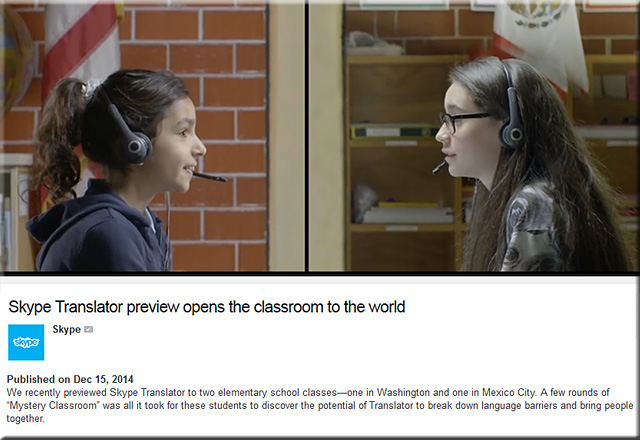
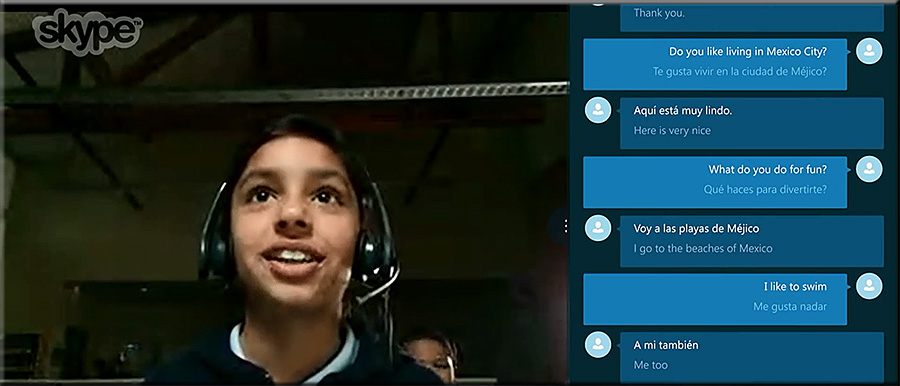
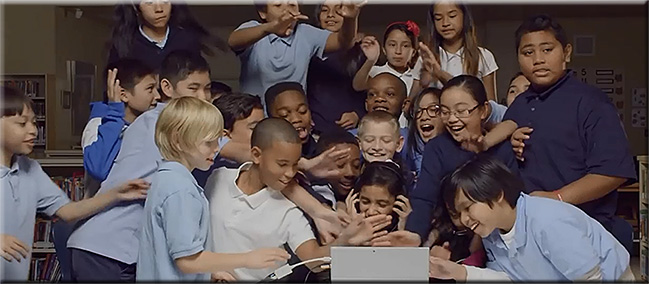
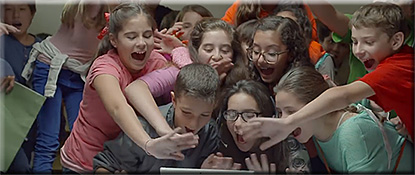
Skype real-time language translator goes live — from pcmag.com by Angela Moscaritolo
With Skype Translator, have a conversation with someone over the Internet who speaks a different language.

Excerpt:

The Microsoft-owned chat service on Monday launched the first phase of its Skype Translator preview program first announced back in May. Jointly developed by Microsoft researchers and Skype engineers, the new feature uses real-time speech translation technologies to let you have a conversation with someone over the Internet who speaks a different language.

This means you can have a conversation just like normal, and Skype will translate what you say into the other person’s language in “near real-time.” Then, when the other person says something, it will be translated back to your language.


————–

SkypeTranslatorPreview-Dec152014


SkypeTranslatorPreview3-Dec152014


SkypeTranslatorPreview4-Dec152014


SkypeTranslatorPreview5-Dec152014


4 ways technology can make your music lessons sing — from thejournal.com by David Raths
New tech tools that give students control over their music also inspire them to create and innovate.

Excerpt:

Russell can send students audio recordings that they can play along with as they practice. His students can use a music-writing app such as Notion to make their own practice tracks and compose their own songs. “That is a complete redefinition of what you do with students,” he said. “It was inconceivable before they had these devices.”

Russell said he is also excited about a relatively new app called NotateMe, which allows him to write musical notation and convert it to digital notation. The app also allows you to take a picture of a score and convert it to digital music.
…
But now with tools such as NoteFlight, second- and third-graders can create wonderful melodic compositions and play them on their recorder,” she said.
…
Pirzer now uses her Epson BrightLink interactive projector in conjunction with Smart Notebook collaborative learning software and apps such as TonalEnergy Tuner, which lets users understand and improve every aspect of their sound.


How to find free music for videos — from mccoyproductions.net by Jason McCoy <– Jason’s posting includes 31 Amazing Sites With Free Creative Commons Music

Excerpt:

If you’re embarking on a video project, perhaps an explainer video, podcast, school project or video presentation, using the right production music can be the key to successfully drawing your viewers in; but finding the perfect song can seem a daunting task.

Of course you could commission a track to be composed especially for you, but that can run into tens of thousands of dollars.

Luckily, there are plenty of places available for you to find free music for your video project, but where can you get it from and how do you know if you have the legal right to use it for your project?


Music Notation on the iPad – NotateMe Rules! — from ipadmusiced.wordpress.com by

Excerpt:

I’ve just got to mention the fact that the NotateMe app combined with the PhotoScore plug-in is an absolutely astounding tool!

THE SCENARIO –
I’ve got a contra-alto clarinet player and I really want her to play lower notes then what is written on the Baritone Sax part.


Automatic Music Generator Jukedeck Wins Le Web Startup Competition — from techcrunch.com by Mike Butcher

Excerpt:

London-based JukeDeck has received a small seed funding round for its platform which literally composes original music based on a user’s settings, giving video creators, games developers and other users a simple way of sourcing music. This might be based on the actions inside a video or a game, without any human intervention. The idea is that it’s “responsive music software”. It doesn’t use loops, but writes the music note by note, as a composer would.

This means it can, say its makers, create an unlimited amount of unique, copyright-free music, and users can choose the music’s style and what should happen in the music at various points. The first market will be for user-generated videos. The idea here is not to compete with human composers but to produce machine-made music that is listenable and eventually malleable by real musicians.


From DSC:
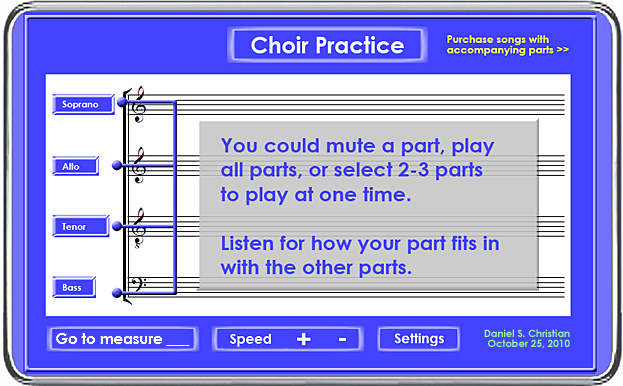
Then there’s an idea I had about being able to hear whichever parts you want to hear as you practice a piece of music. Don’t have a piano? No problem. You can’t play the piano even if you do have access to one? No problem. Want to hear just the tenor and alto parts?  No problem.  Want to hear just your bass part?  No problem.  Want to hear all parts together?  No problem.  Jump to measure 121?  No problem.  Publishers of music could provide music recorded in parts and let you select which part(s) you want to play and hear.


ChoirPracticeByDanielSChristian


Addendum on 12/15/14:


A college completion idea that’s so simple. Why aren’t we doing it? — from huffingtonpost.com by Brad Phillips

Excerpt (emphasis DSC):

This week’s White House “College Opportunity” summit will focus on an overlooked area with enormous potential for student success: K-12 and higher education working together to improve college completion. It sounds so simple and obvious. In fact many assume it’s already happening. After all both groups of educators share the same students, just at different points in their education careers. Why wouldn’t they share information about students and coordinate efforts to help students be successful?

…

The process of closely analyzing high school to college data is eye opening for both K-12 and college educators. Faculty discover that while they both may be calling a subject Algebra or English, what is taught and assigned can be very different, setting up students for a struggle.

In Southern California, high school teachers and college faculty members participating in English Curriculum Alignment Project (ECAP) shared years of transcript information Examining student performance over time, educators learned that what was taught in High School English did not align with what was expected in college English.


From DSC:
I’ll take that one step further and say that we need stronger continuums between K-12, higher ed, and the corporate/business world.  We need more efforts, conversations, mechanisms, tools, communities of practice, and platforms to collaborate with each other.  That’s what I try to at least scratch the surface on via this Learning Ecosystems blog — i.e., touching upon areas that involve the worlds of K-12, higher ed, and the corporate/business world. We need more collaborations/conversations along these lines.


Context-Evernote


Excerpt from Context: Your Work Enriched by the Smartest Minds — from blog.evernote.com

Good research happens in three phases. You recall what you know. You consult with someone. You search external sources. We’re applying our machine learning and augmented intelligence expertise to present you with all three research phases automatically, at the moment you need them, without ever leaving your workspace. As you work, Evernote is automatically looking for other information and content that might help you connect the dots/see the big picture. This content can take the form of other notes, people you might talk to or even relevant news sources.

In Evernote, every phrase informs our algorithms about what other content might help you further your project. We call this Context. It’s an extremely powerful new Premium feature coming soon to Evernote.

…

Your knowledge

Your team’s knowledge

Your network

The professionals: Possibly the most powerful new benefit that Context brings is a look at related information from premier news and information sources, including…

  • The Wall Street Journal
  • Factiva
  • LinkedIn
  • TechCrunch
  • CrunchBase
  • Fast Company
  • Inc. Magazine
  • PandoDaily


Also see:

  • Evernote’s CEO: Siri and wearables are doing it wrong — from engadget.com by Devindra Hardawar; with thanks to Mr. Emory Craig for posting this on Twitter
    Excerpt:
    You can see this methodology in place with Context, the new Evernote feature that fetches articles related to your work. Links automatically appear at the bottom of your notes as you’re typing, alongside your past notes and those from your coworkers.
    …
    When you talk about anticipatory computing, it’s only a matter of time until the broader notion of augmented intelligence comes up.
    …
    There are already glimpses of it in Google Now, which is more of an anticipatory notification platform than a friendly assistant like Siri.
 

Digital Storytelling Resources from Classroom 2.0 Live (Oct 2014) — from speedofcreativity.org by Wesley Fryer

Excerpt:

…I facilitated a 60 minute webinar on Classroom 2.0 Live about digital storytelling. This was an “open mic” session, which is similar to facilitated conversations at EdCamps. The webinar is archived on YouTube, and referenced links are included in this LiveBinder.

These are some of the links I saved from the webinar, which were shared by participants. This was an excellent session and I learned about several new resources I’m anxious to try with my own students in digital storytelling projects!

  1. Murmur Project – Toronto (place-based digital storytelling using cell phones for playback)
  2. StoryboardThat – Web-based tool for project storyboarding
  3. BitStrips for Schools – comic -based digital storytelling
  4. Bay Farm School Digital Tour (using QR codes)
  5. 6th Grade Roller Coaster Physics Project
  6. Dot Day at Bay Farm Project
  7. Make Beliefs Comix
  8. The Cloud Coaster
  9. City of San Leandro History Walk (A Boy Scout Eagle Project)
  10. Digital Storytelling Pearltrees site by Shelly Terrell
  11. Voki (create speaking avatars)
  12. Morfo (free iOS app to turn a photo into a talking avatar)
  13. Tools for Screen Captures, Digital Storytelling, & Video
  14. Out of Eden Walk


.

9 Free Tools For Digital Storytelling — from hongkiat.com by Fahad Khan


Excerpt from How Can English Teachers Benefit from Digital Storytelling Tools — from edtechreview.com by Prasanna Bharti

Digital Storytelling Tools for Students

.

.

Creative storytelling with Storehouse — from blogs.elon.edu by Analise Godfrey (Storehouse was created by former Apple User Experience Evangelist, Mark Kawano)

.


Over 40 web tools to create quizzes and polls in class — from educatorstechnology.com

.


.

Theia
Introducing a new and exciting world view, Theia smart glasses naturally integrate augmented reality together with your reality using unique technology and seamless design.

.

theia-nov2014

.


Platform lets users share documents with real-time audio comments — from springwise.com
Blrt is offering both real-time and anytime sharing of documents, with integrated drawing and voice commenting tools.

Excerpt:

The platforms that businesses most commonly use to communicate with both colleagues and clients — phone, email, face-to-face meetings and video chat — are typically only used one at a time. If it’s just a quick chat, you pick up the phone, if you need to send a document you send an email. But is there a way to make multimedia collaboration more seamless through a single platform? We recently wrote about Talko, which aims to make voice calls more like emails. Now a similar service, Blrt, is offering both real-time and anytime sharing of documents, with integrated drawing and voice commenting tools.


blrt-fall2014


10 great iPad apps for teaching and learning piano — from educatorstechnology.com


Circle of Fifths – music theory reference


CircleOf5ths-Fall2014


Osmo

osmo-fall2014


.

30 Ways Google Glass Works in Classrooms [#Infographic] — from edtechmagazine.com by D. Frank Smith
From allowing student to connect virtually with peers and teachers to helping identify learning difficulties, the wearable tech has clear potential as an aid.


An App to Make Career Counseling More Like a Video Game — from chronicle.com by Rebecca Koenig

.

.

Microsoft Research gives us a glimpse of future gaming with RoomAlive — from InterestingEngineering.com

.

.

LinkedIn Introduces New Tools for Students Choosing Universities — from eduniverse.org by Philippe Taza

Excerpt:

Regardless of whether you agree with their criteria or the general practice of creating rankings, their newest initiative is undoubtedly an impressive leveraging of Big Data, applying complex algorithms to LinkedIn’s vast database of 313 million users to derive interesting conclusions for both students and those marketing higher education.


Lync to Become Skype for Business — from MikeBrandesAV.com

Excerpt:

Microsoft is rebranding it’s unified communication platform Microsoft Lync. Microsoft plans to retool their approach to unified communications, and launch under the name “Skype for Business” in 2015. Microsoft originally acquired Skype for $8.5 billion in 2011.

The Redmond, WA based software giant made significant strides into the Unified Communications space, offering a cost-competitive unified communications platform which included Telephony, Chat, Collaboration and Video Conferencing all from the desktop, laptop or tablet.


The 10 best creative apps for tablets — from Creative Bloq

 Excerpt:

Over recent years, many great drawing and painting apps have become available for tablets and smart phones. Here’s our pick of the most comprehensive packages on the market.

ArtRage

The 10 best creative apps for tablets 


This clever app scans and solves maths problems instantly using your phone’s camera — from businessinsider.com.au

Excerpt:

While it seems likely that most will use PhotoMath to sidestep actual learning, PhotoMath includes a “Steps” button that cleverly walks you through the steps from the original equation to the final answer.


PhotoMath app


Addendum on 11/2014 — some music-related apps from the November 2014 edition of The Journal:


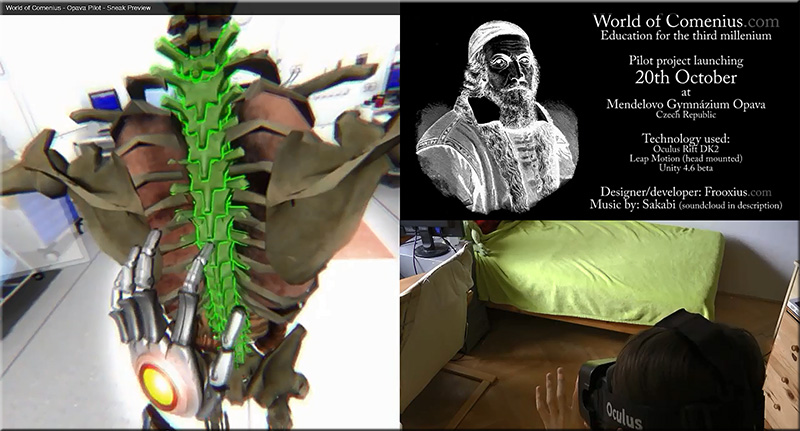
World-of-Comenius-Oct2014


‘World of Comenius’ demonstrates powerful educational interaction w/ Leap Motion & Oculus Rift and Tomas “Frooxius” Mariancik

Excerpt:

We recently covered a (at that point unnamed) VR project by developer Tomáš “Frooxius” Marian?ík, the mind behind the stunning ‘Sightline’ VR series of demos. The project fused Leap Motion skeletal hand tracking with Oculus Rift DK2 positional tracking to produce an impressively intuitive VR interface. Now, a new video of the interface  shows impressive progress. We catch up with Tomáš to find out some more about this mysterious VR project.

Enter the ‘World of Comenius’
The virtual reality resurgence that is currently underway, necessarily and predictably concentrates on bringing people new ways to consume and experience media and games. This is where virtual reality has the best chance of breaking through as a viable technology, one that will appeal to consumers worldwide. But virtual reality’s greatest impact, at least in terms of historical worth to society, could and probably will come in the form of non-entertainment based fields.


Also see:


From DSC:
I’m thinking out loud again…

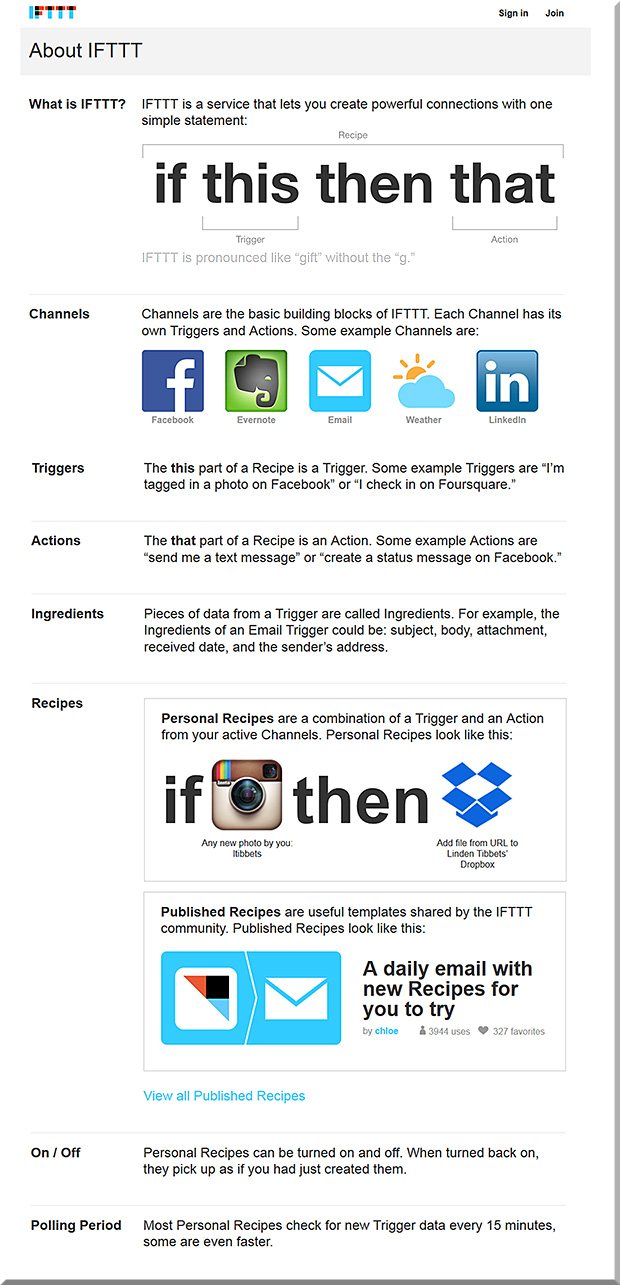
What if were were to be able to take the “If This Then That (IFTTT)” concept/capabilities and combine it with sensor-based technologies?  It seems to me that we’re at the very embryonic stages of some very powerful learning scenarios, scenarios that are packed with learning potential, engagement, intrigue, interactivity, and opportunities for participation.

For example, what would happen if you went to one corner of the room, causing an app on your mobile device to launch and bring up a particular video to review?  Then, after the viewing of the video, a brief quiz appears after that to check your understanding of the video’s main points. Then, once you’ve submitted the quiz — and it’s been received by system ABC — this triggers an unexpected learning event for you.

Combining the physical with the digital…

Establishing IFTTT-based learning playlists…

Building learning channels…learning triggers…learning actions…

Setting a schedule of things to do for a set of iBeacons over a period of time (and being able to save that schedule of events for “next time”).

Hmmm…there’s a lot of potential here!


IfThisThenThat-Combined-With-iBeacons


IfThisThenThat


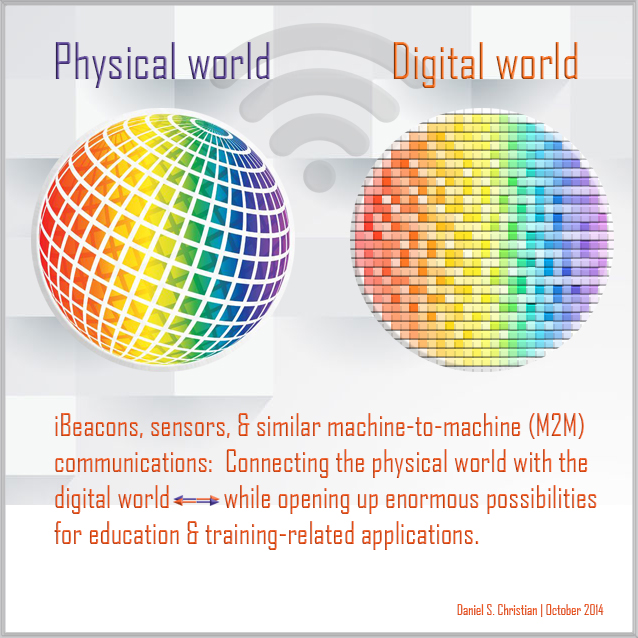
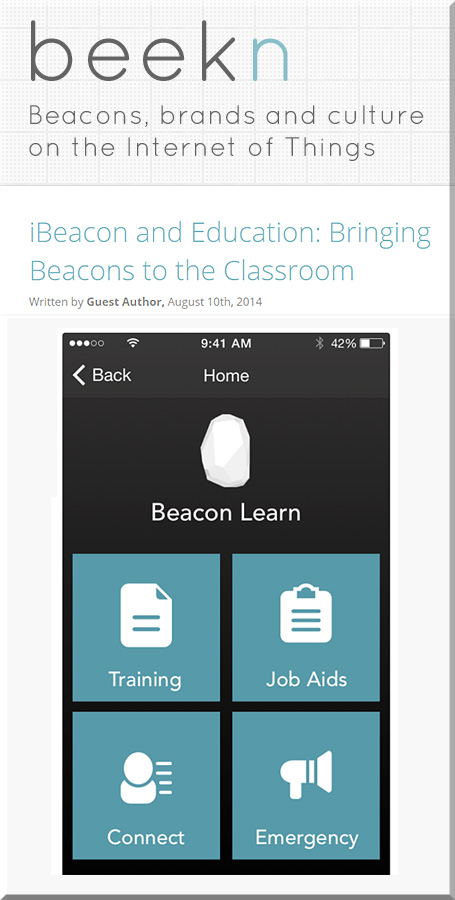
iBeaconsAndEducation-8-10-14


Now throw augmented reality, wearables, and intelligent tutoring into the equation! Whew!

We need to be watching out for how machine-to-machine (M2M) communications can be leveraged in the classrooms and training programs across the globe.

One last thought here…
How are we changing our curricula to prepare students to leverage the power of the Internet of Things (IoT)?


From DSC:
The bridging of the physical world with the digital world presents many powerful scenarios for learning. Via the use of iBeacons (or similar devices), one could imagine students going to different places within a learning space and having a variety of relevant items and applications automatically open on their mobile devices.

Examples:

  • In a chemistry lab, students could go to the supplies area and see a video or a PDF listing of what they need for that day’s experiment — also taking in any warnings of the use of the equipment (hazardous materials, use of fire, etc.); then they could go to the hands-on lab area, and if they’ve struggled to do the experiment for _______ minutes, they could watch the first __ steps (or the experiment in its entirety); finally, the last area would initiate a webpage, video, or blog that summarizes what they should have learned and experienced if the lab was properly done
    .
  • In an art gallery, the iBeacons could initiate a video from the artist on a particular piece, explaining what they were trying to achieve, what materials they used, how long it took them to create/design, and any inspirational messages that they want to relay to budding artists
    .
  • On campus tours, iBeacons could control what takes place on a school’s Virtual Tour app
    .

This video by Paul Hamilton captures a bit of what I’m trying to get at w/ the use of iBeacons in the classroom:
https://www.youtube.com/watch?v=S04viOYnSg4&feature=youtu.be&app=desktop

Also see:


Other resources to check out:


iPad-To-Chromebook-9-4-2014HollyClark


Excerpt:

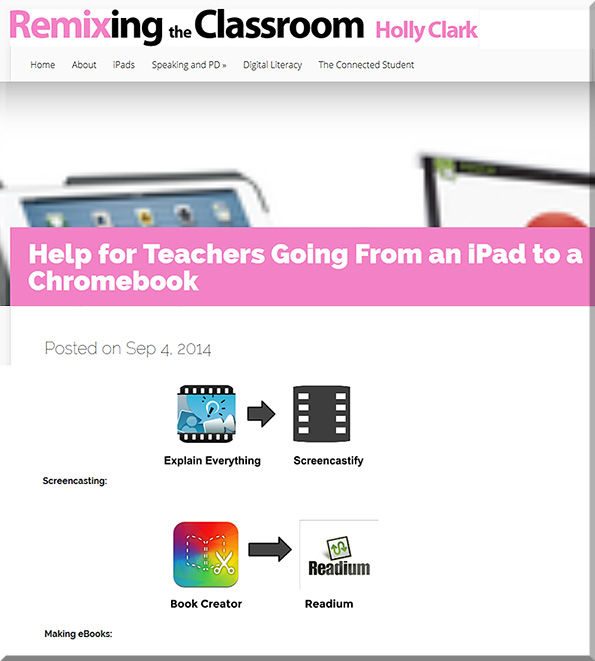
I am a huge fan of iPads AND Chromebooks. I think both can be integrated purposefully into the classroom in ways that are very powerful to the learning experience. Both devices can accomplish almost any form of masterful technology integration, boost critical thinking, and help to make student thinking visible. As many classrooms and teachers move between the two devices, they often struggle to find similar applications – to supplement the one they came to love on the opposite machine.

To help those teachers moving from an iPad to Chromebook, (like my friends in Sheriden, Wyoming) here are a few ways you can use the Chromebook to do some of the great things you’ve grown to love on an iPad.

 
© 2025 | Daniel Christian