


Also see:
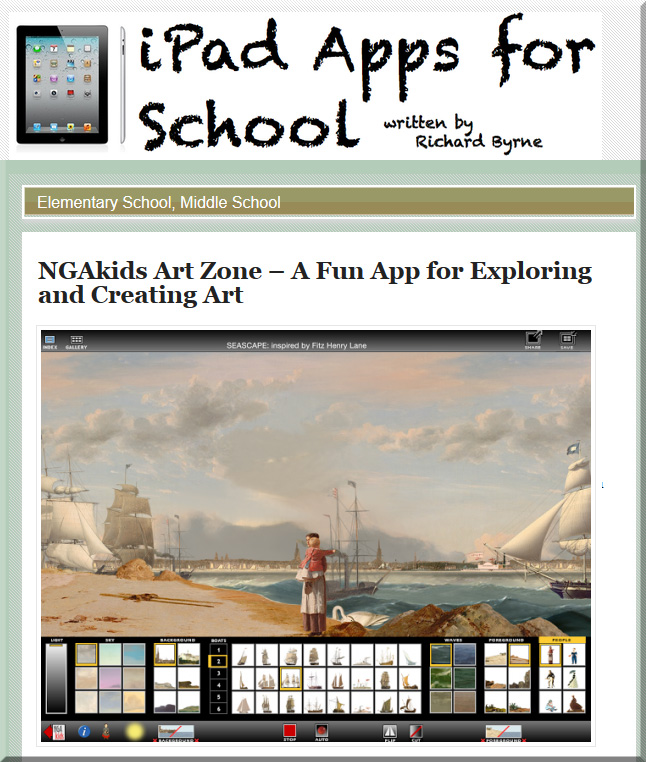
https://itunes.apple.com/us/app/ngakids-art-zone/id904766241?ign-mpt=uo%3D8
2014 Student and Faculty Technology Research Studies — from educause.edu / ECAR
From the ECAR RESEARCH HUB
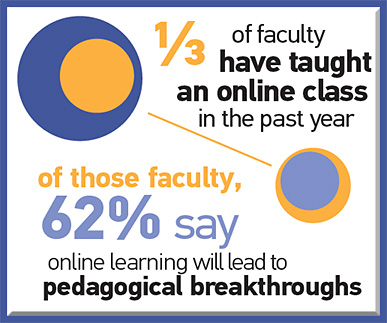
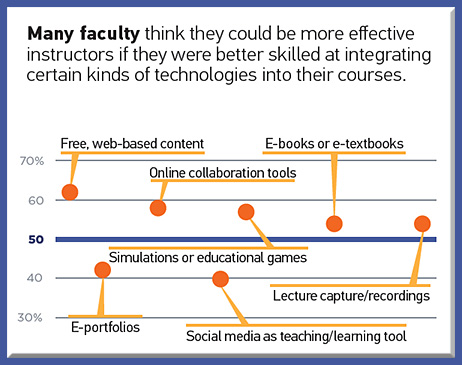
This hub contains the 2014 student and faculty studies from the EDUCAUSE Technology Research in the Academic Community research series. In 2014, ECAR partnered with 151 college/university sites yielding responses from 17,451 faculty respondents across 13 countries. ECAR also collaborated with 213 institutions to collect responses from more than 75,306 undergraduate students about their technology experiences.
Key Findings
Excerpts from infographic:
Does Studying Fine Art = Unemployment? Introducing LinkedIn’s Field of Study Explorer — from LinkedIn.com by Kathy Hwang
Excerpt:
[On July 28, 2014], we are pleased to announce a new product – Field of Study Explorer – designed to help students like Candice explore the wide range of careers LinkedIn members have pursued based on what they studied in school.
So let’s explore the validity of this assumption: studying fine art = unemployment by looking at the careers of members who studied Fine & Studio Arts at Universities around the world. Are they all starving artists who live in their parents’ basements?
Also see:
The New Rankings? — from insidehighered.com by Charlie Tyson
Excerpt:
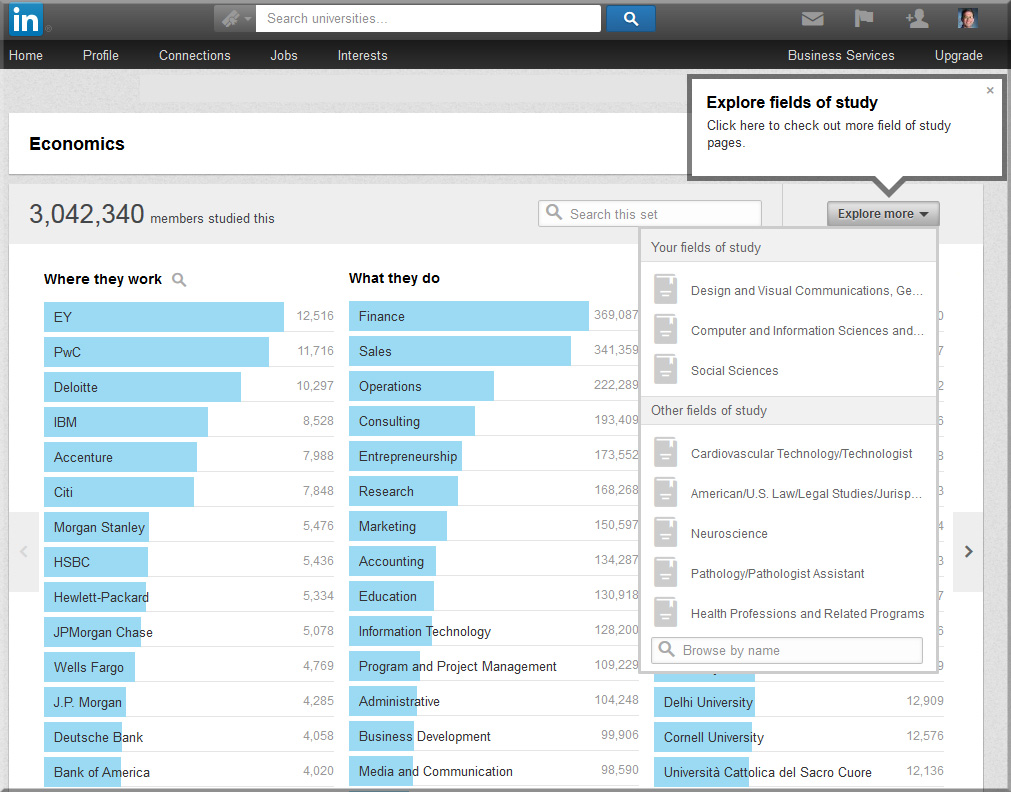
Who majored in Slovak language and literature? At least 14 IBM employees, according to LinkedIn.
Late last month LinkedIn unveiled a “field of study explorer.” Enter a field of study – even one as obscure in the U.S. as Slovak – and you’ll see which companies Slovak majors on LinkedIn work for, which fields they work in and where they went to college. You can also search by college, by industry and by location. You can winnow down, if you desire, to find the employee who majored in Slovak at the Open University and worked in Britain after graduation.
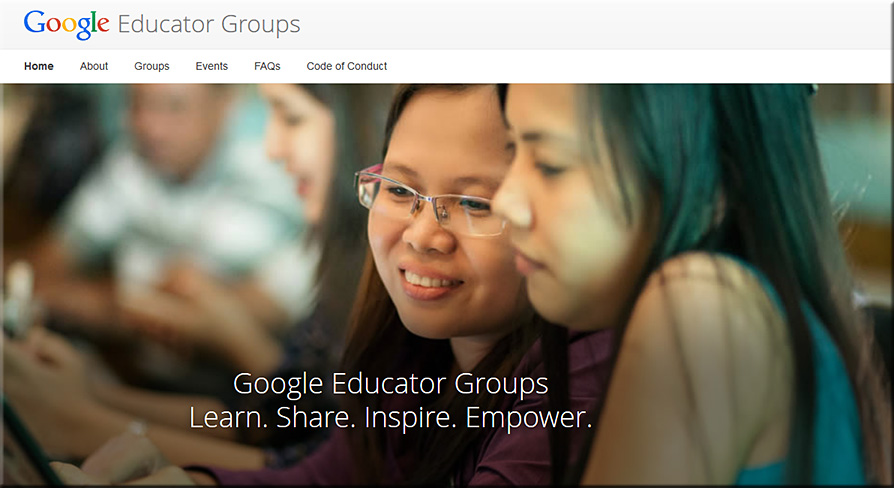
New: Google Launched Google Educator Groups (Great Learning Platform for Teachers) | June 11, 2014 — from educatorstechnology.com
Excerpt:
Google Educator Groups (GEGs) is a new project launched by Google [on June 10, 2014]. This project aims at bringing the benefits of technology to schools, classrooms and communities across the world through the collaborative work of a community of passionate educators. GEGs is a place where educators, principals, school administrators, professors, teachers, students, and anyone else interested in using Google Products to help people learn , get to meet and collaborate with each other .
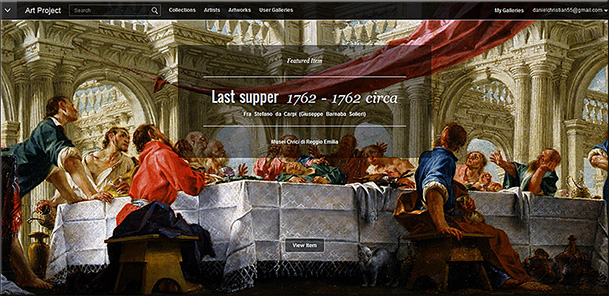
Google Art Project
Massive online global collection makes art accesible to all
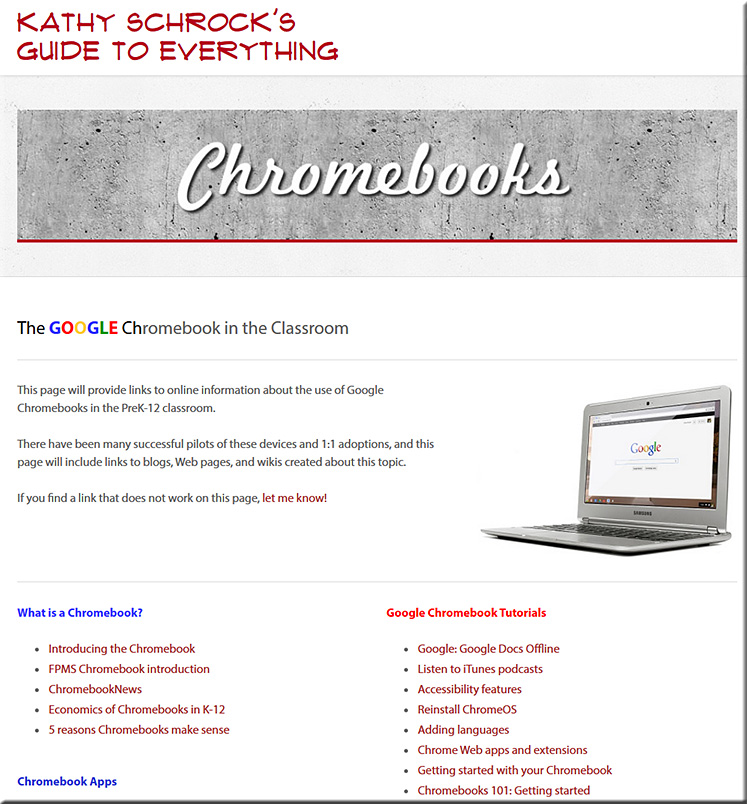
The Chromebook vs. iPad Debate | Technology in Music Education — from techinmusiced.wordpress.com by Christopher Russell
OPINION: Why We Are Misunderstanding the Chromebook-iPad Debate — from edsurge.com by Tim Holt
A variety of postings at edudemic.com re: Chromebooks
A variety of postings at GettingSmart.com re: Chromebooks
A variety of postings at KQED.org (Mind/Shift) re: Chromebooks
Chromebooks & Chromeboxes for education — from google.com
New Excellent Google Drive Guide for Teachers and Students — from educatorstechnology.com | June 16, 2014
Excerpt:
I don’t want you to miss this wonderful resource on how to be a Google Drive master. This is basically a Google Doc that features a plethora of video tutorials and activities related to each tool in Google Drive. The main objectives of this guide is to help teachers and students leverage the power of Google Drive tool in education. It provides them with video tutorials covering each of the Drive applications ( Google Doc, Presentation, Drawing, and Google Forms ) and with each of these videos is an attached activity that should be completed to show mastery of the topic under discussion. I have spent sometime going through these tutorials and activities and I found them really helpful. All thanks go back to Vicki Davis through whom I learned about this resource ( by the way Vicki has recently published a new book entitled ” Reinventing Writing: The 9 Tools That Are Changing Writing, Teaching, and Learning Forever“
Here is a round-up of all the video tutorials included in this guide, you can also check the entire guide from this link.
From DSC:
Personally, I would also recommend to anyone out there considering a rollout of Chromebooks to set up some Google Alerts. You could use such words/phrases as “Google Apps For Education,” “GAFE,” “Chromebooks,” “rollouts,” plus any other keywords that you are interested in.
Addendums:
Per Rebecca Hernandez:
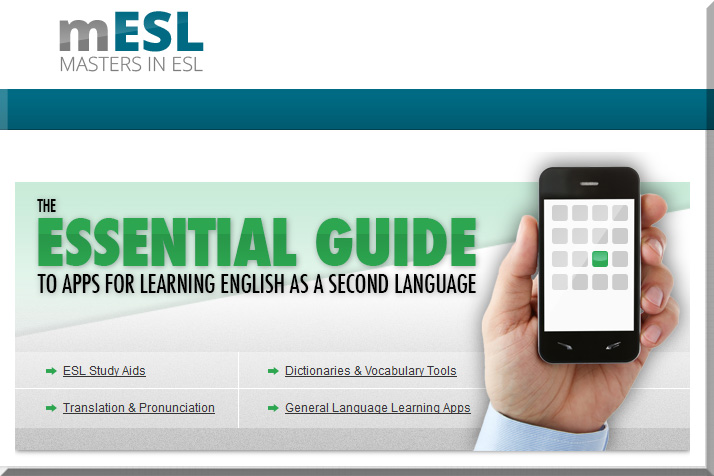
I researched and reviewed 101 cool ESL related apps for smartphones, tablets and laptops. I found great apps that can help students with studying, dictionaries, vocabulary, and translation tools. You can see the list at http://mastersinesl.com/essential-esl-app-guide/.

Excerpt:
Here are 10 companies that are making waves in the education sector with products in the cloud that impact both the frontend and backend of institutions.
Graduate School 2.0: Three ways to put technology to work for graduate student success — from evolllution.com by Susan Aldridge | President of Drexel University Online, Drexel University
Excerpt (emphasis DSC):
Podcasting and Vodcasting
Although these digital techniques are becoming a popular enhancement for “flipping” classrooms and furnishing supplemental course materials, they’re also a great way to teach professional skills. For example, Karl Okomoto created LawMeets, an online moot court experience for budding transactional attorneys who, up until now, have been expected to learn the art of negotiation by reading textbooks and listening to lectures.
As a result, law students across the country can now use this unique virtual platform to practice and perfect their deal-making skills, by posting videos of themselves counseling their moot clients, which are peer-reviewed through a digital voting device. Top-rated performances are then critiqued by seasoned attorneys, who furnish a demonstration video of their own. Equally important, professors in other law schools are incorporating these online exercises into their own classroom activities, with excellent results, while Okomoto is making plans to deploy his platform for role-playing job interviews and salary negotiations.
By the same token, an inventive cardiologist and professor at the Temple University School of Medicine employed podcast technology to help students learn how to listen for heart murmurs. Appropriately called Heartsongs, this MP3 teaching tool provides audio recordings of common murmurs, complete with running commentary — and, so far, its track record is nothing short of amazing. Among the medical students and residents using it, diagnostic accuracy rates have skyrocketed to 90 percent compared to the average of 20 to 30 percent.
New children’s book combines modern technology and storytelling — from iwantpop.com by
Excerpt (emphasis DSC):
MONTREAL, April 15, 2014 /IWANTPOP.COM/ — Jonathan Belisle, a Montreal teacher, script writer and web entrepreneur, has developed the ultimate storytelling system. It’s a combination of old and new, traditional mythology and modern technology, a mixture of fantasy and reality.
Wuxia the Fox is a transmedia project that comes as an illustrated book paired with an iPad app. “The app reacts to what it hears and sees,” explained Belisle. “As you read the story, the app adds the music and sound effects, based on where you are in the story and the tone of your voice. It’s the future of children’s books.”
The iPad app triggers new scenes of content using image recognition, and transforms into a musical instrument when interacting with small wooden blocks provided with the book.
Also see:
https://www.kickstarter.com/projects/jonathanbelisle/wuxia-the-fox-augmented-book-and-ipad-app
Also, another interesting item:
Predicting the future of cinema: No limits — and the web wins — from variety.com by David Cohen
Excerpt:
He said today’s tech already offers hints of what the future will bring: screens large and small that can duplicate nearly anything the eye can perceive; cameras that let filmmakers choose framing, depth of field, focus and brightness in post, rather than on the day of shooting; fast networks that permit “collaboration at the speed of thought” and allow people to work together regardless of how far apart they are.

The ultimate list of HTML5 eLearning authoring tools –from elearningindustry.com
Excerpt:
In this article, you will take a look at how HTML5 may play a major role in the future of the eLearning industry, and delve into the ultimate list of HTML5 eLearning authoring tools available today. So, if you’ve been looking to make the transition to an HTML5 eLearning Authoring tool, you are in the right place!
Microsoft expands cloud services for mobile scenarios — from Microsoft.com
Office for iPad and Enterprise Mobility Suite showcase Microsoft’s mobile-first, cloud-first approach.
Excerpt:
SAN FRANCISCO — March 27, 2014 — Microsoft Corp. on Thursday announced several new and updated applications and services including Microsoft Office for iPad and free Office Mobile apps for iPhone and Android phones. Microsoft also announced the Enterprise Mobility Suite, a comprehensive set of cloud services to help businesses manage corporate data and services on the devices people use at work and at home. In addition, the company announced the upcoming availability of Microsoft Azure Active Directory Premium and enhancements to Windows Intune.
“Microsoft is focused on delivering the cloud for everyone, on every device. It’s a unique approach that centers on people — enabling the devices you love, work with the services you love, and in a way that works for IT and developers,” said Satya Nadella, chief executive officer for Microsoft.

Microsoft CEO Nadella pulls the trigger on long-gestating Office apps for iPad — from businessweek.com by Joshua Brustein
Excerpt:
Read-only versions of the iPad apps are available for free. To create and edit documents, customers will need a subscription to Microsoft’s Office 365 software, which costs individual users $99 a year. By making the iPad app part of its wider software package, Microsoft avoids splitting revenue with Apple (AAPL), which takes a cut of the money that developers make through its App Store. Because the full versions are only offered as part of a wider package, it also means all those bosses who want their employees tapping out spreadsheets on their iPads while they wait in the airport will have to start ponying up for Office 365.
Microsoft and Office in a multi-platform world — from techcrunch.com by Alex Wilhelm
Microsoft finally brings Office to the iPad — from forbes.com by Parmy Olson
Excerpt:
Microsoft Office is at last coming to the iPad, marking an important step for the software giant as it races to catch up with the move to mobile. Microsoft general manager Julia White said that as of 11am Pacific Time on Thursday, key Office programs Word, Excel and PowerPoint would be available on the App Store for the iPad.
Microsoft’s popular email application, Outlook, was notably absent from the list of available programs. The apps are free but users will require a subscription to Microsoft’s Office 365 service to use them.
Office for iPad review: Surprisingly worth the wait — from techcrunch.com by Darrell Etherington (@drizzled)
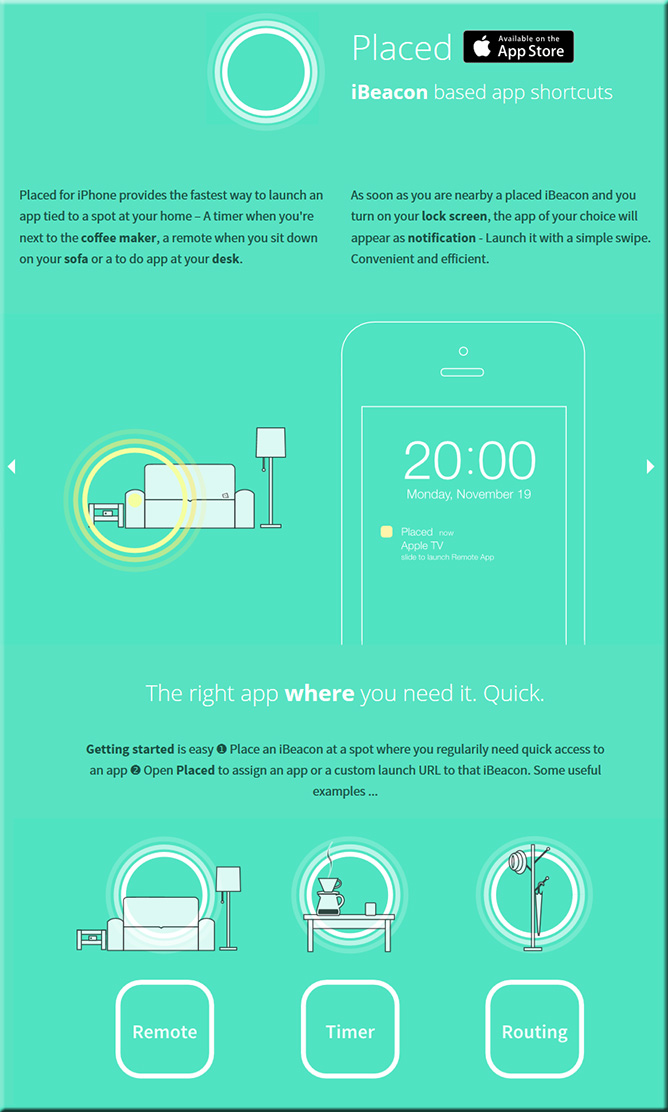
iBeacons aren’t just for retail: Placed lets you use them as iPhone quick launchers at home — from techcrunch.com by Darrell Etherington
Excerpt (emphasis and addition by DSC):
There has been a lot of talk about iBeacons since they launched with iOS 7 last fall, but much of the focus has been on how they benefit retailers and add to the in-store shopping experience. They have a much broader range of potential use, however, and part of that is consumer-focused (and education-focused), too. Placed is a new app that shows you how iBeacons might benefit anyone at home, by tying iBeacons to specific apps and offering quick-launch capabilities.
Also see:
From DSC:
Thinking out loud…again, we can see applications for this type of technology in the classroom. Say, for example, the topic you are teaching this week is photosynthesis. You set up your room with some iBeacons and props. One corner has a large plant in it with an iBeacon attached to it; when a student approaches that plant/iBeacon with their iPad or iPhone in hand, a video demonstration of photosynthesis is automatically launched. The student views the demo then moves over to another corner of the room where another webpage is automatically brought up on their device — perhaps to take a quiz on what they just reviewed. Another corner has another iBeacon that launches a certain app that provides information for further exploration.
From DSC:
The items below speak to the wonderful, powerful world of storytelling. I see storytelling becoming more interactive/participatory — offering more choice and more control to the viewers. There are applications in education, training, marketing, advertising, and more. Finally, I’ve also included some interesting tools/sites for folks to create their own digitally-based stories.
How storytelling can do wonders in blogging — by Kumail Hemani
Excerpt (emphasis DSC):
Why then was my history class one of the best classes I had? We never had to learn by heart any of the history notes in spite of all the dates, events, places and names. What we heard in that class got imprinted in our mind word by word as soon as they reached my ears.
Reason?
It was in the art of my teacher’s style of speaking and style of lectures. She never took our lessons as lectures, instead she choose to tell them through stories.
My teacher knew the art of true speaking. She spoke in such a style that we students felt everything happening around us. The lectures used to start forming an image in students mind, creating a flow, making everything seem like it is happening in the present. In such style of lectures, it only took us moments before everything made an impact on us and we understood everything word by word.
5 apps for making movies on mobile devices — from edutopia.org by Monica Burns
Excerpt:
Every year at Hollywood award shows, we see fantastic movies celebrated for their rich storytelling and dynamic performances. Your students can become moviemakers, too, thanks to some powerful apps for mobile devices. With these tools, your children can take videos and edit their work to make professional quality movies using iOS devices (iPads and iPhones) and Android tablets.
One good thing about this easy-to-use technology is that students can still use important English language arts skills like writing a narrative, planning a sequential story, and including key details when getting ready to make a movie. These apps can enhance the work that you are doing with children in the classroom and give them room to be creative storytellers.
Visual storytelling: Why data visualization is a content marketing fairytale — from searchenginejournal.com by Shane Jones
Excerpt (emphasis DSC):
Humans are scientifically designed to love stories.
More of our brain is engaged when we listen to stories. They cause our neurons to act as if we were actually doing the actions we hear in the story. Stories also have that human element we were talking about earlier, which makes them more entertaining and engaging.
If you do it right, you can use your data to tell the human story – and how it can be improved through the use of your product or service. In fact, the best content visuals do just that. They introduce viewers to a concept or situation (the problem you address), walk them through the main information about that concept or situation (how you’ll address it), and then provide a conclusion in the form of CTA (converting).
In summary, people are interested in learning about themselves, but they’re sick of learning through plain copy, and they’re programmed to desire visual content that tells a tale. Visualizing data is an effective strategy for giving them exactly what they want – information that is more visible and less difficult to digest.
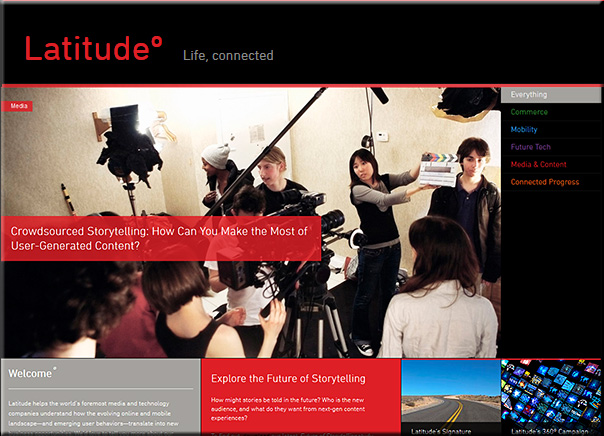
Crowdsourced storytelling: How can you make the most of user-generated content? — from latd.com by Kim Gaskins
Excerpt:
Connect with people on an emotional level.
This may sound obvious, but there are countless ways to frame a particular project or issue to people you’re hoping to entice—so make sure to think like a good marketer. For example, Israel Mirsky is the founder of Uncoverage, a crowd-funding platform for investigative journalism, who has decided to focus his message on the issues that are most emotionally accessible to his audience. There’s a compelling business case backing Mirsky’s efforts; namely, there’s no longer any business model to support important but resource-intensive journalism that may bring in fewer advertising dollars than simple, click-worthy headlines. It’s a powerful argument, but it’s not the one Mirsky is taking to potential contributors: “I suspect that talking about the problem with investigative journalism isn’t the right value proposition to bring to the table here. The right one is the one that individuals care about: the people and the issues that matter to them.”
6 great examples of digital storytelling — from 8ms.com by Simon Heyes
Excerpt:
In the socially connected world, the attention span of an audience becomes shorter as more and more mundane content is thrust in front of their eyes. Digital storytelling allows a brand to evoke emotion, and become more connected with consumers.
If content is at the heart of digital marketing, then we believe audiences are at the heart of digital storytelling. By creating a story that is authentic to your brand and to your audience, and then building content around that story, you will connect your brand to the lives of your consumers.
Here are six handpicked examples where we believe great writing is combined with great imagery to create authentic content, and a brilliant digital story.
5 steps for successful transmedia storytelling — from 8ms.com by Simon Heyes
From DSC:
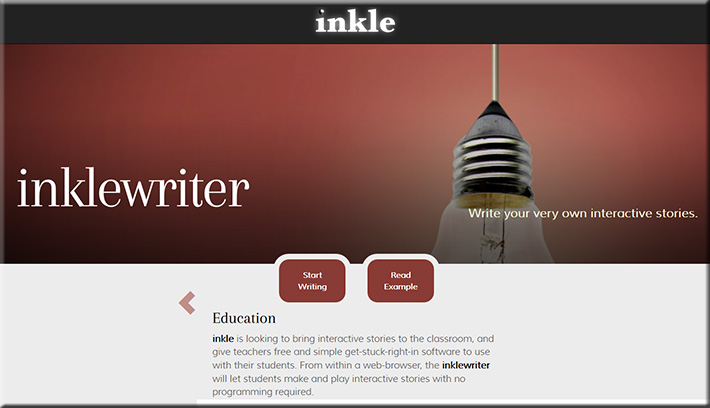
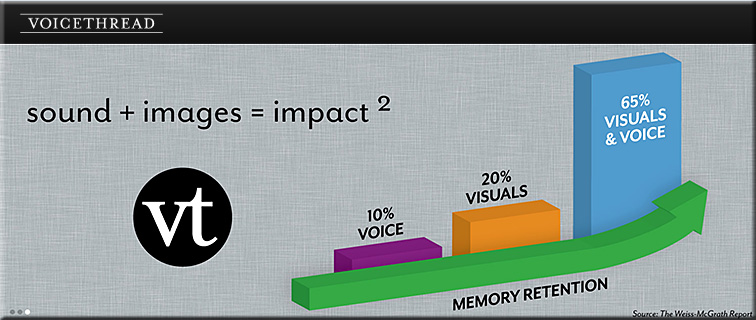
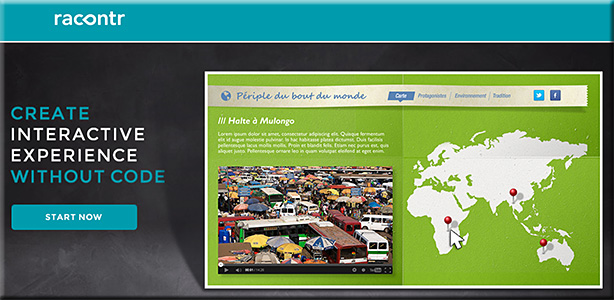
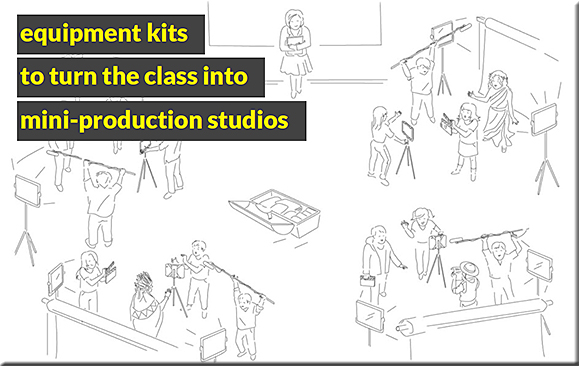
I see storytelling becoming more interactive/participatory — offering more choice and more control to the viewers. As such, here are some interesting tools/sites:

Also see:
5 reasons why you should be using storytelling in training — from dashe.com by Ben Nesvig
Excerpt:
Storytelling has been a popular tool for learning since the dawn of civilization, but thanks to technology bringing new mediums for storytelling, it has been on the rise in training in the workplace. Despite the fact that storytelling is a powerful vehicle for teaching, some still prefer to do a “data dump” because it’s easier than constructing a narrative, though not more effective. Below I provide 5 reasons why storytelling should be used more frequently in the workplace.
Digital storytelling: an efficient and engaging learning activity — from elearningindustry.com
Storehouse
“The easiest way to create, share, and discover beautiful stories.”