How do your learning spaces measure up? — from campustechnology.com by David Raths

Excerpt:

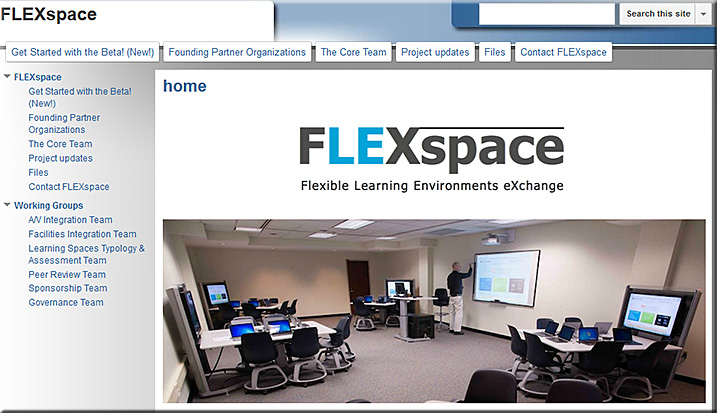
Now, however, two separate yet complementary initiatives under development promise to fill that void: 1) FLEXspace, an interactive online database with images and videos of learning spaces, provides a searchable collection of best practices in active learning design, and 2) the Learning Space Rating System (LSRS) seeks to provide a set of measurable criteria to assess how well classroom design supports and enables active learning activities.


Also see:

FlexSpace-March2014

Excerpt:

The Flexible Learning Environments eXchange – FLEXspace – is a robust, open access repository populated with examples of learning spaces.  It contains high resolution images and related information that describes detailed attributes of these spaces from institutions across the globe.

The incentive for participation is to showcase innovative design solutions open to peer review ranking and comments.  As more contributions are received, the repository will emerge into a very useful planning resource for education and supporting entities at multiple levels.


Somewhat related/also see:


Bringing the Wonder of the Web to Video (emphasis DSC)
Our mission is to usher in a new age of expression.

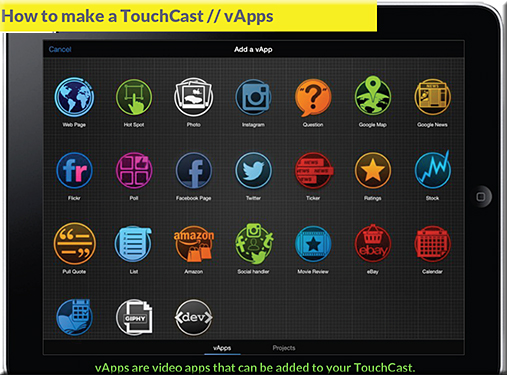
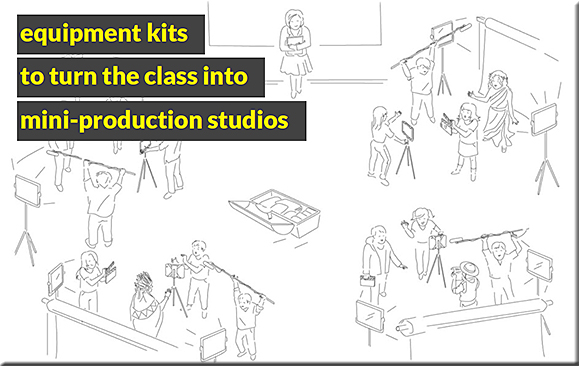
Anyone can easily create professional-quality videos combined with all the interactivity you expect to find inside a browser. We call these TouchCasts, a new medium that looks like video, but feels like the web.

— Per TouchCast.com


TouchCast in Education


TouchCast-in-Education1


TouchCast-in-Education2


TouchCast-in-Education3


Also see:


The Global Education Database — per the Scoop from Robin Good

Per Robin:

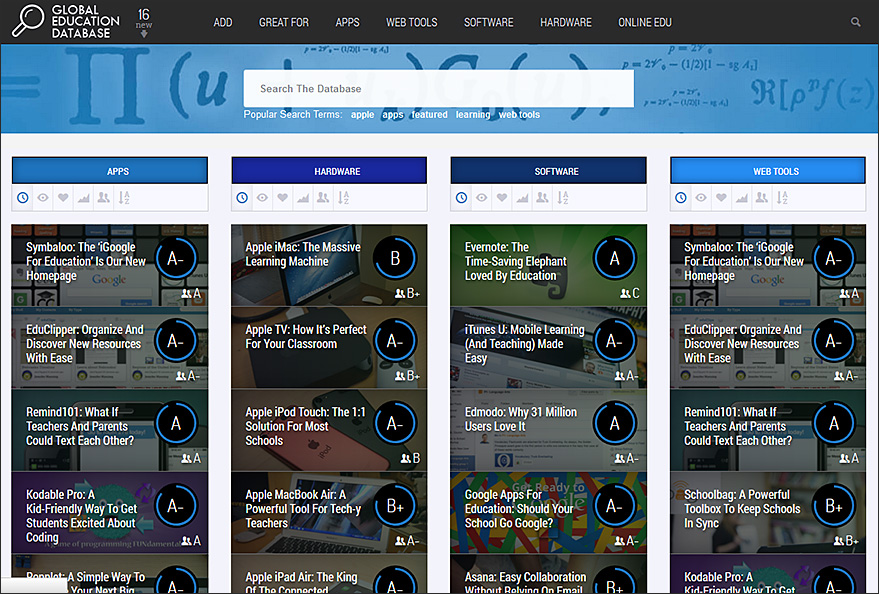
GEDB, the Global Education Database, is a great and extremely useful curated collection of the best apps, web tools, gadgets and moocs now available online for educational purposes. Anyone can register to GEDB and submit any valuable resource or tool by filling out the dedicated form.  Submissions are reviewed for factual accuracy and integrity and approved and published within 24 hours. Readers and contributors can in turn rate the review and share it online. This is a great educational resource, simple to consult and well organized. A treasure trove of qualified resources for anyone wanting to teach and learn with new technologies. Free to use. Try it out now: http://www.gedb.org/


GlobalEducationDatabase-Feb2014


From DSC:
I haven’t spent a lot of time on this database, but I was intrigued by their model — i.e. using crowdsourcing to identify some solid possibilities and breaking them out for classroom management, Common Core, computer science, flipped classrooms, general learning, language learning and project-based learning. They also have categories for software, hardware, apps, web tools, MOOCs and more.


 Some potential tools to display information on an iPad at an art gallery/small museum:


  • InDesign:
    “Use interactive PDFs with hyperlinks to achieve an app-like behaviour. We created the presentation with all buttons and target pages in Adobe InDesign CS5 and exported the whole thing as an interactive PDF.”  (From https://discussions.apple.com/thread/4573715)
  • Keynote for the iPad – though it doesn’t look like you can lock things down; though you can have a password on a file.
  • Book Creator
  • In the gallery, provide an iPad on a mount/stand and link to a blog or webpage, then lock the browser.  If you want to use this method to display several pages, one could build a series of webpages and insert META-HTTP-EQUIV tags in the header sections of the HTML.  That tag could be used to time how long a web page was on the screen and then redirect people to another web page after a period of time.


From DSC:
The above listing doesn’t address the numerous design & development firms out there that could create an app for you.

Where I could easily see this sort of thing going is towards a machine-to-machine type of communication whereby a chip on the piece of artwork “talks” to mobile devices to bring up additional information (re: that piece of art) on the patron’s device.  iBeacon-like technology comes to mind; or NFC.


Fun music making apps — from appsineducation.blogspot.com by Greg Swanson

Excerpt:

I can’t even clap in time but that doesn’t mean I wouldn’t love the ability to make music. A couple of these apps – Soundrop and Beatwave were two of my earliest apps and I often return to them to ‘play’. Children, even very small children also have the ability to create really interesting music with these apps. I love the fact that they often get lost in these apps for long periods of time just sorting out something that sounds right to them.

Also, per Lynn Marentette (@lynnmarentette) two other good music apps are:


From DSC:
Then, as they get older and a bit more experienced, perhaps they might enjoy Garageband for iOS.


Make tracks. Up to 32 of them.
Capture an astounding 32 tracks with your iPad, iPhone, or iPod touch.
Need even more? You can merge tracks to make room and keep going.


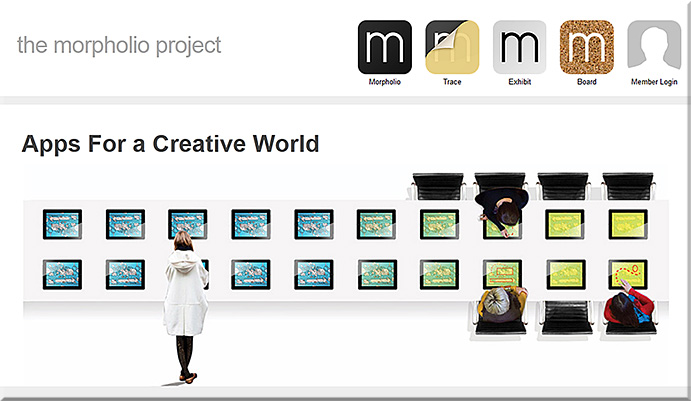
TheMorpholioProject-AppsForACreativeWorld-Dec2013


From DSC:
First some recent/relevant postings:


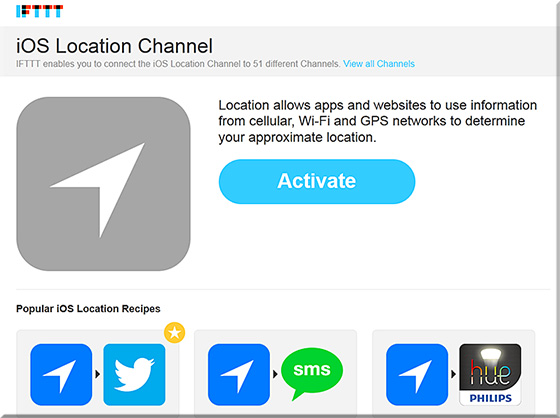
IFTTT’s ingenious new feature: Controlling apps with your location
— from wired.com by Kyle VanHemert


An update to the IFTTT app lets you use your location in recipes. Image: IFTTT


Excerpt:

IFTTT stands athwart history. At a point where the software world is obsessed with finding ever more specialized apps for increasingly specific problems, the San Francisco-based company is gleefully doing just the opposite. It simply wants to give people a bunch of tools and let them figure it out. It all happens with simple conditional statements the company calls “recipes.” So, you can use the service to execute the following command: If I take a screenshot, then upload it to Dropbox. If this RSS feed is updated, then send me a text message. It’s great for kluging together quick, automated solutions for the little workflows that slip into the cracks between apps and services.


If This, Then That (IFTTT)
IFTTT-Dec2013


4 reasons why Apple’s iBeacon is about to disrupt interaction design — from wired.com by Kyle VanHemert

Excerpt:

You step inside Walmart and your shopping list is transformed into a personalized map, showing you the deals that’ll appeal to you most. You pause in front of a concert poster on the street, pull out your phone, and you’re greeted with an option to buy tickets with a single tap. You go to your local watering hole, have a round of drinks, and just leave, having paid—and tipped!—with Uber-like ease. Welcome to the world of iBeacon.

It sounds absurd, but it’s true: Here we are in 2013, and one of the most exciting things going on in consumer technology is Bluetooth. Indeed, times have changed. This isn’t the maddening, battery-leeching, why-won’t-it-stay-paired protocol of yore. Today we have Bluetooth Low Energy which solves many of the technology’s perennial problems with new protocols for ambient, continuous, low-power connectivity. It’s quickly becoming big deal.


The Internet of iThings: Apple’s iBeacon is already in almost 200 million iPhones and iPads — from forbes.com by Anthony Kosner

Excerpt (emphasis DSC):

Because of iBeacons’ limited range, they are well-suited for transmitting content that is relevant in the immediate proximity.


From DSC:
Along the lines of the above postings…I recently had a meeting whereby the topic of iBeacons came up. It was mentioned that museums will be using this sort of thing; i.e. approaching a piece of art will initiate an explanation of that piece on the museum’s self-guided tour application. 

That idea made me wonder whether such technology could be used in a classroom…and I quickly thought, “Yes!” 

For example, if a student goes to the SW corner of the room, they approach a table. That table has an iBeacon like device on it, which triggers a presentation within a mobile application on the student’s device.  The students reviews the presentation and moves onto the SE corner of the room whereby they approach a different table with another/different iBeacon on it.  That beacon triggers a quiz on the material they just reviewed, and then proceeds to build upon that information.  Etc. Etc.   Physically-based scaffolding along with some serious blended/hybrid learning. It’s like taking the concept of QR codes to the next level. 

Some iBeacon vendors out there include:

Data mining, interaction design, user interface design, and user experience design may never be the same again.


Amazon’s Push in Education [Schaffhauser]

Amazon’s Push in Education — from CampusTechnology.com by Dian Schaffhauser
In this interview with Campus Technology, Amazon Web Services General Manager Steve Halliwell reveals two new AWS services that will have an impact on the education market, explains why long-term data storage is becoming a challenge for researchers and shares his thoughts about the importance of “democratizing” infrastructure for students to transform education.

  1. Workspaces
  2. Kinesis
 

How to choose an authoring tool for your HTML eLearning development — from upsidelearning.com by Sonal Sheth


How To Choose An Authoring Tool For Your Html Elearning Development


Excerpt:

Lectora11, Captivate 7, and Articulate Storyline are the top tools that come to mind for HTML elearning development. Their key strength – they are able to provide an excellent library of ready templates and resources. But do you know which one is best for your project? Read on…


From DSC:
Thanks Sonal for the great comparison of the strengths/areas of improvement for these 3 tools.


Also see:


qCraft: A Beginner’s Guide to Quantum Physics in Minecraft — from with thanks to Steve Node for this item


Minecraft-being-used-to-teach-about-quantum-physics--11-2013


Description of video:

qCraft is a mod that brings principles of quantum physics to Minecraft. Learn more at qCraft.org.  This video is a look at those principles, how you can use them, and how they relate to real quantum physics.


From DSC:
Wow! What a great way to grab someone’s attention, keep it, and then use that medium to teach someone something!  This approach made me wonder…

  • In what other ways could we use Minecraft for purposes of teaching and learning?
  • How could we use it in digital storytelling?
  • What sorts of creativity are fostered by using such an environment?
  • What’s a mod and how is one created for Minecraft?


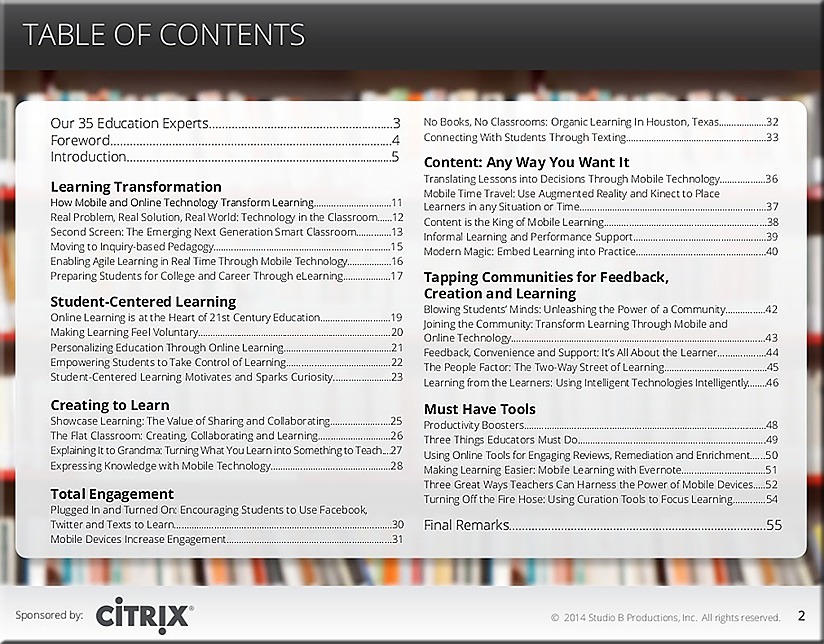
Citrix-Mobile-Education-10-31-13


Citrix-Mobile-Education-TOC-10-31-13


Description:

Education is at a tipping point. From the rising cost of a college education and the financial pressures upon local districts and state agencies to fund K-12 schools and programs, to the questions of how to employ mobile technologies and leverage social platforms to support the growing trend toward mobile, collaborative learning models, educators face an almost overwhelming set of challenges. While there are no easy answers to these and other issues, Citrix believes strongly that online learning technologies can help enhance and extend the teaching and learning process and provide greater, more wide-spread access to education to students. We are committed to developing and delivering learning solutions that will meet the evolving needs of teachers and students in this changing landscape. We hope that our sponsorship of this ebook and other projects will help you, the reader, gain a better understanding of the opportunities that online learning technologies provide, increase your mastery of these solutions, and enable you to put them to productive use. We look forward to working with you as we explore new and effective ways to help teachers teach and learners learn.

CaIlin Pitcher
Product Line Director, Collaboration, Citrix


Comments/disclosure from DSC:
I do not work for Citrix — I have been at Calvin College since
March 2007.  I was not paid to develop/contribute this piece.

I’d like to thank David Rogelberg for his work on this project.


Some items re: Steam and OUYA — with a thanks going out to Mr. Steven Chevalia for the information here

For the past 20 years, the video game industry has been controlled by three primary companies:

  1. Nintendo (Nintendo, Gamecube, Wii)
  2. Sony (Playstation)
  3. Microsoft (Xbox)

However, the past two years have shown an increased interest in hardware solutions from 3rd parties, such as:

  • OUYA is a 3rd party console that was designed to be a gaming system with a lower cost and was meant for all open-source games.
    (Further details at wikipedia.org)
     
  • Steam is a 3rd party that sells and updates all their games digitally. They offer all the same games as most of the consoles (listed above) and will soon be offering their own console, which will connect to the internet and allow you to play any game that you own on their service.
    (Further details at wikipedia.org)


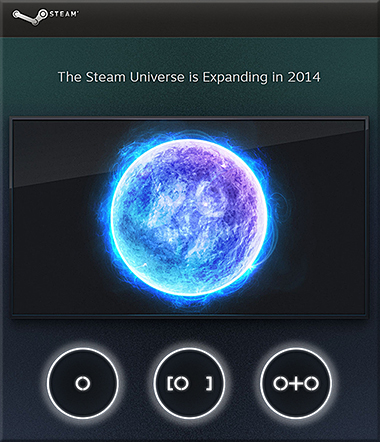
STEAM-Expanding2014


These smaller, lesser known devices are prime targets for educational and kid-friendly material. (NOTE: Not all of the games available via these sites are appropriate for kids, as many of the games therein are meant for older audiences.) It is likely that iTunes U, YouTube, etc. will all be viewable on these consoles and the games made for them will be able to be made by smaller companies that can’t compete on the market with Nintendo, Playstation, or Xbox-based games.


10 tools for classroom quizzes — from avatargeneration.com

From DSC:
I would also recommend looking at AllInLearning.com’s products/services for this sort of thing; they have apps for mobile devices as well as offering a clicker-based solution.


More items from avatargeneration.com:


An excerpt from:
Helping educators get started with Twitter — from theedublogger.com by Sue Waters


This is why we’ve updated our Twitter guide and are proud to announce The Educator’s Ultimate Twitter Guide – 2013.

It includes everything educators need to know including:

  1. signing up for Twitter
  2. understanding Twitter language
  3. how to tweet, reply, retweet, send DM’s
  4. use twitter clients like TweetDeck
  5. participate in Twitter chats
  6. use Twitter with students
  7. and so much more!

Packed full of how to’s and video tutorials, it’ll walk you step by step through the process of getting started with Twitter or getting more out of using Twitter.

Check it out here!  (which was last updated in October 2013)


© 2025 | Daniel Christian