The enterprise technologies to watch in 2016 — from zdnet.com by Dion Hinchcliffe
While enterprise technology has always been somewhat a breed apart from consumer tech, this year we see that consumer tech will definitively set the agenda for businesses like never before in this year’s list of tech to watch.


EnterpriseTechs2Watch2016


Excerpts:

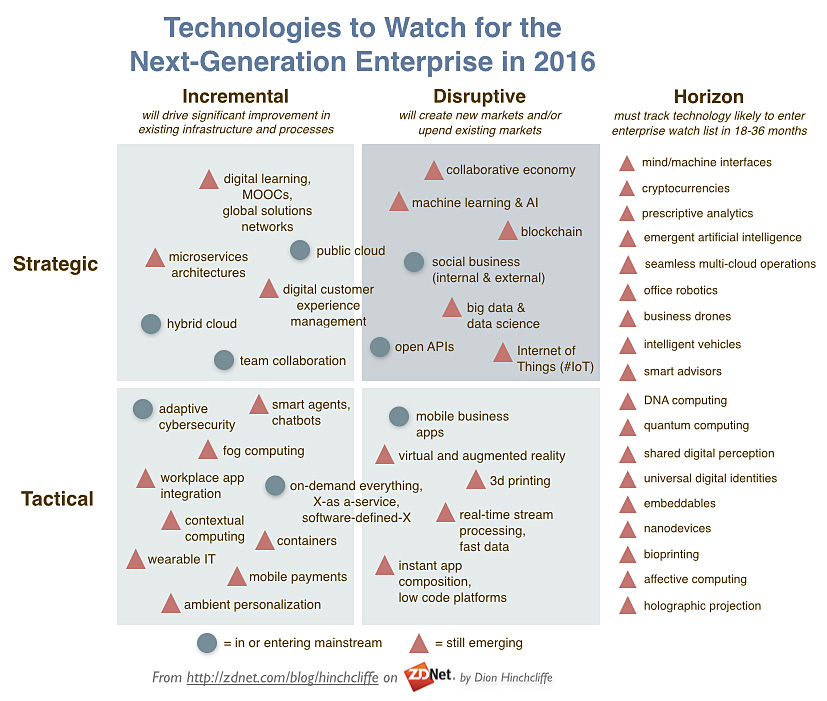
This year’s round-up of enterprise technologies to watch in 2016 is more crowded than ever. This is partly due to the fact that there’s just more new tech this year, and partly because the consumer-focused side of the technology industry is creating ever more disruptive advances that enterprises are simply required to face more quickly to maintain their relevancy in the market.

There are several new additions to the list this year that — despite rampant overuse of the term these days — hold the potential to be genuinely disruptive in the short term. These include blockchain, digital/customer experience management, and real-time stream processing, or fast data.
…
The enterprise technologies to watch in 2016:

  • Microservices architectures
  • Digital learning, MOOCs, global solutions networks
  • Public cloud
  • Digital, customer experience management (DX, CEM)
  • Team collaboration
  • Hybrid cloud
  • Social business (internal and external)
  • Machine learning and artificial intelligence
  • Collaborative economy
  • Blockchain
  • Big data and data science
  • Internet of Things (IoT)
  • Virtual and augmented reality
  • …and several more


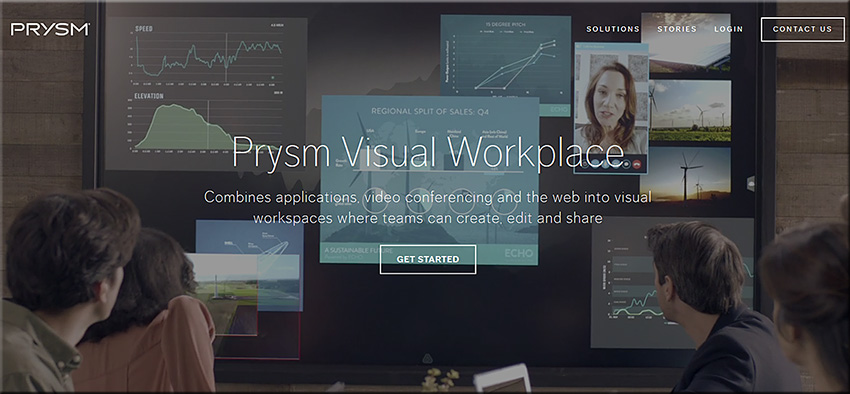
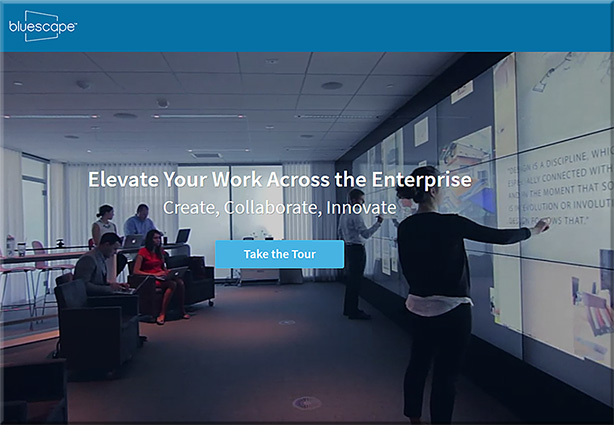
Will “class be in session” soon on tools like Prysm & Bluescape? If so, there will be some serious global interaction, collaboration, & participation here! [Christian]

From DSC:
Below are some questions and thoughts that are going through my mind:

  • Will “class be in session” soon on tools like Prysm & Bluescape?
  • Will this type of setup be the next platform that we’ll use to meet our need to be lifelong learners? That is, will what we know of today as Learning Management Systems (LMS) and Content Management Systems (CMS) morph into this type of setup?
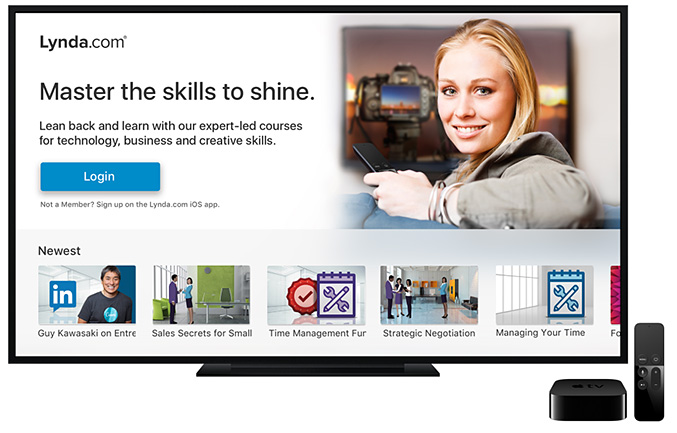
  • Via platforms/operating systems like tvOS, will our connected TVs turn into much more collaborative devices, allowing us to contribute content with learners from all over the globe?
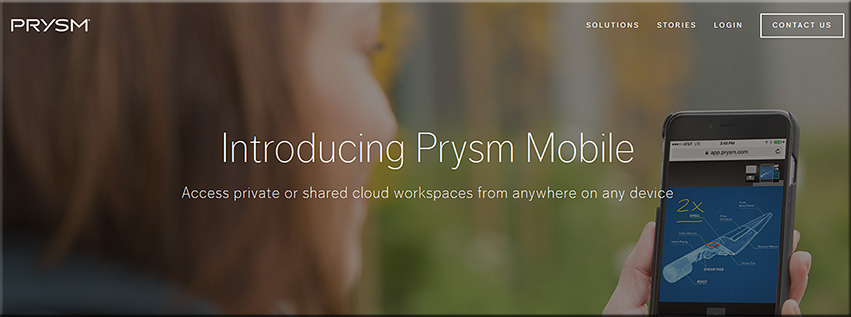
  • Prysm is already available on mobile devices and what we consider a television continues to morph
  • Will second and third screens be used in such setups? What functionality will be assigned to the main/larger screens? To the mobile devices?
  • Will colleges and universities innovate into such setups?  Or will organizations like LinkedIn.com/Lynda.com lead in this space? Or will it be a bit of both?
  • How will training, learning and development groups leverage these tools/technologies?
  • Are there some opportunities for homeschoolers here?

Along these lines, are are some videos/images/links for you:


PrysmVisualWorkspace-June2016


PrysmVisualWorkspace2-June2016


BlueScape-2016


BlueScape-2015


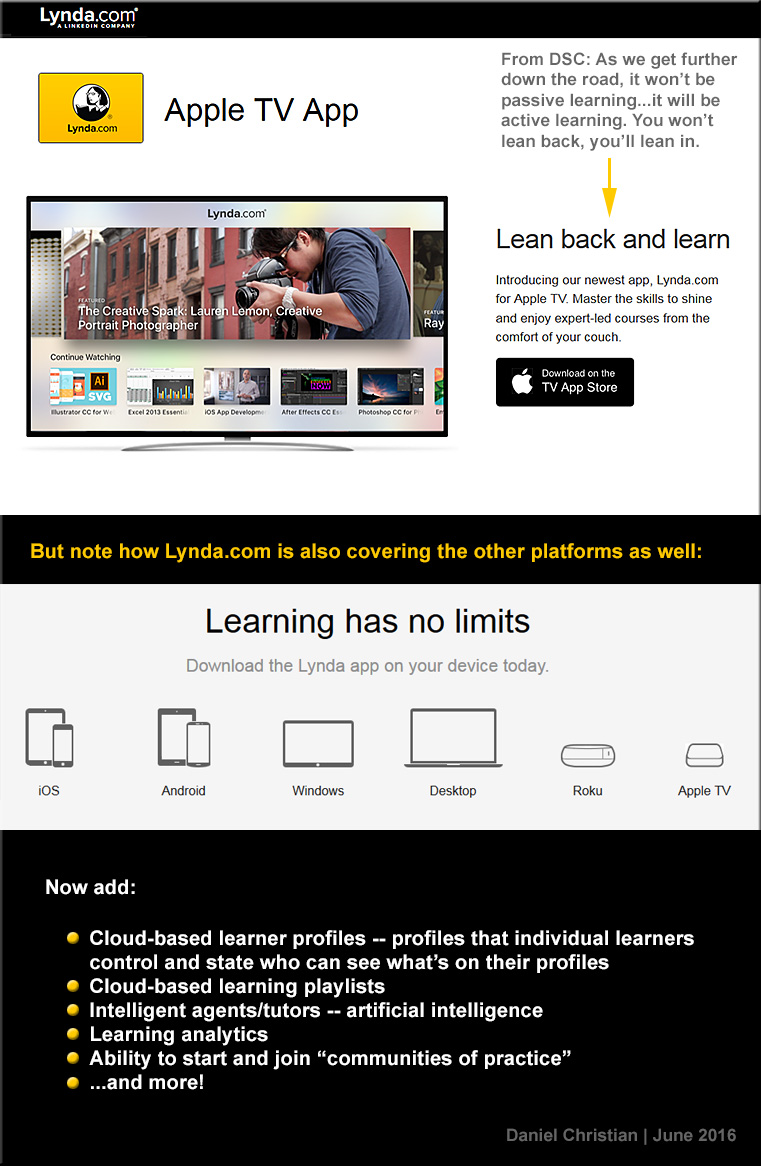
DSC-LyndaDotComOnAppleTV-June2016


The Living [Class] Room -- by Daniel Christian -- July 2012 -- a second device used in conjunction with a Smart/Connected TV


Also see:

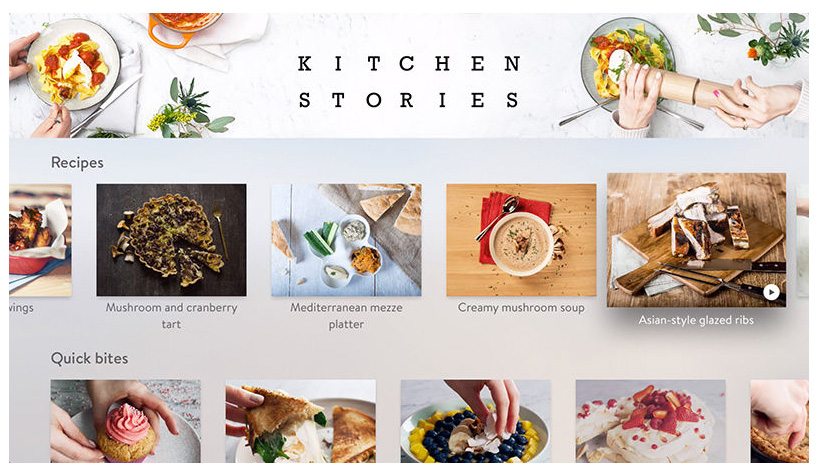
kitchenstories-AppleTV-May2016


Also see:


Prysm Adds Enterprise-Wide Collaboration with Microsoft Applications — from ravepubs.com by Gary Kayye

Excerpt:

To enhance the Prysm Visual Workplace, Prysm today announced an integration with Microsoft OneDrive for Business and Office 365. Using the OneDrive for Business API from Microsoft, Prysm has made it easy for customers to connect Prysm to their existing OneDrive for Business environments to make it a seamless experience for end users to access, search for, and sync with content from OneDrive for Business. Within a Prysm Visual Workplace project, users may now access, work within and download content from Office 365 using Prysm’s built-in web capabilities.


Questions from DSC:

  • Which jobs/positions are being impacted by new forms of Human Computer Interaction (HCI)?
  • What new jobs/positions will be created by these new forms of HCI?
  • Will it be necessary for instructional technologists, instructional designers, teachers, professors, trainers, coaches, learning space designers, and others to pulse check this landscape?  Will that be enough? 
  • Or will such individuals need to dive much deeper than that in order to build the necessary skillsets, understandings, and knowledgebases to meet the new/changing expectations for their job positions?
  • How many will say, “No thanks, that’s not for me” — causing organizations to create new positions that do dive deeply in this area?
  • Will colleges and universities build and offer more courses involving HCI?
  • Will Career Services Departments get up to speed in order to help students carve out careers involving new forms of HCI?
  • How will languages and language translation be impacted by voice recognition software?
  • Will new devices be introduced to our classrooms in the future?
  • In the corporate space, how will training departments handle these new needs and opportunities?  How will learning & development groups be impacted? How will they respond in order to help the workforce get/be prepared to take advantage of these sorts of technologies? What does it mean for these staffs personally? Do they need to invest in learning more about these advancements?

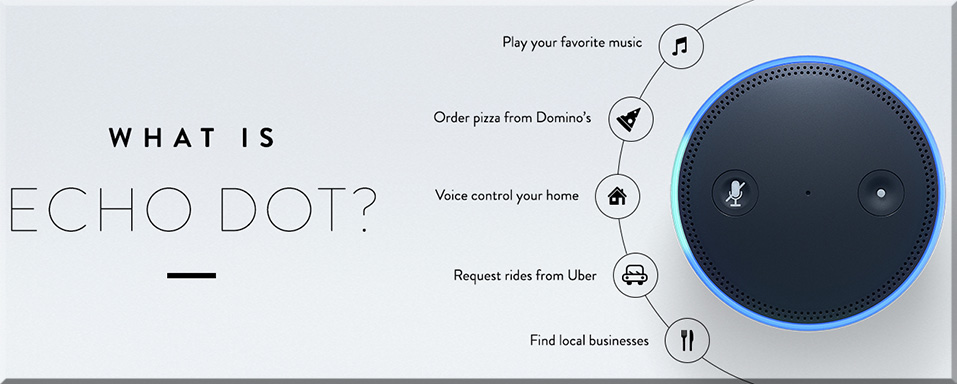
As an example of what I’m trying to get at here, who all might be involved with an effort like Echo Dot?  What types of positions created it? Who all could benefit from it?  What other platforms could these technologies be integrated into?  Besides the home, where else might we find these types of devices?


WhatIsEchoDot-June2016

Echo Dot is a hands-free, voice-controlled device that uses the same far-field voice recognition as Amazon Echo. Dot has a small built-in speaker—it can also connect to your speakers over Bluetooth or with the included audio cable. Dot connects to the Alexa Voice Service to play music, provide information, news, sports scores, weather, and more—instantly.

Echo Dot can hear you from across the room, even while music is playing. When you want to use Echo Dot, just say the wake word “Alexa” and Dot responds instantly. If you have more than one Echo or Echo Dot, you can set a different wake word for each—you can pick “Amazon”, “Alexa” or “Echo” as the wake word.


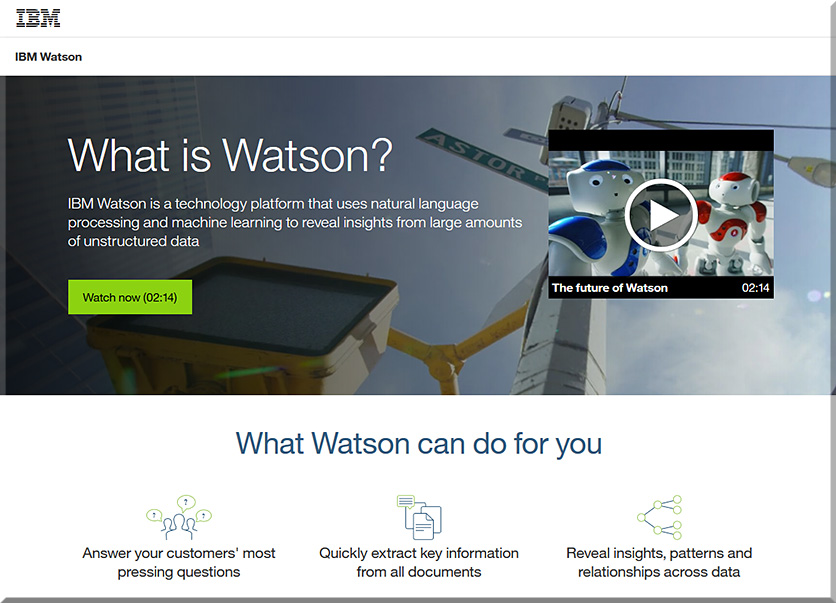
Or how might students learn about the myriad of technologies involved with IBM’s Watson?  What courses are out there today that address this type of thing?  Are more courses in the works that will address this type of thing? In which areas (Computer Science, User Experience Design, Interaction Design, other)?


WhatIsIBMWatson-June2016


Lots of questions…but few answers at this point. Still, given the increasing pace of technological change, it’s important that we think about this type of thing and become more responsive, nimble, and adaptive in our organizations and in our careers.


Amazon now lets you test drive Echo’s Alexa in your browser — from by Dan Thorp-Lancaster

Excerpt:

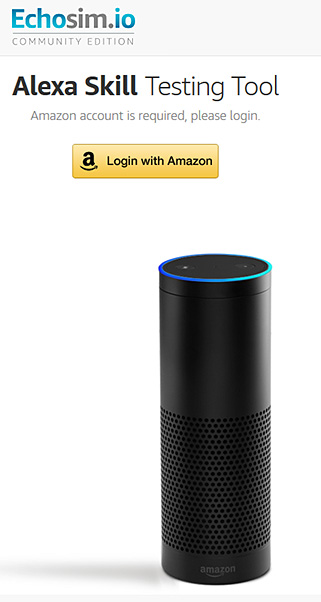
If you’ve ever wanted to try out the Amazon Echo before shelling out for one, you can now do just that right from your browser. Amazon has launched a dedicated website where you can try out an Echo simulation and put Alexa’s myriad of skills to the test.


Echosimio-Amazon-EchoMay2016


From DSC:
The use of the voice and gesture to communicate to some type of computing device or software program represent growing types of Human Computer Interaction (HCI).  With the growth of artificial intelligence (AI), personal assistants, and bots, we should expect to see more voice recognition services/capabilities baked into an increasing amount of products and solutions in the future.

Given these trends, personnel working within K-12 and higher ed need to start building their knowledgebases now so that we can begin offering more courses in the near future to help students build their skillsets.  Current user experience designers, interface designers, programmers, graphic designers, and others will also need to augment their skillsets.


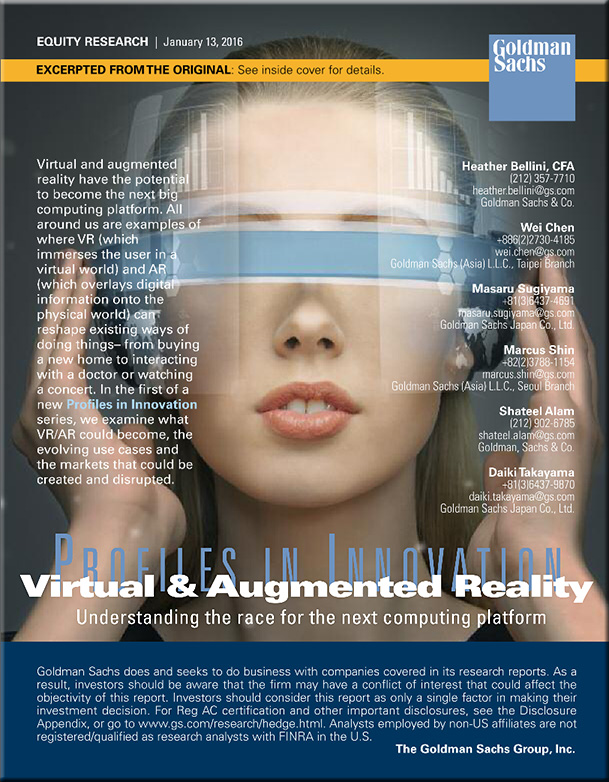
GoldmanSachs-Jan2016Report
With thanks to Fred Steube for this resource


Virtual reality facilitates higher ed research and teaches high-risk skills — from edtechmagazine.com by Jacquelyn Bengfort
From neuroscience to ship navigation, virtual environments deliver real-world learning inside the classroom.

Excerpt:

Simulators are an important part of their education. Stepping into one of three full-mission bridge simulators replicates the experience of standing in an ocean liner’s pilothouse and lets students practice their skills in handling a ship — without risk.

“In the simulator, you can push the limits of the environment: increase the amount of current that’s there, go to the limits of the amount of wind that can be handled by the tugs,” says Capt. Victor Schisler, one of Cal Maritime’s simulator instructors.


Oculus Launches Virtual Reality Program in High Schools — from thejournal.com by Sri Ravipati
The new initiative provides students with VR equipment to create short films on social issues.

Excerpt:

Oculus has announced a new pilot program for high school students to use virtual reality as a tool for social change.

As part of the VR for Good initiative, the 360 Filmmaker Challenge will connect nine San Francisco Bay Area high schools with professional filmmakers to create three- to five- minute 360 degree films about their communities. Students will receive a Samsung Gear VR, a Galaxy S6, Ricoh Theta S 360 cameras and access to editing software to make their films, according to Oculus.


How Adobe is connecting virtual reality with the world of product placement: 360-degree video mixes atmosphere and ads — from adweek.com by Marty Swant

Excerpt:

Interested in watching the 2015 hit film The Martian from the surface of the moon? Adobe wants you to take you there.

Adobe isn’t entering the latest next-generation space race to compete with SpaceX, Blue Origin or Virgin Galactic anytime soon. But it is for the first time entering the worlds of virtual reality and augmented reality through new Adobe Primetime products.

[On May 17th] Adobe debuted Virtual Cinema, a feature that will allow Primetime clients to develop experiences for users to enter a virtual environment. According to Adobe, users will be able to view traditional video in a custom environment—a cinema, home theater or branded atmosphere—and watch existing TV and motion picture content in a new way. There’s also potential for product placement within the virtual/augmented reality experience.


From Samsung Gear 360 Unboxing and Video Test — from vrscout.com by Jonathan Nafarrete
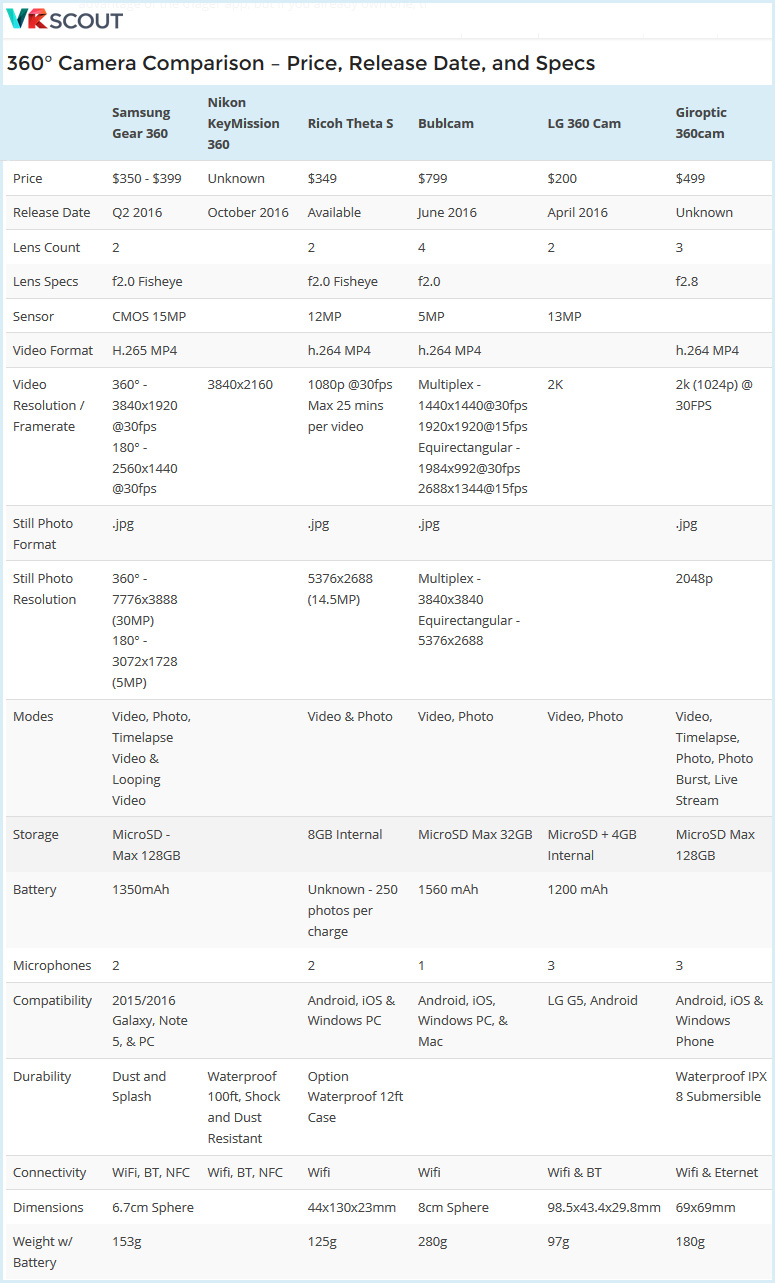
 

360-degree-camera-comparisons-May2016


Could HoloLens’ augmented reality change how we study the human body? — from edtechmagazine.com by D. Frank Smith
Case Western Reserve University is helping to revolutionize medical-science studies with a new technology from Microsoft.

Excerpt:

While the technology world’s attention is on virtual reality, a team of researchers at Case Western Reserve University (CWRU) is fixated on another way to experience the world — augmented reality (AR).

Microsoft’s forthcoming AR headset, HoloLens, is at the forefront of this technology. The company calls it the first holographic computer. In AR, instead of being surrounded by a virtual world, viewers see virtual objects projected on top of reality through a transparent lens.

CWRU was among the first in higher education to begin working with HoloLens, back in 2014. They’ve since discovered new ways the tech could help transform education. One of their current focuses is changing how students experience medical-science courses.


How to make a mixed reality video and livestream from two realities — from uploadvr.com by Ian Hamilton

Excerpt:

Follow these steps to record or stream mixed reality footage with the HTC Vive
A mixed reality video is one of the coolest ways to show people what a virtual environment feels like. A green screen makes it easy for a VR-ready PC to automatically remove everything from a camera’s feed, except for your body movements.  Those movements are then seamlessly combined with a view from another camera in a virtual environment. As long as the two cameras are synced, you can seamlessly combine views of two realities into a single video. In essence, mixed reality capture is doing what Hollywood or your weatherman has been doing for years, except at a fraction of the cost and in real-time. The end result is almost magical.


Teaching while learning: What I learned when I asked my students to make video essays — from chronicle.com by Janine Utell, Professor of English at Widener University

Excerpt:

This is not exactly a post about how to teach the video essay (or the audiovisual essay, or the essay video, or the scholarly video).  At the end I share some resources for those interested in teaching the form: the different ways we might define the form, some of the theoretical/conceptual ideas undergirding the form, how it allows us to make different kinds of arguments, and some elements of design, assignment and otherwise.

What I’m interested in here is reflecting on what this particular teaching moment has taught me.  It’s a moment still in progress/process.  These reflections might pertain to any teaching moment where you’re trying something new, where you’re learning as the students are learning, where everyone in the room is slightly uncomfortable (in a good, stretching kind of way), where failure is possible but totally okay, and where you’re able to bring in a new interest of your own and share it with the students.

…

Take two:  I tried this again in an upper-level narrative film course, and the suggestions made by students in the previous semester paid off.  With the additional guidance, students felt comfortable enough being challenged with the task of making the video; a number of them shared that they liked having the opportunity to learn a new skill, and that it was stimulating to have to think about new ways of making choices around what they wanted to say.  Every step of realizing their storyboard and outline required some problem-solving, and they were able to articulate the work of critical thinking in surprising ways (I think they themselves were a little surprised, too).

…

Some resources on the video essay/scholarly video:


From DSC:

A couple of comments that I wanted to make here include:

  1. I greatly appreciate Janine’s humility, her wonderful spirit of experimentation, and her willingness to learn something right along with her students. She expressed to her students that she had never done this before and that they all were learning together. She asked them for feedback along the way and incorporated that feedback in subsequent attempts at using this exercise. Students and faculty members need to realize/acknowledge/accept that few people know it all these days — experts are a dying breed in many fields, as the pace of change renders it thus.
    .
  2. Helping students along with their new media literacy skills is critical these days. Janine did a great job in this regard! Unfortunately, she is in an enormous minority.  I run a Digital Studio on our campus, and so often I enter the room with dismay…a bit of sorrow creeps back into me again, as too many times our students are not learning some of the skills that will serve them so well once they graduate (not to mention how much they would benefit from being able to craft multimedia-based messages and put such messages online in their studies while in college). Such skills will serve students well in whatever future vocation they go into.  Knowing some of the tools of the trade, working with digital audio and video, storyboarding, working with graphics, typography, and more — are excellent skills and knowledge to have in order to powerfully communicate one’s message.


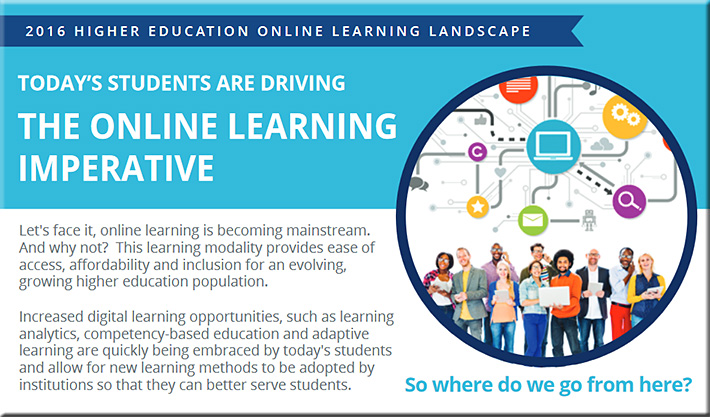
The 2016 Higher Education Online Learning Landscape [Online Learning Consortium]
Today’s students are driving the online learning imperative

Excerpt:

Our new infographic illustrates the key topics and trends currently driving the infusion of online learning in higher education based on the most current research from across the field of higher education.


2016onlinelearninglandscape

Download our infographic
to learn more about our perspective
on the changing face of online learning.


The infographic highlights a number of trends that are affecting this changing landscape, including:

  • Digital learning opportunities being quickly embraced by today’s students
  • An evolving, growing higher education population seeking ease of access and affordable solutions
  • Rising tuition costs requiring innovative alternatives, particularly for low-income families
  • Growing acceptance and adoption of education technology
  • Academic leaders continued commitment to online learning
  • And the ongoing education conversation in the federal government


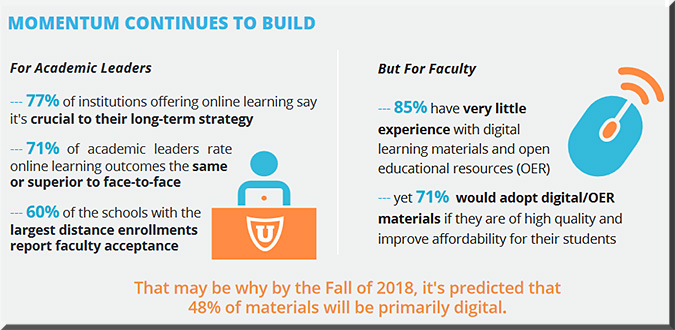
MomentumContinues2Build-2016OnlineLearning


TechCrunch Disrupt 2016 – 7 edtech startups that are changing the education industry — from goodcall.com by Carrie Wiley

Excerpt:

…find out how the EdTech startups we met at TechCrunch Disrupt 2016 are transforming the education landscape and how three education technology startups are already changing education as we know it.


From DSC:
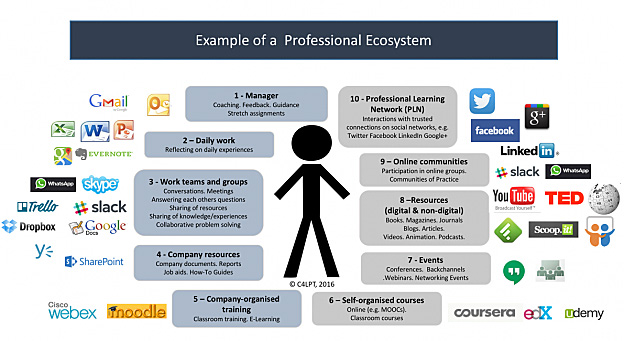
The following graphic from “The Future of Work and Learning 1: The Professional Ecosystem” by Jane Hart is a wonderful picture of a learning ecosystem:

profecosystem-Jane-Hart-May2016


Note that such an ecosystem involves people, tools, processes and more — and is constantly changing. As Jane comments:

But the point to make very clear is that a PES is not a prescribed entity – so everyone’s PES will be different. It is also not a fixed entity – organisational elements will change as the individual changes jobs, and personal elements will change as the individual adds (or removes) external people, content and tools in order to maintain an ecosystem that best fits their needs.

Jane also mentions the concept of flows of new ideas and resources. I call these streams of content, and we need to both contribute items to these streams as well as take things from them.


StreamsOfContent-DSC


So while Jane and I are on the same page on the vast majority  of these concepts (and I would add Harold Jarche to this picture as well, whom Jane mentions with his Personal Knowledge Mastery (PKM) process), Jane broadens the scope of what I normally refer to as a learning ecosystem when she mentions, “it isn’t just about learning, but just as much about doing a job.”

Anyway, thanks Jane for your posting here.


Why can’t the “One Day University” come directly into your living room — 24×7? [Christian]

  • An idea/question from DSC:
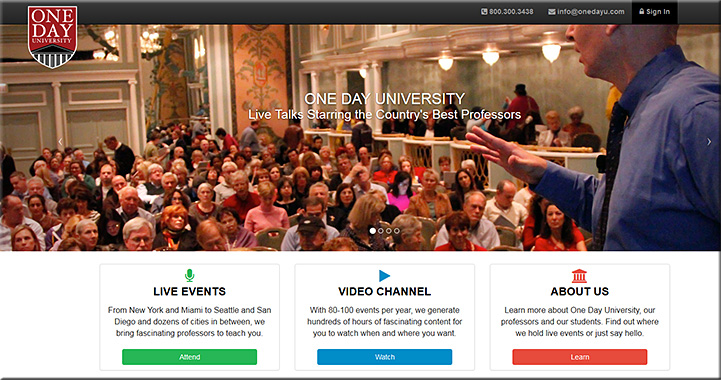
    Looking at the article below, I wonder…“Why can’t the ‘One Day University‘ come directly into your living room — 24×7?”


The Living [Class] Room -- by Daniel Christian -- July 2012 -- a second device used in conjunction with a Smart/Connected TV


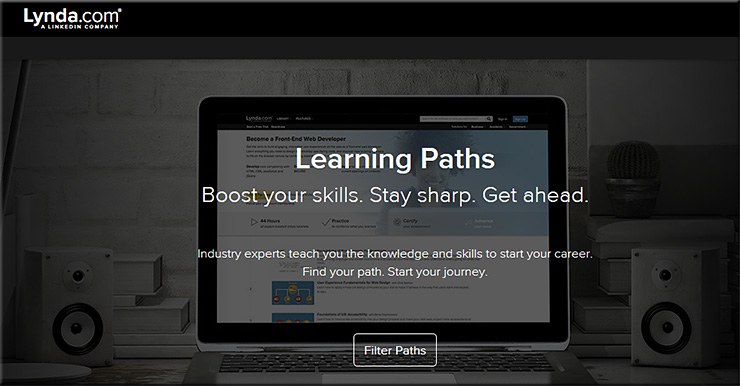
This is why I’m so excited about the “The Living [Class] Room” vision. Because it is through that vision that people of all ages — and from all over the world — will be able to constantly learn, grow, and reinvent themselves (if need be) throughout their lifetimes. They’ll be able to access and share content, communicate and discuss/debate with one another, form communities of practice, go through digital learning playlists (like Lynda.com’s Learning Paths) and more.  All from devices that represent the convergence of the television, the telephone, and the computer (and likely converging with the types of devices that are only now coming into view, such as Microsoft’s Hololens).


LearningPaths-LyndaDotCom-April2016


You won’t just be limited to going back to college for a day — you’ll be able to do that 24×7 for as many days of the year as you want to.

Then when some sophisticated technologies are integrated into this type of platform — such as artificial intelligence, cloud-based learner profiles, algorithms, and the ability to setup exchanges for learning materials — we’ll get some things that will blow our minds in the not too distant future! Heutagogy on steroids!


Want to go back to college? You can, for a day. — from washingtonpost.com by Valerie Strauss

Excerpt:

Have you ever thought about how nice it would be if you could go back to college, just for the sake of learning something new, in a field you don’t know much about, with no tests, homework or studying to worry about? And you won’t need to take the SAT or the ACT to be accepted? You can, at least for a day, with something called One Day University, the brainchild of a man named Steve Schragis, who about a decade ago brought his daughter to Bard College as a freshman and thought that he wanted to stay.

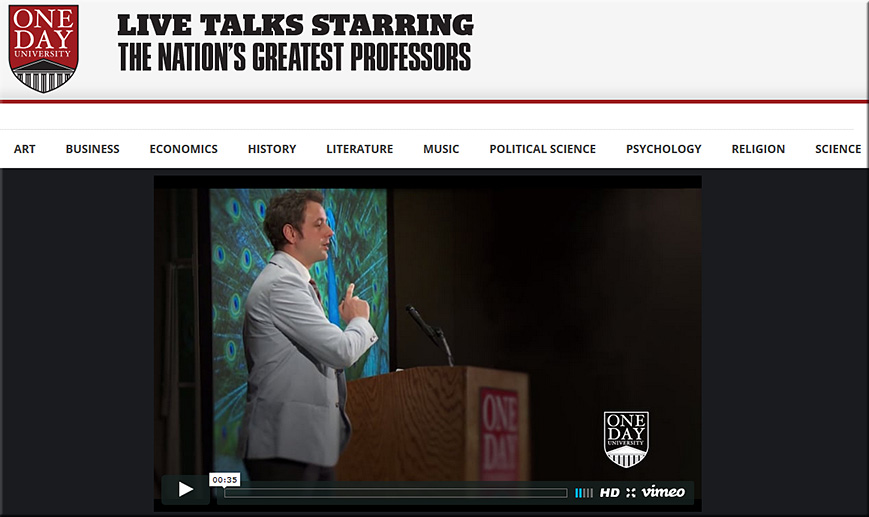
One Day University now financially partners with dozens of newspapers — including The Washington Post — and a few other organizations to bring lectures to people around the country. The vast majority of the attendees are over the age 50 and interested in continuing education, and One Day University offers them only those professors identified by college students as fascinating. As Schragis says, it doesn’t matter if you are famous; you have to be a great teacher. For example, Schragis says that since Bill Gates has never shown to be one, he can’t teach at One Day University.

…

We bring together these professors, usually four at at a time, to cities across the country to create “The Perfect Day of College.” Of course we leave out the homework, exams, and studying! Best if there’s real variety, both male and female profs, four different schools, four different subjects, four different styles, etc. There’s no one single way to be a great professor. We like to show multiple ways to our students.

Most popular classes are history, psychology, music, politics, and film. Least favorite are math and science.


See also:


OneDayUniversity-1-April2016


OneDayUniversity-2-April2016


Addendum:


lyndaDotcom-onAppleTV-April2016


We know the shelf-life of skills are getting shorter and shorter. So whether it’s to brush up on new skills or it’s to stay on top of evolving ones, Lynda.com can help you stay ahead of the latest technologies.


The price is still right: 15 sites for free digital textbooks — from campustechnology.com by Dian Schaffhauser
We’ve collected an updated roster of resources that offer quality learning content without the high price tag of traditional texts.

Excerpt:

The demand for free learning content may be loud and clear now, but, back in 2013 when Campus Technology first surveyed the top sources for free digital textbooks, the OER world seemed a quieter, less tweeted place. What hasn’t changed, though, is that faculty and students still want to know where to go to find the goods.

The following list offers 15 sources of quality digital content to use in your courses without worrying about the price tag.


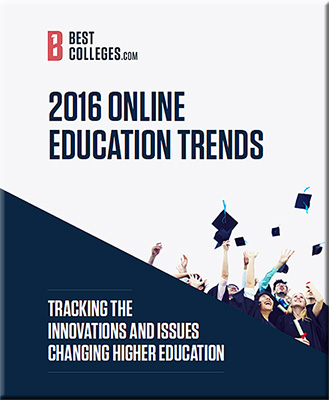
2016 Online Education Trends — from bestcolleges.com
Tracking the innovations and issues changing higher education

BestColleges-2016-OnlineEdTrendsRpt


Excerpt:

Key issues are identified in three categories:

  1. The state of online teaching and learning
  2. Technology and tomorrow’s learning environments
  3. The cost of online education


Through completely online virtual schools, hybrid or blended learning options, and some state-level requirements, K-12 students are entering college with online learning experience.


The results suggest that there are six new major types of students enrolling in college today. These types have multifaceted motivations and the need to consider more than just age or delivery platform when planning everything from curriculum and support services to marketing initiatives.

  1. Aspiring Academics: high-achieving, high-income recent high school graduates who want the traditional college experience and professional focus, which may include graduate school
  2. Coming of Age: unsure about career goals or major, but trust that college is the way forward
  3. Career Starters: interested in majors that lead to specific careers; focused on researching program costs and placement rates when making college decisions
  4. Career Accelerators: already working full-time and interested in advancing in their existing career field with part-time college options
  5. Industry Switchers: have work experience, but want to change career fields; focused on cost, online and hybrid options, job placement services
  6. Academic Wanderers: often returning to college after a break; unsure about career goals, but focused on finding low-cost higher education options to help them move forward

…

From the Who is teaching online? section:

Across higher education, online and on campus, the new normal is a reduction in full-time tenure-track faculty members and an increase in part-time or contract-based instructors in what are often referred to as contingent or adjunct positions.

…

According to the American Association of University Professors (AAUP), “more than 50% of all faculty hold part-time appointments” [9]. This doesn’t mean, however, that they are not working the equivalent of full-time hours or teaching a full-time course load. Almost 75% of faculty are considered “non-tenure track,” meaning that they may work part-time or full-time, but without the support and resources usually available to those in tenure-track positions [10].


Education consultant Peter Stokes recently called for a switch in language and approach. Online learning has become synonymous with “tuition streams” and “content development,” and perhaps a specific type of degree program. Stokes recommends replacing this term with digital strategy. This all-encompassing term more accurately describes not only delivery mode and administrative decisions, but also “pedagogy”, “market relevance” and the use of educational technology in on-campus programs as well [26]. This broader focus represents the reality of today’s higher education system, which increases student access to college while improving the overall learning experience.


From DSC:
Let’s take some of the same powerful concepts (as mentioned below) into the living room; then let’s talk about learning-related applications.


Google alum launches MightyTV for cable cord-cutters — from bizjournals.com by Anthony Noto

Excerpts (emphasis DSC):

MightyTV, which has raised more than $2 million in venture funding to date, launched today with a former Google exec at the helm. The startup’s technology incorporates machine learning with computer-generated recommendations in what is being touted as a “major step up” from other static list-making apps.
…
In this age of Roku and Apple TV, viewers can choose what to watch via the apps they’ve downloaded. MightyTV curates those programs — shows, movies and YouTube videos — into one app without constantly switching between Amazon, HBO, Netflix or Hulu.
…
Among the features included on MightyTV are:

*  A Tinder-like interface that allows users to swipe through content, allowing the service to learn what you’d like to watch
*  An organizer tool that lists content via price range
*  A discovery tool to see what friends are watching
*  Allows for group viewings and binge watching


From DSC:
What if your Apple TV could provide these sorts of functionalities for services and applications that are meant for K-12 education, higher education, and/or corporate training and development?

Instead of Amazon, HBO, Netflix or Hulu — what if the interface would present you with a series of learning modules, MOOCs, and/or courses from colleges and universities that had strong programs in the area(s) that you wanted to learn about?

That is, what if a tvOS-based system could learn more about you and what you are trying to learn about? It could draw upon IBM Watson-like functionality to provide you with a constantly morphing, up-to-date recommendation list of modules that you should look at.  Think microlearning. Reinventing oneself. Responding to the exponential pace of change. Pursuing one’s passions. More choice/more control. Lifelong learning. Staying relevant. Surviving.

…all from a convenient, accessible room in your home…your living room.

A cloud-based marketplace…matching learners with providers.

Now tie those concepts in with where LinkedIn.com and Lynda.com are going and how people will get jobs in the future.


The Living [Class] Room -- by Daniel Christian -- July 2012 -- a second device used in conjunction with a Smart/Connected TV


BlueJeans Unveils Enterprise Video Cloud as Businesses Hang Up on Audio-Only Communications
Global Enterprises Adopt Video as a First-Line Communications Strategy

Excerpt (emphasis DSC):

April 12, 2016 — Mountain View, CA—BlueJeans Network, the global leader in cloud-based video communication services, today unveiled the Enterprise Video Cloud, a comprehensive platform built for today’s globally distributed, modern workforce with video communications at the core. New global research shows that 85% of employees are already using video in the workplace and 72% believe that video will transform the way they communicate at work.

“There is a transformation happening among business today – face-to-face video is quickly rising as the preferred communications medium, offering new opportunities for deeper personal relations and outreach, as well as for improved internal and external collaboration,” said Krish Ramakrishnan, CEO of BlueJeans. “Once people experience the power of video, they ‘hang-up’ on traditional conference calling. We are seeing this happen with the emergence of video cultures that power the most innovative cultures—from Facebook and Netflix to Viacom and Del Monte.”


From DSC:
I wonder if we’ll see video communication vendors such as BlueJeans or The Video Call Center merge with vendors like Bluescape, Mezzanine, or T1V with their collaboration tools. If so, some serious collaboration could all happen…again, right from within your living room!


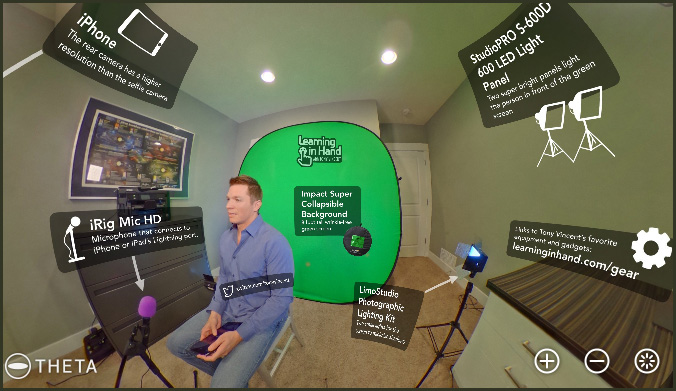
My green screen setup –from learninginhand.com by Tony Vincent

Excerpt:

I’m often asked about the set up I use to film my videos. Here’s a 360 spherical photo that I’ve annotated. Feel free to scroll and zoom around to check out my setup.


TonyVincent-GreenScreenSetup-April2016


Where are all the Kidcasts? — from theatlantic.com by Stephanie Hayes
Kids learn from podcasts, so why aren’t adults making more for them?

Excerpt:

The obvious follow-up question is why? Podcasts for kids seem like such a no-brainer. Podcasts could offer a solution to kids overdosing on dreaded “screentime,” a way to entertain and educate kids without fear of burning their retinas or letting their imaginations go to ruin. Plus, they could fit seamlessly into existing routines, filling long car trips or down-time before bed.

“One argument we’ve heard is that kids won’t sit through podcasts if they’re not being engaged visually,” said Molly Bloom, one of the producers of the children’s podcast Brains On!, echoing a sentiment I heard many times while researching this article. “But kids are used to hearing stories all the time.”

 
© 2025 | Daniel Christian