Campus Technology 2015 Readers’ Choice Awards

CampusTechReadersChoiceAwardsSept2015

Excerpt:

In this first-ever higher education “gear of the year” guide, Campus Technology has turned to hundreds of education professionals to tell us which products in 29 categories are truly the best. We cover the gamut of technology from 3D printers to wireless access points. In almost every category you’ll find the Platinum, Gold and Silver picks to help you short-list your shopping, fuel your decision-making or perhaps start a friendly debate on campus.

  1. Learning Management and E-learning
  2. E-Portfolios
  3. Other Instructional Tools
  4. Student Information Systems and Data Management
  5. Enterprise Resource Planning (ERP)
  6. Constituent Relationship Management (CRM)
  7. Student Success/Retention
  8. Student Response Systems and Classroom Clickers
  9. Lecture Capture
  10. Document Cameras
  11. Projectors
  12. Interactive Whiteboards
  13. Videoconferencing and Web Conferencing
  14. Virtual Classroom and Meeting
  15. Classroom Audio Distribution/Sound Enhancement
  16. Captioning
  17. Office/Productivity Suites
  18. Classroom Presentation
  19. Multimedia Authoring Suites and Creative Software
  20. E-Learning Authoring
  21. Media Tablets
  22. Chromebook
  23. Windows Tablet
  24. Convertible and 2-in-1 Notebooks
  25. Notebooks
  26. Virtual Desktops and Thin Clients
  27. Wireless Access Points and Hotspots
  28. 3D Printers
  29. Emergency Notifications


Imagine what learning could look like w/ the same concepts found in Skreens!


From DSC:
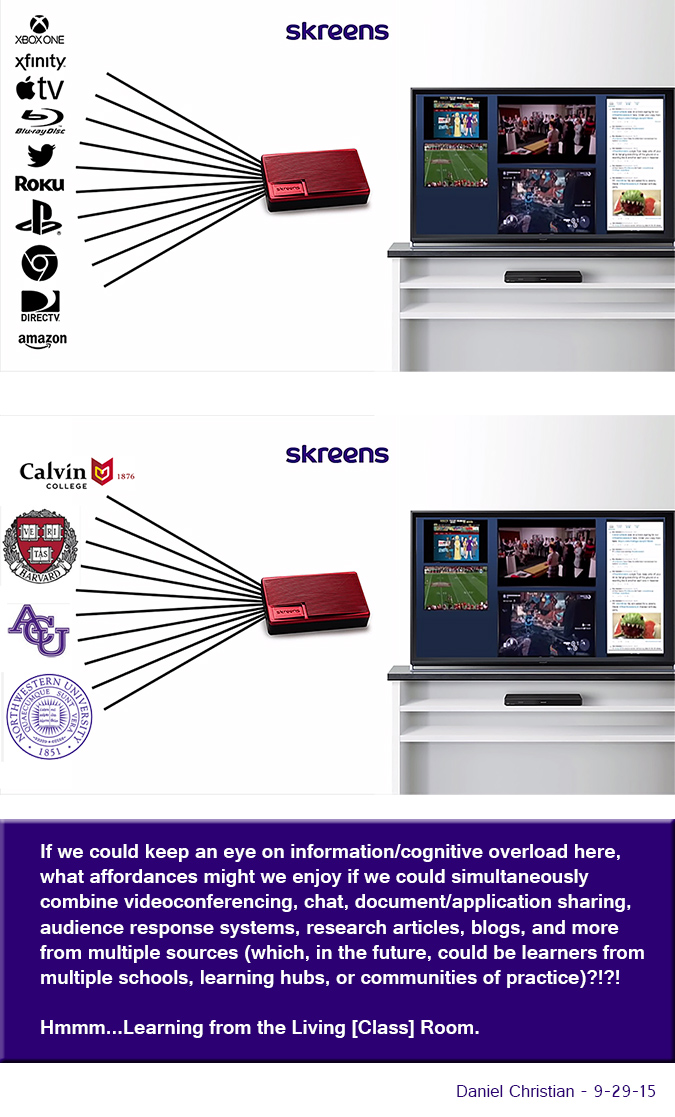
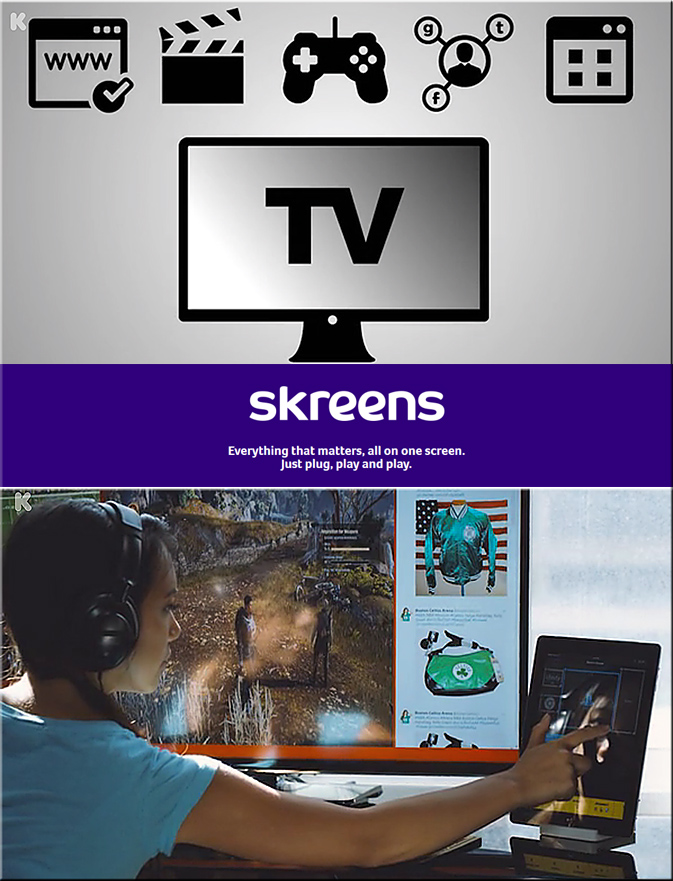
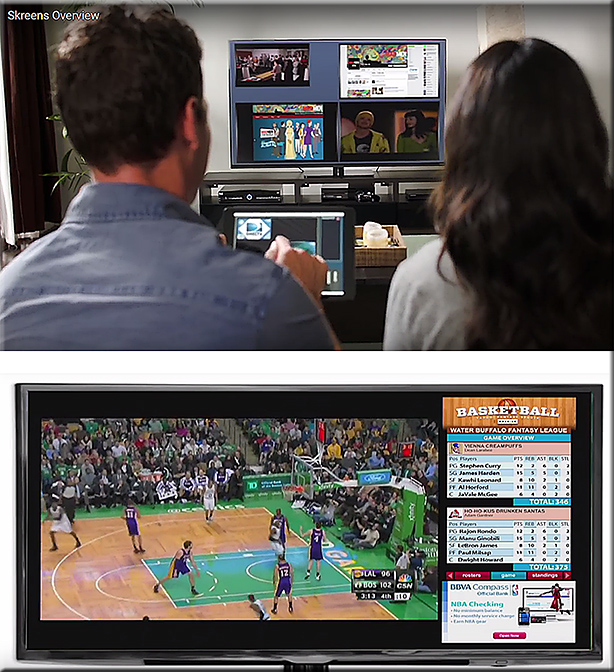
Imagine what learning could look like w/ the same concepts found in the
Skreens kickstarter campaign?  Where you can use your mobile device to direct what you are seeing and interacting with on the larger screen?  Hmmm… very interesting indeed! With applications not only in the home (and on the road), but also in the active classroom, the boardroom, and the training room.


See
Skreens.com
&
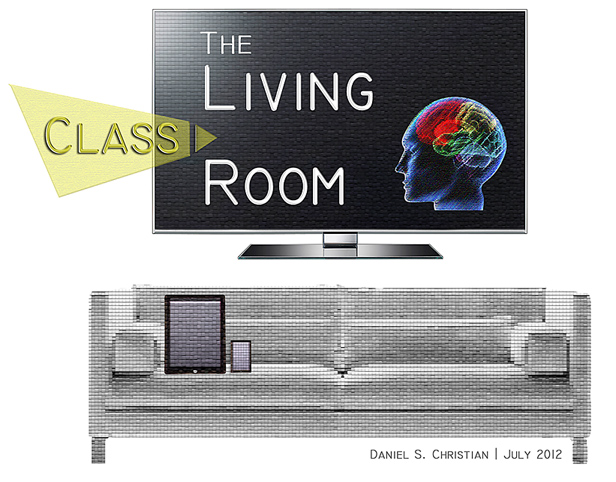
Learning from the Living [Class] Room


DanielChristian-AVariationOnTheSkreensTheme-9-29-15


Skreens-Sept2015Kickstarter


Skreens2-Sept2015Kickstarter


The Living [Class] Room -- by Daniel Christian -- July 2012 -- a second device used in conjunction with a Smart/Connected TV

From DSC:
Some of the phrases and concepts that come to my mind:

  • tvOS-based apps
  • Virtual field trips while chatting or videoconferencing with fellow learners about that experience
  • Virtual tutoring
  • Global learning for K-12, higher ed, the corporate world
  • Web-based collaborations and communications
  • Ubiquitous learning
  • Transmedia
  • Analytics / data mining / web-based learner profiles
  • Communities of practice
  • Lifelong learning
  • 24×7 access
  • Reinvent
  • Staying relevant
  • More choice. More control.
  • Participation.
  • MOOCs — or what they will continue to morph into
  • Second screens
  • Mobile learning — and the ability to quickly tie into your learning networks
  • Ability to contact teachers, professors, trainers, specialists, librarians, tutors and more
  • Language translation
  • Informal and formal learning, blended learning, active learning, self-directed learning
  • The continued convergence of the telephone, the television, and the computer
  • Cloud-based apps for learning
  • Flipping the classroom
  • Homeschooling
  • Streams of content
  • …and more!


Addendum:

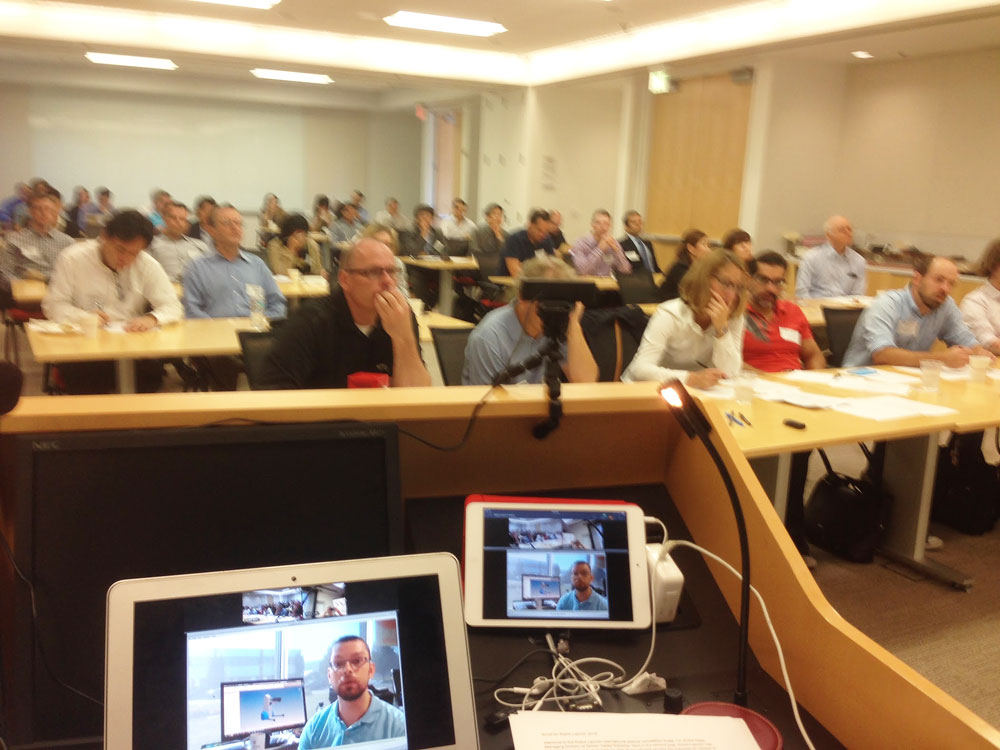
Check out this picture from Meet the winners of #RobotLaunch2015

Packed house at WilmerHale for the Robot Launch 2015 judging – although 2/3rds of the participants were attending and pitching remotely via video and web conferencing.


Empowering Students Through Multimedia Storytelling — from edutopia.org by Michael Hernandez


Excerpt:

Recent studies have proven that stories can change perceptions and even make people more tolerant. Rather than wait to be defined by others, it’s important that students learn to create understanding by sharing their story, their worldview, their concerns, and their triumphs with others.

Groups like Youth Radio and Cause Beautiful are empowering teens in poor and minority-majority neighborhoods to become multimedia journalists. Kids in these programs learn how to tell and share their own stories with a local or national audience.

No matter your class demographics or grade level, ELA and social studies teachers should integrate similar projects in their own classrooms, because every student will benefit from learning to craft a compelling visual story backed by persuasive facts and ideas.

What Is Multimedia Storytelling?
Students use video, audio, photography, web, and social media to craft documentaries and nonfiction stories about the world around them. These interdisciplinary projects allow students to focus on creating an authentic product that many people outside the classroom and their neighborhoods will see.


From DSC:
I am passionate about multimedia because the components of it — digital audio, digital video, text, graphics, animations, digital photography, and more — can create hugely powerful pieces of communication. Students need to be able to communicate — online. But it’s not just students. Each one of us needs to have an online-based footprint now in order to remain marketable.  Multimedia can help relay our stories, our work, our dreams.  It unleashes enormous amounts of energy and creativity inside of us.

I wish that more teachers and faculty members would seek to integrate multimedia-based assignments into their courses — or at least encourage the idea that this can be one of the acceptable ways that assignments can be turned in. At the same time, it can be one of the more interesting ways to assess learning and comprehension. Online-based resources like Lynda.com can help get students, teachers, and professors up the learning curves.


From DSC:
Swivl allows faculty members, teachers, trainers, and other Subject Matter Experts (SMEs) to make recordings where the recording device swivels to follow the SME (who is holding/wearing a remote). Recordings can be automatically sent to the cloud for further processing/distribution.

My request to you is:
Can you extend the Swivl app to not only provide recordings, but to provide rough draft transcripts of those recordings as well?

This could be very helpful for accessibility reasons, but also to provide students/learners with a type of media that they prefer (video, audio, and/or text).


Swivl-2015


AdobeCreativeCloud2015


Some resources on this announcement:

  • Adobe Unveils Milestone 2015 Creative Cloud Release — from adobe.com
    Excerpt:
    At the heart of Creative Cloud is Adobe CreativeSync, a signature technology that intelligently syncs creative assets: files, photos, fonts, vector graphics, brushes, colors, settings, metadata and more. With CreativeSync, assets are instantly available, in the right format, wherever designers need them – across desktop, web and mobile apps. Available exclusively in Creative Cloud, CreativeSync means work can be kicked off in any connected Creative Cloud mobile app or CC desktop tool; picked up again later in another; and finished in the designer’s favorite CC desktop software..

  • Adobe updates Creative Cloud in milestone 2015 release — from creativebloq.com
    Powerful updates to Photoshop CC, Illustrator CC, Premiere Pro CC and InDesign CC; new mobile apps for iOS and Android and more. Here’s everything you need to know.

  • Adobe launches Adobe Stock, included in Creative Cloud, as well as a stand-alone service — from talkingnewmedia.com by D.B. Hebbard
    Pricing for CC customers is $9.99 for a single image; $29.99 per month for 10 images monthly; and $199 per month for 750 images monthly
    Excerpt:
    [On 6/15/15] Adobe has launched Adobe Stock, its new stock photography service. It is now included in CC and will appear as one of the five top menu items in the CC app (Home, Apps, Assets, Stock and Community). Many will have noticed the update to the app that came through yesterday.
    .
  • Adobe launches radical new stock image service — from creativebloq.com
    Excerpt:
    Adobe has launched Adobe Stock, a new service that simplifies the process of buying and using stock content, including photos, illustrations and vector graphics. Part of the milestone 2015 Creative Cloud release announced this morning, Adobe Stock is a curated collection of 40 million high-quality photos, vector graphics and illustrations. The aim? To help creatives jump-start their projects.
    …
    Photographers and designers can also contribute work to Adobe Stock. Adobe says it will offer industry-leading rates, while giving creatives access to a global community of stock content buyers.
    .
  • Adobe Illustrator CC is now 10 times faster — from creativebloq.com
    .
  • The best new features in Adobe Photoshop CC — from creativebloq.com

Adobe Photoshop CC


Do you see what I see? Smart glasses, VR, and telepresence robots — from arstechnica.com by Megan Geuss
Heightened reality will hit industry and gaming before it changes anyone’s day-to-day.


Oculus VR unveils the version of Oculus Rift you’ll actually buy — from mashable.com by JP Mangalindan

Excerpt:

Oculus VR finally debuted the long-awaited consumer version of Oculus Rift, the virtual reality headset, at a media event in San Francisco on Thursday [6/11/15].

“For the first time we’ll finally be on the inside of the game,” Oculus CEO Brendan Iribe said onstage. “Gamers have been dreaming of this. We’ve all been dreaming of this for decades.”

Oculus Touch


Virtual reality apps market set to explode — from netguide.co.nz by

Excerpt:

Augmented Reality (AR) apps in the mobile games market will generate 420 million downloads annually by 2019, up from 30 million in 2014, according to Juniper Research’s research titled Augmented Reality: Consumer, Enterprise and Vehicles 2015-2019.

The emergence of Head Mounted Devices (HMDs) used in the home, such as Microsoft’s Hololens, will bring a surge in interest for AR games over the next five years, according to Juniper.

For the time being however, most AR downloads will occur via smartphones and tablets.


What the Surreal Vision acquisition means for Oculus — from fortune.com by  John Gaudiosi
Oculus now has the technology to blend augmented reality with virtual reality.

Excerpt:

Oculus VR last week acquired Surreal Vision, a company creating real-time 3D scene reconstruction technology that will allow users to move around the room and interact with real-world objects while immersed in VR.


Microsoft pulls back curtain on Surface hub collaboration screen — from by Shira Ovide

Excerpt:

Microsoft announced on Wednesday [6/10/15] the price tag for a piece of audio-visual equipment that it first showed off in January. Surface Hub, which will cost up to $20,000 for a model with an 84-inch screen, is like the merger of a high-end video conference system, electronic whiteboard and Xbox.

The product plunges Microsoft headlong into competition with Cisco and other traditional providers of conference room audio-visual systems.

Microsoft is pitching Surface Hub as the best audio-video conference
equipment and collaboration tool a company can buy. It costs up to $20,000.
[From DSC: There will also be a $7,000, 55-inch version].


Bluescape launches new hardware program with MultiTaction, Planar Systems, and 3M — from Bluescape
Bluescape Showcases MultiTaction’s and Planar’s Interactive Displays Running Its Visual Collaboration Software at Booth #1690 at InfoComm 2015

Excerpt:

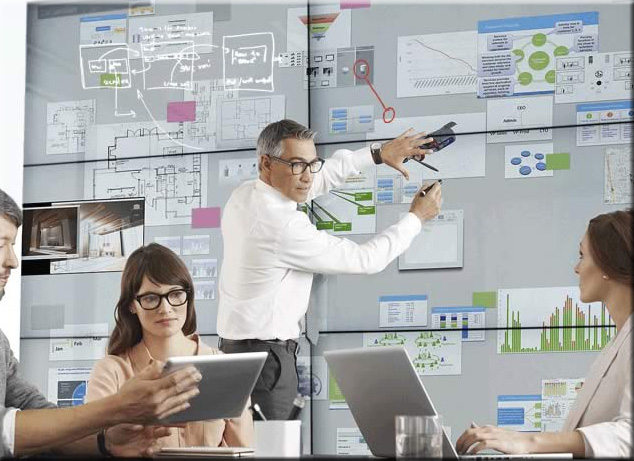
SAN CARLOS, CA–(Jun 15, 2015) – Bluescape, a persistent cloud-based platform for real-time visual collaboration, today announced the new Bluescape Hardware Program. Companies in the program offer hardware that complements the Bluescape experience and has been extensively tested and validated to work well with Bluescape’s platform. As collaboration spans across an entire enterprise, Bluescape strives to support a range of hardware options to allow an organization’s choice in hardware to fit different workspaces. The first three companies are market-leading interactive display vendors MultiTaction, Planar, and 3M.
…

MultiTaction, a leading developer of interactive display systems, offers advanced tracking performance that identifies fingers, hands, objects, 2D bar codes and IR pens. The unparalleled responsiveness of MultiTaction’s systems scales to an unlimited number of concurrent users and the displays are highly customizable to fit any existing corporate space. MultiTaction’s advanced interactive hardware combined with Bluescape’s software allows teams to connect content and people in one place, enabling deeper insights, meaningful innovation, and simultaneous collaboration across global time zones.
 

BlueScape-2015


From DSC:
In watching the video below, note how this presenter is able to initiate cameras/feeds/effects with a touch of a button (so to speak). What if recording studios could be setup for professors, teachers, and trainers to use like this?  It could be sharp — especially given the movement towards flipping the classroom and implementing active learning based environments.


From DSC:
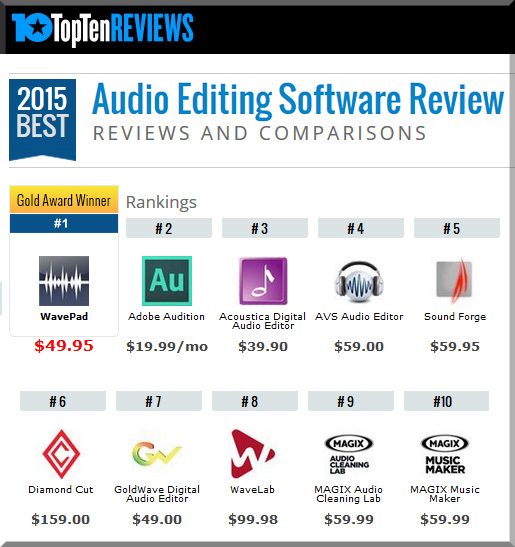
Free audio editors will be covered below; so this section discusses some other options that are not free:


AudioEditingSW-2015


Also you might want to consider the following tool, depending upon what you want to accomplish:

  • Garageband is a great entry level tool (with multiple tracks) that can help you record voiceovers, create your own music, add sound effects and more.


For some free audio editors, see:


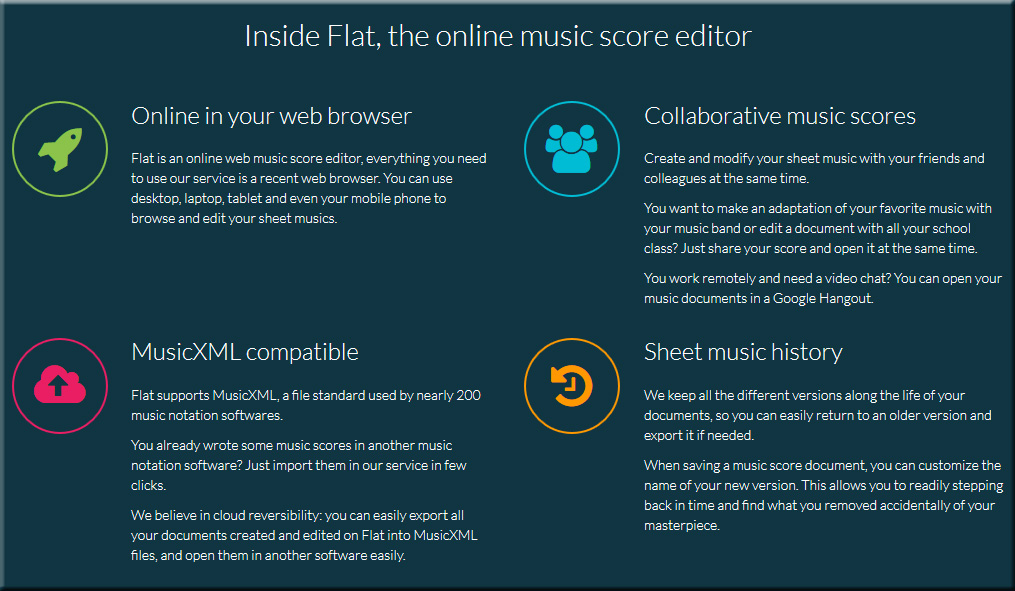
Also, and more along the music-creation lines, see:


flat


A beautiful visual on the impact of music education on kids’ cognitive skills — from educatorstechnology.com

Excerpt:

Does music education really improve kids cognitive skills? The answer, in our view, is hard to determine and it requires a series of longitudinal studies across different cultural and ethnic groups. However, certain small-scale studies such as the ones cited in the visual below do provide a preliminary evidence in favour of the correlation between taking music lessons and improvement in certain cognitive skills. For instance, in a study of 96 children aged 5-7 years old, those who received 7 months of supplementary music and arts classes earned higher mathematics scores than those with the schools’ typical music and arts training. In another collection of studies that involved a larger base of participants from high schools, researchers were able to identify a strong correlation between music instruction and higher reading test scores.
…
More specifically, the visual cites six key areas positively impacted by music education: math skills, reading skills, memory, IQ, SAT scores, and planning.


iOS Synths and AudioMux Are Great Fun! — from by Paul Shimmons — where Paul mentions NanoStudio on his iPhone, LogicX, and the AudioMux app.


Addendum:


LinkedIn’s Blockbuster deal w/ Lynda.com: What it means to the online learning industry — from forbes.com by Stephen Meyer

Excerpt:

The press coverage of LinkedIn’s recent acquisition of Lynda.com for $1.5 billion has largely overlooked a key aspect of the deal. Yes, it integrates learning into a powerful social media site. Yes, per LinkedIn CEO Jeff Weiner, it’ll “connect our members to opportunity,” giving them access to skills training that will enhance their careers.
But what does it mean to corporate e-learning? Lynda.com, based in Carpinteria, CA, used to be strictly a consumer company, but its strategy for the past couple years has clearly been to muscle into workplace training. What does the acquisition mean to market leader Skillsoft and other providers of online corporate learning? (Disclosure: I am the CEO of Rapid Learning Institute, an e-learning company)

Well, it’s an atomic bomb.

…

What’s different is that Lynda.com’s “content producers” know they’re creating a video, a medium that operates under a different set of rules from traditional learning vehicles. Content producers know that an instructionally sound e-learning module fails if people don’t watch it.

The most important thing Lynda.com does is find credentialed subject matter experts who speak comfortably in front of a camera. That’s a one-in-20 quality. Ivy League professors who excel in a classroom often look wooden on camera. You don’t have to be pretty. In fact, actors usually bomb in e-learning. You need to be credible and hold people’s attention by combining tight scripts and captivating delivery. Lynda.com’s e-learning, especially their soft-skills content, does it better than Skillsoft and other major players in the industry.

…

The message for corporate e-learning insiders is clear: The quality of content matters.


FinallyAdoptHTML5


7 powerful reminders to finally adopt HTML5 in corporate eLearning  — from elearningindustry.com by Alfredo Leone

Excerpt:

Mobility, ubiquity and portability are key requirements for any type of learning as the market fully embraces to the demand of learners to access knowledge when and where is needed. Learners today expect access to relevant and useful information on various types of mobile devices connected via networks of ever cheaper and faster bandwidth.

This trend toward multi-device and multi-access learning is solidifying day after day, making responsive content design one of the most critical components of any production process for online training material. The premise today is for learning to “follow” the person and not the other way around.

In this dynamic online learning scenario, HTML5 is finally going mainstream as the leading technology to structure and present learning content online. Here are some powerful reasons to adopt HTML5 today even when legacy constrains seem to favor a “wait and see” approach:


———–


Also see:

2015 Business eLearning Trends Infographic — from elearninginfographics.com


Addendum on 4/28/15:

How soon is now for the mobile web? — from visionmobile.com by Matt Asay

Excerpt:

That’s one primary takeaway from VisionMobile’s “How Can HTML5 Compete With Native?” report. As report author Dimitris Michalakos concludes, “The question is no longer *whether* HTML5 can produce quality apps, but *how* easy it is to create quality web apps.” Given that “HTML5 is like driving a car without a dashboard,” the key is to deliver better dashboards, or tools, to make it easier to build great web apps.


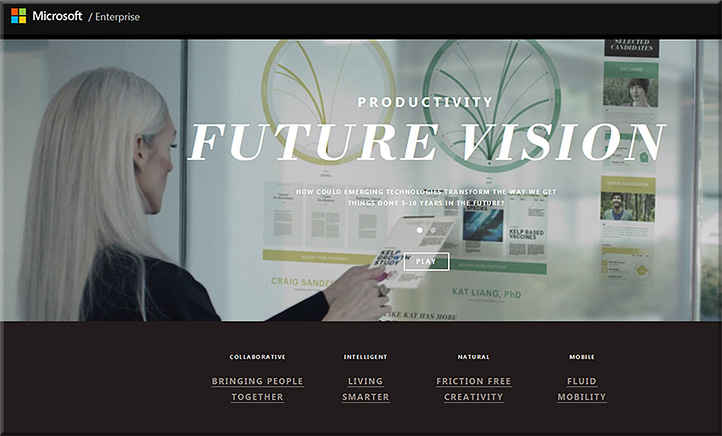
MicrosoftProductivityVision2015


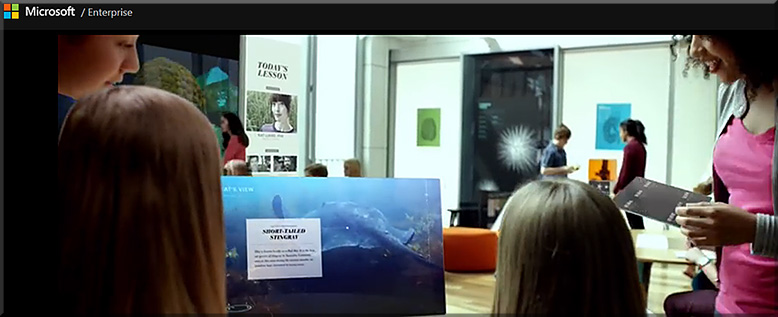
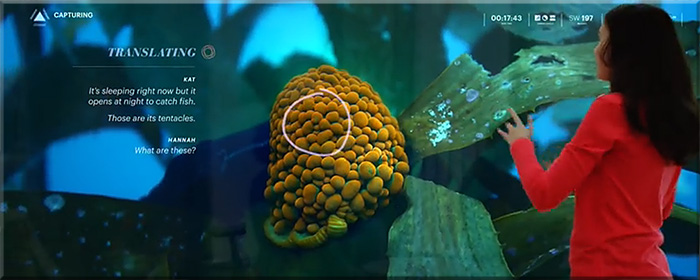
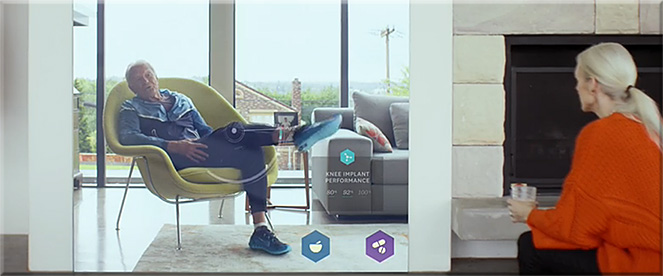
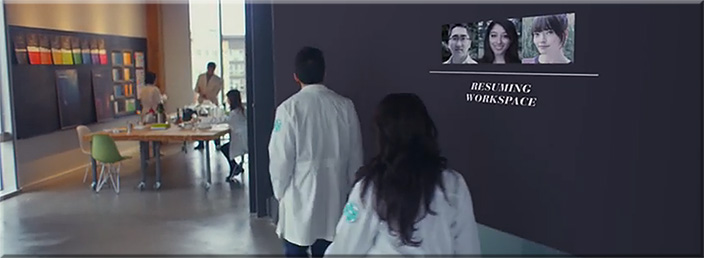
Example snapshots from
Microsoft’s Productivity Future Vision


MicrosoftProductivityVision2-2015


MicrosoftProductivityVision3-2015


MicrosoftProductivityVision5-2015


MicrosoftProductivityVision6-2015


MicrosoftProductivityVision7-2015


MicrosoftProductivityVision8-2015


MicrosoftProductivityVision4-2015


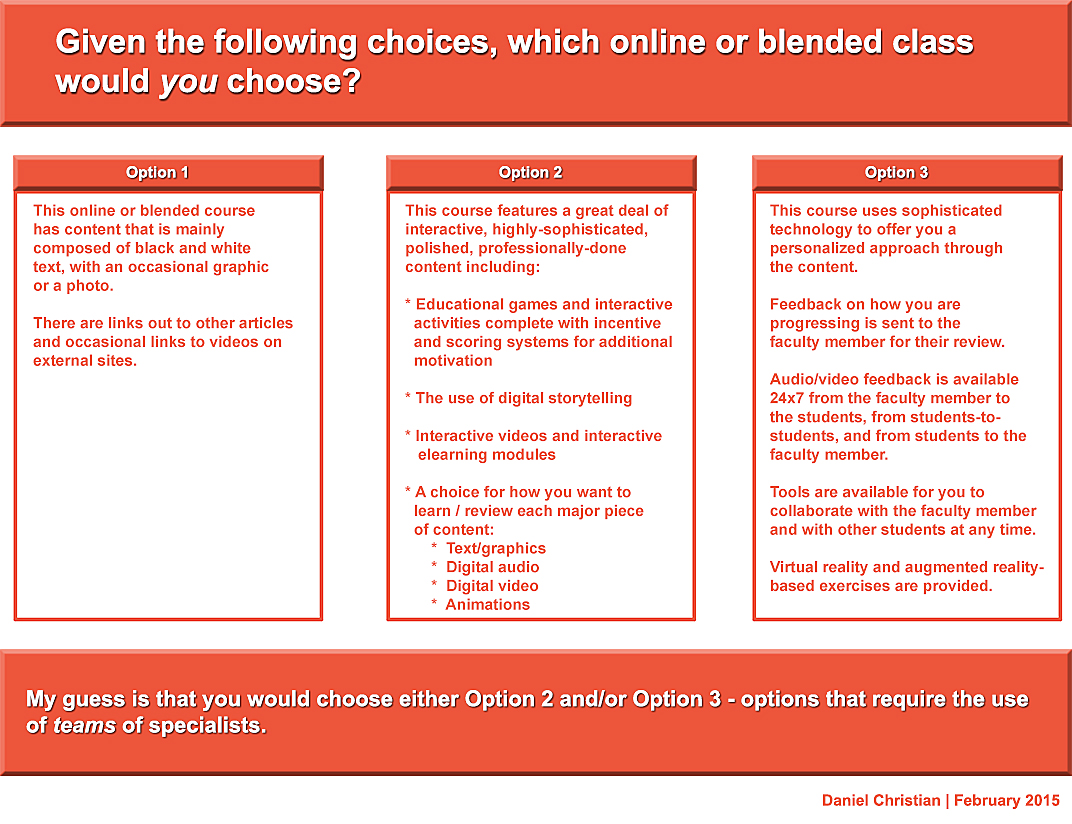
My thanks to Mary Grush at Campus Technology for her continued work in bringing relevant topics and discussions to light — so that our institutions of higher education will continue delivering on their missions well into the future. By doing so, learners will be able to continue to partake of the benefits of attending such institutions. But in order to do so, we must adapt, be responsive, and be willing to experiment. Towards that end, this Q&A with Mary relays some of my thoughts on the need to move more towards a team-based approach.

When you think about it, we need teams whether we’re talking about online learning, hybrid learning or face-to-face learning. In fact, I just came back from an excellent Next Generation Learning Space Conference and it was never so evident to me that you need a team of specialists to design the Next Generation Learning Space and to design/implement pedagogies that take advantage of the new affordances being offered by active learning environments.


DanielSChristian-CampusTechologyMagazine-2-24-15


DanielSChristian-CampusTechologyMagazine2-2-24-15


I ran across a few items that may tie in with my Learning from the Living [Class] Room vision:


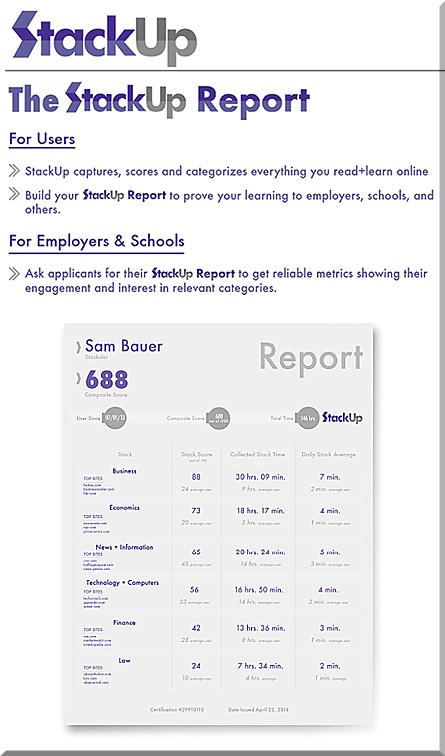
A very interesting concept at Stackup.net (@ScoreReporting)

Score everything you read + learn online. Use the StackUp Report to prove to employers that your dedication and interest make you the ideal candidate.


TheStackUpReport-Jan2015


From DSC:
This is big data — but this time, it’s being applied to the world of credentials. Is this part of how one will obtain employment in the future?  Will it work along with services like Beansprock (see below)?


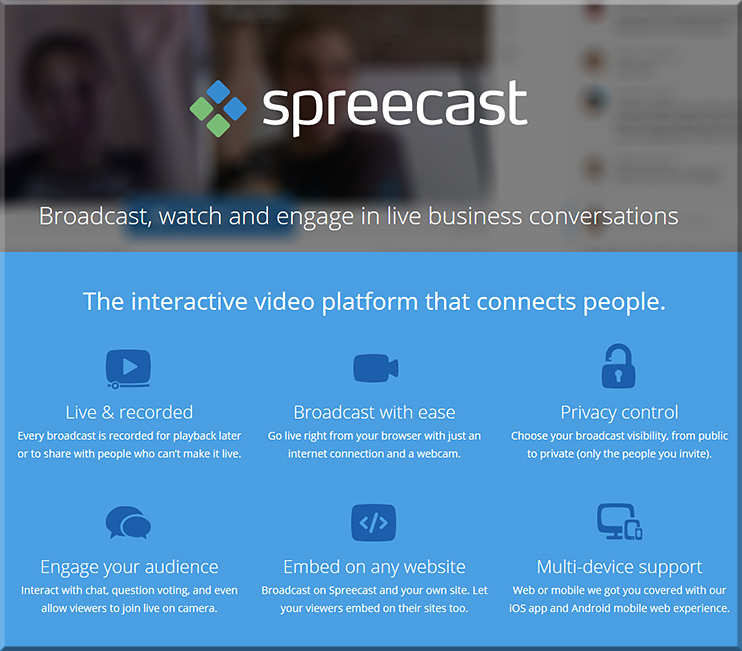
Then there was spreecast: An interactive video platform that connects people:


spreecast-jan2015


From DSC:
A related item to these concepts:


The Future of Lifelong Learning — from knewton.com


The Future of Lifelong Learning

Created by Knewton and Knewton


—————


AI software that could score you the perfect job — from wired.com by Davey Alba

Excerpt:

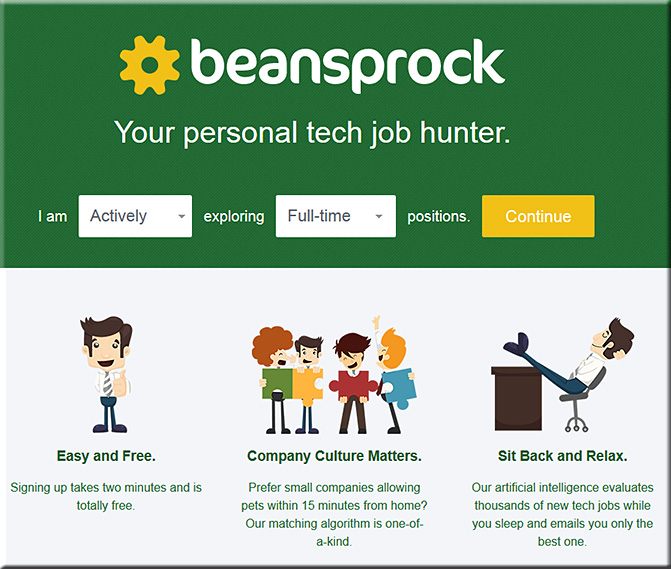
Today, little more than two years later, Levy and Smith are launching a website called Beansprock that uses natural language processing and machine learning techniques to match you with a suitable job. In other words, they’re applying artificial intelligence to the career hunt. “It’s all about helping the job hunter find the best job in the job universe,” Levy says.

.

beansprock-feb2015


Five Minute Film Festival: Video Boot Camp — from edutopia.org by Bill Selak

Excerpt:

The rapid adoption of devices in the classroom has fundamentally changed the way we can create video. Every part of the creation process — writing, recording, editing, and distributing — is possible on the devices that can fit in our pocket. Vision is the most dominant of the five senses. Research shows that concepts are better remembered if they are taught visually. This is called the pictorial superiority effect, and it’s why video is such a powerful learning tool.

A video is created three times: when you write it, when you shoot it, and when you edit it. There are several formats that can be used to write a script for the classroom: a Google Doc, a dedicated app (ex: Storyboards), a Google Form, or a production organization document. Whichever format is used, emphasis should be placed on how it will be used in the classroom, and what the goal of the video is. When recording, it is important to incorporate basic rules of composition, such as the rule of thirds, into your video. Being aware of the environment (basic concepts like lighting and room tone) makes it easier to edit.

Curating content is another significant way to incorporate video into your classroom. If you don’t have the time or software to make a fancy video, odds are someone has already made it and shared it on YouTube. This Film Festival is equal parts curation and creation.


From DSC:
This is a nice collection of resources and tips to help you and your students further develop your new media literacy.


TheFutureOfDigital2014


Excerpts:


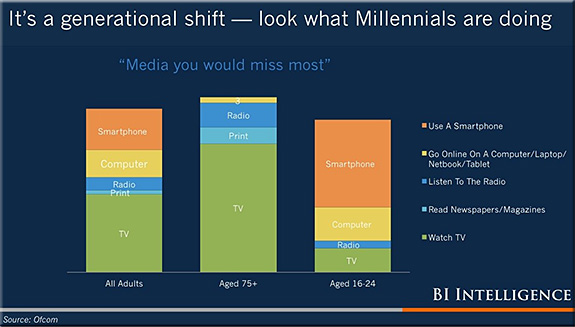
TheFutureOfDigital2014-generational-shift


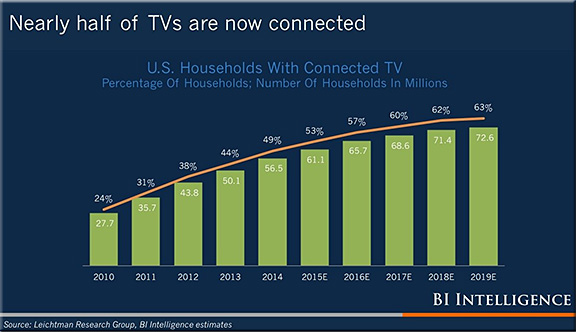
TheFutureOfDigital2014-connectedTVst


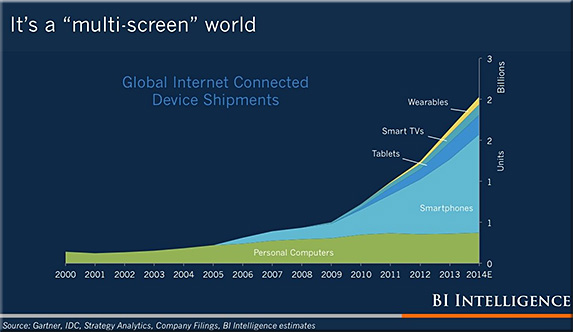
TheFutureOfDigital2014-multi-screen


TheFutureOfDigital2014-digital-decades


Some notes:

  • Google is now bigger than all newspapers, magazines and dwarfs big media
  • YouTube reaches more 18-34 year olds than any cable network
  • YouTube is closing in on broadcast-network revenue
  • TV now has to share attention with digital
  • TV still massive, digital video still a blip
  • Basically, Google is swallowing the world…


© 2025 | Daniel Christian