Where are all the Kidcasts? — from theatlantic.com by Stephanie Hayes
Kids learn from podcasts, so why aren’t adults making more for them?

Excerpt:

The obvious follow-up question is why? Podcasts for kids seem like such a no-brainer. Podcasts could offer a solution to kids overdosing on dreaded “screentime,” a way to entertain and educate kids without fear of burning their retinas or letting their imaginations go to ruin. Plus, they could fit seamlessly into existing routines, filling long car trips or down-time before bed.

“One argument we’ve heard is that kids won’t sit through podcasts if they’re not being engaged visually,” said Molly Bloom, one of the producers of the children’s podcast Brains On!, echoing a sentiment I heard many times while researching this article. “But kids are used to hearing stories all the time.”


Active Learning: In Need of Deeper Exploration — from facultyfocus.com by Maryellen Weimer

Excerpt (emphasis DSC):

The one proposed by Bonwell and Eison in an early (and now classic) active learning monograph is widely referenced: involving “students in doing things and thinking about the things they are doing.” (p. 2)

Those are fine places to start, but as interest in active learning has grown—and with its value now firmly established empirically—what gets labeled as active learning continues to expand. Carr, Palmer, and Hagel recently wrote, “Active learning is a very broad concept that covers or is associated with a wide variety of learning strategies.” (p. 173) They list some strategies now considered to be active learning. I’ve added a few more: experiential learning; learning by doing (hands-on learning); applied learning; service learning; peer teaching (in various contexts); lab work; role plays; case-based learning; group work of various kinds; technology-based strategies such as simulations, games, clickers, and various smart phone applications; and classroom interaction, with participation and discussion probably being the most widely used of all active learning approaches. Beyond strategies are theories such as constructivism that have spun off collections of student-centered approaches that promote student autonomy, self-direction, and self-regulation of learning.


“It’s Not You, It’s the Room”— Are the High-Tech, Active Learning Classrooms Worth It? [2013] – from cvm.umn.edu by Sehoya Cotner, Jessica Loper, J. D. Walker, and D. Christopher Brooks

Excerpt (emphasis DSC):

Several institutions have redesigned traditional learning spaces to better realize the potential of active, experiential learning. We compare student performance in traditional and active learning classrooms in a large, introductory biology course using the same syllabus, course goals, exams, and instructor. Using ACT scores as predictive, we found that students in the active learning classroom outperformed expectations, whereas those in the traditional classroom did not. By replicating initial work, our results provide empirical confirmation that new, technology-enhanced learning environments positively and independently affect student learning. Our data suggest that creating space for active learning can improve student performance in science courses. However, we recognize that such a commitment of resources is impractical for many institutions, and we offer recommendations for applying what we have learned to more traditional spaces.
…
We believe that the investment in ALCs at the University of Minnesota was worth it. Documented increases in student engagement and confirmed average gains of nearly 5 percentage points in final grades are improvements in the student academic experience that few educational interventions could aspire to. However, whether these improvements warrant the capital investment in ALCs is a judgment each educational institution must make for itself, drawing on local priorities and resources.

Instructors may need to think seriously and creatively about changing the manner in which they deliver their courses in spaces such as these —not only for the sake of navigating the challenges of teaching in a decentered space, but also to take advantage of the features of the room that allow us to better realize the benefits of active learning. The classroom architecture is bound to frustrate the efforts of faculty who don’t yield to the rooms’ novel demands. There is no well-identified “stage” from which to deliver a traditional lecture. Half of the students in the class may be facing away from the instructor at any given time. Teachers who view silence as engagement will need to adjust their perceptions, as one goal of decentralized classrooms is increased small-group interaction and this activity can be noisy and difficult to monitor. And, in the case of the ALCs at our institution, there is a learning curve with respect to the technological capabilities of the rooms.


Excerpt from the University of Minnesota’s Active Learning Classrooms web page:

What Is an Active Learning Classroom (ALC)?
ALC is the term often used to describe the student-centered, technology-rich learning environments at the University of Minnesota. U of M ALCs feature large round tables with places for nine students. Each table supports three laptops, with switching technology that connects them to a fixed flat-panel display projection system, and three microphones. There is a centered teaching station which allows the instructor to select and display table-specific information. Multiple white boards or glass-surface marker boards are distributed around the perimeter of the classrooms.


5-minute film festival: Resources for filmmaking in the classroom — from edutopia.org by Amy Erin Borovoy

Excerpt:

I’ll admit I’m a bit biased here since I’m a filmmaker by trade, but I truly believe the process of planning and making videos can offer tremendous learning opportunities for students of almost any age. Not only is the idea of telling stories with video really engaging for many kids, filmmaking is ripe with opportunities to connect to almost every academic subject area. As the technology to shoot and edit films becomes more ubiquitous, where is a teacher with no experience in video production to begin? I’ve shared some resources below to help you and your students get started on making blockbusters of your own.


Finding our voice: Instructional Designers in higher education — from er.educause.edu by Sandra Miller and Gayle Stein

Key Takeaways

  • A New Jersey workshop on instructional design gave attendees the opportunity to learn about instructional designers’ roles at different institutions and brainstorm good ideas, tips and tricks, important contributions to the field, and how to overcome shared challenges.
  • Instructional technologists and video production coordinators also are involved in the instructional design process, helping faculty learn how to use instructional tools.
  • A major challenge for instructional designers is faculty resistance to new pedagogies and deliveries — not just to hybrid and online courses.
  • Institutional acknowledgement of skill acquisition in their professional development can lead faculty to place a higher value on technology integration in teaching and learning.

…

What Instructional Designers Do
Instructional designers take on a variety of roles. They can be course development focused or technology focused. They can be facilitators, mentors, trainers, collaborators, reviewers, and mediators, and more likely some combination of those. They often have different roles to fill in addition to instructional design: they may supervise computer labs, have responsibility for classroom technology, and/or oversee video production facilities.

The instructional designers who attended the NJEDge.Net Instructional Design Symposium are involved in:

  • Providing both pedagogical and technology training, sometimes simultaneously and sometimes separately
  • Moving courses between learning management systems
  • Creating new online courses or transitioning face-to-face courses to online formats
  • Producing video and other multimedia
  • Supporting a variety of software that faculty want to use to create their courses or
  • Training faculty to teach more effectively using technology
  • Supporting students using LMSs
  • Ensuring that courses meet federal requirements for accessibility
  • Lobbying for funding for faculty who are taking time to create online courses
  • Creating challenging assessments to minimize cheating

…

Instructional technologists and video production coordinators also are involved in the instructional design process. They help faculty learn how to use instructional tools such as lecture capture, synchronous meetings, asynchronous discussions, collaborative document writing, group work, clickers, learning management systems, video production, and video editing.


The instructional designers found that it made a difference in terms of trust and respect accorded them when they sat on the academic side of the house. (Nonetheless, the majority of instructional designers at the symposium report to the IT side and ultimately (usually) to the financial/administrative side, despite their preference for the academic side.)


A prediction from DSC:
Those institutions who develop and use internal teams of specialists will be the winners in the future.

Below are some of the forces that will reward those institutions who pursue such a strategy in order to design, create, and provide their offerings/services include:

  • The rise of personalized/adaptive learning (data mining, learning analytics are also included in this bullet point)
  • The increased use of artificial intelligence and the development of intelligent systems/assistants/tutoring
  • Higher ed’s need to scale and reduce the going rates/prices of obtaining degrees — yet maintaining quality
  • Rapid technological changes and an ever increasing amount to know as instructional technologists (this is also true with videographers, multimedia developers, copyright experts, and other members of the team)
  • New discoveries and advances w/in the various disciplines — which require faculty members’ focus to stay on top of their disciplines
  • The changing expectations of students, and how they prefer to learn
  • The rise of alternatives to institutions of traditional higher education who, from their very start, develop and use internal teams of specialists (all the more relevant if these alternative organizations obtain the financial backing of the Federal Government)

The trick is how such teams should actually operate so as not to become bottlenecks in keeping the curricula relevant and up-to-date. After all, it takes time and resources to effectively design, create, and deliver blended and/or online courses.


From resonics.co.uk with a shout out to Mr. Jeremy Luscombe for the resource:


Courtesy Of Resonics


From DSC:
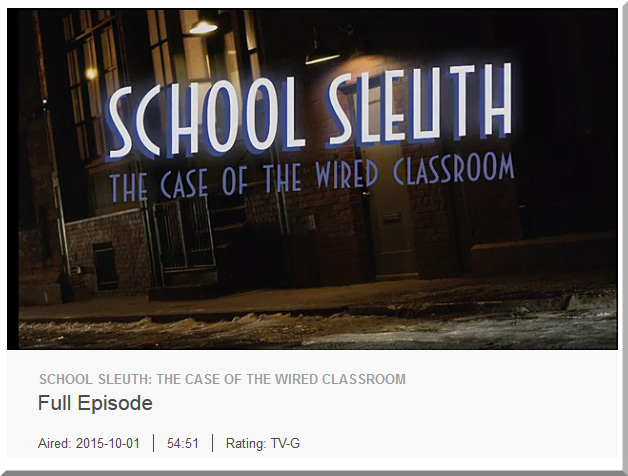
If you can clear up just short of an hour of your time, this piece from PBS entitled, “School Sleuth: The Case of the Wired Classroom” is very well done and worth your time.  It’s creative and objective; it offers us some solid research, some stories, and some examples of the positives and negatives of technology in the classroom. It weaves different modes of learning into the discussion — including blended learning, online learning, personalized learning and more. Though it aired back in October of 2015, I just found out about it.

Check it out if you can!


SchoolSleuth-WiredClassroom-Oct2015


Also see:

  • Schools push personalized learning to new heights — from edweek.org
    Excerpt:
    For most schools, reaching the next level of digitally driven, personalized learning is far from reality. Still, some schools are extending their digital reach in significant and sometimes groundbreaking ways, as the stories in this special report illustrate. They are making moves to integrate a variety of technologies to track how students learn and to use the resulting data to expand the use of hands-on, project-based learning. The goal is to build never-ending feedback loops that ultimately inform the development of curriculum and assessment. Plus, big data and analytics are gradually making their marks in K-12 education. This special report outlines the progress schools are making to use digital tools to personalize learning, but also raises the question: Are they reaching far enough?
    .
  • A Pedagogical Model for the use of iPads for Learning — from higheru.org


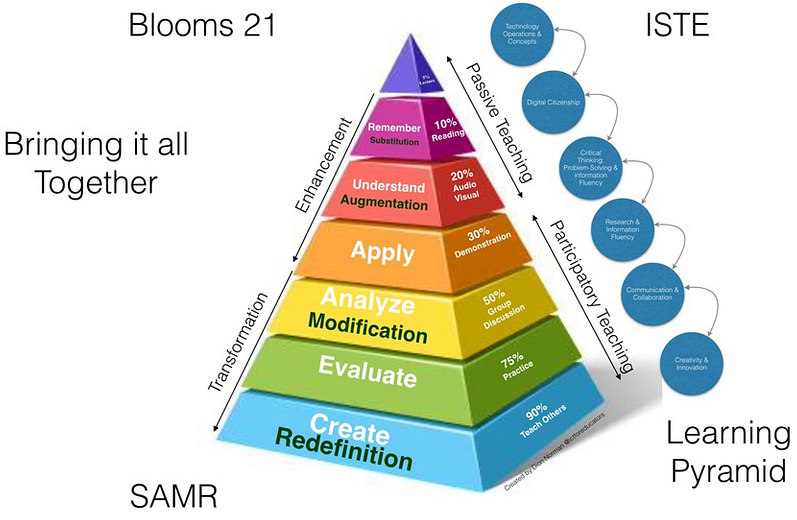
pedagogicalmodeliPads-dec2015


Flipping Feedback: Screencasting feedback on student essays — from facultyfocus.com by Ron Martinez

Excerpt (emphasis):

But, I thought, what if students could actually watch and hear me in a video as I go over their papers? If possible (which it is), that would approximate the kind of feedback experience I aimed to offer students without constraining it to a particular time or location.

Screencasting (recording and narrating actions performed by the instructor on a computer screen) did that and much more for me and my students. Below I describe the process and the resulting benefits.


From DSC:
Though Ron mentioned that he selected Screencast-O-Matic on his PC (and he also mentioned Quicktime), I wanted to offer up a couple of other possibilities:


Predictions on the future of digital media — from techcrunch.com by Peter Csathy

Excerpt:

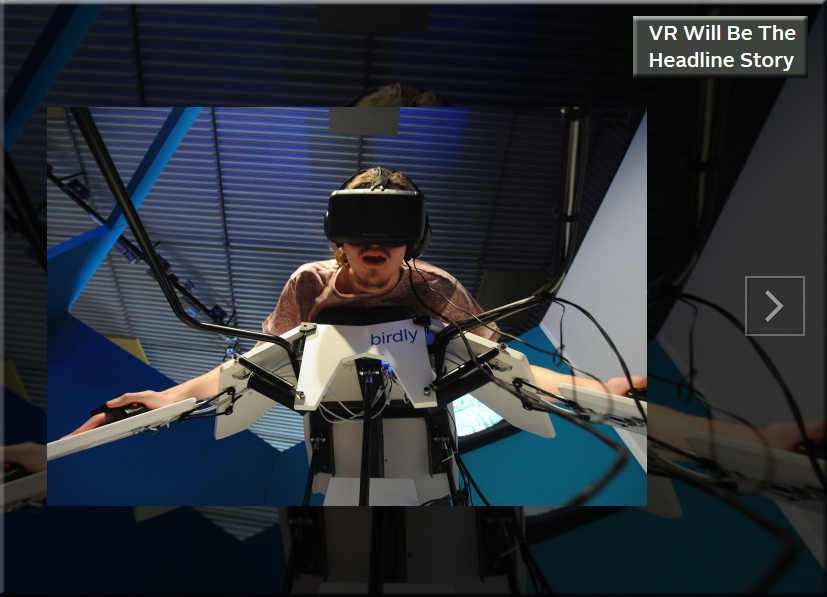
It’s pundit time — this time, digital media style.  Last year I predicted challenges to YouTube’s dominance in online video, a beginning of cord cutting and the unbundling of video services, and an explosion in short form video content. This year the media landscape will continue to shift as VR grows up and consolidation takes over.


VR-HeadlineStory-Jan2016


Will Lynda.com/LinkedIn.com pursue this powerful vision with an organization like IBM? If so, look out!

From DSC:
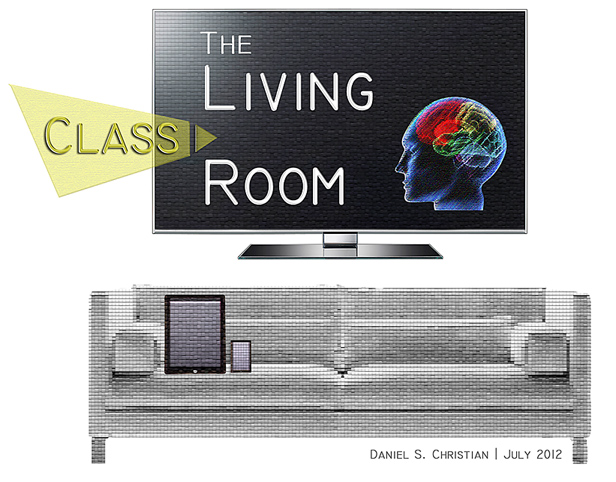
Back in July of 2012, I put forth a vision that I called Learning from the Living [Class]Room. 


The Living [Class] Room -- by Daniel Christian -- July 2012 -- a second device used in conjunction with a Smart/Connected TV

It’s a vision that involves a multitude of technologies — technologies and trends that we continue to see being developed and ones that could easily converge in the not-too-distant future to offer us some powerful opportunities for lifelong learning! 

Consider that in won’t be very long before a learner will be able to reinvent himself/herself throughout their lifetime, for a very affordable price — while taking ala carte courses from some of the best professors, trainers, leaders, and experts throughout the world, all from the comfort of their living room. (Not to mention tapping into streams of content that will be available on such platforms.)

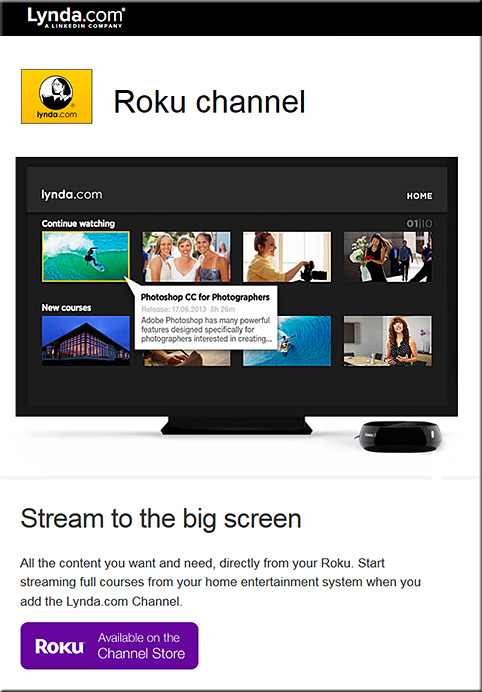
So when I noticed that Lynda.com now has a Roku channel for the big screen, it got my attention.


lyndadotcom-roku-channel-dec2015


Lets add a few more pieces to the puzzle, given that some other relevant trends are developing quite nicely:

  • tvOS-based apps are now possible — and already there are over 2600 of them and it’s only been a month or so since Apple made this new platform available to the masses
  • Now, let’s add the ability to take courses online via a virtual reality interface — globally, at any time; VR is poised to have some big years in 2016 and 2017!
  • Lynda.com and LinkedIn.com’s fairly recent merger and their developing capabilities to offer micro-credentials, badges, and competency-based education (CBE) — while keeping track of the courses that a learner has taken
  • The need for lifelong learning is now a requirement, as we need to continually reinvent ourselves — especially given the increasing pace of change and as complete industries are impacted (broadsided), almost overnight
  • Big data, algorithms, and artificial intelligence (AI) continue to pick up steam; for example, consider the cognitive computing capabilities being developed in IBM’s Watson — which should be able to deliver personalized digital playlists and likely some level of intelligent tutoring as well
  • Courses could be offered at a fraction of the cost, as MOOC-sized classes could distribute the costs over a greater # of people and back end systems could help grade/assess the students’ work; plus the corporate world continues to use MOOCs to cost-effectively train their employees across the globe (MOOCs would thrive on such a tvOS-based platform, whereby students could watch lectures, demonstrations, and simulations on the big screen and then communicate with each other via their second screens*)
  • As the trends of machine-to-machine communications (M2M) and the Internet of Things (IoT) pick up, relevant courses/modules will likely be instantly presented to people to learn about a particular topic or task.  For example, I purchased a crib and I want to know how to put it together. The chip in the crib communicates to my Smart TV or to my augmented reality glasses/headset, and then a system loads up some multimedia-based training/instructions on how to put it together.
  • Streams of content continue to be developed and offered — via blogs, via channels like Periscope and Meerkat, via social media-based channels, and via other channels — and these streams of multimedia-based content should prove to be highly useful to individual learners as well as for communities of practice

Anyway, these next few years will be packed with change — the pace of which will likely take us by surprise. We need to keep our eyes upward and outward — peering into the horizons rather than looking downwards — doing so should reduce the chance of us getting broadsided!

*It’s also possible that AR and VR will create
a future whereby we only need 1 “screen”


The pace has changed significantly and quickly


Addendum:
After I wrote/published the item above…it was interesting to then see the item below:

IBM opens Watson IoT Global Headquarters, extends power of cognitive computing to a connected world — from finance.yahoo.com
1000 Munich-based experts to drive IoT and industry 4.0 innovation
Launches eight new IoT client experience centers worldwide
Introduces Watson API Services for IoT on the IBM Cloud

Excerpt:

MUNICH, Dec. 15, 2015 /PRNewswire/ — IBM (NYSE: IBM) today announced the opening of its global headquarters for Watson Internet of Things (IoT), launching a series of new offerings, capabilities and ecosystem partners designed to extend the power of cognitive computing to the billions of connected devices, sensors and systems that comprise the IoT.  These new offerings will be available through the IBM Watson IoT Cloud, the company’s global platform for IoT business and developers.


Museum collections enter VR with the launch of the Woofbert VR App for Samsung gear — from techcrunch.com by Jonathan Shieber
The museum and gallery world is getting is getting one of its first doorways into virtual reality with the launch of the new WoofbertVR app, (launched on 11/17/15) on Samsung Gear VR powered by Oculus.

Excerpt:

The company has an amazing app which will soon be able to take users on a tour of several marquee museums with some of the best collections of art and artifacts in the world.

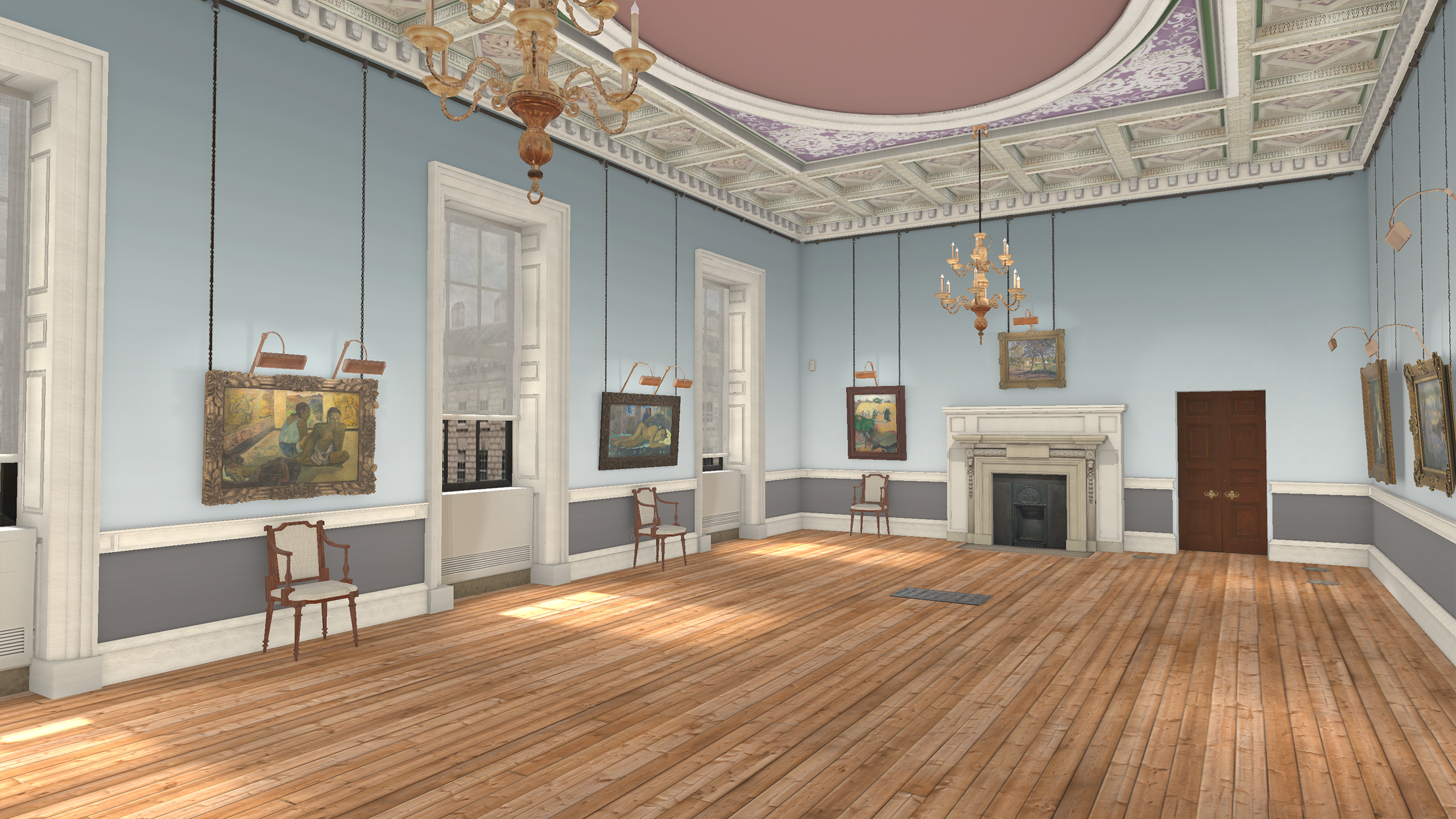
For its first offering, the company is offering users who download the app a free view into one of the most famous rooms in the Courtauld Gallery, a gallery housing one of London’s most famous art collections.

The gallery, on a bend North of the Thames near the Waterloo Bridge, holds a treasure trove of Impressionist and Post-Impressionist masterpieces including works by Gauguin, Renoir, Manet, and Monet.

Through the first offering on the app, users get a voice guided tour of the room’s paintings narrated by the author Neil Gaiman (a Woofbert investor).


8 characteristics of good online video — from ecampusnews.com by Meris Stansbury
Instructor-led video is a must in online learning, but not all videos are successes. Here are eight tips to help educators create effective online videos for their courses.

Excerpt:

According to a report published in the MERLOT Journal of Online Learning and Teaching, instructor-generated video can have a positive influence on student satisfaction with, and engagement in, online courses. But not all videos are created equal.

Research conducted by the American Academy of Neurology also reveals that “watching videos helps boost brain plasticity,” or the ability of the brain to undergo physical changes at any age. Learners who were trained to perform a particular task through videos performed better than those who learned through images and text, the researchers found—and they concluded that video has a “higher impact on the brain.”

However, researchers emphasize that the format of the video, its platform, and the subject are all variables in the video’s effectiveness.

“Creating interesting, professional videos does take some planning and technical skill,” says eLearn Magazine. “There’s also a fear of perceived high cost. But none of these barriers are insurmountable. By employing … tips to know when to use it, how to maximize its effectiveness, and how to keep costs reasonable, you can make video a key part of your next online course.”

Here are eight tips to help educators create videos for their online courses…


From DSC:
A quick reflection here. Frame rates, compression, having the right equipment and recording facilities, how best to frame a shot, knowing about proper lighting and placement of microphones, and more…hmmm…and we expect the faculty member to know/do all this as well as keep up with their knowledgeabase of their particular discipline? Not likely in many cases. Time’s too limited — even  if all of the required  gifts and/or interest levels were there (which is asking a lot).

This is why I’m big on using TEAMS of specialists. Depending upon the quality of your products/services that your organization is willing to accept, flipping the classroom or using video in online-based learning requires a team of specialists.


Introducing Coursera for Apple TV: Bringing Online Learning to Your Living Room — from blog.coursera.org


Apple TV


Excerpt (emphasis DSC):

We’re thrilled to announce that Coursera content will now be available on Apple TV.

Since our beginning, one of our primary goals has been to make learning more accessible for everyone. Our mobile platform brought an on-demand learning experience to people’s busy, on-the-go lifestyles, and now, we’re extending availability to your home. Regardless of where in the world you are located, you’ll now be able to learn from top university professors and renowned experts without the expense of travel or tuition.

TV availability isn’t only a first for Coursera—it marks Apple TV’s first ever introduction of online learning to its platform. Everything you can do online at Coursera, you’ll now be able to do from the comfort of your own living room: browse our entire catalogue of courses, peruse new topics, and watch videos from some of the top academic and industry experts.


From DSC:
Coursera takes us one step closed to a very powerful learning platform — one that in the future will provide a great deal of intelligence behind the scenes.  It’s likely that we will be using personalized, adaptable, digital learning playlists while enjoying some serious levels of interactivity…while also making use of web-based learner profiles (the data from which will either be hosted at places like LinkedIn.com or will be fed into employers’ and universities’ competency-based databases).  The application development for tvOS should pick up greatly, especially if the collaboration capabilities are there.

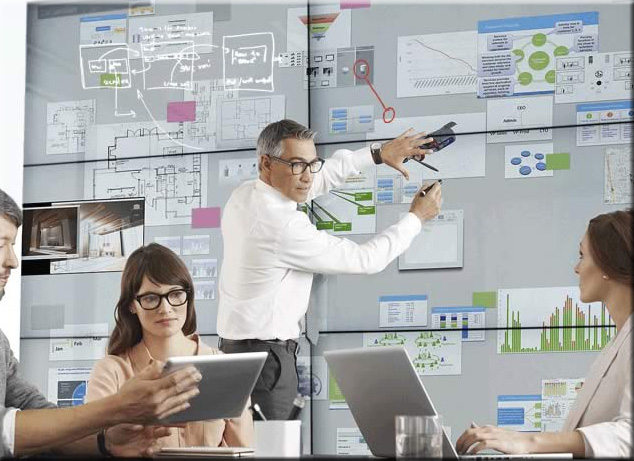
For example, can you imagine marrying the functionalities that Bluescape provides with the reach, flexibility, convenience, and affordances that are unfolding with the new Apple TV?

Truly, some mind-blowing possibilities are developing.  In the not too distant future, lifelong learning won’t ever be the same again (not to mention project-related work).

This is why I’m big on the development and use of
team of specialists — as an organization may have
a harder time competing in the future without one.


BlueScape-2015


The Living [Class] Room -- by Daniel Christian -- July 2012 -- a second device used in conjunction with a Smart/Connected TV


tvOS: The days of developing for a “TV”-based OS are now upon us.

Apple puts out call for Apple TV apps — from bizjournals.com by Gina Hall

Excerpt:

The company put out the call for app submissions on Wednesday for tvOS. The Apple TV App Store will debut as Apple TV units are shipped out next week.
…
The main attraction of Apple TV is a remote with a glass touch surface and a Siri button that allows users to search by voice. Apple tvOS is capable of running apps ranging from Airbnb to Zillow and games like Crossy Road. Another major perk of Apple TV will be universal search, which allows users to scan for movies and television shows and see results from multiple sources, instead of having to conduct the same search within multiple apps.

Apple CEO Tim Cook hopes the device will simplify how viewers consume content.


From DSC:
The days of developing for a “TV”-based OS are now upon us:  tvOS is here.  I put “TV” in quotes because what we know of the television in the year 2015 may look entirely different 5-10 years from now.

Once developed, things like lifelong learning, web-based learner profiles, badges and/or certifications, communities of practice, learning hubs, smart classrooms, virtual tutoring, virtual field trips, AI-based digital learning playlists, and more will never be the same again.


The Living [Class] Room -- by Daniel Christian -- July 2012 -- a second device used in conjunction with a Smart/Connected TV


MoreChoiceMoreControl-DSC


Also see:


Addendum on 10/26/15:
The article below discusses one piece of the bundle of technologies that I’m trying to get at via my Learning from the Living [Class] Room Vision:

  • No More Pencils, No More Books — from by Will Oremus
    Artificially intelligent software is replacing the textbook—and reshaping American education.
    Excerpt:
    ALEKS starts everyone at the same point. But from the moment students begin to answer the practice questions that it automatically generates for them, ALEKS’ machine-learning algorithms are analyzing their responses to figure out which concepts they understand and which they don’t. A few wrong answers to a given type of question, and the program may prompt them to read some background materials, watch a short video lecture, or view some hints on what they might be doing wrong. But if they’re breezing through a set of questions on, say, linear inequalities, it may whisk them on to polynomials and factoring. Master that, and ALEKS will ask if they’re ready to take a test. Pass, and they’re on to exponents—unless they’d prefer to take a detour into a different topic, like data analysis and probability. So long as they’ve mastered the prerequisites, which topic comes next is up to them.
 

Creating Movies With Students — from ipadsammy.com by Jon Samuelson

Excerpt:

“Here’s looking at you, Kid” – Presentation From BSD Future Ready Summit

Getting students started creating videos can seem like a daunting task. There isn’t enough time in the day to get your regular subjects done, how are you supposed to give students time to create videos? I am here to tell you it can be done. I hope that this post/presentation will provide what you need to get started.

Students can create videos on a variety within the context of what they are learning right now. Video story problem for math, a how to science experiment, or a book trailer that covers important story traits are all good ideas. Here is a list of apps, PDF Templates, and equipment that can be helpful when creating movies.


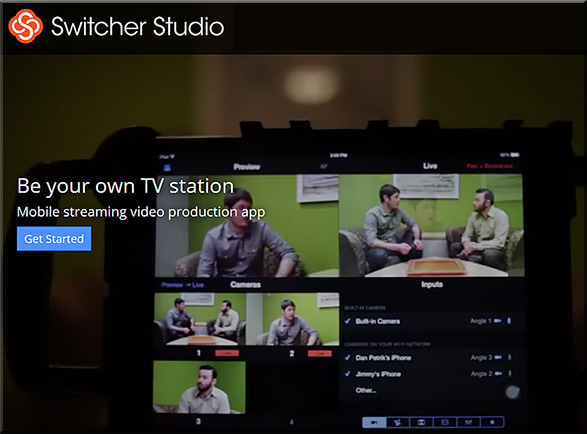
Switcher Studio: Be your own TV station — from switcherstudio.com with thanks to Mr. Doug Cuddihy for letting me know about this resource
Mobile streaming video production app

Excerpt:

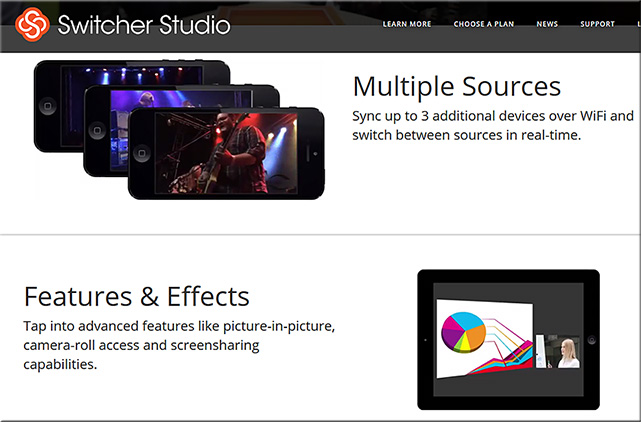
Switcher Studio is a mobile video app that lets you sync up to four iPhones and iPads to record and stream LIVE video to services like YouTube and Ustream. Insert photos and graphic overlays, manage multi-view effects, and more.


switcherstudio-oct2015


switcherstudio2-oct2015


From DSC:
Now let’s take this one step further. 

If REMOTE learners could switch between cameras at any point, NOW we’re talking! That is, it would be great if we could set up 3-4 cameras in a face-to-face classroom, and let the remote learners switch between whichever viewing angle/feed that they want to see at any given point in time (i.e., the professor, the whiteboard, the computer, other).


Addendum on 10/15/15: also see:

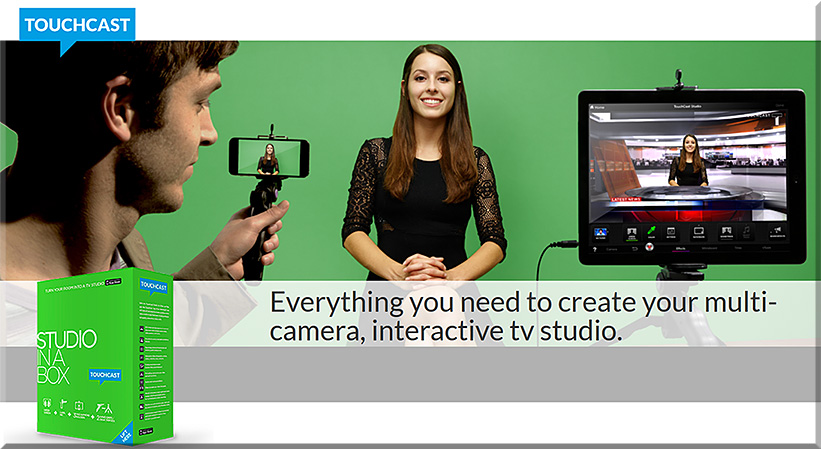
  • Touchcast Studio in a Box:
    Excerpt:
    TouchCast Studio in a Box allows you to transform your iPad into a full, interactive video studio. The TouchCast Studio includes a green screen, lapel mic, mini-tripods, iPad and iPhone holders. Paired with the TouchCast App, you will be able to use the green screen to transport yourself.
    …
    And don’t forget to add video apps (vApps) to make your video interactive. Your audience can tap these to dive deeper into other videos, web pages and more.

touchcast-studio-in-a-box-oct-2015


© 2025 | Daniel Christian