Student-Centered Remote Teaching: Lessons Learned from Online Education — from  er.educause.edu by Shannon Riggs

Excerpt:

Student-content interaction is all about having students DO something with the course content or topic. Reading and listening to lectures will be part of many classes, but the passive receipt of information isn’t sufficient to help students engage with the course and meet course learning outcomes. Instead, we should create opportunities for active learning, which is when students DO something meaningful related to the course content and then reflect on their learning.

After students complete a course reading, ask them to do a follow-up assignment. Here are a few examples:

  • Write a summary.
  • Create an annotated visual on a PowerPoint slide that shows your key take-away from the reading.
  • List five of your take-aways and one question you have based on the reading.
  • Identify what you as a reader find to be the clearest point in the reading and the muddiest point
  • Diagram a process.
  • Make an infographic.
  • Write an op-ed based on the content.

After students attend a synchronous lecture via web conference, ask them to complete a follow-up activity:

  • Participate in a “think-pair-share” activity: The instructor poses a question, asks students to jot some notes down independently to form initial thoughts, distributes students into breakout rooms to discuss, and then pulls the class back together as a group to discuss and synthesize.
  • Complete a poll to check comprehension.
  • Illustrate ideas on the web conference whiteboard.
  • Flip the web conference “lecture” by asking students to come prepared to discuss topics they have already read up on.
  • Give students the opportunity to lead a discussion.
 

From DSC:
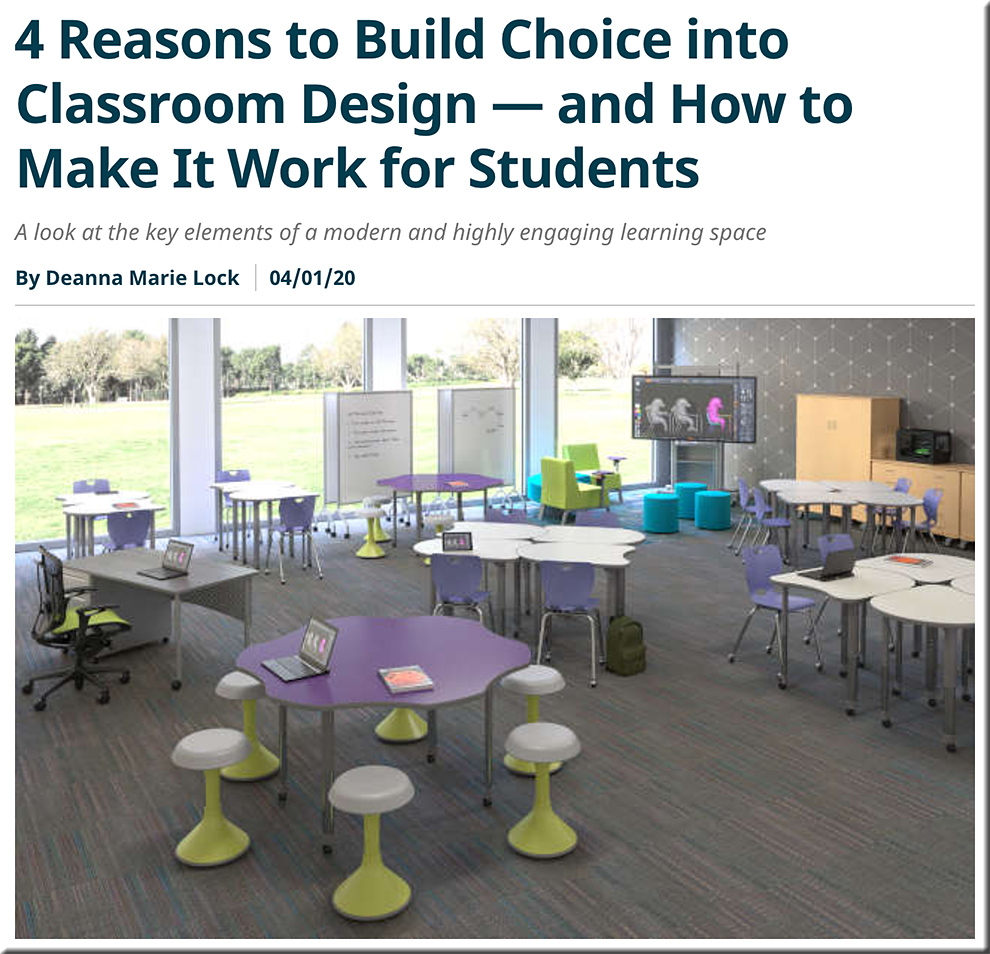
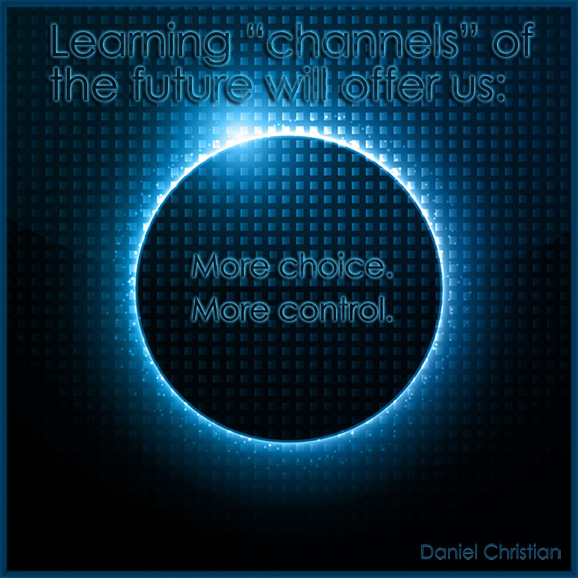
The article below is meant as fodder for thought for us now…until we get back to holding class in physical learning spaces again. But it caught my attention because I’d like to see us give students “More choice. More Control.” in all areas of their learning — whether that be in the physical realm or in the digital/virtual realm.


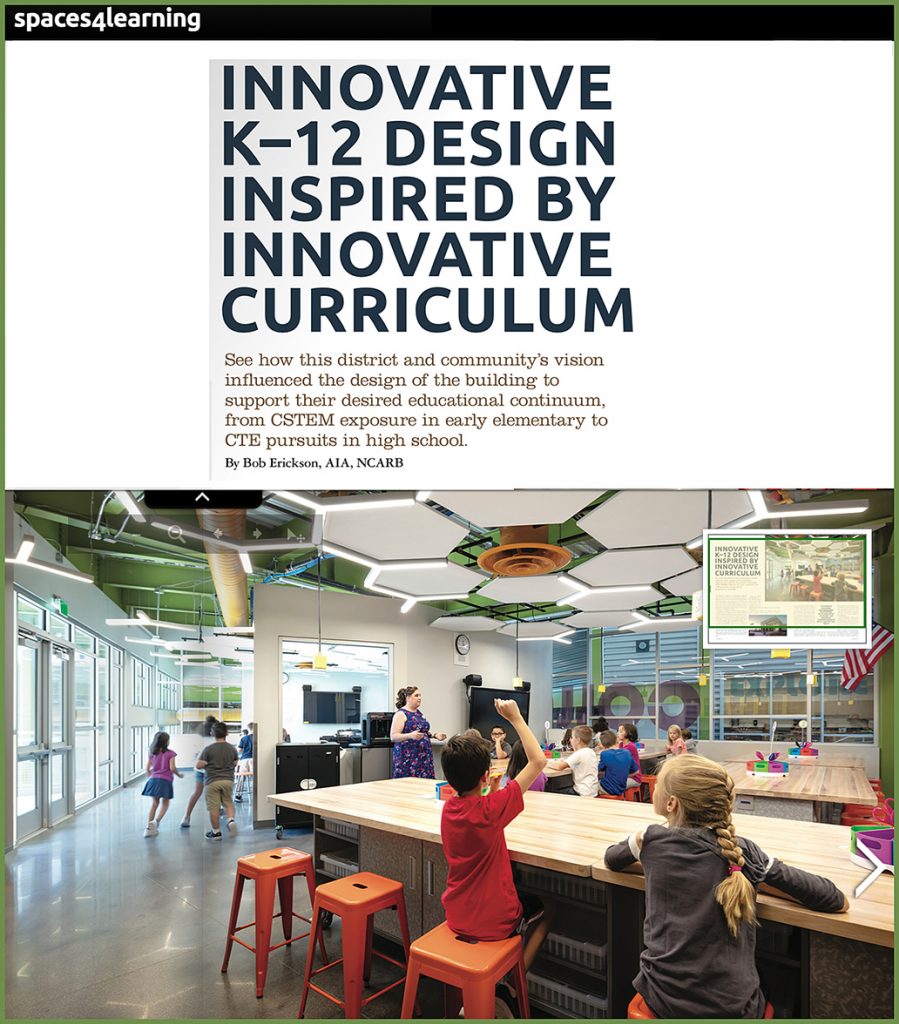
4 reasons to build choice into classroom design — and how to make it work for students — from spaces4learning.com by Deanna Marie Lock
A look at the key elements of a modern and highly engaging learning space


providing more choice and more control to students within the physcial classroom


From DSC:
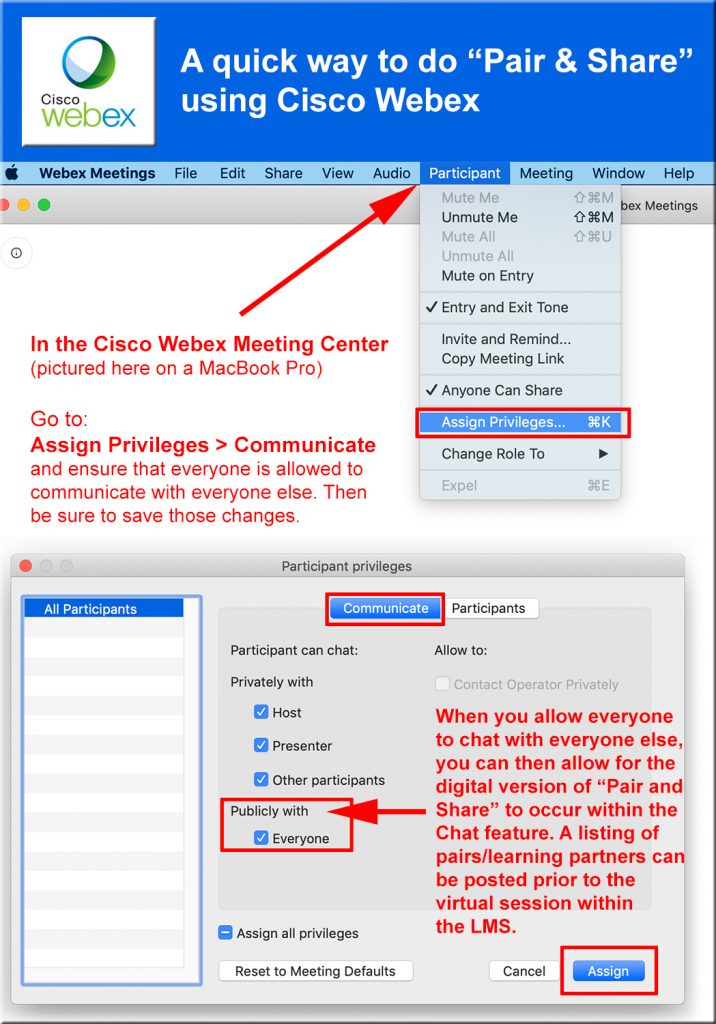
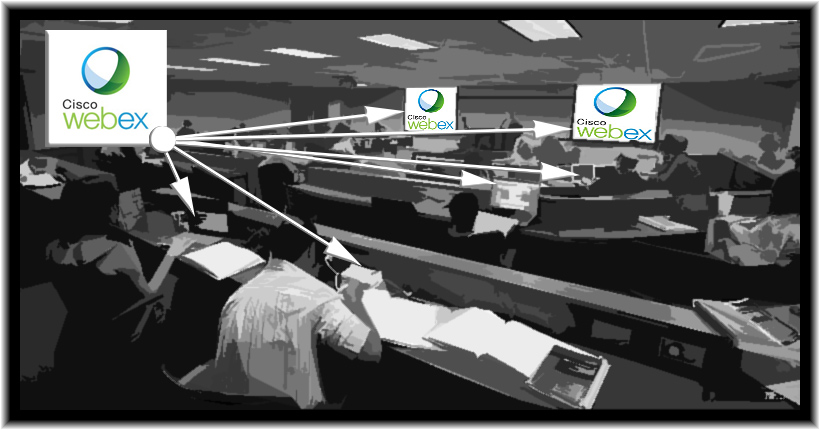
The “Pair & Share” method allows students to find a fellow student to talk about the question/topic at hand. Then, depending upon time and your learning objectives/lesson plans, some students can report back to the larger classroom about what they discussed. In the digital, synchronous realm, one can achieve this with private chat rooms — given that you’ve changed a setting to allow this to occur. Posting the pairings ahead of time should help establish a quick, smooth transition.

(The graphic below is for the Cisco Webex Meeting Center on a MacBook Pro).

Providing a quick pair and share method using the Cisco Webex Meeting Center product


From DSC:
Very nice! “The Contemplative Commons at the University of Virginia” — from csc.virginia.edu
The Contemplative Commons embodies a new model of higher education at the University of Virginia that is based upon immersive, experiential, and participatory modes of deep learning that facilitate student flourishing.


The Contemplative Commons at the U of VA


From DSC:
Below are some resources for teaching at home. And some of this (much of this?) is not typical homeschooling, just as much of what’s being done out there isn’t necessarily typical online-based learning. And some out there may not like such lists, and would prefer a detailed report on just one tool. But this last week was incredibly busy — and time is not a luxury I have right now. And these resources might provide someone out there with just the right tool or pedagogy that they’ve been looking for.

Also, I might suggest:

  • Creating a Google alert (google.com/alerts) on HSLDA, on homeschooling, on homeschoolers, and/or on related searches.
  • Create a Keyword Alert on an RSS aggregator such as Feedly
  • Follow relevant hashtags on Twitter such as #homeschooling

Some analog ideas:

  • Reading a book together
  • Watching a play, drama, or another type of program together
  • Taking a walk out in nature together
  • Gather together as a family and/or lingering over breakfast or dinner
  • Drawing
  • Painting
  • Taking pictures

And now is a great time to see what your child or children WANT TO LEARN ABOUT! Turn over the control to them for a while — and watch what happens when intrinsic motivation takes hold! 


Not a teacher but find yourself homeschooling? These educational apps are free — from parade.com by Stephanie Osmanski

  • This posting covers 25 Free Learning Apps

We are all homeschoolers now (podcast) — from cato.org featuring Kerry McDonald and Caleb Brown
Thanks to COVID-19, many parents find themselves with kids at home all day. What’s the best way to keep them engaged in their educations? Kerry McDonald, author of Unschooled, comments.

Getting Smart’s Getting Through

Free, Online Learning Resources When Coronavirus Closes Schools — from cato.org by Kerry McDonald

Homeschooling Mother and Author: 6 Ideas For Parents While Schools Are Closed — from fee.org by Kerry McDonald
Amid the Covid-19 lockdown, there are steps parents can take to make time at home with their children more rewarding and tolerable.

Apps for Special Needs Students—As School Buildings Shutter — from edutopia.org by Janey Clare
The coronavirus creates a unique challenge for special needs students—educators share recommendations for apps to support learning at home.

How to Support Home Learning in Elementary Grades — from edutopia.org by John Thomas
A first and second grade teacher shares his home learning plan for his students and how he is engaging their families.

6 Lessons Learned About Remote Learning During the Coronavirus Outbreak — from blogs.edweek.org by Mark Lieberman


From DSC:
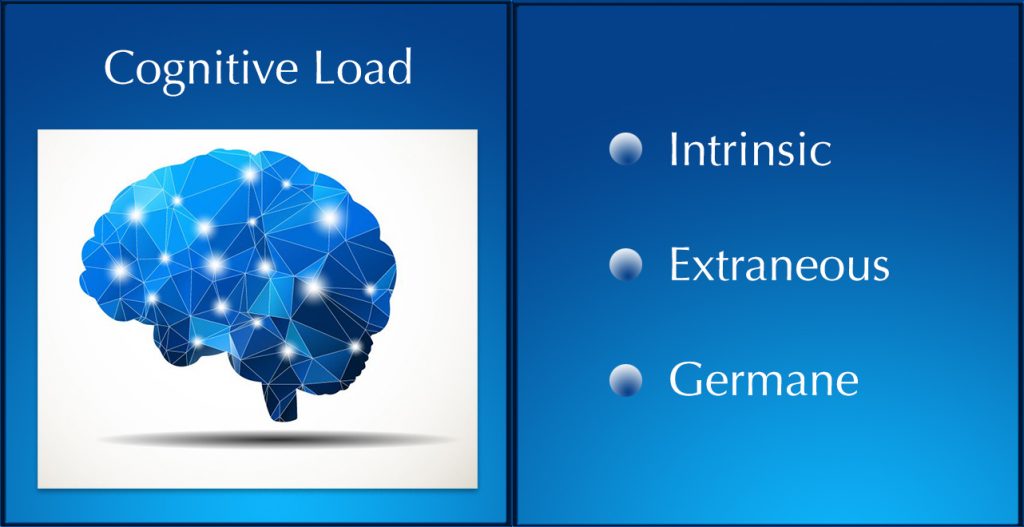
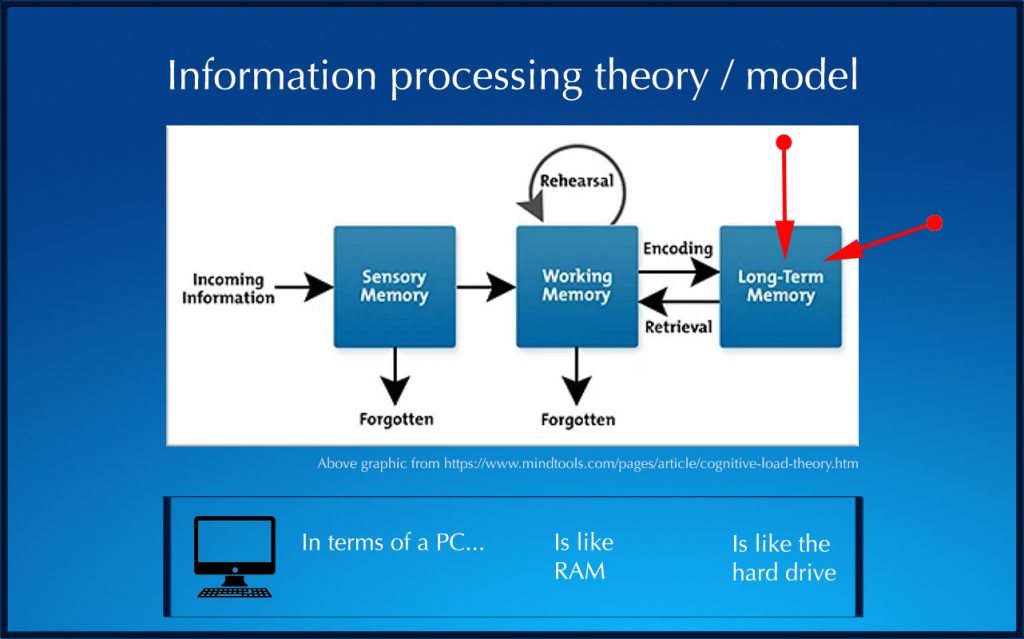
For those of you who teach and/or give presentations, you might be interested in a new video that I put together regarding cognitive load. It addresses at least two main questions:

  1. What is cognitive load?
    and
  2. Why should I care about it?


What is cognitive load? And why should I care about it?

What is cognitive load? And why should I care about it?

Transcript here.


How do I put it into practice?

  • Simplify the explanations of what you’re presenting as much as possible and break down complex tasks into smaller parts
  • Don’t place a large amount of text on a slide and then talk about it at the same time — doing so requires much more processing than most people can deal with.
  • Consider creating two versions of your PowerPoint files:
    • A text-light version that can be used for presenting that content to students
    • A text-heavy version — which can be posted to your LMS for the learners to go through at their own pace — and without trying to process so much information (voice and text, for example) at one time.
  • Design-wise:
    • Don’t use decorative graphics — everything on a slide should be there for a reason
    • Don’t use too many fonts or colors — this can be distracting
    • Don’t use background music when you are trying to explain something
 

From DSC:
When I saw the learning space as pictured below, I couldn’t help but ask a couple of questions:

  • Doesn’t this look like a colorful, fun, engaging active learning space?
  • One that encourages communication and collaboration?

The natural light is wonderful. And the physical setup seems to let the students know that they will be collaborating with each other the second they walk into this learning space…and it does so without saying a word. 

This type of learning setup seems like learning could be very fun and collaborative!


The Dangers of “Teaching the Way We Best Learn” — from scholarlyteacher.com by Todd Zakrajsek

Excerpts:

Not everyone sees the world as I do, and not everyone learns the way I do. Thinking of the implications of implicit bias is scary, but there is freedom in knowledge. Using evidence-based teaching allows faculty to overcome the adverse effects of teaching as we were taught.

We, as faculty members, are not passive recipients who choose a pedagogical strategy because we have no choice. We may select teaching approaches that work for ourselves as learners, not because we are consciously deciding to ignore the needs of others, but more so because we fail to understand effective alternatives exist.

This need not be an admonishment on our professional responsibility to educate others. It is merely a recognition that when we look at the world, we tend to see it from our perspective, the one with which we are most familiar. It takes effort to consider other perspectives.

The challenge is that teaching is not about our learning; it is about our learners. It is not the job of the server in a restaurant to offer only the food they most prefer, but instead to help you to navigate the menu to identify what works best for you, food allergies, preferences, and all.

I should not always “teach the way I best learned.” To do so will disadvantage students who are least like me, and those students deserve an opportunity to be successful.

If I primarily use the lecture method of teaching, I should add a “think-pair-share” at times. Perhaps even a jigsaw and problem-based learning sprinkled throughout the semester. If I get bold, I might also try a role-play in class.

From DSC:
I appreciate Todd’s reflections and insights in the above posting. I’d like to sprinkle in a couple of graphics to it.


From DSC — and with a shout out to Brad Sousa for this resource:
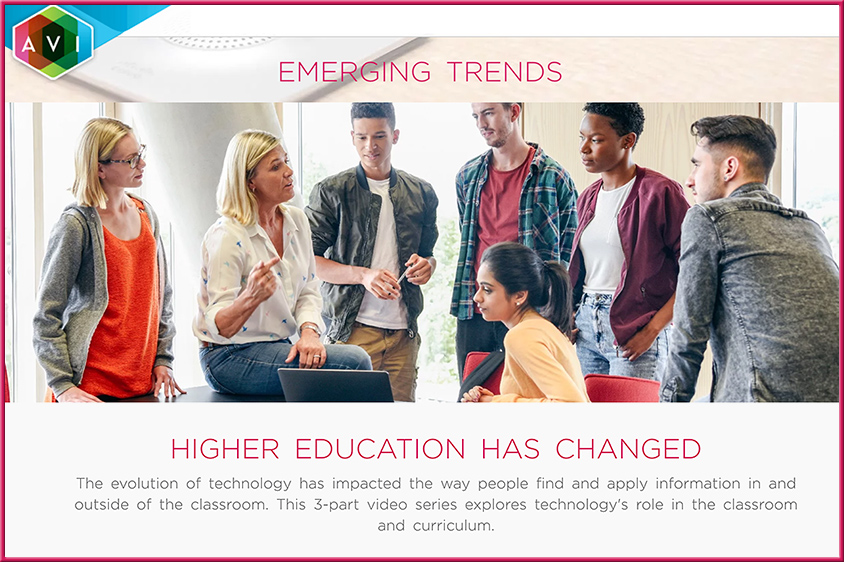
For those involved with creating/enhancing learning spaces as they relate to pedagogies:

https://www.avisystems.com/higher-education-trends-part-one

How Has Technology Impacted Higher Education?
In part one of this three-part series, AVI Systems CTO Brad Sousa talks with Jeff Day, Founder of North of 10 Advisors, to discuss the key ways education and, specifically, pedagogy differs from 10, 5, even 3 years ago.

Discussion Topics

  • The impact of active learning and the introduction of the internet of things (IoT) in the classroom
  • Recommendations for deploying modern learning environments with technology partners
  • Classroom systems design, then and now
Some timestamps (roughly speaking)
  • 5:15 — changes in pedagogy
  • 7:15 or so — active learning
  • 15:30 design needs around active learning
  • 17:15 DE rooms and active learning — software-controlled platform
  • 21:30 — advice; look to outcomes & expectations that want to achieve/meet; uses cases

Media controller w/ intuitive interface to mimic the way someone teaches / way a classroom goes:

  • “Class start” — chaotic; mics on everywhere
  • “Lecture” — gates /mics closed and focus shifts to the professor
  • “Class interaction” — presents roster of who’s there (20:00 mark roughly)

Also see this introductory posting re: the implications of active learning in the higher ed market.


Three thoughts on active learning and self-teaching — from rtalbert.org Robert Talbert
“The teacher isn’t teaching and I’m having to teach myself the material” has three embedded misconceptions that need to be addressed.

Excerpts:

First: Learning is a process, not an action that one person performs on another.

But in the end, an outside person cannot cause you to learn. This isn’t how learning works. Learning instead is a process that moves back and forth, sometimes focused on an instructor but other times focused on the learner or a group of learners together.

Second: Not being lectured to all the time is not the same thing as having to teach yourself.

Third: In any event, the skill of self-teaching is essential in college and needs to be developed.

But in general, we need to see — and we have work to do in communicating this to students — that self-teaching is a feature, not a bug.


Also see:

Live from Bett: What’s new in EDU–Free resources to boost engagement and collaboration — from the Microsoft Education Team on January 22, 2020

Excerpt (emphasis DSC):

In addition, on the day of a presentation, educators and students now can help every person in the classroom or audience understand what they’re saying by clicking on “Present Live.” Live Presentations enables every audience member to view the presentation on their own device, such as a laptop, tablet or phone. Each audience member can turn on live captioning and choose subtitles from more than 60 languages. They can even navigate between slides, so they don’t miss a single, important detail. The audience is engaged throughout the presentation and sends reactions in real-time. After the presentation, the audience can provide feedback on the content and delivery of the presentation, which educators and students can use to improve skills over time.

Live Presentations will be coming soon to PowerPoint for the web as part of Office Education, which educators and students can access for free. If you haven’t already done so, get started with Office 365 Education now.


From DSC:
Might this type of functionality be a solid component of a global, next generation learning platform? Hmmmm…


From DSC:
If you are using a tool like Cisco Webex in your school, consider implementing the idea below.
I’d like to thank Mr. Steve Grant and Mr. Nelson Miller from the WMU-Cooley Law School for their work in implementing/recommending this approach.

If you are using a tool like Cisco Webex, you can use it to share content to displays, laptops, smartphones, and tablets. If the professor starts a Cisco Webex Meeting Center session using their own personal room, the students can then join that meeting via their devices. (To eliminate noise and confusion — as well as to reduce bandwidth — the students should mute their microphones and choose not to send the video from their webcams.)

If you were doing a think-pair-share, for example, and you really liked what a certain pair of students had going on, one of the students could share their work with the rest of the class. By doing so, whatever was going on on that student’s device could be displayed by any projectors in the room, as well as on any other devices that were connected to the Cisco Webex Meeting Room.

“So you could project any student’s work as students proceed with in-class exercises. Projecting student work adds another level of accountability, excitement, and concentration to in-class exercises.” 

*********

Also, using the Cisco Webex Meeting Center in your face-to-face classroom not only opens up that sort of collaboration channel, but, via the chat feature, it can also open up a running backchannel to draw out your more introverted students, or those students who have questions but don’t want to have the spotlight thrown on them. 

*********


Active Learning on the Uptick?— from LinkedIn.com by Carrie O’Donnell

Excerpt:

The evidence is overwhelming that employing active learning strategies leads to deeper learning, increased retention and higher performance. In fact, the EDCAUSE Horizon Report: 2019 Higher Education Edition states 73 percent of universities surveyed indicate active learning classrooms are in the planning process or being implemented in 2020.

Active learning is an instructional approach that puts the student in the center of the learning. This teaching methodology actively engages the learner and is a contrast with the traditional lecture-based approaches where the instructor does most of the talking and students are passive. Some of the many strategies that instructors use to promote active learning include group discussions, peer instruction, problem-solving, case studies, role playing, journal writing and structured learning groups.

Several trends we’ve seen on campuses across the country bode well for active learning:


Below are some thoughts from Michal Borkowski, CEO and Co-Founder of Brainly, regarding some emerging edtech-related trends for 2020.

2020 is coming at us fast, and it’s bringing a haul of exciting EdTech trends along with it. A new decade means new learning opportunities created to cater to the individual rather than a collective hive. There are more than one or two ways of learning — by not embracing all of the ways to teach, we risk leaving students behind in subjects they may need extra help in.

Michal Borkowski, CEO and Co-Founder of Brainly– the world’s largest online learning platform with 150 million monthly users in 35 countries– has his finger on the pulse of global education trends. He was selected to speak at Disrupt Berlin, the world’s leading authority in debuting revolutionary startups and technologies, this year and has some insightful predictions on the emerging trends 2020 will bring in EdTech.

  1. Customized learning via AI
    AI systems with customizable settings will allow students to learn based on their personal strengths and weaknesses. This stylized learning takes into account that not every student absorbs information in the same way. In turn, it helps teachers understand what each individual student needs, spend more time teaching new material, and receive higher classroom results.
  2. Responsible technological integration
    Students today are more fluent in technology than older generations. Integrating tech through digital resources, textbooks, game-style lessons, and interactive learning are efficient ways to captivate students and teach them responsible usage of technology.
  3. Expansive peer-to-peer learning
    Allowing students access to a platform where they can view different student’s educational interpretations, and one specific perspective may help information click, is invaluable. These learning platforms break down barriers, encourage active learning anywhere, and cultivate a sense of community between students all over the world.
  4. From STEM to STEAM
    Science, technology, engineering, and math curriculums have been the major educational focus of the decade, but 2020 will see more integration of classical liberal arts into educational modules, turning STEM into STEAM. Incorporating the arts into a tech-based curriculum enables students to create important connections to the world and allows them to have a well-rounded education.
  5. Options in learning environments
    Who says learning has to take place in a classroom? Advancements in EdTech has provided new and exciting avenues where educators can experiment. Grade and high school level teachers are experimenting with webinars, online tutorials, and other forms of tech-based instruction to connect to students in environments where they are more inclined to learn.

2020 is the year that education forms itself around each student’s individual needs rather than leaving kids behind who don’t benefit from traditional instruction.


Coming down the pike: A next generation, global learning platform [Christian]

From DSC:
Though we aren’t quite there yet, the pieces continue to come together to build a next generation learning platform that will help people reinvent themselves quickly, efficiently, constantly, and cost-effectively.

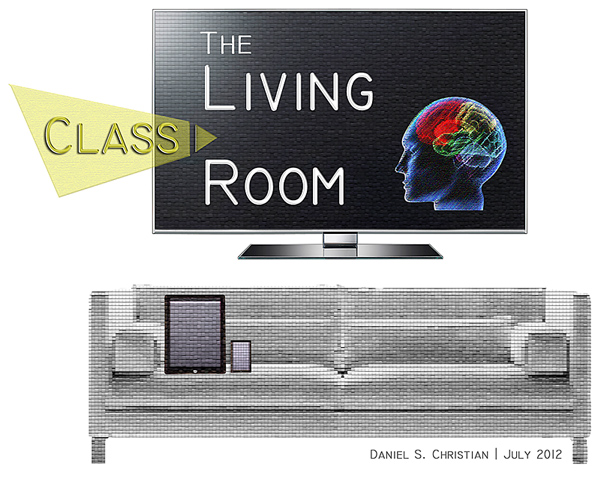
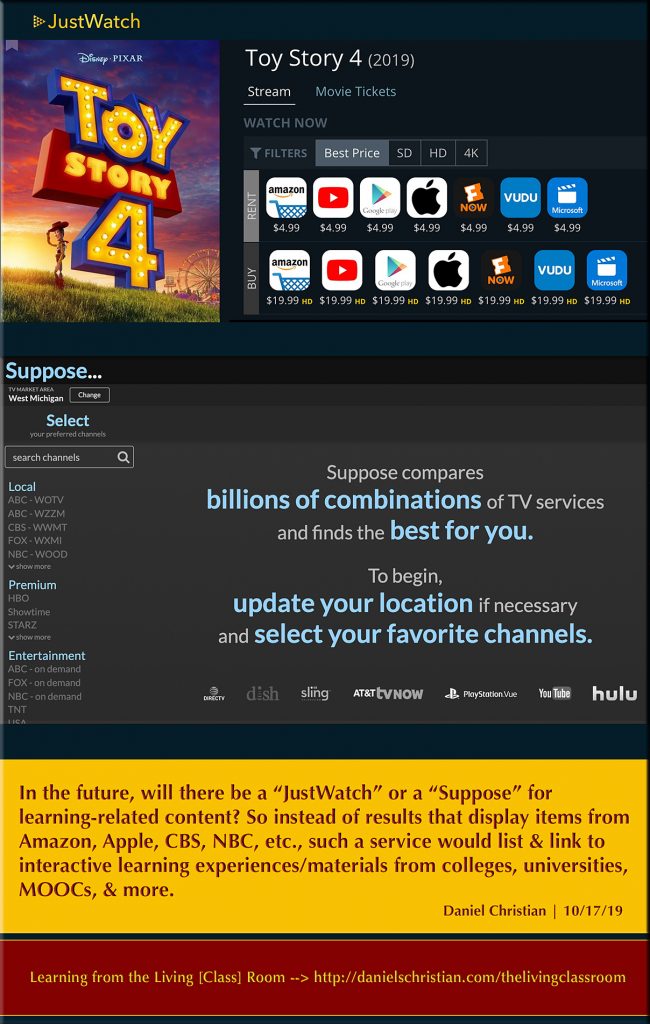
Learning from the living class room


Learning from the living class room


Learning from the living class room

 
© 2025 | Daniel Christian