ChatGPT: the world’s most influential teacher — from drphilippahardman.substack.com by Dr. Philippa Hardman; emphasis DSC
New research shows that millions of us are “learning with AI” every week: what does this mean for how (and how well) humans learn?

This week, an important piece of research landed that confirms the gravity of AI’s role in the learning process. The TLDR is that learning is now a mainstream use case for ChatGPT; around 10.2% of all ChatGPT messages (that’s ~2BN messages sent by over 7 million users per week) are requests for help with learning.

The research shows that about 10.2% of all messages are tutoring/teaching, and within the “Practical Guidance” category, tutoring is 36%. “Asking” interactions are growing faster than “Doing” and are rated higher quality by users. Younger people contribute a huge share of messages, and growth is fastest in low- and middle-income countries (How People Use ChatGPT, 2025).

If AI is already acting as a global tutor, the question isn’t “will people learn with AI?”—they already are. The real question we need to ask is: what does great learning actually look like, and how should AI evolve to support it? That’s where decades of learning science help us separate “feels like learning” from “actually gaining new knowledge and skills”.

Let’s dive in.


From EdTech to TechEd: The next chapter in learning’s evolution — from linkedin.com by Lev Gonick

A day in the life: The next 25 years
A learner wakes up. Their AI-powered learning coach welcomes them, drawing their attention to their progress and helping them structure their approach to the day.  A notification reminds them of an upcoming interview and suggests reflections to add to their learning portfolio.

Rather than a static gradebook, their portfolio is a dynamic, living record, curated by the student, validated by mentors in both industry and education, and enriched through co-creation with maturing modes of AI. It tells a story through essays, code, music, prototypes, journal reflections, and team collaborations. These artifacts are not “submitted”, they are published, shared, and linked to verifiable learning outcomes.

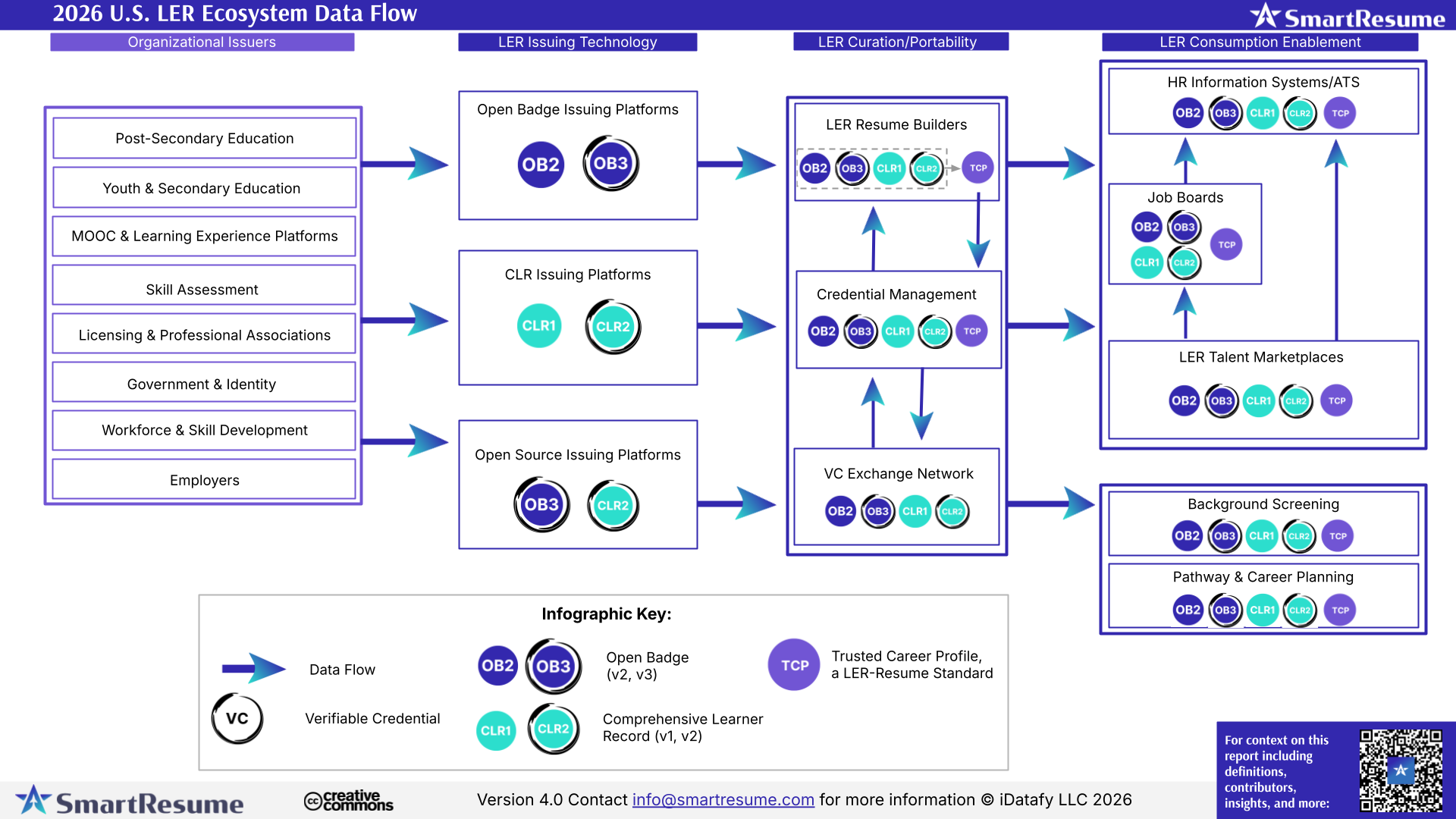
And when it’s time to move, to a new institution, a new job, or a new goal, their data goes with them, immutable, portable, verifiable, and meaningful.

From DSC:
And I would add to that last solid sentence that the learner/student/employee will be able to control who can access this information. Anyway, some solid reflections here from Lev.


AI Could Surpass Schools for Academic Learning in 5-10 Years — from downes.ca with commentary from Stephen Downes

I know a lot of readers will disagree with this, and the timeline feels aggressive (the future always arrives more slowly than pundits expect) but I think the overall premise is sound: “The concept of a tipping point in education – where AI surpasses traditional schools as the dominant learning medium – is increasingly plausible based on current trends, technological advancements, and expert analyses.”


The world’s first AI cabinet member — from therundown.ai by Zach Mink, Rowan Cheung, Shubham Sharma, Joey Liu & Jennifer Mossalgue

The Rundown: In this tutorial, you will learn how to combine NotebookLM with ChatGPT to master any subject faster, turning dense PDFs into interactive study materials with summaries, quizzes, and video explanations.

Step-by-step:

  1. Go to notebooklm.google.com, click the “+” button, and upload your PDF study material (works best with textbooks or technical documents)
  2. Choose your output mode: Summary for a quick overview, Mind Map for visual connections, or Video Overview for a podcast-style explainer with visuals
  3. Generate a Study Guide under Reports — get Q&A sets, short-answer questions, essay prompts, and glossaries of key terms automatically
  4. Take your PDF to ChatGPT and prompt: “Read this chapter by chapter and highlight confusing parts” or “Quiz me on the most important concepts”
  5. Combine both tools: Use NotebookLM for quick context and interactive guides, then ChatGPT to clarify tricky parts and go deeperPro Tip: If your source is in EPUB or audiobook, convert it to PDF before uploading. Both NotebookLM and ChatGPT handle PDFs best.

Claude can now create and edit files — from anthropic.com

Claude can now create and edit Excel spreadsheets, documents, PowerPoint slide decks, and PDFs directly in Claude.ai and the desktop app. This transforms how you work with Claude—instead of only receiving text responses or in-app artifacts, you can describe what you need, upload relevant data, and get ready-to-use files in return.

Also see:

  • Microsoft to lessen reliance on OpenAI by buying AI from rival Anthropic — from techcrunch.com byRebecca Bellan
    Microsoft will pay to use Anthropic’s AI in Office 365 apps, The Information reports, citing two sources. The move means that Anthropic’s tech will help power new features in Word, Excel, Outlook, and PowerPoint alongside OpenAI’s, marking the end of Microsoft’s previous reliance solely on the ChatGPT maker for its productivity suite. Microsoft’s move to diversify its AI partnerships comes amid a growing rift with OpenAI, which has pursued its own infrastructure projects as well as a potential LinkedIn competitor.

Ep. 11 AGI and the Future of Higher Ed: Talking with Ray Schroeder

In this episode of Unfixed, we talk with Ray Schroeder—Senior Fellow at UPCEA and Professor Emeritus at the University of Illinois Springfield—about Artificial General Intelligence (AGI) and what it means for the future of higher education. While most of academia is still grappling with ChatGPT and basic AI tools, Schroeder is thinking ahead to AI agents, human displacement, and AGI’s existential implications for teaching, learning, and the university itself. We explore why AGI is so controversial, what institutions should be doing now to prepare, and how we can respond responsibly—even while we’re already overwhelmed.


Best AI Tools for Instructional Designers — from blog.cathy-moore.com by Cathy Moore

Data from the State of AI and Instructional Design Report revealed that 95.3% of the instructional designers interviewed use AI in their daily work [1]. And over 85% of this AI use occurs during the design and development process.

These figures showcase the immense impact AI is already having on the instructional design world.

If you’re an L&D professional still on the fence about adding AI to your workflow or an AI convert looking for the next best tools, keep reading.

This guide breaks down 5 of the top AI tools for instructional designers in 2025, so you can streamline your development processes and build better training faster.

But before we dive into the tools of the trade, let’s address the elephant in the room:


3 Human Skills That Make You Irreplaceable in an AI World — from gettingsmart.com/ by Tom Vander Ark and Mason Pashia

Key Points

  • Update learner profiles to emphasize curiosity, curation, and connectivity, ensuring students develop irreplaceable human skills.
  • Integrate real-world learning experiences and mastery-based assessments to foster agency, purpose, and motivation in students.
 

From Content To Capability: How AI Agents Are Redefining Workplace Learning — from forbes.com by Nelson Sivalingam

Real, capability-building learning requires three key elements: content, context and conversation. 

The Rise Of AI Agents: Teaching At Scale
The generative AI revolution is often framed in terms of efficiency: faster content creation, automated processes and streamlined workflows. But in the world of L&D, its most transformative potential lies elsewhere: the ability to scale great teaching.

AI gives us the means to replicate the role of an effective teacher across an entire organization. Specifically, AI agents—purpose-built systems that understand, adapt and interact in meaningful, context-aware ways—can make this possible. These tools understand a learner’s role, skill level and goals, then tailor guidance to their specific challenges and adapt dynamically over time. They also reinforce learning continuously, nudging progress and supporting application in the flow of work.

More than simply sharing knowledge, an AI agent can help learners apply it and improve with every interaction. For example, a sales manager can use a learning agent to simulate tough customer scenarios, receive instant feedback based on company best practices and reinforce key techniques. A new hire in the product department could get guidance on the features and on how to communicate value clearly in a roadmap meeting.

In short, AI agents bring together the three essential elements of capability building, not in a one-size-fits-all curriculum but on demand and personalized for every learner. While, obviously, this technology shouldn’t replace human expertise, it can be an effective tool for removing bottlenecks and unlocking effective learning at scale.


How HR is adapting as AI agents join the workforce — from hrexecutive.com by Jill Barth

Business leaders across the world are grappling with a reality that would have seemed like science fiction just a few decades ago: Artificial intelligence systems dubbed AI agents are becoming colleagues, not just tools. At many organizations, HR pros are already developing balanced and thoughtful machine-people workforces that meet business goals.

At Skillsoft, a global corporate learning company, Chief People Officer Ciara Harrington has spent the better part of three years leading digital transformation in real time. Through her front-row seat to CEO transitions, strategic pivots and the rapid acceleration of AI adoption, she’s developed a strong belief that organizations must be agile with people operations.

‘No role that’s not a tech role’
Under these modern conditions, she says, technology is becoming a common language in the workplace. “There is no role that’s not a tech role,” Harrington said during a recent discussion about the future of work. It’s a statement that gets at the heart of a shift many HR leaders are still coming to terms with.

But a key question remains: Who will manage the AI agents, specifically, HR leaders or someone else?


Introducing the 2025 State of the L&D Industry Report — from community.elearningacademy.io

What’s changing is not the foundation—it’s the ecosystem. Teams are looking to create more flexible, scalable, and diverse learning experiences that meet people where they are.

What Did We Explore?
Everyone seems to have a take on what’s happening in L&D these days. From bold claims about six-figure roles to debates over whether portfolios or degrees matter more, everyone seems to have a take. So, we wanted to get to the heart of it by exploring five of the biggest, most debated areas shaping our work today:

  • Salaries: Are compensation trends really keeping pace with the value we deliver?
  • Hiring: What skills are managers actually looking for—and are those ATS horror stories true?
  • Portfolios: Are portfolios helping candidates stand out, and what are hiring managers actually looking for?
  • Tools & Modalities: What types of training are teams building, and what tools are they using to build it?
  • Artificial Intelligence: Who’s using it, how, and what concerns still exist?

These five areas are shaping the future of instructional design—not just for job seekers, but for team leaders, hiring managers, and the entire ecosystem of L&D professionals.

The takeaway? A portfolio is more than a collection of projects—it’s a storytelling tool. The ones that stand out highlight process, decision-making, and results—not just pretty screens.


CrashCourse on YouTube — via Matt Tower’s The EdSheet Vol. 18

Description:
At Crash Course, we believe that high-quality educational videos should be available to everyone for free! Subscribe for weekly videos from our current courses! The Crash Course team has produced more than 50 courses on a wide variety of subjects, ranging from the humanities to sciences and so much more! We also recently teamed up with Arizona State University to bring you more courses on the Study Hall channel.

And as Matt stated:


From DSC:
I wasn’t familiar with this “channel” — but I like their mission to help people learn…very inexpensively! Along these lines,  I, too, pray for the world’s learning ecosystems — especially those belonging to children.


The future of L&D is here, and it’s powered by AI. — from linkedin.com by Josh Cavalier


4 Ways I Use AI to Think Better — from wondertools.substack.com by Jeremy Caplan
How AI helps me learn, decide, and create

Learn something new.
Map out a personalized curriculum

Try this: Give an AI assistant context about what you want to learn, why, and how.

  • Detail your rationale and motivation, which may impact your approach.
  • Note your current knowledge or skill level, ideally with examples.

Summarize your learning preferences

  • Note whether you prefer to read, listen to, or watch learning materials.
  • Mention if you like quizzes, drills, or exercises you can do while commuting or during a break at work.
  • If you appreciate learning games, task your AI assistant with generating one for you, using its coding capabilities detailed below.
  • Ask for specific book, textbook, article, or learning path recommendations using the Web search or Deep Research capabilities of PerplexityChatGPT, Gemini or Claude. They can also summarize research literature about effective learning tactics.
  • If you need a human learning partner, ask for guidance on finding one or language you can use in reaching out.

The Ends of Tests: Possibilities for Transformative Assessment and Learning with Generative AI


GPT-5 for Instructional Designers — from drphilippahardman.substack.com by Dr Philippa Hardman
10 Hacks to Work Smarter & Safer with OpenAI’s Latest Model

The TLDR is that as Instructional Designers, we can’t afford to miss some of the very real benefits of GPT-5’s potential, but we also can’t ensure our professional standards or learner outcomes if we blindly accept its outputs without due testing and validation.

For this reason, I decided to synthesise the latest GPT-5 research—from OpenAI’s technical documentation to independent security audits to real-world user testing—into 10 essential reality checks for using GPT-5 as an Instructional Designer.

These aren’t theoretical exercises; they’re practical tests designed to help you safely unlock GPT-5’s benefits while identifying and mitigating its most well-documented limitations.


Grammarly launches new specialist AI agents providing personalized assistance for students — from edtechinnovationhub.com by Rachel Lawler
Grammarly, an AI communication tool, has announced the launch of eight new specialized AI agents. The new assistants can support specific writing challenges such as finding credible sources and checking originality. 

Students will now be offered “responsible AI support” through Grammarly, with the eight new agents:

  • Reader Reactions agent …
  • AI Grader agent …
  • Citation Finder agent …
  • Expert Review agent …
  • Proofreader agent …
  • AI Detector agent …
  • Plagiarism Checker agent …
  • Paraphraser agent …


Why Perplexity AI Is My Go-To Research Tool as a Higher Education CIO — from mikekentz.substack.com; a guest post from Michael Lyons, CIO at MassBay Community College

While I regularly use tools like ChatGPT, Grammarly, Microsoft Copilot, and even YouTube Premium (I would cancel Netflix before this), Perplexity has earned a top spot in my toolkit. It blends AI and real-time web search into one seamless, research-driven platform that saves time and improves the quality of information I rely on every day.


Bringing the best of AI to college students for free — from blog.google by Sundar Pichai

Millions of college students around the world are getting ready to start classes. To help make the school year even better, we’re making our most advanced AI tools available to them for free, including our new Guided Learning mode. We’re also providing $1 billion to support AI education and job training programs and research in the U.S. This includes making our AI and career training free for every college student in America through our AI for Education Accelerator — over 100 colleges and universities have already signed up.

Guided Learning: from answers to understanding
AI can broaden knowledge and expand access to it in powerful ways, helping anyone, anywhere learn anything in the way that works best for them. It’s not about just getting an answer, but deepening understanding and building critical thinking skills along the way. That opportunity is why we built Guided Learning, a new mode in Gemini that acts as a learning companion guiding you with questions and step-by-step support instead of just giving you the answer. We worked closely with students, educators, researchers and learning experts to make sure it’s helpful for understanding new concepts and is backed by learning science.


BREAKING: Google introduces Guided Learning — from aieducation.substack.com by Claire Zau
Some thoughts on what could make Google’s AI tutor stand out

Another major AI lab just launched “education mode.”

Google introduced Guided Learning in Gemini, transforming it into a personalized learning companion designed to help you move from quick answers to real understanding.

Instead of immediately spitting out solutions, it:

  • Asks probing, open-ended questions
  • Walks learners through step-by-step reasoning
  • Adapts explanations to the learner’s level
  • Uses visuals, videos, diagrams, and quizzes to reinforce concepts

This Socratic style tutor rollout follows closely behind similar announcements like OpenAI’s Study Mode (last week) and Anthropic’s Claude for Education (April 2025).


How Sci-Fi Taught Me to Embrace AI in My Classroom — from edsurge.com by Dan Clark

I’m not too naive to understand that, no matter how we present it, some students will always be tempted by “the dark side” of AI. What I also believe is that the future of AI in education is not decided. It will be decided by how we, as educators, embrace or demonize it in our classrooms.

My argument is that setting guidelines and talking to our students honestly about the pitfalls and amazing benefits that AI offers us as researchers and learners will define it for the coming generations.

Can AI be the next calculator? Something that, yes, changes the way we teach and learn, but not necessarily for the worse? If we want it to be, yes.

How it is used, and more importantly, how AI is perceived by our students, can be influenced by educators. We have to first learn how AI can be used as a force for good. If we continue to let the dominant voice be that AI is the Terminator of education and critical thinking, then that will be the fate we have made for ourselves.


AI Tools for Strategy and Research – GT #32 — from goodtools.substack.com by Robin Good
Getting expert advice, how to do deep research with AI, prompt strategy, comparing different AIs side-by-side, creating mini-apps and an AI Agent that can critically analyze any social media channel

In this issue, discover AI tools for:

  • Getting Expert Advice
  • Doing Deep Research with AI
  • Improving Your AI Prompt Strategy
  • Comparing Results from Different AIs
  • Creating an AI Agent for Social Media Analysis
  • Summarizing YouTube Videos
  • Creating Mini-Apps with AI
  • Tasting an Award-Winning AI Short Film

GPT-Building, Agentic Workflow Design & Intelligent Content Curation — from drphilippahardman.substack.com by Dr. Philippa Hardman
What 3 recent job ads reveal about the changing nature of Instructional Design

In this week’s blog post, I’ll share my take on how the instructional design role is evolving and discuss what this means for our day-to-day work and the key skills it requires.

With this in mind, I’ve been keeping a close eye on open instructional design roles and, in the last 3 months, have noticed the emergence of a new flavour of instructional designer: the so-called “Generative AI Instructional Designer.”

Let’s deep dive into three explicitly AI-focused instructional design positions that have popped up in the last quarter. Each one illuminates a different aspect of how the role is changing—and together, they paint a picture of where our profession is likely heading.

Designers who evolve into prompt engineers, agent builders, and strategic AI advisors will capture the new premium. Those who cling to traditional tool-centric roles may find themselves increasingly sidelined—or automated out of relevance.


Google to Spend $1B on AI Training in Higher Ed — from insidehighered.com by Katherine Knott

Google’s parent company announced Wednesday (8/6/25) that it’s planning to spend $1 billion over the next three years to help colleges teach and train students about artificial intelligence.

Google is joining other AI companies, including OpenAI and Anthropic, in investing in AI training in higher education. All three companies have rolled out new tools aimed at supporting “deeper learning” among students and made their AI platforms available to certain students for free.


5 Predictions for How AI Will Impact Community Colleges — from pistis4edu.substack.com by Feng Hou

Based on current technology capabilities, adoption patterns, and the mission of community colleges, here are five well-supported predictions for AI’s impact in the coming years.

  1. Universal AI Tutor Access
  2. AI as Active Teacher
  3. Personalized Learning Pathways
  4. Interactive Multimodal Learning
  5. Value-Centric Education in an AI-Abundant World


One-size-fits-all learning is about to become completely obsolete. — from linkedin.com by Allie Miller


AI in the University: From Generative Assistant to Autonomous Agent This Fall — from insidehighered.com by
This fall we are moving into the agentic generation of artificial intelligence.

“Where generative AI creates, agentic AI acts.” That’s how my trusted assistant, Gemini 2.5 Pro deep research, describes the difference.

Agents, unlike generative tools, create and perform multistep goals with minimal human supervision. The essential difference is found in its proactive nature. Rather than waiting for a specific, step-by-step command, agentic systems take a high-level objective and independently create and execute a plan to achieve that goal. This triggers a continuous, iterative workflow that is much like a cognitive loop. The typical agentic process involves six key steps, as described by Nvidia:


AI in Education Podcast — from aipodcast.education by Dan Bowen and Ray Fleming


The State of AI in Education 2025 Key Findings from a National Survey — from Carnegie Learning

Our 2025 national survey of over 650 respondents across 49 states and Puerto Rico reveals both encouraging trends and important challenges. While AI adoption and optimism are growing, concerns about cheating, privacy, and the need for training persist.

Despite these challenges, I’m inspired by the resilience and adaptability of educators. You are the true game-changers in your students’ growth, and we’re honored to support this vital work.

This report reflects both where we are today and where we’re headed with AI. More importantly, it reflects your experiences, insights, and leadership in shaping the future of education.


Instructure and OpenAI Announce Global Partnership to Embed AI Learning Experiences within Canvas — from instructure.com

This groundbreaking collaboration represents a transformative step forward in education technology and will begin with, but is not limited to, an effort between Instructure and OpenAI to enhance the Canvas experience by embedding OpenAI’s next-generation AI technology into the platform.

IgniteAI announced earlier today, establishes Instructure’s future-ready, open ecosystem with agentic support as the AI landscape continues to evolve. This partnership with OpenAI exemplifies this bold vision for AI in education. Instructure’s strategic approach to AI emphasizes the enhancement of connections within an educational ecosystem comprising over 1,100 edtech partners and leading LLM providers.

“We’re committed to delivering next-generation LMS technologies designed with an open ecosystem that empowers educators and learners to adapt and thrive in a rapidly changing world,” said Steve Daly, CEO of Instructure. “This collaboration with OpenAI showcases our ambitious vision: creating a future-ready ecosystem that fosters meaningful learning and achievement at every stage of education. This is a significant step forward for the education community as we continuously amplify the learning experience and improve student outcomes.”


Faculty Latest Targets of Big Tech’s AI-ification of Higher Ed — from insidehighered.com by Kathryn Palmer
A new partnership between OpenAI and Instructure will embed generative AI in Canvas. It may make grading easier, but faculty are skeptical it will enhance teaching and learning.

The two companies, which have not disclosed the value of the deal, are also working together to embed large language models into Canvas through a feature called IgniteAI. It will work with an institution’s existing enterprise subscription to LLMs such as Anthropic’s Claude or OpenAI’s ChatGPT, allowing instructors to create custom LLM-enabled assignments. They’ll be able to tell the model how to interact with students—and even evaluate those interactions—and what it should look for to assess student learning. According to Instructure, any student information submitted through Canvas will remain private and won’t be shared with OpenAI.

Faculty Unsurprised, Skeptical
Few faculty were surprised by the Canvas-OpenAI partnership announcement, though many are reserving judgment until they see how the first year of using it works in practice.


BREAKING: OpenAI Releases Study Mode — from aieducation.substack.com by Claire Zau
What’s New, What Works, and What’s Still Missing

What is Study Mode?
Study Mode is OpenAI’s take on a smarter study partner – a version of the ChatGPT experience designed to guide users through problems with Socratic prompts, scaffolded reasoning, and adaptive feedback (instead of just handing over the answer).

Built with input from learning scientists, pedagogy experts, and educators, it was also shaped by direct feedback from college students. While Study Mode is designed with college students in mind, it’s meant for anyone who wants a more learning-focused, hands-on experience across a wide range of subjects and skill levels.

Who can access it? And how?
Starting July 29, Study Mode is available to users on Free, Plus, Pro, and Team plans. It will roll out to ChatGPT Edu users in the coming weeks.


ChatGPT became your tutor — from theneurondaily.com by Grant Harvey
PLUS: NotebookLM has video now & GPT 4o-level AI runs on laptop

Here’s how it works: instead of asking “What’s 2+2?” and getting “4,” study mode asks questions like “What do you think happens when you add these numbers?” and “Can you walk me through your thinking?” It’s like having a patient tutor who won’t let you off the hook that easily.

The key features include:

  • Socratic questioning: It guides you with hints and follow-up questions rather than direct answers.
  • Scaffolded responses: Information broken into digestible chunks that build on each other.
  • Personalized support: Adjusts difficulty based on your skill level and previous conversations.
  • Knowledge checks: Built-in quizzes and feedback to make sure concepts actually stick.
  • Toggle flexibility: Switch study mode on and off mid-conversation depending on your goals.

Try study mode yourself by selecting “Study and learn” from tools in ChatGPT and asking a question.


Introducing study mode — from openai.com
A new way to learn in ChatGPT that offers step by step guidance instead of quick answers.

[On 7/29/25, we introduced] study mode in ChatGPT—a learning experience that helps you work through problems step by step instead of just getting an answer. Starting today, it’s available to logged in users on Free, Plus, Pro, Team, with availability in ChatGPT Edu coming in the next few weeks.

ChatGPT is becoming one of the most widely used learning tools in the world. Students turn to it to work through challenging homework problems, prepare for exams, and explore new concepts. But its use in education has also raised an important question: how do we ensure it is used to support real learning, and doesn’t just offer solutions without helping students make sense of them?

We’ve built study mode to help answer this question. When students engage with study mode, they’re met with guiding questions that calibrate responses to their objective and skill level to help them build deeper understanding. Study mode is designed to be engaging and interactive, and to help students learn something—not just finish something.


Blood in the Instructional Design Machine? — from drphilippahardman.substack.com by Dr. Philippa Hardman
The reality of AI, job degradation & the likely future of Instructional Design

This raises a very important, perhaps even existential question for our profession: do these tools free a designer from the mind-numbing drudgery of content conversion (the “augmented human”)? Or do they automate the core expertise of the learning professional’s role, e.g. selecting instructional startegies, structuring narratives and designing a learning flow, in the process reducing the ID’s role to simply finding the source file and pushing a button (the “inverted centaur”)?

The stated aspiration of these tool builders seems to be a future where AI means that the instructional designer’s value shifts decisively from production to strategy. Their stated goal is to handle the heavy lifting of content generation, allowing the human ID to provide the indispensable context, creativity, and pedagogical judgment that AI cannot replicate.

However, the risk of these tools lies in how we use them, and the “inverted centaur” model remains deeply potent and possible. In an organisation that prioritises cost above all, these same tools can be used to justify reducing the ID role to the functional drudgery of inputting a PDF and supervising the machine.

The key to this paradox lies in a crucial data point: spending on outside products and services has jumped a dramatic 23% to $12.4 billion. 

This signals a fundamental shift: companies are reallocating funds from large internal teams toward specialised consultants and advanced learning technologies like AI. L&D is not being de-funded; it is being re-engineered.


New Lightcast Report: AI Skills Command 28% Salary Premium as Demand Shifts Beyond Tech Industry — from lightcast.io; via Paul Fain
First-of-its-kind analysis reveals specific AI skills employers need most, enabling targeted workforce training strategies across all career areas

July 23, 2025 – Lightcast, the global leader in labor market intelligence, today released “Beyond the Buzz: Developing the AI Skills Employers Actually Need,” a comprehensive analysis revealing that artificial intelligence has fundamentally transformed hiring patterns across the world of work. The report, based on analysis of over 1.3 billion job postings, shows that job postings including AI skills offer 28% higher salaries—nearly $18,000 more per year—than those without such capabilities.

More importantly, the research analyzes specific skills based on their growth across job postings, their importance in the workforce, and their exposure to AI. This shows exactly which AI skills create value in which contexts, solving the critical challenge facing educators and workforce development leaders: moving beyond vague “AI literacy” to precise, targeted training that delivers measurable results.


Also via Paul Fain:


Despite growing awareness, however, participation in skill development is limited. In 2024, less than half of U.S. employees (45%) participated in training or education to build new skills for their current job. About one in three employees (32%) who are hoping to move into a new role within the next year strongly agree that they have the skills needed to be exceptional in that role.


Building a learning ecosystem that drives business results — from chieflearningofficer.com by Nick Romanowski
How SAX combined adaptive e-learning and experiential workshops to accelerate capability development and impact the bottom line.

At SAX, we know that to succeed in today’s market, we need professionals who can learn quickly, apply that learning effectively and continuously adapt as client needs evolve.

Yet traditional training methods were no longer enough. Our firm faced familiar challenges: helping staff meet continuing professional education requirements efficiently, uncovering knowledge gaps to guide development and building a more capable, more client-ready workforce.

We found our solution in a flipped learning model that blends adaptive e-learning with live, experiential workshops. The results were transformative. We accelerated CPE credit completion by more than 50 percent, reclaimed 173 billable hours and equipped our people with deeper capabilities.

Here’s how we did it, and what we learned along the way.

Blend technology and human touch: Adaptive e-learning addresses individual knowledge gaps efficiently. Live workshops enable skill development through practice and feedback. Together, they drive both learning efficiency and behavior change.

 
© 2025 | Daniel Christian