From DSC:
The article below is meant as fodder for thought for us now…until we get back to holding class in physical learning spaces again. But it caught my attention because I’d like to see us give students “More choice. More Control.” in all areas of their learning — whether that be in the physical realm or in the digital/virtual realm.


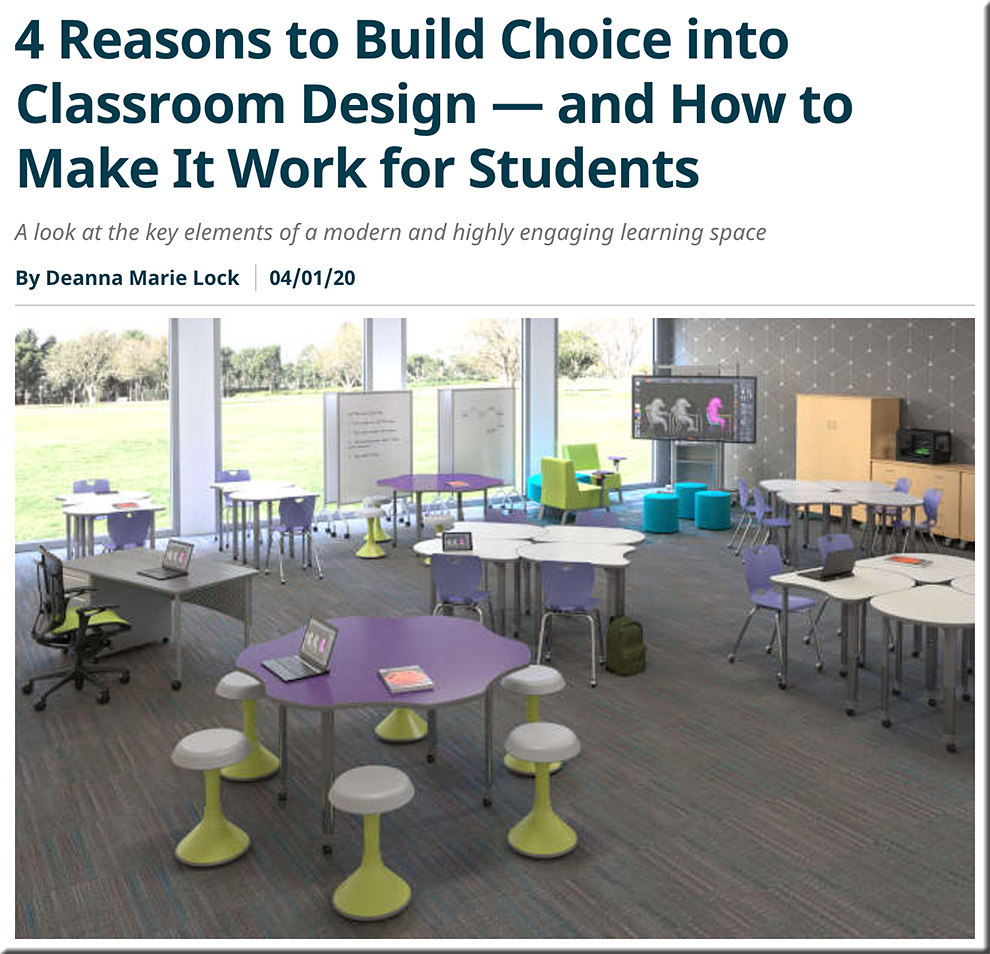
4 reasons to build choice into classroom design — and how to make it work for students — from spaces4learning.com by Deanna Marie Lock
A look at the key elements of a modern and highly engaging learning space


providing more choice and more control to students within the physcial classroom


Q: For those who prefer or need to handwrite their essays, what are some ways/methods that students can use to scan in — and then submit — their essays into Canvas?

A:  Below are a few different options, potential solutions, and resources:


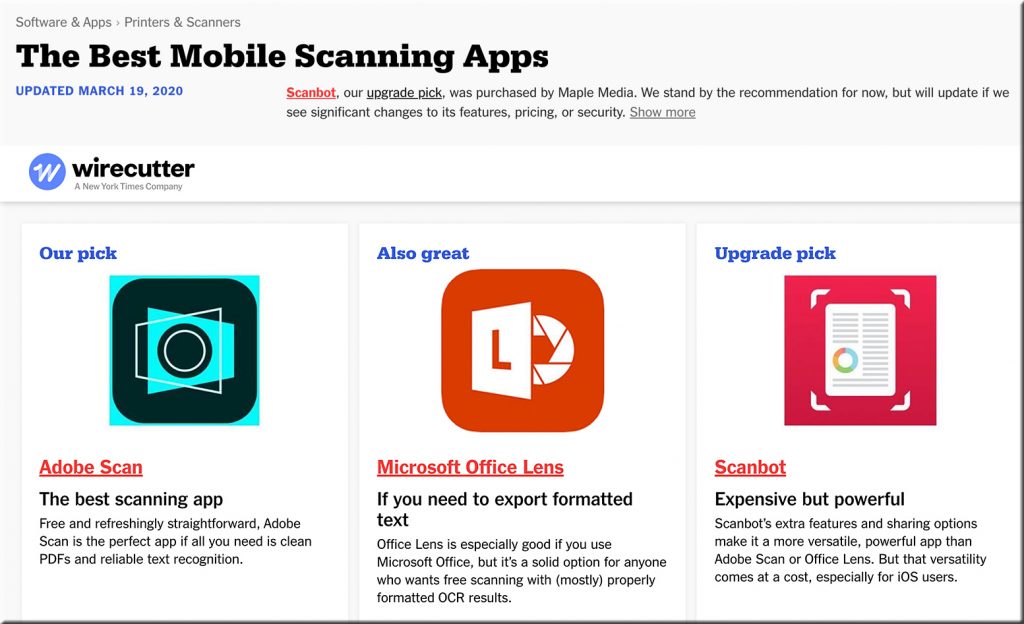
The Best Mobile Scanning Apps -- 2020


  • Students can also scan in their essays via most combination printers/scanners these days. Then they can insert those scans into a Word doc and submit it.
  • A Google search presents many different ways to scan in items into a Word document. That Word doc can then be submitted or saved as a PDF file (and then be submitted as as PDF file).
  • Also see How to create a PDF of handwritten assignments — from Canvas @ Yale. Yale recommended the following apps:

Yale recommends Scannable


Yale recommends Genius Scan for Android devices -- i.e., for scanning documents


Also see:

  • The new Office app now generally available for Android and iOS — from microsoft.com by the Microsoft 365 team
    Excerpt:
    Integrating our Lens technology to unlock the power of the camera with capabilities like converting images into editable Word and Excel documents, scanning PDFs, and capturing whiteboards with automatic digital enhancements to make the content easier to read.
 

From DSC:
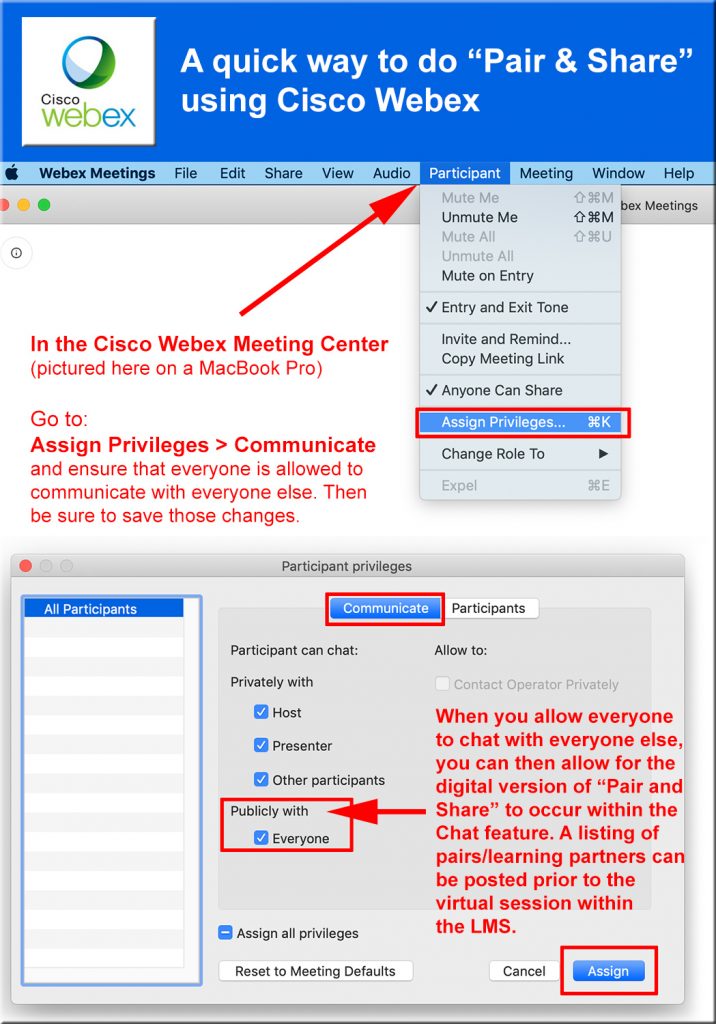
The “Pair & Share” method allows students to find a fellow student to talk about the question/topic at hand. Then, depending upon time and your learning objectives/lesson plans, some students can report back to the larger classroom about what they discussed. In the digital, synchronous realm, one can achieve this with private chat rooms — given that you’ve changed a setting to allow this to occur. Posting the pairings ahead of time should help establish a quick, smooth transition.

(The graphic below is for the Cisco Webex Meeting Center on a MacBook Pro).

Providing a quick pair and share method using the Cisco Webex Meeting Center product


Excerpt:

5. Telemedicine
Have you received the emails from your healthcare professionals that they are open for telemedicine or virtual consultations? To curb traffic at hospitals and other healthcare practitioners’ offices, many are implementing or reminding their patients that consultations can be done through video. Rather than rush to the doctor or healthcare center, remote care enables clinical services without an in-person visit. Some healthcare providers had dabbled in this before COVID-19, but the interest has increased now that social distancing is mandated in many areas.


NYC classrooms cancel Zoom after trolls make ‘Zoombombing’ a thing — from thenextweb.com by Bryan Clark

From DSC:
I’m a sinner. I know that all too well. But I’m tagging this with ethics, morals, and matters of the heart because I don’t have a tag for “I’m bumbed out that a solid technology gets ruined by a few bad apples.” It’s not the technology’s fault, per se. It has everything to do with the human heart….whether we like to admit/recognize it or not.

Also see:

“Zoombombing problems are more likely to occur for online events for which the link is circulated widely, or even posted on a public website.” (source)
 

Trial by video conference? Not yet, but coronavirus forces Bay Area courts to embrace more virtual proceedings — from sfchronicle.com by Bob Egelko

Trial by court? Almost there.

Also see:

8 technologies you should be using in your depositions and trials in 2020 — from jdsupra.com
From virtual proceedings and paperless depositions to real-time technologies and mobile capabilities, technology has become an integral part of practicing law today.

Excerpt:

As legal technology continues to advance and evolve, trials and depositions bear little resemblance to the paper-centric proceedings they used to be in decades past. The days when litigation meant being buried in boxes and boxes of documents and exhibits are long gone.

From virtual proceedings and paperless depositions to real-time technologies and mobile capabilities, technology has become an integral part of practicing law today. If you want to get the most out of your next deposition or trial, you need to be familiar with the top technologies that are changing the game in 2020.


FCC enacts $200M telehealth initiative to ease COVID-19 burden on hospitals — from techcrunch.com by Devin Coldewey

Excerpt:

The FCC has developed and approved a $200 million program to fund telehealth services and devices for medical providers, just a week or so after the funding was announced. Hospitals and other health centers will be able to apply for up to $1 million to cover the cost of new devices, services and personnel.

The unprecedented $2 trillion CARES Act includes heavy spending on all kinds of things, from direct payments to out-of-work citizens to bailouts for airlines and other big businesses. Among the many, many funding items was a $200 million earmarked for the FCC with which it was instructed to improve and subsidize telehealth services around the country.


Also see:

#telehealth |  #telemedicine |  #telelegal


Why education is a ‘wicked problem’ for learning engineers to solve — from edsurge.com by Rebecca Koenig

Excerpts (emphasis DSC):

So, back to the wicked problem: How do we make education that’s both quality education and at the same time accessible and affordable?

“Now, we are building a new technology that we call Agent Smith. It’s another AI technology— and we’re very excited about it—that builds [a] Jill Watson for you. And Agent Smith can build a Jill Watson for you in less than 10 percent of the hours.”
…
So one question for online education is, can we build a new set of tools—and I think that’s where AI is going to go, that learning engineering is going to go—where AI is not helping individual humans as much as AI is helping human-human interaction.

Huge ethical issues and something that learning engineering has not yet started focusing on in a serious manner. We are still in a phase of, “Look ma, no hands, I can ride a bike without hands.”
…
Technology should not be left to technologists.

Learning from the living class room


Homeschooling During the COVID-19 Pandemic — from cato.org by Kerry McDonald

Excerpt:

In a recent three-part Cato Daily Podcast series, I spoke with host Caleb Brown about this unprecedented educational moment, including sharing strategies and resources for overcoming the challenges of unexpected, unchosen homeschooling, as well as possible outcomes as more parents seek alternatives to conventional schooling post-pandemic.


More Free Resources For New Homeschoolers — from forbes.com by Nick Morrison

Excerpt:

Last month I highlighted some of the free resources available for parents — and teachers — during the pandemic, but since then a number of other organizations have offered their resources, expertise and support for free, so here is another selection, for the benefit of ordinary homeschoolers in these extraordinary times.


From DSC:
Below are excerpts from a recent email that I received as a cc: to our son and am passing it along in case it helps others out there.

I would like to share with you important guidance on how to get the most out of your online learning experience.

ORGANIZING YOUR SPACE
Set up your home classroom space. This is important. Be sure you have a space that is comfortable and where you can focus on your studies, your practice, your craft and your learning. This can be private or shared, whatever works for you and your family.

WHAT YOU WILL NEED

  • Computer
  • Internet Access, preferably high-speed broadband, is required for video conferencing and class assignments. Most of the expected work will not require streaming, but a secure internet connection will help a lot.
  • Headphones help minimize extraneous noise. They can also help signal to others in your home that you are online and on-task.
  • Zoom, our preferred video conferencing software, can be downloaded here. 

SCHEDULE
You will complete your work and engage in your lessons in two ways. Some assignments are laid out in your Canvas class and can be completed at your own pace, turning work in when due. And some of your classes and lessons will require you to connect with faculty and students in real time. When a real-time option is possible, be sure to take it. 

STAYING CONNECTED
Again, be sure to connect in real time as often as possible. There are lots of opportunities to connect with faculty and students every day.
…
Join in as many real time experiences as you can. These human connections, across the internet, are so important during this time when we are all separated physically.

NORMS FOR VIDEO-CONFERENCING

  • Log in on time, and be fully prepared with any necessary materials, notebooks, etc.
  • Wear clothes like what you would wear to school.
  • Remain present and engaged throughout the session. Do not open additional windows or use other technology during the session, unless it is part of class.
  • Join sessions in a quiet space, if you can, where you will not distract others and not be distracted. 
  • Mute your microphone when not speaking.

SUMMARY OF STUDENT RESPONSIBILITIES

  • Establish a daily routine for your school work.
  • Find a comfortable, distraction-free place in your home where you can work.
  • Check email and Canvas each day to learn about the expectations for your work.
  • Perform tasks as outlined by instructors in Canvas and seek clarification from teachers on any assignments where you need it.
  • For classes meeting “live,” login to real-time video services (Zoom) for dialogue with teachers and members of your class. Attend faculty office hours. They want to see you!
  • Put forth your best effort.
  • Communicate with your instructors, your advisor, your residence life coordinator, and/or Academic and College Counseling.
  • If you need anything, let us know.

Under the Table and Teaching: 11 Expert Tips for Schooling Kids with ADHD from Home — from additudemag.com
Unschooling. Homeschooling. Crisis schooling. What is the difference? And what are the best learning strategies for your child with ADHD at this stressful time? Here are tips and strategies from education experts who understand the distinctions and today’s inescapable realities.

Excerpts:

11 Ways to Support Learning at Home

    1. Focus learning on your child’s natural interests.
    2. If your child gets stressed, take a break.
    3. Make learning a game.
    4. Embrace Minecraft.
    5. Add movement to promote learning.
    6. Build focus with busy hands and feet.
    7. Tap into online tutors.
    8. Ditch the worksheets. Use educational videos, phone apps, educational podcasts, or other media to introduce or expand on a subject.
    9. Take things one day at a time.
    10. Follow your child’s lead.
    11. Accept that homeschooling may not work for you.
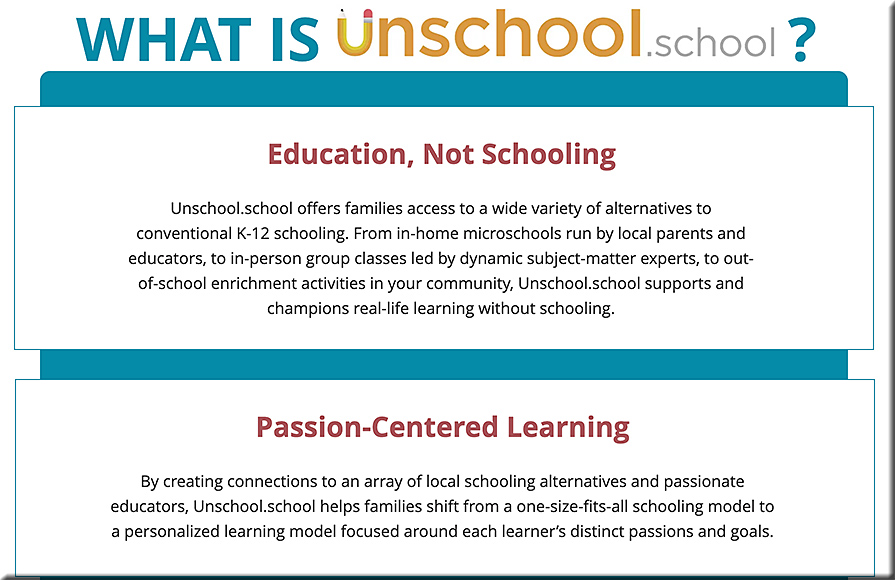
 

unschool


Research Quest Live sign up
Though the museum is currently closed, the Natural History Museum of Utah is allowing kids around the globe the opportunity to transport back in time to a past where dinosaurs roamed the world. With the recently launched Research Quest Live, offering a taste of the world with virtual tours and free access to daily online science classes taught by museum educators.


Common Sense Launches Wide Open School to Help Families and Educators Transition to Students Learning from Home — from commonsensemedia.org
As Schools Continue to Close as a Result of the Coronavirus Pandemic, Some of the Most Respected Companies in Education, Media, and Tech Join Forces to Offer a Free and Open Collection of Quality Online Learning Resources to Educators and Families. 

Excerpt:

SAN FRANCISCO, March 31, 2020—Common Sense, the leading nonprofit organization whose mission is to help kids, families, and educators thrive in a world of media and technology, has convened a group of education, media, and tech partners to launch WideOpenSchool.org, a free online resource to support families and educators who are transitioning to remote learning as a result of the coronavirus.

Wide Open School features the very best resources from publishers, nonprofits, and education companies, including the American Federation of Teachers, Amplify, Boys & Girls Clubs of America, Head Start, Khan Academy, National Geographic, Noggin, PBS, Scholastic, Sesame Workshop,Time for Kids, XQ Institute, and YouTube. Find the full site at WideOpenSchool.org.


From DSC:
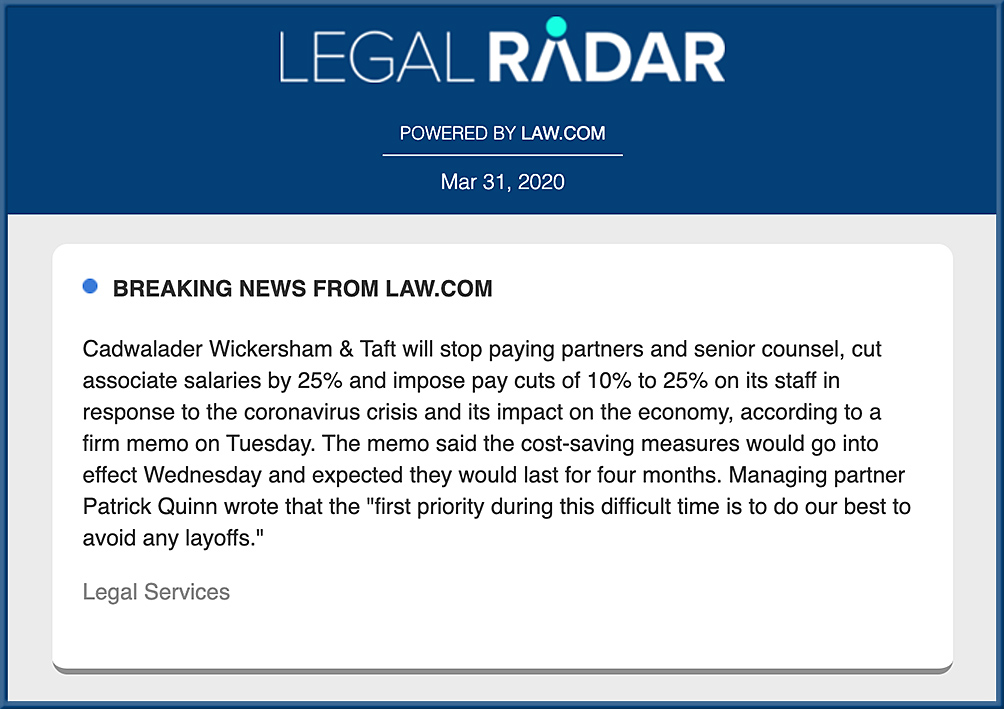
Given the attached graphic…what do you suppose, how might this type of thing impact #telelegal (i.e., akin to what’s currently building with #telemedicine for the healthcare industry)? 

If things blow over in 3 weeks, not much will likely change within the legal realm. But if the impacts from the Coronavirus  go on for 6 months or more (like we still have with tighter airport security resulting from what occurred on 9/11/2001), I’d say we’ll see more lawyers strike out on their own and/or join firms that support telelegal. Or, we’ll see fewer people go into law…which is NOT what our society needs given our current Access to Justice (#A2J) crisis involving civil law cases.

Another possibility could be an explosive growth in legaltech / cloud-based apps for providing legal services.

Regardless…this is what a wave looks like when it starts to build. Firms, individual lawyers, and even law schools can ride it or be crushed by it.


Addendum on 4/1 and this is NOT an April Fool’s joke:


Per Techcrunch article:

The world is vulnerable to a new type of trolling as people turn to Zoom video calls to feel connected amidst quarantines. Jerks are using Zoom’s screensharing feature to blast other viewers with the most awful videos from across the internet, from violence to shocking pornography.


A group of Nashville studio singers perform an epic cell phone choir — from wsmv.com by Derry London; with thanks to a wonderful cousin for this resource


Also see:

Neal Plantinga on His “God Go Before You” Blessing — from worship.calvin.edu by Joan Huyser-Honig & Cornelius Plantinga, Jr.; with thanks to John Witvliet for his post on LinkedIn for this resource

Excerpt:

God go before you to lead you, God go behind you to protect you, God go beneath you to support you, God go beside you to befriend you. Do not be afraid. May the blessing of God the Father, Son, and Holy Spirit be upon you. Do not be afraid.

Go in peace to love and serve the Lord. Amen.

From DSC:
The song at the bottom of the page is a beautiful song. Check it out as well.


COVID-19 Resources for Higher Ed — from EDUCAUSE
With the help of the higher ed community, EDUCAUSE continues to compile resources to help you manage the implications of COVID-19, including information on working remotely, online education, campus advisories, and higher ed continuity planning and emergency preparedness.


The Chronicle of Higher Education

https://connect.chronicle.com/CHE-CS-WC-2020-CVCollection-Faculty_LP.html

Also see:

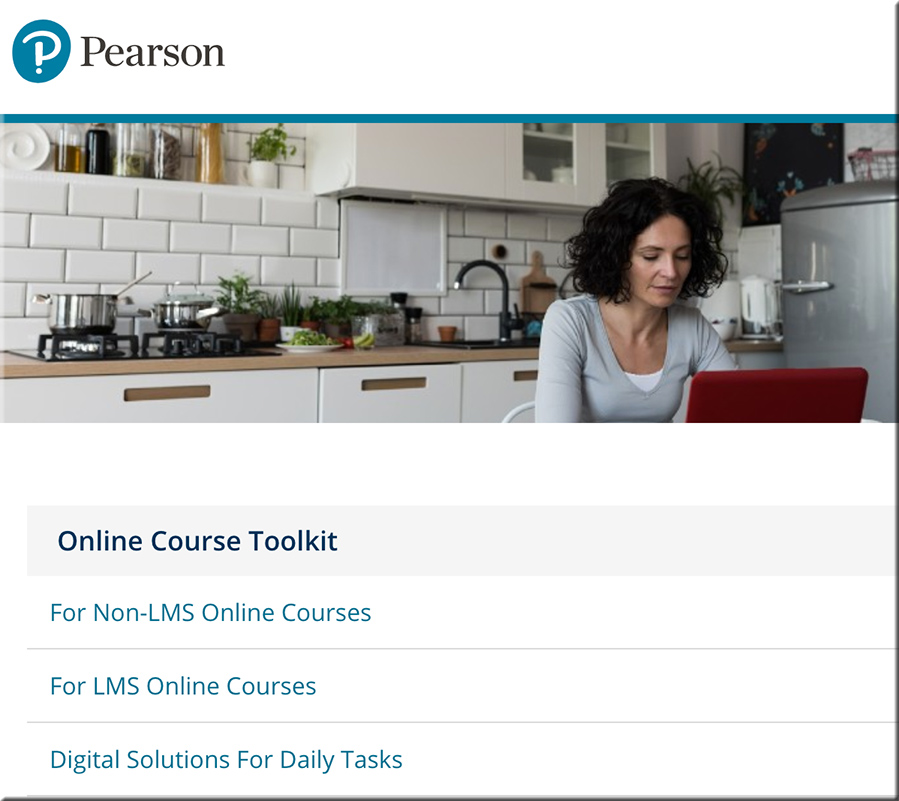
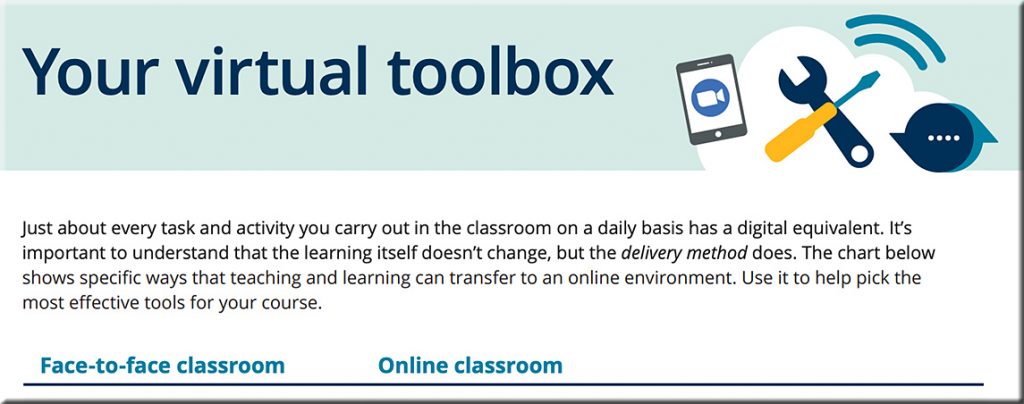
Online course development toolkit -- from Pearson


Face-to-face tasks and their digital equivalents


Updated: Free Resources for Schools During COVID-19 Outbreak — from thejournal.com by Dian Schaffhauser

Excerpt:

(Updated March 26; originally published March 13) In response to the number of states, districts and schools that are shuttering schools to students over the next several weeks in response to fears about the Novel Coronavirus (COVID-19), education technology companies have stepped forward to help educators reach students in virtual ways. In many cases, the companies are making their paid services free through the rest of the school year; in other cases, they’re lifting limits to services and/or adding premium features to what’s free. The following list will be updated regularly as announcements are made.

Also see:


From DSC:
I’d like to thank Mr. Eric Osterberg — a fraternity brother and friend of mine — for sending me the following article. I wrote back to him. After thanking Eric for the article, I said:

Such an article makes me reflect on things — which is always a good thing for me to try to see my blindspots and/or to think about the good and bad of things. Technologies are becoming more powerful and integrated into our lives — for better at times and for worse at other times.

I’m wondering how the legal realm can assist and/or help create a positive future for societies throughout the globe…any thoughts?


Can computers ever replace the classroom? — from theguardian.com by Alex Beard
With 850 million children worldwide shut out of schools, tech evangelists claim now is the time for AI education. But as the technology’s power grows, so too do the dangers that come with it. 

Excerpts:

But it’s in China, where President Xi Jinping has called for the nation to lead the world in AI innovation by 2030, that the fastest progress is being made. In 2018 alone, Li told me, 60 new AI companies entered China’s private education market. Squirrel AI is part of this new generation of education start-ups. The company has already enrolled 2 million student users, opened 2,600 learning centres in 700 cities across China, and raised $150m from investors.
…
The supposed AI education revolution is not here yet, and it is likely that the majority of projects will collapse under the weight of their own hype.

The point, in short, is that AI doesn’t have to match the general intelligence of humans to be useful – or indeed powerful. This is both the promise of AI, and the danger it poses.

It was a reminder that Squirrel AI’s platform, like those of its competitors worldwide, doesn’t have to be better than the best human teachers – to improve people’s lives, it just needs to be good enough, at the right price, to supplement what we’ve got. The problem is that it is hard to see technology companies stopping there. For better and worse, their ambitions are bigger. “We could make a lot of geniuses,” Li told me.

 
© 2025 | Daniel Christian