2020 in review: Legal software for working remotely — from abajournal.com by Nicole Black

Excerpts:

  • January: Virtual and chatbot assistants
  • February: Client relationship management tools
  • March: Top tools to help lawyers set up virtual practices
  • April: Document management software
  • May: Online payment tools
  • June: Secure online communication
  • July: Legal billing software
  • August: Time-tracking software
  • September: Contract review software
  • October: Litigation analytics software



Google Photos’s promise of unlimited free storage is going away — from fastcompany.com by Jared Newma
Starting in June of next year, new Google Photos uploads will count toward a storage limit, even at reduced resolution.

Excerpt:

Starting on June 1, 2021, Google will begin counting new photo and video uploads toward users’ storage limits, even for the compressed “high-quality” images that Google stores for free today. Existing photos and videos won’t count toward the storage limit, but for anyone who keeps using the service, the core promise of unlimited free storage is effectively going away.


Maths mastery through stop-motion animation — from innovatemyschool.com by Rachel Cully

Do you want your learners to be resilient, confident mathematicians with secure conceptual understanding and a love of Maths? Well, come with me to a land of stories and watch the magic unfold.

Maths mastery through stop-motion animation -- by Rachel Cully

Also see:


Saving — and Enhancing — Music Education With Online Learning — from edcircuit.com by D. Travis Washington

Excerpt (emphasis DSC):

I teach Choir and lead the Young Vocal Scholars Program, and before COVID arrived, we were excited to move forward on the culmination of learning through live performances. With school closure, all that changed, and we were forced to adapt to virtual learning. Through the initial transition, we discovered that online learning options such as Soundtrap could not only extend projects we were currently working on but expand music learning to previously unimaginable heights.
…
When Covid hit and we couldn’t continue with the traditional choir program, my school looked for remote solutions. Soundtrap was exactly what we needed. We began conducting Young Vocal Scholars choir sessions remotely through Soundtrap and filled our extra Soundtrap seats with students from the District 8 Choir who weren’t being served music at all — doing similar projects that we had been creating previously in my classes. It was incredible to suddenly recognize that there were far more students interested in music who could connect via their laptops and tablets at home.

Also see:

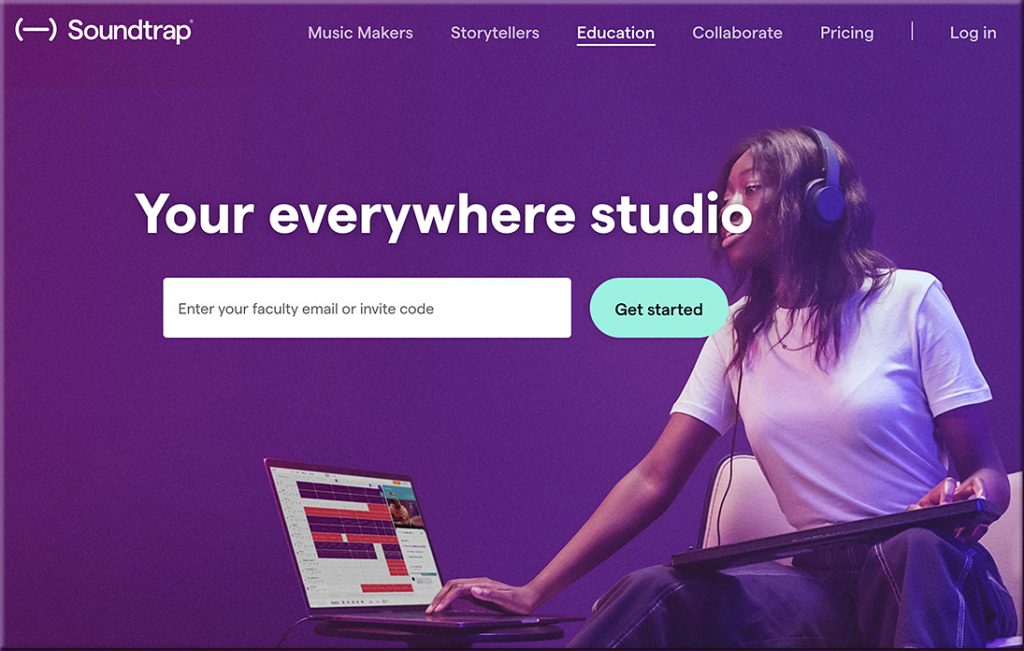
Soundtrap for Education empowers students and teachers to explore creative sound recording in all subjects, for all ages and ability levels.

Soundtrap revolutionized my classroom in a virtual setting. Students became more engaged than ever before. My “4-star artists,” as I refer to my highly motivated students, kept making songs. I recall one of them saying to me, “Music class was cool because we sang together, but Soundtrap is cooler because it allows us to make projects together and they sound good.” 


The Observatory is an interactive platform that allows you to do a preliminary analysis of 600+ legal technologies in the market today

The Observatory — from orrick.com with thanks to Gabe Teninbaum for mentioning this resource in his Lawtomatic Newsletter (Issue #112, 11/18/20)

The Observatory is an interactive platform that allows you to do a preliminary analysis of 600+ legal technologies in the market today (including some developed by Orrick):

  • Gain insight into features of legal tools
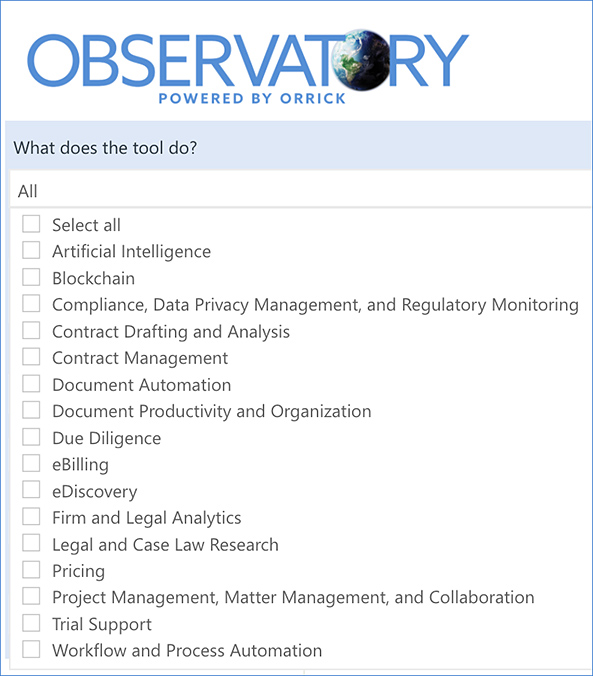
  • View leading categories of legal tech, from artificial intelligence to workflow automation
  • Understand tech use-cases for litigation, transactional and general solutions
  • Identify legal tech companies with diverse leadership

Excerpt from Gabe’s newsletter:

  • The Observatory: the tech-savvy biglaw firm, Orrick, has a new interactive platform offering data on 600+ legal technologies currently on the market.  A user can click on the type of tool they’d like to learn more about (e.g. document automation or contract management), click on various filters, then get a summary of what it does.  It also includes a narrative box for what makes the tool unique.  It’s easy to use, free, and also gives a nice preview for clients on the type of value the firm might offer them beyond run-of-the-mill representation.

Explore The Observatory from Orrick dot com to help you identify potential fits for your legaltech related needs


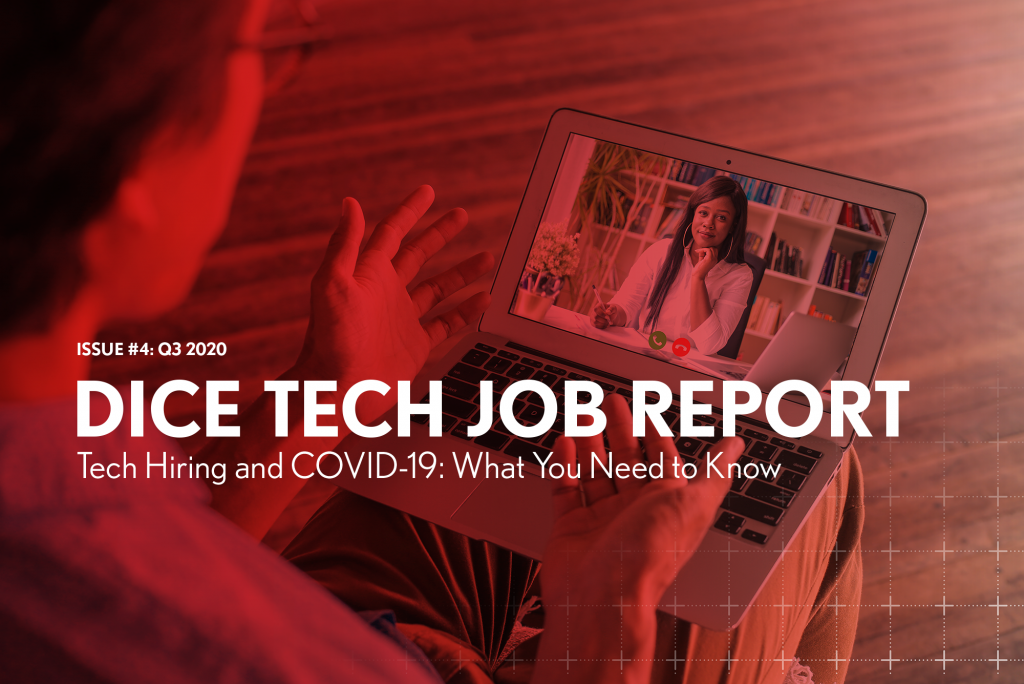
The Dice Q3 Tech Job Report Tech Hiring and COVID-19: What You Need to Know

The Dice Q3 Tech Job Report: Tech Hiring and COVID-19: What You Need to Know — from techhub.dice.com
The report, issued quarterly by Dice, provides exclusive statistics and analysis on the tech hiring landscape, including top cities and states, top employers and the most sought-after skills and occupations.

From DSC:
One can quickly see how valuable this information would be as a data feed into an AI-based, next-generation learning platform.

The platform would connect the marketable skills with the courses, websites, blogs, RSS feeds/streams of content, etc. that would help a learner quickly and affordably build such in-demand skills. Given the shortening half-lives of many kinds of information, such a service is needed desperately…especially now with the impact of the Coronavirus.

Also relevant: See how ISTE built its upcoming virtual event!


How to Work Remotely as a Lawyer: A Guide — from clio.com by Teresa Matich; with thanks to Nelson Miller for this resource

Excerpt:

Whether you’ve looked at working remotely as a lawyer in the past (or as a paralegal, legal assistant, legal professional) with dreams of traveling the world, or whether you’re looking into it for the first time now, this guide contains clear, practical tips for opening a remote legal practice without interruption. We’ll cover:

  • 10 steps to follow for successful remote work
  • What to do if you still need to meet clients in person
  • Tips for how larger legal teams can succeed when transitioning to remote work
  • A basic list of tools to use for remote lawyering
  • Examples of law firms that have worked remotely in some capacity (or are currently doing so)
 

Illinois Supreme Court Issues Pandemic-Related Court Orders, Expands Criminal Appeals Pro Bono Program — from legaltechmonitor.com by Laura Bagby

Excerpt:

The Order on Remote Jury Selection in Civil Matters permits circuits to conduct jury selection in civil cases via video conference. This expands upon rules that were amended in May to support the use of remote hearings.


From DSC:
In our future learning experiences, I wonder what taking a break might look and sound like…? That is, we’re going along learning something from/with others (virtually/digitally) and then the teacher, professor, Subject Matter Expert (SME), trainer, or whoever says to take a break. What could happen then?

In the online/digital/virtual-based realm, that could mean that you have the option to set your “break” setting to bring up Spotify, or Vimeo, or YouTube, or Pandora, some VR-based app, other. The lights in your “learning space” could dim and the music could come on. Or you reach for a VR headset and watch a sunset or position yourself by a picturesque brook. Or your favorite podcast/vodcast picks up where you left off.

Hmmm…should be some interesting innovation and affordances along these lines.


The Advantages of Teaching Soft Skills to CS Undergrads Online — from cacm.acm.org by Orit Hazzan; with thanks to Sarah Huibregtse for posting this out on LinkedIn.

Excerpt:

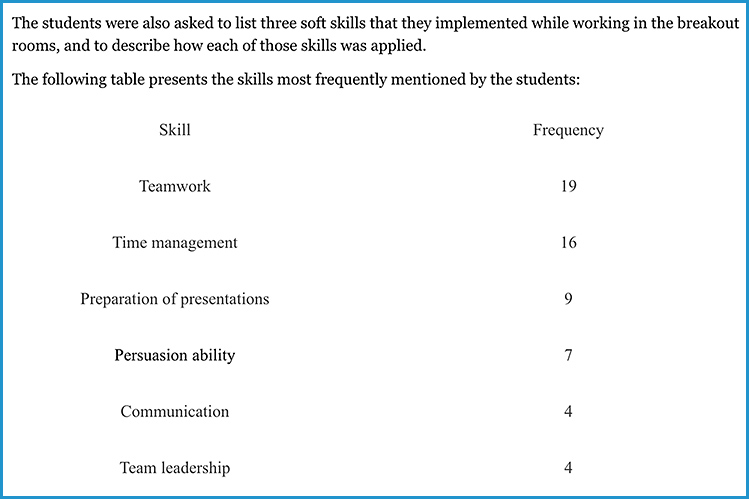
At first, I wondered whether teaching soft skills online is even possible since, unlike theoretical courses, I assumed that close face-to-face (F2F) interaction is required in order to practice such skills. Eventually, I realized that teaching this course online has, in fact, some advantages, that this teaching format opens up new opportunities, and that this medium can even foster several soft skills that I had not previously considered teaching in the F2F format. This blog demonstrates these advantages by focusing on the use of the breakout rooms option available in Zoom, which I used extensively in the course.


Soft skills mentioned by CS students


Here is a helpful app to help teachers create green screen videos — from educatorstechnology.com

Excerpt:

If you are looking for a good green screen app to use in your teaching and with your students in class, Do Ink is definitely one of the first options you should consider. Green Screen by Do Ink allows you to easily create beautiful videos and visual presentations incorporating a wide variety of multimedia materials. As a teacher, you can use it to design tutorials, step-by-step guides, explainers, visual illustrations, presentations, posters, and many more.


Expert Tips for Using PowerPoint Presenter View (2 screens, Windows) in Zoom or Teams — from thinkoutsidetheslide.com; with thanks to Tamara Kravits for this resource

Except:

In this article I want to share some of the expert tips for using the features of Presenter View. I will use the common scenario of Presenter View showing on one screen while the slides show on a second screen which is shared in the meeting platform. This allows easy access to all the Presenter View features.

If you need to add a second screen, check out the options in this article and if you want to learn more about using Presenter View in different setups, I have complete guides to using Presenter View in Zoom and in Teams.

From DSC:
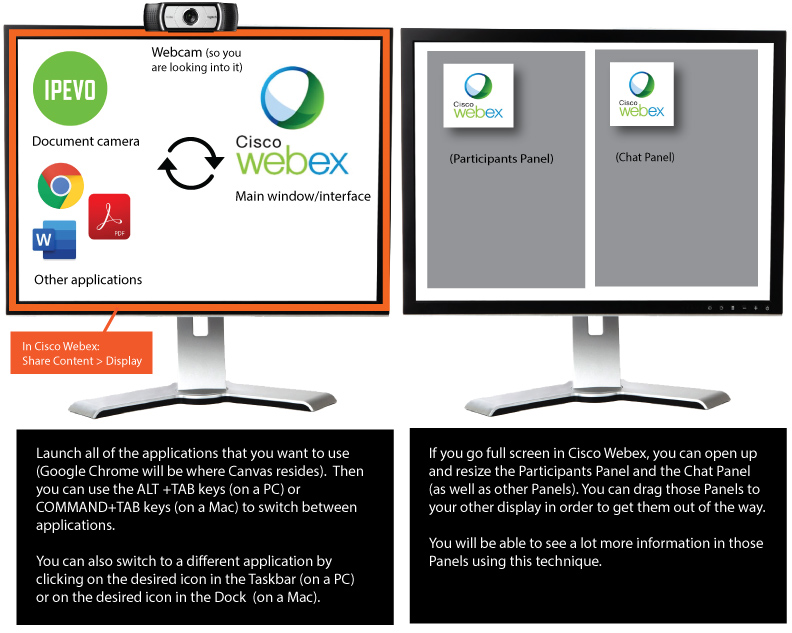
Along the lines of using two monitors with a videoconferencing application, below is a graphic I created for our faculty members at the WMU-Cooley Law School.

Ways to setup your two monitors and jump around different applications

Also relevant/see:


From DSC:
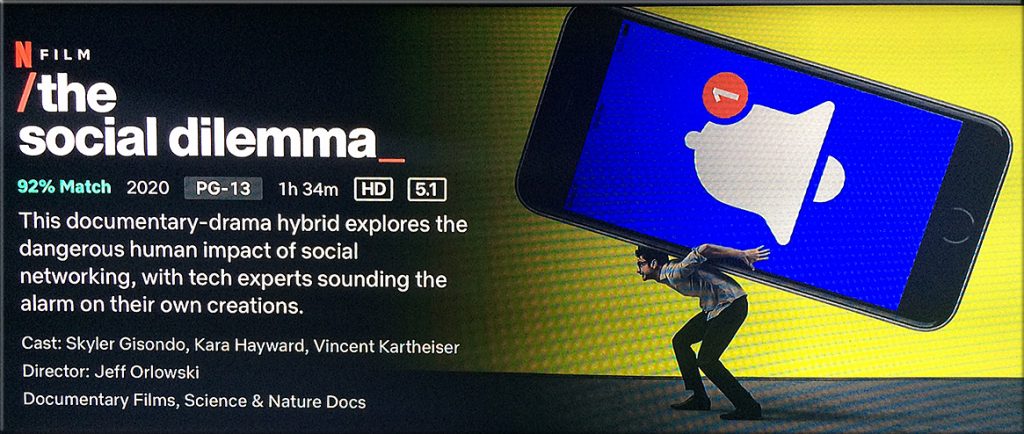
Who needs to be discussing/debating “The Social Dilemma” movie? Whether one agrees with the perspectives put forth therein or not, the discussion boards out there should be lighting up in the undergraduate areas of Computer Science (especially Programming), Engineering, Business, Economics, Mathematics, Statistics, Philosophy, Religion, Political Science, Sociology, and perhaps other disciplines as well. 

To those starting out the relevant careers here…just because we can, doesn’t mean we should. Ask yourself not whether something CAN be developed, but *whether it SHOULD be developed* and what the potential implications of a technology/invention/etc. might be. I’m not aiming to take a position here. Rather, I’m trying to promote some serious reflection for those developing our new, emerging technologies and our new products/services out there.

Who needs to be discussing/debating The Social Dilemna movie?


© 2025 | Daniel Christian