12 examples of artificial intelligence in everyday life — from itproportal.com by Christopher Oldman

Excerpt:

4. Plagiarism
The college students’ (or is it professor’s?) nightmare. Whether you are a content manager or a teacher grading essays, you have the same problem – the internet makes plagiarism easier.

There is a nigh unlimited amount of information and data out there, and less-than-scrupulous students and employees will readily take advantage of that.

Indeed, no human could compare and contrast somebody’s essay with all the data out there. AIs are a whole different beast.

They can sift through an insane amount of information, compare it with the relevant text, and see if there is a match or not.

Furthermore, thanks to advancement and growth in this area, some tools can actually check sources in foreign languages, as well as images and audio.

Intel calls its AI that detects student emotions a teaching tool. Others call it ‘morally reprehensible.’ — from protocol.com by Kate Kaye
Virtual school software startup Classroom Technologies will test the controversial “emotion AI” technology.

Excerpts:

But Intel and Classroom Technologies, which sells virtual school software called Class, think there might be a better way. The companies have partnered to integrate an AI-based technology developed by Intel with Class, which runs on top of Zoom. Intel claims its system can detect whether students are bored, distracted or confused by assessing their facial expressions and how they’re interacting with educational content.
…
But critics argue that it is not possible to accurately determine whether someone is feeling bored, confused, happy or sad based on their facial expressions or other external signals.
…
The classroom is just one arena where controversial “emotion AI” is finding its way into everyday tech products and generating investor interest. It’s also seeping into delivery and passenger vehicles and virtual sales and customer service software.

MIT’s FutureMakers programs help kids get their minds around — and hands on — AI — from news.mit.edu by Kim Patch
The programs are designed to foster an understanding of how artificial intelligence technologies work, including their social implications.

Excerpt:

During one-week, themed FutureMakers Workshops organized around key topics related to AI, students learn how AI technologies work, including social implications, then build something that uses AI.

“AI is shaping our behaviors, it’s shaping the way we think, it’s shaping the way we learn, and a lot of people aren’t even aware of that,” says Breazeal. “People now need to be AI literate given how AI is rapidly changing digital literacy and digital citizenship.”

AI can now kill those annoying cookie pop-ups — from thenextweb.com by Thomas Macaulay
The notifications have been put on notice

Excerpt:

After years of suffering this digital torture, a new AI tool has finally offered hope of an escape.

Named CookieEnforcer, the system was created by researchers from Google and the University of Wisconsin-Madison.

The system was created to stop cookies from manipulating people into making website-friendly choices that put their privacy at risk. Yet it could also end the constant hassle of navigating the notices.

Using machine learning to improve student success in higher education — from mckinsey.com
Deploying machine learning and advanced analytics thoughtfully and to their full potential may support improvements in student access, success, and the overall student experience.

Excerpt:

Yet higher education is still in the early stages of data capability building. With universities facing many challenges (such as financial pressures, the demographic cliff, and an uptick in student mental-health issues) and a variety of opportunities (including reaching adult learners and scaling online learning), expanding use of advanced analytics and machine learning may prove beneficial.

Below, we share some of the most promising use cases for advanced analytics in higher education to show how universities are capitalizing on those opportunities to overcome current challenges, both enabling access for many more students and improving the student experience.

Artificial intelligence (AI): 7 roles to prioritize now — from enterprisersproject.com by Marc Lewis
Which artificial intelligence (AI) jobs are hottest now? Consider these seven AI/ML roles to prioritize in your organization

Excerpt:

Rather than a Great Resignation, this would suggest a Great Reallocation of the workforce. As a global search consultant, we are seeing this precipitous shift in positions, with great demand for skills in artificial intelligence and machine learning (AI/ML).

With that in mind, here are seven artificial intelligence (AI)-related roles to consider prioritizing right now as the workforce reallocates talent to new jobs that drive economic value for leading companies…

4 ways AI will be a great teaching assistant — from thetechedvocate.org by Matthew Lynch


Become a Wi-Fi wizard — from advisorator.com by Jared Newman; or see this page

Excerpt:

Wi-Fi is fundamentally at odds, then, with my desire to answer questions with specific recommendations. The best I can do is walk you through how I diagnose Wi-Fi problems myself. That way, you can make better decisions on whether (and how) to upgrade your own gear.

In this guide:

  • Size up the problem
  • Know your router
  • Try some smaller fixes
  • Extenders: a last resort
  • Picking a new Wi-Fi router
  • Deciphering Wi-Fi jargon


This Week’s Awesome Tech Stories From Around the Web (Through April 30) — from singularityhub.com by Singularity Hub Staff

Topics include:

  • Computing
  • Robotics
  • Nanotechnology
  • Technology
  • Gadgets
  • Space
  • AI
  • AR


You Can Now Ask Google to Remove Personal Info From Searches — from lifewire.com by Rob Rich
But that won’t remove the information at its source

Excerpt:

Google is taking a more active role in stopping the spread of sensitive and personal information by allowing you to request its removal from searches.

The new policy applies to what Google refers to as personally identifiable information (PII), such as details that could be used for identity theft or more direct harm. Info like bank account or credit card numbers, medical records, personal contact details, social security numbers, and so on. Whether or not it acts on these requests is discretionary, however.

Also relevant/see:


The Future Is Here: Assistive Technology for Learning Disabilities — from studycorgi.com; with thanks to Alysson Webb for this resource

Excerpt:

Equal learning and personal development opportunities help ensure everyone reaches their highest potential. However, it is important to look at comparable needs. People with learning disabilities can require individual or additional services from a school program. According to the National Center of Educational Statistics, in 2019 – 2020, 14% (7.3 million) of children from 3 to 21 received special education services in the US. One-third of them had various learning disabilities that required specific assistance and tools.

Table of Contents

  1. What Is a Learning Disability?
  2. Assistive Technology (AT) in the Classroom
  3. AT for Learning Disabilities: Benefits & Tools
  4. References
 

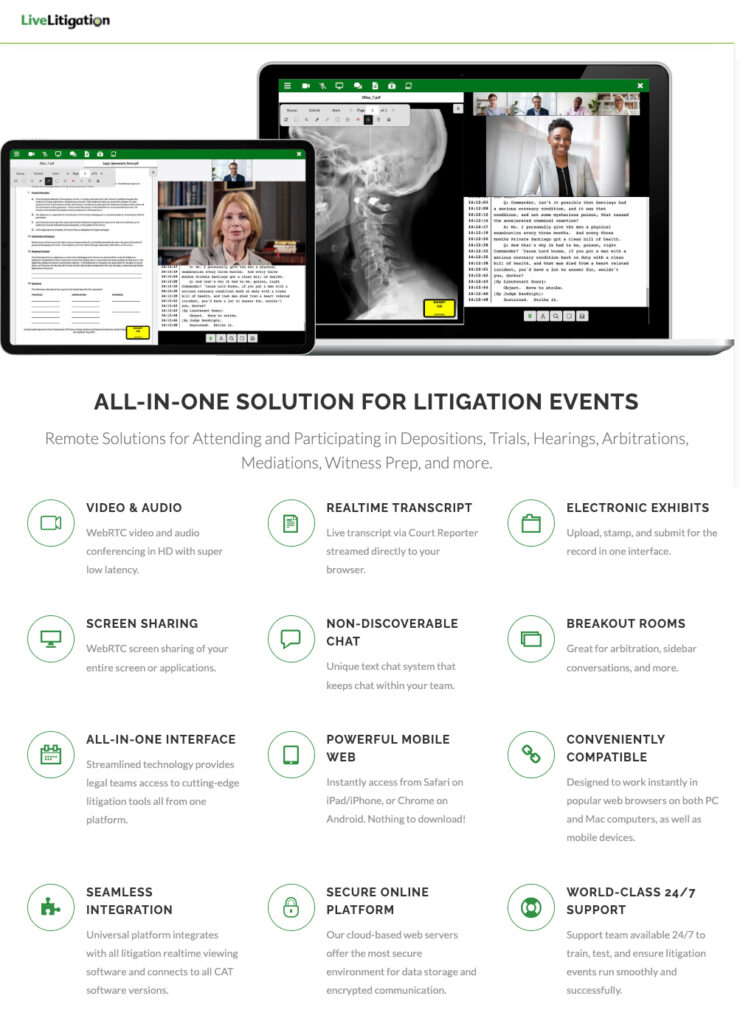
Remote court transcription technology enables virtual court appearances — from abajournal.com by Nicole Black

Excerpts:

That’s why it’s imperative to make certain remote options are available for all aspects of legal work since doing so is the only way to guarantee the justice system doesn’t come to a grinding halt. One way to prevent that is to take advantage of the virtual deposition transcription tools I discussed in last month’s column. In that article, I provided an overview of virtual deposition transcription products and services that rely on videoconferencing tools and software platforms to facilitate remote depositions.

Another way business continuity has been maintained since March 2020 is via virtual court proceedings. Remote court appearances are now more common since courts periodically shifted to partial or fully remote operations throughout the pandemic. Many judges have become accustomed to and appreciate the convenience of virtual court proceedings, and many expect them to continue even after the pandemic ends.

Because all signs point to the continuation of virtual court proceedings, I promised in last month’s article that I would focus on remote court proceeding options in this column. These include software platforms and artificial intelligence language-processing tools that facilitate remote court proceedings.

Nicole’s article mentioned the following vendor/product:

Live Litigation -- Remote Solutions for Attending and Participating in Depositions, Trials, Hearings, Arbitrations, Mediations, Witness Prep, and more.


College & Career Guide for Students with Disabilities — from study.com by Jamie Julh, Lisa Keith, Nicole Nicholson, Taylor McGillis; with thanks to Alysson Webb for this resource

Excerpt (emphasis DSC):

Students with disabilities made up 19.4% of enrolled undergraduate students in the U.S. according to the most recent data release from the Department of Education (DoE). However, many of these students may be afraid to or not know how to advocate for themselves and obtain the assistance they need. Data on graduation rates for students with disabilities can be hard to come by, but based on a recent study by the DoE National Center of Education Statistics, only 54.2% had graduated with a bachelor’s degree after six years. One possible reason for this low graduation rate is that only 35% of students with disabilities chose to disclose those disabilities to the college or university they attended, and only 24% chose to utilize accommodations. This guide is intended to help students with disabilities learn about their rights, the laws that protect them, and the resources available to help them see through their goal of obtaining higher education.

Also relevant/see:


Do digital distractions justify law professors’ prohibitions on laptops? — from abajournal.com by Stephanie Francis Ward

Excerpt:

If a professor is uncomfortable with laptops in the classroom, he or she might consider allowing a handful of students to use them, as official note takers, says Robert Dinerstein, a former acting dean of American University Washington College of Law, who directs its Disability Rights Law Clinic. The note-taking group should include students who do and do not have accommodations for laptops so no one is stigmatized, he adds. Dinerstein, a former commissioner on the ABA’s Commission on Disability Rights, now serves as its liason from the ABA’s Section of Civil Rights and Social Justice. Additionally, he co-chairs the section’s disability rights committee.


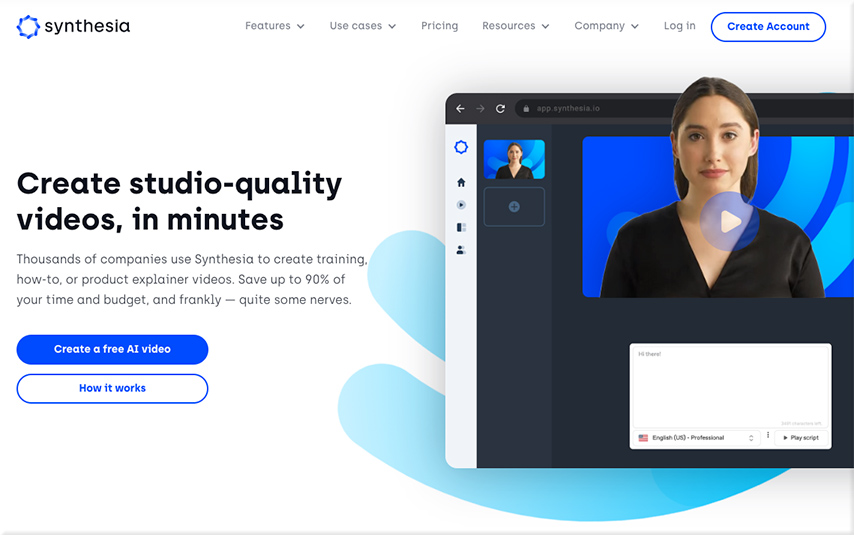
The Pros and Cons of Developing AI-Powered Corporate Training Videos with Synthesia — from blog.commlabindia.com by Saritha Esaboyuna
Synthesia is a game-changing invention that uses AI (Artificial Intelligence) to generate videos from text inputs. It enables designers to not only natively localise content but also to create and update existing films.

Excerpt:

You don’t need an editing studio, expensive equipment, or a high-end video editing program to design a video. All you need is Synthesia. Actors, cameras, and microphones are no longer required! You can produce high quality AI-enabled videos in over 50 languages just by adding text with Synthesia.


Also see:

From DSC:
Teachers and faculty members might want to try this out as well — especially if you have multiple languages being spoken in your classroom. And/or perhaps IT Departments and Help Desks could look at this as well.


How to make competency-based education possible through an intelligent learning platform — from blog.neolms.com by Ioana Solea

Excerpt:

Competency-based education plays an essential role in this endeavor. As its name suggests, this type of learning focuses on individual competency. It promotes a learner-centric approach in which students get from level A to level B after acquiring and demonstrating mastery of certain skills.

Competency-based learning is easier to implement when you have the right tools. An intelligent learning platform (ILP) is the ideal option. This technology already incorporates all the features you need to implement a competency-based learning model.

Learn how an ILP enables competency-based education.


What Educators Need to Know About Assistive Tech Tools: Q&A with Texthelp CEO — from thejournal.com by Kristal Kuykendall and Texthelp CEO Martin McKay

Excerpts (emphasis DSC):

THE Journal: What are some examples of the types of assistive technology tools now available for K–12 schools?
McKay: There are a broad range of disabilities, and accordingly, a broad range of learning and access difficulties that assistive technology can help with. Just considering students with dyslexia — since that is the largest group among students who can benefit from assistive tech tools — the main problems they have are around reading comprehension and writing. Assistive technology can provide text-to-speech, talking dictionaries, picture dictionaries, and text simplification tools to help with comprehension.
…
It’s important that these tools need to work everywhere — not just in their word processor. Assistive technology must work in their learning management systems, and must work in their online assessment environment, so that the student can use the assistive tech tools not only in class, but at home as they work on their homework, and perhaps most importantly on test day when they are using a secure assessment environment.


We need to use more tools — that go beyond screen sharing — where we can collaborate regardless of where we’re at. [Christian]

From DSC:
Seeing the functionality in Freehand — it makes me once again think that we need to use more tools where faculty/staff/students can collaborate with each other REGARDLESS of where they’re coming in to partake in a learning experience (i.e., remotely or physically/locally). This is also true for trainers and employees, teachers and students, as well as in virtual tutoring types of situations. We need tools that offer functionalities that go beyond screen sharing in order to collaborate, design, present, discuss, and create things.  (more…)


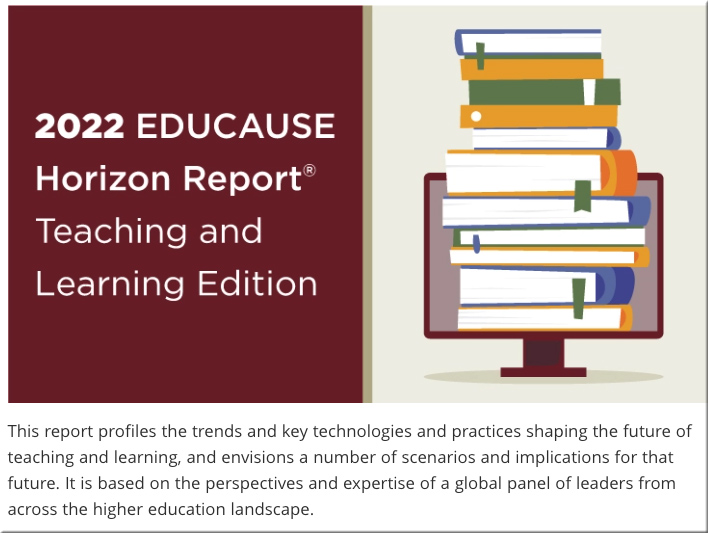
2022 EDUCAUSE Horizon Report | Teaching and Learning Edition


2022 EDUCAUSE Horizon Report | Teaching and Learning Edition — from library.educause.edu

Sections include:

  • Trends: Scanning the Horizon
  • Key Technologies & Practices
  • Scenarios
  • Implications: What Do We Do Now?

 Also relevant/see:


Also relevant/see:

2022 Educause Horizon Report Suggests Change Is Here to Stay; No Return to ‘Normal’ — from campustechnology.com by Rhea Kelly

Excerpt:

If the COVID-19 pandemic has been a time of unprecedented change in higher education — characterized by rapid pivots to remote work and learning and an explosion in the use of technology across the institution — the future is about reframing those changes into long-term realities, according to the 2022 Educause Horizon Report Teaching and Learning Edition, released this week. Colleges and universities are shifting their mindsets to “reflect an evolution from short-term ’emergency’ or ‘reactive’ modes of offering education during extraordinary circumstances to making strategic and sustainable investments in a future that will be very much unlike our past,” the report suggested.

6 Technologies and Practices Impacting the Future of Higher Education — from campustechnology.com by Rhea Kelly

 
© 2025 | Daniel Christian