Zoom Announces New Education Features, Enhancing Hybrid [Hyflex] Learning Experience for Educators & Students — from edtechreview.in by Stephen Soulunii

Excerpt:

According to a news release, the features span Zoom’s Chat and Meeting offerings and are designed to support teachers who need to engage and manage students joining class remotely or submitting homework assignments.
…
Breakout Rooms Enhancements
Breakout rooms, a popular education feature, also received enhancements in this latest release. Program Audio allows meeting hosts to share content with audio to breakout rooms, adding the ability to share videos with audio. With the LTI Pro integration enhancement, educators can populate breakout rooms from the course roster. This can be used to assign breakout rooms in advance, and then automatically sort students into breakout rooms.

Anywhere Polls
Anywhere Polls will allow polling content to live in a central repository that can be accessed from any meeting on an account, instead of being associated with a particular meeting. This will make it easier for instructors to reuse polls and will also be beneficial for grading. This feature will be available this year.


Day in the Life: Blind or Visually Impaired Professionals — from inclusionhub.com by Jeffrey Howard
While blind or visually impaired professionals still encounter inaccessibility and exclusionary hiring practices, some companies are adopting more inclusive protocols including remote work options and other accommodations.

Excerpt:

“It’s the same as someone asking for a second or third monitor,” continues Preston-Watson. “I’m asking for a screen reader. You’re asking for these accommodations. I’m just asking for the tools to do my job. People in different roles need different tools to do their jobs. And that’s the same thing for disabled workers.”


Short and Sweet: The Educational Benefits of Microlectures and Active Learning — from er.educause.edu by Hua Zheng; with thanks to the Learning Now TV Newsletter – April 2022
The combination of short videos and the techniques of active learning can create rich, engaging educational experiences to maximize learning.

Excerpt:

The goal of interspersing a microlecture with active learning approaches is to improve student engagement and learning performance when participating in online, hybrid, or face-to-face instruction. Empirical studies have shown that active learning approaches, such as combining pause points with interactive quizzes, tasks requiring written responses, or note taking, can improve student performance.


Subject: Race on Campus: Pronouncing Students’ Names Correctly Is Important. Here’s How. — from chronicle.com by Fernanda Zamudio-Suarez

Excerpt:

When the pandemic moved classes online, Kohli said, platforms like Zoom helped the name-pronunciation process. On Zoom, users can change the way their name is displayed and include a phonetic spelling, making it simpler for everyone to get names right.

If the class is in person, Kohli says modeling behavior after the Zoom interface and asking students how their names are pronounced and how they’d like to be addressed.

For in-person classes, look at your roster ahead of time, Baker-Brown said. If you see a name you don’t recognize, break up the syllables and sound it out.

Then, practice. Repeat it until you get it right, and saying the name becomes second nature.

From DSC:
One other idea that I’m sure is out there, but it needs to be more commonly implemented:

  • Each learner should be able to record their name in the CMS/LMS for others to hear how their name is pronounced

#Canvas #Moodle #Blackboard #D2L #edtech #corporatetraining #L&D #vocationalprograms #K12 #HigherEducation


Magic Leap 2 Aims to Bring AR to Businesses, With No BS This Time — from cnet.com by Connie Guglielmo
CEO Peggy Johnson explains why a focus on the business sector with its new, smaller headset can transform the augmented-reality market.

Excerpts:

Fast forward to 2022. Magic Leap has a new leadership team helmed by former Microsoft and Qualcomm executive Peggy Johnson, an even lighter-weight headset due later this year and — perhaps most important — a new mission that focuses on winning over business customers rather than individual consumers.
…
Johnson says the company has learned from its past and will focus on winning over its enterprise customers with the Magic Leap 2, which will go up against Microsoft’s $3,000 HoloLens 2 when it’s released before year’s end.


Google TalkBack: An Overview of Android’s Free Screen Reader — from boia.org

Excerpt:

TalkBack is Google’s free screen reader for Android devices. The software responds to familiar touch and swipe commands, allowing users to interact with websites and apps. When activated, TalkBack announces where the user’s focus is located, enabling people to control their phones, tablets, and other Android devices without using visual cues. In certain apps, users can input other touch and voice commands.

As part of our series of articles on assistive technologies, we’ll review some of TalkBack’s unique features — and provide tips for using the software to evaluate mobile accessibility.


The Future Trends Forum Topics page — from forum.futureofeducation.us by Bryan Alexander

Excerpt:

The Future Trends Forum has explored higher education in depth and breadth. Over six years of regular live conversations we have addressed many aspects of academia.

On this page you’ll find a list of our topics.  Consider it a kind of table of contents, or, better yet, an index to the Forum’s themes.

Also see:

Since we launched in early February, 2016, the Forum has successfully published three hundred videos to YouTube.  Week after week, month by month, over more than six years we’ve held great conversations, then shared them with the world, free of charge.


The AR Roundup: March 2022 — from linkedin.com by Tom Emrich

Excerpt:

Every month I round up what you may have missed in Augmented Reality including the latest stats, funding news and launch announcements and more. Here is what happened in augmented reality between March 1-31, 2022.

“The metaverse is no longer a single virtual world or even a cluster of virtual worlds. It’s the entire system of virtual and augmented worlds,” Chalmers tells me over Zoom. “Where the old metaverse was like a platform on the internet, the new metaverse is more like the internet as a whole, just the immersive internet.”

~ David Chalmers, Philosopher and Author of Reality+


This might be the best iPhone feature you never knew existed — from fastcompany.com by Doug Aamoth
Why doesn’t ‘Back Tap’ have its own ad? Or billboards? It’s amazing! And there are counterparts available for Android, too.

Excerpt (emphasis DSC):

Did you know that you could tap the back of your phone to make it quick-launch apps, settings, and shortcuts?

Although I feel mild shame for not knowing such a feature existed until now, I feel even greater joy that it’s part of my life. It’s life-changing, friends. Here’s how it works on an iPhone—and two ways to get something similar on an Android phone.


Best Drones for Education: Building, Flying, and Coding — from eduporium.com

Excerpt:

Teaching with drones in education holds a number of possibilities that range from introducing piloting basics to helping students explore drone uses and careers as well as how coding ties in. Whether in a STEM program, a dedicated drone class, or in CTE courses, students can explore practical STEM concepts, gain hands-on experience, and more. When it comes to the best drones for education, however, knowing what you’re looking for is incredibly important. There are some big names, like the Parrot Mambo Fly and the Sky Viper line, but our team has certain requirements when it comes to our recommendations


45 Next Generation Learning Tools That Kids Will Love — from ireviews.com with thanks to Alex Ward for this resource

Excerpts:

There’s a wide range of tools designed to support curriculum and help teachers and students achieve their goals. These are our top picks for school students of every age, due to their impressive functionality and simple integration into the classroom.


From DSC:
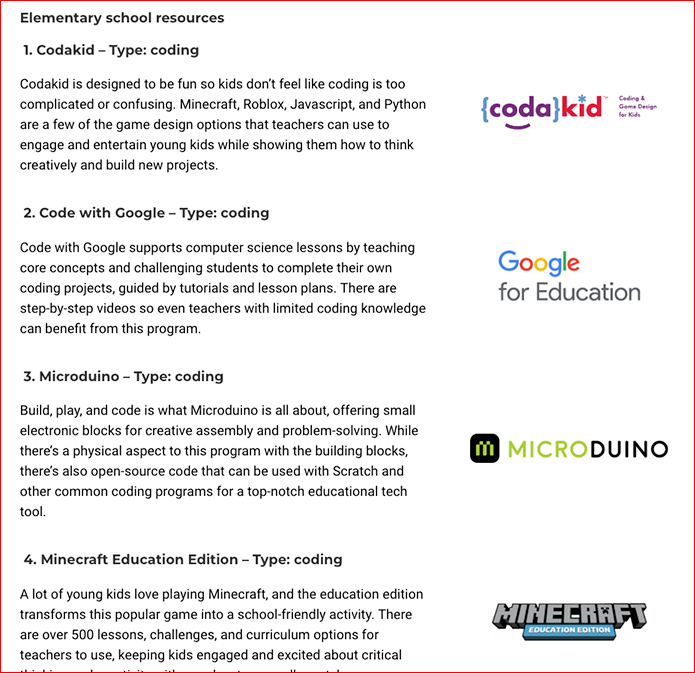
Below is a sample screenshot from the Elementary school resources section. They also have resources for middle schoolers and high schoolers.


45 Next Generation Learning Tools That Kids Will Love


Technology Trends for 2022 — from oreilly.com
What O’Reilly Learning Platform Usage Tells Us About Where the Industry Is Headed

Excerpt:

It’s been a year since our last report on the O’Reilly learning platform. Last year we cautioned against a “horse race” view of technology. That caution is worth remembering: focus on the horse race and the flashy news and you’ll miss the real stories. While new technologies may appear on the scene suddenly, the long, slow process of making things that work rarely attracts as much attention. We start with an explosion of fantastic achievements that seem like science fiction—imagine, GPT-3 can write stories!—but that burst of activity is followed by the process of putting that science fiction into production, of turning it into real products that work reliably, consistently, and fairly. AI is making that transition now; we can see it in our data. But what other transitions are in progress? What developments represent new ways of thinking, and what do those ways of thinking mean? What are the bigger changes shaping the future of software development and software architecture? This report is about those transitions.

O’Reilly Answers
We’re very excited about O’Reilly Answers, the newest product on the platform. Answers is an intelligent search that takes users directly to relevant content, whether that’s a paragraph from a book, a snippet of a video, or a block of code that answers a question. Rather than searching for an appropriate book or video and skimming through it, you can ask a specific question like “How do you flatten a list of lists in Python?” (a question I’ve asked several times). 


Also see:


Now we just need a “Likewise TV” for learning-related resources! [Christian]

Likewise TV Brings Curation to Streaming — from lifewire.com by Cesar Aroldo-Cadenas
And it’s available on iOS, Android, and some smart TVs

All your streaming services in one place. One search. One watchlist. Socially powered recommendations.

Entertainment startup Likewise has launched a new recommendations hub that pulls from all the different streaming platforms to give you personalized picks.
…

Likewise TV is a streaming hub powered by machine learning, people from the Likewise community, and other streaming services. The service aims to do away with mindlessly scrolling through a menu, looking for something to watch, or jumping from one app to another by providing a single location for recommendations.
…
Note that Likewise TV is purely an aggregator.


Also see:
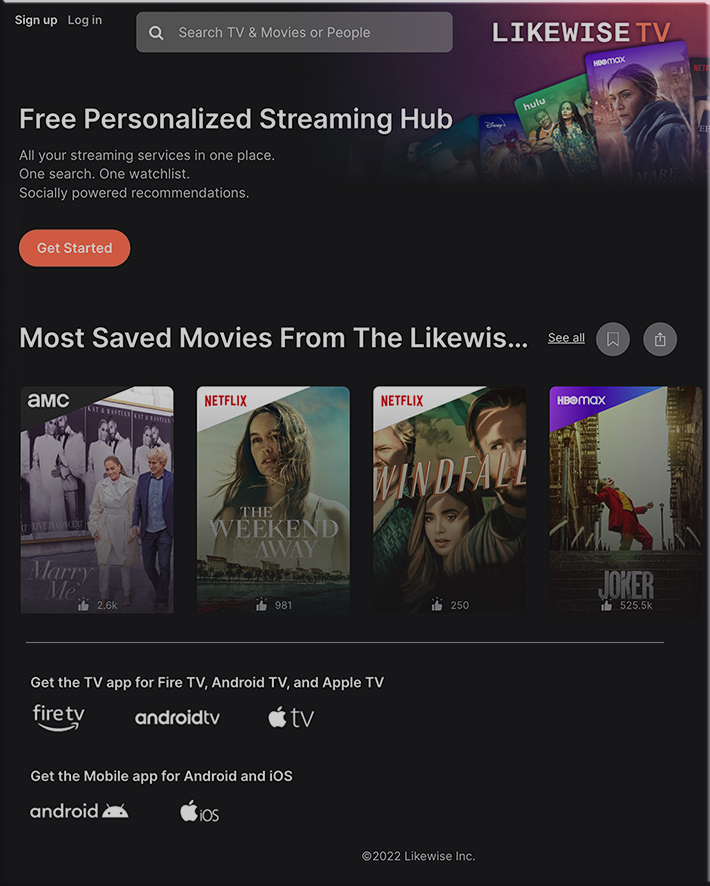
Likewise TV -- All your streaming services in one place. One search. One watchlist. Socially powered recommendations.


From DSC:
Now we need this type of AI-based recommendation engine, aggregator, and service for learning-related resources!

I realize that we have a long ways to go here — as a friend/former colleague of mine just reminded me that these recommendation engines often miss the mark. I’m just hoping that a recommendation engine like this could ingest our cloud-based learner profiles and our current goals and then present some promising learning-related possibilities for us. Especially if the following graphic is or will be the case in the future:
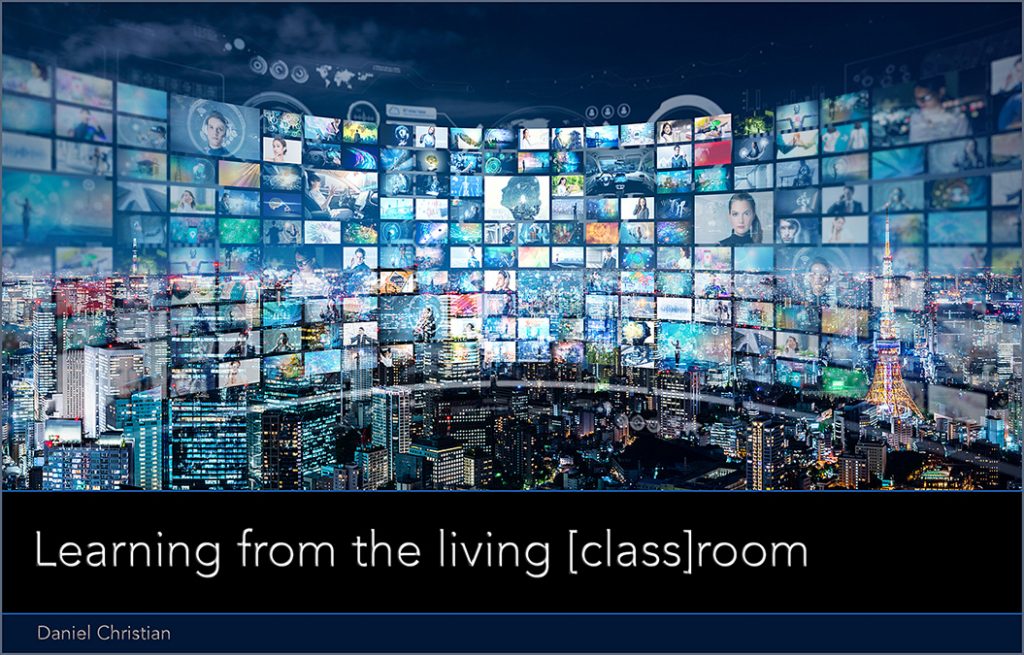

Learning from the living class room


Also relevant/see:

From DSC:
Some interesting/noteworthy features:

  • “The 32- inch display has Wi-Fi capabilities to supports multiple streaming services, can stream smartphone content, and comes with a removable SlimFit Cam.”
  • The M8 has Wi-Fi connectivity for its native streaming apps so you won’t have to connect to a computer to watch something on Netflix. And its Far Field Voice mic can be used w/ the Always On feature to control devices like Amazon Alexa with your voice, even if the monitor is off.
  • “You can also connect devices to the monitor via the SmartThings Hub, which can be tracked with the official SmartThings app.”

I wonder how what we call the TV (or television) will continue to morph in the future.


Addendum on 3/31/22 from DSC:
Perhaps people will co-create their learning playlists…as is now possible with Spotify’s “Blend” feature:

Today’s Blend update allows you to share your personal Spotify playlists with your entire group chat—up to 10 users. You can manually invite these friends and family members to join you from in the app, then Spotify will create a playlist for you all to listen to using a mixture of everyone’s music preferences. Spotify will also create a special share card that everyone in the group can use to save and share the created playlist in the future.


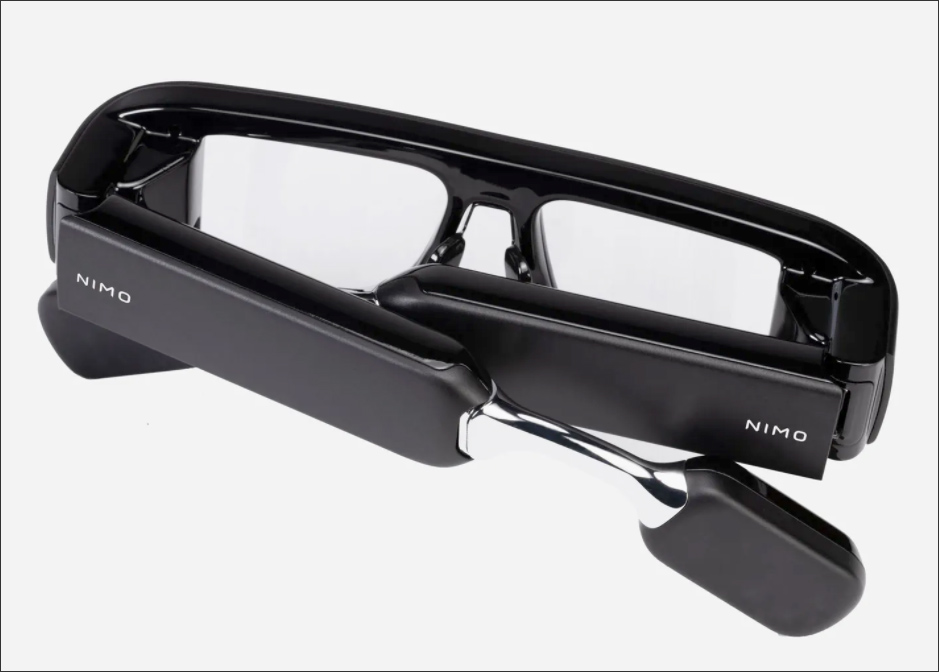
These Smart Glasses Want to Replace Your Laptop — from wired.com by Julian Chokkattu
Nimo is a mini-computer that sits on your head and gives you six virtual screens to work with when you’re away from your desk.

These Smart Glasses from Nimo Want to Replace Your Laptop


Tinkerhunts — from engagetheirminds.com by Terri Eichholz

Excerpt:

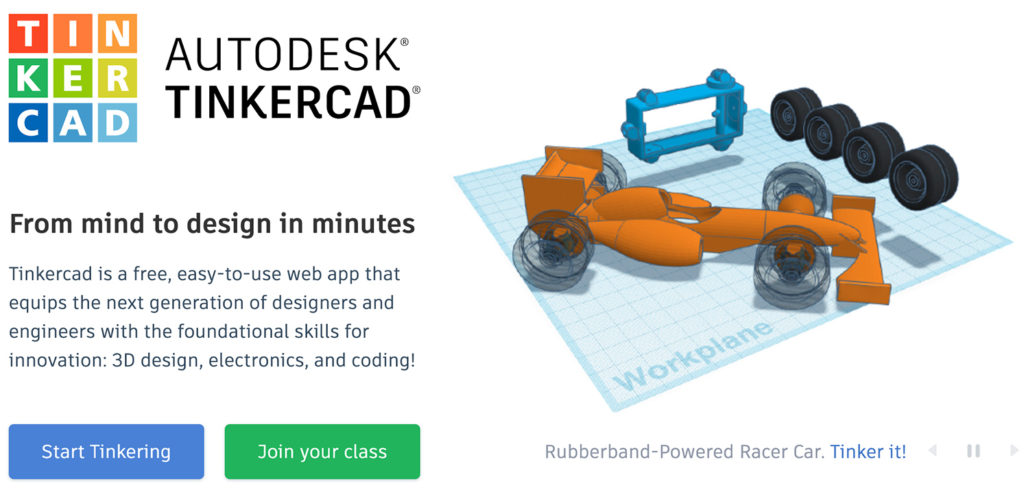
For anyone new to 3d design, Tinkercad is the perfect entry level program. It’s free, web-based, and contains lots of tutorials. As a teacher, you can create classes and assign projects that you can oversee through a dashboard. I’ve used it with students from 2nd grade through 12th, so it’s quite a versatile tool.
…
That’s why I think these Tinkerhunts from HL Modtech (Mike Harmon, @HLTinkercad) are pretty genius. In the first one, he gives kudos to his student, Kingston, who first gave him the idea for these three-dimensional virtual scavenger hunts.

Also see:

Tinkercad is a free, easy-to-use web app that equips the next generation of designers and engineers with the foundational skills for innovation: 3D design, electronics, and coding!

 
© 2025 | Daniel Christian