4 writing apps to help students conquer the blank page — from geiendorsed.com by Lani Aquino
When writer’s block strikes, these 4 apps can get students back on track.

Excerpt:

Staring at a blank page can be daunting. Add a reluctant writer to the mix, and what should be a great opportunity for personal expression becomes a personal nightmare. These 4 apps will strengthen students’ writing skills and turn written composition from a chore into an engaging learning activity.


6 key apps to develop kids’ reading fluency — from educatorstechnology.com

Excerpt:

Below is a collection of some very good iPad apps to use with your kids and young learners to help them develop their reading fluency. The apps provide a wide variety of reading materials that include interactive stories, engaging activities and games, quizzes and many more. And because reading is a composite skill, using these apps will also enable kids  to practice a number of key subskills related to reading including: pronunciation, vocabulary, phonics, word recognition, and spelling. Check them out and share with us your feedback. Enjoy.


Microsoft Announces Minecraft: Education Edition Beta, Release — from educationnews.org

Excerpt:

Microsoft has announced beta testing of Minecraft: Education Edition, which is the company’s education-focused suite for Minecraft that integrates tools for teachers and students to help them use the game more effectively in the classroom.

The education-centered offshoot of was first revealed in January of this year. This May, a closed beta of the game will involve more than 100 schools in 30 countries, reports Pradeep of MS Power User. By June, any school will be able to access the Education Edition for free as long as teachers have a fully updated operating system and an Office 365 Education account. Eventually, Microsoft plans to charge $5 per user each year.

Minecraft: Education Edition is specifically tailored to teach the skills that Minecraft cultivates – namely collaboration, navigation, social skills, and empathy.


Cool Tool | Schoold App — from edtechdigest.wordpress.com

Excerpt:

High school students take note: here’s a cool tool in the form of an app. The free app runs on iOS and Android and just got launched last month pulling almost 5 out of 5 stars after several thousand reviews. For the 20 million college-bound students and 30 million parents, we know you’re drowning in a sea of data scattered all over for the more than 4,000 U.S. colleges and universities. So, Schoold is like Zillow for college hunting – or perhaps match.com for students and universities. It’s a one-stop-shop for everything you need to know, want to know, and have to line up.
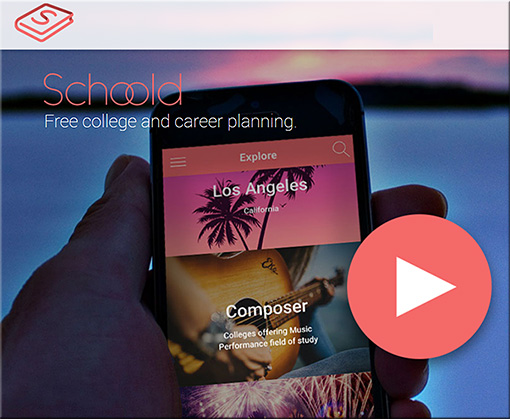
 

Schoold-April2016


15 of the best educational apps for improved reading comprehension — from teachthought.com

Excerpt:

Reading comprehension is a matter of decoding, reading speed, and critical thinking about the text, all of which can improve with tiered practice. (See 50 apps for struggling readers.)

So below, in an order of general complexity, are 15 apps for improved reading comprehension, ranging from word and sentence fluency, to recall, to critical thinking skills, to reading speed.

By the nature of reading and literacy progress, most are indeed for K-5 and SLP, but the latter apps, especially Reading Trainer, Compare Twist, and Enchanted Dictionary, can be used through high school in the right context. Let us know on our facebook page what we missed.


The 5 best new 3D tools for April — from creativebloq.com by Rob Redman
We select the best new tools for 3D and VFX artists this month.

Excerpt:

This time of year can often be a quiet one for those of us working in 3D art and visual effects, with developers gearing up for the events season and new releases being a bit thin on the ground.

However there are a few notable updates and newcomers, so have a read below to see what could help you improve your work or help you be more efficient.


Addendum on 4/25/16:


LinkedIn’s new app helps students figure out their career paths and find mentors — from thenextweb.com by Abhimanyu Ghoshal


Excerpt:

LinkedIn has already cemented its position as the go-to social network for working professionals. Now, it’s aiming at a younger audience with its new app for students that slated to launch on Monday.

Coming to Android and iOS, LinkedIn Students offers college folks a look at the career paths their degrees will afford them once they graduate.


Also see:


LinkedInStudents-April2016


Addendum from LinkedIn.com on 4/20/16:

Introducing the LinkedIn Students App: Helping Soon-to-Be College Graduates Conquer Their Job Search

Graduation is quickly approaching. Your job search is all consuming. What do you search for? What job options are best for you? Today, LinkedIn unveils the first-of-its-kind LinkedIn Students app available for iOS and Android, tailored specifically for soon-to-be college graduates looking to answer these very questions. Using insights from LinkedIn’s database of over 400 million professionals, the brand new app helps you discover jobs that are a best fit for graduates with your major, companies that tend to hire from your school and the careers paths of recent alumni with similar degrees.

86% of students choose to go to college to get better jobs, but 44% of graduates are underemployed.* Let LinkedIn Students help you navigate these uncharted waters of finding your first job out of school; something you, yourselves have told us is the paramount challenge you’re facing:

As a student close to graduating, finding a job is the most important aspect of my life right now.

I am graduating with $35,000 of debt so landing a good first job out of college is extremely important to me.

I don’t understand how my major translates into a job I’m qualified for.

These are just a few quotes from San Jose State and University of Central Florida students who recently participated in our pilot test of the app, but it’s no mystery these types of concerns are shared by students across the country. An understandable trend given the uncertainties that come with an economy mired in $1.2 trillion of student loan debt and an unemployment rate among college graduates of 7.2 percent (compared with only 5.5 percent in 2007).**

So how can the new app help you tackle your college to career transition? Think of it as your personal job exploration guide, providing tailored jobs related recommendations based on real data from the career paths of hundreds of millions of successful professionals. You can use these insights to discover and explore career opportunities you hadn’t considered or even known were possible!

Here’s a quick overview:

You can chip away at your job search checklist in any of your in-between moments – walking between classes, waiting in line at the coffee shop or taking a study break. What initially felt like an insurmountable undertaking will morph into a manageable daily to-do list and, before you know it, you’ll no longer be asking “How do I find a job that’s a fit for me?,” but “Which of these jobs is the best fit for me?”

The new LinkedIn Students app is available for iOS and Android in the US only for now. We look forward to hearing your feedback and continuing to improve this experience to help you discover and land a first job you’ll love.

*New York Federal Reserve

**Economic Policy Institute, 2015


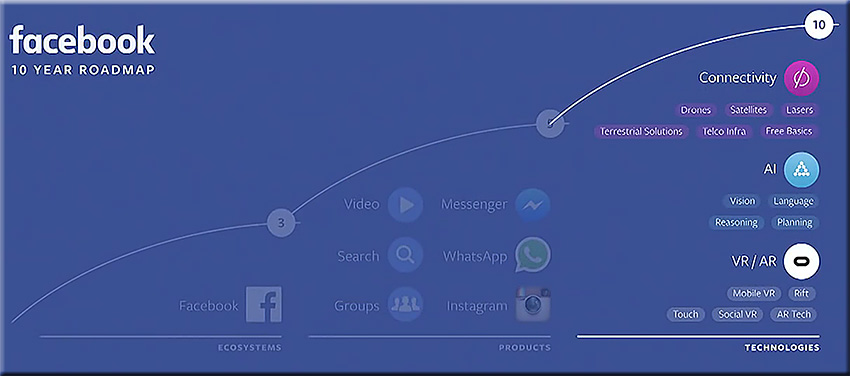
Everything announced at Facebook’s F8 conference.


Facebook-10YearRoadmap-AsOfApril2016


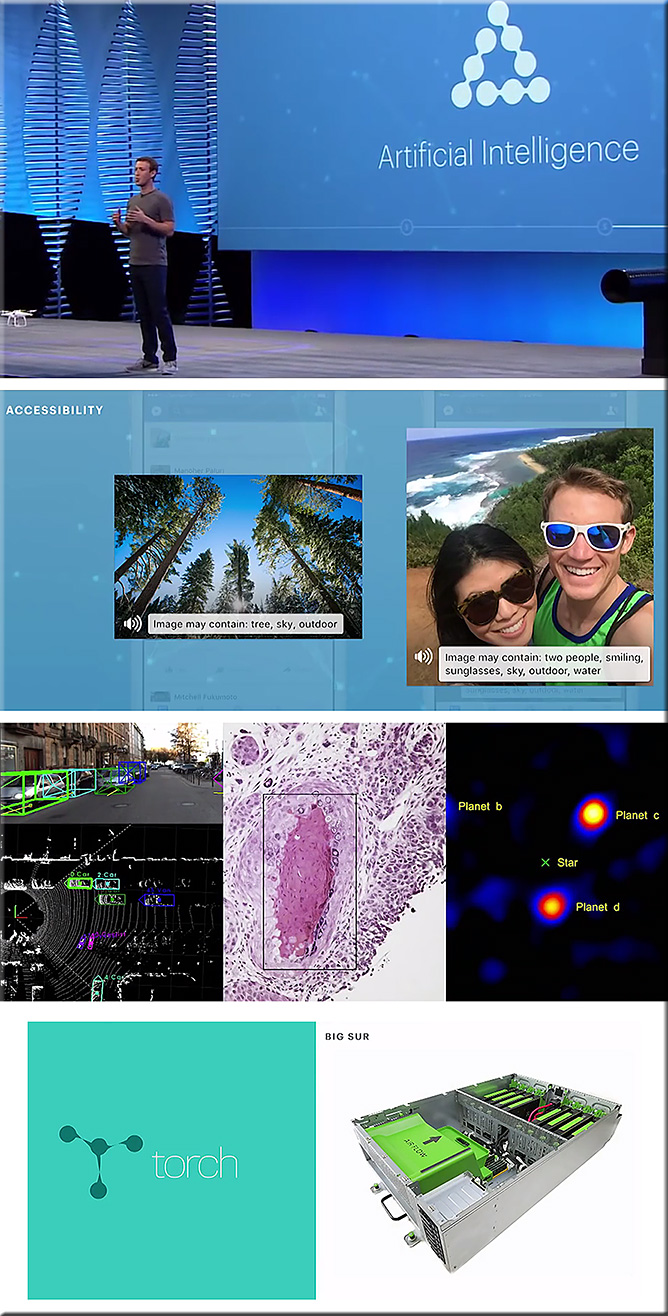
Facebook-AI-April2016


Everything Facebook announced at F8 2016 — from thenextweb.com by Natt Garun

Excerpt:

Two days of Facebook’s F8 Conference have come and gone, so here’s a look back at all the things you may have missed from the event. To learn more about each topic, click the links below for full stories.


The 5 Biggest Things Facebook Announced This Week — from time.com by Victor Luckerson
Messaging bots, live video in drones and 360-degree cameras

Excerpt:

In a wide-ranging keynote April 12, CEO Mark Zuckerberg laid out the company’s 10-year plan to “Give everyone the power to share anything with anyone.” To do so, Facebook plans to move far beyond its original role as a social network. The firm aims to launch new virtual reality projects, beam Internet across the world using drones and unleash complex artificial-intelligence bots that can fulfill our every digital need.

Before all that can happen, Facebook has to deal with the here and now of improving its current products. On that front, the company made several announcements that will reshape the way people and brands use Facebook and its constellation of apps this year.

Here’s a breakdown of Facebook’s biggest F8 announcements.


How Facebook’s Social VR Could Be The Killer App For Virtual Reality — from fastcompany.com by
It’s going to take time, but Facebook is committed to developing realistic and satisfying social experiences in VR.

Excerpt:

When Facebook bought Oculus VR in 2014 for $2 billion, many observers wondered what the world’s largest social networking company wanted with a virtual reality company whose then-unreleased system was pretty much all about single-user experiences. Today at F8, Facebook’s annual developers conference in San Francisco, the company showed off some of the most fleshed-out examples of how it sees VR as a rich social tool. During his F8 keynote address, CTO Mike Schroepfer talked at length about what Facebook explicitly calls “social VR.”


Facebook Shows Us What It Means to Be ‘Social’ in Virtual Reality (Video) — from recode.net by Kurt Wagner

Excerpt:

One of the key knocks on virtual reality, the gamer-heavy industry Facebook is betting big on, is that wearing a headset intended to block out the real world in favor of a virtual one isn’t a very social activity. Facebook, an inherently social company, thinks it can change that.

At its F8 developer conference on Wednesday Facebook demoed what it calls “social VR,” which is exactly what it sounds like: Connecting two or more real people in a virtual world.


Oculus Demos VR Selfie Sticks and 360 Photo Spheres — from vrscout.com by Jonathan Nafarrete

Excerpt:

During the second day keynote of Facebook’s F8 Developer Conference, Oculus showed off an entirely new way to get social in VR.

On stage, Facebook’s CTO Mike Schroepfer showed how 360-degree photos can instantly be shared with a friend in VR, with 360 photos appearing as handheld spheres. You can virtually grab the floating sphere and smash it against your face, you will then be instantly teleported into the content of the spherical photo.


Oculus Social VR Full Demo – Facebook F8 Conference 2016


Has Facebook achieved what AOL could have a generation ago? — from medium.com by Gary Vaynerchuk

Excerpt:

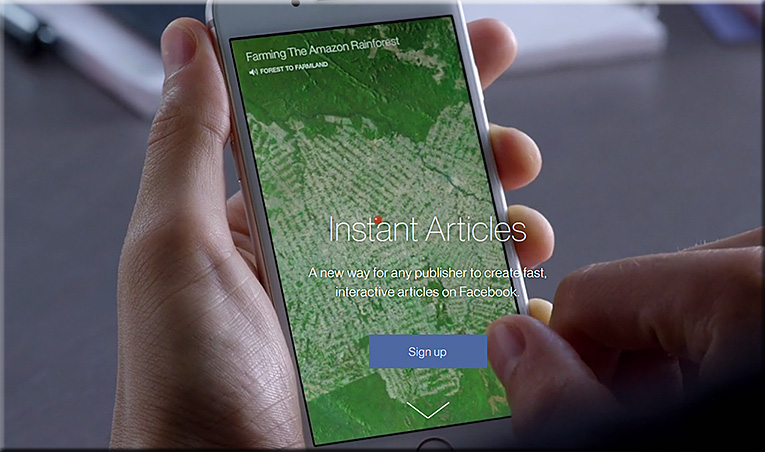
[On 4/12/16], Facebook opened up Instant Articles to all publishers. If you don’t know, Instant Articles are Facebook’s new way to natively load articles within the app using an adapted RSS feed. These native articles, which have a lightning bolt in the top right corner, load in half a second?—?10x faster than if user was to click out to a website. From what I’ve seen so far, they really do load instantaneously and have a great layout and user experience. And if you’re paying attention, you’ll understand that this is their third push for native media consumption: first photos, then videos, and now written content.
…
However, as of [4/13/16], Instant Articles become available to anybody with a Facebook page and a blog. This is a key opportunity for small blogs and publications to get ahead of the game and really understand how best to use the new product.
…
Has Facebook been able to achieve what AOL could have a generation ago? By that I mean: Has Facebook become a layer on top of the Internet itself?


FacebookInstantArticles-April2016


Unlocking the past: How wearable tech could help get us back to our roots — from wareable.com by Daniel Coughlin
A genealogy expert predicts the future of using wearables to see into your past


Could wearable tech unlock the past?


Excerpt:

Imagine if you could snap on a DNA-matching wristband that connects you with long lost cousins, or pick up a personalised VR headset game that could immerse you in the lives of your ancestors? “It’s simply a matter of time before we could see this sort of technology,” says genealogy expert Thomas MacEntee.

Known in the industry as ‘The Tech Guy’, MacEntee runs an online community of 3,000 family history bloggers called GeneaBloggers. He also heads up Hack Genealogy, a blog about “repurposing today’s technology for tomorrow’s genealogy”, as well as the consulting site High-Definition Genealogy. MacEntee is renowned in the industry for spotting emerging family history trends and innovations.

Wearable technology for genealogy research and exploration is currently in its very early days. Ancestry.com, the world’s leading genealogy website, has made the industry’s first foray with its Ancestry app for Apple Watch, which launched last April. The app offers speedy access to Ancestry.com’s 14 billion records and images, allows the user to edit their family tree in an instant and delivers regular family history-related notifications.

That’s pretty much it for the moment – but MacEntee, who has envisaged a number of exciting potential uses, believes that this is just the beginning.


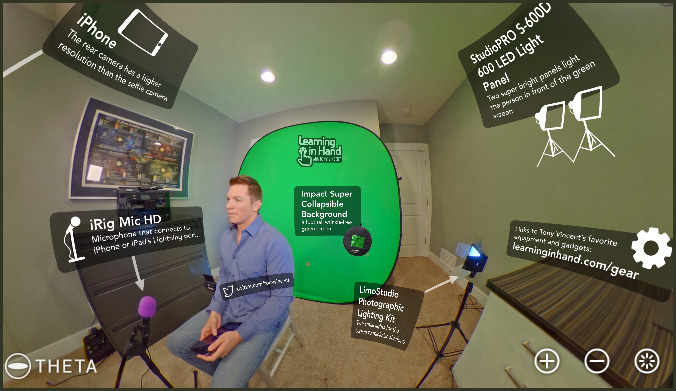
My green screen setup –from learninginhand.com by Tony Vincent

Excerpt:

I’m often asked about the set up I use to film my videos. Here’s a 360 spherical photo that I’ve annotated. Feel free to scroll and zoom around to check out my setup.


TonyVincent-GreenScreenSetup-April2016


20 awesome BYOD and mobile learning apps — from edutopia.org by Vicki Davis; updated 2/4/16

Excerpt:

We have now been Bring Your Own Device (BYOD) for three years, and boy, do the students bring it. They bring it all! We have iPads, Surface, iPhones, Droids, Chromebooks, Macs, and PC laptops. Here’s my current thinking.


7 best Google apps and tools — from interestingengineering.com

  1. Google Keep
  2. Google Scholar
  3. Gmailify
  4. Google Lego
  5. Google Mars
  6. Google Developers
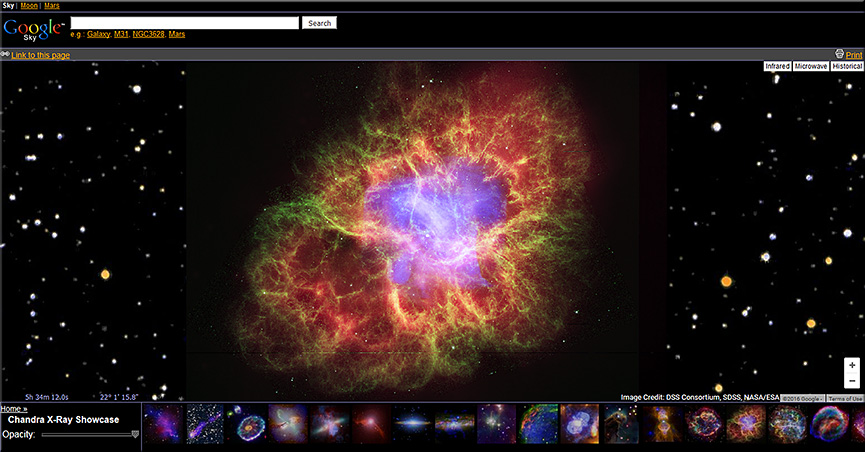
  7. Google Sky


GoogleSky-April2016


Chrome Music Lab

Excerpt:

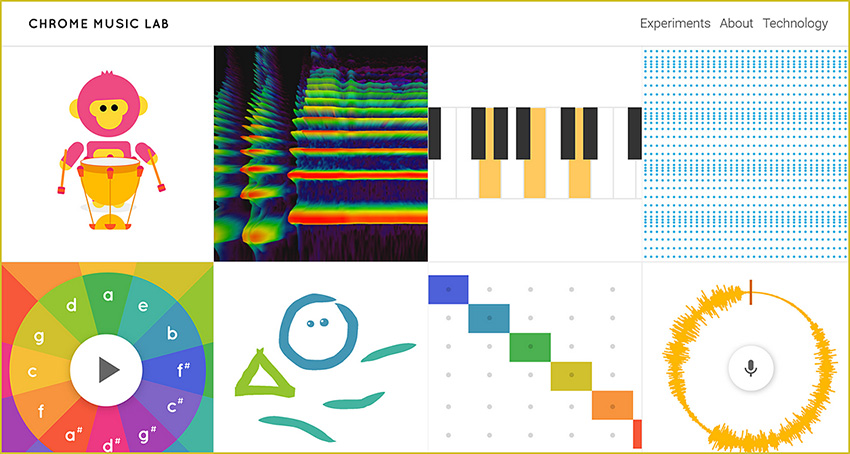
Music is for everyone. So this year for Music In Our Schools month, we wanted to make learning music a bit more accessible to everyone by using technology that’s open to everyone: the web. Chrome Music Lab is a collection of experiments that let anyone, at any age, explore how music works. They’re collaborations between musicians and coders, all built with the freely available Web Audio API. These experiments are just a start. Check out each experiment to find open-source code you can use to build your own.


ChromeMusicLab-March2016


My challenge to you – 8 things all teachers should learn about #edtech — from ictevangelist.com by Mark Anderson

Excerpt:

I love the School Report scheme that the BBC run via Newsround. We all remember the Newsrounds of our youth. For me it was John Craven who made me watch it whenever it was on. It was this report I saw recently on eight things teachers should learn, which got me thinking about eight things I thought teachers should learn about edtech.

My work sees me regularly helping teachers learn different things related to the use of technology and so in this post, I’m going to talk about the eight things I think teachers should learn with #edtech to help support their use of technology to enhance learning in the classroom.

Mark mentions: Google, Padlet, Kahoot, Socrative, Camera, Microphone, Twitter, Videoconferencing software


Quiz accommodations for students in Canvas and Moodle — from thejournal.com by Emmett Dulaney03/16/16

Excerpt:

As we move toward interacting more with students who have an individualized education program (IEP) indicating that they need additional time on tests and quizzes or just need to deal with life issues, it is imperative that the learning management system (LMS) depended upon by an instructor and student alike be properly configured for such accommodations. Canvas and Moodle are currently two of the most popular learning management systems, and both offer the ability to make adjustments to quiz functions within the course without compromising the overall structure of the course. In this article, we will examine how to do so and offer some tips on situations where they are relevant.


Use these Chrome apps to unleash students’ creativity — from educatorstechnology.com

Excerpt:

[The] Chrome web store is packed full of all kinds of educational apps and extensions some of which are also integrated with Google Drive. For those of you looking for a handy resource of Chrome apps to use with students in class, check out this comprehensive chart. In today’s post we are sharing with you a collection of some practical Chrome extensions to unleash learners creativity. Using these resources, students will be able to engage in a number of creative literacy activities that will allow them to multimodally communicate their thoughts, share their ideas and develop new learning skills.


Integrating technology and literacy — from edutopia.org by Frank Ward

Excerpt:

How do you work technology into the pedagogy, instead of just using something cool? That task can be especially daunting in language arts literacy classrooms where reading and writing skill development is the crux of daily lessons. However, as 1:1 technology initiatives roll out, integrating technology into the classroom is our reality.

With hundreds of sites, apps, Chrome extensions, and platforms available, choosing the right ones can seem overwhelming. As an eighth-grade language arts teacher, I’ve experienced this myself. Following are four tools that can help provide immediate formative assessment data as well as top-of-the-rotation feedback to help students develop personal learning goals.

If, like my school, you’re in a “Chromebook District,” these suggested tools will work well because all integrate perfectly when you sign in with your Google ID, limiting the need for multiple passwords. This saves a lot of student confusion, too.


Teachers are using theater and dance to teach math — and it’s working — from washingtonpost.com by Moriah Balingit

Excerpt:

This giggly play session actually was a serious math lesson about big and small and non-standard measurements. Dreamed up by Richardson and kindergarten teacher Carol Hunt, it aims to get the children to think of animal steps as units of measurement, using them to mark how many it takes each animal to get from a starting line to the target.

Teachers call such melding of art and traditional subjects “art integration,” and it’s a new and increasingly popular way of bringing the arts into the classroom. Instead of art as a stand-alone subject, teachers are using dance, drama and the visual arts to teach a variety of academic subjects in a more engaging way.


Some older items include:

Tech Tip: Using Nearpod for math instruction — from smartblogs.com


Storytelling app a hit; launches a new chapter in transmedia — from blogs.vancouversun.com

Excerpt:

Paul Pattison and Luke Minaker knew they were onto something when they got an email from the mother of a nine-year-old who read the first instalment of their interactive story, Weirdwood Manor.

“She wrote that she couldn’t get her son to pick up a book,” said Pattison, technical director of All Play No Work, producer of the iPad app. “She got the app for her son and he went through it in two nights. He finished both books.

“And then because we don’t have book 3 out yet, unprompted by her he went over to the bookshelf and pulled off a paperback and started reading chapter books again.”

.


MicrosoftBuild2016


Microsoft Build: the 10 most important announcements — from theverge.com by Ben Popper and Dieter Bohn
Here come the bots!

Excerpt (emphasis DSC):

Every year, Microsoft holds a developer event called “Build.” And recently, those events have gone from snoozers to exciting showcases. Microsoft has a winner with Windows 10 (as long as you ignore the phones), a robust personal assistant in Cortana (that works just fine on a laptop), and a wild holographic future to plan with HoloLens. It’s a lot to take in, and at this year’s Build Microsoft we got updates on all of it. And a few surprises.

Going in, we weren’t totally sure what would be coming next for Windows 10, but it turns out there’s a lot that Microsoft has planned. It’s not just that there are new apps, there are also new bots, which will help people handle all sorts of small tasks. In fact, those bots and Microsoft’s vision of how they should work stole the entire show. Windows, Xbox: you’re cool, but the future is bots.


Why Microsoft wants to help developers build bots — from pcworld.com by Blair Hanley Frank
Conversations are cross-platform and mobile, even when Windows 10 Mobile isn’t winning

Excerpt:

Microsoft CEO Satya Nadella is pushing developers to create virtual assistants and intelligent chatbots to help users do everything from managing their calendars to booking hotel reservations.

To that end, Microsoft has published a new Bot Framework, which makes it easier to build chatbots using either C# or Node.js. Working with the tools isn’t so easy that anyone could do it, but they can help reduce some of the difficulties of conversing with a computer.

It was one of the main announcements from Nadella’s keynote address at Microsoft’s Build developer conference Wednesday.


Also see:


From DSC:
Questions/relevance for those working higher ed:

  • Are Computer Science programs able to keep up with the pace of these Human Computer Interaction (HCI)-related changes?  The changes in AI/cognitive computing? Are courses being created to address these new skills? These developments also impact those teaching about user experience design, application/product design, and more.
    .
  • How will such personal assistants be used by the students? By faculty members?


From Relentless Designs LLC


RelentlessDesignsApril2016-3DAR


Description:

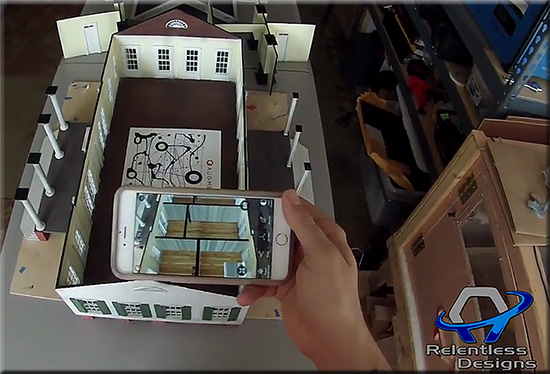
Combining Augmented Reality into 3D Printing makes it “Animated Physical Models.” Combining new technology to grab the attention people will change the whole business meeting world.

Highlights:

  • Use of 3D models vs. static drawings on paper
  • Use of augmented reality to show things that aren’t really there…yet

Also see:


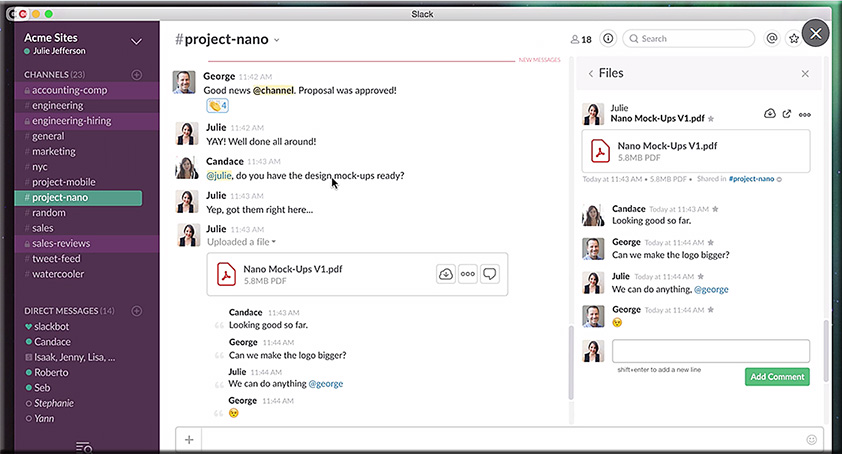
Could Slack be the next online learning platform? — from edsurge.com by Amy Ahearn

Excerpt:

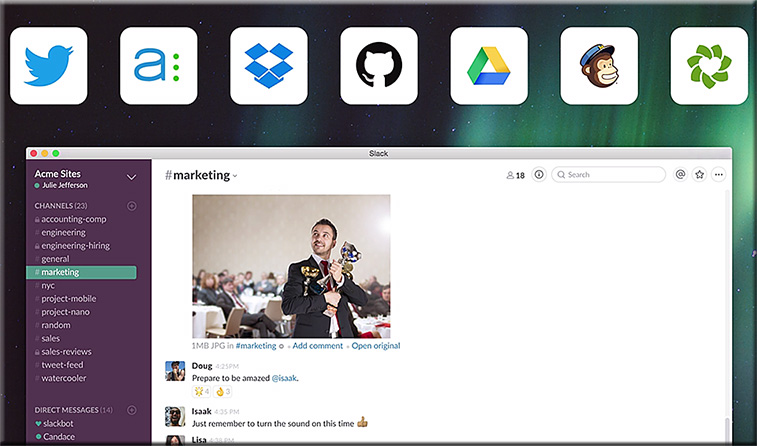
Enter Slack. The online communication platform launched two years ago and now has more than 2.3 million users. It facilitates an online, supercharged version of watercooler conversation, enabling people to trade information and chat informally with colleagues. And it might just be a game changer for online education.
…
On Slack there are flexible public channels, along with small private groups for exchanges between just a few people. Media companies including the New York Times are using it as a content management system, and corporations from Walmart to Blue Bottle Coffee rely on it to keep globally distributed teams in sync.
…


At +Acumen we were intrigued when marketing guru Seth Godin used Slack for an experiment in online learning. In 2014 he started altMBA, an online leadership workshop, and hosted it in Slack.


Also see:


Slack2-March2016

Slack-March2016


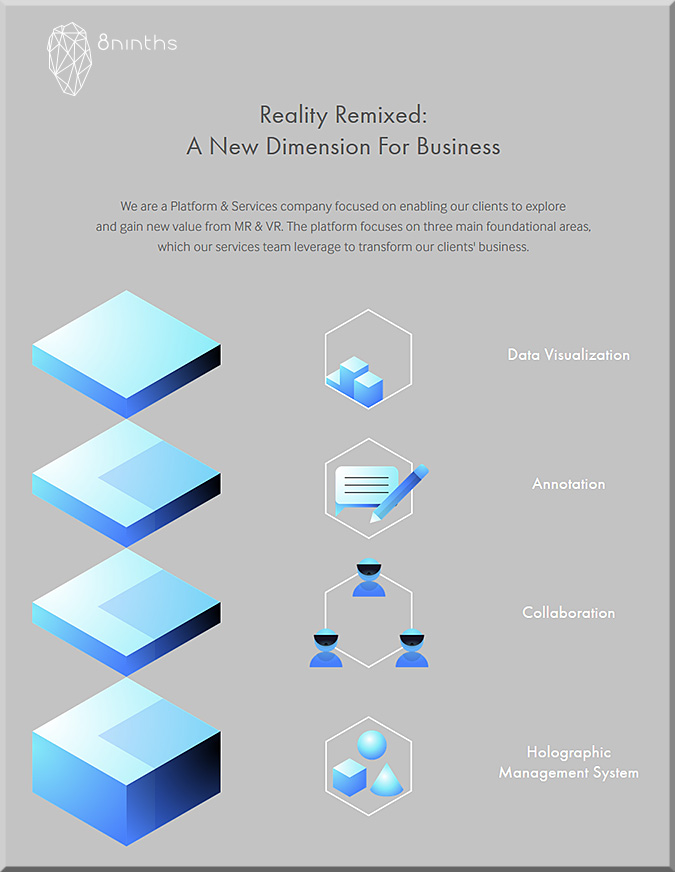
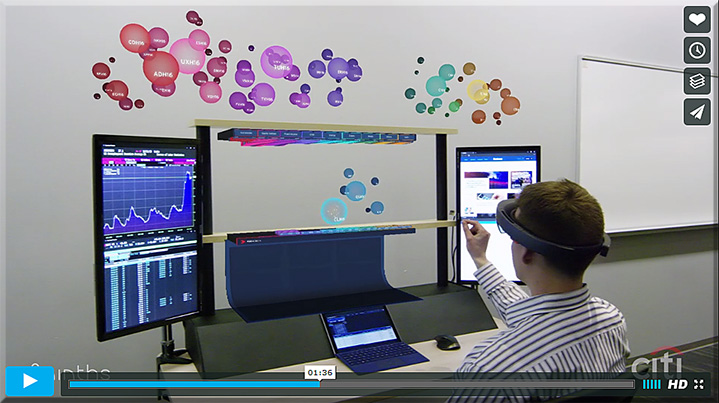
8ninths Develops “Holographic Workstation”™ for Citi Traders using Microsoft HoloLens — from 8ninths.com

Excerpt:

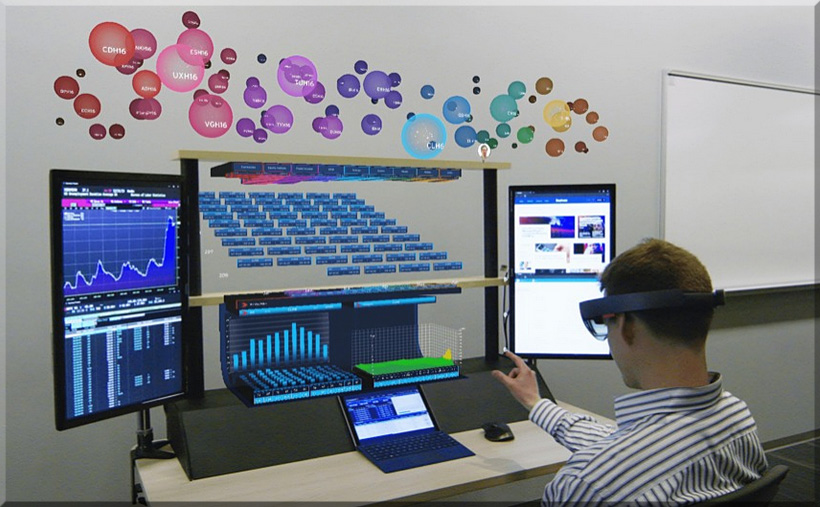
San Francisco – March 30, 2016 – 8ninths was named today by Microsoft Corporation as one of seven companies chosen for the Microsoft HoloLens Agency Readiness Program, and will showcase their “Holographic Workstation”™ prototype, designed and engineered for Citi, this week at Microsoft Build 2016. The Holographic Workstation™ increases efficiency by using the Microsoft HoloLens platform to create 3D holograms of real-time financial data. A three-tiered system of dynamically updated and interactive information enables traders to view, process, and interact with large amounts of abstract data in a combined 3D and 2D environment. The physical workstation integrates tablet screen space, 3D holographic docking space, keyboard, mouse, gaze, gesture, voice input, and existing Citi devices and workflows.


Hololens-VR-Workstation-March2016


8ninths-march2016-main


8ninths-march2016


HoloLens could get into finance with this VR workstation — from mashable.com by Lance Ulanoff

Excerpt:

8Ninths Cofounder and CEO Adam Sheppard told me they looked at the pain points of existing workstations and then drew inspiration from how, for example, they’d seen Microsoft and NASA solve 3D problems by embedding information in 2D and real environments.

The result is 8ninths’ Holographic Workstation, which was announced Wednesday at Microsoft’s Build 2016 developers conference. It’s a true blend of the real world (a physical day trader desk with a pair of real screens and a Surface Pro 4 in the middle) and a host of live, financial visualizations spread above the physical desk, including a cloud-like work area floating above the top shelf.


Also see the Vimeo video on this:


8ninths-march2016-vimeo


Microsoft HoloLens used as the basis for a cool holographic stock trading workstation — from windowscentral.com by John Callaham


\


Microsoft starts shipping HoloLens and announces a big Windows 10 update — from money.cnn.com by Heather Kelly
Microsoft’s take on virtual reality is one step closer to becoming a real product.

Excerpt:

The developer version of the HoloLens augmented reality headset starts shipping today, Microsoft (MSFT, Tech30) announced at its developers’ conference in San Francisco.

The company also unveiled a Windows 10 update that includes new powers for virtual assistant Cortana, expanded security features, and new support for styluses.


11 incredible headsets that are making the virtual a reality — from digitaltrends.com by Simon Hill
The latest VR headsets offer more than a mere doorway into wire-frame worlds. We are finally about to lay our hands on the decent VR headset we’ve all be waiting for. Here are the top contenders, from Oculus to PlayStation VR, vying for the title.

Along these lines, also see:


“My name is Sidra”: how virtual reality could combat compassion fatigue — from newstatesman.com by
We look away from the suffering in humanitarian crises because it’s so vast. Virtual reality invites us to look at individuals’ experiences again.

Excerpt:

The aim of these films is to make us care about these crises on a deep, personal level. We know instinctively that it’s easier to emote with a single person than a faceless crowd of thousands, and this tactic takes that idea to its extreme: VR places you next to the person you could help with your donations, and allows you to directly engage by “walking” around the film yourself. The near-banality of Sidra’s film is its strength: the balance of dark and light in her life is easier to understand than a montage of outright misery, because it more closely mirrors our own.


CancerSurgery-VR-March2016


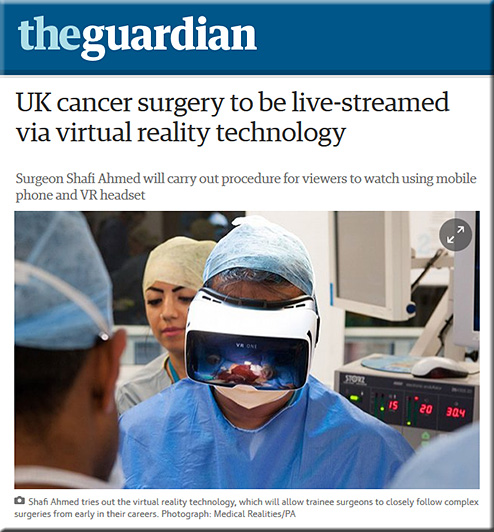
UK cancer surgery to be live-streamed via virtual reality technology
— from theguardian.com by Ben Quinn

Excerpt:

An operation on a British cancer patient is to be live-streamed around the world using virtual reality technology designed to make viewers feel as if they are in the operating theatre.

It will be performed by Shafi Ahmed, a London surgeon who has been at the forefront of pioneering virtual reality technology in surgery, and who described next month’s operation as a gamechanger for healthcare innovation and education.


Addendums:


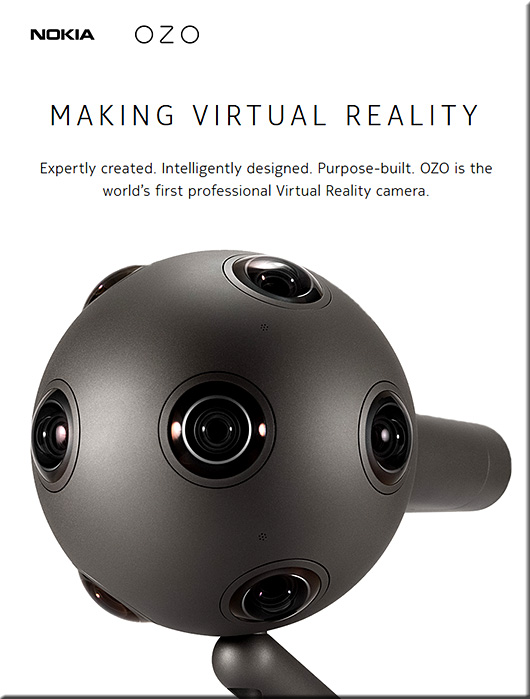
Nokia-OZO-March2016


10 promising technologies assisting the future of medicine and healthcare — by Bertalan Meskó, MD, PhD

Excerpt:

Technology will not solve the problems that healthcare faces globally today. And the human touch alone is not enough any more, therefore a new balance is needed between using disruptive innovations but still keeping the human interaction between patients and caregivers. Here are 10 technologies and trends that could enable this.


From DSC:

Problem/question:

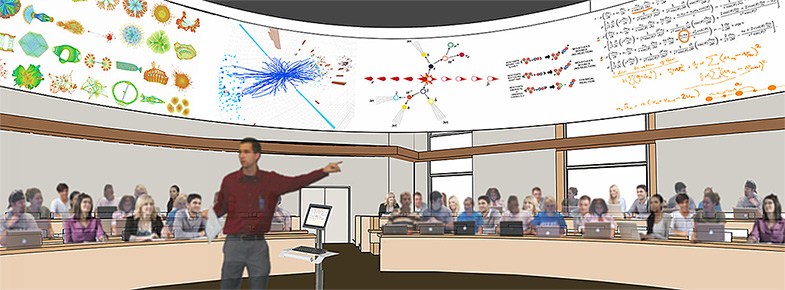
If you wanted to, how do you make a digital version of 20+ feet worth of writings and drawings on 2+ chalkboards or whiteboards that are put together?


The applications that I’ve run across so far — whether they are meant for PCs, Macs, tablets, or smartphones — don’t do it, as they’re too limited on screen real estate.

Some have tried using lightboards and making recordings of their equations or other work….


…but those solutions seem to fall short, at least in my mind, if you need to reference something early on in the long equation…you know, on that first “board” of information that you completed and then erased.  (I suppose if a student was watching a recording, you could tell them to go back to Marker 1 in the video…and they can go back and review that portion of the video…but that requires more time/editing/setup. Time that faculty members often don’t have.)  So, again, lightboards seem somewhat limited in their real estate.

Then, a while back, I saw this 360-degree ring of display screens at Washington State University…


WSU-ActiveLearningClassroom-Nov2015


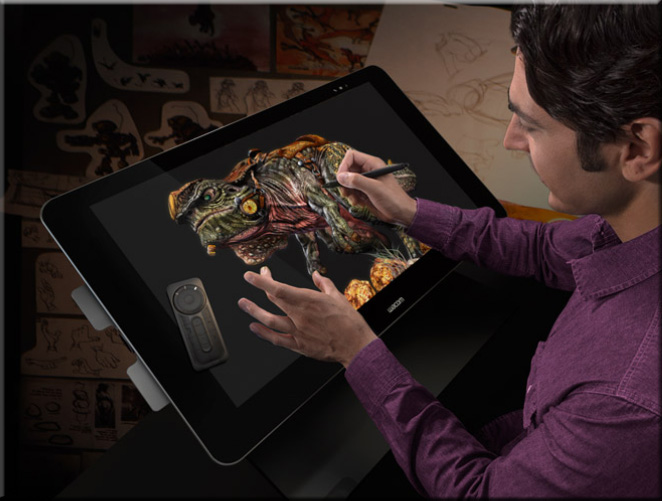
and it got me to thinking…hmmm…yes…if, as a faculty member was using an application that they could write on and the equation could appear on the screens overhead. Faculty could use something akin to a pen & touch display from Wacom in order to write the equations — but the software would need to allow them to scroll backwards and forwards throughout their long equations. They could use those tools to highlight or further annotate something that was previously covered.


WacomTablet-Large-March2016


In this type of physical/AV-related solution, it would seem that the students would be best situated on the inside of the circle, looking upwards to watch the equation build on itself.  Having a huge amount of digital space to work with could mean that they could turn their Node Chairs around to see any portion of the equation.  Faculty members could also, I suppose, use laser pointers to point to something up on the displays.

Again though, they would need to be able to scroll left to right, top to bottom, say on something like the 160 acres (vs 20+ feet of chalkboard/whiteboard) you get on a workspace in Bluescape…


BlueScape-2015

…then you would have a lot of digital real estate to work with. So that was one approach I was wondering about.

But then, I saw some interesting items regarding Virtual Reality, and POW! There it is! An enormous amount of digital screen real estate where the users could go where they wanted to on it.  That is, the vision here would be that each student could control where they want to go within the digital canvas.

Some related items to this:

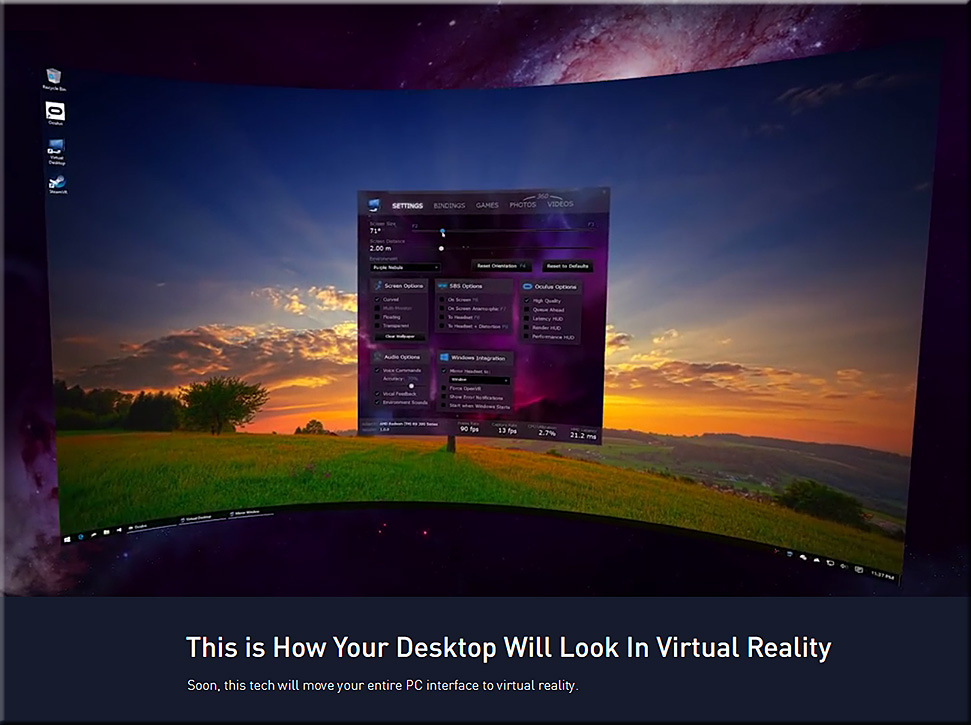
PCDesktopToVR-Futurism-March2016

See:
Virtual Desktop 1.0 Trailer


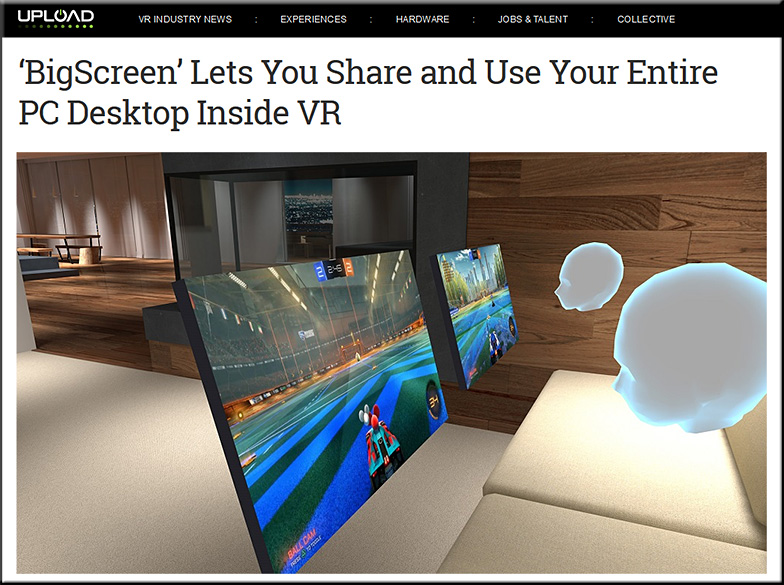
BigScreen-VR-March2016

Obviously, I need to further think this through and investigate what’s possible as time goes by. But I wanted to get this out there in case some vendor can help us get there sooner rather than later.


A relevant link:

Playing games on a 19-foot TV, climbing mountains and shooting bows — from polygon.com by Brian Crecente
Excerpt:

But the one I found most compelling was the most mundane creation for Vive: The SteamVR Desktop Theater Mode. Slip on the black plastic headset and instead of dropping into a fantastical world of mouthy orbs, atop a mountain with a robot dog or inside a game, I found myself sitting in a chair in a fairly non-descript room facing a big television screen. To be specific, in this case big means about 19 feet.


Addendum of something that’s relevant here and that I just ran across today:

  • The Future of AV Displays — from thejournal.com by Dennis Pierce
    Today, students are interacting with content on large touchscreen flat panels. Soon, they could be using immersive head-mounted displays.


Shutterstock now uses machine learning to help you find just the right photo — from thenextweb.com by Napier Lopez


Shutterstock-AI-March2016

Excerpt:

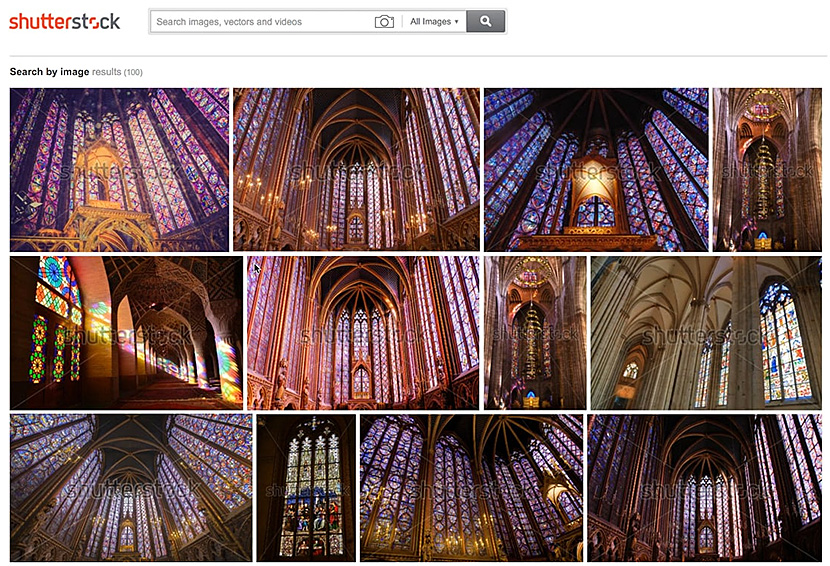
Shutterstock [launched on March 10, 2016] a couple of tools that will make it easy for users to find photos without having to figure out the right keywords for what they’re looking for: reverse image search and visually similar search.

It’s pretty much exactly what it sounds like. With reverse image search, you can upload an image that you like via the search bar and the site will pull up a collection of images that have a similar aesthetic.
…
Both features make use of a custom-built deep learning convolutional neural network, which is a fancy way of saying it uses advanced AI, similar to the technology behind Google’s DeepMind.


From DSC:
Some of the uses of AI I’m comfortable with…and I guess I’m ok with this scenario. But I don’t want AI to paint a picture for me, or write a poem for me, or write me a song, or relay a subset of programmers’ view of emotions, etc.   What we do with AI remains to be seen. But we need to start engaging in deeper discussions about what we want our futures to look like — and, as Ed Cornish comments below, that we make sure that we are working to create dreams, not nightmares:


We can do nothing to change the past, but we have enormous power to shape the future. Once we grasp that essential insight, we recognize our responsibility and capability for building our dreams of tomorrow and avoiding our nightmares.

–Edward Cornish


Also, for a potentially-relevant item here, see:


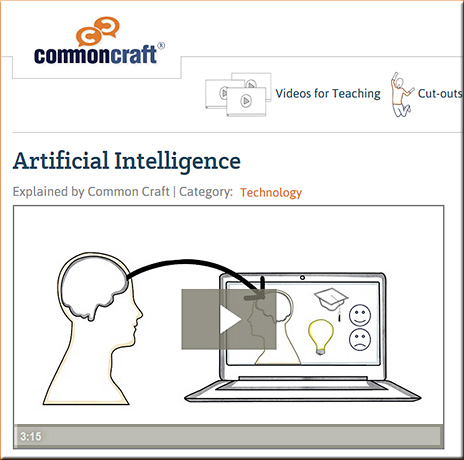
CommonCraft-AI-2016


Also see:

Nvidia sees a lot of opportunities in an area of AI called “deep learning’
where a system learns by itself including recognizing images.


2015 was a big year. Artificial intelligence is moving into the commercial world.
…
Last year AI went from research concept to engineering application. And all these engineers at Facebook and Google and others are taking this deep learning concept with all these frameworks, which is basically another word for tools, and turning these ideas into things of practical use. And now you’re seeing all these Internet companies announcing these practical uses. All of the industries are just exploding.


From DSC:
Below are several articles will help you stay up-to-date on the announcements from Apple today:


A related resource:


Addendum on 3/21/16 — After getting their tails kicked by Google…better late than never?


© 2025 | Daniel Christian