iphone7-9-7-16


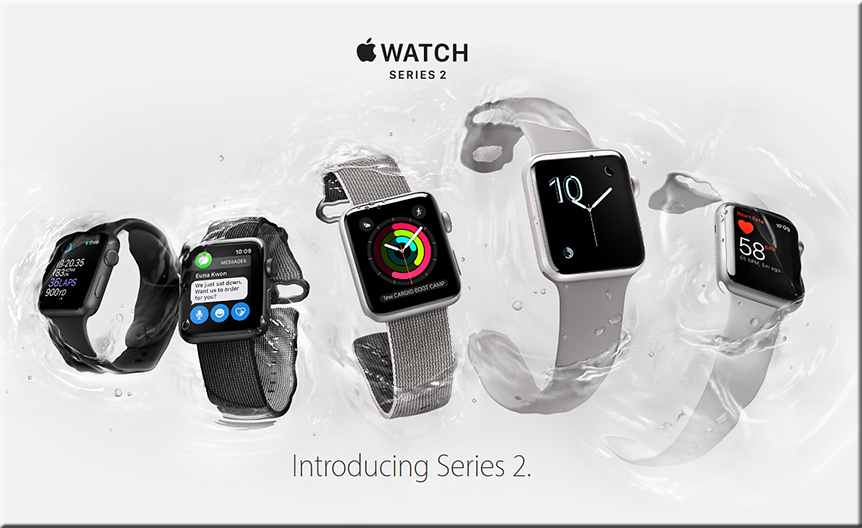
watch-9-7-16


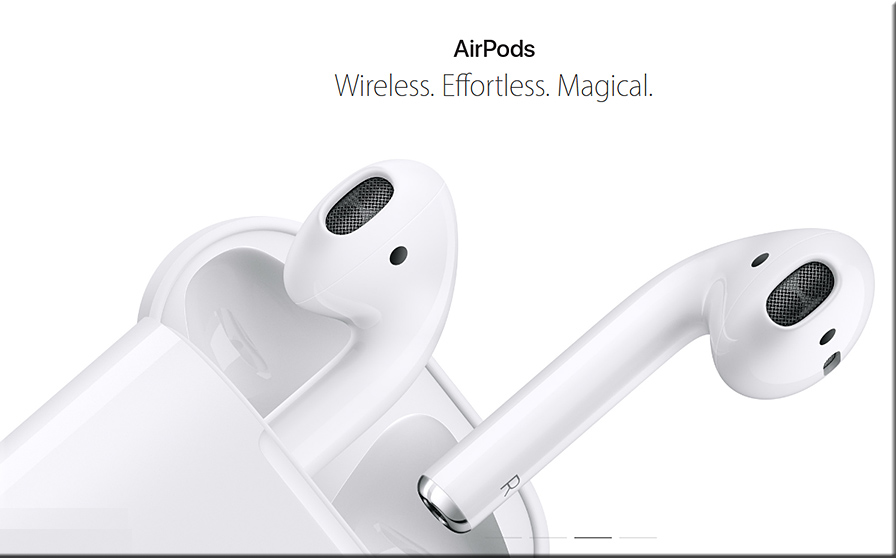
airpods-9-7-16


Here are the big announcements from Apple’s September 2016 event — from amp.imore.com

  • iPhone 7
  • Apple Watch Series 2
  • Apple AirPods
  • iOS 10
  • watchOS 3
  • iWork: Apple announced an update to its iWork productivity suite across iPhone, iPad, and Mac that allows for real-time collaboration within Pages, Keynote, and Numbers.
  • Super Mario Run


What Apple’s Dual Camera iPhone Means For Augmented Reality — from vrscout.com

Excerpt:

Although there weren’t drastic changes made to the physical design of the iPhone (minus that old thing called a headphone jack), Apple’s unveiling of a dual-lens camera points to a world where millions of consumers could one day put a powerful augmented reality device in their pocket.


Apple kills headphone jack (1878 – 2016). RIP. — from techcrunch.com


Apple Unveils Waterproof iPhone 7 with Dual Cameras — from interestingengineering.com


iPhone 7 FAQ: Everything you need to know!— from amp.imore.com


Apple adds real-time collaboration to iWork –– from engadget.com
Apple is taking on Google Docs in the education market. (From DSC: I’d like to think so, but we’ll see.)


After 500 Million Downloads, ‘Pokemon Go’ Is Coming To Apple Watch — from uploadvr.com

Excerpt:

A brief demonstration of the game was featured on-stage. The watch edition of the game will place a bigger focus on player fitness, tracking the calories you burn in play sessions along with distance.


Apple Watch bands FAQ: Everything you need to know! — from amp.imore.com


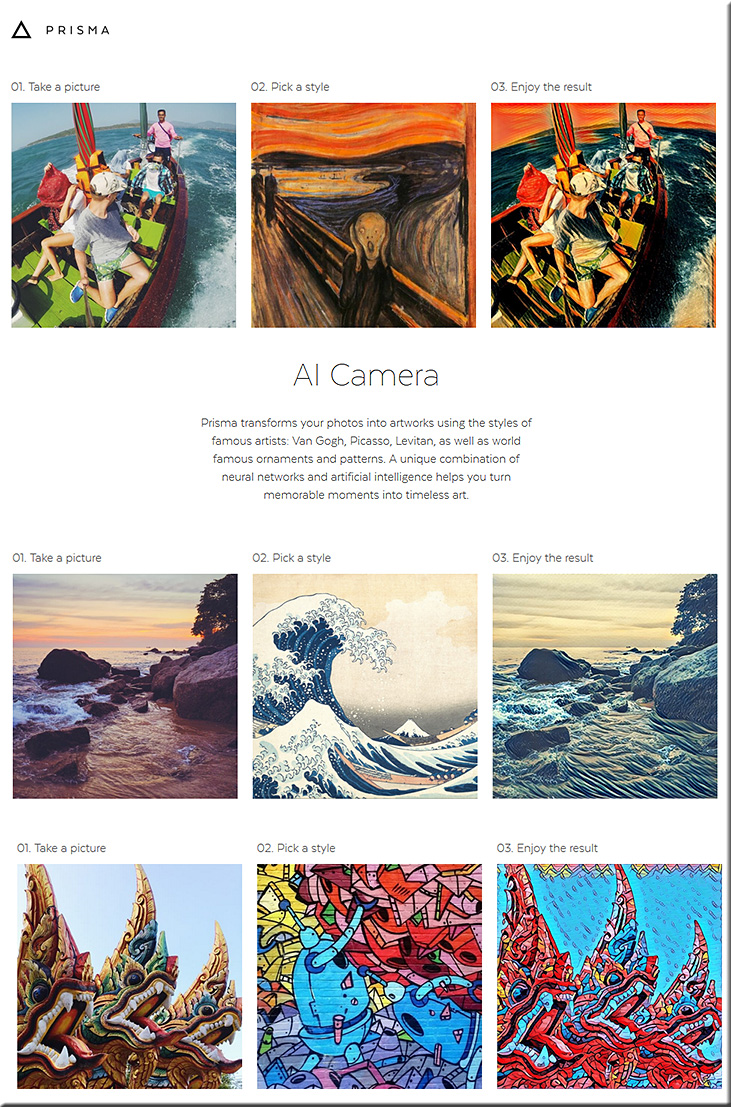
Prisma-July2016

Description:
Turn Every Photo into Art | Using Artificial Intelligence
Prisma transforms your photos into artworks using the styles of famous artists: Munk, Picasso as well as world famous ornaments and patterns. A unique combination of neural networks and artificial intelligence helps you turn memorable moments into timeless art.


From DSC:
I’ve tried this tool and it’s really fun to use — producing some creative results! An innovative, sharp tool for sure.


———–

Addendum on 8/22/16 from DSC:
I wanted to highlight Nikos Andriotis’ comment on this posting, as it’s creative, innovative, fun, thinking!

Great tool! I’ve used it already too. A neat excersise for art classes would be converting an unrelated picture to a particular style, and then asking the learners what style is it, and where has it been used. Quite simple, but sounds rather enjoyable to me.


From DSC:
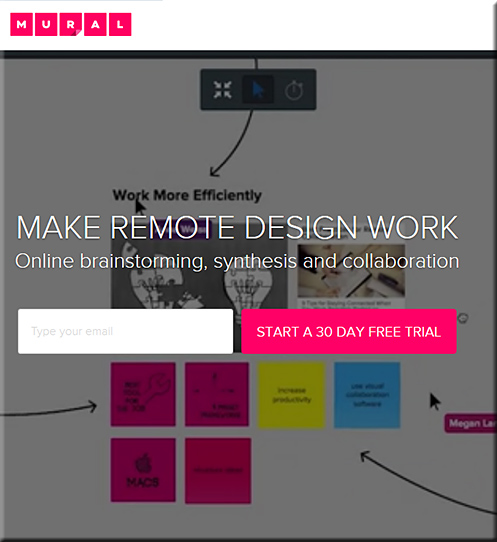
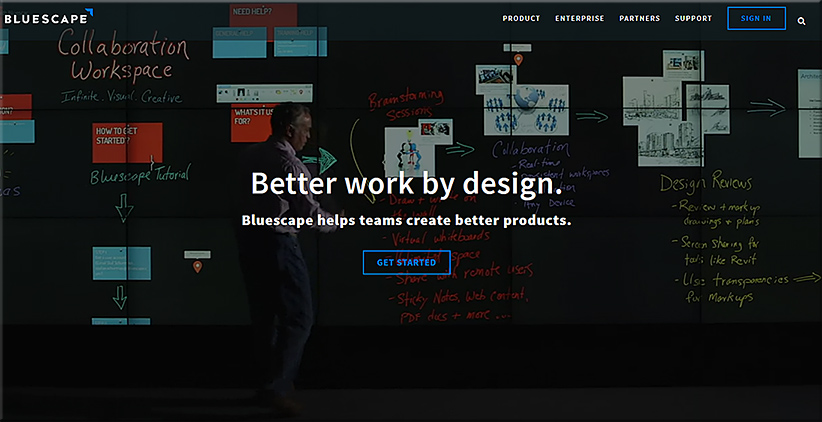
How much longer before the functionalities that are found in tools like Bluescape & Mural are available via tvOS-based devices? Entrepreneurs and VCs out there, take note. Given:

  • the growth of freelancing and people working from home and/or out on the road
  • the need for people to collaborate over a distance
  • the growth of online learning
  • the growth of active/collaborative learning spaces in K-12 and higher ed
  • the need for lifelong learning

…this could be a lucrative market. Also, it would be meaningful work…knowing that you are helping people learn and earn.


Mural-Aug-2016


Bluescape-Aug2016


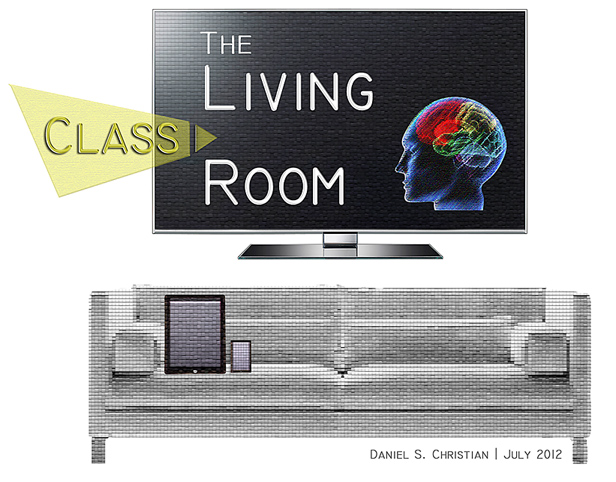
The Living [Class] Room -- by Daniel Christian -- July 2012 -- a second device used in conjunction with a Smart/Connected TV


Microsoft refines Word with new Researcher and Editor features — from forbes.com by Tony Bradley

Excerpt:

Today, Microsoft unveiled new features for Word—Researcher and Editor—designed to make the application even smarter and easier to use.

When writing a research paper, a tech news article—or a political speech—proper citation is important. Everyone knows and expects that a writer has scoured other resources and has pulled thoughts and concepts from them. Having your work referenced and emulated is flattering, but nobody likes plagiarism. It’s important to give credit where credit is due by citing the original works used as reference, and Microsoft is making that simpler and more automated with the new Researcher feature in Word.

A blog post from Microsoft describes the new feature, “Researcher is a new service in Word that helps you find and incorporate reliable sources and content for your paper in fewer steps. Right within your Word document you can explore material related to your topic and add it—and its properly-formatted citation—in one click. Researcher uses the Bing Knowledge Graph to pull in the appropriate content from the web and provide structured, safe and credible information.”


Also see:


ResearcherAddedToWord-July2016


Love this VR of a classroom lesson – 7 uses that really takes you there — from donaldclarkplanb.blogspot.com by Donald Clark

Excerpt:

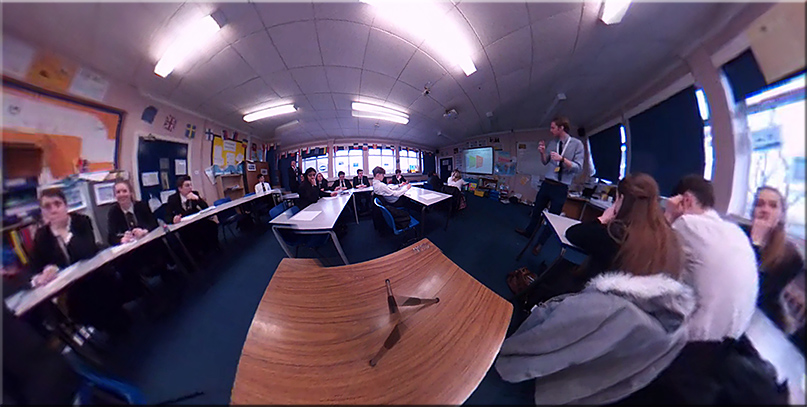
I received a fascinating link via Twitter from Chris Edwards, a Deputy Head in Surrey, who was interested in views on his experiment with a 360 camera and VR. In the 360 degree video, Mike Kent, a Geography teacher, delivers a great lesson and you can look round the entire room as students and teacher move around, get things done, interact with the teacher and go through a Q&A session. It is fascinating. They’re using this approach for lesson observations allowing the teacher, or their colleagues, to watch it back in full Virtual Reality. This gives the teacher a view of themselves, from the student’s point of view, as well as observe ‘everything’ that happens in the classroom. It made me think of different possibilities…..


Good lessons by great teachers must surely be worth viewing by novice teachers. The rich set of processes, actions, behaviours, body language and interactions that go into a great lesson are complex, wonderfully captured in this example and could be done on any subject. A bank of such lessons would be far more useful than dry lesson plans.


From DSC:
Donald covers a range of ideas including using these 360 degree cameras and VR in regards to addressing:

  1. Exemplar lessons
  2. Teacher training in school
  3. Behaviour training
  4. Students
  5. Parents
  6. Class layout
  7. Research


Also see:
(You can turn around/view the entire room and somewhat move about the space by zooming in and out):

bubl-in-classroom-july2016


Also see:

bubl-july2016


How might these enhancements to Siri and tvOS 10 impact education/training/learning-related offerings & applications? [Christian]

From DSC:
I read the article mentioned below.  It made me wonder how 3 of the 4 main highlights that Fred mentioned (that are coming to Siri with tvOS 10) might impact education/training/learning-related applications and offerings made possible via tvOS & Apple TV:

  1. Live broadcasts
  2. Topic-based searches
  3. The ability to search YouTube via Siri

The article prompted me to wonder:

  • Will educators and trainers be able to offer live lectures and training (globally) that can be recorded and later searched via Siri? 
  • What if second screen devices could help learners collaborate and participate in active learning while watching what’s being presented on the main display/”TV?”
  • What if learning taken this way could be recorded on one’s web-based profile, a profile that is based upon blockchain-based technologies and maintained via appropriate/proven organizations of learning? (A profile that’s optionally made available to services from Microsoft/LinkedIn.com/Lynda.com and/or to a service based upon IBM’s Watson, and/or to some other online-based marketplace/exchange for matching open jobs to potential employees.)
  • Or what if you could earn a badge or prove a competency via this manner?

Hmmm…things could get very interesting…and very powerful.

More choice. More control. Over one’s entire lifetime.

Heutagogy on steroids.

Micro-learning.

Perhaps this is a piece of the future for MOOCs…


MoreChoiceMoreControl-DSC


The Living [Class] Room -- by Daniel Christian -- July 2012 -- a second device used in conjunction with a Smart/Connected TV


StreamsOfContent-DSC


Apple TV gets new Siri features in tvOS 10 — from iphonefaq.org by Fred Straker

Excerpt:

The forthcoming update to Apple TV continues to bring fresh surprises for owners of Apple’s set top box. Many improvements are coming to tvOS 10, including single-sign-on support and an upgrade to Siri’s capabilities. Siri has already opened new doors thanks to the bundled Siri Remote, which simplifies many functions on the Apple TV interface. Four main highlights are coming to Siri with tvOS 10, which is expected to launch this fall.


Addendum on 7/17/16:

CBS News Launches New Apple TV App Designed Exclusively for tvOS — from macrumors.com

Excerpt:

CBS today announced the launch of an all-new Apple TV app that will center around the network’s always-on, 24-hour “CBSN” streaming network and has been designed exclusively for tvOS. In addition to the live stream of CBSN, the app curates news stories and video playlists for each user based on previously watched videos.

The new app will also take advantage of the 4th generation Apple TV’s deep Siri integration, allowing users to tell Apple’s personal assistant that they want to “Watch CBS News” to immediately start a full-screen broadcast of CBSN. While the stream is playing, users can interact with other parts of the app to browse related videos, bookmark some to watch later, and begin subscribing to specific playlists and topics.


From DSC:
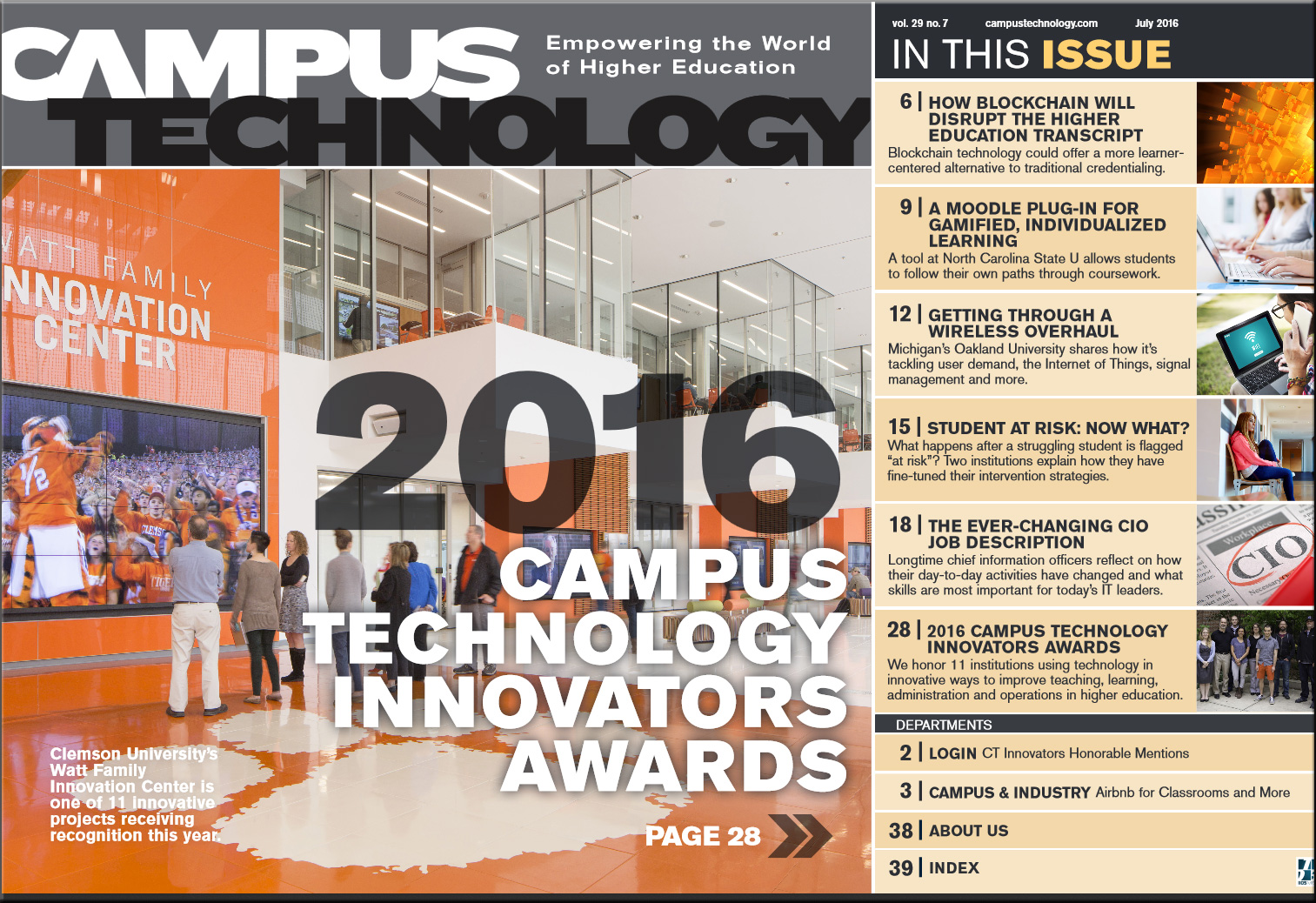
I would like to highlight a few items from this month’s Campus Technology magazine:

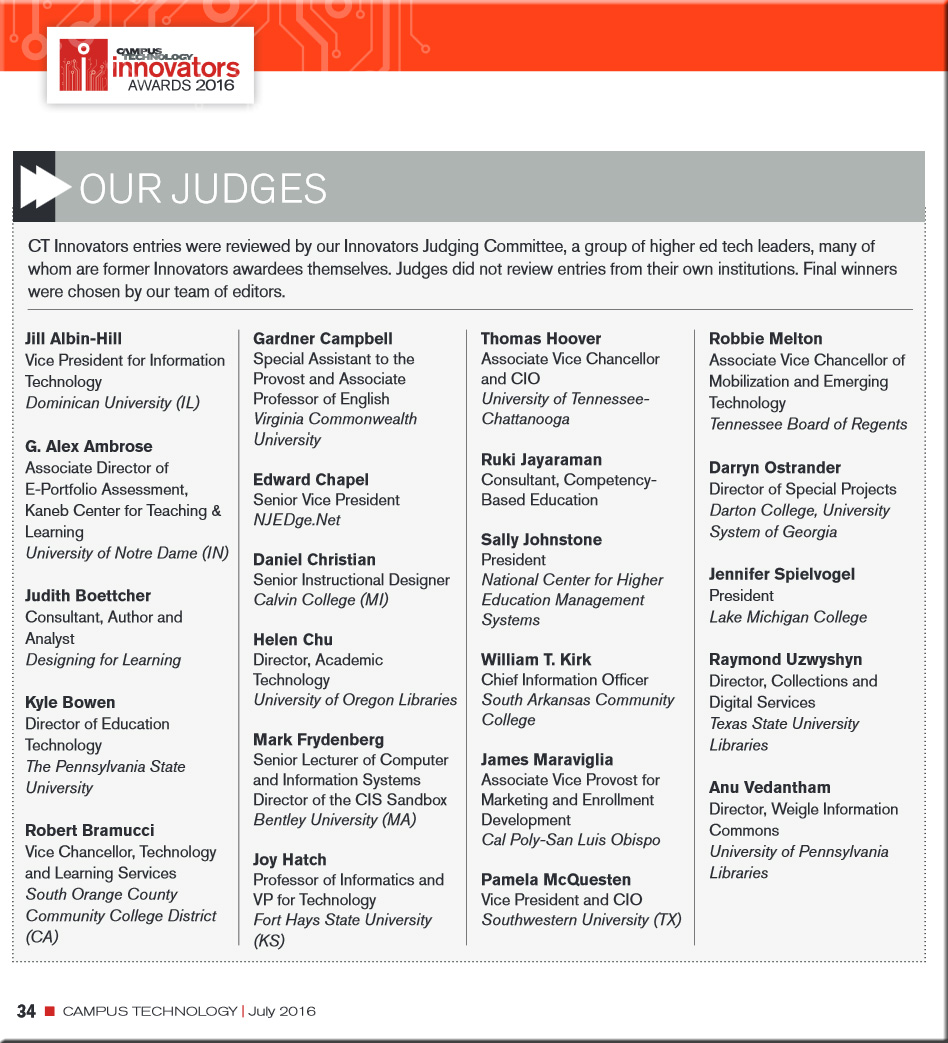
2016 Campus Technology Innovators Awards
We honor 11 institutions using technology in innovative ways to improve teaching, learning, administration and operations in higher education.

Editorial: CT Innovators Honorable Mentions
Gleaned from this year’s Campus Technology Innovators award nominations, these 8 projects are making strides in virtual reality, synchronous online learning, digital literacy and more.


CampusTechnInnovatorAwardsJudge2016-Cover


CampusTechnInnovatorAwardsJudge2016


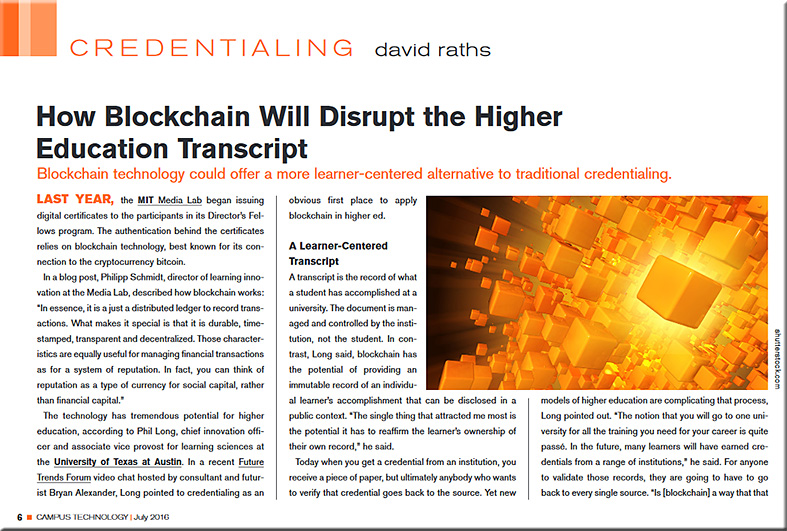
How blockchain will disrupt the higher education transcript
Blockchain technology could offer a more learner-centered alternative to traditional credentialing.


Blockchain-HE-CampusTechJuly2016


From DSC:
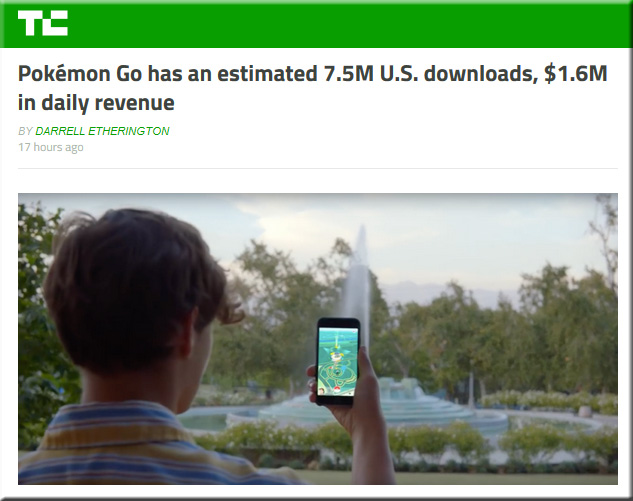
I posted an item yesterday warning parents of the potential dangers of Pokémon Go.  But I don’t want to leave it at that. I’m generally pro-technology and there are many solid, good, positive reasons for using most technologies.  So I also want to post some other, more positive items showing the enormous success of this augmented reality (AR)-based app.


PokemonGo-HugeSuccess-July2016


5 Crazy Facts That Prove the Ridiculous Popularity of ‘Pokemon GO’ — from uploadvr.com by David Jagneaux

Excerpts:

  • Nintendo’s Valuation Increased by $9 Billion
  • People Are Already Using it As Much as Twitter
  • It’s Helping People Fight Depression and Anxiety
  • Businesses Are Changing the Way They Operate
  • Pokemon GO is Bringing People Closer to Together


The Weekend Pokémon Go Took Over America — from wired.com by Emily Dreyfuss, Brian Barrett, Kevin McFarland, Emma Ellis, Jake Muncy, and Chris Kohler


This Surprising Game Is Driving People To Church — from ministrytech.com


‘Pokemon Go’ Readies for Wider Launch as Nintendo Shares Soar — from uploadvr.com by by Jamie Feltham


Pokemon Go Is Driving Augmented Reality And Geolocation Adoption — from zugara.com by Matthew Szymczyk


What #PokemonGo means for immersive learning — from learningintandem.blogspot.com by Koreen Pagano

Excerpt:

But let’s end with some larger implications for learning, particularly organizational learning.

  • New hire training: tour facilities with augmented reality or virtual reality. Meet key folks in the organization. See behind the scenes production, or visit HQ virtually.
  • Skill refinement: once the basics have been taught, present ongoing practice scenarios. Could be internal, customer-facing, or software/equipment training.
  • Product training: provide the ability to interact with multiple customers and see how the product benefits them differently.
  • Application in context: how do you navigate a real-life complex environment effectively? Think busy retail, insurance adjusters, combat/disaster zones, crime scenes, etc.
  • Just in time geographically relevant support: have a question in context? What if an app let you access training and tips relevant to where you are?


Pokémon Go is Improving Thousands of Users’ Mental Health — from interestingengineering.com by Trevor English


“Pokémon Go” May Prove That AR Is More Mainstream Than VR — from fastcompany.com by Daniel Terdiman
Ever seen this many people with VR headsets on at one time? Didn’t think so.

Playing Pokemon Go? You Need the Right Gear — from wired.com by Tim Moynihan


And along the security/safety awareness line:


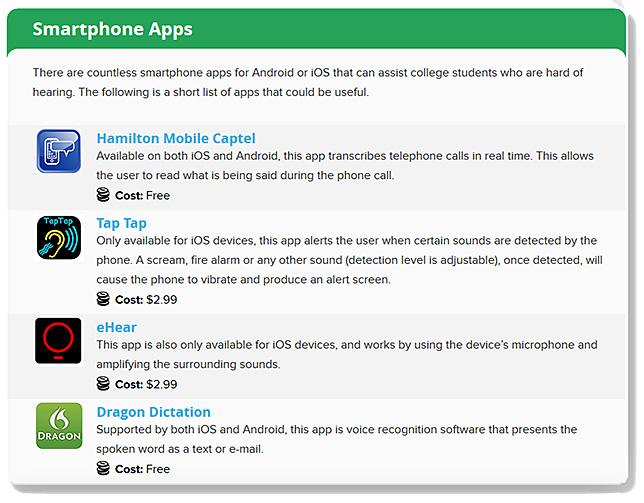
Supporting Deaf and Hard of Hearing Students Tools, Technology and Key Resources to Cultivate Academic Success — from accreditedschoolsonline.org

Excerpts:

Students with hearing disabilities face unique challenges inside the classroom. Many common learning modes that people take for granted — lectures, discussion groups and even one-on-one conversations — can be a struggle for those who have any level of hearing difficulty. However, that doesn’t mean a college degree is out of reach. Today’s wide range of tools, devices and systems can help students who are deaf or hard of hearing thrive in an educational setting. This guide focuses on those resources, tech tools and expert tips that students of all ages can use achieve academic success.


SmartphoneApps-HardOfHearing-July2016


AI chatbot apps to infiltrate businesses sooner than you think — from searchbusinessanalytics.techtarget.com by Bridget Botelho
Artificial intelligence chatbots aren’t the norm yet, but within the next five years, there’s a good chance the sales person emailing you won’t be a person at all.

Excerpt:

In fact, artificial intelligence has come so far so fast in recent years, Gartner predicts it will be pervasive in all new products by 2020, with technologies including natural language capabilities, deep neural networks and conversational capabilities.

Other analysts share that expectation. Technologies that encompass the umbrella term artificial intelligence — including image recognition, machine learning, AI chatbots and speech recognition — will soon be ubiquitous in business applications as developers gain access to it through platforms such as the IBM Watson Conversation API and the Google Cloud Natural Language API.


3 corporate departments that chatbots will disrupt — from venturebeat.com by Natalie Lambert

Excerpt:

  1. Customer Service
  2. Human Resources
  3. Marketing


Facebook Messenger’s 11,000 chatbots are much more interactive — from androidcentral.com by Harish Jonnalagadda

Excerpt:

Facebook introduced chatbots on Messenger three months ago, and the search giant has shared today that over 11,000 bots are active on the messaging service. The Messenger Platform has picked up an update that adds a slew of new features to bots, such as a persistent menu that lists a bot’s commands, quick replies, ability to respond with GIFs, audio, video, and other files, and a rating system to provide feedback to bot developers.


Chatbots are coming to take over the world — from telecom.economictimes.indiatimes.com

Excerpts:

In another example, many businesses use interactive voice response (IVR) telephony systems, which have limited functionalities and often provide a poor user experience. Chatbots can replace these applications in future where the user will interact naturally to get relevant information without following certain steps or waiting for a logical sequence to occur.
…
Chatbots are a good starting point, but the future lies in more advanced versions of audio and video bots. Apple’s Siri, Amazon’s Alexa, Microsoft’s Cortana, Google with its voice assistance, are working in the same direction to achieve it. Bot ecosystems will become even more relevant in the phase of IoT mass adoption and improvement of input/output (I/O) technology.


With big players investing heavily in AI, Chatbots are likely to be an increasing feature of social media and other communications platforms.


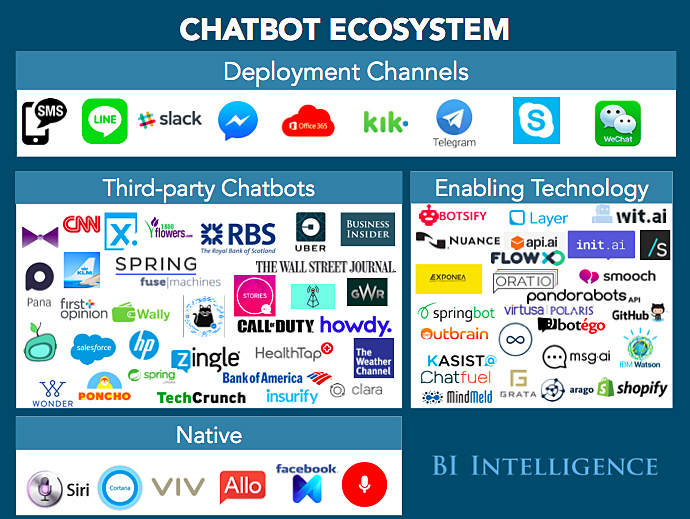
Everything You Wanted to Know About Chatbots But Were Afraid to Ask — from businessinsider.com by Andrew Meola

Excerpt:

Chatbots are software programs that use messaging platforms as the interface to perform a wide variety of tasks—everything from scheduling a meeting to reporting the weather, to helping a customer buy a sweater.

Because texting is the heart of the mobile experience for smartphone users, chatbots are a natural way to turn something users are very familiar with into a rewarding service or marketing opportunity.

And when you consider that the top 4 messaging apps reach over 3 billion global users (MORE than the top 4 social networks), you can see that the opportunity is huge.


chatbotecosystem-businsider-sept2016


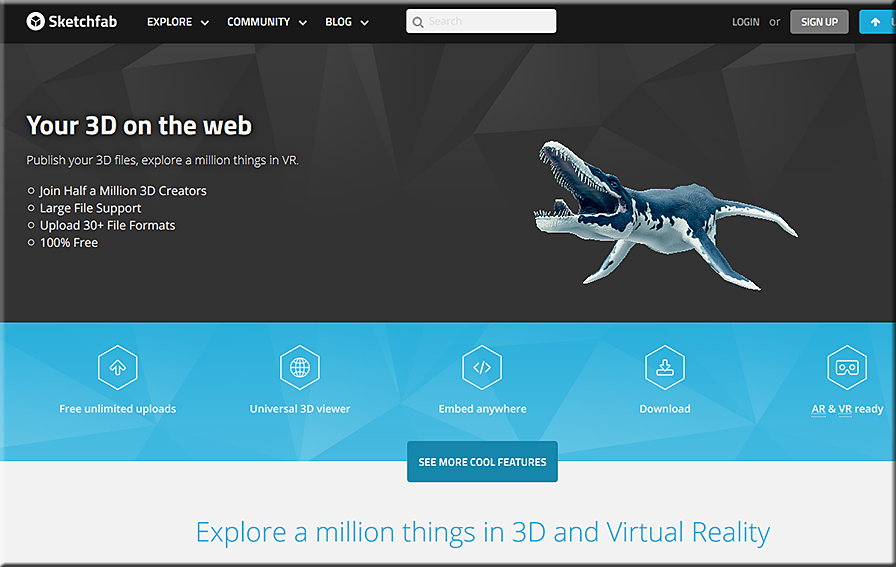
Sketchfab-June2016


Paper 53 is the ‘sketch-iPad’ you always wanted — from edtech4beginners.com

Excerpt:

Paper 53 is a brilliant app which combines drawings, notes, photos and sketches. It is available on the Appstore. The app is simple and user-friendly; just use your finger (or a stylus) to draw, paint, select colours, erase and lots more.


Google’s virtual reality field trips are available to everyone — from engadget.com by Jon Fingas
Students can also use Google Cast to share their screens across the classroom.


10 very good new educational web tools — from educatorstechnology.com

Excerpt:

Below is a collection of some new educational web tools and mobile apps to try out in your instruction.  The purpose is to keep you updated about the new releases in the EdTech world and empower you with the necessary technology to take your teaching and learning to the next level.  Some of the things you can do with these applications include: Learn English pronunciation from native speakers, easily save web content to Google, search YouTube without having to stop the video playing, learn basic math skills through challenging games and activities, unshare sent files in Gmail, create interactive and engaging videos by adding polls, short questions and quizzes, create beautiful presentations and animations  using drawn images and stick figures and many more.


Teaching with digital timelines — from Derek Bruff

Excerpt:

This year the Center for Teaching hosted a few educational technology working groups for faculty, staff, and students interested in exploring ways particular technologies might meet their instructional goals. One of the groups investigated the use of digital timeline tools, like Tiki-Toki and TimelineJS, that facilitate the creation of online, multimedia, interactive, and collaborative timelines. I had used such tools in my own teaching, having asked my 2010 writing seminar students to create a class timeline on the history of cryptography, and I was eager to talk with other instructors about the potential of student-produced timelines.


Top 5 AI virtual assistants: Now and into the future — from interestingengineering.com

Excerpt:

In Silicon Valley and elsewhere there’s currently an AI arms race going on. The first wave of this race is centered around artificial virtual assistants that are poised to become our new digital best friends in the very near future. While many people are familiar with Apple’s popular AI virtual assistant, Siri, there are four other main players in the AI virtual assistant space.


From DSC:
Twitter is also a tool that you should consider putting in your toolbox — or in your students’ toolboxes. Consider how it was used here –> This Henry VIII Twitter Account Is The Best Way To Learn About Brexit | @KngHnryVIII tells it like it is (and like how it was in the 1500s).


TwitterandKingHenryVIII-June2016


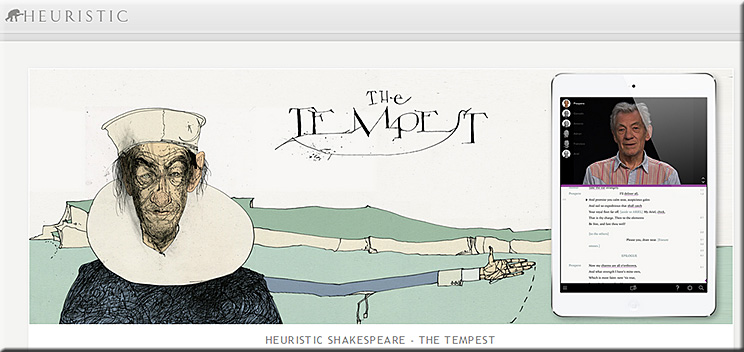
Heuristic Media is working on 37 apps, 1 for each Shakespeare play — with The Tempest as its pilot app.


TheTempest-IanM-Spring2016


Addendum on 6/30/16:


From DSC:
Twitter is a tool that you should consider putting in your toolbox — or in your students’ toolboxes. Consider how it was used here –> This Henry VIII Twitter Account Is The Best Way To Learn About Brexit | @KngHnryVIII tells it like it is (and like how it was in the 1500s).


TwitterandKingHenryVIII-June2016


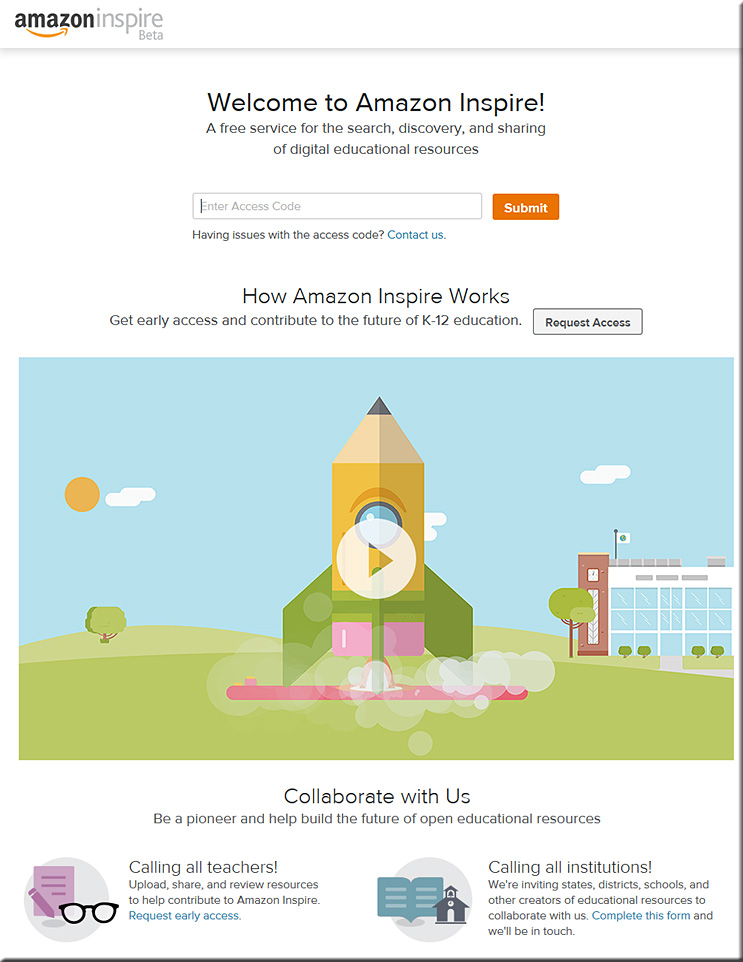
Amazon unveils online education service for teachers — from nytimes.com by Natasha Singer

Excerpt:

Just ahead of the back-to-school season, Amazon is making a major foray into the education technology market for primary and secondary schools, a territory that Apple, Google and Microsoft have heavily staked out.

On Monday morning, Amazon said that it would introduce an online marketplace with tens of thousands of free lesson plans, worksheets and other instructional materials for teachers in late August or early September.

Called Amazon Inspire, the education site has features that may seem quite familiar to frequent Amazon shoppers. Search bar at the top of the page? Check. User reviews? Check. Star ratings for each product? Check.


AmazonInspire-6-27-16


From DSC:
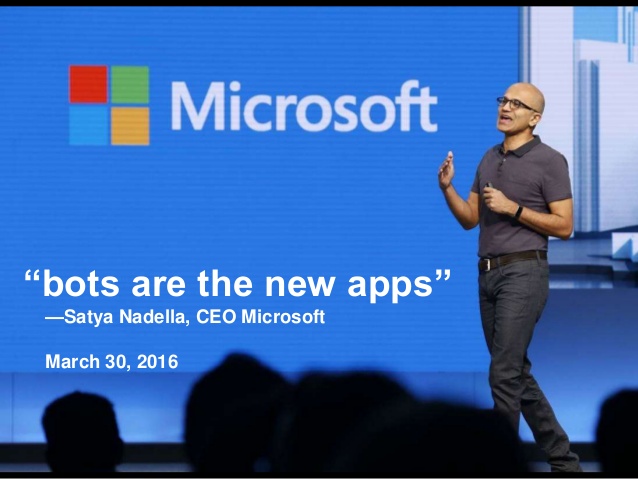
If the future of TV is apps > and if bots are the new apps > does that mean that the future of TV is bots…?


SAN FRANCISCO, CA - SEPTEMBER 9: Apple CEO Tim Cook introduces the New Apple TV during a Special Event at Bill Graham Civic Auditorium September 9, 2015 in San Francisco, California. Apple Inc. is expected to unveil latest iterations of its smart phone, forecasted to be the 6S and 6S Plus. The tech giant is also rumored to be planning to announce an update to its Apple TV set-top box. (Photo by Stephen Lam/ Getty Images)


bots-are-loving-you-9-638


chatbots-wharton-june2016

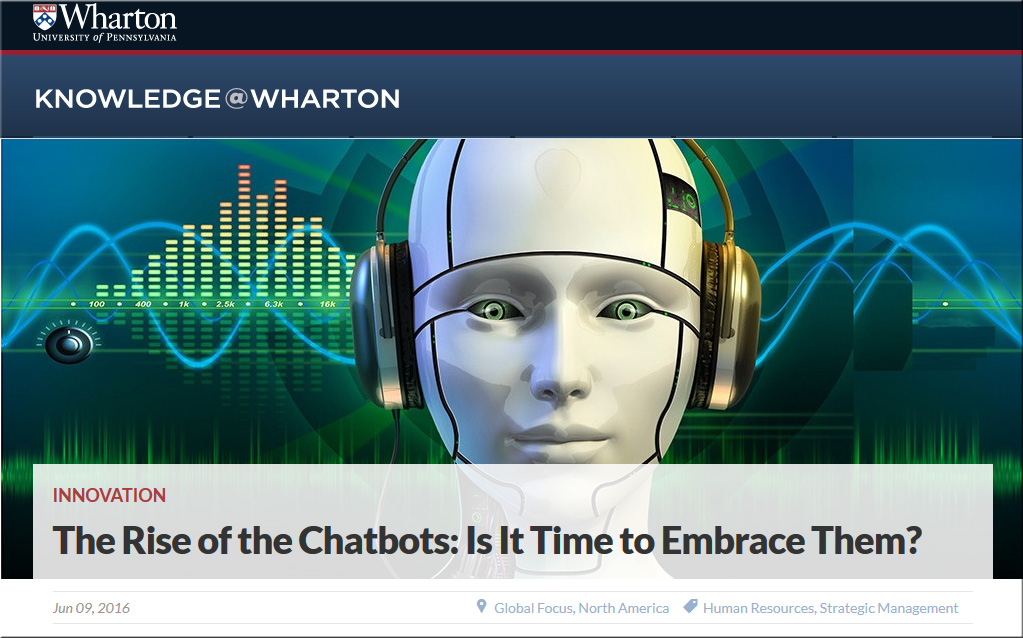
The rise of the chatbots: Is it time to embrace them? — from knowledge.wharton.upenn.edu

Excerpt:

The tech world is all agog these days about chatbots. These are automated computer programs that simulate online conversations with people to answer questions or perform tasks. While chatbots have been around in various rudimentary forms for years — think of Clippy, Microsoft’s paper clip virtual assistant — they have been taking off lately as advances in machine learning and artificial intelligence make them more versatile than ever. Among the most well-known chatbots: Apple’s Siri.

In rapid succession over the past few months, Microsoft, Facebook and Google have each unveiled their chatbot strategies, touting the potential for this evolving technology to aid users and corporate America with its customer-service capabilities as well as business utility features like organizing a meeting. Yahoo joined the bandwagon recently, launching its first chatbots on a chat app called Kik Messenger.


Bill Gates says the next big thing in tech can help people learn like he does — from businessinsider.com by Matt Weinberger

Excerpt (emphasis DSC):

In a new interview with The Verge, Microsoft cofounder and richest man in the world Bill Gates explained the potential for chatbots — programs you can text with like they’re human — in education.

Gates lauds the potential for what he calls “dialogue richness,” where an chatbot can really hold a conversation with a student, essentially making it into a tutor that can walk them through even the toughest, most subjective topics. 

It’s actually similar to how Gates himself likes to learn, he tells The Verge…


The complete beginner’s guide to chatbots — from chatbotsmagazine.com by Matt Schlicht
Everything you need to know.

Excerpt (emphasis DSC):

What are chatbots? Why are they such a big opportunity? How do they work? How can I build one? How can I meet other people interested in chatbots?

These are the questions we’re going to answer for you right now.
…
What is a chatbot?
A chatbot is a service, powered by rules and sometimes artificial intelligence, that you interact with via a chat interface. The service could be any number of things, ranging from functional to fun, and it could live in any major chat product (Facebook Messenger, Slack, Telegram, Text Messages, etc.).
…

A chatbot is a service, powered by rules and sometimes artificial intelligence, that you interact with via a chat interface.

Examples of Chat Bots
Weather bot. Get the weather whenever you ask.
Grocery bot. Help me pick out and order groceries for the week.
News bot. Ask it to tell you when ever something interesting happens.
Life advice bot. I’ll tell it my problems and it helps me think of solutions.
Personal finance bot. It helps me manage my money better.
Scheduling bot. Get me a meeting with someone on the Messenger team at Facebook.
A bot that’s your friend. In China there is a bot called Xiaoice, built by Microsoft, that over 20 million people talk to.


Chatbots explained: Why Facebook and other tech companies think they’re the biggest thing since the iPhone — from businessinsider.com by Biz Carson

Excerpt:

Chatbots are the future, whether we’re ready for them or not.

On Tuesday (April 5, 2016) , Facebook launched Bots for Messenger, a step that could define the next decade in the same way that the Apple App Store launch paved the path for companies like Uber to build a business off your phone. Its new messaging platform will help businesses build intelligent chatbots to let them communicate in Messenger.

“Today could be the beginning of a new era,” said Facebook Messenger chief David Marcus.

So what are these chatbots, and why is everyone obsessed?


Facebook wants to completely revolutionize the way you talk to businesses — from businessinsider.com by Jillian D’Onfro


Bot wars: Why big tech companies want apps to talk back to you — from fastcompany.com by Jared Newman
Can a new wave of chatbots from Facebook and Microsoft upend apps as we know them, or is that just wishful thinking?

Excerpt:

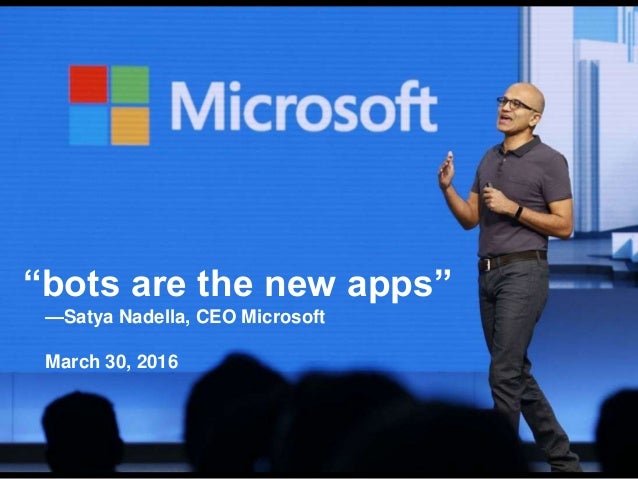
The rise of conversational “chatbots” begins with a claim you might initially dismiss as preposterous. “Bots are the new apps,” Microsoft CEO Satya Nadella declared during the company’s Build developers conference last month. “People-to-people conversations, people-to-digital assistants, people-to-bots, and even digital assistants-to-bots. That’s the world you’re going to get to see in the years to come.”


Microsoft CEO Nadella: ‘Bots are the new apps’

Excerpt:

SAN FRANCISCO – Microsoft CEO Satya Nadella kicked off the company’s Build developers conference with a vision of the future filled with chatbots, machine learning and artificial intelligence.

“Bots are the new apps,” said Nadella during a nearly three-hour keynote here that sketched a vision for the way humans will interact with machines. “People-to-people conversations, people-to-digital assistants, people-to-bots and even digital assistants-to-bots. That’s the world you’re going to get to see in the years to come.”

Onstage demos hammered home those ideas. One involved a smartphone conversing with digital assistant Cortana about planning a trip to Ireland, which soon found Cortana bringing in a Westin Hotels chatbot that booked a room based on the contents of the chat.


Addendums on 6/17/16:

 
© 2025 | Daniel Christian