An AI Bot for the Teacher — with thanks to Karthik Reddy for this resource

Artificial intelligence is the stuff of science fiction – if you are old enough, you will remember those Terminator movies a good few years ago, where mankind was systematically being wiped out by computers.

The truth is that AI, though not quite at Terminator level yet, is already a fact and something that most of us have encountered already. If you have ever used the virtual assistant on your phone or the Ask Google feature, you have used AI.

Some companies are using it as part of their sales and marketing strategies. An interesting example is Lowe’s Home Improvement that, instead of chatbots, uses actual robots into their physical stores. These robots are capable of helping customers locate products that they’re interested in, taking a lot of the guesswork out of the entire shopping experience.

Of course, there are a lot of different potential applications for AI that are very interesting. Imagine an AI teaching assistant, for example. They could help grade papers, fact check and assist with lesson planning, etc., all to make our harassed teachers’ lives a little easier.

Chatbots could be programmed as tutors to help kids better understand core topics if they are struggling with them, ensuring that they don’t hold the rest of the class up. And, for kids who have a real affinity with the subject, help them learn more about what they are interested in.

It could also help enhance long distance training.  Imagine if your students could get instant answers to basic questions through a simple chatbot. Sure, if they were still not getting it, they would come through to you – the chatbot cannot replace a real, live, teacher after all. But it could save you a lot of time and frustration.

Here, of course, we have only skimmed the surface of what artificial intelligence is capable of. Why not look through this infographic to see how different brands have been using this tech, and see what possible applications of it we might expect.
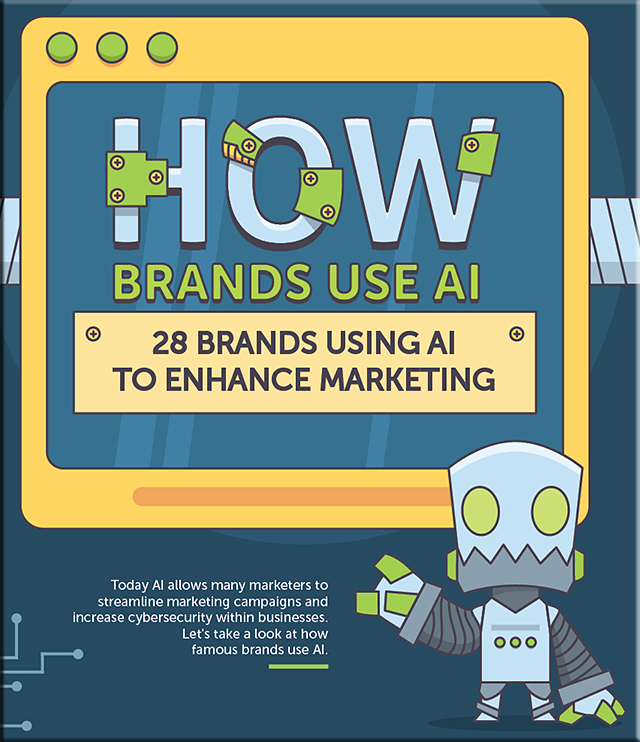
 

Brands that use AI to enhance marketing (infographic) 2018
From 16best.net with thanks to Karthik Reddy for this resource


50 animation tools and resources for digital learners — from teachthought.com by Lisa Chesser, opencolleges.edu.au

Excerpt:

Some of the animation links cataloged here will give educators very basic tools and histories of animation while others have the animation already created and set in motion, it’s just a matter of sharing it with students. Educators need to decide which tool is best for them. If you want to create your own animation from scratch, then you want to go to sites such as Animwork. If you want to select from an animation that’s already set up, for you then perhaps Explainia makes more sense. One of the easiest ways to animate, however, isn’t with your own camera and modeling clay, it’s with your links to sites that hand you everything within their own forums. Use the first part of this list for creating original animation or using animation tools to create lessons. Use the second part to select animated lessons that are already completed and set to share.


Click on the image to get a larger image in a PDF file format.


From DSC:
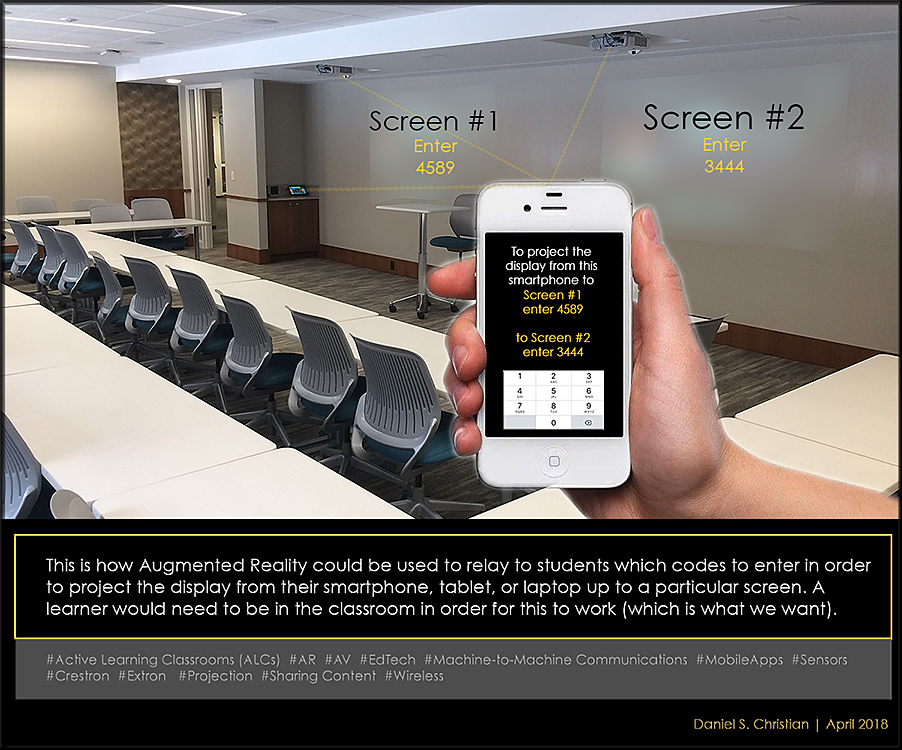
So regardless of what was being displayed up on any given screen at the time, once a learner was invited to use their devices to share information, a graphical layer would appear on the learner’s mobile device — as well as up on the image of the screens (but the actual images being projected on the screens would be shown in the background in a muted/pulled back/25% opacity layer so the code would “pop” visually-speaking) — letting him or her know what code to enter in order to wirelessly share their content up to a particular screen. This could be extra helpful when you have multiple screens in a room.

For folks at Microsoft: I could have said Mixed Reality here as well.


#ActiveLearning #AR #MR #IoT #AV #EdTech #M2M #MobileApps
#Sensors #Crestron #Extron #Projection #Epson #SharingContent #Wireless


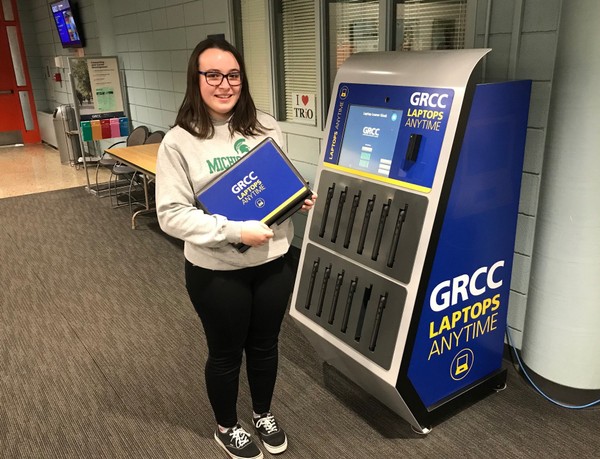
Grand Rapids Community College offers free laptop vending machine — from mlive.com by Monica Scott

Excerpt:

GRAND RAPIDS, MI – Grand Rapids Community College (GRCC) is among higher education institutions providing free laptop vending machines to give students greater access to technology and more flexibility.
…
Retrieving a laptop from the machine is as quick and easy as grabbing chips from a vending machine. A student punches in their last name on the touchscreen, swipes their student ID, and out pops one of the 12 Dell laptops.

The fully charged computers are available for four hours. Students simply return them back to the machine when done. The machine automatically wipes it clean of their work and recharges it for the next person.


From DSC:
How do we best help folks impacted by these changes reinvent themselves? And to what? What adjustments to our educational systems do we need to make in order to help people stay marketable and employed?

Given the pace of change and the need for lifelong learning, we need to practice some serious design thinking on our new reality.


The amount of retail space closing in 2018 is on pace to break a record — from cnbc.com by Lauren Thomas

  • Bon-Ton’s more than 200 stores encompass roughly 24 million square feet.
  • CoStar Group has calculated already more than 90 million square feet of retail space (including Bon-Ton) is set to close in 2018.
  • That’s easily on track to surpass a record 105 million square feet of space shuttered in 2017.


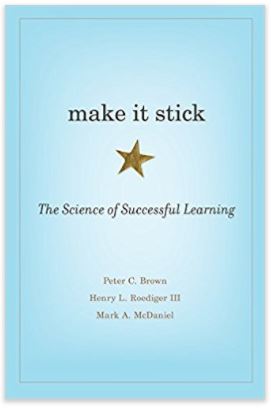
Make it Stick: The Science of Successful Learning— by Peter C. Brown, Henry L Roediger III, and Mark A. McDaniel

Some of the key points and learning strategies they mention in the preface:

  • The most effective learning strategies are not intuitive
  • Spaced repetition of key ideas and the interleaving of different but related topics are two excellent teaching/learning strategies


Some the key points and learning strategies they mention in the first chapter:

  • When they talk about learning they mean acquiring knowledge and skills and having them readily available from memory so you can make sense of future problems and opportunities.
  • There are some immutable aspects of learning that we can probably all agree on:
    1. To be useful, learning requires memory, so what we’ve learned is till there later when we need it.
    2. We need to keep learning and remembering all our lives.
    3. Learning is an acquired skill and most effective strategies are counterintuitive
  • Learning is deeper and more durable when it’s effortful
  • We are poor judges of when we are learning well and when we’re not
  • Rereading text and massed practice (i.e., cramming) of a skill or new knowledge are by far the preferred study strategies of learners of all stripes, but they”re also among the least productive. Rereading and cramming give rise to feeling of fluency that are taken to be signs of mastery, but for true mastery or durability these strategies are largely a waste of time.
  • Retrieval practice — recalling facts or concepts or events from memory — is a more effective learning strategy than reviewing by rereading
    • Flashcards are a simple example
    • Retrieval strengthens the memory and interrupts forgetting
    • A single simple quiz after reading a text or hearing a lecture produces better learning and remembering that rereading the text of reviewing lecture notes.
  • Periodic practice arrest forgetting, strengthens retrieval routes, and is essential for hanging onto the knowledge you want to gain.
  • Space out practice and interleave the practice of 2 or more subjects, retrieval is harder and feels less productive, but the effort produces longer lasting learning and enables more versatile application of it in later settings.
  • Trying to solve a problem before being taught the solution leads to better learning, even when errors are made in the attempt.
  • Learning styles are not supported by the empirical research.
  • When you’re adept at extracting the underlying principles or “rules” that differentiate types of problems, you’re more successful at picking the right solutions in unfamiliar situations. This skill is better acquired through interleaved and varied practice than massed practice.
  • In virtually all areas of learning, you build better mastery when you use testing as a tool to identify and bring up your areas of weakness.
  • All learning requires a foundation of prior knowledge.


If you practice elaboration, there’s no known limit to how much you can learn. Elaboration is the process of giving new material meaning by expressing it in your own words and connecting it with what you already know. The more you can explain about the way your new learning relates to your prior knowledge, the stronger your grasp of the new learning will be, and the more connections you create that will help you remember it later.***


“When learning is hard, you’re doing important work.”


“Making mistakes and correcting them builds the bridges to advanced learning.”


Learning is stronger when it matters.^^^


  • One of the most striking research findings is the power of active retrieval — testing — to strengthen memory, and the more effortful the retrieval, the stronger the benefit.
    .
  • The act of retrieving learning from memory has 2 profound benefits:
    1. It tells you what you know and don’t know, and therefore where to focus further study
    2. Recalling what you have learned causes your brain to re-consolidate the memory
      .
  • To learn better and remember longer, [use]:
    • various forms of retrieval practice, such as low-stakes quizzing and self-testing
    • spacing out practice
    • interleaving the practice of different but related topics or skills
    • trying to solve a problem before being taught the solution
    • and distilling the underlying principles or rules that differentiate types of problems


One of the best habits a learner can instill in herself is regular self-quizzing to recalibrate her understanding of what she does and does not know. 


Brown, P. C., Roediger III, H. L., & McDaniel, M. A. (2014).
Make It Stick: The Science of Successful Learning.
Cambridge, MA: The Belknap Press of Harvard University Press.
Retrieved from https://www.amazon.com/Make-Stick-Science-Successful-Learning/dp/0674729013


*** This quote reminds me of what turned Quin Schultze’ learning around. With Quin’s permission, the following excerpt is from Quentin Schultze’s solid book, Communicate like a True Leader (pages 35 & 36)


During the beginning of my sophomore year, I started reviewing each day’s class notes after classes were over. I soon realized how little I recalled even of that day’s lectures and discussions. It dawned on me that normal note-taking merely gave me the impression that I was learning. I implemented a strategy that revolutionized my learning, launched me successfully into graduate school, helped me become a solid teacher, equipped me to be a productive researcher-writer, and made it possible for me to be an engaging speaker.

I not only reviewed my notes daily. I rewrote them from scratch within a couple of hours of each class meeting. I used my actual course notes as prompts to recall more of the lecture and to help me organize my own reactions to the material. My notes expanded. My retention swelled.

My revised notes became a kind of journal of my dialogue with the instructor and the readings. I integrated into my revised course notes my daily reading notes, reworking them into language that was meaningful to me and preparing to ask the instructor at the next class anything that I was uncertain about. From then on I earned nearly straight A’s with far less cramming for exams.

Moreover, I had begun journaling about my learning — one of the most important communication skills. I became a real learner by discovering how to pay attention to others and myself.

In a broad sense, I learned how to listen.


^^^ This quote explains why it is so important to answer the first question a learner asks when approaching a new lesson/topic/lecture/etc.:

  • Why is this topic relevant?
    i.e., why is this topic important and worthy of my time to learn it?


From DSC:
The simpler something is, the greater chance that it will be adopted. Think of HTML and how simple it was years ago for people to create and post their own web pages. I would argue that it was that level of simplicity that lead to the explosive growth of the World Wide Web. 

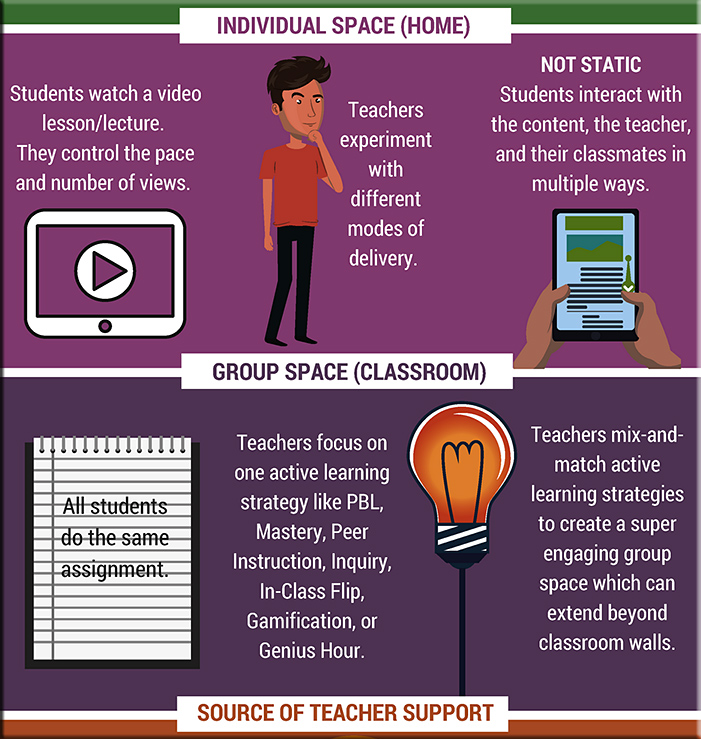
So when we look at what the term “flipped learning” or the “flipped classroom” is all about these days, I think we need to be careful that things don’t get too complex. Consider the growing complexity of the flipped classroom out at flr.flglobal.org/?p=417

Version 1.0 was easy to understand and therefore to implement. But Version 3.0 looks far less clear as to what we’re even talking about now. We need to find ways to keep it simple, if that’s possible. I realize that teaching and learning is messy, so I’m not sure it’s always possible to practice the KISS principle when we’re talking about pedagogies. But if we don’t try, we’ll have a harder time getting adoption in the future — because Instructional Designers, Teachers, Trainers, and Professors won’t even know what we’re talking about.


Robert Talbert gets at some of this too in his posting entitled, “Four challenges for flipped learning for the next five years.”  Below is an excerpt from that posting:

1. Build a standard operational definition of flipped learning.
One of the biggest challenges facing flipped learning is simply defining what it is. Several competing definitions, all with some overlap but also with nagging differences, are in use today, and this is making it all but impossible to conduct or interpret research on flipped learning or practice it with students. It’s to the point that if you hear an instructor say she uses “flipped learning”, you have to dig deeper to know what she really means.

So as the first challenge, and as a prerequisite to the others, I propose that somehow, we all come up with an operational definition of flipped learning that can serve as the standard for research and practice. I’ve already proposed my own. I’m not saying this should be the standard, but I think something like this could be the starting point. How will “we” decide on a standard, and who’s the “we”? I don’t know, but I think it will involve some group of people a high profile to lead the discussion and decide on one, and then start using it and labeling it as “the standard definition”.

Can other people use models of flipped learning, such as the in-class flipped model, that don’t conform to a standard definition? Sure. Who’s going to stop them? But we need a starting point


FLGI Publishes the Top 100 Educators Leading Flipped Learning in 2018
The Flipped Learning Global Initiative identifies the movement’s leading educators, administrators, and technologists worldwide

CHICAGO, April 16, 2018 /PRNewswire/ — Today, the Flipped Learning Global Initiative (FLGI), a worldwide coalition of educators, researchers, technologists, professional development providers and education leaders, announced the publication of the FLGI 100. The annual list identifies the top 100 K-12 educators who are driving the adoption of the flipped classroom around the world.  The list is compiled by the FLGI executive committee – led by Jon Bergmann, Chief Academic Officer and one of the pioneers of the flipped classroom movement. Educators from around the globe are represented, including Flipped Learning practitioners from Brazil, Australia, New Zealand, Italy, China, Taiwan, Spain, the United Kingdom, Turkey, Italy, Korea, Argentina, Iceland, Sweden, India and the United States. FLGI also identified the top 50 Flipped Learning leaders in higher education and the top 50 Flipped Learning administrators and tech coaches worldwide.

“The global Flipped Learning community continues to grow, introducing us to fresh ideas, new innovations, and emerging leaders. The 2018 FLGI Flipped Learning leaders lists include veterans from prior years, and many new names and faces. The FLGI 100 list, along with the two FLGI 50 lists, represent the practitioners who are showing us the connection between Flipped Learning, active learning, and world-class learners,” said Jon Bergmann.

The FLGI Flipped Learning leaders lists are updated annually, and all three lists are published in the April issue of Flipped Learning Review (FLR): the Flipped Learning 3.0 magazine. FLR is the first digital magazine dedicated to covering the ideas and people driving the global Flipped Learning movement. The issue features an insightful interview with one of the leading voices in the Flipped Learning community: Dr. Eric Mazur at Harvard University. Bergmann and Mazur discuss how Flipped Learning has evolved over the last decade and why group space mastery is the next frontier for this instructional model.  The April issue also includes the full list of global delegates participating in the project to establish international standards for Flipped Learning. The 2018 FLGI 100 list, the Bergmann/Mazur interview, and the global delegates lists are accessible at http://flr.flglobal.org/

About the Flipped Learning Global Initiative
The Flipped Learning Global Initiative, (FLGI), was created to support the rapidly expanding adoption of Flipped Learning all over the world in countries including China, Taiwan, Spain, UAE, the United Kingdom, Turkey, Italy, Korea, Argentina, Iceland, Sweden, India and the United States. FLGI aims to fill the growing global need for collaboration across borders in three domains: evolving best practices in Flipped Learning, research curation and distribution, and technology selection and implementation.

FLGI serves as a global hub for coordinating, orchestrating and scaling the key elements required to expand Flipped Learning successfully around the world.  FLGI is home to the Flipped Learning International Faculty, the Flipped Learning Innovation Center, the Flipped Learning Global Standards project, and Flipped Learning Review (FLR).

For more information, contact: Errol St.Clair Smith, Director of Global Development at 949-677-7381, 193454@email4pr.com or go to www.flglobal.org.


Also see this page, which states:

On Monday, April 16, 2018 The Flipped Learning Global Initiative (FLGI) will publish the 2018 FLGI 100. The annual list identifies the top 100 K-12 educators who are driving the adoption of Flipped Learning around the world.  The list is compiled by the FLGI executive committee, led by Jon Bergmann, Chief Academic Officer. Educators from around the globe are represented, including Flipped Learning practitioners from Italy, China, Taiwan, Spain, UAE, the United Kingdom, Turkey, Italy, Korea, Argentina, Iceland, Sweden, India, and the United States. The initiative also identified the top 50 Flipped Learning leaders in higher education and the top 50 Flipped Learning administrators and tech coaches.


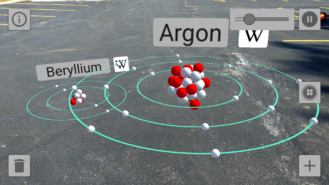
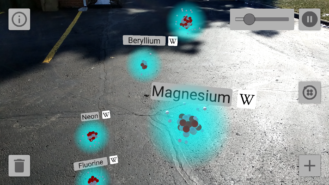
The 50 Best Augmented Reality Apps for iPhone, iPad & Android Devices — from next.reality.news by Tommy Palladino

Excerpt:

Complete Anatomy 2018 +Courses (iOS): Give your preschoolers a head start on their education! Okay, clearly this app is meant for more advanced learners. Compared to the average app, you’ll end up paying through the nose with in-app purchases, but it’s really a drop in the bucket compared to the student loans students will accumulate in college. Price: Free with in-app purchases ranging from $0.99 to $44.99.

SkyView (iOS & Android): If I can wax nostalgic for a bit, I recall one of the first mobile apps that wowed me being Google’s original SkyView app. Now you can bring back that feeling with some augmented reality. With SkyView, you can point your phone to the sky and the app will tell you what constellations or other celestial bodies you are looking at. Price: $1.99, but there’s a free version for iOS and Android.

JigSpace (iOS): JigSpace is an app dedicated to showing users how things work (the human body, mechanical objects, etc.). And the app recently added how-to info for those who WonderHowTo do other things as well. JigSpace can now display its content in augmented reality as well, which is a brilliant application of immersive content to education. Price: Free.

NY Times (iOS & Android): The New York Times only recently adopted augmented reality as a means for covering the news, but already we’ve had the chance to see Olympic athletes and David Bowie’s freaky costumes up close. That’s a pretty good start! Price: Free with in-app purchases ranging from $9.99 to $129.99 for subscriptions.

BBC Civilisations (iOS & Android): Developed as a companion to the show of the same name, this app ends up holding its own as an AR app experience. Users can explore digital scans of ancient artifacts, learn more about their significance, and even interact with them. Sure, Indiana Jones would say this stuff belongs in a museum, but augmented reality lets you view them in your home as well. Price: Free.

SketchAR (iOS, Android, & Windows): A rare app that works on the dominant mobile platforms and HoloLens, Sketch AR helps users learn how to draw. Sketch AR scans your environment for your drawing surface and anchors the content there as you draw around it. As you can imagine, the app works best on HoloLens since it keeps users’ hands free to draw. Price: Free.


Sun Seeker (iOS & Android): This app displays the solar path, hour intervals, and more in augmented reality. While this becomes a unique way to teach students about the Earth’s orbit around the sun (and help refute silly flat-earthers), it can also be a useful tool for professionals. For instance, it can help photographers plan a photoshoot and see where sunlight will shine at certain times of the day. Price: $9.99.

Froggipedia (iOS): Dissecting a frog is basically a rite of passage for anyone who has graduated from primary school in the US within the past 50 years or so. Thanks to augmented reality, we can now save precious frog lives while still learning about their anatomy. The app enables users to dissect virtual frogs as if they are on the table in front of them, and without the stench of formaldehyde. Price: $3.99.

GeoGebra Augmented Reality (iOS): Who needs a graphing calculator when you can visualize equations in augmented reality. That’s what GeoGebra does. The app is invaluable for visualizing graphs. Price: Free.


Addendum:


Students are being prepared for jobs that no longer exist. Here’s how that could change. — from nbcnews.com by Sarah Gonser, The Hechinger Report
As automation disrupts the labor market and good middle-class jobs disappear, schools are struggling to equip students with future-proof skills.

Excerpts:

In many ways, the future of Lowell, once the largest textile manufacturing hub in the United States, is tied to the success of students like Ben Lara. Like many cities across America, Lowell is struggling to find its economic footing as millions of blue-collar jobs in manufacturing, construction and transportation disappear, subject to offshoring and automation.

The jobs that once kept the city prosperous are being replaced by skilled jobs in service sectors such as health care, finance and information technology — positions that require more education than just a high-school diploma, thus squeezing out many of those blue-collar, traditionally middle-class workers.


As emerging technologies rapidly and thoroughly transform the workplace, some experts predict that by 2030 400 million to 800 million people worldwide could be displaced and need to find new jobs. The ability to adapt and quickly acquire new skills will become a necessity for survival.


“We’re preparing kids for these jobs of tomorrow, but we really don’t even know what they are,” said Amy McLeod, the school’s director of curriculum, instruction and assessment. “It’s almost like we’re doing this with blinders on. … We’re doing all we can to give them the finite skills, the computer languages, the programming, but technology is expanding so rapidly, we almost can’t keep up.”


For students like Amber, who would rather do just about anything but go to school, the Pathways program serves another function: It makes learning engaging, maybe even fun, and possibly keeps her in school and on track to graduate.

“I think we’re turning kids off to learning in this country by putting them in rows and giving them multiple-choice tests — the compliance model,” McLeod said. “But my hope is that in the pathways courses, we’re teaching them to love learning. And they’re learning about options in the field — there’s plenty of options for kids to try here.”


VR Lab! — from thejournal.com by Joshua Bolkan

Excerpts (emphasis DSC):

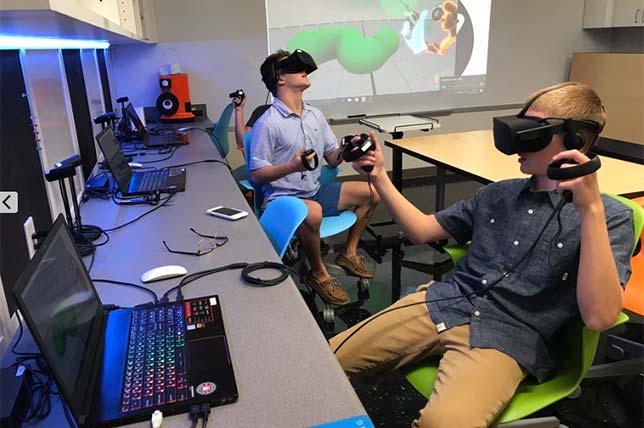
When Tampa Preparatory School launched decided to turn a closet into a virtual reality lab, they had no idea how far their students would run with the tools, but that’s exactly what they did, sitting down to build their own educational apps to help visualize concepts in astronomy, chemistry and physics. In addition to the educational apps, built by students on their own initiative, the VR lab is also used for art classes and more.

Chad Lewis, director of technology at Tampa Prep, recently sat down with THE Journal to talk about the school’s experience with VR as an educational tool.

Tell me a little about having students design their own VR apps. Are there any benefits to it that surprised you?

Chad Lewis: Some surprising benefits included branching out beyond computer science into areas like chemistry and physics. This is an example of the amazing things students can do if given the opportunity to pursue their passions. They need time, space and resources as well as support and encouragement. 


The main thing is that they’re learning coding, 3D modeling, game development, collaboration, design thinking, etc.


In the process, one of our computer science students came up to me and said, “Mr. Lewis do you mind if I try to create some virtual reality apps using Unity?” and it really took off from there. The lab was a student-driven initiative.


From DSC:
This application looks to be very well done and thought out! Wow!

Check out the video entitled “Interactive Ink – Enables digital handwriting“ — and you may also wonder whether this could be a great medium/method of having to “write things down” for better information processing in our minds, while also producing digital work for easier distribution and sharing!

Wow!  Talk about solid user experience design and interface design! Nicely done.


Below is an excerpt of the information from Bella Pietsch from anthonyBarnum Public Relations

Imagine a world where users interact with their digital devices seamlessly, and don’t suffer from lag and delayed response time. I work with MyScript, a company whose Interactive Ink tech creates that world of seamless handwritten interactivity by combining the flexibility of pen and paper with the power and productivity of digital processing.

According to a recent forecast, the global handwriting recognition market is valued at a trillion-plus dollars and is expected to grow at an almost 16 percent compound annual growth rate by 2025. To add additional context, the new affordable iPad with stylus support was just released, allowing users to work with the $99 Apple Pencil, which was previously only supported by the iPad Pro.

Check out the demo of Interactive Ink using an Apple Pencil, Microsoft Surface Pen, Samsung S Pen or Google Pixelbook Pen here.

Interactive Ink’s proficiencies are the future of writing and equating. Developed by MyScript Labs, Interactive Ink is a form of digital ink technology which allows ink editing via simple gestures and providing device reflow flexibility. Interactive Ink relies on real-time predictive handwriting recognition, driven by artificial intelligence and neural network architectures.


From DSC:
Check out the 2 items below regarding the use of voice as it pertains to using virtual assistants: 1 involves healthcare and the other involves education (Canvas).


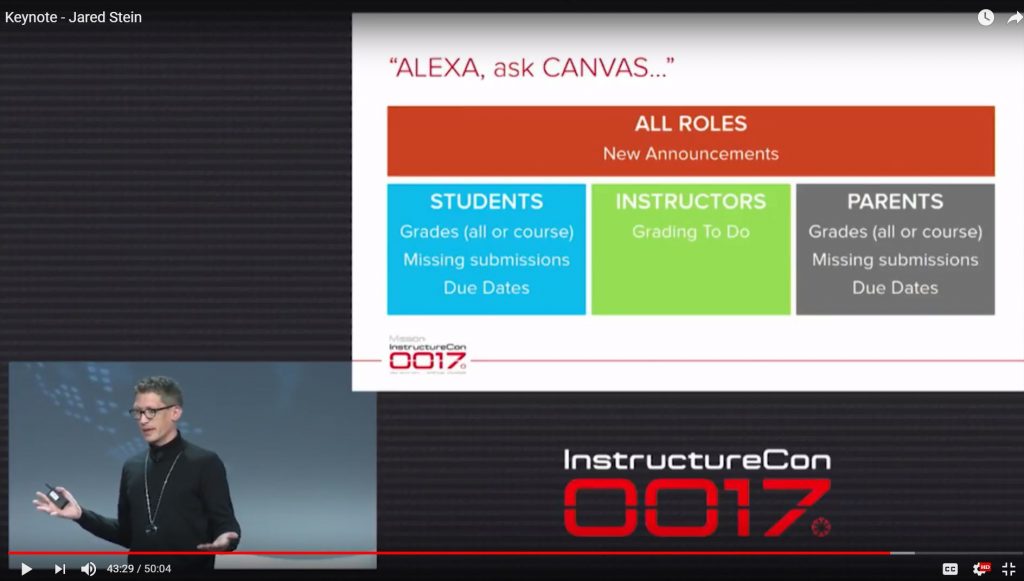
1) Using Alexa to go get information from Canvas:

“Alexa Ask Canvas…”

Example questions as a student:

  • What grades am I getting in my courses?
  • What am I missing?

Example question as a teacher:

  • How many submissions do I need to grade?

See the section on asking Alexa questions…roughly between http://www.youtube.com/watch?v=e-30ixK63zE &t=38m18s through http://www.youtube.com/watch?v=e-30ixK63zE &t=46m42s


2) Why voice assistants are gaining traction in healthcare — from samsungnext.com by Pragati Verma

Excerpt (emphasis DSC):

The majority of intelligent voice assistant platforms today are built around smart speakers, such as the Amazon Echo and Google Home. But that might change soon, as several specialized devices focused on the health market are slated to be released this year.

One example is ElliQ, an elder care assistant robot from Samsung NEXT portfolio company Intuition Robotics. Powered by AI cognitive technology, it encourages an active and engaged lifestyle. Aimed at older adults aging in place, it can recognizing their activity level and suggest activities, while also making it easier to connect with loved ones.

Pillo is an example of another such device. It is a robot that combines machine learning, facial recognition, video conferencing, and automation to work as a personal health assistant. It can dispense vitamins and medication, answer health and wellness questions in a conversational manner, securely sync with a smartphone and wearables, and allow users to video conference with health care professionals.

“It is much more than a smart speaker. It is HIPAA compliant and it recognizes the user; acknowledges them and delivers care plans,” said Rogers, whose company created the voice interface for the platform.

Orbita is now working with toSense’s remote monitoring necklace to track vitals and cardiac fluids as a way to help physicians monitor patients remotely. Many more seem to be on their way.

“Be prepared for several more devices like these to hit the market soon,” Rogers predicted.


From DSC:

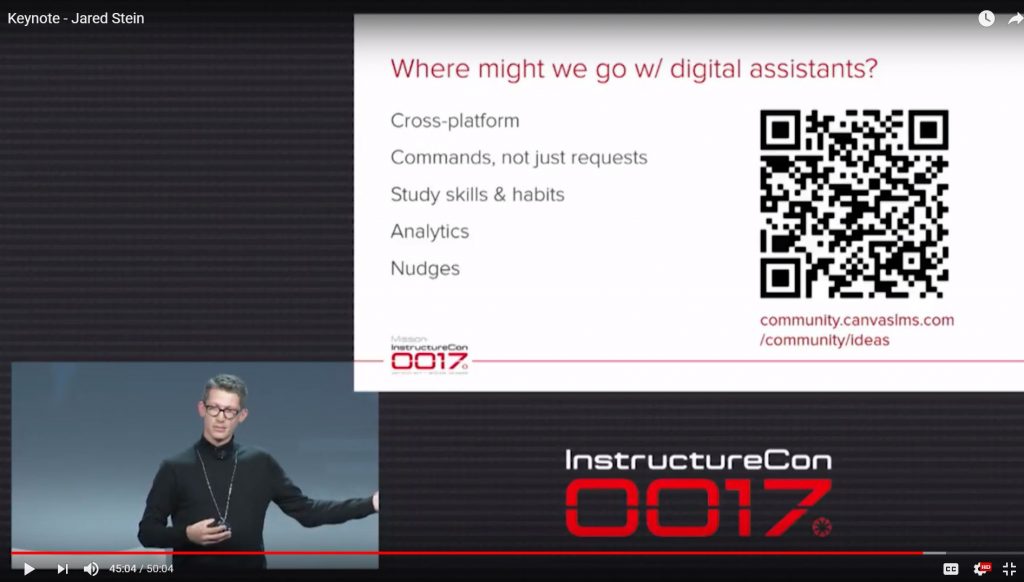
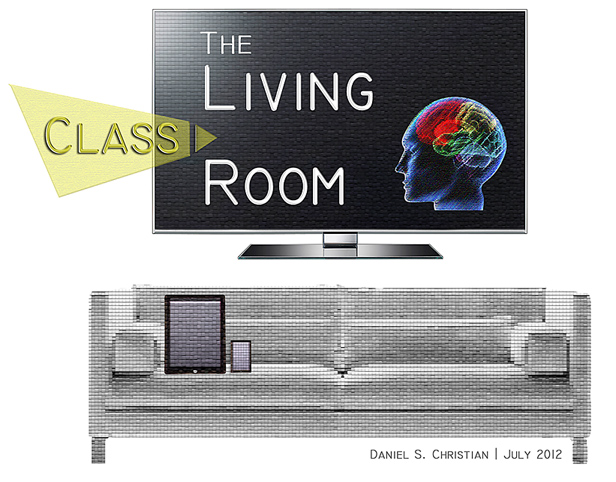
I see the piece about Canvas and Alexa as a great example of where a piece of our future learning ecosystems are heading towards — in fact, it’s been a piece of my Learning from the Living [Class] Room vision for a while now. The use of voice recognition/NLP is only picking up steam; look for more of this kind of functionality in the future. 


The Living [Class] Room -- by Daniel Christian -- July 2012 -- a second device used in conjunction with a Smart/Connected TV


Pros and Cons of Virtual Reality in the Classroom — from chronicle.com by Adam Evans

Excerpt:

Armed with a lifelong affinity for video games and a $6,000 faculty teaching grant, I have spent the past 15 months working on a pilot project to illustrate the value of using virtual reality in the classroom. My goal is to convince fellow faculty members and administrators at Transylvania University, where I teach business administration, that VR can offer today’s tech-savvy students exciting opportunities to solve problems in new ways.

When I set up in-office demos for peers and students, they said they could not believe how immersive the technology felt. Expecting just another digital video game, they stepped into a dress rehearsal of the original Broadway cast of Hamilton or found themselves competing in the Winter Olympics in Pyeongchang.

There are major differences between virtual and augmented reality. The latter, which is less expensive to produce and already more prolific, is created by adding a digital element to the real world, such as a hologram one can view through a smartphone. Popular examples of this would be the Pokémon Go or the new Jurassic World Alive apps, which allow smartphone users to to find virtual characters that appear in physical locations. Users are still aware of the real space around them.

In contrast, virtual reality places the user inside a digitized world for a fully immersive experience. It generally costs more to design and typically requires more-expensive equipment, such as a full headset.


10 very cool augmented reality apps (that aren’t design or shopping tools) — from androidpolice.com by Taylor Kerns

Excerpt:

Augmented reality is having a moment on Android. Thanks to ARCore, which now works on more than a dozen device models—Google says that’s more than 100 million individual devices—we’ve seen a ton of new applications that insert virtual objects into our real surroundings. A lot of them are shopping and interior design apps, which makes sense—AR’s ability to make items appear in your home is a great way to see what a couch looks like in your living room without actually lugging it in there. But AR can do so much more. Here are 10 augmented reality apps that are useful, fascinating, or just plain cool.


The Wild and Amazing World of Augmented Reality — from askatechteacher.com by Jacqui Murray

Excerpt:

10 Ways to Use AR in the Classroom
I collected the best ways to use AR in the classroom from colleagues and edtech websites (like Edutopia) to provide a good overview of the depth and breadth of education now being addressed with AR-infused projects:

  • Book Reviews: Students record themselves giving a brief review of a novel that they just finished, and then attach digital information to a book. Afterward, anyone can scan the cover of the book and instantly access the review.
  • Classroom tour: Make a class picture image trigger a virtual tour of a classroom augmented reality
  • Faculty Photos: Display faculty photos where visitors can scan the image of an instructor and see it come to life with their background
  • Homework Mini-Lessons: Students scan homework to reveal information to help them solve a problem
  • Lab Safety: Put triggers around a science laboratory that students can scan to learn safety procedures
  • Parent Involvement: Record parents encouraging their child and attach a trigger image to the child’s desk
  • Requests: Trigger to a Google Form to request time with the teacher, librarian, or another professional
  • Sign Language Flashcards: Create flashcards that contain a video overlay showing how to sign a word or phrase
  • Word Walls: Students record themselves defining vocabulary words. Classmates scan them to get definitions and sentences using the word
  • Yearbooks: So many ways, just know AR will energize any yearbook

AR is the next great disruptive force in education. If your goal is to create lifelong learners inspired by knowledge, AR, in its infancy, holds the seeds for meeting that goal.


YouAR Out Of Stealth With AR Cloud Breakthrough — from forbes.com by Charlie Fink

Excerpt:

YouAR, of Portland, OR, is coming out of stealth with a product that addresses some of the most vexing problems in AR, including convergent cross-platform computer vision (real-time interaction between ARKit and ARCore devices), interactivity of multiple AR apps in the same location across devices, real-time scene mapping, geometric occlusion of digital objects, localization of devices beyond GPS (the AR Cloud), and the bundle drop of digital assets into remote locations. Together, this represents a heretofore unheard of stack of AR and computer vision features we have yet to see in AR, and could revolutionize the development of new apps.


12 Good Augmented Reality Apps to Use in Your Instruction — from educatorstechnology.com

Excerpt:

Augmented reality technologies are transforming the way we live, learn and interact with each other. They are creating limitless learning possibilities and are empowering learners with  the required know-how to get immersed in meaningful learning experiences. We have already reviewed several educational AR tools and apps and have also shared this collection of excellent TED talks on the educational potential of AR technologies. Drawing on these resources together with EdSurge list, we have prepared for you this updated collection of some of the best AR apps to use in your instruction. You may want to go through them and see which ones work  for you.


eXtended Reality (XR): How AR, VR, and MR are Extending Learning Opportunities | Resource list from educause


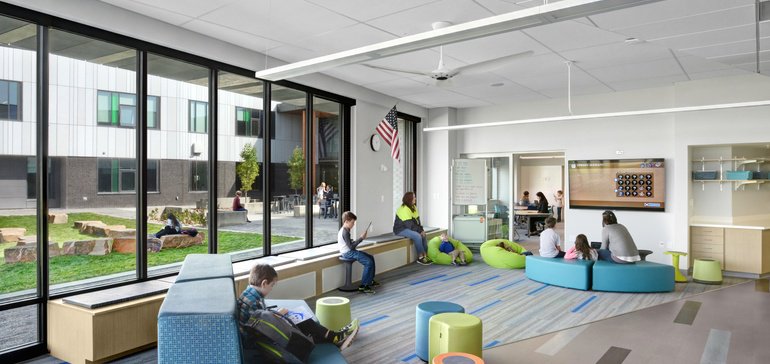
Innovative classroom furnishings encourage creativity and collaboration — from educationdive.com by Amelia Harper


Dive Brief:

  • Teachers in Long Island’s Baldwin Schools have been invited to apply for funds to redesign their classroom space as a way to encourage innovation and are reinvigorating their own personal teaching styles along the way, according to The Hechinger Report.
  • Ann Marie Lynam, a middle school teacher who works with students ranging from those with special needs students to the academically advanced, finds that a multifunction, mobile classroom with a variety of comfortable seating options has forced her to become more innovative in her teaching style and encourages collaborative efforts that rely more on conversation and less on technology.
  • Tricia Wilder, a kindergarten teacher at a nearby school, redesigned her space with flexible seating and a “theater nook” that encourages creative play and has also added more technology to the classroom to facilitate individualized instruction.


© 2025 | Daniel Christian