From DSC:
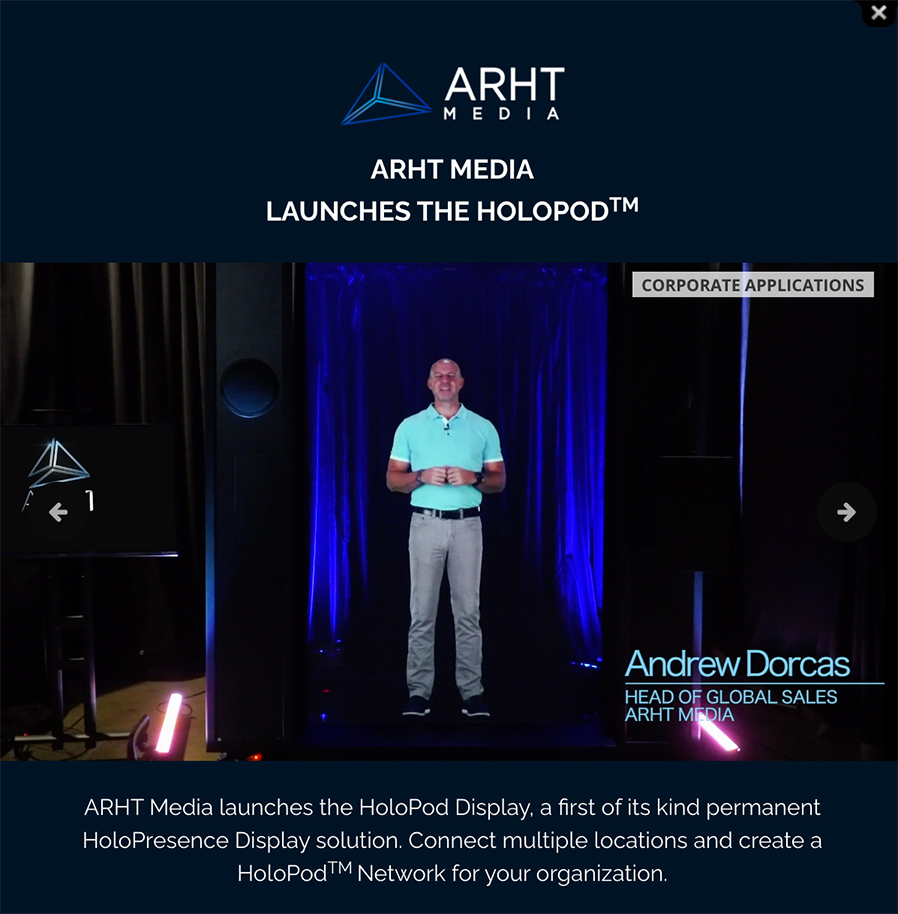
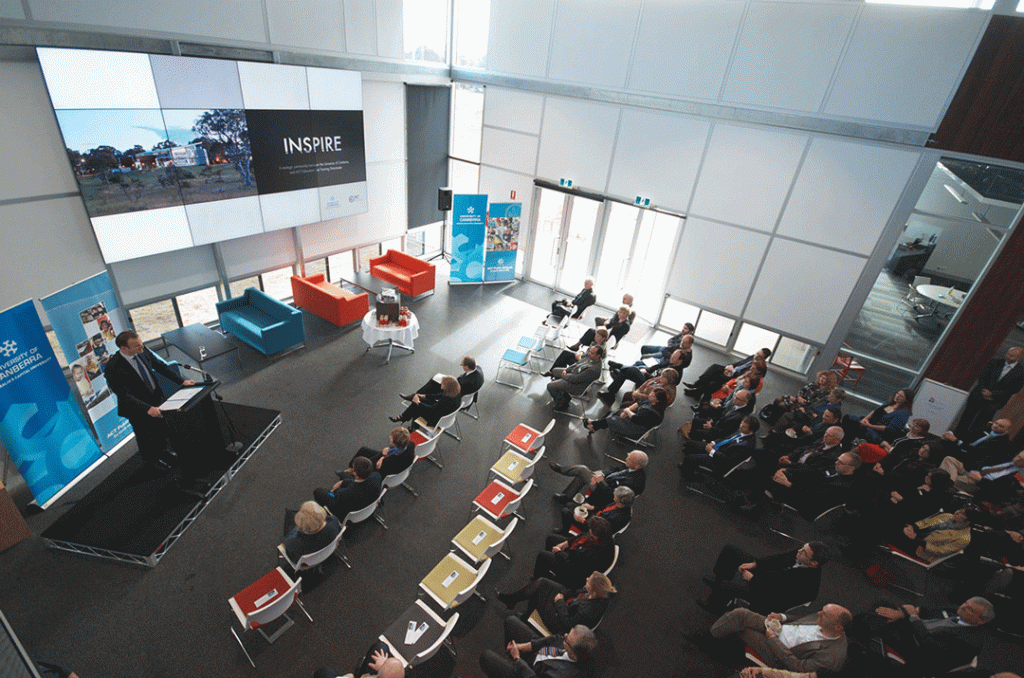
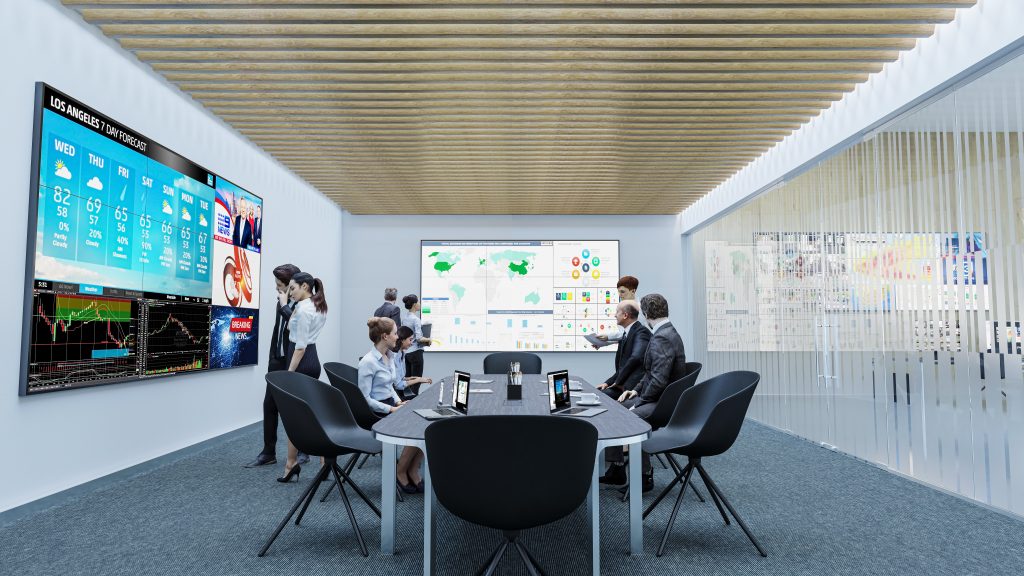
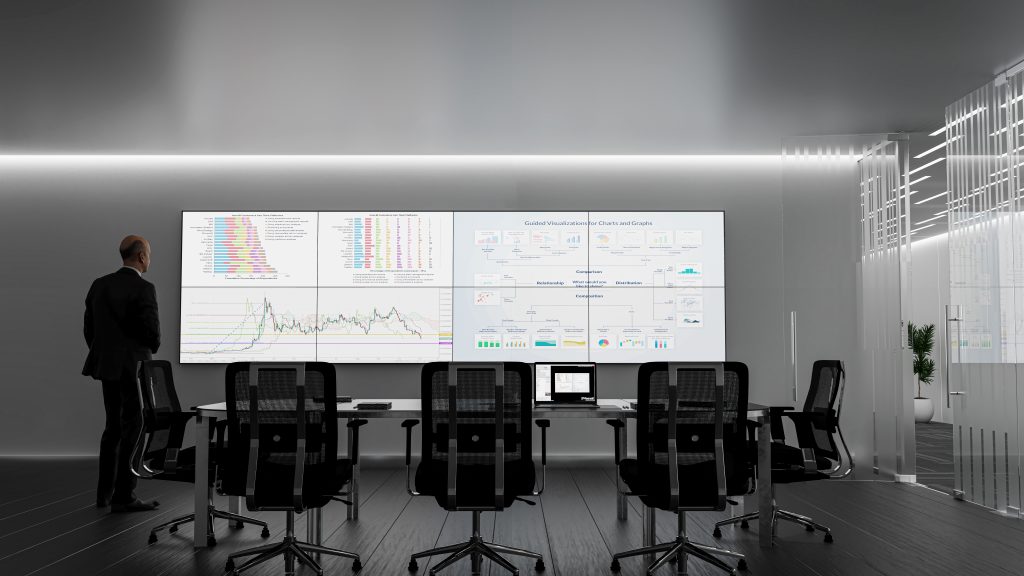
I was thinking about projecting images, animation, videos, etc. from a device onto a wall for all in the room to see.

  • Will more walls of the future be like one of those billboards (that presents two or three different images) and could change surfaces?

One side of the surface would be more traditional (i.e., a sheet wall type of surface). The other side of the surface would be designed to be excellent for projecting images onto it and/or for use by Augmented Reality (AR), Mixed Reality (MR), and/or Virtual Reality (VR).

Along these lines, here’s another item related to Human-Computer Interaction (HCI):

Mercedes-Benz debuts dashboard that’s one giant touchscreen — from futurism.com


From DSC:
Videoconferencing vendors out there:

  • Have you done any focus group tests — especially within education — with audio-based or digital video-based versions of emoticons?
    .
  • So instead of clicking on an emoticon as feedback, one could also have some sound effects or movie clips to choose from as well!
    .

To the videoconferencing vendors out there -- could you give us what DJ's have access to?

I’m thinking here of things like DJ’s might have at their disposal. For example, someone tells a bad joke and you hear the drummer in the background:

Or a team loses the spelling-bee word, and hears:

Or a professor wants to get the classes attention as they start their 6pm class:

I realize this could backfire big time…so it would have to be an optional feature that a teacher, professor, trainer, pastor, or a presenter could turn on and off. (Could be fun for podcasters too!)

It seems to me that this could take
engagement to a whole new level!


U.S. Businesses Potentially Spent Billions on Legal Fees for Inaccessible Websites in 2020 — from boia.org

Excerpt:

In a bombshell report published by Accessibility.com, the organization estimated that 265,000 website accessibility demand letters were sent to businesses last year. Astounding on its own, if the figure is correct or close to correct, U.S. companies could have spent billions of dollars in legal costs as a direct result of inaccessible websites in 2020 alone. Businesses looking for a wake-up call to make website accessibility a priority in 2021 and beyond might have just found it.

The above article linked to:

2020 Website Accessibility Lawsuit Recap -- from Accessibility.com

Also see:


From DSC:
For me the Socratic method is still a question mark, in terms of effectiveness. (I suppose it depends on who is yielding the tool and how it’s being utilized/implemented.)

But you have one student — often standing up and/or in the spotlight — who is being drilled on something. That student could be calm and collected, and their cognitive processing could actually get a boost from the adrenaline.

But there are other students who dread being called upon in such a public — sometimes competitive — setting. Their cognitive processing could shut down or become greatly diminished.

Also, the professor is working with one student at a time — hopefully the other students are trying to address each subsequent question, but some students may tune out once they know it’s not their turn in the spotlight.

So I was wondering…could the Socratic method be used with each student at the same time? Could a polling-like tool be used in real-time to guide the discussion?

For example, a professor could start out with a pre-created poll and ask the question of all students. Then they could glance through the responses and even scan for some keywords (using their voice to drive the system and/or using a Ctrl+F / Command+F type of thing).

Then in real-time / on-the-fly, could the professor use their voice to create another poll/question — again for each student to answer — based on one of the responses? Again, each student must answer the follow up question(s).

Are there any vendors out there working on something like this? Or have you tested the effectiveness of something like this?

Vendors: Can you help us create a voice-driven interface to offer the Socratic method to everyone to see if and how it would work? (Like a Mentimeter type of product on steroids…er, rather, using an AI-driven backend.)

Teachers, trainers, pastors, presenters could also benefit from something like this — as it could engage numerous people at once.

#Participation #Engagement #Assessment #Reasoning #CriticalThinking #CommunicationSkills #ThinkingOnOnesFeet #OnlineLearning #Face-to-Face #BlendedLearning #HybridLearning

Could such a method be used in language-related classes as well? In online-based tutoring?


Could AI-based techs be used to develop a “table of contents” for the key points within lectures, lessons, training sessions, sermons, & podcasts? [Christian]

From DSC:
As we move into 2021, the blistering pace of emerging technologies will likely continue. Technologies such as:

  • Artificial Intelligence (AI) — including technologies related to voice recognition
  • Blockchain
  • Augment Reality (AR)/Mixed Reality (MR)/Virtual Reality (VR) and/or other forms of Extended Reality (XR)
  • Robotics
  • Machine-to-Machine Communications (M2M) / The Internet of Things (IoT)
  • Drones
  • …and other things will likely make their way into how we do many things (for better or for worse).

Along the positive lines of this topic, I’ve been reflecting upon how we might be able to use AI in our learning experiences.

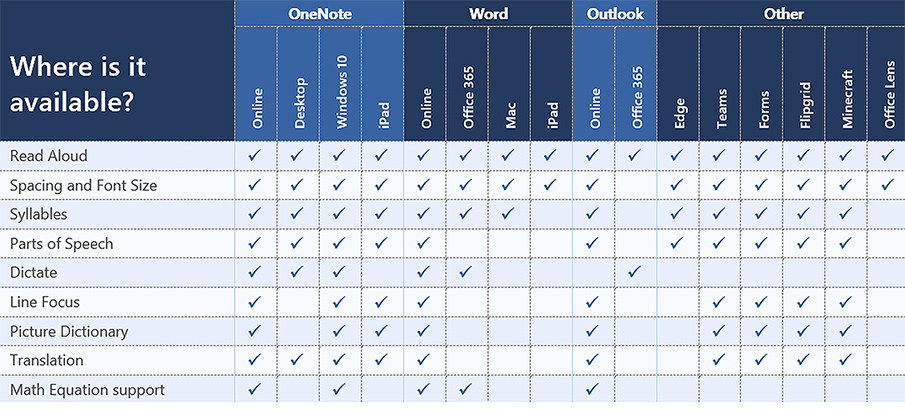
For example, when teaching in face-to-face-based classrooms — and when a lecture recording app like Panopto is being used — could teachers/professors/trainers audibly “insert” main points along the way? Similar to something like we do with Siri, Alexa, and other personal assistants (“Heh Siri, _____ or “Alexa, _____).

Like an audible version of HTML -- using the spoken word to insert the main points of a presentation or lecture

(Image purchased from iStockphoto)

.

Pretend a lecture, lesson, or a training session is moving right along. Then the professor, teacher, or trainer says:

  • “Heh Smart Classroom, Begin Main Point.”
  • Then speaks one of the main points.
  • Then says, “Heh Smart Classroom, End Main Point.”

Like a verbal version of an HTML tag.

After the recording is done, the AI could locate and call out those “main points” — and create a table of contents for that lecture, lesson, training session, or presentation.

(Alternatively, one could insert a chime/bell/some other sound that the AI scans through later to build the table of contents.)

In the digital realm — say when recording something via Zoom, Cisco Webex, Teams, or another application — the same thing could apply. 

Wouldn’t this be great for quickly scanning podcasts for the main points? Or for quickly scanning presentations and webinars for the main points?

Anyway, interesting times lie ahead!


The Year TV Leaped Into The Future [Roettgers]

The Year TV Leaped Into The Future [Roettgers]

The Year TV Leaped Into The Future — from protocol.com by Janko Roettgers

The lockdowns this year have transformed our homes into offices, schools, concert halls, movie theaters and gyms. Our homes are working harder for us, but so is our technology. The device that is working the hardest is perhaps the TV—becoming our lifeline to a far more virtual world.

Addendums:

The Second Year of The MOOC: 2020 Saw a Rush to Large-Scale Online Courses

The Second Year of The MOOC: 2020 Saw a Rush to Large-Scale Online Courses — from edsurge.com by Dhawal Shah

Excerpt:

This was the year that more people learned what a MOOC is.

As millions suddenly found themselves with free time on their hands during the pandemic, many turned to online courses—especially, to free courses known as MOOCs, or Massive Open Online Courses. This phenomenon was compounded by media worldwide compiling lists of “free things to do during lockdown,” which tended to include MOOCs.

Within two months, Class Central had received over 10 million visits and sent over six million clicks to MOOC providers. These learners also turned out to be more engaged than usual. In April 2020, MOOC providers Coursera, edX and FutureLearn attracted as many new users in a single month as they did in the entirety of 2019.

.

From DSC:
The pieces continue to come together…

Learning from the living class room

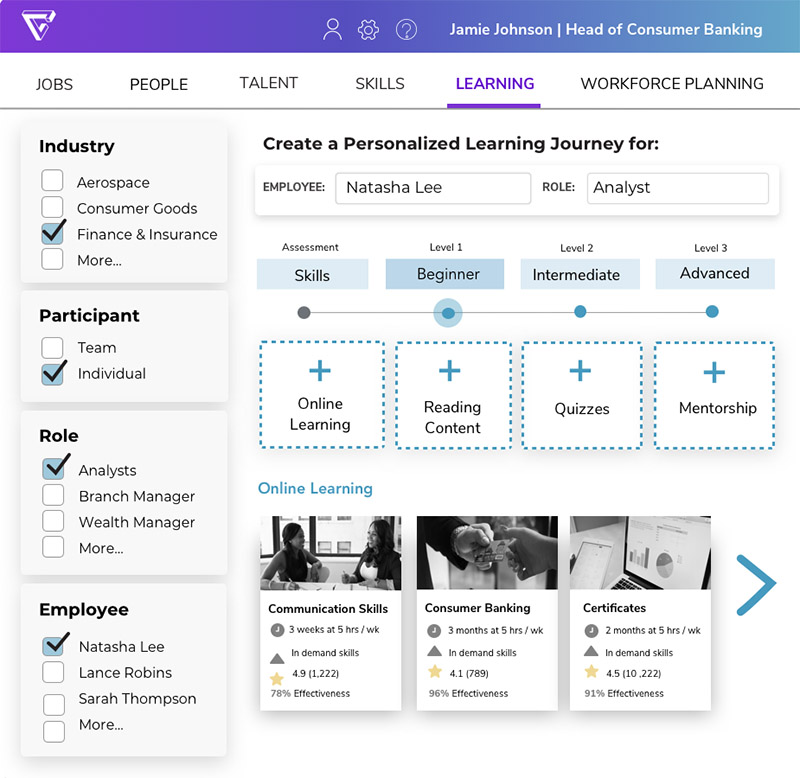
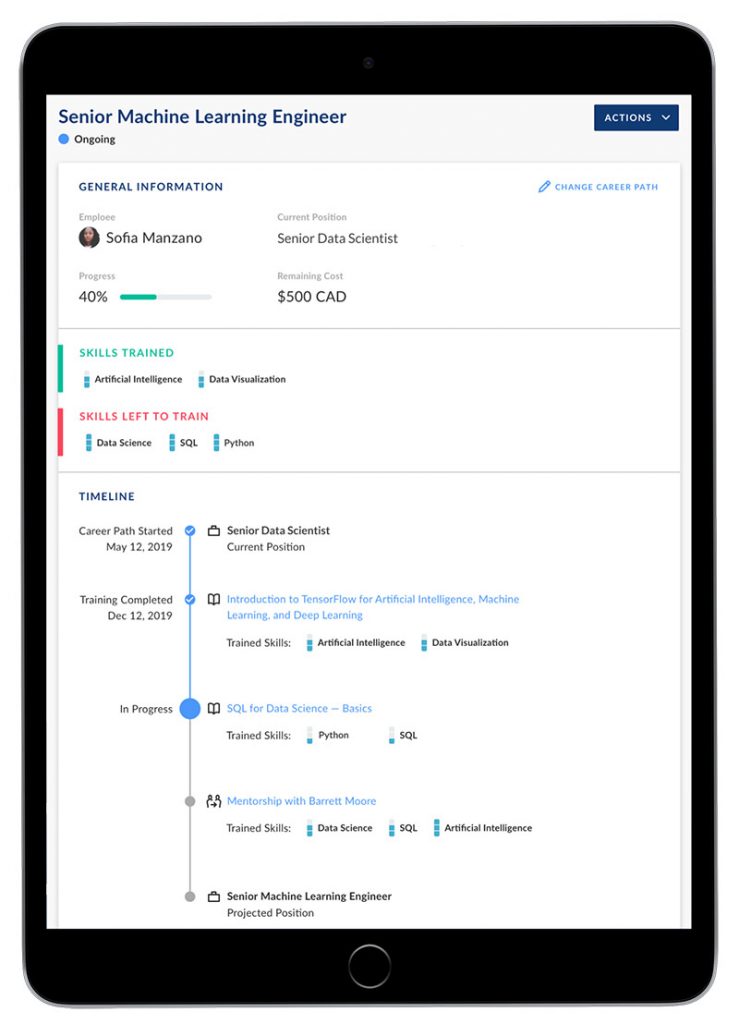
...team-based content creation and delivery will dominate in the future (at least for the masses). It will offer engaging, personalized learning and the AI-based systems will be constantly scanning for the required/sought-after skills and competencies. The systems will then present a listing of items that will help people obtain those skills and competencies.

#AI #LearningProfiles #Cloud #LearningFromTheLivingClassRoom #LearningEcosystems #LearningSpaces #21stCentury #24x7x365 #Reinvent #Surviving #StayingRelevant #LifeLongLearning and many more tags/categories are applicable here.


Marian Croak, the inventor of VOIP, explains what it takes to innovate

The woman who created the technology behind internet calls explains what it takes to innovate — from bigthink.com by Gayle Markovitz
She’s the reason you’re able to work and chat from home.

Excerpt (emphasis DSC):

If you’ve ever wondered how a Zoom call works, you might want to ask Marian Croak, Vice-President of Engineering at Google.

This is the woman who invented “Voice over Internet Protocol”: the technology that has enabled entire workforces to continue to communicate and families and friends to remain in touch throughout 2020’s lockdowns – and inevitably beyond.

What can kids teach tech innovators?
Wonder and naivete are powerful tools. Croak argues that children have rich imaginations – which is the fuel of invention. “You need to be childlike. A little naïve and not inhibited by what’s possible.”

Matlali’s work with disadvantaged teenagers brings her directly into this world, where she sees that “children are passionate but hopeful for the future. For them, everything is possible. You want kids to have the imagination and passion for them to achieve their dreams.”

Croak said her motivation for 2021 was to keep her own childlike curiosity going, forgetting about her personal circumstances and focusing on the “painpoints”.

Also see:

Marian’s entry out at Wikipedia.org where it says:

She joined AT&T at Bell Labs in 1982.[4] She advocated for switching from wired phone technology to internet protocol.[2][5][6] She holds over two hundred patents, including over one hundred in relation to Voice over IP.[7] She pioneered the use of phone network services to make it easy for the public to donate to crisis appeals.[8][9] When AT&T partnered with American Idol to use a text message voting system, 22% of viewers learned to text to take part in the show.[10][11] She filed the patent for text-based donations to charity in 2005.[10] This capability revolutionised how people can donate money to charitable organisations:[12] for example, after the 2010 Haiti earthquake at least $22 million was pledged in this fashion.[13] She led the Domain 2.0 Architecture and managed over 2,000 engineers.[14][15]


Trends Report for 2021: Three Scenes from the Future -- from Frog Design

Trends 2021: Three Scenes from the Future — from frogdesign.com

Excerpt:

This year, we decided to lean into this unreality. For our tenth annual Trends list, we asked frogs to not only imagine the societal and technological shifts that will impact our future, but to project the future worlds these shifts will create. From perspectives on the accelerated adoption of remote work, to visions of distorted realities and changing consumer behaviors, we’re sharing different possible views of 2021 and beyond—and the products, services and experiences that will shape our future worlds.


Teaching with Amazon Alexa — from Sylvia Martinez

Excerpt:

Alexa is a voice-activated, cloud-based virtual assistant, similar to Siri on Apple devices, or Google Assistant. Alexa is an umbrella name for the cloud-based functionality that responds to verbal commands. Alexa uses artificial intelligence to answer questions or control smart devices, and has a range of “skills” — small programs that you can add to increase Alexa’s capabilities.

Many teachers are experimenting with using smart devices like Alexa in the classroom. Like most other Amazon features and products, Alexa is primarily designed for home use, anticipating that users will be household members. So in thinking about Alexa in a classroom, keeping this in mind will help determine the best educational uses.

Alexa is most often accessed in three ways…


Designed to Deceive: Do These People Look Real to You? — from nytimes.com by Kashmir Hill and Jeremy White
These people may look familiar, like ones you’ve seen on Facebook or Twitter. Or people whose product reviews you’ve read on Amazon, or dating profiles you’ve seen on Tinder. They look stunningly real at first glance. But they do not exist. They were born from the mind of a computer. And the technology that makes them is improving at a startling pace.

Is this humility or hubris? Do we place too little value in human intelligence — or do we overrate it, assuming we are so smart that we can create things smarter still?


A new category of devices from Cisco -- the Webex Desk Hub

From DSC:
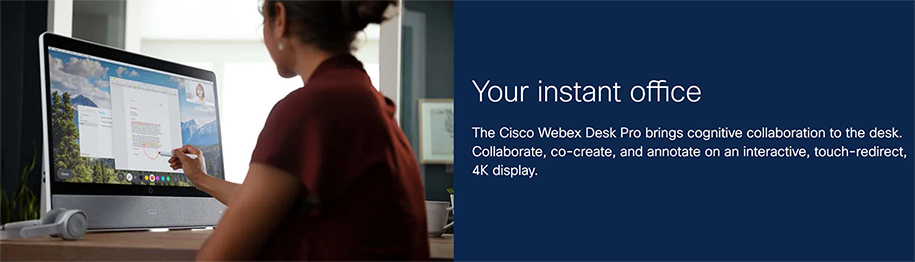
In yesterday’s webexone presentations, Cisco mentioned a new device category, calling it the Webex Desk Hub. It gets at the idea of walking into a facility and grabbing any desk, and making that desk you own — at least for that day and time. Cisco is banking on the idea that sometimes people will be working remotely, and sometimes they will be “going into the office.” But the facilities will likely be fewer and smaller — so one might not have their own office.

In that case, you can plug in your smart device, and things are set up the way they would be if you did have that space as a permanent office.

Applying this concept to the smart classrooms of the future, what might that concept look like for classrooms? A faculty member or a teacher could walk into any room that supports such a setup, put in their personal smart device, and the room conditions are instantly implemented:

  • The LMS comes on
  • The correct class — based on which day it is and then on the particular time of day it is — is launched
  • The lights are dimmed to 50%
  • The electric window treatments darken the room
  • The projector comes on and/or the displays turn on
  • Etc.
 

DC: This is not right! When will there be justice?! We need to help Native American colleges, universities, & communities out!

The Digital Divide for Tribal College Students — COVID, CARES Act, and Critical Next Steps — from diverseeducation.com

Excerpt:

In this episode staff writer Sara Weissman shares a story that focuses on the digital divide for Native Americans by bringing in voices of tribal college leaders and their students during the COVID 19 pandemic.

Many don’t know but Native American colleges and universities have long struggled with the worst internet connectivity in the nation while ironically paying the highest rates for service. Hear first-hand how students from Diné College and other institutions are currently affected. Carrie Billie (Big Water Clan), President & CEO of the American Indian Higher Education Consortium (AIHEC) and Dr. Cynthia Lindquist (Star Horse Woman), President of Cankdeska Cikana Community College in North Dakota, break down the data and lay out critical next steps necessary to address the digital divide.

Many don’t know but Native American colleges and universities have long struggled with the worst internet connectivity in the nation while ironically paying the highest rates for service.

From DSC:
When will there be justice!? Let’s join in and make amends and provide the funding, concrete assistance, products, and services to Native American colleges, universities, and communities. Some potential ideas:

  • For the short term, could there be Loon balloons deployed immediately to provide free and stronger access to the Internet?

Could Project Loon assist Native American colleges, universities, and communities?

  • Could our Federal Government make amends and do the right thing here? (e-rate program, put Internet access in, make policy changes, offer more grants, other?)
  • Could Silicon Valley assist with hardware and software? For example:
    • Can Apple, HP, Microsoft, and others donate hardware and software?
    • Can Zoom, Adobe, Cisco Webex, Microsoft Teams, and others donate whatever these communities need to provide videoconferencing licenses?
  • Could telecom providers provide free internet access?
  • Could MOOCs offer more free courses?
  • Could furniture makers such as Steelcase, Herman Miller, and others donate furniture and help establish connected learning spaces?
  • How might faculty members and staff within higher education contribute?
  • How could churches, synagogues, and such get involved?
  • Could the rest of us locate and donate to charities that aim to provide concrete assistance to Native American schools, colleges, universities, and communities?

We need to do the right thing here. This is another area* where our nation can do much better.

* Here’s another example/area where we can do much better and make amends/changes.


Addendum on 12/7/20:


The State of AI in 2020 -- from McKinsey and Company

Where AI is being used most in 2020

From DSC:
I saw this item out at:

  • AI is delivering a growing share of earnings, says McKinsey — from which-50.com by Andrew Birmingham
    Excerpt:
    Some companies are generating an increasing share of the profits in a way that is directly attributable to AI, and the best performers are likely to increase their investments setting up a world of algorithmic leaders and laggards, according to a new paper from McKinsey & Company. Called The State of AI in 2020, the report notes that we could start to see a widening divide between AI leaders and the majority of companies still struggling to capitalise on the technology.

Also see:


From DSC:
Our oldest daughter showed me a “Bitmoji Classroom” that her mentor teacher — Emily Clay — uses as her virtual classroom. Below are some snapshots of the Google Slides that Emily developed based on the work of:

  • Kayla Young (@bitmoji.kayla)
  • MaryBeth Thomas 
  • Ms. Smith 
  • Karen Koch
  • The First Grade Creative — by C. Verddugo

My hats off to all of these folks whose work laid the foundations for this creative, fun, engaging, easy-to-follow virtual classroom for a special education preschool classroom — complete with ties to videoconferencing functionalities from Zoom. Emily’s students could click on items all over the place — they could explore, pursue their interests/curiosities/passions. So the snapshots below don’t offer the great interactivity that the real deal does.

Nice work Emily & Company! I like how you provided more choice, more control to your students — while keeping them engaged! 

A snapshot of a Bitmoji Classroom created by Emily Clay


A snapshot of a Bitmoji Classroom created by Emily Clay

From DSC:
I also like the idea of presenting this type of slide (immediately below, and students’ names have been blurred for privacy’s sake) prior to entering a videoconferencing session where you are going to break out the students into groups. Perhaps that didn’t happen in Emily’s class…I’m not sure, but in other settings, it would make sense to share one’s screen right before sending the students to those breakout rooms and show them that type of slide (to let them know who will be in their particular breakout group).

The students in the different breakout sessions could then collaboratively work on Google Docs, Sheets, or Slides and you could watch their progress in real-time!

A snapshot of a Bitmoji Classroom created by Emily Clay


A snapshot of a Bitmoji Classroom created by Emily Clay


A snapshot of a Bitmoji Classroom created by Emily Clay


A snapshot of a Bitmoji Classroom created by Emily Clay


A snapshot of a Bitmoji Classroom created by Emily Clay

Also see:


Saving — and Enhancing — Music Education With Online Learning — from edcircuit.com by D. Travis Washington

Excerpt (emphasis DSC):

I teach Choir and lead the Young Vocal Scholars Program, and before COVID arrived, we were excited to move forward on the culmination of learning through live performances. With school closure, all that changed, and we were forced to adapt to virtual learning. Through the initial transition, we discovered that online learning options such as Soundtrap could not only extend projects we were currently working on but expand music learning to previously unimaginable heights.

When Covid hit and we couldn’t continue with the traditional choir program, my school looked for remote solutions. Soundtrap was exactly what we needed. We began conducting Young Vocal Scholars choir sessions remotely through Soundtrap and filled our extra Soundtrap seats with students from the District 8 Choir who weren’t being served music at all — doing similar projects that we had been creating previously in my classes. It was incredible to suddenly recognize that there were far more students interested in music who could connect via their laptops and tablets at home.

Also see:

Soundtrap for Education empowers students and teachers to explore creative sound recording in all subjects, for all ages and ability levels.

Soundtrap revolutionized my classroom in a virtual setting. Students became more engaged than ever before. My “4-star artists,” as I refer to my highly motivated students, kept making songs. I recall one of them saying to me, “Music class was cool because we sang together, but Soundtrap is cooler because it allows us to make projects together and they sound good.” 

 
© 2025 | Daniel Christian