Empowering Students Through Multimedia Storytelling — from edutopia.org by Michael Hernandez


Excerpt:

Recent studies have proven that stories can change perceptions and even make people more tolerant. Rather than wait to be defined by others, it’s important that students learn to create understanding by sharing their story, their worldview, their concerns, and their triumphs with others.

Groups like Youth Radio and Cause Beautiful are empowering teens in poor and minority-majority neighborhoods to become multimedia journalists. Kids in these programs learn how to tell and share their own stories with a local or national audience.

No matter your class demographics or grade level, ELA and social studies teachers should integrate similar projects in their own classrooms, because every student will benefit from learning to craft a compelling visual story backed by persuasive facts and ideas.

What Is Multimedia Storytelling?
Students use video, audio, photography, web, and social media to craft documentaries and nonfiction stories about the world around them. These interdisciplinary projects allow students to focus on creating an authentic product that many people outside the classroom and their neighborhoods will see.


From DSC:
I am passionate about multimedia because the components of it — digital audio, digital video, text, graphics, animations, digital photography, and more — can create hugely powerful pieces of communication. Students need to be able to communicate — online. But it’s not just students. Each one of us needs to have an online-based footprint now in order to remain marketable.  Multimedia can help relay our stories, our work, our dreams.  It unleashes enormous amounts of energy and creativity inside of us.

I wish that more teachers and faculty members would seek to integrate multimedia-based assignments into their courses — or at least encourage the idea that this can be one of the acceptable ways that assignments can be turned in. At the same time, it can be one of the more interesting ways to assess learning and comprehension. Online-based resources like Lynda.com can help get students, teachers, and professors up the learning curves.


From DSC:
I don’t care for the title here, but there are some valuable items that can be found by digging around in this article entitled, “Silicon Valley billionaires are appalled by normal schools — so they’ve created this new one” — from businessinsider.com by Melia Robinson

Excerpts:

A typical day at Altschool, the Bay Area-based school system that raised $100 million in venture capital in May, is anything but typical.

Kids take attendance on an iPad, complete a “playlist” of activities, and learn 3D modeling software to design a playhouse for the class pet.

Founder and CEO Max Ventilla previously helmed the personalization team at Google, where he helped build Google+ and other products that make the internet feel more personal.

His latest venture aims to transform the outdated, early-1900s model of elementary education for the digital age.

In May, we spent the day at AltSchool‘s Fort Mason location in San Francisco to see its revolutionary teaching style in action.


From DSC:
Is there anything here that public schools would find attractive and/or could implement?

  • AltSchool divides students between the ages of 4 and 14 into three groups: lower elementary, upper elementary, and middle school. There are no traditional grade levels.
  • A typical day at AltSchool begins with attendance. As kids arrive, they sign in to the school’s attendance app on a dedicated iPad.
  • The attendance app is one of a dozen or so tech tools developed by the school’s 50-person product team, which includes former employees of Apple, Uber, Zynga, and Ventilla’s alma mater, Google.
  • The PLP is the foundation of the AltSchool experience. Teachers collaborate with families and students to design a set of goals for the learner based on the student’s interests, passions, strengths, and weaknesses.
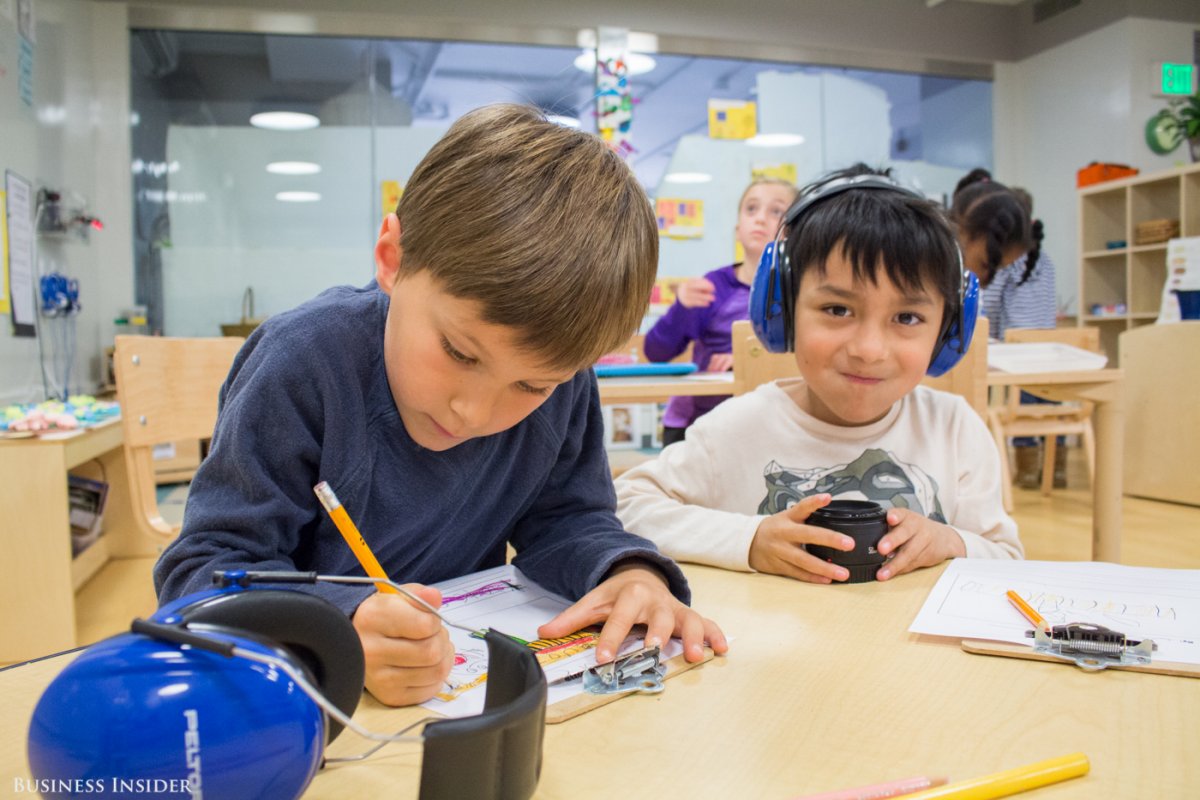
  • Each child receives a weekly “playlist” of individual and group activities that are aimed at achieving those goals. This student is writing an entry for his blog on coin collecting.
  • Teachers pick activities for their students by creating items in their playlists or searching the My.AltSchool library to find items that other teachers have made.
  • This 8-year-old demonstrates a game of Pac-Man using MaKey MaKey — a simple circuit board that transforms everyday objects into touchable user interfaces …he attaches alligator clips to four mounds of clay and tapes one clip to himself. When he taps the clay and completes the circuit, the computer interprets the input as arrow key actions.
  • This streamlined instruction time frees up the teacher to walk around the classroom and interact face-to-face with students.
  • The lower elementary students spend the morning knocking a shared item off their playlists: “writing the news.” These guys are chronicling a recent trip to the park.


trip-to-the-park


  • Many of the younger kids wear headphones during playlist time to drown out distractions.
  • Technology isn’t necessary to complete all activities, but it is used to document students’ work. This student takes a picture of her news clipping using an iPad and uploads the image to her playlist.
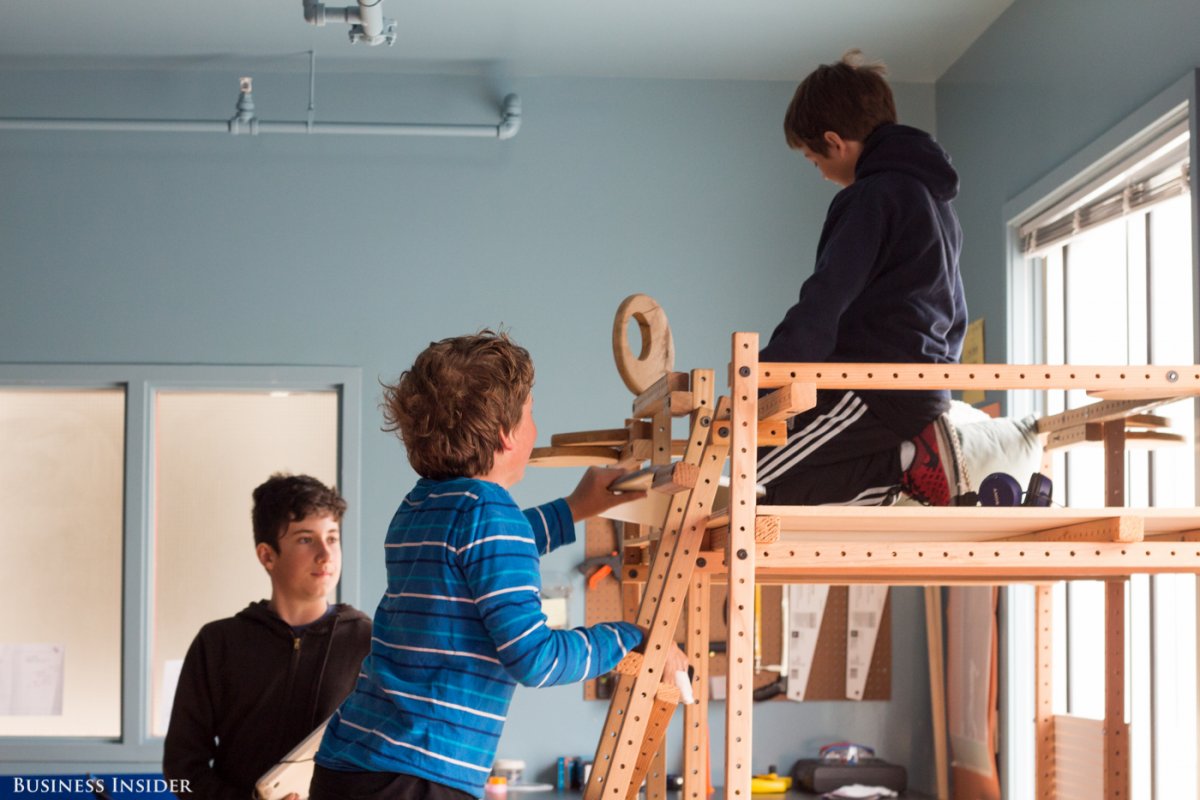
  • The classroom, like the tech, fosters AltSchool’s individualized learning approach. Students sprawl across the room on carpets, beanbags, and even lofts of their own construction.


own-construction


  • Classrooms are treated like stations, rather than designated areas for particular grade levels, and students move from room to room throughout the day. It’s especially important for micro-schools to maximize space so that a four-room schoolhouse doesn’t feel cramped
  • Craft and cleaning supplies are stored where the smaller kids can reach them, giving them a sense of agency.
  • After lunch and PE in the nearby park, students put aside their playlists and work on more integrated group projects.
  • The middle-school students were tasked with a classroom redesign. This 11-year-old, who was wearing an Iron Man T-shirt, built a parkour course. He’s writing a parent permission slip on his Google Chromebook now.
  • His classmate learned from online tutorials how to use the 3D-modeling software SketchUp, and she designed an urban-garden-inspired seating area for the unused deck on the second floor. There’s an obstacle course inside the benches for a class rabbit to tunnel through.
  • Another student, who wants to be a veterinarian, lawyer, writer, and manga comic-book writer, grew an indoor tea garden. She says she loves how the assignments “bend to your ability.”
  • If Silicon Valley’s favorite elementary school has its way, personalization will remain king.


The multi-device world is evolving! — from upsidelearning.com by Amit Garg

Excerpt:

The multi-device world is certainly evolving. Existing devices are evolving in size while new devices are being added to the mix. All of this is resulting in evolving behavior patterns.

The smart thing to do is to get started with multi-device learning without waiting for the world to settle down. You might make a few mistakes, but will learn along the way and would still be better off as compared to those who never got started.


.

Smartphone Screen Size


“…the boundaries between tablets and smartphones are blurring…”


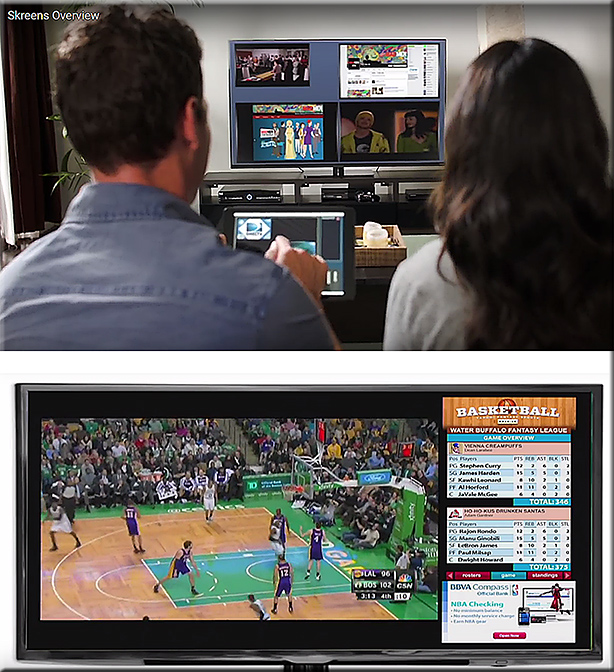
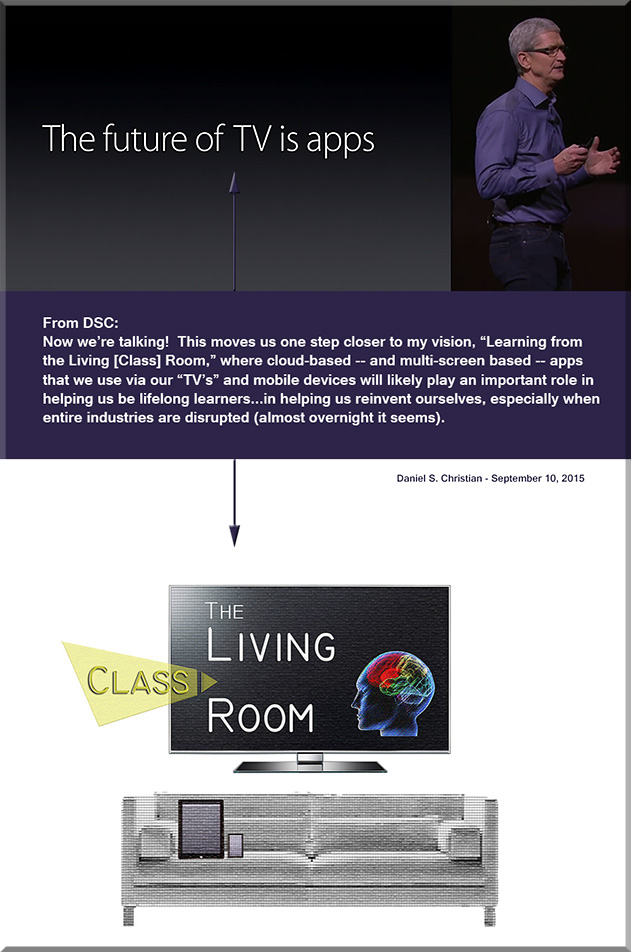
Now we’re talking! One step closer! “The future of TV is apps.” — per Apple’s CEO, Tim Cook

OneStepCloser-DanielChristian-Sept2015


From DSC:
We’ll also be seeing the integration of the areas listed below with this type of “TV”-based OS/platform:

  • Artificial Intelligence (AI)
  • Data mining and analytics
  • Learning recommendation engines
  • Digital learning playlists
  • New forms of Human Computer Interfaces (HCI)
  • Intelligent tutoring
  • Social learning / networks
  • Videoconferencing with numerous other learners from across the globe
  • Virtual tutoring, virtual field trips, and virtual schools
  • Online learning to the Nth degree
  • Web-based learner profiles
  • Multimedia (including animations, simulations, and more)
  • Advanced forms of digital storytelling
  • and, most assuredly, more choice & more control.

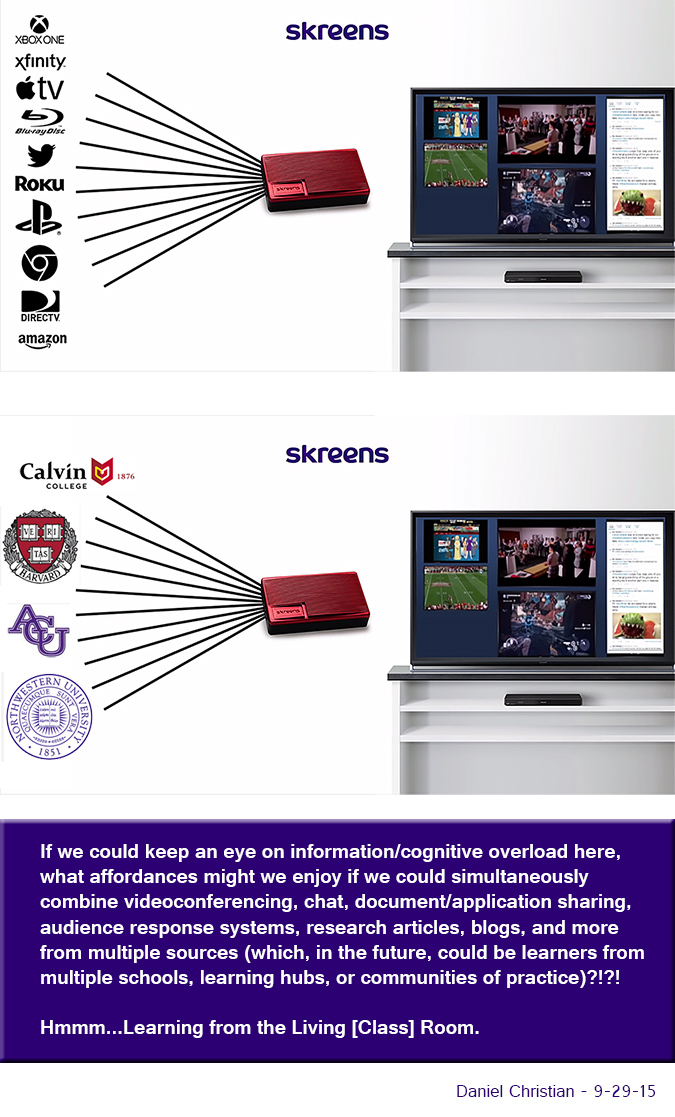
Competency-based education and much lower cost alternatives could also be possible with this type of learning environment. The key will be to watch — or better yet, to design and create — what becomes of what we’re currently calling the television, and what new affordances/services the “TV” begins to offer us.


MoreChoiceMoreControl-DSC


From Apple’s website:

Apple Brings Innovation Back to Television with The All-New Apple TV
The App Store, Siri Remote & tvOS are Coming to Your Living Room

Excerpt:

SAN FRANCISCO — September 9, 2015 — Apple® today announced the all-new Apple TV®, bringing a revolutionary experience to the living room based on apps built for the television. Apps on Apple TV let you choose what to watch and when you watch it. The new Apple TV’s remote features Siri®, so you can search with your voice for TV shows and movies across multiple content providers simultaneously.

The all-new Apple TV is built from the ground up with a new generation of high-performance hardware and introduces an intuitive and fun user interface using the Siri Remote™. Apple TV runs the all-new tvOS™ operating system, based on Apple’s iOS, enabling millions of iOS developers to create innovative new apps and games specifically for Apple TV and deliver them directly to users through the new Apple TV App Store™.

…

tvOS is the new operating system for Apple TV, and the tvOS SDK provides tools and APIs for developers to create amazing experiences for the living room the same way they created a global app phenomenon for iPhone® and iPad®. The new, more powerful Apple TV features the Apple-designed A8 chip for even better performance so developers can build engaging games and custom content apps for the TV. tvOS supports key iOS technologies including Metal™, for detailed graphics, complex visual effects and Game Center, to play and share games with friends.


Addendum on 9/11/15:


Is There an Uncrossable Chasm Between Research and the Classroom? Part 2 — from thejournal.com by Cathie Norris, Elliot Soloway
HTML5 is the bridge!

Excerpts (emphasis DSC):

The bridge between what researchers have been saying about learning & what teachers and students do in a classroom is spelled HTML5.
Do we hear a “HUH?” Okay, buckle up. Here goes…
…
Put another way: When curricular resources are implemented in HTML5 (or its derivatives), the dream of BYOD is no longer a dream: Students can bring virtually any computer device into the classroom and a teacher can count on the fact that the learning activity for today’s lesson will be executable on all of those devices.
…
Yes, HTML5 is that big a deal. Why? Because it has come along at just the right time. Curriculum and pedagogy are changing; new curricular materials are being developed that meet CCSS and NGSS. If those materials are developed in HTML5, then the curriculum developer and the teacher can expect those materials to work in her or his BYOD classroom or his or her iPad/Chromebook/laptop classroom. And, for the researcher, there is the opportunity to influence curriculum development and have those research-based ideas embodied in curricular resources that virtually every learner in the U.S. can use on their computing device! Holy Toledo indeed!


HBX Intros HBX Live Virtual Classroom — from campustechnology.com by Rhea Kelly

Excerpt:

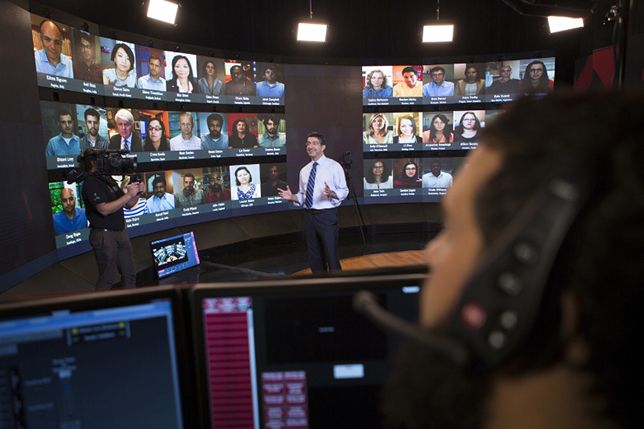
Harvard Business School‘s HBX digital learning initiative today launched a virtual classroom designed to reproduce the intimacy and synchronous interaction of the case method in a digital environment. With HBX Live, students from around the world can log in concurrently to participate in an interactive discussion in real time, guided by an HBS professor.

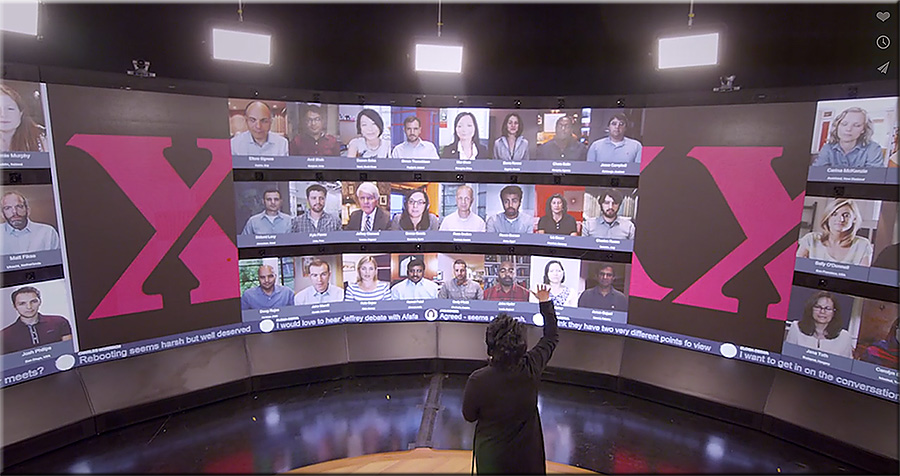
Built to mimic the amphitheater-style seating of an HBS classroom, the HBX Live Studio features a high-resolution video wall that can display up to 60 participants. Additional students can audit sessions via an observer model. An array of stationary and roaming cameras capture the action, allowing viewers to see both the professor and fellow students.


HBX Live

HBX Live’s virtual amphitheater
(PRNewsFoto/Harvard Business School)


Also see HBX Live in Action. 

I think that this type of setup could also be integrated with a face-to-face classroom as well (given the right facilities). The HBX Live concept fits right into a piece of my vision entitled, “Learning from the Living [Class] Room.”

Several words/phrases comes to mind:

  • Convenience. I don’t have to travel to another city, state, country. That type of convenience and flexibility is the basis of why many learners take online-based courses in the first place.
  • Global — learning from people of different cultures, races, backgrounds, life experiences.
  • The opportunities are there to increase one‘s cultural awareness.
  • HBX Live is innovative; in fact, Harvard is upping it’s innovation game yet again — showing a firm grasp/display of understanding that they realize that the landscape of higher education is changing and that institutions of traditional higher education need to adapt.
  • Harvard is willing to experiment and to identify new ways to leverage technologies — taking advantage of the affordances that various technologies offer.

BTW, note how the use of teams is a requirement here.


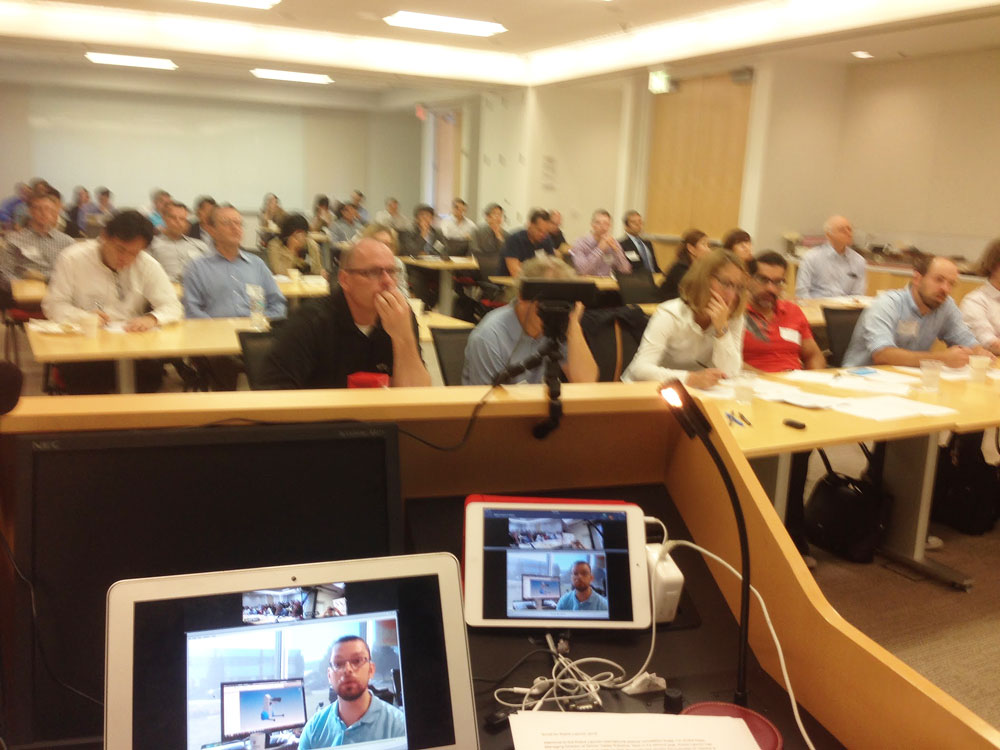
HBXLive-8-26-2015


Also see:

Harvard Business School really has created the classroom of the future — from fortune.com by  John A. Byrne

Excerpt:

Anand, meantime, faces the images of 60 students portrayed on a curved screen in front of him, a high-resolution video wall composed of more than 6.2 million pixels that mimics the amphitheater-style seating of a class HBS tiered classroom


Flipped Classroom Survey Highlights Benefits and Challenges — from facultyfocus.com

Excerpt/Key findings:

Results from the survey are based on the responses from the 1,089 Faculty Focus readers who completed the survey. Highlights include:

  • More than two-thirds (69.5%) have tried flipping an activity, class, or course, and plan to do it again. Another 5.49% have tried flipping, but don’t plan to do it again.
  • Roughly one-third (31.8%) of those who have flipped did so within the past year.
  • The majority of faculty who have flipped rated the experience as positive for themselves (70.3%) and their students (64.8%).
  • The top reasons for flipping include a desire to increase student engagement (79.3%) and improve student learning (75.8%).
  • In terms of the actual benefits, nearly three-fourths of respondents saw greater student engagement (74.9%), while just over half noticed evidence of improved student learning (54.66%).
  • More than 80% said students are more collaborative and 76.61% said they ask more questions, while almost half (48.75%) also noted some student resistance.
  • The most frequently reported barrier to experimenting with flipped learning practices came down to one word: time—a combined 70% of faculty said it was a significant or very significant challenge.
  • Of those respondents who are not interested in flipped learning, 38.9% said they don’t know enough about it and 27.4% felt it was a fad.
 

Start the School Year by “Awakening Your Dreamers” — from edutopia.org by Suzie Boss

Excerpt (emphasis DSC):

When your students return to the classroom this fall, how many will bring along the interests, talents, and dreams that inspired or delighted them over the summer months? Will they see any connection between school assignments and their own passions?

Bernajean Porter (@bernajeanporter), a longtime advocate of digital storytelling and engaged learning, has a suggestion to get the year off to a good start: “What if your first project was about getting to know the hopes and dreams and talents of your kids?” By investing time to build a positive classroom culture, while also introducing project-based learning practices, you’ll set the stage for more meaningful inquiry experiences all year long.

Imagination Plus Research
Porter has developed and field-tested a classroom resource called, I-imagine: Taking MY Place in the World that guides students on a multimedia journey into their own future. After a series of guided writing and reflection exercises, students eventually produce “vision videos” in which they star as protagonists of the lives they are living, 20 years into the future.


From DSC:
Along these lines of trying to figure out what one’s passions, gifts, and talents are — as well as seeing the needs of the world around us — I recently read a book entitled, “Visions of Vocation: Common Grace for the Common Good.”  One of the key questions from that book is:

Knowing what you know about yourself and the world, having read what you’ve read, having seen what you’ve seen, what are you going to do?

Here are some of my notes from that book, in case you know of someone who is trying to ascertain their purpose in this world…someone who is trying to find out more about their calling.  It’s a good book, prompting deep reflection.


VisionsOfVocation-2014


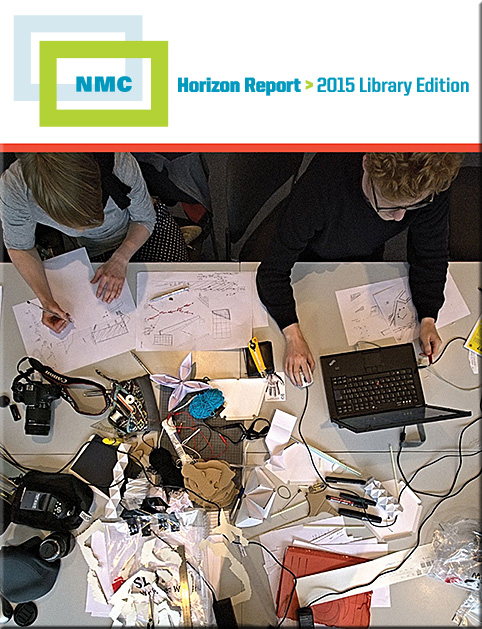
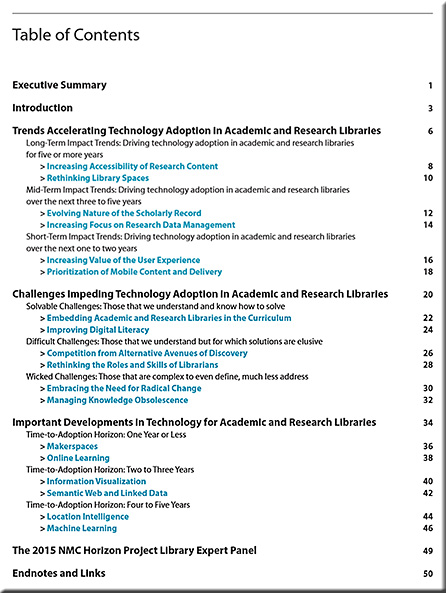
The NMC Releases the NMC Horizon Report > 2015 Library Edition — from nmc.org

Excerpt:

Six key trends, six significant challenges, and six important developments in educational technology are identified across three adoption horizons over the next one to five years, giving library leaders and staff a valuable guide for strategic planning. The format of the report was designed to provide these leaders with more in-depth insight into how the trends and challenges are accelerating and impeding the adoption of technology, along with their implications for policy, leadership, and practice.

“Nowhere on university campuses has technology had a more sweeping impact than on their libraries,” says Larry Johnson, Chief Executive Officer of the NMC and co-principal investigator for the project. “It is critically important for the field that the unique needs and perspectives of those who work in academic and research libraries are at the center of this second annual report.”


NMCReport-LibraryEdition2015


NMCReport-LibraryEdition2015-TOC


Question for the day:

What if each college and university created their own version of Lynda.com?

Lifelong learning.

Career development.

Developing and offering low cost, relevant, up-to-date streams of content.

Tracking of which modules a learner has taken and how they performed — the data from which are then fed into his or her web-based learner profile.

Courses that create new revenue streams for our institutions of higher education.

Hmmm…just throwing this idea out there…thinking out loud again…


linkedin_lynda


Translating physical spaces into digital experiences — from create-hub.com by Sorcha Daly
Cultural institutions have a big challenge on their hands in a digital age. How does the experience of a physical space, of visiting a building housing priceless objects, one-of-a-kind artefacts and engaging exhibitions, translate digitally?

Excerpts:

We’re seeing a huge increase in digital engagement with cultural institutions, with online visitor numbers far outweighing the number of people who make it through the doors. The British Museum, for example, received a whopping 35.3 million online visitors in 2014, compared with an in itself record-breaking 6.8 million physical visitors, the most of any UK museum or gallery. Add to this an impressive social media haul and that’s a lot of people who are engaging with the institution away from the building. This pattern is common to cultural institutions across the board.

So how exactly is digital changing the way people experience cultural institutions and how can they start using these changes as ways to better engage with audiences?

…

Several galleries have been using iPhone apps as enhanced alternatives to the audio tour guides, complete with additional interviews and comments from curators and personalities. Tate Modern’s London’s guide to last year’s Matisse Cut-Outs exhibition was particularly good, featuring additional images and an audio biography of the artist’s life. The Art Gallery of NSW also introduced a Chinese language guide app after noticing that there were many Chinese visitors to the gallery who would benefit from additional content.

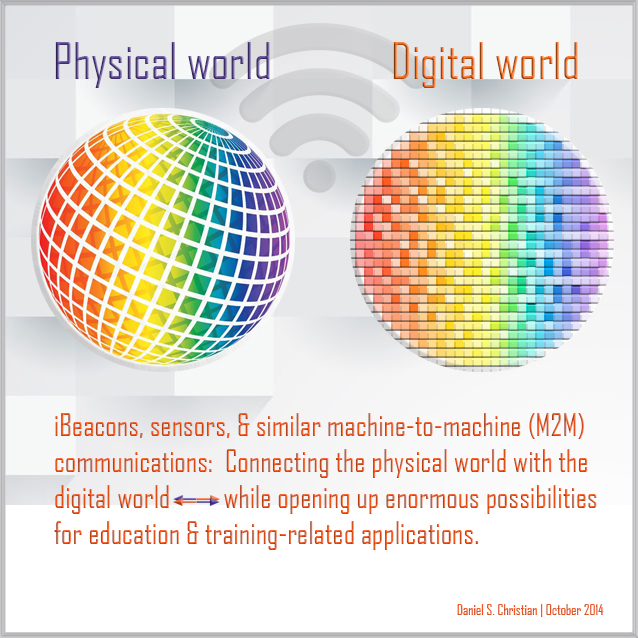
These apps could be really powerful if extended across the entire visit to unlock stories throughout the building. Imagine walking past an unremarkable-seeming sculpture, for instance, and a tap notification appearing on your Apple Watch displaying a fascinating fact about the significance of the object. This could be powered with simple iBeacons technology.


From DSC:
Might some of these same ideas and concepts be applied within our libraries? Our art galleries? Other locations?


DanielChristian-Combining-Digital-Physical-Worlds-Oct2014


What might our learning ecosystems look like by 2025? [Christian]

This posting can also be seen out at evoLLLution.com (where LLL stands for lifelong learning):
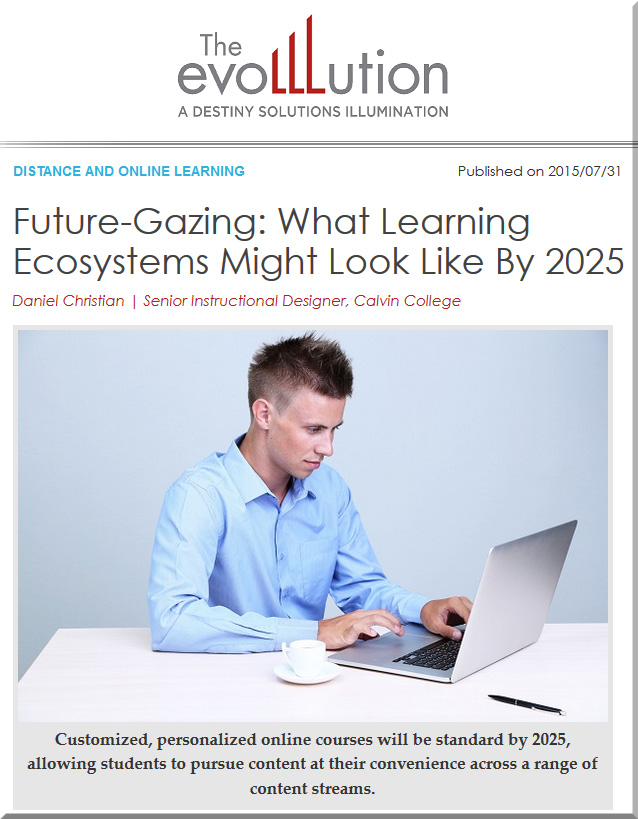
DanielChristian-evoLLLutionDotComArticle-7-31-15


From DSC:
What might our learning ecosystems look like by 2025?

In the future, learning “channels” will offer more choice, more control.  They will be far more sophisticated than what we have today.
 

MoreChoiceMoreControl-DSC


That said, what the most important aspects of online course design end up being 10 years from now depends upon what types of “channels” I think there will be and what might be offered via those channels. By channels, I mean forms, methods, and avenues of learning that a person could pursue and use. In 2015, some example channels might be:

  • Attending a community college, a college or a university to obtain a degree
  • Obtaining informal learning during an internship
  • Using social media such as Twitter or LinkedIn
  • Reading blogs, books, periodicals, etc.

In 2025, there will likely be new and powerful channels for learning that will be enabled by innovative forms of communications along with new software, hardware, technologies, and other advancements. For examples, one could easily imagine:

  • That the trajectory of deep learning and artificial intelligence will continue, opening up new methods of how we might learn in the future
  • That augmented and virtual reality will allow for mobile learning to the Nth degree
  • That the trend of Competency Based Education (CBE) and microcredentials may be catapulted into the mainstream via the use of big data-related affordances

Due to time and space limitations, I’ll focus here on the more formal learning channels that will likely be available online in 2025. In that environment, I think we’ll continue to see different needs and demands – thus we’ll still need a menu of options. However, the learning menu of 2025 will be more personalized, powerful, responsive, sophisticated, flexible, granular, modularized, and mobile.


Highly responsive, career-focused track


One part of the menu of options will focus on addressing the demand for more career-focused information and learning that is available online (24×7). Even in 2015, with the U.S. government saying that 40% of today’s workers now have ‘contingent’ jobs and others saying that percentage will continue climbing to 50% or more, people will be forced to learn quickly in order to stay marketable.  Also, the 1/2 lives of information may not last very long, especially if we continue on our current trajectory of exponential change (vs. linear change).

However, keeping up with that pace of change is currently proving to be out of reach for most institutions of higher education, especially given the current state of accreditation and governance structures throughout higher education as well as how our current teaching and learning environment is set up (i.e., the use of credit hours, 4 year degrees, etc.).  By 2025, accreditation will have been forced to change to allow for alternative forms of learning and for methods of obtaining credentials. Organizations that offer channels with a more vocational bent to them will need to be extremely responsive, as they attempt to offer up-to-date, highly-relevant information that will immediately help people be more employable and marketable. Being nimble will be the name of the game in this arena. Streams of content will be especially important here. There may not be enough time to merit creating formal, sophisticated courses on many career-focused topics.

 

StreamsOfContent-DSC


With streams of content, the key value provided by institutions will be to curate the most relevant, effective, reliable, up-to-date content…so one doesn’t have to drink from the Internet’s firehose of information. Such streams of content will also offer constant potential, game-changing scenarios and will provide a pulse check on a variety of trends that could affect an industry. Social-based learning will be key here, as learners contribute to each other’s learning. Subject Matter Experts (SMEs) will need to be knowledgeable facilitators of learning; but given the pace of change, true experts will be rare indeed.

Microcredentials, nanodegrees, competency-based education, and learning from one’s living room will be standard channels in 2025.  Each person may have a web-based learner profile by then and the use of big data will keep that profile up-to-date regarding what any given individual has been learning about and what skills they have mastered.

For example, even currently in 2015, a company called StackUp creates their StackUp Report to add to one’s resume or grades, asserting that their services can give “employers and schools new metrics to evaluate your passion, interests, and intellectual curiosity.” Stackup captures, categorizes, and scores everything you read and study online. So they can track your engagement on a given website, for example, and then score the time spent doing so. This type of information can then provide insights into the time you spend learning.

Project teams and employers could create digital playlists that prospective employees or contractors will have to advance through; and such teams and employers will be watching to see how the learners perform in proving their competencies.

However, not all learning will be in the fast lane and many people won’t want all of their learning to be constantly in the high gears. In fact, the same learner could be pursuing avenues in multiple tracks, traveling through their learning-related journeys at multiple speeds.


The more traditional liberal arts track


To address these varied learning preferences, another part of the menu will focus on channels that don’t need to change as frequently.  The focus here won’t be on quickly-moving streams of content, but the course designers in this track can take a bit more time to offer far more sophisticated options and activities that people will enjoy going through.

Along these lines, some areas of the liberal arts* will fit in nicely here.

*Speaking of the liberal arts, a brief but important tangent needs to be addressed, for strategic purposes. While the following statement will likely be highly controversial, I’m going to say it anyway.  Online learning could be the very thing that saves the liberal arts.

Why do I say this? Because as the price of higher education continues to increase, the dynamics and expectations of learners continue to change. As the prices continue to increase, so do peoples’ expectations and perspectives. So it may turn out that people are willing to pay a dollar range that ends up being a fraction of today’s prices. But such greatly reduced prices won’t likely be available in face-to-face environments, as offering these types of learning environment is expensive. However, such discounted prices can and could be offered via online-based environments. So, much to the chagrin of many in academia, online learning could be the very thing that provides the type of learning, growth, and some of the experiences that liberal arts programs have been about for centuries. Online learning can offer a lifelong supply of the liberal arts.

But I digress…
By 2025, a Subject Matter Expert (SME) will be able to offer excellent, engaging courses chocked full of the use of:

  • Engaging story/narrative
  • Powerful collaboration and communication tools
  • Sophisticated tracking and reporting
  • Personalized learning, tech-enabled scaffolding, and digital learning playlists
  • Game elements or even, in some cases, multiplayer games
  • Highly interactive digital videos with built-in learning activities
  • Transmedia-based outlets and channels
  • Mobile-based learning using AR, VR, real-world assignments, objects, and events
  • …and more.

However, such courses won’t be able to be created by one person. Their sophistication will require a team of specialists – and likely a list of vendors, algorithms, and/or open source-based tools – to design and deliver this type of learning track.


Final reflections


The marketplaces involving education-related content and technologies will likely look different. There could be marketplaces for algorithms as well as for very granular learning modules. In fact, it could be that modularization will be huge by 2025, allowing digital learning playlists to be built by an SME, a Provost, and/or a Dean (in addition to the aforementioned employer or project team).  Any assistance that may be required by a learner will be provided either via technology (likely via an Artificial Intelligence (AI)-enabled resource) and/or via a SME.

We will likely either have moved away from using Learning Management Systems (LMSs) or those LMSs will allow for access to far larger, integrated learning ecosystems.

Functionality wise, collaboration tools will still be important, but they might be mind-blowing to us living in 2015.  For example, holographic-based communications could easily be commonplace by 2025. Where tools like IBM’s Watson, Microsoft’s Cortana, Google’s Deepmind, and Apple’s Siri end up in our future learning ecosystems is hard to tell, but will likely be there. New forms of Human Computer Interaction (HCI) such as Augmented Reality (AR) and Virtual Reality (VR) will likely be mainstream by 2025.

While the exact menu of learning options is unclear, what is clear is that change is here today and will likely be here tomorrow. Those willing to experiment, to adapt, and to change have a far greater likelihood of surviving and thriving in our future learning ecosystems.


How Blippar Education supports special needs students to improve learning — from blippar.com


Excerpts:

Firstly, high school teacher Katrine Pinkpank’s class made individual, blippable posters for their Earth Day projects in April. When passers-by blipped these posters – all of which were hung in beautiful frames in the hallways – they were taken to a video of the students doing their Earth Day presentation in front of the class. One student in the class is legally blind, so the braille on his poster was used to trigger the blipp.  These hallway boards have become living, breathing, 3D tributes to the work of our students.

In Room 407, students used Blippar in many different ways. Wendy Thompson, an early adopter of the technology, used it for a Women’s History Month project where students created an app-smash between Blippar and Trading Cards. The students created trading cards about famous women in history – such as Ella Fitzgerald, Frida Kahlo, and Mary Shelley – then used Blippar to add photo galleries, hyperlinks, and videos so people passing the bulletin board could scan the cards and view pop-up content about these remarkable women.

Secondly, the class made the school newsletter blippable.
…
Using Blippar and Tellagami, the students created talking digital avatar videos that illustrated their post-secondary and transition goals.


From DSC:
Though this posting focuses on the use of Blippar, an augmented reality app, I also think beacons (such as from Estimote), machine-to-machine (M2M) communications, and apps like locly could be used to relay information from students, teachers, and faculty members who could record and provide presentations concerning their work — with pieces of their work being located out in the hallways or actually anywhere on a campus. When someone approaches a piece in the hallway, a pre-loaded application on that person’s mobile device — such as locly — would be activated to display a “card”/link to the video describing that piece. The author, creator, designer doesn’t need to be physically present in order to tell people about their work.


Also see:

Elements 4D
ZooKazam
NASA’s Spacecraft 3D
Anatomy 4D


Choose Your Reality: Virtual, Augmented or Mixed — from recode.net by Eric Johnson; with thanks to Woontack Woo for his posting on this

Excerpts:

[For VR] The key buzzword here is presence, shorthand for technology and content that can trick the brain into believing it is somewhere it’s not.

The key term for AR is utility…AR takes your view of the real world and adds digital information and/or data on top of it.

The key term for mixed reality, or MR, is flexibility…It tries to combine the best aspects of both VR and AR…In theory, mixed reality lets the user see the real world (like AR) while also seeing believable, virtual objects (like VR). And then it anchors those virtual objects to a point in real space, making it possible to treat them as “real,” at least from the perspective of the person who can see the MR experience.

So, to borrow an example from Microsoft’s presentation at the gaming trade show E3, you might be looking at an ordinary table, but see an interactive virtual world from the video game Minecraft sitting on top of it. As you walk around, the virtual landscape holds its position, and when you lean in close, it gets closer in the way a real object would.


See this example.


From DSC:
The folks who worked on the Understood.org site have done a great job! Besides the wonderful resources therein, I really appreciated the user experience one is able to get by using their site. Check out the interface and functionality you can experience there (and which I’ve highlighted below).


We need a similar interface for matching up pedagogies with technologies.


DSC-NeedThisInterface4SelectingTechs4Pedagogies--July2015-flat


Also, there are some excellent accessibility features:


Understood-July2015


From DSC:
When you read the article below, you’ll see why I’m proposing the aforementioned interface/service/database — a service that would be similar to Wikipedia in terms of allowing many people to contribute to it.


Why ed tech is not transforming how teachers teach  — from edweek.org by Benjamin Herold
Student-centered, technology-driven instruction remains elusive for most

Excerpt:

Public schools now provide at least one computer for every five students. They spend more than $3 billion per year on digital content. And nearly three-fourths of high school students now say they regularly use a smartphone or tablet in the classroom.

But a mountain of evidence indicates that teachers have been painfully slow to transform the ways they teach, despite that massive influx of new technology into their classrooms. The student-centered, hands-on, personalized instruction envisioned by ed-tech proponents remains the exception to the rule.

 
© 2025 | Daniel Christian