HarveyMuddJan2016-FlippedClassroomSTEM


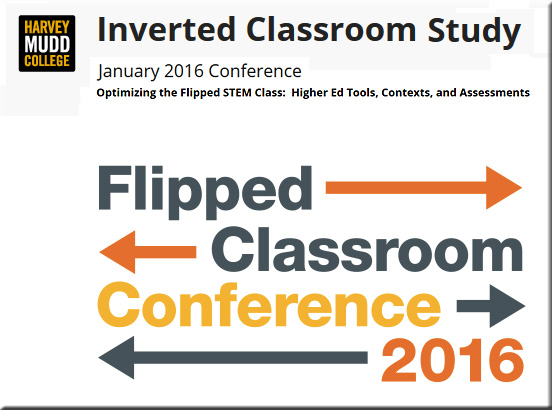
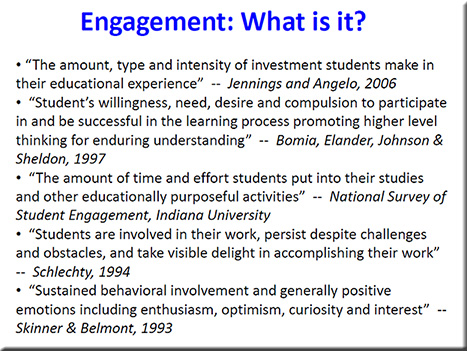
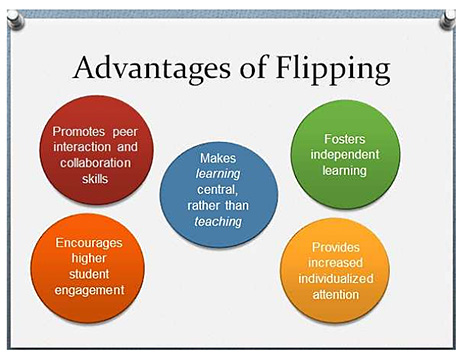
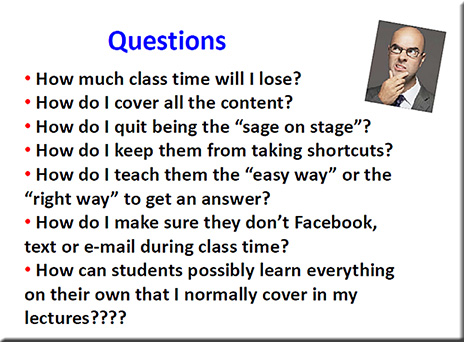
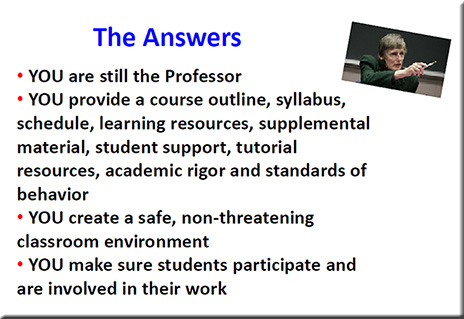
Example slides from one of the presentations at the Flipped Classroom Conference 2016
[Held at Harvey Mudd College in January; with special thanks to Mr. Jeremy VanAntwerp,
Professor of Engineering at Calvin College for this resource]


HarveyMuddJan2016-FlippedClassroomSTEM-Slide


HarveyMuddJan2016-FlippedClassroomSTEM-Slide2

HarveyMuddJan2016-FlippedClassroomSTEM-Slide3


HarveyMuddJan2016-FlippedClassroomSTEM-Slide4


Three reasons for switching to flipped learning — from rtalbert.org by Robert Talbert, Mathematics Professor at Grand Valley State University in Michigan [USA]

Excerpt:

  1. The argument from pedagogy: We use flipped learning because it puts the best-known/best-available practices for teaching and learning in the spotlight, including active learning of all kinds, student-centered instruction, constructivist techniques, differentiated instruction, spaced repetition, Vygotsky’s zone of proximal development idea, self-regulated learning, and the like. Whereas these things can be featured in a traditional classroom but it feels unnatural, like the wrong tool for the job.
  2. The argument from logistics…
  3. The argument from relationships…


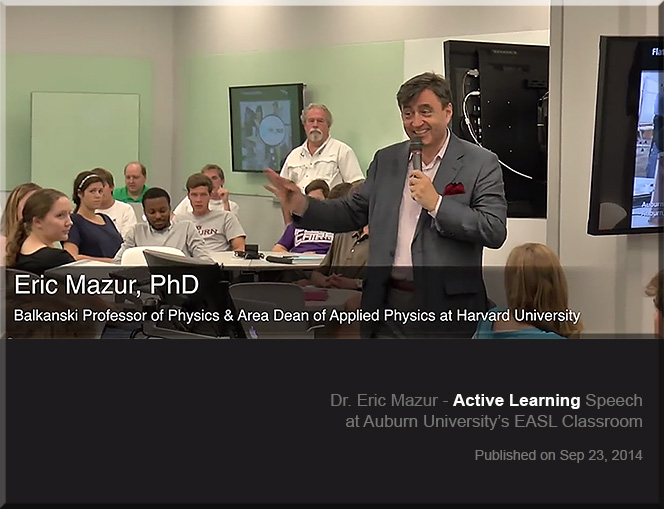
Peer instruction for active learning — by Harvard University Prof. Eric Mazur on difficulties of beginners, teaching each other, and making sense of information


EricMazur-ActiveLearningSpeechSep2014-2


Also see Eric’s presentation out at Auburn University from back in September 2014:

EricMazur-ActiveLearningSpeechSep2014


Why are we so slow to change the way we teach? — from facultyfocus.com by Maryellen Weimer, PhD

Excerpt:

However, lecture isn’t the only example of where we’re slow to change. Many aspects of teaching—course design, approaches to testing, assignments, and grading—have also changed little. Granted, some faculty do change, a lot and regularly, but not the majority. The question is, “Why?” Here are some possibilities I’ve been considering.


Crafting questions that drive projects — from learninginhand.com by Tony Vincent

Excerpt:

Not only does project based learning motivate students because it is an authentic use of technology, it facilitates active learning, critical thinking, collaboration, and creativity. Projects begin with a driving question—an open-ended question that sets the stage for the project by creating interest and curiosity. Writing an effective driving question is surprisingly challenging. You want the question to be intriguing and irresistible to students, which makes it very different from the typical questions they encounter on tests.

A Driving Force
Like many educators, I call the “mission statement” of a project a driving question.  It captures the heart of the project by providing purpose using clear and compelling language. With so many different flavors of project based learning (including problem based learning, challenge based learning, student centered learning, exploration, student driven inquiry, and authentic learning), it’s not surprising that we have a variety of other terms for a question or statement that is the project’s driving force. These terms include essential question, challenge, prime question, WILD HOG question, focus question, and smart question. I’ll stick with driving question, but do know that sometimes the driving question is not interrogative. It might be a statement, but I’ll still refer to is as a question.


Literacy help: Alan Peat story bags – How to develop story writing and literacy skills in younger children. — from hubpages.com

Excerpt:

There is no getting away from the fact that the more a child has been read to and the more they try to read themselves then the better their literacy skills are going to be. Parents have a massive influence on this. As a parent myself I considered reading to and teaching my daughter to read the one most important thing I could do to aid her life at school.

Sadly this is not always the case and too many students we teach read rarely at home or in rare cases don’t even own a book. Sad I know and to be honest I can’t imagine a house without books in it. I jokingly refer to my daughters collection ‘her library’ because she has so many which are updated as she reads through them.

But lets be fair, it is not only the students who struggle with reading that need help with story writing. A lot of students will benefit from this approach including your high flyers. I have taught this in year 3, although i would consider it to be more a KS1 activity, but in year 3 they do need certain aspects of a KS1 curriculum to help there development as it is a hard transitional year. Saying that I have seen other teachers use it in higher years than that and why not if it will benefit their writing.

…
On the front of each bag, so every child can read it easily should be the questions:

  1. Who?
  2. Where?
  3. Where next?
  4. Why?
  5. What goes wrong?
  6. Who helps?
  7. Where last?
  8. Feelings?


Simple tips to create a blended learning classroom — from blog.edmentum.com by Jasmine Auger

Excerpt:

We’ve compiled this list of five easy ways to start incorporating technology into your classroom and building a blended environment!

Blogging
Social Media
Virtual Presentations
Infographics
Video


Other somewhat related items:

Full STEAM ahead: Why arts are essential in a STEM education — from edutopia.org by Mary Beth Hertz

Excerpt:

The connection is also obvious for anyone who has ever worked in any traditional STEM career. Everyone from software engineers and aerospace technicians to biotechnical engineers, professional mathematicians, and laboratory scientists knows that building great things and solving real problems requires a measure of creativity. More and more, professional artists themselves are incorporating technological tools and scientific processes to their art.

Also see: 
STEM to STEAM: Resources Toolkit — from edutopia.org | Originally Published: 5/21/14 | Updated: 1/20/16
Whether you are looking for resources on integrating science, technology, engineering, and math or on infusing the arts to transform STEM into STEAM, these curated compilations will help you plan different approaches to integrated studies.

…and a related item re: curriculum, but at the collegiate level:


What is the value of an education in the humanities? — from npr.org by Adam Frank

Excerpt:

In spite of being a scientist, I strongly believe an education that fails to place a heavy emphasis on the humanities is a missed opportunity. Without a base in humanities, both the students — and the democratic society these students must enter as informed citizens — are denied a full view of the heritage and critical habits of mind that make civilization worth the effort.
…

So, these are my traditional answers to the traditional questions about the value of humanities and arts education vs. science and engineering. From my standpoint as a scholar, I’ll stand by them and defend what they represent to the last breath.

But the world has changed and, I believe, these answers are no longer enough.

It’s not just the high cost of college that alters the equation. It’s also vast changes that have swept through society with the advent of a world run on information (i.e., on data). So, with that mind, here is my updated — beyond the traditional — response to the value of the humanities in education: The key is balance.

It is no longer enough for students to focus on either science/engineering or the humanities/arts.


50 of the best teaching & learning apps for 2016 — from teachthought.com

Excerpt:

What are the best teaching and learning apps for 2016? That’s a good question this post looks to answer.

Every year, we put together a collection of what we believe are the best teaching and learning apps for that year. (Here, for example, is our 2015 version of the list below, where you will notice about half the apps are the same, and half have changed. That’s not bad for progress, is it?

This year, we were asked by the good folks at Easelly (the infographic and visual data platform) to create a collection of resources that while including their apps, would curate a lot of good stuff teachers would benefit from in 2016. Since we were preparing to release our TeachThought Editor’s Choice: 2016 Best Teaching and Learning Apps–and have used Easelly for years ourselves–we combined the two projects to give you something you can use to guide your #edtech integration this year.


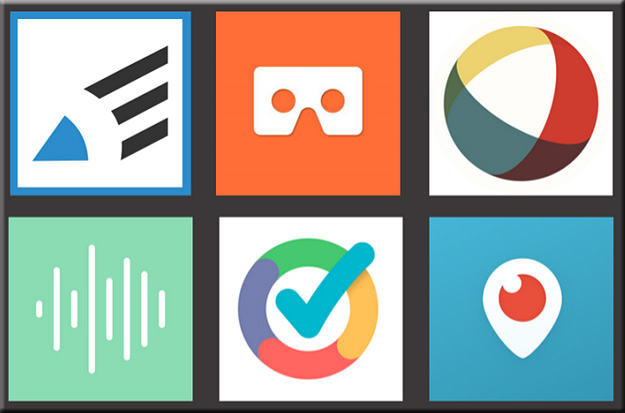
6 ed tech tools to try in 2016 — from cultofpedagogy.com by Jennifer Gonzalez

Excerpt:

About a year ago, I published an e-book called the Teacher’s Guide to Tech. Over the last month, I have been updating it for 2016, adding over 30 new tools and refreshing the information I had about the original ones. I have to say, the 2015 version was excellent, but now it’s SO MUCH BETTER. (To take a peek at the guide, scroll to the bottom of this post.)

In the process, I discovered some tools that I absolutely fell in love with, and I wanted to share them with you here. Each of these tools can make your teaching more efficient and effective, and your students’ learning deeper and more engaging.

Let’s take a look.


6toolstotry-2016


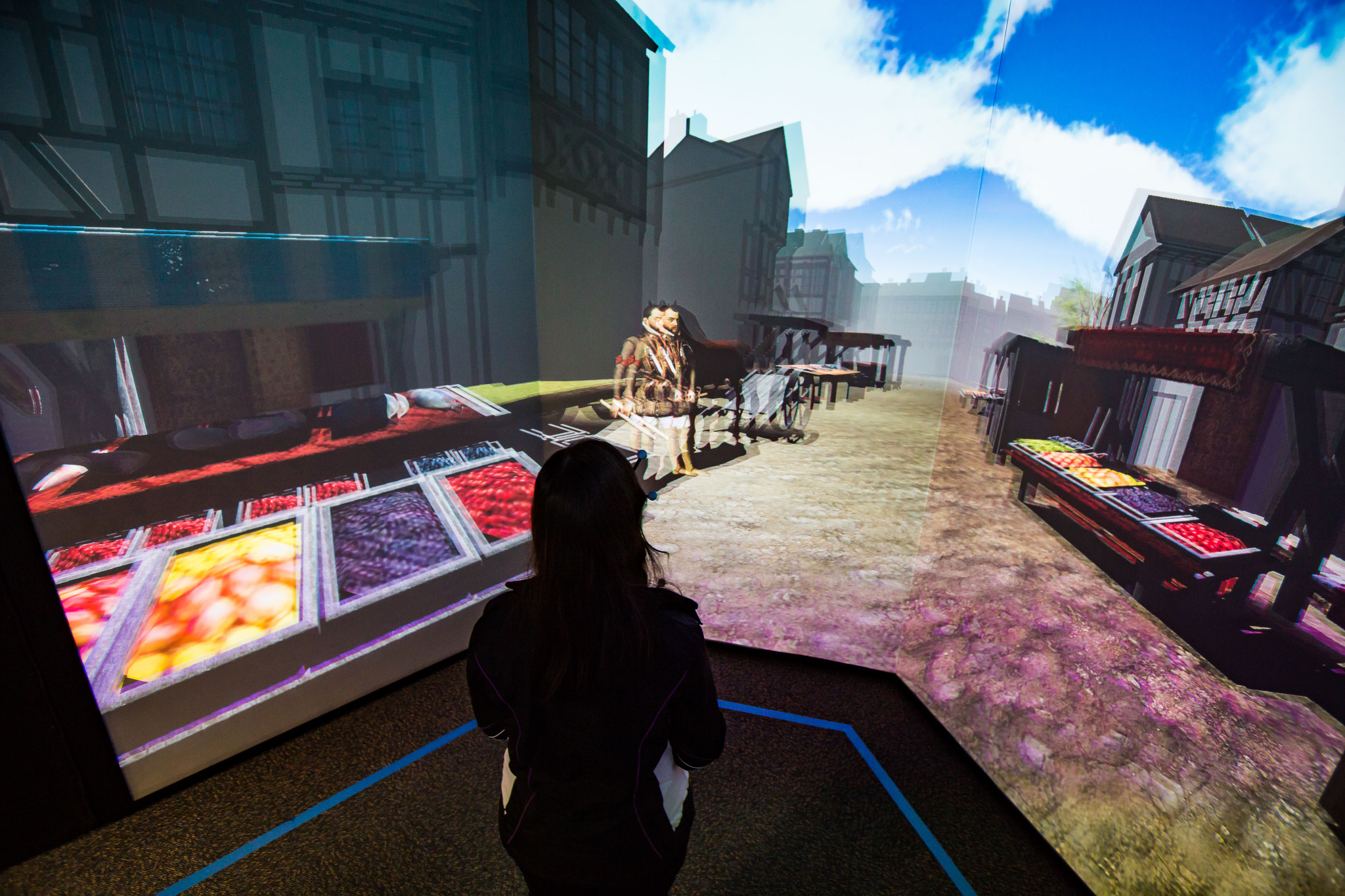
Visit Shakespeare’s London at FIU’s new virtual reality facility — from cec.fiu.edu

Excerpt:

It’s 1598, and you’re on your way to the Globe Theater to watch one of Shakespeare’s plays. You walk along the dirt roads and the green fields of London and you realize you can see the London Bridge in the distance. A vagabond asks you for a coin, and you find the village houses and the town market bustling with customers. Once you arrive at the theater, you watch the first few minutes of the opening monologue of “Henry V.”

This is a virtual world created by a multidisciplinary team of FIU students – and you can immerse yourself in this time-travel journey starting Jan. 29 when the I-CAVE opens at Modesto A. Maidique Campus.

.


Google brings commenting to sheets and slides on mobile— from techcrunch.com by Frederic Lardinois

Excerpt:

Google announced [on 1/28/16] a couple of updates to the commenting features in its Google Apps productivity suite.

These include the launch of mobile commenting in the iOS and Android apps for Slides and Sheets. Thanks to this, the commenting experience in Google’s apps is now (almost) the same across all of its apps — whether on the web or on mobile. I’m not sure why Google didn’t already offer this before, but better late than never, right?


10 very good tools for student researchers — from educatorstechnology.com

Excerpt:

One of the onerous parts in essay and academic writing is the bibliography section. Managing, organizing and citing references can sometimes be a real challenge especially if you don’t keep track of what and who you cite. The last thing you  want after a strenuous writing task is a messy bibliography with one reference missing a page number, the other needs publication date or, worse of all, having to go back to your sources to check for the source of that quotation you included in your conclusion. If you find yourself constantly grappling with problems such as these, the web tools below are absolutely something you might need to consider. These are some of the best applications for organizing, managing, and publishing bibliographies, citations and references. Some of these softwares are integrated with Google Scholar.


Fresco News app brings crowdsourced journalism to Apple TV — from imore.com by Dan Thorp-Lancaster

Excerpt:

Fresco News, an app that crowdsources news footage by allowing citizen journalists to upload and share their photos videos of current events around the globe, has officially launched an Apple TV app. With the app, users can check out first-hand accounts of events around the world on the big screen through their Apple TV.


5 Apple TV fitness apps to get in shape on a budget — from macworld.com by Caitlin McGarry
There are tons of streaming TV apps, but I’m on the hunt for a streaming workout app that won’t cost a fortune.

Excerpt:

The fourth-generation Apple TV now has more than 3,600 tvOS apps, Apple revealed in its first-quarter earnings call Tuesday. Most of those are games or streaming video apps, and there are tons of great options in both categories. When it comes to fitness, which seems to me a natural fit for the TV, the selection is sparse. But still, I was sure at least one Apple TV app would have what I was looking for: a cheap way to stay in shape. But it wasn’t that easy.


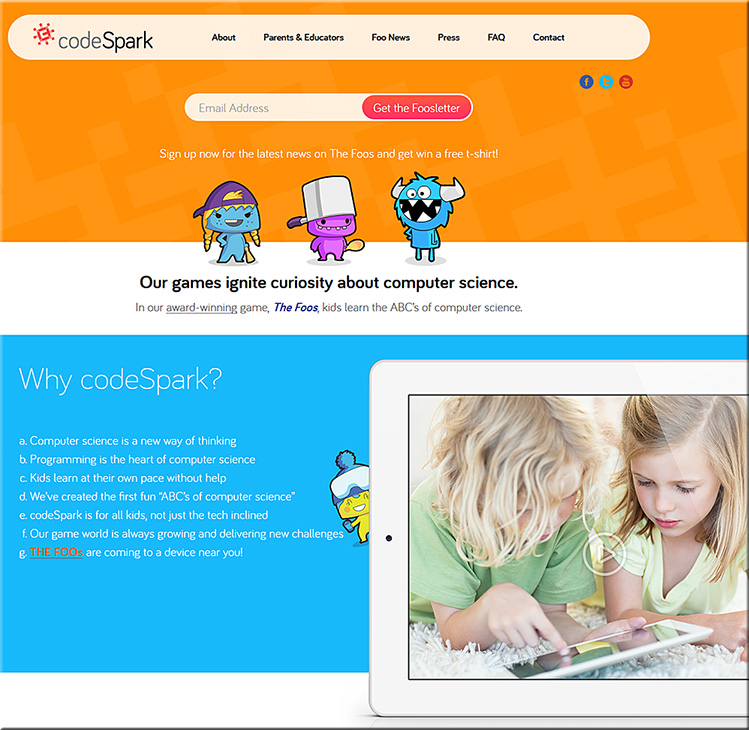
Codespark.org


codespark-jan2016


Codemonkey

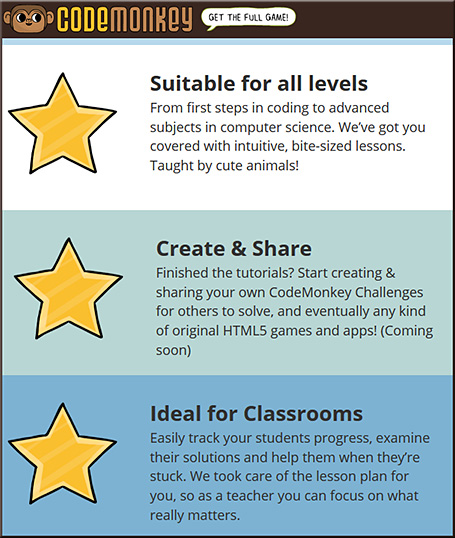
codemonkey-jan2016


Best iPhone 6 and 6s tripods for stablizing and mounting — from imore.com by Brent Zaniewski
A dependable tripod can enhance your iPhone photography skills and help you get an otherwise impossible shot.


Livestream unveils new device for affordable multi-camera productions — from bizbash.com by Mitra Sorrells
The tiny Movi camera links with an iOS app for real-time recording, editing, and streaming from events.

Excerpt:

Planners interested in creating multi-camera video productions at their events will soon have a new, inexpensive option. Livestream, the company behind live online events for brands such as Tesla, Salesforce.com, the N.B.A., and more, has created a 2.5-inch device that lets users record and edit in real time between nine virtual high-definition cameras. Movi is available for preorder for delivery in April, currently at a price of $299.


This lens can widen your view into a classroom for only $10 — from blog.edthena.com


How Five EdTech Start-Ups Are Using Big Data To Boost Business Education — from by Seb Murray
MOOC platforms explore analytics with b-school partners

Excerpt:

Education tech companies including Coursera, edX, Udacity and their b-school and university partners are delving deeper into big data analytics to improve teaching and student learning.

Simon Nelson, CEO of online learning company FutureLearn, says: “The potential is incredible — and we are just scratching the surface.”

A report to be published in January by the UK’s Higher Education Commission (HEC) envisages that big data will help identify risk of failure; give students instant feedback; and benchmark their performance against peers.

Addendum on 2/1/16:

Addendum on 2/2/16:


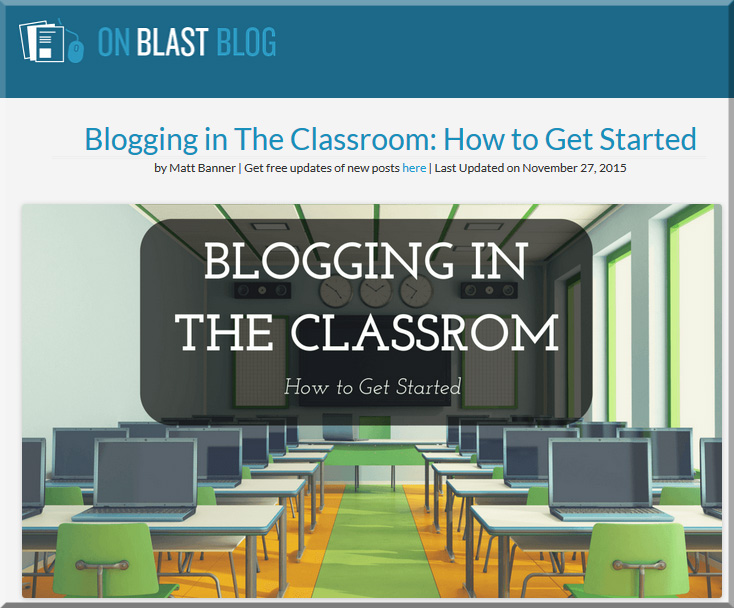
BloggingInTheClassroom-MattBanner-Nov2015

Blogging in the classroom: How to get started — from onblastblog.com by Matt Banner

Excerpt:

Here’s what we’ll discuss today:

  • Ways to bring blogging into your classroom and daily lesson plans
  • The litany of benefits blogging brings to education
  • Deciding the purpose and goals of your blog
  • Setting up your classroom’s blog
  • Easy ways to promote and grow your classroom blog

…
Blogging about a subject turns novices into experts.
There’s no other choice. When you write thousands upon thousands of words about something, doing research all the while, you become an expert in that subject. It’s unavoidable, and possibly the best way to learn in my opinion. Instead of having the information fed to them, students are taking it and putting it down on paper in their own words.

They live the information instead of simply seeing it. This is huge in terms of learning something for the long-term. Hands-on experience will always leave more of a lasting impression than something that is simply boiled down to a few questions on a test.

Michelle Lampinen, a high school English teacher in New Jersey wrote a great article on this here.


Also see:
How blogging is being used in the classroom today: Research results — from emergingtech.com by Mike Wallagher

Excerpt:

The 2015 survey has yet to be reported on, but 2014 research findings have something to say about the state of blogging in the classroom today.

Benefits of Blogging in the Classroom
Blogging in the classroom can have numerous benefits depending on how you use your blog. Just some include that:

  • Instructors can create a blog about class happenings so parents can stay up-to-date and students can access announcements from anywhere
  • Teachers can use their blogs to store lessons online or provide supplemental learning materials to students
  • Instructors can use blogs to organize assignments, such as posting them online for absent students or listing due dates so all students have access to the course materials from anywhere
  • Teachers can post previous students’ work as examples or publish current students’ work so they can show parents and family who live far away
  • Educators can open the comment sections on blog posts to get feedback from parents and the community as well as to create discussion between students
  • Student blogs teach children about writing techniques, online publishing, and proper Internet etiquette, which most students will use in future careers

How Blogs Are Being Used
“Blogging in the classroom” may bring up this idea that there’s one way to present blogging to your students, but there are a myriad of ways educators can use blogs. Just some options include:

  • Personal blogs for teachers
  • Student blogs
  • ePortfolios
  • Platforms for assignments, homework, and announcements
  • Classroom blogs for collaboration and discussion


From DSC:
Whether your school, university, or college has a web hosting service or whether you need to go out and find a web hosting service yourself — or use a free service/solution — blogging is a great way to create streams of content and to “think out loud.” It offers benefits for students, teachers, professors, staff, and administrators.


From DSC:
Currently, you can add interactivity to your digital videos. For example, several tools allow you to do this, such as:

So I wonder…what might interactivity look like in the near future when we’re talking about viewing things in immersive virtual reality (VR)-based situations?  When we’re talking about videos made using cameras that can provide 360 degrees worth of coverage, how are we going to interact with/drive/maneuver around such videos? What types of gestures and/or input devices, hardware, and software are we going to be using to do so? 

What new forms of elearning/training/education will we have at our disposal? How will such developments impact instructional design/designers? Interaction designers? User experience designers? User interface designers? Digital storytellers?

Hmmm…

The forecast?  High engagement, interesting times ahead.

Also see:

  • Interactive video is about to get disruptive — from kineo.com by James Cory-Wright
    Excerpt:
    Seamless and immersive because it all happens within the video
    We can now have embedded hotspots (motion tags) that move within the video; we can use branching within the video to change the storyline depending on the decisions you make; we can show consequences of making that decision; we can add video within video to share expert views, link directly to other rich media or gather real-time data via social media tools – all without leaving the actual video. A seamless experience.
    .
  • Endless learning: Virtual reality in the classroom — from pixelkin.org by David Jagneaux
    Excerpt:
    What if you could be part of the audience for Martin Luther King Jr.’s riveting “I Have a Dream” speech? What if you could stand in a chemistry lab and experiment without any risk of harm or danger? What if you could walk the earth millions of years ago and watch dinosaurs? With virtual reality technology, these situations could become real. Virtual reality (VR) is a hot topic in today’s game industry, but games are only one aspect of the technology. I’ve had fun putting  on a headset and shooting  down ships in outer space. But VR also has the potential to enhance education in classrooms.
    .
  • Matter VR


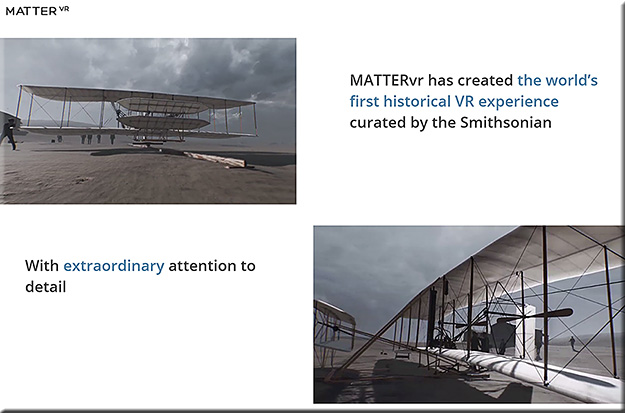
MatterVR-Jan2016


From DSC:
If you can clear up just short of an hour of your time, this piece from PBS entitled, “School Sleuth: The Case of the Wired Classroom” is very well done and worth your time.  It’s creative and objective; it offers us some solid research, some stories, and some examples of the positives and negatives of technology in the classroom. It weaves different modes of learning into the discussion — including blended learning, online learning, personalized learning and more. Though it aired back in October of 2015, I just found out about it.

Check it out if you can!


SchoolSleuth-WiredClassroom-Oct2015


Also see:

  • Schools push personalized learning to new heights — from edweek.org
    Excerpt:
    For most schools, reaching the next level of digitally driven, personalized learning is far from reality. Still, some schools are extending their digital reach in significant and sometimes groundbreaking ways, as the stories in this special report illustrate. They are making moves to integrate a variety of technologies to track how students learn and to use the resulting data to expand the use of hands-on, project-based learning. The goal is to build never-ending feedback loops that ultimately inform the development of curriculum and assessment. Plus, big data and analytics are gradually making their marks in K-12 education. This special report outlines the progress schools are making to use digital tools to personalize learning, but also raises the question: Are they reaching far enough?
    .
  • A Pedagogical Model for the use of iPads for Learning — from higheru.org


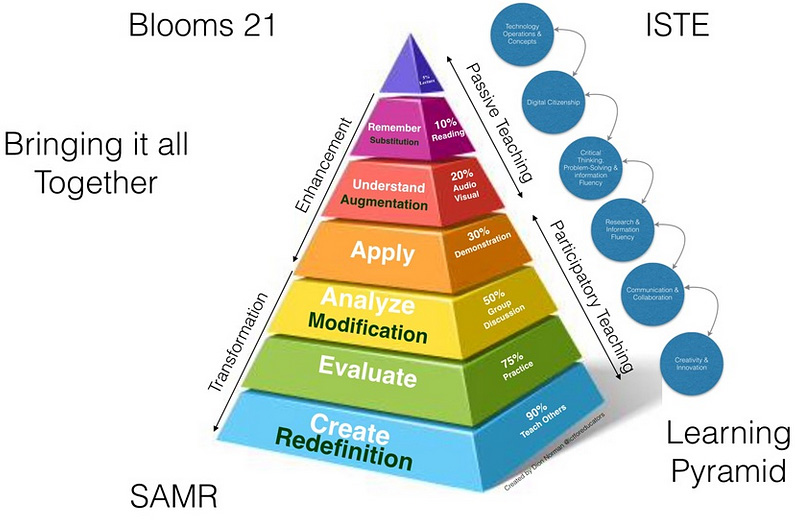
pedagogicalmodeliPads-dec2015


Microlearning: The e-Learning method taking off around the world — from educators.co.nz by Catherine Knowles

Excerpt:

Technology is disrupting traditional learning bringing new methods and tools into educational institutions and businesses.

Microlearning, for instance, has displayed great potential for growth, according to Association Learning + Technology 2016 – a report published by Tagoras and sponsored by YM Learning.

The report looks at the use of technology to enable and enhance learning in the continuing education and professional development market and provides insight into how the role technology plays in learning has and will evolve.


In fact, among five emerging types of learning (microlearning, massive open online courses (MOOCs), flipped classes, gamified learning, and microcredentials), microlearning shows the highest rate of adoption – and arguably the greatest potential for growth.


Podcasting is perfect for people with big ideas. Here’s how to do it — from by Todd Landman
Surprisingly few academics have learned how to podcast – but it’s a great way to reach a wider audience

Excerpt:

In the face of conflict in the Middle East, the flow of refugees to Europe and the violence associated with Islamic State and other militants, there has never been a more important time to talk about human rights. And talk about them is what I do – not in a lecture hall or at conferences with academics, but in a podcast series. Let me explain why.

I have worked as a political scientist for 25 years, focusing on human rights problems such as the struggle for citizenship rights in Latin America and the relationship between inequality and human rights violations.
I am part of a wide network of people dedicated to producing sound evidence on human rights, and my work has been communicated through articles, books and reports. But I am limited in my ability to reach the people I would most like to engage and influence – those who do not have an academic understanding of human rights but might benefit from finding out about it.

There is a new breed of academic who understands this and is committed to bridging the gap between academia and the real world. Many blog, actively seek media coverage of their research and appear on radio and television to shed light on the issues of the day.


From DSC:
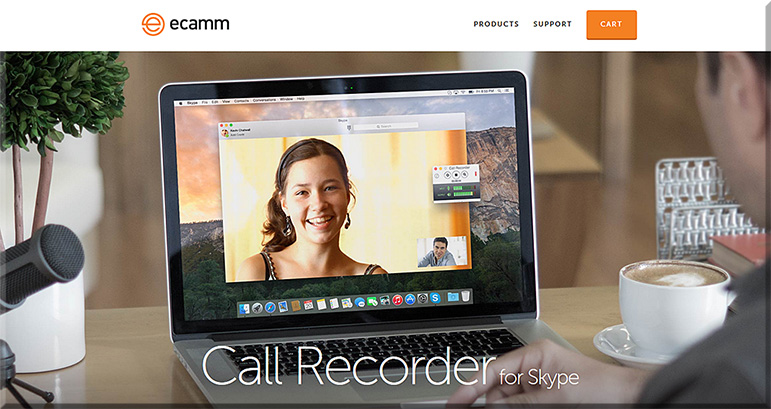
Some of the tools that Landman mentioned were:

e-camm-for-skype-jan2016

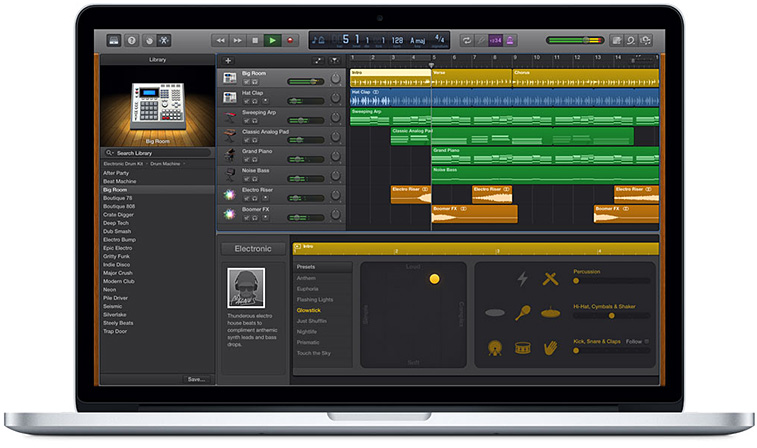
  • A MacBook Pro and its free audio editing software GarageBand (for Mac OS X and for iOS)
  • A lapel mic used with his iPhone


garageband-jan2016


Some other tools to consider:


From DSC:
The above articles point to the idea — and the need — of creating “streams of content” — something that I wish more professors, teachers, staff, administrators, trainers, and instructional designers would create. Blogs, podcasts, and the use of Twitter come to my mind. Such channels could really help build others’ learning ecosystems.

Many professors and academics — folks who have so much information to share with the world — often produce works just for other academics in their discipline to review/check out. Such bubbles don’t have the impact that would occur if professors created streams of content for members of society to check out and learn from. Such mechanisms would also hopefully strip away some of the more academic sounding language and would get to the point.


streams-of-content-blue-overlay


Also see:

podcastscratch-june2015


Gen Z is about to take over higher education—here’s what to expect — from ecampusnews.com by Lisa Malat
Survey finds digital natives “Gen Z” set to reshape higher ed landscape with focus on careers, dependence on technology.

Excerpt (emphasis DSC):

Educators take note: it’s time to make way for Generation Z (Gen Z).

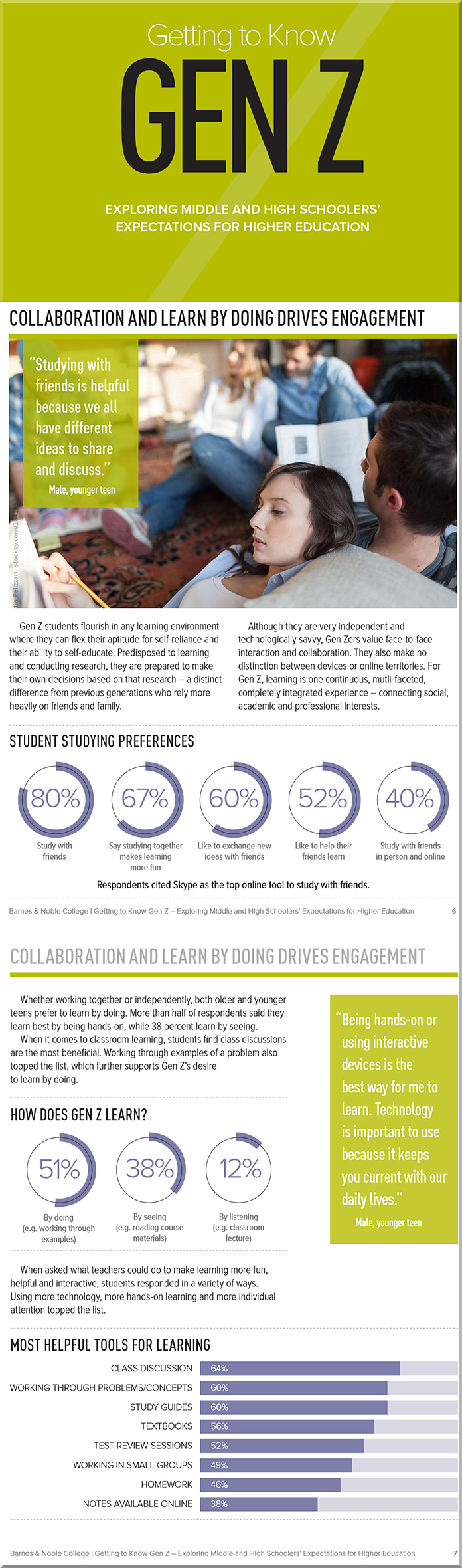
In a recent study by Barnes & Noble College, 1,300 middle-school and high school students ages 13-18 from 49 different states shared their attitudes, preferences and expectations regarding their educational and learning experiences. The findings from the study are clear: Gen Z is significantly different than previous generations, and these students will bring both challenges and opportunities for the future of higher education.
…

With Gen Z being a generation of “digital natives,” it stands to reason that the future of educational technology is now. Technology is embraced almost universally by Gen Z. In fact, the students surveyed shared that they are apt to regularly use five different computer tools for their social and educational purposes: laptops, desktops, tablets, smartphones and video game consoles.

Unlike Millennials, who have broadly adopted technology, Gen Z has adopted a technology-centric lifestyle. They define themselves in online, digital terms. Gen Z doesn’t distinguish between devices or online territories. It is one continuous, multi-faceted, completely integrated experience – connecting social, academic and professional interests.
…
Gen Z also has different learning style preferences from past generations. While they are very into DIYL (do-it-yourself-learning), these students also embrace peer-to-peer learning, with 80 percent reporting that they study with their friends and classmates. Fifty percent said they enjoy the element of leadership it presents, and 60 percent reported that it gives them the perfect way to exchange ideas and consider new perspectives.
 

From DSC:
The article/report above prompted me to reflect…

Many throughout higher education are responding to change. But many are not. We aren’t nearly as nimble as we need to be.

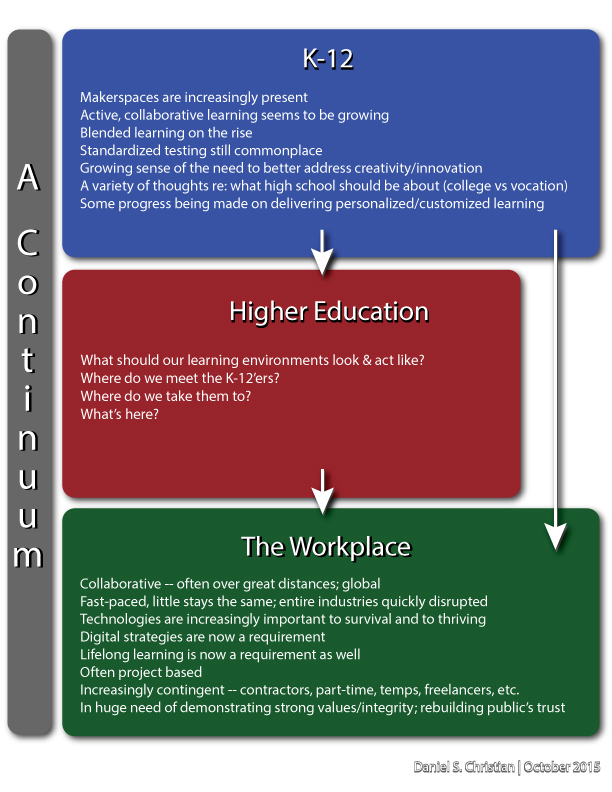
I hope that the faculty, staff, boards, administrations, and the heavy-hitting donors at colleges and universities throughout the U.S. appreciate how important it is to be aware of — and respond to — changes within the K-12 world, changes in today’s students, changes within the higher ed landscape, and to changes within the corporate/business world.

We operate in a continuum.

With all of those changes, maintaining the status quo seems to be a dangerous experiment to me.  We are not in control. Rather, we all need to adapt and to respond.


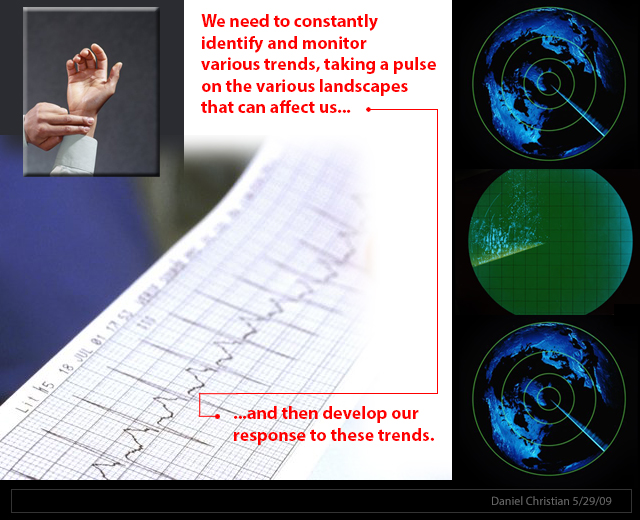
DanielChristian-MonitoringTrends


DanielChristian-what-should-our-learning-environments-look-and-act-like


Along these lines, maintaining the status quo shows a blatant disregard of our customers’ preferences — an unwise strategy to take. (And for those of you who don’t like the word customer here, bear with me…because in my mind, any person who pays anywhere near the price of a house to obtain their education has earned the right to be called a customer. Today’s students are paying a heck of a lot more than we did.)

Also, maintaining the status quo seems like a dangerous strategy when we’re talking about recruitment and retention. Remember, we are talking about depending upon the decisions of 18 year olds here.

So as I:

  • Read the above article and the report that it refers to
  • Consider the higher ed landscape that continues to encounter new alternatives
  • Observe that different pathways that are cropping up all the time
  • See that the federal government is moving towards funding such alternative methods

…I am forced to ask myself, “Given all of this, will maintaining the status quo suffice? Really?“

This report should encourage us to:

  • Seek to do a better job of pulse checking the K-12 world and the students’ learning preferences coming out of that world — and to develop our responses to those changing preferences.
  • Pursue more instances of blended/hybrid learning and active learning-based classrooms
  • Provide a variety of delivery mechanisms to meet our students’ needs — including a solid line up of online-based courses and programs. Students are often having to work in order to get through college, and they need flexible solutions.

  • Better address our physical learning spaces, which should offer strong/secure wireless networks and means of quickly collaborating via BYOD-based devices.
  • Continue to invest in selecting and investigating how best to use a variety of educationally-related technologies (something which, in my mind, invites the use of teams of specialists).
    (I could, and probably should, think bigger here, but I’ll stop at these reflections.)

I’ll leave you with the following graphic, relaying that often times members of Gen Z tend to prefer active learning-based classrooms:


Gen-Z---Barnes-and-Noble-Oct-2015


Flipping Feedback: Screencasting feedback on student essays — from facultyfocus.com by Ron Martinez

Excerpt (emphasis):

But, I thought, what if students could actually watch and hear me in a video as I go over their papers? If possible (which it is), that would approximate the kind of feedback experience I aimed to offer students without constraining it to a particular time or location.

Screencasting (recording and narrating actions performed by the instructor on a computer screen) did that and much more for me and my students. Below I describe the process and the resulting benefits.


From DSC:
Though Ron mentioned that he selected Screencast-O-Matic on his PC (and he also mentioned Quicktime), I wanted to offer up a couple of other possibilities:


Holograms are coming to a high street near you — from telegraph.co.uk by Rebecca Burn-Callander
Can you tell what’s real and what’s not?

Excerpt:

Completely realistic holograms, that will be generated when you pass a sensor, are coming to the high street.

Some will be used to advertise, others will have the ability to interact with you, and show you information. In shops, when you find a shirt you like, the technology is now here to bring up a virtual clothes rail showing you that same shirt in a variety of colours, and even tell you which ones are in stock, all using the same jaw-dropping imaging we have previously only experienced wearing 3D glasses at the cinema.

Holograms, augmented reality – which superimposes technology over the real world – and virtual reality (VR), its totally immersive counterpart, are tipped to be the hot trends in retail next year. Pioneers of the technology are set to find increasingly entertaining, useful and commercially viable ways of using it to tempt people into bricks-and-mortar stores, and fight back against the rise of online shopping.


WaveOptics’ technology could bring physical objects, such as books, to life in new ways


Completely realistic holograms, that will be generated when you pass a sensor, are coming to the high street.


From DSC:
What might our learning spaces offer us in the not-too-distant future when:

  • Sensors are built into most of our wearable devices?
  • Our BYOD-based devices serve as beacons that use machine-to-machine communications?
  • When artificial intelligence (AI) gets integrated into our learning spaces?
  • When the Internet of Things (IoT) trend continues to pick up steam?

Below are a few thoughts/ideas on what might be possible.

A faculty member walks into a learning space, the sensors/beacons communicate with each other, and the sections of lights are turned down to certain levels while the main display is turned on and goes to a certain site (the latter part occurred because the beacons had already authenticated the professor and had logged him or her into the appropriate systems in the background). Personalized settings per faculty member.

A student walks over to Makerspace #1 and receives a hologram that relays some 30,000-foot level instructions on what the initial problem to be solved is about. This has been done using the student’s web-based learner profile — whereby the sensors/beacons communicate who the student is as well as some basic information about what that particular student is interested in. The problem presented takes these things into consideration. (Think IBM Watson, with the focus being able to be directed towards each student.) The student’s interest is piqued, the problem gets their attention, and the stage is set for longer lasting learning. Personalized experiences per student that tap into their passions and their curiosities.

The ramifications of the Internet of Things (IoT) will likely involve the classroom at some point.  At least I hope they do. Granted, the security concerns are there, but the IoT wave likely won’t be stopped by security-related concerns. Vendors will find ways to address them, hackers will counter-punch, and the security-related wars will simply move/expand to new ground. But the wave won’t be stopped.
So when we talk about “classrooms of the future,” let’s think bigger than we have been thinking.


ThinkBiggerYet-DanielChristian-August282013


Also see:

What does the Internet of Things mean for meetings? — from meetingsnet.stfi.re by Betsy Bair

Excerpt:

The IoT has major implications for our everyday lives at home, as well as in medicine, retail, offices, factories, worksites, cities, or any structure or facility where people meet and interact.
…
The first application for meetings is the facility where you meet: doors, carpet, lighting, can all be connected to the Internet through sensors. You can begin to track where people are going, but it’s much more granular.
…
Potentially you can walk into a meeting space, it knows it’s you, it knows what you like, so your experience can be customized and personalized.
…
Right now beacons are fairly dumb, but Google and Apple are working on frameworks, building operating systems, that allow beacons to talk to each other.


Addendum on 1/14/16:

  • Huddle Space Products & Trends for 2016 — from avnetwork.com by Cindy Davis
    Excerpt:
    “The concept is that you should be able to walk into these rooms, and instead of being left with a black display, maybe a cable on the table, or maybe nothing, and not know what’s going on; what if when you walked into the room, the display was on, and it showed you what meeting room it was, who had the meeting room scheduled, and is it free, can just walk in and I use it, or maybe I am in the wrong room? Let’s put the relevant information up there, and let’s also put up the information on how to connect. Although there’s an HDMI cable at the table, here’s the wireless information to connect.
 

From DSC:
Well it’s about time!  It appears that Apple has finally gotten around to responding to being blown out of the water by Google (in the world of ed tech). The fiasco with Apple, Pearson and the Los Angeles School District didn’t help them either. Now they’re forced to play catch up; which is really too bad, because it wasn’t but a few short years ago when Apple was on top of the education world — especially after having introduced the iPad.  But now, Apple has a lot of work to do to catch up in the mindshare department.

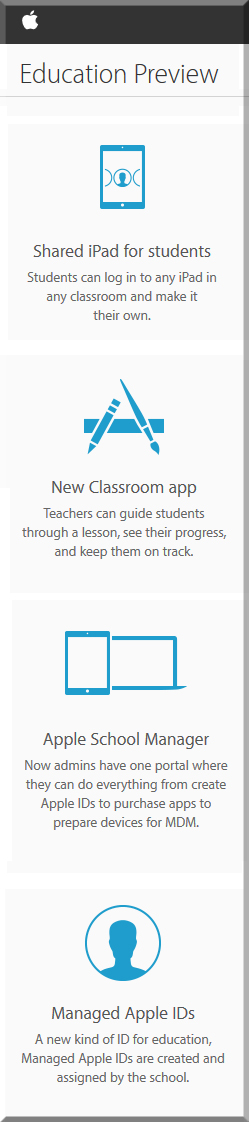
Anyway, with the iOS 9.3 beta, Apple is providing a preview of 4 new features:


EducationPreviewApple-Jan2016


Also see:


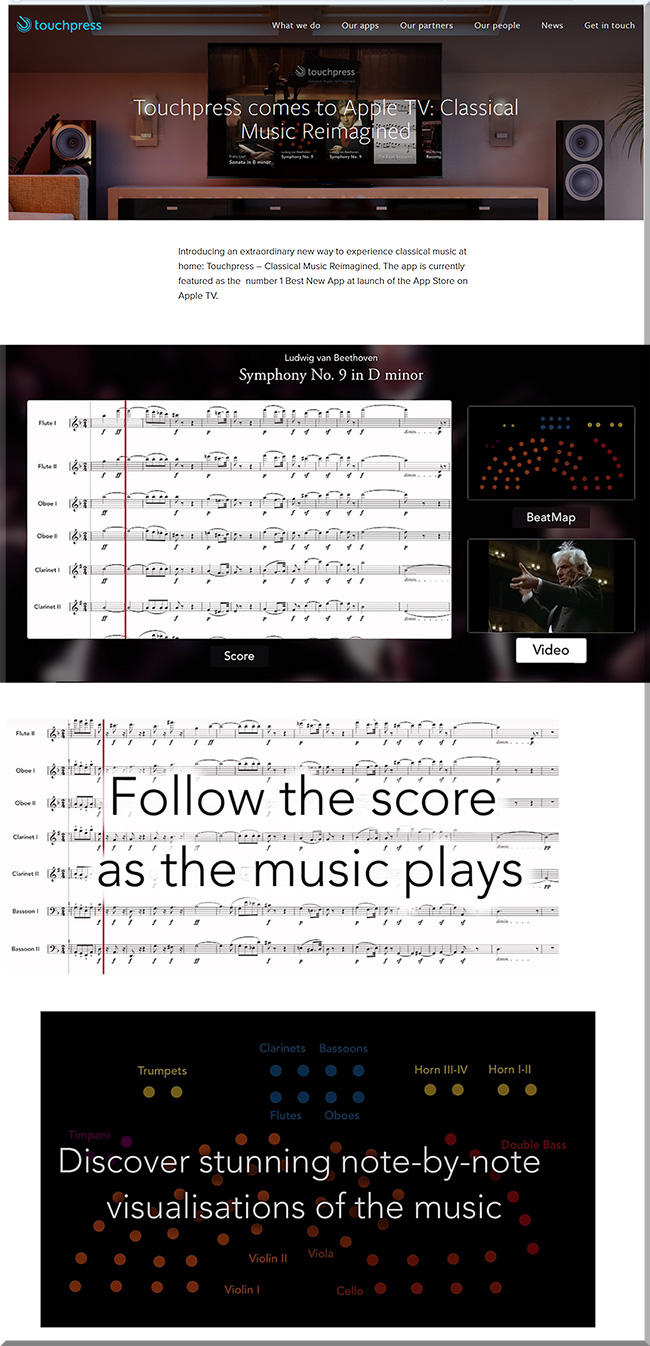
Touchpress for Apple TV

touchpress-jan2016


beethoven-jan2016


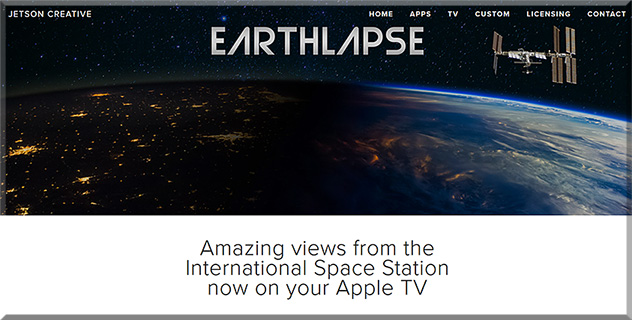
Earthlapse


Earthlapse-Jan2016


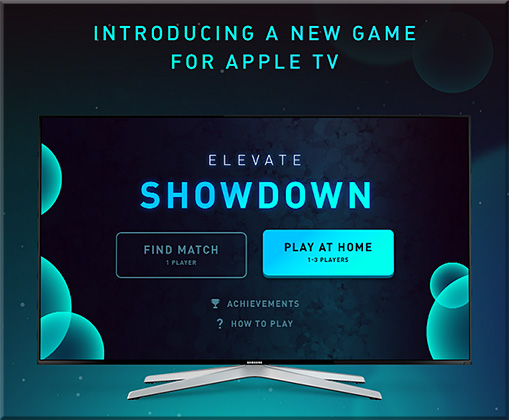
Expand your vocabulary with Elevate Showdown on Apple TV — from appadvice.com by Jeff Byrnes

Excerpt:

Compete to expand your vocabulary
With Elevate Showdown, you race to match words to descriptions, playing against your friends in group mode using a custom Apple TV controller app, or versus competitors from around the world with Game Center integration. In group mode, you can play against up to three other people, while Game Center pits you head-to-head with a competitor.


ElevateApp-AppleTV-Jan2016


10 must-have Apple TV apps — from pcmag.com by Jordan Minor
Enjoy the App Store experience on your television with our Apple TV app starter set.

Excerpt (some example apps):


You can now explore 360-degree videos on Apple TV, no VR headset required — from fastcompany.com by Peter Wade
With a new app by Disney-backed virtual reality firm Littlstar, Apple TV users can access the platform’s library of 360-degree videos.

Related item:

Littlstar is the first to bring immersive 360 video to Apple TV — from twinkle.littlstar.com

Excerpt:

New York, NY – December 22, 2015 – Littlstar, the premier global network dedicated to virtual reality and 360 video, today announced the launch of its Apple TV app. The app, which is the first to bring immersive content to the new Apple TV platform, gives users access to a wide range of 360 video content from well-known brands.


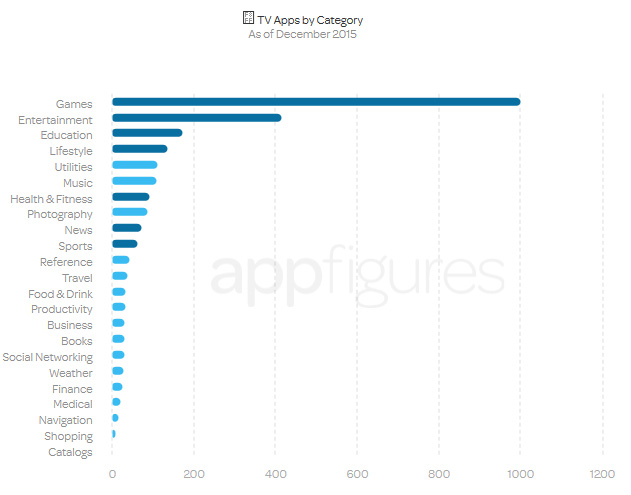
Everything you need to know about the new Apple TV App Store — from blog.appfigures.com

Excerpt:

AppleTVappsbycategory-dec2015


App showdown: Roku vs. Chromecast vs. Apple TV vs. Fire TV vs. Android TV — from macworld.com


Will Lynda.com/LinkedIn.com pursue this powerful vision with an organization like IBM? If so, look out!

From DSC:
Back in July of 2012, I put forth a vision that I called Learning from the Living [Class]Room. 


The Living [Class] Room -- by Daniel Christian -- July 2012 -- a second device used in conjunction with a Smart/Connected TV

It’s a vision that involves a multitude of technologies — technologies and trends that we continue to see being developed and ones that could easily converge in the not-too-distant future to offer us some powerful opportunities for lifelong learning! 

Consider that in won’t be very long before a learner will be able to reinvent himself/herself throughout their lifetime, for a very affordable price — while taking ala carte courses from some of the best professors, trainers, leaders, and experts throughout the world, all from the comfort of their living room. (Not to mention tapping into streams of content that will be available on such platforms.)

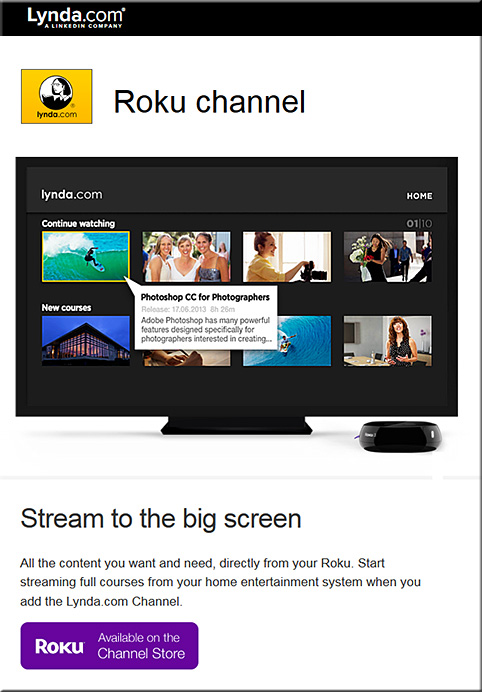
So when I noticed that Lynda.com now has a Roku channel for the big screen, it got my attention.


lyndadotcom-roku-channel-dec2015


Lets add a few more pieces to the puzzle, given that some other relevant trends are developing quite nicely:

  • tvOS-based apps are now possible — and already there are over 2600 of them and it’s only been a month or so since Apple made this new platform available to the masses
  • Now, let’s add the ability to take courses online via a virtual reality interface — globally, at any time; VR is poised to have some big years in 2016 and 2017!
  • Lynda.com and LinkedIn.com’s fairly recent merger and their developing capabilities to offer micro-credentials, badges, and competency-based education (CBE) — while keeping track of the courses that a learner has taken
  • The need for lifelong learning is now a requirement, as we need to continually reinvent ourselves — especially given the increasing pace of change and as complete industries are impacted (broadsided), almost overnight
  • Big data, algorithms, and artificial intelligence (AI) continue to pick up steam; for example, consider the cognitive computing capabilities being developed in IBM’s Watson — which should be able to deliver personalized digital playlists and likely some level of intelligent tutoring as well
  • Courses could be offered at a fraction of the cost, as MOOC-sized classes could distribute the costs over a greater # of people and back end systems could help grade/assess the students’ work; plus the corporate world continues to use MOOCs to cost-effectively train their employees across the globe (MOOCs would thrive on such a tvOS-based platform, whereby students could watch lectures, demonstrations, and simulations on the big screen and then communicate with each other via their second screens*)
  • As the trends of machine-to-machine communications (M2M) and the Internet of Things (IoT) pick up, relevant courses/modules will likely be instantly presented to people to learn about a particular topic or task.  For example, I purchased a crib and I want to know how to put it together. The chip in the crib communicates to my Smart TV or to my augmented reality glasses/headset, and then a system loads up some multimedia-based training/instructions on how to put it together.
  • Streams of content continue to be developed and offered — via blogs, via channels like Periscope and Meerkat, via social media-based channels, and via other channels — and these streams of multimedia-based content should prove to be highly useful to individual learners as well as for communities of practice

Anyway, these next few years will be packed with change — the pace of which will likely take us by surprise. We need to keep our eyes upward and outward — peering into the horizons rather than looking downwards — doing so should reduce the chance of us getting broadsided!

*It’s also possible that AR and VR will create
a future whereby we only need 1 “screen”


The pace has changed significantly and quickly


Addendum:
After I wrote/published the item above…it was interesting to then see the item below:

IBM opens Watson IoT Global Headquarters, extends power of cognitive computing to a connected world — from finance.yahoo.com
1000 Munich-based experts to drive IoT and industry 4.0 innovation
Launches eight new IoT client experience centers worldwide
Introduces Watson API Services for IoT on the IBM Cloud

Excerpt:

MUNICH, Dec. 15, 2015 /PRNewswire/ — IBM (NYSE: IBM) today announced the opening of its global headquarters for Watson Internet of Things (IoT), launching a series of new offerings, capabilities and ecosystem partners designed to extend the power of cognitive computing to the billions of connected devices, sensors and systems that comprise the IoT.  These new offerings will be available through the IBM Watson IoT Cloud, the company’s global platform for IoT business and developers.


Turning course materials into a digital magazine — from campustechnology.com by David Raths
Instructors are experimenting with the Flipboard news reader to present up-to-date course materials in a magazine-format mobile app.

Excerpt:

She started by asking students to pay money out of their pockets for the magazine subscriptions — which tended to be unpopular with students. Then she migrated to free e-zines, but students complained about the material clogging their e-mail inboxes. “They hated that, too,” she said. “I happened upon Flipboard and I haven’t had any complaints. They love Flipboard, and it is really helpful to me where textbooks lag,” she said, “especially in social entrepreneurship and social media. I use Flipboard to curate on these topics that I don’t have access to in textbooks.”


From DSC:
When done well, blended/hybrid learning can be very powerful, offering students the best of both worlds:


Let's take the best of both worlds -- online learning and face-to-face learning


Numerous technologies involved with education continue to get better.  Still, students don’t always have the discipline to be totally on their own…and I often read that learners desire someone to help them navigate through the content.  (This can be done online as well, I realize.)  Those things said, the article below caught my eye.


How education will be smarter, less intrusive, and able to respond to how you feel — from techcrunch.com by Amar Kumar

Excerpts:

We are on the verge of a tide of smarter innovation that, if allowed to spread, will turbocharge the learning experience for students. Here are four areas worth watching:

  1. Using technology to learn from learners
  2. Using technology to adapt to how students feel
  3. Building invisible assessments that are less intrusive
  4. Keeping pace with technology in the classroom

…

Take SimCityEdu: Pollution Challenge – developed by GlassLab Games – where students learn how city-planning is impacted by environmental issues. As they play the game, the system is capturing their actions – such as the sequence of what they do or requests for help – and interprets patterns in data to assess how well the player understands important concepts. This helps teachers better evaluate how a student solves problems, rather than just the final product of their work.

In time, learning games like this should decrease reliance on stop-and-test exams and provide more real-time and actionable information to teachers.

Also related/see:

  • Search for Quick, Rigorous Ed-Tech Evaluations Underway –– from blogs.edweek.org by Michele Molnar
    Excerpt:
    Work began [in October 2015] on a federally-funded project designed to quickly determine “what works” with educational technology, so that schools and districts can make faster decisions about it.Mathematica Policy Research won the $3.67 million contract to devise tools for rapid—and rigorous—evaluation of ed-tech products. The goal is to come up with a platform where educators can choose a test that will help them determine—within one to three months—how effective a particular ed-tech product is in their schools. SRI International is a partner on the project.The idea is that the platform will have tools to walk a practitioner, school leader, researcher or app developer through the process of figuring out which research design makes the most sense, and it will ask them questions to help them set it up, said Katrina Stevens, a senior advisor at the U.S. Department of Education’s Office of Educational Technology, which is funding the so-called “rapid-cycle tech evaluation” project.
  • Public-university group expands ‘personalized learning’ efforts — from chronicle.com by Ellen Wexler
    Excerpt:

    The Association of Public and Land-Grant Universities is expanding its support of “personalized learning” with the help of a new $4.6-million grant from the Bill & Melinda Gates Foundation.

    “Personalized learning” means different things to different people. It’s a buzzword, and it can be difficult to get past the hype. Depending on whom you ask, it can mean such things as data analytics, video games, or artificial-intelligence research.


7 trends that will revolutionize online learning — from ecampusnews.com by Andrew Barbour
A look at new tools and new opportunities to create an instructional experience that is not only different, but better, taking online learning in mainstream higher ed to the next level.

Excerpt:

eCampus News looks at seven trends that have the potential to remake the world of online learning.

  1. Blended Learning Is the Sweet Spot
  2. Video Is King
  3. Interactivity, Not Talking Heads
  4. Mobile Is a Must
  5. Identity Verification and Cheating
  6. Auto-grading
  7. Open, Intuitive Platforms


From DSC:
I appreciated their thoughts re: adding interactivity to videos.  A team-based approach may be helpful here.


© 2025 | Daniel Christian