Just released today! Jane Hart’s Top 200 Tools for Learning

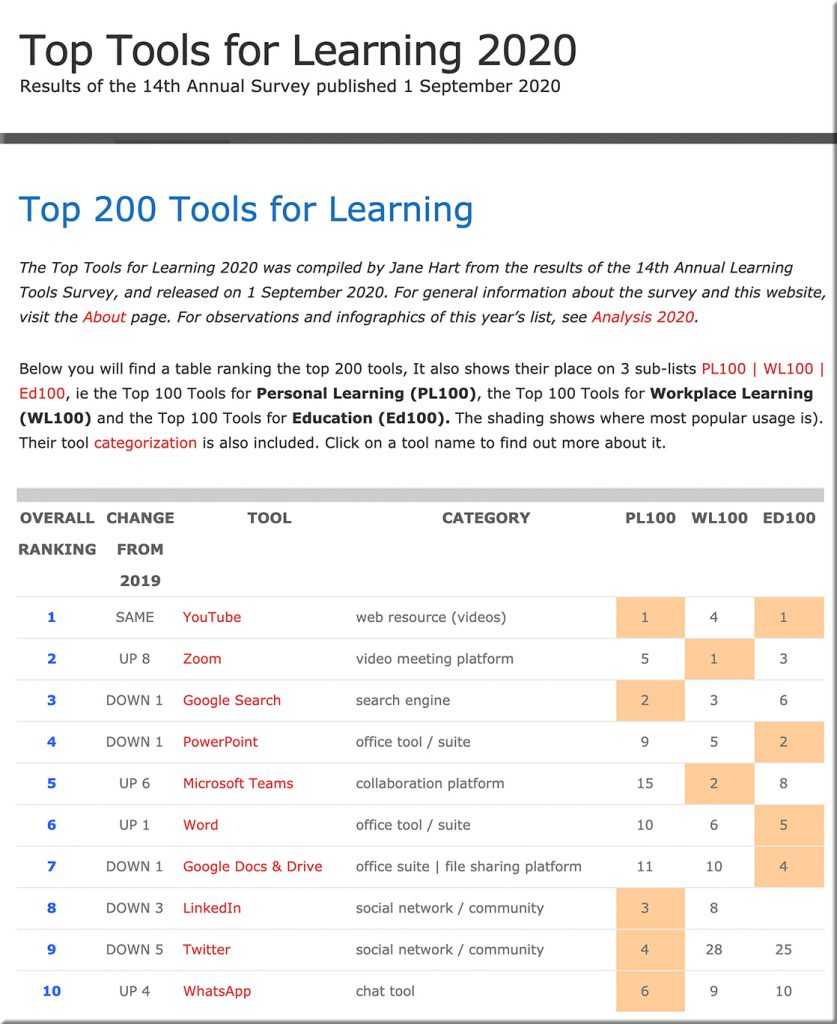
Jane Hart's Top 200 Tools for Learning -- released on 9-1-20

Top 200 Tools for Learning — from toptools4learning.com by Jane Hart

Excerpt:

The Top Tools for Learning 2020 was compiled by Jane Hart from the results of the 14th Annual Learning Tools Survey, and released on 1 September 2020. For general information about the survey and this website, visit the About page. For observations and infographics of this year’s list, see Analysis 2020.


Google achieves first quantum simulation of a chemical reaction — from interestingengineering.com by Loukia Papadopoulos

Excerpt:

Now, researchers at Google have taken a step forward in quantum computing practicality by using one such computer to simulate a chemical reaction, albeit a simple one, reported New Scientist. The company used its Sycamore computer to achieve this lofty task.

Also see:

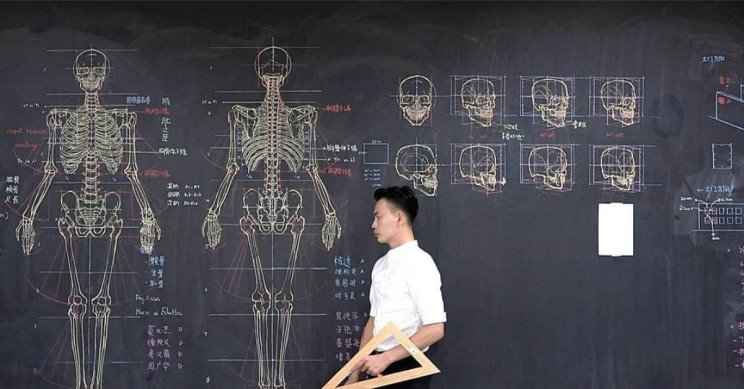
This Taiwanese Lecturer Draws Stunning Anatomical Drawings on the Chalkboard — from interestingengineering.com by Utku Kucukduner
His paintings are temporary, just like the mortal flesh we bear.

This Taiwanese Lecturer Draws Stunning Anatomical Drawings on the Chalkboard


ROSS Chrome Extension For Legal Research — from artificiallawyer.com

Excerpt:

ROSS Intelligence, the legal research pioneer, has launched a free Chrome extension to find case law support for text found anywhere on the web.

In this latest AL TV Product Walk Through, Maya Bielinski, Head of Product at ROSS, explains how it works and what its capabilities are in this 8-minute overview.
…

As Maya explains, all you have to do is highlight the text you are interested in, right click, and find decisions that express the concept you’ve searched.

The application uses ROSS’s Find Similar Language tool, which uses semantic search.


Artificial Intelligence (AI) for beginners  — from enterprisersproject.com by Stephanie Overby
Artificial intelligence can seem daunting as you start work. Let’s break down how AI works, common types of AI, how it improves big data insights, and strategy essentials.

Excerpt:

“The use of AI and machine learning (ML) is occurring in a wide range of solutions and applications, from ERP and manufacturing software to content management, collaboration, and user productivity. Artificial intelligence and machine learning are top of mind for most organizations today,” David Schubmehl, research director of Cognitive/Artificial Intelligence Systems at IDC said in conjunction with the guide, noting that AI will be the disrupting influence reshaping entire industries over the next decade.

It’s clear that AI will be on everyone’s roadmap soon. As Enterprisers Project noted in our Harvard Business Review Analytic Services report, An Executive’s Guide to Real-World AI, “Hype in tech is nothing new. What’s different this time is the degree to which reasonable and knowledgeable people believe that there is, indeed, a real urgency to get going with AI now.”

Addendum on 8/28/90


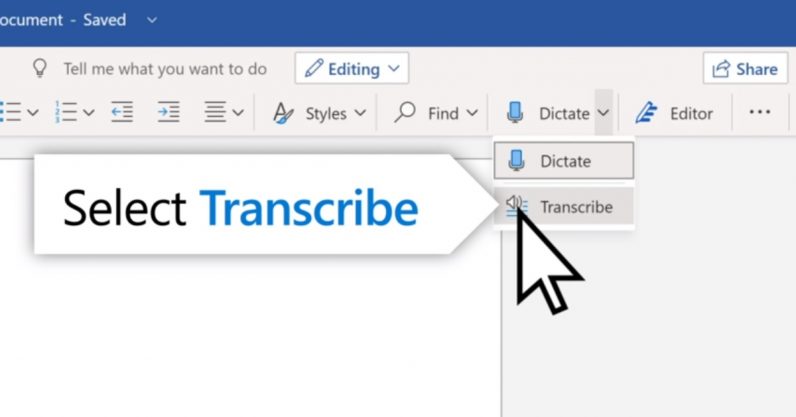
How to use Microsoft Word’s new ‘Transcribe’ tool — from thenextweb.com by Rachel Kaser; with thanks to Tim Holt for publishing this on his blog

Here is how to use Microsoft's new Transcribe feature in Word

Excerpt:

At the moment, the Transcribe tool is only available on the online version of Word, and only to Microsoft 365 subscribers. There are plans to bring it to Word mobile at some point in the future. It also only supports English, but that’s also likely to change.

So how do you actually use the Transcribe tool? Here’s how.


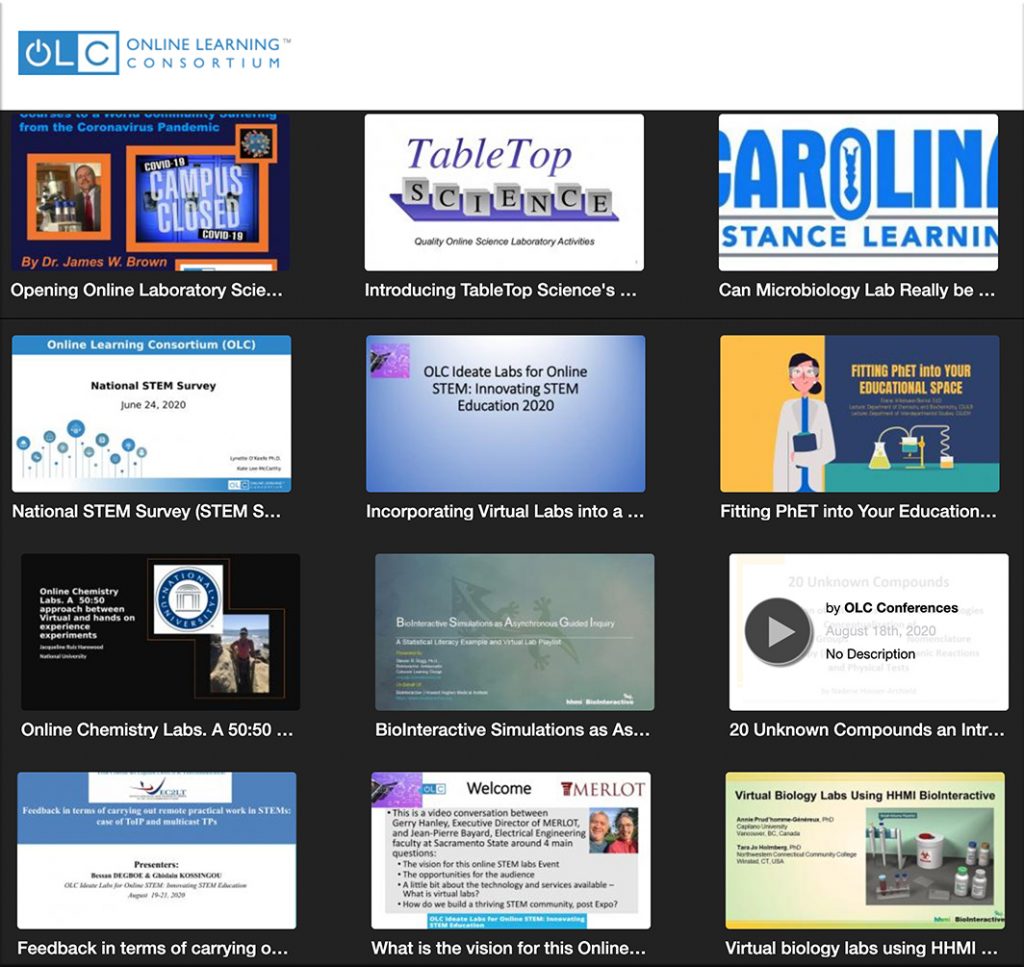
Information re: virtual labs from the Online Learning Consortium


 7 Things You Should Know About Virtual Labs — from library.educause.edu

Excerpt:

Virtual labs are interactive, digital simulations of activities that typically take place in physical laboratory settings. Virtual labs simulate the tools, equipment, tests, and procedures used in chemistry, biochemistry, physics, biology, and other disciplines. Virtual labs allow students to participate in lab-based learning exercises without the costs and limitations of a physical lab. Virtual labs can be an important element in institutional efforts to expand access to lab-based courses to more and different groups of students, as well as efforts to establish contingency plans for natural disasters or other interruptions of campus activities.


Addendum on 8/27/20:


Preserving The Art Of Black Lives Matter Using AR — from vrscout.com by Kyle Melnick

Excerpt:

A city-wide digital art show celebrates the street art of BLM.

Designers at the architecture and design firm GGLO have created an augmented reality art show aimed at paying homage to the eclectic lineup of street paintings created as part of the Black Lives Matter movement. Not only does the project serve to preserve these impactful works of art, but to enhance them as well using modern immersive technology.


Using the TV as a key tool in our learning ecosystems

From DSC:

  • If one doesn’t have access to the Internet, a computer, or any such mobile technology as seen in the image above…could TV become the medium through which one could be educated during this next year of the Coronavirus situation? That is, until we can develop better and more equitable policies, plans, funding, systems, infrastructures, and connectivity for all students!
  • After that, could we see more televisions morph into smart/connected TVs?
  • Could PBS, ABC, CBS, NBC, Fox, and other major networks collaborate with the U.S. Department of Education to help us educate all students? 
  • Could the largest internet company of 2030 be an online school as Thomas Frey predicts?

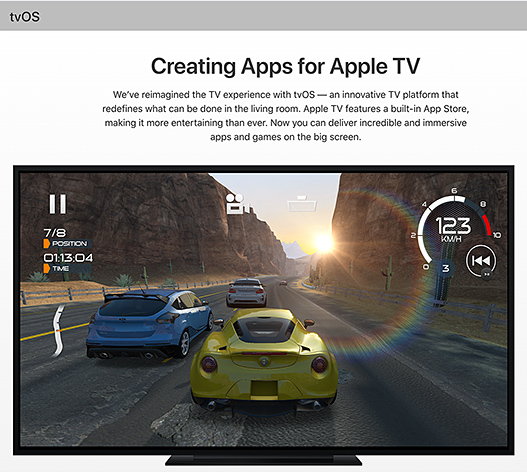
A few years ago, I had hoped that Apple was going to go all-in with their tvOS platform.

SAN FRANCISCO, CA – SEPTEMBER 9: Apple CEO Tim Cook introduces the New Apple TV during a Special Event; 9/9/15.


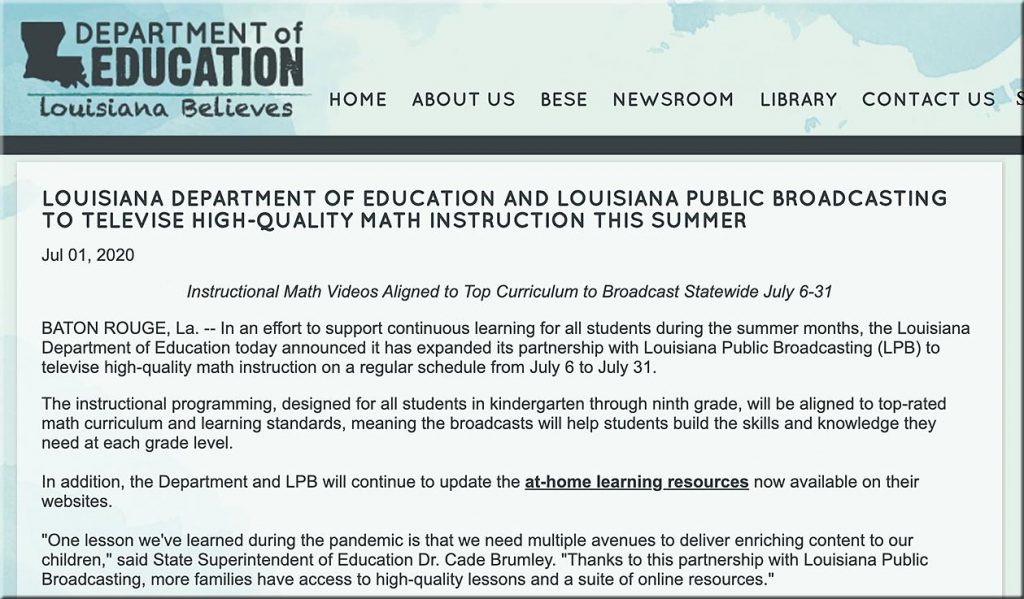
Though it’s still early in the game, that really hasn’t happened to the extent that I had hoped. That said, more recently, I was encouraged to see this article from back in July:

LOUISIANA DEPARTMENT OF EDUCATION AND LOUISIANA PUBLIC BROADCASTING TO TELEVISE HIGH-QUALITY MATH INSTRUCTION THIS SUMMER


Let’s ask the employees of PBS, ABC, CBS, NBC, Fox, and other networks if they would be willing to work with the U.S. Department of Education to help educate ALL students! Though educational TV is not new, I’m talking about taking things to a *whole* new level.

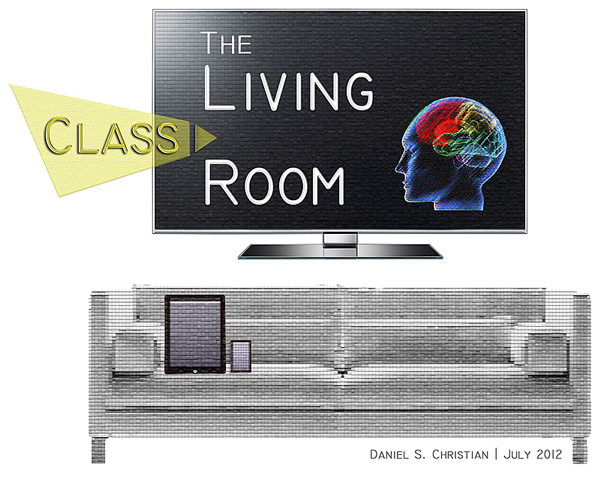
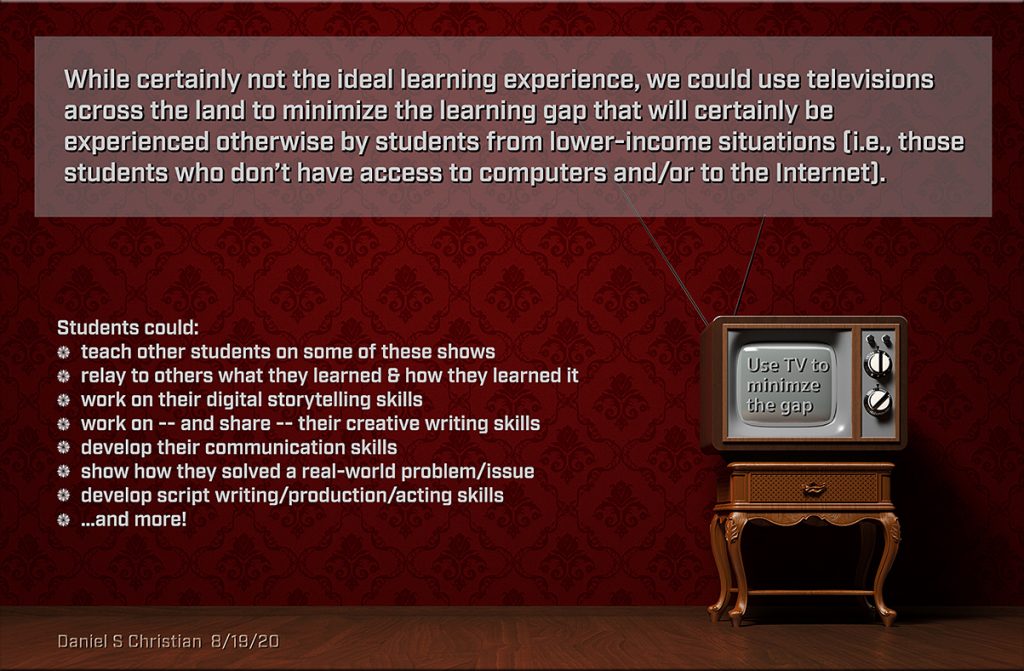
With that in mind, I created the following graphic:

Let's use television to minimize the learning gaps that will otherwise be experienced by many students this next year!

(One might ask why I used an old television in the above graphic. I was trying to get at the idea that one might not have a lot of resources to work with.)


Back-to-School Help for Students Without Internet — from by James K. Willcox
For millions of families, broadband access is a challenge. These resources can help bridge that digital divide.

Excerpt:

“If it wasn’t glaringly clear before, the pandemic has confirmed the vital importance of a broadband internet connection—one that is reliable, affordable, and in some cases, simply available,” says Jonathan Schwantes, senior policy counsel in Consumers Reports’ Washington, D.C., office. “Unfortunately, far too many Americans lack access or are unable to afford broadband.”

A new state-by-state report on America’s K-12 students by Common Sense and Boston Consulting finds that almost 16 million students and 10 percent of teachers lack adequate internet or computing devices at home. Minority households are among the most affected. Though 18 percent of white homes lack broadband, the figure rises to 26 percent for Latinx homes and 30 percent for Black homes. The percentage is even higher among Native American households.

From DSC:
Though this solid article lists some very helpful resources, we have to do much better than this as a nation! It’s not right. 

My thanks to James McQueen for this resource.


Excerpt:

With moving day near, you’re inundated with decorative visions of your new digs. You’re so inspired, in fact, that your brain has a few too many tabs open. Ready to close some out?

Technology at your fingertips is ready to assist. Augmented reality allows you to overlay computer-generated graphics (such as that sofa you’ve been eyeing) onto real-life viewpoints.

These mobile apps will help you virtually outline your vision before you hit the ground aimlessly running-and most of them are free. Download away, then dare to dream.


From DSC:
After reading
Jeff Young’s article re: learning engineering and seeing the Nudge application from Duke University...it once again occurred to me that we really need a standard for loading questions into a memory-refreshing application. Just like HyperText Markup Language (HTML) made the World Wide Web so successful and impactful, we need an easy-to-use standard for dumping questions into a personalized database of questions for each cloud-based learner profile.

After taking a module, you would be asked if you wanted to be reminded of / quizzed upon the key ideas presented therein. You would then receive periodic quizzes on those items. You can choose to opt-out of that learning module’s content at any time.

Such an application would help reduce the impact of the Ebbinghaus Forgetting Curve. This type of standard/feature would really help students and people in:

  • law schools, dental schools, medical schools, and seminaries
  • vocational programs
  • traditional undergraduate and graduate programs
  • K-12 systems
  • Homeschooling-based situations
  • Places of worship
  • Communities of practice — as well as lifelong learners

A person could invoke a quiz at any point, but would be quizzed at least once a day. If you missed a day, those questions would not be taken out of the pool of questions to ask you. If you got a question right, the time interval would be lengthened before you were asked that question again. But questions that you struggled with would be asked more frequently. This would also help interleave questions and aid in recall. Such spaced repetition would cause struggle from time to time, aiding in deeper learning.


Save time and paper with the free Adobe Scan app. Take a photo and transform paper assignments into digital ones — in seconds.

[From DSC: This may be for people who pay for Adobe’s suite of tools…not sure.]


This HoloLens 2 app is helping doctors learn how to ID coronavirus — from venturebeat.com by Jamie Feltham

Excerpt:

The app, meanwhile, takes users through four stages of COVID-19 illness, providing a safe means for doctors and nurses to recognize symptoms seen in a typical case.

Also see:

How a DNA Test Machine Mutated to Find Covid in 90 Minutes — from bloomberg.com by John Lauerman

Excerpt:

Now his lab-in-a-box will be used to see whether patients arriving at hospitals for surgery, cancer treatment and other procedures harbor Covid-19 — an unexpected detour in his contribution to the consumer genetics revolution.

 
© 2025 | Daniel Christian