From DSC:
The items below are from Sam DeBrule’s Machine Learnings e-Newsletter.


By clicking this image, you will go to Sam DeBrule's Machine Learning e-Newsletter -- which deals with all topics regarding Artificial Intelligence

#Awesome

“Sonoma County is adding artificial intelligence to its wildfire-fighting arsenal. The county has entered into an agreement with the South Korean firm Alchera to outfit its network of fire-spotting cameras with software that detects wildfire activity and then alerts authorities. The technology sifts through past and current images of terrain and searches for certain changes, such as flames burning in darkness, or a smoky haze obscuring a tree-lined hillside, according to Chris Godley, the county’s director of emergency management…The software will use feedback from humans to refine its algorithm and will eventually be able to detect fires on its own — or at least that’s what county officials hope.” – Alex Wigglesworth Learn More from Los Angeles Times >

#Not Awesome

Hacked Surveillance Camera Firm Shows Staggering Scale of Facial Recognition — from
A hacked customer list shows that facial recognition company Verkada is deployed in tens of thousands of schools, bars, stores, jails, and other businesses around the country.

Excerpt:

Hackers have broken into Verkada, a popular surveillance and facial recognition camera company, and managed to access live feeds of thousands of cameras across the world, as well as siphon a Verkada customer list. The breach shows the astonishing reach of facial recognition-enabled cameras in ordinary workplaces, bars, parking lots, schools, stores, and more.

The staggering list includes K-12 schools, seemingly private residences marked as “condos,” shopping malls, credit unions, multiple universities across America and Canada, pharmaceutical companies, marketing agencies, pubs and bars, breweries, a Salvation Army center, churches, the Professional Golfers Association, museums, a newspaper’s office, airports, and more.
 

ARHT Media Inc.
Access The Power Of HoloPresence | Hologram Technology | Holographic Displays | Hologram Events

Excerpt:

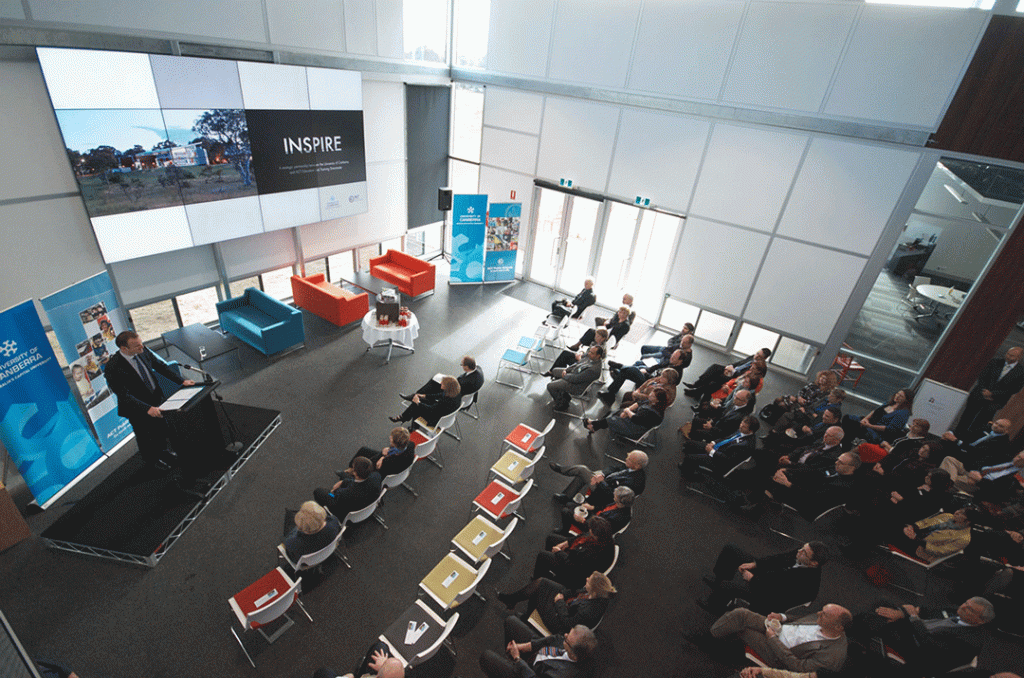
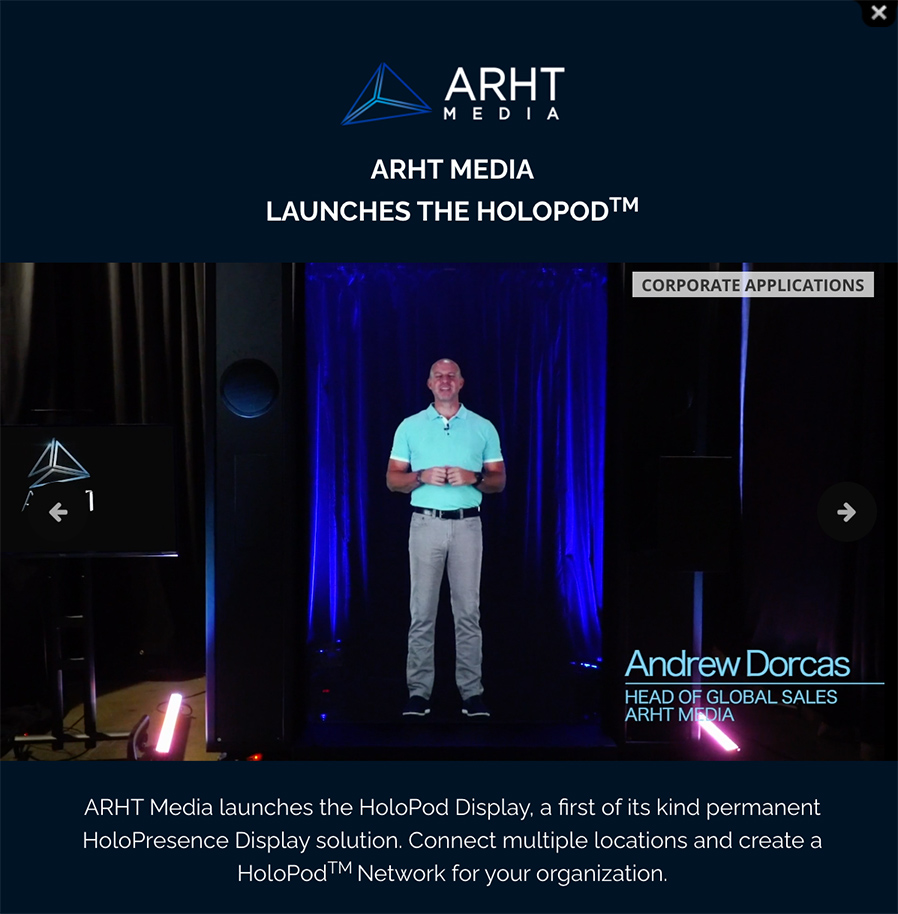
ARHT Media mounted a holographic display at the event in Vancouver and had Sunlife’s executive captured and transmitted live as a hologram to the event from our Toronto studio. He was able to see the audience and interact with them in realtime as if he was attending the event and present in the room.

ARHT Media Inc. launches the Holopod | A holograph of the head of global sales appears on stage. Access The Power Of HoloPresence | Hologram Technology | Holographic Displays | Hologram Events

From DSC:

  • Will holographic displays change what we mean by web-based collaboration?
  • Will this be a part of the future learning ecosystems inside of higher education? Inside of the corporate training world? Inside the world of events and webinars?
  • How will this type of emerging technology impact our communications? Levels of engagement?
  • Will this type of thing impact telehealth? Telelegal?
  • How will this impact storytelling? Media? Drama/acting? Games?
  • Will the price come down to where online and blended learning will use this type of thing?
  • Will streams of content be offered by holographic displays?


The excerpt below is from The 7 best online whiteboards in 2021 — from zapier.com by Maria Myre

  • Miro for turning ideas into tasks
  • Stormboard for creating multiple whiteboards in a single brainstorming session
  • MURAL for remote, multi-member team meetings
  • Limnu for teaching students remotely
  • InVision Freehand for annotating design files with a team
  • Conceptboard for turning a brainstorming session into a formal presentation
  • Explain Everything for creating whiteboard videos

From DSC:
Other potentially-relevant tools/vendors here include:

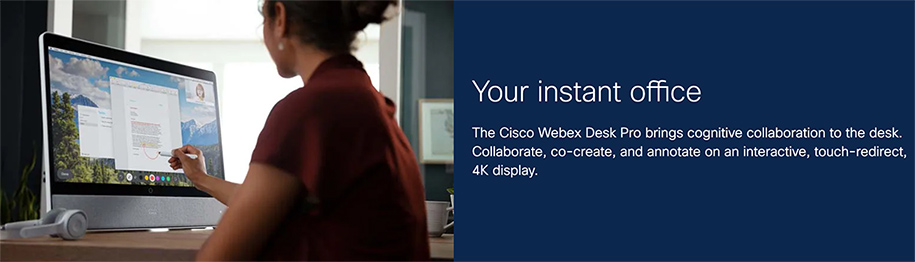
Woman using the Cisco Webex Desk Pro


Wonder Tools for Wasting Less Time — from wondertools.substack.com by Jeremy Caplan

Excerpt:

In this post I’m sharing resources to help you stay focused and get more done:

  • 5 simple tools to help you focus on what matters to you
  • 2 plug-ins to block social media distractions
  • Some excellent recent books on how and why to avoid time-sucking distrations.

I have no stake in any of these tools. If something else works better for you, let me know.


Two items from Gabe Teninbaum’s Lawtomatic Newsletter | Issue #121, March 10, 2021 

  1. [LegalPioneer.org] Legalpioneer Chrome extension: the Law Sites Blog has a really interesting write-up. on a a new extension for the Chrome browser that allows you to do research on thousands of legal tech products in a new way: “Say you are reading an article online about contract lifecycle management and want to know what companies offer products for that. A new extension for the Chrome browser puts the answer a click away. With the new Legalpioneer Chrome extension installed, highlight a word or phrase on any web page to search and explore a database of more than 5,500 worldwide technology businesses serving legal professionals and the law.”  Remarkable – I’ve tested it and it works as reported  Plus, it’s free. You can learn more at legalpioneer.org. or download the extension via Chrome using this link.
    .
  2. 4 Changes To Make To Your LinkedIn Profile That Will Enhance Your Legal Skills And Visibility — from abovethelaw.com by Wendi Weiner
    With more than 700 million users on the platform, LinkedIn offers you the ability to be seen, noticed, and scouted when you are (and aren’t) job searching.


Free Resources to Help with Remote Learning in 2021 — from thejournal.com by Dian Schaffhauser

Excerpt:

As the pandemic continues wreaking havoc in education through the current school year, districts, schools, teachers and parents are being more selective about the technology they choose for instructing and engaging students. While hundreds of education companies, nonprofits and other organizations made their software and services free during the immediate switch to remote learning, many have become more thoughtful about how they help educators master online and blended instruction. We’ve winnowed through our original collection and sprinkled additions throughout, to bring you this updated set of free resources to help with remote learning in 2021.


Asynchronous Video Conversations: 11 Tips and Best Practices — from er.educause.edu by Rob Gibson

Excerpt (first 4 of 11):

1. Closely align video conversations with the stated module, course, and/or program learning objectives. Clearly indicate those alignments in the course outline.

2. Use the syllabus, an introductory course video, or a sample student video recording to prepare students in advance for this type of activity. Since many students will use their smartphones to record, provide information about best practices for creating quality video using a phone.

3. Some students are uncomfortable recording themselves. Depending on the product, consider offering alternatives such as an audio/mic-only mode, a text-only mode, or using a proxy image or avatar in the video.

4. Consider using threaded video conversations for course introductions to build a sense of humanizing the course. Michelle Pacansky-Brock supports the use of video conversations as an alternative to text. In her book How to Humanize Your Online Class with VoiceThread, she indicates that video tools maximize presence, a dimension of online connectivity to fellow students, the faculty, and the content. Research in her own courses found an increase from 25 percent to 75 percent in voluntary voice-video comments.Footnote5 This also helps form common goals and dispositions among students—dispositions are affective learning dimensions, such as motivation, attitude, persistence, empathy, and problem solving.Footnote6


LexisNexis Extends Its Context Language Analytics to Cover Attorneys’ Briefs and Motions — from legaltechmonitor.com Bob Ambrogi

Excerpt:

Last year, LexisNexis introduced Context, a refinement of an analytics tool originally developed by Ravel Law that analyzes the language of a judge’s opinions to determine the cases and arguments the judge finds most persuasive in deciding specific types of issues. As I reported then, that original launch also included Context for expert witnesses, and, since then, LexisNexis has expanded Context to also cover courts and companies.

Today, LexisNexis is further expanding Context with the introduction of Attorney Analytics, the fifth module in the platform, for researching opposing attorneys in litigation matters.

Also see:


Whistleblowers: Software Bug Keeping Hundreds Of Inmates In Arizona Prisons Beyond Release Dates— from kjzz.org

Excerpt:

According to Arizona Department of Corrections whistleblowers, hundreds of incarcerated people who should be eligible for release are being held in prison because the inmate management software cannot interpret current sentencing laws.

KJZZ is not naming the whistleblowers because they fear retaliation. The employees said they have been raising the issue internally for more than a year, but prison administrators have not acted to fix the software bug. The sources said Chief Information Officer Holly Greene and Deputy Director Joe Profiri have been aware of the problem since 2019.

The Arizona Department of Corrections confirmed there is a problem with the software.


Hiperwall Introduces Cost-Effective ‘Essentials’ Video Wall Hardware and Software Packages — from hiperwall.com with thanks to Michael Farino for this resource
Hiperwall Essentials video wall bundles eliminate barriers to entry for organizations wanting enhanced collaboration, clearer communication, and the ability to make informed real-time decisions

Excerpt:

February 24, 2021 – IRVINE, Calif., – Hiperwall Inc., an industry-leader in commercialized, IP-based visualization technology, today introduces ‘Hiperwall Essentials,’ two all-inclusive video wall hardware and software bundles that get users started with a full-featured, control-room grade video wall powered by Hiperwall for just $9,995.

Most major decisions made in the public and private sectors are driven by vast amounts of data. Due to the volume of data sources, data complexity, and different analytics tools, video walls have become the perfect canvas for decision-makers to put all of this data together clearly to arrive at an informed decision faster and more confidently.

At a price point that effectively removes barriers to implementation for small to medium businesses, small government agencies, and local law enforcement, Hiperwall Essentials serves as a great baseline for integrating video wall technology into any organization. As dependence on the video wall grows, Hiperwall’s modular platform makes scaling the video wall footprint and capabilities seamless and cost-effective.


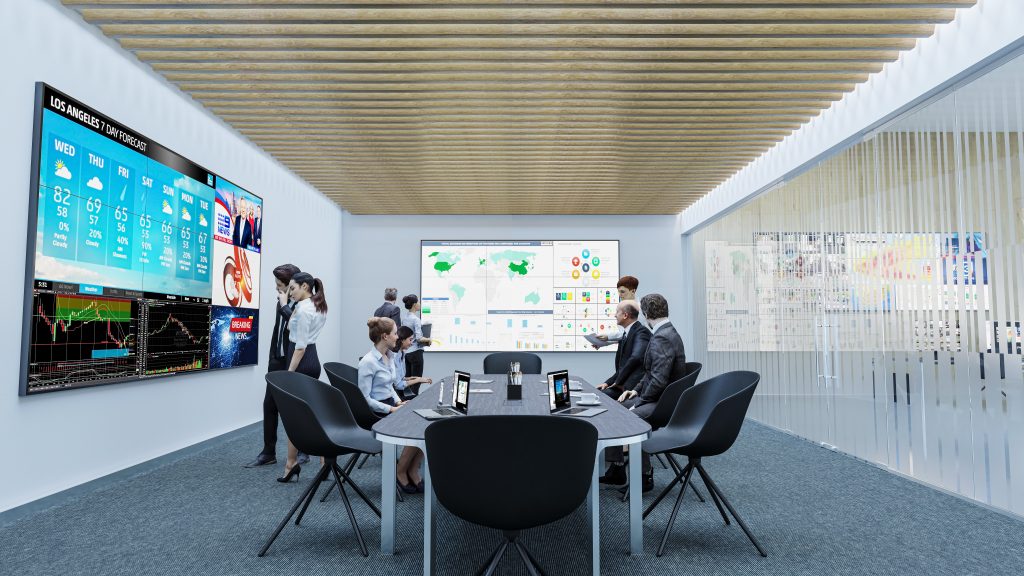
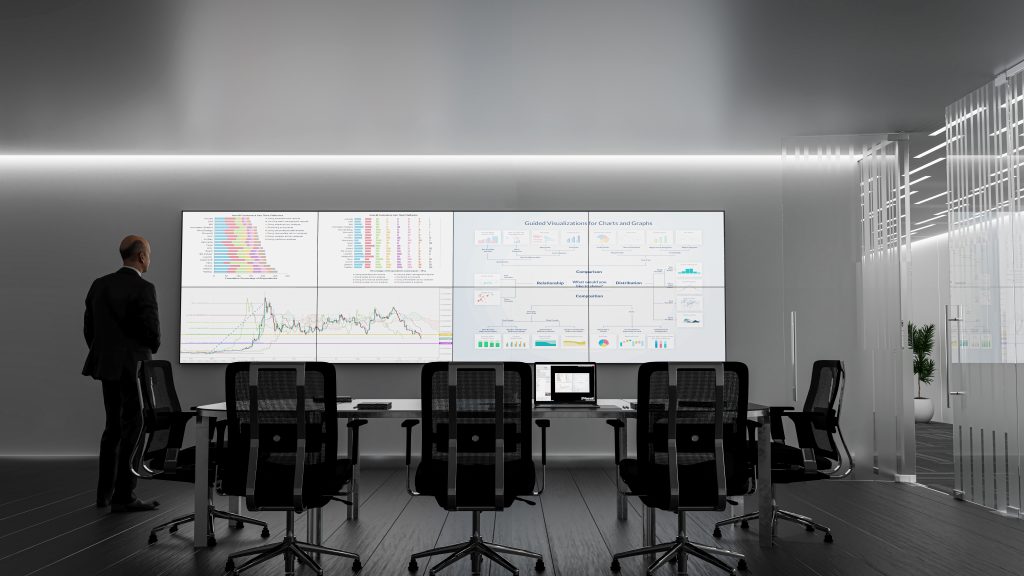
Below are some example settings:

For those interested in video walls, this is worth checking out. These pictures are example settings.


For those interested in video walls, this is worth checking out. These pictures are example settings.


For those interested in video walls, this is worth checking out. These pictures are example settings.


For those interested in video walls, this is worth checking out. These pictures are example settings.


For those interested in video walls, this is worth checking out. These pictures are example settings.


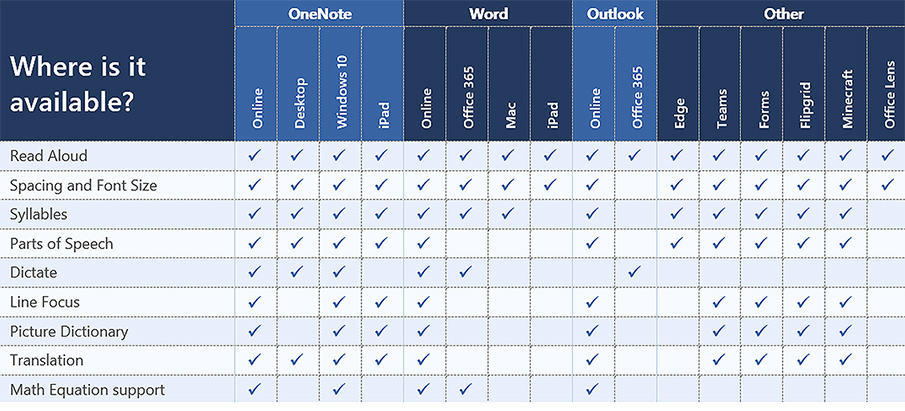
Look at the choice and control possibilities mentioned in the following except from Immersive Reader in Canvas: Improve Reading Comprehension for All Students

When building courses and creating course content in Canvas, Immersive Reader lets users:

  • Change font size, text spacing, and background color
  • Split up words into syllables
  • Highlight verbs, nouns, adjectives, and sub-clauses
  • Choose between two fonts optimised to help with reading
  • Read text aloud
  • Change the speed of reading
  • Highlight sets of one, three, or five lines for greater focus
  • Select a word to see a related picture and hear the word read aloud as many times as necessary

Also see:

All about the Immersive Reader — from education.microsoft.com

The Microsoft Immersive Reader is a free tool, built into Word, OneNote, Outlook, Office Lens, Microsoft Teams, Forms, Flipgrid, Minecraft Education Edition and the Edge browser, that implement proven techniques to improve reading and writing for people regardless of their age or ability.


Teacher, Are You There? Being “Present” in Online Learning — from er.educause.edu by Richard West

Excerpt:

Video technologies are part of that shift in helping online learners feel connected to teachers and peers. This connection comes from people developing the sense that they are “present” in the class, even if they are not physically in the same room. How is it possible to be present when you are physically separated?


Here Is A Great Reading App for Students with Dyslexia — from educatorstechnology.com

Excerpt:

Omoguru is an excellent reading app for students with dyslexia. It offers a wide variety of tools ‘designed to make the text more readable’. Some of these features include: tools to adjust text appearance and enhance its readability (e.g., letter spacing, line height setting, contrast setting colours, text size and weight), syllable marking (the tool allows you to mark syllables in different colours enabling readers to easily identify and read multi-syllable words), speed reading, and many more.


G Suite for Ed Gets New Name and Pile of New Features — from thejournal.com by Dian Schaffhauser

Excerpt:

Google announced a spate of changes to its education offerings, including a renaming of its education bundle of productivity applications and a limit to free storage for schools and colleges. Security and engagement updates are also being added to the education version of Google Meet, and Google Classroom will see enhancements later this year. The announcements came during a 90-minute virtual session on “learning with Google.”

A New Name
G Suite for Education has been renamed. Starting today, it’s known as Google Workspace for Education. 

Addendum on 2/24/21:

 
© 2025 | Daniel Christian