From DSC:
One of my sisters sent this to me and it cracked me up!
Also see:
From DSC:
One of my sisters sent this to me and it cracked me up!
Also see:
7 Things You Didn’t Know PowerPoint Could Do That Will Make Your Next Presentation POP! — from Dr. Echo Rivera; posted 4/20/21
Excerpt:
I’m going to show you more than 7 Powerpoint features, but I’ve broken them down into 7 categories.
Here are those seven categories:
How to Design a Hybrid Workplace — from nytimes.com
Excerpt:
But many companies have hatched a postpandemic plan in which employees return to the office for some of the time while mixing in more work from home than before. The appeal of this compromise is clear: Employers hope to give employees the flexibility and focus that come from working at home without sacrificing the in-person connections of the office.
From DSC:
There has been — and likely will continue to be — huge pressure and incentives put on companies like Cisco, Zoom, Microsoft, and others that develop the products and platforms to help people collaborate and communicate over a distance. It will be very interesting to see where these (and other) vendors, products, and platforms are 2-3 years from now! How far will we be down the XR-related routes?
How will those new ways of doing things impact telehealth? Telelegal? Virtual courts? Other?
Penn students use digital platform Gather to imitate in-person office hours — from thedp.com by Isaac Lee; with thanks to Professor Sue Ellen Christian for this resource
Excerpt:
As students yearn for in-person interaction and the familiarity of their school buildings, platforms like Gather are filling the void — virtually.
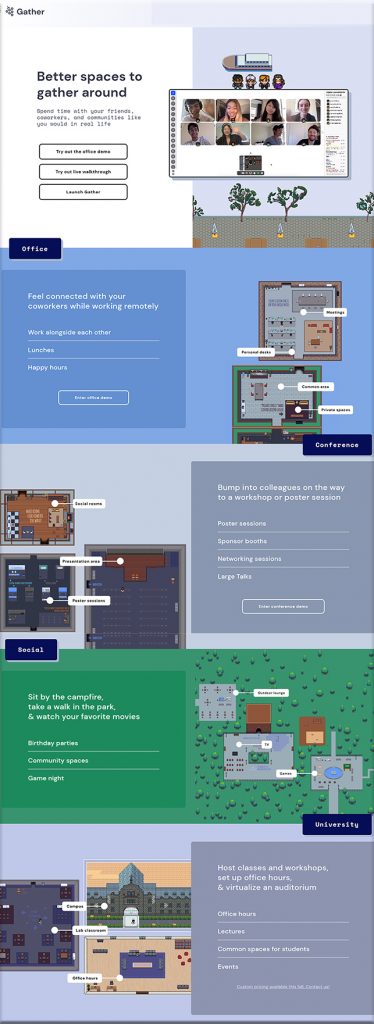
Gather, also known as Gather.town, simulates buildings and classrooms on campus where students, professors, and teaching assistants can interact with one another through personal avatars during office hours. Its main feature, “Interaction Distance,” launches a video call between users whose avatars are within five steps from each other in the virtual space. As the users’ avatars walk away from each other, their video and audio quality decrease, simulating an in-person interaction.
Also see:
From DSC:
Now picture this in VR.
AI in education: Features already adopted by companies, universities, and schools — from belitsoft.com by Dmitry Baraishuk
Excerpt:
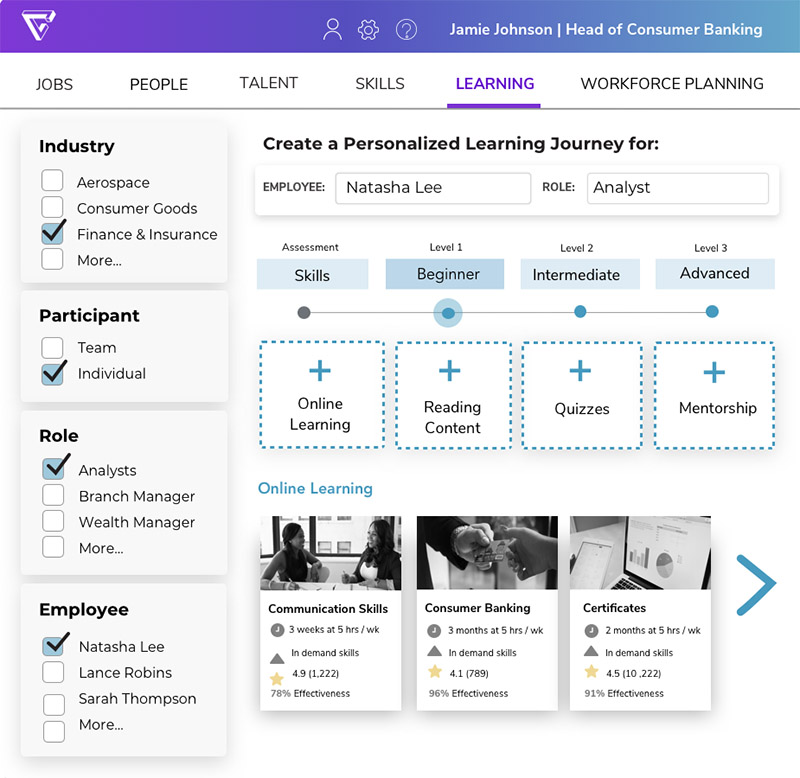
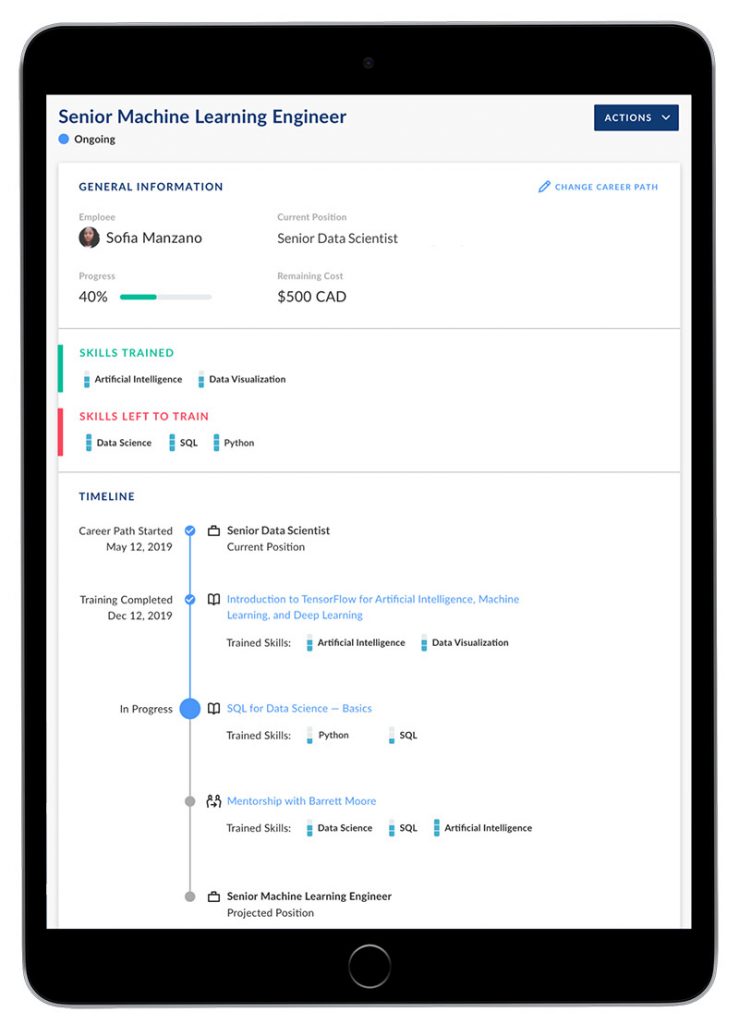
AI use cases in education include such kinds of applications as: Artificial Intelligence in training, learning and development, AI in higher education and Artificial Intelligence in K-12 education. We’ve gathered and outlined real-life examples of AI in education for each of these three application areas. If you’re an L&D or HR pro, you will find insightful the section “AI in talent management and in Learning and development.” College and university leaders will discover helpful tools to significantly improve their educational process in the section “AI in Higher Education.” For school leaders, we’ve prepared the section “Artificial intelligence in K-12 education.”
Addendum on 4/23/21:
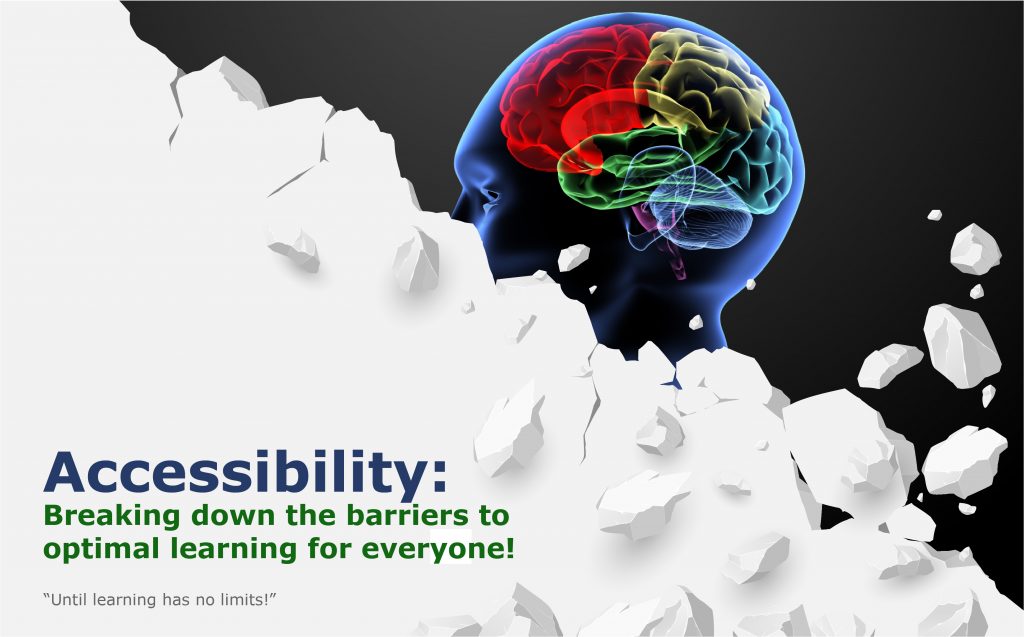
Improving Digital Inclusion & Accessibility for Those With Learning Disabilities — from inclusionhub.com by Meredith Kreisa
Learning disabilities must be taken into account during the digital design process to ensure digital inclusion and accessibility for the community. This comprehensive guide outlines common learning disabilities, associated difficulties, accessibility barriers and best practices, and more.
“Learning shouldn’t be something only those without disabilities get to do,” explains Seren Davies, a full stack software engineer and accessibility advocate who is dyslexic. “It should be for everyone. By thinking about digital accessibility, we are making sure that everyone who wants to learn can.”
…
“Learning disability” is a broad term used to describe several specific diagnoses. Dyslexia, dyscalculia, dysgraphia, nonverbal learning disorder, and oral/written language disorder and specific reading comprehension deficit are among the most prevalent.
Apple CEO Tim Cook: AR Is “Critically Important” For The Company’s Future — from vrscout.com by Bobby Carlton
Excerpts:
When the subject of AR and it’s potential came up, Cook said “You and I are having a great conversation right now. Arguably, it could even be better if we were able to augment our discussion with charts or other things to appear.”
In Cook’s opinion, AR will change the way we communicate with our friends, colleagues, and family. It’ll reshape communication in fields such as health, education, gaming, and retail. “I’m already seeing AR take off in some of these areas with use of the phone. And I think the promise is even greater in the future,” said Cook.
Also see:
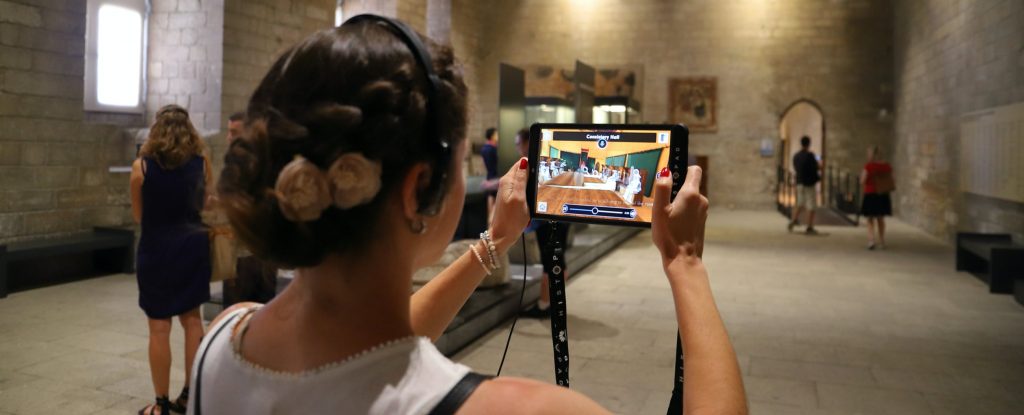
And it is not enough to try to use existing VR/XR applications and tailor them to educational scenarios. These tools can and should be created with pedagogy, student experience, and learning outcomes as the priority.
eLearning has improved in the last 7 years… — from elearningindustry.com by Mary Burns
A student in 2014 and a student in 2021 would probably have the same fundamental online learning experience. Yet online learning has changed dramatically in the last 7 years. In my 50th article, I look back at online learning and enumerate 5 drivers that have led to its improvement.
Excerpt:
COVID/remote learning has expanded our understanding of online learning. Teachers are far more adept at using technology and designing with technology to help students learn online. They know which online learning modalities—synchronous or asynchronous—work best with which eLearning platform. Students too have had a year-long internship in online learning—its tools and pedagogies.
COVID has diversified our understanding of online learning. In 2014, when I began writing for eLearning Industry, eLearning meant one thing—a class held in a virtual learning environment or Learning Management System. In 2021, online learning is any learning we do online, whether via free or fee-based subscription services (like Khan Academy and DreamBox, respectively), web conferencing, or Web 2.0 platforms (Edmodo, YouTube channels)—another overlooked candidate for this list.
And COVID has constrained our understanding of online learning. In 2014, when I began writing for eLearning Industry, eLearning was largely asynchronous and done in an LMS. In 2021, for a plurality of teachers and students across the globe, eLearning means one thing: Zoom and it means learning that is live and synchronous.
NJ High School Adds New Recording Studio to Learning Spaces — from spaces4learning.com by Matt Jones
Excerpt:
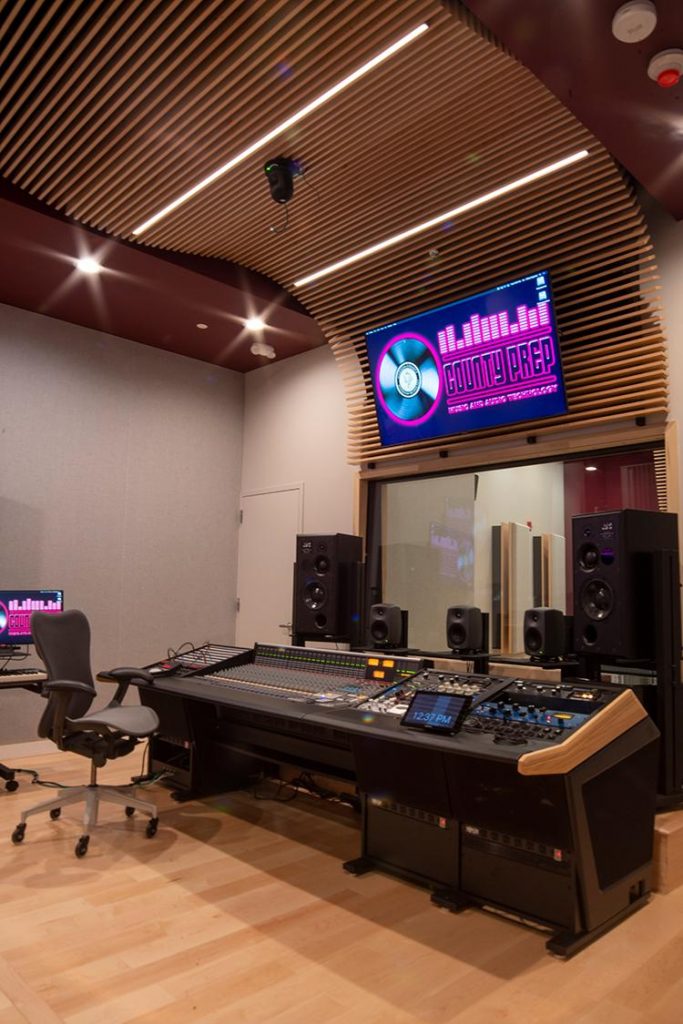
A career and technical high school in New Jersey has added new professional recording gear to one of its teaching spaces. County Prep High School, part of Hudson County Schools of Technology, added hardware from Solid State Logic (SSL), a UK-based company that manufactures analog and digital audio consoles for music and audio production. Students in the music and audio technology program learn how to write their own songs and produce their own music. The senior project involves putting a label together and releasing songs.
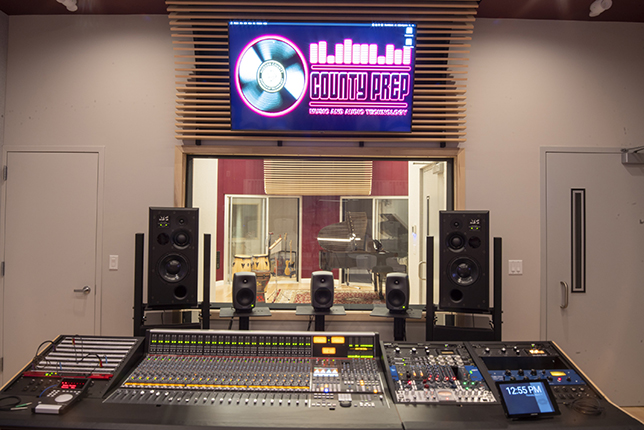
The new studio at County Prep High School features professional equipment from Solid State Logic.
Source: Solid State Logic
Also see:
Addendum on 4/1/21:
Improved Student Engagement in Higher Education’s Next Normal — from er.educause.edu by Ed Glantz, Chris Gamrat, Lisa Lenze and Jeffrey Bardzell
Five pandemic-introduced innovative teaching adaptations can improve student engagement in the next normal for higher education.
Excerpt (emphasis DSC):
The five teaching enhancements/adaptations discussed above—collaborative technologies for sense-making, student experts in learning and technology, back channels, digital breakout rooms, and supplemental recording—are well positioned to expand the definition of “student engagement” beyond traditional roll call and attendance tracking. Opportunities to include students at a distance have permitted inclusion of students who are reticent to speak publicly, students whose first language is not English, students with disabilities, and students less engaged through “traditional” channels. With these new conceptions of engagement in mind, we are prepared to be more inclusive of all students in the next normal of higher education.
What is it like to use a screen reader? — from knowbility.org by Anthony Vasquez
Excerpt:
In January, I, along with Texas State University computer science student Su Park, demonstrated screen reader interactions as part of Knowbility’s Screen Readers in the Wild webinar. Both Su and I are blind and have used screen readers since childhood. We weren’t able to answer all attendee questions during the webinar, so I’m continuing the discussion here. I hope that after reading this, you’ll better understand the roles that screen readers and accessible content play in the lives of blind people, and learn of a few easy ways you can improve the user experience. So, let’s jump right in!
If you missed Screen Readers in the Wild, you can still watch the demos!
Chrome now instantly captions audio and video on the web — from theverge.com by Ian Carlos Campbell
The accessibility feature was previously exclusive to some Pixel and Samsung Galaxy phones
Excerpt:
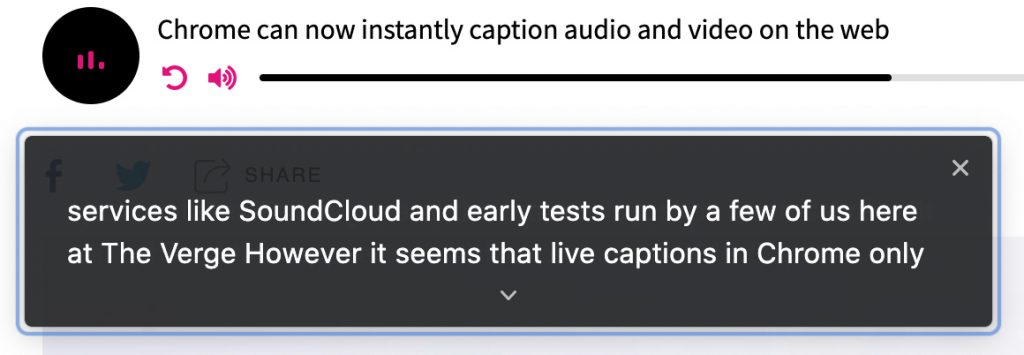
Google is expanding its real-time caption feature, Live Captions, from Pixel phones to anyone using a Chrome browser, as first spotted by XDA Developers. Live Captions uses machine learning to spontaneously create captions for videos or audio where none existed before, and making the web that much more accessible for anyone who’s deaf or hard of hearing.
…
Chrome’s Live Captions worked on YouTube videos, Twitch streams, podcast players, and even music streaming services like SoundCloud in early tests run by a few of us here at The Verge. Google also says Live Captions will work with audio and video files stored on your hard drive if they’re opened in Chrome. However, Live Captions in Chrome only work in English, which is also the case on mobile.