How to Add a Signature in Word on a PC or Mac — from businessinsider.com by Melanie Weir

Excerpt:

  • You can add a signature to a Microsoft Word document in several ways, depending on the computer you’re using.
  • You can upload a physical signature using a scanner or a cell phone, add additional text like your job title, and then save it to be reused later.


Nvidia builds AI LaunchPad in the cloud with Equinix — from fierceelectronics.com by Dan O’Shea

Excerpt:

If we fail to evolve to a point where almost everyone in the world relies on AI in some fashion, it won’t be for Nvidia’s lack of commitment to that vision. The company continues to hammer away at the notion of democratizing AI so that a broader array of businesses can leverage the technology.

Its newest offering, announced today, is a comprehensive AI platform made available for easy consumption through hybrid cloud providers. This platform, AI LaunchPad, initially will be available through Nvidia cloud partner Equinix. Nvidia explained that as AI proliferates through enterprises and their applications, companies will need to access application resources that might be distributed across public and private clouds. AI LaunchPad via Platform Equinix will allow them to access those resources in minutes for an hourly fee and deploy them to distributed locations…


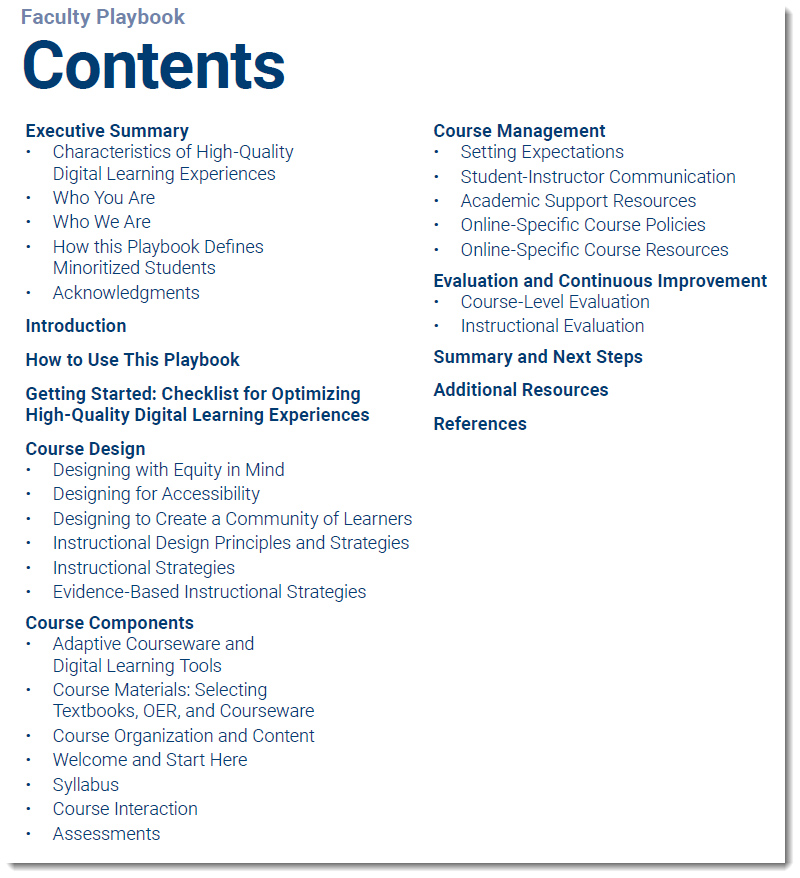
Optimizing High-Quality Digital Learning Experiences A Playbook for Faculty — from onlinelearningconsortium.org


Optimizing High-Quality Digital Learning Experiences A Playbook for Faculty

Excerpts:

This playbook is a collaboration between the Online Learning Consortium (OLC), the Association of Public and Land-grant Universities (APLU), and the Every Learner Everywhere Digital Learning Network. This playbook is designed to serve as a concise guide to address faculty needs for online course design, teaching, and continuous improvement.
…
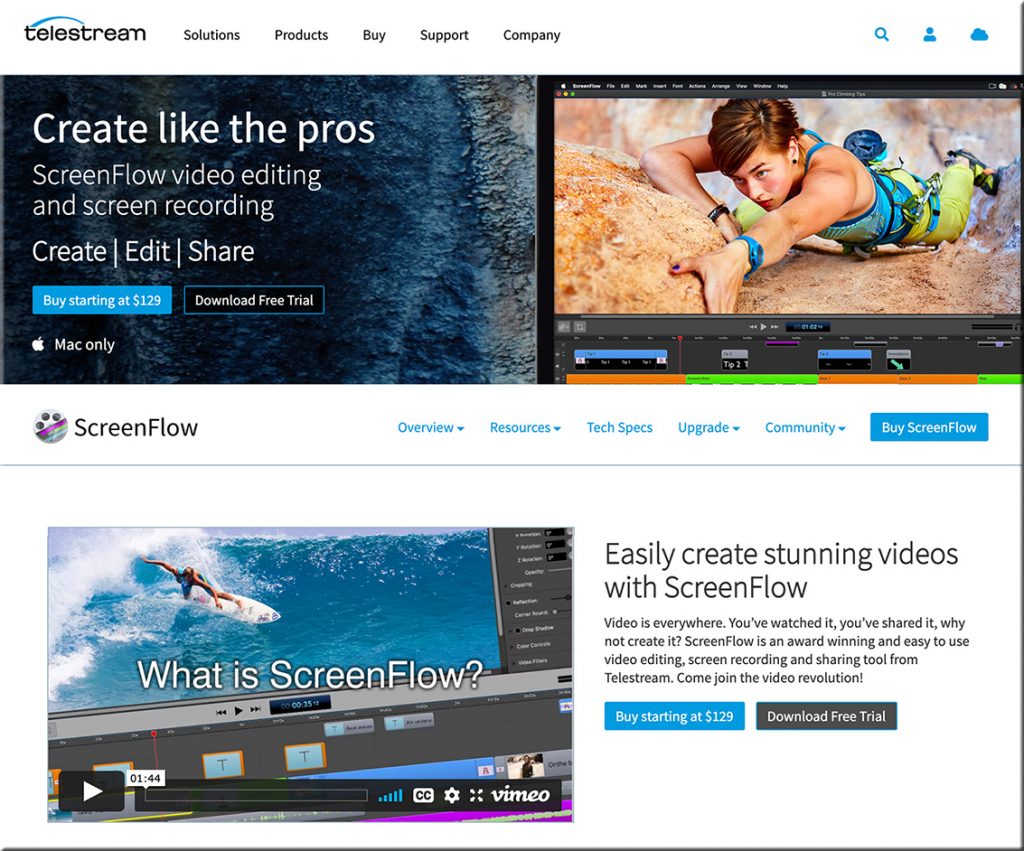
One strategy that can enhance teaching presence in an online course is to provide audio and video content that can be developed with relative ease using multimedia applications. Creating micro-lectures along with other multimedia is a great option for designing online course content.
…
Creating your own closed-caption video content, along with video transcripts, is a practical option for communicating course concepts to students. You might also consider providing supplementary written materials or curating content from other sources to help students master course concepts.


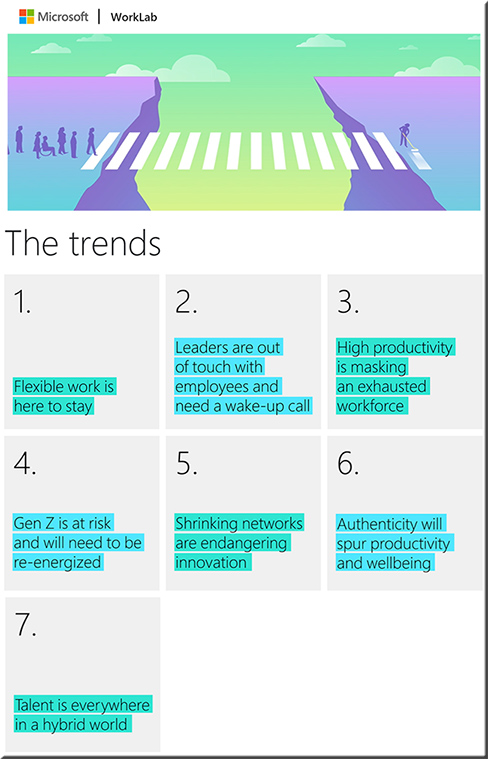
The Next Great Disruption Is Hybrid Work—Are We Ready? — from Microsoft

“Over the past year, no area has undergone more rapid transformation than the way we work. Employee expectations are changing, and we will need to define productivity much more broadly — inclusive of collaboration, learning, and wellbeing to drive career advancement for every worker, including frontline and knowledge workers, as well as for new graduates and those who are in the workforce today. All this needs to be done with flexibility in when, where, and how people work.”

Satya Nadella, CEO at Microsoft

This graphic lists the 7 trends out at a new report from Microsoft re: the future of work and the trends that they are seeing.


Also see:


Why Professors Should Ask Students For Feedback Long Before the Semester Is Over — from edsurge.com by Rebecca Koenig
This article is part of the guide Better, Faster, Stronger: How Learning Engineering Aims to Transform Education.

Excerpt:

About a month into each semester, Gayle Golden sets aside a little time to ask her students about their learning.

The journalism instructor at the University of Minnesota keeps the process simple, with brief questions similar to these:

  • What should keep happening in this class?
  • What should we start doing in this class?
  • What should we stop doing in this class?

Golden collects the results, which students give anonymously, then studies the feedback and makes a list of all the information she’s received. During the next class period, she discusses the findings with her students. She tells them which suggestions she plans to put into practice, which recommendations she can’t act on, and why.

From DSC:
Speaking of feedback…

I think it would be good to have our students journal about their learning — integrating their notes, readings, experiments, lectures, etc. Students could check in on these 3 questions for example.

And in the (potentially) digital process, they could also submit a form to their faculty member to answer the question:

  • What do I want my professor to know about my learning experience today?

Such a question could be electronically delivered to the professor on any given day. This type of feedback loop would provide real-time, formative feedback to the professor as well as help the students develop their metacognitive skills.

I would think that such a process could also be used within the K-12 realm, including homeschoolers.


Also from edsurge.com, see:


Tips To Use Virtual Training For User Education & Immersive Site Tours — from elearningindustry.com by Stephanie Ivec
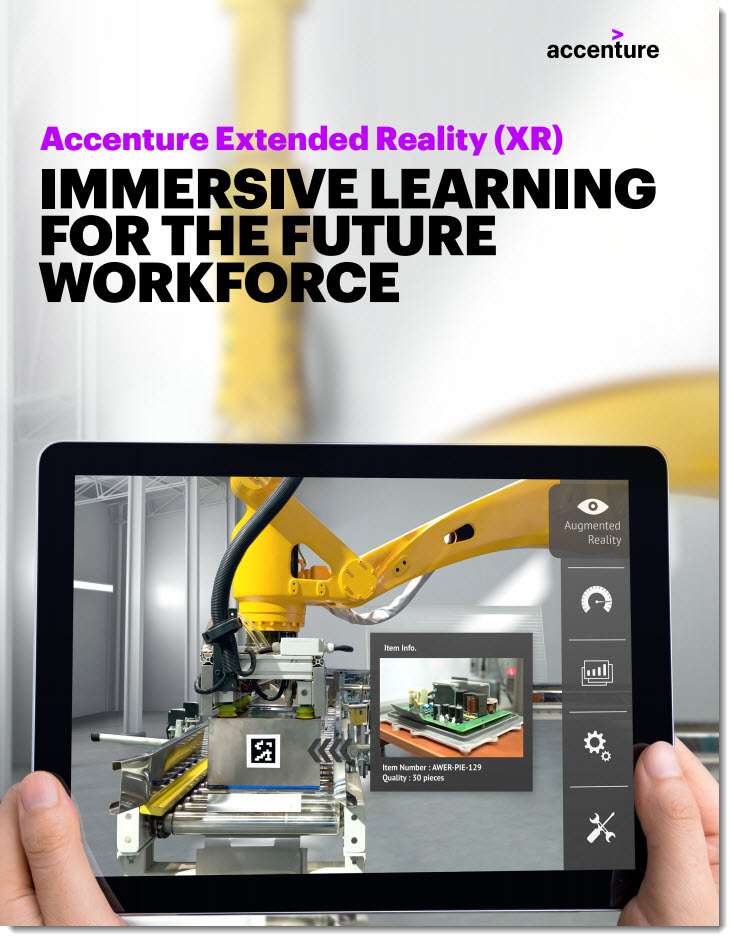
While virtual reality safety and equipment training have been around the longest, more and more organizations are seeing the benefits of virtual reality for new uses, like the site tours and user education.

Excerpt:

Software tools or systems, surgical devices, and even board games commonly require end user training or customer education in order for the customer to get the most out of the item they’ve purchased. Over the years, user education and training has evolved from lengthy user manuals to online videos to fully immersive experiences. Virtual and augmented reality videos are an engaging way to make customers feel more comfortable with a new product, procedure, or system.

Addendum on 6/11/21:

  • Assessing Extended Reality’s Potential — from avnetwork.com by Margot Douaihy
    VR and AR still mystify some integrators, but advocates say the potential of extended reality (XR) solutions is staggering.

VR costs continue to decrease as processing power increases. Tethered and wireless HMDs (head-mounted displays) are becoming more compact and easier to use. From the HTC Vive Pro 2 to Oculus Quest 2, there are solutions for various budgets. VR is no longer cost-prohibitive.

The AR ecosystem is evolving, too. Apple’s ARKit and free AR mobile apps like Adobe Aero are inviting more people into the content creation space.

It’s a different calculus for adoption in commercial sectors, however. Return on investment and utilization throughout the product lifecycle are primary concerns.


Town Hall Recap: AI in Education — from GettingSmart.com

Find out some of the ideas and questions in their recap blog and you can see the links that were shared during the event here.

Getting Smart Town Hall | AI in Education: The Impacts of Exponential Technology on Teaching, Leading and Learning from Getting Smart on Vimeo.


Google revives RSS — from techcrunch.com by Frederic Lardinois

Excerpt:

Chrome, at least in its experimental Canary version on Android (and only for users in the U.S.), is getting an interesting update in the coming weeks that brings back RSS, the once-popular format for getting updates from all the sites you love in Google Reader and similar services.

In Chrome, users will soon see a “Follow” feature for sites that support RSS and the browser’s New Tab page will get what is essentially a (very) basic RSS reader — I guess you could almost call it a “Google Reader.”

From DSC:
I have been using RSS feed aggregators for years as I find them highly effective, efficient ways to keep pulse-checks on a variety of items. When Google Reader left the scene years ago, I switched to Feedly. Regardless of the tool, I hope the functionalities that the RSS protocol gives us will be enhanced…not removed. RSS feeds help me tap into — and contribute towards — the streams of content that are always flowing by us.


3 Education Trends to Watch for the Upcoming School Year — from techlearning.com by Dr. Kecia Ray
Education trends in the year ahead include micro lessons, integrated whole classrooms, and reconsidering assessments

Excerpts:

The study was conducted at the university level but can apply to all levels K-20. Polling, response apps, small group instruction, collaborative activities, and peer instruction are some of the effective strategies identified in active learning.

Thinking about classroom design as having all the necessary technologies — interactive panels, individual devices for students and teachers, integrated software, integrated hardware solutions, accessible high quality digital content, interactive applications — along with a teacher who is well equipped to design classes that incorporate effective instructional strategies will yield high performing students, no matter who you are teaching!


Top blogging platforms worth considering in 2021 — from webdesignerdepot.com by Rebekah Carter

Excerpt:

Want to know which of the top blogging platforms you should consider using this year?

Blogging is still one of the best ways to draw attention to your brand, generate thought leadership, and build your credibility. Research suggests that US internet users spend 3x more of their browsing time on blogs than on email. Additionally, people view about 20 billion blog pages on average each month.

So, how do you join the blogging revolution? You’ll need the right platform.

Essentially, a blogging platform is a CMS (Content Management System) which supports blog creation. Many come with additional tools like SEO support and integrations with email marketing too. There are tons of great blogging platforms out there, which means knowing where to start searching can be tough. To help you, we’ve put together this list of the leading blogging platforms.

Top blogging platforms worth considering in 2021 -- from webdesignerdepot.com by Rebekah Carter

From DSC:
This is a great list of tools for those who want to blog — complete with the pros and cons of each platform/tool. Students, I would encourage you to start blogging — as it helps you process information, pulse check the landscapes, improve your writing, shows others what you are thinking about, and more.


Leveraging EdTech: brilliant tools for student voice — from global-edtech.com by Cecilia Astolfi
Cecilia Astolfi provides three very useful tips for any teachers wishing to promote student voice in the classroom

There are three tools I recommend in order to enhance the ability of students to express their views in a constructive and valuable manner.

Best Microsoft PowerPoint Tips and Tricks for Teachers — from by Luke Edwards
You may be amazed to see how much you can get out of Microsoft PowerPoint as a teacher

Excerpt:

5. Create Instagram Stories in PowerPoint
Another social media app that has great traction with students is Instagram, specifically the Stories feature that allows you to share images or videos from the day, which are wiped for a fresh set each day.

Imagine doing this in class? Perhaps the students could carry on a story you were studying in class. Maybe they could tell the tale of a comet as it travels through space. The options are huge and it’s easy to do using this PowerPoint template as a starting point.

6 kids games that make math learning engaging and entertaining — from educatorstechnology.com

Excerpt:

BBC School Radio Maths is an excellent educational resource we learned from MakeUseOf‘ s list of 10 Cool Math Games for Kids. School Radio Maths offers a wide variety of educational games to help kids develop their math skills. Kids will get to grapple with various numeracy challenges that involves a higher degree of mental skills. The games are entertaining enough to keep pupils motivated and focused on the learning task at hand.

6 strategies to help you improve your math skills — from educatorstechnology.com

Excerpt:
As a child, did you love math back in the elementary? Now that you are an adult, do you feel awkward with your Mathematic’s skills? Let’s admit it – not everyone is great at Math. Some find it fun, brilliant, stimulating others find it too difficult to comprehend.

However, the stigma associated with math learning is not always true especially knowing that Math is omnipresent and is being used in almost every facet of our life. The purpose of this post is to share with you  some of the ways to help you  strengthen your Math skills.

This map lets you fly along the path of a drop of water from any place in the U.S. — from fastcompany.com by Adele Peters
Click on any spot or enter an address, and it will show where the water is likely to flow. Good for both learning how pollution and plastic spreads, but also for an aerial visual ride of the country’s waterways.
Also see: river-runner.samlearner.com/

This image portrays a map of the United States.

Hands-On with the Lego Snapchat Augmented Reality Experience That Lets You Build With Friends Remotely — from next.reality.news by Adario Strange

Excerpt:

The world of Lego is timeless primarily because everyone, regardless of age or background, can build a wide variety of amazing things with the simple component blocks from the classic toymaker.

But now that Snapchat has brought that dynamic to augmented reality via the Rebuild the World Snapchat Lens the possibilities are truly endless.

Snap Spectacles Early Prototype, Volkswagen Drives into AR, Inside Lego Snapchat, & Instagram Updates AR — from next.reality.news by Tommy Palladino

Best Apps To Learn The Korean Language — from edtechreview.in by Saniya Khan

Excerpt:

Korean, one of the popular Asian languages for non-native speakers, is the official language of the Republic of Korea (South Korea) and the Democratic People’s Republic of Korea (North Korea).

This is an increasingly important language globally considering South Korea’s powerful economy, geopolitical importance, and growing presence in Asian pop culture; perhaps one reason for garnering a surprising amount of interest in people worldwide to learn the Korean language.

5 Places to Sell Your Artwork Online — from hongkiat.com

Excerpt:

Selling art online is making a comeback. Artists have been selling their work on the Internet but as of late, there’s an increase in online art sales. You can of course build your own website to share your art, run your own marketing and promotional exercise via social media and other channels but you will probably gain more exposure with the following websites . Time to get your beautiful art out there.

12 good edtech tools to use in your distance education — from educatorstechnology.com

Excerpt:

Looking for some educational websites to help you with the management of your online (and also face-to-face) classroom teaching? The list below has you covered. It features a collection of  some popular web tools you can use to perform a wide variety of educational tasks. These include: creating interactive video lessons, collect formative assessments and provide real-time feedback to students, enhance students learning through the use of digital games and flashcards, create online classes and share assignments and learning resources with students, organize students into appropriate learning groups and many more. Links to these websites are under the visual.


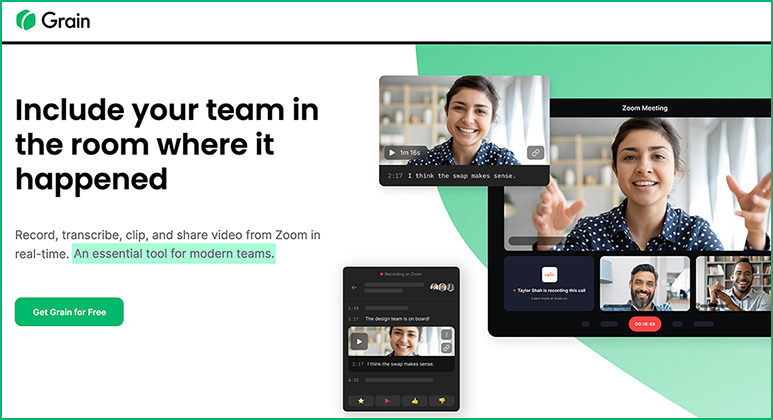
Record, transcribe, clip, and share video from Zoom in real-time. — This Grain tool/resource is from Jeremy Caplan’s Wonder Tools newsletter. Thanks Jeremy for passing this info along!

From DSC:
These kinds of tools should make for interesting discussions in online-, hybrid-, and hyflex-based courses…as well as in microlearning-based streams of content perhaps.

This image shows the home page of a tool called Grain -- Record, transcribe, clip, and share video from Zoom in real-time.

 
© 2025 | Daniel Christian