ChatGPT sets record for fastest-growing user base – analyst note — from reuters.com by Krystal Hu

Excerpt (emphasis DSC):

Feb 1 (Reuters) – ChatGPT, the popular chatbot from OpenAI, is estimated to have reached 100 million monthly active users in January, just two months after launch, making it the fastest-growing consumer application in history, according to a UBS study on Wednesday.

The report, citing data from analytics firm Similarweb, said an average of about 13 million unique visitors had used ChatGPT per day in January, more than double the levels of December.

“In 20 years following the internet space, we cannot recall a faster ramp in a consumer internet app,” UBS analysts wrote in the note.


From DSC:
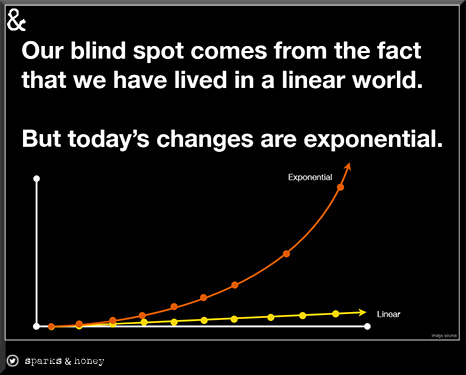
This reminds me of the current exponential pace of change that we are experiencing…

..and how we struggle with that kind of pace.


Introducing: ChatGPT Edu-Mega-Prompts — from drphilippahardman.substack.com by Dr. Philippa Hardman; with thanks to Ray Schroeder out on LinkedIn for this resource
How to combine the power of AI + learning science to improve your efficiency & effectiveness as an educator

From DSC:
Before relaying some excerpts, I want to say that I get the gist of what Dr. Hardman is saying re: quizzes. But I’m surprised to hear she had so many pedagogical concerns with quizzes. I, too, would like to see quizzes used as an instrument of learning and to practice recall — and not just for assessment. But I would give quizzes a higher thumbs up than what she did. I think she was also trying to say that quizzes don’t always identify misconceptions or inaccurate foundational information. 

Excerpts:

The Bad News: Most AI technologies that have been built specifically for educators in the last few years and months imitate and threaten to spread the use of broken instructional practices (i.e. content + quiz).

The Good News: Armed with prompts which are carefully crafted to ask the right thing in the right way, educators can use AI like GPT3 to improve the effectiveness of their instructional practices.
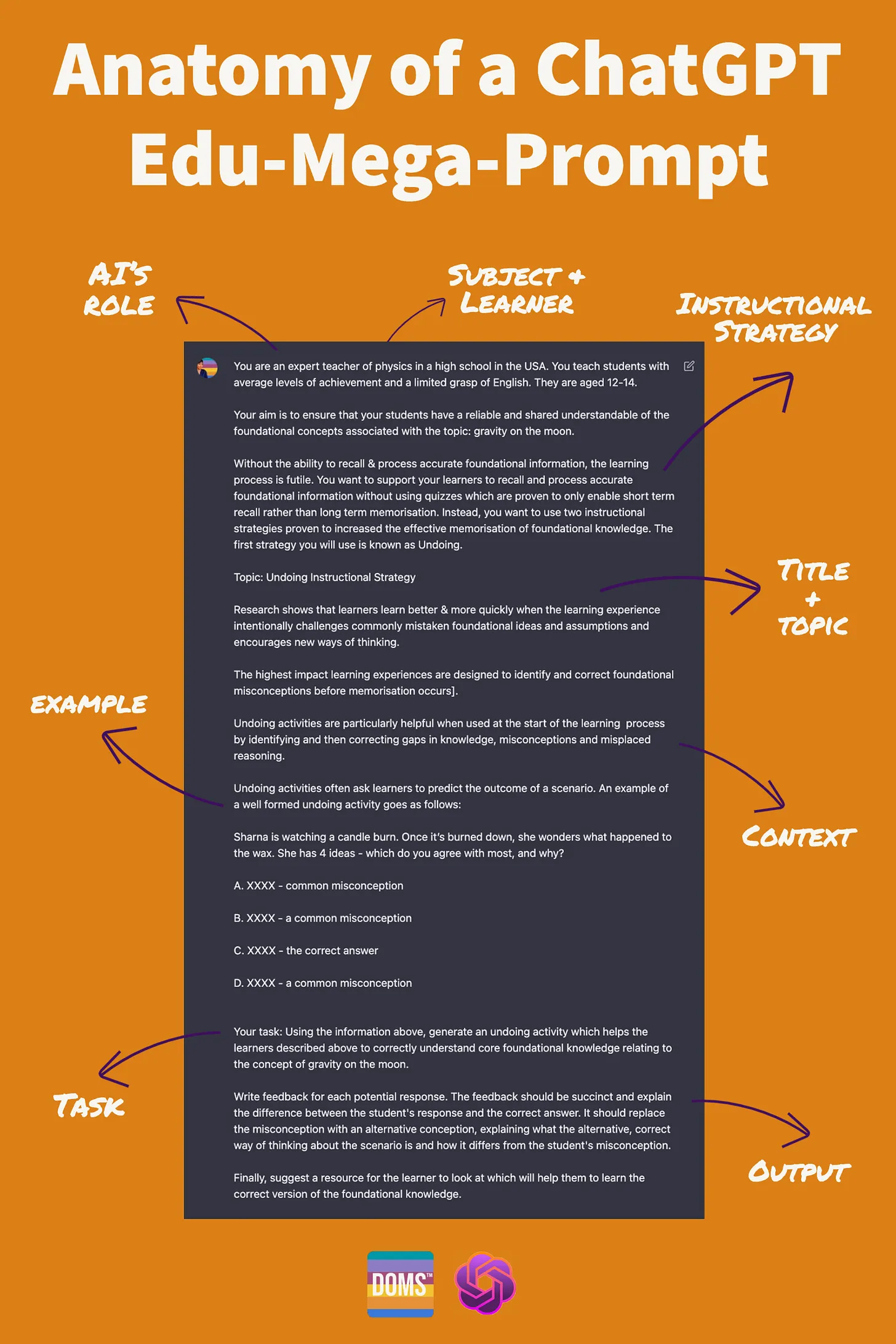
As is always the case, ChatGPT is your assistant. If you’re not happy with the result, you can edit and refine it using your expertise, either alone or through further conversation with ChatGPT.

For example, once the first response is generated, you can ask ChatGPT to make the activity more or less complex, to change the scenario and/or suggest more or different resources – the options are endless.

Philippa recommended checking out Rob Lennon’s streams of content. Here’s an example from his Twitter account:


Also relevant/see:
3 trends that may unlock AI's potential for Learning and Development in 2023

3 Trends That May Unlock AI’s Potential for L&D in 2023 — from learningguild.com by Juan Naranjo

Excerpts:

AI-assisted design and development work
This is the trend most likely to have a dramatic evolution this year.
…
Solutions like large language models, speech generators, content generators, image generators, translation tools, transcription tools, and video generators, among many others, will transform the way IDs create the learning experiences our organizations use. Two examples are:

1. IDs will be doing more curation and less creation:

  • Many IDs will start pulling raw material from content generators (built using natural language processing platforms like Open AI’s GPT-3, Microsoft’s LUIS, IBM’s Watson, Google’s BERT, etc.) to obtain ideas and drafts that they can then clean up and add to the assets they are assembling. As technology advances, the output from these platforms will be more suitable to become final drafts, and the curation and clean-up tasks will be faster and easier.
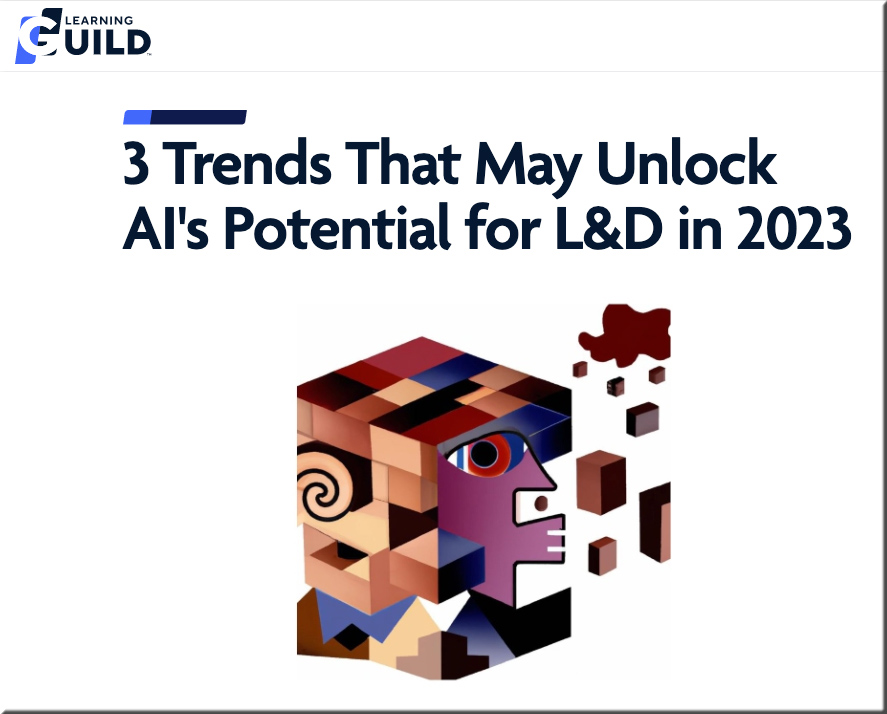
  • Then, the designer can leverage a solution like DALL-E 2 (or a product developed based on it) to obtain visuals that can (or not) be modified with programs like Illustrator or Photoshop (see image below for Dall-E’s “Cubist interpretation of AI and brain science.”

2. IDs will spend less, and in some cases no time at all, creating learning pathways

AI engines contained in LXPs and other platforms will select the right courses for employees and guide these learners from their current level of knowledge and skill to their goal state with substantially less human intervention.


The Creator of ChatGPT Thinks AI Should Be Regulated — from time.com by John Simons

Excerpts:

Somehow, Mira Murati can forthrightly discuss the dangers of AI while making you feel like it’s all going to be OK.
…
A growing number of leaders in the field are warning of the dangers of AI. Do you have any misgivings about the technology?

This is a unique moment in time where we do have agency in how it shapes society. And it goes both ways: the technology shapes us and we shape it. There are a lot of hard problems to figure out. How do you get the model to do the thing that you want it to do, and how you make sure it’s aligned with human intention and ultimately in service of humanity? There are also a ton of questions around societal impact, and there are a lot of ethical and philosophical questions that we need to consider. And it’s important that we bring in different voices, like philosophers, social scientists, artists, and people from the humanities.


Whispers of A.I.’s Modular Future — from newyorker.com by James Somers; via Sam DeBrule

Excerpts:

Gerganov adapted it from a program called Whisper, released in September by OpenAI, the same organization behind ChatGPTand dall-e. Whisper transcribes speech in more than ninety languages. In some of them, the software is capable of superhuman performance—that is, it can actually parse what somebody’s saying better than a human can.
…
Until recently, world-beating A.I.s like Whisper were the exclusive province of the big tech firms that developed them.

Ever since I’ve had tape to type up—lectures to transcribe, interviews to write down—I’ve dreamed of a program that would do it for me. The transcription process took so long, requiring so many small rewindings, that my hands and back would cramp. As a journalist, knowing what awaited me probably warped my reporting: instead of meeting someone in person with a tape recorder, it often seemed easier just to talk on the phone, typing up the good parts in the moment.

From DSC:
Journalism majors — and even seasoned journalists — should keep an eye on this type of application, as it will save them a significant amount of time and/or money.

Microsoft Teams Premium: Cut costs and add AI-powered productivity — from microsoft.com by Nicole Herskowitz

Excerpt:

Built on the familiar, all-in-one collaborative experience of Microsoft Teams, Teams Premium brings the latest technologies, including Large Language Models powered by OpenAI’s GPT-3.5, to make meetings more intelligent, personalized, and protected—whether it’s one-on-one, large meetings, virtual appointments, or webinars.


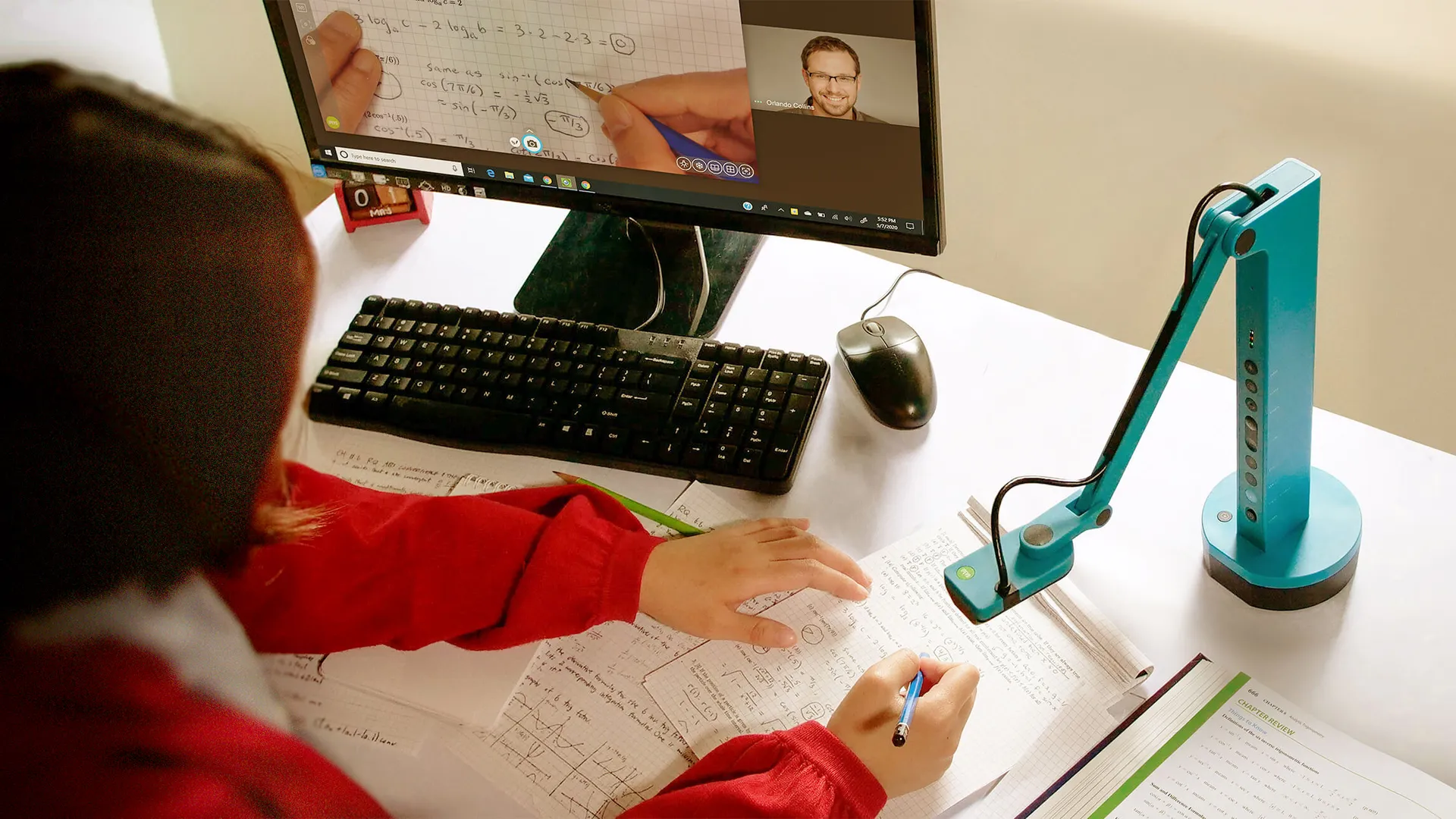
Best Document Cameras for Teachers — from techlearning.com by Luke Edwards
Get the best document camera for teachers to make the classroom more digitally immersive

Along the lines of edtech, also see:

Tech & Learning Names Winners of the Best of 2022 Awards — from techlearning.com by TL Editors
This annual award celebrates recognizing the very best in EdTech from 2022

.
The Tech & Learning Awards of Excellence: Best of 2022 celebrate educational technology from the last 12 months that has excelled in supporting teachers, students, and education professionals in the classroom, for professional development, or general management of education resources and learning. Nominated products are divided into three categories: Primary, Secondary, or Higher Education.


Top 6 VR learning trends in 2023 — from chieflearningofficer.com by Anders Gronstedt

Excerpt:

From virtual to mixed reality
A new class of “mixed reality” headsets will launch in 2023, promising to break the barriers between the real and virtual worlds. Meta launched a developer version of this technology a few months ago called “Quest Pro,” which superimposes computer-generated images into the real world around us. The mass-market version of this headset, Quest 3, will hit the shelves this fall for $400. Meanwhile, Apple is rumored to finally premiere a more premium mixed reality headset this spring. This can be an important step toward a vision of true augmented reality glasses that is still years away.

The new year will see the mainstream adoption of VR for safety, equipment operations and service, logistics, manufacturing, emergency response and health care training. Other applications will take several more years to mature. Current XR technology is not ripe for soft skills training, IT systems training, conferences and all-purpose collaboration (Meta can’t even get its own employees to hold regular meetings in VR). Procedural hands-on training simulations will be the edge of the new frontier of XR learning in the new year.


Contracts Company Ironclad Taps Into GPT-3 For Instant Document Redlining Based On A Company’s Playbook — from lawnext.com by Robert Ambrogi

Excerpt:

The contract lifecycle management company Ironclad has tapped into the power of OpenAI’s GPT-3 to introduce AI Assist, a beta feature that instantly redlines contracts based on a company’s playbook of approved clauses and language.

The redlines, made using GPT-3’s generative artificial intelligence, appear as tracked changes in Microsoft Word, where a user can then scan the recommended changes and either accept or reject them.


Addendum:


Virtual Exam Case Primes Privacy Fight Over College Room Scans — from news.bloomberglaw.com by Skye Witley

  • Cleveland State case centers on remote proctoring software
  • Fourth Amendment protections in question before Sixth Circuit

Excerpt:

A legal dispute over a university’s use of exam proctoring software that allegedly scanned students’ rooms is set to shape the scope of Fourth Amendment and privacy protections for online college tests.

Cleveland State University last week asked a federal appeals court in Cincinnati to review a district court finding that the “room scans” were unconstitutional searches. The case could influence how other students litigate their privacy rights and change how universities virtually monitor their students during exams, attorneys said.


The practical guide to using AI to do stuff — from oneusefulthing.substack.com by Ethan Mollick; with thanks to Sam DeBrule for this resource. Ethan Mollick is a professor at the Wharton School of the University of Pennsylvania where he studies entrepreneurship & innovation, as well as how we can better learn and teach.
A resource for students in my classes (and other interested people).

Excerpts:

My classes now require AI (and if I didn’t require AI use, it wouldn’t matter, everyone is using AI anyway). But how can students use AI well? Here is a basic tutorial and guide I am providing my classes. It covers some of the many ways to use AI to be more productive, creative, and successful, using the technology available in early 2023, as well as some of the risks.
…
Come up with ideas 
Open Source Option: Nothing very good
Best free (for now) option: ChatGPT (registration may require a phone number)
Best option if ChatGPT is down: OpenAI Playground
.


Also relevant/see:

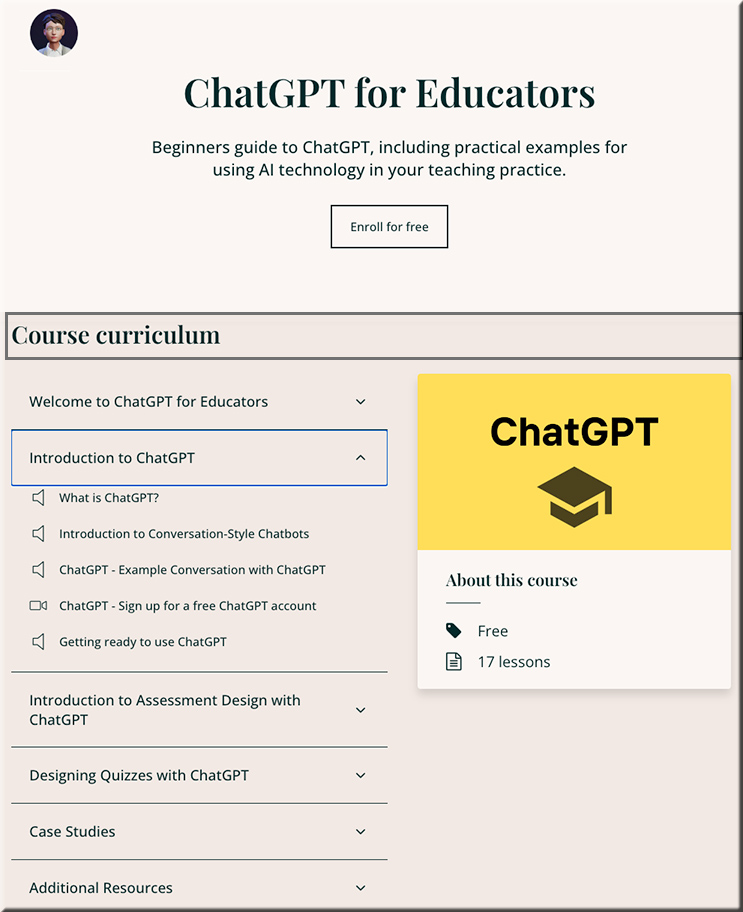
ChatGPT for educators -- a free 17 lesson course


On a relevant note:

Gen Z says school is not equipping them with the skills they need to survive in a digital world — from fastcompany.com by Shalene Gupta; with thanks to Robert Gibson for this resource
According to a study from Dell Technologies, Gen Z-ers in 15 different countries feel their government could do better.

Excerpt:

They see an education and skills gap: Forty-four percent said that school only taught them very basic computing skills, while 37% said that school education (for children under age 16) didn’t prepare them with the technology skills they needed for their planned careers. Forty percent consider learning new digital skills essential to future career options.

It’s clear that Gen Z see technology as pivotal for their future prosperity. It is now up to us—leading technology providers, governments, and the public sector—to work together and set them up for success by improving the quality and access to digital learning. Forty-four percent of Gen Z feel educators and businesses should work together to bridge the digital skills gap, and with the speed at which technology continues to evolve, this will require constant collaboration.

Aongus Hegarty, president of international markets at Dell Technologies


Revolutionising Criminal Law with AI — from seotraininglondon.org by Danny Richman
This case study outlines how I helped a law firm use Artificial Intelligence (AI) to streamline new client enquiries, resulting in significant savings of time and money.

Excerpt:

However, this process took up a lot of time and resources, meaning that highly qualified, well-paid individuals had to dedicate their time and energy to processing email enquiries instead of working on client cases.

That’s why I developed an app for Stuart Miller built on OpenAI’s GPT-3 technology. This app receives the content of the client’s email and makes the same determination as the human team of lawyers. It then immediately alerts the relevant lawyer to any enquiries flagged as high-priority, high-value cases. The entire process is automated requiring no human interaction.

From DSC:
Hmmm…something to keep on the radar.


Also relevant/see:

Here’s Why Lawyers Are Paying Attention to ChatGPT — from legallydisrupted.com by Zach Abramowitz
AI Will Continue to Be a Talking Point Throughout the Year

Excerpts:

Ready to get disrupted? Me neither, but let’s take the plunge.

ChatGPT is all anyone in legal wants to talk about right now, and for good reason.
…
Smash cut to yesterday, and this webinar focusing on ChatGPT is sold out and the sheer number of questions from the audience (which ranged from law students to in-house counsel and law firm partners) was more than 10x a normal webinar.

The point is that I’m not in a bubble this time. Everyone in legal is paying attention to ChatGPT, not just the legaltech nerds. This @#$% is going mainstream.


6 Free Tools for Evaluating Web Accessibility — from boia.org

Excerpt:

Can you evaluate your website’s accessibility on your own?

Not necessarily. To ensure conformance with the Web Content Accessibility Guidelines (WCAG), you’ll need to test your content regularly by using both manual and automated tools. Ideally, manual tests should be performed by human testers who have disabilities.

However, as you learn about the concepts of WCAG, you can use free tools to test your website for common barriers. If you’re a web designer or developer, online tools can be a vital resource as you incorporate the best practices of inclusive design.

Below, we’ll discuss six free tools that can help you make better design decisions.


Also relevant/see:


Closing the digital divide in Black America — from mckinsey.com
Five steps could help to bring broadband and digital equity to every Black household in the United States—urban and rural—while bolstering efforts to create a more inclusive economy.

Excerpt:

But broadband access is only part of a much bigger picture. Ensuring all Americans can fully participate in civic life and the digital economy requires afford­able subscriptions, internet-enabled devices, applications, digital skills, and high-quality technical support. For example, while smartphone and tablet penetration are approximately equal among White, Black, and Hispanic and Latino adults in the United States, only 69 percent of Black Americans and 67 percent of Hispanic Americans have desktop or laptop computers, compared with 80 percent of White Americans (Exhibit 1).5 A 2020 OECD survey found that roughly half of Black workers had the advanced or proficient digital skills needed to thrive in our increasingly tech-driven economy, compared with 77 percent of White workers.6


Some example components of a learning ecosystem [Christian]

A learning ecosystem is composed of people, tools, technologies, content, processes, culture, strategies, and any other resource that helps one learn. Learning ecosystems can be at an individual level as well as at an organizational level.

Some example components:

  • Subject Matter Experts (SMEs) such as faculty, staff, teachers, trainers, parents, coaches, directors, and others
  • Fellow employees
  • L&D/Training professionals
  • Managers
  • Instructional Designers
  • Librarians
  • Consultants
  • Types of learning
    • Active learning
    • Adult learning
    • PreK-12 education
    • Training/corporate learning
    • Vocational learning
    • Experiential learning
    • Competency-based learning
    • Self-directed learning (i.e., heutagogy)
    • Mobile learning
    • Online learning
    • Face-to-face-based learning
    • Hybrid/blended learning
    • Hyflex-based learning
    • Game-based learning
    • XR-based learning (AR, MR, and VR)
    • Informal learning
    • Formal learning
    • Lifelong learning
    • Microlearning
    • Personalized/customized learning
    • Play-based learning
  • Cloud-based learning apps
  • Coaching & mentoring
  • Peer feedback
  • Job aids/performance tools and other on-demand content
  • Websites
  • Conferences
  • Professional development
  • Professional organizations
  • Social networking
  • Social media – Twitter, LinkedIn, Facebook/Meta, other
  • Communities of practice
  • Artificial Intelligence (AI) — including ChatGPT, learning agents, learner profiles, 
  • LMS/CMS/Learning Experience Platforms
  • Tutorials
  • Videos — including on YouTube, Vimeo, other
  • Job-aids
  • E-learning-based resources
  • Books, digital textbooks, journals, and manuals
  • Enterprise social networks/tools
  • RSS feeds and blogging
  • Podcasts/vodcasts
  • Videoconferencing/audio-conferencing/virtual meetings
  • Capturing and sharing content
  • Tagging/rating/curating content
  • Decision support tools
  • Getting feedback
  • Webinars
  • In-person workshops
  • Discussion boards/forums
  • Chat/IM
  • VOIP
  • Online-based resources (periodicals, journals, magazines, newspapers, and others)
  • Learning spaces
  • Learning hubs
  • Learning preferences
  • Learning theories
  • Microschools
  • MOOCs
  • Open courseware
  • Portals
  • Wikis
  • Wikipedia
  • Slideshare
  • TED talks
  • …and many more components.

These people, tools, technologies, etc. are constantly morphing — as well as coming and going in and out of our lives.


Microsoft Plans to Build OpenAI, ChatGPT Features Into All Products — from wsj.com by Sam Schechner (behind paywall)
Offering for businesses and end users to be transformed by incorporating tools like ChatGPT, CEO Satya Nadella says

Excerpt:

DAVOS, Switzerland—Microsoft Corp. MSFT 2.86%increase; green up pointing triangle plans to incorporate artificial-intelligence tools like ChatGPT into all of its products and make them available as platforms for other businesses to build on, Chief Executive Satya Nadella said.

It’s a matter of time before the LMSs like Canvas and Anthology do the same. Really going to change the complexion of online learning.

Jared Stein; via Robert Gibson on LinkedIn

Also relevant/see:

Donald Clark’s thoughts out on LinkedIn re: Google and AI

Excerpt:

Microsoft are holding a lot of great cards in the AI game, especially ChatGPT-3, but Google also have a great hand, in fact they have a bird in the hand:

Sparrow, from Deepmind, is likely to launch soon. Their aim is to trump ChatGTP by having a chatbot that is more useful and reduces the risk of unsafe and inappropriate answers. In the released paper, they also indicate that it will have moral constraints. Smart move.

Hassabis has promised some sort of release in 2023. Their goal is to reduce wrong and invented information by linking it to Google Search and Scholar for citations.

Donald Clark’s thought re: Apple’s strategy for AI — from donaldclarkplanb.blogspot.com

Wonder Tools:7 ways to Use ChatGPT — from wondertools.substack.com by Jeremy Caplan

Excerpt:

4 recommended ChatGPT resources

  • The Art of ChatGPT Prompting: A Guide to Crafting Clear and Effective Prompts.
    This free e-book acts a useful guide for beginners.
  • Collection of ChatGPT Resources
    Use ChatGPT in Google Docs, WhatsApp, as a desktop app, with your voice, or in other ways with this running list of tools.
  • Awesome ChatGPT prompts
    Dozens of clever pre-written prompts you can use to initiate your own conversations with ChatGPT to get it to reply as a fallacy finder or a journal reviewer or whatever else.
  • Writing for Renegades – Co-writing with AI
    This free 17-page resource has writing exercises you can try with ChatGPT. It also includes interesting nuggets, like Wycliffe A. Hill’s 1936 attempt at writing automation, Plot Genie.


We often see the battle between technology and humans as a zero-sum game. And that’s how much of the discussion about ChatGPT is being framed now. Like many others who have been experimenting with ChatGPT in recent weeks, I find that a lot of the output depends on the input. In other words, the better the human question, the better the ChatGPT answer.

So instead of seeing ourselves competing with technology, we should find ways to complement it and view ChatGPT as a tool that assists us in collecting information and in writing drafts.

If we reframe the threat, think about how much time can be freed up to read, to think, to write?

As many have noted, including Michael Horn on the Class Disrupted podcast he co-hosts, ChatGPT is to writing what calculators were once to math and other STEM disciplines. 

Jeff Selingo: ‘The Calculator’ for a New Generation?


GPT in Higher Education — from insidehighered.com by Ray Schroeder
ChatGPT has caught our attention in higher education. What will it mean in 2023?

Excerpt:

Founder and CEO at Moodle Martin Dougiamas writes in Open Ed Tech that as educators, we must recognize that artificial general intelligence will become ubiquitous. “In short, we need to embrace that AI is going to be a huge part of our lives when creating anything. There is no gain in banning it or avoiding it. It’s actually easier (and better) to use this moment to restructure our education processes to be useful and appropriate in today’s environment (which is full of opportunities).”

Who, at your institution, is examining the impact of AI, and in particular GPT, upon the curriculum? Are instructional designers working with instructors in revising syllabi and embedding AI applications into the course offerings? What can you do to ensure that your university is preparing learners for the future rather than the past?

Ray Schroeder

ChatGPT Advice Academics Can Use Now — from insidehighered.com by Susan D’Agostino
To harness the potential and avert the risks of OpenAI’s new chat bot, academics should think a few years out, invite students into the conversation and—most of all—experiment, not panic. 

Alarmed by AI Chatbots, Universities Start Revamping How They Teach — from The New York Times (out at Yahoo) by Kalley Huang

Excerpt:

At schools including George Washington University in Washington, D.C., Rutgers University in New Brunswick, New Jersey, and Appalachian State University in Boone, North Carolina, professors are phasing out take-home, open-book assignments — which became a dominant method of assessment in the pandemic but now seem vulnerable to chatbots. They are instead opting for in-class assignments, handwritten papers, group work and oral exams.

Gone are prompts like “write five pages about this or that.” Some professors are instead crafting questions that they hope will be too clever for chatbots and asking students to write about their own lives and current events.

With ChatGPT, Teachers Can Plan Lessons, Write Emails, and More. What’s the Catch? — from edweek.org by Madeline Will  (behind paywall)

Why Banning ChatGPT in Class Is a Mistake — from campustechnology.com by Thomas Mennella
Artificial intelligence can be a valuable learning tool, if used in the right context. Here are ways to embrace ChatGPT and encourage students to think critically about the content it produces.

.


Let the Lawsuits Against Generative AI Begin! — from legallydisrupted.com by Zach Abramowitz
Getty Sues Stability AI as Lawsuits Mount Against GenAI Companies

Excerpt:

Well, it was bound to happen. Anytime you have a phenomenon as disruptive as generative AI, you can expect lawsuits.

Case in point: the lawsuit recently filed by Getty Images against Stability AI, highlighting the ongoing legal challenges posed by the use of AI in the creative industries. But it’s not the only lawsuit recently filed, see e.g. Now artists sue AI image generation tools Stable Diffusion, Midjourney over copyright | Technology News, The Indian Express


.


A New Generation Of Mastery-Based Learning Platforms Has Arrived — from joshbersin.com by Josh Bersin

Excerpt:

The $330 billion corporate training market is enormous, fragmented, and complex. For years it was dominated by Learning Management Systems (LMS) and content providers, each pioneered in the early 2000s. These systems served well, but the needs of employees and organizations moved ahead.

Today companies want not only a place to find and administer learning, they want a “Learning Platform” that creates mastery. And this market, that of “Learning Delivery Platforms,” is far more complex than you think. Let me put it straight: video-based chapter by chapter courses don’t teach you much. Companies want a solution that is expert-led, engaging, includes assignments and coaching, and connects employees to experts and peers.

Well there’s a new breed of platforms focused in this area, and I call them Capability Academy systems.

These are platforms explicitly to bring together expert teachers, AI-enabled collaboration, assignments, and coaching to drive mastery. They can train thousands of people in small cohorts, offering hands-on support for technical or PowerSkills topics. And the results are striking: these vendors achieve 90% completion rates and netPromoter scores above 60 (far above traditional content libraries).

6 Ed Tech Tools to Try in 2023 — from cultofpedagogy.com by Jennifer Gonzalez

Excerpt:

The guide is packed with tools that can meet so many of your needs as a teacher, and many of them are already well established and widely used. But every January, we like to choose six that we think deserve a little extra attention. Most are not actually brand-new to the world, but each one has something special about it. So here we go!

6 Google Scholar Tips From Its Co-Creator — from techlearning.com by Erik Ofgang
Google Scholar can be a great tool for teachers and their students. Here’s how to get the most out of it.

Excerpt:

Anurag Acharya co-created Google Scholar in 2004. The Google engineer and former professor of computer science at the University of California at Santa Barbara was inspired to create the free search tool after being frustrated by being unable to access research articles as a student at the Kharagpur campus of the Indian Institute of Technology.

Today, Acharya is head of Google Scholar and an authority on how the scholarly search engine can best be used by teachers and their students. He offers these tips and best practices for teachers to use and share with their students.

Instructional Designer: Tools of the Trade Webinar 3/8 (from Teaching: A Path to L&D) and tools of the trade

Teaching: A Path to L&D aims to provide free guidance to teachers looking to move into the world of Learning and Development, specifically Instructional Design. Check out our website at www.teachlearndev.org for free coaching, webinars, and resources to help you on your journey!

 
© 2025 | Daniel Christian