An Unconventional Seating Plan Designed to Benefit Focus and Learning — from edutopia.org by Tyler Rablin
After years of search and experimentation, this teacher finally hit on a room layout that allowed for efficient shifting between whole class, small group, and independent work.

I used to be an obsessive classroom rearranger—every six weeks or so I would find myself looking for a new desk arrangement that would improve some aspect of our work in the room. So when I finally found a desk arrangement that I didn’t want to change for the rest of the year, I knew I was on to something good.

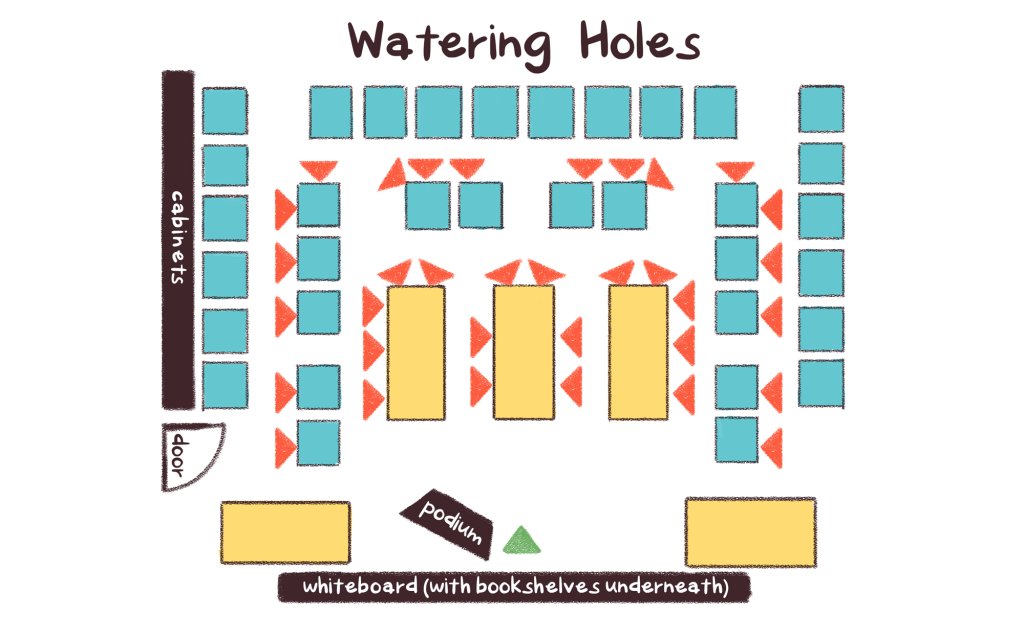
The idea started developing when I stumbled across an article about an Australian classroom arrangement based on three “archetypal learning spaces”: campfires, caves, and watering holes. Essentially, the idea is that students need a physical space to work independently (a cave), spaces to gather informally (campfires), and a space to gather as a whole to learn from an expert (the watering hole).

Using Trauma-Informed Practices in Early Elementary Classrooms — from edutopia.org by Emily Barbour
Small changes in language and classroom routines can increase connection and improve learning for young students.

Trauma-informed practices invite a shift from reactive to proactive systems. To design classrooms that are grounded in safety and care, teachers need to embed predictability, co-regulation, and relationship-building into daily routines. Seemingly small changes like morning choice, intentional language, and shared commitments can transform the environmental conditions for students to properly regulate, feel connected, and fully access learning.

Replacing Morning Work With Morning Choice
The largest positive shift in my classroom culture occurred when I replaced traditional morning work with morning choice bins. When I began our day with worksheets, it felt like I started each day with an uphill battle. The mornings began with redirecting behavior instead of building meaningful relationships.


Reducing the Cognitive Load of Math Tasks With Strategy Cards — from edutopia.org by Katherine Efremkin
When students create a visual resource to scaffold problem-solving, they can approach independent work with more confidence and focused attention.

All three of these areas of the brain need to be activated and work together in order for a student to be successful with independent math work. To help ensure that students are able to successfully shift between their problem-solving ability, thinking, and actions to attack different parts of a problem, I teach students to create strategy cards.

These cards help reduce the cognitive load, enabling students not only to become more successful and independent within their arithmetic work, but also to dive deeper into the conceptual understanding of math concepts.


How to Get Consistent, On-Brand Course Images from Any AI Image Tool — from drphilippahardman.substack.com by Dr. Philippa Hardman
A 3-step workflow that works every time — whatever AI tool you’re using

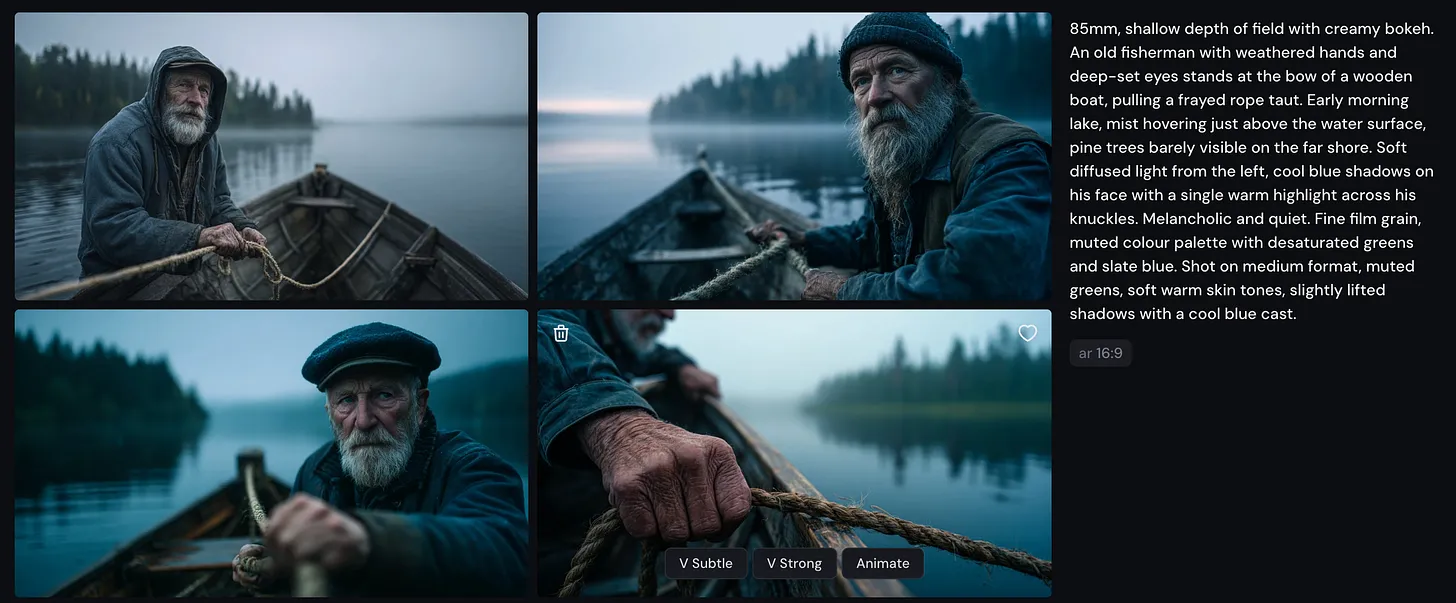
Most designers try to describe their way to an image. That’s the wrong approach. The goal is to show the tool the world it should be working in, then give it the minimum it needs to place your subject inside that world.

Every long, over-specified prompt is a sign that your visual inputs aren’t doing enough work.

The fix is an 3-step process which gives you superpowers in AI image generation…


How AI Could Transform, or Replace, the LMS — from futureupodcast.com by Jeff Selingo, Michael Horn, and Matthew Pittinsky

Tuesday, March 10, 2026 – For 30 years now, colleges have relied on the Learning Management System, or LMS, as a key portal for professors and students to teach and learn. It’s a tool that has helped colleges adapt to online learning and bring digital tools to classroom teaching. But generative AI seems poised to disrupt the LMS. And it’s unclear whether the LMS will evolve—or be replaced altogether. For this episode, Jeff and Michael talk with a pioneer of the technology, Matthew Pittinsky, about the lessons of past moments of tech disruption like the smartphone and cloud computing and about what could be different this time. This episode is made with support from Ascendium Education Group.


Gemini, Explained — from wondertools.substack.com by Jeremy Caplan
5 features worth your time — tested and compared

Google’s AI, Gemini, has quickly become one of the AI tools I rely on most. It builds dashboards and creates remarkable infographics. It spins out comprehensive research reports in minutes that would once have taken days to assemble.

It’s improving every month. On March 13, Google announced Ask Maps, so you can query Gemini about things like “Which nearby tennis courts are open with lights so I can play tonight?” On March 10, Gemini added new integrations to build, summarize, and analyze your Google Docs, Sheets, and Slides.

In today’s post below: catch up on the Gemini features worth your time, candid comparisons with other AI tools, and answers to the questions I hear most.


How we’re reimagining Maps with Gemini — from blog.google
Ask Maps answers your real-world questions with a conversation, and Immersive Navigation makes your route more intuitive.

Today, Google Maps is fundamentally changing what a map can do. By bringing together the world’s freshest map with our most capable Gemini models, we’re transforming exploration into a simple conversation and making driving more intuitive than ever with our biggest navigation upgrade in over a decade.

Ask anything about any place
We’re introducing Ask Maps, a new conversational experience that answers complex, real-world questions a map could never answer before. Now you can ask for things like, “My phone is dying — where can I charge it without having to wait in a long line for coffee?” or “Is there a public tennis court with lights on that I can play at tonight?” Previously, finding this information meant lots of research and sifting through reviews. But now, you can just tap the “Ask Maps” button and get your questions answered conversationally, with a customized map to help you visualize your options.


Cinematic Prompting Without IP — from heatherbcooper.substack.com by Heather Cooper
Stop saying “Blade Runner” style.

Beginner Prompt Structure
If you’re new to prompting, start with this framework:
[Subject] + [Description] + [Setting] + [Lighting] + [Style/Medium]

The advanced framework adds three layers:
[Lens] + [Subject + Action] + [Environment + Atmosphere] + [Lighting + Colour] + [Mood/Emotion] + [Technical Detail]


Something Big Is Happening — from shumer.dev by Matt Shumer; see below from the BIG Questions Institute, where I got this article from

I’ve spent six years building an AI startup and investing in the space. I live in this world. And I’m writing this for the people in my life who don’t… my family, my friends, the people I care about who keep asking me “so what’s the deal with AI?” and getting an answer that doesn’t do justice to what’s actually happening. I keep giving them the polite version. The cocktail-party version. Because the honest version sounds like I’ve lost my mind. And for a while, I told myself that was a good enough reason to keep what’s truly happening to myself. But the gap between what I’ve been saying and what is actually happening has gotten far too big. The people I care about deserve to hear what is coming, even if it sounds crazy.


They’ve now done it. And they’re moving on to everything else.

The experience that tech workers have had over the past year, of watching AI go from “helpful tool” to “does my job better than I do”, is the experience everyone else is about to have. Law, finance, medicine, accounting, consulting, writing, design, analysis, customer service. Not in ten years. The people building these systems say one to five years. Some say less. And given what I’ve seen in just the last couple of months, I think “less” is more likely.

The models available today are unrecognizable from what existed even six months ago. The debate about whether AI is “really getting better” or “hitting a wall” — which has been going on for over a year — is over. It’s done. Anyone still making that argument either hasn’t used the current models, has an incentive to downplay what’s happening, or is evaluating based on an experience from 2024 that is no longer relevant. I don’t say that to be dismissive. I say it because the gap between public perception and current reality is now enormous, and that gap is dangerous… because it’s preventing people from preparing.


What “Something Big Is Happening” Means for Schools — from/by the BIG Questions Institute
Matt Shumer’s newsletter post Something Big is Happening has been read over 80 million times within the week when it was published, on February 9.

Still, it’s worth reading Shumer’s post. Given the claims and warnings in Something Big Is Happening (and countless other articles), how would you truly, honestly respond to these questions:

  • What will the purpose of school be in 5 years?
  • What are we doing now that we must leave behind right away?
  • What can we leave behind gradually?
  • What does rigor look like in this AI-powered world?
  • Does our strategy look like making adjustments at the margins or are we preparing our students for a fundamental shift?
  • What is our definition of success? How do the the implications of AI and jobs (and other important forces, from geopolitical shifts and climate change, to mental health needs and shifting generational values) impact the outcomes we prioritize? What is the story of success we want to pass on to our students and wider community?
 

Kling 3.0 just launched. The best video model yet. — from heatherbcooper.substack.com by Heather Cooper
& workflows from Imagine Art 1.5 pro, Pixverse Real-Time Video & Genspark

In today’s edition:

  • Kling 3.0: Everyone a Director
  • Character consistency, native audio, 15-second generations & first results
  • Image & Video Prompts
  • Imagine Art 1.5 Pro, Genspark AI Workspace 2.0 & PixVerse Real-Time Video Workflows

Kling 3.0: Everyone a Director
Kling just dropped version 3.0, and it’s a legitimate leap forward for AI video production (Kling is the GOAT). After spending early access time testing the new capabilities, I can confirm this is the most significant update to video generation tools I’ve seen in months.

Key highlights:

  • Character & Element Consistency:
  • Flexible Video Production:
  • Native Audio with Dialogue & Singing:
  • Enhanced Image Generation:
  • Professional Output:
 

6 Ed Tech Tools to Try in 2026 — from cultofpedagogy.com by Jennifer Gonzalez

It’s that time again ~ the annual round-up of tech tools we think are worth a look this year. This year I really feel like there’s something for everyone: history teachers, math and science teachers, people who run makerspaces, teachers interested in music or podcasting, writing teachers, special ed teachers, and anyone whose course content could be made clearer through graphic organizers.


Also somewhat relevant here, see:


Beyond Infographics: How to Use Nano Banana to *Actually* Support Learning — from drphilippahardman.substack.com by Dr Philippa Hardman
Six evidence-based use cases to try in Google’s latest image-generating AI tool

While it’s true that Nano Banana generates better infographics than other AI models, the conversation has so far massively under-sold what’s actually different and valuable about this tool for those of us who design learning experiences.

What this means for our workflow:

Instead of the traditional “commission ? wait ? tweak ? approve ? repeat” cycle, Nano Banana enables an iterative, rapid-cycle design process where you can:

  • Sketch an idea and see it refined in minutes.
  • Test multiple visual metaphors for the same concept without re-briefing a designer.
  • Build 10-image storyboards with perfect consistency by specifying the constraints once, not manually editing each frame.
  • Implement evidence-based strategies (contrasting cases, worked examples, observational learning) that are usually too labour-intensive to produce at scale.

This shift—from “image generation as decoration” to “image generation as instructional scaffolding”—is what makes Nano Banana uniquely useful for the 10 evidence-based strategies below.


BIG unveils Suzhou Museum of Contemporary Art topped with ribbon-like roof — from dezeen.com by Christina Yao
.

Also from Dezeen:

MVRDV designs giant sphere for sports arena in Tirana — from dezeen.com by Starr Charles
.


Adobe Reinvents its Entire Creative Suite with AI Co-Pilots, Custom Models, and a New Open Platform — from theneuron.ai by Grant Harvey
Adobe just put an AI co-pilot in every one of its apps, letting you chat with Photoshop, train models on your own style, and generate entire videos with a single subscription that now includes top models from Google, Runway, and Pika.

Adobe came to play, y’all.

At Adobe MAX 2025 in Los Angeles, the company dropped an entire creative AI ecosystem that touches every single part of the creative workflow. In our opinion, all these new features aren’t about replacing creators; it’s about empowering them with superpowers they can actually control.

Adobe’s new plan is to put an AI co-pilot in every single app.

  • For professionals, the game-changer is Firefly Custom Models. Start training one now to create a consistent, on-brand look for all your assets.
  • For everyday creators, the AI Assistants in Photoshop and Express will drastically speed up your workflow.
  • The best place to start is the Photoshop AI Assistant (currently in private beta), which offers a powerful glimpse into the future of creative software—a future where you’re less of a button-pusher and more of a creative director.

Adobe MAX Day 2: The Storyteller Is Still King, But AI Is Their New Superpower — from theneuron.ai by Grant Harvey
Adobe’s Day 2 keynote showcased a suite of AI-powered creative tools designed to accelerate workflows, but the real message from creators like Mark Rober and James Gunn was clear: technology serves the story, not the other way around.

On the second day of its annual MAX conference, Adobe drove home a message that has been echoing through the creative industry for the past year: AI is not a replacement, but a partner. The keynote stage featured a powerful trio of modern storytellers—YouTube creator Brandon Baum, science educator and viral video wizard Mark Rober, and Hollywood director James Gunn—who each offered a unique perspective on a shared theme: technology is a powerful tool, but human instinct, hard work, and the timeless art of storytelling remain paramount.

From DSC:
As Grant mentioned, the demos dealt with ideation, image generation, video generation, audio generation, and editing.


Adobe Max 2025: all the latest creative tools and AI announcements — from theverge.com by Jess Weatherbed

The creative software giant is launching new generative AI tools that make digital voiceovers and custom soundtracks for videos, and adding AI assistants to Express and Photoshop for web that edit entire projects using descriptive prompts. And that’s just the start, because Adobe is planning to eventually bring AI assistants to all of its design apps.


Also see Adobe Delivers New AI Innovations, Assistants and Models Across Creative Cloud to Empower Creative Professionals plus other items from the News section from Adobe


AI agents: Where are they now? From proof of concept to success stories — from hrexecutive.com by Jill Barth

The 4 Rs framework
Salesforce has developed what Holt Ware calls the “4 Rs for AI agent success.” They are:

  1. Redesign by combining AI and human capabilities. This requires treating agents like new hires that need proper onboarding and management.
  2. Reskilling should focus on learning future skills. “We think we know what they are,” Holt Ware notes, “but they will continue to change.”
  3. Redeploy highly skilled people to determine how roles will change. When Salesforce launched an AI coding assistant, Holt Ware recalls, “We woke up the next day and said, ‘What do we do with these people now that they have more capacity?’ ” Their answer was to create an entirely new role: Forward-Deployed Engineers. This role has since played a growing part in driving customer success.
  4. Rebalance workforce planning. Holt Ware references a CHRO who “famously said that this will be the last year we ever do workforce planning and it’s only people; next year, every team will be supplemented with agents.”

Synthetic Reality Unleashed: AI’s powerful Impact on the Future of Journalism — from techgenyz.com by Sreyashi Bhattacharya

Table of Contents

  • Highlights
  • What is “synthetic news”?
  • Examples in action
  • Why are newsrooms experimenting with synthetic tools
  • Challenges and Risks
  • What does the research say
    • Transparency seems to matter. —What is next: trends & future
  • Conclusion

The latest video generation tool from OpenAI –> Sora 2

Sora 2 is here — from openai.com

Our latest video generation model is more physically accurate, realistic, and more controllable than prior systems. It also features synchronized dialogue and sound effects. Create with it in the new Sora app.

And a video on this out at YouTube:

Per The Rundown AI:

The Rundown: OpenAI just released Sora 2, its latest video model that now includes synchronized audio and dialogue, alongside a new social app where users can create, remix, and insert themselves into AI videos through a “Cameos” feature.

Why it matters: Model-wise, Sora 2 looks incredible — pushing us even further into the uncanny valley and creating tons of new storytelling capabilities. Cameos feels like a new viral memetic tool, but time will tell whether the AI social app can overcome the slop-factor and have staying power past the initial novelty.


OpenAI Just Dropped Sora 2 (And a Whole New Social App) — from heneuron.ai by Grant Harvey
OpenAI launched Sora 2 with a new iOS app that lets you insert yourself into AI-generated videos with realistic physics and sound, betting that giving users algorithm control and turning everyone into active creators will build a better social network than today’s addictive scroll machines.

What Sora 2 can do

  • Generate Olympic-level gymnastics routines, backflips on paddleboards (with accurate buoyancy!), and triple axels.
  • Follow intricate multi-shot instructions while maintaining world state across scenes.
  • Create realistic background soundscapes, dialogue, and sound effects automatically.
  • Insert YOU into any video after a quick one-time recording (they call this “cameos”).

The best video to show what it can do is probably this one, from OpenAI researcher Gabriel Peters, that depicts the behind the scenes of Sora 2 launch day…


Sora 2: AI Video Goes Social — from getsuperintel.com by Kim “Chubby” Isenberg
OpenAI’s latest AI video model is now an iOS app, letting users generate, remix, and even insert themselves into cinematic clips

Technically, Sora 2 is a major leap. It syncs audio with visuals, respects physics (a basketball bounces instead of teleporting), and follows multi-shot instructions with consistency. That makes outputs both more controllable and more believable. But the app format changes the game: it transforms world simulation from a research milestone into a social, co-creative experience where entertainment, creativity, and community intersect.


Also along the lines of creating digital video, see:

What used to take hours in After Effects now takes just one text prompt. Tools like Google’s Nano Banana, Seedream 4, Runway’s Aleph, and others are pioneering instruction-based editing, a breakthrough that collapses complex, multi-step VFX workflows into a single, implicit direction.

The history of VFX is filled with innovations that removed friction, but collapsing an entire multi-step workflow into a single prompt represents a new kind of leap.

For creators, this means the skill ceiling is no longer defined by technical know-how, it’s defined by imagination. If you can describe it, you can create it. For the industry, it points toward a near future where small teams and solo creators compete with the scale and polish of large studios.

Bilawal Sidhu


OpenAI DevDay 2025: everything you need to know — from getsuperintel.com by Kim “Chubby” Isenberg
Apps Inside ChatGPT, a New Era Unfolds

Something big shifted this week. OpenAI just turned ChatGPT into a platform – not just a product. With apps now running inside ChatGPT and a no-code Agent Builder for creating full AI workflows, the line between “using AI” and “building with AI” is fading fast. Developers suddenly have a new playground, and for the first time, anyone can assemble their own intelligent system without touching code. The question isn’t what AI can do anymore – it’s what you’ll make it do.


Introducing Gemini 2.5 Flash Image, our state-of-the-art image model — from developers.googleblog.com

Today [8/26/25], we’re excited to introduce Gemini 2.5 Flash Image (aka nano-banana), our state-of-the-art image generation and editing model. This update enables you to blend multiple images into a single image, maintain character consistency for rich storytelling, make targeted transformations using natural language, and use Gemini’s world knowledge to generate and edit images.

When we first launched native image generation in Gemini 2.0 Flash earlier this year, you told us you loved its low latency, cost-effectiveness, and ease of use. But you also gave us feedback that you needed higher-quality images and more powerful creative control.


Google’s new image model is BANANAS… — from theneurondaily.com by Grant Harvey

Here’s what makes nano-banana special:

  • Character consistency that actually works: Google built a template app showing how you can keep characters looking identical across scenes.
  • Edit photos (or drawings) with just words: Their photo editing demo lets you remove people, blur backgrounds, or colorize photos using natural language…and this co-drawing demo lets you draw and ask AI to fix it.
  • Actual world knowledge: Unlike other image models, this one knows stuff—like how the co-drawing demo turns doodles into learning experiences.
  • Multi-image fusion: You can now merge multiple images; fx, you can drag and drop objects between images seamlessly with their home canvas template.


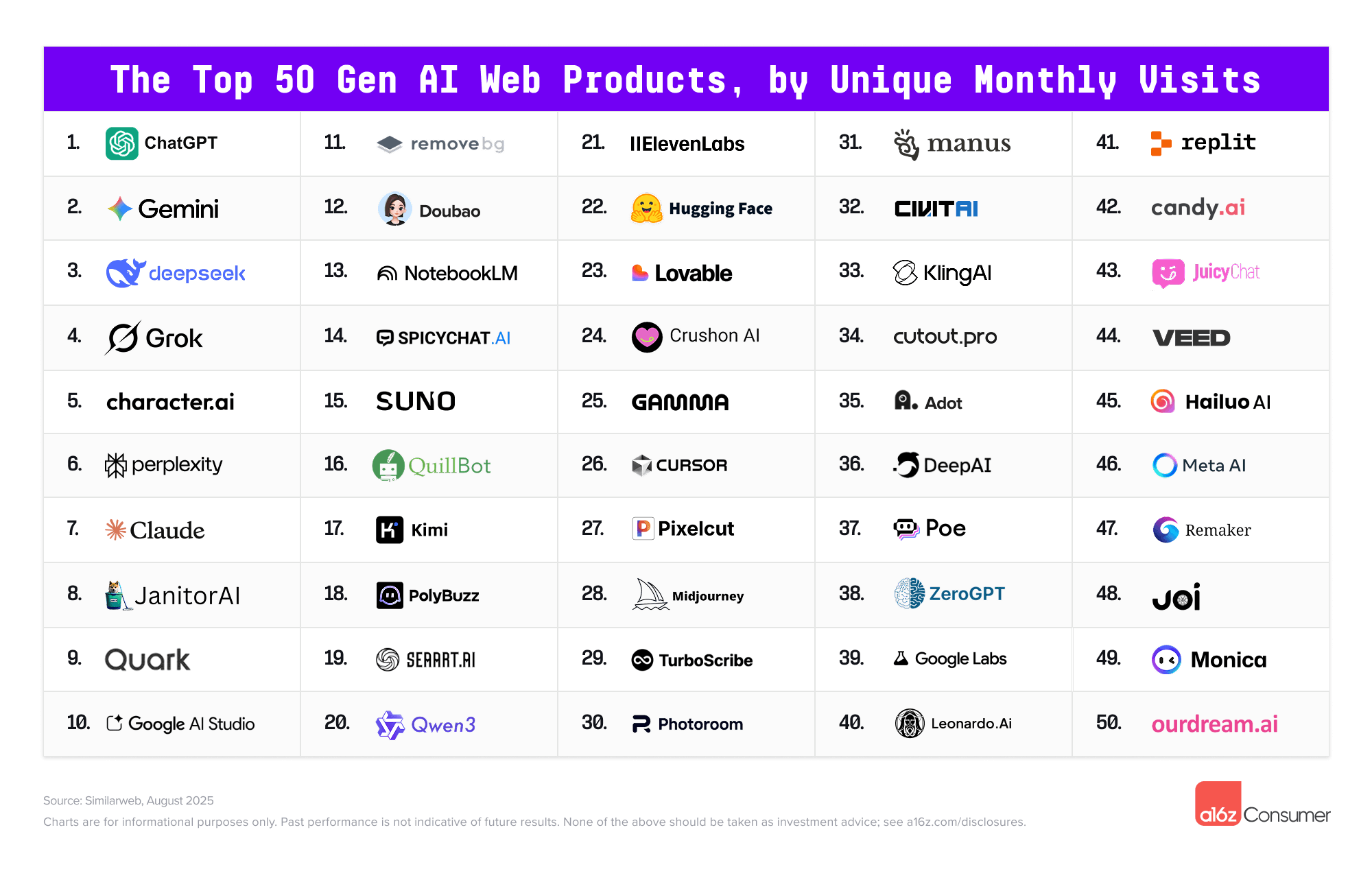
The Top 100 [Gen AI] Consumer Apps 5th edition — from a16z.com


And in an interesting move by Microsoft and Samsung:

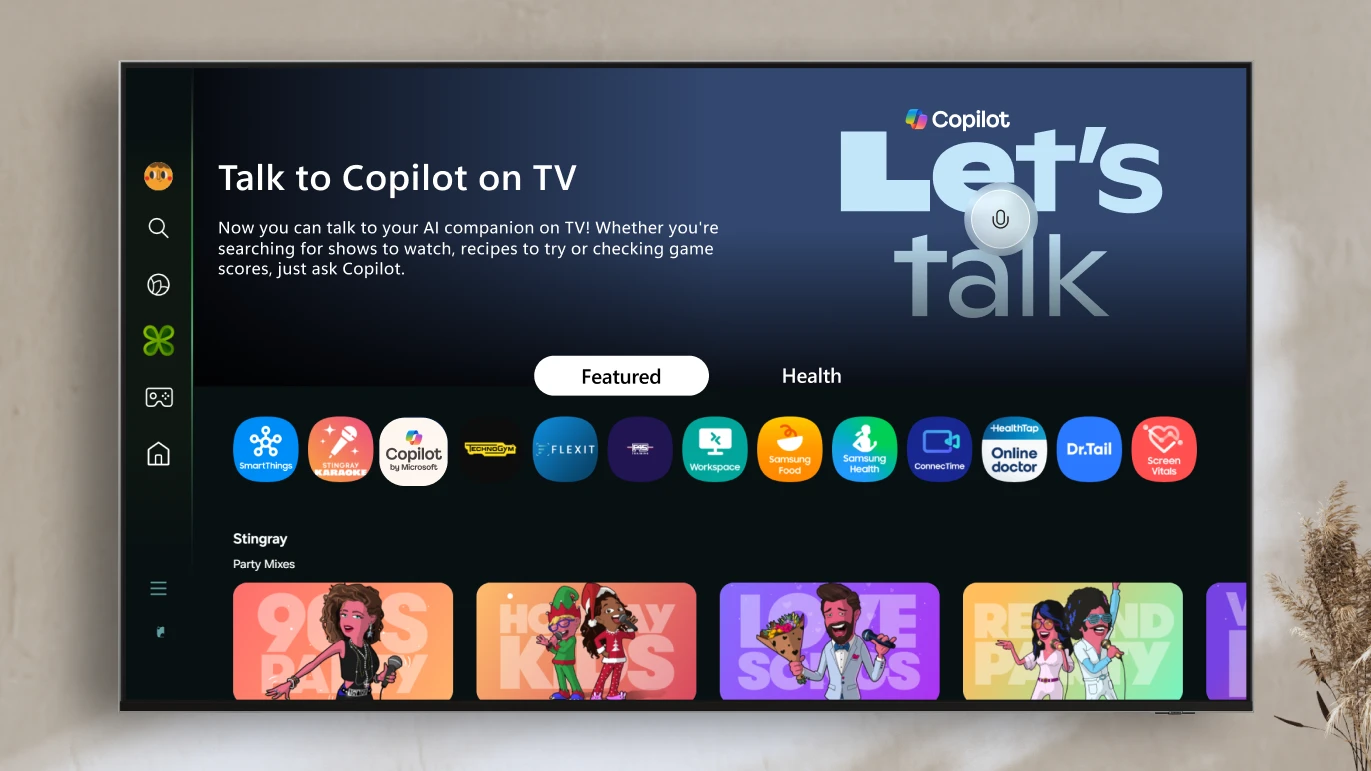
A smarter way to talk to your TV: Microsoft Copilot launches on Samsung TVs and monitors — from microsoft.com

Voice-powered AI meets a visual companion for entertainment, everyday help, and everything in between. 

Redmond, Wash., August 27—Today, we’re announcing the launch of Copilot on select Samsung TVs and monitors, transforming the biggest screen in your home into your most personal and helpful companion—and it’s free to use.

Copilot makes your TV easier and more fun to use with its voice-powered interface, friendly on-screen character, and simple visual cards. Now you can quickly find what you’re looking for and discover new favorites right from your living room.

Because it lives on the biggest screen in the home, Copilot is a social experience—something you can use together with family and friends to spark conversations, help groups decide what to watch, and turn the TV into a shared space for curiosity and connection.


Artificial Intelligence in Vocational Education — from leonfurze.com by Leon Furze

The vocational education sector is incredibly diverse, covering everything from trades like building and construction, electrical, plumbing and automotive through to allied health, childcare, education, the creative arts and the technology industry. In Canberra, we heard from people representing every corner of the industry, including education, retail, tourism, finance and digital technologies. Every one of these industries is being impacted by the current AI boom.

A theme of the day was that whilst the vocational education sector is seen as a slow-moving beast with its own peculiar red tape, it is still possible to respond to emerging technologies like artificial intelligence, and there’s an imperative to do so.

Coming back to GenAI for small business owners, a qualified plumber running their own business, either as a solo operator or as manager of a team, probably doesn’t have many opportunities to keep up to date with the rapid developments of digital technologies. They’re far too busy doing their job.

So vocational education and training can be an initial space to develop some skills and understanding of the technology in a way which can be beneficial for managing that day-to-day job.


And speaking of the trade schools/vocational world…

Social media opens a window to traditional trades for young workers — from washingtonpost.com by Taylor Telford; this is a gifted article
Worker influencers are showing what life is like in fields such as construction, plumbing and manufacturing. Trade schools are trying to make the most of it.

Social media is increasingly becoming a destination for a new generation to learn about skilled trades — at a time when many have grown skeptical about the cost of college and the promise of white-collar jobs. These posts offer authentic insight as workers talk openly about everything from their favorite workwear to safety and payday routines.

The exposure is also changing the game for trade schools and employers in such industries as manufacturing and construction, which have long struggled to attract workers. Now, some are evolving their recruiting tactics by wading into content creation after decades of relying largely on word of mouth.


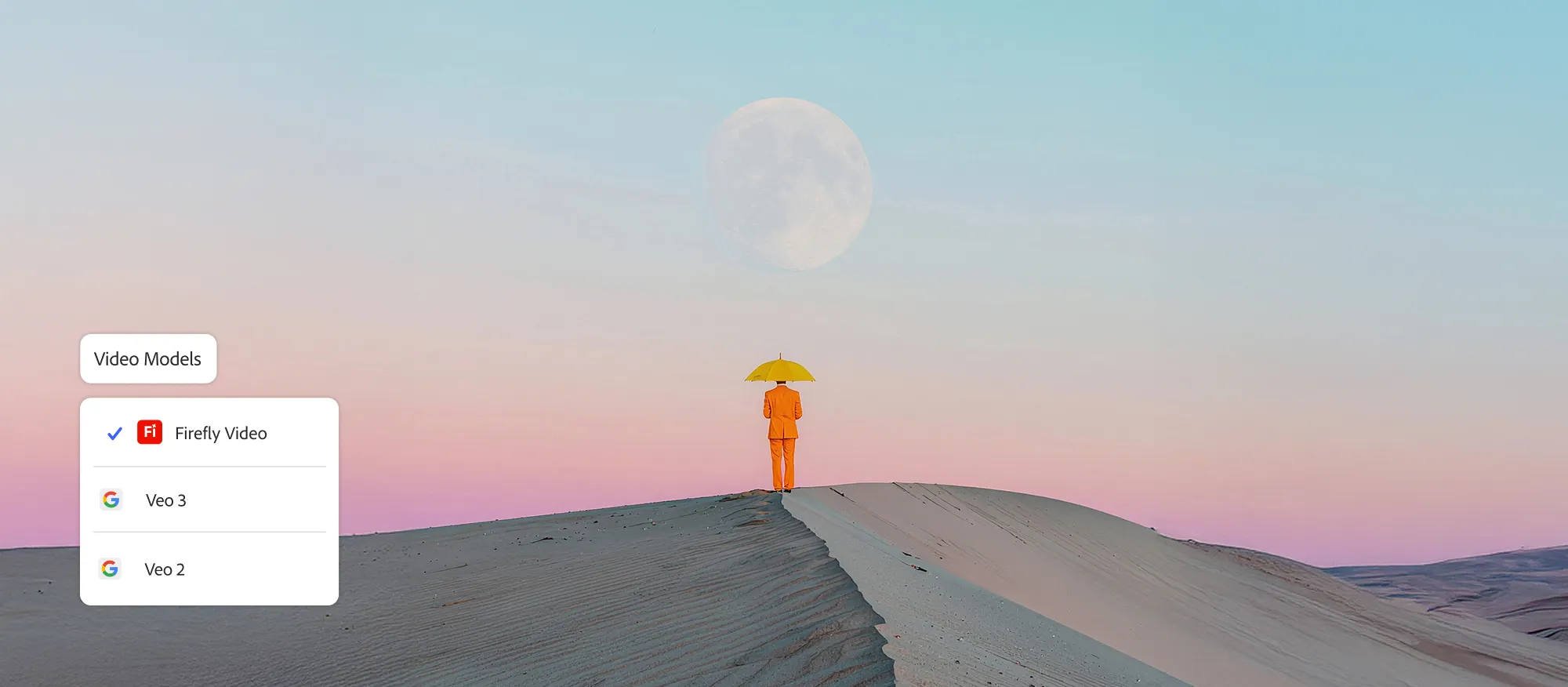
Firefly adds new video capabilities, industry leading AI models, and Generate Sound Effects feature — from blog.adobe.com

Today, we’re introducing powerful enhancements to our Firefly Video Model, including improved motion fidelity and advanced video controls that will accelerate your workflows and provide the precision and style you need to elevate your storytelling. We are also adding new generative AI partner models within Generate Video on Firefly, giving you the power to choose which model works best for your creative needs across image, video and sound.

Plus, our new workflow tools put you in control of your video’s composition and style. You can now layer in custom-generated sound effects right inside the Firefly web app — and start experimenting with AI-powered avatar-led videos.

Generate Sound Effects (beta)
Sound is a powerful storytelling tool that adds emotion and depth to your videos. Generate Sound Effects (beta) makes it easy to create custom sounds, like a lion’s roar or ambient nature sounds, that enhance your visuals. And like our other Firefly generative AI models, Generate Sound Effects (beta) is commercially safe, so you can create with confidence.

Just type a simple text prompt to generate the sound effect you need. Want even more control? Use your voice to guide the timing and intensity of the sound. Firefly listens to the energy and rhythm of your voice to place sound effects precisely where they belong — matching the action in your video with cinematic timing.


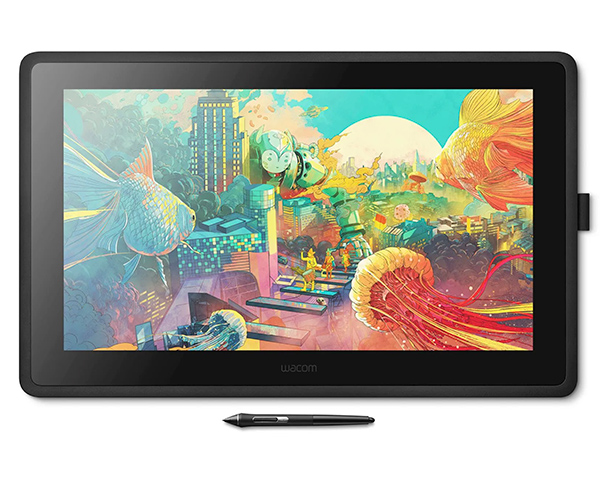
The No Bulls**t Guide To Drawing Tablets — from booooooom.com

SO WHICH DEVICE SHOULD YOU BUY?

If you’re anything like me, the answer is an iPad AND a drawing display. I heavily rely on both my desktop apps and Procreate, so limiting myself to only one device doesn’t cut it for my creative workflow.

However, it all comes down to personal preference and understanding which apps you rely on, whether portability is essential, how vital ergonomics are, and ultimately what you can afford. Once you answer those questions, everything falls into place.

 
© 2025 | Daniel Christian