From DSC:
For me the Socratic method is still a question mark, in terms of effectiveness. (I suppose it depends on who is yielding the tool and how it’s being utilized/implemented.)

But you have one student — often standing up and/or in the spotlight — who is being drilled on something. That student could be calm and collected, and their cognitive processing could actually get a boost from the adrenaline.

But there are other students who dread being called upon in such a public — sometimes competitive — setting. Their cognitive processing could shut down or become greatly diminished.

Also, the professor is working with one student at a time — hopefully the other students are trying to address each subsequent question, but some students may tune out once they know it’s not their turn in the spotlight.

So I was wondering…could the Socratic method be used with each student at the same time? Could a polling-like tool be used in real-time to guide the discussion?

For example, a professor could start out with a pre-created poll and ask the question of all students. Then they could glance through the responses and even scan for some keywords (using their voice to drive the system and/or using a Ctrl+F / Command+F type of thing).

Then in real-time / on-the-fly, could the professor use their voice to create another poll/question — again for each student to answer — based on one of the responses? Again, each student must answer the follow up question(s).

Are there any vendors out there working on something like this? Or have you tested the effectiveness of something like this?

Vendors: Can you help us create a voice-driven interface to offer the Socratic method to everyone to see if and how it would work? (Like a Mentimeter type of product on steroids…er, rather, using an AI-driven backend.)

Teachers, trainers, pastors, presenters could also benefit from something like this — as it could engage numerous people at once.

#Participation #Engagement #Assessment #Reasoning #CriticalThinking #CommunicationSkills #ThinkingOnOnesFeet #OnlineLearning #Face-to-Face #BlendedLearning #HybridLearning

Could such a method be used in language-related classes as well? In online-based tutoring?
 

Could AI-based techs be used to develop a “table of contents” for the key points within lectures, lessons, training sessions, sermons, & podcasts? [Christian]

From DSC:
As we move into 2021, the blistering pace of emerging technologies will likely continue. Technologies such as:

  • Artificial Intelligence (AI) — including technologies related to voice recognition
  • Blockchain
  • Augment Reality (AR)/Mixed Reality (MR)/Virtual Reality (VR) and/or other forms of Extended Reality (XR)
  • Robotics
  • Machine-to-Machine Communications (M2M) / The Internet of Things (IoT)
  • Drones
  • …and other things will likely make their way into how we do many things (for better or for worse).

Along the positive lines of this topic, I’ve been reflecting upon how we might be able to use AI in our learning experiences.

For example, when teaching in face-to-face-based classrooms — and when a lecture recording app like Panopto is being used — could teachers/professors/trainers audibly “insert” main points along the way? Similar to something like we do with Siri, Alexa, and other personal assistants (“Heh Siri, _____ or “Alexa, _____).

Like an audible version of HTML -- using the spoken word to insert the main points of a presentation or lecture

(Image purchased from iStockphoto)

.

Pretend a lecture, lesson, or a training session is moving right along. Then the professor, teacher, or trainer says:

  • “Heh Smart Classroom, Begin Main Point.”
  • Then speaks one of the main points.
  • Then says, “Heh Smart Classroom, End Main Point.”

Like a verbal version of an HTML tag.

After the recording is done, the AI could locate and call out those “main points” — and create a table of contents for that lecture, lesson, training session, or presentation.

(Alternatively, one could insert a chime/bell/some other sound that the AI scans through later to build the table of contents.)

In the digital realm — say when recording something via Zoom, Cisco Webex, Teams, or another application — the same thing could apply. 

Wouldn’t this be great for quickly scanning podcasts for the main points? Or for quickly scanning presentations and webinars for the main points?

Anyway, interesting times lie ahead!


Video Project Collaboration During a Pandemic – Is It Possible? — from global-edtech.com by Angelito F. Balboa

Excerpt (emphasis DSC):

After this experience, I came to understand the power that green screen technology can have for my students. I also realized that people could produce videos with others no matter how geographically separated. At the beginning of the project they could only collaborate by planning the video project or by editing it but now, with green screen, everything can be achieved, including filming people who are not physically together.

I am planning to bring this concept to another level by conducting an intercultural video project collaboration where my students will produce video projects with students from other countries to open-up discussion about global issues such as hunger, climate change and my favorite, world peace. 

Also see:

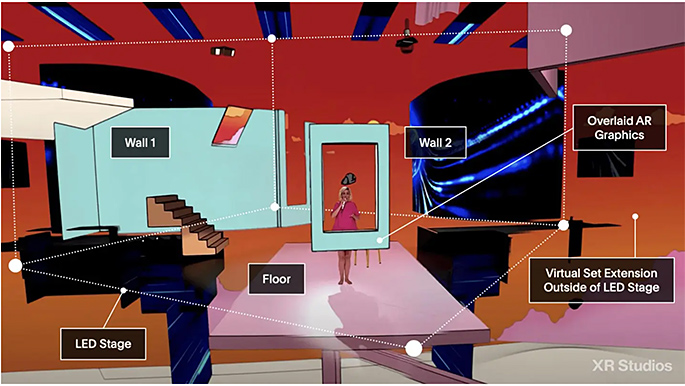
Pushing the boundaries in remote and Virtual Production — from provideocoalition.com by Jose Antunes


The Year TV Leaped Into The Future [Roettgers]

The Year TV Leaped Into The Future [Roettgers]

The Year TV Leaped Into The Future — from protocol.com by Janko Roettgers

The lockdowns this year have transformed our homes into offices, schools, concert halls, movie theaters and gyms. Our homes are working harder for us, but so is our technology. The device that is working the hardest is perhaps the TV—becoming our lifeline to a far more virtual world.

Addendums:

The Second Year of The MOOC: 2020 Saw a Rush to Large-Scale Online Courses

The Second Year of The MOOC: 2020 Saw a Rush to Large-Scale Online Courses — from edsurge.com by Dhawal Shah

Excerpt:

This was the year that more people learned what a MOOC is.

As millions suddenly found themselves with free time on their hands during the pandemic, many turned to online courses—especially, to free courses known as MOOCs, or Massive Open Online Courses. This phenomenon was compounded by media worldwide compiling lists of “free things to do during lockdown,” which tended to include MOOCs.

Within two months, Class Central had received over 10 million visits and sent over six million clicks to MOOC providers. These learners also turned out to be more engaged than usual. In April 2020, MOOC providers Coursera, edX and FutureLearn attracted as many new users in a single month as they did in the entirety of 2019.

.

From DSC:
The pieces continue to come together…

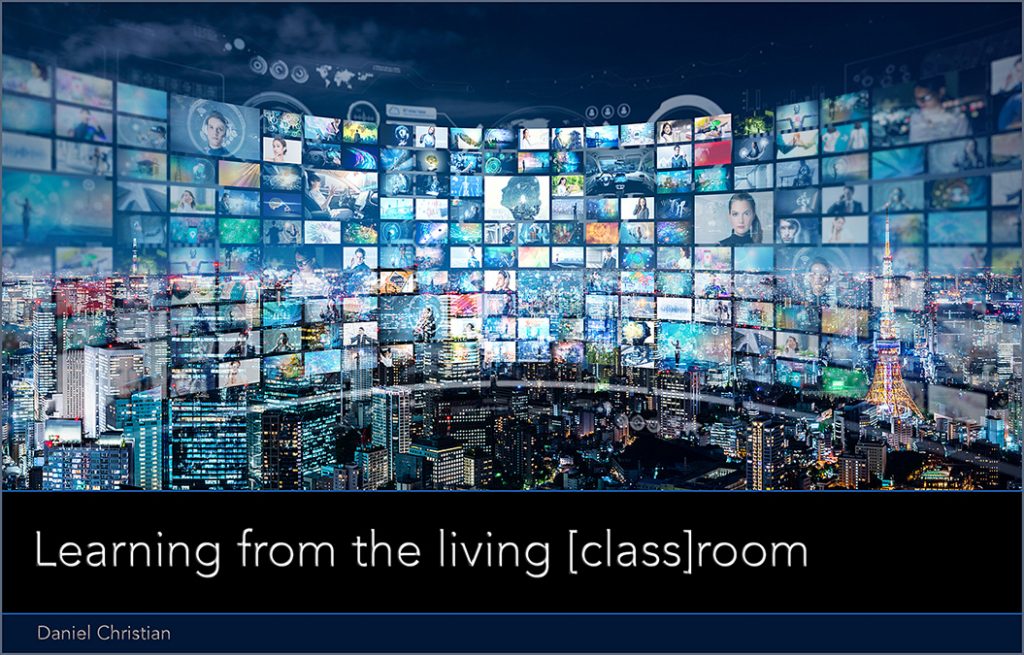
Learning from the living class room

...team-based content creation and delivery will dominate in the future (at least for the masses). It will offer engaging, personalized learning and the AI-based systems will be constantly scanning for the required/sought-after skills and competencies. The systems will then present a listing of items that will help people obtain those skills and competencies.

#AI #LearningProfiles #Cloud #LearningFromTheLivingClassRoom #LearningEcosystems #LearningSpaces #21stCentury #24x7x365 #Reinvent #Surviving #StayingRelevant #LifeLongLearning and many more tags/categories are applicable here.


Mind-Bending 3D Staircase Wins the Best Illusion of the Year Contest — from interestingengineering.com by Loukia Papadopoulos
The winner’s work is a mesmerizing take on the classic Schröder Staircase.


Coming Home for Christmas — from 500px.com by Arnd Kolleck
.
Coming Home for Christmas by Arnd Kolleck on 500px.com


Animation Trends in 2021: Popping and Intriguing Animation Ideas — from graphicmama.com by Lyudmil Enchev

Excerpt:

Before we dive in, a quick list of the 9 animation trends in 2021:
1. 3D style
2. Live-Action and Animation Mix
3. Use Textures
4. Don’t Underestimate Sound FX
5. Unique Characters and Illustration styles
6. Realistic Expressions
7. Glow and Shine Effects
8. Retro/Vintage Style Animations
9. Storytelling

.

Meet Texas A&M graduate Cheyenne Chapel, a CG artist behind Pixar’s new animated film ‘Soul’ which premieres this Christmas on Disney+ — from victoriaadvocate.com by Joe Friar, with thanks to Keesa V. Johnson for posting this on LinkedIn

Cheyenne Chapel

Cheyenne Chapel is photographed on January 21, 2020 at Pixar Animation Studios in Emeryville, Calif. (Photo by Deborah Coleman / Pixar)


Impressive Moving Dunes Optical Illusion — from fubiz.com

Impressive Moving Dunes Optical Illusion


From DSC:
An interesting, more positive use of AI here:

Deepdub uses AI to dub movies in the voice of famous actors — from protocol.com by Janko Roettgers
Fresh out of stealth, the startup is using artificial intelligence to automate the localization process for global streaming.

Excerpt:

Tel Aviv-based startup Deepdub wants to help streaming services accelerate this kind of international rollout by using artificial intelligence for their localization needs. Deepdub, which came out of stealth on Wednesday, has built technology that can translate a voice track to a different language, all while staying true to the voice of the talent. This makes it possible to have someone like Morgan Freeman narrate a movie in French, Italian or Russian without losing what makes Freeman’s voice special and recognizable.

From DSC:
A much more negative use of AI here:

A much more negative use of AI here...


The Journal 2020 Award Winners

THE Journal 2020 New Product Award Winners

For THE Journal’s first-ever New Product Award program, judges selected winners in 30 categories spanning all aspects of technology innovations in K–12 education, from the classroom to the server room and beyond. We are proud to honor these winners for their outstanding contributions to the institution of education, in particular at this time of upheaval in the way education is being delivered to the nation’s 50 million students.


From DSC:
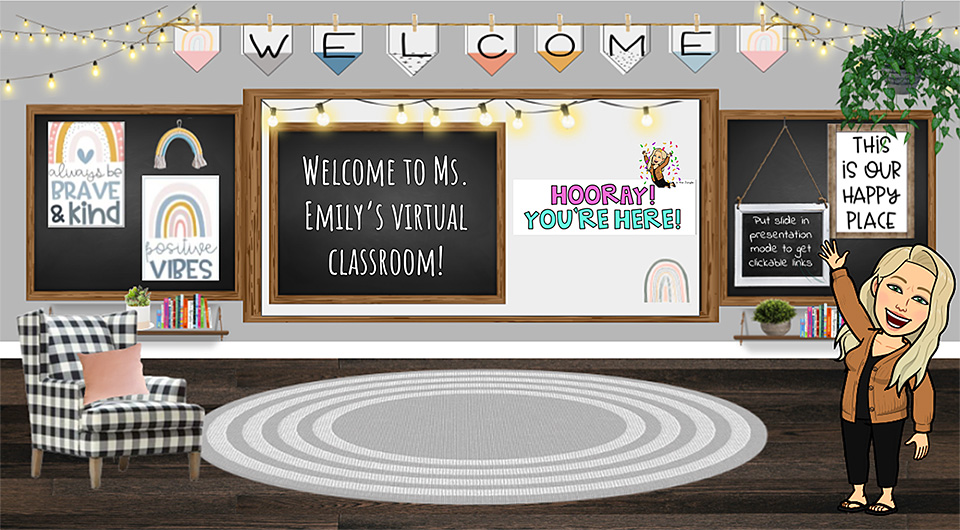
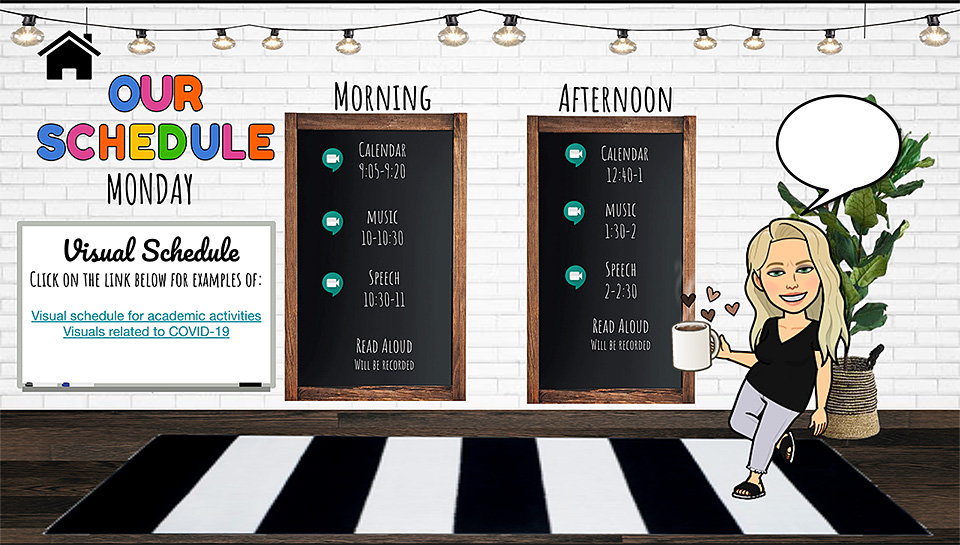
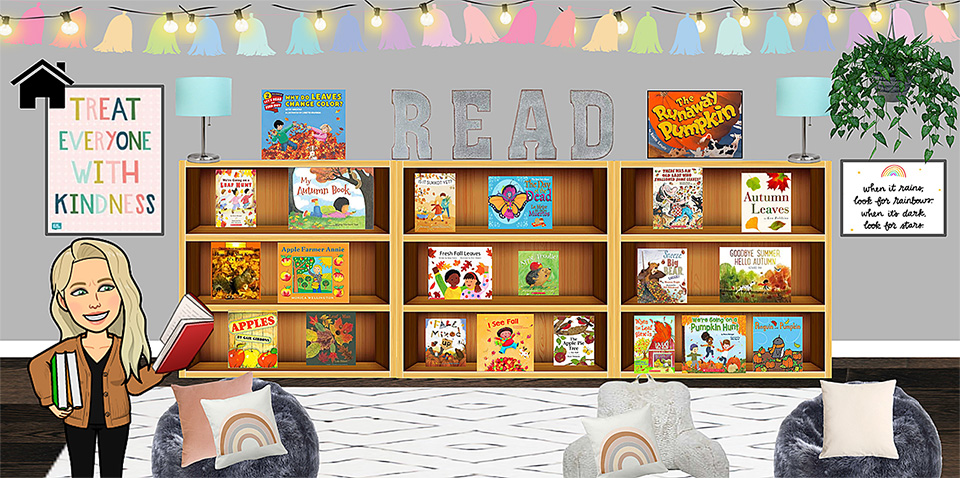
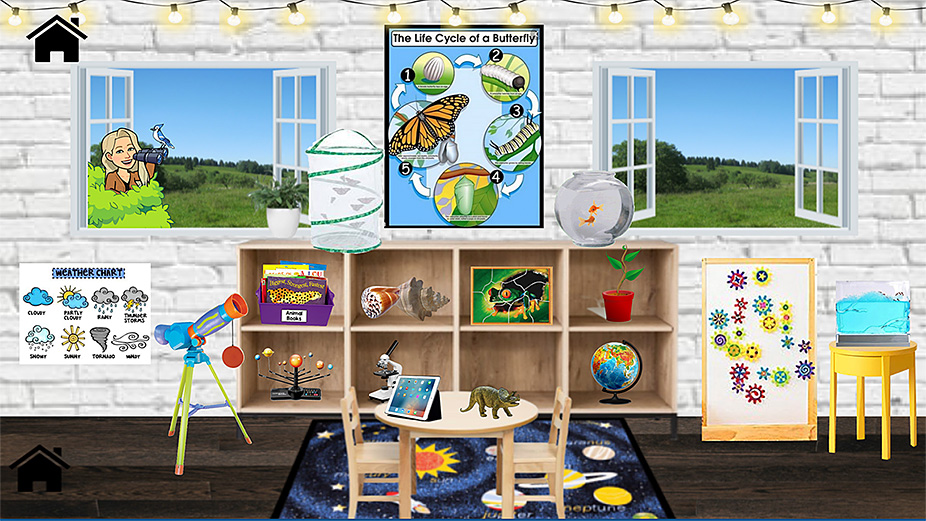
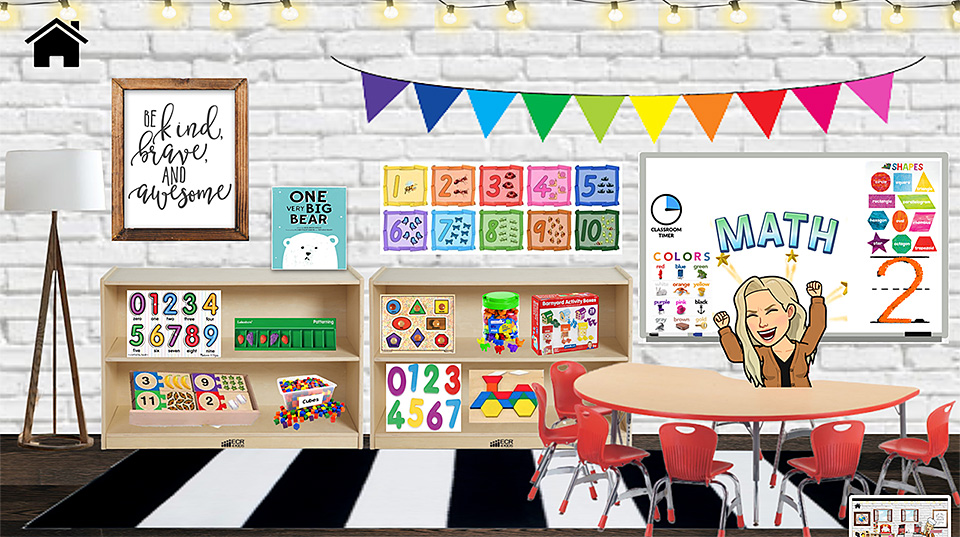
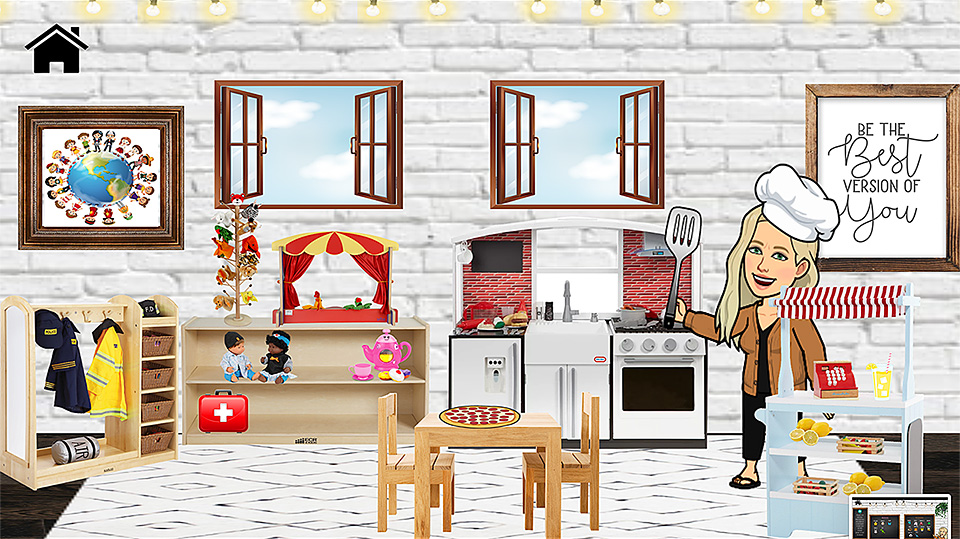
Our oldest daughter showed me a “Bitmoji Classroom” that her mentor teacher — Emily Clay — uses as her virtual classroom. Below are some snapshots of the Google Slides that Emily developed based on the work of:

  • Kayla Young (@bitmoji.kayla)
  • MaryBeth Thomas 
  • Ms. Smith 
  • Karen Koch
  • The First Grade Creative — by C. Verddugo

My hats off to all of these folks whose work laid the foundations for this creative, fun, engaging, easy-to-follow virtual classroom for a special education preschool classroom — complete with ties to videoconferencing functionalities from Zoom. Emily’s students could click on items all over the place — they could explore, pursue their interests/curiosities/passions. So the snapshots below don’t offer the great interactivity that the real deal does.

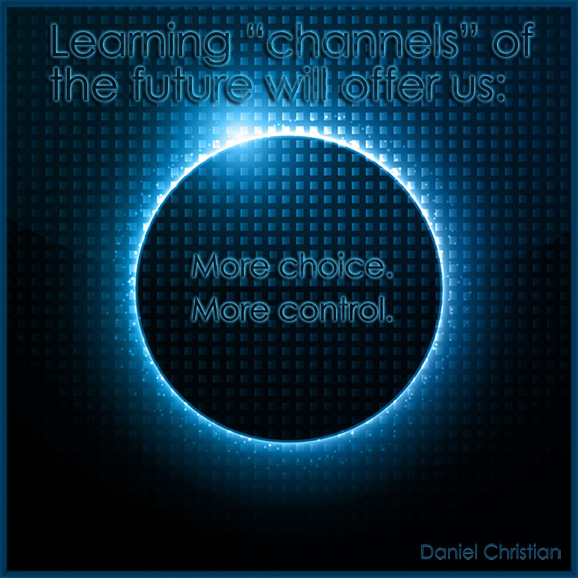
Nice work Emily & Company! I like how you provided more choice, more control to your students — while keeping them engaged! 

A snapshot of a Bitmoji Classroom created by Emily Clay


A snapshot of a Bitmoji Classroom created by Emily Clay

From DSC:
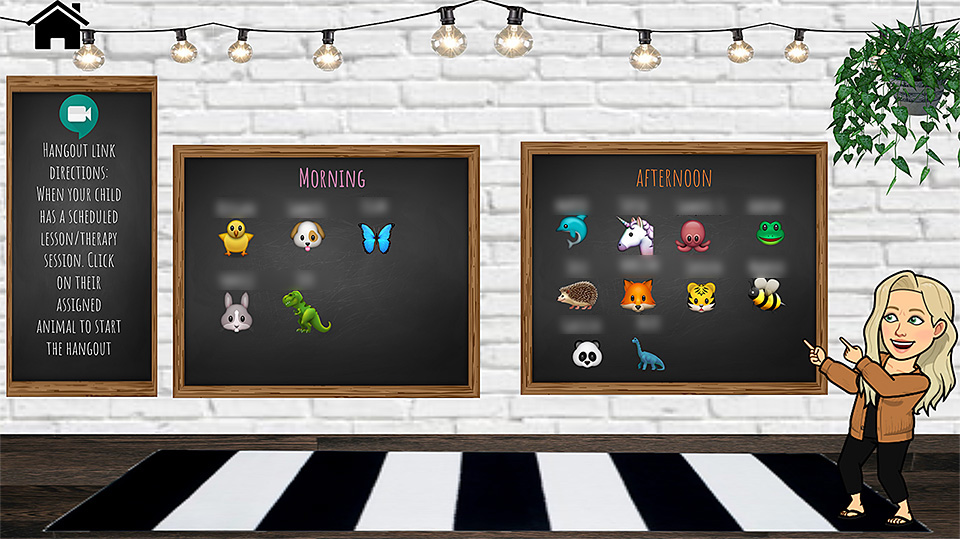
I also like the idea of presenting this type of slide (immediately below, and students’ names have been blurred for privacy’s sake) prior to entering a videoconferencing session where you are going to break out the students into groups. Perhaps that didn’t happen in Emily’s class…I’m not sure, but in other settings, it would make sense to share one’s screen right before sending the students to those breakout rooms and show them that type of slide (to let them know who will be in their particular breakout group).

The students in the different breakout sessions could then collaboratively work on Google Docs, Sheets, or Slides and you could watch their progress in real-time!

A snapshot of a Bitmoji Classroom created by Emily Clay


A snapshot of a Bitmoji Classroom created by Emily Clay


A snapshot of a Bitmoji Classroom created by Emily Clay


A snapshot of a Bitmoji Classroom created by Emily Clay


A snapshot of a Bitmoji Classroom created by Emily Clay

Also see:


Saving — and Enhancing — Music Education With Online Learning — from edcircuit.com by D. Travis Washington

Excerpt (emphasis DSC):

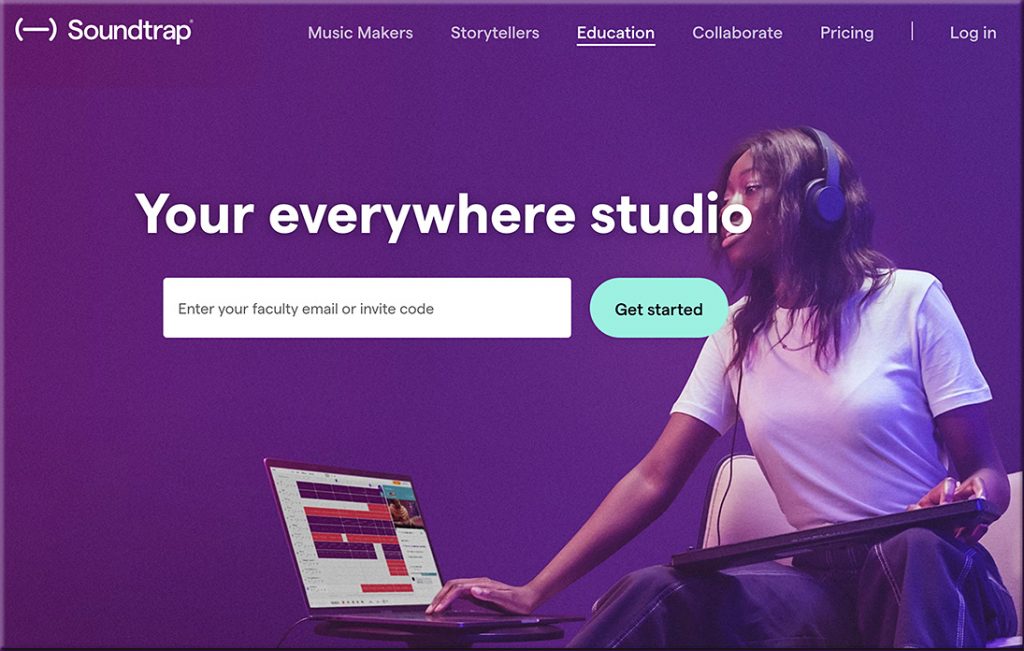
I teach Choir and lead the Young Vocal Scholars Program, and before COVID arrived, we were excited to move forward on the culmination of learning through live performances. With school closure, all that changed, and we were forced to adapt to virtual learning. Through the initial transition, we discovered that online learning options such as Soundtrap could not only extend projects we were currently working on but expand music learning to previously unimaginable heights.

When Covid hit and we couldn’t continue with the traditional choir program, my school looked for remote solutions. Soundtrap was exactly what we needed. We began conducting Young Vocal Scholars choir sessions remotely through Soundtrap and filled our extra Soundtrap seats with students from the District 8 Choir who weren’t being served music at all — doing similar projects that we had been creating previously in my classes. It was incredible to suddenly recognize that there were far more students interested in music who could connect via their laptops and tablets at home.

Also see:

Soundtrap for Education empowers students and teachers to explore creative sound recording in all subjects, for all ages and ability levels.

Soundtrap revolutionized my classroom in a virtual setting. Students became more engaged than ever before. My “4-star artists,” as I refer to my highly motivated students, kept making songs. I recall one of them saying to me, “Music class was cool because we sang together, but Soundtrap is cooler because it allows us to make projects together and they sound good.” 


Librarians become go-to resource during school closures — from educationdive.com by  Shawna De La Rosa

Dive Brief:

  • School librarians’ roles have been evolving for years, but now they’ve become the go-to resource for innovative ideas and new distance learning technology, District Administration reports.
  • Shannon McClintock Miller, district teacher librarian and director of innovation at Van Meter Community School District in Iowa, gives presentations on these changes and also administers the 26,000-member Facebook group Future Ready Librarians, giving others in the field a chance to connect and share best practices. In her district — where all 1,000 K-12 students have devices — librarians have been instrumental in helping students and teachers use technology.
  • Miller also touts the Destiny Discover management system, which connects students to books, audio books and ebooks. The platform also allows librarians to embed databases, digital tools and other resources so students have easy access.


From DSC:
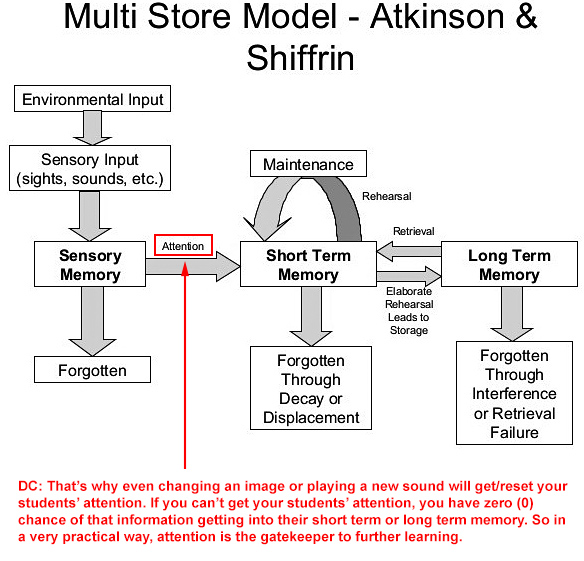
Many people talk about engagement when they discuss learning, and with good reason. It seems to me that what they are really getting at is the topic of getting and maintaining someone’s *attention.* Attention is the gatekeeper to further learning. I wonder if some of the next generation learning platforms that employ some level of Artificial Intelligence (AI)-enabled features, will look to a learner’s preferences (as stored in their cloud-based learner’s profile) in order to help gain/maintain such attention.

And this also helps explain why allowing more learner agency — i.e., more choice, more control — in pursuing their own interests and passions really helps: A motivated learner is paying closer attention to what’s going on.


Attention is the gatekeeper to further learning.


From DSC:
And along these lines, that’s one of the key reasons I’d like to see more involvement from the Theatre Departments, Computer Science Departments, and from those involved with creative writing across the land — in terms of helping develop content for remote and online-based education. Actors, actresses, set designers, costumer designers, audio/video editors, programmers/software developers, and more who could collaborate on these kinds of ideas.

Last comment on this. I don’t mean that we should present our classes like many advertisements do (i.e., running a thousand images by me within 30 seconds). But changing things up periodically — both visually and audibly —  can help regain/reset your students’ attentions.


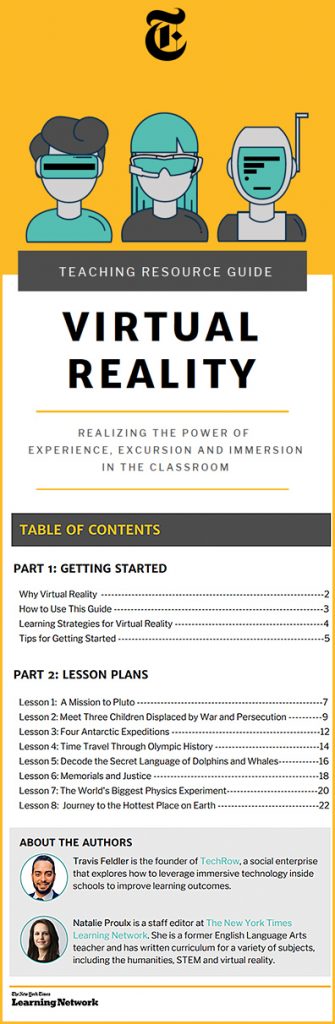
Virtual Reality: Realizing the Power of Experience, Excursion and Immersion in the Classroom — from nytimes.com
A framework for teaching with New York Times 360 V.R. videos, plus eight lesson plans for STEM and the humanities.

A Guide for Using NYT VR With Students

  • Getting Started With V.R. in the Classroom
  • Lesson 1: A Mission to Pluto
  • Lesson 2: Meet Three Children Displaced by War and Persecution
  • Lesson 3: Four Antarctic Expeditions
  • Lesson 4: Time Travel Through Olympic History
  • Lesson 5: Decode the Secret Language of Dolphins and Whales
  • Lesson 6: Memorials and Justice
  • Lesson 7: The World’s Biggest Physics Experiment
  • Lesson 8: Journey to the Hottest Place on Earth


YouTube channels for ESL learners — from thetechedvocate.org by Matthew Lynch

Excerpt:

Are you looking for YouTube channels that will help your ESL learners master the English language? Well, look no further. In this article, we will profile 20 YouTube channels that will do just that.

 
© 2025 | Daniel Christian