8 tech and leadership podcasts to add to your playlist — from enterprisersproject.com by Stephanie Overby
Check out these podcasts to keep up to date on CIO lessons learned, emerging tech trends, leadership best practices, and more

From DSC:
This article does a great job of providing a description of each podcast, why you should listen to it, and a list of recent episodes so you can see some of the topics that they are talking about.


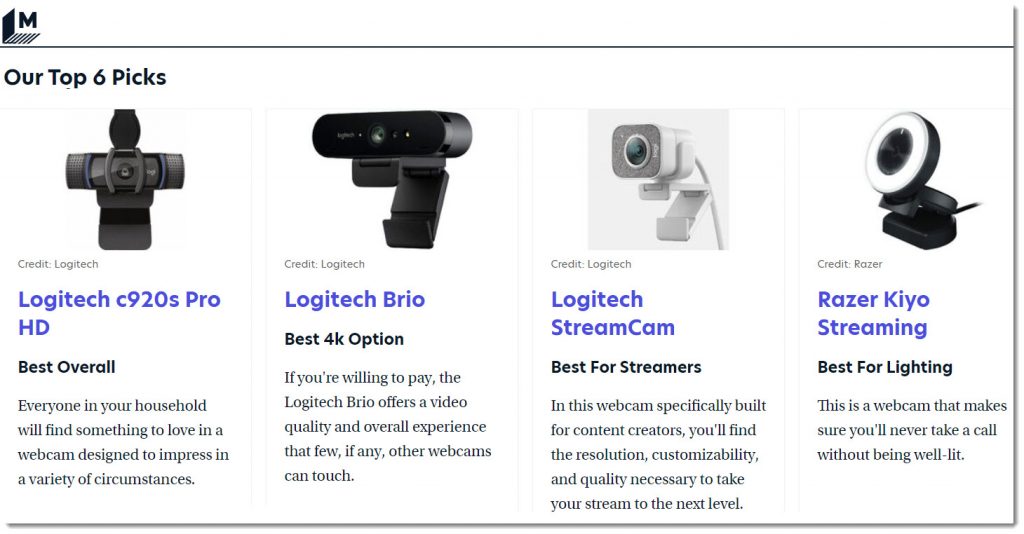
Why Do My Webcam And Microphone Not Work? — from techlearning.com by Luke Edwards
Webcam and microphone not work? This is how you can get up and running.

Excerpt:

Webcam and microphone not work? That can be a frustrating situation to be in, especially when you need to teach a class over Zoom or attend a school meeting using Meet. Whatever your video chat platform, without a microphone or webcam working, you’re stuck.

Thankfully, it can often be the case that it’s not a hardware fault with your device but rather a setting issue, which can be relatively easily fixed. So even if you’re in a chat right this minute, frantically scouring the web for a fix and finding yourself here, you may yet join that meeting.

This guide aims to clarify a few areas that should be checked before going into panic mode and heading to your hardware store with the credit card at the ready.


The EdSurge Product Index

About:

Since 2012, the EdSurge Product Index has been the first stop for educators in search of learning technology solutions. The redesigned EdSurge Product Index(BETA) features enhanced product profiles and validations from trusted education and technology organizations. Now, educators will be able to find the most complete, reliable and up-to-date information available on learning technology products.

Also see:


50 Sites & Apps for K-12 Education Games — from techlearning.com by Diana Restifo and David Kapuler
Game-based learning is a great way to integrate technology into the classroom while engaging kids with real learning.

Excerpt:

Game-based learning turns potentially tedious study time into an adventurous knowledge quest, complete with catchy soundtracks and digital rewards. It helps keep kids engaged with the subject matter and motivated to pursue greater expertise. Best of all, web- or app-based gameplay integrates easily into both online and in-person classes.

With the demise of Flash at the end of 2020, many favorite educational game sites went under. That’s why we decided to update our popular list below to include the latest and best sites and apps for K-12 education games. Many are free (or offer free basic accounts) and some provide progress tracking and analysis tools for teachers. All will help kids enjoy learning.

Also relevant/see the following resource and excerpt from Goldie Blumenstyk’s The Edge (from the Chronicle of Higher Education)

Creative Acts for Curious People: How to Think, Create, and Lead in Unconventional Ways — by Sarah Stein Greenberg

Excerpt:

Greenberg also makes a compelling case for the “playful and joyous” approaches the d.school has been championing, like the secret handshake or building several prototypes of an ideal chair using tools like cardboard, pipe cleaners, and chewing gum and toothpicks. After so many months of loss and social deprivation, she told me last week, “those elements are more important than ever.”


3 Tips for Making Passion-Based Learning Work Successfully — from thejournal.com by Dennis Pierce

Excerpt:

Passion-based learning, a form of self-directed learning in which students pursue projects of interest to them, is becoming more popular in schools — and for good reason: Educators who have set aside time for passion-based learning have discovered that students become highly engaged and motivated when learning about topics that intrigue them, while taking their learning much deeper than they would in a traditional lesson.

Passion-based learning initiatives include Genius Hour and 20time, both inspired by Google’s program that lets employees spend 20% of their time on projects of their choosing to spark innovation.

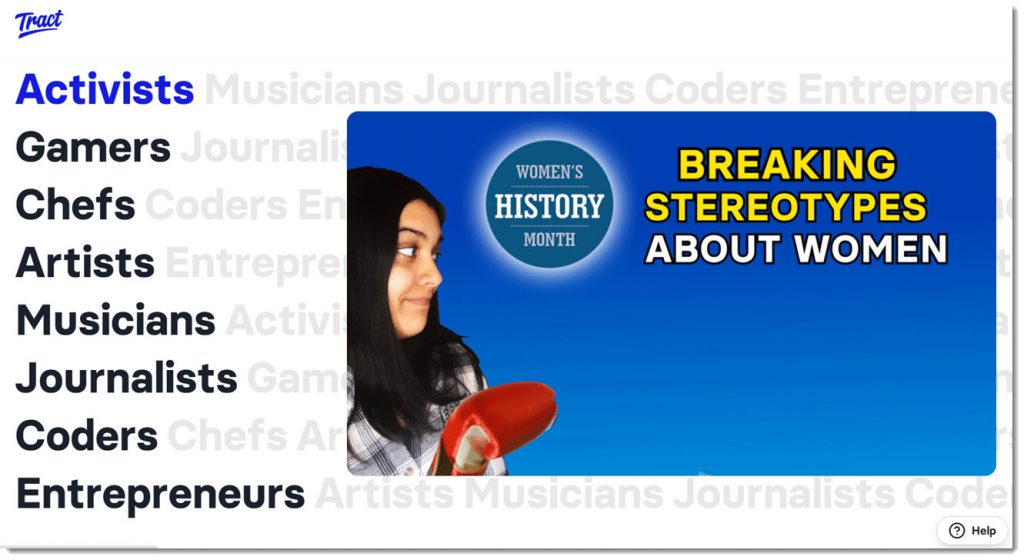
Giving all students the option to explore their interests can be challenging on a large scale. To overcome this hurdle and make the process easier for teachers, Sonora Elementary uses a new peer-to-peer learning platform called Tract, which is a collection of video content organized into self-directed learning paths.

tract.app allows students to be creative and practice their storytelling and multimedia skills

From DSC:
I love the type of tool/app like Tract — as students can work on a variety of skills:

  • multimedia development
  • music
  • acting
  • writing/composing
  • digital storytelling
  • …and more

Such projects/tools can unleash a great deal of creativity, engagement, and positive energy. Learning becomes more relevant, enjoyable, and interesting when we can provide more choice and control to our students.


Could AR and/or VR enable a massive 3D-based type of “Voicethread?” [Christian]

From DSC:
What if we could quickly submit items for a group to discuss, annotate, and respond to — using whichever media format is available/preferable for a person — like a massive 3D-based Voicethread? What if this type of discussion could be contributed to and accessed via Augmented Reality (AR) and/or via Virtual Reality (VR) types of devices?

It could be a new 3D format that a person could essentially blow all the way up into the size of a billboard. Think, “Honey, I shrunk the kids” type of stuff.  

Input devices might include:

  • Augmented Reality (AR) glasses
  • Virtual Reality (VR) headsets/glasses
  • Scanners
  • Smartphones
  • Tablets
  • Desktops and laptops
  • SmartTVs
  • Other types of input devices

For example, a person could take a picture of a document or something else and then save that image into a new file format that would be vector-based. I say a vector-based file format so that the image could be enlarged to the size of a billboard without losing any resolution (i.e., wouldn’t become grainy; the image would remain crystal clear regardless of how big the image is). I’m thinking here along the lines of “Honey, I shrunk the kids!”

Other thoughts here:

  • The files could be accessible online for attendees of classes or for audiences of presentations/webinars
  • The files could be displayed on the walls of learning/presentation spaces for marking them up
  • One could manipulate the 3D image if that person was using a virtual/immersive environment
  • Users should be able to annotate on those images and/or be able to save such annotations and notes

A question for phase II:
Could this concept also be used if virtual courts take off?

Hmmmm…just thinking out loud.


From DSC:
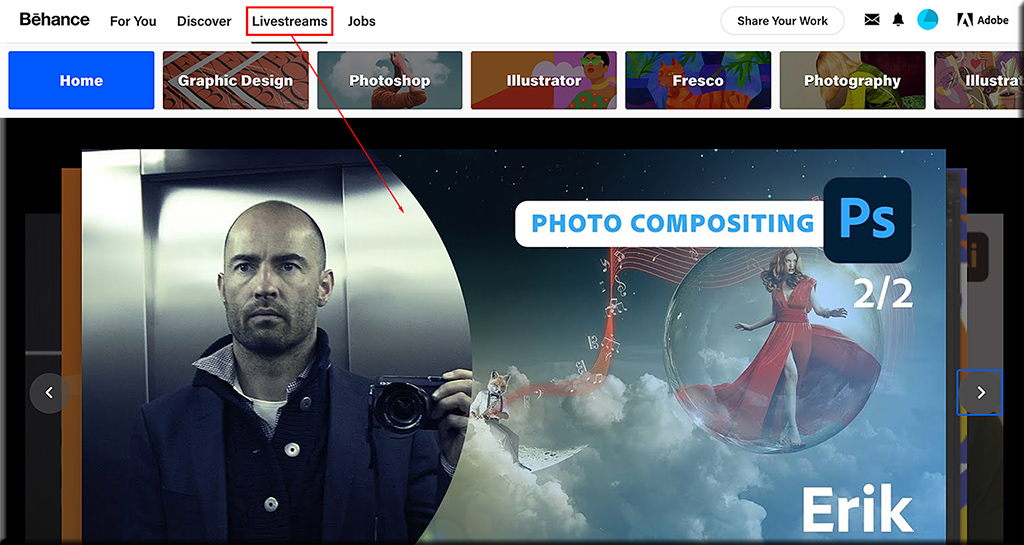
Also check one of the things that Scott mentioned in his talk — Behance, a network of creatives. They consistently offer livestreams — where the learner has more choice, more control over what they learn about.

Livestreams are one of the services offered out at Behance.net

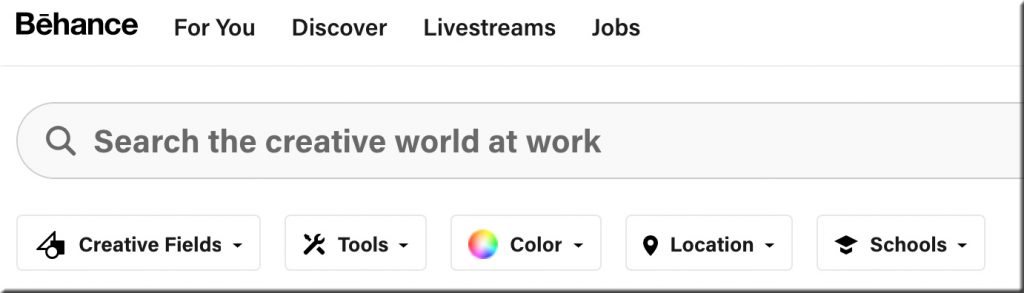
The search function out at Behance.net


Also see:


Differentiation Technique: Embed A Classic — from byrdseed.com by Ian Byrd

Excerpt:

Possibly my #1, most favorite way to increase the interest in a lesson is to simply remove the built-in examples in a lesson and replace them with some kind of classic.

Wait, What’s A “Classic”?
A classic may immediately bring to mind old works: Shakespeare, Beethoven, and Da Vinci. And those are indeed important! Use them.

But I’d say that The Wizard of Oz is a classic. Lord of the Rings is a classic. Hokusai’s painting of The Great Wave is a classic. The Beach Boys are a classic!

Classics are things that are culturally important. They could be stories, films, songs, paintings, photos, and so on. Classics are referenced constantly in daily conversation as well as in other creative works.


What Makes a Successful Video? — from learningsolutionsmag.com by Bill Brandon

Excerpt:

For the purposes of this article, there are two kinds of videos. There are tutorials, in which you going to show a user how to do a task. And there are instructional videos, which will address interpersonal communication skills, leadership, and analytical tasks. There are some situations in which you may want to do a kind of combination of the two types. The exact names (tutorial and instructional) are not really important, but the purposes are.


Living With a Learning Disability: Challenges, Helpful Advice & Improvements — from inclusionhub.com by Meredith Kreisa

Excerpts:

While it is critical to remember that symptoms, comorbidities, and coping mechanisms vary, we’ll outline some of the challenges individuals with learning disabilities may face and highlight common strategies utilized by community members to address them.

Also see:

Improving Digital Inclusion & Accessibility for Those With Learning Disabilities — from inclusionhub.com by Meredith Kreisa
This comprehensive guide outlines common learning disabilities, associated difficulties, accessibility barriers and best practices, and more.


Top 300 Tools for Learning 2021 [Hart]

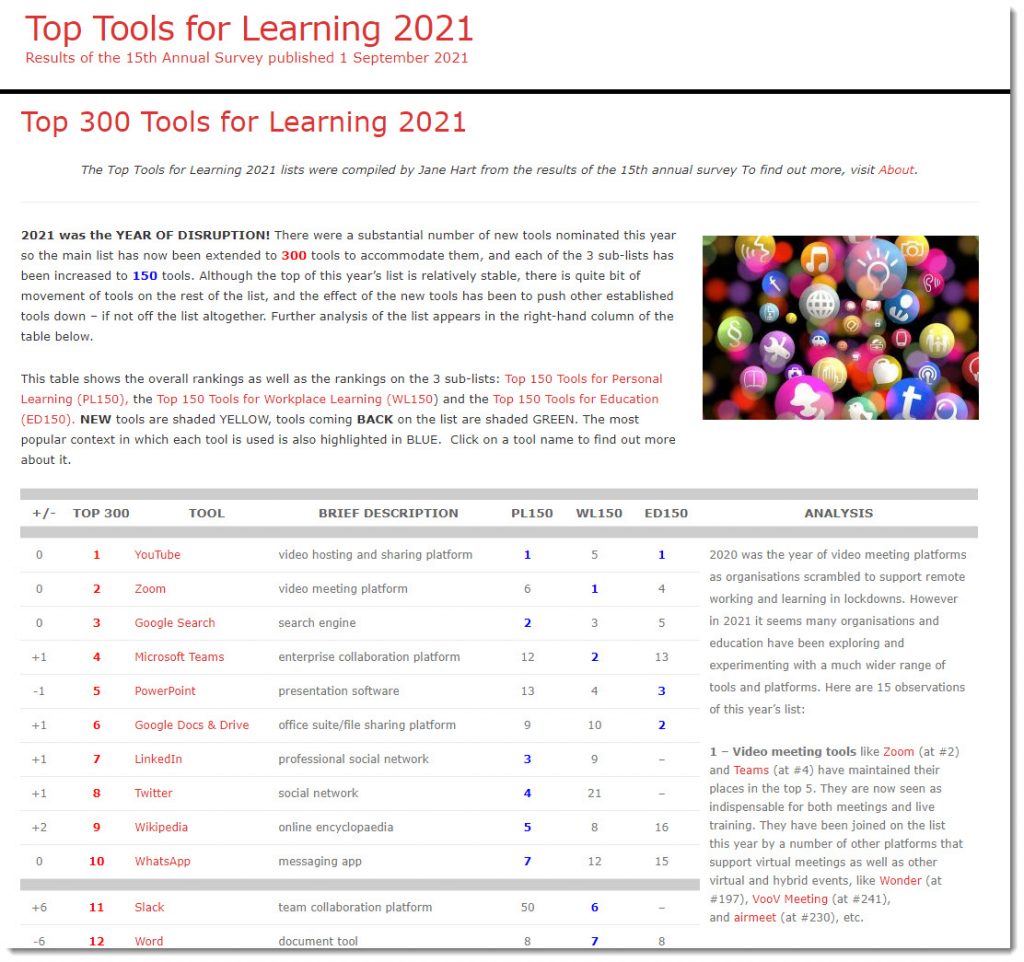
Top 300 Tools for Learning 2021 — from toptools4learning.com by Jane Hart

Excerpt:

2021 was the YEAR OF DISRUPTION! There were a substantial number of new tools nominated this year so the main list has now been extended to 300 tools to accommodate them, and each of the 3 sub-lists has been increased to 150 tools. Although the top of this year’s list is relatively stable, there is quite bit of movement of tools on the rest of the list, and the effect of the new tools has been to push other established tools down – if not off the list altogether. Further analysis of the list appears in the right-hand column of the table below.

This table shows the overall rankings as well as the rankings on the 3 sub-lists: Top 150 Tools for Personal Learning (PL150), the Top 150 Tools for Workplace Learning (WL150) and the Top 150 Tools for Education (ED150). NEW tools are shaded YELLOW, tools coming BACK on the list are shaded GREEN. The most popular context in which each tool is used is also highlighted in BLUE.  Click on a tool name to find out more about it.


Top 300 Tools for Learning 2021 -- from Jane Hart


10 Ways You Can Use Podcasts in Your Course to Engage Students — from barbihoneycutt.com by Barbi Honeycutt, Ph.D.

Excerpt:

Have you used podcasts in your courses yet? If not, you might want to consider it! Podcasts can be an excellent tool to add to your lesson to enhance a message, present more in-depth perspectives, and offer a different medium for students to engage with the course content.

And, podcasts are popular! There are more than 630,000 podcasts representing a variety of topics: current issues, education, writing, research, science, leadership, politics, management, business, skill development, hobbies, etc. The list just goes on and on.

I’m almost positive there is at least one episode in one podcast somewhere you could integrate into your course. And if there isn’t, then you and your students could create one!

 
© 2025 | Daniel Christian