Graphic Design Trends 2024 – The Great Reset — from graphicmama.com by Lyudmil Enchev
2024 will be a year of revolution in graphic design, and we are about to share with you why and how trends in graphic design will totally change 180 degrees.

Ways to use AI in 2023 in your designs:

  • Find inspiration for your designs
  • Give you ideas for concepts and compositions
  • Help you with choosing colors
  • Help you change backgrounds or retouch images
  • Help you with revisions and variations
  • Resize and recompose designs in different dimensions for different platforms
  • Create visuals for websites, marketing, and social media
 

Adobe revealed 4 new AI heavy hitters — from aivalley.com

  1. Project Stardust
  2. Project Primrose
  3. Project Poseable
  4. Project Dub Dub Dub


Adobe is working on generative AI video manipulation — from theverge.com by Umar Shakir
The company revealed Project Fast Fill, a new way to remove people, add objects, and replace colors in videos using generative AI and text-prompt interactions.

Adobe is showing off a new generative fill feature, Project Fast Fill, that can easily add or remove objects in videos with the power of AI. It’s one of several new, wild, experimental AI features announced today at the company’s MAX conference. Project Fast Fill has the ability to swap in clothing accessories on people in motion or remove tourists from the background of a landscape pan.


Next month Microsoft Corp. will start making its artificial intelligence features for Office widely available to corporate customers. Soon after, that will include the ability for it to read your emails, learn your writing style and compose messages on your behalf.

From DSC:
As readers of this blog know, I’m generally pro-technology. I see most technologies as tools — which can be used for good or for ill. So I will post items both pro and con concerning AI.

But outsourcing email communications to AI isn’t on my wish list or to-do list.


Chatbot hallucinations are poisoning web search — from link.wired.com by Will Knight

The age of generative AI threatens to sprinkle epistemological sand into the gears of web search by fooling algorithms designed for a time when the web was mostly written by humans.


Meta Is Paying Creators Millions for AI Chatbots — from bensbites.beehiiv.com

Meta is shelling out millions to get celebrities to license their likenesses for AI characters in a bid to draw users to its platforms.
…
Why should I care?
Meta is still all-in on its vision for the metaverse and AI, despite its recent struggles. Meta seems willing to pay top dollar to partner with big names who can draw their massive audiences to use the AI avatars. If the celebrity avatars take off, they could be a blueprint for how creators monetize their brands in virtual worlds. There’s also a chance Meta pulls the plug on funding if user traction is low, just as it did with Facebook Watch originals.


The Post-AI Workplace — from drphilippahardman.substack.com by Dr. Philippa Hartman
SAP SuccessFactors’ new product offers the most comprehensive insight yet into the post-AI workplace & workforce

Skills Maps
AI will be used to categorise, track and analyse employee skills and competencies. This will enable orgs to build a clear idea of pockets of talent and areas in need of focus, providing HR, L&D professionals & managers with the opportunity to take a data-driven approach to talent development and capability building.

Roles Impacted: HR Analysts, Managers, Learning & Development Professionals


More than 40% of labor force to be affected by AI in 3 years, Morgan Stanley forecasts — from cnbc.com by Samantha Subin

Analyst Brian Nowak estimates that the AI technology will have a $4.1 trillion economic effect on the labor force — or affect about 44% of labor — over the next few years by changing input costs, automating tasks and shifting the ways companies obtain, process and analyze information. Today, Morgan Stanley pegs the AI effect at $2.1 trillion, affecting 25% of labor.

“We see generative AI expanding the scope of business processes that can be automated,” he wrote in a Sunday note. “At the same time, the input costs supporting GenAI functionality are rapidly falling, enabling a strongly expansionary impact to software production. As a result, Generative AI is set to impact the labor markets, expand the enterprise software TAM, and drive incremental spend for Public Cloud services.”

Speaking of the changes in the workplace, also see:


Canva’s new AI tools automate boring, labor-intensive design tasks — from theverge.com by Jess Weatherbed
Magic Studio features like Magic Switch automatically convert your designs into blogs, social media posts, emails, and more to save time on manually editing documents.


Canva launches Magic Studio, partners with Runway ML for video — from bensbites.beehiiv.com by Ben Tossell

Here are the highlights of launched features under the new Magic Studio:

  • Magic Design – Turn ideas into designs instantly with AI-generated templates.
  • Magic Switch – Transform content into different formats and languages with one click.
  • Magic Grab – Make images editable like Canva templates for easy editing.
  • Magic Expand – Use AI to expand images beyond the original frame.
  • Magic Morph – Transform text and shapes with creative effects and prompts.
  • Magic Edit – Make complex image edits using simple text prompts.
  • Magic Media – Generate professional photos, videos and artworks from text prompts.
  • Magic Animate – Add animated transitions and motion to designs instantly.
  • Magic Write – Generate draft text and summaries powered by AI.


Adobe Firefly

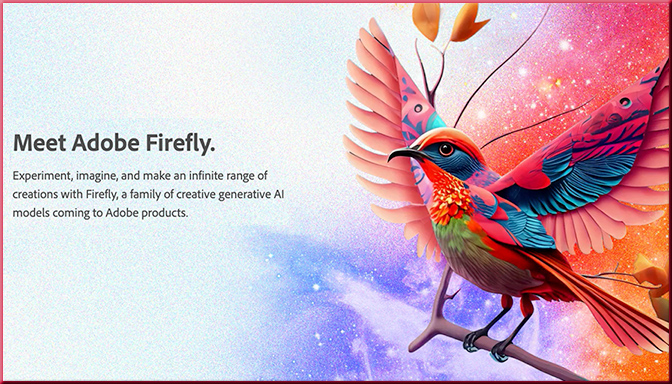
Meet Adobe Firefly -- Adobe is going hard with the use of AI. This is a key product along those lines.


Addendums on 10/11/23:


Adobe Releases New AI Models Aimed at Improved Graphic Design — from bloomberg.com
New version of Firefly is bigger than initial tool, Adobe says Illustrator, Express programs each get own generative tools


As AI Chatbots Rise, More Educators Look to Oral Exams — With High-Tech Twist — from edsurge.com by Jeffrey R. Young

To use Sherpa, an instructor first uploads the reading they’ve assigned, or they can have the student upload a paper they’ve written. Then the tool asks a series of questions about the text (either questions input by the instructor or generated by the AI) to test the student’s grasp of key concepts. The software gives the instructor the choice of whether they want the tool to record audio and video of the conversation, or just audio.

The tool then uses AI to transcribe the audio from each student’s recording and flags areas where the student answer seemed off point. Teachers can review the recording or transcript of the conversation and look at what Sherpa flagged as trouble to evaluate the student’s response.


Adobe video-AI announcements for IBC — from provideocoalition.com by Rich Young

For the IBC 2023 conference, Adobe announced new AI and 3D features to Creative Cloud video tools, including Premiere Pro Enhance Speech for faster dialog cleanup, and filler word detection and removal in Text-Based Editing. There’s also new AI-based rotoscoping and a true 3D workspace in the After Effects beta, as well as new camera-to-cloud integrations and advanced storage options in Frame.io.

Though not really about AI, you might also be interested in this posting:


Airt AI Art Generator (Review) — from hongkiat.com
Turn your creative ideas into masterpieces using Airt’s AI iPad app.

The Airt AI Generator app makes it easy to create art on your iPad. You can pick an art style and a model to make your artwork. It’s simple enough for anyone to use, but it doesn’t have many options for customizing your art.

Even with these limitations, it’s a good starting point for people who want to try making art with AI. Here are the good and bad points we found.

Pros:

  • User-Friendly: The app is simple and easy to use, making it accessible for users of all skill levels.

Cons:

  • Limited Advanced Features: The app lacks options for customization, such as altering image ratios, seeds, and other settings.


Comparing Online and AI-Assisted Learning: A Student’s View — from educationnext.org by Daphne Goldstein
An 8th grader reviews traditional Khan Academy and its AI-powered tutor, Khanmigo

Hi everyone, I’m Daphne, a 13-year-old going into 8th grade.

I’m writing to compare “regular” Khan Academy (no AI) to Khanmigo (powered by GPT4), using three of my own made-up criteria.

They are: efficiency, effectiveness, and enjoyability. Efficiency is how fast I am able to cover a math topic and get basic understanding. Effectiveness is my quality of understanding—the difference between basic and advanced understanding. And the final one—most important to kids and maybe least important to adults who make kids learn math—is enjoyability.


7 Questions on Generative AI in Learning Design — from campustechnology.com by Rhea Kelly
Open LMS Adoption and Education Specialist Michael Vaughn on the challenges and possibilities of using artificial intelligence to move teaching and learning forward.

The potential for artificial intelligence tools to speed up course design could be an attractive prospect for overworked faculty and spread-thin instructional designers. Generative AI can shine, for example, in tasks such as reworking assessment question sets, writing course outlines and learning objectives, and generating subtitles for audio and video clips. The key, says Michael Vaughn, adoption and education specialist at learning platform Open LMS, is treating AI like an intern who can be guided and molded along the way, and whose work is then vetted by a human expert.

We spoke with Vaughn about how best to utilize generative AI in learning design, ethical issues to consider, and how to formulate an institution-wide policy that can guide AI use today and in the future.


First Impressions with GPT-4V(ision) — from blog.roboflow.com by James Gallagher; via Donald Clark on LinkedIn

On September 25th, 2023, OpenAI announced the rollout of two new features that extend how people can interact with its recent and most advanced model, GPT-4: the ability to ask questions about images and to use speech as an input to a query.

This functionality marks GPT-4’s move into being a multimodal model. This means that the model can accept multiple “modalities” of input – text and images – and return results based on those inputs. Bing Chat, developed by Microsoft in partnership with OpenAI, and Google’s Bard model both support images as input, too. Read our comparison post to see how Bard and Bing perform with image inputs.

In this guide, we are going to share our first impressions with the GPT-4V image input feature.


60-Second Strategies for Educators Our popular series of short videos that break down effective classroom practices for every grade level in literally one minute—all in one place. How’s that for a quick win?

.


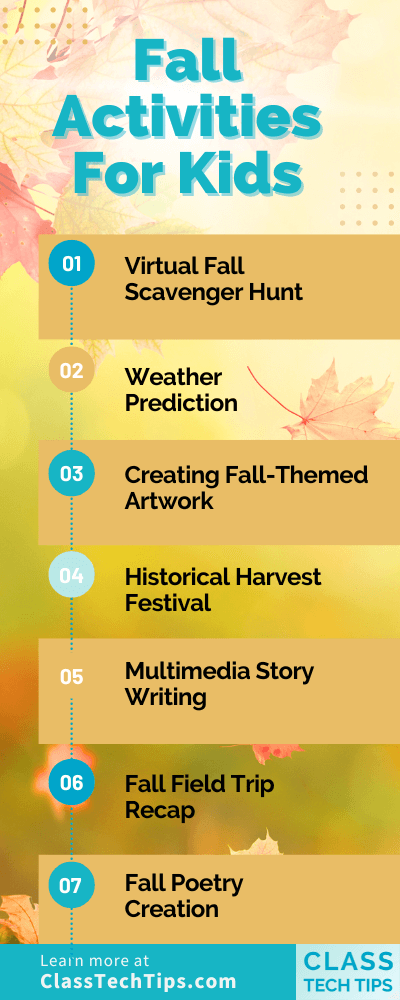
8 Fall Activities for Kids With a Digital Spin — from classtechtips.com


Redefining What High School Is Supposed to Look Like — from edutopia.org by Brittany R. Collins
From restorative grading to paid internships, an equity-centered approach to education creates rich learning opportunities for all students.

We have a networking party with special tables and food, and the students have to stand and mingle. We emulate this sort of a networking party, because they have to learn how to do it. They have to dress the part that day, and I film it so we can watch it back to give them some feedback.


Digital Promise Launches FutureLab to Investigate Transformative Approaches to Teaching and Learning — from digitalpromise.org

Digital Promise announced [on 9/26/23] the launch of the Digital Promise FutureLab. This cutting-edge initiative embodies Digital Promise’s long-standing dedication to innovation in education and aims to not only revolutionize the current state of education, but to reimagine a new world of learning.

FutureLab is funded in part by Digital Promise’s recent gift from MacKenzie Scott.

“Innovation is in Digital Promise’s DNA, and we are reaffirming our commitment to push the boundaries of what’s possible in education,” said Jean-Claude Brizard, President and CEO of Digital Promise. “We believe the Digital Promise FutureLab will be a catalyst for transformative change in education. It’s a significant opportunity to collaborate with visionary educators, technologists, and researchers to create a more equitable future for learners worldwide.”


Google Tools and Activities for Art Education — from techlearning.com by Eric Curts

Google tools and activities for art education

.

Although there is no replacement for getting your hands dirty with finger paints, technology can offer many ways for students to be creative when making art. In addition to creativity, technology can also allow students to explore and learn about art in new and engaging ways.

Some of the best free digital art tools are those from Google that help educators and students with teaching, learning, exploring, and creating art. The wide range of tools and activities available provide nearly infinite possibilities.

Also relevant/see:

And speaking of tools, also see:

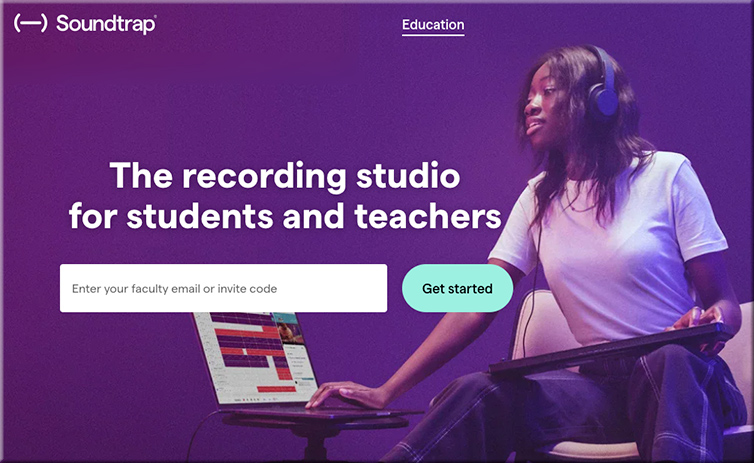
  • Soundtrap: How To Use it to Teach — from techlearning.com by Luke Edwards
    Soundtrap is the recording studio for students and teachers that could help in class and beyond

Soundtrap is a music production tool that is designed for use in education. That means a full-on mixing and sound production studio experience, but one that is accessible for students grade six and up.

Since this is relatively simple to use and is available in app as well as web formats, it is highly accessible for both in-class and personal devices.

This tool offers a way to spark creativity in students and a method to help experiment with music that can inspire those new to this world, or enable more experienced students to create complex and explorative music. 

soundtrap.com -- the recording studio for students and teachers


Also relevant/see:


ChatGPT can now see, hear, and speak — from openai.com
We are beginning to roll out new voice and image capabilities in ChatGPT. They offer a new, more intuitive type of interface by allowing you to have a voice conversation or show ChatGPT what you’re talking about.

Voice and image give you more ways to use ChatGPT in your life. Snap a picture of a landmark while traveling and have a live conversation about what’s interesting about it. When you’re home, snap pictures of your fridge and pantry to figure out what’s for dinner (and ask follow up questions for a step by step recipe). After dinner, help your child with a math problem by taking a photo, circling the problem set, and having it share hints with both of you.

We’re rolling out voice and images in ChatGPT to Plus and Enterprise users over the next two weeks. Voice is coming on iOS and Android (opt-in in your settings) and images will be available on all platforms.


OpenAI Seeks New Valuation of Up to $90 Billion in Sale of Existing Shares — from wsj.com (behind paywall)
Potential sale would value startup at roughly triple where it was set earlier this year


The World’s First AI Cinema Experience Starring YOU Is Open In NZ And Buzzy Doesn’t Cover It — from theedge.co.nz by Seth Gupwell
Allow me to manage your expectations.

Because it’s the first-ever on Earth, it’s hard to label what kind of entertainment Hypercinema is. While it’s marketed as a “live AI experience” that blends “theatre, film and digital technology”, Dr. Gregory made it clear that it’s not here to make movies and TV extinct.

Your face and personality are how HyperCinema sets itself apart from the art forms of old. You get 15 photos of your face taken from different angles, then answer a questionnaire – mine started by asking what my fave vegetable was and ended by demanding to know what I thought the biggest threat to humanity was. Deep stuff, but the questions are always changing, cos that’s how AI rolls.

All of this information is stored on your cube – a green, glowing accessory that you carry around for the whole experience and insert into different sockets to transfer your info onto whatever screen is in front of you. Upon inserting your cube, the “live AI experience” starts.

The AI has taken your photos and superimposed your face on a variety of made-up characters in different situations.


Announcing Microsoft Copilot, your everyday AI companion — from blogs.microsoft.com by Yusuf Mehdi

We are entering a new era of AI, one that is fundamentally changing how we relate to and benefit from technology. With the convergence of chat interfaces and large language models you can now ask for what you want in natural language and the technology is smart enough to answer, create it or take action. At Microsoft, we think about this as having a copilot to help navigate any task. We have been building AI-powered copilots into our most used and loved products – making coding more efficient with GitHub, transforming productivity at work with Microsoft 365, redefining search with Bing and Edge and delivering contextual value that works across your apps and PC with Windows.

Today we take the next step to unify these capabilities into a single experience we call Microsoft Copilot, your everyday AI companion. Copilot will uniquely incorporate the context and intelligence of the web, your work data and what you are doing in the moment on your PC to provide better assistance – with your privacy and security at the forefront.


DALL·E 3 understands significantly more nuance and detail than our previous systems, allowing you to easily translate your ideas into exceptionally accurate images.
DALL·E 3 is now in research preview, and will be available to ChatGPT Plus and Enterprise customers in October, via the API and in Labs later this fall.


How new AI chatbots could help teachers with their toughest problems — from fastcompany.com by Greg Toppo
At least two groups are working on bots that would make peer-reviewed research, buried in expensive academic journals, accessible for everyday use.

But this fall, a few educators are quietly charting a different course they believe could change everything: At least two groups are pushing to create new AI chatbots that would offer teachers unlimited access to sometimes confusing and often paywalled peer-reviewed research on the topics that most bedevil them.

Their aspiration is to offer new tools that are more focused and helpful than wide-ranging ones like ChatGPT, which tends to stumble over research questions with competing findings. Like many juveniles faced with questions they can’t answer, it has a frustrating tendency to make things up.

Using ChatGPT Custom Instructions for Fun and Profit — from every.to by Dan Shipper
How to 10x ChatGPT with personalized answers 

Then, I turned Custom Instructions on and gave it the same starting prompt. Here are a few of the responses (emphases are mine):

“Purpose: What’s the primary goal of the course? Is it to augment your existing offerings at Every, serve as a standalone product, or something else?”

“Content Depth: Given your love for detailed, intellectual writing, how in-depth will you go on each topic?”

“Guest Contributions: Do you plan to involve guest experts, perhaps even some of your writing heroes or team members like Kate Lee and Evan Armstrong?”

“Time Investment: Given that you’re already grappling with being too opportunistic and dutiful, how will you allocate time for this without sidelining your creative work or burdening yourself?”

AI for comics — from aiandacademia.substack.com by Bryan Alexander
Exploring an entertaining new Hugging Face application

As generative AI grows, more uses appear. Beyond text and images, other domains for creation pop up as companies, groups, and individuals try out new functions.

Today’s case in point is AI Comic Factory from Hugging Face.* This service will generate a couple of comic book pages based on your text input. It gives you choices of comic style and page layout as well.

Items from Tom Barrett’ Promptcraft: AI for a better learning ecosystem

This new AI video tool clones your voice in 7 languages — and it’s blowing up  — from sg.news.yahoo.com by Christoph Schwaiger

How many languages do you speak? Thanks to AI, that number could be as many as seven. Los Angeles-based AI video platform HeyGen has launched a new tool that clones your voice from a video and translates what you’re saying into seven different languages. If that wasn’t enough, it also syncs your lips to your new voice so the final clip looks (and sounds) as realistic as possible.

Microsoft and Project Gutenberg release over 5,000 free audiobooks — from the-decoder.com by Matthias Bastian

Microsoft and Project Gutenberg have used AI technologies to create more than 5,000 free audiobooks with high-quality synthetic voices.

For the project, the researchers combined advances in machine learning, automatic text selection (which texts are read aloud, which are not), and natural-sounding speech synthesis systems.


School Guide to Student Financial Literacy: What to Teach and When — from couponchief.com by Linda Phillips; with thanks to Karen Bell for this resource

It’s crucial – for individuals and the larger community – that students and young adults develop a solid foundation of personal finance knowledge, skills and habits in order to thrive. Practicing good money habits means the difference between long-term financial security and serious financial straits.

Financial literacy education is the responsibility of everyone, but most particularly parents and teachers. This guide focuses primarily on teaching financial literacy in elementary, middle and high schools. However, the concepts discussed below – and many of the resources listed – are also helpful for parents and others interested in promoting sound personal finance practices by kids and teens alike. Below you’ll find our suggestions for what concepts should be taught to kids from pre-k through grade 12, and the best times to introduce those concepts. You’ll also find an extensive list of some of the best resources – books, lesson plans, activities, videos, games and more – to supplement financial literacy education in the classroom.


10 Free AI Tools for Graphic Designing — from medium.com by Qz Ruslan

With the advancements in Artificial Intelligence (AI), designers now have access to a wide array of free AI-powered tools that streamline their creative process, enhance productivity, and add a touch of uniqueness to their designs. In this article, we will explore ten such free AI tools websites for graphic designing that have revolutionized the way designers approach their craft.


Generative Art in Motion — from heatherbcooper.substack.com by Heather Cooper
Animation and video tools create an explosion of creative expression


World’s first AI cinema opening in Auckland to make all your Matrix fantasies come true — from stuff.co.nz by Jonny Mahon-Heap
Review: My HyperCinema experience was futuristic, sleek – and slightly insane as I became the star of my own show.


AI That Alters Voice and Imagery in Political Ads Will Require Disclosure on Google and YouTube — from usnews.com by Associated Press
Political ads using artificial intelligence on Google and YouTube must soon be accompanied by a prominent disclosure if imagery or sounds have been synthetically altered

Google will soon require that political ads using artificial intelligence be accompanied by a prominent disclosure if imagery or sounds have been synthetically altered.

AI-generated election ads on YouTube and other Google platforms that alter people or events must include a clear disclaimer located somewhere that users are likely to notice, the company said in an update this week to its political content policy.


© 2025 | Daniel Christian