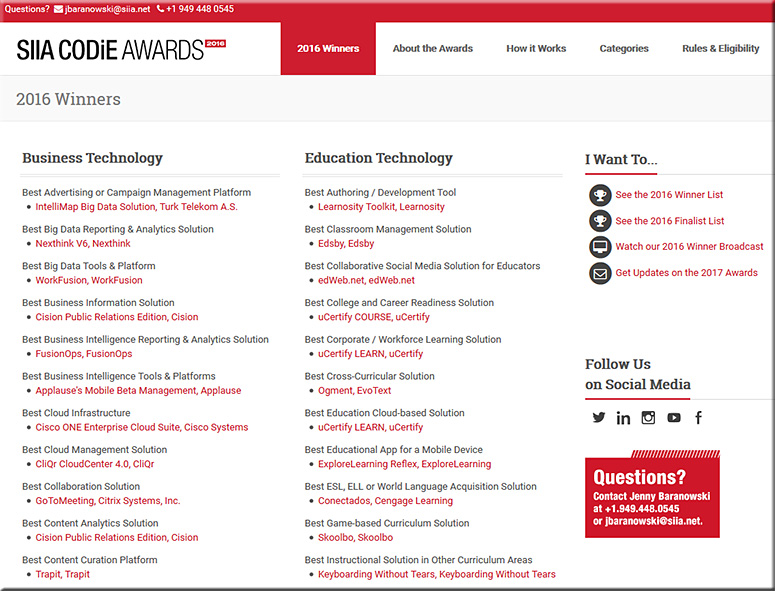
The SIIA CODiE Awards for 2016 — with thanks to Neha Jaiswal from uCertify for this resource; uCertify, as you will see, did quite well

Since 1986, the SIIA CODiE Awards have recognized more than 1,000 software and information companies for achieving excellence. The CODiE Awards remain the only peer-recognized program in the content, education, and software industries so each CODiE Award win serves as incredible market validation for a product’s innovation, vision, and overall industry impact.


SIIA-CODiE-Awards-for-2016


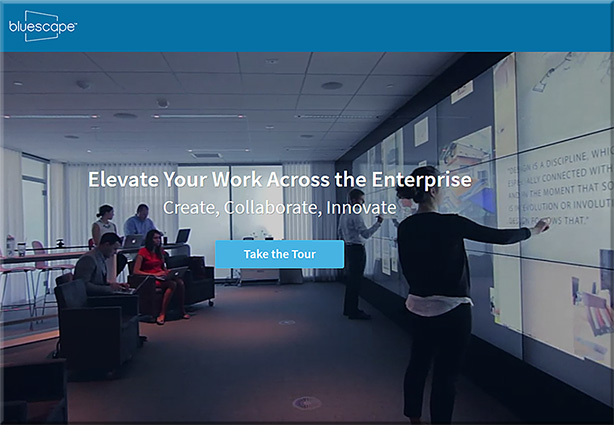
Will “class be in session” soon on tools like Prysm & Bluescape? If so, there will be some serious global interaction, collaboration, & participation here! [Christian]

From DSC:
Below are some questions and thoughts that are going through my mind:

  • Will “class be in session” soon on tools like Prysm & Bluescape?
  • Will this type of setup be the next platform that we’ll use to meet our need to be lifelong learners? That is, will what we know of today as Learning Management Systems (LMS) and Content Management Systems (CMS) morph into this type of setup?
  • Via platforms/operating systems like tvOS, will our connected TVs turn into much more collaborative devices, allowing us to contribute content with learners from all over the globe?
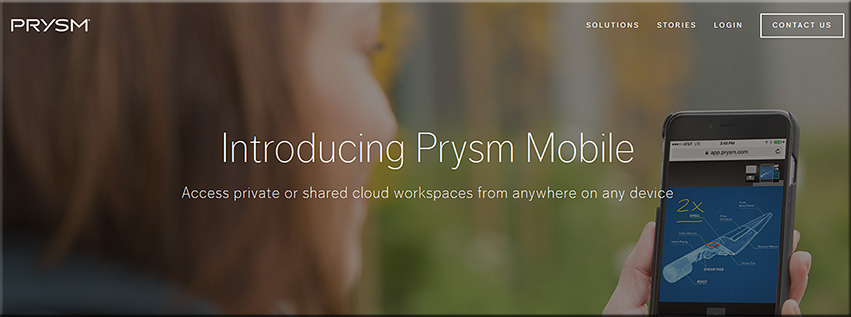
  • Prysm is already available on mobile devices and what we consider a television continues to morph
  • Will second and third screens be used in such setups? What functionality will be assigned to the main/larger screens? To the mobile devices?
  • Will colleges and universities innovate into such setups?  Or will organizations like LinkedIn.com/Lynda.com lead in this space? Or will it be a bit of both?
  • How will training, learning and development groups leverage these tools/technologies?
  • Are there some opportunities for homeschoolers here?

Along these lines, are are some videos/images/links for you:


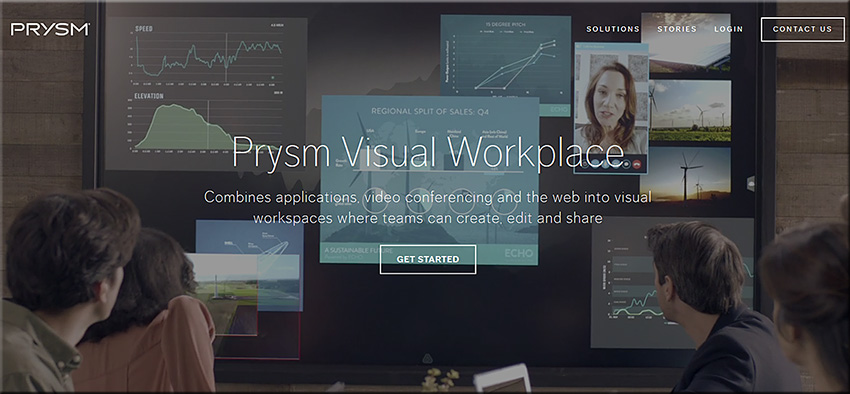
PrysmVisualWorkspace-June2016


PrysmVisualWorkspace2-June2016


BlueScape-2016


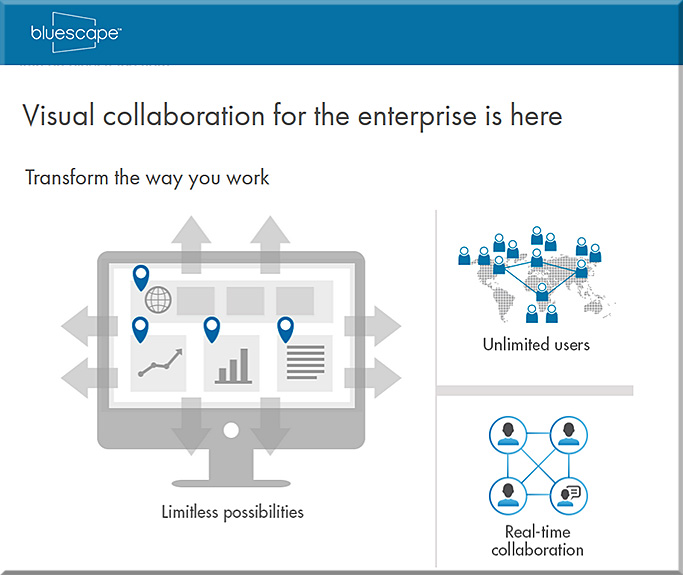
BlueScape-2015


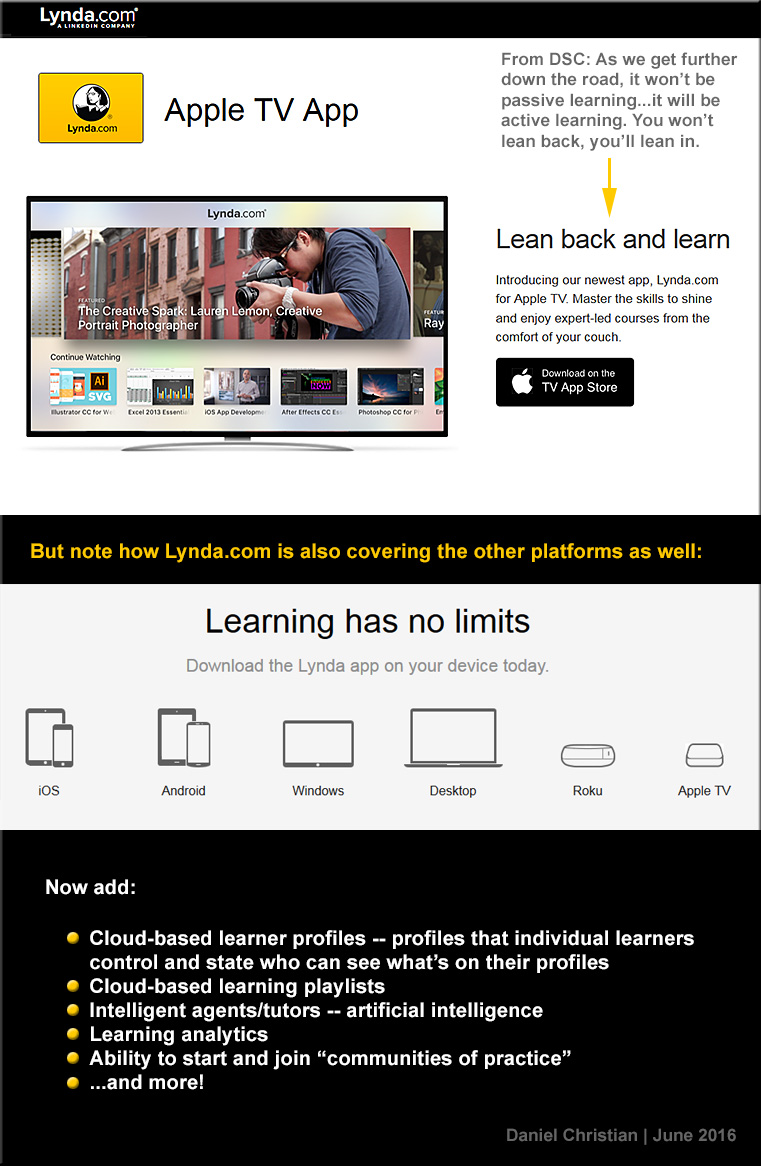
DSC-LyndaDotComOnAppleTV-June2016


The Living [Class] Room -- by Daniel Christian -- July 2012 -- a second device used in conjunction with a Smart/Connected TV


Also see:

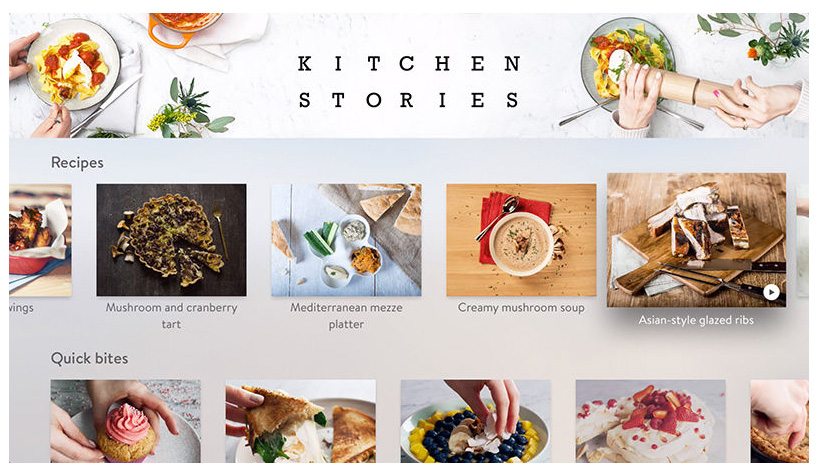
kitchenstories-AppleTV-May2016


Also see:


Prysm Adds Enterprise-Wide Collaboration with Microsoft Applications — from ravepubs.com by Gary Kayye

Excerpt:

To enhance the Prysm Visual Workplace, Prysm today announced an integration with Microsoft OneDrive for Business and Office 365. Using the OneDrive for Business API from Microsoft, Prysm has made it easy for customers to connect Prysm to their existing OneDrive for Business environments to make it a seamless experience for end users to access, search for, and sync with content from OneDrive for Business. Within a Prysm Visual Workplace project, users may now access, work within and download content from Office 365 using Prysm’s built-in web capabilities.


20 awesome BYOD and mobile learning apps — from edutopia.org by Vicki Davis; updated 2/4/16

Excerpt:

We have now been Bring Your Own Device (BYOD) for three years, and boy, do the students bring it. They bring it all! We have iPads, Surface, iPhones, Droids, Chromebooks, Macs, and PC laptops. Here’s my current thinking.


7 best Google apps and tools — from interestingengineering.com

  1. Google Keep
  2. Google Scholar
  3. Gmailify
  4. Google Lego
  5. Google Mars
  6. Google Developers
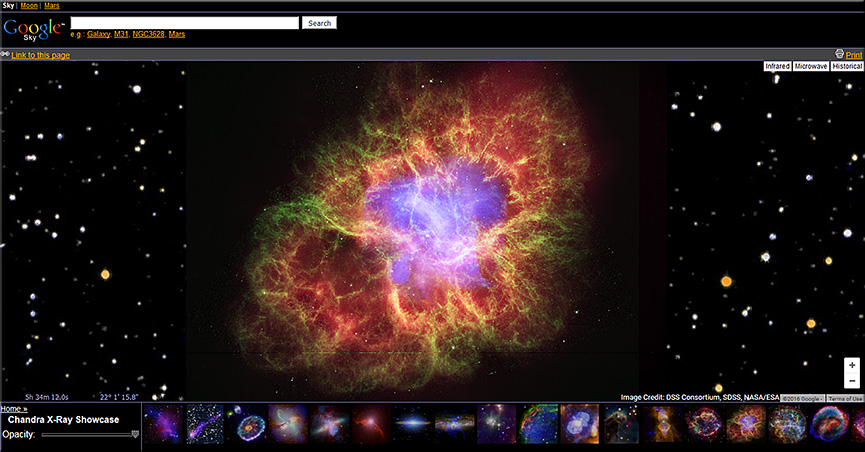
  7. Google Sky


GoogleSky-April2016


Chrome Music Lab

Excerpt:

Music is for everyone. So this year for Music In Our Schools month, we wanted to make learning music a bit more accessible to everyone by using technology that’s open to everyone: the web. Chrome Music Lab is a collection of experiments that let anyone, at any age, explore how music works. They’re collaborations between musicians and coders, all built with the freely available Web Audio API. These experiments are just a start. Check out each experiment to find open-source code you can use to build your own.
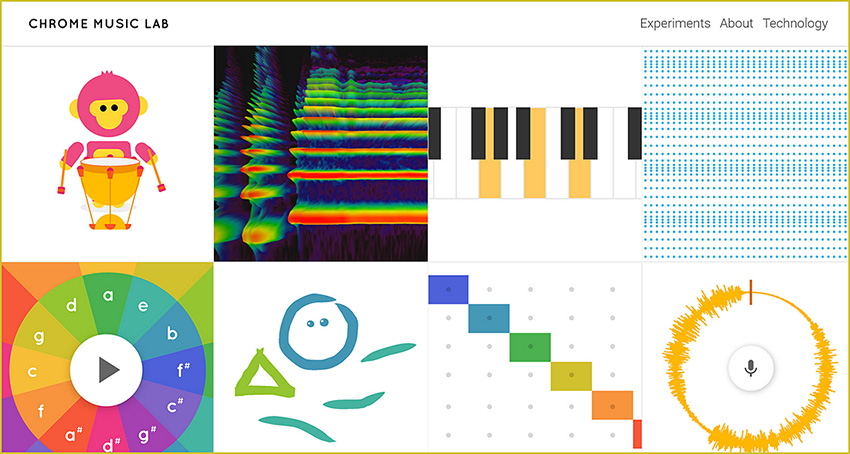
 

ChromeMusicLab-March2016


My challenge to you – 8 things all teachers should learn about #edtech — from ictevangelist.com by Mark Anderson

Excerpt:

I love the School Report scheme that the BBC run via Newsround. We all remember the Newsrounds of our youth. For me it was John Craven who made me watch it whenever it was on. It was this report I saw recently on eight things teachers should learn, which got me thinking about eight things I thought teachers should learn about edtech.

My work sees me regularly helping teachers learn different things related to the use of technology and so in this post, I’m going to talk about the eight things I think teachers should learn with #edtech to help support their use of technology to enhance learning in the classroom.

Mark mentions: Google, Padlet, Kahoot, Socrative, Camera, Microphone, Twitter, Videoconferencing software


Quiz accommodations for students in Canvas and Moodle — from thejournal.com by Emmett Dulaney03/16/16

Excerpt:

As we move toward interacting more with students who have an individualized education program (IEP) indicating that they need additional time on tests and quizzes or just need to deal with life issues, it is imperative that the learning management system (LMS) depended upon by an instructor and student alike be properly configured for such accommodations. Canvas and Moodle are currently two of the most popular learning management systems, and both offer the ability to make adjustments to quiz functions within the course without compromising the overall structure of the course. In this article, we will examine how to do so and offer some tips on situations where they are relevant.


Use these Chrome apps to unleash students’ creativity — from educatorstechnology.com

Excerpt:

[The] Chrome web store is packed full of all kinds of educational apps and extensions some of which are also integrated with Google Drive. For those of you looking for a handy resource of Chrome apps to use with students in class, check out this comprehensive chart. In today’s post we are sharing with you a collection of some practical Chrome extensions to unleash learners creativity. Using these resources, students will be able to engage in a number of creative literacy activities that will allow them to multimodally communicate their thoughts, share their ideas and develop new learning skills.


Integrating technology and literacy — from edutopia.org by Frank Ward

Excerpt:

How do you work technology into the pedagogy, instead of just using something cool? That task can be especially daunting in language arts literacy classrooms where reading and writing skill development is the crux of daily lessons. However, as 1:1 technology initiatives roll out, integrating technology into the classroom is our reality.

With hundreds of sites, apps, Chrome extensions, and platforms available, choosing the right ones can seem overwhelming. As an eighth-grade language arts teacher, I’ve experienced this myself. Following are four tools that can help provide immediate formative assessment data as well as top-of-the-rotation feedback to help students develop personal learning goals.

If, like my school, you’re in a “Chromebook District,” these suggested tools will work well because all integrate perfectly when you sign in with your Google ID, limiting the need for multiple passwords. This saves a lot of student confusion, too.


Teachers are using theater and dance to teach math — and it’s working — from washingtonpost.com by Moriah Balingit

Excerpt:

This giggly play session actually was a serious math lesson about big and small and non-standard measurements. Dreamed up by Richardson and kindergarten teacher Carol Hunt, it aims to get the children to think of animal steps as units of measurement, using them to mark how many it takes each animal to get from a starting line to the target.

Teachers call such melding of art and traditional subjects “art integration,” and it’s a new and increasingly popular way of bringing the arts into the classroom. Instead of art as a stand-alone subject, teachers are using dance, drama and the visual arts to teach a variety of academic subjects in a more engaging way.


Some older items include:

Tech Tip: Using Nearpod for math instruction — from smartblogs.com


Storytelling app a hit; launches a new chapter in transmedia — from blogs.vancouversun.com

Excerpt:

Paul Pattison and Luke Minaker knew they were onto something when they got an email from the mother of a nine-year-old who read the first instalment of their interactive story, Weirdwood Manor.

“She wrote that she couldn’t get her son to pick up a book,” said Pattison, technical director of All Play No Work, producer of the iPad app. “She got the app for her son and he went through it in two nights. He finished both books.

“And then because we don’t have book 3 out yet, unprompted by her he went over to the bookshelf and pulled off a paperback and started reading chapter books again.”

.


MicrosoftBuild2016


Microsoft Build: the 10 most important announcements — from theverge.com by Ben Popper and Dieter Bohn
Here come the bots!

Excerpt (emphasis DSC):

Every year, Microsoft holds a developer event called “Build.” And recently, those events have gone from snoozers to exciting showcases. Microsoft has a winner with Windows 10 (as long as you ignore the phones), a robust personal assistant in Cortana (that works just fine on a laptop), and a wild holographic future to plan with HoloLens. It’s a lot to take in, and at this year’s Build Microsoft we got updates on all of it. And a few surprises.

Going in, we weren’t totally sure what would be coming next for Windows 10, but it turns out there’s a lot that Microsoft has planned. It’s not just that there are new apps, there are also new bots, which will help people handle all sorts of small tasks. In fact, those bots and Microsoft’s vision of how they should work stole the entire show. Windows, Xbox: you’re cool, but the future is bots.


Why Microsoft wants to help developers build bots — from pcworld.com by Blair Hanley Frank
Conversations are cross-platform and mobile, even when Windows 10 Mobile isn’t winning

Excerpt:

Microsoft CEO Satya Nadella is pushing developers to create virtual assistants and intelligent chatbots to help users do everything from managing their calendars to booking hotel reservations.

To that end, Microsoft has published a new Bot Framework, which makes it easier to build chatbots using either C# or Node.js. Working with the tools isn’t so easy that anyone could do it, but they can help reduce some of the difficulties of conversing with a computer.

It was one of the main announcements from Nadella’s keynote address at Microsoft’s Build developer conference Wednesday.


Also see:


From DSC:
Questions/relevance for those working higher ed:

  • Are Computer Science programs able to keep up with the pace of these Human Computer Interaction (HCI)-related changes?  The changes in AI/cognitive computing? Are courses being created to address these new skills? These developments also impact those teaching about user experience design, application/product design, and more.
    .
  • How will such personal assistants be used by the students? By faculty members?


From DSC:
Below are several articles will help you stay up-to-date on the announcements from Apple today:


A related resource:


Addendum on 3/21/16 — After getting their tails kicked by Google…better late than never?


Key point from DSC:
Digitally-based means of learning are going to skyrocket!!! Far more than what we’ve seen so far!  There are several trends that are occurring to make this so.


As background here, some of the keywords and phrases that are relevant to this posting include:

  • Wireless content sharing
  • Wireless collaboration solutions
  • Active learning based classrooms
  • Conference rooms
  • Bring Your Own Device (BYOD)
  • Enterprise wireless display solutions
  • Enterprise collaboration solutions
  • Cross platform support: iOS, Android, Windows
  • Personalized learning
  • Learning analytics

Some of the relevant products in this area include:

  • Bluescape
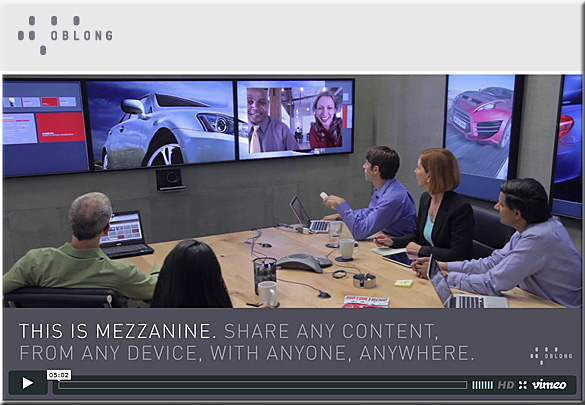
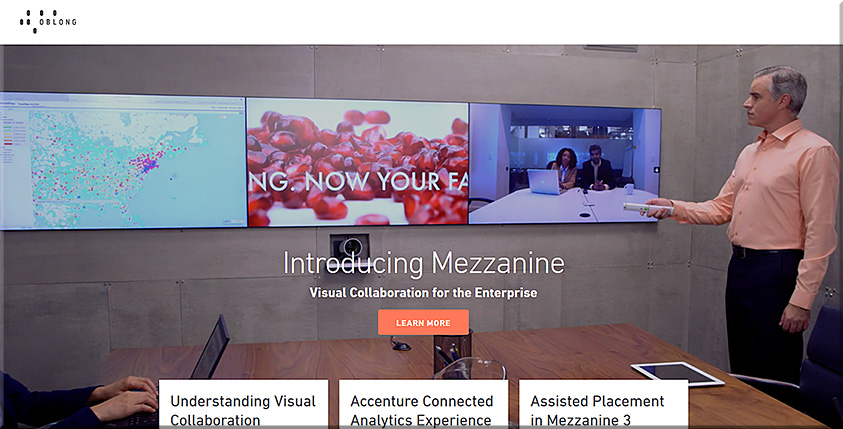
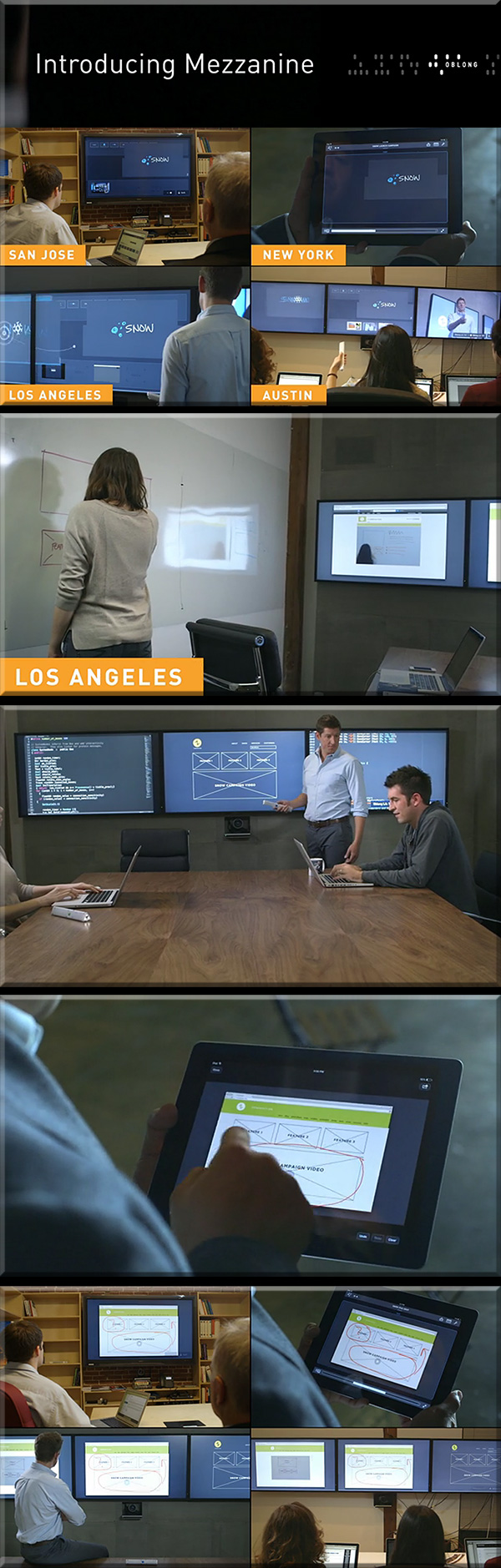
  • Mezzanine from Oblong Industries
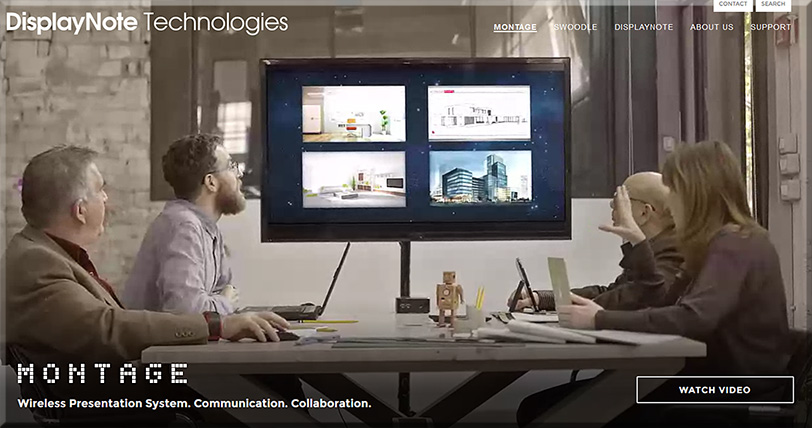
  • Montage from DisplayNote Technologies
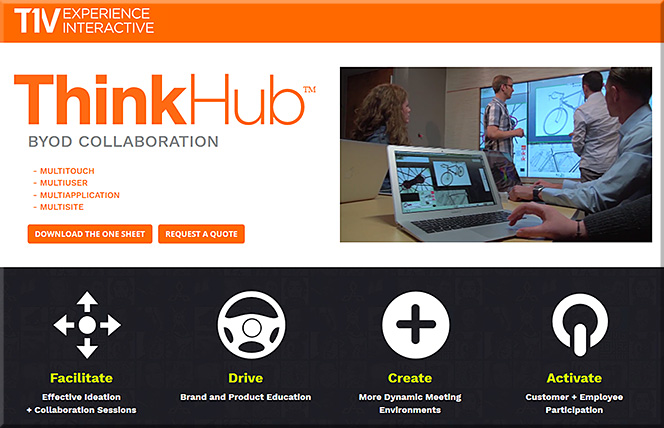
  • ThinkHub and ViewHub from T1V
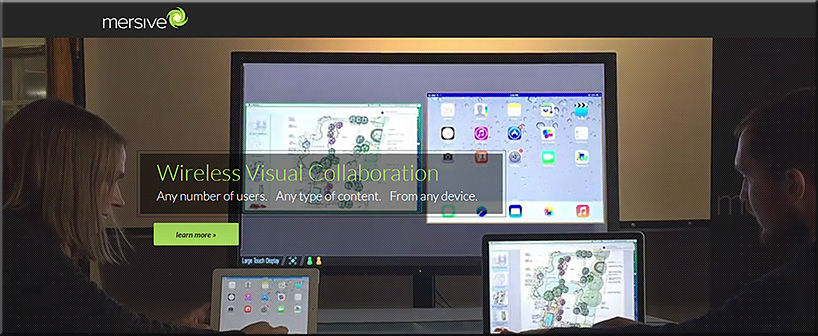
  • Mersive Solstice
  • Crestron AirMedia
  • Barco Clickshare
  • Haworth Workware Wireless
  • Christi Brio
  • AMX enzo
  • NovoConnect from Vivitek
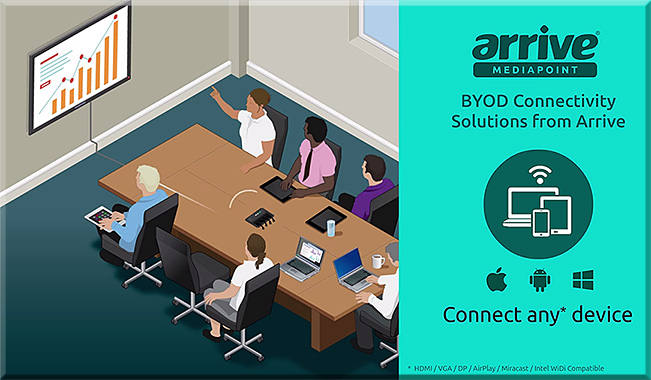
  • Arrive MediaPoint
  • Apple TV
  • Chromecast

From DSC:

First of all, consider the following products and the functionalities they offer.

People who are in the same physical space can collaborate with people from all over the world — no matter if they are at home, in another office, on the road, etc.

For several of these products, remote employees/consultants/trainers/learners can contribute content to the discussions, just like someone in the same physical location can.


Bluescape-March2016


BlueScape-2015


Mezzanine-from-Oblong-May2013

Mezzanine-By-Oblong-Jan2016


mezzanine-feb-2015


ThinkHub-March2016


mersive-March2016

Montage-March2016

ArriveMediaPoint-March2016


From DSC:

Many of these sorts of systems & software are aimed at helping people collaborate — again, regardless of where they are located. Remote learners/content contributors are working in tandem with a group of people in the same physical location. If this is true in business, why can’t it be true in the world of education?

So keep that in mind, as I’m now going to add on a few other thoughts and trends that build upon these sorts of digitally-based means of collaborating.

Q: Towards that end…ask yourself, what do the following trends and items have in common?

  • The desire to capture and analyze learner data to maximize learning
  • Colleges’ and universities’ need to increase productivity (which is also true in the corporate & K-12 worlds)
  • The trend towards implementing more active learning-based environments
  • The increasing use of leveraging students’ devices for their learning (i.e., the BYOD phenomenon)
  • The continued growth and increasing sophistication of algorithms

A: All of these things may cause digitally-based means of learning to skyrocket!!!

To wrap up this line of thought, below are some excerpts from recent articles that illustrate what I’m trying to get at here.


Embrace the Power of Data
A continuous improvement mindset is important. Back-end learning analytics, for example, can reveal where large numbers of students are struggling, and may provide insights into questions that require new feedback or content areas that need more development. Data can also highlight how students are interacting with the content and illuminate things that are working well—students’ lightbulb moments.

— Five Principles for Your Learning Design Toolkit
from edsurge.com by Amanda Newlin


Mitchell gave the example of flight simulators, which not only provide students with a way to engage in the activity that they want to learn, but also have data systems that monitor students’ learning over time, providing them with structured feedback at just the right moment. This sort of data-centric assessment of learning is happening in more and more disciplines — and that opens the door to more innovation, he argued.

…

A promising example, said Thille, is the use of educational technology to create personalized and adaptive instruction. As students interact with adaptive technology, the system collects large amounts of data, models those data, and then makes predictions about each student based on their interactions, she explained. Those predictions are then used for pedagogical decision-making — either feeding information back into the system to give the student a personalized learning path, or providing insights to faculty to help them give students individualized support.

…

“We need the models and the data to be open, transparent, peer-reviewable and subject to academic scrutiny.”

…

“We began to actually examine what we could do differently — based not upon hunches and traditions, but upon what the data told us the problems were for the students we enroll,” said Renick. “We made a commitment not to raise our graduation rate through getting better students, but through getting better — and that gain meant looking in the mirror and making some significant changes.”

…

A 21st-century learning culture starts with digital content. In 2010, Jackson State University was looking for ways that technology could better address the needs of today’s learner. “We put together what we call our cyberlearning ecosystem,” said Robert Blaine, dean of undergraduate studies and cyberlearning. “What that means is that we’re building a 21st-century learning culture for all of our students, writ large across campus.” At the core of that ecosystem is digital content, delivered via university-supplied iPads.

— 7 Things Higher Education Innovators Want You to Know
from campustechnology.com by Rhea Kelly


On Bennett’s wish list right now is an application that allows students to give feedback at specific points of the videos that they’re watching at home. This would help him pinpoint and fix any “problem” areas (e.g. insufficient instructions for difficult topics/tasks) and easily see where students are experiencing the most difficulties.

TechSmith’s now-retired “Ask3” video platform, for example, would have done the trick. It allowed users to watch a video and ask text-based questions at the point where playback was stopped. “I’d like to be able to look at my content and say, ‘Here’s a spot where there are a lot of questions and confusion,'” said Bennett, who also sees potential in an “I get it” button that would allow students to hit the button when everything clicks. “That would indicate the minimum viable video that I’d need to produce.” Learning Catalytics offers a similar product at a fee, Bennett said, “but I can’t charge my students $20 a year to use it.”

— 6 Flipped Learning Technologies To Watch in 2016
from thejournal.com by Bridget McCrea


All of these trends lend themselves to causing a major increase in the amount of learning that occurs via digitally-based means and methods.


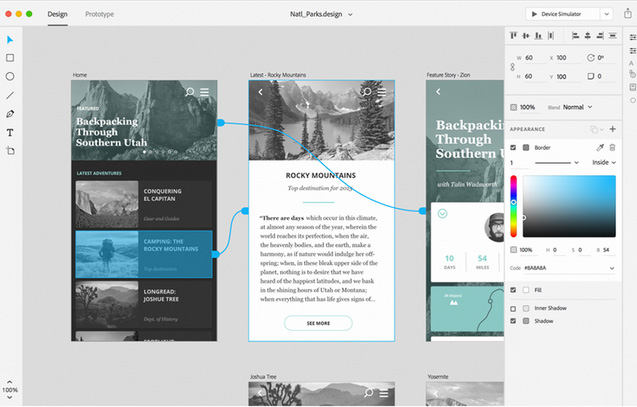
Adobe’s Project Comet has been renamed ‘Experience Design’ — and it [launched on 3/14/16] — from thenextweb.com by Nate Swanner

Excerpt:

Adobe’s Project Comet is now Experience Design (XD), and is available in preview for anyone with an existing Adobe account.

Noting there are currently “lots of tools tackling many parts of the problem” of designing apps, Adobe is positioning XD to compete more directly with Sketch, and it does a fantastic job. Not only will you be able to design artboards, but XD lets you make macro changes and prototype as well.

It begins with the type of project you have (Web, iPhone, iPad or ‘custom size’ designs), but XD also has UI Kit packets preloaded. You can choose from iOS, Google’s Material Design or Windows. XD also shows you recent files so you can jump right back into prototyping.


Adobe-ExperienceDesign-3-14-16


Mobile World Congress 2016: Event Highlights

Excerpts:

  • Over 100,000 attendees came to Mobile World Congress 2016: nearly 101,000, in fact. Attendees from 204 countries and territories were present, and was covered by more than 3,600 members of the international press and media.
  • More than 2,200 companies participated
  • Everything from virtual reality, new handsets and ingenious app ideas, to 3D printing, privacy protection and backend solutions were on display.
  • 5G & NFV, mobile apps, retail & digital commerce, mobile media, IoT and security
  • 374 speakers from consumer brands, mobile organisations, mobile operators and industries touched by the mobile market — including advertising, banking, health, NGOs, entertainment and education.


Also see their blog.


Google brings the physical web to your phone — from techweekeurope.co.uk by Michael Moore
Google plans to make your smartphone a portal to the world around you thanks to a new smart browser.


Excerpt:

Google plans to make your smartphone a portal to the world around you thanks to a new smart browser.

The company’s next version of Chrome for Android, version 49 (currently in beta), will be able to alert users to low-energy beacons near to them, which can then be interacted with for interesting information or offers.

This means that walking past a tube station will send a pop-up alert about the next departure, or vouchers being sent when walking past a favourite shop, which is all part of what Google is calling ‘The Physical Web’.


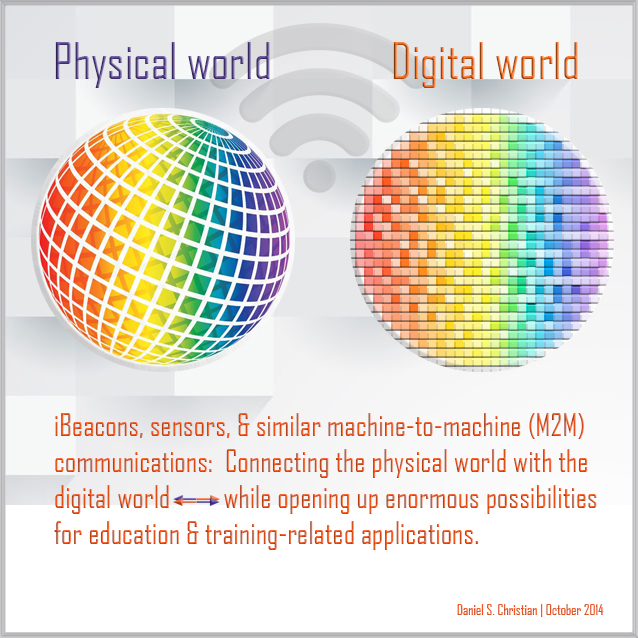
DanielChristian-Combining-Digital-Physical-Worlds-Oct2014


Addendum on 2/19/16:

The campus: Where AV meets IoT — from avnetwork.com by Carolyn Heinze

Excerpt (emphasis DSC):

At the classroom level, Dey believes that GIoTTO offers the potential for improved audiovisual experiences. “[There is] the use of sensing technology to detect changes in the environment, [where] you may want to change the audiovisual settings in a classroom, to detecting where people are in a classroom to change audiovisual settings, to even detecting: why is my projector not actually projecting on the screen?” he illustrated. This last use case can speed up troubleshooting, therefore decreasing help desk calls, he added. “Building on that, obviously we have tons of seminar rooms and other rooms that are meant for specific audiovisual needs, and you can imagine that putting additional sensing technology in those spaces would enable us to be more creative in understanding how those spaces get used, and how we can improve those spaces at the same time.”


Digital in 2016 — from wearesocial.sg by Simon Kemp

Excerpt:

[On January 27, 2016] we’re very excited to share our huge new Digital in 2016 report: We Are Social’s comprehensive study of digital, social and mobile usage around the world.

Last year’s global report has already been read almost 2 million times on SlideShare, but we’ve also had many requests for information on other countries, so this year we’ve decided to produce a report in three distinct parts:

1. Digital in 2016: the main report, which you can read in the SlideShare embed above (or on SlideShare by clicking here), containing all the digital data, social stats and mobile numbers you need to understand the state of digital around the globe, as well as in-depth studies of 30 of the world’s key economies.

2. 2016 Digital Yearbook: an additional document which contains headline digital, social and mobile data and statistics for 232 countries around the world. You can read and download this report for free too – you’ll find it as another SlideShare embed further down in this post, but you can also find it on SlideShare by clicking here.

3. The Executive Summary: this blog post, which presents our analysis of the key trends and context behind the numbers in this year’s report, as well as our forecasts and predictions for the coming twelve months. You can also download the Executive Summary in PDF form by clicking here.


The tech that will change your life in 2016 — from wsj.com by Geoffrey A. Fowler and Joanna Stern
Gadgets, breakthroughs and ideas we think will define the state of the art in the year ahead

Excerpts:

  • Virtual Reality Gets Real
  • Wiser Messaging Apps
  • Safer, Smarter Drones
  • Happy New USB Port! (USB Type-C port)
  • Voice-Operated Everything
  • Chinese Phones Hit the U.S.
  • Cameras That See More
  • Streaming Channels Galore
  • Wireless Charging Everywhere
  • Independent Wearables
  • Cutting the Headphone Cord
  • A Useful Internet of Things


Technology trends 2016 — from thefuturesagency.com by Rudy de Waele

Excerpt:

It’s this time of the year again for everyone in the business to release their yearly predictions. In order to save you some time, we collected all the most important and relevant trends – from the sources that matter, in one post.

The trends have been collected by The Futures Agency partner, speaker and content curator, Rudy de Waele, and were originally published on the shift 2020 Brain Food blog and newsletter.


CES 2016: Smart homes, smart cars, virtual reality — from cnbc.com by Harriet Taylor

Excerpt:

Nevertheless, there are still some distinct themes this year: Products that highlight the so-called Internet of Things (IoT), the connected home, autos and virtual reality will all have a big presence.


From smart to intelligent: 2016 AV trends — from avnetwork.com by Jonathan Owens

Excerpts:

  • Sensors
  • Bring Your Own Identity
  • UCC Bridging and True Collaboration


Cloud, virtual reality among top tech trends for 2016 — from news.investors.com by Patrick Seitz

Excerpts:

  • Cloud computing
  • Voice user interfaces
  • Virtual reality
  • Autonomous Vehicles
  • Over-The-Top TV


Virtual reality, robot companions and wraparound smartphones: Top 5 tech trends due in 2016 — from scmp.com by Jack Liu


The headset cometh: A virtual reality content primer — from gigaom.com by Megan Logan

Excerpt:

When we talk about VR, we tend to talk in broad strokes. “Experiences,” we call them, as if that term is somehow covers and conveys the depth and disparity that exists between gaming, watching, and interacting with VR content. The reality of virtual reality, however, is not so easily categorized or described.

VR content is the big blanket term that clumsily and imprecisely covers large and vastly divergent portions of the content market as it stands. VR games, immersive video, and virtual cinema all fall under “VR content”, but they’re fundamentally different experiences, possibly appealing to very different portions of a potential mainstream VR market.


6 ways work will change in 2016 — from fastcompany.com by Jared Lindzon
Workplace trends for 2016 will be set in large part by what’s happening in the freelance world right now.

Excerpt:

Most major workplace trends don’t evolve overnight, and if you know where to look, you can already witness their approach.

Many of the trends that will come into focus in 2016 already exist today, but their significance is expected to grow and become mainstream in the year to come.

While such trends used to be set by the world’s largest companies, today many are championed by the smallest. Freelancers and independent employees need to stay ahead of future needs to ensure they are up to date with the most in-demand skills. Therefore, activity in the freelance market often serves as an early indication of the growing needs of traditional businesses.

At the same time, large organizations today are under greater threat of disruption, requiring early adoption and a heightened awareness of the surrounding business environment.

Here are some of the workplace trends that are expected to have far-reaching effects in 2016, from the boardrooms of Fortune 500 companies to the home offices, cafes, and coworking spaces of the freelance economy.


7 top tech trends impacting innovators in 2016 — from innovationexcellence.com by Chuck Brooks

Excerpts:

  1. The Internet of Things
  2. Data Science & Digital Transformation
  3. Artificial Intelligence (AI) and Augmented Reality technologies
  4. Quantum and Super Computing
  5. Smart Cities
  6. 3-D Printing
  7. Cybersecurity


Related:


Addendum on 1/13/16:


Our Top 15 Teaching and Learning Articles of 2015 — from faculty focus by Mary Bart

Excerpt:

As another year draws to a close, the editorial team at Faculty Focus looks back on some of the most popular articles of the past year. Throughout 2015, we published more than 200 articles. The articles covered a wide range of topics, including assignment strategies, cell phone policies, course design, flipped classrooms, online discussions, student resistance, and grading policies.

In this, our last post of the year, we reveal the top 15 articles for 2015. Each article’s ranking is based on a combination of factors, including e-newsletter open and click rates, social shares, reader comments, web traffic, reprint requests, and other reader engagement metrics.


Will Lynda.com/LinkedIn.com pursue this powerful vision with an organization like IBM? If so, look out!

From DSC:
Back in July of 2012, I put forth a vision that I called Learning from the Living [Class]Room. 


The Living [Class] Room -- by Daniel Christian -- July 2012 -- a second device used in conjunction with a Smart/Connected TV

It’s a vision that involves a multitude of technologies — technologies and trends that we continue to see being developed and ones that could easily converge in the not-too-distant future to offer us some powerful opportunities for lifelong learning! 

Consider that in won’t be very long before a learner will be able to reinvent himself/herself throughout their lifetime, for a very affordable price — while taking ala carte courses from some of the best professors, trainers, leaders, and experts throughout the world, all from the comfort of their living room. (Not to mention tapping into streams of content that will be available on such platforms.)

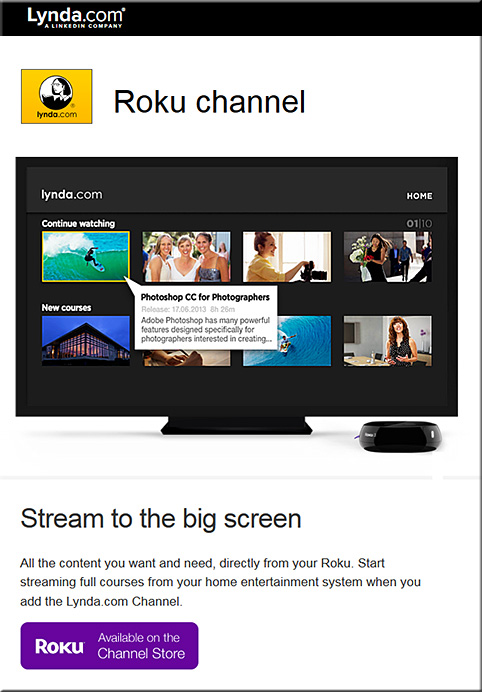
So when I noticed that Lynda.com now has a Roku channel for the big screen, it got my attention.


lyndadotcom-roku-channel-dec2015


Lets add a few more pieces to the puzzle, given that some other relevant trends are developing quite nicely:

  • tvOS-based apps are now possible — and already there are over 2600 of them and it’s only been a month or so since Apple made this new platform available to the masses
  • Now, let’s add the ability to take courses online via a virtual reality interface — globally, at any time; VR is poised to have some big years in 2016 and 2017!
  • Lynda.com and LinkedIn.com’s fairly recent merger and their developing capabilities to offer micro-credentials, badges, and competency-based education (CBE) — while keeping track of the courses that a learner has taken
  • The need for lifelong learning is now a requirement, as we need to continually reinvent ourselves — especially given the increasing pace of change and as complete industries are impacted (broadsided), almost overnight
  • Big data, algorithms, and artificial intelligence (AI) continue to pick up steam; for example, consider the cognitive computing capabilities being developed in IBM’s Watson — which should be able to deliver personalized digital playlists and likely some level of intelligent tutoring as well
  • Courses could be offered at a fraction of the cost, as MOOC-sized classes could distribute the costs over a greater # of people and back end systems could help grade/assess the students’ work; plus the corporate world continues to use MOOCs to cost-effectively train their employees across the globe (MOOCs would thrive on such a tvOS-based platform, whereby students could watch lectures, demonstrations, and simulations on the big screen and then communicate with each other via their second screens*)
  • As the trends of machine-to-machine communications (M2M) and the Internet of Things (IoT) pick up, relevant courses/modules will likely be instantly presented to people to learn about a particular topic or task.  For example, I purchased a crib and I want to know how to put it together. The chip in the crib communicates to my Smart TV or to my augmented reality glasses/headset, and then a system loads up some multimedia-based training/instructions on how to put it together.
  • Streams of content continue to be developed and offered — via blogs, via channels like Periscope and Meerkat, via social media-based channels, and via other channels — and these streams of multimedia-based content should prove to be highly useful to individual learners as well as for communities of practice

Anyway, these next few years will be packed with change — the pace of which will likely take us by surprise. We need to keep our eyes upward and outward — peering into the horizons rather than looking downwards — doing so should reduce the chance of us getting broadsided!

*It’s also possible that AR and VR will create
a future whereby we only need 1 “screen”


The pace has changed significantly and quickly


Addendum:
After I wrote/published the item above…it was interesting to then see the item below:

IBM opens Watson IoT Global Headquarters, extends power of cognitive computing to a connected world — from finance.yahoo.com
1000 Munich-based experts to drive IoT and industry 4.0 innovation
Launches eight new IoT client experience centers worldwide
Introduces Watson API Services for IoT on the IBM Cloud

Excerpt:

MUNICH, Dec. 15, 2015 /PRNewswire/ — IBM (NYSE: IBM) today announced the opening of its global headquarters for Watson Internet of Things (IoT), launching a series of new offerings, capabilities and ecosystem partners designed to extend the power of cognitive computing to the billions of connected devices, sensors and systems that comprise the IoT.  These new offerings will be available through the IBM Watson IoT Cloud, the company’s global platform for IoT business and developers.


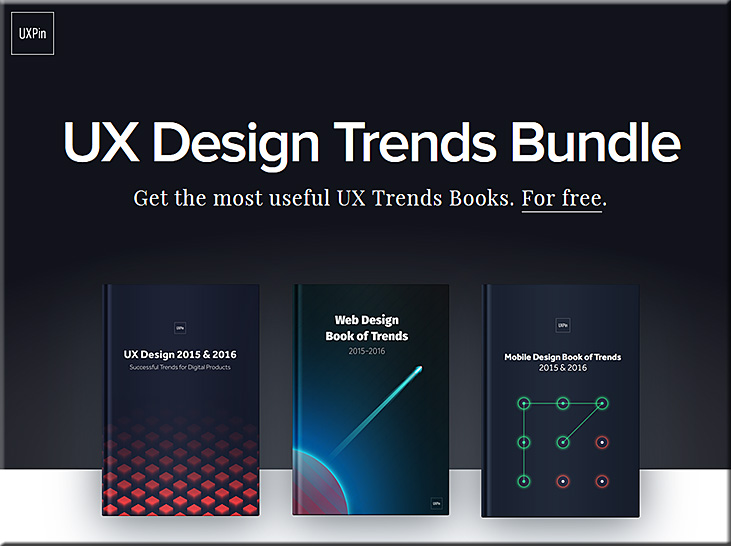
Web design trends of 2016: free ebook bundle — from creativebloq.com

Excerpt:

  • The first book, UX Design 2015 & 2016, explains the six most useful UX design trends of the past year, like advanced personalization, device-agnosticism, microinteractions, and the rebirth of gamification.
  • The second book, Web Design Book of Trends 2015 & 2016, explores the ten UI trends that gained traction this year including the cards layout, fluid animations, minimalism, and the new possibilities of typography.
  • Last, Mobile Design Book of Trends 2015 & 2016 gives the same treatment exclusively to mobile design, dissecting the best practices for gesture controls, layered interfaces, and how to apply the web trends for a smaller screen.


Also see:


USDesignTrendsBundle2015-2016

 
© 2025 | Daniel Christian