Wimba Connect 2010


Wimba Connect 2010 — check out the applications of these tools


OPENING KEYNOTE
Carol Vallone, CEO, Wimba


Teaching Math & Sciences
with Wimba (Panel)Andrew Byrne & Kurt Mederer, Convent of the Sacred Heart; David Tao, Santosh Madhavan & Dan Lim, Florida Hospital College of Health Sciences; Michele Barbeau & Kem Rogers, The University of Western Ontario

Using Wimba to Engage and Empower an Academic Community of Learners: The Case of the Global Citizen
Linda Ralston & Rebekah Grow, University of Utah

Faculty Development Wimba Style
Janet Welch & Stacey Mateika, Red Deer College

Using Wimba Voice, Pronto, and Create in Synchronously in Wimba Classroom and Asynchronously in an Online Environment
Brooke Eberwine, Steven Frecka & Jamie Westyn, OHDELA

Small Scale Implementation of Wimba Classroom – The Possibilities Are Endless
Regina Bobak & Julie Wolfe, Bloomsburg University of PA

Language Learning with Wimba (Panel)
Teresa MacKinnon, University of Warwick Language Centre; Ana Garcia Allen, The University of Western Ontario; Barbara Cohen, Berkeley College

Wikis, Wimbas, Whatevers! What Teachers Weave!
Jane Overmoe, Dakota Prairie HS

Taking the Troy Colloquium Online + Wimba: The Solution to Quality Online Learning
Gayle Nelson & Peter Paige, Troy University

Wimba Product Presentation
Annie Chechitelli, Wimba

Presentations Live or On-the-Go with Wimba Classroom MP4 Archives
Jason Rhode, Northern Illinois University & Larry Holland, University of Arkansas at Little Rock

NCVPS Cultural Cafe
Thomas Moncrief, North Carolina Virtual Public School

Our Journey: From Face 2 Face 2 Online Masters Degree
Gary Shouppe & Tom McCormack, Columbus State University

So Many Choices, So Little Time: Effective Voice Tools Training
Stacey Powell & Kathy McClelland, Auburn University

Features, Technical Problems and Technical Support in Higher Education Wimba Classrooms
Mary Nell McNeese, Amy Thornton & Jalynn Roberts, University of Southern Mississippi

ALAKAZAM!!! Instantly Transform your Physical Classrooms into Lecture Capture Spaces Using Wimba!
Scott Smith & Brian Reed, Wimba; Mark Burris, Michael Merritt & Linda Stauffer, University of Arkansas at Little Rock

Using Wimba to Prepare for H1N1 and other Potential Disasters (Panel)
Phil O’Hara & Tim Fedak, Dalhousie University; David Tao & Dan Lim, Florida Hospital College of Health Sciences

Diminishing the Distance in Distance Ed – Wimba’s Live Tools: People Reaching People
Crystal Havely Stratton & Patricia Landy, Laramie County Community College

“Keep It Live” – What the Students Say!
Mike Scheuermann, Drexel University

Wimba Pronto 4 All: Pronto Invitations and Universal Integration
Marlen Rattiner & Chris Dixon, Wimba

Online Learning is all about Collaboration!
Mark Gensimore, Jed Friedrichsen & blendedschools.net

Bringing In Local and Global Guest Speakers through Wimba Classroom
Chunyan Song , Ann Steckel & Laura Sederberg, California State University, Chico

Envelop, Develop: Building a Statewide and College-Level Professional Development System with Wimba and your LMS
Terry Pollard & Christian Pruett, Mississippi SBCJC; Rebecca Butler, Northwest Mississippi Community College; Jennifer Nowotny, Wimba

Where Did My Wimba Go and Do Users Know It’s Missing?
Michael Rogers & Jim Wolfgang, University System of Georgia; Sean Hessenthaler, Wimba

The Professor is In: Lessons Learned in Delivery of Online Student Support
Michelle Escudier & Sharon Davis, Central Texas College

Pet Kangaroos and Other Tall Tails – Live and MP4 Examples, Best Practices and Case Studies on Using Wimba Down Under
Steve Watt & Thalia Cosmidis, NetSpot Pty Ltd

Reaching Over Wall: Linking Kindred Spirits via Live Web Conferencing
Phil O’Hara & Corinne Tobin, Dalhousie Unversity; Paul Lowe, University of the Arts London

Collaborating With Students – A Glimpse of the Future With Blackboard
Brian DeKemper, Solutions Engineer, Blackboard

The Blended Language Learning Consortium (presented remotely)
Paul Snookes & Judy Barker, University of Worcester

Bringing Wimba out of the Web and into the Classroom
Bryan Vandiviere, Kansas State University

Wimba Classroom Beyond Classes
Cory Stokes, Univeristy of Utah & Edwin Perez, Wimba

The Power of Wimba 6.0 Archives: Developing and Editing the Archive Library
Jun Yang, University of Maryland

From the Lands Down Under – Wimba Firing Up Staff and Students in Australia and New Zealand
Lisa Ransom & Oriel Kelly, Manukau Institute of Technology; Kerry Trabinger, Canberra Institute of Technology

A Triple Threat to Student Attrition: Three Disciplines, Three Perspectives, and Three Uses of Wimba Classroom to Improve Student Retention
Monica Brooks, Tracy Christofero, Karen Mitchell, & Marty Laubach, Marshall University

High Impact Pedagogy: Bringing Online and Blended Courses to ‘Life’ through Learning Simulation and Wimba
Kristen Betts, Drexel University

Video, Vodcasts, and YouTube – Oh My!
Sarah Bryans Bongey & Chery Takkunen, The College of St. Scholastica

Online Education and the Power of Web 2.0 for Student Retention
Felice Nudelman, The New York Times / Epsilen

The Ways Wimba Classroom Can Revolutionize the Offering of Online Degree Programs
Daniel Powell, University of Alabama School of Law

Using Breakout Rooms to Foster Faculty Development
Ann Morgan, Kelly Kist & Heather Zink, Rasmussen College

Computer Science “eXperience:” Using Wimba Tools to Enhance Computer Science Education
Adel Abunawass, Alexandra Young & Edwin Rudolph, University of West Georgia

The Virtual Student Experience: Addressing Emotional & Multiple Intelligences & Soliciting Student Feedback
Dawn Muhammad, Calumet College of St. Joseph & H. Jean Bryan, Ed.D., DePaul University

CLOSING KEYNOTE BY JEFF NOEL, THE DISNEY INSTITUTE
Jeff Noel, The Disney Institute


Poster Presentations

  • Online Office Hours: How I Get Them To Attend
    Lyndasu Crowe, Darton College
  • Enhancing Student/Instructor Interaction in the Online Environment through Podcasting
    Heather Zink, Rasmussen College
  • Mastering the Point: Using Wimba Live Classroom with Effective PowerPoint Presentations to Enhance Online Learning
    Sue Burris, National Park Community College
  • Unleashing Wimba: Letting Students Take Control. A case study in providing webinar technology for students to facilitate group work.
    Laurie Grosik, Indiana University of Pennsylvania & Cori Dunagan, Edinboro University
  • Building Tech Capacity in a Non-Profit Collaborative Using Wimba Classroom
    Bruce Roxburgh, Green Communities Canada
Digital access, collaboration a must for students — from eSchoolNews.com by Laura Devaney
Students increasingly are taking education into their own hands with personal technology experiences, a trend with important implications for schools

In a national survey that reveals K-12 students’ use of technology at home and at school, students overwhelmingly agreed that access to digital media tools and the ability to collaborate with peers both inside and outside of school can greatly enhance education.

“Speak Up 2009: Creating Our Future: Students Speak Up about their Vision for 21st Century Schools,” the latest education technology survey from the nonprofit group Project Tomorrow, identifies the emergence of “free agent learners”—students who increasingly take learning into their own hands and use technology to create personalized learning experiences.

“For these students, the schoolhouse, the teacher, and the textbook no longer have an exclusive monopoly on knowledge, content, or even the education process, and therefore it should not be surprising that students are leveraging a wide range of learning resources, tools, applications, outside experts, and each other to create a personalized learning experience that may or may not include what is happening in the classroom,” the report says.

…

The three elements identified in the report are:

  • Social-based learning: Students want to leverage emerging communications and collaboration tools to create and personalize networks of experts to inform their education experience.
  • Untethered learning: Students envision technology-enabled learning experiences that transcend the classroom walls and are not limited by resource constraints, traditional funding streams, geography, community assets, or even teacher knowledge or skills.
  • Digitally-rich learning: Students see the use of relevancy-based digital tools, content, and resources as a key to driving learning productivity, and not just about engaging students in learning.

Colleges embrace MP4 technology for delivering instruction — from eSchoolNews.com by Dennis Carter

University Alliance promotes live chats, streaming lecture video, and message boards through students’ mobile devices

Four universities are giving students the chance to complete certificate and degree programs by downloading class material to mobile devices like iPhones and iPods in a distance-learning initiative that one day could be commonplace in higher education. The University Alliance, one of the country’s largest online education facilitators, announced earlier this month that students enrolled in web-based courses at Villanova University, the University of San Francisco, Tulane University, and the University of Notre Dame will be able to watch course lectures in MP4 video format on their mobile devices.

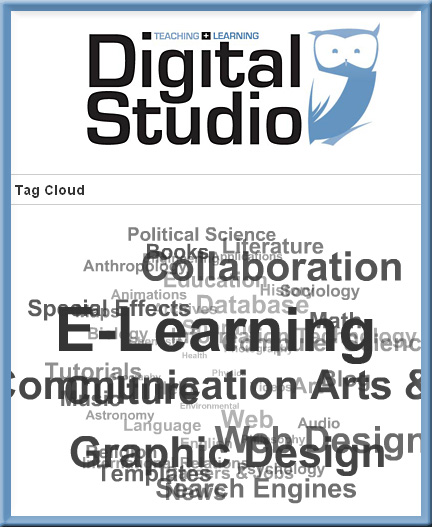
Student-provided sites from The Teaching & Learning Digital Studio at Calvin College

Student-provided sites from The Teaching & Learning Digital Studio at Calvin College

Digital Studio Sites is a blog with a large collection links from the Teaching & Learning Digital Studio Staff at Calvin College (Grand Rapids, MI) that covers a wide range of academic topics and more. The staff scours the Web for the best, most interesting, and useful Web sites for the classroom (and maybe beyond) on the Internet and continually updates the list of links. Professors can quickly find sites related to their field of study by keyword, search, or by subscribing via RSS feed.

Tagged with: • •  
Tagged with: •  

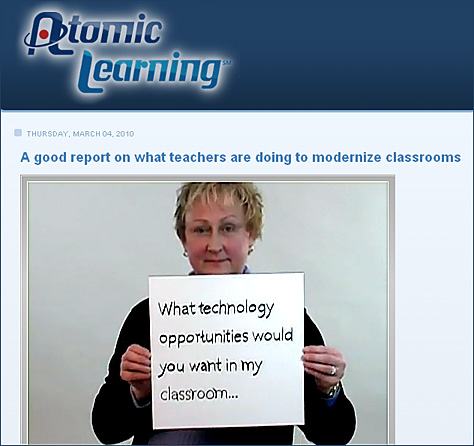
Moderning classrooms

From DSC:
For those of us in higher education, what occurs in K-12 affects us, as it affects our incoming students’ expectations. We need to prepare now for our students of tomorrow! And congratulations to those of you in K-12 who are working hard to keep your students engaged, growing, challenged, participating, and learning!


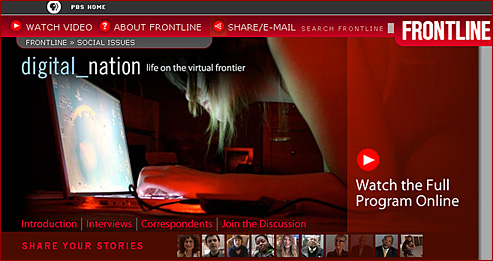
Digital Nation -- from PBS

Tagged with: •  

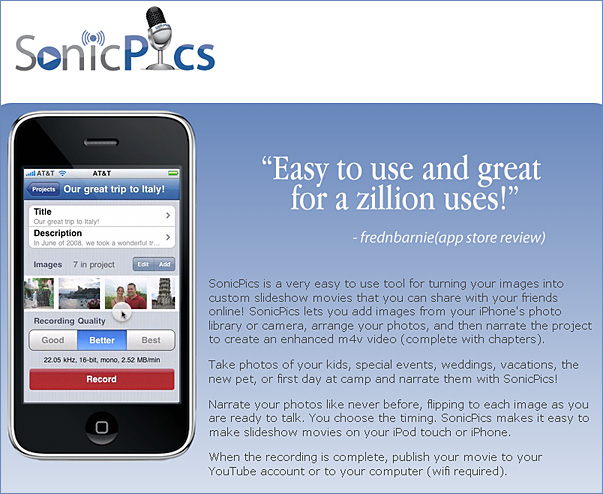
Sonic Pics

Features:

  • Intuitive user interface.
  • Automatically synchronizes your images to your audio recording.
  • Make .m4v movies of your images and narrations from your iPhone or iPod Touch.
  • Record up to 60 minutes per session!
  • Choose from good, better or best quality levels for audio.
  • Easy image selection and editing.
  • Give images unique names and descriptions that can optionally be shown during recording.
  • Image names become chapter markers in exported recordings.
  • Pause while recording.
  • Build slide shows with photos from photo albums, camera roll or built in camera.
  • Quickly jump to any image during a recording using the pop-up image chooser.
  • Recordings processed right on your phone, no 3rd party service required!
  • Transfer movies to your computer via WiFi web sharing (requires WiFi connection).
  • Upload movies to YouTube.
  • Chose to make your YouTube movies private.
  • Share your movie’s YouTube link via email.

Sample uses

  • Class field trip
  • New baby
  • Lecture recording
  • Creating mini-presentations on the road
  • Out with friends
  • Travel Logs
  • Conference notes
  • Honeymoon
  • Museum tours
  • Create Audio books
  • Lab notes
  • Insurance claims
  • Accident documentation
  • Medical diagnosis / dictation
  • Land surveys
  • Real estate tours
  • Home shopping
  • New town experiences
  • Staff introductions
  • Photo tours
  • Language instruction
  • Helping boyfriend study names/faces before meeting girlfriend’s family.

Original resource from:
Creating Digital Storybooks on the Fly with Sonic Pics — Living in the 4th Screen

Design Boost
Design Boost is a five day bootcamp for prototyping digital learning products.

We’re looking for promising young innovators, to bring learning into the 21st century, to create digital products that excite and engage kids in meaningful learning. In partnership with IDEO, Startl is offering a multi-day immersion for designers and creators, hackers and coders, builders and entrepreneurs.

Boost isn’t about sitting around dreaming up pie-in-the-sky ideas. Its an intense whirlwind of activity, with lots of hands-on, real-world involvement in the design and product development process. You’ll be taking the seed of an idea and seeing whether you can grow it into an effective and marketable learning product. Along the way, you’ll be steeped in how to create user-centered, learning-rich and market-smart designs and learn the tricks that seasoned entrepreneurs use to generate new products quickly and cheaply. But you won’t be doing this on your own. You’ll be surrounded by inspiring peers and collaborating with them to amp up your creativity and rigor.

© 2025 | Daniel Christian