


Transmedia & interactive reading list #10 — from benhoguet.com
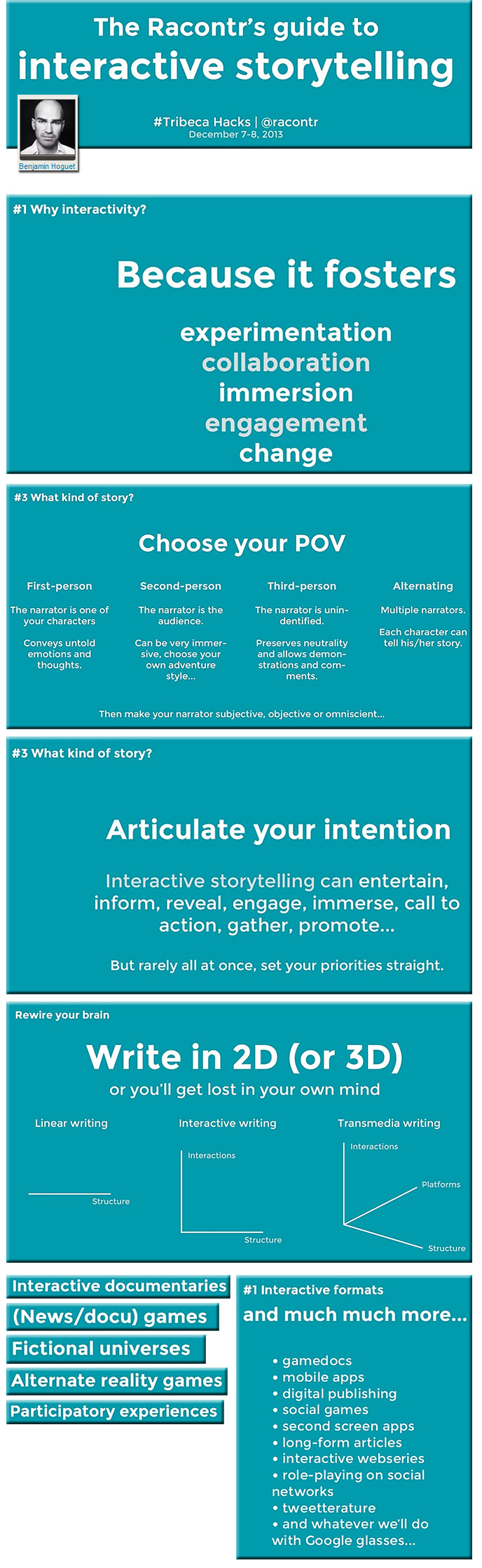
Excerpt of slides from one of the items Ben mentions:
Transmedia & interactive reading list #10 — from benhoguet.com
Excerpt of slides from one of the items Ben mentions:
Layar’s industry leading Augmented Reality app now available on Google Glass — from layar.com
Excerp:
AMSTERDAM, NEW YORK, TORONTO – March 19th, 2014 – Layar, the world’s number one provider of Augmented Reality (AR) and Interactive Print products and services, today announced the availability of its industry leading mobile app on Google Glass. Glass users can go to Layar.com/Glass to download the app and see instructions for how to install it. By just saying “Ok Glass, scan this,” users can easily experience any of the platform’s over 200,000 Interactive Print pages and 6,000 location-based Geo Layers.
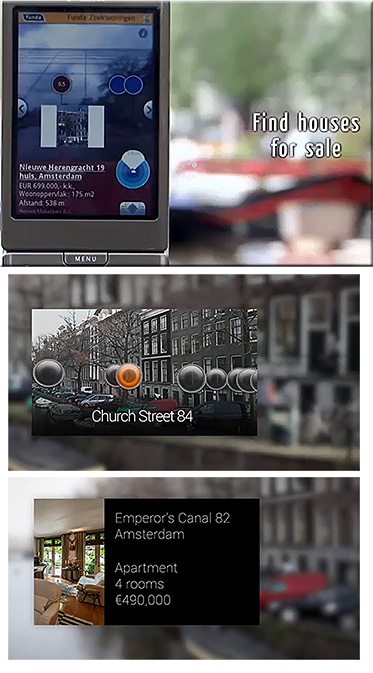
With Interactive Print, static print content comes alive with videos, photo slideshows, links to buy and share and immersive 3D experiences. Glass users can now access Layar’s rapidly growing platform of Interactive Print campaigns, including magazines like Men’s Health, Inc. and Glamour, as well as newspapers, advertising, art and more. Geo Layers allow users to see location-based information – including points-of-interest like local real restate listings, geotagged media like nearby photos and tweets, 3D art and more – in an augmented, “heads up” view using the camera on the Glass device.
Excerpt of video:
From DSC:
Using Layar’s Creator app, there could be numerous and creative applications of these technologies within the realm of education. For example, in a Chemistry class, one could have printouts of some of the types of equipment one would use in an experiment.
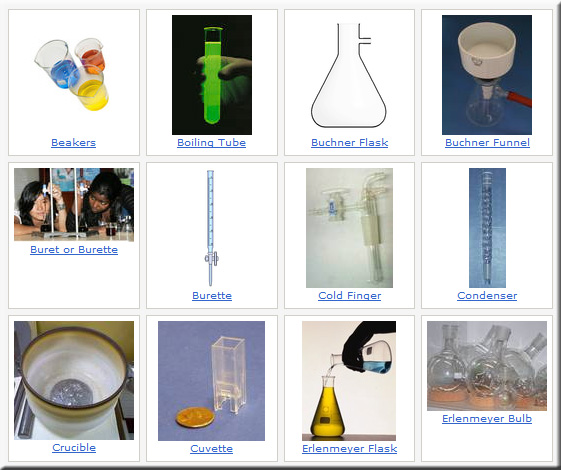
Looking at a particular piece of paper (and having loaded the app) would trigger a pop-up with that piece of equipment’s name, function, and/or other information as well as which step(s) of the experiment that you will be using that piece of equipment on.
Or, one could see instructions for how to put things together using this combination of tools. A set of printed directions could pop up a quick video for how to execute that step of the directions. (I sure could have used that sort of help in putting together our daughter’s crib I tell ya!)
Digital life in 2025 — from by Janna Anderson and Lee Rainie
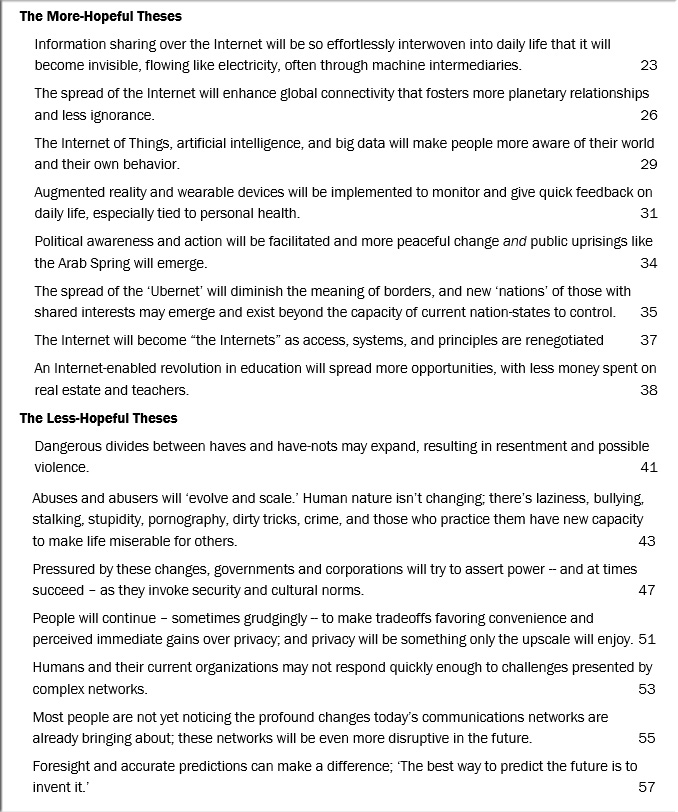
Experts predict the Internet will become ‘like electricity’ — less visible, yet more deeply embedded in people’s lives for good and ill
Excerpts from report:
One striking pattern is that these experts agree to a large extent on the trends that will shape digital technology in the next decade. Among those expected to extend through 2025 are:
Also see:
Google Glass: Not the only eye candy in town — from huffingtonpost.com by Robin Raskin; with special thanks to Mr. Rob Bobeldyk [Asst. Dir. Teaching & Learning at Calvin College] for this resource
Excerpted applications:
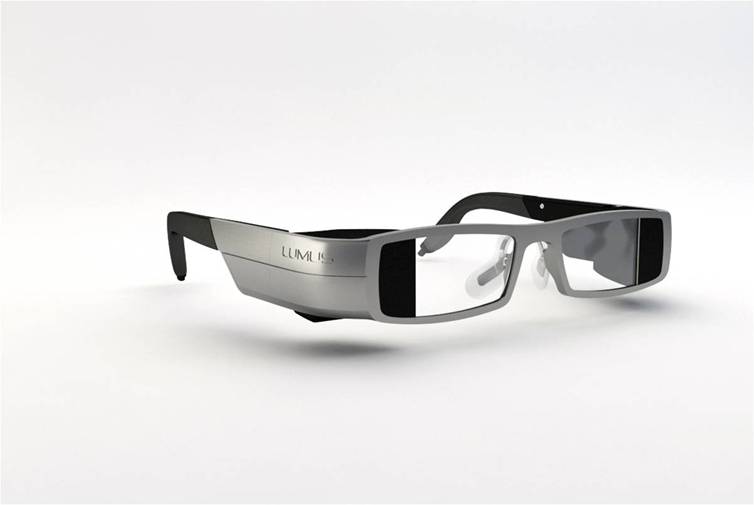
Also, some excerpted applications from Google Glass is Transforming Wearable Technology — from Daniel Burrus
Also see:
Bye bye second screen? The InAIR lets you browse the web and watch TV all in one place — from techcrunch.com by Colleen Taylor (@loyalelectron)
Excerpt:
Nowadays, many people browse the web at the same time that they’re watching TV — the phenomenon is called the “second screen.” But a new gadget called InAIR from a startup called SeeSpace wants to bring our attention back to just one screen by putting the best of the laptop, the smart phone, and the TV all together in one place.
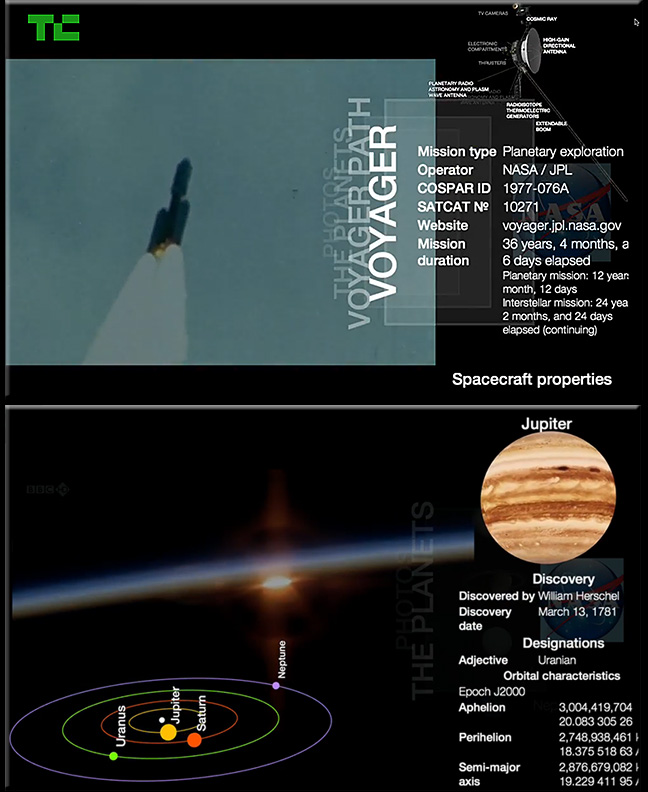
From DSC:
I like what Nam Do, the CEO of InAir is saying about one’s attention and how it’s divided when you are using a second screen. That is, when you are trying to process some information from the large screen and some information from the smaller/more mobile screen on your lap or desk. You keep looking up…then looking down. Looking up…then looking down. By putting information in closer proximity in one’s visual channel, perhaps processing information will be more intuitive and less mentally taxing.
This fits with an app I saw yesterday called Spritz.
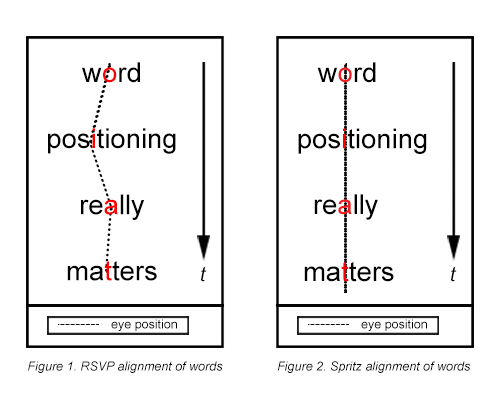
To understand Spritz, you must understand Rapid Serial Visual Presentation (RSVP). RSVP is a common speed-reading technique used today. However, RSVP was originally developed for psychological experiments to measure human reactions to content being read. When RSVP was created, there wasn’t much digital content and most people didn’t have access to it anyway. The internet didn’t even exist yet. With traditional RSVP, words are displayed either left-aligned or centered. Figure 1 shows an example of a center-aligned RSVP, with a dashed line on the center axis.
When you read a word, your eyes naturally fixate at one point in that word, which visually triggers the brain to recognize the word and process its meaning. In Figure 1, the preferred fixation point (character) is indicated in red. In this figure, the Optimal Recognition Position (ORP) is different for each word. For example, the ORP is only in the middle of a 3-letter word. As the length of a word increases, the percentage that the ORP shifts to the left of center also increases. The longer the word, the farther to the left of center your eyes must move to locate the ORP.
In the Science behind this app, it says (emphasis DSC):
Reading Basics
Traditional reading involves publishing text in lines and moving your eyes sequentially from word to word. For each word, the eye seeks a certain point within the word, which we call the “Optimal Recognition Point” or ORP. After your eyes find the ORP, your brain starts to process the meaning of the word that you’re viewing. With each new word, your eyes move, called a “saccade”, and then your eyes seek out the ORP for that word. Once the ORP is found, processing the word for meaning and context occurs and your eyes move to the next word. When your eyes encounter punctuation within and between sentences, your brain is prompted to assemble all of the words that you have read and processes them into a coherent thought.
When reading, only around 20% of your time is spent processing content. The remaining 80% is spent physically moving your eyes from word to word and scanning for the next ORP. With Spritz we help you get all that time back.
So, if the convergence of the television, the telephone, and the computer continues, I think Nam Do’s take on things might be very useful. If I were watching a lecture on the large screen for example, I could get some additional information in closer proximity to the professor. If the content I wanted to see was more closely aligned with each other, perhaps my mind could take in more things…more efficiently.
Practical ideas for using augmented reality in contextual mobile learning — from blog.commlabindia.com by Aruna Vayuvegula
Excerpt:
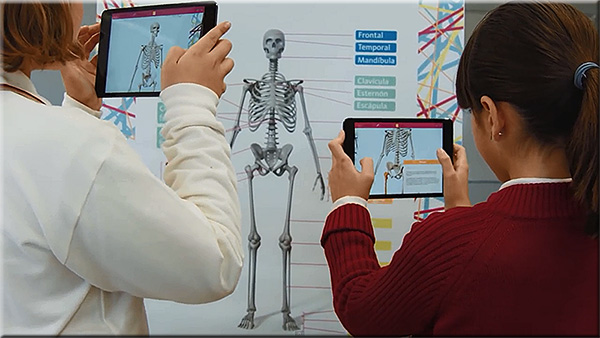
Using Augmented Reality for contextual mLearning sounds too futuristic – a phenomenon that is being experimented in universities and research centers across the world. Wikipedia defines Augmented reality (AR) as a live, copy, view of a physical, real-world environment whose elements are augmented (or supplemented) by computer-generated sensory input such as sound, video, graphics or GPS data. It is rather hard for a non-technical person to perceive the implication of this definition in a learning situation.
However, when you come across a report that says
You can’t ignore Augmented Reality (AR). You need to stop, to understand what it all means. That’s when I came across an article by Jason Haag, who spoke at DevLearn 13 on Augmented Reality in mobile learning. Published at Advanced Distributed Learning website, it lists some cool examples in the form of videos about AR in action. The video from the link given below is one of them; it truly helped me conceive the idea of AR in a learning context.
AR Music APP Enchantium by DAQRI — from realareal.com by Kiran Voleti
Excerpt:
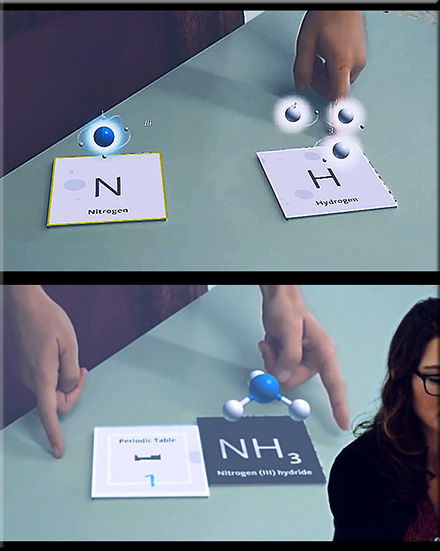
In the 21st century classroom: Students can see the shape of knowledge, Students can hear the shape of knowledge, students can TOUCH the shape of knowledge.
Zientia: Changing the Way We Learn with Augmented Reality — from realareal.com by Kiran Voleti
Enchantium is a 4D platform that uses augmented reality — from realareal.com by Kiran Voleti
Excerpt:
Discover a New Dimension of Play™ in a magical world of curated, kid-safe content where play sets can come to life and toys can talk, interact and learn new things.
Toys Become Enchanted
So much more than an app, Enchantium is a 4D platform that uses augmented reality and cutting edge technology to connect games and toys with interactive experiences.
SeeSpace InAiR: The World’s 1st Augmented Television — from kickstarter.com by Nam Do, Dale Herigstad, A-M Roussel

From DSC:
For those interested in Human Computer Interaction (HCI), interactivity, interface design, augmented reality, and end user experience design — I think you will really like this one!
Again, I can’t help but think there are some significant educationally-related opportunities here; let’s let the students help us innovate here.
The year ahead: ten amazing science and technology innovations coming up in 2014 — from telegraph.co.uk by Paul Kendall and Chris Bell
From the world’s largest underground hotel to Star Wars-style holographic communication, the coming year is set to unveil an array of incredible advances in science and technology

Former Windows leader Steven Sinofsky presents 10 Mega Trends in Tech for 2014 — from businessinsider.com by Jay Yarow; via Graeme Codrington (@FuturistGraeme) and Laura Goodrich (@LauraGoodrich)
Top Technology Trends for 2014 — from computer.org
Excerpt:
Supporting New Learning Styles
Online courses demand seamless, ubiquitous approach.
These days, students from all corners of the world can sign up for online classes to study everything from computer science, digital signal processing, and machine learning to European history, psychology, and astronomy–and all for free. As interest in Massive Open Online Courses (MOOCs) continues to explode, there will be a corresponding need for technology to support these new learning systems and styles. Platforms such as Coursera, with more than 3 million users and 107 partners; and edX, a partnership between Massachusetts Institute of Technology and Harvard University with 1.7 million users; are hosting classes with thousands of online enrollees each. And although lectures are still the mainstay of MOOCs, the classes require web forums, online meetups, and keystroke loggers to check identities, as well as powerful servers to handle the volumes. MOOCs and other new online classes are creating a demand for learning that is seamless—happening continuously via different technologies; ubiquitous—drawing from pervasive and embedded technologies; and contextual—drawing awareness from location-based and other sensor-based technologies.
5 Higher-Education Trends for 2014 — from theatlantic.com by Sophie Quinton
Expect an increased emphasis on teacher effectiveness, technical education, and more.
Headings include:
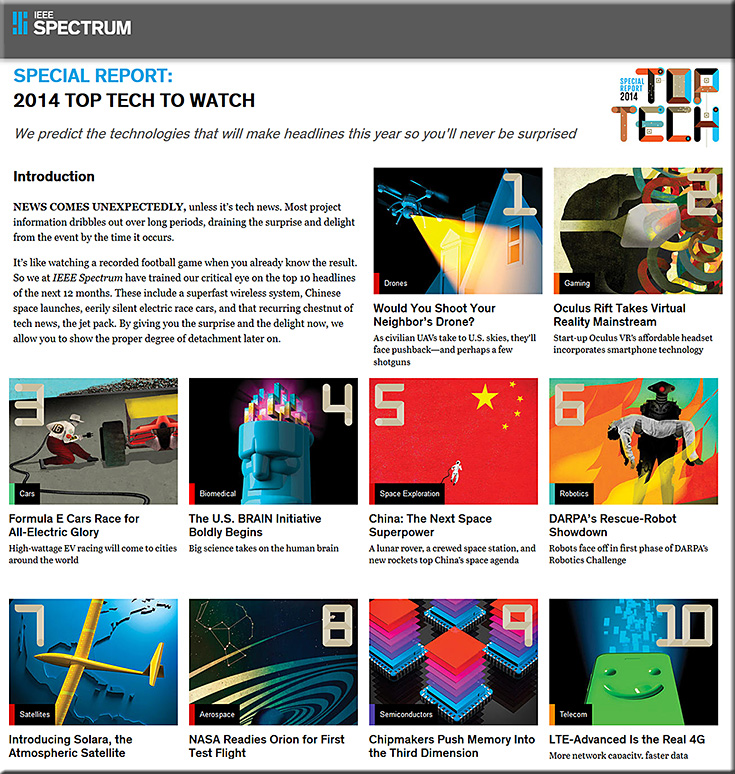
Special Report: 2014 Top Tech to Watch — from spectrum.ieee.org
NMC Horizon Report — 2014 Higher Education Preview
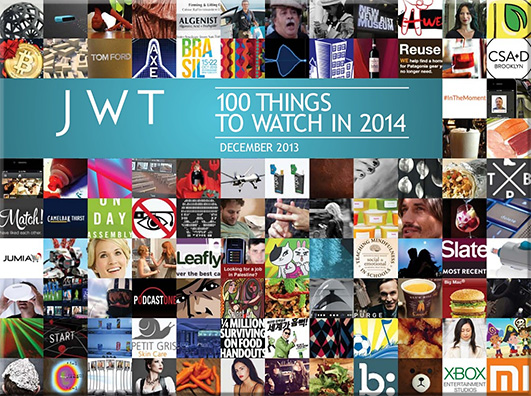
JWT’s 100 things to watch in 2014
IBM internal experts club together to offer 2014 predictions — from siliconangle.com by Bert Latamore
Headings include:
2014 Technology Predictions Series: RadiumOne on Mobile — from siliconangle.com by Suzanne Kattau
Internet of Things may strangle enterprise bandwidth — from informationweek.comby Deepak Kumar
The Internet of Things is poised to bring a flood of WAN traffic and new Internet-enabled devices to enterprise WANs. Be sure your corporate network is ready for it.
7 things you should expect from your leaders in 2014 — from forbes.com by Glenn Llopis
10 Jobs for tomorrow that barely exist today (Infographic) — from jobmarketmonitor.com by Michel Cournoyer and Thomas Frey
Addendum on 1/4/14:

6 exciting developments in Augmented Reality [AR] — from atlargeinc.com
Excerpt:
Technology continues to advance at an amazing rate, providing us with innovation after innovation. One of the most exciting pieces of fruit to come out of the rapid increase in technological advances over the past ten years is, of course, augmented reality.
Virtual reality has become almost lifelike. Every little wrinkle in an old mans brow, or every blade of grass in an expansive field. They can all be seen moving individually with a life of their own. With the next generation of gaming consoles around the corner, it’s getting harder and harder to tell the difference between something physically real and something computer generated. Augmented reality blurs the line between what’s real and what isn’t by enhancing our sensory experiences and complementing the way we live. Augmented reality is reality’s next step…
1. Google’s Massive Ingress Game

“The main obstacle to an Apple television set has been content. It has mostly failed to convince cable companies to make their programming available through an Apple device. And cable companies have sought to prevent individual networks from signing distribution deals with Apple.”
— Apple, closer to its vision for a TV set, wants
ESPN, HBO, Viacom, and others to come along
qz.com by Seward, Chon, & Delaney, 8/22/13
From DSC:
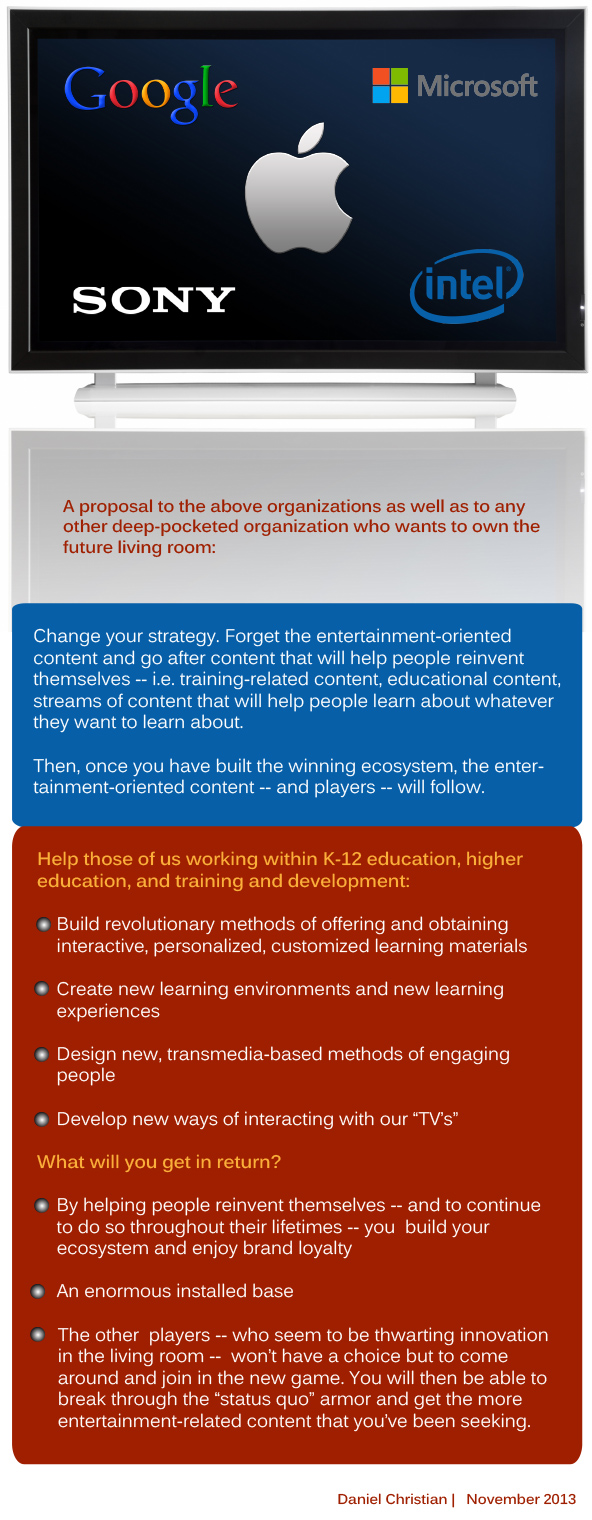
I wonder if this is because of the type of content that Apple is asking for. Instead of entertainment-oriented content, what if the content were more focused on engaging, interactive, learning materials? More on educational streams of content (whether we — as individuals — create and contribute that content or whether businesses do)?
Also see:

Excerpt (emphasis DSC):
The communications landscape has historically taken the form of a tumultuous ocean of opportunities. Like rolling waves on a shore, these opportunities are often strong and powerful – yet ebb and flow with time.
Get ready, because the next great wave is upon us. And, like a tropical storm, it is likely to change the landscape around us.
As detailed by analyst Chetan Sharma, this particular wave is the one created by the popularity of over-the-top (OTT) solutions – apps that allow access to entertainment, communication and collaboration over the Internet from smartphones, tablets and laptops, rather than traditional telecommunications methods. Sharma has coined this the mobile “fourth wave” – the first three being voice, messaging (SMS) and data access, respectively – and it is rapidly washing over us.
Addendum on 11/25:
Xbox, watch TV: inside Microsoft’s audacious plan to take over the living room — from by Nilay Patel
Can the Xbox One finally kickstart the TV revolution?
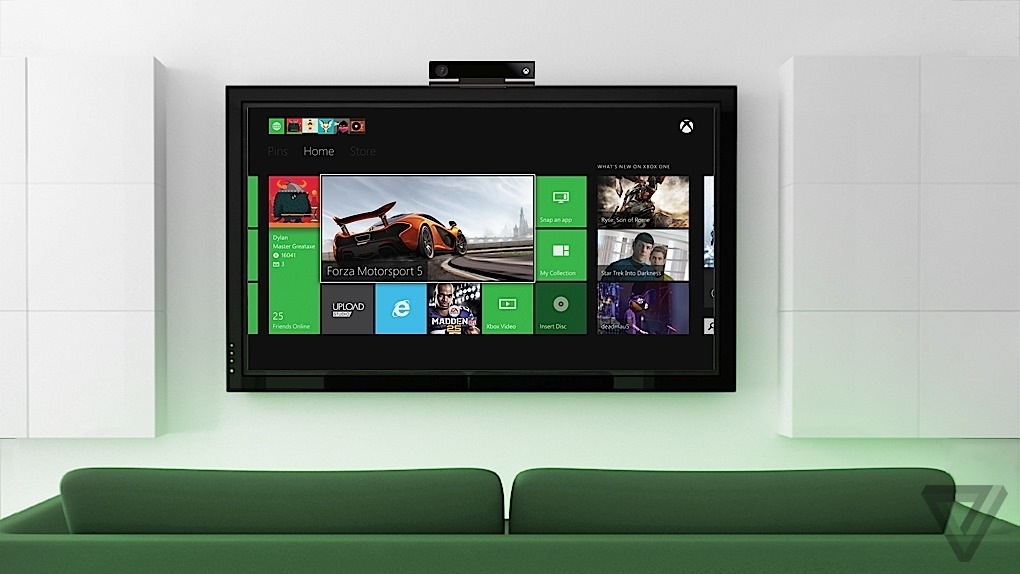
Excerpt (emphasis DSC):
Taking over your cable box also means the Xbox can overlay your TV signal with interesting information: a voice-activated channel guide, pop-up notifications when you get a Skype call and Xbox Live invites, a new NFL app that shows you real-time fantasy stats. You can even snap the TV window to the side of the screen while you play games. Your nasty cable interface is still there, but it allows the Xbox One to replace the cable box as the primary living-room entertainment device and go from gaming console to major new computing platform.
…
So the entire Xbox One is designed around what you might call a bold compromise: instead of directly integrating TV, the system hijacks it. Rather than plugging your cable box and Xbox into the TV separately, you first plug the cable box into the Xbox, and then the Xbox into the TV. Your cable box is still there, and still doing all the heavy lifting of providing TV, but now it’s doing it in service of the overall Xbox One experience. Smith describes it as “augmenting” the cable box experience in an effort to eliminate the friction of switching between games, apps, and TV.
From DSC:
The battle for the living room continues. I hope that we can eventually leverage these developments not just for entertainment, but for creating, contributing, sharing, absorbing, and discussing streams of content. The creative possibilities involving transmedia-based storytelling are exciting in this type of environment as well.

From DSC:
When I woke up last night, an idea surfaced to the forefront of my thinking. It had to do with augmented reality. I wondered (and tried to picture)…
What if augmented reality could help bring something that’s harder to picture/understand/grasp to life?
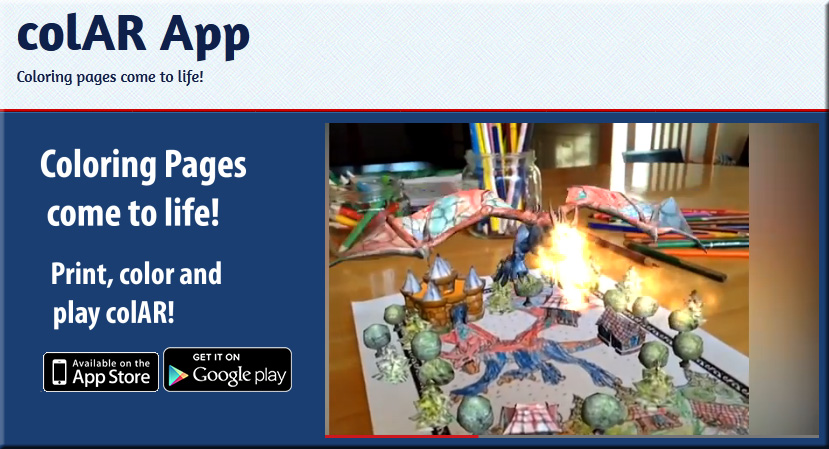
What if, for example, you could point your mobile device at an object/piece of paper/”button” on a main screen and have an animation pop up that would explain what’s being discussed…? I realize this is being done in some areas (even in elementary apps such as ColAR App), but I think we are largely leaving this area untapped and we’re missing out on a powerful, potential way of engaging students and inviting interactivity.
For example, I had a very difficult time grasping organic chemistry — and the “weeding out” method worked on me big time! That course had a lot to due with me questioning my future as a pre-med student and I ended up dropping out of pre-med (a good decision, but heh, why blow the story now?). Being a student who prefers visuals, I think that it would have helped me greatly if I could have seen — and ideally manipulated — models and animations in real time.
For example:

Which points to:
BEAUTY OF MATHEMATICS — a video on Vimeo from PARACHUTES.TV by Yann Pineill & Nicolas Lefaucheux
“Mathematics, rightly viewed, possesses not only truth, but supreme beauty — a beauty cold and austere, without the gorgeous trappings of painting or music.”
—Bertrand Russell
From DSC:
I’m sure it’s possible, but the really fun thing here would be if students could create these things from scratch — to foster their creativity, innovation, digital storytelling skills, and their new media literacies!
Also, somewhat related:
A first look at how educators are really using Google Glass — from by Stephen Noonoo
Excerpts (emphasis DSC):
Per Andrew Vanden Heuvel:
What Glass does offer, Vanden Heuvel said, is a shift in perspective, particularly because teachers can use it as a tool to engage students faster and more easily than before. After returning from Geneva, Vanden Heuvel launched a YouTube channel devoted to his experiments with science–and Glass–called STEMBite. To date, in more than two dozen videos, he’s guided viewers through the physics of ball spin on the tennis court to the polarization of light through (appropriately enough) a pair of glasses.
“What I’m excited by making these videos is not only that they’re filmed with Google Glass, but they’re high engagement videos, so they’re meant to be really short and to get kids to think about how math and science is all around,” he said. “I suppose I could have done that before, but it’s just so easy now.”
Per Hanna Brown:
“I’ve had videos in my classroom before–that’s not a novel thing–but I’ve never been able to take a video from my eye perspective,” said Hannah Brown, another early Glass adopter who works as a high school art teacher at Electronic Classroom of Tomorrow, an all-online statewide charter school in Ohio.
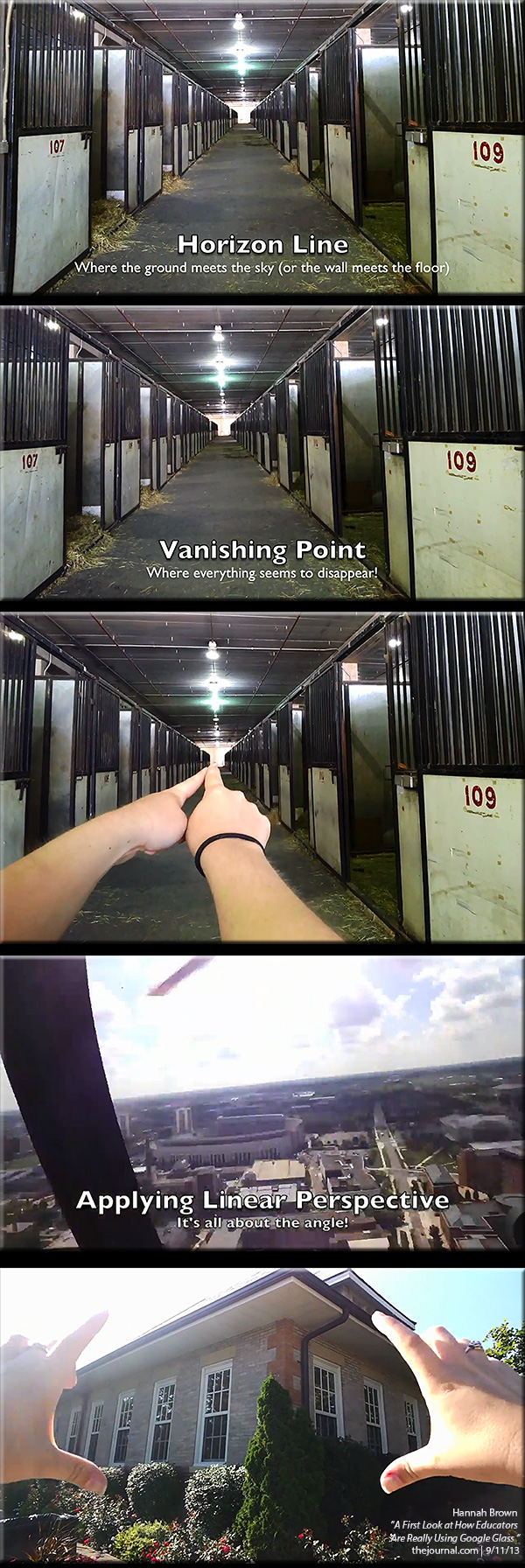
From DSC:
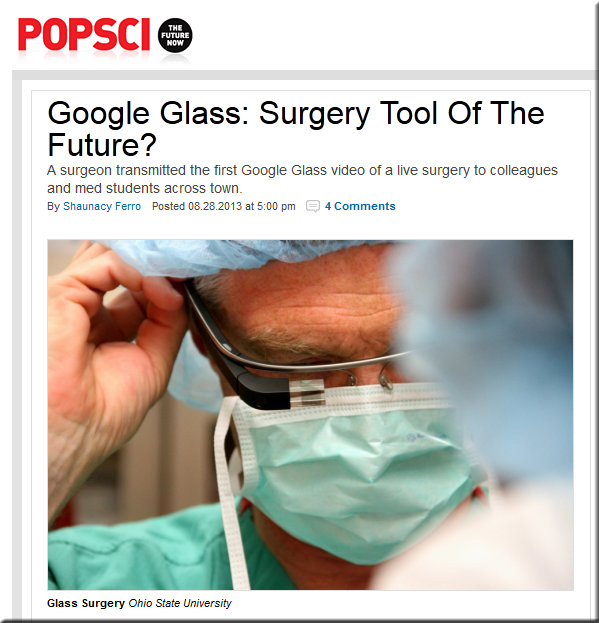
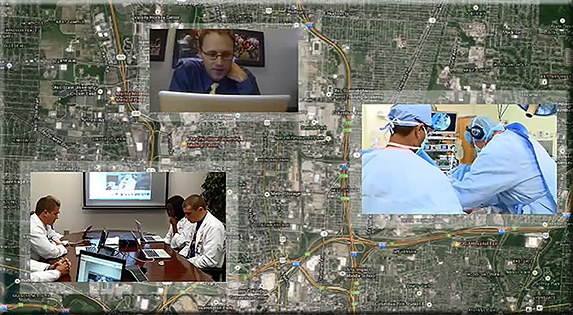
Virtual field trips, mobile learning, videoconferencing, web-based collaboration, Human Computer Interaction (HCI), and other topics come to my mind when I see this.
.
Also see:
Wearable tech at the workplace — from connectedworldmag.com
Excerpt:
Wearable sensors are the latest tech-related fashion craze, but not just for consumers. Businesses could soon make use of sensors affixed to hats, watches, glasses, and more. Equipped to provide workers with much-need data about the surrounding environment, these devices may soon invade the job and redefine the workplace—much like tablets and smartphones did just a few years back.
Naturally, businesses have been discussing how something like Google Glass could be used at work. Even the BYOD (bring your own device) phenomenon has the potential to extend to wearable technology, with workers bringing their personal smart watches and glasses for use at work. However, the potential for wearable sensors could be much greater, with specific applications created for targeted industries.
From DSC:
Some serious potential for mobile/distance learning here. What if, instead of a surgeon, that person was an archaeologist on a dig speaking to students in their living rooms, on mobile devices, and/or in classrooms somewhere else…? An electrician fixing a broken transformer on the electrical grid and talking through what she is fixing…? The possibilities are numerous.
See Andrew Vanden Heuvel’s work on this as well:
Moving back to the surgery…one last thought/idea here: