How to use accommodations and modifications in the classroom — from understood.org by Amanda Morin

In a busy classroom, it can be daunting to meet the varied learning needs of all your students. Knowing you’re also responsible for implementing instructional accommodations and modifications in students’ IEPs and 504 plans can make it feel even more challenging. But with the right information, you can provide these important supports to help all students thrive.

Here are key concepts to keep in mind and steps you can take to implement accommodations and modifications for your students.


Unschooling: A way of learning outside of school and it requires no lessons, tests or grades — from cbsnews.com by  Janay Reece

BALTIMORE — What if your child didn’t go to school?

Believe it or not, some parents don’t send their children to school five days a week, and it’s called unschooling.

It is a growing and sometimes controversial approach to homeschooling.

Rather than using a defined curriculum, unschooling parents trust their kids to learn organically. Unschoolers are focused more on the experimental process of learning and becoming educated, rather than with “doing or going to school.”


People Are Hunting for Education ‘Fads.’ What Does That Say About Schools? — from edsurge.com by Daniel Mollenkamp

Public schools are particularly vulnerable to pressure, Cuban said on a call with EdSurge. That’s because national problems tend to become school ones, Cuban says. Schools have to walk a “tightrope,” striking a balance that is both stable for students and able to adapt to changes in the broader society, he says.

Pressure on schools to respond to new issues often ends up altering curricula or introducing new courses, because that’s the easiest part of the public education system to change, Cuban argues. But classrooms are isolated from the superintendent’s office, the school board and other “policy elites” who push change, he says.


Many kids can’t read, even in high school. Is the solution teaching reading in every class? — from hechingerreport.org by Julian Roberts-Grmela
Some high schools and states are experimenting with ways to integrate literacy instruction across all classes

Every teacher at her school, the Health Sciences High and Middle College, in San Diego, shares in the responsibility of teaching students literacy skills, regardless of the subject they teach. That’s because so many students, even incoming ninth graders, arrive at the school without basic reading skills, according to Douglas Fisher, an administrator at the school. While some students also receive one-on-one remediation, Fisher said that research shows those interventions aren’t enough to close the gap.

“We have kids that on our benchmark knowledge assessments are scoring what is the equivalent of second grade, first grade, fourth grade,” said Fisher, who is also a professor and chair of educational leadership at San Diego State University. Yet, by the time students graduate, he said, the goal at the secondary school is that they have “reading levels ready for college.”


For college students—and for higher ed itself—AI is a required course — from forbes.com by Jamie Merisotis

Some of the nation’s biggest tech companies have announced efforts to reskill people to avoid job losses caused by artificial intelligence, even as they work to perfect the technology that could eliminate millions of those jobs.

It’s fair to ask, however: What should college students and prospective students, weighing their choices and possible time and financial expenses, think of this?

The news this spring was encouraging for people seeking to reinvent their careers to grab middle-class jobs and a shot at economic security.


Addressing Special Education Needs With Custom AI Solutions — from teachthought.com
AI can offer many opportunities to create more inclusive and effective learning experiences for students with diverse learning profiles.

For too long, students with learning disabilities have struggled to navigate a traditional education system that often fails to meet their unique needs. But what if technology could help bridge the gap, offering personalized support and unlocking the full potential of every learner?

Artificial intelligence (AI) is emerging as a powerful ally in special education, offering many opportunities to create more inclusive and effective learning experiences for students with diverse learning profiles.

.


.


11 Summer AI Developments Important to Educators — from stefanbauschard.substack.com by Stefan Bauschard
Equity demands that we help students prepare to thrive in an AI-World

*SearchGPT
*Smaller & on-device (phones, glasses) AI models
*AI TAs
*Access barriers decline, equity barriers grow
*Claude Artifacts and Projects
*Agents, and Agent Teams of a million+
*Humanoid robots & self-driving cars
*AI Curricular integration
*Huge video and video-segmentation gains
*Writing Detectors — The final blow
*AI Unemployment, Student AI anxiety, and forward-thinking approaches
*Alternative assessments


Academic Fracking: When Publishers Sell Scholars Work to AI — from aiedusimplified.substack.com by Lance Eaton
Further discussion of publisher practices selling scholars’ work to AI companies

Last week, I explored AI and academic publishing in response to an article that came out a few weeks ago about a deal Taylor & Francis made to sell their books to Microsoft and one other AI company (unnamed) for a boatload of money.

Since then, two more pieces have been widely shared including this piece from Inside Higher Ed by Kathryn Palmer (and to which I was interviewed and mentioned in) and this piece from Chronicle of Higher Ed by Christa Dutton. Both pieces try to cover the different sides talking to authors, scanning the commentary online, finding some experts to consult and talking to the publishers. It’s one of those things that can feel like really important and also probably only to a very small amount of folks that find themselves thinking about academic publishing, scholarly communication, and generative AI.


At the Crossroads of Innovation: Embracing AI to Foster Deep Learning in the College Classroom — from er.educause.edu by Dan Sarofian-Butin
AI is here to stay. How can we, as educators, accept this change and use it to help our students learn?

The Way Forward
So now what?

In one respect, we already have a partial answer. Over the last thirty years, there has been a dramatic shift from a teaching-centered to a learning-centered education model. High-impact practices, such as service learning, undergraduate research, and living-learning communities, are common and embraced because they help students see the real-world connections of what they are learning and make learning personal.11

Therefore, I believe we must double down on a learning-centered model in the age of AI.

The first step is to fully and enthusiastically embrace AI.

The second step is to find the “jagged technological frontier” of using AI in the college classroom.


.

.


.

.


Futures Thinking in Education — from gettingsmart.com by Getting Smart Staff

Key Points

  • Educators should leverage these tools to prepare for rapid changes driven by technology, climate, and social dynamics.
  • Cultivating empathy for future generations can help educators design more impactful and forward-thinking educational practices.
 

Per the Rundown AI:

Why it matters: AI is slowly shifting from a tool we text/prompt with, to an intelligence that we collaborate, learn, and grow with. Advanced Voice Mode’s ability to understand and respond to emotions in real-time convos could also have huge use cases in everything from customer service to mental health support.

Also relevant/see:


Creators to Have Personalized AI Assistants, Meta CEO Mark Zuckerberg Tells NVIDIA CEO Jensen Huang — from blogs.nvidia.com by Brian Caulfield
Zuckerberg and Huang explore the transformative potential of open source AI, the launch of AI Studio, and exchange leather jackets at SIGGRAPH 2024.

“Every single restaurant, every single website will probably, in the future, have these AIs …” Huang said.

“…just like every business has an email address and a website and a social media account, I think, in the future, every business is going to have an AI,” Zuckerberg responded.

More broadly, the advancement of AI across a broad ecosystem promises to supercharge human productivity, for example, by giving every human on earth a digital assistant — or assistants — allowing people to live richer lives that they can interact with quickly and fluidly.

Also related/see:


From DSC:
Today was a MUCH better day for Nvidia however (up 12.81%). But it’s been very volatile in the last several weeks — as people and institutions ask where the ROI’s are going to come from.


9 compelling reasons to learn how to use AI Chatbots — from interestingengineering.com by Atharva Gosavi
AI Chatbots are conversational agents that can act on your behalf and converse with humans – a futuristic novelty that is already getting people excited about its usage in improving efficiency.

7. Accessibility and inclusivity
Chatbots can be designed to support multiple languages and accessibility needs, making services more inclusive. They can cater to users with disabilities by providing voice interaction capabilities and simplifying access to information. Understanding how to develop inclusive chatbots can help you contribute to making technology more accessible to everyone, a crucial aspect in today’s diverse society.

8. Future-proofing your skills
AI and automation are the future of work. Having the skills of building AI chatbots is a great way to future-proof your skills, and given the rising trajectory of AI, it’ll be a demanding skill in the market in the years to come. Staying ahead of technological trends is a great way to ensure you remain relevant and competitive in the job market.


Top 7 generative AI use cases for business — from cio.com by Grant Gross
Advanced chatbots, digital assistants, and coding helpers seem to be some of the sweet spots for gen AI use so far in business.

Many AI experts say the current use cases for generative AI are just the tip of the iceberg. More uses cases will present themselves as gen AIs get more powerful and users get more creative with their experiments.

However, a handful of gen AI use cases are already bubbling up. Here’s a look at the most popular and promising.


How can schools prepare for ADA digital accessibility requirements? — from k12dive.com by Kara Arundel
A new U.S. Department of Justice rule aims to ensure that state and local government web content and mobile apps are accessible for people with disabilities.

A newly issued federal rule to ensure web content and mobile apps are accessible for people with disabilities will require public K-12 and higher education institutions to do a thorough inventory of their digital materials to make sure they are in compliance, accessibility experts said.

The update to regulations for Title II of the Americans with Disabilities Act, published April 24 by the U.S. Department of Justice, calls for all state and local governments to verify that their web content — including mobile apps and social media postings — is accessible for those with vision, hearing, cognitive and manual dexterity disabilities.


Using AI to Support People with Disability in the Labour Market (OECD) — from aiadvisoryboards.wordpress.com

The document “Using AI to Support People with Disability in the Labour Market” explores the potential of AI in fostering employment for individuals with disabilities. Here are the key takeaways from the document:

  1. Evaluation of AI Solutions: …
  2. Challenges and Obstacles: …
  3. Role of Governments: …
  4. Regulations and Policies: …
  5. Technical Limitations: …
  6. Mitigation Strategies: …

These key points underscore the importance of addressing challenges, enhancing policies, and leveraging AI technologies to create more inclusive opportunities for individuals with disabilities in the labor market.


PDF Accessibility: Understanding the Basics — from boia.org

The Adobe PDF (Portable Document Format) is one of the most popular formats for online documents. Put simply, if you need to download a tax form or review a company brochure, you’ll probably download a PDF to do so.

Unfortunately, many PDFs aren’t accessible for users with disabilities. A 2023 report from the Department of Justice (DOJ) found that only 20% of the government’s most-downloaded PDFs were conformant with federal accessibility standards. Private businesses also struggle to meet basic accessibility requirements.

The good news: If you think about accessibility when authoring your documents, you can provide a better experience for readers. Here’s how to get started.


Exploring AI’s Role in Accessibility and Inclusion — from blog.usablenet.com by UsableNet

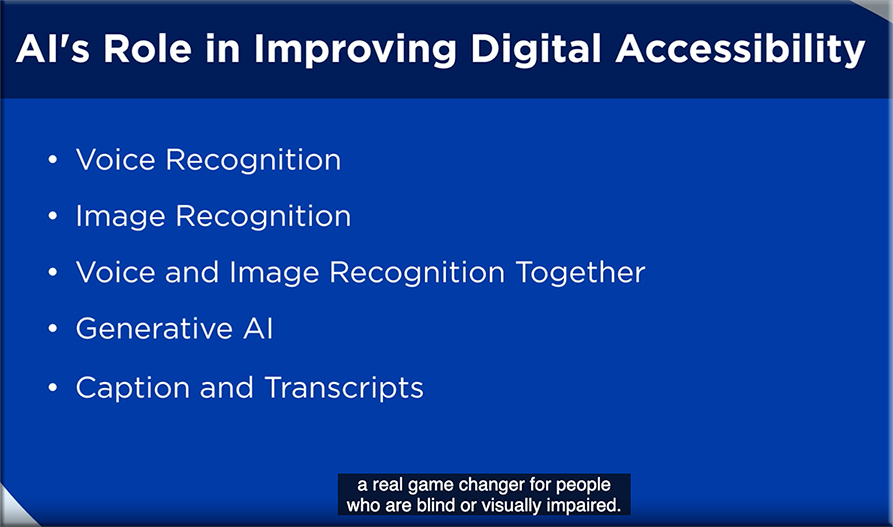
AI’s Role in Improving Accessible Digital Experiences


How AI will transform digital accessibility — from ciodive.com by Phil Strain

What if a person with a visual impairment could receive audio assistance reading a map — and detailed instructions on how to navigate their local railway system? Or what if they could use image-to-text technology to quickly discern what’s in their fridge, along with recipe suggestions and a shopping list for their grocery delivery order?

AI-powered tools that do just that are now a reality thanks to Danish startup Be My Eyes, which uses the visual input capability of GPT-4 to create “virtual volunteers” for people who are blind or vision-impaired. It’s just one example of how advancements in AI are transforming the digital accessibility landscape.


Thinking with Colleagues: AI in Education — from campustechnology.com by Mary Grush
A Q&A with Ellen Wagner

Wagner herself recently relied on the power of collegial conversations to probe the question: What’s on the minds of educators as they make ready for the growing influence of AI in higher education? CT asked her for some takeaways from the process.

We are in the very early days of seeing how AI is going to affect education. Some of us are going to need to stay focused on the basic research to test hypotheses. Others are going to dive into laboratory “sandboxes” to see if we can build some new applications and tools for ourselves. Still others will continue to scan newsletters like ProductHunt every day to see what kinds of things people are working on. It’s going to be hard to keep up, to filter out the noise on our own. That’s one reason why thinking with colleagues is so very important.

Mary and Ellen linked to “What Is Top of Mind for Higher Education Leaders about AI?” — from northcoasteduvisory.com. Below are some excerpts from those notes:

We are interested how K-12 education will change in terms of foundational learning. With in-class, active learning designs, will younger students do a lot more intensive building of foundational writing and critical thinking skills before they get to college?

  1. The Human in the Loop: AI is built using math: think of applied statistics on steroids. Humans will be needed more than ever to manage, review and evaluate the validity and reliability of results. Curation will be essential.
  2. We will need to generate ideas about how to address AI factors such as privacy, equity, bias, copyright, intellectual property, accessibility, and scalability.
  3. Have other institutions experimented with AI detection and/or have held off on emerging tools related to this? We have just recently adjusted guidance and paused some tools related to this given the massive inaccuracies in detection (and related downstream issues in faculty-elevated conduct cases)

Even though we learn repeatedly that innovation has a lot to do with effective project management and a solid message that helps people understand what they can do to implement change, people really need innovation to be more exciting and visionary than that.  This is the place where we all need to help each other stay the course of change. 


Along these lines, also see:


What people ask me most. Also, some answers. — from oneusefulthing.org by Ethan Mollick
A FAQ of sorts

I have been talking to a lot of people about Generative AI, from teachers to business executives to artists to people actually building LLMs. In these conversations, a few key questions and themes keep coming up over and over again. Many of those questions are more informed by viral news articles about AI than about the real thing, so I thought I would try to answer a few of the most common, to the best of my ability.

I can’t blame people for asking because, for whatever reason, the companies actually building and releasing Large Language Models often seem allergic to providing any sort of documentation or tutorial besides technical notes. I was given much better documentation for the generic garden hose I bought on Amazon than for the immensely powerful AI tools being released by the world’s largest companies. So, it is no surprise that rumor has been the way that people learn about AI capabilities.

Currently, there are only really three AIs to consider: (1) OpenAI’s GPT-4 (which you can get access to with a Plus subscription or via Microsoft Bing in creative mode, for free), (2) Google’s Bard (free), or (3) Anthropic’s Claude 2 (free, but paid mode gets you faster access). As of today, GPT-4 is the clear leader, Claude 2 is second best (but can handle longer documents), and Google trails, but that will likely change very soon when Google updates its model, which is rumored to be happening in the near future.


Student Use Cases for AI: Start by Sharing These Guidelines with Your Class — from hbsp.harvard.edu by Ethan Mollick and Lilach Mollick

To help you explore some of the ways students can use this disruptive new technology to improve their learning—while making your job easier and more effective—we’ve written a series of articles that examine the following student use cases:

  1. AI as feedback generator
  2. AI as personal tutor
  3. AI as team coach
  4. AI as learner

Recap: Teaching in the Age of AI (What’s Working, What’s Not) — from celt.olemiss.edu by Derek Bruff, visiting associate director

Earlier this week, CETL and AIG hosted a discussion among UM faculty and other instructors about teaching and AI this fall semester. We wanted to know what was working when it came to policies and assignments that responded to generative AI technologies like ChatGPT, Google Bard, Midjourney, DALL-E, and more. We were also interested in hearing what wasn’t working, as well as questions and concerns that the university community had about teaching and AI.


Teaching: Want your students to be skeptical of ChatGPT? Try this. — from chronicle.com by Beth McMurtrie

Then, in class he put them into groups where they worked together to generate a 500-word essay on “Why I Write” entirely through ChatGPT. Each group had complete freedom in how they chose to use the tool. The key: They were asked to evaluate their essay on how well it offered a personal perspective and demonstrated a critical reading of the piece. Weiss also graded each ChatGPT-written essay and included an explanation of why he came up with that particular grade.

After that, the students were asked to record their observations on the experiment on the discussion board. Then they came together again as a class to discuss the experiment.

Weiss shared some of his students’ comments with me (with their approval). Here are a few:


2023 EDUCAUSE Horizon Action Plan: Generative AI — from library.educause.edu by Jenay Robert and Nicole Muscanell

Asked to describe the state of generative AI that they would like to see in higher education 10 years from now, panelists collaboratively constructed their preferred future.
.

2023-educause-horizon-action-plan-generative-ai


Will Teachers Listen to Feedback From AI? Researchers Are Betting on It — from edsurge.com by Olina Banerji

Julie York, a computer science and media teacher at South Portland High School in Maine, was scouring the internet for discussion tools for her class when she found TeachFX. An AI tool that takes recorded audio from a classroom and turns it into data about who talked and for how long, it seemed like a cool way for York to discuss issues of data privacy, consent and bias with her students. But York soon realized that TeachFX was meant for much more.

York found that TeachFX listened to her very carefully, and generated a detailed feedback report on her specific teaching style. York was hooked, in part because she says her school administration simply doesn’t have the time to observe teachers while tending to several other pressing concerns.

“I rarely ever get feedback on my teaching style. This was giving me 100 percent quantifiable data on how many questions I asked and how often I asked them in a 90-minute class,” York says. “It’s not a rubric. It’s a reflection.”

TeachFX is easy to use, York says. It’s as simple as switching on a recording device.

But TeachFX, she adds, is focused not on her students’ achievements, but instead on her performance as a teacher.


ChatGPT Is Landing Kids in the Principal’s Office, Survey Finds — from the74million.org by Mark Keierleber
While educators worry that students are using generative AI to cheat, a new report finds students are turning to the tool more for personal problems.

Indeed, 58% of students, and 72% of those in special education, said they’ve used generative AI during the 2022-23 academic year, just not primarily for the reasons that teachers fear most. Among youth who completed the nationally representative survey, just 23% said they used it for academic purposes and 19% said they’ve used the tools to help them write and submit a paper. Instead, 29% reported having used it to deal with anxiety or mental health issues, 22% for issues with friends and 16% for family conflicts.

Part of the disconnect dividing teachers and students, researchers found, may come down to gray areas. Just 40% of parents said they or their child were given guidance on ways they can use generative AI without running afoul of school rules. Only 24% of teachers say they’ve been trained on how to respond if they suspect a student used generative AI to cheat.


Embracing weirdness: What it means to use AI as a (writing) tool — from oneusefulthing.org by Ethan Mollick
AI is strange. We need to learn to use it.

But LLMs are not Google replacements, or thesauruses or grammar checkers. Instead, they are capable of so much more weird and useful help.


Diving Deep into AI: Navigating the L&D Landscape — from learningguild.com by Markus Bernhardt

The prospect of AI-powered, tailored, on-demand learning and performance support is exhilarating: It starts with traditional digital learning made into fully adaptive learning experiences, which would adjust to strengths and weaknesses for each individual learner. The possibilities extend all the way through to simulations and augmented reality, an environment to put into practice knowledge and skills, whether as individuals or working in a team simulation. The possibilities are immense.

Thanks to generative AI, such visions are transitioning from fiction to reality.


Video: Unleashing the Power of AI in L&D — from drphilippahardman.substack.com by Dr. Philippa Hardman
An exclusive video walkthrough of my keynote at Sweden’s national L&D conference this week

Highlights

  • The wicked problem of L&D: last year, $371 billion was spent on workplace training globally, but only 12% of employees apply what they learn in the workplace
  • An innovative approach to L&D: when Mastery Learning is used to design & deliver workplace training, the rate of “transfer” (i.e. behaviour change & application) is 67%
  • AI 101: quick summary of classification, generative and interactive AI and its uses in L&D
  • The impact of AI: my initial research shows that AI has the potential to scale Mastery Learning and, in the process:
    • reduce the “time to training design” by 94% > faster
    • reduce the cost of training design by 92% > cheaper
    • increase the quality of learning design & delivery by 96% > better
  • Research also shows that the vast majority of workplaces are using AI only to “oil the machine” rather than innovate and improve our processes & practices
  • Practical tips: how to get started on your AI journey in your company, and a glimpse of what L&D roles might look like in a post-AI world


Birmingham Royal Ballet launches VR programme to improve accessibility— from inavateonthenet.net

The Birmingham Royal Ballet (BRB) has announced the launch of its virtual stage, a tech-focused project designed to bring immersive technologies into ballet.

The BRB has received funding from Bloomberg Philanthropies’ Digital Accelerator Programme, allowing the institution to invest in equipment and staff training to allow its team to explore immersive technologies with its partners Canon and RiVR.

The virtual stage project aims to explore ways in which AR, VR, 3D mapping and motion capture can be used to enhance the BRB’s productions and experiences.


2023 Students and Technology Report: Flexibility, Choice, and Equity in the Student Experience

2023 Students and Technology Report: Flexibility, Choice, and Equity in the Student Experience — from library.educause.edu by Mark McCormack

Excerpt:

What does it mean to be a student in 2023, on the fading tail end of a global pandemic and in the midst of lingering uncertainty about the world? What do students still need from a postsecondary education, and where does technology serve as a fulcrum—for better and for worse—both opening and closing students’ paths forward through their educational journeys?

In this report we draw on data from EDUCAUSE’s 2023 Student Survey to offer higher education leaders and decision-makers key insights as they consider what these questions might mean for their particular institutions and communities.

The report explores findings across three main areas, each representing a key challenge (and opportunity) institutions are going to face now and in the future:

  • Supporting students on and off campus
  • The role of students as consumers in the educational marketplace
  • Equity and accessibility in teaching and learning

Students who are empowered to “choose their own adventure” with their course modality engagements are far more satisfied with their course experiences than those who don’t get to choose.

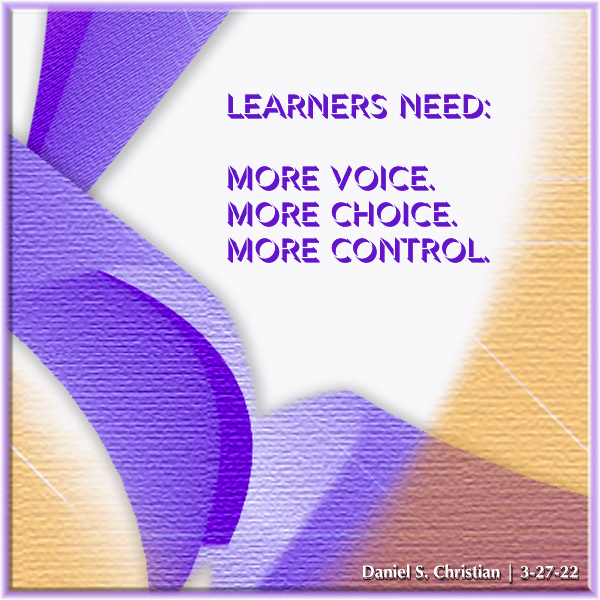
Learners need: More voice. More choice. More control. -- this image was created by Daniel Christian


Digital Accessibility: Life Without Hindrance — from learningguild.com by Bill Brandon

Digital accessibility is the practice of making digital content and applications accessible to all users, including those with disabilities. This means ensuring that websites, mobile applications, and digital platforms are designed and developed in such a way that people with various types of impairments—visual, auditory, physical, speech, cognitive, or neurological—can use them without hindrance. It’s about removing barriers in the digital world, enabling equal access and opportunity to everyone, similar to how physical accessibility considerations in building design ensure everyone can navigate through them. Digital accessibility is not just a legal necessity but also a socially responsible practice, ensuring inclusivity in the increasingly digital landscape of our society.

Improve the Digital Accessibility of Your Content — from learningguild.com by Bill Brandon

Improving the digital accessibility of existing text ensures that you can reuse your learning support assets. In this article, I’m going to give you a list of ideas to achieve that objective, using a set of ideas presented in a previous article. In general, the content here will improve accessibility and readability for all learners.


The invisible cost of resisting AI in higher education — from blogs.lse.ac.uk by Dr. Philippa Hardman

Excerpt (emphasis DSC):

The implications of this development are perhaps more significant than we realise. There has been much discussion in recent months about the risks associated with the rise of generative AI for higher education, with most of the discussion centring around the challenge that ChatGPT poses to academic integrity.

However, much less work has been done on exploring the negative – even existential – consequences that might stem from not embracing AI in higher education. Are these new principles enough to reverse the risk of irrelevance?

What if we reimagine “learning” in higher education as something more than the recall and restructuring of existing information? What if instead of lectures, essays and exams we shifted to a model of problem sets, projects and portfolios?

I am often asked what this could look like in practice. If we turn to tried and tested instructional strategies which optimise for learner motivation and mastery, it would look something like this…

Also relevant/see:

Do or Die? — from drphilippahardman.substack.com by Dr. Philippa Hardman
The invisible cost of resisting AI in higher education

Excerpt:

  • Embracing AI in the higher education sector prepares students for the increasingly technology-driven job market and promotes more active, participatory learning experiences which we know lead to better outcomes for both students and employers.
  • With the rising popularity of alternative education routes such as bootcamps and apprenticeships, it’s crucial for traditional higher education to engage positively with AI in order to maintain its competitiveness and relevance.

For example, a teacher crafting a lesson plan no longer has to repeat that they’re teaching 3rd grade science. A developer preferring efficient code in a language that’s not Python – they can say it once, and it’s understood. Grocery shopping for a big family becomes easier, with the model accounting for 6 servings in the grocery list.


This is the worst AI will ever be, so focused are educators on the present they can’t see the future — from donaldclarkplanb.blogspot.com by Donald Clark

Teaching technology
There is also the misconception around the word ‘generative’, the assumption that all it does is create blocks of predictable text. Wrong. May of its best uses in learning are its ability to summarise, outline, provide guidance, support and many other pedagogic features that can be built into the software. This works and will mean tutors, teachers, teaching support, not taking support, coaches and many other services will emerge that aid both teaching and learning. They are being developed in their hundreds as we speak.

This simple fact, that this is the first technology to ‘learn’ and learn fast, on scale, continuously, across a range of media and tasks, it what makes it extraordinary.


On holding back the strange AI tide — from oneusefulthing.org by Ethan Mollick
There is no way to stop the disruption. We need to channel it instead

And empowering workers is not going to be possible with a top-down solution alone. Instead, consider:

  • Radical incentives to ensure that workers are willing to share what they learn. If they are worried about being punished, they won’t share. If they are worried they won’t be rewarded, they won’t share. If they are worried that the AI tools that they develop might replace them, or their coworkers, they won’t share. Corporate leaders need to figure out a way to reassure and reward workers, something they are not used to doing.
  • Empowering user-to-user innovation. Build prompt libraries that help workers develop and share prompts with other people inside the organization. Open up tools broadly to workers to use (while still setting policies around proprietary information), and see what they come up with. Create slack time for workers to develop, and discuss, AI approaches.
  • Don’t rely on outside providers or your existing R&D groups to tell you the answer. We are in the very early days of a new technology. Nobody really knows anything about the best ways to use AI, and they certainly don’t know the best ways to use it in your company. Only by diving in, responsibly, can you hope to figure out the best use cases.

Teaching: Preparing yourself for AI in the classroom — from chronicle.com by Beth McMurtrie

Auburn’s modules cover the following questions:

  • What do I need to know about AI?
  • What are the ethical considerations in a higher-ed context?
  • How will AI tools affect the courses I teach?
  • How are students using AI tools, and how can I partner with my students?
  • How do I need to rethink exams, papers, and projects I assign?
  • How do I redesign my courses in the wake of AI disruption?
  • What other AI tools or capabilities are coming, and how can I design for them?
  • What conversations need to happen in my department or discipline, and what is my role?

Transforming Higher Education: AI as an Assistive Technology for Inclusive Learning — from fenews.co.uk by Gain Hoole

In recent years, I have witnessed the transformative power of technology in higher education. One particular innovation that has captured my attention is Artificial Intelligence (AI). AI holds tremendous potential as an assistive technology for students with reasonable adjustments in further education (FE) and higher education (HE).

In this comprehensive blog post, I will delve into the multifaceted aspects of AI as an assistive technology, exploring its benefits, considerations, challenges, and the future it holds for transforming higher education.

The integration of AI as an assistive technology can create an inclusive educational environment where all students, regardless of disabilities or specific learning needs, have equal access to educational resources. Real-time transcription services, text-to-speech capabilities, and personalized learning experiences empower students like me to engage with course content in various formats and at our own pace (Fenews, 2023). This not only removes barriers but also fosters a more inclusive and diverse academic community.


5 Ways to Ease Students Off the Lecture and Into Active Learning — from chronicle.com by Jermey T. Murphy
Lecturing endures in college classrooms in part because students prefer that style of teaching. How can we shift that preference?

What can we do? Here are five considerations I’ll be following this coming fall in response to that nagging “less discussion, more instruction” evaluation.

  • Lecture … sparingly. 
  • Routinely ask how the course is going.
  • Be transparent.
  • …and more

A three-part series re: courseware out at The Chronicle of Higher Education:

  1. Millions of Students a Year Are Required to Buy Courseware. Often, It Replaces the Professor. — from chronicle.com by Taylor Swaak
    .
  2. Courseware Can Be Integral to a Course. Why, Then, Are Students Footing the Bill for It? — from chronicle.com by Taylor Swaak
    The Homework Tax | For students already struggling to afford college, courseware can add to the burden
    Their argument is multifold: For one, they say, products like these — which often deliver key elements of a course that an instructor would typically be responsible for, like homework, assessments, and grading — should not be the student’s burden. At least one student advocate said colleges, rather, should cover or subsidize the cost, as they do with software like learning-management systems, if they’re allowing faculty free rein to adopt the products.

    And the fact that students’ access to these products expires — sometimes after just a semester — rubs salt in the wound, and risks further disadvantaging students.
    .
  3. Bots Are Grabbing Students’ Personal Data When They Complete Assignments — from chronicle.com by Taylor Swaak
    When students use courseware, how much personal data is it collecting?

Institutions aren’t “letting the wolf into the henhouse”; instead, “we’re letting the hens out into a forest of wolves,” said Billy Meinke, an open educational resources technologist with the Outreach College at the University of Hawaii-Manoa who’s done research on publisher misuse of student data.
.


Here are five reading challenges to learn about learning this summer — from retrievalpractice.org by Pooja K. Agarwal, Ph.D.

Excerpt (emphasis DSC):

Here are five summer reading challenges to learn about the science of learning.

Important: make sure you remember what you learn! Engage yourself in retrieval practice and retrieve two things after each book, practice guide, and research article you read. Share your two things with our communities on Twitter and Facebook, make a list of what you’ve learned to boost your long-term learning,…


Assignment Makeovers in the AI Age: Essay Edition — from derekbruff.org Derek Bruff

Last week, I explored some ways an instructor might want to (or need to) redesign a reading response assignment for the fall, given the many AI text generation tools now available to students. This week, I want to continue that thread with another assignment makeover. Reading response assignments were just the warm up; now we’re tackling the essay assignment.


Here are ways professional education leaders can prepare students for the rise of AI — from highereddive.com by A. Benjamin Spencer
Institutions must adapt their curricula to incorporate artificial intelligence-related topics, the dean of William & Mary Law School argues.

First, they need to understand that the technological side of AI can no longer be simply left to the information technology experts. Regardless of the professional domain, understanding what AI is, how it works, how the underlying code and algorithms are designed, and what assumptions lie behind the computer code are important components to being able to use and consume the products of AI tools appropriately. 


Does the ADA Require Captions for Internet Videos? — from boia.org

Excerpt:

According to Accessibility.com, at least 2,387 web accessibility lawsuits were filed in 2022. Those lawsuits were either filed under the Americans with Disabilities Act (ADA) or California’s Unruh Act; any violation of the ADA is considered a violation of the Unruh Act.

While the plaintiffs cited a variety of issues, multimedia accessibility is a common point of concern. In 2015, the National Association of the Deaf (NAD) and other plaintiffs settled a lawsuit with Netflix, which cited a lack of captions for certain featured movies and TV shows.

That prompts an interesting question: Does the ADA require captions for internet videos — and if so, how can businesses make sure that they’re compliant?


267: College Learning Disability Specialist Elizabeth Hamblet and 7 Steps to College Success (Author Series) — from learnsmarterpodcast.com

Rachel Kapp, M.Ed., BCET, and Stephanie Pitts, M.Ed., BCET welcome back College Learning Disability Specialist Elizabeth Hamblet to discuss her new book 7 Steps to College Success: A Pathway for Students with Disabilities. She discusses the origin story of the book and the disconnect between what college disability services can do for learners and what learners and parents expect. She talks about reading this book when the learner is in 8th grade because of the specific impact it can have on parent and learner decisions on course selection. Elizabeth discusses how parents and learners can get surprised in the college disability process. Elizabeth talks about the critical importance of non-academic skills and how the drive for success in high school can stand in the way of independence necessary for college success.


What Web Designers Can Learn From Apple’s Assistive Access Feature — from boia.org

Excerpt:

If you’re interested in accessible digital design, pay attention to Apple. The company seems to approach accessibility from the perspective of users with disabilities

Apple’s messaging treats accessibility as a fundamental design principle: Accessibility must be built into digital systems from the start, not tacked on as an afterthought. In other words, they take an accessibility-first mindset, and their commitment seems consistent.

The company’s track record continued in May 2023, when Apple announced its latest suite of accessibility features to launch later that year. One of these features, Assistive Access for iPhone and iPad, holds valuable lessons that web designers can apply to their own work.     

Here’s what Apple accomplished with Assistive Access, plus a few ways web designers can achieve similar goals.


Advancing Excellence in Education: The Changing Role of Centres for Teaching & Learning — from media-and-learning.eu by Alexandra Mihai, Maastricht University, The Netherlands

Excerpts:

Their most recognisable role is to partner with faculty and provide them with inspiration, expertise and support in their teaching. But a broader role is emerging at institutional level- helping create a culture where people value talking about teaching and more generally, fostering a culture of continuous learning. In this respect, CTLs act as agents of change, aiming to influence the organizational (learning) environment.

CTLs are part of an ecosystem, internally and externally, and they have the potential to play a very important role, that of a network node. Internally, this can mean connecting various silos within the university, a much needed task, while externally it implies establishing collaboration flows with other CTLs that can in turn lead to broader inter-university collaboration. Making use of the full potential of this role can make a big difference for the success of a CTL.


Speaking of Teaching & Learning Centers, also see:

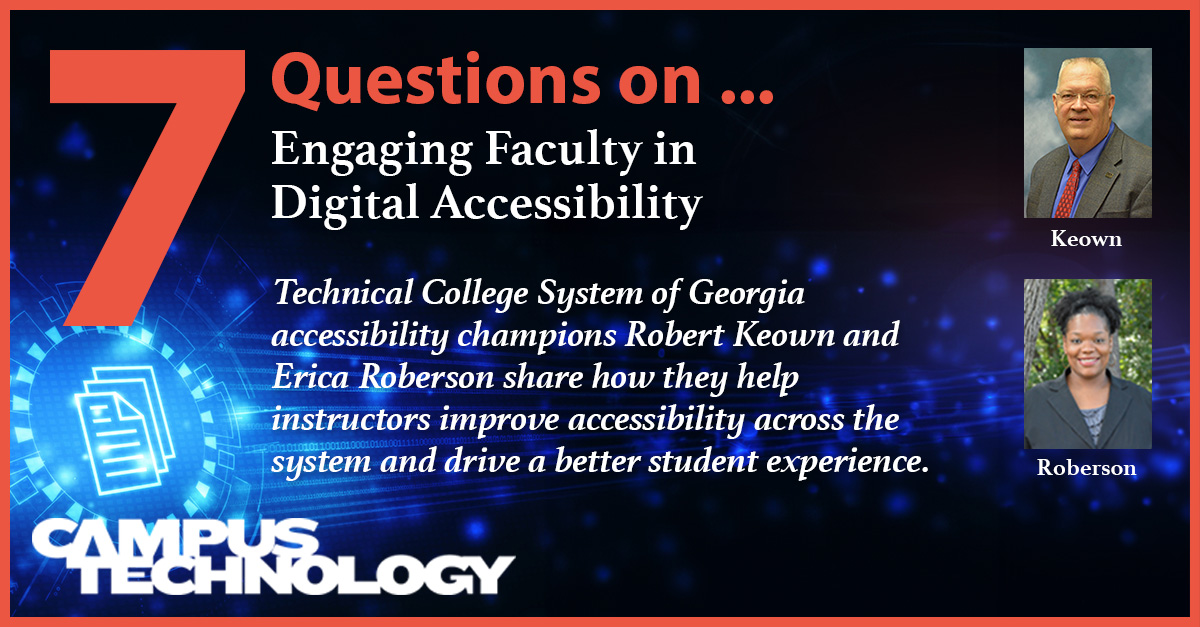
7 Questions on Engaging Faculty in Digital Accessibility — from campustechnology.com by Rhea Kelly
We asked the Technical College System of Georgia’s accessibility champions how they help instructors create a more inclusive learning experience for all students.


082 | Generating Voices — from thebrainyacts.beehiiv.com

Excerpts:

Conventional Use Cases

  1. Audio Document Reading:
  2. Accessibility:
  3. Training Materials:
  4. Document Proofing:
  5. Transcriptions:
  6. Blog to Podcast:

Unconventional Use Cases

  1. Voice Cloning for Client Interaction:
  2. Multilingual Services:
  3. AI-based Legal Information Hotline:
  4. Real-Time Courtroom Assistance:
  5. Engaging Jurors:
  6. Storytelling for Case Understanding:
 
© 2025 | Daniel Christian