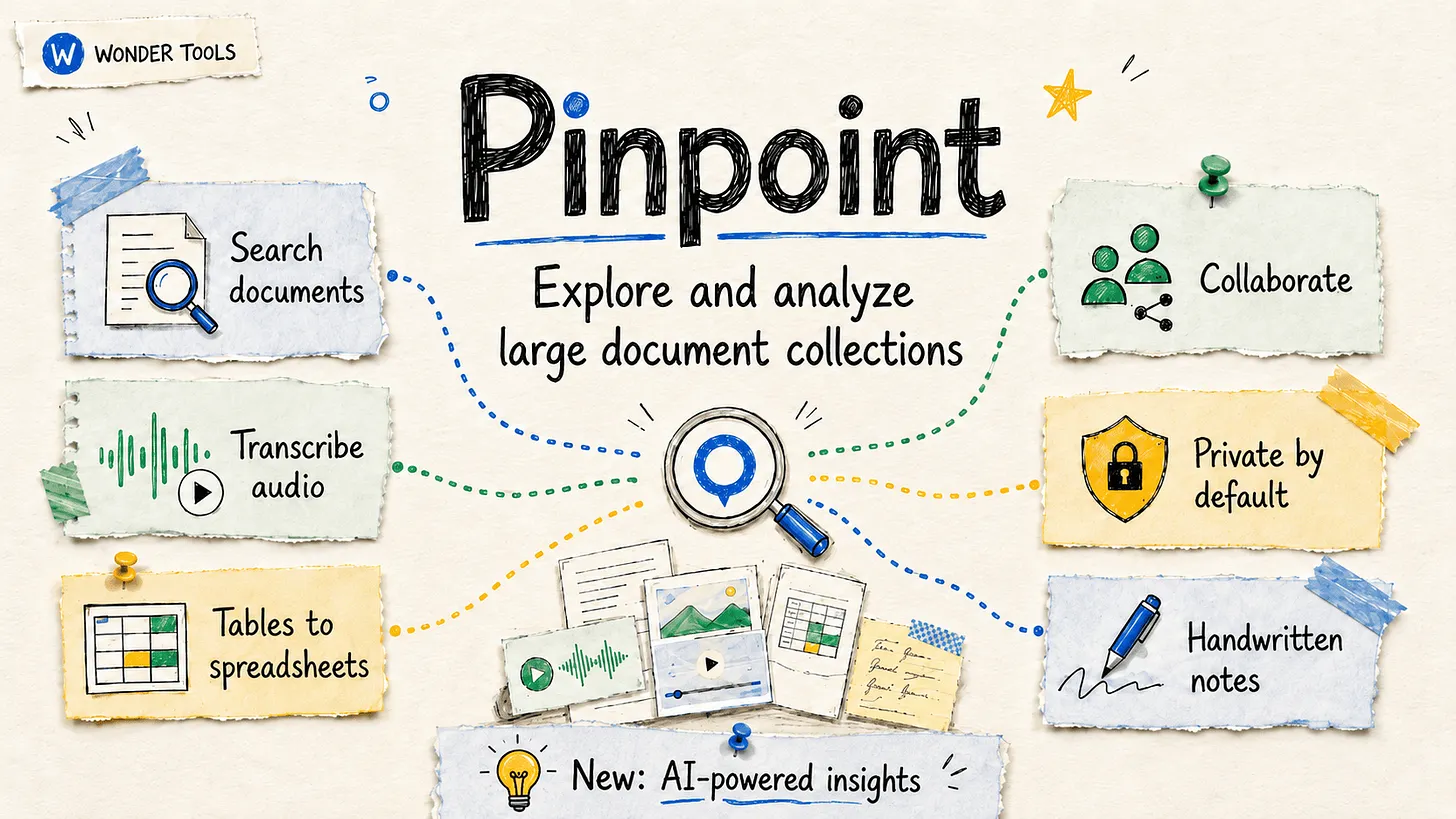
Google expands Search Live globally with voice and camera AI — from digitaltrends.com by Varun Mirchandani
The feature is now available in 200+ countries with multilingual support

Think of it as Google Search… but you talk to it. Search Live lets users ask questions using voice or even their phone’s camera, both on Android and iOS, via the Google App, and get spoken responses along with relevant web links.

This is a pretty big shift. Google isn’t just improving search, but it’s also slowly replacing the whole “type and scroll” experience. With Search Live, users can talk, ask follow-ups, and interact naturally, making it feel more like a conversation than a query. It’s basically ChatGPT-style interaction, but baked right into Google Search.

.


Meta, YouTube found negligent in landmark social media addiction trial — from by Ian Duncan
A Los Angeles jury awarded $3 million in compensation to a young woman who alleged she had become addicted to the platforms as a child.

A Los Angeles jury found social media giant Meta and video platform YouTube negligent in a landmark trial, awarding $3 million in compensation to a young woman who alleged she had become addicted to the companies’ platforms as a child.

The verdict came at the end of a month-long trial that featured testimony by Facebook founder Mark Zuckerberg and a day after a jury in New Mexico ordered Meta to pay $375 million in penalties for endangering children. The twin verdicts are signs that legal protections which for decades made tech companies seem almost impervious are beginning to crack, as lawyers accuse the platforms of putting addictive or otherwise harmful features into their platforms.

With the armor of Silicon Valley companies fractured, they will now have to size up their appetite for future courtroom battles. There are thousands more lawsuits waiting to be heard, with young internet users, parents, school districts and state attorneys general all seeking to hold the industry accountable.


The Future of College in an AI World — from linkedin.com by Jeff Selingo
In today’s issue: The tension over AI in higher ed; application inflation continues and testing is back; what’s the future of the original classroom technology, the learning management system. 


Hundreds of higher ed and industry leaders gathered Tuesday for a summit
on AI and the future of learning at the University of Michigan.
.
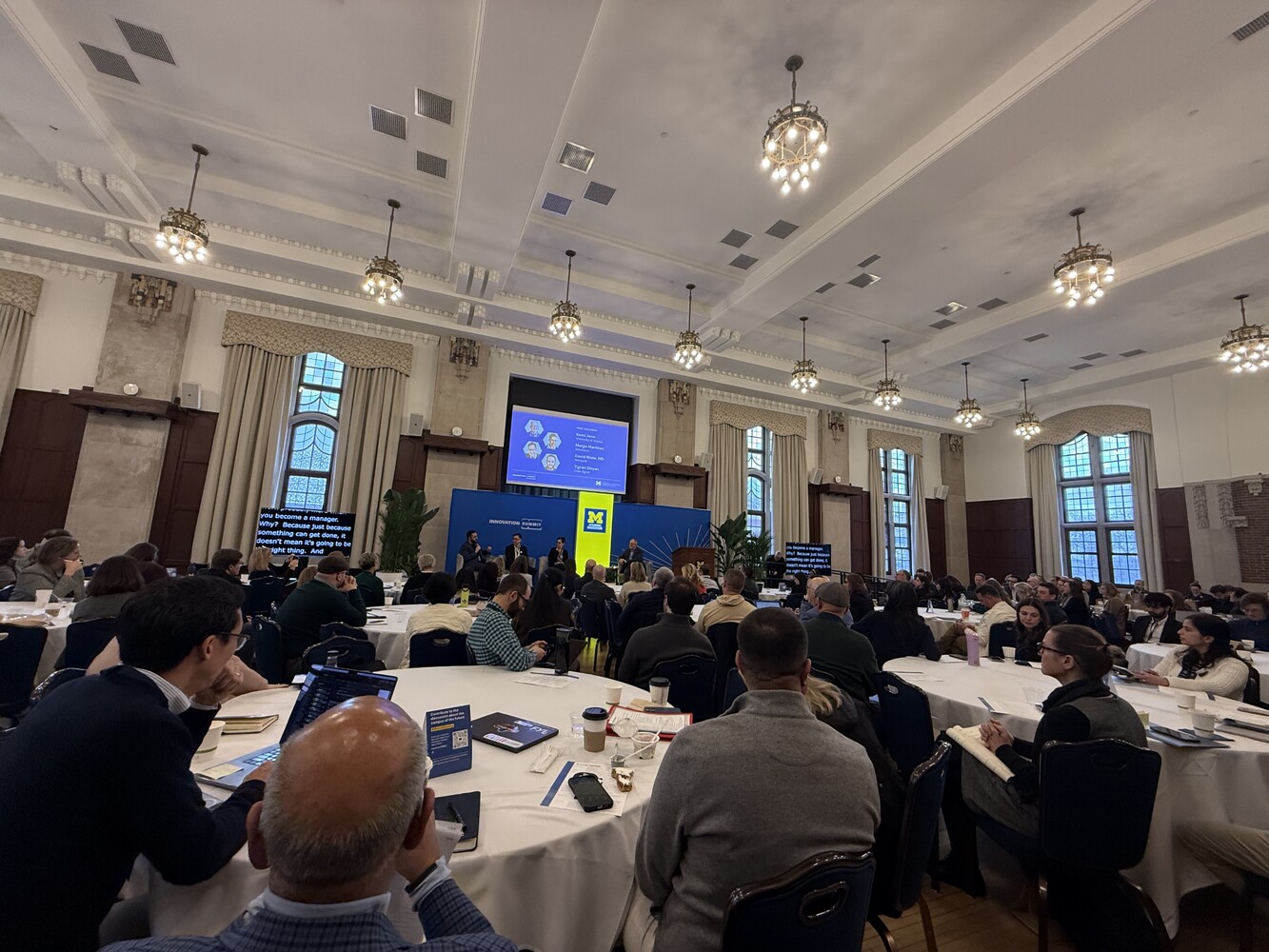
Conversations like the one we had at Michigan this week are necessary, but the action rarely matches the ambition.

  • We say the humanities are the operating system of an AI world, yet students and parents don’t believe it. They’re voting with their feet toward STEM, business, and narrowly tailored majors they believe will lead to a job.
  • Meanwhile, colleges are quietly eliminating the very humanities degrees the panelists were championing, employers are cutting the entry rungs off the career ladder for new graduates, and as Podium Education co-founder Christopher Parrish reminded us yesterday, there’s a yawning gap between demand for experience and the internships that actually exist.


AI Music Generators: Teaching With These Catchy AI Tools — from techlearning.com by Erik Ofgang
AI music generators are getting better and better, and there are more applications in the classroom as a result.

Are All AI Music Generators More Or Less The Same?
No. After experimenting with a few various free ones, I found a wide range of quality with the same prompts.

Gemini is the only one I’d currently recommend. It’s user-friendly but limited and only creates 30-second clips. Other music generators could potentially outperform Gemini with prompt adjustments. The ones I tried did better with the instrumentals but struggled more with the lyrics, and that kind of defeated the purpose of the tool for me.


ChatDOC: Teaching With The AI Summarizing Tool — from techlearning.com by Erik Ofgang
ChatDOC lets users turn any PDF into an AI chatbot that can summarize the text, answer questions, and generate quizzes.

What Is ChatDOC?
ChatDOC is an AI designed to help users interact with PDFs of various types, be it research papers, short stories, or chapters from larger works. Users upload a PDF and then have the opportunity to “chat” with that document, that is speak with a chatbot that bases its answers off of the uploaded text.

ChatDOC can perform tasks such as provide a short summary, search for specific terms, explain the overall theme if it’s a work of literature, or unpack the science in a research paper.

Other similar tools are out there, but ChatDOC is definitely one of the better PDF readers I’ve used. Its free version is quick and easy-to-use, and delivers on its promise of providing an AI that can discuss a given document with users and even quiz them on it.


From AI access to workforce readiness — from chieflearningofficer.com by Johnny Hamilton, Amy Stratbucker, & Brad Bigelow
Is your workforce using the right tool with an outdated mindset and playbook? Why old playbooks fall short — and what learning leaders must do next.

The leadership opportunity
Organizations do not need to predict every future AI capability. They need systems that allow people to explore with curiosity, practice safely, reflect deeply and adapt continuously — starting with what they already have and extending as capabilities evolve.

For CLOs, this is a moment to lead from the center of change — designing workforce readiness that keeps pace with accelerating technology while making work more rewarding for employees and more valuable for the organization. That is how AI moves from the promise of transformation to demonstrated readiness and, ultimately, from promise to performance.


Addendums on 3/19/26:
How to Build Practice-Based Learning Activities with AI — from drphilippahardman.substack.com by Dr Philippa Hardman
Four evidence-based methods for designing, building & deploying active learning activities with your favourite LLM

Most L&D teams are using AI to make content faster. The real opportunity is using it as a practice engine.

The Synthesia 2026 AI in L&D Report f2026 AI in L&D Report found that the fastest-growing areas of planned AI adoption aren’t in content creation — they’re in assessments and simulations (36%), adaptive pathways (33%), and AI tutors (29%). In other words: L&D teams are starting to realise that the most powerful use of AI isn’t producing learning materials. It’s creating environments where learners actually practise.

And you can build these right now — no dev team, no custom platform, no code. Each method below includes a prompt you can paste into your preferred AI tool to generate a working interactive prototype: a self-contained practice activity with a briefing screen, a live AI interaction, and a debrief — all running in the browser, ready to share with stakeholders or deploy to learners.

OpenAI Adds Interactive Math and Science Learning Tools to ChatGPT — from campustechnology.com by Rhea Kelly

Key Takeaways

  • ChatGPT adds interactive learning tools: OpenAI introduced interactive math and science visualizations that allow users to explore formulas, variables, and relationships in real time.
  • The tool currently covers over 70 core math and science topics and is aimed initially at high school and college-level learners.
  • Users can adjust variables, manipulate formulas, and immediately see how changes affect graphs and outcomes.
 

How to Get Consistent, On-Brand Course Images from Any AI Image Tool — from drphilippahardman.substack.com by Dr. Philippa Hardman
A 3-step workflow that works every time — whatever AI tool you’re using

Most designers try to describe their way to an image. That’s the wrong approach. The goal is to show the tool the world it should be working in, then give it the minimum it needs to place your subject inside that world.

Every long, over-specified prompt is a sign that your visual inputs aren’t doing enough work.

The fix is an 3-step process which gives you superpowers in AI image generation…


How AI Could Transform, or Replace, the LMS — from futureupodcast.com by Jeff Selingo, Michael Horn, and Matthew Pittinsky

Tuesday, March 10, 2026 – For 30 years now, colleges have relied on the Learning Management System, or LMS, as a key portal for professors and students to teach and learn. It’s a tool that has helped colleges adapt to online learning and bring digital tools to classroom teaching. But generative AI seems poised to disrupt the LMS. And it’s unclear whether the LMS will evolve—or be replaced altogether. For this episode, Jeff and Michael talk with a pioneer of the technology, Matthew Pittinsky, about the lessons of past moments of tech disruption like the smartphone and cloud computing and about what could be different this time. This episode is made with support from Ascendium Education Group.


Gemini, Explained — from wondertools.substack.com by Jeremy Caplan
5 features worth your time — tested and compared

Google’s AI, Gemini, has quickly become one of the AI tools I rely on most. It builds dashboards and creates remarkable infographics. It spins out comprehensive research reports in minutes that would once have taken days to assemble.

It’s improving every month. On March 13, Google announced Ask Maps, so you can query Gemini about things like “Which nearby tennis courts are open with lights so I can play tonight?” On March 10, Gemini added new integrations to build, summarize, and analyze your Google Docs, Sheets, and Slides.

In today’s post below: catch up on the Gemini features worth your time, candid comparisons with other AI tools, and answers to the questions I hear most.


How we’re reimagining Maps with Gemini — from blog.google
Ask Maps answers your real-world questions with a conversation, and Immersive Navigation makes your route more intuitive.

Today, Google Maps is fundamentally changing what a map can do. By bringing together the world’s freshest map with our most capable Gemini models, we’re transforming exploration into a simple conversation and making driving more intuitive than ever with our biggest navigation upgrade in over a decade.

Ask anything about any place
We’re introducing Ask Maps, a new conversational experience that answers complex, real-world questions a map could never answer before. Now you can ask for things like, “My phone is dying — where can I charge it without having to wait in a long line for coffee?” or “Is there a public tennis court with lights on that I can play at tonight?” Previously, finding this information meant lots of research and sifting through reviews. But now, you can just tap the “Ask Maps” button and get your questions answered conversationally, with a customized map to help you visualize your options.


Teach Smarter with AI — from wondertools.substack.com by Jeremy Caplan and Lance Eaton
10 tested strategies from two educators who actually use them

I recently talked with Lance Eaton, Senior Associate Director of AI and Teaching & Learning at Northeastern University and writer of AI + Education = Simplified. We traded ideas about what’s actually working. We came up with 10 specific, practical ways anyone who teaches, coaches, or leads can put AI to work.

Watch the full conversation above, or read highlights below.


Beyond Audio Summaries: How to Use NotebookLM to *Actually* Design Better Learning — from drphilippahardman.substack.com by Dr. Philippa Hardman
Five methods to maximise the value of NotebookLM’s features

In practice, what makes NotebookLM different for learning designers is four things:

  • Answers grounded in your sources (with citations):
  • Source toggling:
  • Multi-format studio & multi-source summaries:
  • Persistent workspace:


5 Evidence-Based Methods NotebookLM Operationalises…


Shadow AI Isn’t a Threat: It’s a Signal — from campustechnology.com by Damien Eversmann
Unofficial AI use on campus reveals more about institutional gaps than misbehavior.

Key Takeaways

  • Shadow AI is widespread in higher education: Faculty, researchers, students, and staff are using AI tools outside official IT channels, including consumer platforms and public cloud services that may involve sensitive data.
  • Unauthorized AI use creates data, compliance, and cost risks: Consumer AI tools may store or reuse user data, while uncoordinated adoption drives redundant licenses, unpredictable cloud costs, and weaker security oversight.
  • Institutions are shifting from restriction to enablement: Some campuses are making approved paths easier by offering ready-to-use research environments, campus-managed AI tools, clear guidance on data and vendors, and streamlined approval processes.

How L&D Can Lead in the Age of AI Even If Your Company’s Not Ready — from learningguild.com

How to lead even when your company doesn’t allow AI
Even if your corporation isn’t ready for AI, you can still research tools personally to stay ahead of the curve, so when organizational restrictions lift, you are ready to use AI for learning right away. Here are some tools you can test at home if they’re restricted in your workplace:

  • Content generation – Start testing text-based tools to get a taste of how AI can accelerate content creation. Then take it to the next level by exploring tools that generate voices, music, and sound effects.
  • AI coaching tools – Have AI pose as a customer co-worker or customer to get a taste of what it’s like to use it as a conversation coach. Next, use the voice and video capabilities in an app like ChatGPT to explore how AI can coach someone through tasks.
  • In-the-flow learning assistants – Test turning documents into a conversational avatar and interacting with it to see how it feels. Then think about how the technology could potentially transform static content into dynamic learning experiences for employees.
  • Vibe-coded simulations – Experiment with this technology by creating a simple, fun game. Afterwards, brainstorm some ideas on how it could quickly create simulations for your learners in the future.

The Higher Ed Playbook for AI Affordability — from campustechnology.com by Jason Dunn-Potter

Key Takeaways

  • Affordable AI adoption focuses on evolving existing systems: Universities are embedding AI into current devices, workflows, and legacy systems rather than rebuilding infrastructure or investing in new data centers.
  • Edge AI reduces costs and improves access: Running AI models on local devices or networks lowers cloud processing costs, enhances security, and supports learning use cases such as tutoring, translation, transcription, and adaptive learning.
  • Enterprise integration and governance drive impact: Institutions are applying AI across admissions, advising, facilities, and research workflows, supported by shared resource hubs, data governance, AI literacy, and outcome-driven implementation.
 

Top Teaching Tools for 2026 — from wondertools.substack.com by Jeremy Caplan
Tested apps to save you time and engage your students

  • Pathwright — Design a learning path
  • Figjam — Spark visual thinking with collaborative whiteboards
  • NotebookLM — Organize and build on your teaching materials
  • …and more

Top Teaching Tools for 2026 ? by Jeremy Caplan

Tested apps to save you time and engage your students

Read on Substack


Which AI Video Tool Is Most Powerful for L&D Teams? — from by Dr. Philippa Hardman
Evaluating four popular AI video generation platforms through a learning-science lens

Happy new year! One of the biggest L&D stories of 2025 was the rise to fame among L&D teams of AI video generator tools. As we head into 2026, platforms like Colossyan, Synthesia, HeyGen, and NotebookLM’s video creation feature are firmly embedded in most L&D tech stacks. These tools promise rapid production and multi-language output at significantly reduced costs —and they deliver on a lot of that.

But something has been playing on my mind: we rarely evaluate these tools on what matters most for learning design—whether they enable us to build instructional content that actually enables learning.

So, I spent some time over the holiday digging into this question: do the AI video tools we use most in L&D create content that supports substantive learning?

To answer it, I took two decades of learning science research and translated it into a scoring rubric. Then I scored the four most popular AI video generation platforms among L&D professionals against the rubric.
.


For an AI-based tool or two — as they regard higher ed — see:

5 new tools worth trying — from wondertools.substack.com by Jeremy Kaplan

YouTube to NotebookLM: Import a Whole Playlist or Channel in One Click
YouTube to NotebookLM is a remarkably useful new Chrome extension that lets you bulk-add any YouTube playlists, channels, or search results into NotebookLM. for AI-powered analysis.

What to try

  • Find or create YouTube playlists on topics of interest. Then use this extension to ingest those playlists into NotebookLM. The videos are automatically indexed, and within minutes you can create reports, slides, and infographics to enhance your learning.
  • Summarize a playlist or channel with an audio or video overview. Or create quizzes, flash cards, data tables, or mind maps to explore a batch of YouTube videos. Or have a chat in NotebookLM with your favorite video channel. Check my recent post for some YouTube channels to try.
 

Shoppers will soon be able to make purchases directly through Google’s Gemini app and browser.


Google and Walmart Join Forces to Shape the Future of Retail — from adweek.com by Lauren Johnson
At NRF, Sundar Pichai and John Furner revealed how AI and drones will shape shopping in 2026 and beyond

One of the biggest reveals is that shoppers will be able to purchase Walmart and Sam’s Club products through Google’s AI chatbot Gemini.


At CES 2026, Everything Is AI. What Matters Is How You Use It — from wired.com by Boone Ashworth
Integrated chatbots and built-in machine intelligence are no longer standout features in consumer tech. If companies want to win in the AI era, they’ve got to hone the user experience.

Beyond Wearables
Right now, AI is on your face and arms—smart glasses and smart watches—but this year will see it proliferate further into products like earbuds, headphones, and smart clothing.

Health tech will see an influx of AI features too, as companies aim to use AI to monitor biometric data from wearables like rings and wristbands. Heath sensors will also continue to show up in newer places like toilets, bath mats, and brassieres.

The smart home will continue to be bolstered by machine intelligence, with more products that can listen, see, and understand what’s happening in your living space. Familiar candidates for AI-powered upgrades like smart vacuums and security cameras will be joined by surprising AI bedfellows like refrigerators and garage door openers.


Along these lines, see
live updates from CNET here.


ChatGPT is overrated. Here’s what to use instead. — from washingtonpost.com by Geoffrey A. Fowler
When I want help from AI, ChatGPT is no longer my default first stop.

I can tell you which AI tools are worth using — and which to avoid — because I’ve been running a chatbot fight club.

I conducted dozens of bot challenges based on real things people do with AI, including writing breakup texts and work emailsdecoding legal contracts and scientific researchanswering tricky research questions, and editing photos and making “art.” Human experts including best-selling authors, reference librarians, a renowned scientist and even a Pulitzer Prize-winning photographer judged the results.

After a year of bot battles, one thing stands out: There is no single best AI. The smartest way to use chatbots today is to pick different tools for different jobs — and not assume one bot can do it all.


How Collaborative AI Agents Are Shaping the Future of Autonomous IT — from aijourn.com by Michael Nappi

Some enterprise platforms now support cross-agent communication and integration with ecosystems maintained by companies like Microsoft, NVIDIA, Google, and Oracle. These cross-platform data fabrics break down silos and turn isolated AI pilots into enterprise-wide services. The result is an IT backbone that not only automates but also collaborates for continuous learning, diagnostics, and system optimization in real time.


Nvidia dominated the headlines in 2025 — these were its 15 biggest events of the year — from finance.yahoo.com by Daniel Howley

It’s difficult to think of any single company that had a bigger impact on Wall Street and the AI trade in 2025 than Nvidia (NVDA).

Nvidia’s revenue soared in 2025, bringing in $187.1 billion, and its market capitalization continued to climb, briefly eclipsing the $5 trillion mark before settling back in the $4 trillion range.

There were plenty of major highs and deep lows throughout the year, but these 15 were among the biggest moments of Nvidia’s 2025.


People Watched 700 Million Hours of YouTube Podcasts on TV in October — from bloomberg.com (this article is behind a paywall)

  • That’s up from 400 million hours a year ago as podcasts become the new late-night TV.
  • YouTube Wins Over TV Audience With Video Podcasts.
  • YouTube is dominating in the living room.


Agents, robots, and us: Skill partnerships in the age of AI — from mckinsey.com by Lareina Yee, Anu Madgavkar, Sven Smit, Alexis Krivkovich, Michael Chui, María Jesús Ramírez, and Diego Castresana
AI is expanding the productivity frontier. Realizing its benefits requires new skills and rethinking how people work together with intelligent machines.

At a glance

  • Work in the future will be a partnership between people, agents, and robots—all powered by AI. …
  • Most human skills will endure, though they will be applied differently. …
  • Our new Skill Change Index shows which skills will be most and least exposed to automation in the next five years….
  • Demand for AI fluency—the ability to use and manage AI tools—has grown sevenfold in two years…
  • By 2030, about $2.9 trillion of economic value could be unlocked in the United States…

Also related/see:


State of AI: December 2025 newsletter — from nathanbenaich.substack.com by Nathan Benaich
What you’ve got to know in AI from the last 4 weeks.

Welcome to the latest issue of the State of AI, an editorialized newsletter that covers the key developments in AI policy, research, industry, and start-ups over the last month.


4 Simple & Easy Ways to Use AI to Differentiate Instruction — from mindfulaiedu.substack.com (Mindful AI for Education) by Dani Kachorsky, PhD
Designing for All Learners with AI and Universal Design Learning

So this year, I’ve been exploring new ways that AI can help support students with disabilities—students on IEPs, learning plans, or 504s—and, honestly, it’s changing the way I think about differentiation in general.

As a quick note, a lot of what I’m finding applies just as well to English language learners or really to any students. One of the big ideas behind Universal Design for Learning (UDL) is that accommodations and strategies designed for students with disabilities are often just good teaching practices. When we plan instruction that’s accessible to the widest possible range of learners, everyone benefits. For example, UDL encourages explaining things in multiple modes—written, visual, auditory, kinesthetic—because people access information differently. I hear students say they’re “visual learners,” but I think everyone is a visual learner, and an auditory learner, and a kinesthetic learner. The more ways we present information, the more likely it is to stick.

So, with that in mind, here are four ways I’ve been using AI to differentiate instruction for students with disabilities (and, really, everyone else too):


The Periodic Table of AI Tools In Education To Try Today — from ictevangelist.com by Mark Anderson

What I’ve tried to do is bring together genuinely useful AI tools that I know are already making a difference.

For colleagues wanting to explore further, I’m sharing the list exactly as it appears in the table, including website links, grouped by category below. Please do check it out, as along with links to all of the resources, I’ve also written a brief summary explaining what each of the different tools do and how they can help.


Seven Hard-Won Lessons from Building AI Learning Tools — from linkedin.com by Louise Worgan

Last week, I wrapped up Dr Philippa Hardman’s intensive bootcamp on AI in learning design. Four conversations, countless iterations, and more than a few humbling moments later – here’s what I am left thinking about.


Finally Catching Up to the New Models — from michellekassorla.substack.com by Michelle Kassorla
There are some amazing things happening out there!

An aside: Google is working on a new vision for textbooks that can be easily differentiated based on the beautiful success for NotebookLM. You can get on the waiting list for that tool by going to LearnYourWay.withgoogle.com.

Nano Banana Pro
Sticking with the Google tools for now, Nano Banana Pro (which you can use for free on Google’s AI Studio), is doing something that everyone has been waiting a long time for: it adds correct text to images.


Introducing AI assistants with memory — from perplexity.ai

The simple act of remembering is the crux of how we navigate the world: it shapes our experiences, informs our decisions, and helps us anticipate what comes next. For AI agents like Comet Assistant, that continuity leads to a more powerful, personalized experience.

Today we are announcing new personalization features to remember your preferences, interests, and conversations. Perplexity now synthesizes them automatically like memory, for valuable context on relevant tasks. Answers are smarter, faster, and more personalized, no matter how you work.

From DSC :
This should be important as we look at learning-related applications for AI.


For the last three days, my Substack has been in the top “Rising in Education” list. I realize this is based on a hugely flawed metric, but it still feels good. ?

– Michael G Wagner

Read on Substack


I’m a Professor. A.I. Has Changed My Classroom, but Not for the Worse. — from nytimes.com by Carlo Rotella [this should be a gifted article]
My students’ easy access to chatbots forced me to make humanities instruction even more human.


Could Your Next Side Hustle Be Training AI? — from builtin.com by Jeff Rumage
As automation continues to reshape the labor market, some white-collar professionals are cashing in by teaching AI models to do their jobs.

Summary: Artificial intelligence may be replacing jobs, but it’s also creating some new ones. Professionals in fields like medicine, law and engineering can earn big money training AI models, teaching them human skills and expertise that may one day make those same jobs obsolete.


DEEP DIVE: The AI user interface of the future = Voice — from theneurondaily.com by Grant Harvey
PLUS: Gemini 3.0 and Microsoft’s new voice features

Here’s the thing: voice is finally good enough to replace typing now. And I mean actually good enough, not “Siri, play Despacito” good enough.

To Paraphrase Andrej Karpathy’s famous quote, “the hottest new programming language is English”, in this case, the hottest new user interface is talking.

The Great Convergence: Why Voice Is Having Its Moment
Three massive shifts just collided to make voice interfaces inevitable.

    1. First, speech recognition stopped being terrible. …
    2. Second, our devices got ears everywhere. …
    3. Third, and most importantly: LLMs made voice assistants smart enough to be worth talking to. …

Introducing group chats in ChatGPT — from openai.com
Collaborate with others, and ChatGPT, in the same conversation.

Update on November 20, 2025: Early feedback from the pilot has been positive, so we’re expanding group chats to all logged-in users on ChatGPT Free, Go, Plus and Pro plans globally over the coming days. We will continue refining the experience as more people start using it.

Today, we’re beginning to pilot a new experience in a few regions that makes it easy for people to collaborate with each other—and with ChatGPT—in the same conversation. With group chats, you can bring friends, family, or coworkers into a shared space to plan, make decisions, or work through ideas together.

Whether you’re organizing a group dinner or drafting an outline with coworkers, ChatGPT can help. Group chats are separate from your private conversations, and your personal ChatGPT memory is never shared with anyone in the chat.


Three Years from GPT-3 to Gemini 3 — from oneusefulthing.org by Ethan Mollick
From chatbots to agents

Three years ago, we were impressed that a machine could write a poem about otters. Less than 1,000 days later, I am debating statistical methodology with an agent that built its own research environment. The era of the chatbot is turning into the era of the digital coworker. To be very clear, Gemini 3 isn’t perfect, and it still needs a manager who can guide and check it. But it suggests that “human in the loop” is evolving from “human who fixes AI mistakes” to “human who directs AI work.” And that may be the biggest change since the release of ChatGPT.


Results May Vary — from aiedusimplified.substack.com by Lance Eaton, PhD
On Custom Instructions with GenAI Tools….

I’m sharing today about custom instructions and my use of them across several AI tools (paid versions of ChatGPT, Gemini, and Claude). I want to highlight what I’m doing, how it’s going, and solicit from readers to share in the comments some of their custom instructions that they find helpful.

I’ve been in a few conversations lately that remind me that not everyone knows about them, even some of the seasoned folks around GenAI and how you might set them up to better support your work. And, of course, they are, like all things GenAI, highly imperfect!

I’ll include and discuss each one below, but if you want to keep abreast of my custom instructions, I’ll be placing them here as I adjust and update them so folks can see the changes over time.

 
© 2025 | Daniel Christian