


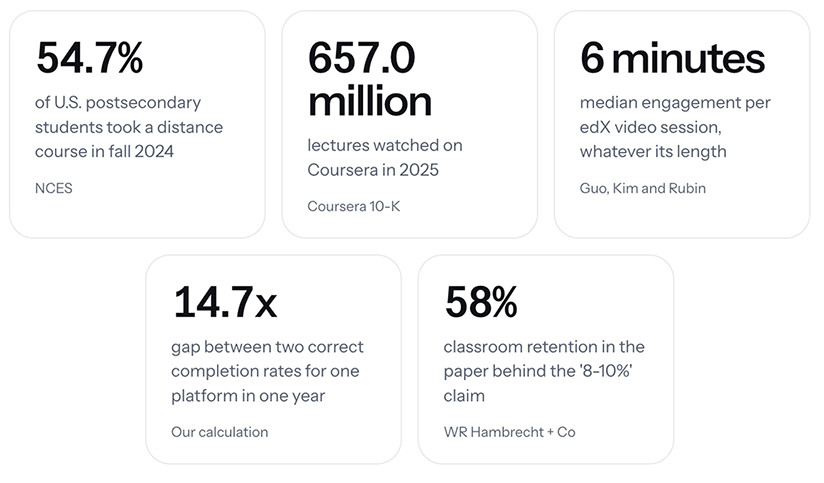
Online Course Video Statistics — from markstudios.com by Mark Santos
“Every figure on this page links to the organization that produced it, and each was re-checked against that source before publishing. How many people take online courses, how big the platforms are, how long course videos actually hold attention, how many learners finish, what the money looks like, and which popular online course statistics do not survive being traced to their origin.”
.
How a studio-based format transforms online teaching — from timeshighereducation.com by multiple authors from Cranfield University in England
Online teaching works best when teaching, facilitation and technical delivery are treated as complementary professional roles. Read guidance on studio-based delivery
Our experience of studio-based delivery suggests the need for a different approach. In this model, teaching is delivered as a live, facilitated learning experience in which academics focus on teaching and interaction, while facilitators and production staff manage interaction, session flow and technology.
Responsibilities are intentionally divided to enable more effective online pedagogy: academics concentrate on explaining concepts, facilitating discussion and responding to students while production staff manage the technical environment, transition between activities, recordings, multimedia integration, chat moderation, breakout rooms and troubleshooting, enabling a more engaging and authentic learning experience.
The most transferable lesson is that online teaching works best when teaching, facilitation and technical delivery are treated as complementary professional roles and when it is underpinned by pedagogical design.
Cleveland Institute of Art’s Interactive Media Lab Redefines What an Art School Can Be — from edtechmagazine.com
The landscape for specialized colleges and universities such as art schools is shifting as higher education continues to evolve to fit emerging job markets and student interest.
Founded in 1882, Cleveland Institute of Art continuously challenges itself to stay modern and relevant. Years ago, the school’s leadership had the vision to partner with the city to revitalize an area due for reinvigoration.
The result was the Interactive Media Lab, which brings together the university, the city and private industry into a satellite campus that gives students and the community a space to create media, art and experiences with the most up-to-date tools available.
Also see:
Want Students to Build a Healthier Relationship With Technology? Start With The Arts — from techlearning.com by Adrianna Marshall
Arts classrooms demonstrate what technology integration at its best can look like
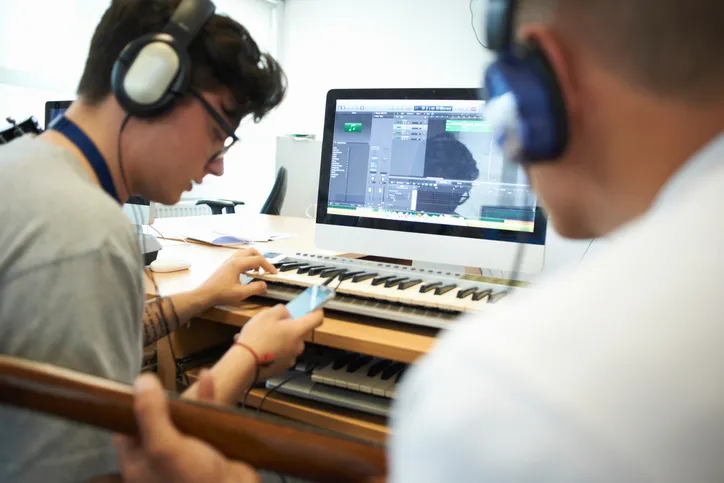
But at a moment defined by rapid AI adoption and ongoing debates about screen time, the argument for protecting and investing in arts education needs to take on a new tone. The arts continue to be one of the most effective places in school for students to build healthier, more intentional relationships with technology.
In short, in the age of AI, we need the arts more than ever.
…
Digital composition software, notation tools, and recording platforms allow students to experiment, revise, and refine their ideas in ways that would have been far more time-consuming a decade ago. Students can layer tracks, hear immediate playback, annotate their own scores, and collaborate across devices. The same is true in other contexts besides music; in visual arts, for instance, a variety of digital drawing and painting platforms enable students to practice with new mediums, styles, and techniques without having to worry about supplies or messes. But in either case, the core intellectual work of looking and listening critically, understanding structure, and making aesthetic choices remains entirely human and part of the learning.
From DSC:
I agree. At one of my previous positions, I spent 10 years supervising a digital studio — helping professors and students use a variety of applications to create things. The applications were from Adobe, Apple, and a variety of smaller vendors. The deliverables could be graphics, edited soundtracks, music, videos, flyers, posters, collages, edited photographs, presentations, websites, and more. I longed for people to discover the power of multimedia to communicate their messages, tell stories, stir emotion, powerfully engage themselves (and others), and unleash their creativity.
There were several obstacles to our digital studio being more impactful at that institution. It was under the IT department, not the academic side of the house. It was in the basement of the library, where few students and faculty traveled. During those years, it was highly uncommon for faculty members to require multimedia-based assignments — so many students had to WANT to develop these skills on their own time. The majority of students didn’t see the value in developing the types of digital skills that we were trying to build…or they didn’t have the time.
Also relevant/see:
- Want to boost early literacy skills? Try singing — from hechingerreport.org by Jackie Mader
Experts say music can help prepare children for reading success.
6 Reasons Universities Are Building Media Labs Now — from edtechmagazine.com by Brad Grimes
Digital production centers help institutions close the gap between academic training and professional practice.
Higher education is undergoing a significant transformation in how it prepares the next generation of media professionals. Across the country, universities are investing in state-of-the-art media labs — facilities built not around traditional classroom instruction, but around the tools, workflows and collaborative environments that define today’s professional production landscape. These spaces represent a fundamental rethinking of what it means to train students for careers in film, animation, gaming and digital storytelling.
The Future of College in an AI World — from linkedin.com by Jeff Selingo
In today’s issue: The tension over AI in higher ed; application inflation continues and testing is back; what’s the future of the original classroom technology, the learning management system.
Hundreds of higher ed and industry leaders gathered Tuesday for a summit
on AI and the future of learning at the University of Michigan.
.
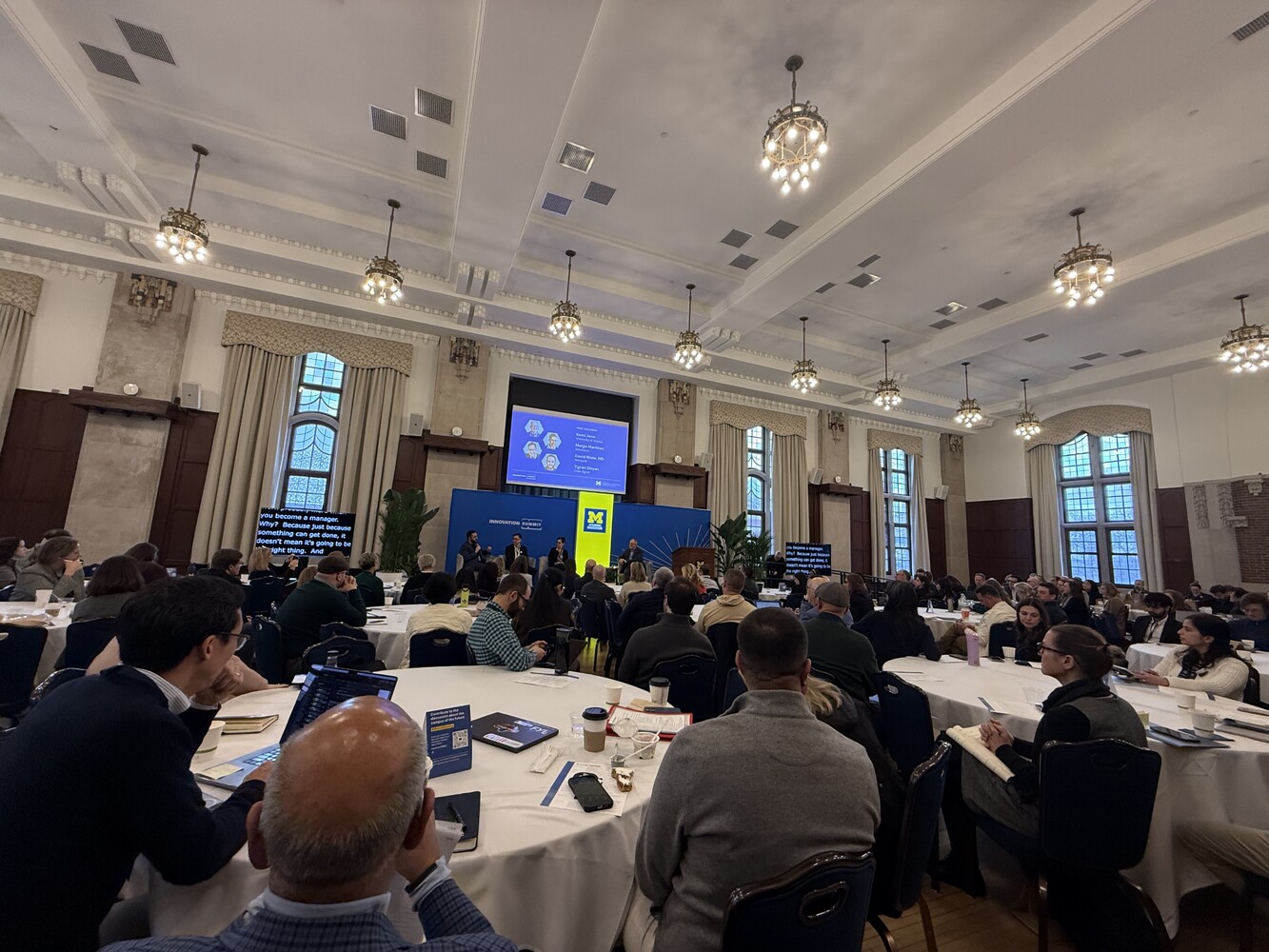
Conversations like the one we had at Michigan this week are necessary, but the action rarely matches the ambition.
- We say the humanities are the operating system of an AI world, yet students and parents don’t believe it. They’re voting with their feet toward STEM, business, and narrowly tailored majors they believe will lead to a job.
- Meanwhile, colleges are quietly eliminating the very humanities degrees the panelists were championing, employers are cutting the entry rungs off the career ladder for new graduates, and as Podium Education co-founder Christopher Parrish reminded us yesterday, there’s a yawning gap between demand for experience and the internships that actually exist.
AI Music Generators: Teaching With These Catchy AI Tools — from techlearning.com by Erik Ofgang
AI music generators are getting better and better, and there are more applications in the classroom as a result.
Are All AI Music Generators More Or Less The Same?
No. After experimenting with a few various free ones, I found a wide range of quality with the same prompts.
Gemini is the only one I’d currently recommend. It’s user-friendly but limited and only creates 30-second clips. Other music generators could potentially outperform Gemini with prompt adjustments. The ones I tried did better with the instrumentals but struggled more with the lyrics, and that kind of defeated the purpose of the tool for me.
ChatDOC: Teaching With The AI Summarizing Tool — from techlearning.com by Erik Ofgang
ChatDOC lets users turn any PDF into an AI chatbot that can summarize the text, answer questions, and generate quizzes.
What Is ChatDOC?
ChatDOC is an AI designed to help users interact with PDFs of various types, be it research papers, short stories, or chapters from larger works. Users upload a PDF and then have the opportunity to “chat” with that document, that is speak with a chatbot that bases its answers off of the uploaded text.
ChatDOC can perform tasks such as provide a short summary, search for specific terms, explain the overall theme if it’s a work of literature, or unpack the science in a research paper.
Other similar tools are out there, but ChatDOC is definitely one of the better PDF readers I’ve used. Its free version is quick and easy-to-use, and delivers on its promise of providing an AI that can discuss a given document with users and even quiz them on it.
From AI access to workforce readiness — from chieflearningofficer.com by Johnny Hamilton, Amy Stratbucker, & Brad Bigelow
Is your workforce using the right tool with an outdated mindset and playbook? Why old playbooks fall short — and what learning leaders must do next.
The leadership opportunity
Organizations do not need to predict every future AI capability. They need systems that allow people to explore with curiosity, practice safely, reflect deeply and adapt continuously — starting with what they already have and extending as capabilities evolve.
For CLOs, this is a moment to lead from the center of change — designing workforce readiness that keeps pace with accelerating technology while making work more rewarding for employees and more valuable for the organization. That is how AI moves from the promise of transformation to demonstrated readiness and, ultimately, from promise to performance.

Addendums on 3/19/26:
How to Build Practice-Based Learning Activities with AI — from drphilippahardman.substack.com by Dr Philippa Hardman
Four evidence-based methods for designing, building & deploying active learning activities with your favourite LLM
Most L&D teams are using AI to make content faster. The real opportunity is using it as a practice engine.
The Synthesia 2026 AI in L&D Report f2026 AI in L&D Report found that the fastest-growing areas of planned AI adoption aren’t in content creation — they’re in assessments and simulations (36%), adaptive pathways (33%), and AI tutors (29%). In other words: L&D teams are starting to realise that the most powerful use of AI isn’t producing learning materials. It’s creating environments where learners actually practise.
And you can build these right now — no dev team, no custom platform, no code. Each method below includes a prompt you can paste into your preferred AI tool to generate a working interactive prototype: a self-contained practice activity with a briefing screen, a live AI interaction, and a debrief — all running in the browser, ready to share with stakeholders or deploy to learners.
OpenAI Adds Interactive Math and Science Learning Tools to ChatGPT — from campustechnology.com by Rhea Kelly
Key Takeaways
- ChatGPT adds interactive learning tools: OpenAI introduced interactive math and science visualizations that allow users to explore formulas, variables, and relationships in real time.
- The tool currently covers over 70 core math and science topics and is aimed initially at high school and college-level learners.
- Users can adjust variables, manipulate formulas, and immediately see how changes affect graphs and outcomes.
An Unconventional Seating Plan Designed to Benefit Focus and Learning — from edutopia.org by Tyler Rablin
After years of search and experimentation, this teacher finally hit on a room layout that allowed for efficient shifting between whole class, small group, and independent work.
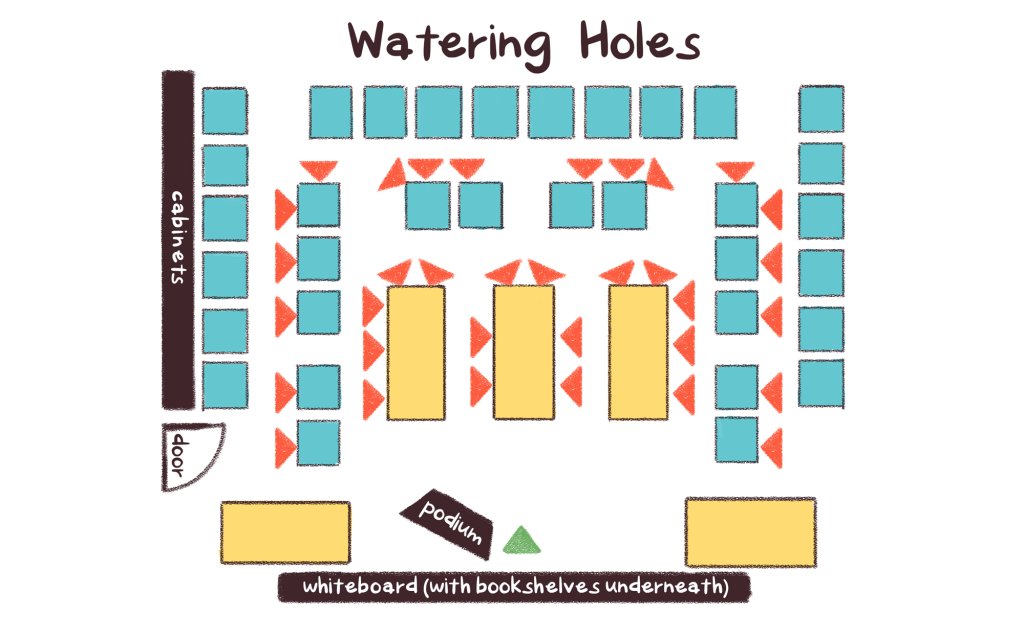
I used to be an obsessive classroom rearranger—every six weeks or so I would find myself looking for a new desk arrangement that would improve some aspect of our work in the room. So when I finally found a desk arrangement that I didn’t want to change for the rest of the year, I knew I was on to something good.
The idea started developing when I stumbled across an article about an Australian classroom arrangement based on three “archetypal learning spaces”: campfires, caves, and watering holes. Essentially, the idea is that students need a physical space to work independently (a cave), spaces to gather informally (campfires), and a space to gather as a whole to learn from an expert (the watering hole).
Using Trauma-Informed Practices in Early Elementary Classrooms — from edutopia.org by Emily Barbour
Small changes in language and classroom routines can increase connection and improve learning for young students.
Trauma-informed practices invite a shift from reactive to proactive systems. To design classrooms that are grounded in safety and care, teachers need to embed predictability, co-regulation, and relationship-building into daily routines. Seemingly small changes like morning choice, intentional language, and shared commitments can transform the environmental conditions for students to properly regulate, feel connected, and fully access learning.
Replacing Morning Work With Morning Choice
The largest positive shift in my classroom culture occurred when I replaced traditional morning work with morning choice bins. When I began our day with worksheets, it felt like I started each day with an uphill battle. The mornings began with redirecting behavior instead of building meaningful relationships.
Reducing the Cognitive Load of Math Tasks With Strategy Cards — from edutopia.org by Katherine Efremkin
When students create a visual resource to scaffold problem-solving, they can approach independent work with more confidence and focused attention.
All three of these areas of the brain need to be activated and work together in order for a student to be successful with independent math work. To help ensure that students are able to successfully shift between their problem-solving ability, thinking, and actions to attack different parts of a problem, I teach students to create strategy cards.
These cards help reduce the cognitive load, enabling students not only to become more successful and independent within their arithmetic work, but also to dive deeper into the conceptual understanding of math concepts.
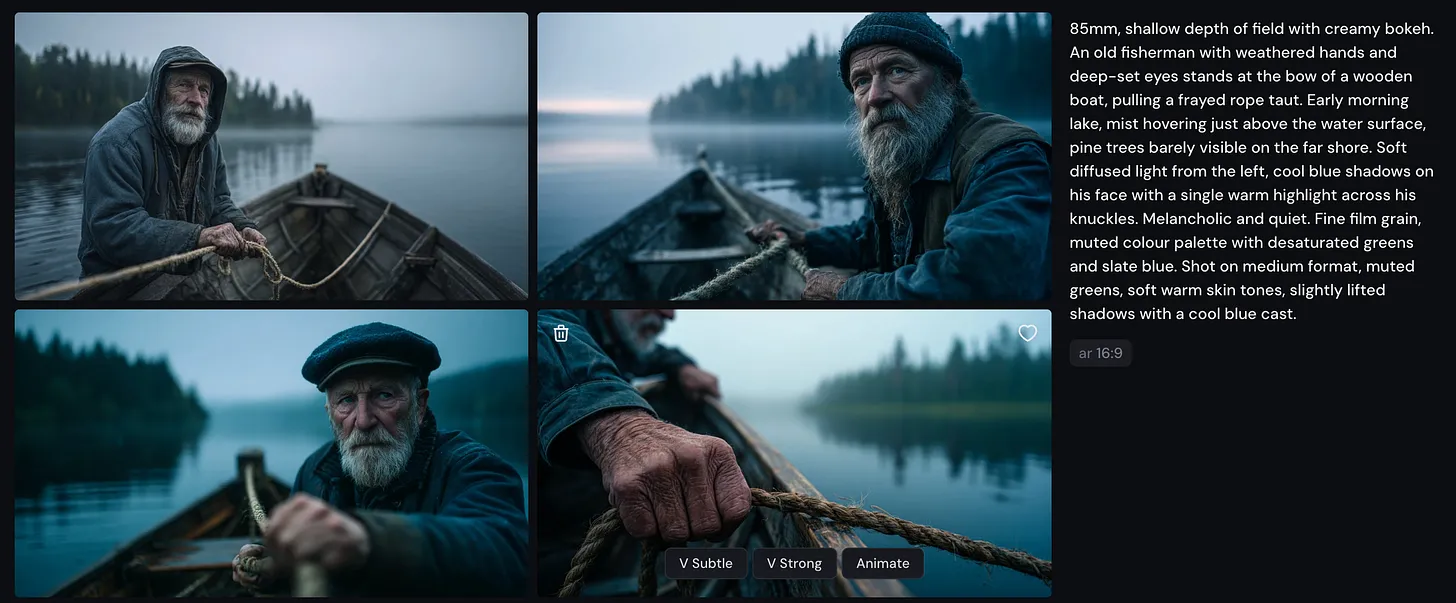
Cinematic Prompting Without IP — from heatherbcooper.substack.com by Heather Cooper
Stop saying “Blade Runner” style.
Beginner Prompt Structure
If you’re new to prompting, start with this framework:
[Subject] + [Description] + [Setting] + [Lighting] + [Style/Medium]
The advanced framework adds three layers:
[Lens] + [Subject + Action] + [Environment + Atmosphere] + [Lighting + Colour] + [Mood/Emotion] + [Technical Detail]
5 of the Best Tools To Teach Storytelling — from techlearning.com by Luke Edwards
Use these best tools to teach storytelling to help students progress towards mastery
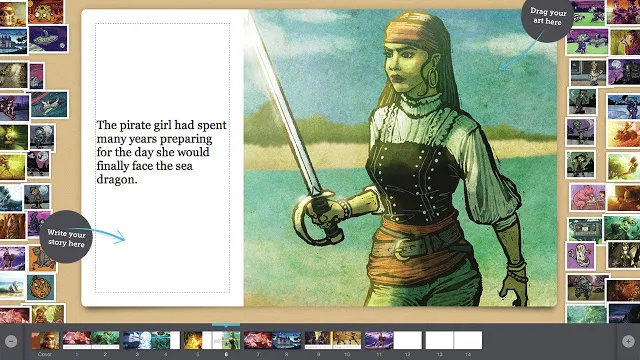
The best tools to teach storytelling can also be some of the most ideal ways to engage students, both creatively and more generally with education. From sparking their imaginations to helping structure a creative toolset, these digital assistants can be powerful in the classroom and beyond.
Giving a student the ability to structure and tell a compelling story can help to empower them in terms of literacy, empathy, and critical thinking.
Students can be given the opportunity to explore historical perspectives, dive into personal narratives, build fictional worlds, and present research in a story form. All of which helps strengthen communication skills while learning at the same time.
.
Which AI Video Tool Is Most Powerful for L&D Teams? — from by Dr. Philippa Hardman
Evaluating four popular AI video generation platforms through a learning-science lens
Happy new year! One of the biggest L&D stories of 2025 was the rise to fame among L&D teams of AI video generator tools. As we head into 2026, platforms like Colossyan, Synthesia, HeyGen, and NotebookLM’s video creation feature are firmly embedded in most L&D tech stacks. These tools promise rapid production and multi-language output at significantly reduced costs —and they deliver on a lot of that.
But something has been playing on my mind: we rarely evaluate these tools on what matters most for learning design—whether they enable us to build instructional content that actually enables learning.
So, I spent some time over the holiday digging into this question: do the AI video tools we use most in L&D create content that supports substantive learning?
To answer it, I took two decades of learning science research and translated it into a scoring rubric. Then I scored the four most popular AI video generation platforms among L&D professionals against the rubric.
.
For an AI-based tool or two — as they regard higher ed — see:
5 new tools worth trying — from wondertools.substack.com by Jeremy Kaplan
YouTube to NotebookLM: Import a Whole Playlist or Channel in One Click
YouTube to NotebookLM is a remarkably useful new Chrome extension that lets you bulk-add any YouTube playlists, channels, or search results into NotebookLM. for AI-powered analysis.
…
What to try
- Find or create YouTube playlists on topics of interest. Then use this extension to ingest those playlists into NotebookLM. The videos are automatically indexed, and within minutes you can create reports, slides, and infographics to enhance your learning.
- Summarize a playlist or channel with an audio or video overview. Or create quizzes, flash cards, data tables, or mind maps to explore a batch of YouTube videos. Or have a chat in NotebookLM with your favorite video channel. Check my recent post for some YouTube channels to try.