.
Originally saw this at xplana.com.
On 03/10/2011,
in 21st century, digital textbooks, digital video, e-readers, emerging technologies, innovation, interactivity, multimedia, presentations, publishing, tools, trends,
by Daniel Christian
On 02/19/2011,
in attention, business, convergence, copyright/ownership/NFTs, digital audio, digital storytelling, digital textbooks, digital video, disruption, future, interactivity, new business models, publishing, storytelling,
by Daniel Christian

.
Brief summary/notes from DSC:
Per Kevin Kelly (Feb 2011), the future is about 6 verbs:
- Screening — we are moving from being “people of the book” to “people of the screen”
- Interacting
- Sharing
- Accessing — not owning
- Flowing — streams/flows of data and information, tags, clouds, not pages, real time, always on (24x7x3765), everywhere, no sense of being completed, feeds, flows of data, books will operate in this same environment
- Generating — not copying; pressure on things to become free; value is in things that cannot be copied (easily or cheaply). We want “easy to pay for but hard to copy”; things such as:
- immediacy
- personalization
- authentication
- findability
- embodiment
- interpretation
- accessibility
- attention
Originally from — and see:
- Gerd Leonhard at the Futures Agency.com
- …and with thanks to O’Reilly for publishing this!
On 02/07/2011,
in creativity, digital storytelling, educational games / serious games, engagement / engaging students, interactivity, mobile learning, mobile technologies, multimedia, storytelling,
by Daniel Christian
Alternative reality games (ARGs) as mobile learning — from Float Mobile Learning by John Feser
Excerpts:
An alternate reality game, or ARG for short, (pronounced by saying the letters ‘A-R-G’, not by sounding like a pirate) is an interactive narrative that uses the real world as a stage for telling a story, playing out a scenario or creating a learning experience. ARGs make use of diverse media and game elements to help tell and impact the outcome of the story.
…
Mobile devices combined with a good story and an educational game can be a powerful way to increase engagement and activity level of your learners. ARGs offer an interesting way to bring your mobile technology along for the ride. ARGs are being successfully used in marketing and entertainment as well as to train and solve real world problems. Organizations that are looking for creative ways to engage in mobile learning should consider the benefits ARGs have to offer. By crafting a realistic, enjoyable experience, you’ll be reinforcing behavior that most companies are actively seeking in their employees: critical problem solving, inquisitiveness and creativity.
On 02/07/2011,
in digital audio, digital learning, digital storytelling, digital textbooks, digital video, interactivity, learning agents, learning ecosystem, multimedia,
by Daniel Christian
Semantic technologies and learning — from Steve Wheeler
Excerpt:
The January special issue of Interactive Learning Environments is out right now. Our guest editors have done a great job drawing together 5 excellent papers under the banner of ‘Semantic Technologies for Multimedia Enhanced Learning Environments’ and for Learning with ‘e’s readers, here is the editorial in full, with excellent summaries of all the papers by our special issue editors Marco Bertini, Vladan Devedzic, Dragan Gasevic and Carlo Torniai…
…
This special issue solicited papers focused on the use of semantic technologies in multimedia-enhanced learning environments. In this call, we were especially interested in publishing research reports and lessons learned in the following research tasks:
- Ontologies and semantic annotations for multimedia learning objects.
- Collaborative tagging and folksonomies for multimedia learning objects.
- Semantic social networking in multimedia-based learning environments.
- Semantic technologies for enabling pedagogical theories in multimedia-enhanced learning environments.
- Semantic-enhanced learning designs in multimedia-enhanced learning.
- Semantic technologies for personalization and adaptation of multimedia-enhanced learning.
- Semantic-rich service-oriented architectures for multimedia learning environments.
- Semantic multimedia content for (collaborative) mobile learning.
On 01/20/2011,
in 21st century, 24x7x365 access, 3D, A/V -- audio/visual, animation, blended learning, cloud-based computing / apps / other cloud-related, collaboration, convergence, corporate / business world, corporate universities / corporate training, cost of getting a degree, creativity, Daniel S. Christian, digital audio, digital learning, digital storytelling, digital textbooks, digital video, disruption, distance education, e-readers, education, education reform, education technology, educational games / serious games, elearning, emerging technologies, engagement / engaging students, flipping -- inverted learning, future, future of higher education, game-changing environment, global / globalization, higher education, homeschooling/homeschoolers, hybrid learning, immersion, informal learning, innovation, interactivity, internet, K-12 related, learning, learning agents, learning ecosystem, learning preferences, learning spaces, lifelong learning, love of learning, marketplaces, media/film, mobile learning, mobile technologies, multimedia, new business models, new media literacies, online learning, online media, online tutoring, play, podcasting, simulations, social learning / networks, social media, strategy, teaching & learning, technologies for your home, technology (general), telepresence, television, training / L&D, trends, ubiquitous learning, user experience (UX), user interface design, vendors, videoconferencing, virtual field trips, virtual K-12 schools, vision/possibilities, visualizing information, web-based collaboration,
by Daniel Christian
From DSC:
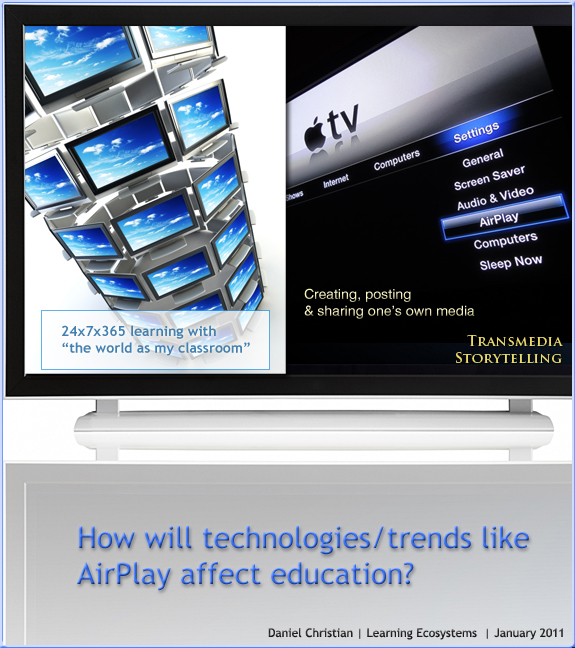
The other day, I created/posted the top graphic below. Take the concepts below — hook them up to engines that use cloud-based learner profiles — and you have some serious potential for powerful, global, ubiquitous learning! A touch-sensitive panel might be interesting here as well.
Come to think of it, add social networking, videoconferencing, and web-based collaboration tools — the power to learn would be quite impressive. Multimedia to the nth degree.
Then add to that online marketplaces for teaching and learning — where you can be both a teacher and a learner at the same time — hmmm…
.
.
From DSC:
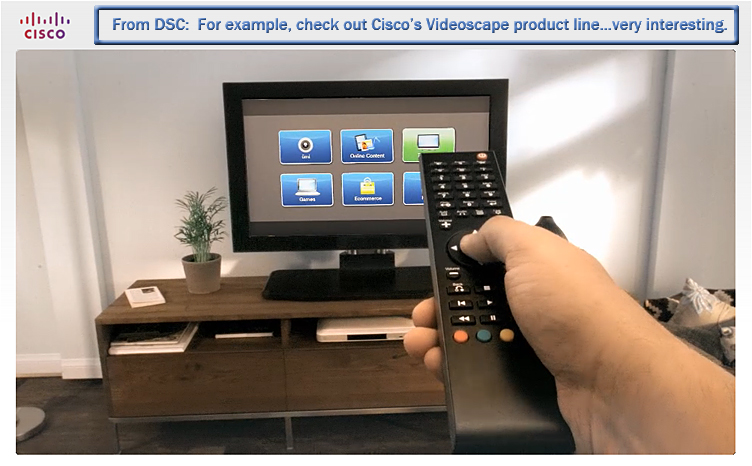
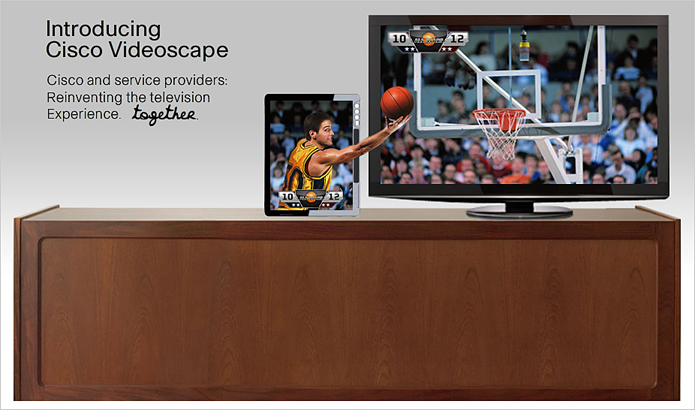
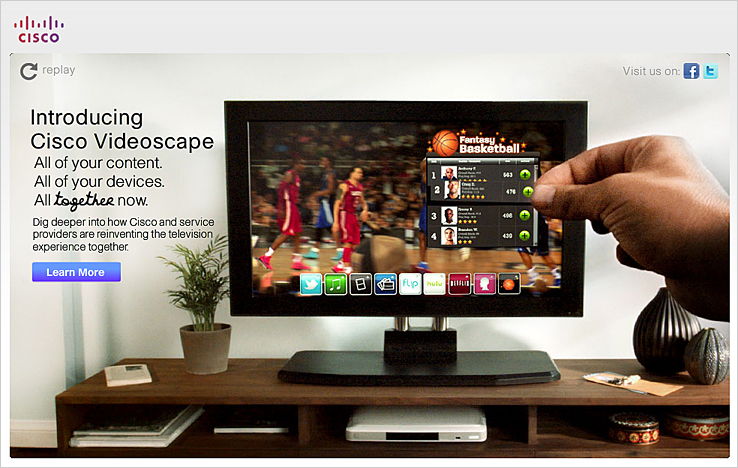
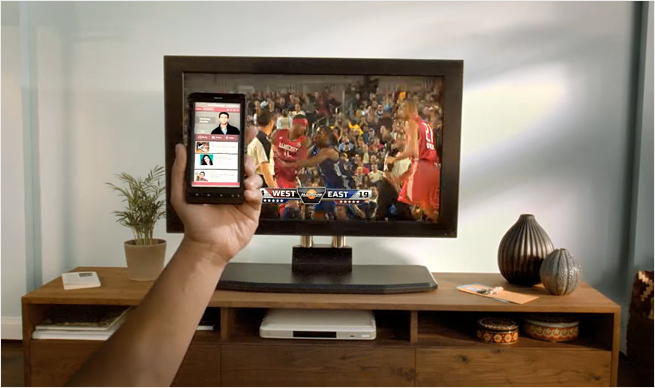
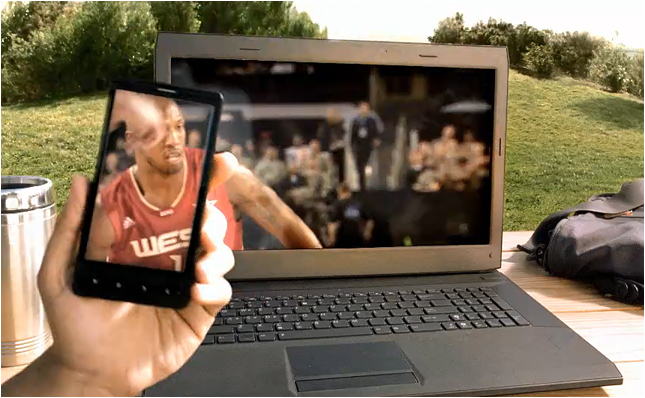
Then today, I saw Cisco’s piece on their Videoscape product line! Check it out!
.
 .
.
.
.
.
.

On 01/20/2011,
in cloud-based computing / apps / other cloud-related, instructional design, interactivity, interface design, media/film, mobile learning, mobile technologies, multimedia, online media, publishing, user experience (UX), user interface design,
by Daniel Christian
To “appify” old media, we need a new approach — from gigaom.com
The publishing industry is keeping its formerly inky fingers crossed that mobile devices, including the seemingly ubiquitous iPad, will save its behind. With the mobile market still in its infancy, it’s a tad early to be calling definitive trends, but there is one interesting tendency underway that may endure long-term — and that is the “appification” of media content.
This “appification” is being driven by one question — what is it that the audience wants? And the answer resoundingly is this: don’t just replicate the brand, give us something different.
On 01/19/2011,
in creativity, digital learning, digital storytelling, interactivity, K-12 related, learning, love of learning, multimedia, music, play, storytelling,
by Daniel Christian
On 01/17/2011,
in 21st century, 24x7x365 access, 3D, A/V -- audio/visual, Apple, Daniel S. Christian, digital audio, digital learning, digital photography, digital storytelling, digital textbooks, digital video, disruption, distance education, e-readers, education, education reform, education technology, educational games / serious games, elearning, emerging technologies, engagement / engaging students, entrepreneurship, flipping -- inverted learning, future, future of higher education, game-changing environment, higher education, homeschooling/homeschoolers, human-computer interaction (HCI), informal learning, innovation, interaction design, interactivity, interface design, internet, IT in HE, K-12 related, learner profiles, learning, learning ecosystem, learning spaces, lifelong learning, media/film, mobile learning, mobile technologies, multimedia, new media literacies, online learning, online media, online tutoring, play, simulations, social learning / networks, teaching & learning, technologies for your home, technology (general), telepresence, training / L&D, ubiquitous learning, user experience (UX), user interface design, videoconferencing, Virtual Reality (VR) / worlds / learning, web-based collaboration,
by Daniel Christian
.
Addendum on 1-20-11:
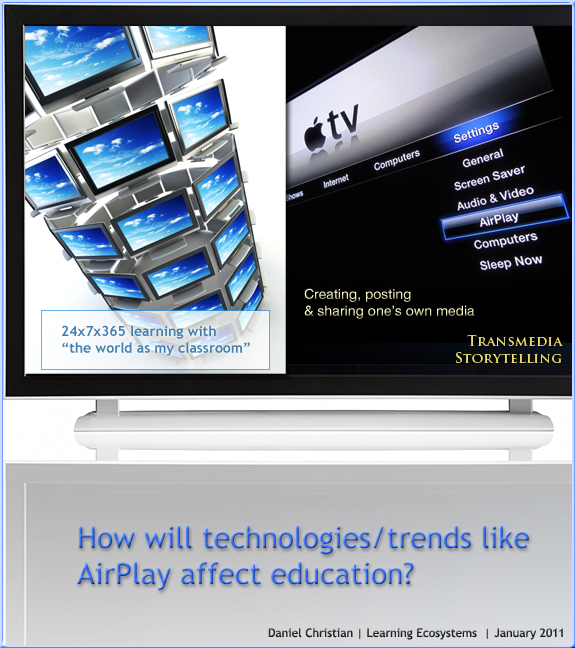
The future of the TV is online — from telegraph.co.uk
Your television’s going to get connected, says Matt Warman
On 01/07/2011,
in A/V -- audio/visual, education technology, emerging technologies, human-computer interaction (HCI), innovation, interactivity, learning spaces, presentations, smart classrooms, videoconferencing, web-based collaboration,
by Daniel Christian
.
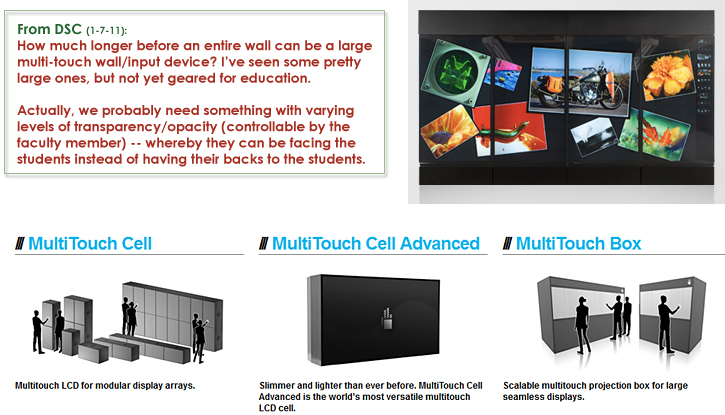
Or perhaps something expanded on this vision:

.

.
 .
.

On 01/04/2011,
in art, convergence, creativity, digital storytelling, innovation, instructional design, interaction design, interactivity, interface design, publishing, user experience (UX), user interface design, using teams,
by Daniel Christian
http://chapter01.wormworldsaga.com/
.
Also see:

From DSC:
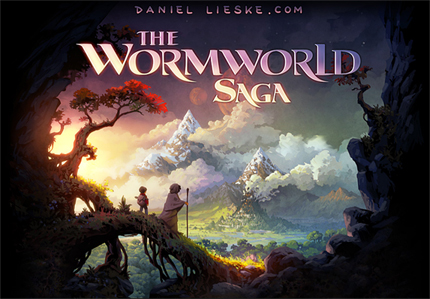
First of all, my thanks to Mr. Joseph Byerwalter for this resource/link. I haven’t read this story; however I was intrigued by the user interface design here and it made me think of some related items/topics here:
I would have loved to see some more multimedia integrated into Daniel Lieske’s fabulous artwork — sound effects/audio/music and/or the capability of hearing the author read the story. Also, perhaps some interactivity may or may not add something here. In any case, this is a piece of the type of thing that I believe we will see much more of on devices like the iPad — as well as on Internet-connected televisions:
Incredibly-powerful, interactive, multimedia-based
methods of relaying one’s story or message.
Also, such endeavors open up a slew of potential future opportunities for our students (artists, musicians, sound engineers, writers, programmers, interface designers, user experience experts, etc.) — as well as chances to practice their creativity today.
On 12/23/2010,
in digital storytelling, digital textbooks, educational games / serious games, interaction design, interactivity, storytelling, UK,
by Daniel Christian
Merging interaction and narrative — from webcredible.co.uk by Philip Webb
Excerpt:
There has traditionally been a tension between the idea of interaction (doing something) and narrative (watching or reading something). The experience of consuming a great film or book isn’t necessarily a passive one but it does differ from the immersive experience of playing a game. And yet the possibilities to combine the two seem so promising.
The trouble is games often struggle to convey narrative – the story can seem bolted on as an afterthought or delivered at clumsy moments between levels. Similarly, attempts at interactive books where readers spontaneously choose the way plots evolve can be unsatisfying because constructing a linear story is an art that novelists spend a lifetime perfecting. Of course, there are notable exceptions such as multi-user games like World of Warcraft where the narrative is something players experience and influence through their participation. Here game designers act more as architects than authors – providing an open environment where the interactions form an unpredictable narrative drama.
On 12/09/2010,
in design, education technology, elearning, instructional design, interaction design, interactivity, online learning, play, tools, user experience (UX), vendors,
by Daniel Christian
An e-Learning Tool Revolution — from Allen Interactions by Ethan Edwards, chief instructional strategist
Allen Interactions had a highly visible presence at the [DevLearn 2010] conference, announcing the official Private Beta Program for a new authoring system, currently under development and code-named Zebra.
…
The experience of using it has really illustrated for me in a fresh way why current authoring systems always fall so short. The challenge of designing instruction for computer delivery is how to craft an experience that engages the learner and creates unique opportunities for that learner to solve challenges. Instructional interactivity is at the core of this design process. Ideally, an authoring tool ought to put the designer at the center of manipulating interactivity.
…
What is so exciting to me about the possibilities that Zebra suggests is that for the first time in my recollection designers will be able to directly and easily manipulate those design elements that define instructional interactivity–Context, Challenge, Activity, and Feedback–in a seamless design environment. Of course, we’re just beginning this journey and there is much unknown about the significance that Zebra might have, but for the first time in a long time, I feel optimistic about authoring potential, which has been rather stalled in its tracks for almost 15 years. I can imagine this dramatically increasing the influence that instructional designers can have in the overall creating of outstanding e-learning applications.
On 11/30/2010,
in 21st century, 24x7x365 access, education technology, instructional design, interactivity, multimedia, open courseware and systems, simulations, strategy, vision/possibilities,
by Daniel Christian
The Coming Golden Age of Open Educational Simulations — from Mike Caulfield
From DSC:
Thanks Mike for sharing this information, these lessons and reflections. Although your posting stopped me in my tracks, it was good to reflect upon. It made me wonder about such things as…
- If we could get a billion from the fortunes that Gates, Buffett, and other billionaires are donating, could we create open learning objects/courses and make them available worldwide? Or would that not work?
- Were you all ahead of your time?
- Where does this leave us? That is, is it a wise goal to create interactive, professionally-done, engaging, multimedia-based applications? If so, under what conditions?
- If we pursue this goal, who and how should we do it?
- If open source models are followed, should we move towards the use of consortiums to create the learning objects? i.e. to spread out the development costs?
- What would you say to instructional designers if they are following similar endeavors/efforts? How can one know all of the context that speaks to each individual taking the course?
- Will “The Reusability Paradox” be a show-stopper for us?
- What should our strategy and vision be?
- Or did I miss the whole point here?!
On 11/19/2010,
in 21st century, 24x7x365 access, 3D, A/V -- audio/visual, cloud-based computing / apps / other cloud-related, computer science, digital storytelling, digital textbooks, Google, interactivity, internet, open courseware and systems, web design and production,
by Daniel Christian