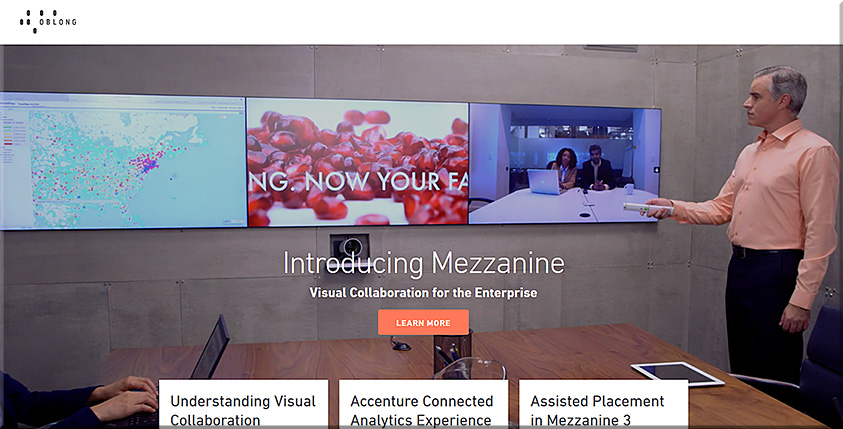
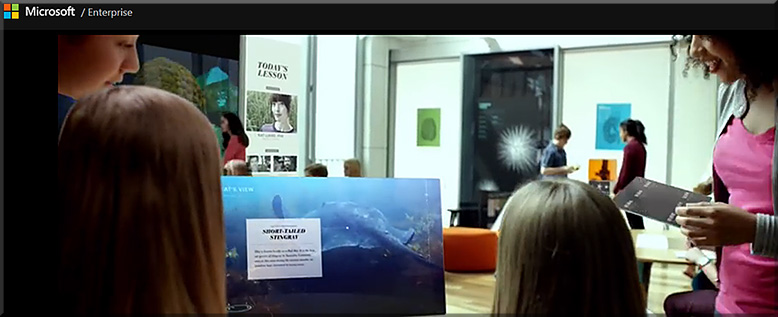
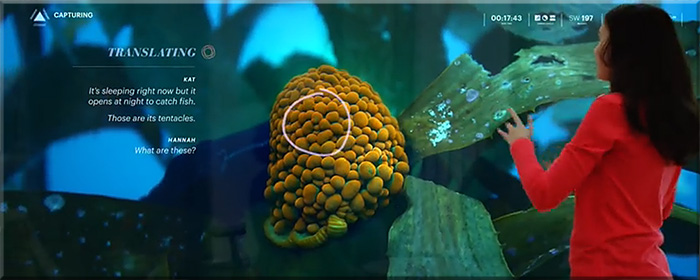
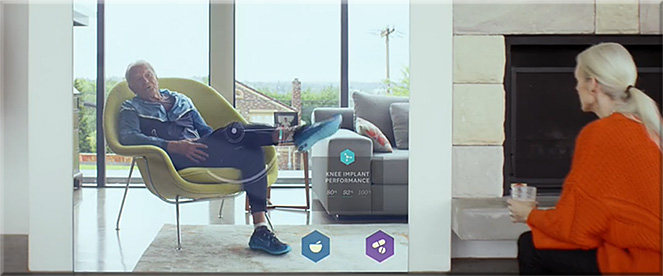
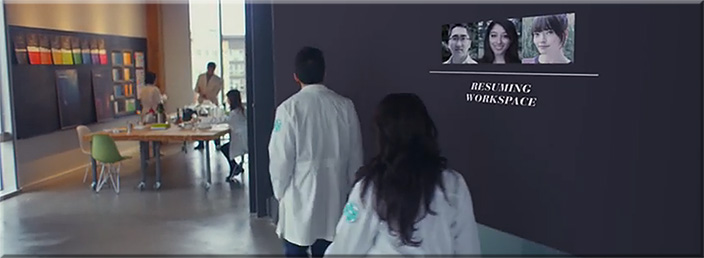
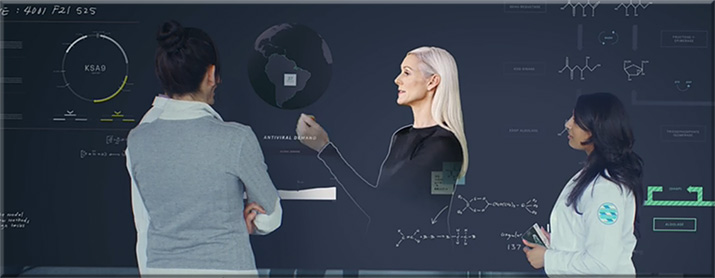
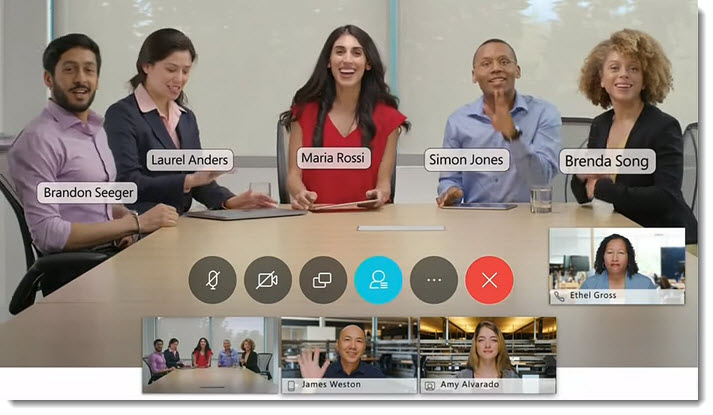
Collaboration technology is fueling enterprise transformation – increasing agility, driving efficiency and improving productivity. Join Amy Chang at Enterprise Connect where she will share Cisco’s vision for the future of collaboration, the foundations we have in place and the amazing work we’re driving to win our customers’ hearts and minds. Cognitive collaboration – technology that weaves context and intelligence across applications, devices and workflows, connecting people with customers & colleagues, to deliver unprecedented experiences and transform how we work – is at the heart of our efforts. Join this session to see our technology in action and hear how our customers are using our portfolio of products today to transform the way they work.
From DSC: Ever notice howeffective Ted Talksbegin? They seek to instantly grab your attention with a zinger question, a somewhat shocking statement, an interesting story, a joke, an important problem or an issue, a personal anecdote or experience, a powerful image/photo/graphic, a brief demonstration, and the like.
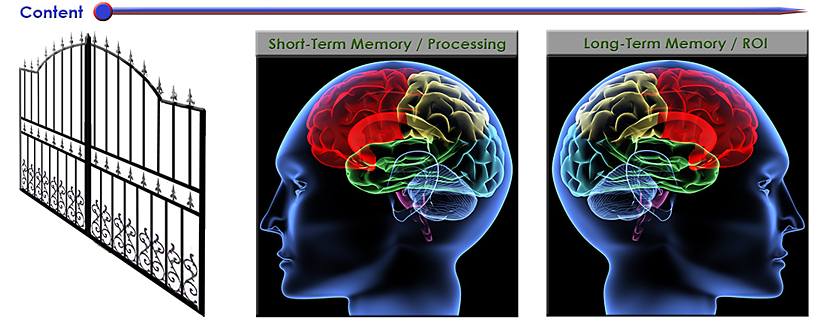
Grabbing someone’s attention is a key first step in getting a piece of information into someone’s short-term memory — what I call getting through “the gate.” If we can’t get through the gate into someone’s short-term memory, we have zero (0) chance of having them actually process that information and to think about and engage with that piece of content. If we can’t make it into someone’s short-term memory, we can’t get that piece of information into their long-term memory for later retrieval/recall. There won’t be any return on investment (ROI) in that case.
So why not try starting up one of your classes this week with a zinger question, a powerful image/photo/video, or a story from your own work experience? I’ll bet you’ll grab your students’ attentions instantly! Then you can move on into the material for a greater ROI. From there, offering frequent, low-stakes quizzes will hopefully help your students slow down theirforgetting curvesand help them practice recalling/retrieving that information. By the way, that’s why stories are quite powerful. We often remember them better. So if you can weave an illustrative story into your next class, your students might really benefit from it come final test time!
Also relevant/see:
Ready, set, speak: 5 strong ways to start your next presentation — from abovethelaw.com by Olga Mack, with thanks to Mr. Otto Stockmeyer for this resource No matter which of these five ways you decide to launch your presentation, ensure that you make it count, and make it memorable.
Excerpts:
Tell a captivating story
Ask thought-provoking questions to the audience
State a shocking headline or statistic
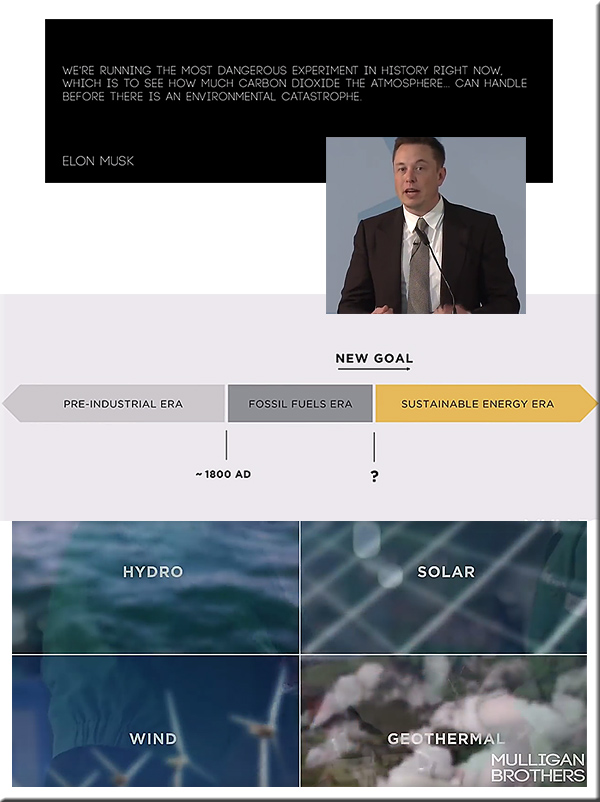
Use a powerful quote
Use silence
When delivering a speech, a pause of about three or even as many as 10 seconds will allow your audience to sit and quiet down. Because most people always expect the speaker to start immediately, this silence will thus catch the attention of the audience. They will be instinctively more interested in what you had to say, and why you took your time to say it. This time will also help you gather your nerves and prepare to speak.
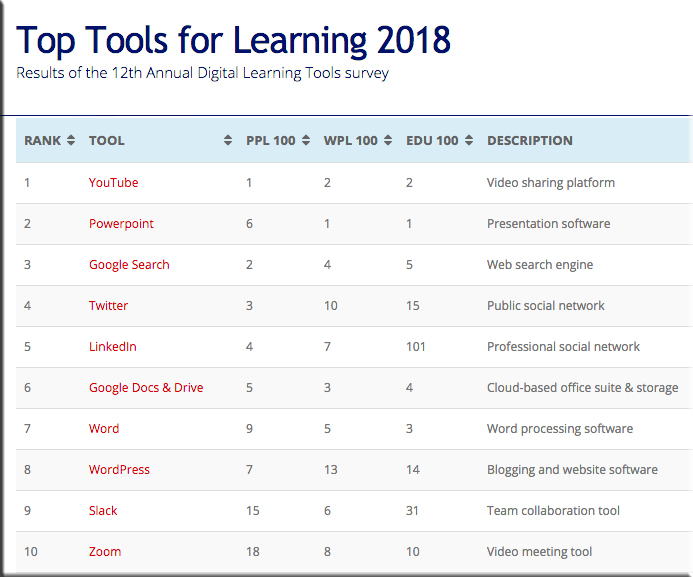
[On 9/24/18], I released the Top Tools for Learning 2018 , which I compiled from the results of the 12th Annual Digital Learning Tools Survey.
I have also categorised the tools into 30 different areas, and produced 3 sub-lists that provide some context to how the tools are being used:
Top 100 Tools for Personal & Professional Learning 2018 (PPL100): the digital tools used by individuals for their own self-improvement, learning and development – both inside and outside the workplace.
Top 100 Tools for Workplace Learning (WPL100): the digital tools used to design, deliver, enable and/or support learning in the workplace.
Top 100 Tools for Education (EDU100): the digital tools used by educators and students in schools, colleges, universities, adult education etc.
3 – Web courses are increasing in popularity. Although Coursera is still the most popular web course platform, there are, in fact, now 12 web course platforms on the list. New additions this year include Udacity and Highbrow (the latter provides daily micro-lessons). It is clear that people like these platforms because they can chose what they want to study as well as how they want to study, ie. they can dip in and out if they want to and no-one is going to tell them off – which is unlike most corporate online courses which have a prescribed path through them and their use is heavily monitored.
5 – Learning at work is becoming personal and continuous. The most significant feature of the list this year is the huge leap up the list that Degreed has made – up 86 places to 47th place – the biggest increase by any tool this year. Degreed is a lifelong learning platform and provides the opportunity for individuals to own their expertise and development through a continuous learning approach. And, interestingly, Degreed appears both on the PPL100 (at 30) and WPL100 (at 52). This suggests that some organisations are beginning to see the importance of personal, continuous learning at work. Indeed, another platform that underpins this, has also moved up the list significantly this year, too. Anders Pink is a smart curation platform available for both individuals and teams which delivers daily curated resources on specified topics. Non-traditional learning platforms are therefore coming to the forefront, as the next point further shows.
From DSC: Perhaps some foreshadowing of the presence of a powerful, online-based, next generation learning platform…?
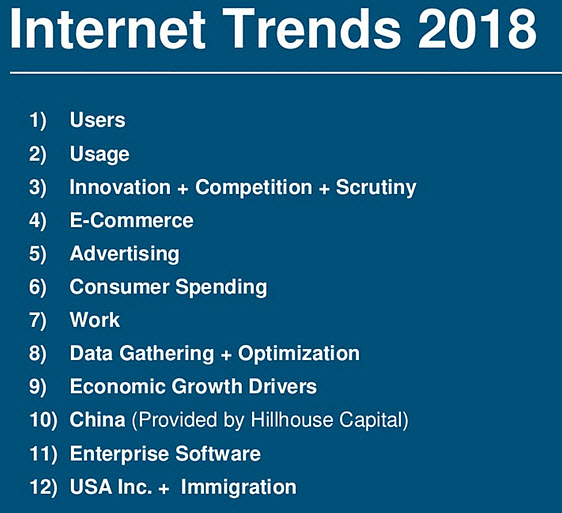
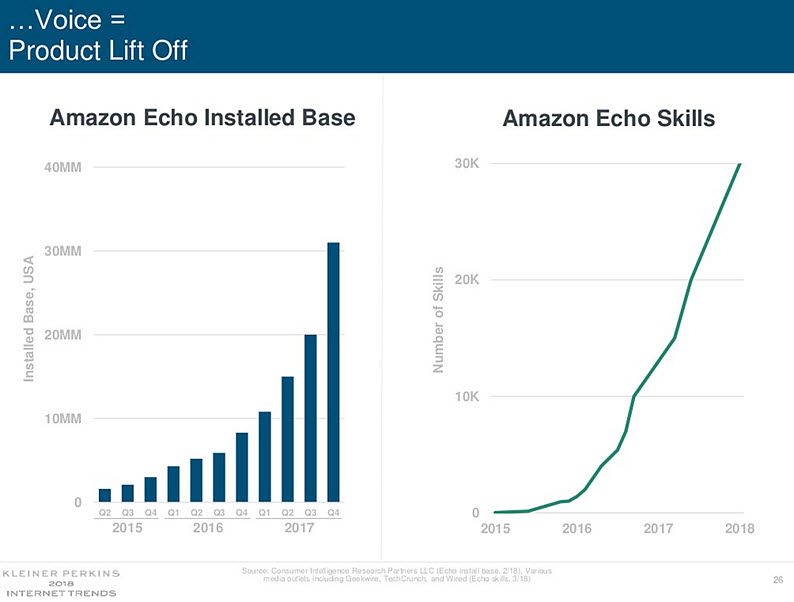
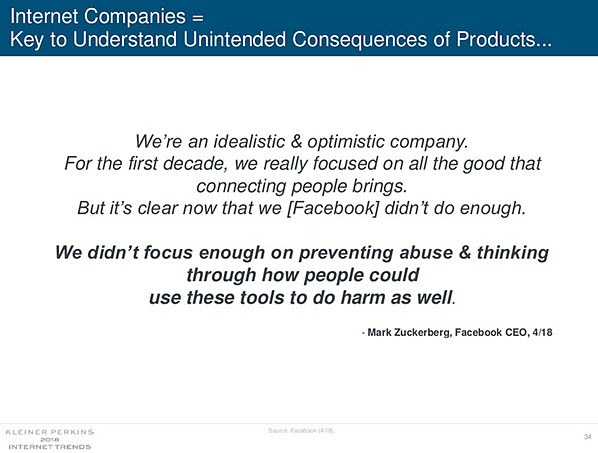
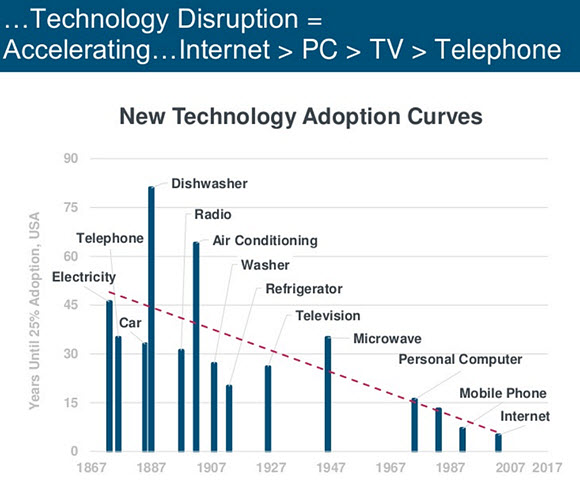
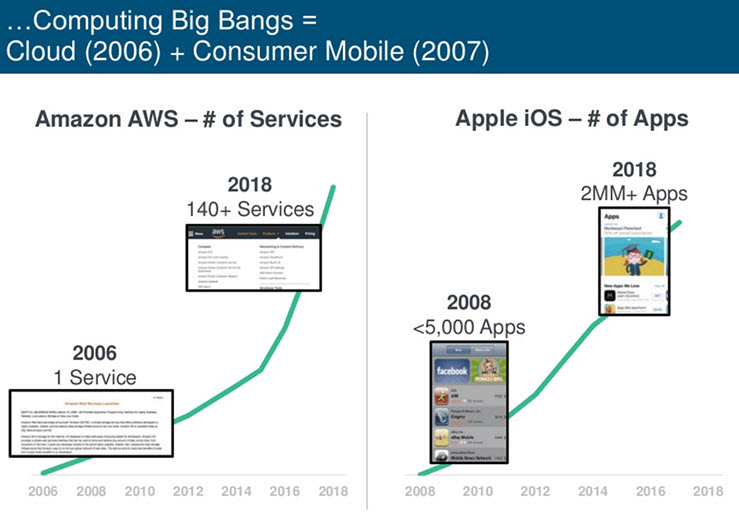
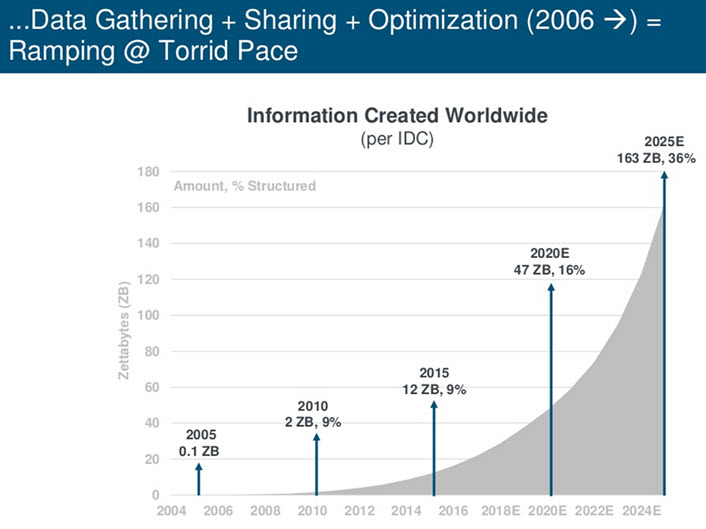
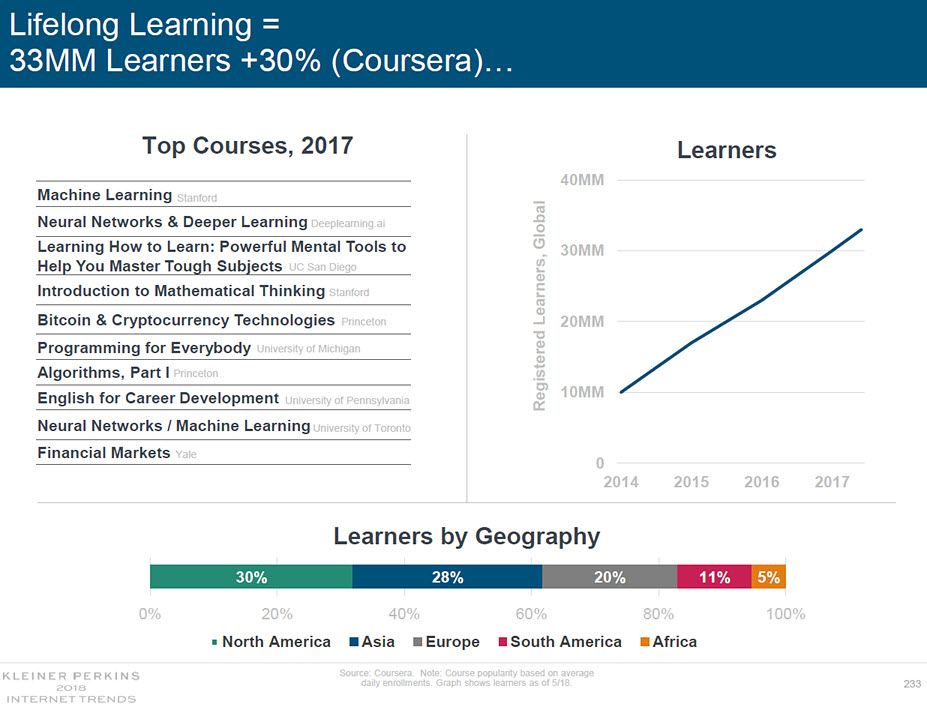
Below are some excerpted slides from her presentation…
Also see:
20 important takeaways for learning world from Mary Meeker’s brilliant tech trends – from donaldclarkplanb.blogspot.com by Donald Clark
Excerpt:
Mary Meeker’s slide deck has a reputation of being the Delphic Oracle of tech. But, at 294 slides it’s a lot to take in. Don’t worry, I’ve been through them all. It has tons on economic stuff that is of marginal interest to education and training but there’s plenty to to get our teeth into. We’re not immune to tech trends, indeed we tend to follow in lock-step, just a bit later than everyone else. Among the data are lots of fascinating insights that point the way forward in terms of what we’re likely to be doing over the next decade. So here’s a really quick, top-end summary for folk in the learning game.
“Educational content usage online is ramping fast” with over 1 billion daily educational videos watched. There is evidence that use of the Internet for informal and formal learning is taking off.
Click on the image to get a larger image in a PDF file format.
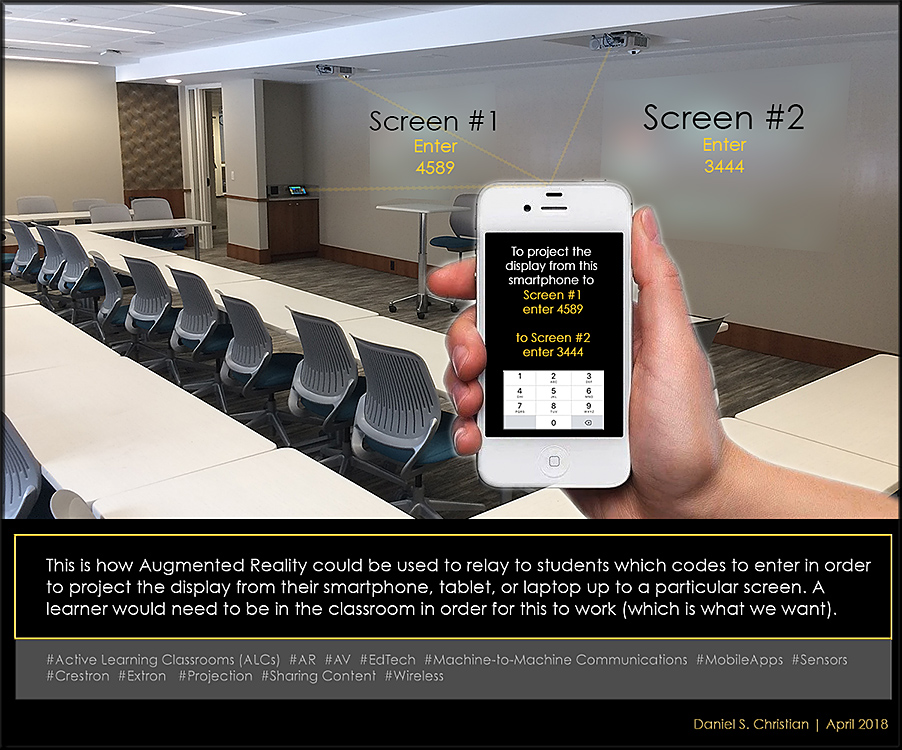
From DSC: So regardless of what was being displayed up on any given screen at the time, once a learner was invited to use their devices to share information, a graphical layer would appear on the learner’s mobile device — as well as up on the image of the screens (but the actual images being projected on the screens would be shown in the background in a muted/pulled back/25% opacity layer so the code would “pop” visually-speaking) — letting him or her know what code to enter in order to wirelessly share their content up to a particular screen. This could be extra helpful when you have multiple screens in a room.
For folks at Microsoft: I could have said Mixed Reality here as well.
From DSC: I know Quentin Schultze from our years working together at Calvin College, in Grand Rapids, Michigan (USA). I have come to greatly appreciate Quin as a person of faith, as an innovative/entrepreneurial professor, as a mentor to his former students, and as an excellent communicator.
Quin has written a very concise, wisdom-packed book that I would like to recommend to those people who are seeking to be better communicators, leaders, and servants. But I would especially like to recommend this book to the leadership at Google, Amazon, Apple, Microsoft, IBM, Facebook, Nvidia, the major companies developing robots, and other high-tech companies. Why do I list these organizations? Because given the exponential pace of technological change, these organizations — and their leaders — have an enormous responsibility to make sure that the technologies that they are developing result in positive changes for societies throughout the globe. They need wisdom, especially as they are working on emerging technologies such as Artificial Intelligence (AI), personal assistants and bots, algorithms, robotics, the Internet of Things, big data, blockchain and more. These technologies continue to exert an increasingly powerful influence on numerous societies throughout the globe today. And we haven’t seen anything yet! Just because we can develop and implement something, doesn’t mean that we should. Again, we need wisdom here.
But as Quin states, it’s not just about knowledge, the mind and our thoughts. It’s about our hearts as well. That is, we need leaders who care about others, who can listen well to others, who can serve others well while avoiding gimmicks, embracing diversity, building trust, fostering compromise and developing/exhibiting many of the other qualities that Quin writes about in his book. Our societies desperately need leaders who care about others and who seek to serve others well.
I highly recommend you pick up a copy of Quin’s book. There are few people who can communicate as much in as few words as Quin can. In fact, I wish that more writing on the web and more articles/research coming out of academia would be as concisely and powerfully written as Quin’s book, Communicate Like a True Leader: 30 Days of Life-Changing Wisdom.
To lead is to accept responsibility and act responsibly.
— Quentin Schultze
From DSC: The following article reminded me of a vision that I’ve had for the last few years…
How to Build a Production Studio for Online Courses— from campustechnology.com by Dian Schaffhauser At the College of Business at the University of Illinois, video operations don’t come in one size. Here’s how the institution is handling studio setup for MOOCs, online courses, guest speakers and more.
Though I’m a huge fan of online learning, why only build a production studio that’s meant to support online courses only? Let’s take it a step further and design a space that can address the content development for online learning as well as for blended learning — which can include the flipped classroom type of approach.
To do so, colleges and universities need to build something akin to what the National University of Singapore has done. I would like to see institutions create large enough facilities in order to house multiple types of recording studios in each one of them. Each facility would feature:
One room that has a lightboard and a mobile whiteboard in it — let the faculty member choose which surface that they want to use
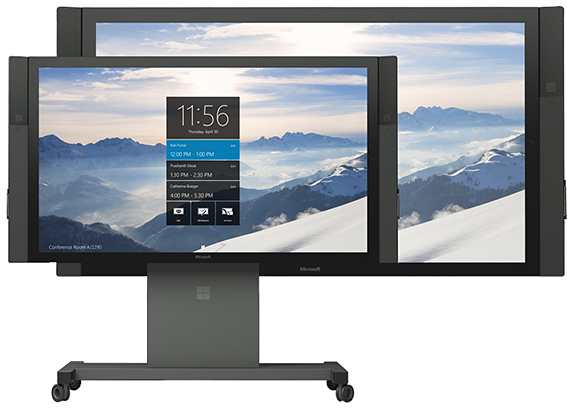
Another room that has a Microsoft Surface Hub or a similar interactive, multitouch device
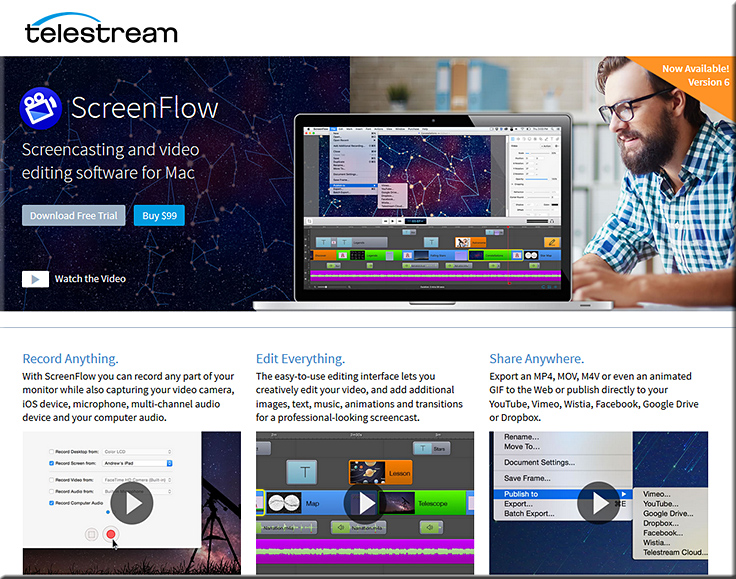
A recording booth with a nice, powerful, large iMac that has ScreenFlow on it. The booth would also include a nice, professional microphone, a pop filter, sound absorbing acoustical panels, and more. Blackboard Collaborate could be used here as well…especially with the Application Sharing feature turned on and/or just showing one’s PowerPoint slides — with or without the video of the faculty member…whatever they prefer.
Another recording booth with a PC and Adobe Captivate, Camtasia Studio, Screencast-O-Matic, or similar tools. The booth would also include a nice, professional microphone, a pop filter, sound absorbing acoustical panels, and more. Blackboard Collaborate could be used here as well…especially with the Application Sharing feature turned on and/or just showing one’s PowerPoint slides — with or without the video of the faculty member…whatever they prefer.
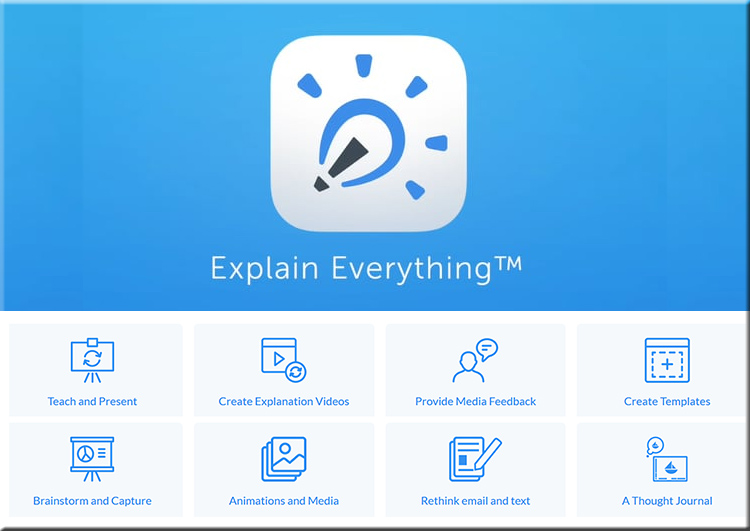
Another recording booth with an iPad tablet and apps loaded on it such asExplain Everything:
A large recording studio that is similar to what’s described inthe article— a room that incorporates a full-width green screen, with video monitors, a tablet, a podium, several cameras, high-end mics and more. Or, if the budget allows for it, a really high end broadcasting/recording studiolike what Harvard Business school is using:
Few disciplines in today’s world play such a significant role in how society operates and what we can do to protect our future. Few fields of study can play such a profound role in protecting people’s lives on a daily basis, whether you realize it or not. And few can bring together so many disparate ideas, from sciences to social sciences to humanities to the arts, like the study of the Earth can.
…
Here are some of the ways that taking a course in the geology will impact your life for the rest of it.
… Climate: Now, so far I’ve talked about all the fun parts of geology. However, if you’re looking for work that is important to you, your family and society across the planet, geology is the place to be. First off, geology is ground zero for understanding climate change across the history of Earth. We’ve been studying the variation in the planet’s ecosystems for two centuries now (heck, paleontology helped start the discipline) and can look back billions of years to see how the climate has varied. This gives us that evidence to show how much our current climate is likely in a state of distress. Geology is also how we can understand what the impact of climate change will be on our planet, both in the short- and long-term.
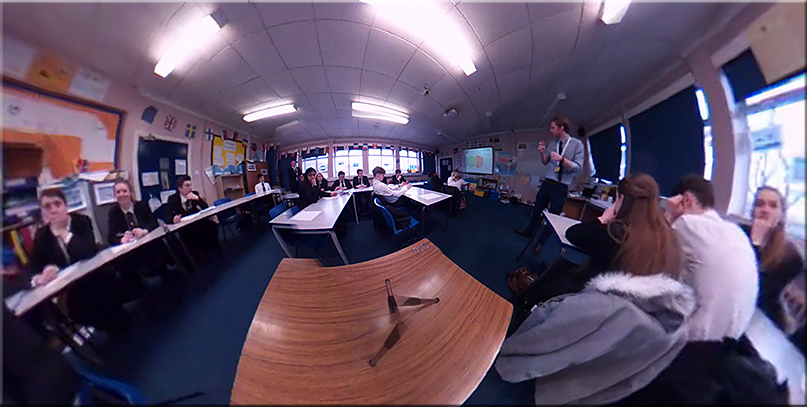
I received a fascinating link via Twitter from Chris Edwards, a Deputy Head in Surrey, who was interested in views on his experiment with a 360 camera and VR. In the 360 degree video, Mike Kent, a Geography teacher, delivers a great lesson and you can look round the entire room as students and teacher move around, get things done, interact with the teacher and go through a Q&A session. It is fascinating. They’re using this approach for lesson observations allowing the teacher, or their colleagues, to watch it back in full Virtual Reality. This gives the teacher a view of themselves, from the student’s point of view, as well as observe ‘everything’ that happens in the classroom. It made me think of different possibilities…..
Good lessons by great teachers must surely be worth viewing by novice teachers. The rich set of processes, actions, behaviours, body language and interactions that go into a great lesson are complex, wonderfully captured in this example and could be done on any subject. A bank of such lessons would be far more useful than dry lesson plans.
From DSC: Donald covers a range of ideas including using these 360 degree cameras and VR in regards to addressing:
Exemplar lessons
Teacher training in school
Behaviour training
Students
Parents
Class layout
Research
Also see:
(You can turn around/view the entire room and somewhat move about the space by zooming in and out):
From DSC:
Below are some questions and thoughts that are going through my mind:
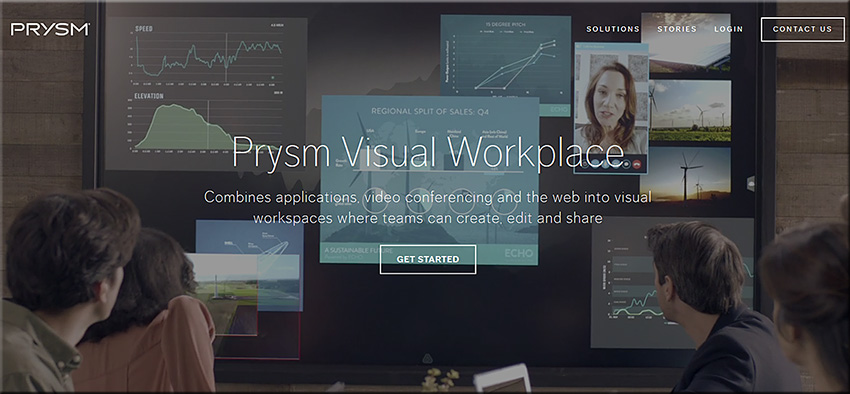
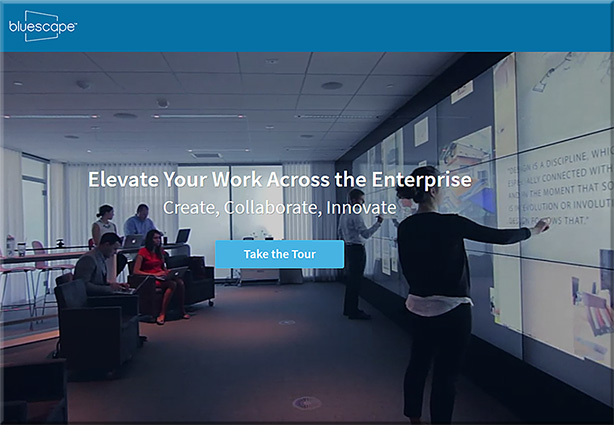
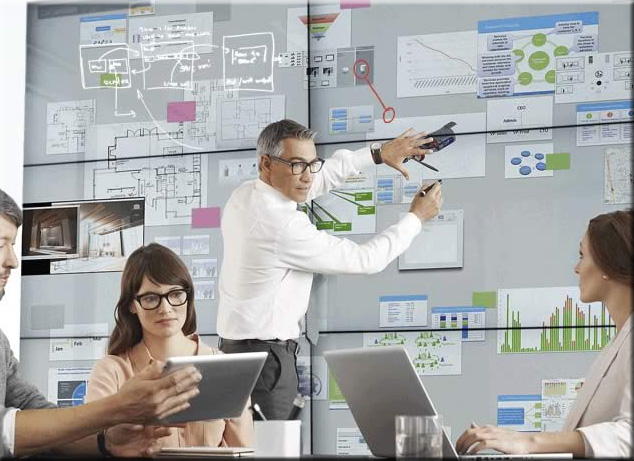
Will “class be in session” soon on tools like Prysm & Bluescape?
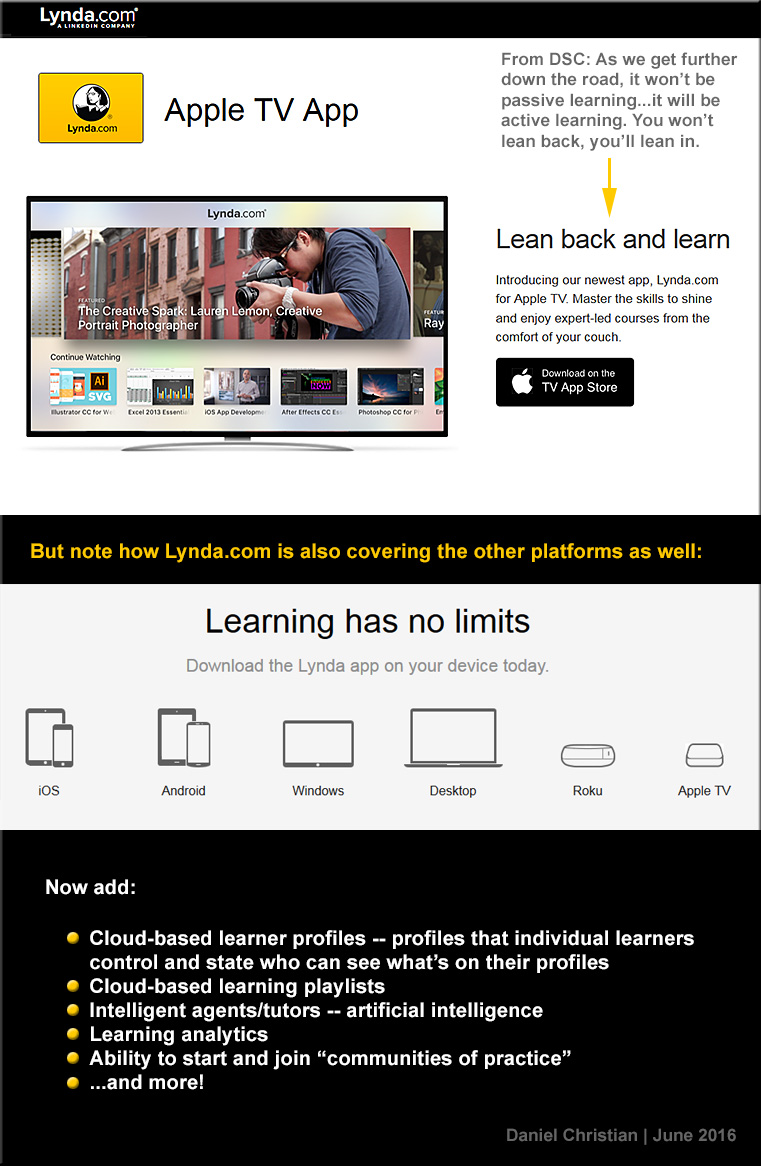
Will this type of setup be the next platform that we’ll use to meet our need to be lifelong learners? That is, will what we know of today as Learning Management Systems (LMS) and Content Management Systems (CMS) morph into this type of setup?
Via platforms/operating systems like tvOS, will our connected TVs turn into much more collaborative devices, allowing us to contribute content with learners from all over the globe?
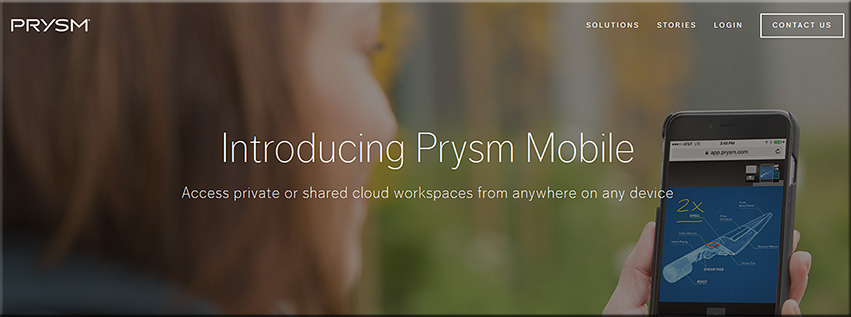
Prysm is already available on mobile devices and what we consider a television continues to morph
Will second and third screens be used in such setups? What functionality will be assigned to the main/larger screens? To the mobile devices?
Will colleges and universities innovate into such setups? Or will organizations like LinkedIn.com/Lynda.com lead in this space? Or will it be a bit of both?
How will training, learning and development groups leverage these tools/technologies?
Are there some opportunities for homeschoolers here?
Along these lines, are are some videos/images/links for you:
To enhance the Prysm Visual Workplace, Prysm today announced an integration with Microsoft OneDrive for Business and Office 365. Using the OneDrive for Business API from Microsoft, Prysm has made it easy for customers to connect Prysm to their existing OneDrive for Business environments to make it a seamless experience for end users to access, search for, and sync with content from OneDrive for Business. Within a Prysm Visual Workplace project, users may now access, work within and download content from Office 365 using Prysm’s built-in web capabilities.
From DSC: Though the jigsaw technique has been around for decades, it came to my mind the other day as we recently built a highly-collaborative, experimental learning space at our college — some would call it an active learning-based classroom. There are 7 large displays throughout the space, with each display being backed up by Crestron-related hardware and software that allows the faculty member to control what’s appearing on each display. For example, the professor can take what is on Group #1’s display and send the content from that display throughout the classroom. Or they can display something from a document camera or something from their own laptop, iPad, or smartphone. Students can plug in their devices (BYOD) and connect to the displays via HDMI cables (Phase I) and wirelessly (Phase II).
I like this type of setup because it allows for students to quickly and efficiently contribute their own content and the results of their own research to a discussion. Groups can present their content throughout the space.
With that in mind, here are some resources re: the jigsaw classroom/technique.
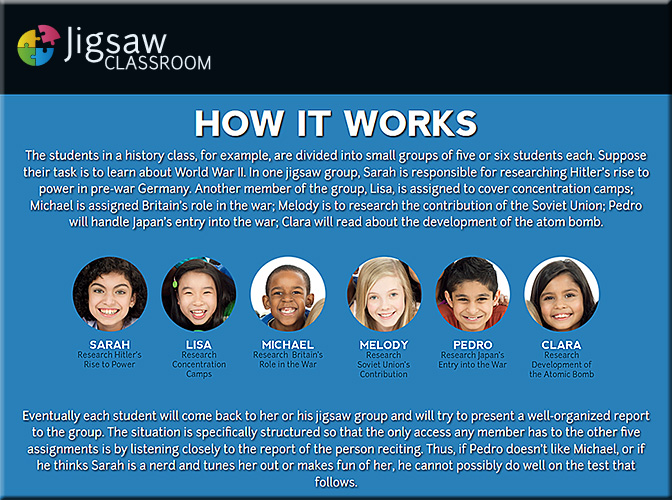
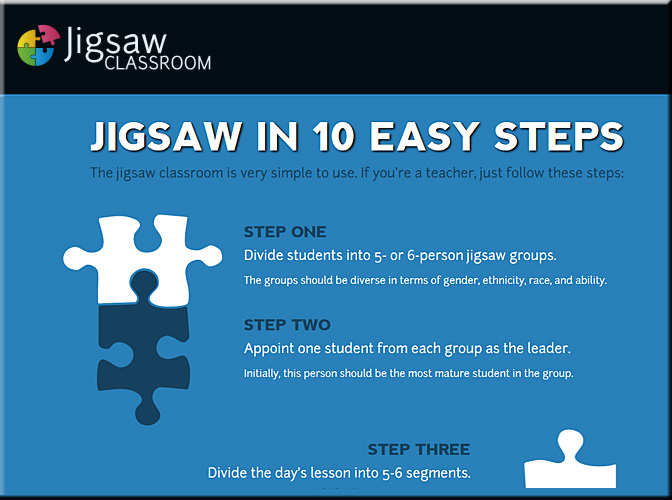
The jigsaw technique is a method of organizing classroom activity that makes students dependent on each other to succeed. It breaks classes into groups and breaks assignments into pieces that the group assembles to complete the (jigsaw) puzzle. It was designed by social psychologist Elliot Aronson to help weaken racial cliques in forcibly integrated schools.
The technique splits classes into mixed groups to work on small problems that the group collates into a final outcome. For example, an in-class assignment is divided into topics. Students are then split into groups with one member assigned to each topic. Working individually, each student learns about his or her topic and presents it to their group. Next, students gather into groups divided by topic. Each member presents again to the topic group. In same-topic groups, students reconcile points of view and synthesize information. They create a final report. Finally, the original groups reconvene and listen to presentations from each member. The final presentations provide all group members with an understanding of their own material, as well as the findings that have emerged from topic-specific group discussion.
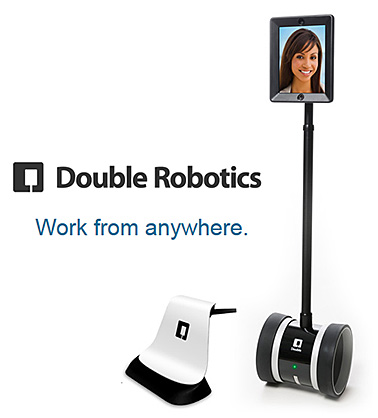
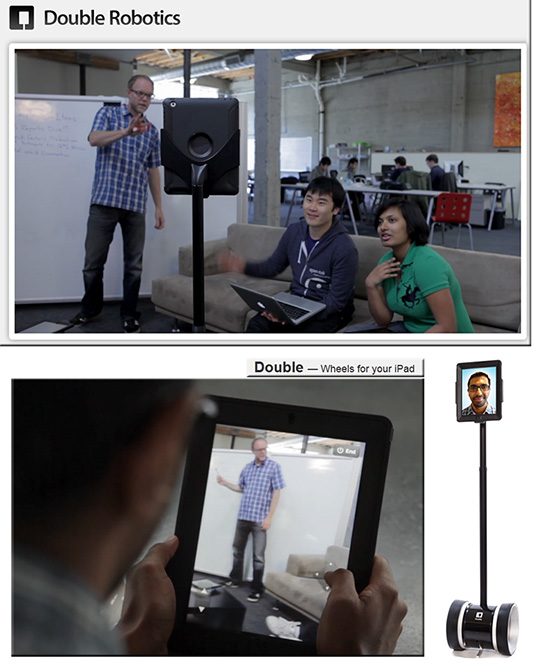
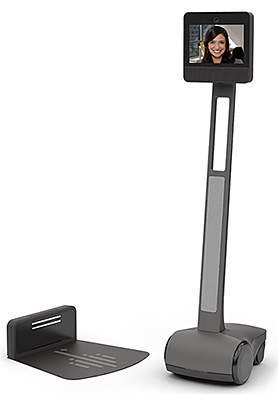
From DSC: Listed below are some potential tools/solutions regarding bringing in remote students and/or employees into face-to-face settings.
First of all, why pursue this idea/approach at all?
Because schools, colleges, universities, and businesses are already going through the efforts — and devoting the resources — to putting courses together and offering the courses in face-to-face settings. So why not create new and additional revenue streams to the organization while also spreading the sphere of influence of the teachers, faculty members, trainers, and/or the experts?
The following tools offer some examples of the growing capabilities of doing so. These types of tools take some of the things that are already happening in active learning-based classrooms and opening up the learning to remote learners as well.
Each Bluescape workspace is larger than 145 football fields, a scale that allows teams to capture and build upon every aspect of a project.
A single Bluescape workspace enables unlimited users to work and collaborate in real time.
Edits to your Bluescape session happen instantly, so geographically distributed teams can collaborate in real time.
Write or type on multi-colored notecards that you can easily move and resize. Perfect for organizing and planning projects.
Ideate and quickly iterate by writing and drawing in a full range of colors and line thicknesses. Works with iOS devices and Bluescape multi-touch displays.
Add pictures and write on the workspace via the iOS App for iPads.
Securely access your Bluescape workspaces with a web browser, our iOS app, or our multi-touch displays.
Easily share what’s on your computer screen with other people.
Bluescape creates persistent online workspaces that you can access at any time that works for you.
Work with any popular website like Google, YouTube or CNN in your workspace.
Drag and drop files like JPEGs and PNGs into your Bluescape workspace for inspiration, analysis, and valuation.
Share your screen instantly during online or in-person meetings.
Use the same touch gestures as you do on smart phones, even handwriting on your iPad.
The RoboSHOT 12 is for small to medium sized conference rooms. This model features a 12X optical zoom and a 73° wide angle horizontal field of view, which provides support for applications including UCC applications, videoconferencing, distance learning, lecture capture, telepresence and more.
The RoboSHOT 30 camera performs well in medium to large rooms. It features a 30X optical zoom with a 2.3° tele end to 65° wide end horizontal field of view and provides support for applications including House of Worship productions, large auditorium A/V systems, large distance learning classrooms, live event theatres with IMAG systems, large lecture theatres with lecture capture and more.
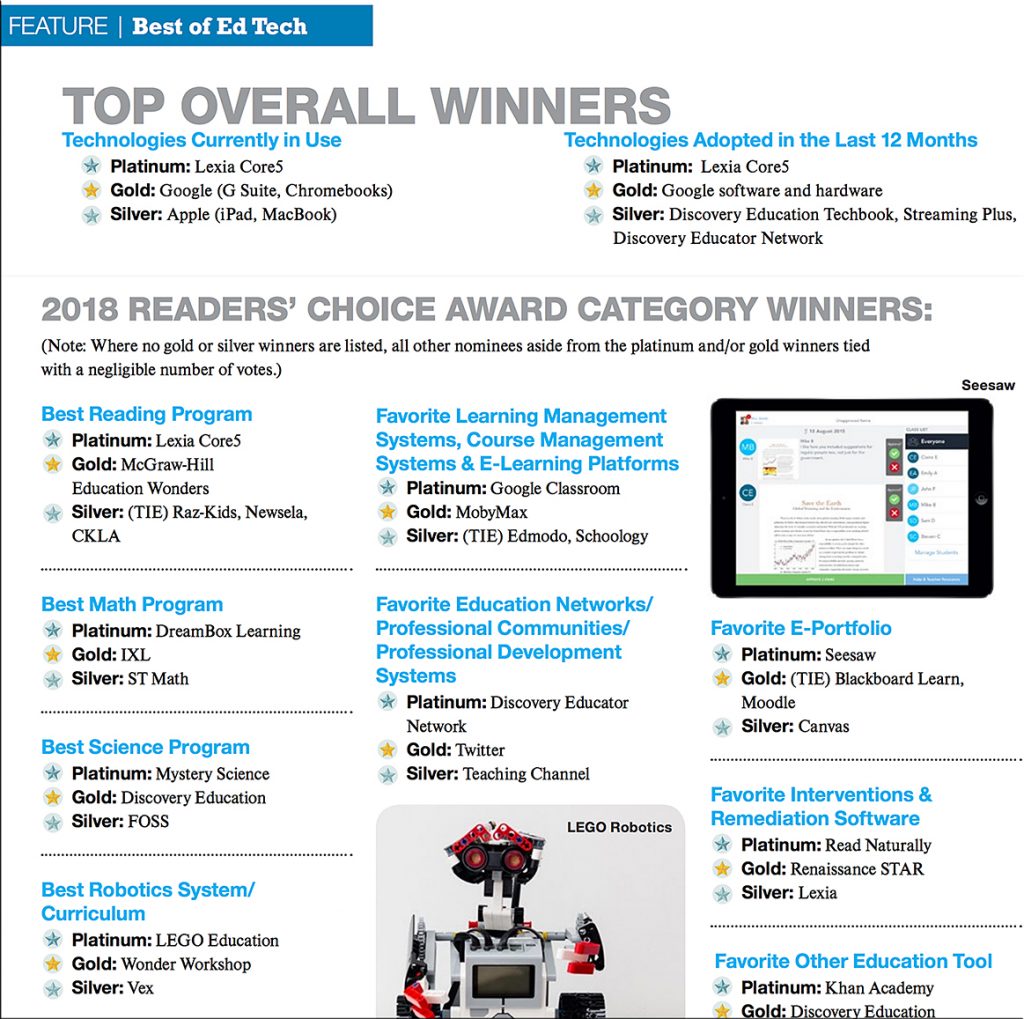
In this first-ever higher education “gear of the year” guide, Campus Technology has turned to hundreds of education professionals to tell us which products in 29 categories are truly the best. We cover the gamut of technology from 3D printers to wireless access points. In almost every category you’ll find the Platinum, Gold and Silver picks to help you short-list your shopping, fuel your decision-making or perhaps start a friendly debate on campus.









![The Living [Class] Room -- by Daniel Christian -- July 2012 -- a second device used in conjunction with a Smart/Connected TV](http://danielschristian.com/learning-ecosystems/wp-content/uploads/2012/07/The-Living-Class-Room-Daniel-S-Christian-July-2012.jpg)