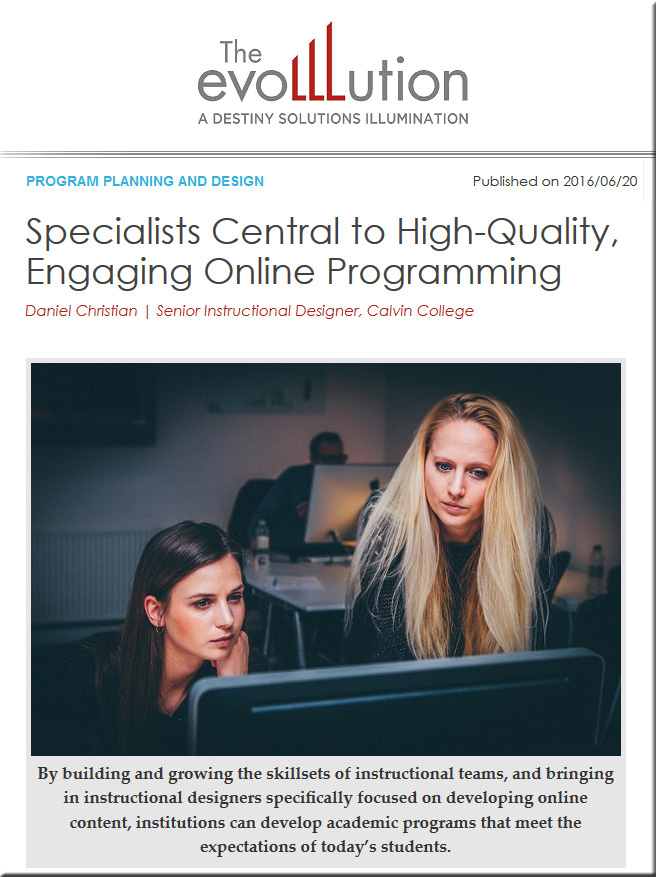
Specialists central to high-quality, engaging online programming [Christian]

DanielChristian-TheEvoLLLution-TeamsSpecialists-6-20-16


Specialists central to high-quality, engaging online programming — from EvoLLLution.com (where the LLL stands for lifelong learning) by Daniel Christian

Excerpts:

Creating high-quality online courses is getting increasingly complex—requiring an ever-growing set of skills. Faculty members can’t do it all, nor can instructional designers, nor can anyone else.  As time goes by, new entrants and alternatives to traditional institutions of higher education will likely continue to appear on the higher education landscape—the ability to compete will be key.

For example, will there be a need for the following team members in your not-too-distant future?

  • Human Computer Interaction (HCI) Specialists: those with knowledge of how to leverage Virtual Reality (VR), Augmented Reality (AR), and Mixed Reality (MR) in order to create fun and engaging learning experiences (while still meeting the learning objectives)
  • Data Scientists
  • Artificial Intelligence Integrators
  • Cognitive Computing Specialists
  • Intelligent Tutoring Developers
  • Learning Agent Developers
  • Algorithm Developers
  • Personalized Learning Specialists
  • Cloud-based Learner Profile Administrators
  • Transmedia Designers
  • Social Learning Experts


HolographicStorytellingJWT-June2016

HolographicStorytellingJWT-2-June2016


Holographic storytelling — from jwtintelligence.com by Jade Perry

Excerpt (emphasis DSC):

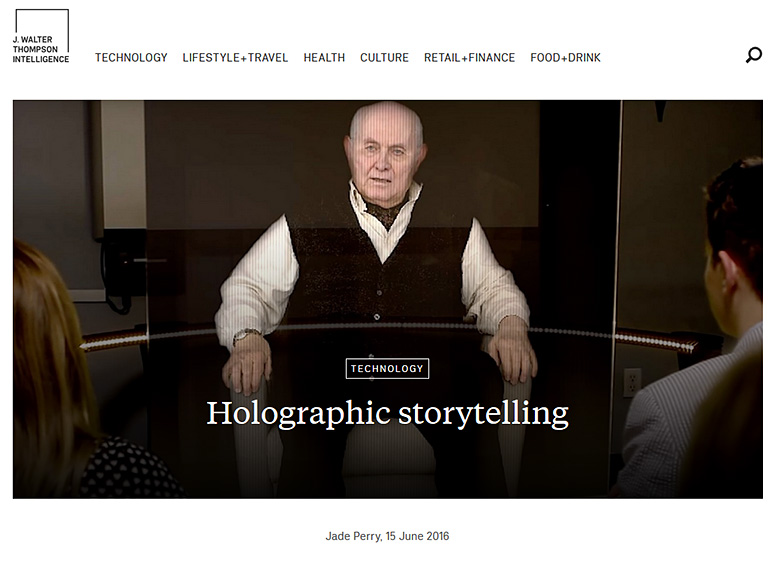
The stories of Holocaust survivors are brought to life with the help of interactive 3D technologies.

New Dimensions in Testimony’ is a new way of preserving history for future generations. The project brings to life the stories of Holocaust survivors with 3D video, revealing raw first-hand accounts that are more interactive than learning through a history book.

Holocaust survivor Pinchas Gutter, the first subject of the project, was filmed answering over 1000 questions, generating approximately 25 hours of footage. By incorporating natural language processing from Conscience Display, viewers were able to ask Gutter’s holographic image questions that triggered relevant responses.


From DSC:
I wonder…is this an example of a next generation, visually-based chatbot*?

With the growth of artificial intelligence (AI), intelligent systems, and new types of human computer interaction (HCI), this type of concept could offer an on-demand learning approach that’s highly engaging — and accessible from face-to-face settings as well as from online-based learning environments. (If it could be made to take in some of the context of a particular learner and where a learner is in the relevant Zone of Proximal Development (via web-based learner profiles/data), it would be even better.)

As an aside, is this how we will obtain
customer service from the businesses of the future? See below.


*The complete beginner’s guide to chatbots — from chatbotsmagazine.com by Matt Schlicht
Everything you need to know.

Excerpt (emphasis DSC):

What are chatbots? Why are they such a big opportunity? How do they work? How can I build one? How can I meet other people interested in chatbots?

These are the questions we’re going to answer for you right now.

What is a chatbot?
A chatbot is a service, powered by rules and sometimes artificial intelligence, that you interact with via a chat interface. The service could be any number of things, ranging from functional to fun, and it could live in any major chat product (Facebook Messenger, Slack, Telegram, Text Messages, etc.).

A chatbot is a service, powered by rules and sometimes artificial intelligence, that you interact with via a chat interface.

Examples of chatbots
Weather bot. Get the weather whenever you ask.
Grocery bot. Help me pick out and order groceries for the week.
News bot. Ask it to tell you when ever something interesting happens.
Life advice bot. I’ll tell it my problems and it helps me think of solutions.
Personal finance bot. It helps me manage my money better.
Scheduling bot. Get me a meeting with someone on the Messenger team at Facebook.
A bot that’s your friend. In China there is a bot called Xiaoice, built by Microsoft, that over 20 million people talk to.


Faculty Innovation Toolkit — from campustechnology.com by Leila Meyer and Dian Schaffhauser

Excerpt:

  • 15 Sites for Free Digital Textbooks
  • 12 Tips for Gamifying a Course
  • 10 Tools for More Interactive Videos
  • 4 Ways to Use Social Media for Learning


FacultyInnovationToolkit-CampusTechnology-June2016


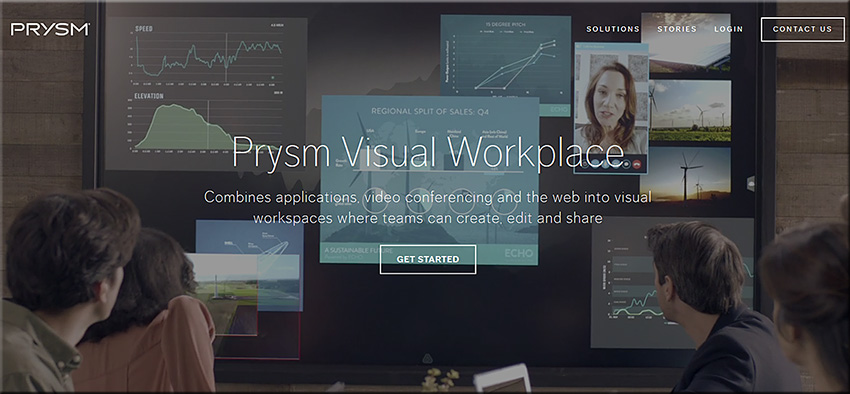
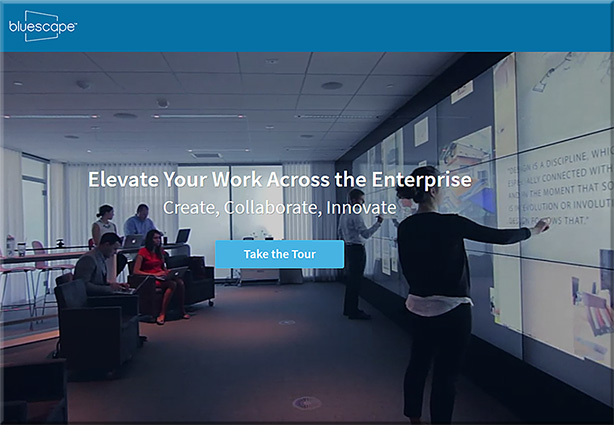
Will “class be in session” soon on tools like Prysm & Bluescape? If so, there will be some serious global interaction, collaboration, & participation here! [Christian]

From DSC:
Below are some questions and thoughts that are going through my mind:

  • Will “class be in session” soon on tools like Prysm & Bluescape?
  • Will this type of setup be the next platform that we’ll use to meet our need to be lifelong learners? That is, will what we know of today as Learning Management Systems (LMS) and Content Management Systems (CMS) morph into this type of setup?
  • Via platforms/operating systems like tvOS, will our connected TVs turn into much more collaborative devices, allowing us to contribute content with learners from all over the globe?
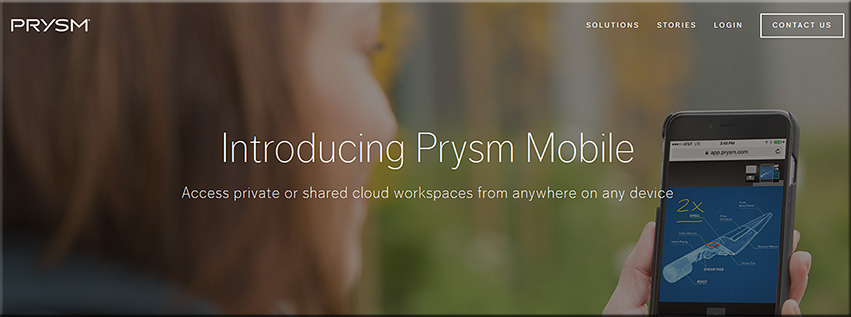
  • Prysm is already available on mobile devices and what we consider a television continues to morph
  • Will second and third screens be used in such setups? What functionality will be assigned to the main/larger screens? To the mobile devices?
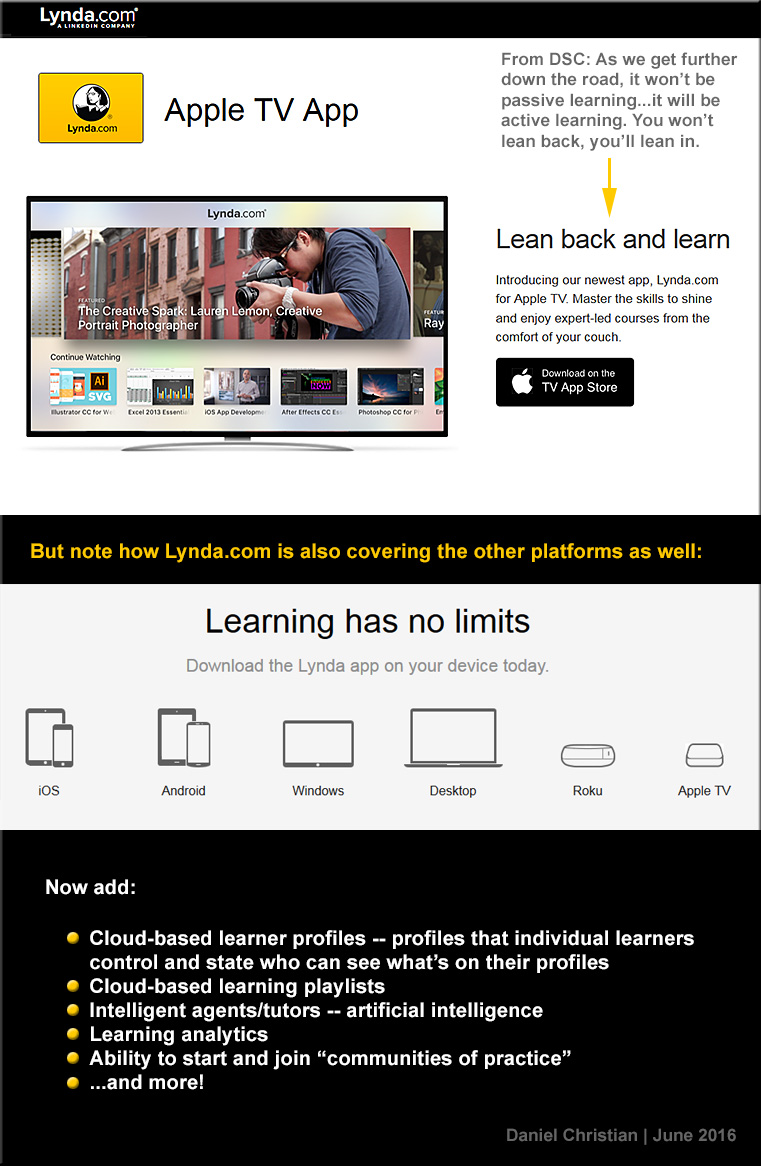
  • Will colleges and universities innovate into such setups?  Or will organizations like LinkedIn.com/Lynda.com lead in this space? Or will it be a bit of both?
  • How will training, learning and development groups leverage these tools/technologies?
  • Are there some opportunities for homeschoolers here?

Along these lines, are are some videos/images/links for you:


PrysmVisualWorkspace-June2016


PrysmVisualWorkspace2-June2016


BlueScape-2016


BlueScape-2015


DSC-LyndaDotComOnAppleTV-June2016


The Living [Class] Room -- by Daniel Christian -- July 2012 -- a second device used in conjunction with a Smart/Connected TV


Also see:

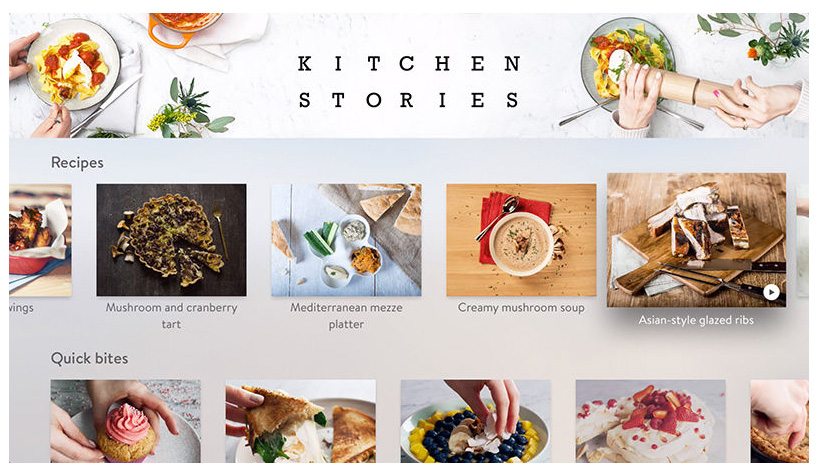
kitchenstories-AppleTV-May2016


Also see:


Prysm Adds Enterprise-Wide Collaboration with Microsoft Applications — from ravepubs.com by Gary Kayye

Excerpt:

To enhance the Prysm Visual Workplace, Prysm today announced an integration with Microsoft OneDrive for Business and Office 365. Using the OneDrive for Business API from Microsoft, Prysm has made it easy for customers to connect Prysm to their existing OneDrive for Business environments to make it a seamless experience for end users to access, search for, and sync with content from OneDrive for Business. Within a Prysm Visual Workplace project, users may now access, work within and download content from Office 365 using Prysm’s built-in web capabilities.


Questions from DSC:

  • Which jobs/positions are being impacted by new forms of Human Computer Interaction (HCI)?
  • What new jobs/positions will be created by these new forms of HCI?
  • Will it be necessary for instructional technologists, instructional designers, teachers, professors, trainers, coaches, learning space designers, and others to pulse check this landscape?  Will that be enough? 
  • Or will such individuals need to dive much deeper than that in order to build the necessary skillsets, understandings, and knowledgebases to meet the new/changing expectations for their job positions?
  • How many will say, “No thanks, that’s not for me” — causing organizations to create new positions that do dive deeply in this area?
  • Will colleges and universities build and offer more courses involving HCI?
  • Will Career Services Departments get up to speed in order to help students carve out careers involving new forms of HCI?
  • How will languages and language translation be impacted by voice recognition software?
  • Will new devices be introduced to our classrooms in the future?
  • In the corporate space, how will training departments handle these new needs and opportunities?  How will learning & development groups be impacted? How will they respond in order to help the workforce get/be prepared to take advantage of these sorts of technologies? What does it mean for these staffs personally? Do they need to invest in learning more about these advancements?

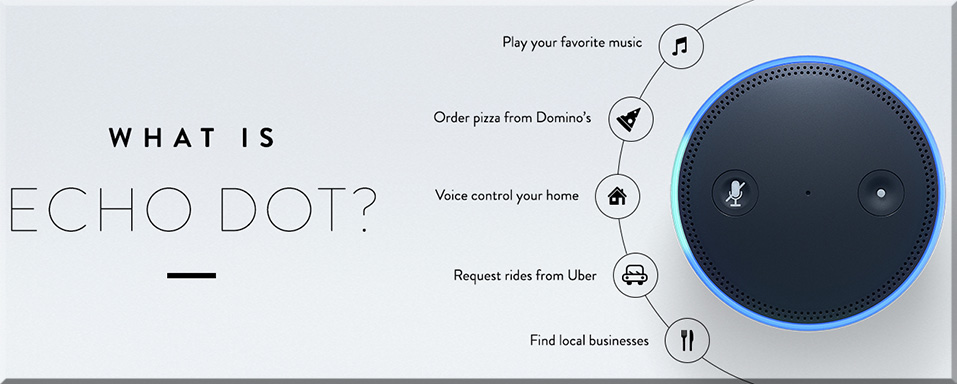
As an example of what I’m trying to get at here, who all might be involved with an effort like Echo Dot?  What types of positions created it? Who all could benefit from it?  What other platforms could these technologies be integrated into?  Besides the home, where else might we find these types of devices?


WhatIsEchoDot-June2016

Echo Dot is a hands-free, voice-controlled device that uses the same far-field voice recognition as Amazon Echo. Dot has a small built-in speaker—it can also connect to your speakers over Bluetooth or with the included audio cable. Dot connects to the Alexa Voice Service to play music, provide information, news, sports scores, weather, and more—instantly.

Echo Dot can hear you from across the room, even while music is playing. When you want to use Echo Dot, just say the wake word “Alexa” and Dot responds instantly. If you have more than one Echo or Echo Dot, you can set a different wake word for each—you can pick “Amazon”, “Alexa” or “Echo” as the wake word.


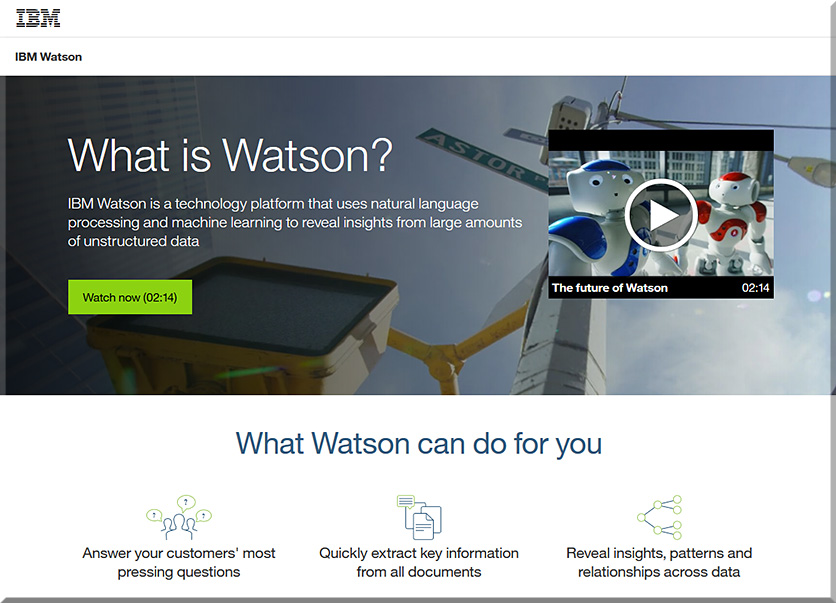
Or how might students learn about the myriad of technologies involved with IBM’s Watson?  What courses are out there today that address this type of thing?  Are more courses in the works that will address this type of thing? In which areas (Computer Science, User Experience Design, Interaction Design, other)?


WhatIsIBMWatson-June2016


Lots of questions…but few answers at this point. Still, given the increasing pace of technological change, it’s important that we think about this type of thing and become more responsive, nimble, and adaptive in our organizations and in our careers.


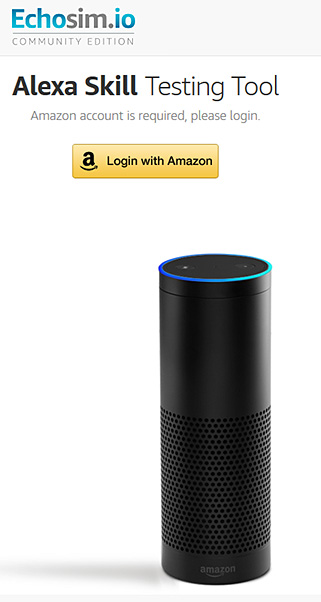
Amazon now lets you test drive Echo’s Alexa in your browser — from by Dan Thorp-Lancaster

Excerpt:

If you’ve ever wanted to try out the Amazon Echo before shelling out for one, you can now do just that right from your browser. Amazon has launched a dedicated website where you can try out an Echo simulation and put Alexa’s myriad of skills to the test.


Echosimio-Amazon-EchoMay2016


From DSC:
The use of the voice and gesture to communicate to some type of computing device or software program represent growing types of Human Computer Interaction (HCI).  With the growth of artificial intelligence (AI), personal assistants, and bots, we should expect to see more voice recognition services/capabilities baked into an increasing amount of products and solutions in the future.

Given these trends, personnel working within K-12 and higher ed need to start building their knowledgebases now so that we can begin offering more courses in the near future to help students build their skillsets.  Current user experience designers, interface designers, programmers, graphic designers, and others will also need to augment their skillsets.


Beyond touch: designing effective gestural interactions — from blog.invisionapp.com by by Yanna Vogiazou; with thanks to Mark Pomeroy for the resource


The future of interaction is multimodal.


Excerpts:

The future of interaction is multimodal. But combining touch with air gestures (and potentially voice input) isn’t a typical UI design task.

Gestures are often perceived as a natural way of interacting with screens and objects, whether we’re talking about pinching a mobile screen to zoom in on a map, or waving your hand in front of your TV to switch to the next movie. But how natural are those gestures, really?

Try not to translate touch gestures directly to air gestures even though they might feel familiar and easy. Gestural interaction requires a fresh approach—one that might start as unfamiliar, but in the long run will enable users to feel more in control and will take UX design further.


Forget about buttons — think actions.


Eliminate the need for a cursor as feedback, but provide an alternative.


Now you can build your own Amazon Echo at home—and Amazon couldn’t be happier — from qz.com by Michael Coren

Excerpt:

Amazon’s $180 Echo and the new Google Home (due out later this year) promise voice-activated assistants that order groceries, check calendars and perform sundry tasks of your everyday life. Now, with a little initiative and some online instructions, you can build the devices yourself for a fraction of the cost. And that’s just fine with the tech giants.

At this weekend’s Bay Area Maker Faire, Arduino, an open-source electronics manufacturer, announced new hardware “boards”—bundles of microprocessors, sensors, and ports—that will ship with voice and gesture capabilities, along with wifi and bluetooth connectivity. By plugging them into the free voice-recognition services offered by Google’s Cloud Speech API and Amazon’s Alexa Voice Service, anyone can access world-class natural language processing power, and tap into the benefits those companies are touting. Amazon has even released its own blueprint and code repository to build a $60 version of its Echo using Raspberry Pi, another piece of open-source hardware.


From DSC:
Perhaps this type of endeavor could find its way into some project-based learning out there, as well as in:

  • Some Computer Science-related courses
  • Some Engineering-related courses
  • User Experience Design bootcamps
  • Makerspaces
  • Programs targeted at gifted students
  • Other…??


Creators of Siri reveal first public demo of AI assistant “Viv” — from seriouswonder.com by B.J. Murphy

Excerpts:

When it comes to AI assistants, a battle has been waged between different companies, with assistants like Siri, Cortana, and Alexa at the forefront of the battle. And now a new potential competitor enters the arena.

During a 20 minute onstage demo at Disrupt NYC, creators of Siri Dag Kittlaus and Adam Cheyer revealed Viv – a new AI assistant that makes Siri look like a children’s toy.


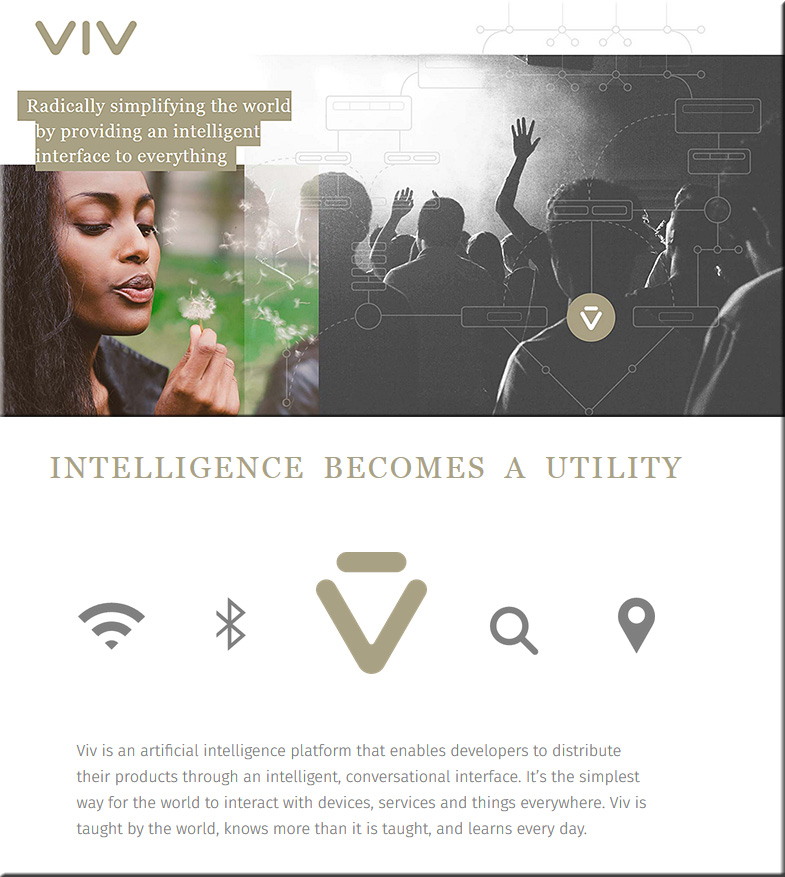
“Viv is an artificial intelligence platform that enables developers to distribute their products through an intelligent, conversational interface. It’s the simplest way for the world to interact with devices, services and things everywhere. Viv is taught by the world, knows more than it is taught, and learns every day.”


VIV-2-May2016


From DSC:
I saw a posting at TechCrunch.com the other day — The Information Age is over; welcome to the Experience Age.  In terms of why I’m mentioning that article here, the content of that article is not what’s as relevant here as the title of the article.  An interesting concept…and probably spot on; with ramifications for numerous types of positions, skillsets, and industries from all over the globe.

Also see:


VIV-May2016


Addendum on 5/12/16:

  • New Siri sibling Viv may be next step in A.I. evolution — from computerworld.com by Sharon Gaudin
    Excerpt:
    With the creators of Siri offering up a new personal assistant that won’t just tell you what pizza is but can order one for you, artificial intelligence is showing a huge leap forward. Viv is an artificial intelligence (AI) platform built by Dag Kittlaus and Adam Cheyer, the creators of the AI behind Apple’s Siri, the most well-known digital assistant in the world. Siri is known for answering questions, like how old Harrison Ford is, and reminding you to buy milk on the way home. Viv, though, promises to go well past that.


Virtual reality: The Next Big Thing for college creatives — from college.usatoday.com by Morgan Buckley, University of Southern California

Excerpt:

College students across the country — from the University of Southern California to the University of Minnesota to Southern Methodist University — are also experimenting with virtual reality applications via clubs, design labs and hackathons.

The tech industry is taking note.

Among the bigger showcases for the technology took place last month, when the University of Southern California’s Virtual Reality Club (VRSC) hosted its first annual Virtual Reality Festival and Demo Day, a showcase of projects and panels with The Walt Disney Company as its title sponsor.

Students traveled from the University of California-San Diego, UCLA, Chapman University, Loyola Marymount University and the University of Colorado-Boulder to attend the fest. The judges were industry professionals from companies including NVIDIA, Google, Maker Studios and Industrial Light and Magic’s X Lab.

Some $25,000 in prizes were split among winners in four categories: 360 Live-Action Videos, 360 Animation, Interactive VR Games and Immersive Technology/Augmented Reality (AR). VR/AR categories ranged from health care to games, journalism, interactive design and interpretive dance.


Sesame Workshop, IBM launch early-childhood education initiative — from yahoo.com by Todd Spangler

Excerpt:

Cookie Monster, Elmo and friends are about to hit a new digital learning curve.

Sesame Workshop, the not-for-profit org that produces “Sesame Street,” and tech giant IBM have entered into a partnership to develop new personalized educational products and platforms for preschool-age kids — with the goal of transforming the ways children learn and teachers teach.

Under the three-year agreement, Sesame Workshop and Big Blue will design interactive educational experiences for use in homes and schools that adapt to the learning preferences and aptitude levels of individual preschoolers.

For now, the organizations are treating the project as an R&D investment. IBM and Sesame Street will deploy engineers, educators and researchers to work side-by-side in classrooms and in their own labs and learning facilities. Later this year, they plan to test and share prototypes with leading teachers, academics, researchers, technologists, gamers, performers and media execs to solicit feedback and brainstorm ways in which cognitive computing can best help preschoolers learn.


From DSC:
This will be an important experiment to watch. If it shows promise, it could help parents, pre-school teachers, and the pre-schoolers themselves. Then, the trajectory could make its way to helping early elementary students, to middle school students, to high school students and beyond.

If successful, this is exactly the sort of thing that I could see as one of the key ingredients in the Learning from the [Class] Room vision. Teachers, parents, coaches, etc. will still be critical. But these type of tools and technologies could be running in the background within a blended learning environment — one that can operate at a distance if need be.


Why can’t the “One Day University” come directly into your living room — 24×7? [Christian]

  • An idea/question from DSC:
    Looking at the article below, I wonder…“Why can’t the ‘One Day University‘ come directly into your living room — 24×7?”


The Living [Class] Room -- by Daniel Christian -- July 2012 -- a second device used in conjunction with a Smart/Connected TV


This is why I’m so excited about the “The Living [Class] Room” vision. Because it is through that vision that people of all ages — and from all over the world — will be able to constantly learn, grow, and reinvent themselves (if need be) throughout their lifetimes. They’ll be able to access and share content, communicate and discuss/debate with one another, form communities of practice, go through digital learning playlists (like Lynda.com’s Learning Paths) and more.  All from devices that represent the convergence of the television, the telephone, and the computer (and likely converging with the types of devices that are only now coming into view, such as Microsoft’s Hololens).


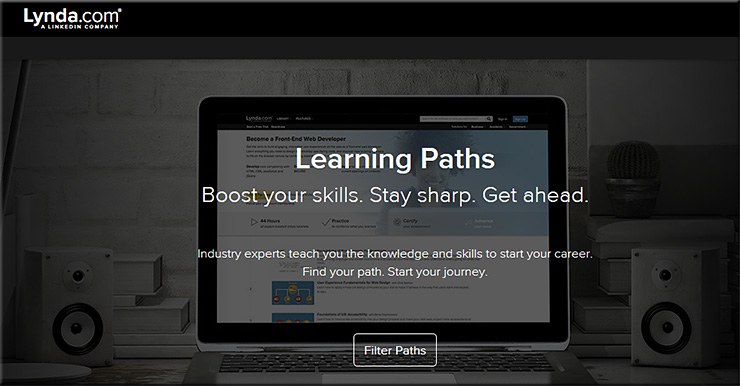
LearningPaths-LyndaDotCom-April2016


You won’t just be limited to going back to college for a day — you’ll be able to do that 24×7 for as many days of the year as you want to.

Then when some sophisticated technologies are integrated into this type of platform — such as artificial intelligence, cloud-based learner profiles, algorithms, and the ability to setup exchanges for learning materials — we’ll get some things that will blow our minds in the not too distant future! Heutagogy on steroids!


Want to go back to college? You can, for a day. — from washingtonpost.com by Valerie Strauss

Excerpt:

Have you ever thought about how nice it would be if you could go back to college, just for the sake of learning something new, in a field you don’t know much about, with no tests, homework or studying to worry about? And you won’t need to take the SAT or the ACT to be accepted? You can, at least for a day, with something called One Day University, the brainchild of a man named Steve Schragis, who about a decade ago brought his daughter to Bard College as a freshman and thought that he wanted to stay.

One Day University now financially partners with dozens of newspapers — including The Washington Post — and a few other organizations to bring lectures to people around the country. The vast majority of the attendees are over the age 50 and interested in continuing education, and One Day University offers them only those professors identified by college students as fascinating. As Schragis says, it doesn’t matter if you are famous; you have to be a great teacher. For example, Schragis says that since Bill Gates has never shown to be one, he can’t teach at One Day University.

We bring together these professors, usually four at at a time, to cities across the country to create “The Perfect Day of College.” Of course we leave out the homework, exams, and studying! Best if there’s real variety, both male and female profs, four different schools, four different subjects, four different styles, etc. There’s no one single way to be a great professor. We like to show multiple ways to our students.

Most popular classes are history, psychology, music, politics, and film. Least favorite are math and science.


See also:


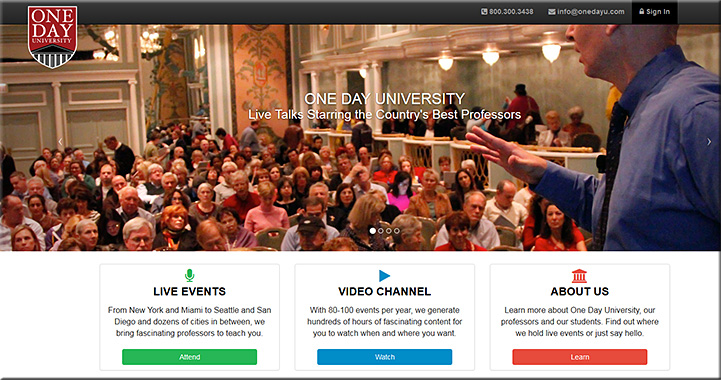
OneDayUniversity-1-April2016


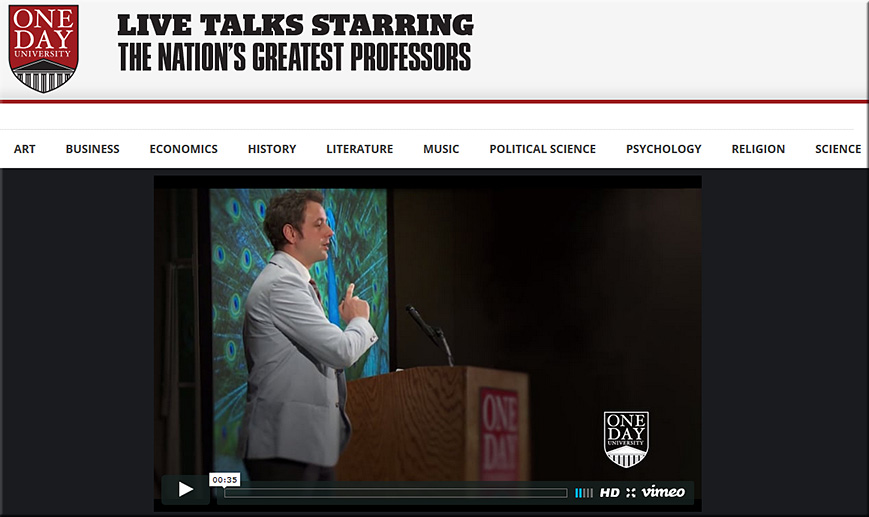
OneDayUniversity-2-April2016


Addendum:


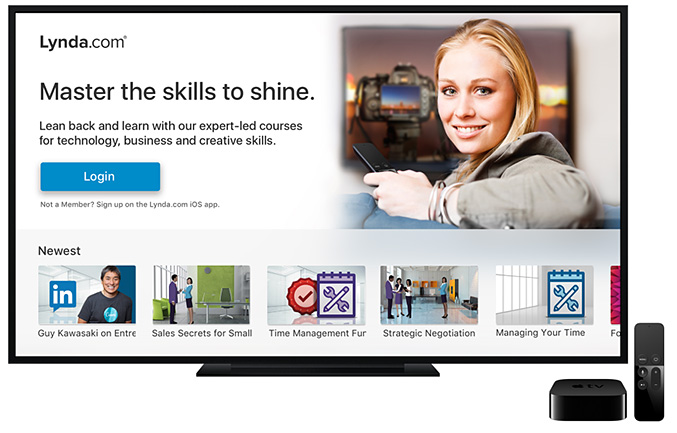
lyndaDotcom-onAppleTV-April2016


We know the shelf-life of skills are getting shorter and shorter. So whether it’s to brush up on new skills or it’s to stay on top of evolving ones, Lynda.com can help you stay ahead of the latest technologies.


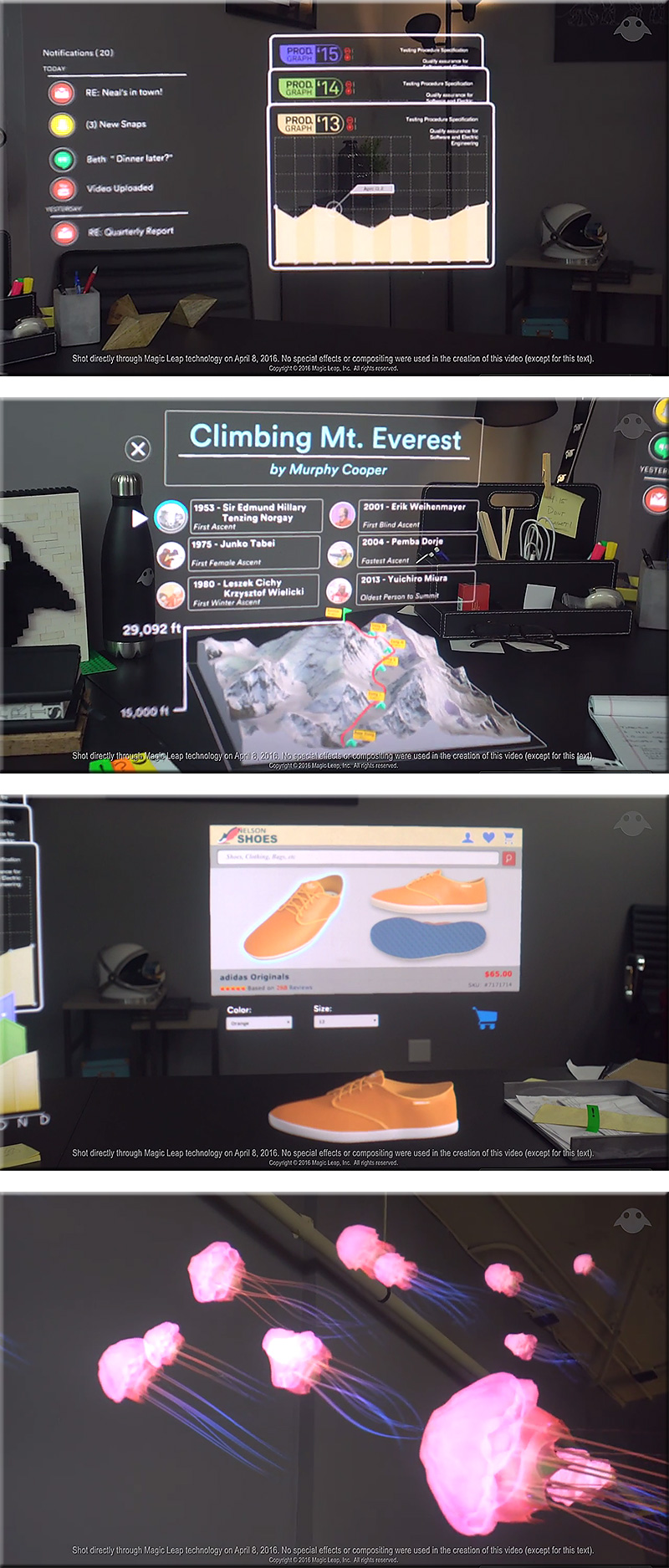
A New Morning — by Magic Leap; posted on 4/19/16
Welcome to a new way to start your day. Shot directly through Magic Leap technology on April 8, 2016 without use of special effects or compositing.


MagicLeap-ANewMorning-April2016


Also see:


From DSC:
Let’s take some of the same powerful concepts (as mentioned below) into the living room; then let’s talk about learning-related applications.


Google alum launches MightyTV for cable cord-cutters — from bizjournals.com by Anthony Noto

Excerpts (emphasis DSC):

MightyTV, which has raised more than $2 million in venture funding to date, launched today with a former Google exec at the helm. The startup’s technology incorporates machine learning with computer-generated recommendations in what is being touted as a “major step up” from other static list-making apps.

In this age of Roku and Apple TV, viewers can choose what to watch via the apps they’ve downloaded. MightyTV curates those programs — shows, movies and YouTube videos — into one app without constantly switching between Amazon, HBO, Netflix or Hulu.

Among the features included on MightyTV are:

*  A Tinder-like interface that allows users to swipe through content, allowing the service to learn what you’d like to watch
*  An organizer tool that lists content via price range
A discovery tool to see what friends are watching
*  Allows for group viewings and binge watching


From DSC:
What if your Apple TV could provide these sorts of functionalities for services and applications that are meant for K-12 education, higher education, and/or corporate training and development?

Instead of Amazon, HBO, Netflix or Hulu — what if the interface would present you with a series of learning modules, MOOCs, and/or courses from colleges and universities that had strong programs in the area(s) that you wanted to learn about?

That is, what if a tvOS-based system could learn more about you and what you are trying to learn about? It could draw upon IBM Watson-like functionality to provide you with a constantly morphing, up-to-date recommendation list of modules that you should look at.  Think microlearning. Reinventing oneself. Responding to the exponential pace of change. Pursuing one’s passions. More choice/more control. Lifelong learning. Staying relevant. Surviving.

…all from a convenient, accessible room in your home…your living room.

A cloud-based marketplace…matching learners with providers.

Now tie those concepts in with where LinkedIn.com and Lynda.com are going and how people will get jobs in the future.


The Living [Class] Room -- by Daniel Christian -- July 2012 -- a second device used in conjunction with a Smart/Connected TV


BlueJeans Unveils Enterprise Video Cloud as Businesses Hang Up on Audio-Only Communications
Global Enterprises Adopt Video as a First-Line Communications Strategy

Excerpt (emphasis DSC):

April 12, 2016 — Mountain View, CA—BlueJeans Network, the global leader in cloud-based video communication services, today unveiled the Enterprise Video Cloud, a comprehensive platform built for today’s globally distributed, modern workforce with video communications at the core. New global research shows that 85% of employees are already using video in the workplace and 72% believe that video will transform the way they communicate at work.

“There is a transformation happening among business today – face-to-face video is quickly rising as the preferred communications medium, offering new opportunities for deeper personal relations and outreach, as well as for improved internal and external collaboration,” said Krish Ramakrishnan, CEO of BlueJeans. “Once people experience the power of video, they ‘hang-up’ on traditional conference calling. We are seeing this happen with the emergence of video cultures that power the most innovative cultures—from Facebook and Netflix to Viacom and Del Monte.”


From DSC:
I wonder if we’ll see video communication vendors such as BlueJeans or The Video Call Center merge with vendors like Bluescape, Mezzanine, or T1V with their collaboration tools. If so, some serious collaboration could all happen…again, right from within your living room!


What Gen Z thinks about ed tech in college — from edtechmagazine.com by D. Frank Smith
A report on digital natives sheds light on their learning preferences.

Excerpt (emphasis DSC):

A survey of the collegiate educational-technology expectations of 1,300 middle and high school students from 49 states was captured by Barnes and Noble. The survey, Getting to Know Gen Z, includes feedback on the students’ expectations for higher education.

“These initial insights are a springboard for colleges and universities to begin understanding the mindset of Gen Z as they prepare for their future, focusing specifically on their aspirations, college expectations and use of educational technology for their academic journey ahead,” states the survey’s introduction.

Like the millennials before them, Generation Z grew up as digital natives, with devices a fixture in the learning experience. According to the survey results, these students want “engaging, interactive learning experiences” and want to be “empowered to make their own decisions.” In addition, the students “expect technology to play an instrumental role in their educational experience.”


From DSC:
First of all, I’d like to thank D. Frank Smith for the solid article and for addressing the topic of students’ expectations. These messages were echoed in what I heard a few days ago at the MVU Online Learning Symposium, a conference focused on the K-12 space.


MoreChoiceMoreControl-DSC2


I want to quote and elaborate on one of the items from the report (as mentioned in the article):

“There is a need for user-friendly tools that empower faculty to design the kinds of compelling resources that will comprise the next wave of instructional resources and materials,” the report states.

Most likely, even if such tools were developed, the end goal from the quote above won’t happen. Why? Because:

  • Most faculty simply don’t have the time — they are being overrun with all sorts of other demands on their time (committees, task forces, advising, special projects, keeping up with the changes in their disciplines, etc.)
  • Even with user-friendly tools, one still needs a variety of skill sets to create engaging, sophisticated content and learning environments. Creating “the next wave of instructional resources and materials” is waaaaaay beyond the skillsets of any one person!!! Numerous skills will be required to create the kinds of learning materials that we can expect to see in the future:
    • Information architecture
    • Instructional design
    • Interaction design
    • Videography and creating/working with multiple kinds of media
    • Programming/coding
    • Responsive web design and knowing how best to design content for multiple kinds of devices
    • User experience design
    • Graphic design
    • Game design
    • Knowledge of copyrights
    • Expertise in accessibility-related items
    • The ability to most effectively write for blended and/or online-based approaches
    • Knowing how to capture and use learning analytics/data
    • Keeping up with advancements in human computer interfaces (HCI)
    • Staying current with learning space design
    • How best to deliver personalized learning
    • and much more!

This is why I continue to assert that we need a much more team-based approach to creating our learning environments. The problem is, very few people are listening to this advice.

How can I say this?

Because I continue to hear people discussing how important professional development is and how much support is needed for faculty members.  I continue to see quotes, like the above one, that puts the onus solely on the backs of our faculty members. Conferences are packed full with this type of approach.

Let’s get rid of that approach — it’s not working!  Or at least not nearly to the degree that students need it to. There may be a small percentage of faculty members who have the time and skills to pull some things off here, but even they will run into some walls eventually (depending upon the level of sophistication being pursued). None of us can do it all.

But for the most part, years have gone by and not much has changed. Rather, we need to figure out how we could use teams to create and deliver content. That would be a much wiser use of our energies and time. This perspective is not meant to dog faculty members — it’s just recognizing realities:

  • One person simply can’t do it all anymore.
  • Tools don’t exist that can pull all of the necessary pieces together.
  • Even if such tools existed, they won’t be able to keep pace w/ the exponential rate of technological changes that we’re currently experiencing — and will likely continue to experience over the next 10-20 years.

If we’re going to insist on faculty members creating the next wave of instructional materials and resources, then faculty members better look out — they don’t know what’s about to hit them.  Forget about having families. Forget about having a life outside of creating/delivering content.  And find a way to create a 50-60 hour work DAY (not week) — cause that’s how much time one will need to achieve any where’s close to mastery in all the prerequisite areas.


© 2025 | Daniel Christian