50 of the best teaching & learning apps for 2016 — from teachthought.com

Excerpt:

What are the best teaching and learning apps for 2016? That’s a good question this post looks to answer.

Every year, we put together a collection of what we believe are the best teaching and learning apps for that year. (Here, for example, is our 2015 version of the list below, where you will notice about half the apps are the same, and half have changed. That’s not bad for progress, is it?

This year, we were asked by the good folks at Easelly (the infographic and visual data platform) to create a collection of resources that while including their apps, would curate a lot of good stuff teachers would benefit from in 2016. Since we were preparing to release our TeachThought Editor’s Choice: 2016 Best Teaching and Learning Apps–and have used Easelly for years ourselves–we combined the two projects to give you something you can use to guide your #edtech integration this year.


6 ed tech tools to try in 2016 — from cultofpedagogy.com by Jennifer Gonzalez

Excerpt:

About a year ago, I published an e-book called the Teacher’s Guide to TechOver the last month, I have been updating it for 2016, adding over 30 new tools and refreshing the information I had about the original ones. I have to say, the 2015 version was excellent, but now it’s SO MUCH BETTER. (To take a peek at the guide, scroll to the bottom of this post.)

In the process, I discovered some tools that I absolutely fell in love with, and I wanted to share them with you here. Each of these tools can make your teaching more efficient and effective, and your students’ learning deeper and more engaging.

Let’s take a look.
 

6toolstotry-2016


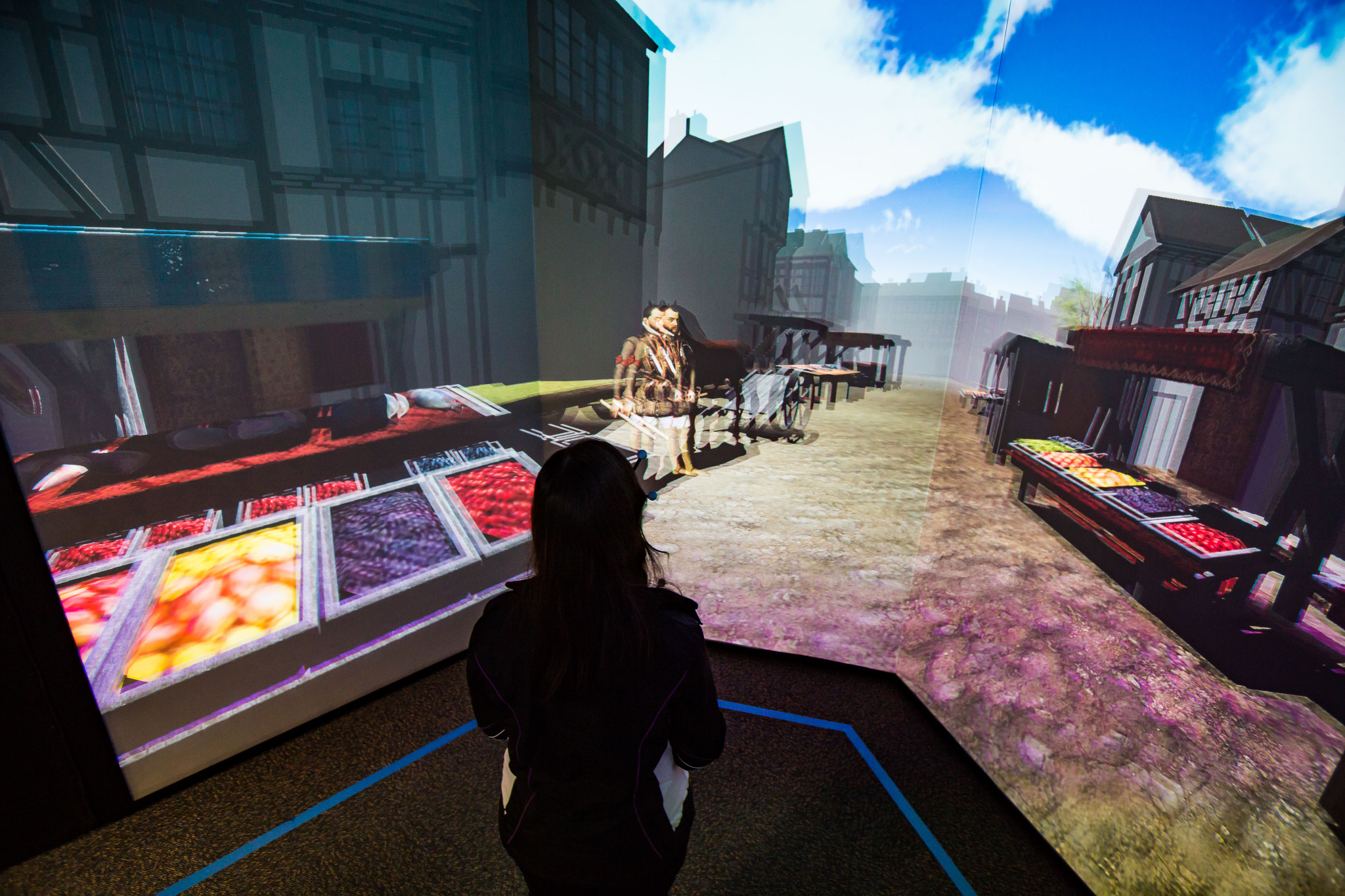
Visit Shakespeare’s London at FIU’s new virtual reality facility — from cec.fiu.edu

Excerpt:

It’s 1598, and you’re on your way to the Globe Theater to watch one of Shakespeare’s plays. You walk along the dirt roads and the green fields of London and you realize you can see the London Bridge in the distance. A vagabond asks you for a coin, and you find the village houses and the town market bustling with customers. Once you arrive at the theater, you watch the first few minutes of the opening monologue of “Henry V.”

This is a virtual world created by a multidisciplinary team of FIU students – and you can immerse yourself in this time-travel journey starting Jan. 29 when the I-CAVE opens at Modesto A. Maidique Campus.

.


Google brings commenting to sheets and slides on mobile— from techcrunch.com by Frederic Lardinois

Excerpt:

Google announced [on 1/28/16] a couple of updates to the commenting features in its Google Apps productivity suite.

These include the launch of mobile commenting in the iOS and Android apps for Slides and Sheets. Thanks to this, the commenting experience in Google’s apps is now (almost) the same across all of its apps — whether on the web or on mobile. I’m not sure why Google didn’t already offer this before, but better late than never, right?


10 very good tools for student researchers — from educatorstechnology.com

Excerpt:

One of the onerous parts in essay and academic writing is the bibliography section. Managing, organizing and citing references can sometimes be a real challenge especially if you don’t keep track of what and who you cite. The last thing you  want after a strenuous writing task is a messy bibliography with one reference missing a page number, the other needs publication date or, worse of all, having to go back to your sources to check for the source of that quotation you included in your conclusion. If you find yourself constantly grappling with problems such as these, the web tools below are absolutely something you might need to consider. These are some of the best applications for organizing, managing, and publishing bibliographies, citations and references. Some of these softwares are integrated with Google Scholar.


Fresco News app brings crowdsourced journalism to Apple TV — from imore.com by Dan Thorp-Lancaster

Excerpt:

Fresco News, an app that crowdsources news footage by allowing citizen journalists to upload and share their photos videos of current events around the globe, has officially launched an Apple TV app. With the app, users can check out first-hand accounts of events around the world on the big screen through their Apple TV.


5 Apple TV fitness apps to get in shape on a budget — from macworld.com by Caitlin McGarry
There are tons of streaming TV apps, but I’m on the hunt for a streaming workout app that won’t cost a fortune.

Excerpt:

The fourth-generation Apple TV now has more than 3,600 tvOS apps, Apple revealed in its first-quarter earnings call Tuesday. Most of those are games or streaming video apps, and there are tons of great options in both categories. When it comes to fitness, which seems to me a natural fit for the TV, the selection is sparse. But still, I was sure at least one Apple TV app would have what I was looking for: a cheap way to stay in shape. But it wasn’t that easy.
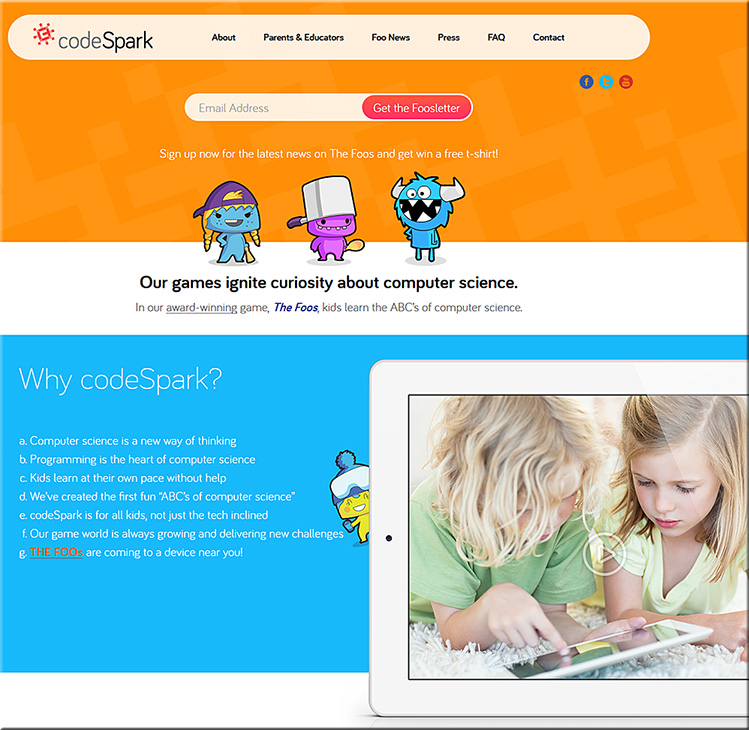


Codespark.org


codespark-jan2016


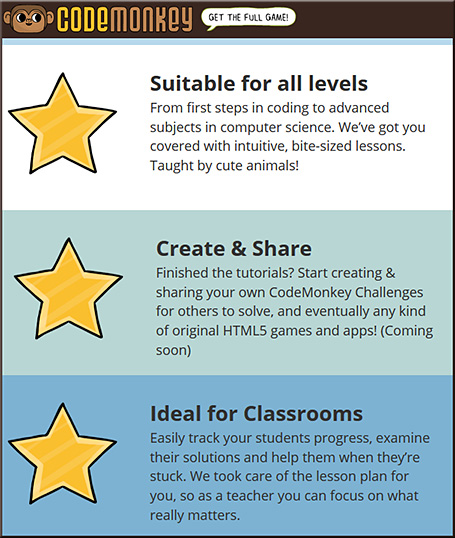
Codemonkey

codemonkey-jan2016


Best iPhone 6 and 6s tripods for stablizing and mounting — from imore.com by Brent Zaniewski
A dependable tripod can enhance your iPhone photography skills and help you get an otherwise impossible shot.


Livestream unveils new device for affordable multi-camera productions — from bizbash.com by Mitra Sorrells
The tiny Movi camera links with an iOS app for real-time recording, editing, and streaming from events.

Excerpt:

Planners interested in creating multi-camera video productions at their events will soon have a new, inexpensive option. Livestream, the company behind live online events for brands such as Tesla, Salesforce.com, the N.B.A., and more, has created a 2.5-inch device that lets users record and edit in real time between nine virtual high-definition cameras. Movi is available for preorder for delivery in April, currently at a price of $299.


This lens can widen your view into a classroom for only $10 — from blog.edthena.com


How Five EdTech Start-Ups Are Using Big Data To Boost Business Education — from by Seb Murray
MOOC platforms explore analytics with b-school partners

Excerpt:

Education tech companies including Coursera, edX, Udacity and their b-school and university partners are delving deeper into big data analytics to improve teaching and student learning.

Simon Nelson, CEO of online learning company FutureLearn, says: “The potential is incredible — and we are just scratching the surface.”

A report to be published in January by the UK’s Higher Education Commission (HEC) envisages that big data will help identify risk of failure; give students instant feedback; and benchmark their performance against peers.

Addendum on 2/1/16:

Addendum on 2/2/16:


Gen Z is about to take over higher education—here’s what to expect — from ecampusnews.com by Lisa Malat
Survey finds digital natives “Gen Z” set to reshape higher ed landscape with focus on careers, dependence on technology.

Excerpt (emphasis DSC):

Educators take note: it’s time to make way for Generation Z (Gen Z).

In a recent study by Barnes & Noble College, 1,300 middle-school and high school students ages 13-18 from 49 different states shared their attitudes, preferences and expectations regarding their educational and learning experiences. The findings from the study are clear: Gen Z is significantly different than previous generations, and these students will bring both challenges and opportunities for the future of higher education.

With Gen Z being a generation of “digital natives,” it stands to reason that the future of educational technology is now. Technology is embraced almost universally by Gen Z. In fact, the students surveyed shared that they are apt to regularly use five different computer tools for their social and educational purposes: laptops, desktops, tablets, smartphones and video game consoles.

Unlike Millennials, who have broadly adopted technology, Gen Z has adopted a technology-centric lifestyle. They define themselves in online, digital terms. Gen Z doesn’t distinguish between devices or online territories. It is one continuous, multi-faceted, completely integrated experience – connecting social, academic and professional interests.

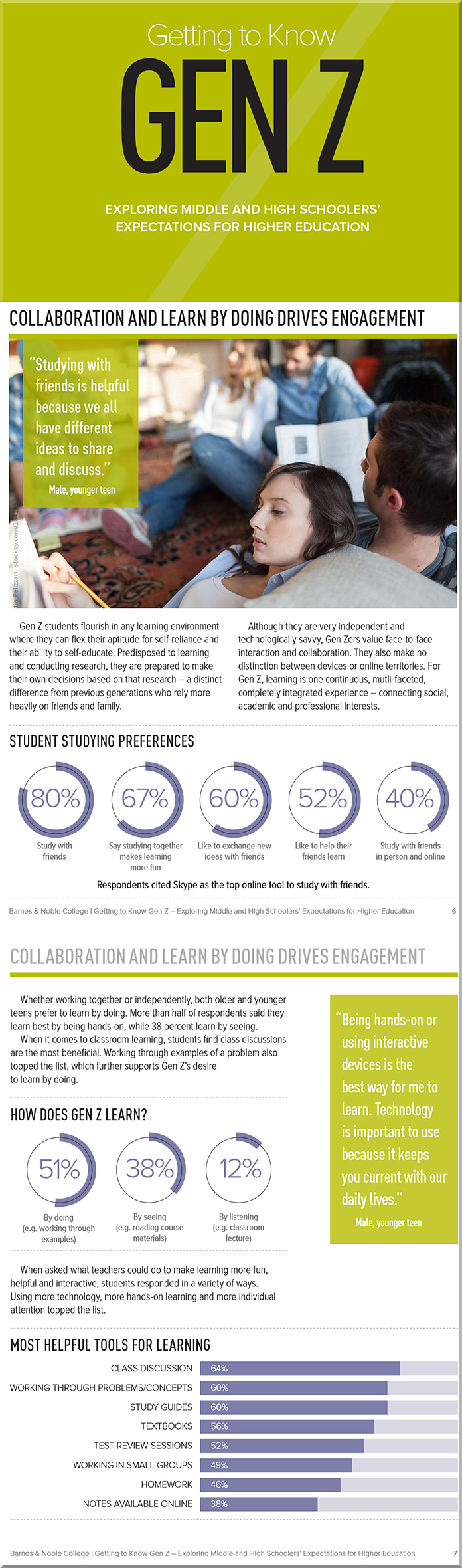
Gen Z also has different learning style preferences from past generations. While they are very into DIYL (do-it-yourself-learning), these students also embrace peer-to-peer learning, with 80 percent reporting that they study with their friends and classmates. Fifty percent said they enjoy the element of leadership it presents, and 60 percent reported that it gives them the perfect way to exchange ideas and consider new perspectives.


From DSC:
The article/report above prompted me to reflect…

Many throughout higher education are responding to change. But many are not. We aren’t nearly as nimble as we need to be.

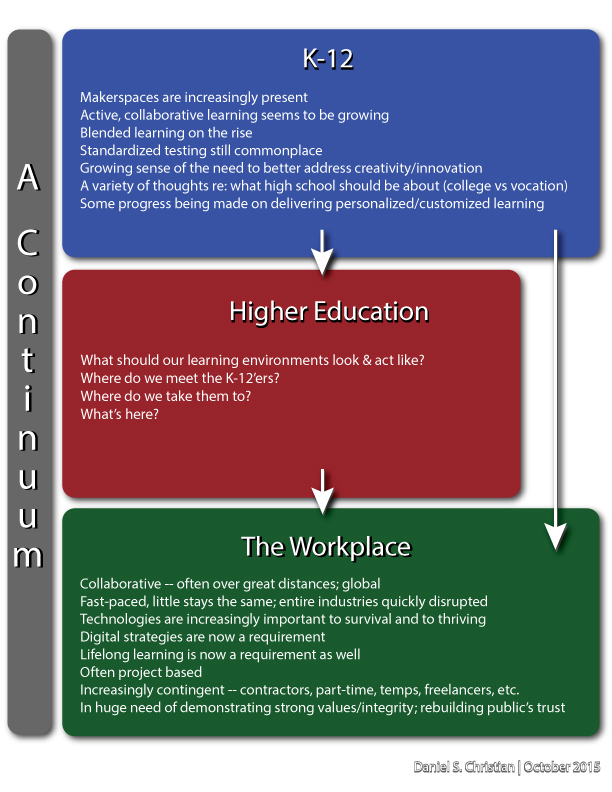
I hope that the faculty, staff, boards, administrations, and the heavy-hitting donors at colleges and universities throughout the U.S. appreciate how important it is to be aware of — and respond to — changes within the K-12 world, changes in today’s students, changes within the higher ed landscape, and to changes within the corporate/business world.

We operate in a continuum.

With all of those changes, maintaining the status quo seems to be a dangerous experiment to me.  We are not in control. Rather, we all need to adapt and to respond.


DanielChristian-MonitoringTrends


DanielChristian-what-should-our-learning-environments-look-and-act-like


Along these lines, maintaining the status quo shows a blatant disregard of our customers’ preferences — an unwise strategy to take. (And for those of you who don’t like the word customer here, bear with me…because in my mind, any person who pays anywhere near the price of a house to obtain their education has earned the right to be called a customer. Today’s students are paying a heck of a lot more than we did.)

Also, maintaining the status quo seems like a dangerous strategy when we’re talking about recruitment and retention. Remember, we are talking about depending upon the decisions of 18 year olds here.

So as I:

  • Read the above article and the report that it refers to
  • Consider the higher ed landscape that continues to encounter new alternatives
  • Observe that different pathways that are cropping up all the time
  • See that the federal government is moving towards funding such alternative methods

…I am forced to ask myself, “Given all of this, will maintaining the status quo suffice? Really?

This report should encourage us to:

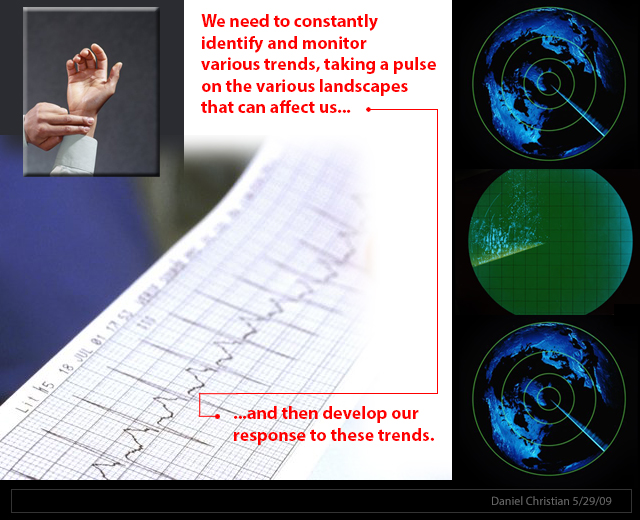
  • Seek to do a better job of pulse checking the K-12 world and the students’ learning preferences coming out of that world — and to develop our responses to those changing preferences.
  • Pursue more instances of blended/hybrid learning and active learning-based classrooms
  • Provide a variety of delivery mechanisms to meet our students’ needs — including a solid line up of online-based courses and programs. Students are often having to work in order to get through college, and they need flexible solutions.
  • Better address our physical learning spaces, which should offer strong/secure wireless networks and means of quickly collaborating via BYOD-based devices.
  • Continue to invest in selecting and investigating how best to use a variety of educationally-related technologies (something which, in my mind, invites the use of teams of specialists).
    (I could, and probably should, think bigger here, but I’ll stop at these reflections.)

I’ll leave you with the following graphic, relaying that often times members of Gen Z tend to prefer active learning-based classrooms:


Gen-Z---Barnes-and-Noble-Oct-2015


Will Lynda.com/LinkedIn.com pursue this powerful vision with an organization like IBM? If so, look out!

From DSC:
Back in July of 2012, I put forth a vision that I called Learning from the Living [Class]Room


The Living [Class] Room -- by Daniel Christian -- July 2012 -- a second device used in conjunction with a Smart/Connected TV

It’s a vision that involves a multitude of technologies — technologies and trends that we continue to see being developed and ones that could easily converge in the not-too-distant future to offer us some powerful opportunities for lifelong learning! 

Consider that in won’t be very long before a learner will be able to reinvent himself/herself throughout their lifetime, for a very affordable price — while taking ala carte courses from some of the best professors, trainers, leaders, and experts throughout the world, all from the comfort of their living room. (Not to mention tapping into streams of content that will be available on such platforms.)

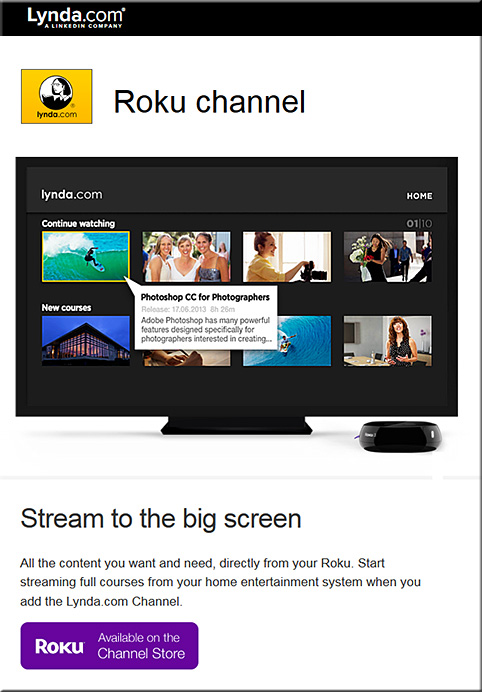
So when I noticed that Lynda.com now has a Roku channel for the big screen, it got my attention.


lyndadotcom-roku-channel-dec2015


Lets add a few more pieces to the puzzle, given that some other relevant trends are developing quite nicely:

  • tvOS-based apps are now possible — and already there are over 2600 of them and it’s only been a month or so since Apple made this new platform available to the masses
  • Now, let’s add the ability to take courses online via a virtual reality interface — globally, at any time; VR is poised to have some big years in 2016 and 2017!
  • Lynda.com and LinkedIn.com’s fairly recent merger and their developing capabilities to offer micro-credentials, badges, and competency-based education (CBE) — while keeping track of the courses that a learner has taken
  • The need for lifelong learning is now a requirement, as we need to continually reinvent ourselves — especially given the increasing pace of change and as complete industries are impacted (broadsided), almost overnight
  • Big data, algorithms, and artificial intelligence (AI) continue to pick up steam; for example, consider the cognitive computing capabilities being developed in IBM’s Watson — which should be able to deliver personalized digital playlists and likely some level of intelligent tutoring as well
  • Courses could be offered at a fraction of the cost, as MOOC-sized classes could distribute the costs over a greater # of people and back end systems could help grade/assess the students’ work; plus the corporate world continues to use MOOCs to cost-effectively train their employees across the globe (MOOCs would thrive on such a tvOS-based platform, whereby students could watch lectures, demonstrations, and simulations on the big screen and then communicate with each other via their second screens*)
  • As the trends of machine-to-machine communications (M2M) and the Internet of Things (IoT) pick up, relevant courses/modules will likely be instantly presented to people to learn about a particular topic or task.  For example, I purchased a crib and I want to know how to put it together. The chip in the crib communicates to my Smart TV or to my augmented reality glasses/headset, and then a system loads up some multimedia-based training/instructions on how to put it together.
  • Streams of content continue to be developed and offered — via blogs, via channels like Periscope and Meerkat, via social media-based channels, and via other channels — and these streams of multimedia-based content should prove to be highly useful to individual learners as well as for communities of practice

Anyway, these next few years will be packed with change — the pace of which will likely take us by surprise. We need to keep our eyes upward and outward — peering into the horizons rather than looking downwards — doing so should reduce the chance of us getting broadsided!

*It’s also possible that AR and VR will create
a future whereby we only need 1 “screen”


The pace has changed significantly and quickly


Addendum:
After I wrote/published the item above…it was interesting to then see the item below:

IBM opens Watson IoT Global Headquarters, extends power of cognitive computing to a connected world — from finance.yahoo.com
1000 Munich-based experts to drive IoT and industry 4.0 innovation
Launches eight new IoT client experience centers worldwide
Introduces Watson API Services for IoT on the IBM Cloud

Excerpt:

MUNICH, Dec. 15, 2015 /PRNewswire/ — IBM (NYSE: IBM) today announced the opening of its global headquarters for Watson Internet of Things (IoT), launching a series of new offerings, capabilities and ecosystem partners designed to extend the power of cognitive computing to the billions of connected devices, sensors and systems that comprise the IoT.  These new offerings will be available through the IBM Watson IoT Cloud, the company’s global platform for IoT business and developers.


Web design trends of 2016: free ebook bundle — from creativebloq.com

Excerpt:

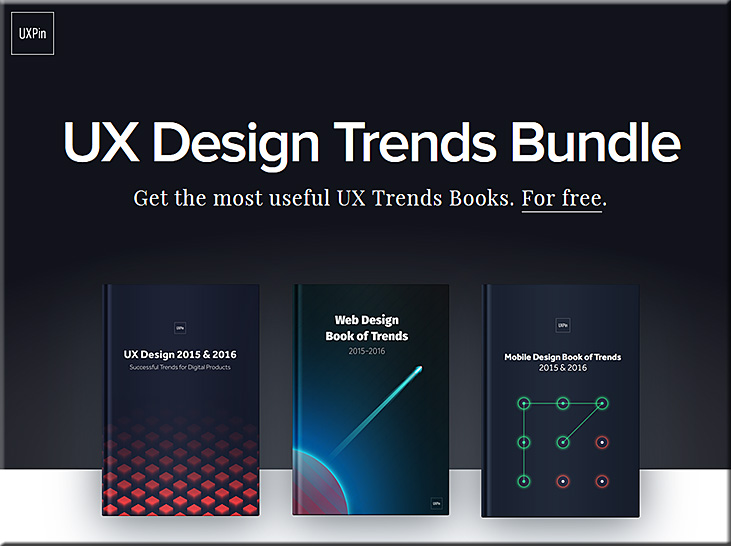
  • The first book, UX Design 2015 & 2016, explains the six most useful UX design trends of the past year, like advanced personalization, device-agnosticism, microinteractions, and the rebirth of gamification.
  • The second book, Web Design Book of Trends 2015 & 2016, explores the ten UI trends that gained traction this year including the cards layout, fluid animations, minimalism, and the new possibilities of typography.
  • Last, Mobile Design Book of Trends 2015 & 2016 gives the same treatment exclusively to mobile design, dissecting the best practices for gesture controls, layered interfaces, and how to apply the web trends for a smaller screen.


Also see:


USDesignTrendsBundle2015-2016


Apple’s Swift programming language is now open source — from techcrunch.com by John Biggs

Excerpt:

Swift, Apple’s programming language aimed at OS X and iOS developers, has gone open source under the Apache License. This means all of the source code, including the code for a new package manager, will be available to edit and compile and programs can be created without attribution. Apple is also revealing further plans for the language on their new site, swift.org.


7 trends that will revolutionize online learning — from ecampusnews.com by Andrew Barbour
A look at new tools and new opportunities to create an instructional experience that is not only different, but better, taking online learning in mainstream higher ed to the next level.

Excerpt:

eCampus News looks at seven trends that have the potential to remake the world of online learning.

  1. Blended Learning Is the Sweet Spot
  2. Video Is King
  3. Interactivity, Not Talking Heads
  4. Mobile Is a Must
  5. Identity Verification and Cheating
  6. Auto-grading
  7. Open, Intuitive Platforms


From DSC:
I appreciated their thoughts re: adding interactivity to videos.  A team-based approach may be helpful here.


The Epic BYOD Toolchest (51 Tools You Can Use Now) — from edutopia.org by Vicki Davis

Excerpt:

You’ve got every device under the sun in front of you. Now what apps are you going to use? Here are the apps or app categories that I recommend you test for your school. There are lots of apps, and these are just my opinion based on what I’ve used with my students or successfully tested.

Screencasting and Capturing What Happens in Class
If you’re going to share and interact with your students in the electronic and physical spaces (as you should), you must learn how to screencast.

  • Screencastomatic: This is my go-to app. It’s free, but I pay a few dollars for the pro service because I love it, it gives advanced editing features, and I can download to Dropbox. You can see that my YouTube tutorials are recorded with this.
  • Camtasia: This app is high quality, and the price shows it. But I highly recommend Camtasia if you can afford it.
  • Explain Everything: This app, available from iTunes and Google Play, remains a top tablet app in the U.S. It’s perfect for math screencasting.
  • Swivl: It’s a robotic stand for your iPad, iPhone, or Droid. When you use the iOS app, Swivl will film and capture everything. It can also follow you without an app, so you could set another device on record and then just put it in the stand. Swivl lets you record speeches, or helps you evaluate your own teaching. Having a Swivl in your classroom changes everything. You just put the controller in your pocket or around your neck, and it follows and records you (mic in controller). I’ve been demoing this for two weeks and can focus on teaching rather than recording.


FutureOfTV-Apple-Oct2015


The New Apple TV Invigorates the Set-Top Box — from nytimes.com by Brian Chen

Excerpt:

I NEVER imagined I would get hooked on reading comic books on a TV screen. That changed last week after I picked up a new Apple TV.

The new device, which is similar to a set-top box and brings video and music from the Internet to a television, now has an app store. So I downloaded Madefire, one of the first apps available for the new device. Madefire adds a twist to digital comics with sound effects, music and motion, bringing the panels to life on the big screen. Within minutes, I was bingeing on a series about Superman turning into a corrupt dictator.

Playing with apps is just one new feature of the revamped Apple TV, which will ship this week. It’s that plethora of innovations and apps that leads me to conclude that the upgraded $149 box is now the best TV streaming device you can get for your money.


Apple TV challenges developers to take apps to the big screen — from http://finance.yahoo.com by Julia Love

Excerpt:

(Reuters) – Apple’s loyal army of software developers is joining the tech giant in its bid to conquer the living room with a new version of Apple TV, creating apps for the big screen that they hope will attract users and unlock a rich source of revenue.

A long-awaited update to Apple TV, which launched in 2007, will start shipping in 80 countries on Friday.

Apple views apps as the future of television. An App Store is the centerpiece of the new device, and hundreds of apps will be ready at launch, including gaming, shopping and photography.

Although developers have already been able to make apps for smart TV rivals, Apple’s vast base of developers will set the device apart, analysts say. And developers say they relish the opportunity to reach users in a more intimate setting.


tvOS > Developer information


AppleTV-tvOS-Oct2015


Building Apple TV Apps > Creating a Client-Server App


ClientServerApp-tvOS-Oct2015


Which Apple TV Should You Buy? — from wired.com

Excerpt:

Pre-orders for the new Apple TV have begun. Well, technically, the new Apple TVs; the latest model comes in two sizes. Oh, and the previous version remains available too. For the first time in Apple TV history, you’ve got options. Now it’s time to figure out which one’s right for you.


‘Aerial’ brings beautiful Apple TV video screensavers to your Mac — from 9to5mac.com


screensavers-oct2015


Addendum:


Campus Technology 2015 Readers’ Choice Awards

CampusTechReadersChoiceAwardsSept2015

Excerpt:

In this first-ever higher education “gear of the year” guide, Campus Technology has turned to hundreds of education professionals to tell us which products in 29 categories are truly the best. We cover the gamut of technology from 3D printers to wireless access points. In almost every category you’ll find the Platinum, Gold and Silver picks to help you short-list your shopping, fuel your decision-making or perhaps start a friendly debate on campus.

  1. Learning Management and E-learning
  2. E-Portfolios
  3. Other Instructional Tools
  4. Student Information Systems and Data Management
  5. Enterprise Resource Planning (ERP)
  6. Constituent Relationship Management (CRM)
  7. Student Success/Retention
  8. Student Response Systems and Classroom Clickers
  9. Lecture Capture
  10. Document Cameras
  11. Projectors
  12. Interactive Whiteboards
  13. Videoconferencing and Web Conferencing
  14. Virtual Classroom and Meeting
  15. Classroom Audio Distribution/Sound Enhancement
  16. Captioning
  17. Office/Productivity Suites
  18. Classroom Presentation
  19. Multimedia Authoring Suites and Creative Software
  20. E-Learning Authoring
  21. Media Tablets
  22. Chromebook
  23. Windows Tablet
  24. Convertible and 2-in-1 Notebooks
  25. Notebooks
  26. Virtual Desktops and Thin Clients
  27. Wireless Access Points and Hotspots
  28. 3D Printers
  29. Emergency Notifications


Imagine what learning could look like w/ the same concepts found in Skreens!


From DSC:
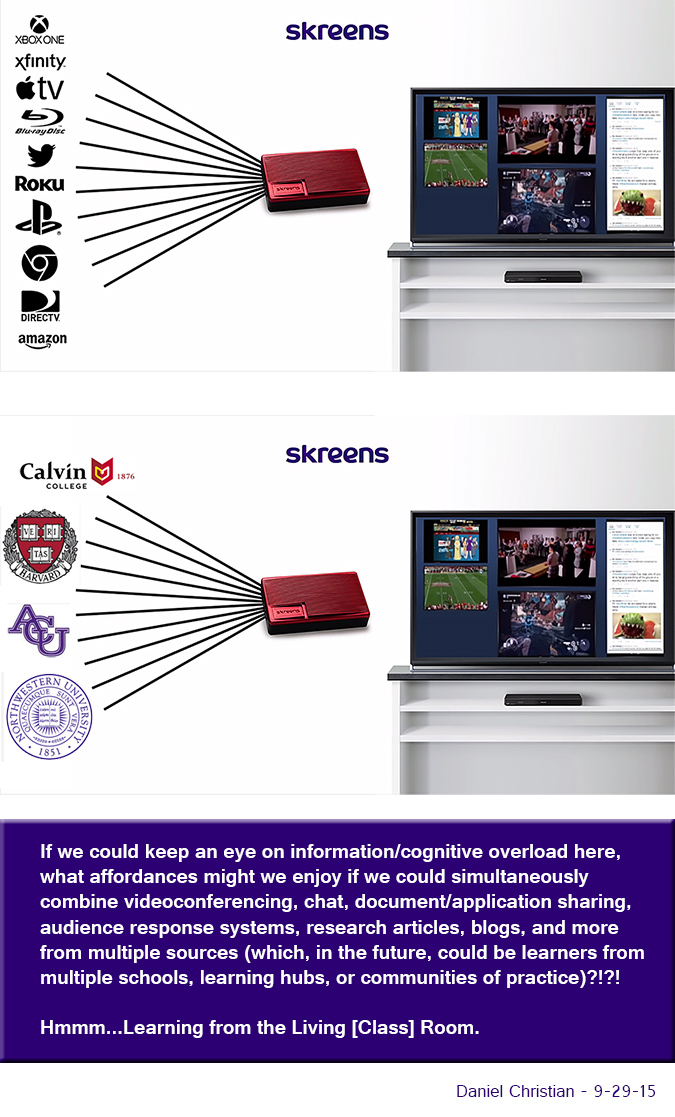
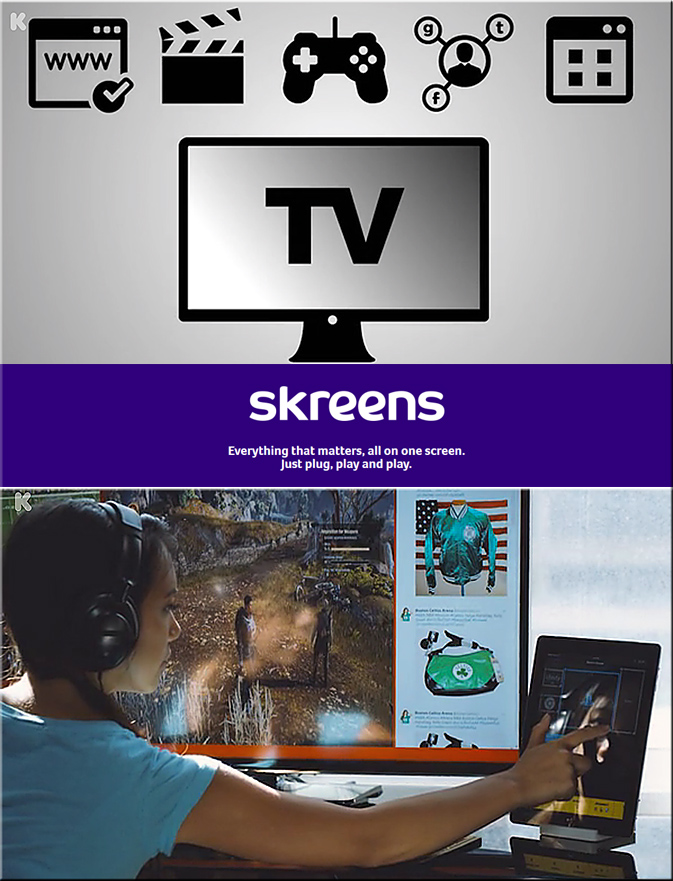
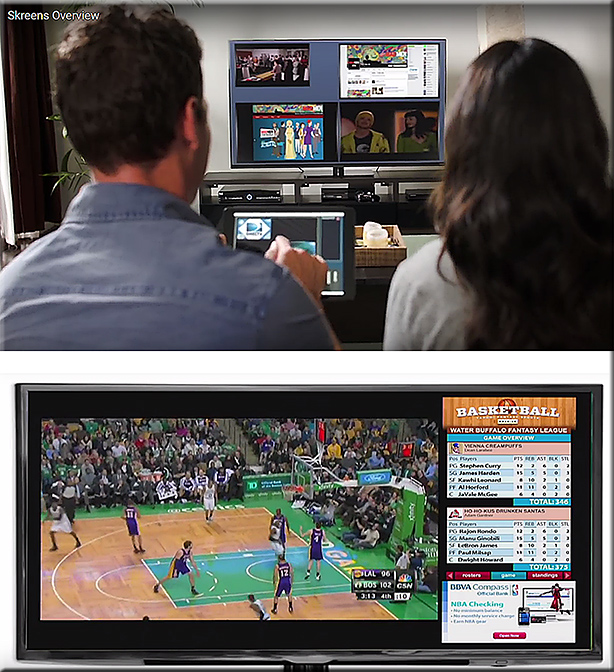
Imagine what learning could look like w/ the same concepts found in the
Skreens kickstarter campaign?  Where you can use your mobile device to direct what you are seeing and interacting with on the larger screen?  Hmmm… very interesting indeed! With applications not only in the home (and on the road), but also in the active classroom, the boardroom, and the training room.


See
Skreens.com
&
Learning from the Living [Class] Room


DanielChristian-AVariationOnTheSkreensTheme-9-29-15


Skreens-Sept2015Kickstarter


Skreens2-Sept2015Kickstarter


The Living [Class] Room -- by Daniel Christian -- July 2012 -- a second device used in conjunction with a Smart/Connected TV

From DSC:
Some of the phrases and concepts that come to my mind:

  • tvOS-based apps
  • Virtual field trips while chatting or videoconferencing with fellow learners about that experience
  • Virtual tutoring
  • Global learning for K-12, higher ed, the corporate world
  • Web-based collaborations and communications
  • Ubiquitous learning
  • Transmedia
  • Analytics / data mining / web-based learner profiles
  • Communities of practice
  • Lifelong learning
  • 24×7 access
  • Reinvent
  • Staying relevant
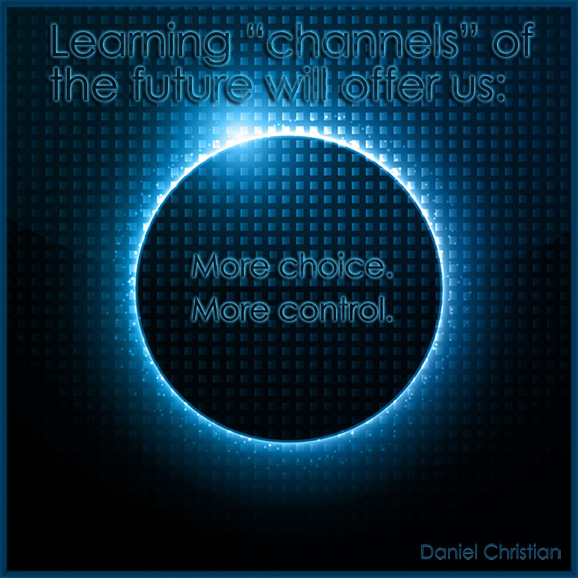
  • More choice. More control.
  • Participation.
  • MOOCs — or what they will continue to morph into
  • Second screens
  • Mobile learning — and the ability to quickly tie into your learning networks
  • Ability to contact teachers, professors, trainers, specialists, librarians, tutors and more
  • Language translation
  • Informal and formal learning, blended learning, active learning, self-directed learning
  • The continued convergence of the telephone, the television, and the computer
  • Cloud-based apps for learning
  • Flipping the classroom
  • Homeschooling
  • Streams of content
  • …and more!


Addendum:

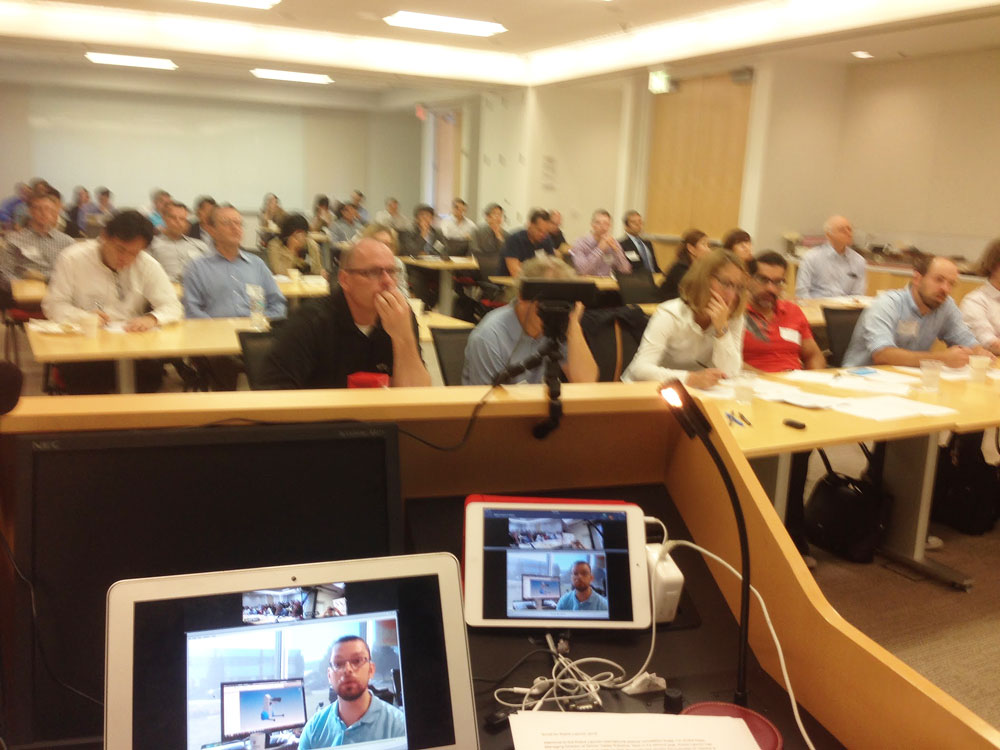
Check out this picture from Meet the winners of #RobotLaunch2015

Packed house at WilmerHale for the Robot Launch 2015 judging – although 2/3rds of the participants were attending and pitching remotely via video and web conferencing.


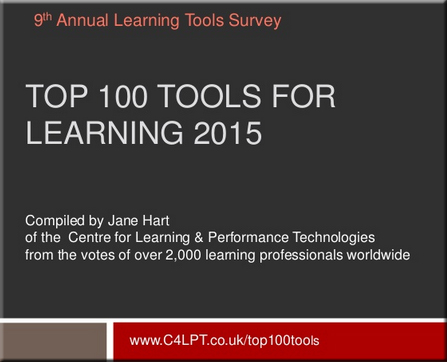
Here are the Top 100 Tools for Learning 2015 — from c4lpt.co.uk by Jane Hart


TopTools-2015-Hart


Excerpt:

Over 2,000 learning professionals from around the world from both education and enterprises contributed to the 9th Annual Survey of Learning Tools. Very many thanks to all those who took the time to complete the online form, write a blog post, send me an email or tweet me their selection.

I have now compiled the Top 100 Tools for Learning 2015, updated the Top 100 Tools for Learning website and prepared a slideset, which I have hosted on Slideshare and embedded below.

For the 7th year running Twitter is the  No 1 tool on the list, although this year it is very closely followed by YouTube, and once again, the list is dominated by free online tools and services. I can also see some interesting new trends in the tools that are being used for both personal learning and for creating learning content and experiences for others, and I will provide my analysis shortly. In the meantime, beneath the presentation, you will find a summary of the new tools on the list and the big movers up the list.


The multi-device world is evolving! — from upsidelearning.com by Amit Garg

Excerpt:

The multi-device world is certainly evolving. Existing devices are evolving in size while new devices are being added to the mix. All of this is resulting in evolving behavior patterns.

The smart thing to do is to get started with multi-device learning without waiting for the world to settle down. You might make a few mistakes, but will learn along the way and would still be better off as compared to those who never got started.


.

Smartphone Screen Size


“…the boundaries between tablets and smartphones are blurring…”


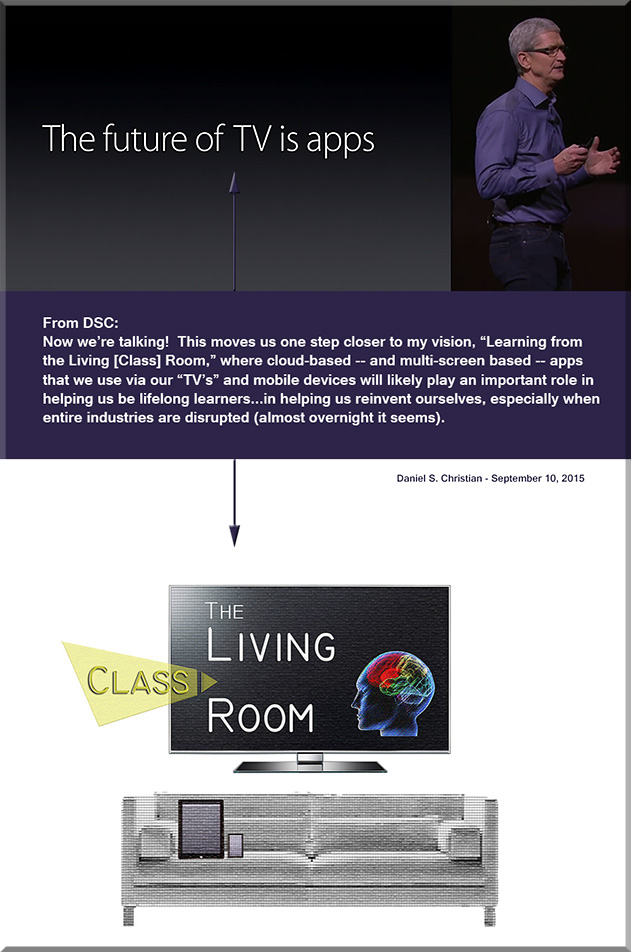
Now we’re talking! One step closer! “The future of TV is apps.” — per Apple’s CEO, Tim Cook

OneStepCloser-DanielChristian-Sept2015


From DSC:
We’ll also be seeing the integration of the areas listed below with this type of “TV”-based OS/platform:

  • Artificial Intelligence (AI)
  • Data mining and analytics
  • Learning recommendation engines
  • Digital learning playlists
  • New forms of Human Computer Interfaces (HCI)
  • Intelligent tutoring
  • Social learning / networks
  • Videoconferencing with numerous other learners from across the globe
  • Virtual tutoring, virtual field trips, and virtual schools
  • Online learning to the Nth degree
  • Web-based learner profiles
  • Multimedia (including animations, simulations, and more)
  • Advanced forms of digital storytelling
  • and, most assuredly, more choice & more control.

Competency-based education and much lower cost alternatives could also be possible with this type of learning environment. The key will be to watch — or better yet, to design and create — what becomes of what we’re currently calling the television, and what new affordances/services the “TV” begins to offer us.


MoreChoiceMoreControl-DSC


From Apple’s website:

Apple Brings Innovation Back to Television with The All-New Apple TV
The App Store, Siri Remote & tvOS are Coming to Your Living Room

Excerpt:

SAN FRANCISCO — September 9, 2015 — Apple® today announced the all-new Apple TV®, bringing a revolutionary experience to the living room based on apps built for the television. Apps on Apple TV let you choose what to watch and when you watch it. The new Apple TV’s remote features Siri®, so you can search with your voice for TV shows and movies across multiple content providers simultaneously.

The all-new Apple TV is built from the ground up with a new generation of high-performance hardware and introduces an intuitive and fun user interface using the Siri Remote™. Apple TV runs the all-new tvOS™ operating system, based on Apple’s iOS, enabling millions of iOS developers to create innovative new apps and games specifically for Apple TV and deliver them directly to users through the new Apple TV App Store™.

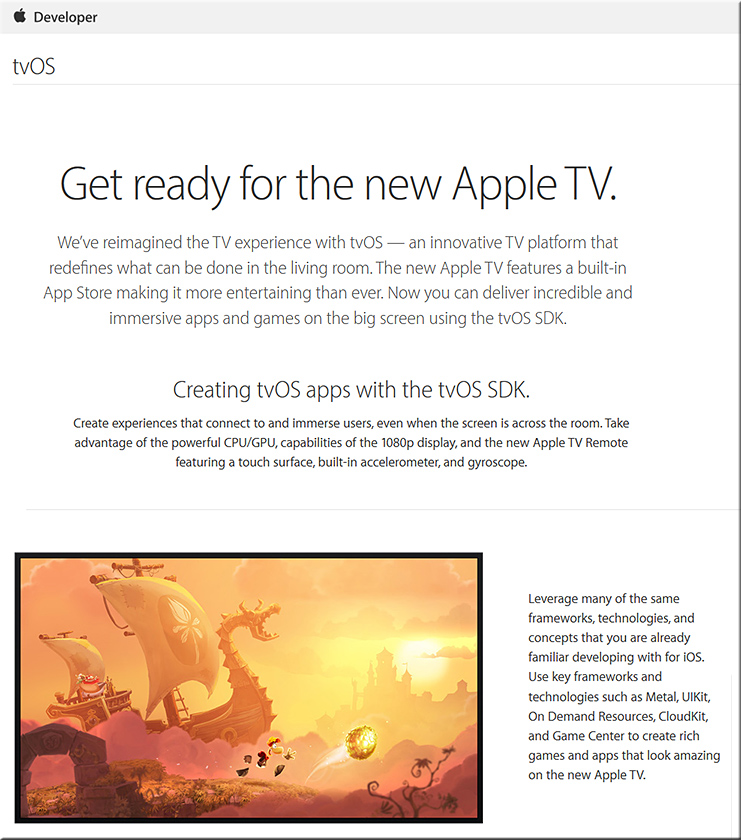
tvOS is the new operating system for Apple TV, and the tvOS SDK provides tools and APIs for developers to create amazing experiences for the living room the same way they created a global app phenomenon for iPhone® and iPad®. The new, more powerful Apple TV features the Apple-designed A8 chip for even better performance so developers can build engaging games and custom content apps for the TV. tvOS supports key iOS technologies including Metal™, for detailed graphics, complex visual effects and Game Center, to play and share games with friends.


Addendum on 9/11/15:


The NMC Releases the NMC Horizon Report > 2015 Library Edition — from nmc.org

Excerpt:

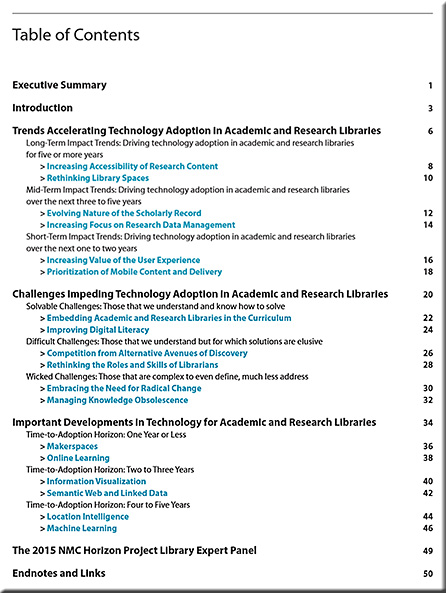
Six key trends, six significant challenges, and six important developments in educational technology are identified across three adoption horizons over the next one to five years, giving library leaders and staff a valuable guide for strategic planning. The format of the report was designed to provide these leaders with more in-depth insight into how the trends and challenges are accelerating and impeding the adoption of technology, along with their implications for policy, leadership, and practice.

“Nowhere on university campuses has technology had a more sweeping impact than on their libraries,” says Larry Johnson, Chief Executive Officer of the NMC and co-principal investigator for the project. “It is critically important for the field that the unique needs and perspectives of those who work in academic and research libraries are at the center of this second annual report.”


NMCReport-LibraryEdition2015


NMCReport-LibraryEdition2015-TOC


Translating physical spaces into digital experiences — from create-hub.com by Sorcha Daly
Cultural institutions have a big challenge on their hands in a digital age. How does the experience of a physical space, of visiting a building housing priceless objects, one-of-a-kind artefacts and engaging exhibitions, translate digitally?

Excerpts:

We’re seeing a huge increase in digital engagement with cultural institutions, with online visitor numbers far outweighing the number of people who make it through the doors. The British Museum, for example, received a whopping 35.3 million online visitors in 2014, compared with an in itself record-breaking 6.8 million physical visitors, the most of any UK museum or gallery. Add to this an impressive social media haul and that’s a lot of people who are engaging with the institution away from the building. This pattern is common to cultural institutions across the board.

So how exactly is digital changing the way people experience cultural institutions and how can they start using these changes as ways to better engage with audiences?

Several galleries have been using iPhone apps as enhanced alternatives to the audio tour guides, complete with additional interviews and comments from curators and personalities. Tate Modern’s London’s guide to last year’s Matisse Cut-Outs exhibition was particularly good, featuring additional images and an audio biography of the artist’s life. The Art Gallery of NSW also introduced a Chinese language guide app after noticing that there were many Chinese visitors to the gallery who would benefit from additional content.

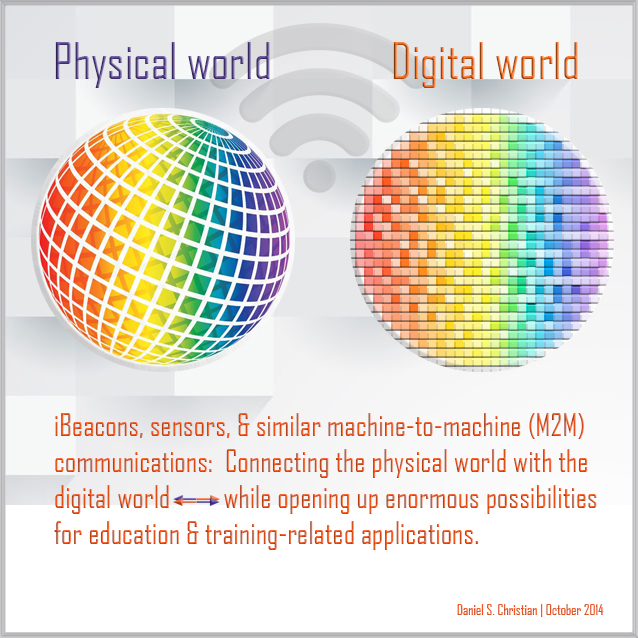
These apps could be really powerful if extended across the entire visit to unlock stories throughout the building. Imagine walking past an unremarkable-seeming sculpture, for instance, and a tap notification appearing on your Apple Watch displaying a fascinating fact about the significance of the object. This could be powered with simple iBeacons technology.


From DSC:
Might some of these same ideas and concepts be applied within our libraries? Our art galleries? Other locations?


DanielChristian-Combining-Digital-Physical-Worlds-Oct2014

 
© 2025 | Daniel Christian