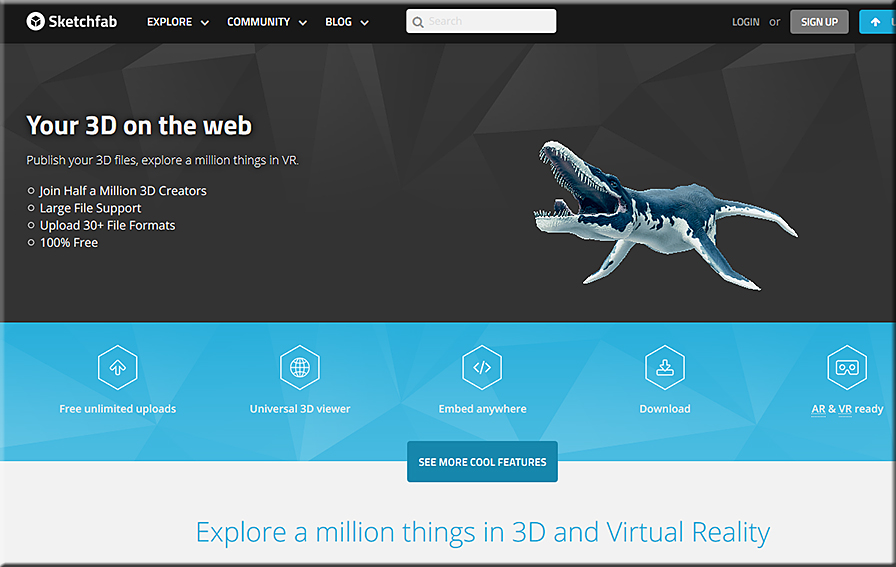
Sketchfab-June2016


Paper 53 is the ‘sketch-iPad’ you always wanted — from edtech4beginners.com

Excerpt:

Paper 53 is a brilliant app which combines drawings, notes, photos and sketches. It is available on the Appstore. The app is simple and user-friendly; just use your finger (or a stylus) to draw, paint, select colours, erase and lots more.


Google’s virtual reality field trips are available to everyone — from engadget.com by Jon Fingas
Students can also use Google Cast to share their screens across the classroom.


10 very good new educational web tools — from educatorstechnology.com

Excerpt:

Below is a collection of some new educational web tools and mobile apps to try out in your instruction.  The purpose is to keep you updated about the new releases in the EdTech world and empower you with the necessary technology to take your teaching and learning to the next level.  Some of the things you can do with these applications include: Learn English pronunciation from native speakers, easily save web content to Google, search YouTube without having to stop the video playing, learn basic math skills through challenging games and activities, unshare sent files in Gmail, create interactive and engaging videos by adding polls, short questions and quizzes, create beautiful presentations and animations  using drawn images and stick figures and many more.


Teaching with digital timelines — from Derek Bruff

Excerpt:

This year the Center for Teaching hosted a few educational technology working groups for faculty, staff, and students interested in exploring ways particular technologies might meet their instructional goals. One of the groups investigated the use of digital timeline tools, like Tiki-Toki and TimelineJS, that facilitate the creation of online, multimedia, interactive, and collaborative timelines. I had used such tools in my own teaching, having asked my 2010 writing seminar students to create a class timeline on the history of cryptography, and I was eager to talk with other instructors about the potential of student-produced timelines.


Top 5 AI virtual assistants: Now and into the future — from interestingengineering.com

Excerpt:

In Silicon Valley and elsewhere there’s currently an AI arms race going on. The first wave of this race is centered around artificial virtual assistants that are poised to become our new digital best friends in the very near future. While many people are familiar with Apple’s popular AI virtual assistant, Siri, there are four other main players in the AI virtual assistant space.


From DSC:
Twitter is also a tool that you should consider putting in your toolbox — or in your students’ toolboxes. Consider how it was used here –> This Henry VIII Twitter Account Is The Best Way To Learn About Brexit | @KngHnryVIII tells it like it is (and like how it was in the 1500s).

 

TwitterandKingHenryVIII-June2016


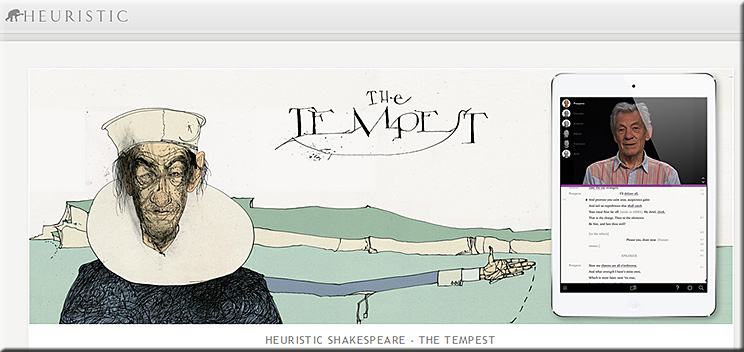
Heuristic Media is working on 37 apps, 1 for each Shakespeare play — with The Tempest as its pilot app.
 

TheTempest-IanM-Spring2016


Addendum on 6/30/16:


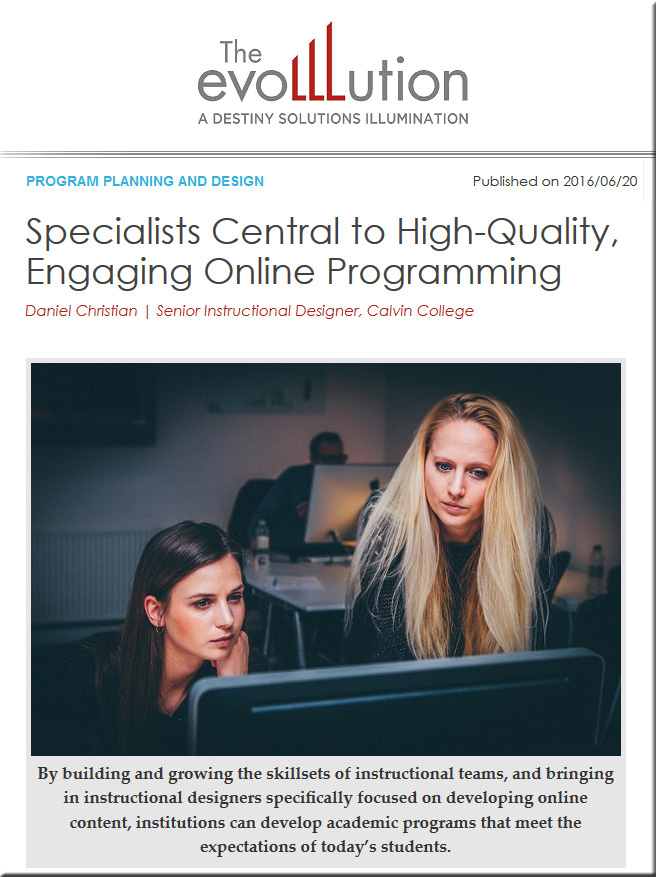
Specialists central to high-quality, engaging online programming [Christian]

DanielChristian-TheEvoLLLution-TeamsSpecialists-6-20-16


Specialists central to high-quality, engaging online programming — from EvoLLLution.com (where the LLL stands for lifelong learning) by Daniel Christian

Excerpts:

Creating high-quality online courses is getting increasingly complex—requiring an ever-growing set of skills. Faculty members can’t do it all, nor can instructional designers, nor can anyone else.  As time goes by, new entrants and alternatives to traditional institutions of higher education will likely continue to appear on the higher education landscape—the ability to compete will be key.

For example, will there be a need for the following team members in your not-too-distant future?

  • Human Computer Interaction (HCI) Specialists: those with knowledge of how to leverage Virtual Reality (VR), Augmented Reality (AR), and Mixed Reality (MR) in order to create fun and engaging learning experiences (while still meeting the learning objectives)
  • Data Scientists
  • Artificial Intelligence Integrators
  • Cognitive Computing Specialists
  • Intelligent Tutoring Developers
  • Learning Agent Developers
  • Algorithm Developers
  • Personalized Learning Specialists
  • Cloud-based Learner Profile Administrators
  • Transmedia Designers
  • Social Learning Experts


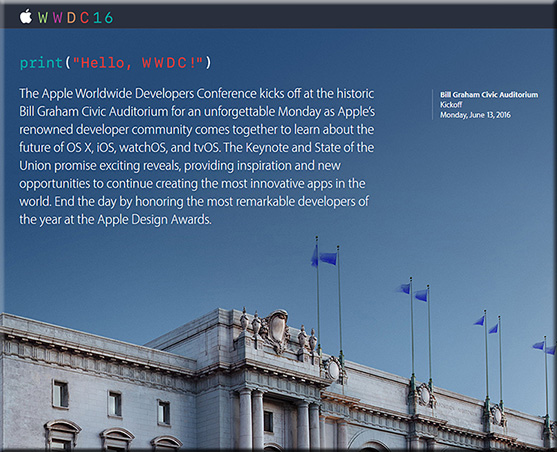
WWDC-2016-Apple


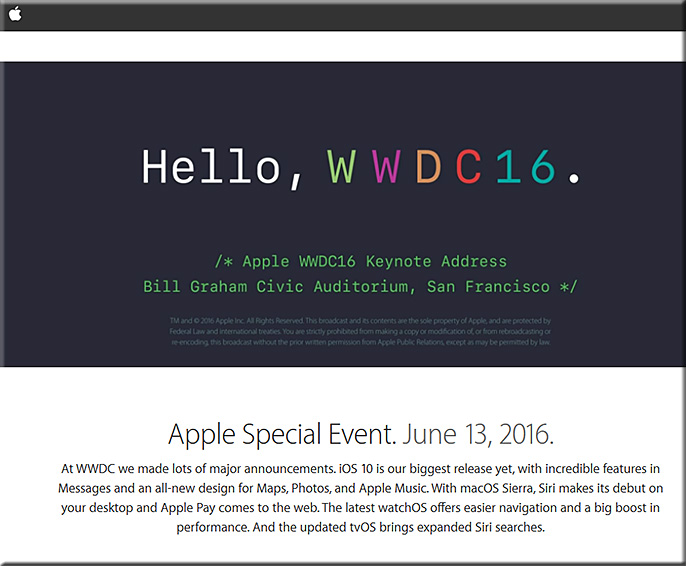
Keynote address:

keynoteaddress-wwdc-2016

From Apple:


These are Apple’s big announcements from WWDC 2016 — from imore.com by Joseph Keller

Excerpt:

Apple made several interesting announcements today during its WWDC 2016 keynote. Here are the major announcements from the event.

  • iOS 10 — the big focus with this release is on Siri.
  • macOS Sierra — The next version of Apple’s operating system for desktops and laptops is dropping the ‘X’, opting instead for the new ‘macOS’ branding. With macOS, Siri makes its debut on Apple’s traditional computers for the first time.
  • watchOS
  • tvOS — The next major version of the Apple TV’s software will offer single sign-on for cable logins, along with its own dark mode. There will also be a number of Siri enhancements, as well as improvements for watching live TV.


Highlights from Apple’s WWDC 2016 Keynote — from fastcompany.com
From Messages to Music, and Siri to Apple Pay on the web, here are the most important announcements from Apple’s event today.


Apple launches Swift Playgrounds for iPad to teach kids to code — from techcrunch.com by Frederic Lardinois

Excerpt:

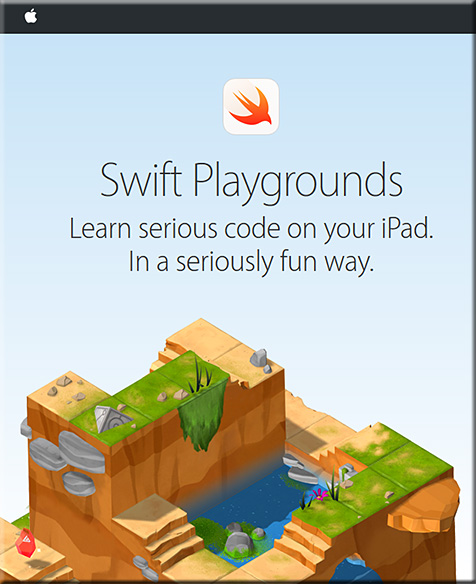
Apple today announced Swift Playgrounds for the iPad, a new project that aims to teach kids to code in Swift.

When you first open it, Swift Playground presents you with a number of basic coding lessons, as well as challenges. The interface looks somewhat akin to Codecademy, but it’s far more graphical and playful, which makes sense, given that the target audience is kids. Most of the projects seem to involve games and fun little animations to keep kids motivated.

To make coding on the iPad a bit easier, Apple is using a special keyboard with a number of shortcuts and other features that will make it easier to enter code.

Also see:

SwiftPlaygroundsFromApple-6-13-16


What’s new in iOS 10: Siri and Maps open to developers, machine learning and more — from arc.applause.com

Excerpts:

The biggest news for Siri from the WWDC keynote: Apple’s assistant is now open to third party developers.

Apple is now opening Siri to all of those potential interactions for developers through SiriKit. Siri will be able to access messaging, photos, search, ride booking through Uber or Lyft etc., payments, health and fitness and so forth. Siri will also be incorporated into Apple CarPlay apps to make it easier to interact with the assistant while driving.


Photos is getting a machine learning boost and automatic ‘Memories’ albums — from imore.com by Dan Thorp-Lancaster

Excerpt:

Speaking at WWDC 2016, Apple announced that it is bringing the power of machine learning to the Photos app in iOS 10. With machine learning, the Photos app will include object and scene recognition thanks to what Apple calls “Advanced Computer Vision.” For example, the app will be able to automatically pick out specific animal, features and more. Facial recognition is also available, all done locally on the iPhone with automatic people albums.


Home is a new way to control all of your HomeKit-enabled accessories — from imore.com by Jared DiPane

Excerpt:

Apple has announced its newest and easiest way to control any and all HomeKit accessories that you may have in your house: Home. With Home, you’ll be able to control all of your accessories, including Air Conditioners, cameras, door locks and other new categories. 3D Touch will be able to give you deeper controls at just a press, and notifications from these will also have 3D Touch functionality as well.


Here’s what Apple is bringing to the Apple TV — from fastcompany.com
tvOS is taking a step forward with updates to Siri, and new features such as single sign on, dark mode, and more.


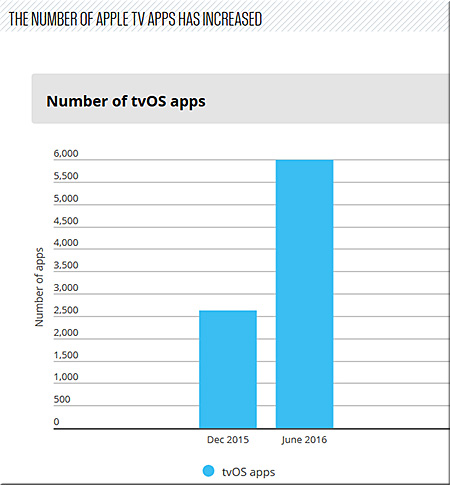
NumbertvOS-Apps-6000

Excerpt:

Less than nine months after the first version of tvOS, there are now over 6,000 native apps for the Apple TV. Of those apps, 1,300 are for streaming video. Popular over-the-top Internet television service Sling TV arrives on the Apple TV today. Live Fox Sports Go streaming will come this summer. Speaking of apps: Apple is introducing a new Apple TV Remote app for iOS that allows people to navigate tvOS using Siri from their iPhone and iPad.

Download apps on iPhone and get them on Apple TV
Now when you download an app on your iPad or iPhone, if there is an Apple TV version of the app, it will download to your Apple TV automatically.


tvOS 10 FAQ: Everything you need to know! — from imore.com by Lory Gil Mo


Apple iOS 10 “Memories” turns old photos into editable mini-movies — from techcrunch.com by Josh Constine
Using local, on-device facial recognition and AI detection of what’s in your images, it can combine photos and videos into themed mini-movies complete with transitions and a soundtrack.


Apple announces iOS 10 — from techcrunch.com


Apple launches iMessage Apps so third-party devs can join your convos — from techcrunch.com by Jordan Crook


Don’t brick your iPhone, iPad, Mac, or Apple Watch by installing developer betas — from imore.com by Serenity Caldwell

Excerpt:

As a reminder: You shouldn’t install developer betas on your primary devices if you want them to work.

This is our yearly reminder, folks: Unless you’re a developer with a secondary iPhone or Mac, we strongly, strongly urge you to consider not installing developer betas on your devices.

It’s not because we don’t want you to have fun: iOS 10, watchOS, tvOS, and macOS have some phenomenal features coming this Fall. But they’re beta seeds for a reason: These features are not fully baked, may crash at will, and probably will slow down or crash your third-party applications.


You already have the ultimate Apple TV remote, and it’s in your pocket — from techradar.com by Jon Porter


Apple quietly outs ‘next-generation’ file system destined for full product lineup — from imore.com by Dan Thorp-Lancaster


watchOS 3 FAQ: Everything you need to know — from imore.com by Mikah Sargent


Addendum on 6/15/16:


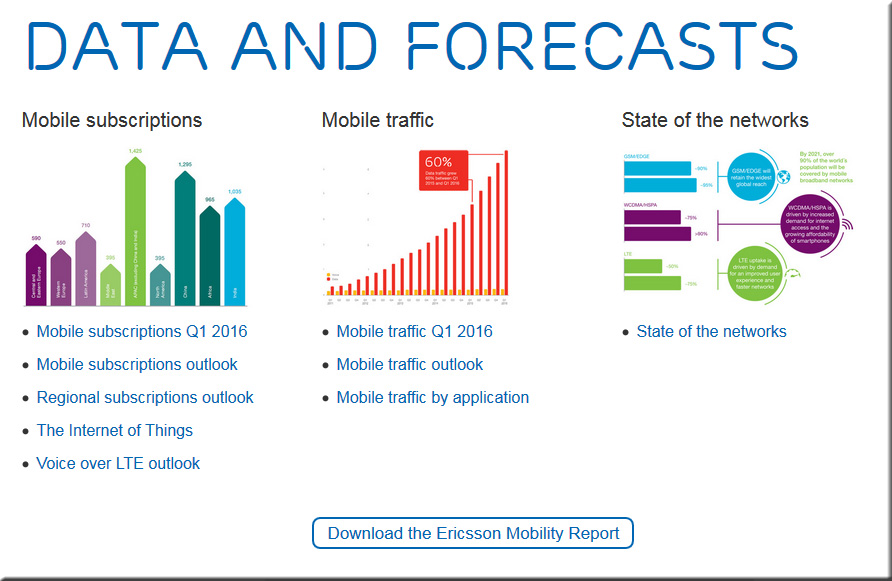
Ericsson Mobility Report 2016 — from ericsson.com


EricssonMobilityReport-22016


EricssonMobilityReport2016


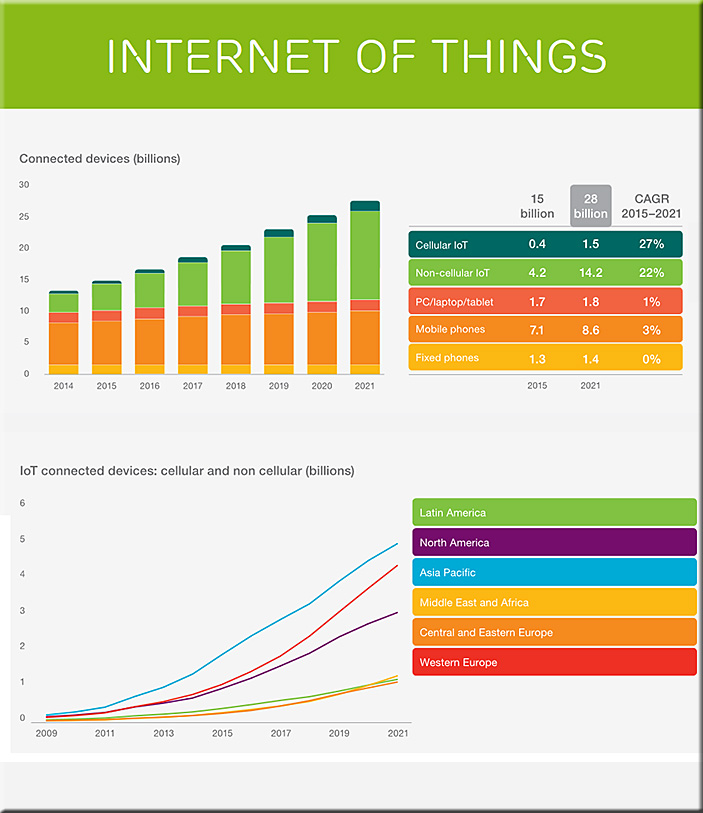
IoT-Ericsson-June2016


Also see:

  • The promise of 5G will fuel growth in video streaming and IoT devices, report claims — from digitaltrends.com by Christian de Looper
    Excerpt:
    The smartphone has largely taken over our digital lives, but if the Ericsson Mobility Report is anything to go by, mobile devices and other smart gadgets will continue to grow in prominence over the course of the next decade. Both the Internet of Things, video, and mobile internet use are expected to rise in prominence. According to Ericsson, IoT devices are set to overtake mobile in the connected devices category by 2018. The IoT space will maintain a hefty compound annual growth rate of 23 percent between 2015 and 2021. Part of this growth has to do with the introduction of 5G networks, which are expected to launch at some point in 2020.


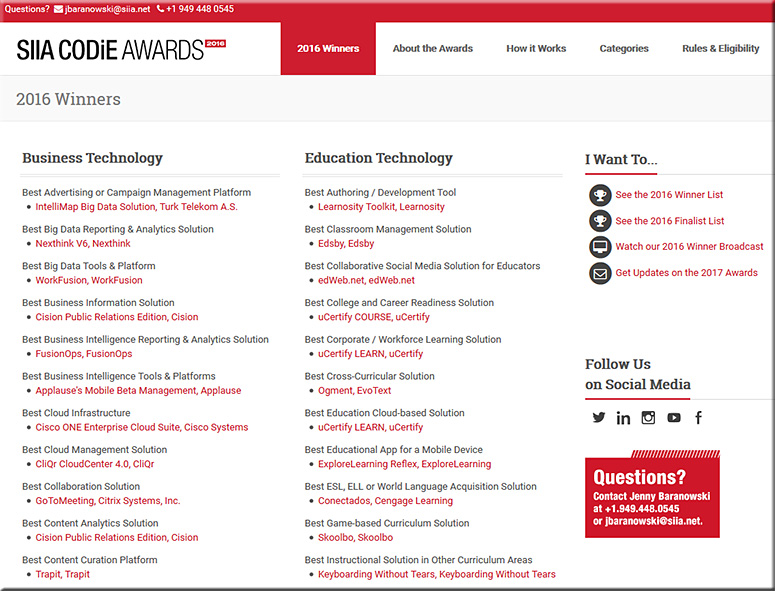
The SIIA CODiE Awards for 2016 — with thanks to Neha Jaiswal from uCertify for this resource; uCertify, as you will see, did quite well

Since 1986, the SIIA CODiE Awards have recognized more than 1,000 software and information companies for achieving excellence. The CODiE Awards remain the only peer-recognized program in the content, education, and software industries so each CODiE Award win serves as incredible market validation for a product’s innovation, vision, and overall industry impact.


SIIA-CODiE-Awards-for-2016


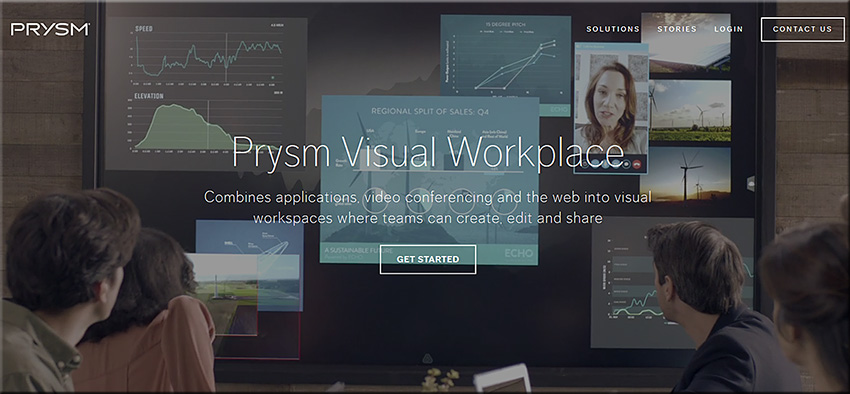
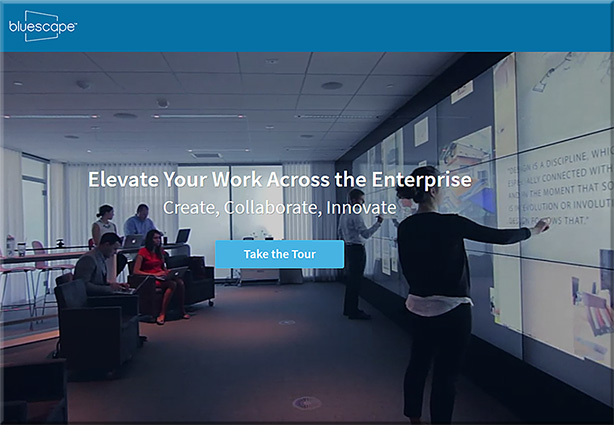
Will “class be in session” soon on tools like Prysm & Bluescape? If so, there will be some serious global interaction, collaboration, & participation here! [Christian]

From DSC:
Below are some questions and thoughts that are going through my mind:

  • Will “class be in session” soon on tools like Prysm & Bluescape?
  • Will this type of setup be the next platform that we’ll use to meet our need to be lifelong learners? That is, will what we know of today as Learning Management Systems (LMS) and Content Management Systems (CMS) morph into this type of setup?
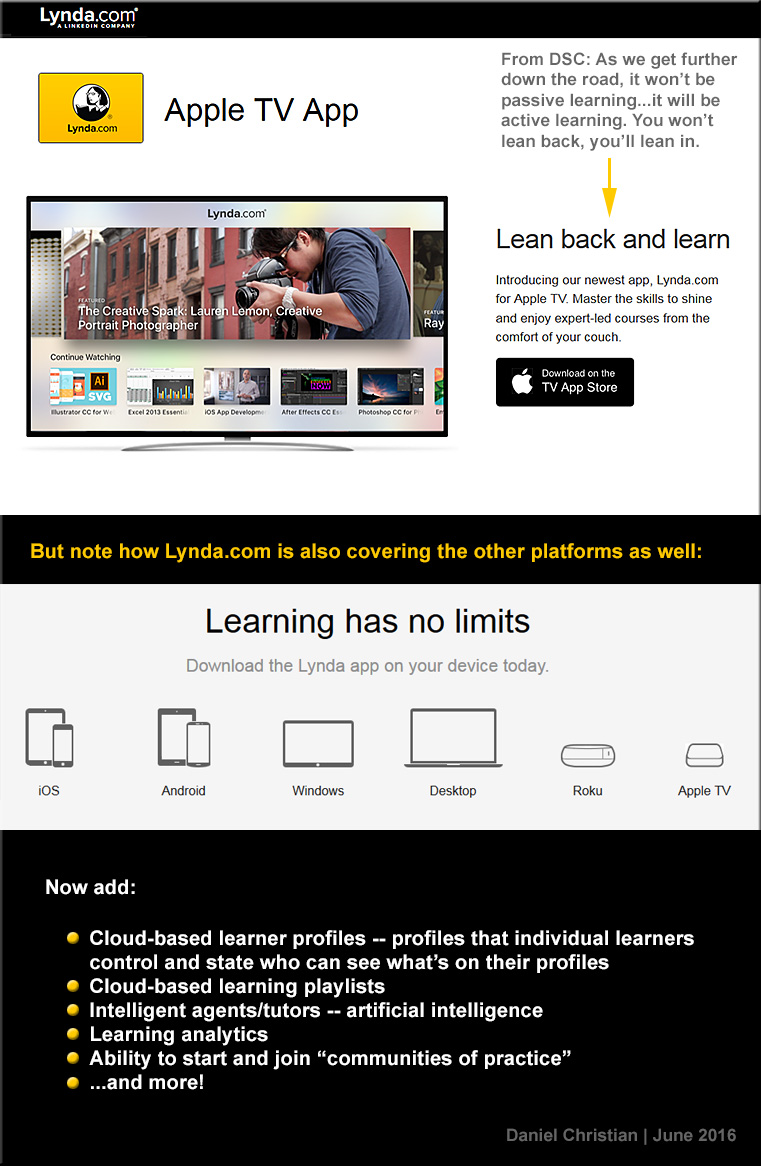
  • Via platforms/operating systems like tvOS, will our connected TVs turn into much more collaborative devices, allowing us to contribute content with learners from all over the globe?
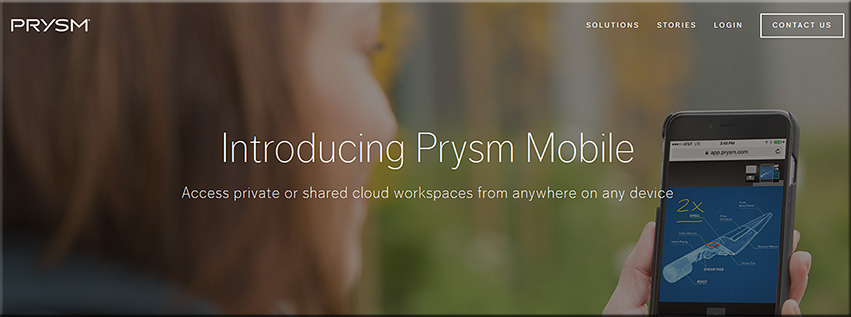
  • Prysm is already available on mobile devices and what we consider a television continues to morph
  • Will second and third screens be used in such setups? What functionality will be assigned to the main/larger screens? To the mobile devices?
  • Will colleges and universities innovate into such setups?  Or will organizations like LinkedIn.com/Lynda.com lead in this space? Or will it be a bit of both?
  • How will training, learning and development groups leverage these tools/technologies?
  • Are there some opportunities for homeschoolers here?

Along these lines, are are some videos/images/links for you:


PrysmVisualWorkspace-June2016


PrysmVisualWorkspace2-June2016


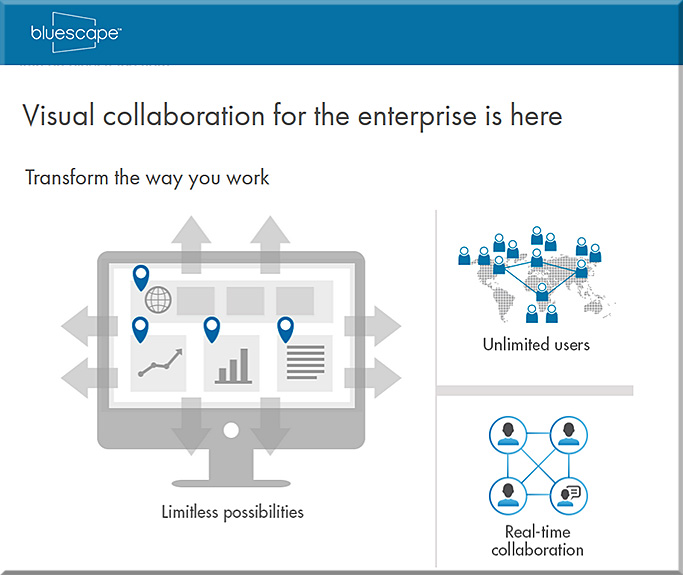
BlueScape-2016


BlueScape-2015


DSC-LyndaDotComOnAppleTV-June2016


The Living [Class] Room -- by Daniel Christian -- July 2012 -- a second device used in conjunction with a Smart/Connected TV


Also see:

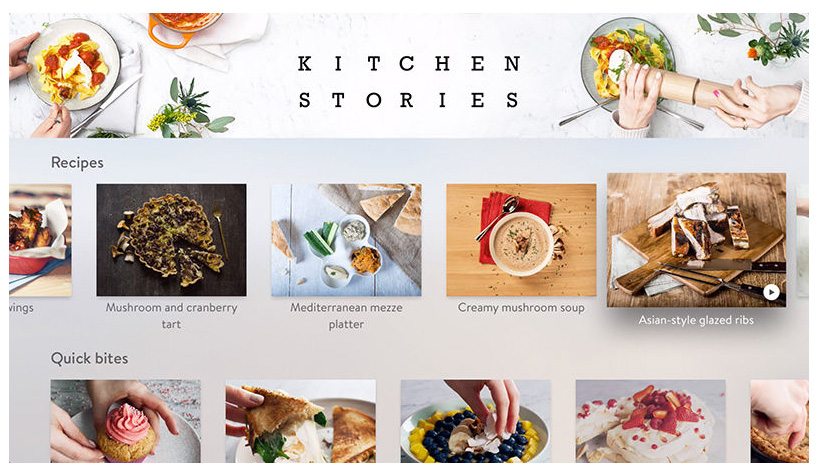
kitchenstories-AppleTV-May2016


Also see:


Prysm Adds Enterprise-Wide Collaboration with Microsoft Applications — from ravepubs.com by Gary Kayye

Excerpt:

To enhance the Prysm Visual Workplace, Prysm today announced an integration with Microsoft OneDrive for Business and Office 365. Using the OneDrive for Business API from Microsoft, Prysm has made it easy for customers to connect Prysm to their existing OneDrive for Business environments to make it a seamless experience for end users to access, search for, and sync with content from OneDrive for Business. Within a Prysm Visual Workplace project, users may now access, work within and download content from Office 365 using Prysm’s built-in web capabilities.


What Gen Z thinks about ed tech in college — from edtechmagazine.com by D. Frank Smith
A report on digital natives sheds light on their learning preferences.

Excerpt (emphasis DSC):

A survey of the collegiate educational-technology expectations of 1,300 middle and high school students from 49 states was captured by Barnes and Noble. The survey, Getting to Know Gen Z, includes feedback on the students’ expectations for higher education.

“These initial insights are a springboard for colleges and universities to begin understanding the mindset of Gen Z as they prepare for their future, focusing specifically on their aspirations, college expectations and use of educational technology for their academic journey ahead,” states the survey’s introduction.

Like the millennials before them, Generation Z grew up as digital natives, with devices a fixture in the learning experience. According to the survey results, these students want “engaging, interactive learning experiences” and want to be “empowered to make their own decisions.” In addition, the students “expect technology to play an instrumental role in their educational experience.”


From DSC:
First of all, I’d like to thank D. Frank Smith for the solid article and for addressing the topic of students’ expectations. These messages were echoed in what I heard a few days ago at the MVU Online Learning Symposium, a conference focused on the K-12 space.


MoreChoiceMoreControl-DSC2


I want to quote and elaborate on one of the items from the report (as mentioned in the article):

“There is a need for user-friendly tools that empower faculty to design the kinds of compelling resources that will comprise the next wave of instructional resources and materials,” the report states.

Most likely, even if such tools were developed, the end goal from the quote above won’t happen. Why? Because:

  • Most faculty simply don’t have the time — they are being overrun with all sorts of other demands on their time (committees, task forces, advising, special projects, keeping up with the changes in their disciplines, etc.)
  • Even with user-friendly tools, one still needs a variety of skill sets to create engaging, sophisticated content and learning environments. Creating “the next wave of instructional resources and materials” is waaaaaay beyond the skillsets of any one person!!! Numerous skills will be required to create the kinds of learning materials that we can expect to see in the future:
    • Information architecture
    • Instructional design
    • Interaction design
    • Videography and creating/working with multiple kinds of media
    • Programming/coding
    • Responsive web design and knowing how best to design content for multiple kinds of devices
    • User experience design
    • Graphic design
    • Game design
    • Knowledge of copyrights
    • Expertise in accessibility-related items
    • The ability to most effectively write for blended and/or online-based approaches
    • Knowing how to capture and use learning analytics/data
    • Keeping up with advancements in human computer interfaces (HCI)
    • Staying current with learning space design
    • How best to deliver personalized learning
    • and much more!

This is why I continue to assert that we need a much more team-based approach to creating our learning environments. The problem is, very few people are listening to this advice.

How can I say this?

Because I continue to hear people discussing how important professional development is and how much support is needed for faculty members.  I continue to see quotes, like the above one, that puts the onus solely on the backs of our faculty members. Conferences are packed full with this type of approach.

Let’s get rid of that approach — it’s not working!  Or at least not nearly to the degree that students need it to. There may be a small percentage of faculty members who have the time and skills to pull some things off here, but even they will run into some walls eventually (depending upon the level of sophistication being pursued). None of us can do it all.

But for the most part, years have gone by and not much has changed. Rather, we need to figure out how we could use teams to create and deliver content. That would be a much wiser use of our energies and time. This perspective is not meant to dog faculty members — it’s just recognizing realities:

  • One person simply can’t do it all anymore.
  • Tools don’t exist that can pull all of the necessary pieces together.
  • Even if such tools existed, they won’t be able to keep pace w/ the exponential rate of technological changes that we’re currently experiencing — and will likely continue to experience over the next 10-20 years.

If we’re going to insist on faculty members creating the next wave of instructional materials and resources, then faculty members better look out — they don’t know what’s about to hit them.  Forget about having families. Forget about having a life outside of creating/delivering content.  And find a way to create a 50-60 hour work DAY (not week) — cause that’s how much time one will need to achieve any where’s close to mastery in all the prerequisite areas.


20 awesome BYOD and mobile learning apps — from edutopia.org by Vicki Davis; updated 2/4/16

Excerpt:

We have now been Bring Your Own Device (BYOD) for three years, and boy, do the students bring it. They bring it all! We have iPads, Surface, iPhones, Droids, Chromebooks, Macs, and PC laptops. Here’s my current thinking.


7 best Google apps and tools — from interestingengineering.com

  1. Google Keep
  2. Google Scholar
  3. Gmailify
  4. Google Lego
  5. Google Mars
  6. Google Developers
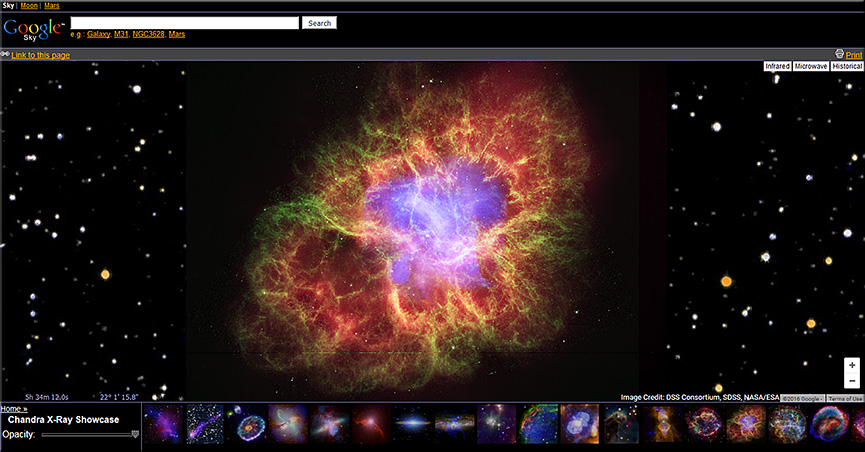
  7. Google Sky


GoogleSky-April2016


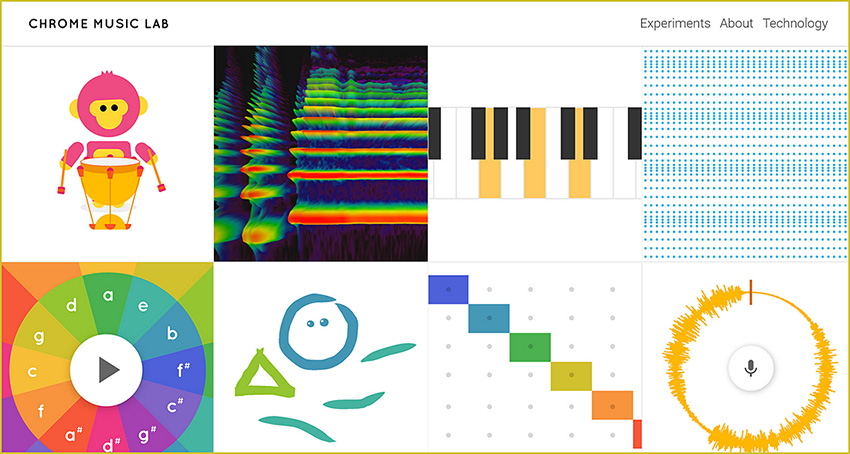
Chrome Music Lab

Excerpt:

Music is for everyone. So this year for Music In Our Schools month, we wanted to make learning music a bit more accessible to everyone by using technology that’s open to everyone: the web. Chrome Music Lab is a collection of experiments that let anyone, at any age, explore how music works. They’re collaborations between musicians and coders, all built with the freely available Web Audio API. These experiments are just a start. Check out each experiment to find open-source code you can use to build your own.


ChromeMusicLab-March2016


My challenge to you – 8 things all teachers should learn about #edtech — from ictevangelist.com by Mark Anderson

Excerpt:

I love the School Report scheme that the BBC run via Newsround. We all remember the Newsrounds of our youth. For me it was John Craven who made me watch it whenever it was on. It was this report I saw recently on eight things teachers should learn, which got me thinking about eight things I thought teachers should learn about edtech.

My work sees me regularly helping teachers learn different things related to the use of technology and so in this post, I’m going to talk about the eight things I think teachers should learn with #edtech to help support their use of technology to enhance learning in the classroom.

Mark mentions: Google, Padlet, Kahoot, Socrative, Camera, Microphone, Twitter, Videoconferencing software


Quiz accommodations for students in Canvas and Moodle — from thejournal.com by Emmett Dulaney03/16/16

Excerpt:

As we move toward interacting more with students who have an individualized education program (IEP) indicating that they need additional time on tests and quizzes or just need to deal with life issues, it is imperative that the learning management system (LMS) depended upon by an instructor and student alike be properly configured for such accommodations. Canvas and Moodle are currently two of the most popular learning management systems, and both offer the ability to make adjustments to quiz functions within the course without compromising the overall structure of the course. In this article, we will examine how to do so and offer some tips on situations where they are relevant.


Use these Chrome apps to unleash students’ creativity — from educatorstechnology.com

Excerpt:

[The] Chrome web store is packed full of all kinds of educational apps and extensions some of which are also integrated with Google Drive. For those of you looking for a handy resource of Chrome apps to use with students in class, check out this comprehensive chart. In today’s post we are sharing with you a collection of some practical Chrome extensions to unleash learners creativity. Using these resources, students will be able to engage in a number of creative literacy activities that will allow them to multimodally communicate their thoughts, share their ideas and develop new learning skills.


Integrating technology and literacy — from edutopia.org by Frank Ward

Excerpt:

How do you work technology into the pedagogy, instead of just using something cool? That task can be especially daunting in language arts literacy classrooms where reading and writing skill development is the crux of daily lessons. However, as 1:1 technology initiatives roll out, integrating technology into the classroom is our reality.

With hundreds of sites, apps, Chrome extensions, and platforms available, choosing the right ones can seem overwhelming. As an eighth-grade language arts teacher, I’ve experienced this myself. Following are four tools that can help provide immediate formative assessment data as well as top-of-the-rotation feedback to help students develop personal learning goals.

If, like my school, you’re in a “Chromebook District,” these suggested tools will work well because all integrate perfectly when you sign in with your Google ID, limiting the need for multiple passwords. This saves a lot of student confusion, too.


Teachers are using theater and dance to teach math — and it’s working — from washingtonpost.com by Moriah Balingit

Excerpt:

This giggly play session actually was a serious math lesson about big and small and non-standard measurements. Dreamed up by Richardson and kindergarten teacher Carol Hunt, it aims to get the children to think of animal steps as units of measurement, using them to mark how many it takes each animal to get from a starting line to the target.

Teachers call such melding of art and traditional subjects “art integration,” and it’s a new and increasingly popular way of bringing the arts into the classroom. Instead of art as a stand-alone subject, teachers are using dance, drama and the visual arts to teach a variety of academic subjects in a more engaging way.


Some older items include:

Tech Tip: Using Nearpod for math instruction — from smartblogs.com


Storytelling app a hit; launches a new chapter in transmedia — from blogs.vancouversun.com

Excerpt:

Paul Pattison and Luke Minaker knew they were onto something when they got an email from the mother of a nine-year-old who read the first instalment of their interactive story, Weirdwood Manor.

She wrote that she couldn’t get her son to pick up a book,” said Pattison, technical director of All Play No Work, producer of the iPad app. “She got the app for her son and he went through it in two nights. He finished both books.

And then because we don’t have book 3 out yet, unprompted by her he went over to the bookshelf and pulled off a paperback and started reading chapter books again.

.


MicrosoftBuild2016


Microsoft Build: the 10 most important announcements — from theverge.com by Ben Popper and Dieter Bohn
Here come the bots!

Excerpt (emphasis DSC):

Every year, Microsoft holds a developer event called “Build.” And recently, those events have gone from snoozers to exciting showcases. Microsoft has a winner with Windows 10 (as long as you ignore the phones), a robust personal assistant in Cortana (that works just fine on a laptop), and a wild holographic future to plan with HoloLens. It’s a lot to take in, and at this year’s Build Microsoft we got updates on all of it. And a few surprises.

Going in, we weren’t totally sure what would be coming next for Windows 10, but it turns out there’s a lot that Microsoft has planned. It’s not just that there are new apps, there are also new bots, which will help people handle all sorts of small tasks. In fact, those bots and Microsoft’s vision of how they should work stole the entire show. Windows, Xbox: you’re cool, but the future is bots.


Why Microsoft wants to help developers build bots — from pcworld.com by Blair Hanley Frank
Conversations are cross-platform and mobile, even when Windows 10 Mobile isn’t winning

Excerpt:

Microsoft CEO Satya Nadella is pushing developers to create virtual assistants and intelligent chatbots to help users do everything from managing their calendars to booking hotel reservations.

To that end, Microsoft has published a new Bot Framework, which makes it easier to build chatbots using either C# or Node.js. Working with the tools isn’t so easy that anyone could do it, but they can help reduce some of the difficulties of conversing with a computer.

It was one of the main announcements from Nadella’s keynote address at Microsoft’s Build developer conference Wednesday.


Also see:


From DSC:
Questions/relevance for those working higher ed:

  • Are Computer Science programs able to keep up with the pace of these Human Computer Interaction (HCI)-related changes?  The changes in AI/cognitive computing? Are courses being created to address these new skills? These developments also impact those teaching about user experience design, application/product design, and more.
    .
  • How will such personal assistants be used by the students? By faculty members?


Key point from DSC:
Digitally-based means of learning are going to skyrocket!!! Far more than what we’ve seen so far!  There are several trends that are occurring to make this so.


As background here, some of the keywords and phrases that are relevant to this posting include:

  • Wireless content sharing
  • Wireless collaboration solutions
  • Active learning based classrooms
  • Conference rooms
  • Bring Your Own Device (BYOD)
  • Enterprise wireless display solutions
  • Enterprise collaboration solutions
  • Cross platform support: iOS, Android, Windows
  • Personalized learning
  • Learning analytics

Some of the relevant products in this area include:

  • Bluescape
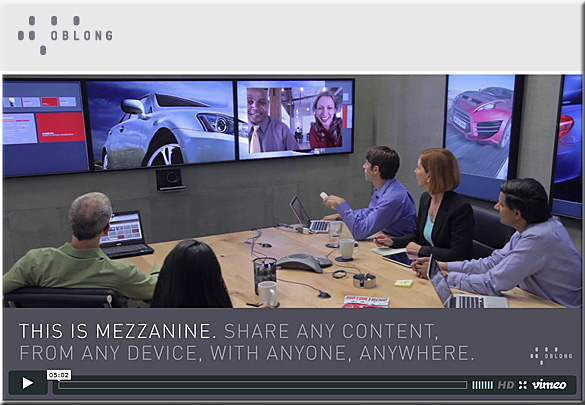
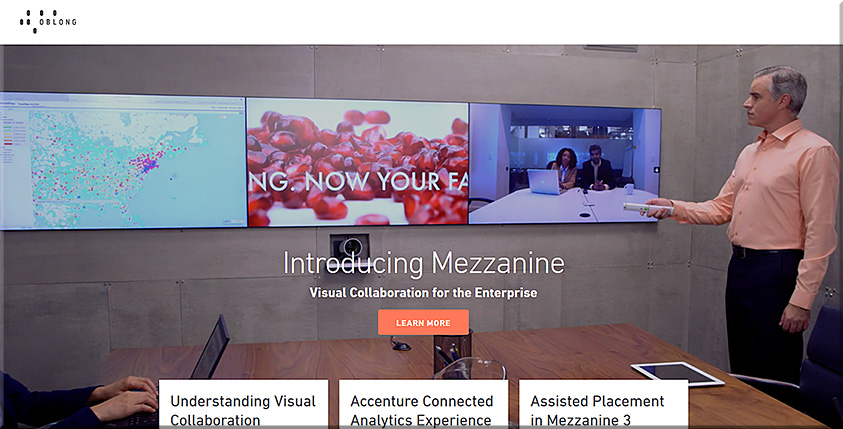
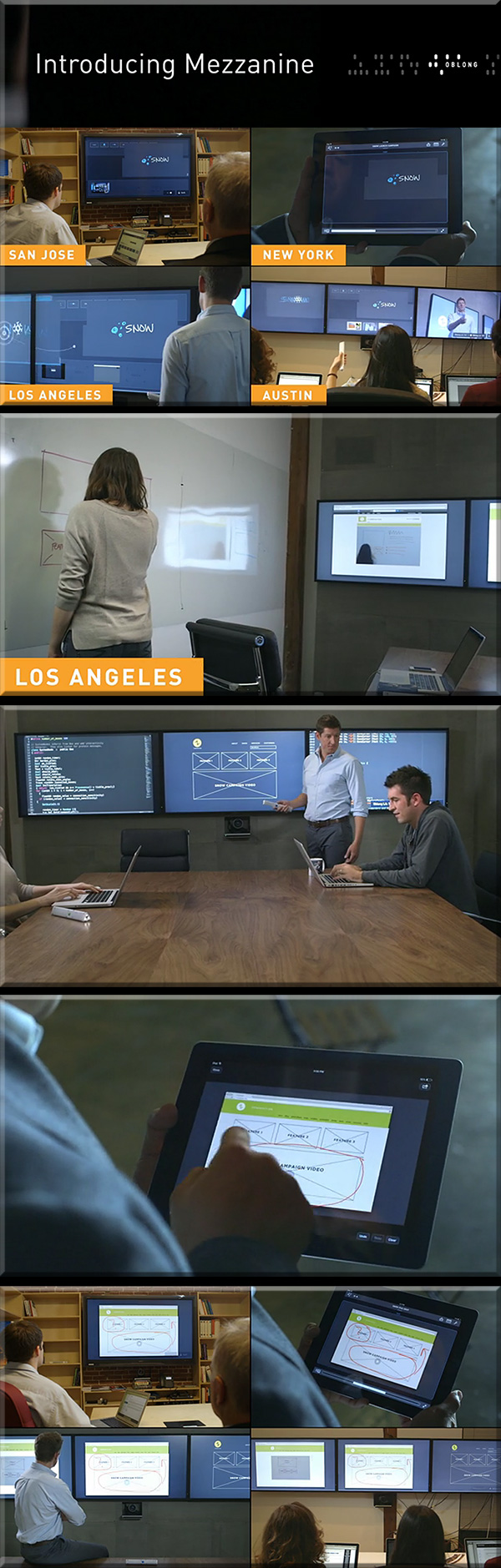
  • Mezzanine from Oblong Industries
  • Montage from DisplayNote Technologies
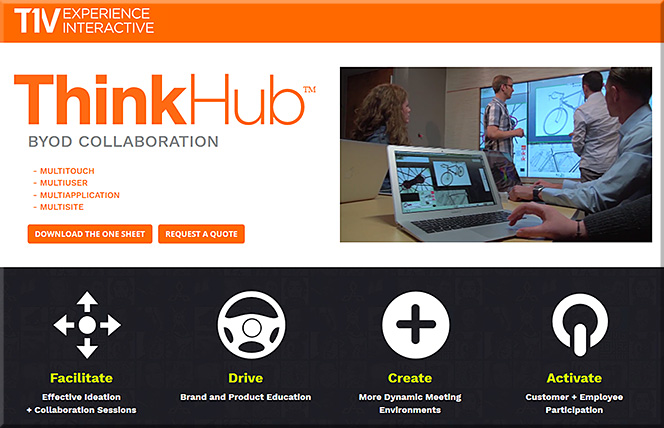
  • ThinkHub and ViewHub from T1V
  • Mersive Solstice
  • Crestron AirMedia
  • Barco Clickshare
  • Haworth Workware Wireless
  • Christi Brio
  • AMX enzo
  • NovoConnect from Vivitek
  • Arrive MediaPoint
  • Apple TV
  • Chromecast

From DSC:

First of all, consider the following products and the functionalities they offer.

People who are in the same physical space can collaborate with people from all over the world — no matter if they are at home, in another office, on the road, etc.

For several of these products, remote employees/consultants/trainers/learners can contribute content to the discussions, just like someone in the same physical location can.


Bluescape-March2016


BlueScape-2015


Mezzanine-from-Oblong-May2013

Mezzanine-By-Oblong-Jan2016


mezzanine-feb-2015


ThinkHub-March2016


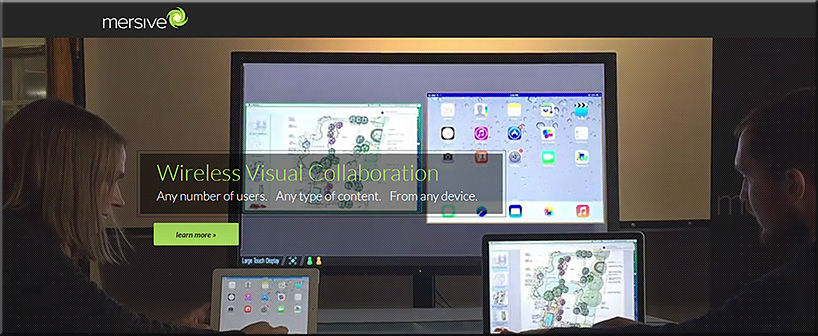
mersive-March2016

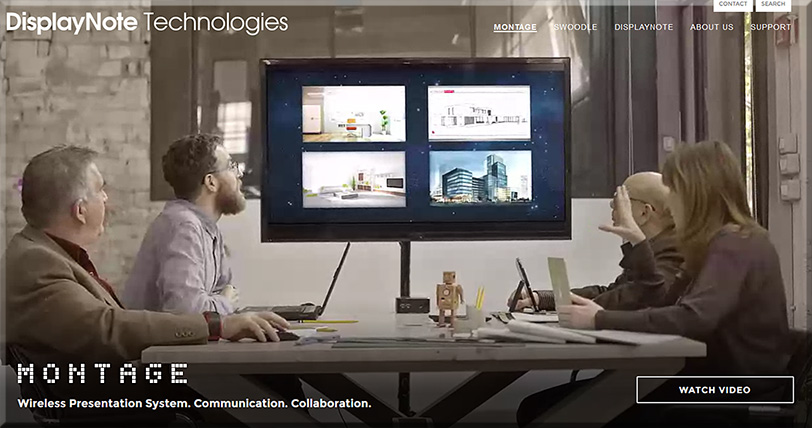
Montage-March2016

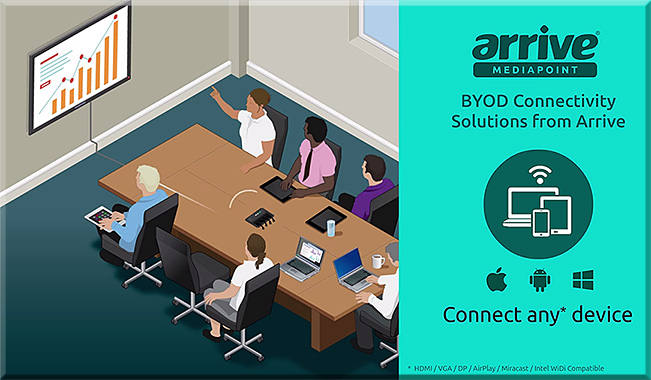
ArriveMediaPoint-March2016


From DSC:

Many of these sorts of systems & software are aimed at helping people collaborate — again, regardless of where they are located. Remote learners/content contributors are working in tandem with a group of people in the same physical location. If this is true in business, why can’t it be true in the world of education?

So keep that in mind, as I’m now going to add on a few other thoughts and trends that build upon these sorts of digitally-based means of collaborating.

Q: Towards that end…ask yourself, what do the following trends and items have in common?

  • The desire to capture and analyze learner data to maximize learning
  • Colleges’ and universities’ need to increase productivity (which is also true in the corporate & K-12 worlds)
  • The trend towards implementing more active learning-based environments
  • The increasing use of leveraging students’ devices for their learning (i.e., the BYOD phenomenon)
  • The continued growth and increasing sophistication of algorithms

A: All of these things may cause digitally-based means of learning to skyrocket!!!

To wrap up this line of thought, below are some excerpts from recent articles that illustrate what I’m trying to get at here.


Embrace the Power of Data
A continuous improvement mindset is important. Back-end learning analytics, for example, can reveal where large numbers of students are struggling, and may provide insights into questions that require new feedback or content areas that need more development. Data can also highlight how students are interacting with the content and illuminate things that are working well—students’ lightbulb moments.

Five Principles for Your Learning Design Toolkit
from edsurge.com by Amanda Newlin


Mitchell gave the example of flight simulators, which not only provide students with a way to engage in the activity that they want to learn, but also have data systems that monitor students’ learning over time, providing them with structured feedback at just the right moment. This sort of data-centric assessment of learning is happening in more and more disciplines — and that opens the door to more innovation, he argued.

A promising example, said Thille, is the use of educational technology to create personalized and adaptive instruction. As students interact with adaptive technology, the system collects large amounts of data, models those data, and then makes predictions about each student based on their interactions, she explained. Those predictions are then used for pedagogical decision-making — either feeding information back into the system to give the student a personalized learning path, or providing insights to faculty to help them give students individualized support.

“We need the models and the data to be open, transparent, peer-reviewable and subject to academic scrutiny.”

“We began to actually examine what we could do differently — based not upon hunches and traditions, but upon what the data told us the problems were for the students we enroll,” said Renick. “We made a commitment not to raise our graduation rate through getting better students, but through getting better — and that gain meant looking in the mirror and making some significant changes.”

A 21st-century learning culture starts with digital content. In 2010, Jackson State University was looking for ways that technology could better address the needs of today’s learner. “We put together what we call our cyberlearning ecosystem,” said Robert Blaine, dean of undergraduate studies and cyberlearning. “What that means is that we’re building a 21st-century learning culture for all of our students, writ large across campus.” At the core of that ecosystem is digital content, delivered via university-supplied iPads.

7 Things Higher Education Innovators Want You to Know
from campustechnology.com by Rhea Kelly


On Bennett’s wish list right now is an application that allows students to give feedback at specific points of the videos that they’re watching at home. This would help him pinpoint and fix any “problem” areas (e.g. insufficient instructions for difficult topics/tasks) and easily see where students are experiencing the most difficulties.

TechSmith’s now-retired “Ask3” video platform, for example, would have done the trick. It allowed users to watch a video and ask text-based questions at the point where playback was stopped. “I’d like to be able to look at my content and say, ‘Here’s a spot where there are a lot of questions and confusion,'” said Bennett, who also sees potential in an “I get it” button that would allow students to hit the button when everything clicks. “That would indicate the minimum viable video that I’d need to produce.” Learning Catalytics offers a similar product at a fee, Bennett said, “but I can’t charge my students $20 a year to use it.”

6 Flipped Learning Technologies To Watch in 2016
from thejournal.com by Bridget McCrea


All of these trends lend themselves to causing a major increase in the amount of learning that occurs via digitally-based means and methods.


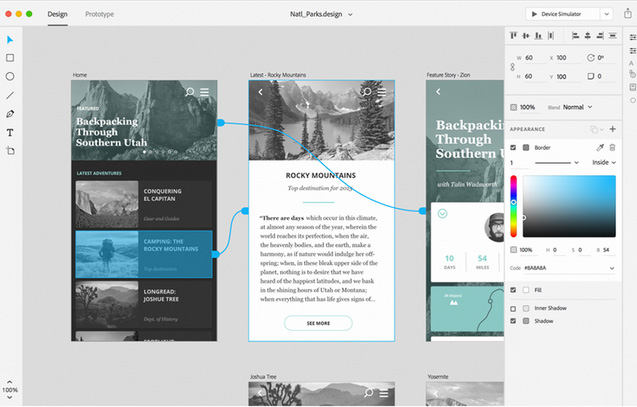
Adobe’s Project Comet has been renamed ‘Experience Design’ — and it [launched on 3/14/16] — from thenextweb.com by Nate Swanner

Excerpt:

Adobe’s Project Comet is now Experience Design (XD), and is available in preview for anyone with an existing Adobe account.

Noting there are currently “lots of tools tackling many parts of the problem” of designing apps, Adobe is positioning XD to compete more directly with Sketch, and it does a fantastic job. Not only will you be able to design artboards, but XD lets you make macro changes and prototype as well.

It begins with the type of project you have (Web, iPhone, iPad or ‘custom size’ designs), but XD also has UI Kit packets preloaded. You can choose from iOS, Google’s Material Design or Windows. XD also shows you recent files so you can jump right back into prototyping.


Adobe-ExperienceDesign-3-14-16


Mobile World Congress 2016: Event Highlights

Excerpts:

  • Over 100,000 attendees came to Mobile World Congress 2016: nearly 101,000, in fact. Attendees from 204 countries and territories were present, and was covered by more than 3,600 members of the international press and media.
  • More than 2,200 companies participated
  • Everything from virtual reality, new handsets and ingenious app ideas, to 3D printing, privacy protection and backend solutions were on display.
  • 5G & NFV, mobile apps, retail & digital commerce, mobile media, IoT and security
  • 374 speakers from consumer brands, mobile organisations, mobile operators and industries touched by the mobile market — including advertising, banking, health, NGOs, entertainment and education.


Also see their blog.


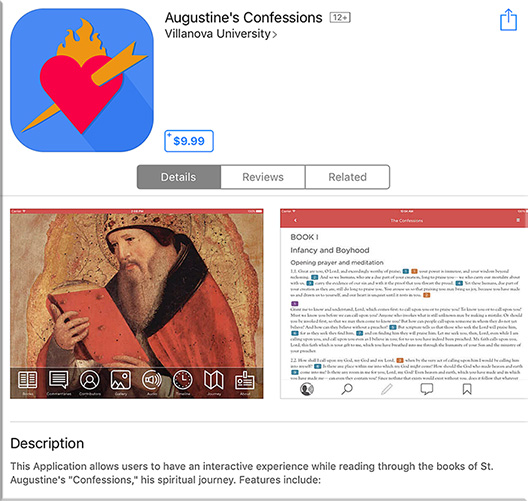
Interactive app brings 4th-century thinker to life — from campustechnology.com by Toni Fuhrman
At Villanova University, a student-developed app version of Augustine’s Confessions brings contemporary vitality and relevance to a classic 4th-century work.

Excerpt:

Augustine of Hippo, who lived from A.D. 354 to 430, might be surprised to find his Confessions in circulation today, including a number of e-book versions. Still widely read, popular in great books programs and studied in university classes, The Confessions of St. Augustine is autobiography and confession, spiritual quest and emotional journey.

One of the most recent electronic versions of the Confessions is an interactive app developed at Villanova University (PA), the nation’s only Augustinian Catholic University. Released three months ago on Augustine’s birthday (Nov. 13), the Confessions app is required for all freshmen as part of a “foundation” course. Available for both Apple and Android devices, the app includes the 13 books of the Confessions, authoritative commentaries, photo gallery, timeline, map and text-highlighted audio, as well as search, note-taking, annotation and bookmark options.


“What better way to reflect on and update this struggle than for today’s students to use technology to bring the text to life through visual, audio and analytical components?”


Confessions-Feb2016


From DSC:
Love the idea. Love the use of teams — including students — to produce this app!


© 2025 | Daniel Christian