The 3 instructional shifts that will redefine the college professor — from edsurge.com by Ryan Craig

Excerpts:

As faculty at colleges and universities are all too aware, it’s hard to do two jobs at the same time. Since the advent of the modern research university over a century ago, faculty have effectively held down two jobs: conducting (and publishing) research and teaching students.

Arguments for the dual-role professor seem logical. Knowledge production should make one a better instructor. Students should benefit from teachers producing the latest knowledge. But there’s precious little data to support that adding the research job to the instruction job improves student outcomes.

The downside is that both jobs require significant expertise and commitment to do well.

There is an emerging consensus as to what works best for onground instruction. It’s called the Dynamic Classroom, and it looks like this:

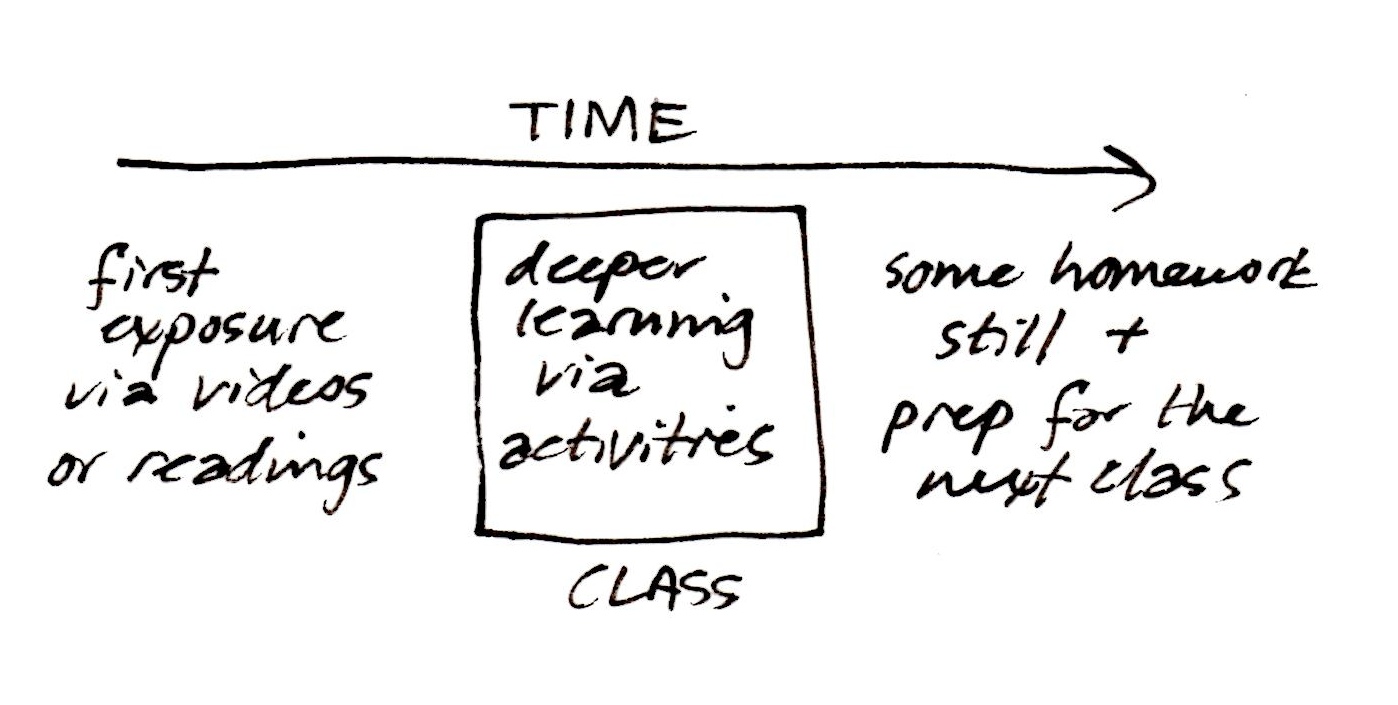
  • Flip classroom so “transfer of information” occurs ahead of class
  • Incorporate technology in the classroom (handheld clickers or smartphone apps) to quickly ascertain whether students have understood key concepts
  • Integrate active learning techniques to improve understanding of key concepts, including peer learning, group problem solving, project-based learning and experiential learning via studios and workshops
  • Include “perspective transformation” exercises wherein students change their frames of reference by critically reflecting on their assumptions


From DSC:
First of all, I second the idea of splitting up the responsibilities of researching and teaching. Both roles are full-time jobs and require different skillsets. With students paying ever higher tuition bills, students deserve to take their courses from professors who know how to teach (not an easy job by the way!). 

But the unbundling doesn’t — and shouldn’t — stop with the splitting up of the teaching and research roles.

Let’s look at another of the instructional shifts that Ryan considers — and that is the move towards the use of smartphones and apps:

In this environment, we can imagine one app for Economics 101 and another for Psychology 110. They are also the ideal platform for simulations and gamified learning and can tailor the user experience further by incorporating real-world inputs (e.g., location of the student) into the material. But, like the dynamic classroom, apps require an unparalleled level of development and instructional expertise—a full-time job for faculty who will be teaching online.

I think there’s some serious potential with this approach, especially given the trend towards more mobile computing and the affordances that come with using mobile technologies.

However, when we start delivering teaching and learning experiences that involve the digital/virtual realm like this, we’re instantly catapulted into a world that requires additional skills. As such, I highly doubt that the majority of faculty members have the time, interests, passions, or the abilities/gifts to code such apps.  They would have to simultaneously be (or become) a programmer/developer, an instructional designer, a graphic designer, a copyright expert, an expert in accessibility, instantly knowledgeable in user interface and user experience design, as well as continue to serve as the Subject Matter Expert (SME) — and I could list other roles as well. That is why we need TEAMS of specialists. If the trends towards moving more of our teaching and learning experiences online and/or into such digital realms continue, then our current models simply won’t cut it anymore, at least in the majority of cases.

I appreciate Ryan’s article and second the main idea of splitting up the teaching and researching responsibilities. But again, when we’re talking developing apps, we had better be talking employing the use of teams — or the students will likely not be better off.

—–

A related quote from “In Sign of the Times for Teaching, More Colleges Set Up Video-Recording Studios” — from The Chronicle

At some colleges, media teams sit down with professors ahead of time and lay out long-term strategies to determine how video may enhance the learning experience of students in their courses.

The media team offers instructors a number of planning worksheets to encourage them to think more about the purpose of videos in their courses.


 —–
 

From DSC:
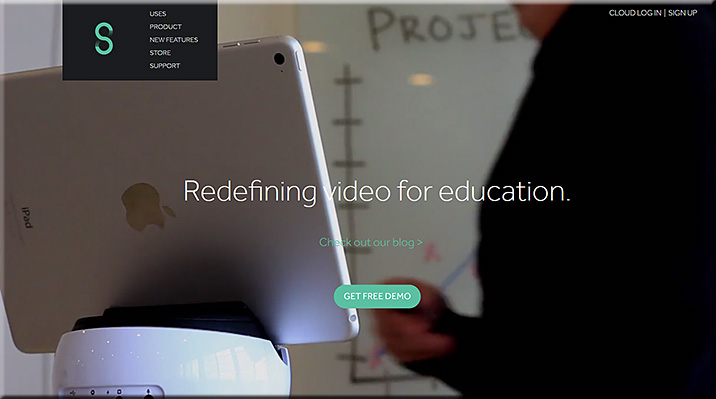
Swivl allows faculty members, teachers, trainers, and other Subject Matter Experts (SMEs) to make recordings where the recording device swivels to follow the SME (who is holding/wearing a remote). Recordings can be automatically sent to the cloud for further processing/distribution.

My request to you is:
Can you extend the Swivl app to not only provide recordings, but to provide rough draft transcripts of those recordings as well?

This could be very helpful for accessibility reasons, but also to provide students/learners with a type of media that they prefer (video, audio, and/or text).


Swivl-2015


Beyond Active Learning: Transformation of the Learning Space — from educause.edu by Mark S. Valenti

Excerpt:

The past decade has seen exciting developments in learning space design. All across the United States and around the world, across seemingly every discipline, there is interest in creating new, active, project-based learning spaces. Technology-rich and student-centric, the new learning spaces are often flexible in size and arrangement and are a significant departure from the lecture hall of yesterday. These developments are not the result of any one factor but are occurring as the result of changes in student demographics, technology advances, and economic pressures on higher education and as the result of increasing demands from employers. The nature of work today is inherently team-based and collaborative, often virtual, and geographically distant. Companies are seeking creative, collaborative employees who have an exploratory mindset. Employers seek graduates who can be more immediately productive in today’s fast-paced economy. Colleges and universities around the country are responding by creating flexible, multimodal, and authentic learning experiences. It’s a complex ecosystem of education—and it’s evolving right before our eyes. What an amazing time to be in education and to be a part of the transformation of the learning space!

The next generation of learning spaces will take all the characteristics of an active learning environment—flexibility, collaboration, team-based, project-based—and add the capability of creating and making. Project teams will be both interdisciplinary and transdisciplinary and will likely need access to a broad array of technologies. High-speed networks, video-based collaboration, high-resolution visualization, and 3-D printing are but a few of the digital tools that will find their way into the learning space.


figure 1

Figure 1. The T-Shaped Professional

Credit: Developed by IBM (Jim Spohrer, IBM Labs) and Michigan State University and
modified on March 16, 2015. Reprinted with permission.


CMU’s active learning classrooms improve STEM students’ learning — from cmich.edu; with thanks to Krista Spahr for this item
Environments support collaborative conversation, development of real-world skills

Excerpt:

The active learning difference
Through state-of-the-art technology, students spend their class time in active learning classrooms collaborating on assignments and solving problems rather than listening to lectures. Faculty become coaches and guides instigating thoughtful discussions and debates. Often, students watch faculty members’ online lectures before each class session begins.

Studies have shown that active learning classrooms and their settings allow students to learn up to three times more and retain greater knowledge, strengthen student-faculty relationships and improve student performance. Active learning also is proven to increase the likelihood that students in STEM disciplines will continue in those programs and removes the gap between the success of male and female students.

The flipped classroom can be associated with more collaborative, experiential, constructivist learning. “Faculty become coaches and guides instigating thoughtful discussions and debates. Often, students watch faculty members’ online lectures before each class session begins.”


6 Secrets of Active Learning Classroom Design — from campustechnology.com by Dian Schaffhauser
While the basic elements of active learning classrooms are well known, no one-size-fits-all template exists. Here’s how to achieve the custom fit your school needs.

Excerpt:

4 Questions to Guide Classroom Design
By next year, the University of Oklahoma will have nearly a dozen active learning spaces, up from one in 2012. Every single classroom looks different from the others, and that’s by design. Chris Kobza, manager of IT learning spaces, and Erin Wolfe, director of strategic initiatives, have honed their process down to four simple questions:

  1. What’s the vision?
  2. What’s the focus?
  3. How flexible?
  4. What’s the budget?

The process starts when they sit down with the person or people who want to redo a room to find out what they envision — is it maximum technology or maximum flexibility? “It’s a real casual conversation but you can learn enough about what their expectations for the space are, what the expectations for their faculty are, what they hope the students get out of the space,” said Kobza.


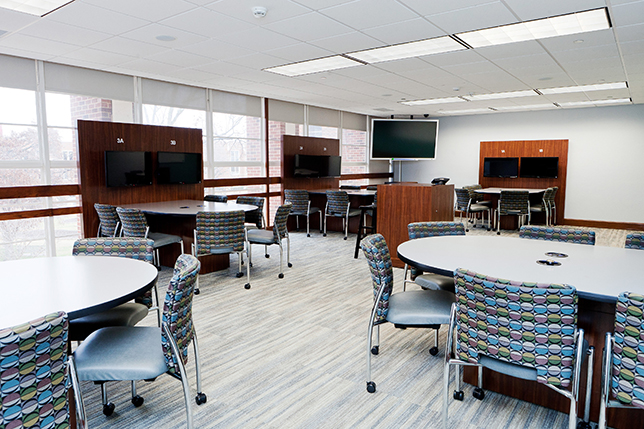
active learning classroom design


Reasons and Research – Why Schools Need Collaborative Learning Spaces — from emergingedtech.com by Kelly Walsh
There are Many Reasons Why Flexible, Active Learning Classrooms Should be Widely Adopted

Excerpt:

The power of Active Learning: “Many of today’s learners favor active, participatory, experiential learning—the learning style they exhibit in their personal lives. But their behavior may not match their self-expressed learning preferences when sitting in a large lecture hall with chairs bolted to the floor.”

Collaborative-Flexible-Elearnroom


Kelly references the
Learning Spaces compilation out at Educause:

Learning Spaces


From DSC:
Don’t like the phrase “active learning?” I’m compiling a list of other words/phrases/thoughts that one can use:

  • Collaborating on assignments and solving problems
  • Collaborative learning
  • Actively engaged learning
  • Peer instruction
  • Thinking out loud with one another
  • Constructionist / constructivist learning
  • Developing real-world skills such as problem solving, critical thinking, negotiating, and teamwork
  • Students have the opportunity to work in groups, solve complex problems and be creative
  • Emphasis on small-group activities
  • Immersed in discussion
  • Flexible in size and arrangement
  • Experiences and opportunities to better understand the material
  • Students are extremely engaged in what they are doing, and their thinking is being refined.
  • Creating and making; creativity
  • Effective interactions of small groups of people within communal spaces
  • Putting the focus on students doing the work of learning
  • Increased motivation via more hands-on opportunities
  • Sharing / exchanging ideas
  • Participatory


‘The shift is changing the way teachers plan, present lessons and share information. Students no longer need to all do the same thing to learn about a topic. This change is enhancing the quality of work teachers are receiving back from students, and is creating an environment where students are involved in the creation (versus consumption) of content that aids their learning. “A major change comes in the direct instruction piece. As teachers, we’re moving from simply giving information and offering a passive learning experience, to serving as a facilitator and guiding student inquiries. This method is allowing them to be active participants in their own education,” said Alder Creek Middle School teacher Vicki Decker. (Source)


Addendum on 7/17/15:

  • Designing Active Learning Classrooms — from dbctle.erau.edu; with thanks to Tim Holt out at holtthink.tumblr.com for the original posting that led me to this resource
    Excerpt:
    Active Learning Classrooms (also known as Active Learning Spaces or Learning Studios) are classrooms or other physical spaces designed with active learning in mind.  In particular they are student-centered rather than instructor-centered.  Students often sit in groups instead of rows to support collaborative learning, and some classrooms even have movable tables or desks.  Students also sometimes have their own computers or tablets, and there may be multiple displays around the classroom, since students are not facing in one direction.  Researchers have found that active learning classrooms have positive influences on student learning and engagement.  Below are videos, examples, research studies, and assessment instruments related to active learning spaces.

A somewhat related addendum:


How to create an AV standards document — from campustechnology.com by Mike Tomei
Defining standards will help prevent audiovisual support headaches and keep your institution on the path to its strategic goals.

 Excerpt:

Audiovisual technology is becoming increasingly complex and important in today’s classrooms. And with higher education IT departments being tasked with the design, installation and support of instructional AV systems — areas in which IT staff may or may not have expertise — it’s extremely important to develop, define and enforce AV system design/technical standards on campus.

The easiest way to do so is to create a comprehensive audiovisual design and technical standards document that can be referenced by all the parties involved with classroom AV installations. The goal of this document is to standardize AV installations across the institution, as well as streamline the design and construction process for these systems. A standards document will also help your IT department make progress toward the institution’s audiovisual strategic goals.

Many readers from state schools will recognize this scenario: A different audiovisual design consultant and systems integration firm are chosen for each project, based on the lowest bid. You end up with a revolving door of AV professionals installing equipment on your campus. They have very limited knowledge of your existing classroom systems, and what direction you’re trying to go in with new installations. This is a great reason to have an AV standards document written and ready to hand to these individuals at the beginning of a project.


…it’s all the more important to develop an audiovisual design/technical standards document that all parties can rely on.


Why campus infrastructure standards are so important — from blog.infocommblog.org by Greg Brown

Excerpt:

And here’s a excerpt from part one, to help set the scene: “Most colleges and universities have some assemblage of ‘classroom standards.’ Many of them are poorly thought out, incomplete, and not as effective as they could be….For the sake of discussion, I’m going to break standards down into four areas to make their respective advantages and disadvantages easier to illustrate. In actuality, what you have on campus will (ideally) be a mix of all four areas — a combination of four types — compiled as one under the bailiwick of ‘campus standards.’”

The next group of standards I want to talk about I’m calling campus infrastructure standards. What I am referring to here are your building infrastructure items. Where do you need power, conduit, or data? What type of lighting zones or switching do you expect in rooms? Is there a particular lighting system you use or a particular interface your control system requires? What do you need from the building systems in order to build the teaching space? Where do you need it?


Classroom standards: The good, bad, and ugly — from blog.infocommblog.org by Greg Brown

 Excerpt (additional emphasis DSC):

In addition, consider some current hot topics like active learning and flipped classrooms — where those terms undoubtedly mean completely different things to everyone at the table — and it’s clear why the responsible campus will want to steal a march and spell out some teaching-space-design ground rules in advance.

The four areas I will divide standards into — again, just for the sake of illustration — I call: industry standards, campus infrastructure standards, classroom design standards, and classroom equipment preferences.


Classroom design standards: Spelling out ‘look and feel’ — from blog.infocommblog.org by Greg Brown

Excerpt:

For part three, let’s talk about what I am calling classroom design standards. These are the parts of classroom standards that speak most specifically to the “look and feel” of the teaching space. These are the guidelines that address types of equipment (in general terms), where those items should be located, and how they operate. Here we lay out the look and function of the room from the perspective of an end user. What does an instructor expect in the room and how are they are going to use it?

This information would typically include: How many projectors are there? Do you use monitors instead? What sort of writing surfaces, and how many? Is there a formal instructor’s lectern or console? Where is it? What sort of equipment will it be equipped with? What about podcasting or webcasting?


Also, see:

Revealing statistics highlight campus video boom — from ecampusnews.com by
Survey reveals video plays an increasingly large role in instruction.

Excerpt:

Using video for remote teaching/learning is now commonplace in higher education (66 percent), while flipped classrooms are becoming a widely used form of pedagogy (46 percent).

Seventy percent of institutions use webcasting for various purposes including teaching (47 percent), training (42 percent) and broadcasting live events (42 percent).


From DSC:
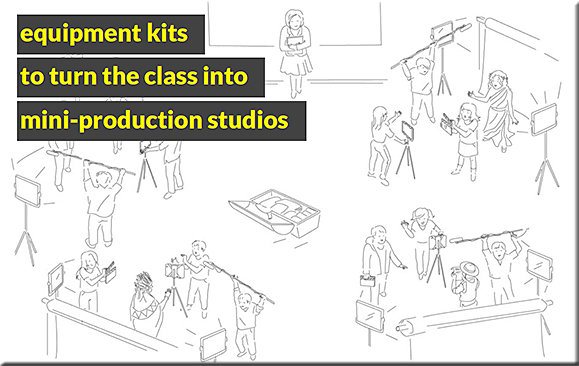
In watching the video below, note how this presenter is able to initiate cameras/feeds/effects with a touch of a button (so to speak). What if recording studios could be setup for professors, teachers, and trainers to use like this?  It could be sharp — especially given the movement towards flipping the classroom and implementing active learning based environments.


First of all, a shout out to the originators of the flipped  classroom approach from back in 2009 (as I understand it and see it being practiced today):

Also see the following article from 2009:

  • The Vod Couple | From The Journal by Dian Schaffhauser | 08/01/09
    High school chemistry teachers Aaron Sams and Jonathan Bergmann have overturned conventional classroom instruction by using video podcasts to form the root of a new learning model.

The Vod Couple

GOOD CHEMISTRY
Sams (left) and Bergmann
together practice a
student-centered pedagogy


Some resources re: the flipped classroom approach:


BestPracticesFlipCollegeClssrm-May2015


Description:

Best Practices for Flipping the College Classroom provides a comprehensive overview and systematic assessment of the flipped classroom methodology in higher education. The book:

  • Reviews various pedagogical theories that inform flipped classroom practice and provides a brief history from its inception in K–12 to its implementation in higher education.
  • Offers well-developed and instructive case studies chronicling the implementation of flipped strategies across a broad spectrum of academic disciplines, physical environments, and student populations.
  • Provides insights and suggestions to instructors in higher education for the implementation of flipped strategies in their own courses by offering reflections on learning outcomes and student success in flipped classrooms compared with those employing more traditional models and by describing relevant technologies.
  • Discusses observations and analyses of student perceptions of flipping the classroom as well as student practices and behaviors particular to flipped classroom models.
  • Illuminates several research models and approaches for use and modification by teacher-scholars interested in building on this research on their own campuses.

The evidence presented on the flipped classroom methodology by its supporters and detractors at all levels has thus far been almost entirely anecdotal or otherwise unreliable. Best Practices for Flipping the College Classroomis the first book to provide faculty members nuanced qualitative and quantitative evidence that both supports and challenges the value of flipping the college classroom.


The Flipped Classroom FAQ — from cirtl.net by Derek Bruff

Excerpts:

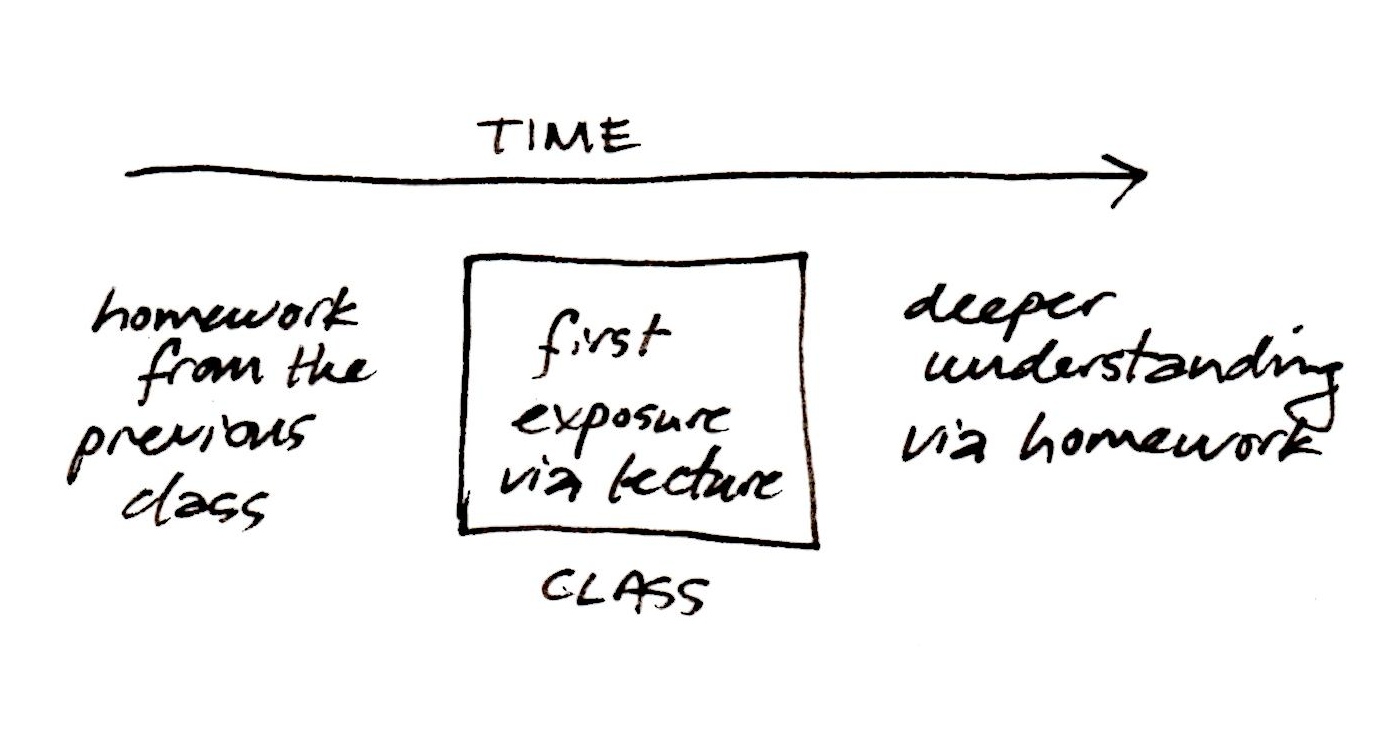
The usual approach:

The flipped approach:

Okay, I’m in.  How can I learn more?  Some starting points: This blog post by the University of Colorado’s Stephanie Chasteen, this resource guide from the University of Indiana at Bloomington, the K12-focused-but-still-helpful Flipped Learning Network, and the weekly #flipclass Twitter chat.


FlippedNetwork2015


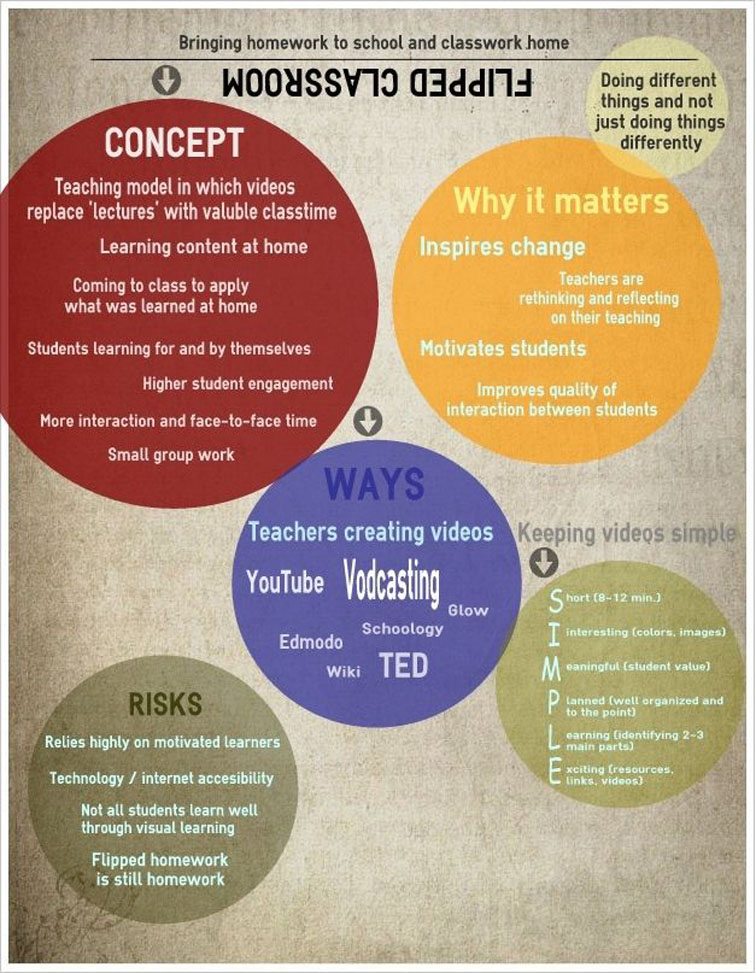
Image from “The Definition Of The Flipped Classroom” — from by teachthought.com


Items re: the flipped classroom from educatorstechnology.com


Items re: the flipped classroom from teachthought.com


Items re: the flipped classroom from edudemic.com


FlippedClassroomEdudemic2015


I’d always thought that the flipped classroom was mostly for teachers who lectured. So how could classroom flipping be useful to me? I only really lectured twice a year. And, wasn’t it about watching videos for homework? Not according to Cheryl, who talked about using the flipping strategy for instructions, assignments, procedures and review – in class.

The wheels in my head began turning as I remembered all those times I stood in front of my students trying to explain complicated instructions — again and again and again. I recalled the times where I modeled a skill for the students, had them practice, and then sent them home to do it on their own – and how challenging that often was for them without any ready means of support.


What in our course could be easily conveyed by video? What concepts did students often need to review at their own pace? What instructions would be more easily explained with a combination of audio and visual rather than (me upfront) whole-class discussion?


Also see:


Also see:


FlippedClass2


MoreChoiceMoreControl-DSC2


Addendum on 5/13/15:


5 keys to flipped learning success — from campustechnology.com by Dennis Pierce
Flipping the classroom isn’t easy, but many instructors have found it to be well worth the effort. Here’s some advice for making flipped learning work.

Excerpt:

Talbert teaches Calculus I and a full-year course on discrete mathematics for computer science majors. For calculus, he is using a free, open source textbook written by one of his colleagues with flipped learning in mind, and his department has created a YouTube channel with instructional videos that faculty have recorded using simple screencasting software. For his discrete mathematics course, Talbert is finding and curating online videos that students can watch before coming to class.

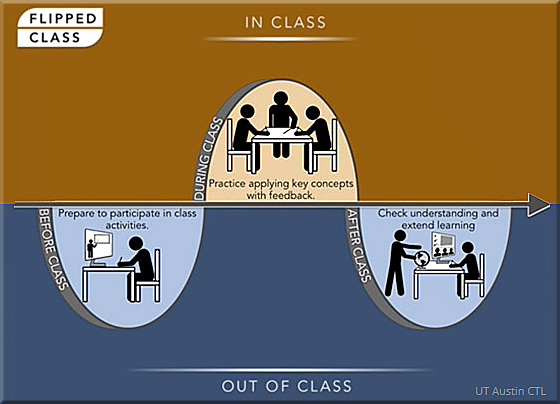
In both courses, students are given a structured, pre-class activity that gets them familiar with the lesson’s basic concepts, so when they arrive in his class, “they’re ready to work at a higher level,” he said. That’s the essence of the flipped class model: Students learn the basics on their own, outside of class, so class time can be devoted to a deeper exploration of the content.


From DSC:
Consider using one or more of the following tools to take your flipped classroom — and your learners’ understanding — to the next level via the creation of interactive videos.


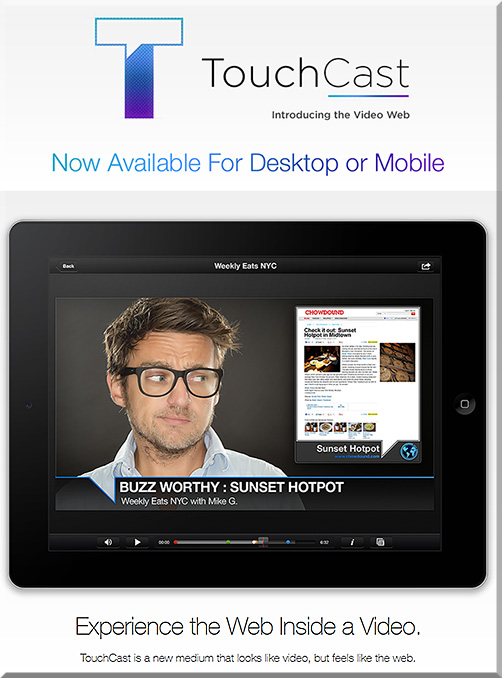
Touchcast
Video and the web are coming together. Experience both like never before with TouchCast- a new medium that looks like video, but feels more like the web.


Touchcast-April2015


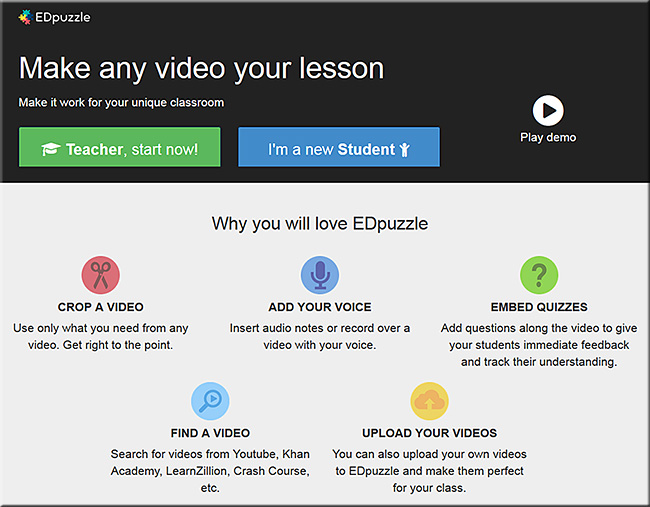
edpuzzle.com — a nice example of their product can be seen in their video entitled, The flipped classroom in 90 seconds


EDpuzzle-April2015


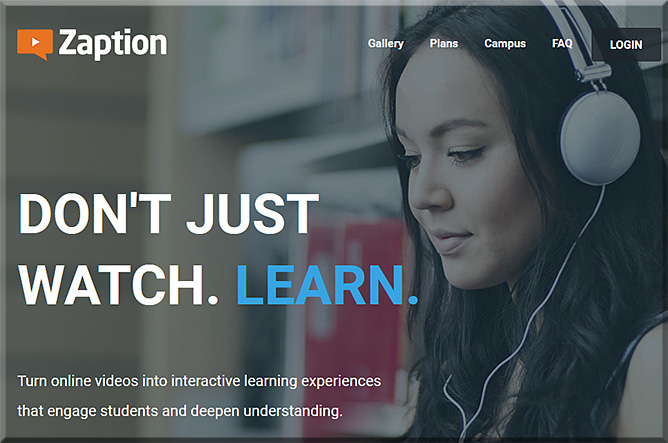
Zaption – Interact & Learn with Video Lessons
Don’t just watch. Learn! Zaption makes online video interactive and engaging for students and drives deeper learning.


Zaption-April2015


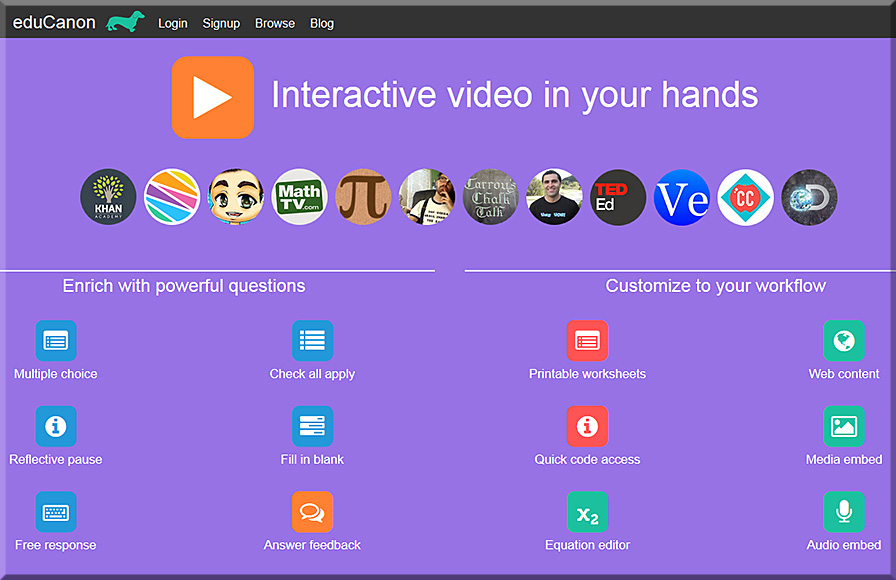
eduCanon
eduCanon is a free tool to embed rich, dynamic questions with explanations inside video. Use video to differentiate & engage. Promote self-paced learning with pause & rewind. Prevent skipping content not yet watched.


eduCanon-April2015


YouTube with new “Cards”:
Make your videos even more interactive with cards [3/16/15]

Excerpt:

As a creator, you’ve probably been using annotations to engage with your viewers for years. But one of the things you’ve told us is that you need more flexibility with the info you share through annotations, and—most importantly—you need it to work across screens and especially on mobile. That’s why today we’re introducing cards.

You can think of cards like an evolution of annotations. They can inform your viewers about other videos, merch, playlists, websites and more. They look as beautiful as your videos, are available anytime during the video and yes, they finally work on mobile.

Right now, you can choose from six types of cards: Merchandise, Fundraising, Video, Playlist, Associated Website and Fan Funding. You’ll find a new “Cards” tab in your Video Editor to create and edit them at any time.


 Addendum on 4/7/15:


Addendum on 4/23/15:

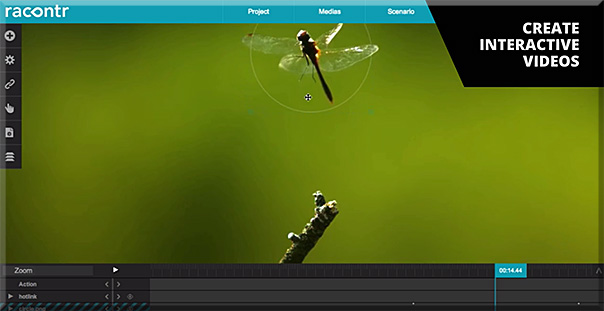
Also see:

Racontor-April2015-interactivevids


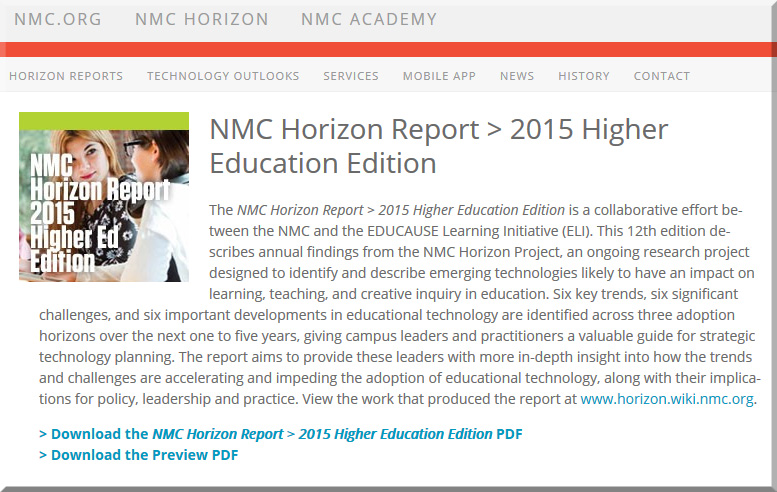
NMC Horizon Report > 2015 Higher Education Edition — from nmc.org

Excerpt:

What is on the five-year horizon for higher education institutions? Which trends and technologies will drive educational change? What are the challenges that we consider as solvable or difficult to overcome, and how can we strategize effective solutions? These questions and similar inquiries regarding technology adoption and educational change steered the collaborative research and discussions of a body of 56 experts to produce the NMC Horizon Report: 2015 Higher Education Edition, in partnership with the EDUCAUSE Learning Initiative (ELI). The NMC Horizon Report series charts the five-year horizon for the impact of emerging technologies in learning communities across the globe. With more than 13 years of research and publications, it can be regarded as the world’s longest-running exploration of emerging technology trends and uptake in education.


NMCHorizonReport-2015


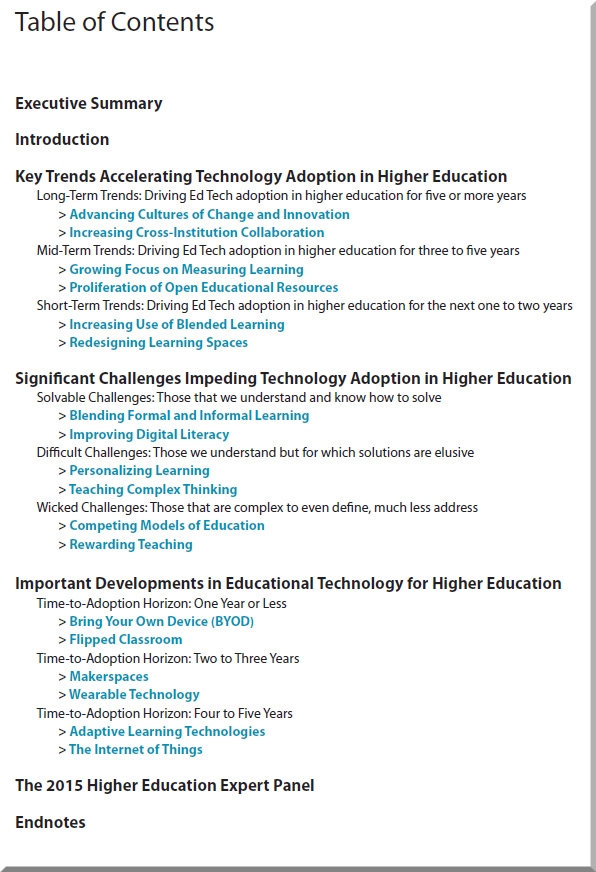
NMCHorizonReport-2015-toc


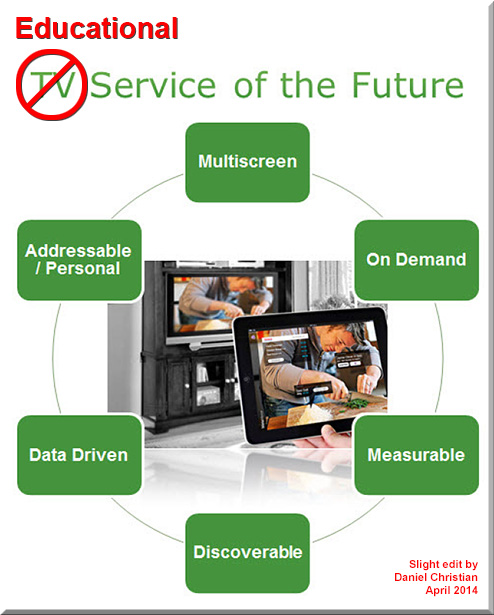
What educationally-related affordances might we enjoy from these TV-related developments?

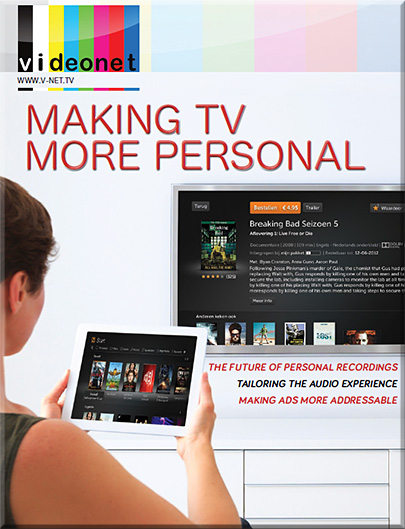
MakingTVMorePersonal-V-NetTV-April2014


EducationServiceOfTheFutureApril2014


CONTENTS

  • Content discovery and synchronization
    With access to rich data about their subscribers and what they do, operators can improve recommendation, encourage social TV and exploit second screen synchronization.
  • Recordings get more personal
    One of the next big steps in multiscreen TV is giving people access to their personal recordings on every screen. This is the moment for nPVR to finally make its entrance.
  • Evolving the User Experience
    As service providers go beyond household level and address individuals, the role of log-ins or context will become important. There is a place for social TV and big data.
  • The role of audio in personalization
    Audio has a huge impact on how much we enjoy video services. Now it can help to personalize them. ‘Allegiance’ based audio choices are one possibility.
  • Making advertising more targeted
    Addressable advertising is in its infancy but has a bright future, helping to fund the growth of on-demand and multiscreen viewing.


Some excerpts from this report:

Good content should be matched by good content discovery , including recommendations. The current state-of -the-art is defined by Netflix.

Today’s TV experience is worlds apart from the one we were talking about even five years ago. We’ve witnessed exponential growth in services such as HD and have moved from a model in which one screen is watched by many, to many screens (and devices) being available to the individual viewer, what is today called TV Everywhere.  Having multiscreen access to content is driving the demand for a more personalised experience, in which the viewer can expect to see what they want, where, and when. While video on-demand (VOD) has been a great method for delivering compelling content to viewers, it is not always a truly seamless TV-like experience, and traditionally has been limited to the living room. The growing demand for the personalised experience is driving seismic change within the TV industry, and we’ve seen great strides made already, with time-shifted TV and nPVR as just two examples of how we in the industry can deliver content in the ways viewers want to watch. The next step is to move towards more advanced content discovery, effectively creating a personalised channel or playlist for the individual user.

As the tools become available to deliver personalized experiences to consumers, content owners can better create experiences that leverage their content. For example, for sports with multiple points of action, like motor racing, multiple camera angles and audio feeds will allow fans to follow the action that is relevant to their favourite racing team. And for movies, access to additional elements such as director’s commentaries, which have been available on Blu-ray discs for some time, can be made available over broadcast networks.


From DSC:
Some words and phrases that come to my mind:

  • Personalization.
  • Data driven.
  • Content discovery and recommendation engines (which could easily relate to educational playlists)
  • Training on demand
  • Learning agents
  • Web-based learner profiles
  • Learning hubs
  • What MOOCs morph into
  • More choice. More control.
  • Virtual tutoring
  • Interactivity and participation
  • Learning preferences
  • Lifelong learning
  • Reinventing oneself
  • Streams of content
  • Learning from The Living [Class] Room


The Living [Class] Room -- by Daniel Christian -- July 2012 -- a second device used in conjunction with a Smart/Connected TV


streams-of-content-blue-overlay


Bringing the Wonder of the Web to Video (emphasis DSC)
Our mission is to usher in a new age of expression.

Anyone can easily create professional-quality videos combined with all the interactivity you expect to find inside a browser. We call these TouchCasts, a new medium that looks like video, but feels like the web.

— Per TouchCast.com


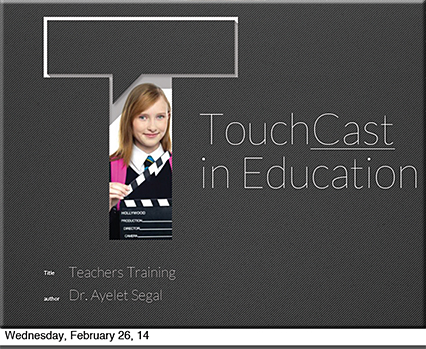
TouchCast in Education


TouchCast-in-Education1


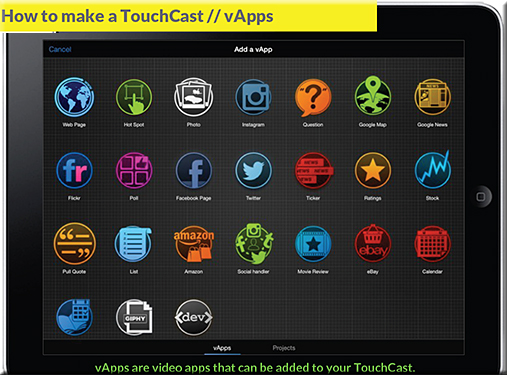
TouchCast-in-Education2


TouchCast-in-Education3


Also see:


A new pedagogy is emerging… and online learning is a key contributing factor — from contactnorth.ca

Excerpt:

THREE EMERGING PEDAGOGICAL TRENDS
Underlying these developments are some common factors or trends:

1.    A move to opening up learning, making it more accessible and flexible. The classroom is no longer the unique centre of learning, based on information delivery through a lecture.

2.    An increased sharing of power between the professor and the learner. This is manifest as a changing professorial role, towards more support and negotiation over content and methods, and a focus on developing and supporting learner autonomy. On the student side, this can mean an emphasis on learners supporting each other through new social media, peer assessment, discussion groups, even online study groups but with guidance, support and feedback from content experts.

3.    An increased use of technology not only to deliver teaching, but also to support and assist students and to provide new forms of student assessment.

It is important to emphasize that these are emerging pedagogical trends. More experimentation, evaluation, and research are needed to identify those that will have lasting value and a permanent effect on the system.

Impact on Student Learning
Student learning is the other key component of an emerging pedagogy, with their success as the goal of all our efforts.

  • What new demands are student making in terms of how they want to be taught and assessed and what are your responses?
  • What new roles are students taking in their online or hybrid learning and how has this changed your teaching practice?
  • What new strategies for and areas of student support are being built into course structures to facilitate effective online learning?


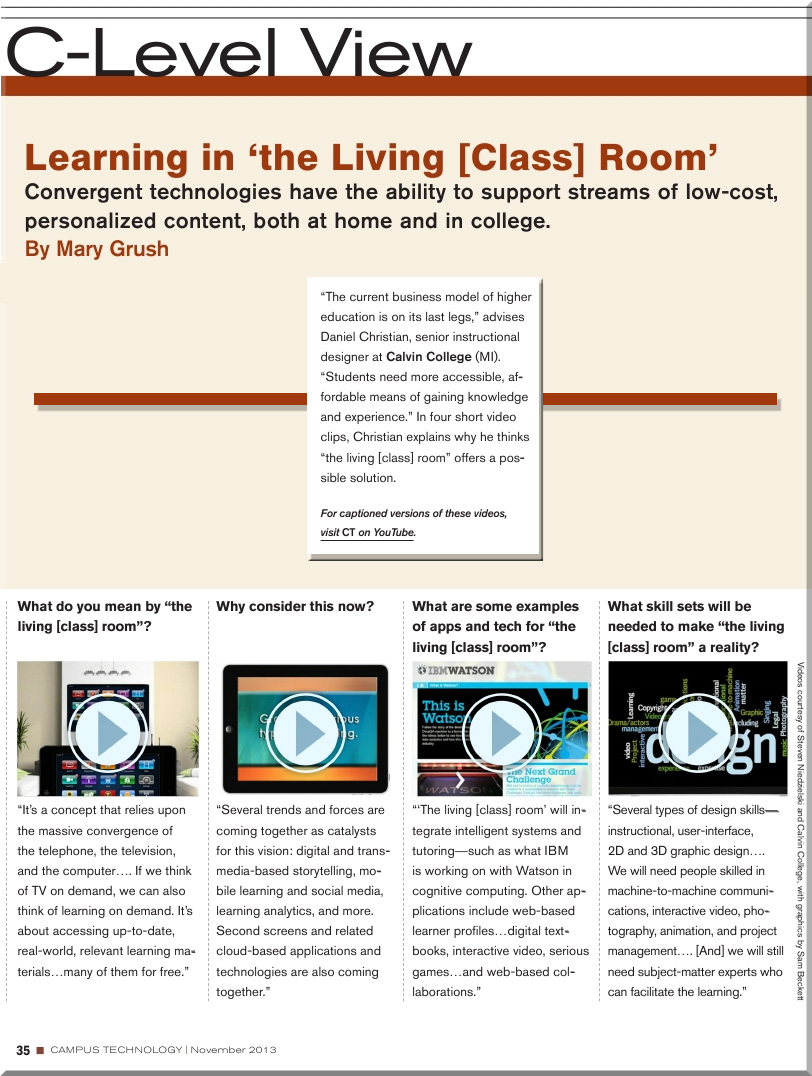
“Learning in the Living [Class] Room” — as explained by Daniel Christian [Campus Technology]

Learning from the Living [Class] Room  — from Campus Technology by Daniel Christian and Mary Grush; with a huge thanks also going out to Mr. Steven Niedzielski (@Marketing4pt0) and to Mr. Sam Beckett (@SamJohnBeck) for their assistance and some of the graphics used in making these videos.

From DSC:
These 4 short videos explain what I’m trying to relay with a vision I’m entitling, Learning from the Living [Class] Room.  I’ve been pulse checking a variety of areas for years now, and the pieces of this vision continue to come into fruition.  This is what I see Massive Open Online Courses (MOOCs) morphing into (though there may be other directions/offshoots that they go in as well).

After watching these videos, I think you will see why I think we must move to a teambased approach.

(It looks like the production folks for Campus Technology had to scale things way back in terms of video quality to insure an overall better performance for the digitally-based magazine.) 


To watch these videos in a higher resolution, please use these links:


  1. What do you mean by “the living [class] room”?
  2. Why consider this now?
  3. What are some examples of apps and tech for “the living [class] room”?
  4. What skill sets will be needed to make “the living [class] room” a reality?


Alternatively, these videos can be found at:


DanielSChristianLearningFromTheLivingClassRoom-CampusTechnologyNovember2013

.


© 2025 | Daniel Christian