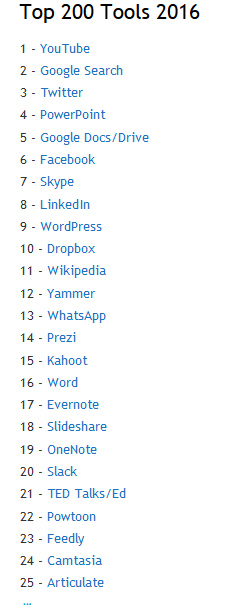
Top 200 Tools for Learning 2016: Overview — from c4lpt.co.uk by Jane Hart

Also see Jane’s:

  1. TOP 100 TOOLS FOR PERSONAL & PROFESSIONAL LEARNING (for formal/informal learning and personal productivity)
  2. TOP 100 TOOLS FOR WORKPLACE LEARNING (for training, e-learning, performance support and social collaboration
  3. TOP 100 TOOLS FOR EDUCATION (for use in primary and secondary (K12) schools, colleges, universities and adult education.)


top200tools-2016-jane-hart


Also see Jane’s “Best of Breed 2016” where she breaks things down into:

  1. Instructional tools
  2. Content development tools
  3. Social tools
  4. Personal tools


Using educational technology to enhance student learning — from news.mit.edu by Marilyn Siderwicz and Dipa Shah

Excerpts:

“Some MIT professors are moving content to the MITx platform so they can flip the classroom — asking students to review material prior to class and then using in-class time for practice,” said Shah. “This allows students to assess where they are, engage with their peers, and engage with the faculty.”

She also spoke about the types of instructional practices that help students learn, again stressing a combination of approaches. For example, using quizzes to promote knowledge retrieval, spacing practice of a given concept over time, asking students deep explanatory questions, combining graphics with verbal descriptions, and connecting abstract and concrete representations of concepts have all proved effective and complementary.

“I can’t just lecture at a blackboard and expect the students to remember, understand, and appreciate the wealth of knowledge, beauty, and complexities we uncovered during our fieldwork”…“I need to document the things we saw using video, annotations, and interactive software, including making 3-D reconstructed models. I want to remind the students where they stood, how structures were designed and fit into their surroundings, and what contributed to their resiliency over centuries.”


“The flipped classroom is about moving the hard parts of learning into the classroom”
— Derek Bruff


Class Time Reconsidered: Flipping the Literature Class — from Derek Bruff

Excerpt:

Reading a text or commenting on a blog post are usually activities we ask students to do outside of class. But Helen and Humberto have flipped that idea by bringing those activities into the classroom, where they could be collaborative and communal. Why? Because close reading of a text and responding to another writer’s argument are both important skills in a literature course. Why not have students practice those skills during class, when they can receive feedback on that practice from both their instructor and their peers?

And that’s what the flipped classroom is actually all about. Never mind that bit about lecture videos and group work. The flipped classroom is about moving the hard parts of learning into the classroom, where they can benefit from what Helen Shin calls “shared temporal, spatial, and cognitive presence.” After all, most of us only have maybe 150 minutes a week with our students during class. Shouldn’t we spend that time engaging our students in the kind of practice and feedback that’s central to learning in our disciplines?


Also see:


Teaching has always been a learning experience for me. Likewise, theory and practice go hand in hand, each supplementing and enriching the other. What I learned by “flipping” the “flipped classroom” model with this particular experience, which I hope to carry over to more classes to follow, is that there is always more room for further conceptual, and perspectival flipping in the interactive and dynamic process of teaching and learning.


From DSC:
Don’t rule out tvOS for some powerful learning experiences / new affordances.  The convergence of the television, the telephone, and the computer continues…and is now coming into your home. Trainers, faculty members, teachers, developers, and others will want to keep an eye on this space. The opportunities are enormous, especially as second screen-based apps and new forms of human computer interfaces (HCI) unfold.

The following items come to my mind:

Online-based communities of practice. Virtual reality, virtual tutoring. Intelligent systems. Artificial intelligence. Global learning. 24×7, lifelong learning. Career development. Flipping the classroom. Homeschooling.  Learning hubs. Online learning. Virtual schools. Webinars on steroids.

With the reach of these powerful technologies (that continue to develop), I would recommend trying to stay informed on what’s happening in the world of tvOS-based apps in the future. Towards that end, below are some items that might help.


techtalk-apple-feb2016


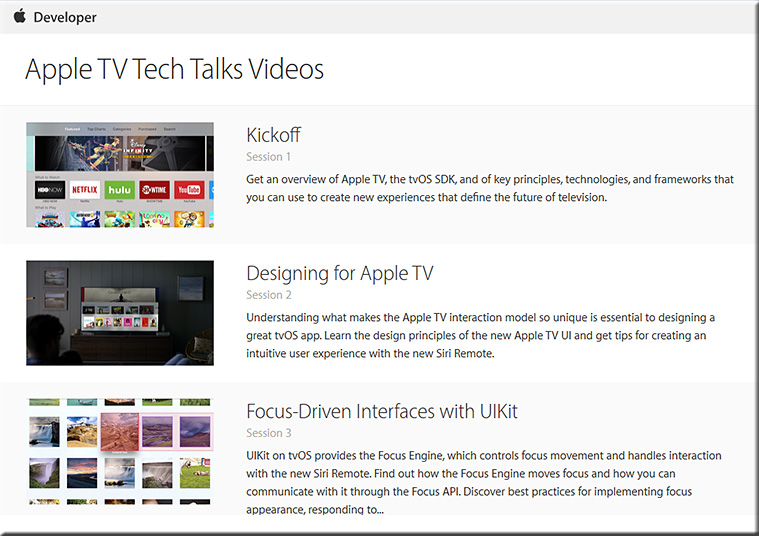
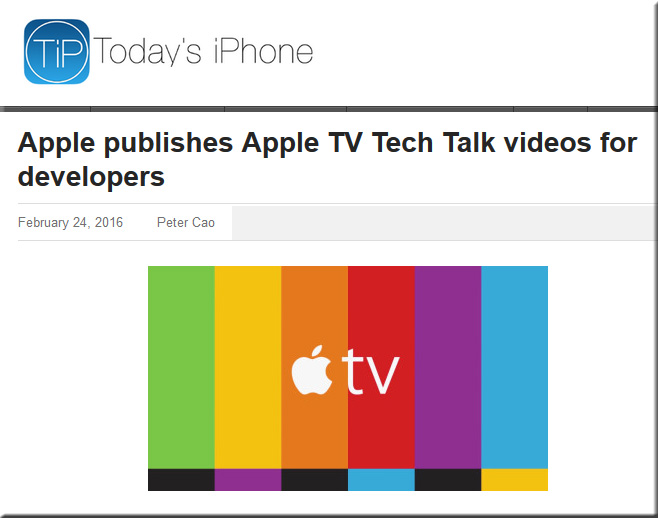
Apple releases Apple TV Tech Talks video series for building better tvOS apps — by AppleInsider Staff

Excerpt:

Apple on Wednesday released to developers a series of videos focusing on Apple TV and its tvOS operating system, offering a detailed look at the underlying SDK, resources and best practices associated with coding for the platform.


Also see:


TVTechTalk-fe3b2016


Addendum on 2/26/16:

  • Apple Adds Multiple New App Categories to tvOS App Store — from macrumors.com by Juli Clover
    Excerpt:
    [On 2/25/16] Apple updated the tvOS App Store to add several new app categories to make it easier for Apple TV 4 owners to find content on their devices. As outlined by AfterPad, a site that showcases Apple TV apps, the new categories are rolling out to Apple TV users and may not be available to everyone just yet. Some users may only see the new categories under Purchased Apps until the rollout is complete.


5 ways to address student resistance in the flipped classroom — from ractuslearning.com by Barbi Honeycutt

“Students forced to take major responsibility for their own learning go through some or all of the steps psychologists associate with trauma and grief:  Shock, Denial, Strong emotion, Resistance and withdrawal, Struggle and exploration, Return of confidence, and Integration and success” (Felder & Brent, 1996, p. 43.)


Excerpt (emphasis DSC):

In these [active learning] environments, you’re not going to see a classroom where students are listening to the teacher’s voice as he or she presents information from the textbook. Instead, you’ll see students engaged in a task and solving a problem. They are often working groups. The room is noisy since the students are discussing, solving, and testing ideas.  The teacher’s voice is one of many.

The flipped classroom is one type of active learning environment.  It’s dynamic, it’s engaging, and it’s “messy” since students are actively engaging in higher level thinking skills during class time.  It requires us to change the way we think about teaching and learning.

It’s also hard.

It’s hard because flipped classrooms require a new set of skills for both the instructor and the students.  Just as we (the instructors) are learning how to create these flipped learning experiences for our students, our students are also learning how to thrive in these new learning environments. And this is why we might see more student resistance in active learning environments. Just as Felder and Brent explain in the opening quote, it’s almost like our students are moving through the stages from shock and withdrawal to confidence and success.


Also see:

New Challenges to Active Learning Initiatives — from er.educause.edu

Key Takeaways

  • Year two of Case Western Reserve University’s Active Learning Fellowship program supported the first year’s evidence of success in using active learning techniques in active learning classrooms.
  • Unexpectedly, active learning techniques applied in large classes in regular classrooms proved unpopular with students, as expressed in surveys and focus groups at the end of the semester.
  • The challenges teased out of the data indicated additional factors influencing active learning success and guided modifications to year three of the Active Learning Fellowship faculty selection process.


From resonics.co.uk with a shout out to Mr. Jeremy Luscombe for the resource:


Courtesy Of Resonics


HarveyMuddJan2016-FlippedClassroomSTEM


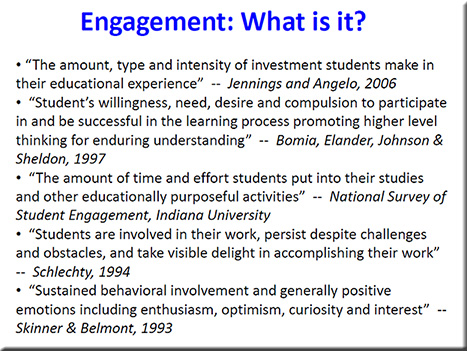
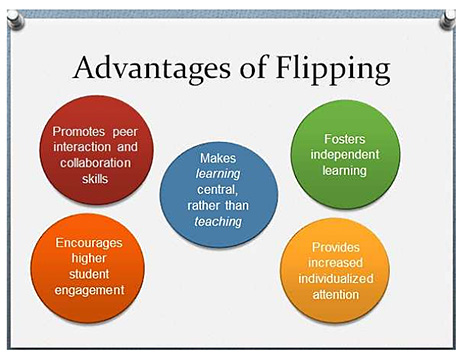
Example slides from one of the presentations at the Flipped Classroom Conference 2016
[Held at Harvey Mudd College in January; with special thanks to Mr. Jeremy VanAntwerp,
Professor of Engineering at Calvin College for this resource]
 

HarveyMuddJan2016-FlippedClassroomSTEM-Slide


HarveyMuddJan2016-FlippedClassroomSTEM-Slide2

HarveyMuddJan2016-FlippedClassroomSTEM-Slide3


HarveyMuddJan2016-FlippedClassroomSTEM-Slide4


Three reasons for switching to flipped learning — from rtalbert.org by Robert Talbert, Mathematics Professor at Grand Valley State University in Michigan [USA]

Excerpt:

  1. The argument from pedagogy: We use flipped learning because it puts the best-known/best-available practices for teaching and learning in the spotlight, including active learning of all kinds, student-centered instruction, constructivist techniques, differentiated instruction, spaced repetition, Vygotsky’s zone of proximal development idea, self-regulated learning, and the like. Whereas these things can be featured in a traditional classroom but it feels unnatural, like the wrong tool for the job.
  2. The argument from logistics
  3. The argument from relationships


Peer instruction for active learning — by Harvard University Prof. Eric Mazur on difficulties of beginners, teaching each other, and making sense of information

 

EricMazur-ActiveLearningSpeechSep2014-2


Also see Eric’s presentation out at Auburn University from back in September 2014:
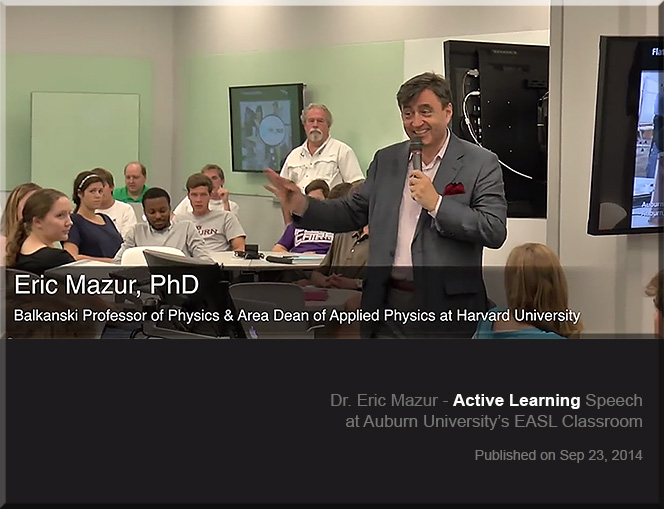
EricMazur-ActiveLearningSpeechSep2014


Why are we so slow to change the way we teach? — from facultyfocus.com by Maryellen Weimer, PhD

Excerpt:

However, lecture isn’t the only example of where we’re slow to change. Many aspects of teaching—course design, approaches to testing, assignments, and grading—have also changed little. Granted, some faculty do change, a lot and regularly, but not the majority. The question is, “Why?” Here are some possibilities I’ve been considering.


Crafting questions that drive projects — from learninginhand.com by Tony Vincent

Excerpt:

Not only does project based learning motivate students because it is an authentic use of technology, it facilitates active learning, critical thinking, collaboration, and creativity. Projects begin with a driving question—an open-ended question that sets the stage for the project by creating interest and curiosity. Writing an effective driving question is surprisingly challenging. You want the question to be intriguing and irresistible to students, which makes it very different from the typical questions they encounter on tests.

A Driving Force
Like many educators, I call the “mission statement” of a project a driving question.  It captures the heart of the project by providing purpose using clear and compelling language. With so many different flavors of project based learning (including problem based learning, challenge based learning, student centered learning, exploration, student driven inquiry, and authentic learning), it’s not surprising that we have a variety of other terms for a question or statement that is the project’s driving force. These terms include essential question, challenge, prime question, WILD HOG question, focus question, and smart question. I’ll stick with driving question, but do know that sometimes the driving question is not interrogative. It might be a statement, but I’ll still refer to is as a question.


Literacy help: Alan Peat story bags – How to develop story writing and literacy skills in younger children. — from hubpages.com

Excerpt:

There is no getting away from the fact that the more a child has been read to and the more they try to read themselves then the better their literacy skills are going to be. Parents have a massive influence on this. As a parent myself I considered reading to and teaching my daughter to read the one most important thing I could do to aid her life at school.

Sadly this is not always the case and too many students we teach read rarely at home or in rare cases don’t even own a book. Sad I know and to be honest I can’t imagine a house without books in it. I jokingly refer to my daughters collection ‘her library’ because she has so many which are updated as she reads through them.

But lets be fair, it is not only the students who struggle with reading that need help with story writing. A lot of students will benefit from this approach including your high flyers. I have taught this in year 3, although i would consider it to be more a KS1 activity, but in year 3 they do need certain aspects of a KS1 curriculum to help there development as it is a hard transitional year. Saying that I have seen other teachers use it in higher years than that and why not if it will benefit their writing.


On the front of each bag, so every child can read it easily should be the questions:

  1. Who?
  2. Where?
  3. Where next?
  4. Why?
  5. What goes wrong?
  6. Who helps?
  7. Where last?
  8. Feelings?


Simple tips to create a blended learning classroom — from blog.edmentum.com by Jasmine Auger

Excerpt:

We’ve compiled this list of five easy ways to start incorporating technology into your classroom and building a blended environment!

Blogging
Social Media
Virtual Presentations
Infographics
Video


Other somewhat related items:

Full STEAM ahead: Why arts are essential in a STEM education — from edutopia.org by Mary Beth Hertz

Excerpt:

The connection is also obvious for anyone who has ever worked in any traditional STEM career. Everyone from software engineers and aerospace technicians to biotechnical engineers, professional mathematicians, and laboratory scientists knows that building great things and solving real problems requires a measure of creativity. More and more, professional artists themselves are incorporating technological tools and scientific processes to their art.

Also see: 
STEM to STEAM: Resources Toolkit — from edutopia.org | Originally Published: 5/21/14 | Updated: 1/20/16
Whether you are looking for resources on integrating science, technology, engineering, and math or on infusing the arts to transform STEM into STEAM, these curated compilations will help you plan different approaches to integrated studies.

…and a related item re: curriculum, but at the collegiate level:


What is the value of an education in the humanities? — from npr.org by Adam Frank

Excerpt:

In spite of being a scientist, I strongly believe an education that fails to place a heavy emphasis on the humanities is a missed opportunity. Without a base in humanities, both the students — and the democratic society these students must enter as informed citizens — are denied a full view of the heritage and critical habits of mind that make civilization worth the effort.

So, these are my traditional answers to the traditional questions about the value of humanities and arts education vs. science and engineering. From my standpoint as a scholar, I’ll stand by them and defend what they represent to the last breath.

But the world has changed and, I believe, these answers are no longer enough.

It’s not just the high cost of college that alters the equation. It’s also vast changes that have swept through society with the advent of a world run on information (i.e., on data). So, with that mind, here is my updated — beyond the traditional — response to the value of the humanities in education: The key is balance.

It is no longer enough for students to focus on either science/engineering or the humanities/arts.


Microlearning: The e-Learning method taking off around the world — from educators.co.nz by Catherine Knowles

Excerpt:

Technology is disrupting traditional learning bringing new methods and tools into educational institutions and businesses.

Microlearning, for instance, has displayed great potential for growth, according to Association Learning + Technology 2016 – a report published by Tagoras and sponsored by YM Learning.

The report looks at the use of technology to enable and enhance learning in the continuing education and professional development market and provides insight into how the role technology plays in learning has and will evolve.


In fact, among five emerging types of learning (microlearning, massive open online courses (MOOCs), flipped classes, gamified learning, and microcredentials), microlearning shows the highest rate of adoption – and arguably the greatest potential for growth.


Podcasting is perfect for people with big ideas. Here’s how to do it — from by Todd Landman
Surprisingly few academics have learned how to podcast – but it’s a great way to reach a wider audience

Excerpt:

In the face of conflict in the Middle East, the flow of refugees to Europe and the violence associated with Islamic State and other militants, there has never been a more important time to talk about human rights. And talk about them is what I do – not in a lecture hall or at conferences with academics, but in a podcast series. Let me explain why.

I have worked as a political scientist for 25 years, focusing on human rights problems such as the struggle for citizenship rights in Latin America and the relationship between inequality and human rights violations.

I am part of a wide network of people dedicated to producing sound evidence on human rights, and my work has been communicated through articles, books and reports. But I am limited in my ability to reach the people I would most like to engage and influence – those who do not have an academic understanding of human rights but might benefit from finding out about it.

There is a new breed of academic who understands this and is committed to bridging the gap between academia and the real world. Many blog, actively seek media coverage of their research and appear on radio and television to shed light on the issues of the day.


From DSC:
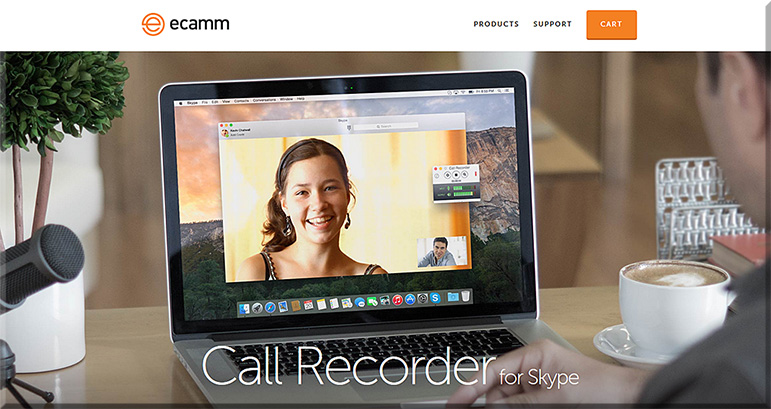
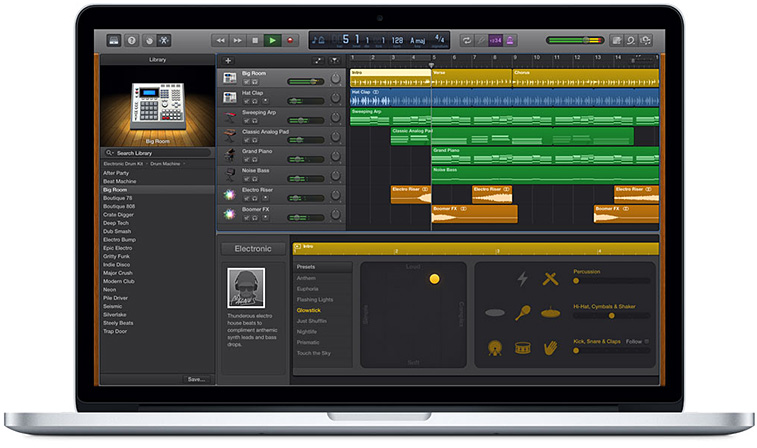
Some of the tools that Landman mentioned were:

e-camm-for-skype-jan2016

  • A MacBook Pro and its free audio editing software GarageBand (for Mac OS X and for iOS)
  • A lapel mic used with his iPhone


garageband-jan2016


Some other tools to consider:


From DSC:
The above articles point to the idea — and the need — of creating “streams of content” — something that I wish more professors, teachers, staff, administrators, trainers, and instructional designers would create. Blogs, podcasts, and the use of Twitter come to my mind. Such channels could really help build others’ learning ecosystems.

Many professors and academics — folks who have so much information to share with the world — often produce works just for other academics in their discipline to review/check out. Such bubbles don’t have the impact that would occur if professors created streams of content for members of society to check out and learn from. Such mechanisms would also hopefully strip away some of the more academic sounding language and would get to the point.


streams-of-content-blue-overlay


Also see:

podcastscratch-june2015


Flipping Feedback: Screencasting feedback on student essays — from facultyfocus.com by Ron Martinez

Excerpt (emphasis):

But, I thought, what if students could actually watch and hear me in a video as I go over their papers? If possible (which it is), that would approximate the kind of feedback experience I aimed to offer students without constraining it to a particular time or location.

Screencasting (recording and narrating actions performed by the instructor on a computer screen) did that and much more for me and my students. Below I describe the process and the resulting benefits.


From DSC:
Though Ron mentioned that he selected Screencast-O-Matic on his PC (and he also mentioned Quicktime), I wanted to offer up a couple of other possibilities:


Our Top 15 Teaching and Learning Articles of 2015 — from faculty focus by Mary Bart

Excerpt:

As another year draws to a close, the editorial team at Faculty Focus looks back on some of the most popular articles of the past year. Throughout 2015, we published more than 200 articles. The articles covered a wide range of topics, including assignment strategies, cell phone policies, course design, flipped classrooms, online discussions, student resistance, and grading policies.

In this, our last post of the year, we reveal the top 15 articles for 2015. Each article’s ranking is based on a combination of factors, including e-newsletter open and click rates, social shares, reader comments, web traffic, reprint requests, and other reader engagement metrics.


8 characteristics of good online video — from ecampusnews.com by Meris Stansbury
Instructor-led video is a must in online learning, but not all videos are successes. Here are eight tips to help educators create effective online videos for their courses.

Excerpt:

According to a report published in the MERLOT Journal of Online Learning and Teaching, instructor-generated video can have a positive influence on student satisfaction with, and engagement in, online courses. But not all videos are created equal.

Research conducted by the American Academy of Neurology also reveals that “watching videos helps boost brain plasticity,” or the ability of the brain to undergo physical changes at any age. Learners who were trained to perform a particular task through videos performed better than those who learned through images and text, the researchers found—and they concluded that video has a “higher impact on the brain.”

However, researchers emphasize that the format of the video, its platform, and the subject are all variables in the video’s effectiveness.

“Creating interesting, professional videos does take some planning and technical skill,” says eLearn Magazine. “There’s also a fear of perceived high cost. But none of these barriers are insurmountable. By employing … tips to know when to use it, how to maximize its effectiveness, and how to keep costs reasonable, you can make video a key part of your next online course.”

Here are eight tips to help educators create videos for their online courses…


From DSC:
A quick reflection here. Frame rates, compression, having the right equipment and recording facilities, how best to frame a shot, knowing about proper lighting and placement of microphones, and more…hmmm…and we expect the faculty member to know/do all this as well as keep up with their knowledgeabase of their particular discipline? Not likely in many cases. Time’s too limited — even  if all of the required  gifts and/or interest levels were there (which is asking a lot).

This is why I’m big on using TEAMS of specialists. Depending upon the quality of your products/services that your organization is willing to accept, flipping the classroom or using video in online-based learning requires a team of specialists.


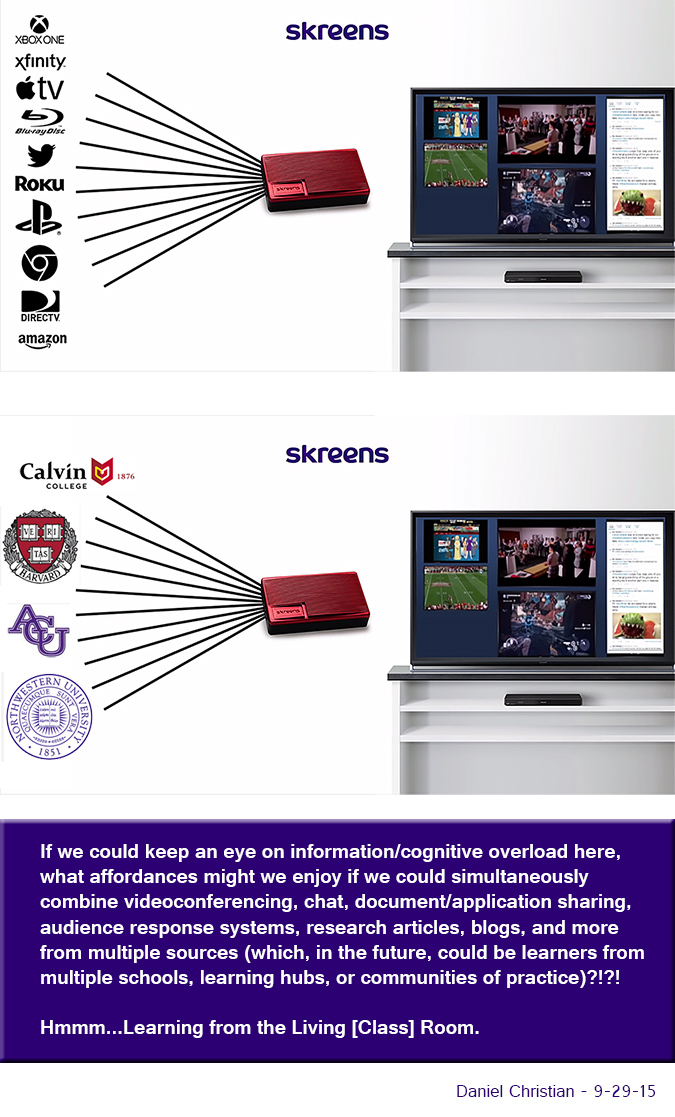
Imagine what learning could look like w/ the same concepts found in Skreens!


From DSC:
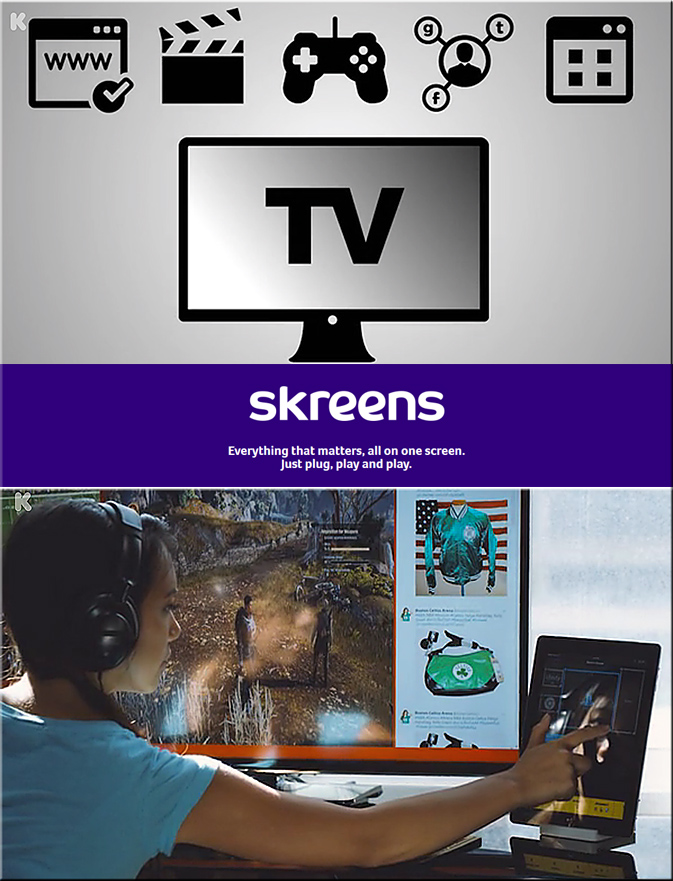
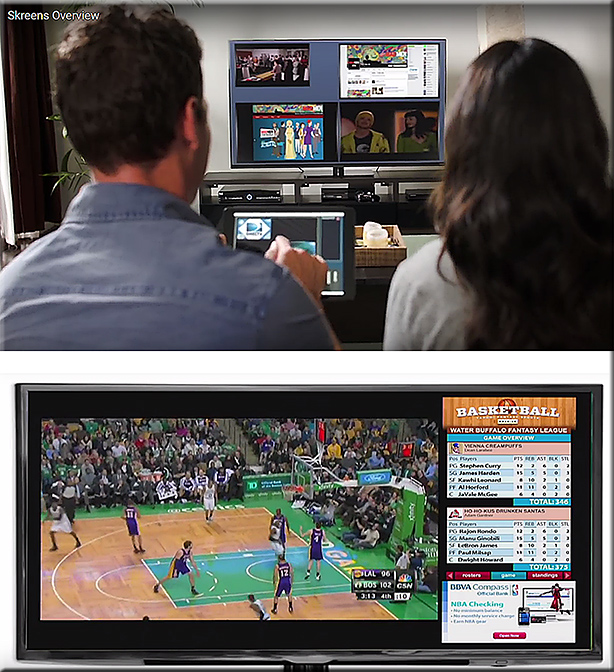
Imagine what learning could look like w/ the same concepts found in the
Skreens kickstarter campaign?  Where you can use your mobile device to direct what you are seeing and interacting with on the larger screen?  Hmmm… very interesting indeed! With applications not only in the home (and on the road), but also in the active classroom, the boardroom, and the training room.


See
Skreens.com
&
Learning from the Living [Class] Room


DanielChristian-AVariationOnTheSkreensTheme-9-29-15


Skreens-Sept2015Kickstarter


Skreens2-Sept2015Kickstarter


The Living [Class] Room -- by Daniel Christian -- July 2012 -- a second device used in conjunction with a Smart/Connected TV

From DSC:
Some of the phrases and concepts that come to my mind:

  • tvOS-based apps
  • Virtual field trips while chatting or videoconferencing with fellow learners about that experience
  • Virtual tutoring
  • Global learning for K-12, higher ed, the corporate world
  • Web-based collaborations and communications
  • Ubiquitous learning
  • Transmedia
  • Analytics / data mining / web-based learner profiles
  • Communities of practice
  • Lifelong learning
  • 24×7 access
  • Reinvent
  • Staying relevant
  • More choice. More control.
  • Participation.
  • MOOCs — or what they will continue to morph into
  • Second screens
  • Mobile learning — and the ability to quickly tie into your learning networks
  • Ability to contact teachers, professors, trainers, specialists, librarians, tutors and more
  • Language translation
  • Informal and formal learning, blended learning, active learning, self-directed learning
  • The continued convergence of the telephone, the television, and the computer
  • Cloud-based apps for learning
  • Flipping the classroom
  • Homeschooling
  • Streams of content
  • …and more!


Addendum:

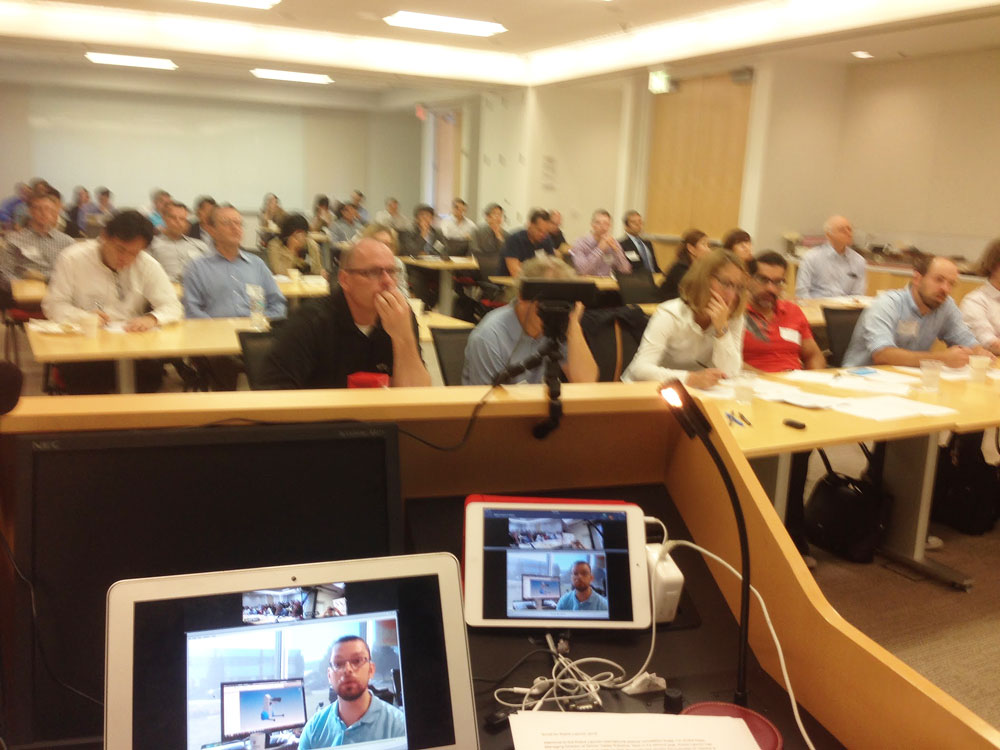
Check out this picture from Meet the winners of #RobotLaunch2015

Packed house at WilmerHale for the Robot Launch 2015 judging – although 2/3rds of the participants were attending and pitching remotely via video and web conferencing.


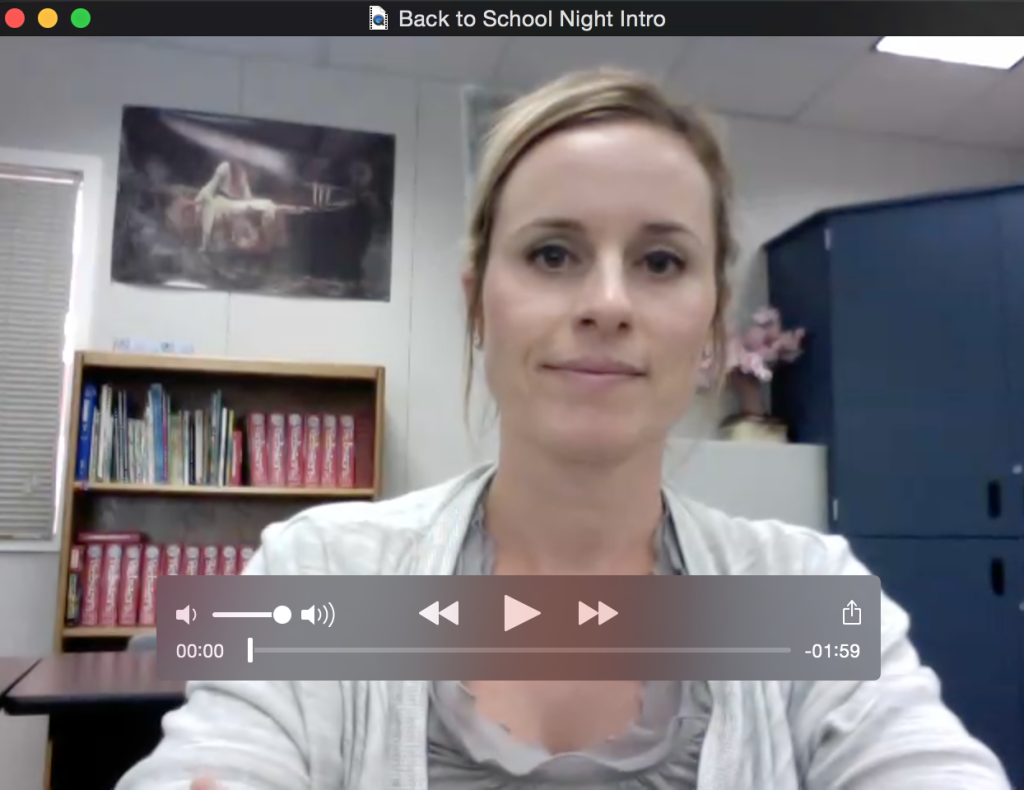
Flip Your Back-to-School Night — from Catlin Tucker

Excerpt:

Back-to-School Night is the one evening each year when I have the opportunity to connect face-to-face with my students’ parents. Unfortunately, not all parents can attend Back-to-School Night. Some of my parents work at night or they are at home with their other children. So, three years ago I began flipping my Back-to-School Night presentation in the hopes of reaching more of my parents.

This is how I flip my Back-to-School Night.


Screen Shot 2015-09-14 at 9.07.23 PM


From DSC:
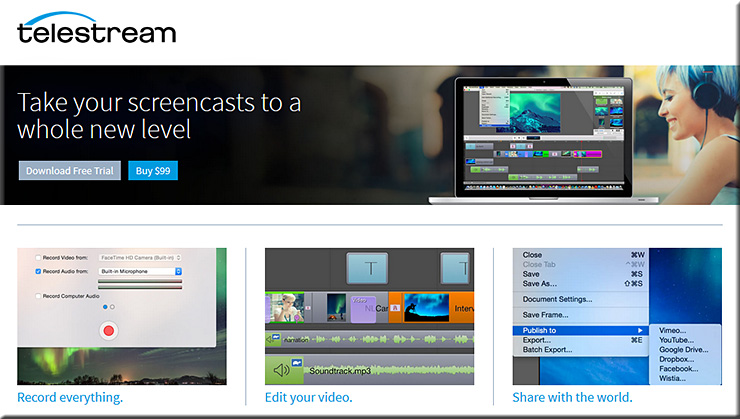
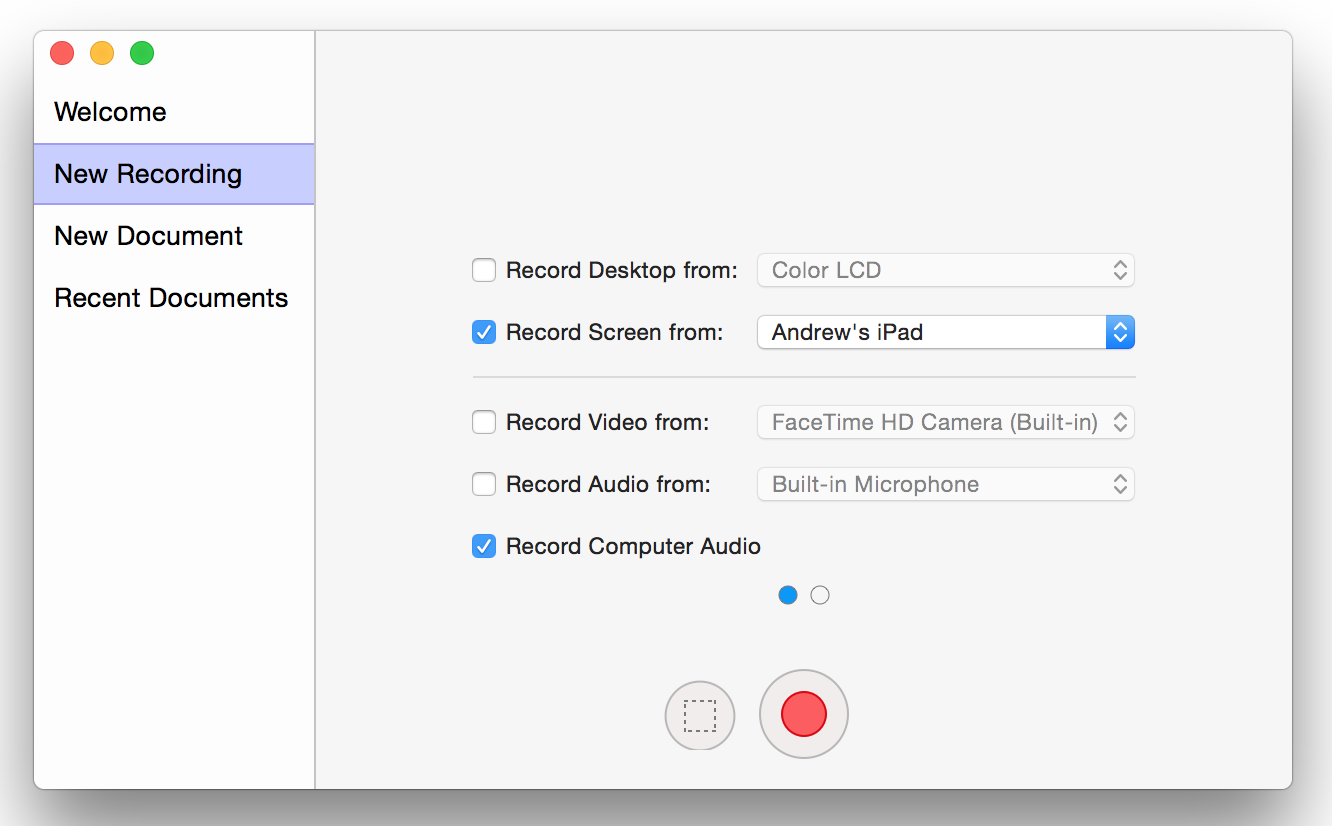
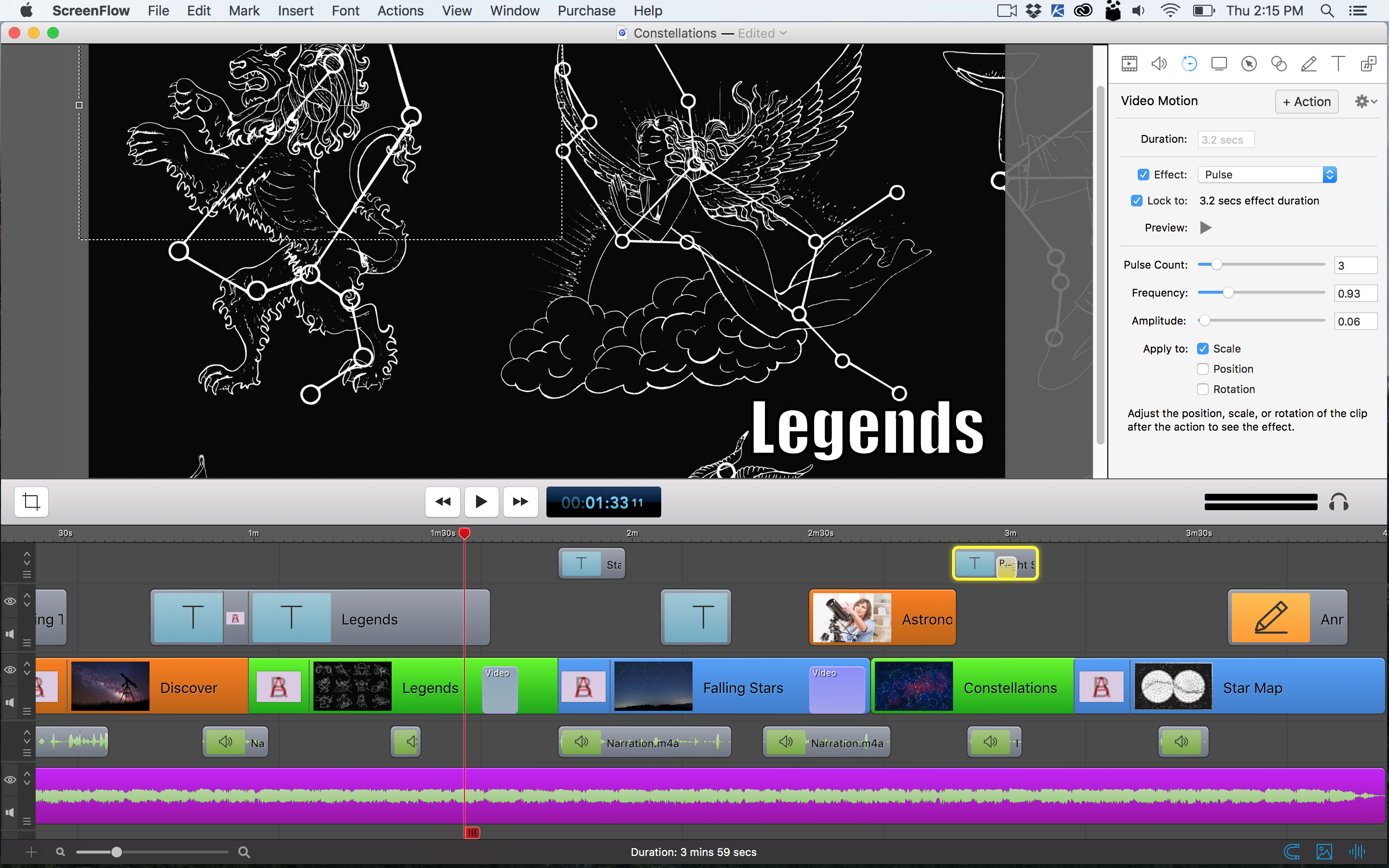
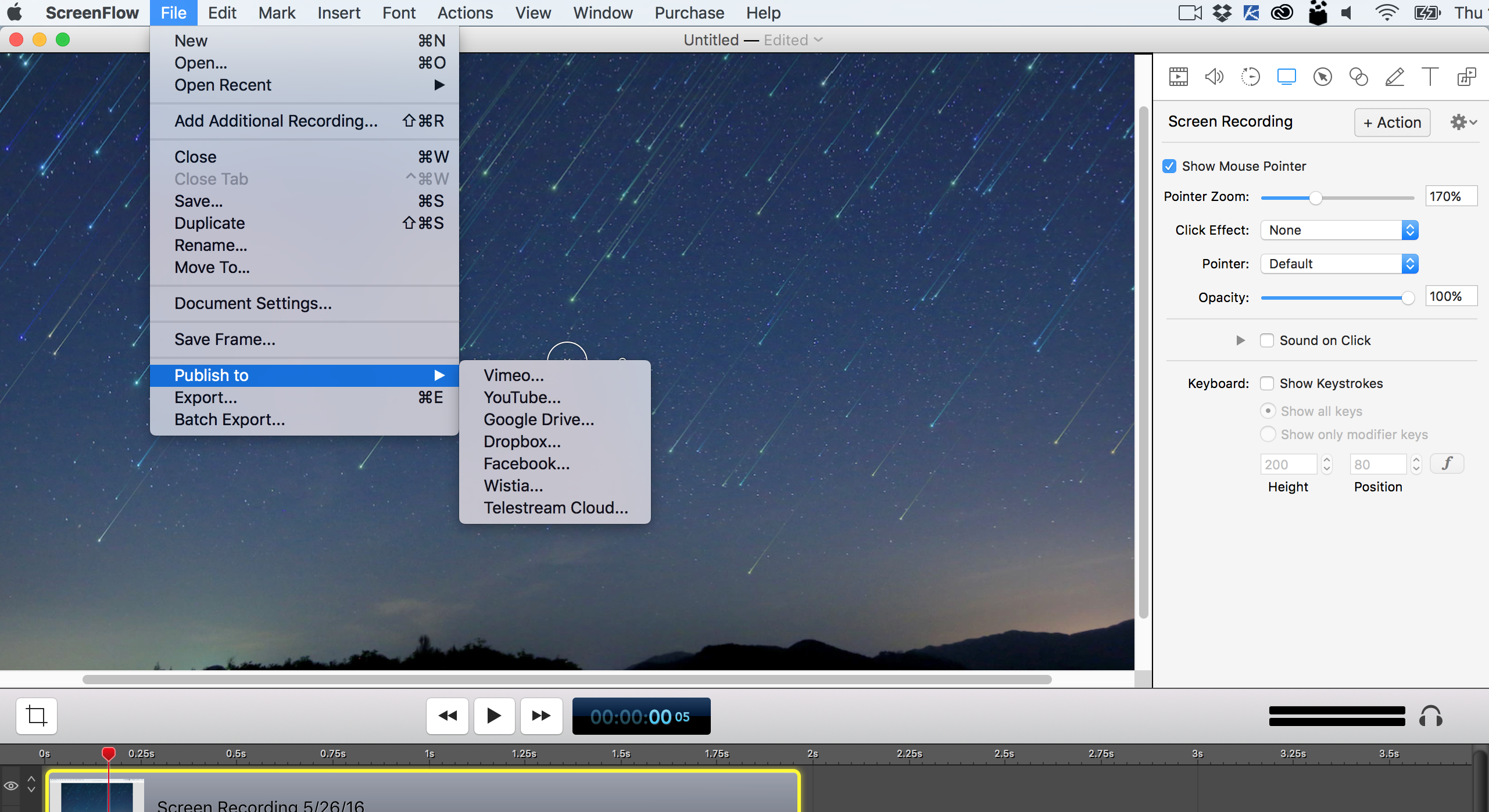
Right upfront, I want you to know that I am not being paid for this posting. Rather I want to pass along some valuable information for those folks out there who want a powerful screencasting and video editing tool for the Mac. You should check out ScreenFlow from Telestream.net.  The tool can record your desktop, your iPhone, and/or your iPad as well as can record audio from multiple sources.

ScreenFlow-Telestream-2015


From their website:

Screenflow is award-winning, powerful screencasting & video editing software for Mac that lets you create high-quality software or iPhone demos, professional video tutorials, in-depth video training, and dynamic presentations.


http://www.telestream.net/screenflow/images/screenshots/HighestQualityRecording.png


The timeline-based editor reminds me of the editing interface within iMovie 6 (one of the most intuitive interfaces I’ve seen in iMovie throughout the years). In our Teaching & Learning Digital Studio at Calvin College, the feedback from clients has been very positive.


http://www.telestream.net/screenflow/images/screenshots/PowerfulEditingTools.png


And you can export your creation to multiple outlets:


http://www.telestream.net/screenflow/images/screenshots/MorePublishingOptions.png


It’s a solid tool; check it out.


Flipped Classroom Survey Highlights Benefits and Challenges — from facultyfocus.com

Excerpt/Key findings:

Results from the survey are based on the responses from the 1,089 Faculty Focus readers who completed the survey. Highlights include:

  • More than two-thirds (69.5%) have tried flipping an activity, class, or course, and plan to do it again. Another 5.49% have tried flipping, but don’t plan to do it again.
  • Roughly one-third (31.8%) of those who have flipped did so within the past year.
  • The majority of faculty who have flipped rated the experience as positive for themselves (70.3%) and their students (64.8%).
  • The top reasons for flipping include a desire to increase student engagement (79.3%) and improve student learning (75.8%).
  • In terms of the actual benefits, nearly three-fourths of respondents saw greater student engagement (74.9%), while just over half noticed evidence of improved student learning (54.66%).
  • More than 80% said students are more collaborative and 76.61% said they ask more questions, while almost half (48.75%) also noted some student resistance.
  • The most frequently reported barrier to experimenting with flipped learning practices came down to one word: time—a combined 70% of faculty said it was a significant or very significant challenge.
  • Of those respondents who are not interested in flipped learning, 38.9% said they don’t know enough about it and 27.4% felt it was a fad.
 
© 2025 | Daniel Christian