


Also see:
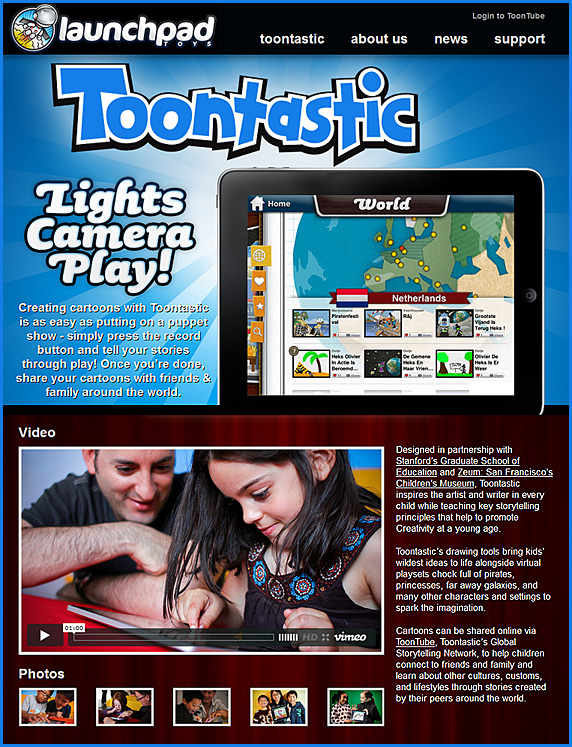
- Planet Earth – Narrated by kids — from the blog at launchpadtoys.com — by Thushan Amarasiriwardena
Also see:
.
Also see:
and…
Addendums on 5/8/12:
Double vision: TV gets interactive — from thetowntalk.com by Fraizer Moore
Piers Fawkes: The future of TV — from psfk.com by Piers Fawkes
A solid Q&A with such questions as:

.
From DSC:
My thanks to Mr. Steven Chevalia at Calvin College for this resource.
The Google Drive review you’ve been waiting for — from readwriteweb.com by Jon Mitchell
Excerpt:
Google Drive, the long-awaited file storage and syncing service, launch[ed yesterday]. If you follow tech news closely, you’ve seen bits and pieces of the news leaking out over the past two weeks. We’ve tested it and we’ve talked to the team leaders. Forget all the speculation. Here’s what Google Drive actually is.
Full-sized screenshots of the Google Drive iPad app — from readwriteweb.com by Jon Mitchell
Excerpt:
Google Drive launched [yesterday], but the iOS version of the app was unexpectedly not ready. Google says it’s almost there, but it won’t launch for “a few weeks.” But Google provided ReadWriteWeb with a bunch of full-size screenshots of the app, so we could know what to expect.
Google’s Drive adds to a complicated cloud — from technologyreview.com by Tom Simonite
Excerpt:
A new cloud-storage service from the search giant steps on the toes of startups like Dropbox and opens a new front against Apple and Microsoft.
Addendum on 4/26:
Also see:
Addendum on 4/27/12:
.
.Also see:

Pantone unveils 336 new colors — from PSFK.com by Kyana Gordon
Education system stifles creativity, survey finds — from The Journal by David Nagel
Is the American education system stifling creativity? That’s the attitude held by a majority of Americans, according to a new worldwide survey focused on attitudes toward creativity in schools, the workplace, and the home.
From DSC:
Addendum on 5/2/12:
.
Section headings:
Excerpt:
Description of app:
AutisMate is an autism communication, therapy, and learning tool that promotes communication, functional skills, generalization, task analysis, independence, and social skills in people with Autism. AutisMate allows those with autism to communicate through familiar scenes, large images of their environment that can include video, symbols, and social stories as well. Parents and therapists can easily add their own videos and images, symbols (over 12,000 included), custom voice recordings, and synthesized voices to fully and easily customize the app for its user’s current and future needs. The app was designed specifically for the language, speech, generalization, and categorization challenges that individuals with autism often face. GPS reduces navigation by presenting users with scenes from their current location. Making custom word boards for different categories with symbols or your own images is made very simple, and users can get to them with just a click. There’s no difficult navigation, which children with autism often struggle with, as found in many other speech apps out there today.
I originally saw this at:
Comments (emphasis DSC)
Also see:
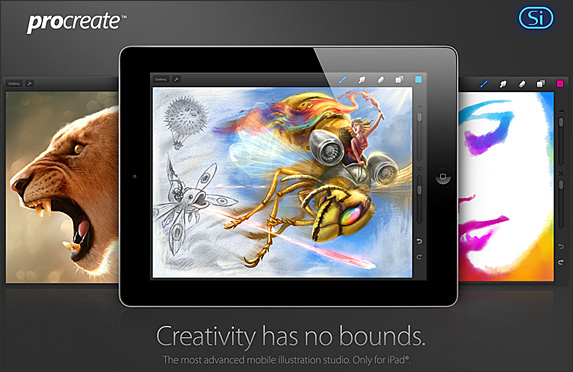
Animator creates incredible musical painting with $5 iPad app [VIDEO] — from Mashable by Christine Erickson
Excerpt:
“I really recommend it to anyone who does storyboards, concept art and animators, filmmakers, producers, whatever — this is the future,” says the video’s lead animator and director, Whitney Alexander. (You can see the full making-of here.)
Also see:
New IBM app presents nearly 1,000 years of math history — from wired.com by Alexandra Chang
.

Minds of Modern Mathematics interactive timeline.
Photo: Ariel Zambelich/Wired
The human voice, as game changer — from nytimes.com by Natasha Singer

Matthew Cavanaugh for The New York Times
Vlad Sejnoha demonstrated Nuance’s Dragon TV system, which obeys spoken commands to
flip channels, for example, or shop on screen on Amazon.com.
Apple’s iCloud will teach Apple’s Smart TV remote new tricks — from patentlyapple.com
6 answers about your next TV, with or without Apple — from forbes.com by Michael Humphrey
10 tech commandments for the TV industry — from thenextweb.com by Martin Bryant
Smart TVs are growing in popularity — from business-news.thestreet.com by Steve Adams

Image from Gary Higgins/The Patriot Ledger
.
10 AirPlay-ready iPad apps that make Apple TV worth it — from readwriteweb.com by John Paul Titlow
Entertainment and Streaming Media – The Recent Past and the Future — from homesystemintegration.com by Alan Ruby

.
TVs may soon be used to spy on you — from smartplanet.com by Tuan C. Nguyen

Will Microsoft beat Apple and Google to make Connected TV work? –– from econsultancy.com by Sam Dwyer
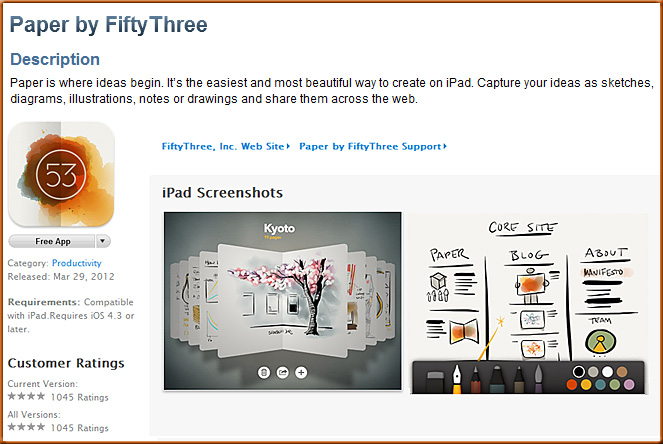
Description (from iTunes)
Paper is where ideas begin. It’s the easiest and most beautiful way to create on iPad. Capture your ideas as sketches, diagrams, illustrations, notes or drawings and share them across the web.
Mobile creation done right.
Paper was designed from the ground up for touch and creating on the go. No fussy buttons, settings or other distractions. Paper works the way you think, like a familiar notebook or journal. Have all of your ideas with you in one place.
Essential tools, settings-free.
Productivity meets beauty. No settings. Always beautiful—like great tools should be. Just pick up a tool and instantly begin to Sketch, Write, Draw, Outline and Color. Draw comes free with Paper.
Purchase additional tools from the in-app store:
Expressive Ink Engine.
Our custom ink engine reacts to your movements to optimize each tool for the process of creation. Get a range of expressions from a single tool without fussing with settings for great handwriting, beautiful coloring, and sketching that just works.
Retina Resolution.
Built for the new iPad’s brilliant display. With a full 2048×1536 canvas, see stunning details in your creations you couldn’t before—like pencil texture and watercolor edge bleed.
Paper the web.
Share your ideas instantly. Stream pages to Tumblr, send them over email, or share pages with your friends on Facebook and Twitter.
Also see:
Excerpt:
Let’s be real about this. You can’t do everything on an iPad. As Shawn Blanc pointed outthe other day, you can’t make iOS apps on it, for example. But you might be surprised by how much real work you can do on it with the right tools. If your work requires generally office-like capabilities, there are definitely iPad solutions.
Here are five road-tested apps for getting things done on an iPad. It’s not meant to be a complete list, but it’s meant to be a flexible one. These are tools that are not tied to any particular method of working. They’ll help any digital worker stay sane and accomplish things, and you might find that the iPad is a surprisingly nice device to use for them.