6 Photoshop masters you should know — from inspiredm.com by Ann Smarty
.

Also see:
- How to calibrate your monitor for the best viewing experience possible — from digitaltrends.com by Brandon Widder
6 Photoshop masters you should know — from inspiredm.com by Ann Smarty
.
Also see:
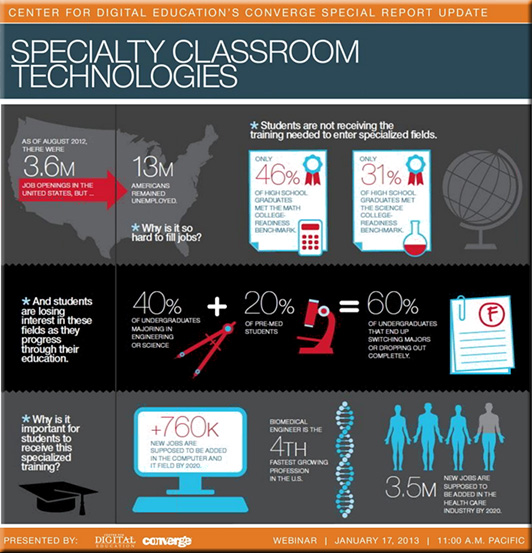
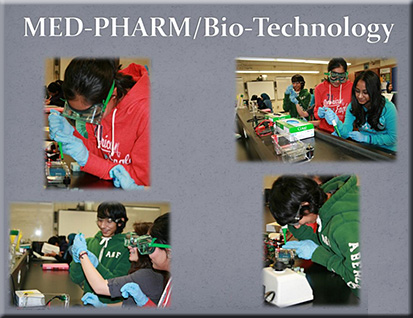
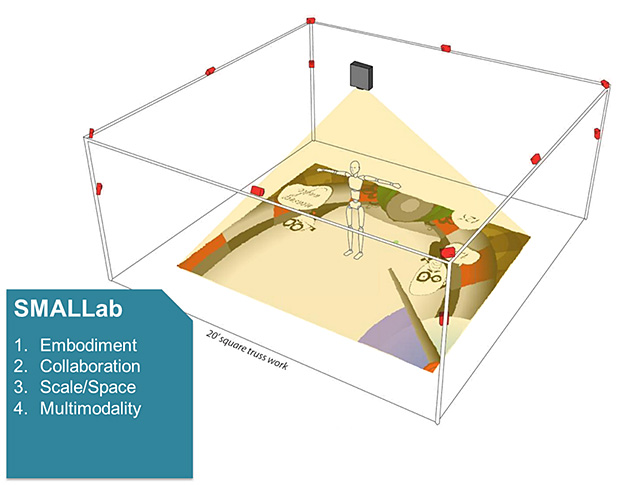
Specialty classroom technologies — from centerdigitaled.com
Session was moderated by Tom Ryan, Ph.D. | Sr. Fellow, Center for Digital Education | Former CIO, Albuquerque Public Schools
Resources
Example slides:

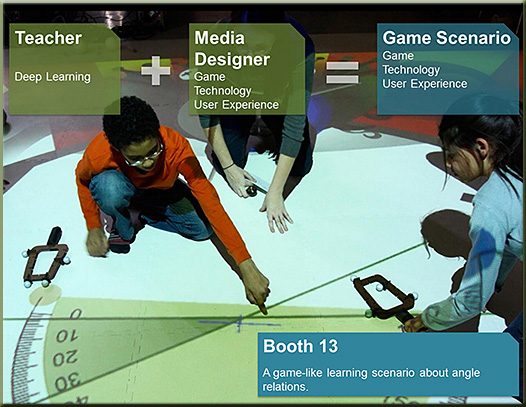
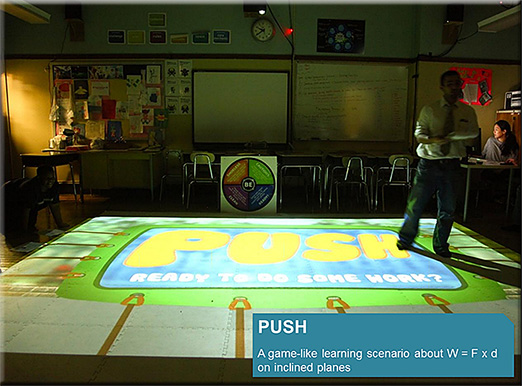
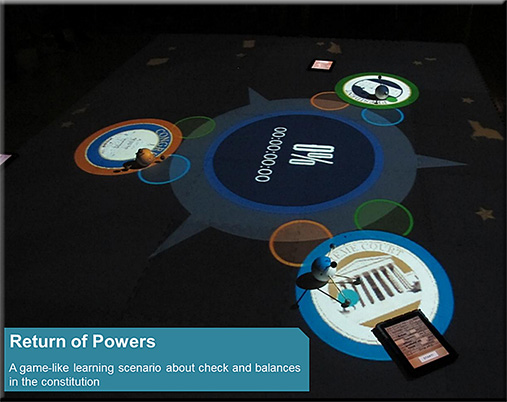


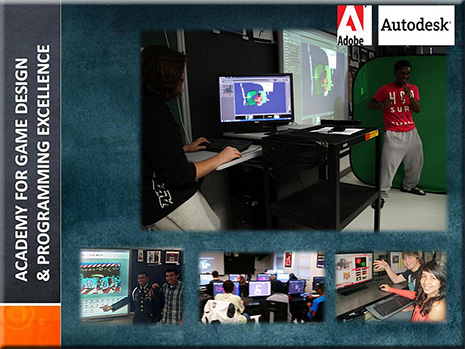

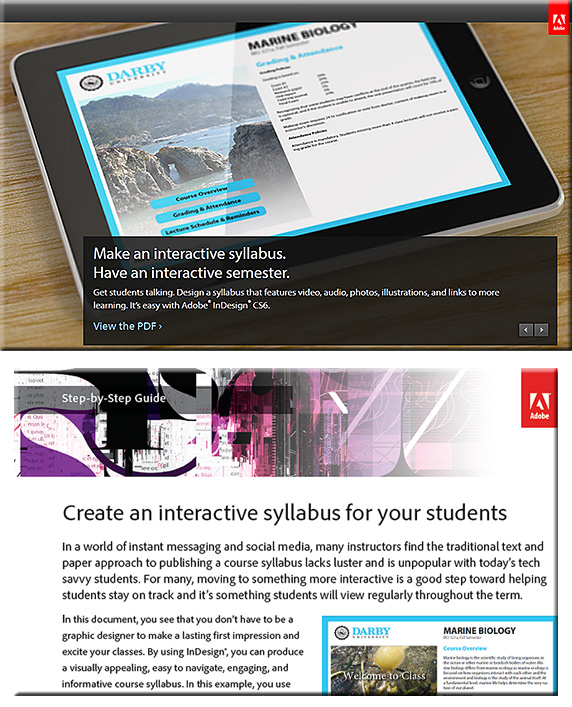
5 new tools from Adobe you should know about — from Edudemic.com by Jeff Dunn
Also see:

Excerpt:
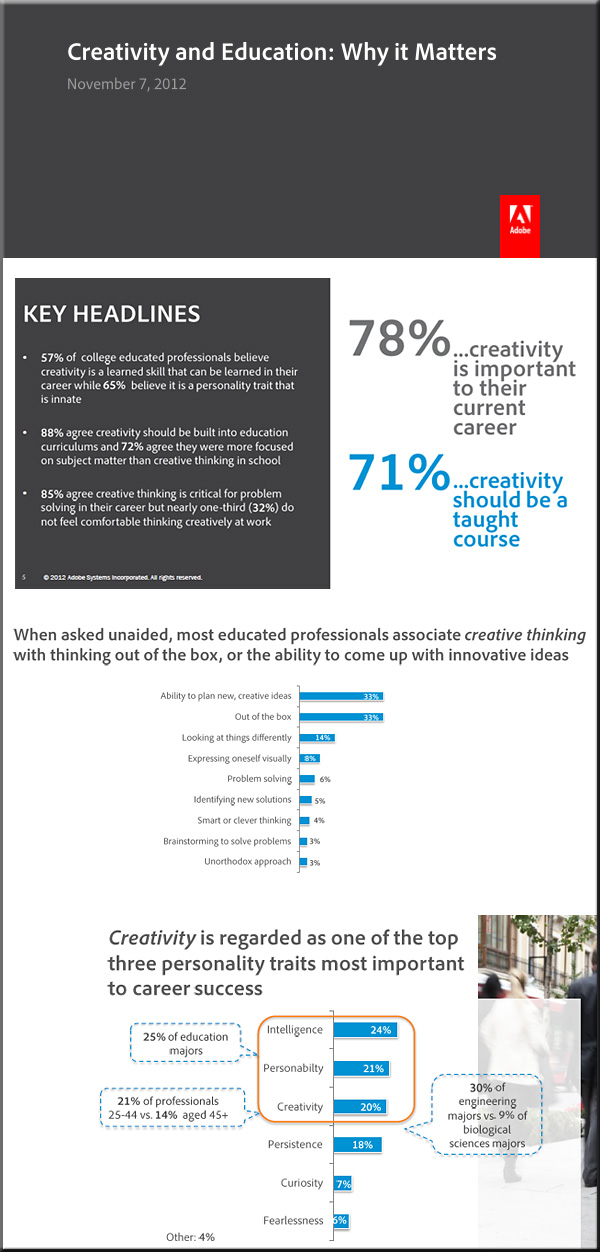
Around the world, educators are fostering creative thinking with their students. We see this every day across both K-12 and higher education in compelling, engaging ways. I remembera 4th grade reading class that I attended where the teacher read aloud to students while sitting around a “virtual campfire” she’d created with iMovie – the students loved it. At the same time, we hear a lot about a growing emphasis on, “teaching to the test” that can sometimes result in a decreased focus on creativity – we think this is a huge problem for our students and for the global economy. College-educated professionals agree. I wanted to share newly-released results of what more than 1000 college graduates say about the importance of creativity in education.
Adobe’s new ‘Edge’ app suite doubles down on HTML — from webmonkey.com by Scott Gilbertson

Excerpt:
Now Adobe is launching a new suite of apps for web developers working with the latest web standards.
The new Adobe Edge suite of HTML5 development tools includes Edge Animate 1.0, a tool to create HTML, CSS and JavaScript-based animations, and Edge Inspect (formerly known as Adobe Shadow), a handy tool for testing your sites on multiple devices at once. There’s also Edge Code, a fork of the Brackets code editor that’s now included in Adobe’s Creative Cloud suite.
As part of the announcement at Adobe’s Create the Web conference in San Francisco the company also showed off a demo of the still-in-development Edge Reflow, a new tool for working with responsive design layouts.
Also see:
Adobe announces next generation of Digital Publishing Suite
Over 25 Million Digital Issues Delivered to Date, 120,000 Downloads Every Day; Meredith Corporation Selects DPS
Excerpt:
NEW YORK — May 15, 2012 — At Adobe’s annual Digital Publishing Summit, Adobe Systems Incorporated (Nasdaq:ADBE) today announced a series of groundbreaking new features for Adobe® Digital Publishing Suite (DPS) that will allow media companies and corporate publishers to deliver unparalleled reach and monetize their unique content in new ways. Among the new features are Content Viewer for iPhone, social sharing, expanded font licensing and enhanced integration with Adobe Creative Suite® 6, a milestone release, creating an unbeatable combination for media and corporate organizations. Adobe is live blogging from the Summit at blogs.adobe.com/dpsnyc2012.
Addendum on 5/17/12:

.

.Also see:

Pantone unveils 336 new colors — from PSFK.com by Kyana Gordon
Education system stifles creativity, survey finds — from The Journal by David Nagel
Is the American education system stifling creativity? That’s the attitude held by a majority of Americans, according to a new worldwide survey focused on attitudes toward creativity in schools, the workplace, and the home.
From DSC:
Addendum on 5/2/12:
.
The future for Flash — from the Upside Learning blog by Abhijit Kadle
From DSC:
Thanks Abhijit for the posting. I appreciate your last few sentences that summarize where we are as of February 2012:
Without a stable and feature-rich HTML5 development environment that matches the depth of Flash, eLearning developers are faced with a dual development approach – develop with full media rich functionality (easily) using Flash for desktop delivery, and a more technically intensive HTML5 approach for devices. Who knows, in the future maybe workplace learning will ONLY be driven by mobile devices, with desktop based elearning turning into an archaic remnant of a bygone age.
A list of Allen Partridge’s on-demand/online-based seminars (free, requires free ID at Adobe):
1: Making Effective Adobe Captivate eLearning Modules
… a foundation in multimedia design concepts for eLearning, and help you understand the reasons / rationale behind many of the eLearning strategies you see implemented today.
2: Balancing cognitive load in eLearning content with Adobe Captivate 5
…session focuses on the Multimedia eLearning Design Principle known as Personalization, which suggests that people learn more effectively when conversational styles and or learning agents are used to enhance the social aspects of the experience.
3: Applying Personalization to eLearning with Adobe Captivate 5
…session focuses on the Multimedia eLearning Design Principle known as Personalization, which suggests that people learn more effectively when conversational styles and or learning agents are used to enhance the social aspects of the experience.
4: Creating effective eLearning Multimedia with Adobe Captivate 5
…session will center on the Multimedia Principle (the importance of combining images & text) of eLearning Design.
5: Making Effective Adobe Captivate eLearning Modules Part 5: Contiguity
…the Contiguity Principle, which indicates that the spatial relationship (proximity) of symbols (like text) to analogous images (things that look like the subject of the learning) is significant, and plays a key role in how effectively we learn.
6: Making Effective Adobe Captivate eLearning Modules Part 6: Redundancy
…focuses on the Multimedia eLearning Design Principle known as Redundancy, which suggests that presenting symbols via both text and aural channels is less effective than presenting via only one.
7: Making Effective Adobe Captivate eLearning Modules Part 7 : Coherence
…focuses on the Multimedia eLearning Design Principle known as Coherence, which suggests that off topic ancillary material can distract from learning. This theory stands in opposition to arousal theory, providing research based evidence that when stimulating animation or any form of non-relevant information is provided, it can actually decrease the efficacy of the instruction.
8: Making Effective Adobe Captivate eLearning Modules Part 8: Segmenting
...the Multimedia eLearning Design Principle known as the Segmenting Principle, which suggests that authors of eLearning content should break content up into small pieces or chunks in order to help avoid cognitive overload for the learners.
9: Making Effective Adobe Captivate eLearning Modules Part 9: Pre-Training
The session focuses on the Multimedia eLearning Design Principle known as pre-training, which suggests that elearning content authors should first build up basic information about essential elements which are pre-requisites to understanding the larger concepts.
10: Making Effective Adobe Captivate eLearning Modules Part 10: Individual Differences
…the Individual Differences Principle, which suggests that design effects are stronger for low-knowledge learners than for high knowledge learners, and for high-spatial learners rather than for low-spatial learners.
More resources re: Adobe Captivate
Using Twitter? @AdobeElearning OR HASHTAG: #AdobeCaptivate
Using YouTube? http://www.youtube.com/adobeElearning/
On Adobe TV: http://tv.adobe.com/channel/e-learning/
Captivate Blog: http://blogs.adobe.com/captivate/
Also see:
Adobe moving towards HTML 5 for mobile computing-related apps
Some relevant articles on this announcement:
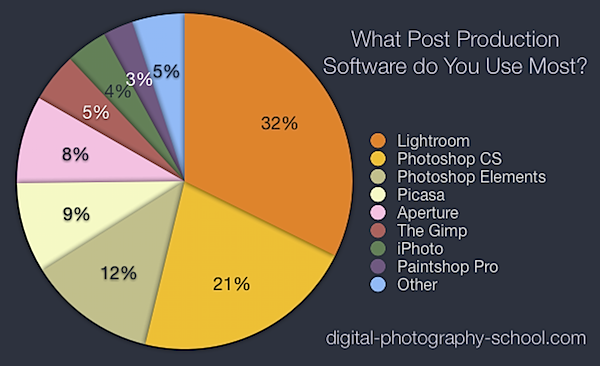
The most popular post production software [poll results] — from digital-photography-school.com by Darren Rowse
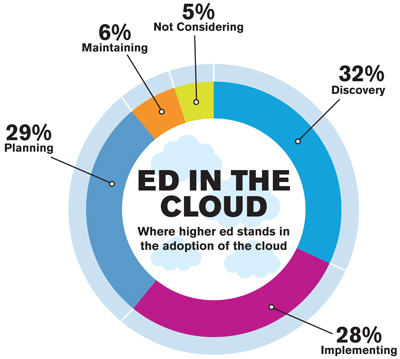
Higher Ed’s Ultimate Guide To Cloud Computing — from edudemic.com
Topics include:
Also see:
Addendum on 11/2/11:
Diving Into the Cloud — from campustechnology.com by Rama Ramaswami, Dian Schaffhauser
In a two-part series, CT provides IT administrators with an easy-to-understand primer to help them educate campus constituents about the cloud and what it can do for their institutions.