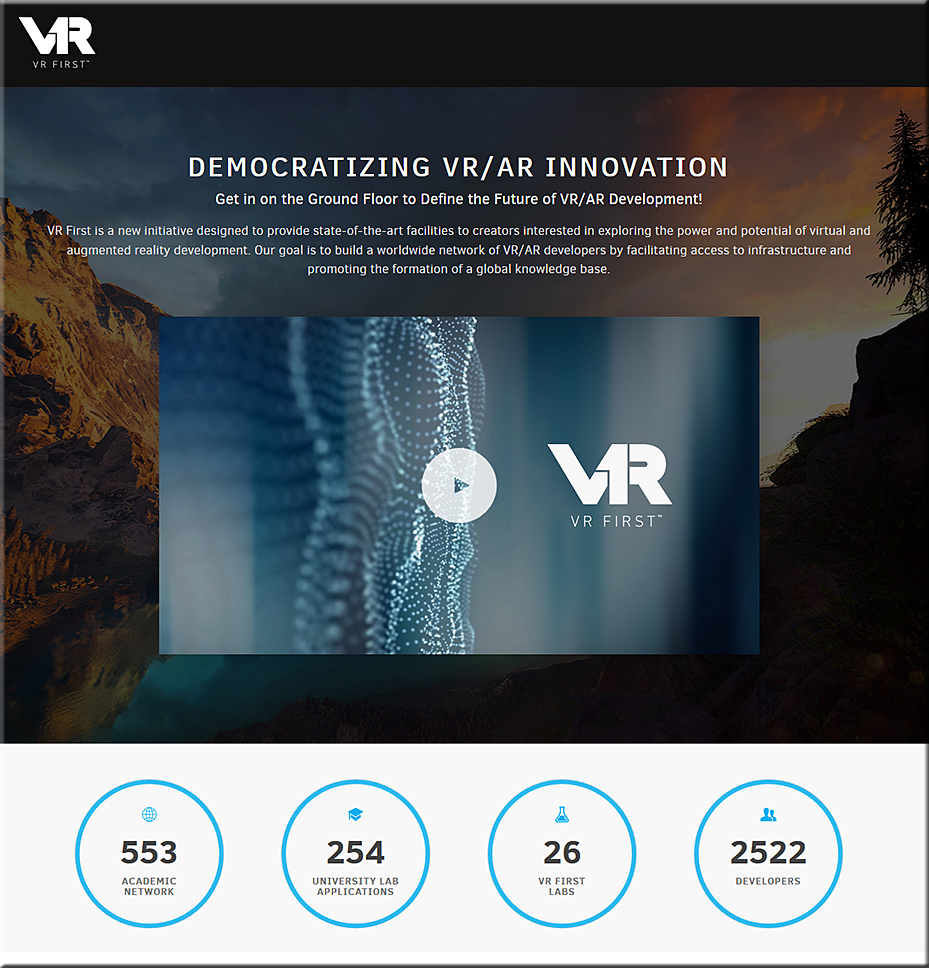
Some applications of VR from vrxone.com

Education
Virtual Reality to teach the skills needed for the future by enabling learners to explore, play, work as a team, compete, and be rewarded for their achievements through interactive lessons.

  • Virtual Field Trips
  • Immersive VRXOne Lab
  • VR for Arts & Design
  • Safe Laboratory Practicals through VR
  • Game based Learning
  • Geography, Marine Life VR Exploration
  • Astronomy & Space Research through VR
  • Architecture & Interiors
  • VR for Sports & Games
  • VR to improve Public Speech

Corporate Training
Virtual reality (VR) enhances traditional training methods through a new, practical and interactive approach. Improve Knowledge Retention by doing things in an immersive Environment.

* VR based Induction/ Onboarding
* Improving Health & Safety through VR
* Increase Knowledge Retention
* Hands-on VR Training Simulations
* Customer interactivity through VR
* VR to improve Marketing Strategy
* Special purpose training in VR
* High Risk Environment VR Simulation
* Critical National Infrastructure brief on VR
* VR for Business Planning

Healthcare
Virtual Reality has proven great results with 34% of Physical Health and 47% of Mental Health Improvements through various applications and learning programs.

* 360° Live streaming of Surgical Procedure
* Medical & Nursing Simulation
* Emergency Drill Scenario
* VR for pain & anxiety relief
* Assistive Technology for Special Education.
* Interactive Anatomy Lessons
* Yoga, Meditation and Recreational Therapy
* Virtual Medical Consultation
* Motivational Therapy for Aged Citizens
* VR for Medical Tourism


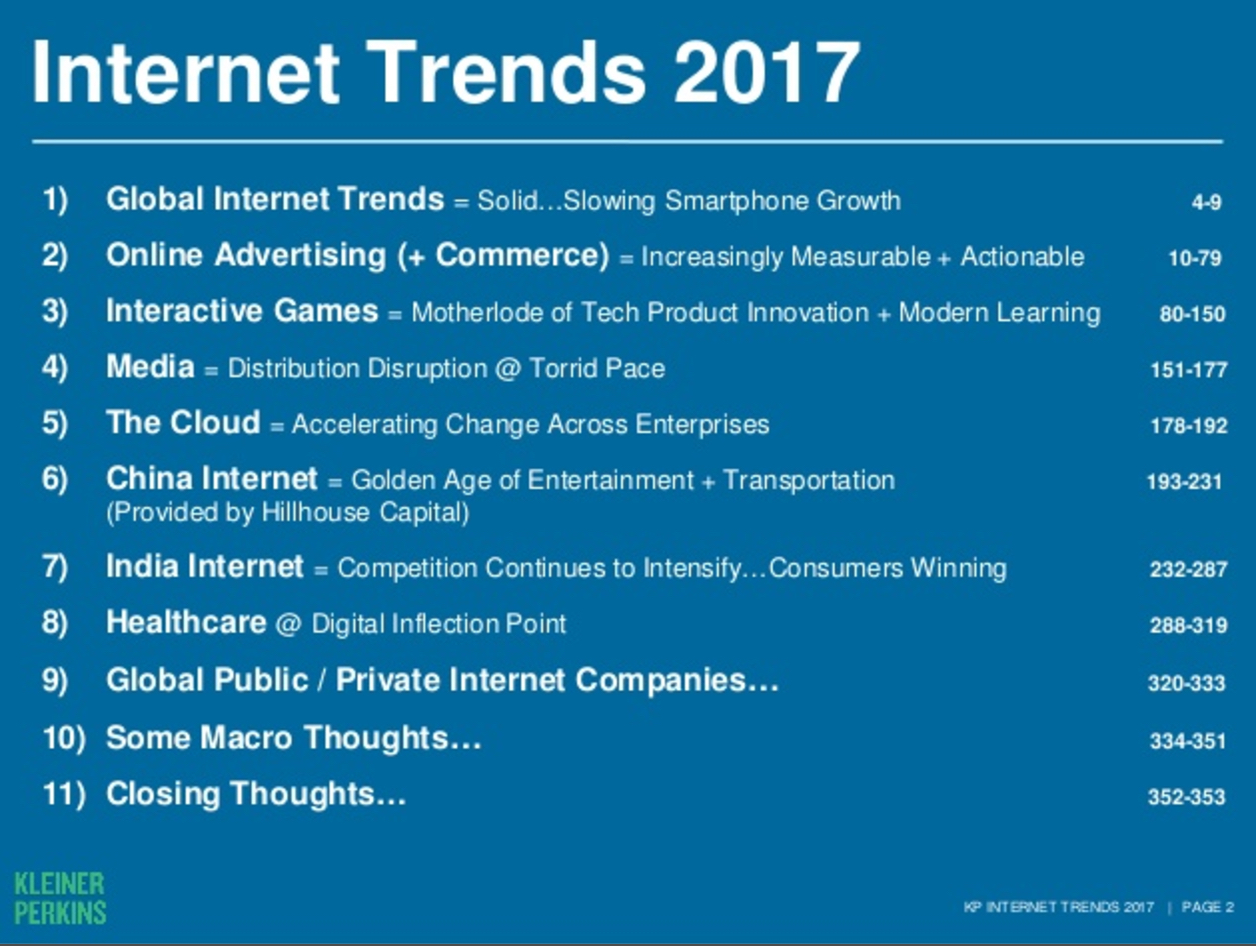
2017 Internet Trends Report — from kpcb.com by Mary Meeker


Mary Meeker’s 2017 internet trends report: All the slides, plus analysis — from recode.net by Rani Molla
The most anticipated slide deck of the year is here.

Excerpt:

Here are some of our takeaways:

  • Global smartphone growth is slowing: Smartphone shipments grew 3 percent year over year last year, versus 10 percent the year before. This is in addition to continued slowing internet growth, which Meeker discussed last year.
  • Voice is beginning to replace typing in online queries. Twenty percent of mobile queries were made via voice in 2016, while accuracy is now about 95 percent.
  • In 10 years, Netflix went from 0 to more than 30 percent of home entertainment revenue in the U.S. This is happening while TV viewership continues to decline.
  • China remains a fascinating market, with huge growth in mobile services and payments and services like on-demand bike sharing. (More here: The highlights of Meeker’s China slides.)


Read Mary Meeker’s essential 2017 Internet Trends report — from techcrunch.com by Josh Constine

Excerpt:

This is the best way to get up to speed on everything going on in tech. Kleiner Perkins venture partner Mary Meeker’s annual Internet Trends report is essentially the state of the union for the technology industry. The widely anticipated slide deck compiles the most informative research on what’s getting funded, how Internet adoption is progressing, which interfaces are resonating, and what will be big next.

You can check out the 2017 report embedded below, and here’s last year’s report for reference.


The 82 Hottest EdTech Tools of 2017 According to Education Experts — from tutora.co.uk by Giorgio Cassella

Excerpt:

If you work in education, you’ll know there’s a HUGE array of applications, services, products and tools created to serve a multitude of functions in education.

Tools for teaching and learning, parent-teacher communication apps, lesson planning software, home-tutoring websites, revision blogs, SEN education information, professional development qualifications and more.

There are so many companies creating new products for education, though, that it can be difficult to keep up – especially with the massive volumes of planning and marking teachers have to do, never mind finding the time to actually teach!

So how do you know which ones are the best?

Well, as a team of people passionate about education and learning, we decided to do a bit of research to help you out.

We’ve asked some of the best and brightest in education for their opinions on the hottest EdTech of 2017. These guys are the real deal – experts in education, teaching and new tech from all over the world from England to India, to New York and San Francisco.

They’ve given us a list of 82 amazing, tried and tested tools…


From DSC:
The ones that I mentioned that Giorgio included in his excellent article were:

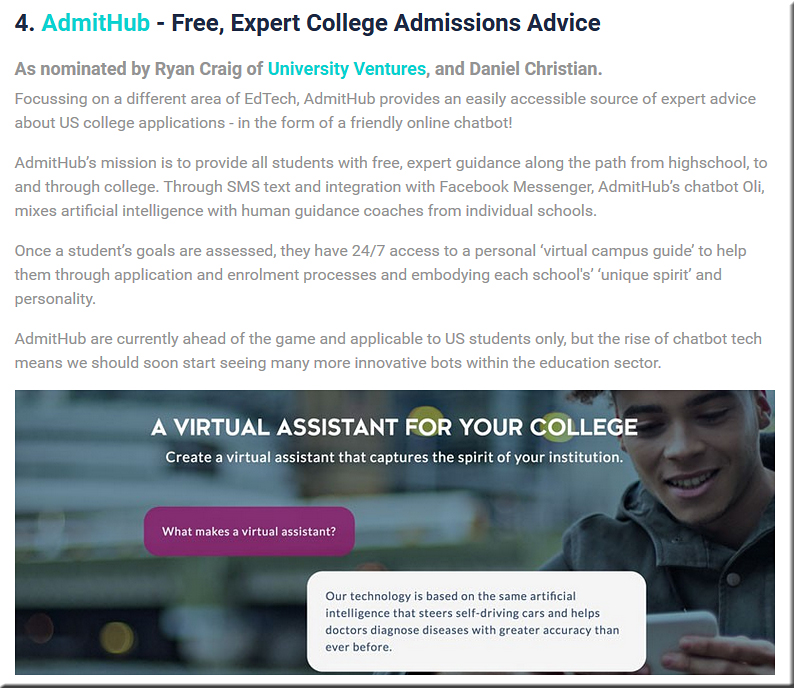
  • AdmitHub – Free, Expert College Admissions Advice
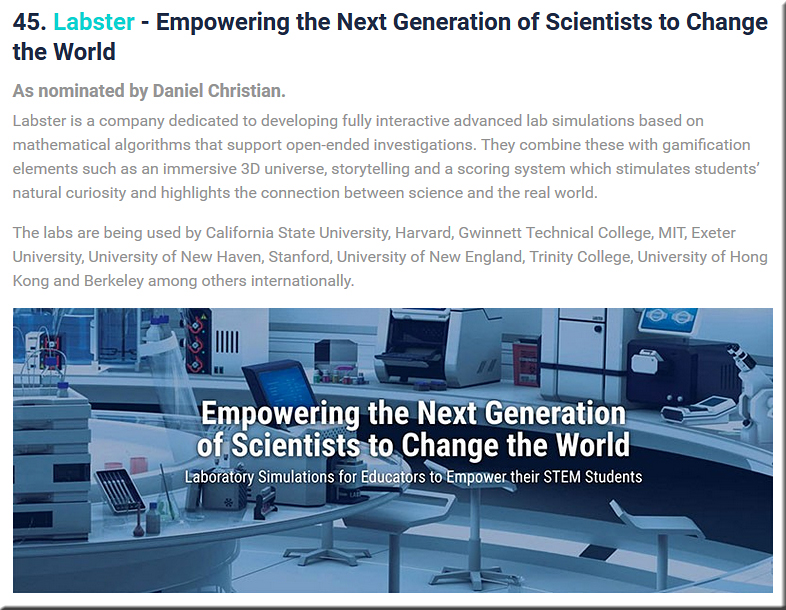
  • Labster – Empowering the Next Generation of Scientists to Change the World
  • Unimersiv – Virtual Reality Educational Experiences
  • Lifeliqe – Interactive 3D Models to Augment Classroom Learning


Expect voice, VR and AR to dominate UX design — from forbes.com by the Forbes Technology Council

Excerpt:

User interfaces have come a long way since the design of typewriters to prevent people from typing too quickly and then jamming the device. Current technology has users viewing monitors and wiggling mouse, or tapping on small touchscreens to activate commands or to interact with a virtual keyboard. But is this the best method of interaction?

Designers are asking themselves if it [is] better to talk to a mobile device to get information, or should a wearable vibrate and then feed information into an augmented reality display. Is having an artificial intelligence modify an interface on the fly, depending on how a user interacts, the best course of action for applications or websites? And how human should the AIs’ interaction be with users?

Eleven experts on the Forbes Technology Council offer their predictions on how UX design will be changing in the next few years. Here’s what they have to say…


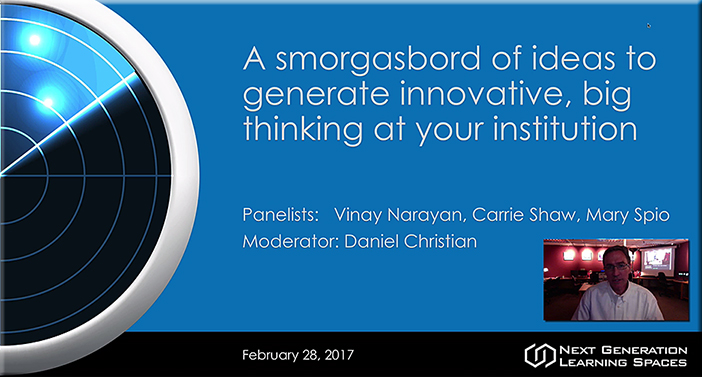
A smorgasboard of ideas to put on your organization’s radar! [Christian]

From DSC:
At the Next Generation Learning Spaces Conference, held recently in San Diego, CA, I moderated a panel discussion re: AR, VR, and MR.  I started off our panel discussion with some introductory ideas and remarks — meant to make sure that numerous ideas were on the radars at attendees’ organizations. Then Vinay and Carrie did a super job of addressing several topics and questions (Mary was unable to make it that day, as she got stuck in the UK due to transportation-related issues).

That said, I didn’t get a chance to finish the second part of the presentation which I’ve listed below in both 4:3 and 16:9 formats.  So I made a recording of these ideas, and I’m relaying it to you in the hopes that it can help you and your organization.


Presentations/recordings:


Audio/video recording (187 MB MP4 file)


Again, I hope you find this information helpful.

Thanks,
Daniel


From DSC:
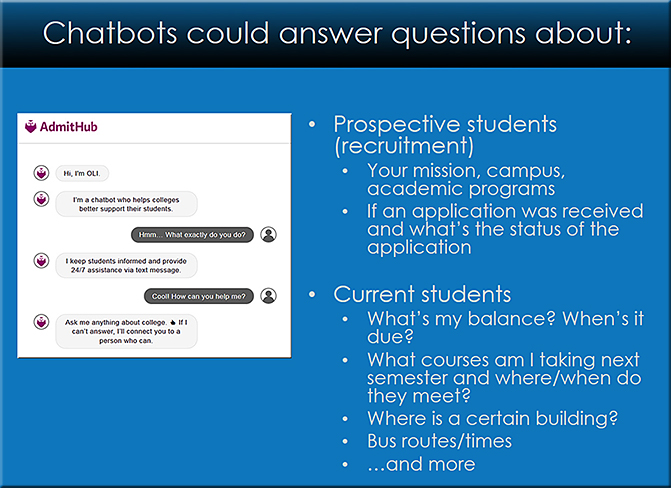
Chatbots were another one of the topics I mentioned at the Next Generation Learning Spaces Conference last week. For those of us working within higher education, chatbots need to be on our radars!


An article from today on this:

  • Using AI Chatbots to Freeze ‘Summer Melt’ in Higher Ed — from campustechnology.com by Sri Ravipati
    Excerpt:
    Students who accept offers of admission into a college or university don’t always show up for fall enrollment — a phenomenon known as “summer melt.” It’s a problem that Georgia State University (GSU) is all too familiar with: The institution’s summer melt rates have increased from 12 percent to nearly 19 percent in recent years. With traditional methods of reaching students (i.e. snail mail, e-mail and phone calls) producing feeble results, GSU decided to try another approach: smart text messaging.

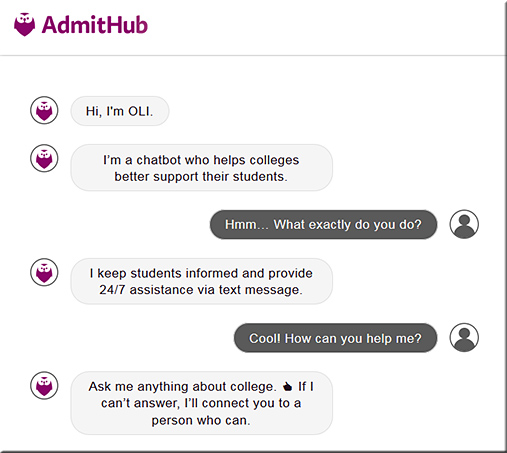
    According to a recent case study, GSU was well aware of the advantages of communicating with students via text messages, but was concerned about the additional workload that text messaging students would place on existing staff. So, the university partnered with AdmitHub, a Boston-based ed tech startup, to test out text-based intervention. AdmitHub works with higher ed institutions to create a virtual “campus coach” that embodies the collective knowledge and unique spirit of a school’s community. It integrates conversational artificial intelligence (AI) with human expertise to guide students to and through college.


One of the slides from my presentation on this:


Stryker is using Microsoft’s HoloLens to design operating rooms of the future — from digitaltrends.com by Mark Coppock

Excerpt:

Augmented reality has a number of increasingly important applications in a variety of industries, from engineering to retail to interior design. One of the most exciting applications of AR, and the one that promises perhaps the most immediate impact on our lives, is in medicine, where AR can help educate, diagnose, and even treat disease in new and innovative ways.

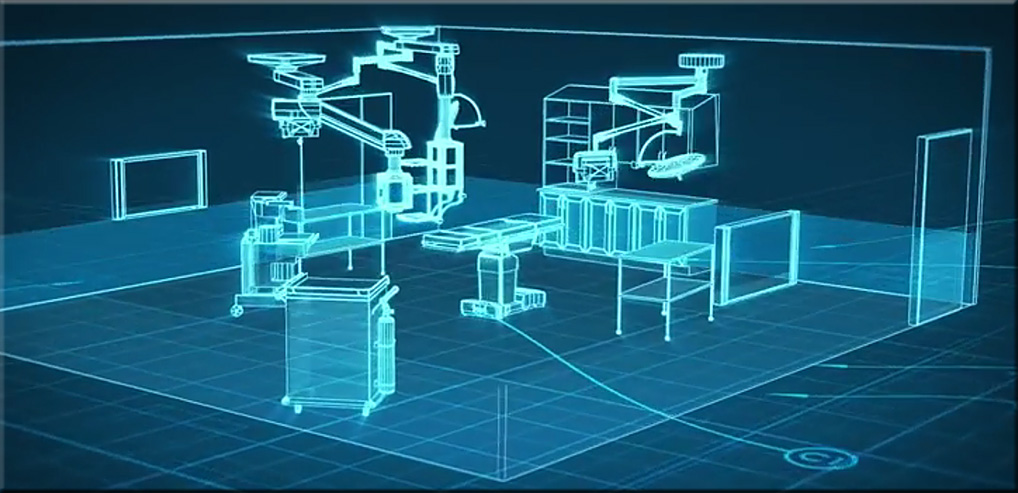
Microsoft’s HoloLens AR solution is perhaps the most advanced today in terms of becoming a part of the real world, even while it’s not yet a retail option aimed at consumers. Global medical technology company Stryker, which is using HoloLens to redesign the operating room, provides a clear example of the potential of AR in this setting.


From DSC:
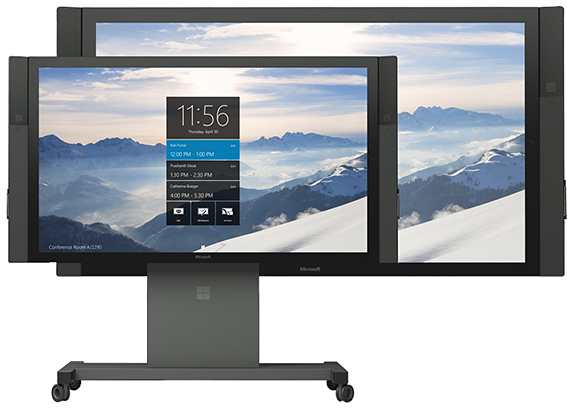
Microsoft uses the term “mixed reality” when they are discussing their Hololens product:


Using HoloLens and Stryker’s new By Design solution, hospital stakeholders are now able to envision the ideal operating room configuration with the power of holograms and the benefit of mixed reality.


Microsoft Accelerates HoloLens V3 Development, Sidesteps V2 — from thurrott.com by Brad Sams


Excerpt:

Back when the first version of Hololens came out, Microsoft created a roadmap that highlighted several release points for the product. This isn’t unusual, you start with the first device, second generation devices are typically smaller and more affordable and then with version three you introduce new technology that upgrades the experience; this is a standard process path in the technology sector. Microsoft, based on my sources, is sidelining what was going to be version two of HoloLens and is going straight to version three.

While some may see this as bad news that a cheaper version of HoloLens will not arrive this year or likely next year, by accelerating the technology that will bring us the expanded field of view with a smaller footprint, the new roadmap allows for a device that is usable in everyday life to arrive sooner.

Microsoft is playing for the long-term with this technology to make sure they are well positioned for the next revolution in computing. By adjusting their path today for HoloLens, they are making sure that they remain the segment leader for years to come.


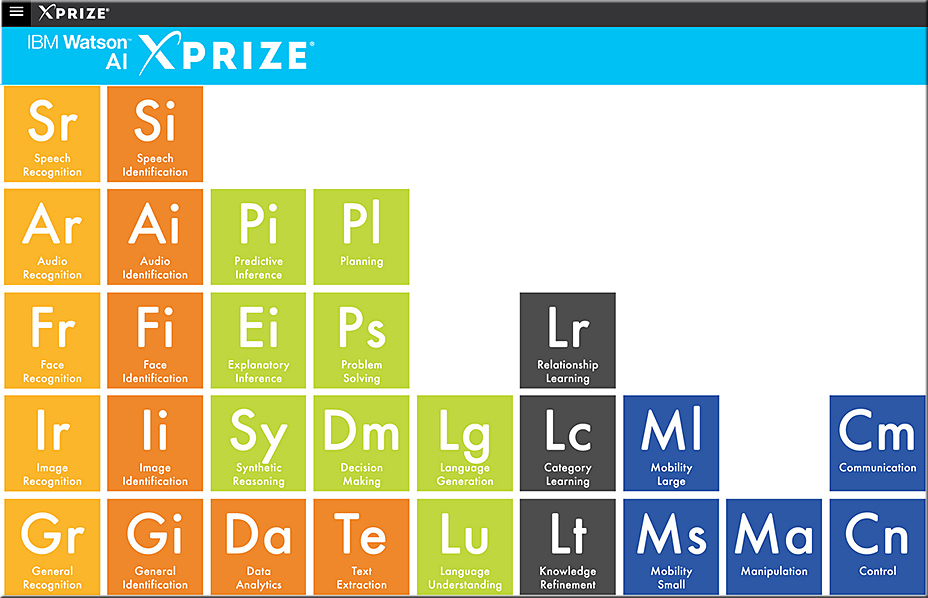
The Periodic Table of AI — from ai.xprize.org by Kris Hammond

Excerpts:

This is an invitation to collaborate.  In particular, it is an invitation to collaborate in framing how we look at and develop machine intelligence. Even more specifically, it is an invitation to collaborate in the construction of a Periodic Table of AI.

Let’s be honest. Thinking about Artificial Intelligence has proven to be difficult for us.  We argue constantly about what is and is not AI.  We certainly cannot agree on how to test for it.  We have difficultly deciding what technologies should be included within it.  And we struggle with how to evaluate it.

Even so, we are looking at a future in which intelligent technologies are becoming commonplace.

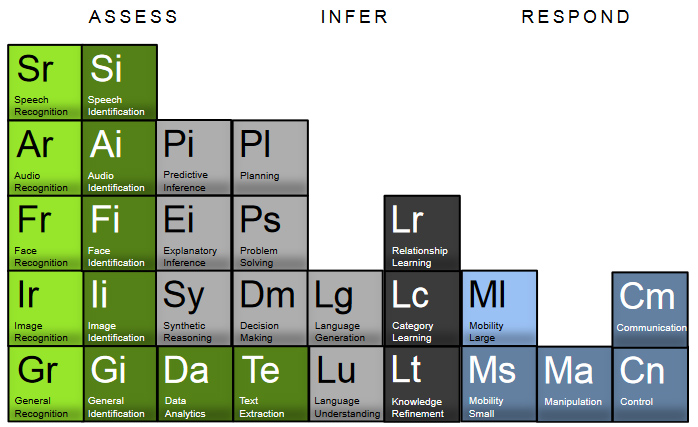
With that in mind, we propose an approach to viewing machine intelligence from the perspective of its functional components. Rather than argue about the technologies behind them, the focus should be on the functional elements that make up intelligence.  By stepping away from how these elements are implemented, we can talk about what they are and their roles within larger systems.


Also see this article, which contains the graphic below:


From DSC:
These graphics are helpful to me, as they increase my understanding of some of the complexities involved within the realm of artificial intelligence.


Also relevant/see:


Chatbots: The next big thing — from dw.com
Excerpt:

More and more European developers are discovering the potential of chatbots. These mini-programs interact automatically with users and could be particularly useful in areas like online shopping and news delivery. The potential of chatbots is diverse. These tiny programs can do everything from recognizing customers’ tastes to relaying the latest weather forecast. Berlin start-up Spectrm is currently devising bots that deliver customized news. Users can contact the bot via Facebook Messenger, and receive updates on topics that interest them within just a few seconds.


MyPrivateTutor releases chatbot for finding tutors — from digitaljournal.com
MyPrivateTutor, based in Kolkata, matches tutors to students using proprietary machine learning algorithms

Excerpt:

Using artificial intelligence, the chatbot helps us reach a wider segment of users who are still not comfortable navigating websites and apps but are quite savvy with messaging apps”, said Sandip Kar, co-founder & CEO of MyPrivateTutor (www.myprivatetutor.com), an online marketplace for tutors, has released a chatbot for helping students and parents find tutors, trainers, coaching classes and training institutes near them.


Story idea: Covering the world of chatbots — from businessjournalism.org by Susan Johnston Taylor

Excerpt:

Chatbots, computer programs designed to converse with humans, can perform all sorts of activities. They can help users book a vacation, order a pizza, negotiate with Comcast or even communicate with POTUS. Instead of calling or emailing a representative at the company, consumers chat with a robot that uses artificial intelligence to simulate natural conversation. A growing number of startups and more established companies now use them to interact with users via Facebook Messenger, SMS, chat-specific apps such as Kik or the company’s own site.

To cover this emerging business story, reporters can seek out companies in their area that use chatbots, or find local tech firms that are building them. Local universities may have professors or other experts available who can provide big-picture context, too. (Expertise Finder can help you identify professors and their specific areas of study.)


How chatbots are addressing summer melt for colleges — from ecampusnews.com

Excerpt:

AdmitHub, an edtech startup which builds conversational artificial intelligence (AI) chatbots to guide students on the path to and through college, has raised $2.95 million in seed funding.


Why higher education chatbots will take over university mobile apps — from blog.admithub.com by Kirk Daulerio

Excerpt (emphasis DSC):

Chatbots are the new apps and websites combined
Chatbots are simple, easy to use, and present zero friction. They exist on the channels that people are most familiar with like Messenger, Twitter, SMS text message, Kik, and expanding onto other messaging applications. Unlike apps, bots don’t take up space, users don’t have to take time to get familiar with a new user interface, and bots will give you an instant reply. The biggest difference with chatbots compared to apps and websites is that they use language as the main interface. Websites and apps have to be searched and clicked, while bots and people use language, the most natural interface, to communicate and inform.


From DSC:
I think messaging-based chatbots will definitely continue to grow in usage — in numerous industries, including higher education. But I also think that the human voice — working in conjunction with technologies that provide natural language processing (NLP) capabilities — will play an increasingly larger role in how we interface with our devices. Whether it’s via a typed/textual message or whether it’s via a command or a query relayed by the human voice, working with bots needs to be on our radars. These conversational messaging agents are likely to be around for a while.


Addendum:


From DSC:
The following article reminded me of a vision that I’ve had for the last few years…

  • How to Build a Production Studio for Online Courses — from campustechnology.com by Dian Schaffhauser
    At the College of Business at the University of Illinois, video operations don’t come in one size. Here’s how the institution is handling studio setup for MOOCs, online courses, guest speakers and more.

Though I’m a huge fan of online learning, why only build a production studio that’s meant to support online courses only? Let’s take it a step further and design a space that can address the content development for online learning as well as for blended learning — which can include the flipped classroom type of approach.

To do so, colleges and universities need to build something akin to what the National University of Singapore has done. I would like to see institutions create large enough facilities in order to house multiple types of recording studios in each one of them. Each facility would feature:

  • One room that has a lightboard and a mobile whiteboard in it — let the faculty member choose which surface that they want to use


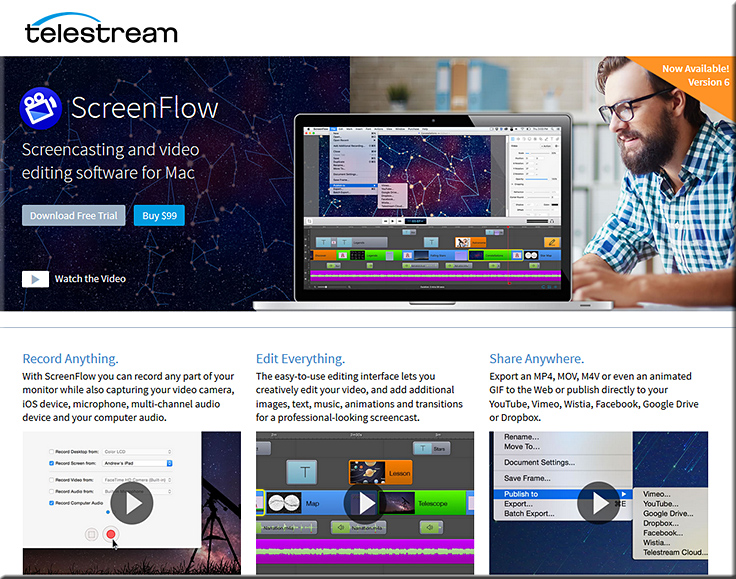
  • A recording booth with a nice, powerful, large iMac that has ScreenFlow on it. The booth would also include a nice, professional microphone, a pop filter, sound absorbing acoustical panels, and more. Blackboard Collaborate could be used here as well…especially with the Application Sharing feature turned on and/or just showing one’s PowerPoint slides — with or without the video of the faculty member…whatever they prefer.


  • Another recording booth with a PC and Adobe Captivate, Camtasia Studio, Screencast-O-Matic, or similar tools. The booth would also include a nice, professional microphone, a pop filter, sound absorbing acoustical panels, and more. Blackboard Collaborate could be used here as well…especially with the Application Sharing feature turned on and/or just showing one’s PowerPoint slides — with or without the video of the faculty member…whatever they prefer.


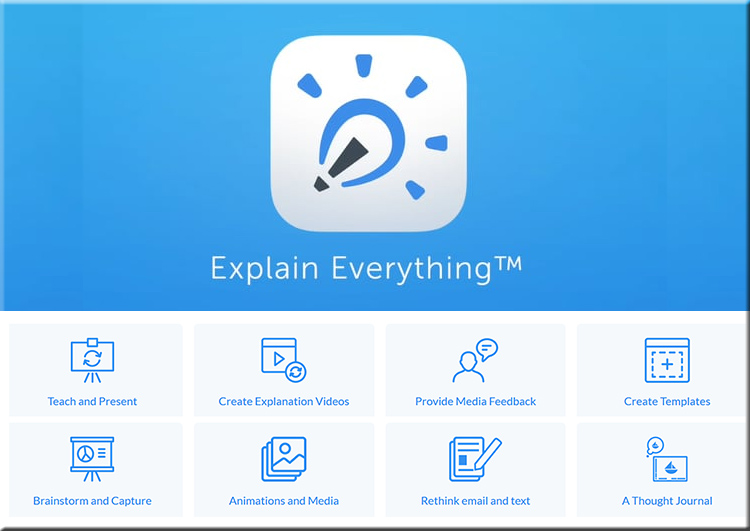
  • Another recording booth with an iPad tablet and apps loaded on it such as Explain Everything:


  • A large recording studio that is similar to what’s described in the article — a room that incorporates a full-width green screen, with video monitors, a tablet, a podium, several cameras, high-end mics and more.  Or, if the budget allows for it, a really high end broadcasting/recording studio like what Harvard Business school is using:


A piece of this facility could look and act like the Sound Lab at the Museum of Pop Culture (MoPOP)


From DSC:
When I saw the article below, I couldn’t help but wonder…what are the teaching & learning-related ramifications when new “skills” are constantly being added to devices like Amazon’s Alexa?

What does it mean for:

  • Students / learners
  • Faculty members
  • Teachers
  • Trainers
  • Instructional Designers
  • Interaction Designers
  • User Experience Designers
  • Curriculum Developers
  • …and others?

Will the capabilities found in Alexa simply come bundled as a part of the “connected/smart TV’s” of the future? Hmm….


NASA unveils a skill for Amazon’s Alexa that lets you ask questions about Mars — from geekwire.com by Kevin Lisota

Excerpt:

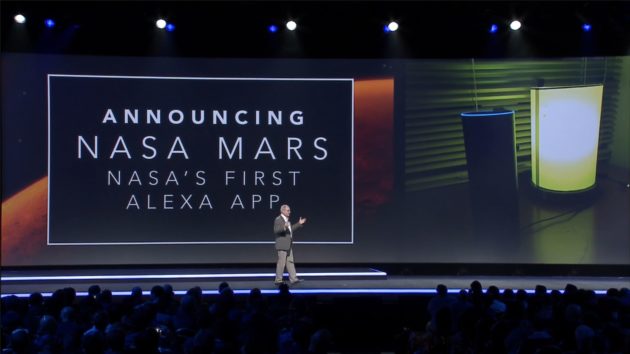
Amazon’s Alexa has gained many skills over the past year, such as being able to read tweets or deliver election results and fantasy football scores. Starting on Wednesday, you’ll be able to ask Alexa about Mars.

The new skill for the voice-controlled speaker comes courtesy of NASA’s Jet Propulsion Laboratory. It’s the first Alexa app from the space agency.

Tom Soderstrom, the chief technology officer at NASA’s Jet Propulsion Laboratory was on hand at the AWS re:invent conference in Las Vegas tonight to make the announcement.


nasa-alexa-11-29-16


Also see:


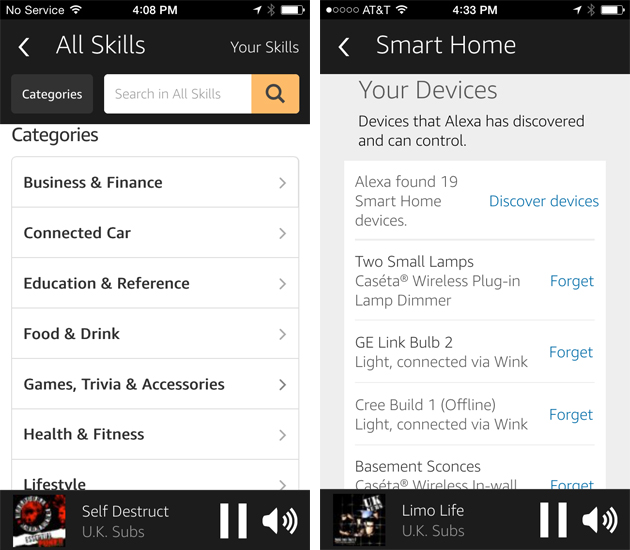
What Is Alexa? What Is the Amazon Echo, and Should You Get One? — from thewirecutter.com by Grant Clauser
 

side-by-side2


Amazon launches new artificial intelligence services for developers: Image recognition, text-to-speech, Alexa NLP — from geekwire.com by Taylor Soper

Excerpt (emphasis DSC):

Amazon today announced three new artificial intelligence-related toolkits for developers building apps on Amazon Web Services

At the company’s AWS re:invent conference in Las Vegas, Amazon showed how developers can use three new services — Amazon Lex, Amazon Polly, Amazon Rekognition — to build artificial intelligence features into apps for platforms like Slack, Facebook Messenger, ZenDesk, and others.

The idea is to let developers utilize the machine learning algorithms and technology that Amazon has already created for its own processes and services like Alexa. Instead of developing their own AI software, AWS customers can simply use an API call or the AWS Management Console to incorporate AI features into their own apps.


Amazon announces three new AI services, including a text-to-voice service, Amazon Polly  — from by D.B. Hebbard


AWS Announces Three New Amazon AI Services
Amazon Lex, the technology that powers Amazon Alexa, enables any developer to build rich, conversational user experiences for web, mobile, and connected device apps; preview starts today

Amazon Polly transforms text into lifelike speech, enabling apps to talk with 47 lifelike voices in 24 languages

Amazon Rekognition makes it easy to add image analysis to applications, using powerful deep learning-based image and face recognition

Capital One, Motorola Solutions, SmugMug, American Heart Association, NASA, HubSpot, Redfin, Ohio Health, DuoLingo, Royal National Institute of Blind People, LingApps, GoAnimate, and Coursera are among the many customers using these Amazon AI Services

Excerpt:

SEATTLE–(BUSINESS WIRE)–Nov. 30, 2016– Today at AWS re:Invent, Amazon Web Services, Inc. (AWS), an Amazon.com company (NASDAQ: AMZN), announced three Artificial Intelligence (AI) services that make it easy for any developer to build apps that can understand natural language, turn text into lifelike speech, have conversations using voice or text, analyze images, and recognize faces, objects, and scenes. Amazon Lex, Amazon Polly, and Amazon Rekognition are based on the same proven, highly scalable Amazon technology built by the thousands of deep learning and machine learning experts across the company. Amazon AI services all provide high-quality, high-accuracy AI capabilities that are scalable and cost-effective. Amazon AI services are fully managed services so there are no deep learning algorithms to build, no machine learning models to train, and no up-front commitments or infrastructure investments required. This frees developers to focus on defining and building an entirely new generation of apps that can see, hear, speak, understand, and interact with the world around them.

To learn more about Amazon Lex, Amazon Polly, or Amazon Rekognition, visit:
https://aws.amazon.com/amazon-ai


From DSC:
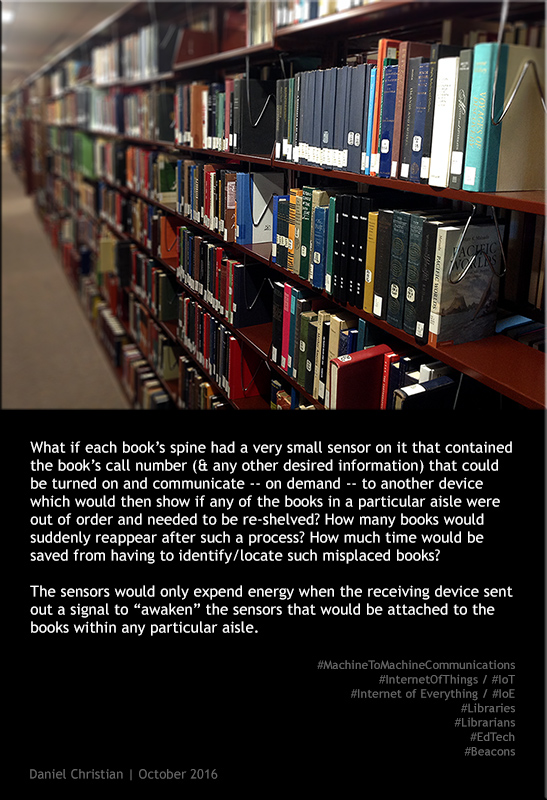
Here’s an idea that came to my mind the other day as I was walking by a person who was trying to put some books back onto the shelves within our library.


danielchristian-books-sensors-m2m-oct2016


From DSC:
Perhaps this idea is not very timely…as many collections of books will likely continue to be digitized and made available electronically. But preservation is still a goal for many libraries out there.


Also see:

IoT and the Campus of Things — from er.educause.edu by

Excerpt:

Today, the IoT sits at the peak of Gartner’s Hype Cycle. It’s probably not surprising that industry is abuzz with the promise of streaming sensor data. The oft quoted “50 billion connected devices by 2020!” has become a rallying cry for technology analysts, chip vendors, network providers, and other proponents of a deeply connected, communicating world. What is surprising is that academia has been relatively slow to join the parade, particularly when the potential impacts are so exciting. Like most organizations that manage significant facilities, universities stand to benefit by adopting the IoT as part of their management strategy. The IoT also affords new opportunities to improve the customer experience. For universities, this means the ability to provide new student services and improve on those already offered. Perhaps most surprisingly, the IoT represents an opportunity to better engage a diverse student base in computer science and engineering, and to amplify these programs through meaningful interdisciplinary collaboration.

The potential benefits of the IoT to the academic community extend beyond facilities management to improving our students’ experience. The lowest hanging fruit can be harvested by adapting some of the smart city applications that have emerged. What student hasn’t shown up late to class after circling the parking lot looking for a space? Ask any student at a major university if it would improve their campus experience to be able to check on their smart phones which parking spots were available. The answer will be a resounding “yes!” and there’s nothing futuristic about it. IoT parking management systems are commercially available through a number of vendors. This same type of technology can be adapted to enable students to find open meeting rooms, computer facilities, or café seating. What might be really exciting for students living in campus dormitories: A guarantee that they’ll never walk down three flights of stairs balancing two loads of dirty laundry to find that none of the washing machines are available. On many campuses, the washing machines are already network-connected to support electronic payment; availability reporting is a straightforward extension.


Also see:

2016 Innovators Awards | A Location-Aware App for Exploring the Library — from campustechnology.com by Meg Lloyd
To help users access rich information resources on campus, the University of Oklahoma Libraries created a mobile app with location-based navigation and “hyperlocal” content.

Category: Education Futurists

Institution: University of Oklahoma

Project: OU Libraries NavApp

Project lead: Matt Cook, emerging technologies librarian

Tech lineup: Aruba, Meridian, RFIP


Somewhat related:


© 2025 | Daniel Christian