From DSC:
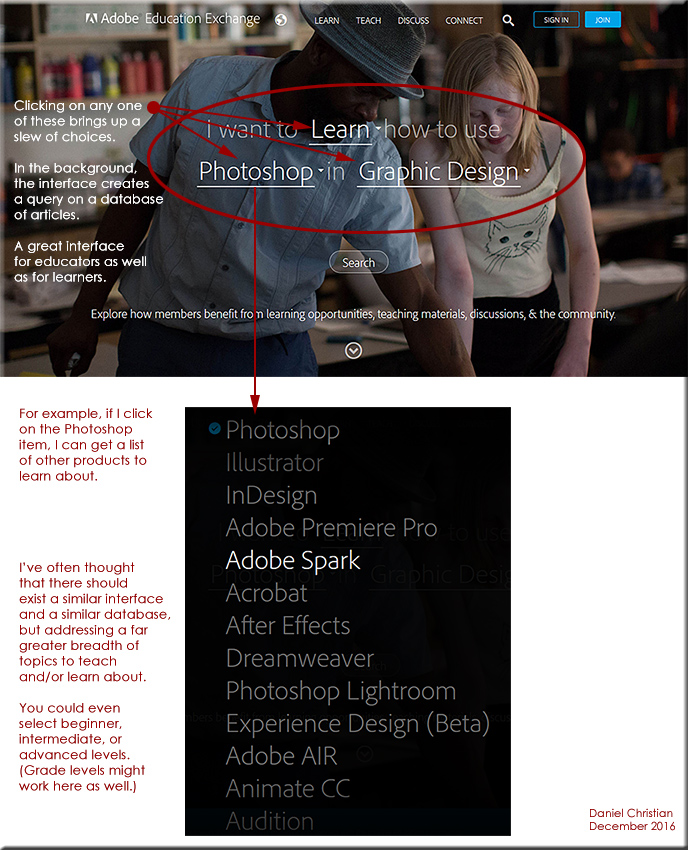
After seeing the sharp interface out at Adobe (see image below), I’ve often thought that there should exist a similar interface and a similar database for educators, trainers, and learners to use — but the database would address a far greater breadth of topics to teach and/or learn about.  You could even select beginner, intermediate, or advanced levels (grade levels might work here as well).

Perhaps this is where artificial intelligence will come in…not sure.


nmc-digitalliteracyreport-oct2016


The New Media Consortium (NMC) has released Digital Literacy: An NMC Horizon Project Strategic Brief in conjunction with the 2016 EDUCAUSE Annual Conference.

In analyzing the progress and gaps in this area, the NMC’s report has identified a need for higher education leaders and technology companies to prioritize students as makers, learning through the act of content creation rather than mere consumption. Additionally, the publication recommends that colleges and universities establish productive collaborations with industry, government, and libraries to provide students with access to the latest technologies and tools.

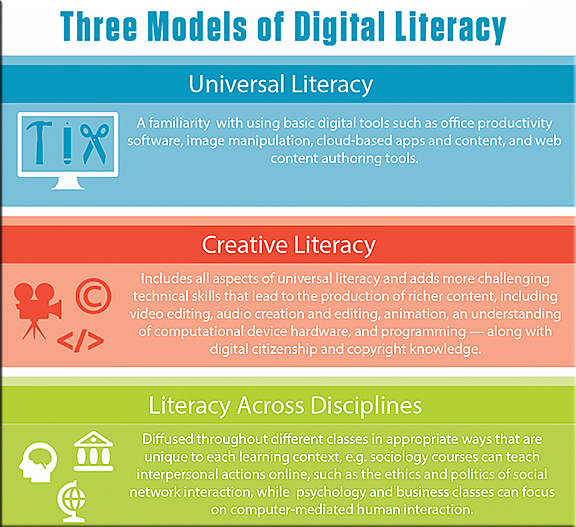
Based on the variety and complexity of these results, NMC cannot identify just one model of digital literacy. Instead three different digital literacies are now evident, each with distinct standards, potential curriculum, and implications for creative educators.


digitallits-nmc-oct2016


The aim of this publication is to establish a shared vision of digital literacy for higher education leaders by illuminating key definitions and models along with best practices and recommendations for implementing successful digital literacy initiatives.


To be digitally literate, you need to be:
fluent at critical thinking,
collaborating,
being creative, and
problem-solving in
digital environments.


Computer science and digital media classes can instruct on everything from office productivity applications to programming and video editing, for example.  Sociology courses can teach interpersonal actions online, such as the ethics and politics of social network interaction, while psychology and business classes can focus on computer-mediated human interaction. Government and political science classes are clearly well equipped to explore the intersection of digital technology and citizenship mentioned above. Communication, writing, and  literature classes have the capacity to instruct students on producing digital content in the form of stories, arguments, personal expression, posters, and more. 


From DSC:
If faculty members aren’t asking students to create multimedia in their assignments and/or take part in online/digitally-based means of communications and learning, the vast majority of the students won’t (and don’t) care about digital literacy…it’s simply not relevant to them: “Whatever gets me the grade, that’s what I’ll do. But no more.”

This type of situation/perspective is quite costly.  Because once students graduate from college, had they built up some solid digital literacy — especially the “creative literacy” mentioned above — they would be in much better shape to get solid jobs, and prosper at those jobs. They would be much better able to craft powerful communications — and reach a global audience in doing so. They would have honed their creativity, something increasingly important as the onward march of AI, robotics, algorithms, automation, and such continues to eat away at many types of jobs (that don’t really need creative people working in them).

This is an important topic, especially as digitally-based means of communication continue to grow in their usage and impact.


Part of digital literacy is not just understanding how a tool works but also why it is useful in the real world and when to use it.


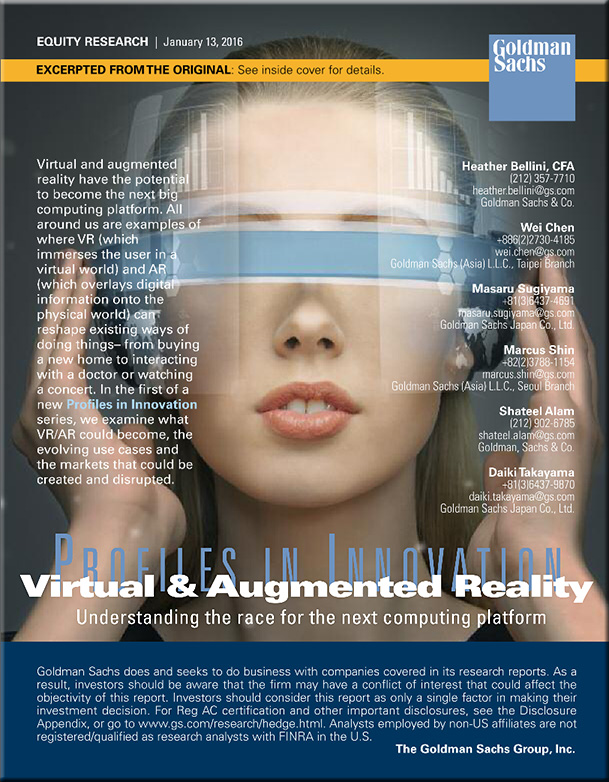
GoldmanSachs-Jan2016Report
With thanks to Fred Steube for this resource


Virtual reality facilitates higher ed research and teaches high-risk skills — from edtechmagazine.com by Jacquelyn Bengfort
From neuroscience to ship navigation, virtual environments deliver real-world learning inside the classroom.

Excerpt:

Simulators are an important part of their education. Stepping into one of three full-mission bridge simulators replicates the experience of standing in an ocean liner’s pilothouse and lets students practice their skills in handling a ship — without risk.

“In the simulator, you can push the limits of the environment: increase the amount of current that’s there, go to the limits of the amount of wind that can be handled by the tugs,” says Capt. Victor Schisler, one of Cal Maritime’s simulator instructors.


Oculus Launches Virtual Reality Program in High Schools — from thejournal.com by Sri Ravipati
The new initiative provides students with VR equipment to create short films on social issues.

Excerpt:

Oculus has announced a new pilot program for high school students to use virtual reality as a tool for social change.

As part of the VR for Good initiative, the 360 Filmmaker Challenge will connect nine San Francisco Bay Area high schools with professional filmmakers to create three- to five- minute 360 degree films about their communities. Students will receive a Samsung Gear VR, a Galaxy S6, Ricoh Theta S 360 cameras and access to editing software to make their films, according to Oculus.


How Adobe is connecting virtual reality with the world of product placement: 360-degree video mixes atmosphere and ads — from adweek.com by Marty Swant

Excerpt:

Interested in watching the 2015 hit film The Martian from the surface of the moon? Adobe wants you to take you there.

Adobe isn’t entering the latest next-generation space race to compete with SpaceX, Blue Origin or Virgin Galactic anytime soon. But it is for the first time entering the worlds of virtual reality and augmented reality through new Adobe Primetime products.

[On May 17th] Adobe debuted Virtual Cinema, a feature that will allow Primetime clients to develop experiences for users to enter a virtual environment. According to Adobe, users will be able to view traditional video in a custom environment—a cinema, home theater or branded atmosphere—and watch existing TV and motion picture content in a new way. There’s also potential for product placement within the virtual/augmented reality experience.


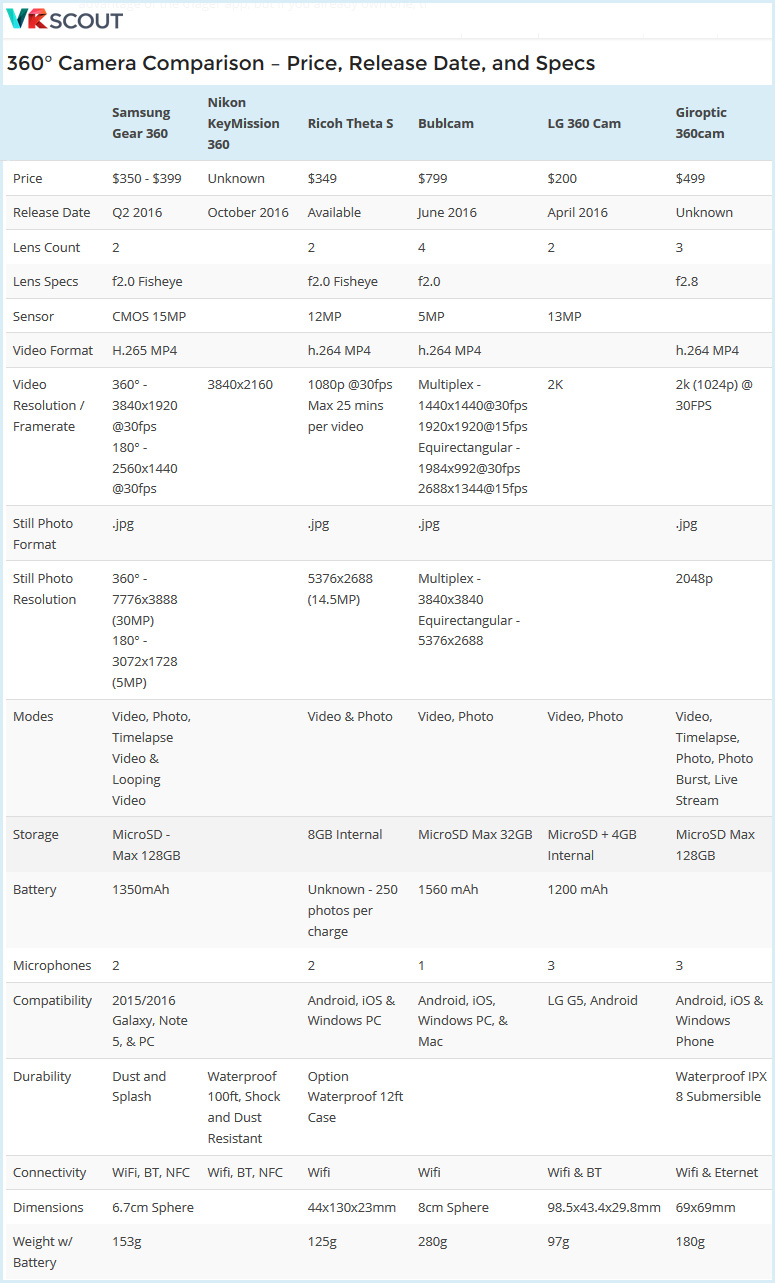
From Samsung Gear 360 Unboxing and Video Test — from vrscout.com by Jonathan Nafarrete


360-degree-camera-comparisons-May2016


Could HoloLens’ augmented reality change how we study the human body? — from edtechmagazine.com by D. Frank Smith
Case Western Reserve University is helping to revolutionize medical-science studies with a new technology from Microsoft.

Excerpt:

While the technology world’s attention is on virtual reality, a team of researchers at Case Western Reserve University (CWRU) is fixated on another way to experience the world — augmented reality (AR).

Microsoft’s forthcoming AR headset, HoloLens, is at the forefront of this technology. The company calls it the first holographic computer. In AR, instead of being surrounded by a virtual world, viewers see virtual objects projected on top of reality through a transparent lens.

CWRU was among the first in higher education to begin working with HoloLens, back in 2014. They’ve since discovered new ways the tech could help transform education. One of their current focuses is changing how students experience medical-science courses.


How to make a mixed reality video and livestream from two realities — from uploadvr.com by Ian Hamilton

Excerpt:

Follow these steps to record or stream mixed reality footage with the HTC Vive
A mixed reality video is one of the coolest ways to show people what a virtual environment feels like. A green screen makes it easy for a VR-ready PC to automatically remove everything from a camera’s feed, except for your body movements.  Those movements are then seamlessly combined with a view from another camera in a virtual environment. As long as the two cameras are synced, you can seamlessly combine views of two realities into a single video. In essence, mixed reality capture is doing what Hollywood or your weatherman has been doing for years, except at a fraction of the cost and in real-time. The end result is almost magical.


Adobe Photoshop unveils artificial intelligence tool to identify fonts from 20,000 typefaces — from ibtimes.co.uk by Mary-Ann Russon

Excerpt:

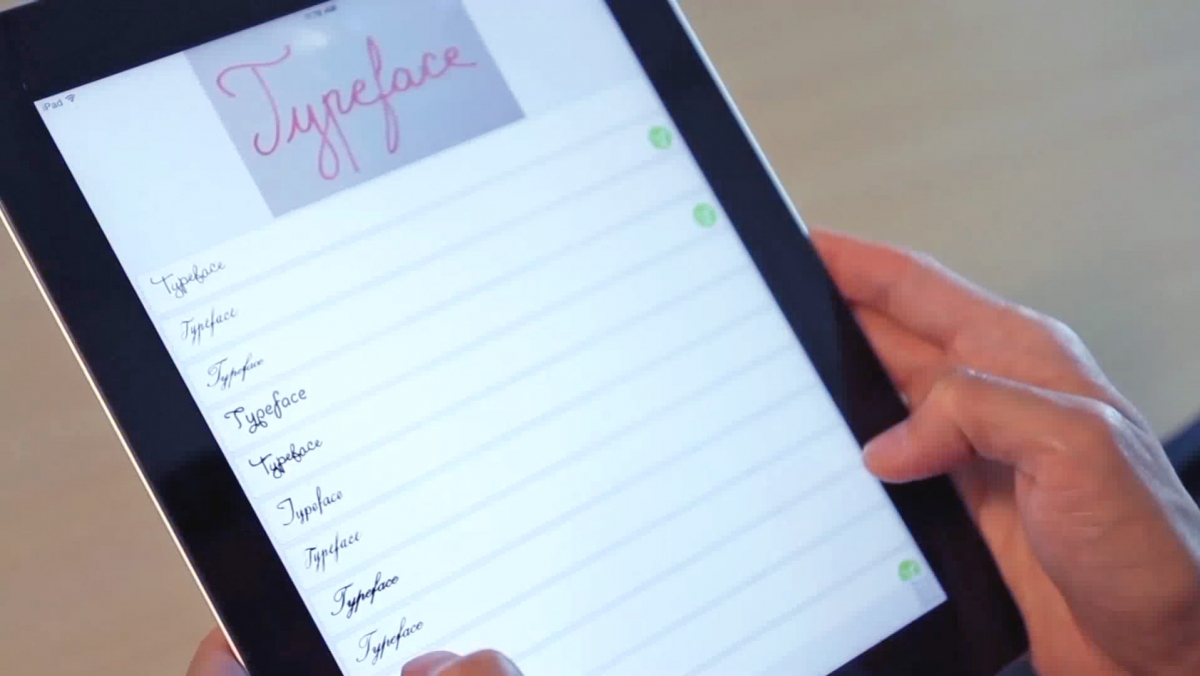
Graphic designers, rejoice – the hours upon hours of struggling to figure out what a type face is will finally be over as Adobe is adding an artificial intelligence tool to help detect and identify fonts from any type of picture, sketch or screenshot.

The DeepFont system features advanced machine-learning algorithms that send pictures of typefaces from Photoshop software on a user’s computer to be compared to a huge database of over 20,000 fonts in the cloud, and within seconds, results are sent back to the user, akin to the way the music discovery app Shazam works.


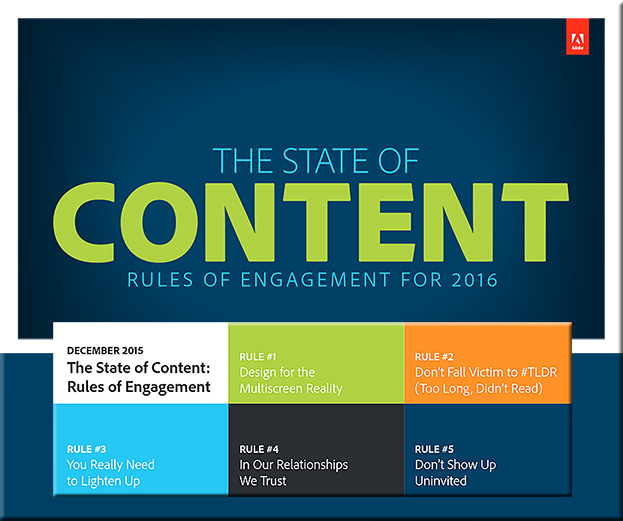
State-of-Content-Adobe-2016


Excerpt:

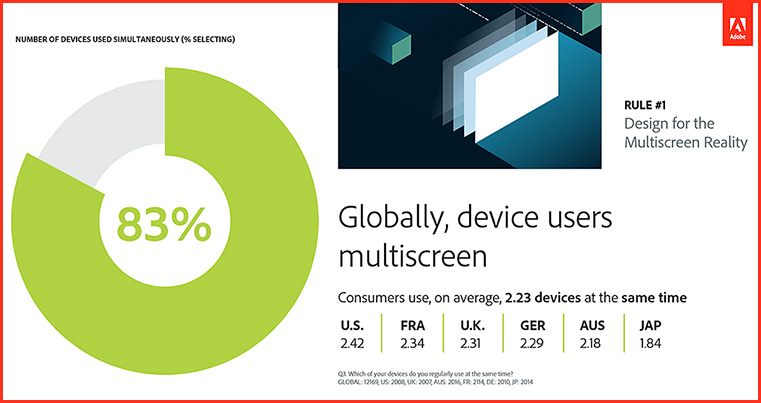
RULE #1: DESIGN FOR THE MULTISCREEN REALITY
Consumers are multiscreening more than ever before — optimize your content for it

  • On average, 83 percent of global consumers report they multiscreen, using 2.23 devices at the same time.


Design-Multiscreenreality-March2016


As attention spans shrink, 59 percent of consumers globally would rather engage with content that’s beautifully designed than simple — even when short on time.


More than half of consumers (57%) would prefer to watch videos on breaking news vs. read an article and 63 percent would rather skim several short stories than read deeper articles.


Globally, consumers use an average of 5 devices and 10 services


Adobe’s Project Comet has been renamed ‘Experience Design’ — and it [launched on 3/14/16] — from thenextweb.com by Nate Swanner

Excerpt:

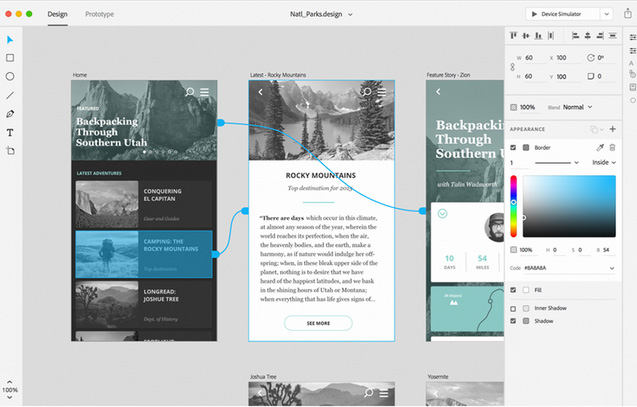
Adobe’s Project Comet is now Experience Design (XD), and is available in preview for anyone with an existing Adobe account.

Noting there are currently “lots of tools tackling many parts of the problem” of designing apps, Adobe is positioning XD to compete more directly with Sketch, and it does a fantastic job. Not only will you be able to design artboards, but XD lets you make macro changes and prototype as well.

It begins with the type of project you have (Web, iPhone, iPad or ‘custom size’ designs), but XD also has UI Kit packets preloaded. You can choose from iOS, Google’s Material Design or Windows. XD also shows you recent files so you can jump right back into prototyping.


Adobe-ExperienceDesign-3-14-16


Microlearning: The e-Learning method taking off around the world — from educators.co.nz by Catherine Knowles

Excerpt:

Technology is disrupting traditional learning bringing new methods and tools into educational institutions and businesses.

Microlearning, for instance, has displayed great potential for growth, according to Association Learning + Technology 2016 – a report published by Tagoras and sponsored by YM Learning.

The report looks at the use of technology to enable and enhance learning in the continuing education and professional development market and provides insight into how the role technology plays in learning has and will evolve.


In fact, among five emerging types of learning (microlearning, massive open online courses (MOOCs), flipped classes, gamified learning, and microcredentials), microlearning shows the highest rate of adoption – and arguably the greatest potential for growth.


Podcasting is perfect for people with big ideas. Here’s how to do it — from by Todd Landman
Surprisingly few academics have learned how to podcast – but it’s a great way to reach a wider audience

Excerpt:

In the face of conflict in the Middle East, the flow of refugees to Europe and the violence associated with Islamic State and other militants, there has never been a more important time to talk about human rights. And talk about them is what I do – not in a lecture hall or at conferences with academics, but in a podcast series. Let me explain why.

I have worked as a political scientist for 25 years, focusing on human rights problems such as the struggle for citizenship rights in Latin America and the relationship between inequality and human rights violations.

I am part of a wide network of people dedicated to producing sound evidence on human rights, and my work has been communicated through articles, books and reports. But I am limited in my ability to reach the people I would most like to engage and influence – those who do not have an academic understanding of human rights but might benefit from finding out about it.

There is a new breed of academic who understands this and is committed to bridging the gap between academia and the real world. Many blog, actively seek media coverage of their research and appear on radio and television to shed light on the issues of the day.


From DSC:
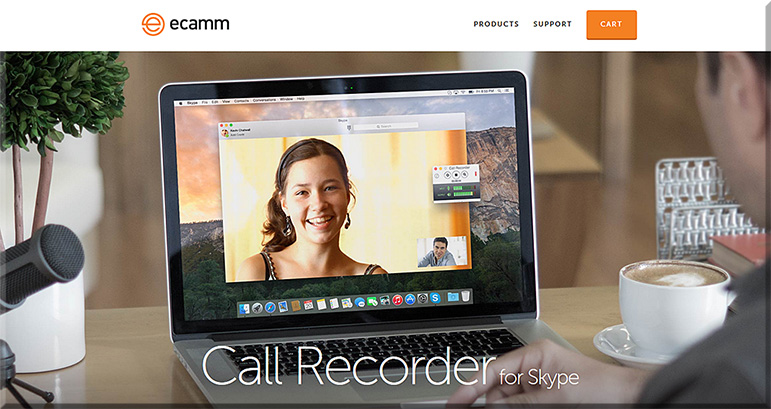
Some of the tools that Landman mentioned were:

e-camm-for-skype-jan2016

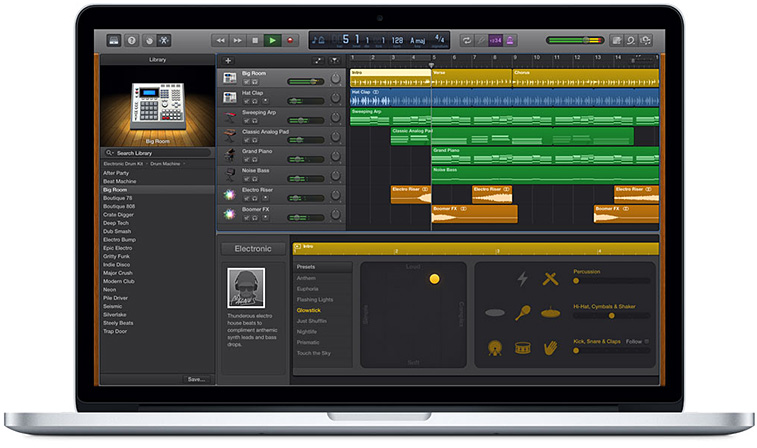
  • A MacBook Pro and its free audio editing software GarageBand (for Mac OS X and for iOS)
  • A lapel mic used with his iPhone


garageband-jan2016


Some other tools to consider:


From DSC:
The above articles point to the idea — and the need — of creating “streams of content” — something that I wish more professors, teachers, staff, administrators, trainers, and instructional designers would create. Blogs, podcasts, and the use of Twitter come to my mind. Such channels could really help build others’ learning ecosystems.

Many professors and academics — folks who have so much information to share with the world — often produce works just for other academics in their discipline to review/check out. Such bubbles don’t have the impact that would occur if professors created streams of content for members of society to check out and learn from. Such mechanisms would also hopefully strip away some of the more academic sounding language and would get to the point.


streams-of-content-blue-overlay


Also see:

podcastscratch-june2015


Watch Adobe’s Monument Mode erase tourists from photos in real time — from theverge.com by Rich McCormick

Excerpt:

Adobe’s MAX conference took place last night, showing off technology, software, and features the company is currently working on. One of the stars of this year’s show was “Monument Mode,” a new feature that promises to work with smartphone cameras to crop out tourists, cars, and other moving objects that might be blocking your shot of famous landmarks.


Photography Startup Light Launches Multilens Camera — from by Tekla Perry

Excerpt:

Last year, stealthy Palo Alto startup Light picked up $9.7 million in venture funding to “reimagine the art and science of photography.” Job postings indicated they were looking for people with experience in combining multiple recorded images to reduce noise and improve image quality.

This week, Light demonstrated a prototype of its first product, what it calls a “multi-aperture computational camera,” the L16, at the Code/Mobile conference in Half Moon Bay. This flat camera, which looks like a fat smartphone, includes 16 camera lenses with a variety of focal lengths, 10 of which fire at any one time. Behind each lens is a camera module that records an image in 13-megapixel resolution; exposure is set individually for each lens. Then the camera’s software selectively combines those images.


Campus Technology 2015 Readers’ Choice Awards

CampusTechReadersChoiceAwardsSept2015

Excerpt:

In this first-ever higher education “gear of the year” guide, Campus Technology has turned to hundreds of education professionals to tell us which products in 29 categories are truly the best. We cover the gamut of technology from 3D printers to wireless access points. In almost every category you’ll find the Platinum, Gold and Silver picks to help you short-list your shopping, fuel your decision-making or perhaps start a friendly debate on campus.

  1. Learning Management and E-learning
  2. E-Portfolios
  3. Other Instructional Tools
  4. Student Information Systems and Data Management
  5. Enterprise Resource Planning (ERP)
  6. Constituent Relationship Management (CRM)
  7. Student Success/Retention
  8. Student Response Systems and Classroom Clickers
  9. Lecture Capture
  10. Document Cameras
  11. Projectors
  12. Interactive Whiteboards
  13. Videoconferencing and Web Conferencing
  14. Virtual Classroom and Meeting
  15. Classroom Audio Distribution/Sound Enhancement
  16. Captioning
  17. Office/Productivity Suites
  18. Classroom Presentation
  19. Multimedia Authoring Suites and Creative Software
  20. E-Learning Authoring
  21. Media Tablets
  22. Chromebook
  23. Windows Tablet
  24. Convertible and 2-in-1 Notebooks
  25. Notebooks
  26. Virtual Desktops and Thin Clients
  27. Wireless Access Points and Hotspots
  28. 3D Printers
  29. Emergency Notifications


Here are the Top 100 Tools for Learning 2015 — from c4lpt.co.uk by Jane Hart


TopTools-2015-Hart


Excerpt:

Over 2,000 learning professionals from around the world from both education and enterprises contributed to the 9th Annual Survey of Learning Tools. Very many thanks to all those who took the time to complete the online form, write a blog post, send me an email or tweet me their selection.

I have now compiled the Top 100 Tools for Learning 2015, updated the Top 100 Tools for Learning website and prepared a slideset, which I have hosted on Slideshare and embedded below.

For the 7th year running Twitter is the  No 1 tool on the list, although this year it is very closely followed by YouTube, and once again, the list is dominated by free online tools and services. I can also see some interesting new trends in the tools that are being used for both personal learning and for creating learning content and experiences for others, and I will provide my analysis shortly. In the meantime, beneath the presentation, you will find a summary of the new tools on the list and the big movers up the list.


Google sounds the death knell for Adobe Flash — from businessinsider.com.au by Matt Weinberger

Excerpt:

Starting in September, the Google Chrome web browser will no longer automatically show Adobe Flash advertisements, the search giant announced [on 8/27/15].

Chrome is the second most popular browser for desktop and laptop computers, with about 28% market share, behind only Microsoft Internet Explorer, according to NetMarketshare.

The change, first announced in June, is just Google’s latest attack against Adobe Flash.

Flash had been the standard for interactive web content since it was introduced in the early 2000s. But there’s been a huge industry pushback in the last few years, mainly from Apple — which never supported Flash on the iPhone or iPad — and more recently Google.


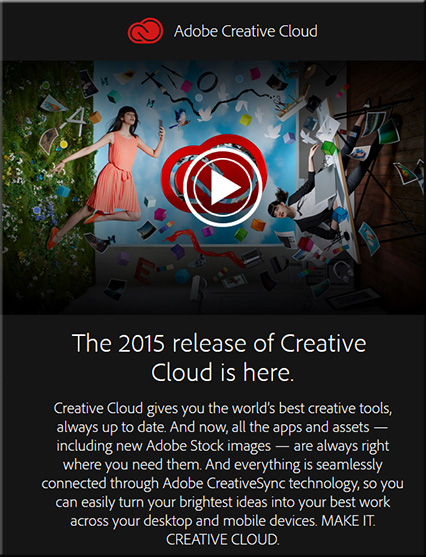
AdobeCreativeCloud2015


Some resources on this announcement:

  • Adobe Unveils Milestone 2015 Creative Cloud Release — from adobe.com
    Excerpt:
    At the heart of Creative Cloud is Adobe CreativeSync, a signature technology that intelligently syncs creative assets: files, photos, fonts, vector graphics, brushes, colors, settings, metadata and more. With CreativeSync, assets are instantly available, in the right format, wherever designers need them – across desktop, web and mobile apps. Available exclusively in Creative Cloud, CreativeSync means work can be kicked off in any connected Creative Cloud mobile app or CC desktop tool; picked up again later in another; and finished in the designer’s favorite CC desktop software..

  • Adobe updates Creative Cloud in milestone 2015 release — from creativebloq.com
    Powerful updates to Photoshop CC, Illustrator CC, Premiere Pro CC and InDesign CC; new mobile apps for iOS and Android and more. Here’s everything you need to know.

  • Adobe launches Adobe Stock, included in Creative Cloud, as well as a stand-alone service — from talkingnewmedia.com by D.B. Hebbard
    Pricing for CC customers is $9.99 for a single image; $29.99 per month for 10 images monthly; and $199 per month for 750 images monthly
    Excerpt:
    [On 6/15/15] Adobe has launched Adobe Stock, its new stock photography service. It is now included in CC and will appear as one of the five top menu items in the CC app (Home, Apps, Assets, Stock and Community). Many will have noticed the update to the app that came through yesterday.
    .
  • Adobe launches radical new stock image service — from creativebloq.com
    Excerpt:
    Adobe has launched Adobe Stock, a new service that simplifies the process of buying and using stock content, including photos, illustrations and vector graphics. Part of the milestone 2015 Creative Cloud release announced this morning, Adobe Stock is a curated collection of 40 million high-quality photos, vector graphics and illustrations. The aim? To help creatives jump-start their projects.

    Photographers and designers can also contribute work to Adobe Stock. Adobe says it will offer industry-leading rates, while giving creatives access to a global community of stock content buyers.
    .
  • Adobe Illustrator CC is now 10 times faster — from creativebloq.com
    .
  • The best new features in Adobe Photoshop CC — from creativebloq.com

Adobe Photoshop CC


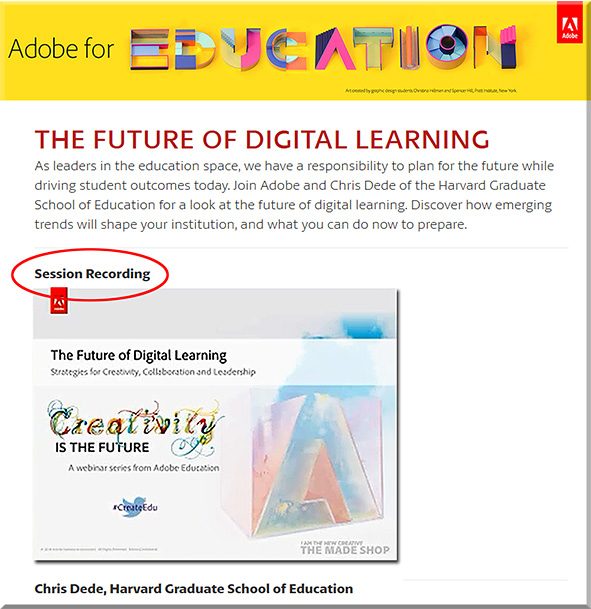
FutureDigitalLearningDede-Adobe-April2015


From DSC:
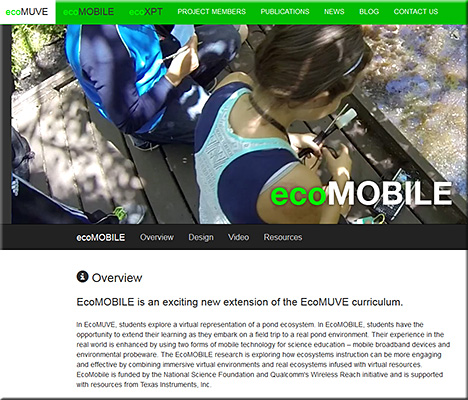
Chris uses ecoMOBILE and ecoMUVE to highlight the powerful partnerships that can exist between tools and teachers — to the benefits of the students, who can enjoy personalized learning that they can interact with.  Pedagogical approaches such as active learning are discussed and methods of implementing active learning are touched upon.

Chris pointed out the National Research Council’s book from 2012 entitled, “Education for Life and Work: Developing Transferable Knowledge & Skills in the 21st Century” as he spoke about the need for all of us to be engaged in lifelong learning (Chris uses the term “life-wide” learning).

Also, as Chris mentioned, we often teach as we were taught…so we need communities that are able to UNlearn as well as to learn.


ecomobile-april2015


Also see:


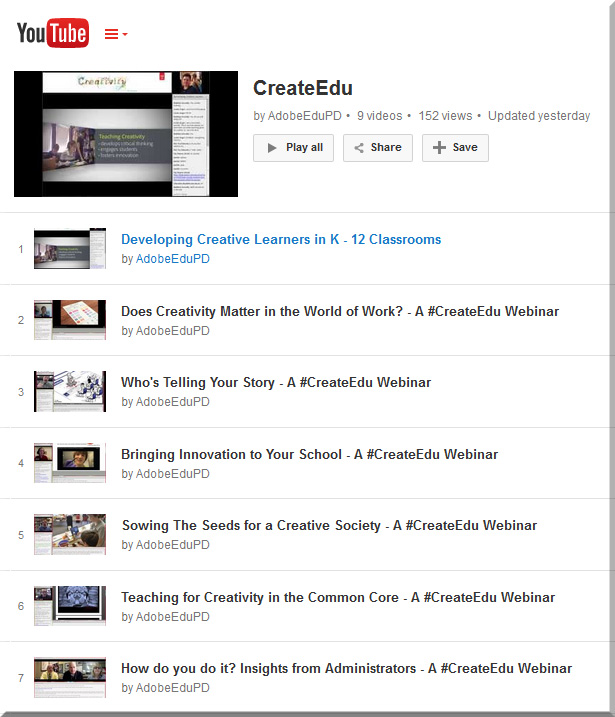
AdobeCreate-YouTubeChannel


Augmented Reality can be a reality in your art classroom — from theartofed.com

Excerpt:

Last fall, I attended a technology conference where I went to a session on augmented reality technology (AR) and how it can be used in the classroom. I was blown away by the possibilities of this tech concept and its ability to modify our students’ current reality into a compelling, virtual experience of interactive information.

AR in your Art Classroom
There are dozens of AR apps, programs and resources out there that can help encourage curiosity and inspire critical thinking and intense creativity in your students. Here are a few augmented reality options that you can start infusing into your art curriculum.
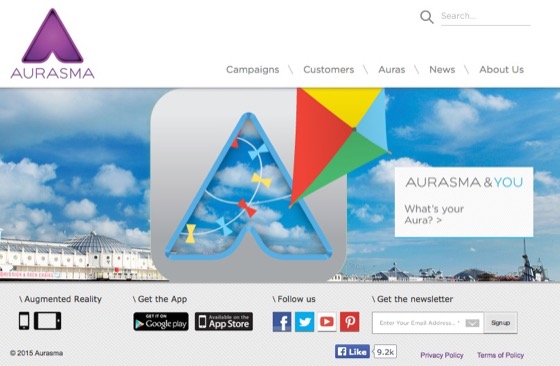
Aurasma

ARPhoto#2


Jaunt VR wants to (virtually) change the way we travel — from cntraveler.com
Gaming is just the beginning. The real future of virtual reality lies in hacking the global travel experience.


52 of the best apps for your classroom in 2015 — from list.ly by Terry Heick


Adobe’s Slate is  a [new] visual storytelling app for the iPad — from techcrunch.com; also an article at CampusTechnology.com on this app


The top 50 apps for creative minds — from theguardian.com
Our pick of the best tablet and smartphone tools to enable you to make video, music, art and more


[Microsoft’s] Sway is now collaborative—create and edit together with others!

Excerpt:

When we announced Sway, we knew that people would want to work on standout class projects, eye-catching business reports, engaging vacation recaps, or more, together—it’s the way things are done now, right? But Sway up until now has been a tool for individual authors to create polished content in a new and interactive way to share with their audiences. However, we know you’ve asked for shared editing in Sway in our feedback channels (such as UserVoice), and that Office has delivered real-time editing and collaboration features for years, allowing people to work together to share their collective ideas. On top of that, we can’t tell you how many times that we on the Sway team have said to each other, “I wish I could work on this Sway with you!” So now we’re rolling out co-authoring in Sway!


Microsoft debuts Office Lens, a document-scanning app for iOS and Android — from techcrunch.com by Sarah Perez

Excerpt:

Microsoft [on 4/2/15] launched Office Lens, a mobile document scanner app that works with OneNote, for iOS and Android smartphones. The app, which allows users to snap photos of paper documents, receipts, business cards, menus, whiteboards, sticky notes and more, was first launched a year ago as an application designed only for Windows Phone devices.


5 free (or low cost) tools for Flipped Learning— from Campus Technology’s April/May 2015 edition

  • Doceri
  • Explain Everything
  • Office Mix
  • Screencast-O-Matic
  • Verso


AppStudio for ArcGIS — with thanks to Dr. Jason Van Horn (Associate Professor Geology, Geography & Env Studies at Calvin College) for this resource
Your mobile mapping apps, built in a snap

Excerpt:

AppStudio for ArcGIS is a groundbreaking tool in the GIS app revolution. It lets you convert your maps into beautiful, consumer-friendly mobile apps ready for Android, iOS, Windows, Mac OS X, and Linux, and publish them using your own brand to all popular app stores – no developer skills required.


Moodle Mobile 2 is coming: updated look and feel of the application, transition to Ionic Framework — from moodlenews.com

Excerpt:

A few weeks ago Juan Leyva introduced a demo site for Moodlers to check out the 2nd version of Moodle Mobile the ever improving official mobile application for the learning management system. The major changes include a shift to Ionic framework which will greatly enhance the developers’ ability to focus on new features development.


Some of the best storytelling apps for elementary students — from educatorstechnology.com

Excerpt:

The apps below are particularly useful for elementary students but they can also be used with other age groups. Elementary teachers often complain about the paucity of apps that are kids appropriate compared with apps for other age groups. So we thought it would be useful to create a section in this blog devoted entirely to apps specifically curated for elementary teachers. After we have covered math and writing apps, today’s post features some very good iPad storytelling apps to use with young kids. You can use these apps to help kids develop a wide range of basic literacy skills that include: writing, reading and speaking.


5 great writing apps for elementary students — from educatorstechnology.com

Excerpt:

The selection we curated for you today contains some  useful iPad apps to use with elementary students to help them with their writing. Some the things your kids will get to learn from these apps include: learning how to write letters, learning phonics and spelling, composing syllables by combining vowels and consonants, and several other basic literacy skills. Some of these apps also include tracking features which allow teachers and parents to keep updated about the progress of their kids.


Addendum on 4/8/15:

Addendum on 4/9/15:

Addendums on 4/13:15:

  • Six ways to make movies on a smartphone — from quib.ly by Laura Celada
    Excerpt:

    Have you tried using mobile devices to make movies? Film-making is such a great way for your children to express themselves and nurture their creativity and imagination. We’ve selected the most powerful apps and programs that can even the least techy kids become creative moviemakers.
    None of these require any special equipment, just a tablet or a smartphone. Children can take videos, edit their work and make professional quality movies on the go. Check out the list below and bring out the Spielberg in them. Maybe next year you and your little thinker might be walking down the red carpet…
    .
  • Nice for Every Device: 15 Tech-Agnostic Tools — from edsurge.com
    Posting included tools for:
    Student Response Systems
    Student Collaboration Activities
    English Language Arts/Social Studies
    Math/Science
  • 80 Twitter Tools for Almost Everything — from hongkiat.com


© 2025 | Daniel Christian